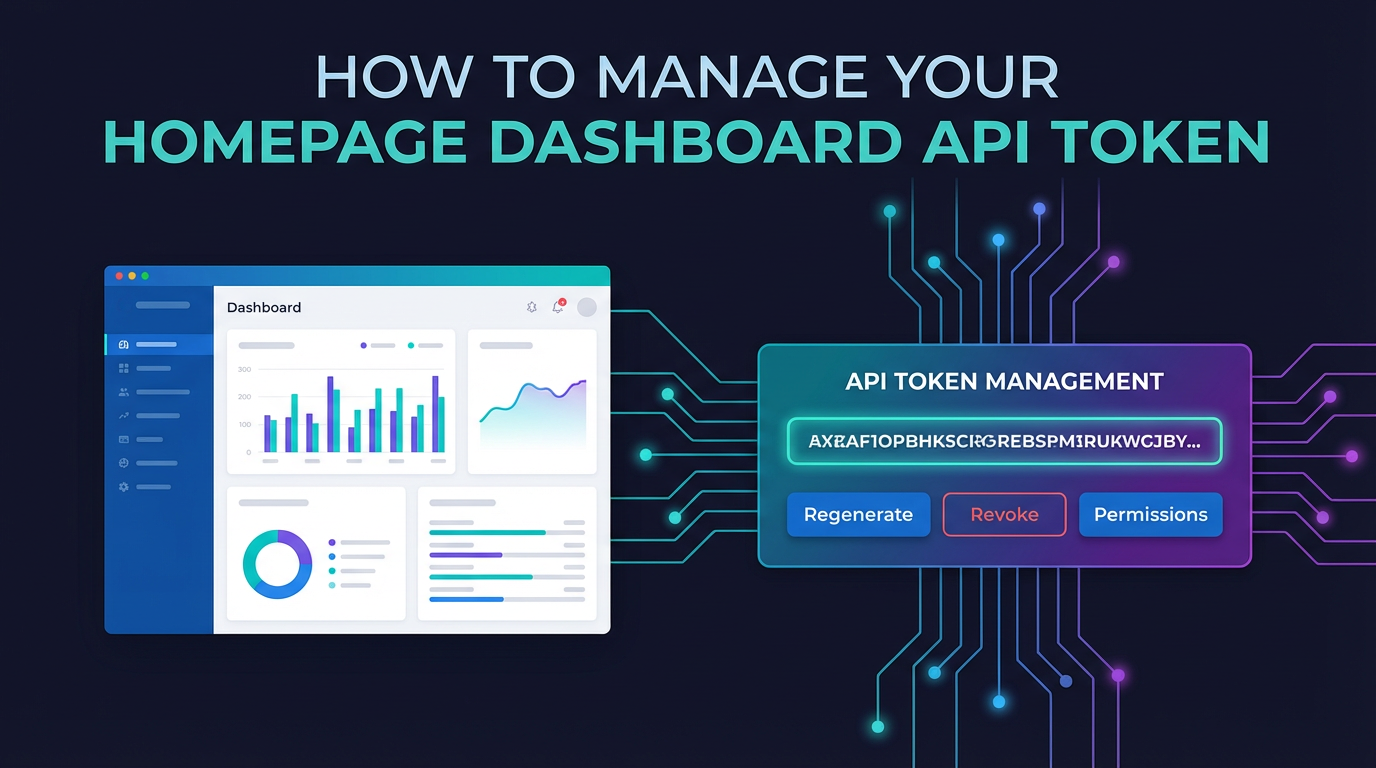
How to Manage Your Homepage Dashboard API Token


In the intricate landscape of modern web applications and digital services, the humble homepage dashboard stands as a pivotal control center, offering users a personalized window into their data, activities, and interactions. From checking analytics and managing subscriptions to viewing financial transactions or controlling smart home devices, these dashboards are powered by a complex web of application programming interfaces (APIs). At the very heart of securing and enabling these interactions lies the API token – a small, yet immensely powerful, digital key that grants access to specific data and functionalities. This exhaustive guide delves into the multifaceted world of API token management for your homepage dashboard, dissecting its importance, lifecycle, best practices, and the critical role of robust API infrastructure in ensuring security and performance.
The digital fabric of our daily lives is increasingly interwoven with APIs. Every time you refresh your social media feed, check your bank balance online, or stream a video, APIs are working diligently behind the scenes, ferrying data between different services and applications. For your personal or business homepage dashboard, this intricate dance is particularly crucial. It's the api that allows your dashboard to pull in real-time data from various sources, display custom content, and execute user-initiated actions. Without a secure and efficient mechanism to authenticate these api calls, your dashboard would be a mere static page, devoid of its dynamic utility and, more critically, vulnerable to unauthorized access. This is precisely where API tokens step in, serving as the trusted credentials that validate each request originating from your dashboard, ensuring that only you, or applications authorized by you, can access and manipulate your sensitive information.
Understanding how to effectively manage these tokens is not merely a technical detail; it is a fundamental aspect of maintaining digital security, optimizing application performance, and safeguarding user privacy. Neglecting API token management can lead to severe consequences, ranging from data breaches and service disruptions to significant reputational damage. This guide will equip you with the knowledge and strategies necessary to navigate the complexities of API token management, from their initial generation within an API Developer Portal to their secure deployment, vigilant monitoring, and timely revocation. We will explore how a well-structured api gateway can act as the first line of defense, validating tokens, enforcing policies, and ensuring smooth, secure data flow, thereby transforming what could be a precarious endeavor into a seamless and protected experience.
The Foundation: Deconstructing the API Token
Before delving into management strategies, it's essential to grasp what an API token truly is and how it functions within the ecosystem of your homepage dashboard. An API token, in its essence, is a unique string of characters that acts as a credential, issued to an application or user to authenticate and authorize api requests. Unlike traditional passwords, which are typically human-readable and used for direct user login, API tokens are designed for programmatic access. They are the digital equivalent of a key card, granting entry to specific areas or functionalities within a larger system, without revealing the master key (your actual password).
What Constitutes an API Token?
While the appearance of an API token might vary – from simple alphanumeric strings to complex, encoded data structures like JSON Web Tokens (JWTs) – their core purpose remains consistent: to provide a secure, verifiable means for an api client to prove its identity and permissions to an api server.
- Identity and Authentication: When your dashboard, or any application, makes an
apirequest, it presents its API token. The server then validates this token against its records to confirm the identity of the requester. This process, known as authentication, is the first critical step in ensuring that the request is legitimate and not originating from an impostor. - Authorization and Permissions: Beyond merely identifying the requester, an API token often carries embedded or associated information about what actions the requester is authorized to perform. For instance, a token might grant permission to "read user profile data" but explicitly deny permission to "delete user account." This granular control, known as authorization, is paramount for implementing the principle of least privilege, minimizing the potential damage if a token were ever compromised.
- Session Management (Implicit): While not explicitly session cookies, API tokens often implicitly manage a session's context. Once authenticated and authorized, subsequent
apicalls using the same valid token can continue without re-authenticating, streamlining the interaction between the dashboard and the backend services.
Types of API Tokens Relevant to Dashboards
While the term "API token" is broad, several common types are particularly relevant when managing access to a homepage dashboard:
- Bearer Tokens: These are perhaps the most common type used with RESTful APIs, often associated with OAuth 2.0. The name "bearer" implies that whoever "bears" or possesses the token is granted access. These are typically opaque strings and are sent in the
Authorizationheader of an HTTP request, prefixed with "Bearer" (e.g.,Authorization: Bearer <your_token_string>). They are popular for their simplicity and effectiveness in securing client-server interactions. - API Keys (Simplified Tokens): Often used for simpler
apiintegrations, API keys are static, long-lived credentials. While they function similarly to bearer tokens in authenticating requests, they usually offer less granular control over permissions and are typically associated with a specific application or user rather than a temporary session. They might be passed as query parameters or in custom HTTP headers. While easier to implement initially, their long lifespan often makes them a greater security risk if compromised. - JSON Web Tokens (JWTs): JWTs are a more structured and self-contained type of token. They are typically composed of three parts: a header, a payload (containing claims like user ID, roles, expiration time), and a signature. This structure allows JWTs to carry verifiable information directly within the token itself, reducing the need for the
apiserver to perform database lookups for every request. The signature ensures the token hasn't been tampered with. JWTs are highly versatile and widely used in modern webapiarchitectures, providing both authentication and authorization data in a cryptographically signed package. Their compact nature and ability to be verified without a central database lookup make them excellent for distributed systems.
For a homepage dashboard, a combination of these might be in play. For instance, an initial login might generate a JWT for the frontend application, which then uses this JWT as a bearer token for subsequent api calls. The choice of token type has significant implications for security, management complexity, and application architecture.
The Imperative: Why API Tokens are Indispensable for Homepage Dashboards
The reliance on API tokens for homepage dashboards stems from a fundamental need for secure, efficient, and personalized user experiences. Without them, dashboards would either be insecure free-for-alls or burdened by constant, cumbersome re-authentication processes.
1. Robust Authentication and Identity Verification
The most direct benefit of API tokens is their role in authenticating users and applications. When you log into a service and navigate to your dashboard, the underlying system needs to confirm that you are indeed who you claim to be. Instead of repeatedly entering your password for every data fetch or action, an API token, obtained upon successful initial login, serves as a persistent, secure proof of identity for subsequent api calls. This not only streamlines the user experience but also offloads the authentication burden from repeated password checks, improving overall system efficiency.
2. Granular Authorization and Access Control
Beyond mere identity verification, API tokens are critical for enforcing granular access control. A well-designed API token will not just say "this user is logged in," but also "this user can view their payment history, but cannot modify their billing address without additional credentials." This principle of least privilege is a cornerstone of cybersecurity. By assigning specific scopes or permissions to a token, the system can restrict what data an application or user can access and what actions they can perform. This minimizes the "blast radius" if a token is ever compromised, as the attacker's access would be limited to only what the token explicitly permitted. For a dashboard that pulls data from various services (e.g., e-commerce, analytics, support tickets), different api calls might require tokens with different permission sets, ensuring that each interaction is precisely authorized.
3. Enabling Personalization and User-Specific Data Retrieval
Homepage dashboards are inherently personal. They display information tailored specifically to an individual user – their recent orders, specific settings, personalized recommendations, or unique analytical insights. This personalization is entirely dependent on the ability of the dashboard to securely request and receive user-specific data from various backend services. API tokens act as the key that unlocks this personalized data. When your dashboard makes an api call for "my recent purchases," the API token attached to that request identifies you, allowing the backend system to retrieve your purchase history, not someone else's. This seamless, secure retrieval of context-specific information is what makes dashboards truly useful and engaging.
4. Enhancing Security Posture Against Common Threats
API tokens significantly bolster the security posture of your dashboard against a range of common cyber threats:
- Credential Stuffing: Unlike passwords, which are often reused across multiple sites and vulnerable to credential stuffing attacks, API tokens are typically unique to an application or session.
- Cross-Site Request Forgery (CSRF): While not a complete panacea, when properly implemented (e.g., by checking the
Originheader or using anti-CSRF tokens alongside API tokens), tokens can help mitigate CSRF risks by requiring explicit authorization for requests. - Brute-Force Attacks: Since API tokens are usually long, complex strings generated cryptographically, they are far more resistant to brute-force guessing than typical passwords. Furthermore, rate limiting, often managed by an
api gateway, can detect and block repeated failed attempts to use invalid tokens. - Data Isolation: By tying tokens to specific users and permissions, they help ensure that one user's data remains isolated from another's, preventing accidental or malicious data leakage between accounts.
5. Facilitating Integration with Third-Party Services
Many modern dashboards integrate data or functionalities from third-party services (e.g., payment gateways, CRM systems, marketing automation tools). API tokens provide a standardized and secure way for your dashboard to interact with these external apis. Instead of sharing sensitive master credentials, specific, limited-scope tokens can be issued for these integrations, minimizing the security risk associated with external dependencies. The API Developer Portal of such third-party services will typically provide instructions on how to generate and manage these tokens, ensuring a secure hand-off of access privileges.
In essence, API tokens are the silent guardians of your homepage dashboard, enabling its dynamic functionality while rigorously upholding security and privacy. Their proper management is not optional; it is foundational to the integrity and reliability of any modern web application.
The Journey of a Token: Lifecycle Management
Managing an API token effectively requires understanding its entire lifecycle, from the moment it's generated to its eventual expiration or revocation. Each stage presents unique challenges and opportunities for robust security and operational efficiency.
1. Generation and Issuance: The Birth of a Credential
The lifecycle of an API token begins with its generation. For a homepage dashboard, this typically occurs in one of two ways:
- Through an
API Developer Portal: Many services, particularly those offering developer-facingapis, provide a dedicatedAPI Developer Portal. This portal is a user-friendly interface where users (or their applications) can register, create new API keys or tokens, and manage existing ones. The process usually involves a few clicks:- Log in to the
API Developer Portal. - Navigate to an "API Keys" or "Tokens" section.
- Click "Generate New Token" or "Create New API Key."
- Often, you'll be prompted to provide a name for the token (e.g., "My Dashboard App Token"), and crucially, define its scope or permissions. This is where you specify what resources the token can access (e.g., "read-only access to user profile," "manage subscriptions"). This step is vital for implementing the principle of least privilege.
- Once generated, the token string is usually displayed only once. It's critical to copy and store it immediately in a secure location, as it often cannot be retrieved again for security reasons.
- Log in to the
- Programmatic Issuance (OAuth 2.0 Flow): For more dynamic and interactive dashboards, especially those using OAuth 2.0, tokens are often issued programmatically following an authorization flow. After a user grants permission to an application (e.g., by clicking "Allow" on an authorization screen), the application exchanges an authorization code for an access token (the API token) and often a refresh token. This process is more complex but provides better security for user consent and short-lived access tokens.
Regardless of the method, the generation process must be secure, ensuring that tokens are cryptographically strong (long and random) and that their initial display is handled with care.
2. Secure Storage: The Sanctuary for Your Digital Key
Once generated, the API token becomes a critical credential, and its storage is perhaps the most vulnerable point in its lifecycle. A compromised storage location can lead to unauthorized access and severe data breaches. Different environments require different storage strategies:
- Client-Side (Frontend Dashboard): If your homepage dashboard is a single-page application (SPA) running entirely in the user's browser, storing tokens securely is challenging.
- Memory: For short-lived tokens, storing them in memory for the duration of a session is generally the most secure client-side option, as they are gone once the browser tab is closed.
- HTTP-only Cookies: For session-based tokens, using HTTP-only cookies can prevent JavaScript access, mitigating XSS (Cross-Site Scripting) attacks. However, they are still vulnerable to CSRF without additional protections.
- Web Storage (localStorage/sessionStorage): While convenient,
localStorageandsessionStorageare generally not recommended for sensitive API tokens. They are vulnerable to XSS attacks, where malicious JavaScript could easily read the token. If used, extreme caution and robust XSS prevention measures are paramount.
- Server-Side (Backend Services, APIs): If your dashboard leverages a backend server to make
apicalls on its behalf, storage is more robust:- Environment Variables: A common and secure practice for server-side applications. Tokens are loaded into the application's environment at runtime and are not committed to source control.
- Dedicated Secret Management Services: Cloud providers (e.g., AWS Secrets Manager, Azure Key Vault, Google Secret Manager) and third-party tools (e.g., HashiCorp Vault) offer highly secure, centralized services for storing and managing secrets. These services encrypt tokens at rest and provide mechanisms for controlled access and rotation.
- Encrypted Configuration Files: As a less ideal but sometimes necessary option, tokens can be stored in encrypted configuration files, ensuring they are unreadable without the decryption key. The key itself must be stored securely (e.g., via environment variable).
- Database (Encrypted): For specific use cases, tokens might be stored in an encrypted database, particularly if they are associated with individual user accounts or third-party integrations.
Table: Comparison of API Token Storage Methods
| Storage Method | Pros | Cons | Recommended For |
|---|---|---|---|
| Client-Side (Browser) | |||
| In-Memory (JS variable) | Most secure client-side; cleared on page close. | Lost on refresh/navigation; requires re-authentication or token refresh. | Short-lived tokens; single-page applications for current session. |
| HTTP-only Cookies | Not accessible via JavaScript (mitigates XSS); automatically sent with requests. | Vulnerable to CSRF without additional measures; limited cross-domain sharing; cookie size limits. | Session tokens where CSRF protection is carefully implemented; traditional web applications. |
| Web Storage (localStorage/sessionStorage) | Easy to use; persistent across sessions (localStorage); accessible via JavaScript. | Highly vulnerable to XSS attacks; no inherent security features; easily read by malicious scripts. Generally NOT recommended for sensitive tokens. | Non-sensitive data only; if used for tokens, extreme XSS precautions are mandatory, and tokens must be very short-lived and frequently refreshed. |
| Server-Side (Backend) | |||
| Environment Variables | Separates configuration from code; relatively secure if server is protected. | Requires manual setup on each environment; not suitable for large numbers of dynamic secrets; not version controlled. | Most common for application-level API tokens; backend services. |
| Dedicated Secret Management Services | Centralized, highly secure (encryption at rest/in transit); automated rotation; audit trails. | Adds complexity and dependencies; can incur cost; requires proper access control to the secret manager itself. | Enterprise applications; environments with numerous secrets; high-security requirements; microservices architectures. |
| Encrypted Configuration Files | Tokens stored with application config; version control possible (if encrypted). | Requires managing encryption keys separately and securely; manual decryption process can be error-prone; less dynamic. | Legacy systems; environments where secret managers are not feasible; static application secrets where encryption is mandatory. |
| Encrypted Database | Suitable for dynamic, user-specific tokens; robust access control via database permissions. | Performance overhead for encryption/decryption; database security becomes paramount; requires careful schema design. | User-specific tokens, OAuth refresh tokens; multi-tenant api platforms managing client tokens. |
The cardinal rule of token storage: Never hardcode API tokens directly into your source code. This is a severe security vulnerability, as the token would be exposed to anyone with access to the codebase, including version control systems like Git.
3. Usage: Presenting the Key
Once stored, an API token is used to authorize api requests. The most common method for HTTP-based APIs is to include the token in the Authorization header:
GET /api/v1/user/profile
Host: api.example.com
Authorization: Bearer <YOUR_API_TOKEN>
Alternatively, API keys might be passed as query parameters (e.g., GET /api/v1/data?apikey=<YOUR_API_KEY>) or in custom headers (e.g., X-API-KEY: <YOUR_API_KEY>). However, passing tokens in query parameters is generally discouraged for sensitive data, as they can be logged in server access logs, browser history, and proxy servers, increasing exposure risk. Always prioritize the Authorization header for bearer tokens.
The api gateway plays a crucial role here. It's often the first point of contact for incoming api requests. It intercepts these requests, extracts the API token, validates its authenticity and expiration, and checks its associated permissions before forwarding the request to the appropriate backend service. This centralized validation prevents invalid or unauthorized requests from ever reaching the core application logic, improving both security and performance.
4. Management, Rotation, and Expiration: The Dynamic Duo of Security
API tokens are not set-it-and-forget-it credentials. Their effective management requires ongoing attention:
- Rotation: Regularly changing API tokens, similar to changing passwords, is a critical security practice. If a token is compromised, rotating it minimizes the window of opportunity for attackers. Automated token rotation, often facilitated by secret management services or
api gatewayconfigurations, is ideal. For tokens generated via anAPI Developer Portal, users should have the ability to manually generate a new token, which automatically invalidates the old one. - Expiration: Short-lived tokens are inherently more secure. If a token has a limited lifespan (e.g., 1 hour, 24 hours), its utility to an attacker is severely restricted even if compromised. OAuth 2.0 often uses a combination of short-lived access tokens and longer-lived refresh tokens. The access token is used for direct
apicalls, and when it expires, the application uses the refresh token to obtain a new access token without requiring the user to re-authenticate. This balances security with user experience. - Renewal: For long-lived API keys, services should offer a clear mechanism to renew or regenerate them within the
API Developer Portal, often with an option to notify applications before expiration.
5. Revocation: The Final Act
When an API token is no longer needed, suspected of being compromised, or associated with a deactivated user/application, it must be immediately revoked. Revocation makes the token instantly invalid, preventing any further use.
- Manual Revocation:
API Developer Portals should provide a clear interface for users to revoke specific tokens associated with their accounts or applications. This is essential in emergency situations, such as when a token is accidentally exposed. - Automatic Revocation: In automated systems, tokens can be automatically revoked upon certain events, such as user account deletion, application deactivation, or detection of suspicious activity by the
api gatewayor security monitoring tools. api gatewayEnforcement: A sophisticatedapi gatewayis crucial for enforcing revocations. When a token is revoked, theapi gateway's internal token validation mechanism must be updated in real-time to immediately deny requests bearing that invalid token. Without this, backend services might still process requests, creating a critical vulnerability.
Understanding and meticulously managing each stage of the API token lifecycle is non-negotiable for anyone operating a homepage dashboard. It's a continuous process that intertwines technical implementation with vigilant security practices.
Fortifying Your Defenses: Best Practices for API Token Management
Effective API token management is a continuous journey that requires vigilance and adherence to a set of robust best practices. These practices are designed to minimize risks, optimize performance, and ensure the long-term security and reliability of your homepage dashboard.
1. Implement the Principle of Least Privilege (PoLP)
This is a cornerstone of cybersecurity. An API token should only have the minimum necessary permissions to perform its intended function. If a dashboard component only needs to read user profile data, its associated token should not have permissions to modify account settings or access payment information.
- Define Granular Scopes: When generating tokens in an
API Developer Portal, carefully select or define the specific permissions (scopes) assigned to each token. Avoid granting broad "all access" tokens unless absolutely necessary and for highly controlled environments. - Dedicated Tokens for Dedicated Tasks: Instead of using one "master" token for your entire dashboard, consider using different tokens for distinct functionalities or microservices. For example, a token for analytics data, another for user settings, and a third for payment gateway interactions. This compartmentalization limits the damage if any single token is compromised.
2. Prioritize Secure Storage Above All Else
As highlighted in the lifecycle section, where and how you store your API tokens is paramount.
- Never Hardcode: This cannot be stressed enough. API tokens should never be embedded directly into source code, committed to version control systems (Git, SVN), or stored in plain text configuration files.
- Use Environment Variables: For server-side applications, leveraging environment variables (e.g.,
process.env.API_TOKENin Node.js,os.environ['API_TOKEN']in Python) is a standard and relatively secure practice. They are loaded at runtime and not part of your codebase. - Leverage Secret Management Services: For enterprise-grade security and manageability, invest in dedicated secret management solutions (e.g., AWS Secrets Manager, Azure Key Vault, HashiCorp Vault). These services encrypt secrets at rest and in transit, control access through IAM policies, and often facilitate automated rotation.
- Secure Client-Side Storage: For frontend dashboards, use short-lived tokens stored in memory. If persistent storage is absolutely required, use HTTP-only, secure cookies with robust CSRF protection, and avoid
localStoragefor sensitive tokens.
3. Implement Regular Token Rotation
Just as you change your passwords periodically, API tokens should also be rotated.
- Automated Rotation: Ideally, implement an automated system for token rotation. Secret management services often support this out-of-the-box. For example, a new token could be generated every 90 days, with the old one automatically revoked after a grace period.
- Manual Regeneration in
API Developer Portal: Ensure yourAPI Developer Portalprovides an intuitive way for users to manually regenerate tokens, invalidating the old ones immediately or after a configurable overlap period. - Grace Periods: When rotating, especially for production systems, consider a grace period where both the old and new tokens are valid simultaneously. This allows applications to transition to the new token without service interruption.
4. Enforce Token Expiration and Refresh Mechanisms
Short-lived tokens are inherently more secure than long-lived ones.
- Short-Lived Access Tokens: Design your system to issue access tokens with short expiration times (e.g., 15 minutes to a few hours).
- Refresh Tokens: Pair short-lived access tokens with longer-lived refresh tokens. When an access token expires, the application uses the refresh token to obtain a new valid access token from the authentication server, without requiring the user to log in again. Refresh tokens themselves should be highly secured, used only once, and invalidated if suspected of compromise.
api gatewayEnforcement: Configure yourapi gatewayto strictly enforce token expiration. Any request with an expired token should be rejected immediately, preventing access to backend services.
5. Robust Logging and Monitoring
Visibility into API token usage is crucial for detecting anomalous behavior and potential security incidents.
- Comprehensive Logging: Your
api gatewayand backend services should log allapirequests, including the authenticated user/token ID, requested endpoint, timestamps, and status codes. Crucially, never log the actual API token string itself. - Anomaly Detection: Implement monitoring tools that analyze these logs for suspicious patterns:
- Unusually high request volumes from a single token (potential brute-force or DDoS).
- Requests from unexpected geographical locations for a given token.
- Access attempts to unauthorized resources.
- Frequent failed authentication attempts.
- Alerting: Configure alerts for critical security events, such as a token being revoked, an IP address being blacklisted due to suspicious activity, or a threshold of failed
apicalls being exceeded.
6. Rate Limiting and Throttling
To protect your APIs from abuse, denial-of-service attacks, and unintentional overload, implement rate limiting.
api gatewayFunctionality: This is a primary function of anapi gateway. Configure it to restrict the number of requests a client (identified by their API token or IP address) can make within a specified time window.- Error Handling: When a client exceeds the rate limit, the
api gatewayshould return appropriate HTTP status codes (e.g.,429 Too Many Requests) and includeRetry-Afterheaders. - Tiered Limits: Consider implementing different rate limits for different types of tokens or user tiers (e.g., free tier vs. premium tier).
7. Enforce HTTPS (TLS) Everywhere
All communication involving API tokens – from generation to usage – must occur over HTTPS (TLS). This encrypts data in transit, preventing eavesdropping and man-in-the-middle attacks that could intercept your tokens.
- Mandatory TLS: Configure your
api gatewayand allapiendpoints to exclusively accept HTTPS connections, redirecting or rejecting insecure HTTP requests.
8. Input Validation and Output Encoding
While primarily related to API security in general, these practices indirectly protect API tokens by preventing vulnerabilities that could lead to their exposure or misuse.
- Input Validation: Sanitize and validate all input received by your
apis to prevent injection attacks (SQL injection, command injection, XSS). - Output Encoding: Properly encode all data before displaying it in your dashboard or any application, especially user-generated content, to prevent XSS.
9. Educate Developers and Users
Security is a shared responsibility. Ensure that developers working on your dashboard understand the importance of API token security and follow best practices. For end-users, if they are managing their own tokens, provide clear guidelines within the API Developer Portal on how to keep them secure.
By meticulously applying these best practices, you can establish a robust security framework around your API tokens, safeguarding your homepage dashboard and the sensitive data it manages.
Navigating the Labyrinth: Common Challenges and Solutions in API Token Management
Despite the best intentions, managing API tokens for a homepage dashboard comes with its share of challenges. Recognizing these hurdles and knowing how to overcome them is crucial for maintaining a secure and functional system.
1. Challenge: Accidental Token Exposure (Leakage)
This is perhaps the most significant and common threat. An API token, if exposed, is essentially a live credential that anyone can use to impersonate the legitimate owner.
- Scenarios:
- Hardcoded in Source Code: Developers accidentally embed tokens directly into application code, which is then pushed to public repositories (e.g., GitHub).
- Insecure Logging: Tokens are logged in plain text in application logs, web server logs, or error reports.
- Client-Side Vulnerabilities: Stored insecurely in browser
localStorageand exploited via XSS. - Configuration File Mismanagement: Tokens left in publicly accessible configuration files (e.g.,
.envfiles committed to Git). - Through Network Traffic: Sent over unencrypted HTTP, making them vulnerable to man-in-the-middle attacks.
- Solution:
- Automated Scanners: Integrate secret scanning tools into your CI/CD pipeline to automatically detect and flag tokens in codebases before they are committed or deployed.
- Strict Storage Policies: Enforce the secure storage practices outlined earlier (environment variables, secret managers).
- HTTPS Everywhere: Mandate TLS for all API communications.
- Input and Output Sanitization: Prevent XSS that could lead to token theft.
- Regular Audits: Periodically audit codebases and server configurations for accidentally exposed tokens.
- Immediate Revocation: Have a swift process in place to revoke a token as soon as a leak is suspected or confirmed via the
API Developer Portalorapi gatewayadministration interface.
2. Challenge: Over-Privileged Tokens
A token with excessive permissions poses a disproportionately high risk if compromised. If a dashboard token that only needs to read data can also delete users, a breach could be catastrophic.
- Scenarios:
- Default
API Developer Portalsettings grant broad access. - Developers opt for "easy" full-access tokens during setup.
- Lack of understanding of the principle of least privilege.
- Default
- Solution:
- Granular Permission Design: Design your
apis andAPI Developer Portalto support fine-grained scopes and permissions from the outset. - Mandatory Scope Selection: Make it mandatory for users to explicitly select scopes when generating new tokens.
- Regular Permission Reviews: Periodically review the permissions assigned to existing tokens, especially for long-running applications, to ensure they still adhere to PoLP.
- Security Audits: Include token permission reviews as part of regular security audits.
- Granular Permission Design: Design your
3. Challenge: Expired Tokens Causing Service Disruptions
Tokens with short lifespans are secure, but their expiration can lead to unexpected outages if not handled gracefully.
- Scenarios:
- Frontend applications fail to refresh expired access tokens.
- Backend services fail to renew long-lived API keys.
- Poor error handling for
401 Unauthorizedor403 Forbiddenresponses.
- Solution:
- Robust Refresh Token Mechanism: Implement a reliable system for refreshing access tokens using refresh tokens.
- Proactive Monitoring: Monitor
apicall success rates and specifically look for spikes in401(Unauthorized) or403(Forbidden) errors, which often indicate token issues. - Graceful Error Handling: Implement client-side logic to catch
401errors, attempt token refresh, and only prompt the user to re-authenticate if the refresh token itself is invalid or expired. - Notification Systems: For long-lived API keys, set up notifications to alert administrators or developers well in advance of a token's impending expiration.
4. Challenge: Performance Overhead of Token Validation
Every api request bearing a token requires validation. For high-traffic dashboards or microservices architectures, this validation overhead can impact performance.
- Scenarios:
- Centralized authentication service becomes a bottleneck.
- Frequent database lookups for token validity and permissions.
- Inefficient
api gatewayconfiguration.
- Solution:
api gatewayOptimization: Deploy a high-performanceapi gatewaythat can efficiently validate tokens. Manyapi gateways cache token validation results, significantly reducing the overhead for subsequent requests with the same token.- JWTs for Distributed Validation: Utilize JWTs (JSON Web Tokens). Since JWTs are self-contained and cryptographically signed, the
api gatewayor individual microservices can validate them locally without needing to query a central authentication server for every request, dramatically improving performance in distributed systems. - Scalable Authentication Services: Ensure your authentication service (e.g., OAuth provider) is highly scalable and can handle peak load.
- Asynchronous Processing: For certain non-critical
apicalls, consider asynchronous token validation if real-time strict enforcement isn't absolutely necessary.
5. Challenge: Managing Tokens Across Multiple Environments and Teams
As your dashboard ecosystem grows, managing tokens for development, staging, production, and across different teams or applications can become a logistical nightmare.
- Scenarios:
- Tokens hardcoded differently in each environment.
- Lack of standardization in token generation and storage.
- Difficulty in auditing who created or used which token.
- Solution:
- Centralized Secret Management: Adopt a centralized secret management solution that allows for consistent token management across all environments.
API Developer Portalfor All Environments: Leverage yourAPI Developer Portal(or a similar internal tool) to manage tokens for all environments, ensuring a unified interface and consistent processes.- Environment-Specific Tokens: Always use separate tokens for different environments (dev, staging, prod). Never reuse production tokens in development environments.
- Team-Based Access Control: Implement strict role-based access control (RBAC) within your secret management system and
API Developer Portalto ensure that only authorized team members can access or generate tokens for specific environments or applications. - Automation: Automate token provision and injection into applications using CI/CD pipelines to reduce manual errors and ensure consistency.
By proactively addressing these common challenges, organizations can build a resilient and secure API token management strategy that supports the dynamic needs of their homepage dashboards without compromising security or performance.
APIPark is a high-performance AI gateway that allows you to securely access the most comprehensive LLM APIs globally on the APIPark platform, including OpenAI, Anthropic, Mistral, Llama2, Google Gemini, and more.Try APIPark now! 👇👇👇
Practical Steps: Generating and Utilizing a Token for Your Dashboard
Let's walk through a hypothetical, simplified example of how a developer might generate and use an API token to power a homepage dashboard feature. This scenario assumes interaction with a typical API Developer Portal.
Scenario: Displaying User Analytics on a Dashboard
Imagine you're building a personal analytics dashboard that fetches data (e.g., website visits, engagement metrics) from a hypothetical "MyAnalytics" service. You need an API token to access your data.
Step 1: Accessing the API Developer Portal and Generating a Token
- Log In: Navigate to
myanalytics.com/developerand log in with your credentials. - Navigate to API Keys/Tokens: On the
API Developer Portaldashboard, locate a section typically labeled "API Keys," "Credentials," "Tokens," or "Applications." - Create a New Token/Application: Click a button like "Generate New API Key" or "Create New Application."
- Define Token Details:
- Name: Give your token a descriptive name, e.g., "MyHomepageDashboardAnalytics."
- Scopes/Permissions: This is crucial. Instead of selecting "Full Access," you'd carefully choose permissions relevant to your dashboard. For analytics, you might select:
analytics:read_summaryanalytics:read_detailed_metrics- (Crucially, you would not select
analytics:delete_dataoruser:update_profile).
- Generate and Copy: After confirming, the
API Developer Portalwill generate and display your unique API token. It's often a long, alphanumeric string. Copy this token immediately and store it securely. The portal will likely warn you that it will only be shown once.Example Token (fictional):sk_live_xyz123abc456def789ghi012jkl345mno678pqr901stu234vwx567yza890
Step 2: Securely Storing the Token (Server-Side Example)
Since your dashboard might have a backend server that fetches data from MyAnalytics on behalf of the user, you'll store the token securely on your server.
- Environment Variable: Add the token to your server's environment variables. For a Linux server, you might add it to your
.bashrcor.profilefile (though better managed by process managers like systemd or Docker):bash export MYANALYTICS_API_TOKEN="sk_live_xyz123abc456def789ghi012jkl345mno678pqr901stu234vwx567yza890"Or, if using a Docker container:dockerfile ENV MYANALYTICS_API_TOKEN="sk_live_xyz123abc456def789ghi012jkl345mno678pqr901stu234vwx567yza890"(Note: For production, injecting secrets via orchestrators like Kubernetes Secrets or cloud secret managers is preferred over hardcoding inDockerfileor static environment files).
Access in Application Code (Python Flask Example): ```python import os import requests
Retrieve the token from environment variables
MYANALYTICS_API_TOKEN = os.getenv("MYANALYTICS_API_TOKEN")if not MYANALYTICS_API_TOKEN: raise ValueError("MYANALYTICS_API_TOKEN environment variable not set.")def get_analytics_summary(user_id): url = f"https://api.myanalytics.com/v1/users/{user_id}/summary" headers = { "Authorization": f"Bearer {MYANALYTICS_API_TOKEN}", "Content-Type": "application/json" } try: response = requests.get(url, headers=headers) response.raise_for_status() # Raise an exception for HTTP errors return response.json() except requests.exceptions.RequestException as e: print(f"Error fetching analytics: {e}") return None
Example usage in a Flask route
from flask import Flask, jsonify app = Flask(name)@app.route('/dashboard/analytics/') def dashboard_analytics(user_id): data = get_analytics_summary(user_id) if data: return jsonify(data) return jsonify({"error": "Could not retrieve analytics data"}), 500if name == 'main': app.run(debug=True) ```
Step 3: Using the Token to Make API Requests
The Python example above already demonstrates usage. The key is including the token in the Authorization: Bearer header.
- cURL Example (for testing):
bash curl -X GET "https://api.myanalytics.com/v1/users/12345/summary" \ -H "Authorization: Bearer sk_live_xyz123abc456def789ghi012jkl345mno678pqr901stu234vwx567yza890" \ -H "Content-Type: application/json"
Frontend (JavaScript) Example (if directly making calls - with caution): ``javascript async function fetchDashboardData(userId, apiToken) { try { const response = await fetch(https://api.myanalytics.com/v1/users/${userId}/summary, { method: 'GET', headers: { 'Authorization':Bearer ${apiToken}`, 'Content-Type': 'application/json' } });
    if (!response.ok) {
        // Handle token expiration:
        if (response.status === 401) {
            console.error("Token expired or invalid. Attempting to refresh or re-authenticate.");
            // Implement refresh token logic or redirect to login
        }
        throw new Error(`HTTP error! status: ${response.status}`);
    }

    const data = await response.json();
    console.log("Analytics data:", data);
    return data;
} catch (error) {
    console.error("Failed to fetch analytics data:", error);
    return null;
}
}// Call from your dashboard component (assuming apiToken is securely obtained and managed) // fetchDashboardData('user-id-123', 'your-securely-obtained-frontend-token'); `` *Important Note:* In a real-world scenario, theapiToken` for a frontend JS application would typically be a short-lived access token obtained after user login, possibly refreshed using a secure refresh token mechanism, and primarily kept in memory. Direct use of long-lived static API keys in frontend JS is generally discouraged due to XSS risks.
Step 4: Monitoring and Management
- Dashboard Monitoring: Observe your dashboard for correct data display and any errors related to API calls.
api gatewayLogs: Check yourapi gatewaylogs for status codes (e.g.,200 OK,401 Unauthorized,429 Too Many Requests). This provides insight into token usage and potential issues.API Developer PortalAudit Logs: Periodically review theAPI Developer Portal's audit logs to see when your token was generated, modified, or if there were any suspicious activities.- Token Rotation: After a defined period (e.g., 90 days), return to the
API Developer Portalto generate a new token and update your server's environment variable (or secret manager). Remember to invalidate the old token after a grace period.
This practical walkthrough demonstrates the essential steps, from obtaining a token securely to using it effectively, underscoring the importance of each stage in maintaining a robust and secure homepage dashboard.
Advanced Horizons: Beyond Basic Token Management
As api ecosystems evolve, so do the sophistication of token management strategies. Moving beyond the foundational concepts, several advanced topics enhance security, scalability, and developer experience.
1. OAuth 2.0 and OpenID Connect: The Gold Standard for User-Centric Tokens
While we've touched upon bearer tokens, the broader context of OAuth 2.0 and its extension, OpenID Connect (OIDC), represents the industry standard for secure delegated authorization and authentication.
- OAuth 2.0: This framework is not about authentication itself, but about authorization. It allows a user to grant a third-party application (like your dashboard) limited access to their resources on a service provider (like MyAnalytics) without sharing their credentials. The process involves an authorization server issuing an access token (the API token) and often a refresh token to the client application, after the user consents. This is crucial for dashboards that aggregate data from multiple user accounts on various external services.
- OpenID Connect (OIDC): Built on top of OAuth 2.0, OIDC adds an identity layer. It enables clients to verify the identity of the end-user based on the authentication performed by an authorization server, as well as to obtain basic profile information about the end-user in an interoperable and REST-like manner. This is particularly relevant for single sign-on (SSO) scenarios where a user's identity needs to be propagated across different services feeding into the dashboard.
Understanding and implementing OAuth 2.0/OIDC flows correctly is vital for modern, secure, and user-friendly dashboards, especially when dealing with user identity and external service integrations.
2. Token Introspection and Revocation Endpoints
For robust token management, especially with bearer tokens and JWTs, api providers often offer specific endpoints:
- Token Introspection: An introspection endpoint allows an
apiservice (orapi gateway) to query the authorization server about the status and attributes of a given token. This is particularly useful for opaque tokens where theapiservice cannot directly derive validity or permissions from the token string itself. It provides real-time verification of a token's active status, expiration, and scopes. - Revocation Endpoints: OAuth 2.0 also defines a standard way for clients to explicitly revoke tokens (both access and refresh tokens) when they are no longer needed or if they are compromised. This allows for immediate invalidation, enhancing security. A well-configured
api gatewaywould integrate with these revocation endpoints to ensure that revoked tokens are denied access at the edge.
3. The Central Role of the API Gateway in Token Lifecycle
The api gateway is far more than just a proxy; it's a critical enforcer of API token policies and a central point of control.
- Unified Authentication & Authorization: An
api gatewaycan centralize token validation. Instead of each backend microservice independently validating tokens, the gateway performs this function once at the edge, reducing duplicate logic and ensuring consistent policy enforcement. It can validate JWT signatures, query introspection endpoints, and check token permissions against definedapiroutes. - Rate Limiting & Throttling: As discussed, the
api gatewayis the ideal place to implement rate limiting based on token or client ID, protecting your backend services from overload and abuse. - Security Policies: Beyond token validation, a sophisticated
api gatewaycan apply additional security policies, such as IP whitelisting, Web Application Firewall (WAF) rules, and bot protection, further securing theapilayer that your dashboard interacts with. - Logging and Analytics: The
api gatewayis a choke point for allapitraffic, making it an excellent source for comprehensiveapicall logging. This data is invaluable for monitoring token usage, detecting anomalies, troubleshooting issues, and generating analytics on dashboard interactions.
4. Tokens in Microservices Architectures
In a microservices world, where your dashboard might interact with dozens of independent services, token management becomes even more complex.
- Propagating Identity: The
api gatewayauthenticates the initial request, but the user's identity (derived from the token) often needs to be propagated down to downstream microservices. This is typically done by modifying the request header to include the user ID or a new, internal-only JWT. - Service-to-Service Authentication: When microservices communicate with each other without a direct user request (e.g., a background job fetching data from another service), they might need their own service-specific API tokens or use mutual TLS (mTLS) for authentication. These internal tokens are usually managed by a service mesh or internal secret management systems.
- Centralized Authorization Policies: A
api gatewaycan enforce coarse-grained authorization, but fine-grained authorization (e.g., "this user can only edit their own documents") often still needs to happen within the individual microservices, which would use the propagated user identity from the token.
The complexities of modern architectures necessitate a robust, intelligent api gateway that can handle the nuances of token validation, propagation, and security across distributed systems.
Streamlining API Token Management with Platforms like APIPark
For organizations grappling with the intricate demands of managing numerous APIs, intricate security requirements, and the sheer volume of tokens powering their applications, an advanced API management platform becomes an indispensable asset. These platforms unify many of the best practices and advanced concepts discussed, simplifying the complexities of API token lifecycle management and providing a robust api gateway at their core.
One such powerful solution is APIPark. APIPark, as an open-source AI gateway and API management platform, offers a comprehensive suite of features that directly address the challenges and enhance the security of API token management for your homepage dashboard and beyond.
How APIPark Elevates API Token Management:
- Unified API Gateway & Developer Portal: APIPark seamlessly integrates the functionalities of an
api gatewaywith anAPI Developer Portal. This means token generation, management, and revocation can be centralized. Users can easily generate new API tokens through the developer portal interface, defining precise scopes and permissions, while the underlyingapi gatewayautomatically enforces these rules. This eliminates the disconnect between where tokens are created and where they are validated, streamlining the entire process. - End-to-End API Lifecycle Management: APIPark assists with managing the entire lifecycle of APIs, from design and publication to invocation and decommissioning. This comprehensive approach inherently includes the lifecycle of associated API tokens. By providing a structured framework for API versioning, traffic forwarding, and load balancing, APIPark ensures that token validity and access permissions are consistently applied across all API versions and deployments.
- Robust Authentication and Access Control: APIPark offers capabilities for unified authentication, ensuring that all
apicalls, including those from your homepage dashboard, are rigorously validated. Itsapi gatewaycan efficiently handle token introspection, validate JWTs, and enforce access policies in real-time. Furthermore, its "API Resource Access Requires Approval" feature adds an additional layer of security, requiring callers to subscribe to an API and await administrator approval before they can invoke it. This prevents unauthorized API calls, even if a token were somehow misused, adding a critical safeguard against data breaches. - Performance and Scalability: With its ability to achieve over 20,000 TPS on modest hardware and support cluster deployment, APIPark's
api gatewayensures that token validation and policy enforcement do not become a performance bottleneck, even under large-scale traffic. This is crucial for dynamic homepage dashboards that might make frequentapicalls. - Detailed Logging and Powerful Data Analysis: APIPark provides comprehensive logging capabilities, recording every detail of each
apicall. This means that every time your dashboard uses an API token, the interaction is logged, providing invaluable data for:- Troubleshooting: Quickly trace and troubleshoot issues related to invalid or expired tokens.
- Security Audits: Review token usage patterns for suspicious activities.
- Anomaly Detection: APIPark analyzes historical call data to display long-term trends and performance changes, helping businesses with preventive maintenance before issues occur – including potential misuse of API tokens. This level of visibility is paramount for proactive security.
- Prompt Encapsulation into REST API & AI Model Integration: For dashboards that integrate AI-powered insights (e.g., sentiment analysis of user feedback, personalized recommendations generated by AI), APIPark simplifies the management of
apicalls to these AI models. It standardizes the request data format and provides a unified management system for authentication and cost tracking, which naturally extends to the secure management of API tokens used for accessing these AI services. This means that even the complex underlyingapis for AI models are managed with the same rigorous token security as traditional REST services.
By integrating a platform like ApiPark into your infrastructure, you can abstract away much of the complexity of API token management, allowing your development teams to focus on building innovative dashboard features while ensuring that the underlying api interactions remain secure, performant, and fully auditable. It transforms what can be a precarious security challenge into a managed, efficient, and robust operation.
The Horizon: Future Trends in API Token Management
The landscape of API token management is continuously evolving, driven by advancements in security, distributed computing, and artificial intelligence. Staying abreast of these trends is crucial for future-proofing your homepage dashboard's security.
1. Zero Trust Architectures
The "never trust, always verify" philosophy of Zero Trust is becoming increasingly prevalent. In this model, every API request, even from within the internal network, is treated as if it originated from an untrusted external source. This means API tokens will be subject to even more stringent real-time validation, multi-factor authentication (MFA) for token acquisition, and continuous authorization checks. api gateways will play an even more critical role in enforcing granular, context-aware access policies.
2. Behavioral Analytics for Anomaly Detection
Leveraging AI and machine learning, advanced security systems will move beyond static rule sets to analyze behavioral patterns of API token usage. If a token, typically used by a specific user from a particular region during business hours, suddenly starts making requests from a new country at 3 AM with unusual query patterns, the system (often integrated with the api gateway) could automatically flag it, trigger alerts, or even temporarily suspend the token. This proactive, intelligent threat detection will significantly enhance API token security.
3. More Granular and Context-Aware Authorization
The trend toward microservices and fine-grained access control will lead to even more sophisticated authorization policies. Tokens will not just grant access to a resource but will also specify conditions under which that access is valid (e.g., "read this data only if the request originates from IP range X and is made between 9 AM and 5 PM"). Policy as Code (PaC) will become standard, allowing authorization policies to be version-controlled and deployed alongside APIs.
4. Hardware-Backed Security for Tokens
For extremely sensitive applications, there's a growing interest in using hardware security modules (HSMs) or trusted platform modules (TPMs) to secure API tokens, especially refresh tokens or master keys used for generating other tokens. This would provide a higher level of cryptographic protection, making it significantly harder for attackers to extract or tamper with tokens.
5. Increased Focus on Developer Experience (DX) in API Developer Portals
As API usage grows, so does the need for an intuitive and secure developer experience. API Developer Portals will continue to evolve, offering: * Simpler, more guided token generation flows. * Clearer visibility into token scopes and usage. * Automated token rotation notifications and mechanisms. * Sandbox environments for testing token permissions without impacting production. * Integration with popular IDEs and CI/CD tools for seamless token injection and management.
These future trends underscore a shared theme: API token management is not a static challenge but a dynamic field requiring continuous adaptation, leveraging intelligent systems, and prioritizing both security and developer efficiency. The tools and platforms we choose today, like comprehensive api gateway and management solutions, will pave the way for handling the complexities of tomorrow.
Conclusion: The Unwavering Importance of API Token Stewardship
The homepage dashboard, a seemingly simple interface, is a testament to the power and complexity of modern api ecosystems. At its core, enabling this dynamic and personalized experience, while simultaneously upholding the highest standards of security, lies the vigilant management of API tokens. These digital keys are the gatekeepers to your sensitive data, the enablers of personalized experiences, and the first line of defense against unauthorized access and malicious intent.
We have traversed the entire landscape of API token management, from understanding their fundamental nature and critical role in authentication and authorization to meticulously dissecting their lifecycle – generation, secure storage, judicious usage, proactive rotation, and timely revocation. We've highlighted indispensable best practices, emphasizing the principle of least privilege, the imperative of secure storage, the benefits of short-lived tokens, and the critical need for robust logging, monitoring, and rate limiting. Each of these practices, when rigorously applied, forms an impenetrable shield around your dashboard's data interactions.
Furthermore, we've explored the common challenges that arise in token management, from accidental exposure and over-privileging to performance bottlenecks and the complexities of multi-environment deployment. Critically, we've underscored how a sophisticated api gateway is not merely an optional component but a vital infrastructure piece, centralizing token validation, enforcing security policies, and providing the performance backbone for your apis. Modern platforms like APIPark exemplify how an integrated API Developer Portal and api gateway can coalesce to provide an all-encompassing solution, streamlining these intricate processes and embedding security by design, even for the cutting-edge demands of AI service integration.
As the digital world continues its rapid expansion, the sophistication of apis and the threats they face will only intensify. Therefore, the stewardship of API tokens must remain a top priority. It requires a blend of technical acumen, continuous vigilance, and the strategic deployment of robust API management tools. By embracing these principles and utilizing advanced platforms, organizations can empower their homepage dashboards to deliver unparalleled utility and personalization, all while maintaining an unyielding commitment to security and trustworthiness. The future of your digital presence hinges on the strength of your API token management today.
Frequently Asked Questions (FAQs)
1. What is the fundamental difference between an API key and an API token?
While often used interchangeably, there's a nuanced distinction. An API key is generally a static, long-lived string primarily used for application identification and rate limiting. It often provides broad access and is less concerned with user identity. A common scenario is accessing a public map api where the key identifies the consuming application. An API token, particularly in the context of OAuth 2.0, is typically a dynamic, short-lived credential issued to a specific user or application after successful authentication (e.g., login). It explicitly grants delegated authorization for specific actions on behalf of that user or application and usually carries explicit permissions (scopes). API tokens are frequently renewed using refresh tokens. For a homepage dashboard, api calls related to user-specific data are almost always secured by API tokens (bearer tokens) because they link requests to an authenticated user and their specific permissions.
2. How often should I rotate my API tokens, and why is it important?
The frequency of API token rotation depends on their lifespan and sensitivity. For short-lived access tokens (e.g., those lasting minutes to a few hours), rotation happens automatically when they expire and are refreshed. For longer-lived API keys or refresh tokens, regular rotation (e.g., every 60 to 90 days) is highly recommended. Rotation is crucial because it significantly limits the "blast radius" if a token is ever compromised. If an attacker gains access to a token, their window of opportunity to exploit it is restricted to the token's active lifetime. Automated rotation, often facilitated by secret management services or api gateway configurations, is the most secure and efficient method. Manual rotation should be an accessible feature within your API Developer Portal.
3. What are the most secure methods for storing API tokens, especially for a dashboard?
For server-side applications powering your dashboard, the most secure methods include: * Environment Variables: Loading tokens into your application's environment at runtime. * Dedicated Secret Management Services: Cloud services (AWS Secrets Manager, Azure Key Vault, Google Secret Manager) or tools like HashiCorp Vault, which encrypt secrets at rest and in transit, provide audited access, and often support automated rotation. * Never hardcode tokens in source code or commit them to version control.
For client-side (browser-based) dashboards, storage is more challenging: * In-Memory (JavaScript variables): The most secure client-side option for short-lived tokens, as they are cleared when the browser tab closes. * HTTP-only, Secure Cookies: Can store session tokens inaccessible to JavaScript, mitigating XSS, but require robust CSRF protection. * Avoid localStorage or sessionStorage for sensitive API tokens due to their vulnerability to XSS attacks.
4. Can I use the same API token for multiple different applications or services related to my dashboard?
While technically possible, it is strongly discouraged for security reasons. Using a single API token across multiple applications or services violates the principle of least privilege and significantly increases your attack surface. If that single token is compromised, an attacker gains access to all the applications and services it was authorized for. Instead, follow these best practices: * Dedicated Tokens: Generate a separate API token for each distinct application, service, or even specific component within your dashboard that requires api access. * Granular Scopes: Assign each token only the minimum necessary permissions for its specific task. * API Developer Portal Management: Leverage your API Developer Portal to manage these individual tokens, ensuring clear visibility and control over each credential.
5. What should I do immediately if I suspect my API token has been leaked or compromised?
If you suspect an API token has been leaked or compromised, immediate action is paramount to minimize potential damage: 1. Revoke the Token Immediately: Access your API Developer Portal or api gateway administration interface and immediately revoke or delete the compromised token. This invalidates it, preventing any further unauthorized use. 2. Generate a New Token: Create a new, strong API token with the necessary permissions. 3. Update All Applications: Replace the compromised token with the new one in all relevant applications and environments (development, staging, production). 4. Investigate the Leak: Determine how the token was leaked. Check code repositories, application logs, configuration files, and network traffic for vulnerabilities. 5. Audit Recent Activity: Review API access logs (from your api gateway or backend services) for the compromised token to identify any unauthorized activities that might have occurred before its revocation. 6. Enhance Security Measures: Review and strengthen your API token storage, rotation policies, and monitoring mechanisms to prevent future compromises.
🚀You can securely and efficiently call the OpenAI API on APIPark in just two steps:
Step 1: Deploy the APIPark AI gateway in 5 minutes.
APIPark is developed based on Golang, offering strong product performance and low development and maintenance costs. You can deploy APIPark with a single command line.
curl -sSO https://download.apipark.com/install/quick-start.sh; bash quick-start.sh

In my experience, you can see the successful deployment interface within 5 to 10 minutes. Then, you can log in to APIPark using your account.

Step 2: Call the OpenAI API.