How to QA Test an API: A Comprehensive Guide
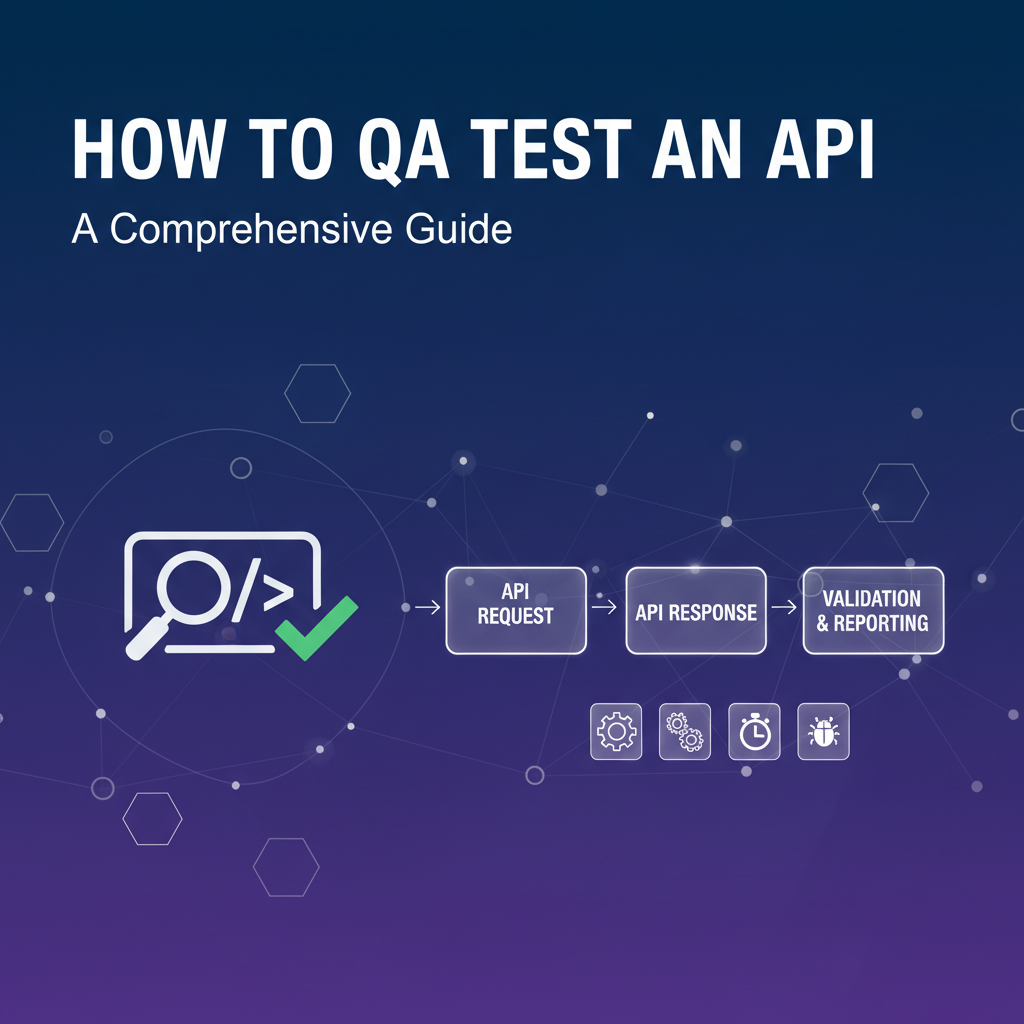


In the intricate tapestry of modern software development, Application Programming Interfaces (APIs) serve as the crucial threads that connect disparate systems, enabling seamless communication and powering everything from mobile applications and web services to sophisticated microservices architectures and AI integrations. They are the backbone of digital transformation, fostering innovation and accelerating development cycles. However, the very power and pervasiveness of APIs also introduce a unique set of challenges. An untested or poorly tested API can become a significant point of failure, leading to data corruption, security vulnerabilities, performance bottlenecks, and ultimately, a degraded user experience that erodes trust and impacts business operations.
For quality assurance (QA) professionals, the task of rigorously testing APIs moves beyond traditional user interface (UI) validation into the realm of code-level interaction, data contract adherence, and system-level performance. It requires a deep understanding of how systems communicate, what data they exchange, and the underlying logic that governs these interactions. This comprehensive guide will meticulously explore the multifaceted world of API QA testing, providing a detailed roadmap for ensuring the robustness, reliability, security, and performance of your API ecosystem. We will delve into the fundamental principles, diverse methodologies, essential tools, and critical best practices that empower QA teams to build resilient software foundations, safeguarding the integrity and efficiency of interconnected digital services. By the end of this journey, you will possess a holistic understanding of how to approach API testing with confidence, transforming potential vulnerabilities into verified strengths.
Understanding APIs and Their Importance in Modern Systems
To effectively QA test an API, one must first grasp its fundamental nature and its pivotal role in the contemporary technological landscape. At its core, an API is a set of defined rules, protocols, and tools for building software applications. It acts as an intermediary that allows different software applications to communicate with each other. Think of it as a menu in a restaurant: you don't need to know how the kitchen prepares the food (the internal logic), you just need to know what you can order (the available endpoints and methods) and what you can expect in return (the response format). This abstraction is what makes APIs incredibly powerful and central to modern software development.
The Anatomy of an API
Most commonly, especially in the context of web services, APIs operate over the HTTP/HTTPS protocol, using standard HTTP methods like GET, POST, PUT, and DELETE to perform operations on resources. A typical API request involves: * Endpoint: The specific URL that represents a resource or action (e.g., api.example.com/users). * Method: The HTTP verb indicating the desired action (e.g., GET to retrieve, POST to create). * Headers: Metadata about the request, such as authentication tokens, content type, or caching instructions. * Body (Payload): The data sent with the request, typically in JSON or XML format, especially for POST and PUT methods.
The API then processes this request and sends back a response, which typically includes: * Status Code: An HTTP status code indicating the success or failure of the request (e.g., 200 OK, 404 Not Found, 500 Internal Server Error). * Headers: Metadata about the response. * Body (Payload): The data returned by the API, also usually in JSON or XML.
The Crucial Role of APIs
APIs are not just a technical detail; they are a strategic asset that underpins nearly every aspect of today's digital economy. Their importance stems from several key factors:
- Interoperability and Connectivity: APIs enable disparate systems, written in different languages and running on different platforms, to communicate and share data seamlessly. This is fundamental for integrating services from various providers or connecting front-end applications with back-end logic.
- Microservices Architecture: The rise of microservices, where complex applications are broken down into smaller, independently deployable services, is entirely dependent on robust
apicommunication. Each microservice exposes APIs for other services to consume, facilitating modularity, scalability, and independent development. - Mobile and Web Applications: Modern web and mobile applications heavily rely on APIs to fetch and send data to back-end servers. Whether you're checking your social media feed, ordering food, or managing your bank account, APIs are constantly working behind the scenes to deliver information to your device.
- Third-Party Integrations: Businesses often integrate with external services like payment gateways, CRM systems, mapping services, or social media platforms. APIs provide the standard mechanism for these integrations, allowing companies to leverage specialized functionalities without building them from scratch.
- Digital Transformation and Innovation: APIs are catalysts for innovation, allowing developers to create new products and services by combining functionalities from existing systems in novel ways. They enable platforms to expose their data and capabilities, fostering ecosystems of partners and developers.
- Data Exchange and Automation: APIs facilitate automated data exchange between systems, reducing manual effort and improving efficiency. This is critical for tasks like syncing customer data, automating marketing campaigns, or updating inventory across multiple channels.
In essence, APIs are the glue that holds the digital world together. Their ubiquitous presence means that their quality directly impacts the reliability, security, and performance of virtually all modern software. A single faulty api can trigger a cascade of issues across an entire application or even an ecosystem of integrated services, underscoring why meticulous QA testing is not merely a best practice but an absolute necessity for any organization building or consuming APIs. Without robust API testing, the promise of interconnected systems quickly devolves into a nightmare of unpredictable failures and security breaches.
The Unique Challenges of API Testing
While API testing is indispensable, it presents a distinct set of challenges that differentiate it from traditional UI testing. The absence of a graphical interface fundamentally alters the testing approach, requiring a more technical and programmatic mindset. Understanding these unique hurdles is the first step towards developing effective testing strategies.
1. No Graphical User Interface (GUI)
The most obvious difference is the lack of a visual interface. In UI testing, testers can interact with buttons, forms, and pages, visually verifying the outcomes. With APIs, there's nothing to see. Testers must directly interact with endpoints using HTTP requests and then analyze the raw JSON or XML responses. This demands a different kind of validation, focusing on: * Data Structures: Ensuring the response payload conforms to the expected schema. * Data Values: Verifying that the returned data is correct, complete, and consistent with the input and business logic. * Status Codes: Confirming the appropriate HTTP status code is returned for various scenarios (success, client error, server error). * Headers: Checking for correct api versioning, content types, and security headers.
This requires testers to be proficient in understanding data formats and writing assertions against programmatic responses, shifting the focus from visual validation to data integrity and logical correctness.
2. Complex Dependencies and Chained Requests
Many real-world api interactions are not isolated; they involve a sequence of calls where the output of one api serves as the input for another. For example, creating a user might require retrieving an authentication token first, then using that token to create the user, and finally querying the user details. Testing such chained requests is complex because: * Order of Operations: The sequence of calls is critical and must be maintained. * Data Extraction: Testers need to programmatically extract specific data elements from one response to inject into subsequent requests. * State Management: The system's state might change after each api call, requiring careful management of test data and environment.
This interconnectedness means that a failure in one api call can propagate, making root cause analysis more challenging.
3. Extensive Data Validation
APIs are all about data exchange, making data validation a paramount concern. This involves validating both input and output: * Input Validation: * Data Types: Ensuring parameters adhere to expected types (e.g., integer for ID, string for name). * Format Constraints: Validating email formats, date formats, string lengths, and regular expressions. * Mandatory Fields: Checking for the presence of all required fields. * Boundary Values: Testing with minimum, maximum, and edge-case values. * Invalid/Malicious Input: Testing with SQL injection attempts, XSS payloads, or excessively large inputs. * Output Validation: * Schema Conformance: Ensuring the response structure matches the defined schema (OpenAPI specifications are invaluable here). * Data Correctness: Verifying that the data returned is logically sound and consistent with the operation performed. * Completeness: Ensuring all expected fields are present in the the response.
Thorough data validation requires a systematic approach to test data generation and response assertion.
4. Security Concerns
APIs are often public-facing entry points to back-end systems, making them prime targets for security exploits. api security testing is crucial and presents unique challenges: * Authentication: Testing various authentication mechanisms (API keys, OAuth tokens, JWTs) for correctness and vulnerability. This includes testing with valid, invalid, expired, and missing credentials. * Authorization: Verifying that users or roles can only access resources and perform actions they are permitted to. This involves testing with different user roles and permissions. * Injection Attacks: Detecting vulnerabilities like SQL injection, NoSQL injection, command injection, and XML external entity (XXE) processing. * Rate Limiting: Ensuring the api correctly handles and limits the number of requests from a single client to prevent abuse or denial-of-service. * Sensitive Data Exposure: Confirming that sensitive information is not unintentionally exposed in responses or error messages. * Broken Object Level Authorization (BOLA): A common vulnerability where users can access or modify objects they are not authorized for by simply changing an object ID in the request.
Comprehensive security testing requires specialized knowledge and tools beyond standard functional testing.
5. Performance and Scalability
APIs are often designed to handle high volumes of requests under varying loads. Testing their performance is critical: * Latency: Measuring the time it takes for an api to respond to a request. * Throughput: Assessing the number of requests an api can handle per unit of time. * Concurrency: Evaluating performance when multiple users or systems interact with the api simultaneously. * Error Rates: Monitoring the frequency of errors under load.
Performance testing typically involves specialized tools and requires simulating realistic traffic patterns and volumes, which can be resource-intensive and complex to configure.
6. Managing API Versions
As applications evolve, APIs are frequently updated. Managing different api versions and ensuring backward compatibility is a significant challenge for both development and testing. Testers must: * Verify that new versions don't break existing client applications. * Ensure that deprecated endpoints are handled gracefully. * Test migration paths if clients need to update to a newer version.
This often necessitates maintaining test suites for multiple api versions simultaneously.
7. Environmental Consistency
API tests often depend on specific environmental configurations, data states, and external service availability. Ensuring a consistent and reliable testing environment, free from external interference, is crucial. This can involve: * Setting up dedicated testing environments (development, staging, QA). * Using mock services or stubs for external dependencies that are unavailable or unreliable. * Managing and resetting test data between test runs to ensure idempotence.
Addressing these challenges requires a disciplined approach, the right set of tools, and a deep understanding of the api's contract and underlying business logic. It's a journey that shifts QA from simply "finding bugs" to proactively ensuring the resilience and trustworthiness of the interconnected digital landscape.
Core Principles and Methodologies for API QA Testing
Effective API QA testing is not just about executing requests and checking responses; it's about adopting a strategic approach that integrates testing throughout the development lifecycle. This involves adhering to core principles and leveraging proven methodologies to maximize coverage, efficiency, and the overall quality of the api.
1. Shift-Left Testing
A fundamental principle in modern software development, "shift-left" testing advocates for initiating testing activities as early as possible in the software development lifecycle. For APIs, this means: * Design-Time Review: Testers should be involved during the api design phase, reviewing specifications (OpenAPI definitions, for example) for clarity, completeness, and testability. Identifying ambiguities or potential issues here is far cheaper and easier than fixing them after implementation. * Early Feedback: Providing quick feedback to developers on api contracts, error handling, and security considerations as soon as the initial api endpoints are available, rather than waiting for full feature completion. * Unit and Integration Testing: Encouraging developers to write robust unit tests for individual api components and early integration tests between closely related services.
Shifting left helps catch defects early, reduces rework, and fosters a culture of quality where testing is a shared responsibility rather than a final gatekeeping step.
2. The Test Pyramid
The test pyramid is a heuristic that suggests focusing testing efforts at lower levels of the software stack to achieve higher coverage with greater efficiency. For APIs, this typically translates to: * Base (Unit Tests): The largest number of tests should be unit tests, which verify individual functions, methods, or components of the api logic in isolation. These are fast, cheap to run, and provide immediate feedback to developers. * Middle (API/Service Tests): The next layer consists of API tests, which validate the functionality, performance, and security of api endpoints. These tests operate at the service layer, verifying the integration of multiple units and the api's external contract. They are more complex than unit tests but still faster and more stable than UI tests. * Top (UI Tests): The smallest number of tests should be UI tests, which verify the end-to-end user experience. While important, UI tests are generally slower, more brittle, and more expensive to maintain. For APIs, the focus is squarely on the middle layer.
By prioritizing API-level tests, QA teams can achieve comprehensive coverage of the business logic and data flow without the overhead of UI interaction.
3. Test Case Design Techniques
Designing effective api test cases requires a systematic approach to cover a wide range of scenarios:
- Positive Testing: Verify that the
apibehaves as expected when given valid inputs and follows the specified contract. This includes successful data retrieval, creation, updates, and deletions, returning appropriate success status codes (e.g., 200 OK, 201 Created). - Negative Testing: Verify how the
apihandles invalid, unexpected, or missing inputs, and boundary conditions. This includes:- Invalid Data Types: Sending a string where an integer is expected.
- Missing Required Parameters: Omitting a mandatory field.
- Invalid Enums: Providing a value not in the list of allowed values.
- Authorization Failures: Attempting to access resources without proper authentication or permissions.
- Boundary Value Analysis (BVA): Testing values at the edges of valid input ranges (e.g., minimum, maximum, just below minimum, just above maximum for numerical fields or string lengths).
- Equivalence Partitioning: Dividing input data into partitions where all values within a partition are expected to behave similarly. You then pick one representative value from each partition for testing.
- Error Handling: Ensuring the
apireturns informative and appropriate error messages and status codes (e.g., 400 Bad Request, 401 Unauthorized, 403 Forbidden, 404 Not Found, 429 Too Many Requests, 500 Internal Server Error) for negative scenarios.
- Data Integrity Testing: Confirm that data persists correctly after
apioperations. For example, after creating a resource with a POST request, a subsequent GET request should retrieve the exact same data. If data is updated with PUT, verify the changes. If deleted with DELETE, verify it's no longer retrievable.
4. Types of API Tests
API testing encompasses various categories, each targeting different aspects of quality:
- Functional Testing: This is the most common type, verifying that the
apiperforms its intended business logic correctly.- Endpoint Validation: Testing each
apiendpoint (e.g.,/users,/products/{id}) and its associated HTTP methods (GET, POST, PUT, DELETE). - Request/Response Validation: Ensuring that requests are correctly formatted and that responses match the expected structure, data types, and values as per the
apicontract. - Parameter Testing: Validating query parameters, path parameters, and request body parameters for all valid and invalid scenarios.
- Schema Validation: Using
OpenAPIor JSON Schema definitions to automatically validate the structure and types of the request and response payloads. - Chained Requests/Workflow Testing: Verifying multi-step processes where the output of one
apicall feeds into the input of another.
- Endpoint Validation: Testing each
- Security Testing: Focuses on identifying vulnerabilities in the
api's authentication, authorization, and data handling mechanisms.- Authentication Testing: Verifying various authentication methods (API keys, OAuth, JWTs) for robustness, testing with valid, invalid, expired, or missing credentials.
- Authorization Testing: Ensuring that only authorized users or roles can access specific resources or perform certain actions. This involves testing with different user permissions.
- Injection Attacks: Attempting SQL injection, XSS, or other forms of code injection through
apiinputs. - Rate Limiting: Checking if the
apienforces limits on the number of requests to prevent abuse or DDoS attacks. - Data Exposure: Verifying that sensitive data is not inadvertently exposed in responses, especially error messages.
- Performance Testing: Assesses the
api's responsiveness, stability, and scalability under various load conditions.- Load Testing: Simulating expected peak user loads to measure response times, throughput, and resource utilization.
- Stress Testing: Pushing the
apibeyond its normal operating limits to find its breaking point and observe how it recovers. - Soak/Endurance Testing: Running tests over an extended period to detect memory leaks or other performance degradation issues that emerge over time.
- Scalability Testing: Determining how the
apiscales with increasing user loads and data volumes.
- Reliability Testing: Ensures the
apican consistently perform its functions under specified conditions for a specified period. This includes:- Error Handling and Recovery: How the
apiresponds to failures, network outages, or invalid data. - Fault Injection: Deliberately introducing faults (e.g., slow network, service unavailability) to test the
api's resilience.
- Error Handling and Recovery: How the
- Usability Testing (from a developer perspective): While not traditional UI usability, it assesses how easy and intuitive the
apiis for developers to consume. This includes evaluating the clarity of documentation, consistency ofapidesign, and helpfulness of error messages. - Interoperability Testing: Ensuring the
apican correctly interact with other systems, clients, or third-party services it is designed to integrate with. - Regression Testing: Crucial for continuous integration, regression tests ensure that new code changes, bug fixes, or feature additions do not inadvertently break existing
apifunctionality. Automatedapiregression test suites are essential for rapid and confident deployments.
By systematically applying these principles and methodologies, QA teams can establish a robust framework for api testing, moving beyond mere bug detection to proactive quality assurance that builds confidence in the underlying digital infrastructure. The integration of OpenAPI specifications and the adoption of automation further enhance these efforts, enabling faster feedback cycles and greater test coverage.
APIPark is a high-performance AI gateway that allows you to securely access the most comprehensive LLM APIs globally on the APIPark platform, including OpenAI, Anthropic, Mistral, Llama2, Google Gemini, and more.Try APIPark now! 👇👇👇
Essential Tools and Technologies for API Testing
The effectiveness of API QA testing heavily relies on the right set of tools and technologies. These tools automate tedious tasks, provide powerful assertion capabilities, simulate real-world scenarios, and help manage the entire api testing lifecycle. Understanding and selecting the appropriate tools is crucial for any api testing strategy.
1. API Specification Formats: The Blueprint for Testing
Before writing a single test, understanding the api's contract is paramount. api specification formats act as machine-readable blueprints, defining everything from endpoints and methods to request/response schemas, authentication mechanisms, and error codes.
- OpenAPI (formerly Swagger): This is arguably the most widely adopted
apidescription format. AnOpenAPIspecification file (in JSON or YAML) precisely describes yourapi's surface area.- Role in Testing:
OpenAPIdefinitions are invaluable for QA. They serve as the single source of truth for theapicontract. Testers can useOpenAPIfiles to:- Generate Test Cases: Automatically create basic functional test cases based on defined endpoints, parameters, and expected responses.
- Validate Schemas: Programmatically validate that
apiresponses conform to the specified JSON schema, catching data type mismatches, missing fields, or incorrect structures. - Mock Servers: Spin up mock servers from the
OpenAPIdefinition to test client applications even when the actualapiis not yet fully implemented, enabling parallel development. - Documentation: Ensure that the documentation used by testers is always in sync with the actual
apiimplementation.
- Benefits: Reduces ambiguity, facilitates automation, improves communication between developers and testers, and helps enforce
apidesign consistency.
- Role in Testing:
- Other Formats: While
OpenAPIdominates, other formats like RAML (RESTful API Modeling Language) and GraphQL Schema Definition Language (SDL) serve similar purposes for their respectiveapistyles. Postman also offers its own collection format that can serve as a specification.
2. API Testing Tools: The Execution Engines
These tools are designed to send requests to APIs, receive responses, and allow for assertion and automation. They range from simple command-line utilities to sophisticated GUI-based platforms and powerful programming libraries.
- GUI-based Tools (Graphical User Interface):
- Postman: A ubiquitous tool for
apidevelopment and testing. It allows users to build, send, and saveapirequests; organize them into collections; define environment variables; write pre-request and post-response scripts (using JavaScript) for dynamic data handling and assertions. Postman's Collection Runner can execute multiple requests sequentially, making it excellent for functional, regression, and workflow testing. It supports importingOpenAPIspecifications to generate collections. - SoapUI: Primarily designed for SOAP web services but also supports REST APIs. SoapUI offers comprehensive features for functional testing, security testing, load testing, and mock service creation. It's robust for complex
apiscenarios and enterprise-level testing. - Insomnia: A popular alternative to Postman, known for its sleek interface and strong focus on speed and developer experience. It offers similar features for building requests, managing environments, and writing test scripts.
- Paw/RapidAPI Client: Mac-specific tools (Paw, now RapidAPI Client) offering advanced features for request building, authentication, and environment management, often preferred for their design and rich feature set by macOS developers.
- ReadyAPI: The commercial version of SoapUI, offering even more advanced features, reporting, and integration capabilities for enterprise
apitesting.
- Postman: A ubiquitous tool for
- Command-line Tools:
- cURL: A powerful and versatile command-line tool for transferring data with URLs. It's fundamental for quickly testing
apiendpoints, making simple requests, and debugging. While it doesn't offer built-in assertion logic, its flexibility makes it a developer's best friend. - HTTPie: A user-friendly command-line HTTP client that aims to make CLI interaction with web services as simple as possible. It's designed for human-friendly request construction and response parsing, offering syntax highlighting and intelligent defaults.
- cURL: A powerful and versatile command-line tool for transferring data with URLs. It's fundamental for quickly testing
- Programming Libraries/Frameworks: For more complex, programmatic, and integrated testing, using a programming language with HTTP client libraries and testing frameworks is ideal. This allows for full customization, advanced logic, and seamless integration into CI/CD pipelines.
- Rest-Assured (Java): A widely used Java library for testing RESTful web services. It offers a BDD-style syntax (given-when-then) that makes tests readable and expressive, supporting all HTTP methods, authentication schemes, and robust response validation.
- Requests (Python): The de-facto standard for making HTTP requests in Python. Combined with a testing framework like
pytestorunittest, it enables highly flexible and powerfulapitest automation. - Supertest (Node.js): A super-agent driven library for testing Node.js HTTP servers. It provides a high-level
apifor testing both external and internal web services, making it easy to send requests and assert responses. - Karate DSL: A specialized open-source test automation framework that allows you to write
apitests in a readable, Gherkin-like syntax, without writing Java code. It's excellent for BDD-styleapitesting, performance testing, and even UI automation.
- Performance Testing Tools:
- Apache JMeter: An open-source, Java-based tool for load, performance, and functional testing. It can simulate heavy loads on a server, group of servers, network, or object to test its strength or analyze overall performance under different load types.
- k6: A modern, open-source load testing tool that uses JavaScript for scripting tests. It's developer-centric, highly performant, and designed for integration into CI/CD pipelines.
- LoadRunner/Gatling: Commercial and open-source alternatives for large-scale enterprise performance testing.
- Security Testing Tools:
- OWASP ZAP (Zed Attack Proxy): A free, open-source security scanner maintained by OWASP. It helps find vulnerabilities in web applications and APIs by acting as a "man-in-the-middle" proxy.
- Burp Suite: A popular integrated platform for performing security testing of web applications. Its proxy capabilities and various tools make it invaluable for identifying
apisecurity flaws.
3. API Management Platforms: The Governance Layer
While not directly testing tools, api gateway and api management platforms play a critical role in the broader api ecosystem, complementing testing efforts by providing a controlled environment, security, monitoring, and lifecycle management. They are crucial for production environments but also offer capabilities beneficial during the QA phase.
This is where a platform like APIPark comes into play. APIPark is an open-source AI Gateway and API Management Platform designed to help developers and enterprises manage, integrate, and deploy AI and REST services with ease. Its features significantly enhance the governability and reliability of APIs, which is vital after they have undergone rigorous QA testing, and even during later stages of the development cycle.
- How APIPark Complements Testing:
- API Lifecycle Management: APIPark helps manage APIs from design to publication, invocation, and decommission. This structured approach means that even during testing phases, the
api's state and versions are clearly defined and controlled, providing a stable target for QA. - Detailed API Call Logging: Post-deployment, APIPark provides comprehensive logging, recording every detail of each
apicall. This is invaluable for troubleshooting issues that escape pre-deployment testing, allowing businesses to quickly trace and diagnose problems in a production-like environment. This feedback loop can also inform future test case development. - Powerful Data Analysis: By analyzing historical call data, APIPark displays long-term trends and performance changes. This continuous monitoring and analysis can help detect performance regressions or unexpected usage patterns that might not be caught by discrete performance tests, aiding in preventive maintenance.
- Security and Access Control: Features like API resource access requiring approval and independent
apiand access permissions for each tenant mean that the environment where APIs are eventually deployed is secure and well-governed, building upon the security foundations established during testing. - Traffic Management: An
api gatewaycan handle traffic forwarding, load balancing, and versioning. While testers will perform load testing, the gateway ensures that the production environment can handle actual high traffic, offering a critical layer of operational quality assurance.
- API Lifecycle Management: APIPark helps manage APIs from design to publication, invocation, and decommission. This structured approach means that even during testing phases, the
In essence, while you use tools like Postman or Rest-Assured to perform the tests, an api gateway like APIPark provides the infrastructure to manage, secure, and monitor those APIs throughout their lifecycle, ensuring the quality you've tested for is maintained in deployment.
4. CI/CD Integration: Automating the Flow
Integrating api test suites into Continuous Integration/Continuous Delivery (CI/CD) pipelines is a best practice. Tools like Jenkins, GitLab CI/CD, GitHub Actions, or Azure DevOps allow for: * Automated Execution: Running api tests automatically on every code commit or pull request. * Fast Feedback: Providing immediate feedback to developers if new changes break existing api functionality (regression testing). * Continuous Deployment: Ensuring that only well-tested and stable api versions are deployed to production.
This integration transforms api testing from a manual, intermittent activity into a continuous, automated process, significantly accelerating delivery cycles while maintaining high quality standards.
The choice of tools often depends on the team's skillset, the complexity of the APIs, project budget, and desired level of automation. A combination of these tools, from OpenAPI for specification to programmatic libraries for advanced automation and an api gateway for management, typically forms the backbone of a robust api QA testing strategy.
Step-by-Step API QA Testing Process
Implementing a robust API QA testing strategy requires a systematic approach. This section outlines a step-by-step process that can be adapted for various API projects, ensuring comprehensive coverage and efficient execution.
Step 1: Understand the Requirements and API Documentation
The foundation of effective api testing is a clear understanding of what the api is supposed to do. * Gather Requirements: Work closely with product owners, business analysts, and developers to understand the functional and non-functional requirements (security, performance, scalability) of the api. * Review API Documentation: Thoroughly examine the api documentation. This is often an OpenAPI specification (Swagger), Postman collection, or a custom document. Pay attention to: * Endpoints and HTTP Methods: Identify all available resources and the allowed operations (GET, POST, PUT, DELETE). * Request Parameters: Understand required and optional parameters (path, query, header, body), their data types, formats, and constraints. * Authentication and Authorization: How to authenticate requests and what permissions are required for different operations. * Expected Response Structure: The format (JSON, XML), data types, and values of the api's response, including success and error scenarios. * Error Codes and Messages: The specific HTTP status codes and error messages returned for various failure conditions. * Clarify Ambiguities: If any part of the documentation is unclear or incomplete, seek clarification from developers or architects before proceeding. This "shift-left" approach prevents wasted effort later.
Step 2: Design Comprehensive Test Cases
Based on the understanding gained in Step 1, design detailed test cases covering all aspects of the api. * Identify Test Scenarios: For each api endpoint and method, brainstorm various scenarios: * Positive Scenarios: Valid requests leading to expected successful outcomes (e.g., creating a resource, retrieving data, updating an item). * Negative Scenarios: Invalid requests, missing parameters, incorrect data types, unauthorized access, boundary conditions (min/max values), and rate limit violations. * Edge Cases: Unique or unusual scenarios that might not fit neatly into positive or negative categories but could expose hidden bugs. * Define Test Case Components: For each scenario, meticulously define: * Test Case ID and Name: Unique identifier and descriptive name. * Preconditions: Any setup required before running the test (e.g., authenticated user, existing data). * API Endpoint and Method: The specific URL and HTTP verb. * Request Details: Headers (authentication tokens, content-type), query parameters, path parameters, and request body (payload). * Expected Response: * Status Code: The anticipated HTTP status code (e.g., 200, 201, 400, 401, 500). * Response Body: The expected JSON/XML structure, specific data values, and schema conformity. * Headers: Any expected response headers. * Post-conditions/Assertions: What to verify after the api call (e.g., data was indeed created in the database, subsequent GET request returns the new data). * Leverage OpenAPI for Schema Validation: Utilize the OpenAPI definition to design assertions for response body schema validation automatically. This ensures data contract adherence.
Step 3: Set Up the Testing Environment and Data
A stable and controlled testing environment is critical for reliable api testing. * Isolated Environment: Use a dedicated testing environment (e.g., QA, staging) that is separate from development and production. This ensures that tests don't interfere with ongoing development or live users. * Mock Services/Stubs: If the api has external dependencies (e.g., third-party services, other internal microservices that are not yet stable), consider using mock servers or stubs to isolate the api under test. This ensures test stability and allows testing to proceed even if dependencies are unavailable. * Test Data Setup: Prepare or generate realistic test data. This may involve: * Pre-existing Data: Ensuring specific data exists in the database before tests run. * Data Creation APIs: Using api calls themselves to create necessary test data as part of the test setup. * Data Cleanup: Implementing mechanisms to clean up test data after test execution to maintain a consistent environment for subsequent runs. * Authentication Credentials: Securely manage api keys, tokens, or user credentials required for authentication in the testing environment.
Step 4: Execute Tests
Once test cases are designed and the environment is set up, it's time to execute the tests. * Initial Manual Exploration: For new or rapidly evolving APIs, an initial manual exploration using tools like Postman or Insomnia can be beneficial. This helps testers quickly understand the api's behavior, refine test cases, and catch obvious issues. * Automated Execution: The vast majority of api tests should be automated. * Functional/Regression Suites: Use tools like Postman Collection Runner, Rest-Assured, or Supertest to execute predefined test suites. * CI/CD Integration: Integrate automated api tests into your CI/CD pipeline (e.g., Jenkins, GitLab CI) to run them automatically with every code commit, pull request, or scheduled build. * Parameterization: Use data-driven testing to run the same test logic with different sets of input data, maximizing coverage without duplicating test scripts.
Step 5: Validate Responses
This is where the actual verification happens. After each api call, meticulously validate the response. * Status Code Validation: Assert that the HTTP status code matches the expected outcome (e.g., 200 OK for success, 404 Not Found for a non-existent resource, 400 Bad Request for invalid input). * Response Body Validation: * Schema Validation: Compare the actual response JSON/XML against the expected schema (from OpenAPI or a defined JSON Schema). This verifies the structure, data types, and required fields. * Data Content Validation: Assert that specific data values in the response body are correct and consistent with the operation performed. This might involve checking unique identifiers, names, quantities, or calculated values. * Error Message Validation: For negative test cases, ensure that the error messages are informative, consistent, and do not expose sensitive internal details. * Header Validation: Check for relevant headers, such as Content-Type, Cache-Control, API-Version, or security-related headers. * Database/System State Verification: For critical operations (e.g., creating an order, updating a user profile), it's often necessary to verify the changes directly in the database or another integrated system to confirm the api's side effects.
Step 6: Handle Authentication and Authorization
A dedicated focus on security aspects is crucial. * Authentication Testing: * Test with valid authentication credentials (tokens, API keys) to ensure access. * Test with invalid, expired, or missing credentials to verify that requests are rejected with appropriate 4xx status codes (e.g., 401 Unauthorized). * Test token expiration and refresh mechanisms. * Authorization Testing: * Test different user roles or permissions to ensure that users can only access resources and perform actions they are authorized for. * Attempt to access restricted resources with unauthorized roles and verify rejection (e.g., 403 Forbidden). * Test for Broken Object Level Authorization (BOLA) by attempting to modify/access other users' resources by changing IDs.
Step 7: Performance and Security Testing (Specialized)
These types of testing often require specialized tools and expertise and might be conducted as separate phases or integrated into the continuous testing cycle. * Performance Testing: Use tools like JMeter or k6 to simulate various load conditions (load, stress, soak) and gather metrics on response times, throughput, error rates, and resource utilization. Identify bottlenecks and performance regressions. * Security Vulnerability Scanning: Employ tools like OWASP ZAP or Burp Suite to actively scan for common api security vulnerabilities such as injection flaws, broken authentication, excessive data exposure, and misconfigurations. Conduct penetration testing if feasible.
Step 8: Reporting and Defect Management
Clear communication of test results and defects is vital. * Generate Test Reports: Tools should provide clear reports indicating passed, failed, and skipped tests. These reports should be easily accessible and understandable. * Defect Logging: For any failed test, log a detailed bug report in your issue tracking system (e.g., Jira). The report should include: * Steps to reproduce the issue (including exact api request details). * Expected outcome. * Actual outcome (status code, response body). * Any relevant logs or screenshots. * Severity and priority. * Retesting: After developers fix a bug, re-run the specific failed test case (and relevant regression tests) to confirm the fix and ensure no new issues were introduced.
Step 9: Continuous Improvement and Maintenance
API testing is an ongoing process. * Maintain Test Suites: As the api evolves, update test cases to reflect changes in endpoints, parameters, or business logic. Remove obsolete tests. * Monitor Production APIs: Beyond testing, implement monitoring for production APIs (using tools like APIPark's data analysis capabilities) to proactively detect issues, performance degradation, or security anomalies in the live environment. This continuous feedback loop informs future testing efforts. * Review and Refine: Regularly review your testing process, tools, and test coverage to identify areas for improvement.
By following this systematic approach, QA teams can ensure that their api testing efforts are comprehensive, efficient, and contribute significantly to the overall quality and reliability of the software ecosystem.
Best Practices for Effective API QA Testing
To truly excel in API QA testing, adopting a set of best practices is paramount. These practices streamline the testing process, enhance test suite maintainability, improve collaboration, and ultimately lead to more robust and reliable APIs.
1. Prioritize Automation
Manual api testing is time-consuming, prone to human error, and unsustainable for complex or frequently updated APIs. * Automate Everything Feasible: Aim to automate functional, regression, and often performance tests as much as possible. This ensures consistent execution, faster feedback, and scalability of testing efforts. * Integrate into CI/CD: As discussed, embedding automated api tests into your Continuous Integration/Continuous Delivery pipeline is crucial. Every code commit should trigger api tests, providing immediate feedback on potential regressions. This "fail fast" approach reduces the cost of fixing defects. * Use Code-Driven Testing for Complex Scenarios: For highly complex workflows, dynamic data handling, or integrations with other systems, leverage programming libraries (e.g., Rest-Assured, Requests, Supertest) to write test code. This offers maximum flexibility and control.
2. Comprehensive Test Data Management
The quality of your api tests is directly tied to the quality and variety of your test data. * Realistic Data: Use data that mimics production data as closely as possible (while respecting privacy and security, of course). This helps uncover issues that might only manifest with real-world data patterns. * Edge Cases and Boundary Values: Explicitly create test data for boundary conditions (min, max, empty, null values) and edge cases that often reveal subtle bugs. * Data Generation Strategies: * Fakers/Generators: Use libraries (e.g., Faker.js, Faker in Python) to generate large volumes of diverse, realistic-looking data. * Pre-population via APIs: Use api calls to set up test data before a test run and clean it up afterward. This ensures test isolation and idempotence. * Database Seeding: For integration tests, seed your test database with a known state before each test run. * Version Control for Test Data: Treat your test data generation scripts or data files as code, storing them in version control alongside your test suite.
3. Mocking and Stubbing External Dependencies
Real-world APIs often rely on other services (databases, third-party APIs, microservices). These dependencies can be unreliable, slow, or costly to access during testing. * Isolate the API Under Test: Use mock servers or stubs to simulate the behavior of external dependencies. This allows you to: * Control Scenarios: Simulate specific success or failure responses from dependencies that are hard to reproduce in a live environment. * Speed Up Tests: Remove network latency and processing time from external calls. * Enable Parallel Development: Allow api testing to proceed even if dependent services are still under development or unavailable. * Tools: Tools like WireMock, MockServer, or even Postman's mock servers can be used to create sophisticated mocks.
4. Leverage API Specifications (OpenAPI) as the Single Source of Truth
An OpenAPI specification is more than just documentation; it's a contract. * Design-First API Development: Encourage a design-first approach where the OpenAPI specification is created and reviewed before coding begins. This clarifies the api contract and enables early feedback from QA. * Automate Test Generation: Use OpenAPI definitions to automatically generate initial test cases or client SDKs. This provides a baseline for testing and ensures tests are always aligned with the specification. * Schema Validation: Integrate OpenAPI schema validation into your automated test suite to verify that api responses conform to the defined contract, catching structural and data type inconsistencies.
5. Version Control for Test Assets
Treat your api test code, scripts, and configuration files with the same rigor as your application code. * Store in Git: Keep all test assets in a version control system (like Git). * Code Review: Implement code reviews for test automation code to maintain quality and share knowledge. * Branching Strategy: Use a branching strategy that aligns with your development workflow, ensuring test code is developed and merged alongside application code.
6. Clear and Detailed Documentation
Good documentation is not just for developers consuming the api; it's also vital for testers. * API Documentation: Ensure the api documentation (especially OpenAPI specifications) is always up-to-date, accurate, and comprehensive. * Test Case Documentation: Document your test cases clearly, especially for complex scenarios or business logic, to aid understanding and maintenance by other team members. * Error Handling Documentation: Clearly define expected error responses, status codes, and error messages to guide both development and testing.
7. Foster Collaboration
API testing is not an isolated activity; it requires close collaboration across the development team. * Testers and Developers: Encourage early and frequent communication between QA engineers and developers. Testers can provide feedback on api design and implementation choices, while developers can assist with debugging and understanding complex api behaviors. * Product Owners: Involve product owners in reviewing api behavior to ensure it aligns with business requirements. * Shared Understanding: Cultivate a shared understanding of what constitutes "done" for an api — including functional correctness, performance, and security.
8. Focus on Security from Day One
Security should be an inherent part of the api testing strategy, not an afterthought. * Threat Modeling: Conduct threat modeling early in the design phase to identify potential vulnerabilities. * Security Test Cases: Explicitly design test cases to challenge authentication, authorization, input validation, and other security mechanisms. * Integrate Security Scans: Use automated security scanning tools (e.g., OWASP ZAP) as part of your CI/CD pipeline. * Follow OWASP API Security Top 10: Familiarize your team with common api security risks and ensure your testing addresses them.
9. Monitoring and Alerting for Production APIs
While pre-deployment testing is crucial, the real test of an api comes in production. * Proactive Monitoring: Implement robust monitoring for your live APIs to track key metrics like response times, error rates, throughput, and latency. Tools like APIPark offer powerful data analysis and logging capabilities, making it easier to monitor api performance and usage trends. APIPark can track every detail of each api call, helping businesses quickly trace and troubleshoot issues in real-time. Its data analysis features display long-term trends and performance changes, enabling preventive maintenance before issues impact users. * Alerting: Set up alerts for critical thresholds or anomalies to quickly identify and respond to issues before they significantly impact users. * Feedback Loop: Use insights from production monitoring to inform and improve your api testing strategy, focusing on areas that show fragility in the live environment.
10. Understand the Role of an API Gateway
An api gateway is a critical component in managing, securing, and optimizing api traffic. While it doesn't perform functional tests on the api's core logic, it plays a vital role in the overall quality and reliability of the api ecosystem. * Traffic Management: An api gateway (like APIPark) can handle load balancing, routing, and throttling, ensuring that the api layer remains performant and available even under high load, complementing the insights gained from performance testing. * Security Enforcement: Gateways enforce security policies such as authentication, authorization, and rate limiting at the edge, acting as the first line of defense. Testers should verify that these policies are correctly configured and enforced by the api gateway. * Observability: Gateways provide centralized logging, metrics, and tracing, which are invaluable for understanding api behavior in production and debugging issues. The detailed api call logging and powerful data analysis features of APIPark are prime examples of how an api gateway contributes to the observability of your apis, enhancing the overall quality assurance beyond mere pre-deployment testing. This means that after your QA team has thoroughly tested an api, APIPark continues to ensure its quality and performance in a live environment, providing a complete lifecycle management solution.
By integrating these best practices into your QA testing strategy, you create a comprehensive, efficient, and proactive approach to api quality. This not only uncovers defects but also prevents them, builds confidence in your apis, and accelerates the delivery of high-quality software.
Conclusion
In the rapidly evolving landscape of modern software, APIs have become the indispensable connective tissue, facilitating the intricate dance between disparate systems and powering the innovations that define our digital age. From microservices architectures to mobile applications and AI integrations, the reliability, security, and performance of these interfaces are paramount. This comprehensive guide has traversed the multifaceted world of API QA testing, underscoring its non-negotiable importance in building robust and resilient software foundations.
We've explored the unique challenges inherent in testing APIs, where the absence of a graphical user interface necessitates a shift towards programmatic validation of data contracts, logic, and system interactions. We delved into core principles like "shift-left" testing and the test pyramid, advocating for early engagement and strategic resource allocation. A detailed examination of various testing methodologies—functional, security, performance, and more—provided a blueprint for creating comprehensive test suites that scrutinize every facet of an API's behavior.
The power of API testing is amplified by the right set of tools, from specification formats like OpenAPI that serve as the single source of truth, to versatile execution engines like Postman and programmatic libraries like Rest-Assured. Furthermore, the critical role of an api gateway, exemplified by platforms like APIPark, in managing, securing, and monitoring APIs in production, reinforces the continuous nature of quality assurance that extends far beyond initial deployment. Its capabilities in detailed logging and data analysis provide invaluable feedback, closing the loop between development, testing, and operational excellence.
Ultimately, effective API QA testing is not merely about finding bugs; it is a proactive investment in the stability, security, and trustworthiness of your entire software ecosystem. By embracing automation, meticulous test case design, comprehensive data management, and collaborative practices, QA professionals empower their organizations to deliver high-quality, dependable APIs that stand the test of time and traffic. In a world increasingly driven by interconnected services, mastering the art and science of API testing is no longer a luxury but a fundamental necessity for digital success.
Frequently Asked Questions (FAQs)
1. What is an API and why is API testing so important? An API (Application Programming Interface) is a set of rules and protocols that allows different software applications to communicate with each other. It acts as an intermediary, enabling data exchange and functionality sharing between systems. API testing is crucial because APIs are the backbone of most modern applications (web, mobile, microservices). Untested APIs can lead to severe issues like data corruption, security breaches, performance bottlenecks, and application crashes, directly impacting user experience and business operations. Unlike UI testing, API testing validates the core business logic and data layer directly, making it more efficient and stable for detecting foundational issues.
2. How does API testing differ from traditional UI testing? The primary difference is the absence of a Graphical User Interface (GUI) in API testing. UI testing involves interacting with visual elements (buttons, forms) and observing changes on a screen. API testing, conversely, involves sending direct HTTP requests to API endpoints and analyzing the raw JSON or XML responses. This requires a focus on data structures, status codes, data values, and performance metrics, rather than visual validation. API tests are also typically faster, more stable, and provide quicker feedback than UI tests, allowing for earlier detection of defects in the development cycle.
3. What are the key types of API testing that should be performed? There are several critical types of API testing: * Functional Testing: Verifies that the API performs its intended operations correctly (e.g., data retrieval, creation, updates, deletions). * Security Testing: Checks for vulnerabilities like authentication/authorization flaws, injection attacks, and sensitive data exposure. * Performance Testing: Assesses the API's speed, responsiveness, and stability under various load conditions (load, stress, soak). * Reliability Testing: Ensures the API consistently performs its functions under specified conditions, including error handling. * Regression Testing: Confirms that new code changes do not break existing API functionality. * Schema Validation: Ensures API requests and responses adhere to defined data contracts, often using OpenAPI specifications.
4. What role does OpenAPI play in API QA testing? OpenAPI (formerly Swagger) is a widely adopted specification format for describing RESTful APIs in a machine-readable way. For QA testing, OpenAPI serves as the single source of truth for the API contract. Testers can use OpenAPI definitions to: * Understand endpoints, parameters, and expected responses. * Automatically generate basic test cases. * Validate API request and response schemas to ensure data integrity. * Create mock servers for testing client applications even if the backend API isn't fully developed, facilitating "shift-left" testing. This significantly reduces ambiguity and streamlines test automation.
5. How does an api gateway like APIPark enhance API quality, even after testing? An api gateway acts as a single entry point for API calls, managing traffic, enforcing security, and providing monitoring capabilities. While it doesn't perform core functional API testing directly, it significantly enhances API quality in deployment: * Security: Gateways enforce authentication, authorization, and rate limiting policies, protecting APIs from abuse. * Traffic Management: They handle load balancing, routing, and throttling, ensuring API performance and availability under high loads. * Observability: Platforms like APIPark provide comprehensive logging and data analysis of API calls in production. This allows businesses to: * Trace and troubleshoot issues quickly. * Monitor long-term trends and performance changes. * Proactively identify performance degradations or security anomalies that might have escaped pre-deployment testing. This continuous monitoring and management from an api gateway ensures that the quality and reliability validated during QA testing are maintained and improved throughout the API's operational lifecycle.
🚀You can securely and efficiently call the OpenAI API on APIPark in just two steps:
Step 1: Deploy the APIPark AI gateway in 5 minutes.
APIPark is developed based on Golang, offering strong product performance and low development and maintenance costs. You can deploy APIPark with a single command line.
curl -sSO https://download.apipark.com/install/quick-start.sh; bash quick-start.sh

In my experience, you can see the successful deployment interface within 5 to 10 minutes. Then, you can log in to APIPark using your account.

Step 2: Call the OpenAI API.