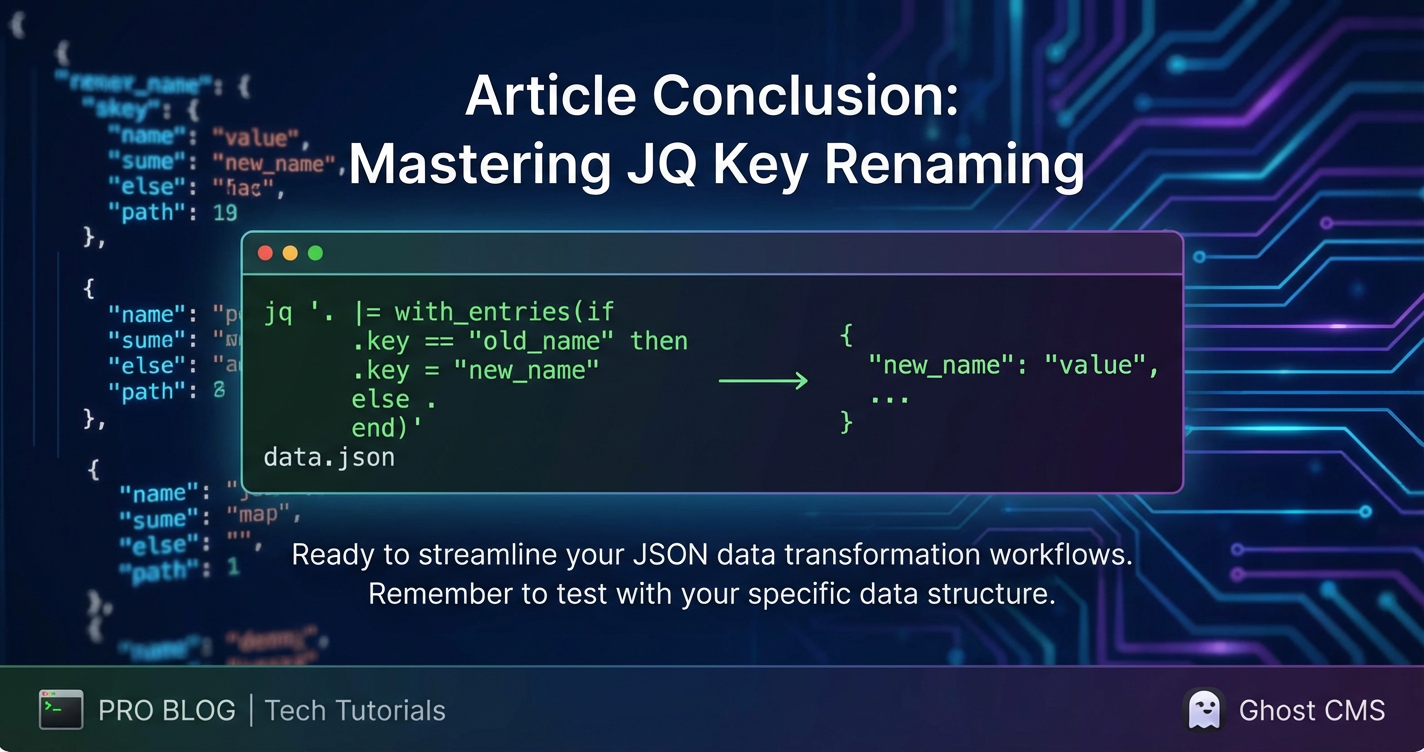
How to Rename a Key in JQ



In the vast landscape of data processing, JSON has emerged as the lingua franca for data exchange across web services, APIs, and databases. Its human-readable, lightweight structure makes it incredibly versatile, yet its ubiquity also means that developers and data engineers frequently encounter scenarios where they need to manipulate its structure to fit specific requirements. One such common, yet often surprisingly nuanced, task is renaming keys within JSON objects. This seemingly simple operation can become complex when dealing with deeply nested structures, conditional logic, or dynamic key names. This is precisely where jq, the command-line JSON processor, shines.
jq is often described as sed for JSON data, offering a powerful, flexible, and concise way to slice, filter, map, and transform structured data directly from your terminal. It's an indispensable tool for anyone working with JSON, from debugging API responses to transforming configuration files or preparing data for analytics. Its functional programming paradigm allows for elegant solutions to complex data manipulation challenges. This extensive guide will delve deep into the art of renaming keys in jq, exploring various techniques, common pitfalls, advanced scenarios, and practical applications, ensuring you gain a mastery of this essential jq capability. We will dissect the underlying principles, walk through numerous examples, and discuss how jq fits into a larger data processing ecosystem.
The Indispensable Role of JSON and the Need for Transformation
Before we plunge into the intricacies of jq's key renaming capabilities, it's crucial to understand why such a specific operation is so frequently required. JSON (JavaScript Object Notation) has revolutionized data exchange due to its simplicity and platform independence. It's the de facto standard for almost every modern web service, microservice architecture, and mobile application backend. When you interact with a RESTful API, process log data, configure a serverless function, or even just save application state, you are almost certainly interacting with JSON.
However, the reality of data across disparate systems is rarely uniform. Different services, departments, or even legacy systems often use varying naming conventions for the same conceptual pieces of data. For instance, one system might refer to a user's unique identifier as userId, while another uses id, userIdentifier, or customerID. When integrating these systems, aggregating data for a unified view, or preparing data for a downstream application that expects a specific schema, these inconsistencies become significant hurdles. Data transformation, including the renaming of keys, is not merely a cosmetic change; it's a fundamental step in achieving data interoperability, consistency, and usability. Without the ability to efficiently standardize key names, data integration projects would be significantly more arduous, prone to errors, and difficult to maintain. jq provides an elegant and robust solution to these challenges, enabling rapid and precise data schema alignment directly from the command line, making it a powerful utility in a developer's toolkit. This becomes especially pertinent when you're preparing data that might eventually be exposed via an API, managed by a gateway, or shared across an Open Platform where data consistency is paramount for widespread adoption and ease of use.
Demystifying jq: An Overview of Its Core Principles
jq operates on streams of JSON data, taking input (usually from standard input, but also from files) and producing transformed JSON output. At its heart, jq is a filter. You provide it with a JSON input, and a jq program (which is essentially a sequence of filters), and it outputs a transformed version of that JSON. The power of jq lies in its extensive set of built-in filters and the ability to combine them using pipes, much like command-line utilities like grep and sed.
A jq program can be as simple as . which represents the entire input object, or it can be a complex chain of operations involving object construction, array manipulation, conditional logic, and string processing. jq's syntax might seem cryptic at first glance, but it's remarkably consistent and logical once you grasp its fundamental components:
- Filters: These are the basic operations.
.selects the current input..keyselects the value associated withkey..[index]selects an element from an array. - Pipes (
|): Filters can be chained together using the pipe operator. The output of one filter becomes the input of the next. This allows for complex transformations to be built up from simpler, atomic operations. - Object and Array Constructors:
jqallows you to construct new JSON objects{}and arrays[]on the fly, populating them with existing data or computed values. - Functions:
jqcomes with a rich set of built-in functions for string manipulation (test,match,sub,gsub), mathematical operations, and more. - Iterators: For arrays and objects,
jqprovides powerful iterators. For example,[]when applied to an object will iterate over its values, andkeys[]will iterate over its keys.with_entriesis a particularly powerful iterator for renaming keys, which we will explore in depth.
Understanding these foundational elements is crucial before tackling specific tasks like key renaming. It allows you to approach any JSON transformation challenge with a structured mindset, breaking it down into manageable jq filters.
The Cornerstone of Key Renaming: with_entries
When it comes to renaming keys in jq, the with_entries filter is arguably the most powerful and idiomatic approach. It provides a structured way to iterate over an object's key-value pairs, transform them, and then reassemble them into a new object. This method is particularly elegant because it treats each key-value pair as a mini-object {"key": "old_key_name", "value": "value_of_that_key"}, allowing you to manipulate both the key and the value independently before they are reconstructed.
The general syntax for with_entries is:
with_entries(
  # A filter that transforms each {"key": old_key, "value": value} object
  # into a new {"key": new_key, "value": new_value} object.
)
Let's illustrate this with a simple example. Suppose we have the following JSON:
{
  "firstName": "John",
  "lastName": "Doe",
  "emailAddress": "john.doe@example.com"
}
And we want to rename firstName to first_name, lastName to last_name, and emailAddress to email.
Using with_entries, we can achieve this with a series of conditional checks:
with_entries(
  if .key == "firstName" then .key = "first_name"
  elif .key == "lastName" then .key = "last_name"
  elif .key == "emailAddress" then .key = "email"
  else .
  end
)
Let's break down this jq program:
with_entries(...): This filter takes an object as input and transforms it into an array of objects, where each object has akeyand avaluefield corresponding to the original object's key-value pairs. For our example, it would effectively turn:json { "firstName": "John", "lastName": "Doe", "emailAddress": "john.doe@example.com" }into an intermediate array like:json [ { "key": "firstName", "value": "John" }, { "key": "lastName", "value": "Doe" }, { "key": "emailAddress", "value": "john.doe@example.com" } ]if .key == "firstName" then .key = "first_name" ... else . end: This is the core transformation logic applied to each of these intermediate{"key": ..., "value": ...}objects..key == "firstName": This condition checks if the current key name is "firstName"..key = "first_name": If the condition is true, it reassigns thekeyfield of the intermediate object to "first_name". Thevaluefield remains untouched.elif ... then ...: This allows for chaining multiple conditions.else .: If none of the conditions are met,.simply means "keep the object as is," ensuring that keys not explicitly targeted for renaming are preserved.
- After this transformation, the intermediate array might look like:
json [ { "key": "first_name", "value": "John" }, { "key": "last_name", "value": "Doe" }, { "key": "email", "value": "john.doe@example.com" } ] - Finally,
with_entriestakes this modified array of{"key": new_key, "value": new_value}objects and reconstructs them back into a single JSON object.
The output would be:
{
  "first_name": "John",
  "last_name": "Doe",
  "email": "john.doe@example.com"
}
This method is incredibly robust because it cleanly separates the key manipulation logic from the value, making it highly readable and maintainable. It handles arbitrary values gracefully, as the value field of the intermediate object is never directly modified unless explicitly intended. This powerful with_entries pattern forms the foundation for many key renaming strategies in jq, from simple remapping to complex, conditional, and even regex-based transformations. Its ability to transform an object's structure based on its key-value pairs makes it a cornerstone feature for any serious jq user.
Advanced with_entries Techniques: Dynamic and Regex Renaming
The if/elif/else structure is excellent for a fixed number of known keys. However, what if you need to rename keys dynamically, perhaps based on a pattern, or apply a general transformation rule? with_entries remains your friend.
Consider a scenario where all keys in an object use camelCase and you want to convert them to snake_case. This is a common requirement when integrating data between systems with different naming conventions. jq provides powerful string manipulation functions, including gsub (global substitute using regular expressions), which can be leveraged here.
Input:
{
  "userName": "Alice",
  "dateOfBirth": "1990-01-01",
  "isActiveUser": true,
  "lastLoginAttempt": "2023-10-26T10:00:00Z"
}
Desired Output (snake_case keys):
{
  "user_name": "Alice",
  "date_of_birth": "1990-01-01",
  "is_active_user": true,
  "last_login_attempt": "2023-10-26T10:00:00Z"
}
The jq program using gsub within with_entries:
with_entries(.key |= gsub("([A-Z])"; "_$1") | .key |= ascii_downcase)
Let's dissect this elegant one-liner:
with_entries(...): As before, this transforms the object into an array of{"key": ..., "value": ...}pairs..key |= ...: This is an update assignment operator. It takes the current value of.keyand applies the filter on the right-hand side to it, then updates.keywith the result. This is a concise way to modify a field in place.gsub("([A-Z])"; "_$1"): This is the first string transformation.gsubstands for "global substitute". It takes a regular expression and a replacement string."([A-Z])": This is the regular expression.[A-Z]matches any uppercase letter. The parentheses()create a capturing group, meaning the matched uppercase letter can be referenced in the replacement string."_$1": This is the replacement string._inserts an underscore, and$1refers to the content of the first capturing group (i.e., the matched uppercase letter itself).- Effect: This part of the filter finds every uppercase letter (except the first character of the string, which we will handle next) and prepends an underscore to it. For example,
userNamebecomesuser_Name,dateOfBirthbecomesdate_Of_Birth.
| .key |= ascii_downcase: After thegsuboperation, the output of that filter (which is the modified key string) is piped to theascii_downcasefilter, which converts the entire string to lowercase.- Effect:
user_Namebecomesuser_name,date_Of_Birthbecomesdate_of_birth.
- Effect:
Combining these, userName is first transformed by gsub to user_Name, then by ascii_downcase to user_name. This comprehensive approach allows for highly flexible and automated key renaming based on patterns, making it invaluable for large-scale data standardization tasks. The elegance and conciseness of jq in handling such a common transformation truly highlight its power.
Alternative Strategies for Key Renaming: del and Object Construction
While with_entries is a powerful and often preferred method for key renaming, jq offers other ways to achieve similar results, especially when dealing with simpler cases or when you need more granular control over the object's structure. These alternatives typically involve a combination of deleting old keys and constructing new objects with the desired key names.
Method 1: Deleting Old Keys and Adding New Ones (Manual Construction)
This approach is straightforward for a small, fixed number of keys. You first create a new key with the desired name and assign it the value of the old key, then you delete the old key.
Input:
{
  "ID": 12345,
  "Name": "Jane Doe",
  "City": "New York"
}
Desired Output:
{
  "user_id": 12345,
  "full_name": "Jane Doe",
  "City": "New York"
}
jq program:
.user_id = .ID | .full_name = .Name | del(.ID, .Name)
Let's break it down:
.user_id = .ID: This assigns the value of theIDkey to a new key nameduser_id. Ifuser_iddidn't exist, it's created. If it did, its value is overwritten. The originalIDkey still exists at this stage.| .full_name = .Name: The pipe|passes the result of the previous operation to the next. Here, the value of theNamekey is assigned to a newfull_namekey.| del(.ID, .Name): Finally, thedelfilter is used to remove the oldIDandNamekeys from the object. You can pass multiple key paths todelseparated by commas.
The output matches our desired structure. This method is concise for a few explicit key renames but can become cumbersome and verbose if you have many keys to rename, or if the renaming logic is conditional or pattern-based. It also requires you to explicitly manage both the creation of new keys and the deletion of old ones.
Method 2: Reconstructing the Entire Object
For cases where you need to completely reshape an object, or rename most of its keys, it might be clearer to reconstruct the entire object, picking and choosing which keys to include and under what new names. This gives you absolute control over the output structure.
Input:
{
  "oldKey1": "value1",
  "oldKey2": "value2",
  "unwantedKey": "value3",
  "keyToKeep": "value4"
}
Desired Output:
{
  "new_key_a": "value1",
  "new_key_b": "value2",
  "keyToKeep": "value4"
}
jq program:
{
  new_key_a: .oldKey1,
  new_key_b: .oldKey2,
  keyToKeep: .keyToKeep
}
Explanation:
{ ... }: This is an object constructor injq. It creates a new object.new_key_a: .oldKey1: Inside the constructor, you define the new key (new_key_a) followed by a colon, and then thejqpath to retrieve the value from the input (.oldKey1).
This method is extremely explicit and guarantees the exact output structure. It's excellent when you're selecting a subset of keys and renaming them, effectively defining a new schema. The downside is that any key not explicitly listed in the constructor will be omitted, which might not be desirable if you want to preserve most of the original keys and only rename a few. For those scenarios, with_entries or the del method would be more efficient.
The choice between these methods largely depends on the specific requirements:
- Use
with_entriesfor comprehensive, programmatic, or pattern-based key renaming, especially when you want to preserve all other keys and values. - Use
deland assignment for a few explicit key renames, maintaining the overall object structure. - Use object reconstruction when you need to completely redefine the object's schema, selecting specific keys and potentially omitting others.
Each method has its strengths, and a skilled jq user often combines them in creative ways to achieve complex transformations with maximum clarity and efficiency.
APIPark is a high-performance AI gateway that allows you to securely access the most comprehensive LLM APIs globally on the APIPark platform, including OpenAI, Anthropic, Mistral, Llama2, Google Gemini, and more.Try APIPark now! 👇👇👇
Renaming Keys in Nested Structures and Arrays of Objects
Real-world JSON data is rarely flat. It often involves deeply nested objects and arrays of objects, making key renaming a more intricate task. jq excels at navigating these complex structures, allowing you to target specific keys no matter how deep they are embedded.
Targeting Keys in Nested Objects
Suppose you have an object with a nested sub-object, and you need to rename a key within that sub-object.
Input:
{
  "user": {
    "loginName": "johndoe",
    "email": "john@example.com",
    "status": "active"
  },
  "metadata": {
    "createdAt": "2023-10-26"
  }
}
Desired Output: Renaming loginName to username within the user object.
To access and modify a key within a nested object, you first navigate to that object using its path, and then apply the renaming logic.
jq program:
.user |= (
  with_entries(
    if .key == "loginName" then .key = "username" else . end
  )
)
Explanation:
.user |= (...): This is the key to targeting nested structures. The update assignment operator|=means "apply the filter on the right to the value of.userand then update.userwith the result." This ensures that only theuserobject is modified, and themetadataobject (and any other top-level keys) remains untouched.with_entries(...): The renaming logic, identical to what we discussed earlier, is applied specifically to the.userobject.
The output:
{
  "user": {
    "username": "johndoe",
    "email": "john@example.com",
    "status": "active"
  },
  "metadata": {
    "createdAt": "2023-10-26"
  }
}
This pattern can be extended to any depth. For example, if loginName was within user.profile.identity, the path would be .user.profile.identity |= (...).
Renaming Keys in Arrays of Objects
A very common data structure is an array where each element is an object. Imagine a list of users, each with their own set of properties. If you need to rename a key within each object in such an array, jq's map filter is perfect. The map filter applies a given filter to each element of an array.
Input:
[
  {
    "ID": 1,
    "userName": "alice",
    "lastLogin": "2023-10-25"
  },
  {
    "ID": 2,
    "userName": "bob",
    "lastLogin": "2023-10-26"
  }
]
Desired Output: Renaming ID to userId and userName to username in each object of the array.
jq program:
map(
  with_entries(
    if .key == "ID" then .key = "userId"
    elif .key == "userName" then .key = "username"
    else .
    end
  )
)
Explanation:
map(...): This filter iterates over each element of the input array. For each element (which is an object in this case), it applies the filter specified inside the parentheses.with_entries(...): The key renaming logic, usingwith_entries, is applied to each individual object within the array.
The output:
[
  {
    "userId": 1,
    "username": "alice",
    "lastLogin": "2023-10-25"
  },
  {
    "userId": 2,
    "username": "bob",
    "lastLogin": "2023-10-26"
  }
]
This combination of map and with_entries is incredibly powerful for standardizing data structures across entire collections of records, a frequent requirement in data processing pipelines.
Recursive Renaming for Arbitrarily Nested Structures
What if you don't know the exact path to a key, or you want to apply a renaming rule globally to all occurrences of a specific key name, regardless of its nesting depth? jq offers the recurse filter, which, when combined with key transformation logic, can perform recursive renaming. However, for key renaming specifically, a more common and often safer pattern involves the walk function (available in recent jq versions or as a user-defined function). The walk function traverses the entire JSON structure and applies a filter to each component (objects, arrays, strings, numbers, etc.).
A common walk implementation for renaming would look something like this:
# Define a general recursive function for renaming
# This is often included in a .jq file or passed as --argfile
def rename_key(old; new):
  with_entries(if .key == old then .key = new else . end);

# Apply this recursively using walk
walk(if type == "object" then rename_key("oldKey", "newKey") else . end)
This approach allows you to define a specific renaming rule (rename_key) and then apply it to every object encountered during the walk traversal. The if type == "object" ensures that the renaming logic is only applied to objects, preventing errors on other data types. While recurse and walk are more advanced, they provide the ultimate flexibility for handling truly arbitrary and unknown JSON structures. For most practical key renaming tasks, a combination of direct pathing, map, and with_entries will suffice.
When to Choose Which Method: A Comparative Table
With several methods at our disposal, it's helpful to summarize their strengths and weaknesses to inform your decision-making process. The best jq filter for renaming a key often depends on the specificity of the key, its nesting depth, and the overall complexity of the transformation required.
| Feature / Method | with_entries |
del + Assignment (.new = .old | del(.old)) |
Object Reconstruction ({ new_key: .old_key }) |
map (for arrays) |
walk (recursive) |
|---|---|---|---|---|---|
| Best For | Conditional, pattern-based, or bulk renaming of keys within a single object, preserving un-renamed keys. | Renaming a few specific keys when you want to keep the rest of the object intact. | Completely redefining the object's schema, selecting a subset of keys. | Applying object-level key renaming to each item in an array of objects. | Applying a key renaming rule universally across all nesting levels (advanced). |
| Complexity | Moderate (requires understanding of key/value transformation). |
Simple (direct assignments and deletions). | Simple (explicit mapping). | Moderate (combines map with object-level renaming). |
High (requires understanding of recursion/traversal). |
| Preserves Other Keys | Yes, if else . is used. |
Yes. | No, only explicitly included keys are kept. | Yes (at the object level). | Yes (for properties not matching the rule). |
| Handles Nested Keys | Requires targeting the nested path with |=. |
Requires targeting the nested path. | Requires targeting the nested path. | Requires map + targeting nested path. |
Yes, designed for it. |
| Dynamic Key Names | Yes, highly flexible with gsub/capture. |
No, requires explicit names. | No, requires explicit names. | Yes (for the inner object transformations). | Yes, can incorporate gsub/capture. |
| Readability | Good for complex logic. | Excellent for simple renames. | Excellent for schema definition. | Good for array transformations. | Can be complex to read and debug. |
| Performance (general) | Efficient for object-wide transformations. | Good for small number of keys. | Good for specific schema redefinitions. | Efficient for array processing. | Can be slower on very large, deep structures due to traversal overhead. |
This table serves as a quick reference when you're deciding on the most appropriate jq filter for your key renaming task. For most common scenarios, with_entries will be your go-to, providing a balance of power and clarity.
Practical Scenarios and Integrating jq into Broader Data Workflows
The ability to rename keys in jq isn't just a neat trick; it's a fundamental operation with wide-ranging practical applications in data engineering, web development, and system administration. Understanding how to seamlessly integrate jq into larger data workflows is critical for maximizing its utility.
Scenario 1: Standardizing API Responses
Imagine you're consuming data from various third-party APIs, each with its own idiosyncratic naming conventions. For instance, one api might return user data with userId, userName, and emailAddress, while another uses id, name, and email_address. Before you can store this data in a unified database or display it in your application, you need to normalize these keys to a consistent schema, perhaps user_id, full_name, and email.
Using jq on the command line, you can quickly transform API responses:
# Assuming 'response.json' contains the raw API output
cat response.json | jq '
  with_entries(
    if .key == "userId" then .key = "user_id"
    elif .key == "userName" then .key = "full_name"
    elif .key == "emailAddress" then .key = "email"
    elif .key == "id" then .key = "user_id"
    elif .key == "name" then .key = "full_name"
    elif .key == "email_address" then .key = "email"
    else .
    end
  )
' > normalized_data.json
This script allows you to rapidly adapt disparate api outputs to a common internal standard, saving considerable development time and reducing the complexity of downstream data processing.
Scenario 2: Preparing Data for Analytics or Database Ingestion
When preparing data for analytical tools or a relational database, snake_case is often preferred for column names. If your source JSON uses camelCase or PascalCase, jq can perform this transformation efficiently.
# Convert all top-level keys from camelCase to snake_case
cat input_data.json | jq '
  with_entries(.key |= gsub("([A-Z])"; "_$1") | .key |= ascii_downcase)
' > analytics_ready_data.json
For more complex structures, you might need to combine this with walk or apply it to nested objects as demonstrated earlier. This jq step becomes a crucial part of an ETL (Extract, Transform, Load) pipeline, ensuring data conforms to the target schema before ingestion.
Scenario 3: Transforming Configuration Files
Configuration files, especially in microservice environments, are often JSON. As services evolve or are migrated, their configuration schemas might change. jq can be used as a powerful configuration migration tool.
For example, updating an old configuration format:
{
  "database": {
    "dbHost": "localhost",
    "dbPort": 5432,
    "dbUser": "admin"
  }
}
to a new format:
{
  "database": {
    "host": "localhost",
    "port": 5432,
    "username": "admin"
  }
}
jq script:
cat old_config.json | jq '
  .database |= (
    with_entries(
      if .key == "dbHost" then .key = "host"
      elif .key == "dbPort" then .key = "port"
      elif .key == "dbUser" then .key = "username"
      else .
      end
    )
  )
' > new_config.json
This allows for automated, version-controlled updates to configuration files, which is invaluable in CI/CD pipelines.
Connecting jq to the Broader Ecosystem: APIs, Gateways, and Open Platforms
While jq excels at granular, command-line JSON manipulation, it often functions as a critical pre-processing or post-processing step within a larger data ecosystem. Data that jq processes might originate from an API, be routed through a gateway, or be prepared for sharing on an Open Platform.
Consider a scenario where you're building a service that aggregates data from various sources. jq helps you standardize this data. Once standardized, you might want to expose this unified data through your own API. To manage this API efficiently, control access, implement rate limiting, and monitor its performance, an API gateway becomes essential. An API gateway acts as a single entry point for all API requests, providing a layer of abstraction, security, and management.
This is precisely where platforms like ApiPark come into play. APIPark is an open-source AI gateway and API management platform that can manage the entire lifecycle of your APIs. While jq handles the intricate details of data transformation at the individual JSON document level, APIPark operates at a higher strategic level, enabling you to:
- Quickly integrate and manage 100+ AI models and other REST services, standardizing their invocation formats.
- Encapsulate complex prompts or data transformations (perhaps using
jqas a pre-step) into simple REST APIs. - Manage traffic forwarding, load balancing, and versioning for your published APIs.
- Provide an Open Platform for sharing API services within teams or with external partners, complete with access permissions and approval workflows.
So, while jq handles the micro-level JSON structure adjustments, APIPark provides the macro-level infrastructure to publish, secure, and manage these transformed datasets and services as robust APIs, making them accessible and governable across your organization or to a wider Open Platform audience. The synergy between a powerful data transformation tool like jq and a comprehensive API management platform like APIPark is crucial for building scalable, maintainable, and data-driven applications in today's interconnected digital landscape. jq prepares the data, and APIPark ensures it's delivered reliably and securely to where it needs to go.
Best Practices, Performance, and Troubleshooting
To effectively wield jq for key renaming and general JSON manipulation, adopting certain best practices is crucial. These practices enhance readability, maintainability, and performance, while troubleshooting strategies help you quickly diagnose and resolve issues.
Best Practices
- Start Small and Incrementally Build: For complex transformations, don't try to write the entire
jqprogram at once. Start with a small filter, verify its output, then pipe it to the next filter, and so on. This iterative approach makes debugging much easier.bash cat data.json | jq '.user' | jq 'with_entries(...)' - Use
.for Current Context: Remember that.always refers to the current input. Understanding the context of.at each step of a piped filter chain is fundamental. - Indent Your
jqPrograms: For multi-linejqprograms, use indentation to improve readability, especially when dealing with nestedif/elif/elsestatements or object constructors.jq with_entries( if .key == "oldName" then .key = "newName" elif .key == "anotherOld" then .key = "anotherNew" else . end ) - Leverage Update Assignment (
|=): For modifying parts of an object or array in place,|=is often more concise and readable than reconstructing the entire structure.jq .data.items |= map(.id = .oldId | del(.oldId)) - Use
to_entriesandfrom_entriesExplicitly (if needed): Whilewith_entrieshandles the conversion automatically, understandingto_entries(object to[{"key":k, "value":v}, ...]array) andfrom_entries([{"key":k, "value":v}, ...]array to object) can provide more flexibility for very specific transformations of key-value pairs. - Parameterize Your Scripts with
--arg/--argfile: If your renaming rules depend on external values (e.g., a list of keys to rename), pass them as arguments tojqusing--arg keyName "value"or--argfile keyFileto make your scripts more reusable. - Consider
spongefor In-Place Edits: If you need to edit a file in place,jqdoesn't support it directly. Combine it withspongefrommoreutils:bash jq '...' input.json | sponge input.json
Performance Considerations
For most typical JSON files (up to a few megabytes), jq is incredibly fast. However, when dealing with very large files (hundreds of MBs to gigabytes) or extremely complex transformations, performance can become a concern.
- Avoid unnecessary array/object constructions: Each time you construct a new object or array,
jqhas to allocate memory and process data. Optimize your filters to perform transformations in place where possible. - Filter Early, Filter Often: If you only need a subset of the data, filter it out as early as possible in your
jqpipeline to reduce the amount of data processed by subsequent filters. - Benchmark complex scripts: For critical transformations, test your
jqscripts with representative large datasets and measure execution time. - Stream processing with
jq -n --stream: For truly enormous JSON files that might not fit into memory,jqoffers a--streamoption. This changesjq's input and output to a stream of path-value pairs, allowing for processing of fragmented JSON. This is significantly more complex to use for transformations like key renaming but can be a lifesaver for massive datasets.
Troubleshooting Common Issues
- "Cannot index number with string" / "Cannot index string with string": This means you're trying to access a key on a non-object value (e.g.,
.keyon a string or number). Usetypeto check the data type, orselectto filter out non-objects.jq # Only try to access .id if the item is an object map(if type == "object" then .id else . end) - Empty Output:
- Check if your input JSON is valid.
- Ensure your
jqpath correctly navigates to the desired data. Use.at various stages to inspect intermediate results. - Verify that your conditions (
if .key == "...") are correctly matching.
- Syntax Errors:
jq's error messages are generally helpful. Pay close attention to the line and character numbers. Common errors include unmatched parentheses, brackets, or braces, and missing commas between object properties. - Unexpected
nullvalues: This often happens when you try to access a key that doesn't exist in an object.jqgracefully returnsnullin such cases. Use?(optional operator) or//(alternative operator) to provide default values.jq # If .user.name doesn't exist, it will be null. Use // to provide a default .user.name // "N/A"jq # .user?.name will return null if .user doesn't exist, preventing an error .user?.name - Input/Output Encoding:
jqprimarily deals with UTF-8. Ensure your input files are correctly encoded.
By adhering to these practices and understanding common pitfalls, you can leverage jq as a robust and reliable tool for all your JSON key renaming and data transformation needs.
Conclusion
Renaming keys in JSON is a seemingly simple task that quickly reveals the underlying complexities of data management across diverse systems. From standardizing API responses to preparing data for analytics or migrating configuration files, the ability to precisely and efficiently transform JSON keys is an invaluable skill. This comprehensive guide has explored the power of jq, the command-line JSON processor, demonstrating its versatility through various techniques, from the elegant with_entries filter for sophisticated pattern-based renaming to combining del with assignment for straightforward modifications, and leveraging map for array-based transformations.
We've delved into targeting keys in deeply nested structures, discussed the nuances of dynamic key renaming using regular expressions, and provided a comparative analysis to help you choose the most appropriate method for your specific context. Furthermore, we've positioned jq within the broader data ecosystem, illustrating how its granular data transformation capabilities serve as a crucial preliminary step for data that might then be exposed via an API, managed by an API gateway, or shared across an Open Platform. Platforms like ApiPark exemplify the next layer of abstraction and management, taking the refined data from jq and making it available as robust, governable API services.
Mastering jq for key renaming not only streamlines your data processing workflows but also enhances the interoperability and consistency of your data, laying a solid foundation for more complex data integration and application development initiatives. By embracing jq's functional paradigm and powerful filters, you gain a command-line superpower for shaping JSON data to fit any requirement, ensuring your data speaks a consistent and understandable language across all your systems.
Frequently Asked Questions (FAQs)
1. What is the most common jq method for renaming keys?
The with_entries filter is generally considered the most powerful and idiomatic method for renaming keys in jq. It allows you to transform each key-value pair of an object into a temporary {"key": ..., "value": ...} object, modify its key field conditionally or using string functions, and then reconstruct the object with the new key names.
2. Can I rename keys that are deeply nested within a JSON structure?
Yes, jq allows you to rename keys at any nesting depth. You achieve this by first navigating to the parent object containing the key you wish to rename (e.g., .parent.nestedObject), and then applying a renaming filter (like with_entries) to that specific nested object using the update assignment operator |=.
3. How do I rename keys in an array of JSON objects?
To rename keys within objects that are elements of an array, you typically combine jq's map filter with an object-level key renaming method. The map filter iterates over each object in the array, applying your specified key renaming logic (e.g., using with_entries) to each individual object.
4. Is it possible to rename keys based on patterns or regular expressions?
Absolutely. jq provides powerful string manipulation functions like gsub (global substitute using regular expressions) and sub (single substitute) that can be used within filters like with_entries. This allows you to define complex patterns (e.g., converting camelCase to snake_case) for dynamic key renaming.
5. What if I only want to rename a few specific keys and keep everything else as is?
For renaming a small, fixed number of keys while preserving the rest of the object's structure, a straightforward approach is to use direct assignment and the del filter. You can first create new keys with the desired names and assign them the values of the old keys, then use del() to remove the original keys. This is concise for explicit, limited renames.
🚀You can securely and efficiently call the OpenAI API on APIPark in just two steps:
Step 1: Deploy the APIPark AI gateway in 5 minutes.
APIPark is developed based on Golang, offering strong product performance and low development and maintenance costs. You can deploy APIPark with a single command line.
curl -sSO https://download.apipark.com/install/quick-start.sh; bash quick-start.sh

In my experience, you can see the successful deployment interface within 5 to 10 minutes. Then, you can log in to APIPark using your account.

Step 2: Call the OpenAI API.