How to Send Python HTTP Long Poll Requests
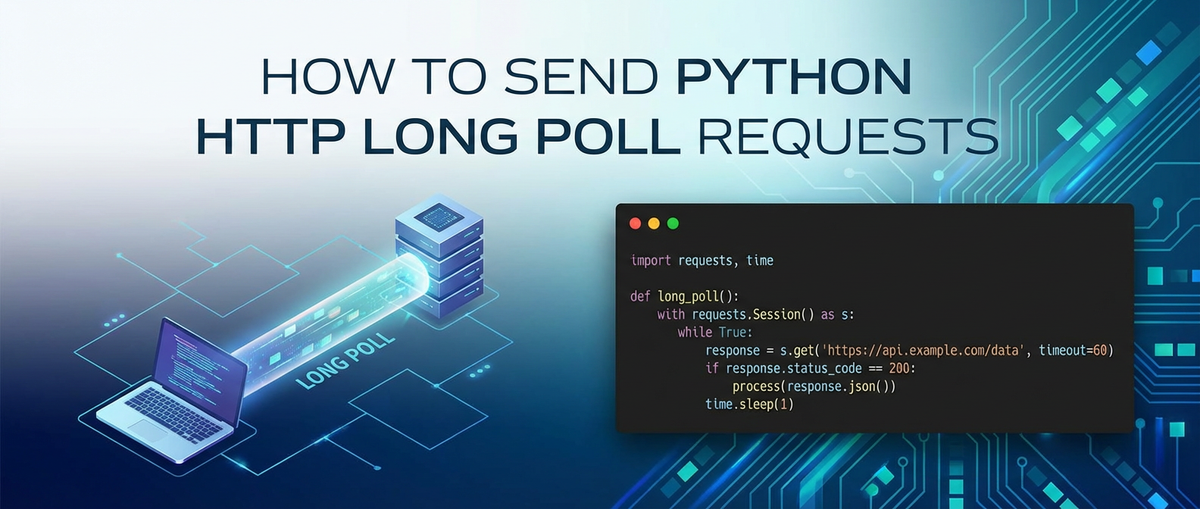


This comprehensive guide aims to demystify HTTP long polling in Python, providing an in-depth exploration from foundational concepts to advanced implementation techniques. We will delve into the intricacies of long polling, compare it with alternative communication patterns, and equip you with the knowledge to build robust, event-driven Python clients. While our primary focus remains on the technical execution within Python, we will also briefly touch upon the broader ecosystem of API management and how client requests often interact with sophisticated backend infrastructures.
How to Send Python HTTP Long Poll Requests
In the intricate world of modern web applications, the ability to receive real-time updates from a server is paramount. Whether it's for chat applications, financial tickers, notification systems, or monitoring dashboards, immediate feedback significantly enhances user experience and application responsiveness. While WebSockets have emerged as a powerful standard for true bidirectional real-time communication, they are not always the only, or even the best, solution. For many scenarios, HTTP long polling offers a simpler, yet effective, alternative to achieve near real-time updates without the overhead of maintaining a persistent, stateful connection. This article will provide an exhaustive guide on how to implement HTTP long polling requests using Python, covering fundamental principles, practical examples with popular libraries, and best practices for building resilient clients.
The Evolution of Web Communication: From Request-Response to Real-time
Before diving into long polling, it's essential to understand the traditional HTTP request-response cycle and its limitations when it comes to real-time interactions.
The Traditional HTTP Request-Response Model
The Hypertext Transfer Protocol (HTTP) is the foundation of data communication for the World Wide Web. Its original design follows a stateless, synchronous request--response model: 1. Client Initiates: A client (e.g., a web browser, a Python script) sends an HTTP request to a server. 2. Server Processes: The server processes the request, performs any necessary operations (e.g., database queries, computations). 3. Server Responds: The server sends an HTTP response back to the client, containing the requested data or an indication of success/failure. 4. Client Receives: The client receives the response and processes it.
This model is incredibly effective for fetching static content, submitting forms, or performing discrete operations. However, for applications requiring the server to "push" updates to the client without the client continuously asking, this model proves inefficient.
The Challenge of Real-time Updates
Imagine a chat application. When a new message is sent, all participants in the chat need to see it immediately. Under the traditional HTTP model, achieving this would typically involve one of two less-than-ideal approaches:
- Short Polling (or Brute-Force Polling): The client repeatedly sends requests to the server at fixed intervals (e.g., every 2 seconds) asking, "Are there any new messages?"
- Pros: Simple to implement, works over standard HTTP, no special server-side technology required beyond a basic web server.
- Cons:
- High Latency: Updates are only as fast as the polling interval. If the interval is 5 seconds, a message could sit for almost 5 seconds before being retrieved.
- Inefficient Resource Usage: Most requests will return empty responses, wasting client and server resources, increasing network traffic, and consuming server CPU cycles for processing superfluous requests.
- Scalability Issues: As the number of clients and the polling frequency increase, the server can become overwhelmed with a deluge of mostly empty requests.
- Long Polling: This technique emerged as a more efficient compromise between the simplicity of HTTP and the need for real-time-like updates. Instead of immediately responding, the server holds the connection open until new data is available or a timeout occurs.
What is HTTP Long Polling? The Mechanics Explained
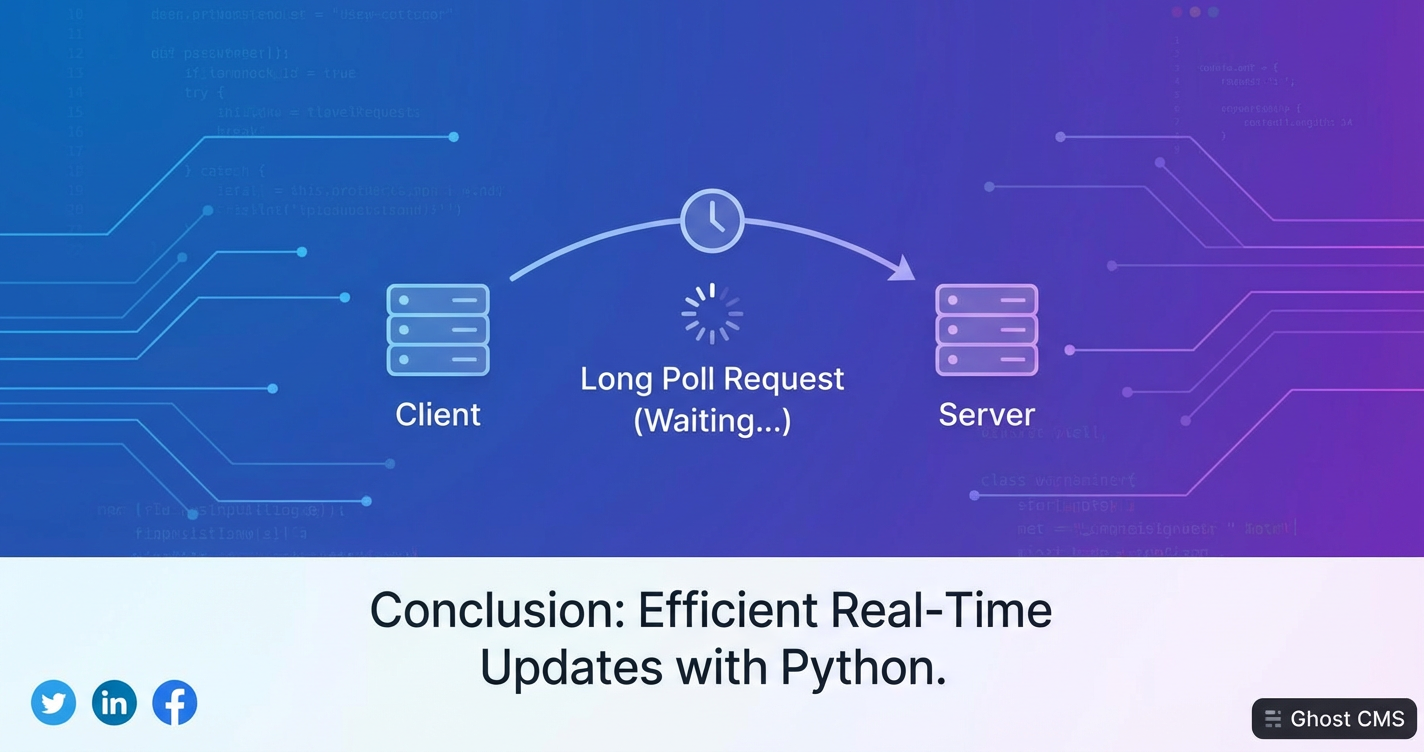
HTTP long polling, sometimes referred to as "hanging GET," is a technique where the client sends an HTTP request to the server, and the server intentionally delays its response until there is new information to send back, or until a predefined timeout period has elapsed. Once the server sends a response (either with data or a timeout signal), the client immediately sends a new request to restart the waiting process.
Let's break down the mechanics:
- Client Initiates a "Long" Request: The Python client sends a standard HTTP GET request to a specific endpoint on the server, indicating it's expecting real-time updates. This request might include parameters like a
last_event_idortimestampto ensure it only receives new events since its last successful retrieval. - Server Holds the Connection: Instead of immediately returning an empty response if no new data is available, the server keeps the HTTP connection open. It monitors for new events pertinent to that client.
- Event Occurs or Timeout Expires:
- New Data Available: If a new event occurs (e.g., a new chat message, a sensor reading changes), the server immediately compiles the new data and sends an HTTP response containing that data to the client. The connection is then closed.
- Timeout: If no new data becomes available within a predefined server-side timeout period (e.g., 30 seconds, 60 seconds), the server sends an empty or minimal response (e.g., a 200 OK with no body, or a specific status code like 204 No Content, or a small JSON indicating no new data). This prevents the connection from hanging indefinitely. The connection is then closed.
- Client Processes Response and Retries: Upon receiving any response (either with data or a timeout), the client processes the information (if any). Crucially, it then immediately sends another long poll request to the server, restarting the entire cycle.
Key Characteristics of Long Polling
- Near Real-time: Updates are delivered almost instantly when they occur, as the server doesn't wait for a polling interval.
- Reduced Resource Usage (Client & Network): Compared to short polling, fewer requests are sent overall, especially when events are infrequent. This saves client CPU, network bandwidth, and server processing for empty responses.
- HTTP-Friendly: It leverages standard HTTP and ports (80/443), making it compatible with existing network infrastructure, firewalls, and proxies, which might block or interfere with WebSocket connections.
- Stateless at the Transport Layer: While the server might maintain some session state for the client to know what events to deliver, the underlying HTTP connection itself is still treated as stateless, unlike a WebSocket connection. Each long poll request is a new request.
- Increased Server-Side Complexity: The server needs to manage many open connections concurrently, potentially requiring specific server configurations or frameworks that can handle asynchronous I/O efficiently (e.g., Nginx, Apache with event modules, Node.js, Twisted/ASGI servers in Python).
Use Cases for Long Polling
Long polling is particularly well-suited for scenarios where:
- Updates are infrequent but demand low latency: E.g., notifications, friend requests, price changes in a non-volatile market.
- Simple event delivery is sufficient: Complex bidirectional communication patterns are not required.
- Existing HTTP infrastructure must be leveraged: Avoiding the complexities or deployment challenges of WebSockets.
- Client-side implementation needs to remain relatively straightforward: Python's
requestslibrary makes long polling quite accessible.
Setting Up Your Python Environment
To send HTTP requests in Python, the requests library is the de facto standard. It's user-friendly, robust, and handles many complexities of HTTP communication under the hood. For asynchronous operations, aiohttp or httpx with asyncio are excellent choices.
Installing requests
If you don't already have it, install requests using pip:
pip install requests
Basic HTTP GET Request Refresher
Before long polling, let's quickly review a standard GET request:
import requests

try:
    response = requests.get('http://httpbin.org/get', timeout=5) # Example endpoint
    response.raise_for_status() # Raise an HTTPError for bad responses (4xx or 5xx)
    print("Status Code:", response.status_code)
    print("Headers:", response.headers)
    print("Content (JSON):", response.json())
except requests.exceptions.RequestException as e:
    print(f"An error occurred: {e}")
This simple example demonstrates fetching data from httpbin.org/get, a service that echoes back the request details. Note the timeout parameter, which is crucial for long polling.
Implementing HTTP Long Polling in Python (Synchronous)
Now, let's put the long polling concept into practice. We'll simulate a long polling server conceptually, as building a robust server is beyond the scope of this client-focused article. For our client examples, we'll assume a hypothetical server endpoint that either responds immediately with new data or holds the connection for a specified duration before timing out.
The Basic Long Poll Client Loop
The core of a long poll client is a continuous loop that sends requests, processes responses, and immediately sends a new request.
import requests
import time
import logging

# Configure logging for better visibility
logging.basicConfig(level=logging.INFO, format='%(asctime)s - %(levelname)s - %(message)s')

def long_poll_client(url, timeout_seconds=30, retries=5, backoff_factor=0.5):
    """
    Implements a basic synchronous HTTP long polling client.

    Args:
        url (str): The URL of the long polling endpoint.
        timeout_seconds (int): The maximum time (in seconds) the client
                                should wait for a response from the server.
                                This should typically be less than the
                                server's expected long poll timeout.
        retries (int): Maximum number of times to retry a request after an error.
        backoff_factor (float): Factor for exponential backoff between retries.
    """
    session = requests.Session() # Use a session for connection pooling
    current_retry = 0
    last_event_id = None # To track the last event received, for server to send only new ones

    logging.info(f"Starting long polling client for {url} with timeout {timeout_seconds}s.")

    while True:
        try:
            # Prepare headers with last_event_id if available
            headers = {"If-None-Match": str(last_event_id)} if last_event_id else {}

            logging.info(f"Sending long poll request. Last event ID: {last_event_id}")
            response = session.get(url, timeout=timeout_seconds, headers=headers)
            response.raise_for_status() # Raise an HTTPError for bad responses (4xx or 5xx)

            if response.status_code == 200:
                data = response.json()
                # Process the received data
                logging.info(f"Received new data: {data}")

                # Update last_event_id if the server provides one
                # (e.g., in the response body or a custom header)
                # For demonstration, let's assume 'event_id' is in the data
                if 'event_id' in data:
                    last_event_id = data['event_id']
                    logging.info(f"Updated last_event_id to: {last_event_id}")

                current_retry = 0 # Reset retry counter on success

            elif response.status_code == 204: # No Content, typically means timeout or no new data
                logging.info("Server timed out or no new data (204 No Content). Retrying...")
                current_retry = 0 # Reset retry counter on expected timeout

            else:
                logging.warning(f"Unexpected status code: {response.status_code}. Retrying...")

        except requests.exceptions.Timeout:
            logging.info(f"Request timed out after {timeout_seconds} seconds. Retrying...")
            current_retry = 0 # Reset retry counter on client-side timeout

        except requests.exceptions.ConnectionError as e:
            logging.error(f"Connection Error: {e}")
            current_retry += 1
            if current_retry > retries:
                logging.critical("Max retries reached. Exiting long polling client.")
                break
            sleep_time = backoff_factor * (2 ** (current_retry - 1))
            logging.info(f"Retrying in {sleep_time:.2f} seconds...")
            time.sleep(sleep_time)

        except requests.exceptions.HTTPError as e:
            logging.error(f"HTTP Error: {e.response.status_code} - {e.response.text}")
            current_retry += 1
            if current_retry > retries:
                logging.critical("Max retries reached due to HTTP error. Exiting long polling client.")
                break
            sleep_time = backoff_factor * (2 ** (current_retry - 1))
            logging.info(f"Retrying in {sleep_time:.2f} seconds...")
            time.sleep(sleep_time)

        except requests.exceptions.RequestException as e:
            logging.error(f"An unexpected Requests error occurred: {e}")
            current_retry += 1
            if current_retry > retries:
                logging.critical("Max retries reached due to unexpected error. Exiting long polling client.")
                break
            sleep_time = backoff_factor * (2 ** (current_retry - 1))
            logging.info(f"Retrying in {sleep_time:.2f} seconds...")
            time.sleep(sleep_time)

        except Exception as e:
            logging.critical(f"An unhandled error occurred: {e}. Exiting long polling client.")
            break

        # Ensure a slight delay before immediately re-polling, especially if
        # the server consistently returns timeouts quickly. This prevents
        # a "busy loop" in case of very fast server responses.
        time.sleep(0.1)

# Example usage (you would replace this with a real long polling endpoint)
# For testing, you might use a local Flask server or a mock service.
# Example with a mock server that sometimes sends data, sometimes times out:
# For demonstration purposes, let's use a mock URL that always times out
# after a certain period if no specific 'event_id' is provided.
# In a real scenario, this 'long_polling_mock_server' would be a running service.
# Let's imagine we have a simple Flask server at http://127.0.0.1:5000/poll
# that delays for up to 25 seconds or sends data if available.

# long_poll_client('http://127.0.0.1:5000/poll', timeout_seconds=25)

# For testing this code without a server, you could create a simple mock
# by hand (less ideal for real-world testing but illustrates the client logic)
# A more realistic test would involve a small Flask/FastAPI server:
#
# # --- Simple Flask Mock Server (for testing client) ---
# from flask import Flask, request, jsonify, make_response
# import time
# import random
#
# app = Flask(__name__)
#
# @app.route('/poll')
# def poll():
#     client_last_event_id = request.headers.get('If-None-Match')
#     server_data_available = False
#     new_event_id = None
#     response_data = {}
#
#     # Simulate some processing delay / waiting for event
#     wait_time = random.uniform(1, 20) # Server waits for up to 20 seconds
#     time.sleep(wait_time)
#
#     # Simulate an event occurring (e.g., 30% chance)
#     if random.random() < 0.3:
#         new_event_id = int(time.time())
#         response_data = {"message": f"New event at {time.ctime()}", "event_id": new_event_id}
#         server_data_available = True
#
#     if server_data_available and (client_last_event_id is None or str(new_event_id) != client_last_event_id):
#         resp = make_response(jsonify(response_data), 200)
#         resp.headers["Content-Type"] = "application/json"
#         return resp
#     else:
#         # If no new data or client already has it, simulate a timeout by sending 204 or just delaying
#         # For simplicity, let's just send 204 if no new data after initial wait_time
#         resp = make_response("", 204) # No Content
#         return resp
#
# # To run this Flask server:
# # if __name__ == '__main__':
# #     app.run(port=5000, debug=False)
# # ----------------------------------------------------

if __name__ == "__main__":
    # If you have the Flask mock server running:
    # long_poll_client('http://127.0.0.1:5000/poll', timeout_seconds=25)

    # Placeholder for a service that echoes a delay
    # This won't actually "long poll" in the sense of holding for an event,
    # but will demonstrate the client's timeout and retry behavior.
    # For a true test, you need a server that implements long polling.
    logging.info("Please start the Flask mock server (commented out above) to test this client.")
    logging.info("For a basic client-side timeout test against a standard endpoint, try:")
    # long_poll_client('http://httpbin.org/delay/35', timeout_seconds=30)
    # This would simulate a server that takes longer than the client's timeout,
    # triggering requests.exceptions.Timeout.
    pass
Explanation of Key Components
requests.Session(): This is crucial for performance and reliability. ASessionobject allowsrequeststo persist certain parameters across requests (like headers, cookies) and, more importantly for long polling, reuse the underlying TCP connection. Reusing connections reduces the overhead of establishing a new connection for each poll, which can be significant when polling frequently.timeout_seconds: This parameter passed tosession.get()defines the maximum time the client will wait for a response from the server. It's vital for long polling. If the server doesn't respond within this period,requests.exceptions.Timeoutwill be raised. This client-side timeout should generally be slightly less than the server-side long poll timeout to ensure the client initiates a new request proactively if the server connection hangs.last_event_idandIf-None-MatchHeader: To prevent sending duplicate events, the client typically sends an identifier of the last event it received (e.g., a timestamp, a sequence number, or an ETag). The server then uses this to determine if there are truly new events for that client. TheIf-None-MatchHTTP header is often used for this purpose with ETags, but a custom header or query parameter (e.g.,?since=12345) can also be employed.- Error Handling and Retries:
requests.exceptions.Timeout: Handled when the client's timeout is exceeded. The client should immediately re-poll.requests.exceptions.ConnectionError: Catches network-related issues (e.g., server offline, DNS issues).requests.exceptions.HTTPError: Catches 4xx or 5xx status codes, indicating server-side errors or bad requests.requests.exceptions.RequestException: A general base class for all exceptions from therequestslibrary.- Exponential Backoff: When transient errors (like
ConnectionError) occur, it's a best practice to wait for increasing periods between retries. This prevents overwhelming a potentially recovering server and gives it time to stabilize. The formulabackoff_factor * (2 ** (current_retry - 1))is a common pattern.
time.sleep(0.1): A small, unconditional delay at the end of the loop, particularly after processing data, ensures that the client doesn't enter a "busy wait" loop if the server consistently responds very quickly. This can happen if the server's timeout is very short or if events are constantly flowing.
Server-Side Considerations (Conceptual)
While we focus on the client, understanding the server's role helps in designing the client. A long polling server typically:
- Receives a GET request.
- Checks for
last_event_idortimestampfrom the client. - If new data is available that the client hasn't seen, it responds immediately with a 200 OK and the data.
- If no new data, it adds the client's connection to a "waiting list" or "pending pool" associated with the relevant event stream.
- It then monitors for new events. When an event occurs, it identifies all waiting clients that need this event and sends them responses.
- It also has its own timeout. If no event occurs within, say, 60 seconds, it sends a 204 No Content (or empty 200 OK) to the client and closes the connection. This prevents connections from hanging indefinitely and allows load balancers/proxies to manage connections effectively.
- API Gateway Integration: In a production environment, this server-side endpoint would likely be exposed through an API gateway. An API gateway acts as a single entry point for all client requests, routing them to the appropriate backend services, enforcing security policies, handling rate limiting, and collecting analytics. For instance, if your long polling mechanism is part of a larger system that interacts with various microservices, or even AI models, the
API gatewaywould be crucial for managing the traffic and ensuring robust communication. Understanding that your Python client'sapirequests often traverse such anapi gatewayis important for debugging and performance considerations.
APIPark is a high-performance AI gateway that allows you to securely access the most comprehensive LLM APIs globally on the APIPark platform, including OpenAI, Anthropic, Mistral, Llama2, Google Gemini, and more.Try APIPark now! 👇👇👇
Asynchronous Long Polling in Python
For more complex applications, especially those that need to perform other tasks while waiting for a long poll response, or manage multiple concurrent long poll connections, asynchronous programming with asyncio is the way to go. Libraries like aiohttp or httpx (which supports both sync and async) provide asynchronous HTTP client capabilities.
Installing aiohttp or httpx
pip install aiohttp # Or:
pip install httpx
Asynchronous Long Poll Client with aiohttp
import asyncio
import aiohttp
import logging
import time

logging.basicConfig(level=logging.INFO, format='%(asctime)s - %(levelname)s - %(message)s')

async def async_long_poll_client(url, timeout_seconds=30, retries=5, backoff_factor=0.5):
    """
    Implements an asynchronous HTTP long polling client using aiohttp.
    """
    current_retry = 0
    last_event_id = None

    # aiohttp.ClientSession manages connection pooling asynchronously
    async with aiohttp.ClientSession() as session:
        logging.info(f"Starting async long polling client for {url} with timeout {timeout_seconds}s.")

        while True:
            try:
                # Prepare headers with last_event_id if available
                headers = {"If-None-Match": str(last_event_id)} if last_event_id else {}

                logging.info(f"Sending async long poll request. Last event ID: {last_event_id}")

                # aiohttp.ClientTimeout ensures proper client-side timeouts
                async with session.get(url, headers=headers,
                                       timeout=aiohttp.ClientTimeout(total=timeout_seconds)) as response:

                    response.raise_for_status() # Raise an exception for HTTP 4xx/5xx responses

                    if response.status == 200:
                        data = await response.json()
                        logging.info(f"Received new data: {data}")

                        if 'event_id' in data:
                            last_event_id = data['event_id']
                            logging.info(f"Updated last_event_id to: {last_event_id}")

                        current_retry = 0 # Reset retry counter on success

                    elif response.status == 204: # No Content
                        logging.info("Server timed out or no new data (204 No Content). Retrying...")
                        current_retry = 0 # Reset retry counter on expected timeout

                    else:
                        logging.warning(f"Unexpected status code: {response.status}. Retrying...")

            except asyncio.TimeoutError:
                logging.info(f"Request timed out after {timeout_seconds} seconds. Retrying...")
                current_retry = 0 # Reset retry counter on client-side timeout

            except aiohttp.ClientConnectorError as e:
                logging.error(f"Connection Error: {e}")
                current_retry += 1
                if current_retry > retries:
                    logging.critical("Max retries reached. Exiting async long polling client.")
                    break
                sleep_time = backoff_factor * (2 ** (current_retry - 1))
                logging.info(f"Retrying in {sleep_time:.2f} seconds...")
                await asyncio.sleep(sleep_time)

            except aiohttp.ClientResponseError as e:
                logging.error(f"HTTP Error: {e.status} - {e.message}")
                current_retry += 1
                if current_retry > retries:
                    logging.critical("Max retries reached due to HTTP error. Exiting async long polling client.")
                    break
                sleep_time = backoff_factor * (2 ** (current_retry - 1))
                logging.info(f"Retrying in {sleep_time:.2f} seconds...")
                await asyncio.sleep(sleep_time)

            except aiohttp.ClientError as e:
                logging.error(f"An unexpected aiohttp error occurred: {e}")
                current_retry += 1
                if current_retry > retries:
                    logging.critical("Max retries reached due to unexpected error. Exiting async long polling client.")
                    break
                sleep_time = backoff_factor * (2 ** (current_retry - 1))
                logging.info(f"Retrying in {sleep_time:.2f} seconds...")
                await asyncio.sleep(sleep_time)

            except Exception as e:
                logging.critical(f"An unhandled error occurred: {e}. Exiting async long polling client.")
                break

            await asyncio.sleep(0.1) # Small delay before re-polling

if __name__ == "__main__":
    # To run this, you need an event loop.
    # Replace with your actual long polling endpoint
    # asyncio.run(async_long_poll_client('http://127.0.0.1:5000/poll', timeout_seconds=25))
    logging.info("Please uncomment the asyncio.run line and ensure a suitable long polling server is running.")
    logging.info("For example, the Flask mock server (with 'asyncio.run' added if you use aiohttp for server-side too).")
    pass
Key Differences in Asynchronous Implementation
asyncandawait: Functions that perform asynchronous operations are marked withasync, and operations that might block (like network I/O) are awaited usingawait.aiohttp.ClientSession(): Similar torequests.Session,aiohttp.ClientSessionis used for managing connections, but it's designed forasyncio. It must be used within anasync withblock to ensure proper resource management.aiohttp.ClientTimeout:aiohttphas its own timeout mechanism, distinct fromrequests. You configureaiohttp.ClientTimeoutand pass it to thesession.get()method.- Exception Handling: The exceptions are specific to
aiohttpandasyncio(e.g.,asyncio.TimeoutError,aiohttp.ClientConnectorError,aiohttp.ClientResponseError). asyncio.sleep(): Instead oftime.sleep(), which blocks the entire event loop,asyncio.sleep()is used for non-blocking delays in asynchronous code.- Running the Async Code: The
asyncfunction must be run within anasyncioevent loop, typically done withasyncio.run(your_async_function())in modern Python versions.
Advanced Considerations for Robust Long Polling Clients
Building a basic long polling client is one thing; making it resilient and efficient in a production environment requires attention to several advanced details.
1. Robust Error Handling and Retry Strategies
Beyond simple exponential backoff, consider:
- Jitter: Adding a small random amount of time to the backoff delay (jitter) can prevent all clients from retrying simultaneously, which could create a "thundering herd" problem if a server is recovering.
- Circuit Breaker Pattern: For critical applications, if an API or service continues to fail after multiple retries, a circuit breaker can temporarily stop sending requests to that service. This prevents wasting resources on requests that are likely to fail and allows the service time to recover, or for manual intervention.
- Configurable Retries: Allow parameters for
max_retries,initial_backoff,max_backoff.
2. Connection Management with requests.Session (or aiohttp.ClientSession)
As mentioned, session objects are crucial. They handle:
- Connection Pooling: Reusing TCP connections. This is particularly beneficial for long polling, where many sequential requests are made to the same host.
- Default Headers/Auth: You can set default headers or authentication credentials once on the session object, which will then apply to all subsequent requests made with that session.
- Cookies: Sessions automatically handle cookies, which can be important for maintaining user sessions or state if your long polling endpoint relies on them.
3. Distinguishing Server Timeout vs. Client Timeout
- Client Timeout: The
timeoutparameter inrequests.get(oraiohttp.ClientTimeout) defines how long the client will wait for any byte from the server. If this expires, it'srequests.exceptions.Timeout(orasyncio.TimeoutError). - Server Timeout: The server-side long poll mechanism will also have a timeout. If no new data is available within the server's timeout, it will send a response (e.g., 204 No Content) and close the connection.
Your client-side timeout should generally be slightly shorter than the server-side timeout. For example, if the server times out after 60 seconds, your client might time out after 55 seconds. This ensures the client gracefully restarts the poll before the server abruptly closes a connection that the client is still waiting on, leading to more predictable behavior.
4. Handling last_event_id and Event Deduplication
The last_event_id (or similar mechanism like a timestamp) is critical.
- Server-Driven
last_event_id: The most robust approach is for the server to provide the next expectedevent_idin its response (e.g., in the JSON body, or a custom HTTP header likeX-Event-ID). The client then uses this value for the subsequent request. - Client Persistence: If the client needs to be restarted, it should persist its
last_event_idto disk or a database so it can resume polling from the correct point and not miss events. - Idempotency: The server endpoint should ideally be designed to be idempotent in how it handles
last_event_id– repeatedly requesting events since a specific ID should yield the same new events.
5. Security Considerations
- Authentication and Authorization: Long polling requests, like any API request, must be properly authenticated (e.g., OAuth tokens, API keys) and authorized to access the requested data.
- HTTPS: Always use HTTPS to encrypt communication and protect against eavesdropping and man-in-the-middle attacks.
- CSRF Protection: While long polling is primarily a GET operation, if the endpoint triggers any state changes on the server (which it ideally shouldn't), or if session cookies are used, be mindful of Cross-Site Request Forgery (CSRF).
- Rate Limiting: Even though long polling reduces the number of requests compared to short polling, clients can still misbehave or be compromised. Server-side rate limiting on the long polling endpoint can protect against abuse.
6. Scalability of the Server-Side
While this guide focuses on the client, it's worth noting that scaling a long polling server can be challenging. It requires a server capable of handling many concurrent open connections efficiently (e.g., Nginx, Apache with event-driven MPM, Node.js, Go, or Python ASGI servers like Uvicorn/Gunicorn with eventlet/gevent workers). The Python client implementation does not directly address this, but it's part of the broader system design.
7. Monitoring and Logging
Comprehensive logging (as shown in the examples) is vital for debugging and understanding client behavior. Monitor:
- Request successes and failures.
- Timeout occurrences (client-side and server-side).
- Retry attempts and backoff delays.
- Processing time for events.
8. Graceful Shutdown
In a real application, your long polling client might run as a background task. Ensure you have mechanisms to gracefully shut down the polling loop (e.g., by catching keyboard interrupts Ctrl+C or using a dedicated stop signal if it's part of a larger application).
import signal
import sys

# ... (rest of the long_poll_client function remains the same)

stop_event = asyncio.Event() # For async version
should_run = True # For sync version

def signal_handler(sig, frame):
    global should_run
    logging.info("Ctrl+C detected. Shutting down gracefully.")
    should_run = False
    stop_event.set() # For async version
    # sys.exit(0) # Not always necessary, the loop breaking handles it

# In your long_poll_client loop (sync):
# while should_run:
#    try:
#        ...
#    except Exception as e:
#        if not should_run: # Check if stop was requested during an error handling delay
#            break
#        ...

# To use it:
# if __name__ == "__main__":
#    signal.signal(signal.SIGINT, signal_handler)
#    signal.signal(signal.SIGTERM, signal_handler) # For system termination signals
#    long_poll_client('http://127.0.0.1:5000/poll', timeout_seconds=25)
Integrating into a Broader API Ecosystem
As applications grow, they rarely rely on a single, isolated communication pattern. A typical modern application consumes a multitude of services – some providing RESTful data, others pushing real-time events via long polling, and still others offering sophisticated AI capabilities. Managing these diverse interactions becomes a significant challenge. Ensuring consistent authentication, robust rate limiting, effective caching, and optimized performance across various backend services is not just a best practice but a necessity for system stability and security.
This is precisely where comprehensive API management platforms, often operating as an API gateway, become invaluable. An API gateway acts as a centralized entry point for all client requests, routing them to the appropriate backend services while enforcing security policies, handling traffic management, and collecting analytics. For instance, if your long polling mechanism is part of a larger system that interacts with various microservices, or even AI models, the API gateway would be crucial for managing the traffic and ensuring robust communication. Understanding that your Python client's api requests often traverse such an api gateway is important for debugging and performance considerations.
One such solution in this space is APIPark. APIPark is an open-source AI gateway and API management platform designed to streamline the integration and management of both AI and REST services. It offers features like unified API formats for various AI models, prompt encapsulation into REST APIs, and end-to-end API lifecycle management. While our focus in this article is on the client-side implementation of long polling, understanding that these requests often traverse sophisticated backend infrastructures managed by platforms like APIPark helps in appreciating the broader ecosystem of modern web communication and the critical role an api gateway plays in maintaining order and efficiency.
Comparison with Other Real-time Communication Techniques
While long polling is effective, it's important to understand its place relative to other techniques.
| Feature | Short Polling | HTTP Long Polling | WebSockets | Server-Sent Events (SSE) |
|---|---|---|---|---|
| Latency | High (depends on interval) | Low (near real-time) | Very Low (true real-time) | Low (near real-time) |
| Resource Usage | High (many empty requests) | Moderate (fewer requests, but connections held) | Low (persistent, single connection per client) | Low (persistent, single connection per client) |
| Complexity (Client) | Low | Moderate (retry logic, timeout handling) | Moderate (event listener model, handshake) | Low (simple EventSource API) |
| Complexity (Server) | Low | High (managing many open connections) | High (stateful connections, specific server impl.) | Moderate (managing open connections for push, simpler than WS) |
| Bidirectional? | No (client-initiated) | No (client-initiated request, server pushes data back) | Yes (full duplex) | No (server-to-client only) |
| HTTP Overhead | High (headers on every request) | Moderate (headers on each poll, but fewer polls) | Low (initial handshake, then minimal framing) | Low (initial handshake, then minimal framing) |
| Proxy/Firewall | Easily traverse (standard HTTP) | Easily traverse (standard HTTP) | Can be blocked by some older proxies/firewalls (uses HTTP upgrade) | Easily traverse (standard HTTP) |
| Use Cases | Non-critical, low-frequency updates | Notifications, chat, dashboard updates (when WS is overkill/blocked) | Chat, gaming, collaborative editing, highly interactive apps | Stock tickers, news feeds, live blogs, sensor data streams (server pushes updates) |
| Data Format | Any (JSON, XML, HTML) | Any (JSON, XML) | Any (JSON, binary, custom) | Text-based, usually JSON encapsulated in data: lines |
When to Choose Long Polling
- You need low-latency updates, but not full-duplex communication. The client initiates, and the server responds.
- You want to avoid the complexities of WebSockets. This includes maintaining stateful connections on the server, dealing with WebSocket-specific libraries, or handling potential proxy/firewall issues.
- Your updates are somewhat infrequent. If updates are extremely frequent (multiple times per second for many clients), WebSockets or SSE might be more efficient due to lower per-message overhead.
- You're building on existing HTTP infrastructure. Long polling works seamlessly with standard HTTP servers, load balancers, and network configurations.
Conclusion
HTTP long polling, while not as cutting-edge as WebSockets, remains a highly effective and robust technique for achieving near real-time updates in many Python applications. By understanding its mechanics and carefully implementing error handling, retry strategies, and connection management, developers can build resilient long polling clients that significantly enhance application responsiveness.
From the foundational requests library for synchronous operations to the advanced capabilities of aiohttp for asynchronous tasks, Python provides the tools necessary to craft sophisticated long polling solutions. Always consider the context of your application, the frequency and volume of updates, and the broader API ecosystem – including the potential role of an API gateway in managing various api interactions – when choosing the most appropriate communication pattern. With this comprehensive guide, you are now equipped to confidently implement HTTP long polling requests in your Python projects.
Frequently Asked Questions (FAQs)
1. What is the fundamental difference between short polling and long polling?
The fundamental difference lies in how the server handles a request when no new data is immediately available. In short polling, the client sends requests at fixed, short intervals, and the server responds immediately, often with an empty response if there's no new data. This leads to many unnecessary requests and high resource consumption. In long polling, the client sends a request, and the server holds the connection open until new data is available or a predefined timeout occurs. This significantly reduces the number of requests and wasted bandwidth, as the server only responds when there's something meaningful to send.
2. When should I choose HTTP long polling over WebSockets?
You should consider long polling when: * Updates are primarily unidirectional (server-to-client). While the client initiates, the primary goal is for the server to push updates. If you need frequent bidirectional communication (e.g., real-time gaming, collaborative editing), WebSockets are superior. * Simplicity and HTTP compatibility are priorities. Long polling uses standard HTTP ports (80/443) and protocols, making it easier to implement, debug, and work with existing network infrastructure (firewalls, proxies) that might block or complicate WebSocket connections. * The overhead of a full WebSocket connection is deemed unnecessary. For less frequent updates, the overhead of establishing and maintaining a stateful WebSocket connection might be overkill.
3. How do I prevent clients from receiving duplicate events when using long polling?
Preventing duplicate events is crucial and typically involves the client sending a unique identifier of the last event it successfully processed with each new long poll request. This identifier could be a timestamp, a sequence number, or an ETag. The server then uses this last_event_id (often passed as a query parameter or custom HTTP header) to filter events and only send those that are newer than what the client has already seen. Upon receiving new data, the client updates its last_event_id for the next poll.
4. What are the main challenges or drawbacks of HTTP long polling?
The primary challenge of HTTP long polling lies on the server-side. The server needs to efficiently manage potentially thousands or millions of concurrently open HTTP connections, which requires a highly scalable server architecture designed for asynchronous I/O (e.g., Nginx, Node.js, or ASGI servers in Python). If not handled properly, holding many connections open can exhaust server resources (memory, file descriptors). Another drawback is that it's still less efficient than WebSockets for very high-frequency, continuous updates due to the overhead of re-establishing an HTTP connection for each new event.
5. Can an API gateway interfere with or optimize long polling requests?
Yes, an API gateway can both interfere with and optimize long polling requests. Interference can occur if the gateway itself has short timeouts for upstream connections, causing it to prematurely close long poll requests before the backend server has a chance to respond. Misconfigured gateways might also modify headers or payload in ways that break the long polling mechanism. However, an API gateway can also optimize long polling by: * Load Balancing: Distributing long poll requests across multiple backend servers to prevent any single server from becoming overwhelmed. * Traffic Management: Applying rate limiting and surge protection to prevent abuse. * Security: Enforcing authentication and authorization policies at the edge, protecting the backend services. * Monitoring and Analytics: Providing insights into long poll traffic patterns and performance. * Caching (less relevant for actual real-time data): Though not for real-time events, it can cache static parts of the API. Proper configuration of the API gateway is essential to ensure long polling functions correctly and efficiently within a larger API ecosystem.
🚀You can securely and efficiently call the OpenAI API on APIPark in just two steps:
Step 1: Deploy the APIPark AI gateway in 5 minutes.
APIPark is developed based on Golang, offering strong product performance and low development and maintenance costs. You can deploy APIPark with a single command line.
curl -sSO https://download.apipark.com/install/quick-start.sh; bash quick-start.sh

In my experience, you can see the successful deployment interface within 5 to 10 minutes. Then, you can log in to APIPark using your account.

Step 2: Call the OpenAI API.