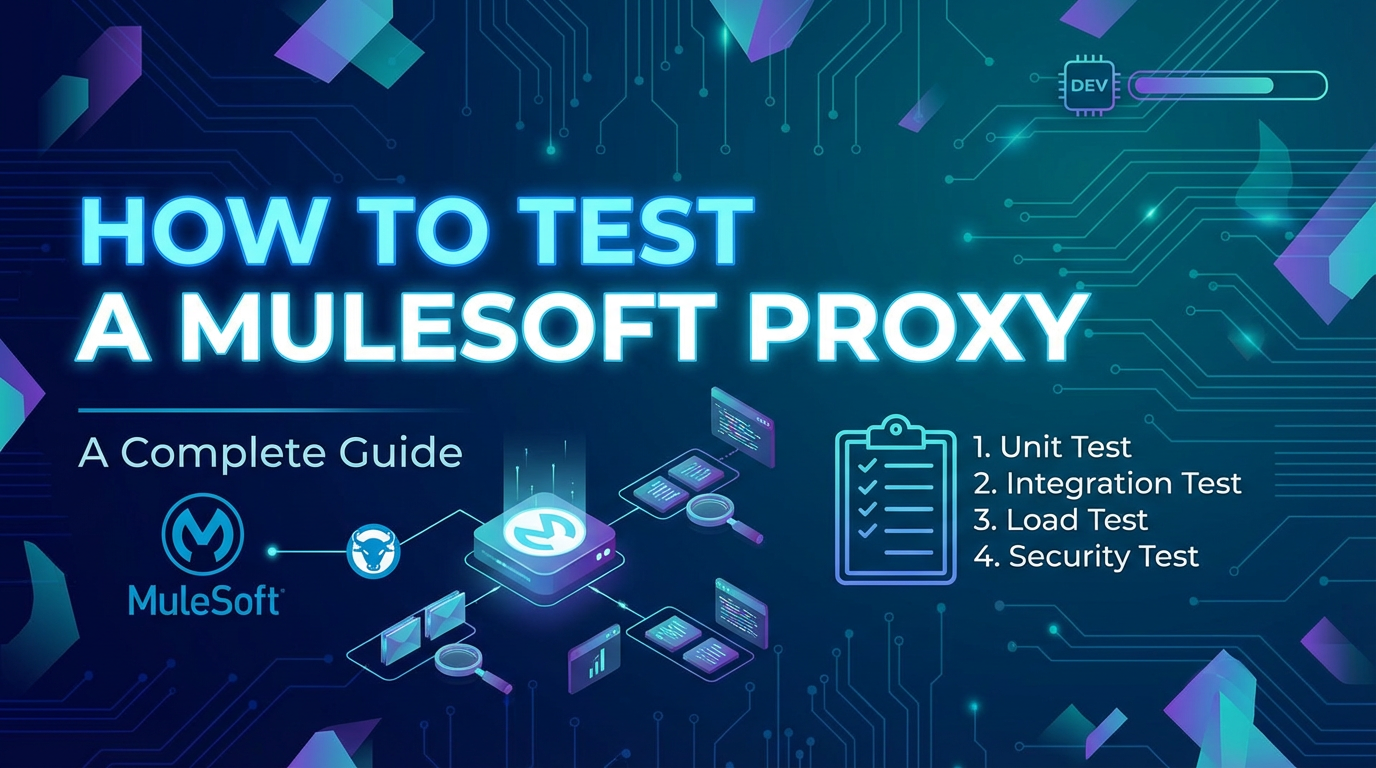
How to Test a Mulesoft Proxy: A Complete Guide


In the intricate landscape of modern enterprise architecture, where data flows seamlessly between diverse systems and applications, the role of an API gateway and its underlying proxies has become undeniably central. These intermediaries are not merely traffic directors; they are the strategic enforcers of policies, guardians of security, and facilitators of efficient communication. For organizations leveraging MuleSoft Anypoint Platform, understanding and rigorously testing MuleSoft proxies is paramount to ensuring the reliability, security, and performance of their entire API ecosystem.
This comprehensive guide delves deep into the methodologies, best practices, and essential considerations for effectively testing a MuleSoft proxy. From foundational concepts to advanced automation techniques, we will explore every facet required to build confidence in your MuleSoft deployments, ensuring that your APIs are not just functional, but also resilient, secure, and performant under all conditions. By the end of this article, you will possess a holistic understanding of how to approach MuleSoft proxy testing, empowering your teams to deliver robust and high-quality API solutions.
Understanding MuleSoft Proxies: The Gatekeepers of Your APIs
Before embarking on the journey of testing, it is crucial to establish a profound understanding of what a MuleSoft proxy is, why it's indispensable, and how it fits into the broader Anypoint Platform ecosystem. This foundational knowledge will illuminate the critical areas that demand rigorous testing.
What is a Proxy in MuleSoft?
At its core, a proxy acts as an intermediary for requests from clients seeking resources from other servers. In the context of MuleSoft, an API proxy is a dedicated Mule application that sits between an API consumer (client) and the actual backend implementation of an API. Instead of directly accessing the backend service, clients interact with the proxy, which then forwards the requests to the target service after applying a set of defined policies.
This proxy effectively masks the underlying complexity and location of the backend service, providing a unified and controlled entry point for all interactions. It intercepts inbound requests, processes them based on configured rules, and then routes them to the appropriate backend API. Similarly, it intercepts responses from the backend before sending them back to the client, potentially applying further transformations or logging. The proxy acts as a robust abstraction layer, enhancing the agility and resilience of your API landscape.
Why Use a MuleSoft Proxy? The Indispensable Advantages
The deployment of a MuleSoft proxy is driven by a multitude of compelling reasons, each contributing significantly to the robustness, security, and manageability of an organization's API program. Understanding these benefits helps pinpoint the critical functionalities that must be thoroughly tested.
1. Enhanced Security and Policy Enforcement
One of the primary drivers for implementing an API proxy is to bolster security. A proxy acts as the first line of defense, allowing you to centralize security policies without requiring changes to the backend API implementation. * Authentication and Authorization: Proxies can enforce various authentication schemes (e.g., OAuth 2.0, JWT, Basic Auth) and authorize access based on roles or scopes, preventing unauthorized access to sensitive backend services. * Threat Protection: Policies can be applied to detect and mitigate common threats such as SQL injection, XML external entities (XXE), and JSON threat protection (limiting payload size or depth), shielding your backend from malicious attacks. * IP Whitelisting/Blacklisting: Control access based on source IP addresses, allowing or denying requests from specific networks. * CORS (Cross-Origin Resource Sharing): Manage and enforce CORS policies, ensuring that browser-based applications can securely interact with your APIs.
2. Efficient Traffic Management and QoS
Proxies provide granular control over the flow of traffic to your backend services, ensuring fair usage and preventing service degradation. * Rate Limiting and Throttling: Prevent service abuse or overload by limiting the number of requests an application or user can make within a specified timeframe. * SLA Tiering: Implement different service level agreements (SLAs) for various consumers, allowing premium clients higher access limits or dedicated throughput. * Caching: Improve performance and reduce the load on backend systems by caching responses for frequently accessed data, serving subsequent requests directly from the proxy. * Spike Arrest: Smooth out traffic spikes by queueing or rejecting requests during sudden surges, protecting backend systems from being overwhelmed.
3. Flexible Routing and Load Balancing
Proxies offer advanced routing capabilities, enabling dynamic and intelligent request distribution. * Dynamic Routing: Route requests to different backend services based on request parameters (e.g., headers, query parameters, URI paths), allowing for flexible API design and microservices patterns. * Content-Based Routing: Direct requests to specific backend versions or instances based on the content of the request, facilitating A/B testing or blue/green deployments. * Load Balancing: Distribute incoming traffic across multiple instances of a backend service to optimize resource utilization and enhance availability.
4. Centralized Observability and Monitoring
Proxies serve as a crucial point for gathering operational intelligence about your API traffic. * Logging and Auditing: Centralize detailed logs of all API interactions, including request/response payloads, headers, and metadata, critical for auditing, debugging, and compliance. * Analytics and Monitoring: Collect metrics on API usage, performance, and error rates, providing valuable insights into API health and consumer behavior through platforms like Anypoint Monitoring. * Alerting: Configure alerts based on predefined thresholds for errors, latency, or traffic volumes, enabling proactive issue detection.
5. Decoupling and Abstraction
Proxies create a layer of abstraction between the API consumers and providers, fostering agility and resilience. * Backend Independence: Shield consumers from changes in backend service implementation, location, or protocol, allowing backend teams to iterate independently. * Version Management: Facilitate seamless API versioning by allowing multiple versions of an API to coexist and be managed through the same proxy endpoint. * Mediation and Transformation: Transform request and response payloads (e.g., JSON to XML, or schema mapping) to meet the requirements of different consumers or backend systems, ensuring interoperability.
6. Policy Enforcement and Governance
Beyond security, proxies enforce a broad spectrum of governance policies. * Service Level Agreements (SLAs): Ensure that the service provided adheres to agreed-upon performance and availability metrics. * Custom Policies: Apply specific business logic or integration patterns that are not directly available as out-of-the-box policies. * Data Masking: Automatically mask sensitive data in logs or responses to comply with privacy regulations.
In essence, a MuleSoft proxy functions as a sophisticated API gateway, providing a robust, scalable, and secure entry point for all your digital interactions. It empowers organizations to manage their APIs effectively, ensuring they are consumable, secure, and performant, which in turn necessitates a deeply thorough testing approach to validate each of these critical functionalities.
MuleSoft's API Manager and Proxies: A Synergistic Relationship
The Anypoint Platform's API Manager is the central nervous system for managing MuleSoft proxies. It provides a unified interface for defining, deploying, and governing APIs and their associated proxies.
When you create an API in API Manager, you essentially define its contract – its resources, methods, and expected behavior. To expose this API securely and with managed policies, you typically create an API proxy. API Manager allows you to:
- Create Proxy APIs: Easily generate a proxy application that can be deployed to CloudHub, on-premise, or other environments.
- Apply Policies: Drag-and-drop or configure various out-of-the-box policies (like rate limiting, security, caching) directly to your proxy API. These policies are enforced by the proxy at runtime.
- Auto-Discovery: Once a proxy application is deployed, it can "auto-discover" itself with API Manager, allowing it to download and apply the policies defined in the API Manager instance. This mechanism ensures that any changes to policies in API Manager are dynamically applied to the running proxy instances without requiring redeployment.
- Monitor and Analyze: API Manager, in conjunction with Anypoint Monitoring, provides real-time visibility into proxy traffic, policy violations, and performance metrics.
The interplay between API Manager and the MuleSoft proxy is critical. The API Manager defines what policies and rules should apply, and the proxy is the runtime engine that enforces them. Therefore, testing a MuleSoft proxy inherently involves validating that the policies configured in API Manager are correctly applied and behave as expected by the deployed proxy application. This integrated approach simplifies API governance but adds layers of complexity to the testing strategy, as both the configuration and the runtime behavior must be meticulously verified.
The Indispensable Value of Thorough MuleSoft Proxy Testing
Given the pivotal role of MuleSoft proxies as the front door to your critical backend services and the enforcers of vital policies, the importance of rigorous, comprehensive testing cannot be overstated. Skimping on proxy testing is akin to leaving the front door of a bank unlocked – it introduces unacceptable levels of risk.
Why Rigorous Testing is Non-Negotiable for Your API Gateway
Every aspect of an API gateway's functionality, from basic routing to complex policy orchestration, must be scrutinized. The implications of an inadequately tested proxy can range from minor inconveniences to catastrophic system failures and severe security breaches.
1. Ensuring Policy Enforcement and Compliance
The core value proposition of a MuleSoft proxy lies in its ability to enforce policies. If these policies are not functioning as intended, the entire purpose of the proxy is undermined. * Security Policies: Failure to correctly apply authentication, authorization, or threat protection policies can expose sensitive data or critical backend systems to unauthorized access and malicious attacks. Testing validates that only legitimate, authorized requests reach your backend. * Traffic Management Policies: Incorrect rate limiting or throttling can lead to backend overload, denial-of-service, or unfair resource allocation, impacting the stability and availability of your services. Testing confirms that traffic is managed according to defined SLAs. * Data Governance: Policies related to data masking, logging, and audit trails must function flawlessly to ensure compliance with regulatory requirements (e.g., GDPR, HIPAA). Testing verifies that data integrity and privacy rules are upheld.
2. Validating Correct Routing and Transformations
The proxy is responsible for correctly directing requests to the right backend service and potentially transforming payloads. * Routing Logic: Errors in routing can send requests to incorrect services, resulting in invalid responses, data corruption, or even data exposure if routed to an unintended endpoint. Testing ensures that requests are always delivered to their designated destinations. * Data Transformations: If the proxy performs any data format conversions or content modifications (e.g., header manipulation, JSON-to-XML transformation), these must be flawless. Incorrect transformations can lead to data loss, malformed requests/responses, and integration failures.
3. Assuring Performance and Scalability
Proxies, as central traffic hubs, must be high-performing and scalable to handle the anticipated load. * Latency: An inefficient proxy can introduce unacceptable latency, degrading the user experience and violating SLA commitments. Performance testing helps identify and mitigate such bottlenecks. * Throughput: The proxy must be able to handle the required volume of transactions per second (TPS) without buckling under pressure. Scalability testing ensures it can grow with demand. * Resource Utilization: Efficient proxy operation means optimal CPU, memory, and network usage. Testing helps tune the proxy for optimal resource consumption.
4. Robust Error Handling and Fault Tolerance
In a distributed system, failures are inevitable. A well-tested proxy should gracefully handle errors and provide mechanisms for recovery. * Backend Service Failures: What happens if the backend service is unavailable, returns errors, or responds slowly? The proxy should ideally provide a fallback, retry mechanism, or a clear, informative error message to the client, preventing a cascading failure. * Policy Violations: When a policy is violated (e.g., rate limit exceeded), the proxy should return appropriate error codes and messages, guiding the client on how to proceed. * Circuit Breakers: If implemented, circuit breakers must be tested to ensure they trip when backend errors cross a threshold and reset when the service recovers, protecting the backend from overwhelming requests during periods of instability.
5. Preventing Production Outages and Business Disruption
Ultimately, the goal of thorough testing is to minimize the risk of production incidents. A failing proxy can bring down an entire chain of dependent applications, leading to significant business disruption, revenue loss, and reputational damage. Comprehensive testing is a proactive investment in the stability and continuity of your operations.
6. Meeting Compliance and Regulatory Requirements
Many industries have stringent regulatory requirements regarding data access, privacy, and system security. Proxies often play a crucial role in enforcing these requirements. Testing provides the necessary evidence and assurance that your API gateway adheres to these standards, avoiding costly fines and legal repercussions.
In summary, a MuleSoft proxy is not merely a piece of infrastructure; it's an active participant in your business logic and security posture. To treat it as anything less, and to neglect its thorough testing, is to introduce a significant vulnerability into your enterprise architecture. Robust testing builds confidence, reduces risk, and ensures that your APIs consistently deliver value securely and efficiently.
Types of Tests Relevant to MuleSoft Proxies
To address the multifaceted nature of an API gateway, various types of testing are required. Each type focuses on a specific aspect of the proxy's functionality and performance.
- Unit Testing: While MuleSoft proxies primarily rely on configuration in API Manager, any custom policy or custom logic within the proxy application (e.g., a custom DataWeave transformation, an error handling flow) should be unit tested using MUnit. This ensures individual components function correctly in isolation.
- Integration Testing: This is paramount for proxies. It involves testing the proxy's interaction with the backend service, other Mule applications, and external systems (like identity providers, logging services). The goal is to verify that all components work together seamlessly.
- Functional Testing: The most common type of testing for proxies. It verifies that the proxy performs its intended functions as per the requirements. This includes:
- Happy Path Testing: Verifying basic request/response flows.
- Policy Enforcement Testing: Crucially, ensuring all configured policies (security, rate limiting, caching, transformation) are correctly applied.
- Error Path Testing: Verifying how the proxy handles expected errors from the backend or policy violations.
- Performance Testing: Essential for understanding how the proxy behaves under various load conditions.
- Load Testing: Assessing proxy performance under expected peak load.
- Stress Testing: Pushing the proxy beyond its normal operating limits to determine its breaking point and how it recovers.
- Scalability Testing: Evaluating how the proxy's performance improves or degrades with increased resources.
- Security Testing: Beyond simply validating security policies, this involves actively trying to exploit potential vulnerabilities.
- Penetration Testing: Simulating attacks to find weaknesses.
- Vulnerability Scanning: Using automated tools to identify known vulnerabilities.
- Compliance Testing: Ensuring adherence to security standards (e.g., OWASP Top 10 for APIs).
- Regression Testing: After any change to the proxy configuration, backend API, or dependent systems, regression tests ensure that existing functionality remains intact and no new bugs have been introduced. This is where automation becomes invaluable.
By employing a layered testing strategy encompassing these types, organizations can build a high degree of confidence in the reliability, security, and performance of their MuleSoft proxies.
Setting Up Your Testing Environment: A Prerequisite for Success
A robust and reliable testing environment is the bedrock upon which effective MuleSoft proxy testing is built. Without a properly configured setup, tests will yield inconsistent results, introduce false positives or negatives, and ultimately undermine the credibility of your testing efforts. This section outlines the essential components and considerations for establishing such an environment.
1. Development Environment: Anypoint Studio
For any custom logic or intricate configurations within your MuleSoft proxy (even if it's primarily policy-driven, some custom flows might exist for error handling or specific transformations), Anypoint Studio serves as the integrated development environment (IDE). * Project Setup: Ensure your proxy application project is correctly structured within Studio, mirroring the deployment target. This includes all necessary dependencies, connectors, and configuration files. * Local Testing: Studio allows for local deployment and debugging of your proxy application. This is invaluable for initial unit and integration testing against local mock services before deploying to a shared environment. * Version Control Integration: Always keep your proxy code and configurations under version control (Git is standard) to track changes, facilitate collaboration, and enable rollback if necessary.
2. Deployment Options: CloudHub, On-Premise, Hybrid
The choice of deployment environment significantly influences how you approach testing. Your testing environment should ideally mimic your production environment as closely as possible.
- CloudHub: If your proxies are deployed to MuleSoft's CloudHub, your testing environment should also leverage CloudHub.
- Dedicated Environments: Create separate CloudHub environments (e.g.,
DEV,QA,UAT,PROD) within Anypoint Platform. This ensures isolation and prevents tests from interfering with other stages. - VPC and Network Configuration: Ensure the testing VPCs have appropriate network connectivity to backend services, identity providers, and logging systems, just as they would in production.
- Environment-Specific Properties: Utilize Anypoint Platform's Runtime Manager to manage environment-specific properties (e.g., backend URLs, API keys) for your proxy applications, ensuring your tests target the correct endpoints without hardcoding values.
- Dedicated Environments: Create separate CloudHub environments (e.g.,
- On-Premise (Mule Runtime): For proxies deployed on your own infrastructure.
- Identical Infrastructure: Set up testing servers with identical specifications (OS, JVM, hardware, network configuration) to your production servers.
- Mule Runtime Version: Use the same Mule Runtime version in testing as in production to avoid compatibility issues.
- Monitoring Agents: Ensure monitoring agents (e.g., for Anypoint Monitoring or third-party APM tools) are installed and configured in the testing environment to capture performance metrics.
- Hybrid Deployments: If your solution spans both CloudHub and on-premise, your testing strategy must accommodate this complexity.
- Network Latency: Account for potential network latency between cloud-deployed proxies and on-premise backends during performance testing.
- Security Zones: Ensure secure communication across different deployment models, validating VPNs, firewalls, and proxy settings.
Regardless of the deployment model, the principle of environment parity – making your testing environment as close to production as possible – is paramount. This minimizes the risk of issues appearing only after deployment to production.
3. Mock Services and Backend Simulators: Controlling Dependencies
One of the biggest challenges in integration testing is the reliance on external services. Backend services may be unstable, unavailable, or too slow for consistent testing. Mock services or backend simulators are indispensable tools to overcome these challenges.
- Purpose:
- Isolation: Decouple your proxy tests from real backend services, allowing you to test the proxy's behavior independently.
- Controlled Responses: Simulate various backend scenarios: success, different error codes (400s, 500s), slow responses, invalid data, or specific data payloads.
- Availability: Ensure your tests can run anytime, regardless of the real backend's status.
- Performance Testing: Mocks can provide consistent, high-speed responses, allowing you to isolate the proxy's performance without backend interference.
- Tools and Approaches:
- MuleSoft Mocks: For simple HTTP mocks, you can create a basic Mule application that acts as a mock server, returning predefined responses.
- OpenAPI/Swagger Mock Servers: Tools like
swagger-api/swagger-mockorStoplight Prismcan generate mock servers from your API definitions, providing realistic responses based on schemas. - Postman Mock Servers: Postman offers built-in functionality to create mock servers from your collections, useful for quick setup.
- WireMock/MockServer: Powerful, dedicated tools for HTTP mocking, allowing complex request matching and response stubbing.
- Custom Mocking Frameworks: For highly specific or complex backend behaviors, you might build custom mock services using lightweight web frameworks (e.g., Flask in Python, Express in Node.js).
When using mocks, remember to test against the real backend during later stages (e.g., UAT, pre-production) to ensure end-to-end integration and uncover any discrepancies between the mock and actual service.
4. Tools for Testing: Your Arsenal for Validation
A diverse set of tools is required to cover the various aspects of proxy testing.
- API Clients:
- Postman: An industry-standard for manual and automated API testing. Create collections, send requests, assert responses, and even generate mock servers. Newman, Postman's CLI runner, is perfect for CI/CD integration.
- cURL: A command-line tool for making HTTP requests. Essential for quick ad-hoc testing and scripting.
- SoapUI / ReadyAPI: Comprehensive tools for testing SOAP and REST APIs, supporting various protocols, assertions, and even load testing (in ReadyAPI).
- Insomnia: Another popular API client similar to Postman, offering a user-friendly interface.
- Automated Testing Frameworks:
- MUnit (MuleSoft): For unit testing any custom Mule flows within your proxy application.
- Karate DSL: A powerful, open-source framework for API test automation that combines API testing, performance testing, and UI automation. It's concise and readable.
- Rest-Assured (Java): A popular Java library for testing RESTful APIs, providing a domain-specific language (DSL) for writing tests.
- Pytest/Requests (Python): Python's
requestslibrary coupled with a testing framework likepytestis excellent for scripting complex API test scenarios. - JavaScript (e.g., Mocha/Chai with Axios/Node-fetch): For teams proficient in JavaScript, frameworks like Mocha with assertion libraries like Chai, combined with HTTP clients like Axios or Node-fetch, offer flexibility.
- Performance Testing Tools:
- JMeter: A free, open-source tool for load and performance testing of web applications and various services. Highly configurable and extensible.
- k6: A modern, open-source load testing tool using JavaScript for scripting, designed for developer experience and CI integration.
- Gatling: Another open-source load testing tool, Scala-based, known for its powerful DSL and detailed reports.
- Security Testing Tools:
- OWASP ZAP (Zed Attack Proxy): An open-source web application security scanner, useful for identifying vulnerabilities in your proxy.
- Burp Suite: A leading platform for performing web application security testing, available in free and commercial versions.
By carefully planning and establishing this testing environment, including dedicated environments, reliable mock services, and a well-equipped toolkit, you lay a solid foundation for conducting thorough, accurate, and repeatable tests of your MuleSoft proxies.
Strategies and Methodologies for Testing MuleSoft Proxies
Testing a MuleSoft proxy requires a systematic approach that covers both its functional correctness and non-functional attributes. This section details the key strategies and methodologies to ensure comprehensive validation.
A. Functional Testing: Ensuring Correctness and Policy Adherence
Functional testing verifies that the proxy behaves as specified, correctly enforcing all configured policies and routing logic. This is arguably the most critical aspect of proxy testing.
1. Basic Request/Response Verification
This forms the baseline for all functional tests, ensuring that the fundamental communication through the proxy is working as expected.
- Happy Path Scenarios:
- Objective: Confirm that requests with valid inputs are successfully processed by the proxy, routed to the correct backend, and return the expected successful response.
- Process: Send a well-formed request (e.g.,
GET /users/123,POST /productswith valid payload) to the proxy endpoint. - Verification:
- HTTP Status Code: Expect
200 OK,201 Created, or other success codes. - Response Body: Validate that the data returned matches the expected structure and content from the backend.
- Headers: Check for expected headers (e.g.,
Content-Type, custom headers added by the proxy). - Latency: Note the response time to establish a baseline for performance.
- HTTP Status Code: Expect
- Validating Data Transformations (Headers, Body):
- Objective: If the proxy is configured to modify request or response headers/bodies, ensure these transformations occur accurately.
- Process: Send a request, then inspect the request received by the backend (if using a mock that logs incoming requests) and the response sent back to the client.
- Verification: Confirm that headers are added, removed, or modified as per DataWeave or policy configuration. Validate that the body structure or content has been transformed correctly.
- Checking Correct Routing to Backend:
- Objective: Verify that the proxy forwards requests to the intended backend URL, path, and method.
- Process: Use a mock backend service that logs incoming requests, including the full URL, headers, and method. Send a request to the proxy.
- Verification: Check the mock backend's logs to ensure the request arrived at the correct endpoint and with the expected parameters.
2. Policy Enforcement Testing
This is where the true power and complexity of MuleSoft proxy testing lie. Each policy configured in API Manager must be tested individually and in combination.
- Rate Limiting/Throttling Policies:
- Objective: Ensure the proxy correctly limits the number of requests within a defined window and rejects excessive requests.
- Process:
- Send requests below the limit: Verify all requests succeed.
- Send requests at the limit: Verify all requests succeed, and the last request in the window is allowed.
- Send requests above the limit: Verify subsequent requests are rejected with the expected HTTP status code (e.g.,
429 Too Many Requests) and error message. - Wait for the rate limit window to reset: Verify that requests are once again allowed after the configured reset period.
- Considerations: Test different rate limit tiers if configured based on client IDs or other criteria.
- SLA Tiering Policies:
- Objective: Validate that different client applications (identified by
client_idandclient_secret) receive access levels corresponding to their subscribed SLA tiers. - Process:
- Use
client_id/secretfor a "Gold" tier: Verify higher rate limits or access to premium features are granted. - Use
client_id/secretfor a "Silver" tier: Verify standard rate limits or features are granted. - Use
client_id/secretfor a "Bronze" or "Free" tier: Verify basic access or lower limits.
- Use
- Verification: Confirm that rate limits, access to resources, or other tier-specific behaviors are enforced correctly for each client.
- Objective: Validate that different client applications (identified by
- Security Policies (Authentication/Authorization):
- Objective: Ensure only authenticated and authorized clients can access the API.
- Process:
- OAuth 2.0 / JWT / Basic Auth:
- Valid Credentials: Send a request with a valid access token/JWT/username-password. Verify
200 OK. - Invalid Credentials: Send a request with an expired, malformed, or incorrect token/credentials. Verify
401 Unauthorizedor403 Forbiddenand an appropriate error message. - Missing Credentials: Send a request without any authentication details. Verify
401 Unauthorized.
- Valid Credentials: Send a request with a valid access token/JWT/username-password. Verify
- Access Control (Role-Based Access):
- Authorized Role: Send a request with credentials associated with an allowed role/scope. Verify
200 OK. - Unauthorized Role: Send a request with credentials associated with a role not permitted to access that resource. Verify
403 Forbidden.
- Authorized Role: Send a request with credentials associated with an allowed role/scope. Verify
- OAuth 2.0 / JWT / Basic Auth:
- Considerations: Test token refresh mechanisms, token expiry, and revocation scenarios.
- IP Whitelisting/Blacklisting Policies:
- Objective: Verify that requests from allowed IP addresses are processed and requests from disallowed IPs are blocked.
- Process:
- Send a request from an IP address on the whitelist: Verify
200 OK. - Send a request from an IP address on the blacklist (or not on the whitelist): Verify
403 Forbiddenor401 Unauthorized(depending on policy configuration).
- Send a request from an IP address on the whitelist: Verify
- Considerations: Use tools that allow spoofing source IPs or coordinate with network teams for testing.
- CORS Policies:
- Objective: Ensure that the proxy correctly handles Cross-Origin Resource Sharing requests.
- Process:
- Send an
OPTIONSpreflight request from an allowed origin: Verify200 OKwith appropriateAccess-Control-Allow-Origin,Access-Control-Allow-Methods,Access-Control-Allow-Headersin the response. - Send a actual request from an allowed origin: Verify
200 OK. - Send an
OPTIONSpreflight request from a disallowed origin: Verify403 Forbiddenor no CORS headers returned, leading to a browser-level block.
- Send an
- Message Logging Policies:
- Objective: Confirm that the proxy generates expected log entries for API calls.
- Process: Send various types of requests (success, error, policy violation).
- Verification: Check Anypoint Monitoring logs, CloudHub application logs, or external log aggregation systems (e.g., Splunk, ELK stack) for detailed log entries, ensuring that sensitive data is masked if a data masking policy is applied.
- Data Masking Policies:
- Objective: Ensure sensitive information (e.g., credit card numbers, PII) is correctly masked in logs and potentially in responses.
- Process: Send a request containing sensitive data.
- Verification: Inspect the generated logs and the proxy's response to the client (if masking applies to responses) to confirm the data is masked according to the policy (e.g.,
************1234).
- Threat Protection Policies (SQL Injection, XML External Entities (XXE), JSON Threat Protection):
- Objective: Verify that the proxy effectively blocks known malicious payloads.
- Process:
- SQL Injection: Send requests with common SQL injection patterns in query parameters or request bodies (e.g.,
'; DROP TABLE users; --). - XXE: Send XML payloads containing external entity declarations designed to expose files or perform denial-of-service.
- JSON Threat Protection: Send excessively large JSON payloads, deeply nested JSON, or JSON with too many keys/values.
- SQL Injection: Send requests with common SQL injection patterns in query parameters or request bodies (e.g.,
- Verification: For all these scenarios, the proxy should reject the request with a
4xxerror code (e.g.,400 Bad Request) and an appropriate error message, without forwarding to the backend.
- Caching Policies:
- Objective: Verify that the proxy caches responses correctly, reducing load on the backend and speeding up subsequent requests.
- Process:
- First Request (Cache Miss): Send a request. Verify the response comes from the backend (if using a mock backend, it should show a hit) and note the response time.
- Subsequent Requests (Cache Hit): Immediately send the same request again. Verify the response is faster, and the backend mock does not show a hit.
- Cache Invalidation/Expiration: Wait for the configured cache expiration time. Send the request again. Verify it's a cache miss, and the backend is hit. Also, test manual cache invalidation if applicable.
- Transformation Policies:
- Objective: Ensure that any DataWeave or policy-driven transformations on request or response payloads are applied accurately.
- Process: Send a request with a known input payload.
- Verification: Inspect the transformed payload received by the backend (for request transformations) and the transformed response sent to the client. Verify data types, field names, and values are as expected after transformation.
3. Error Handling and Fault Tolerance
A resilient proxy must handle errors gracefully and communicate issues clearly to clients.
- Backend Service Down/Unreachable:
- Objective: Verify the proxy's behavior when the backend service is unavailable.
- Process: Shut down or make the backend service unreachable. Send a request to the proxy.
- Verification: The proxy should return a controlled error (e.g.,
503 Service Unavailable,504 Gateway Timeout) with a clear, non-technical message to the client, without exposing backend implementation details.
- Backend Returning Errors (4xx, 5xx):
- Objective: Ensure the proxy correctly propagates or transforms backend error responses.
- Process: Configure your mock backend to return specific 4xx (e.g.,
404 Not Found,400 Bad Request) or 5xx (e.g.,500 Internal Server Error) codes and error bodies. Send requests to the proxy that trigger these backend errors. - Verification: The proxy should pass through the error code and message, or transform it into a standardized enterprise error format if configured to do so.
- Proxy's Custom Error Responses:
- Objective: If the proxy has custom error handling (e.g., custom error pages, specific error codes for policy violations), verify these are triggered and formatted correctly.
- Process: Intentionally trigger various errors (e.g., invalid input for a transformation, exceeding a policy limit, invalid authentication).
- Verification: Check the error message, status code, and any custom headers or body content returned by the proxy.
- Circuit Breakers, Retry Mechanisms:
- Objective: If configured, verify that circuit breakers trip when a backend service becomes unhealthy and retry mechanisms attempt to recover from transient failures.
- Process:
- Circuit Breaker Trip: Simulate a series of backend failures (e.g., several 500 errors). Verify that the circuit breaker opens, and subsequent requests are immediately rejected by the proxy without hitting the backend.
- Circuit Breaker Reset: After a configurable time, verify the circuit breaker attempts to close, allowing a single test request to the backend. If successful, it fully closes; if not, it re-opens.
- Retry: Simulate transient backend errors (e.g.,
502 Bad Gateway). Verify the proxy retries the request a specified number of times before ultimately returning an error if all retries fail.
B. Non-Functional Testing: Performance, Security, and Reliability
Beyond basic functionality, a MuleSoft proxy must meet specific non-functional requirements to be fit for production.
1. Performance Testing
Performance testing is crucial for ensuring the API gateway can handle expected and peak loads without degradation.
- Load Testing:
- Objective: Evaluate the proxy's performance under anticipated concurrent user load or transaction volume over a sustained period.
- Process: Use tools like JMeter or k6 to simulate a realistic number of concurrent users making requests to the proxy. Define a test duration (e.g., 30-60 minutes).
- Verification: Monitor key metrics:
- Response Times: Average, percentile (e.g., 90th, 95th), maximum.
- Throughput (TPS): Requests per second.
- Error Rate: Percentage of failed requests.
- Resource Utilization: CPU, memory, network I/O of the Mule runtime instances hosting the proxy.
- Goal: Ensure the proxy meets defined response time SLAs and throughput targets without significant error rates.
- Stress Testing:
- Objective: Determine the proxy's breaking point by gradually increasing the load beyond expected peak levels.
- Process: Continuously increase the number of concurrent users until response times degrade unacceptably, error rates spike, or the proxy crashes.
- Verification: Identify the maximum sustainable load, observe how the proxy recovers (or fails to recover), and identify any bottlenecks (e.g., database connections, external service limits, policy overhead).
- Scalability Testing:
- Objective: Assess how the proxy's performance scales when additional resources (e.g., more CloudHub workers, increased CPU/memory) are allocated.
- Process: Run load tests with different resource configurations.
- Verification: Observe the relationship between added resources and performance improvements (e.g., does doubling worker size double throughput?). Identify optimal scaling strategies.
- Latency Measurement:
- Objective: Pinpoint any delays introduced by the proxy itself.
- Process: Compare response times for direct backend calls versus calls through the proxy under the same load conditions.
- Verification: Analyze the difference in latency to understand the overhead introduced by policies and the proxy application. Optimize if necessary.
2. Security Testing (Beyond Policy Enforcement)
While policy enforcement covers a great deal, dedicated security testing proactively seeks vulnerabilities.
- Vulnerability Scanning:
- Objective: Identify known security weaknesses in the proxy application or its underlying components.
- Process: Use automated scanners (e.g., OWASP ZAP, Nessus, Qualys) to scan the proxy's public endpoints.
- Verification: Analyze scan reports for identified vulnerabilities, such as outdated libraries, misconfigurations, or common web application flaws (e.g., OWASP Top 10 specific to APIs like broken authentication, insecure deserialization).
- Penetration Testing:
- Objective: Simulate real-world attacks by ethical hackers to uncover exploitable vulnerabilities.
- Process: Engage security specialists to perform black-box or grey-box penetration tests on the proxy.
- Verification: Review findings for critical vulnerabilities that could lead to unauthorized access, data breaches, or denial of service.
- DDoS Simulation (if applicable for public-facing gateways):
- Objective: Test the proxy's resilience to distributed denial-of-service attacks.
- Process: Use specialized tools and services to simulate high-volume, malicious traffic (this should only be done in controlled environments with proper authorization and notification).
- Verification: Observe if the proxy's protective measures (e.g., rate limiting, spike arrest, network-level DDoS protection) hold up and how rapidly it recovers.
3. Reliability Testing
Reliability testing focuses on the proxy's ability to maintain its performance and functionality over time and under adverse conditions.
- Long-Running Tests:
- Objective: Detect memory leaks, resource exhaustion, or other issues that manifest over extended periods of operation.
- Process: Run continuous load tests for several hours or days.
- Verification: Monitor resource utilization (memory, CPU) and response times for any degradation over the test duration.
- Resilience to Network Issues:
- Objective: Verify how the proxy behaves when facing intermittent network connectivity issues to backend services or external systems.
- Process: Introduce controlled network latency or temporary disconnections between the proxy and its dependencies.
- Verification: Observe if the proxy employs retry mechanisms, circuit breakers, or gracefully returns error messages without crashing.
By combining functional and non-functional testing methodologies, organizations can develop a comprehensive understanding of their MuleSoft proxies' behavior, ensuring they are robust, secure, and performant enough to meet production demands.
APIPark is a high-performance AI gateway that allows you to securely access the most comprehensive LLM APIs globally on the APIPark platform, including OpenAI, Anthropic, Mistral, Llama2, Google Gemini, and more.Try APIPark now! 👇👇👇
Automating MuleSoft Proxy Testing: Efficiency and Consistency
Manual testing of MuleSoft proxies, especially as the number of APIs and policies grows, quickly becomes unsustainable, error-prone, and time-consuming. Automation is not just a convenience; it's a necessity for modern API development and management.
Benefits of Automation
The advantages of automating proxy testing are profound and directly contribute to the quality, speed, and cost-effectiveness of your development lifecycle.
- Speed and Efficiency: Automated tests execute significantly faster than manual tests, allowing for quicker feedback cycles and enabling frequent testing throughout the development process. This accelerates the detection of issues, reducing the time and effort required for debugging.
- Consistency and Repeatability: Automated tests run the same steps precisely every time, eliminating human error, inconsistencies in test execution, and assumptions. This ensures reliable and reproducible results, which are crucial for comparing performance or verifying fixes.
- Early Bug Detection: By integrating automated tests into continuous integration (CI) pipelines, issues can be identified almost immediately after code or configuration changes are introduced. This "shift-left" approach reduces the cost of fixing bugs, as they are cheaper to resolve earlier in the lifecycle.
- Regression Prevention: Automated test suites act as a safety net, ensuring that new features, bug fixes, or policy changes do not inadvertently break existing functionality. Running comprehensive regression tests with every change guarantees the integrity of the deployed proxies.
- Improved Test Coverage: Automation allows for a broader range of test cases to be executed, covering more scenarios (including edge cases and error paths) than would be feasible with manual efforts. This leads to higher confidence in the proxy's overall quality.
- Reduced Manual Effort and Cost: While there's an initial investment in setting up automation, it pays dividends by significantly reducing the ongoing manual effort required for repetitive testing tasks. This frees up QA engineers to focus on more complex exploratory testing and strategy.
- Documentation and Knowledge Transfer: Well-written automated tests serve as living documentation of API behavior and policy expectations, making it easier for new team members to understand the system.
Tools and Frameworks for Automation
The choice of automation tools depends on your team's skill set, existing technology stack, and the specific needs of your testing.
- MUnit (MuleSoft):
- Purpose: MUnit is MuleSoft's dedicated testing framework for unit and integration testing of Mule applications. While proxies are often policy-driven, any custom logic or error handling flows within the proxy application itself can and should be tested with MUnit.
- Features: Provides a rich set of processors for mocking, verifying messages, and asserting outcomes within a Mule flow. It integrates seamlessly with Anypoint Studio and Maven for CI/CD.
- Use Case: Test specific DataWeave transformations, custom Java components, or complex error handling sub-flows implemented directly within the proxy's Mule application.
- Postman / Newman:
- Purpose: Postman is an immensely popular tool for API development and testing. Its collections can be transformed into robust automated test suites. Newman is the command-line collection runner for Postman.
- Features:
- Request Builder: Easy to create HTTP requests with various methods, headers, and body types.
- Scripts: Pre-request and test scripts (JavaScript) allow for dynamic data generation, assertion logic, and chaining requests.
- Variables: Environment, collection, and global variables enable flexible testing across different environments.
- Collection Runner: Execute multiple requests in a defined order.
- Newman: Run Postman collections directly from the command line, making it ideal for CI/CD integration.
- Use Case: Functional testing of all proxy policies, integration tests, regression testing, and even lightweight load testing.
- ReadyAPI (SoapUI NG Pro):
- Purpose: A comprehensive, commercial API testing platform that evolved from the open-source SoapUI. It supports REST, SOAP, GraphQL, and other protocols.
- Features: Advanced assertion capabilities, data-driven testing, security testing features, and integrated load testing (in the Pro version).
- Use Case: Large-scale enterprise API testing, particularly for complex SOAP services or when a comprehensive, all-in-one commercial solution is preferred.
- Karate DSL:
- Purpose: An open-source, behavior-driven development (BDD) framework for API test automation that uses a custom, easy-to-read DSL (Domain-Specific Language).
- Features: No-code API testing (for basic scenarios), native support for HTTP, JSON, and XML, parallel execution, and built-in reporting. It simplifies common API testing patterns like chaining requests, data-driven tests, and schema validation.
- Use Case: Rapidly building functional, integration, and even some performance tests for proxies, especially favored by teams adopting a BDD approach or those seeking a highly readable test syntax.
- Custom Scripts (Python with
requests, Java withRest-Assured, JavaScript withAxios):- Purpose: For teams with strong programming skills, writing custom test scripts provides ultimate flexibility and control.
- Features: Leverage rich language features, integrate with existing testing frameworks (e.g., Pytest, JUnit, Mocha), and build highly specific, complex test logic.
- Use Case: Highly specific integration tests, custom data generation, complex assertion logic that might be cumbersome in other tools, or when integrating with proprietary systems. These are often used when the testing requirements extend beyond the capabilities of off-the-shelf tools.
CI/CD Integration: The Heartbeat of Automated Testing
Integrating automated proxy tests into your Continuous Integration/Continuous Deployment (CI/CD) pipeline is where automation truly delivers its value.
- Continuous Integration (CI):
- Triggering Tests: Configure your CI server (e.g., Jenkins, GitLab CI, Azure DevOps, GitHub Actions) to automatically run your suite of proxy tests whenever changes are pushed to the source code repository (e.g., a new policy configuration, a change to the backend API definition).
- Fast Feedback: The pipeline should execute tests rapidly and provide immediate feedback on whether the changes have introduced any regressions or broken expected proxy behavior.
- Quality Gates: Set up quality gates that prevent deployment to higher environments if automated tests fail. For example, if policy enforcement tests fail for a security policy, the build should be marked as unstable, and deployment halted.
- Continuous Deployment (CD):
- Automated Deployment: The CI/CD pipeline can automate the deployment of your MuleSoft proxy to different environments (DEV, QA, UAT) after successful testing.
- Post-Deployment Verification: After deploying a proxy to a new environment, run a subset of "smoke tests" or "health checks" to ensure the proxy is up and responsive and basic functionalities are working.
- Environment-Specific Testing: Your pipeline can be configured to run environment-specific test suites – for instance, more extensive performance tests in a dedicated QA environment.
Example CI/CD Workflow:
- Developer commits change: A developer commits a change to the proxy configuration or code.
- CI Build Triggered: The CI server detects the commit and triggers a build.
- Mule Application Build: The Mule application (proxy) is built and packaged.
- Unit Tests (MUnit): MUnit tests embedded in the proxy application are executed.
- Proxy Deployment (to DEV/QA): If unit tests pass, the proxy is automatically deployed to a dedicated development or QA environment.
- Automated API Tests (Postman/Karate/Custom Scripts): Once deployed, the automated API test suite (using Newman, Karate runner, or custom scripts) is executed against the deployed proxy. These tests cover functional, integration, and policy enforcement scenarios.
- Performance/Security Tests: (Optional, often on a scheduled basis or in specific environments) Performance and security scans might be triggered.
- Reporting: Test results are collected and reported in the CI dashboard.
- Decision:
- Success: If all tests pass, the pipeline proceeds to the next stage (e.g., deploy to UAT, merge to main branch).
- Failure: If tests fail, the build is marked as failed, notifications are sent, and deployment is halted. The developer must fix the issue.
By embracing automated testing and integrating it deeply into your CI/CD processes, you create a robust, efficient, and reliable mechanism for managing and ensuring the quality of your MuleSoft proxies. This level of automation is critical for maintaining agility and delivering high-quality APIs at scale.
Best Practices for Testing MuleSoft Proxies: Elevating Your Strategy
Effective MuleSoft proxy testing goes beyond merely executing test cases; it involves adopting a strategic mindset and adhering to best practices throughout the API lifecycle. Implementing these practices ensures that your testing efforts yield maximum value, resulting in more reliable, secure, and high-performing APIs.
1. Start Early: Test During Design and Development
The most cost-effective approach to bug fixing is to prevent them or catch them as early as possible. * API Contract First: Define your API specifications (OpenAPI/Swagger) upfront. These contracts can then be used to generate initial mock services and test stubs, allowing you to start writing tests even before the backend or proxy implementation is complete. * Shift-Left Testing: Integrate testing activities into every phase of the development lifecycle, not just at the end. Developers should be writing unit tests for any custom logic within the proxy and simple integration tests as they build. * Policy Prototyping: As policies are designed in API Manager, immediately prototype and test their behavior against simple mock backends to confirm they align with requirements.
2. Define Clear and Comprehensive Test Cases
Ambiguous or incomplete test cases lead to unreliable testing. * Requirements Traceability: Link each test case directly back to a specific requirement, policy, or functionality. This ensures full coverage and helps understand the impact of failures. * Detailed Scenarios: For each policy, define explicit test scenarios covering: * Happy Path: Expected successful outcomes. * Negative Scenarios: Invalid inputs, unauthorized access, exceeding limits, backend errors. * Edge Cases: Boundary conditions, empty payloads, very large payloads, specific characters. * Concurrency: How the proxy behaves under simultaneous requests. * Expected Outcomes: Clearly specify the expected HTTP status codes, response bodies, headers, and any changes to logs or metrics for each test case.
3. Use Realistic Test Data
Testing with data that closely resembles production data characteristics is crucial for realistic results. * Variety: Use a diverse set of data, including valid, invalid, boundary, and edge cases. * Volume: For performance testing, ensure your data volume is representative of production. * Anonymization: For security and compliance, especially if testing in non-production environments, use anonymized or synthetic data that mirrors production characteristics without exposing sensitive information. * Data Driven Testing: Leverage data-driven testing frameworks where test data can be externalized (e.g., CSV, JSON files) and iterated through test cases.
4. Isolate Tests for Repeatability
Tests should be independent and repeatable, meaning the outcome of one test should not affect another. * Clean State: Ensure each test starts from a known, clean state. This often involves resetting mock services, clearing caches, or rolling back database changes (if your tests interact with databases). * Avoid Shared State: Minimize reliance on shared resources or global variables that can lead to flaky tests. * Parameterize Tests: Use parameters or environment variables for API endpoints, credentials, and test data, making tests adaptable to different environments.
5. Version Control Test Assets
Treat your automated test suites and test data with the same rigor as your application code. * Repository: Store all test scripts, Postman collections, Karate feature files, JMeter test plans, and test data files in a version control system (e.g., Git) alongside your MuleSoft proxy code. * Branching Strategy: Follow a consistent branching strategy (e.g., GitFlow, Trunk-Based Development) for your test assets, linking them to specific releases or features. * Code Reviews: Review automated test code to ensure quality, maintainability, and adherence to coding standards.
6. Monitor and Analyze Results
Don't just run tests; thoroughly analyze their outcomes. * Comprehensive Reporting: Ensure your automation tools generate clear, actionable reports with details on successes, failures, and performance metrics. * Root Cause Analysis: For every failure, perform a thorough root cause analysis. Was it a test environment issue, a faulty test, or a genuine bug in the proxy? * Trend Analysis: Over time, monitor trends in test execution times, failure rates, and performance metrics. This can highlight degrading performance, increasing technical debt, or areas requiring optimization. * Anypoint Monitoring: Utilize Anypoint Monitoring for real-time visibility into proxy performance, errors, and policy violations during and after testing, complementing your automated test reports.
7. Foster Collaboration Across Teams
Effective API testing is a shared responsibility. * Developers: Responsible for unit tests, contributing to integration test coverage, and fixing bugs. * QA Engineers: Design comprehensive test strategies, create automated test suites, perform exploratory testing, and manage test environments. * Operations/DevOps: Ensure test environments are stable, monitor proxy health during performance tests, and integrate tests into CI/CD pipelines. * Business Stakeholders: Provide clarity on requirements and validate functional correctness in UAT.
8. Consider API Gateway Management Platforms
While MuleSoft provides robust proxy capabilities, a broader API gateway management platform can enhance your overall API strategy, especially regarding discovery, governance, and advanced AI integration.
A platform like APIPark, an open-source AI gateway and API management platform, offers comprehensive API lifecycle management. While MuleSoft effectively handles the proxy implementation and policy enforcement for your specific Mule applications, platforms like APIPark focus on the broader API ecosystem, providing features such as quick integration of 100+ AI models, unified API invocation formats, and an end-to-end API lifecycle management solution.
Integrating a solution like APIPark can complement your MuleSoft deployments by offering:
- Centralized API Catalog: A developer portal to easily share and discover all your API services, including those exposed through MuleSoft proxies.
- Advanced Analytics & Logging: APIPark's detailed API call logging and powerful data analysis features are particularly useful for validating that a proxy's policies are being enforced, monitoring traffic flow, and gaining deeper insights into API usage patterns. This can provide an external, robust layer of validation and insights, ensuring that your MuleSoft proxies are performing as expected and adhering to governance rules.
- Team Collaboration & Permissions: Facilitate sharing of API services within teams, with independent API and access permissions for each tenant, ensuring secure collaboration.
- Scalability & Performance: With performance rivaling Nginx and support for cluster deployment, APIPark can handle large-scale traffic, ensuring your broader API landscape remains performant.
For organizations managing a diverse portfolio of APIs, including AI services and REST APIs, an API gateway and management solution like APIPark can provide an overarching governance layer, making the testing and operational management of your entire API estate, including your MuleSoft proxies, more streamlined and insightful.
9. Implement Regular Regression Testing
Changes are constant in software development. Regression testing ensures they don't break existing functionality. * Automated Suites: Maintain a comprehensive suite of automated regression tests that are run frequently (e.g., nightly, on every commit, before every deployment). * Selective Regression: For minor changes, identify and run a smaller, targeted set of regression tests most likely to be affected. * Continuous Improvement: Regularly review and update your regression test suite to cover new features and known bug fixes.
10. Embrace Security by Design
Integrate security considerations into every stage of your proxy testing process. * Threat Modeling: Conduct threat modeling sessions early in the design phase to identify potential attack vectors against your proxy and backend services. * Security Test Cases: Explicitly define security test cases based on common vulnerabilities (e.g., OWASP API Security Top 10) and compliance requirements. * Automated Security Scans: Incorporate automated vulnerability scanning tools into your CI/CD pipeline. * Penetration Testing: Schedule regular penetration tests, especially for public-facing proxies handling sensitive data.
By internalizing and applying these best practices, teams can move beyond reactive bug fixing to a proactive, quality-driven approach for testing MuleSoft proxies. This commitment to excellence ensures that your APIs serve as reliable, secure, and high-performing assets for your enterprise.
Troubleshooting Common Issues During Proxy Testing
Even with meticulous planning and execution, you're bound to encounter issues during MuleSoft proxy testing. Knowing how to diagnose and troubleshoot these common problems efficiently can save significant time and effort. This section outlines typical challenges and their potential solutions.
1. Policy Not Applying or Behaving as Expected
This is one of the most frequent issues, where a configured policy (e.g., rate limiting, security, caching) doesn't seem to take effect or behaves differently than anticipated.
- Misconfiguration in API Manager:
- Diagnosis: Double-check the policy configuration in Anypoint API Manager. Are the conditions, expressions, and parameters set correctly? (e.g., Is the rate limit value correct? Is the
client_idheader specified if used for identification?). - Solution: Correct the policy configuration. Remember that many policy changes in API Manager are dynamic and don't require proxy redeployment (due to auto-discovery), but it's good practice to restart the proxy application in a testing environment to ensure a fresh policy download.
- Diagnosis: Double-check the policy configuration in Anypoint API Manager. Are the conditions, expressions, and parameters set correctly? (e.g., Is the rate limit value correct? Is the
- Incorrect Policy Order:
- Diagnosis: Policies are executed in a specific order. If a security policy that blocks requests is placed after a caching policy, the caching policy might still process unauthorized requests (though not serve them).
- Solution: Review and adjust the policy order in API Manager. Generally, security policies should come first, followed by traffic management, then transformation, and finally caching.
client_id/client_secretIssues:- Diagnosis: If policies rely on
client_id/client_secret(e.g., for SLA tiers, basic authentication), ensure they are correctly passed in the request headers or query parameters and match the values configured in API Manager. - Solution: Verify the
client_id/client_secretvalues, ensuring they are not expired or revoked. Check the exact header names (e.g.,X-Client-IDvs.client_id).
- Diagnosis: If policies rely on
- Proxy Not Auto-Discovering with API Manager:
- Diagnosis: The deployed proxy application might not be correctly linked to its API instance in API Manager. Check the CloudHub application logs for errors related to API Manager connection or policy download.
- Solution: Verify the
api.idandapi.versionproperties in the proxy'smule-artifact.jsonor runtime properties match the API instance in API Manager. Ensure network connectivity from the Mule runtime to Anypoint Platform control plane.
2. Routing Errors
Requests failing to reach the backend service, or reaching the wrong service, are clear indicators of routing issues.
- Incorrect Backend URL/Path:
- Diagnosis: The target URL configured in the proxy might be wrong. Check the "Implementation URI" in API Manager or the proxy's internal configuration.
- Solution: Correct the backend URL. Ensure the path mapping is accurate (e.g., if the proxy path is
/api/v1/usersand the backend is/users, the proxy should strip/api/v1).
- Network Connectivity Issues:
- Diagnosis: The Mule runtime hosting the proxy might not be able to reach the backend service due to firewall rules, DNS issues, or network outages.
- Solution: Ping the backend service from the Mule runtime. Check firewall rules between the proxy and backend. Verify DNS resolution.
- HTTP Method Mismatch:
- Diagnosis: The proxy might be configured to forward a
GETrequest, but the backend expects aPOST(or vice-versa). - Solution: Ensure the proxy's HTTP Listener and the backend's expected method align.
- Diagnosis: The proxy might be configured to forward a
- TLS/SSL Handshake Failures:
- Diagnosis: If the backend uses HTTPS, the proxy might have issues with trust stores, key stores, or certificate validation. Look for
PKIX path building failedorSSLHandshakeExceptionerrors in logs. - Solution: Ensure the backend's certificate is trusted by the Mule runtime (either via a default trust store or a custom one). Verify correct TLS configuration in the HTTP Request connector.
- Diagnosis: If the backend uses HTTPS, the proxy might have issues with trust stores, key stores, or certificate validation. Look for
3. Authentication Failures
Clients receiving 401 Unauthorized or 403 Forbidden despite providing credentials.
- Incorrect Credentials/Tokens:
- Diagnosis: The
client_id,client_secret, access token, or username/password provided by the client are incorrect, expired, or malformed. - Solution: Verify credentials. Regenerate tokens. Ensure correct header names (e.g.,
Authorizationheader withBearerprefix for OAuth/JWT).
- Diagnosis: The
- Scope/Role Mismatch:
- Diagnosis: The authenticated user/client does not have the necessary scopes or roles to access the requested resource as defined by the proxy's authorization policy.
- Solution: Adjust client permissions in the identity provider or update the policy's required scopes/roles.
- Identity Provider (IdP) Issues:
- Diagnosis: If the proxy integrates with an external IdP (e.g., Okta, Auth0), the IdP itself might be down, slow, or returning errors.
- Solution: Check the IdP's status and logs. Verify the proxy's connectivity to the IdP.
- Token Validation Issues:
- Diagnosis: The proxy might be failing to validate JWTs (e.g., incorrect public key/certificate, algorithm mismatch, audience/issuer issues).
- Solution: Ensure the proxy has the correct public key or JWKS endpoint to validate the JWT signature. Verify
iss,aud,expclaims.
4. Performance Degradation
Unexpectedly high latency, low throughput, or resource exhaustion.
- Overloaded Backend Service:
- Diagnosis: The proxy itself might be performing well, but the backend service is struggling to keep up, causing upstream delays.
- Solution: Monitor the backend service's performance. Implement caching, rate limiting, or scale the backend.
- Inefficient Policies:
- Diagnosis: Some policies (e.g., complex DataWeave transformations, extensive logging, deep threat protection scanning) can introduce significant overhead.
- Solution: Review and optimize policy configurations. Profile the proxy application to identify bottlenecks. Remove unnecessary policies.
- Network Latency:
- Diagnosis: Delays in network communication between the client and proxy, or proxy and backend.
- Solution: Use tools like
tracerouteorpingto diagnose network latency. Optimize network paths, consider CDN for clients, or deploy proxies closer to consumers.
- Resource Constraints:
- Diagnosis: The Mule runtime (CloudHub worker, on-premise server) hosting the proxy might be undersized for the load. High CPU, memory, or I/O utilization.
- Solution: Increase the size of CloudHub workers or add more workers. Upgrade hardware for on-premise deployments.
5. Data Transformation Errors
Request or response payloads being malformed or incorrect after proxy processing.
- DataWeave Script Errors:
- Diagnosis: Syntax errors, incorrect field mappings, or unexpected data types within a DataWeave transformation policy.
- Solution: Test the DataWeave script in isolation (e.g., using DataWeave Playground or MUnit). Review input and output schemas carefully.
- Schema Mismatches:
- Diagnosis: The proxy expects a certain schema, but the client or backend sends a different one, leading to transformation failures or data loss.
- Solution: Ensure consistent schemas across client, proxy, and backend. Use schema validation policies if necessary.
- Character Encoding Issues:
- Diagnosis: Data corruption due to inconsistent character encodings (e.g., UTF-8 vs. ISO-8859-1).
- Solution: Explicitly set character encoding headers (e.g.,
Content-Type: application/json; charset=UTF-8) at all layers.
6. Logging/Monitoring Gaps
Expected log entries or metrics not appearing in Anypoint Monitoring or external logging systems.
- Incorrect Log Level:
- Diagnosis: The logging policy or application log level might be set too high (e.g.,
WARNinstead ofINFO/DEBUG), suppressing desired messages. - Solution: Adjust the log level in API Manager's logging policy or in the proxy application's
log4j2.xml.
- Diagnosis: The logging policy or application log level might be set too high (e.g.,
- External Logging System Connectivity:
- Diagnosis: If logs are pushed to an external system (Splunk, ELK), there might be connectivity issues, incorrect endpoint configurations, or authentication failures.
- Solution: Verify the connectivity from the Mule runtime to the external logging endpoint. Check API keys/credentials if used.
- Data Masking Over-Applying:
- Diagnosis: Data that should be visible in logs is being masked by an overly aggressive data masking policy.
- Solution: Review the data masking policy's regex or field selectors and refine them.
Effective troubleshooting relies on systematic investigation: start by checking the simplest things first, leverage logs extensively, use your testing tools to isolate variables, and remember that environment parity is key. By understanding these common pitfalls, you can approach proxy testing with greater confidence and resolve issues more rapidly.
Advanced Scenarios and Considerations for MuleSoft Proxy Testing
Beyond the fundamental functional and non-functional tests, several advanced scenarios and architectural considerations demand specific attention when testing MuleSoft proxies. These reflect the evolving complexity of modern distributed systems and the strategic role of API gateways.
1. API Versioning: How Proxies Handle Different API Versions
Managing multiple versions of an API is a common requirement, and proxies play a crucial role in enabling this smoothly without disrupting consumers.
- Testing Strategy:
- Header-Based Versioning: If your proxy uses a custom header (e.g.,
X-API-Version: v1orX-API-Version: v2) to route to different backend versions, send requests with each version header and verify they reach the correct backend. - URI-Based Versioning: If versions are embedded in the URI (e.g.,
/api/v1/resource,/api/v2/resource), test calls to each URI path and confirm routing to the corresponding backend. - Query Parameter Versioning: Test with different
versionquery parameters (e.g.,/api/resource?version=v1). - Default Version: Verify that if no version is specified, the proxy routes to the designated default or latest stable version.
- Backward Compatibility: If an older version is expected to be backward-compatible, test that requests to the older version still work as expected, even if they are handled by a newer backend with a translation layer in the proxy.
- Header-Based Versioning: If your proxy uses a custom header (e.g.,
- Key Verification Points:
- Correct routing to the intended backend version.
- Appropriate data transformations applied for each version (e.g., handling schema changes).
- Policy enforcement specific to each version (e.g.,
v2might have different rate limits). - Graceful handling of unsupported version requests.
2. Microservices Architectures: Proxies as Edge Gateways for Internal Services
In a microservices landscape, a MuleSoft proxy often acts as an edge gateway, providing a single entry point for external clients to access a multitude of internal microservices.
- Testing Strategy:
- Service Discovery Integration: If the proxy integrates with a service discovery mechanism (e.g., Eureka, Consul) to locate microservices, test that the discovery process works correctly and routes to healthy service instances.
- Dynamic Routing: Test complex routing rules that direct requests to different microservices based on paths, headers, or other criteria (e.g.,
/ordersto Order Service,/customersto Customer Service). - Aggregations/Compositions: If the proxy aggregates data from multiple microservices into a single response, test the composition logic and error handling if one of the backend microservices fails.
- Resilience Patterns: Rigorously test circuit breakers, retries, and fallbacks configured within the proxy to protect individual microservices from cascading failures.
- Security Context Propagation: Verify that security context (e.g., JWT claims, user roles) is correctly propagated from the proxy down to the individual microservices.
- Considerations: The complexity of testing increases with the number of microservices. Use comprehensive integration tests that span multiple services.
3. Hybrid Deployments: Testing Proxies Across Cloud and On-Premise
Organizations often deploy MuleSoft components across CloudHub (cloud) and customer-hosted runtimes (on-premise). Proxies might reside in one environment while backend services are in another.
- Testing Strategy:
- Network Connectivity: Perform extensive tests of network connectivity and latency between the proxy and backend, especially across firewalls, VPNs, or direct connect links. Verify that all necessary ports are open.
- Security Zones: Test that security policies (e.g., IP whitelisting) account for the different IP ranges and network segments in hybrid environments.
- Data Locality: If data sovereignty is a concern, verify that the proxy doesn't inadvertently route data to an unauthorized geographic location.
- Performance Across Boundaries: Conduct performance tests to measure the impact of network latency and data transfer speeds between cloud and on-premise components.
- Monitoring Integration: Ensure that monitoring and logging solutions seamlessly collect data from both cloud and on-premise proxy instances.
- Challenges: Network configuration complexity, security zone management, and ensuring consistent performance across disparate environments.
4. Service Mesh Integration: How Proxies Fit into a Broader Service Mesh Strategy
For highly complex microservices architectures, an organization might implement a service mesh (e.g., Istio, Linkerd) for advanced traffic management, observability, and security at the service-to-service communication layer. A MuleSoft proxy or API gateway typically operates at the edge, while the service mesh handles internal service communication.
- Testing Strategy:
- Gateway-to-Mesh Interaction: Test the handoff of requests from the edge proxy to the service mesh. Verify that policies applied at the edge (e.g., authentication) are respected or transformed for internal mesh policies.
- Policy Overlap/Conflict: If both the proxy and the service mesh have similar capabilities (e.g., rate limiting), test to ensure policies don't conflict or duplicate efforts, leading to unexpected behavior or performance overhead.
- Traffic Management Consistency: Verify that routing rules, retries, and circuit breakers configured at the edge proxy work harmoniously with those in the service mesh.
- Observability Chain: Ensure that end-to-end tracing and logging correctly span from the edge proxy through the service mesh to the individual microservices.
- Key Considerations: Understanding the delineation of responsibilities between the API gateway and the service mesh is critical to avoid redundant policies or unexpected interactions.
5. Custom Policies: Testing Custom Logic Injected into the Proxy
While MuleSoft offers a rich set of out-of-the-box policies, organizations sometimes develop custom policies using Mule SDK or implement custom logic directly within the proxy application (e.g., for unique authentication schemes, complex transformations, or integration with proprietary systems).
- Testing Strategy:
- Unit Testing: Rigorously unit test the custom policy logic using MUnit during development. This ensures the custom code works correctly in isolation.
- Integration Testing: Deploy the custom policy to the proxy and perform integration tests to verify its interaction with the broader proxy environment and backend services.
- Performance Testing: Custom policies, especially those involving complex logic or external calls, can introduce overhead. Performance test the proxy with the custom policy enabled to measure its impact on latency and throughput.
- Error Handling: Test how the custom policy handles errors (e.g., invalid input, external service failures) and how those errors are propagated or managed by the proxy's overall error handling strategy.
- Security Vulnerability: If the custom policy handles sensitive data or performs security-critical functions, conduct a security review and specific security tests to prevent introducing new vulnerabilities.
- Documentation: Document the behavior, configuration, and limitations of custom policies thoroughly.
These advanced scenarios highlight that testing MuleSoft proxies is an evolving discipline that must adapt to changing architectural patterns and business requirements. By proactively addressing these complexities in your testing strategy, you ensure your API gateway remains a robust, reliable, and secure component of your enterprise architecture.
Conclusion: The Unwavering Commitment to Robust API Gateway Testing
In the contemporary digital landscape, the API gateway stands as the indispensable linchpin of modern application architectures. For organizations leveraging MuleSoft Anypoint Platform, the MuleSoft proxy serves as this critical gateway, orchestrating secure, efficient, and resilient interactions between diverse consumers and backend services. The journey through this guide underscores a singular, undeniable truth: robust, comprehensive testing of these proxies is not merely an optional step, but an unwavering commitment essential for the stability, security, and performance of your entire API ecosystem.
We have explored the fundamental mechanisms of MuleSoft proxies, recognizing their pivotal role in enforcing security policies, managing traffic, facilitating routing, and providing crucial observability. The inherent value of thorough testing—ranging from validating stringent security policies to ensuring graceful error handling and optimal performance under load—has been meticulously detailed. Neglecting any facet of proxy testing introduces unacceptable vulnerabilities and operational risks that can cascade across an entire enterprise.
Furthermore, we delved into the practicalities of setting up an effective testing environment, emphasizing the importance of environment parity, the strategic use of mock services, and a versatile toolkit for various testing needs. The methodologies for both functional and non-functional testing were dissected, providing actionable strategies to meticulously verify every policy, transformation, and performance characteristic. From probing rate limits and authentication mechanisms to conducting rigorous load and security assessments, each step is designed to build an unshakeable confidence in your proxy deployments.
The call for automation resonates throughout this guide, highlighting its transformative power in achieving speed, consistency, and extensive coverage. Integrating automated tests into your CI/CD pipelines ensures early bug detection, robust regression prevention, and continuous validation, allowing your teams to iterate with agility and assurance. Finally, by adhering to a set of comprehensive best practices and understanding how to troubleshoot common pitfalls and navigate advanced scenarios, you can elevate your testing strategy from reactive to proactive, ensuring your APIs are not just functional but truly resilient.
As the world increasingly relies on interconnected digital services, the role of the API gateway will only grow in prominence. A holistic approach to testing, encompassing every layer from unit to security and performance, combined with intelligent automation and continuous monitoring, is the cornerstone of a successful API program. By embracing these principles, you empower your MuleSoft proxies to act as the steadfast guardians and accelerators of your digital innovation, ready to meet the evolving demands of tomorrow's integrated enterprise.
Frequently Asked Questions (FAQs)
1. What is the primary difference between a MuleSoft proxy and a regular Mule application?
While both are Mule applications, a MuleSoft proxy is specifically designed and configured to sit in front of an existing backend API implementation. Its primary purpose is to apply API Manager policies (like security, rate limiting, caching, CORS) and route requests, abstracting the backend. A regular Mule application, on the other hand, typically implements specific business logic, orchestrates services, performs data transformations, or provides direct API implementations, without necessarily having the sole purpose of acting as a policy enforcement point for another API. The proxy often leverages MuleSoft's "API auto-discovery" feature to dynamically download and apply policies from API Manager.
2. Why is it so crucial to test API Manager policies applied to a MuleSoft proxy?
Testing API Manager policies is crucial because these policies are the core value proposition of using a MuleSoft proxy. They define the security, traffic management, quality of service, and governance rules for your APIs. Untested policies could lead to severe consequences: security breaches (if authentication fails), backend overload (if rate limiting is ineffective), unexpected behavior for consumers (if transformations are incorrect), or compliance violations (if logging or data masking fails). Rigorous testing ensures that the proxy correctly enforces these rules, protecting your backend services and ensuring a reliable experience for API consumers.
3. What are the recommended tools for automating MuleSoft proxy testing in a CI/CD pipeline?
For automating MuleSoft proxy testing in a CI/CD pipeline, a combination of tools is often recommended: * MUnit: For unit testing any custom logic within the proxy application itself. * Postman/Newman: Postman collections can be used to define comprehensive functional and integration tests, which are then run headless in the CI/CD pipeline using Newman (Postman's command-line runner). * Karate DSL: An excellent choice for BDD-style API test automation, known for its readability and simplicity in handling complex API interactions. * JMeter or k6: For integrating performance and load tests into the pipeline, especially during nightly builds or before deployments to higher environments. These tools provide flexible options to cover functional, integration, and performance aspects of proxy testing automatically.
4. How can I effectively test a MuleSoft proxy's performance and scalability?
To effectively test a MuleSoft proxy's performance and scalability: 1. Define NFRs: Establish clear non-functional requirements (NFRs) for response times, throughput (TPS), error rates, and resource utilization. 2. Use Performance Testing Tools: Employ tools like JMeter or k6 to simulate realistic user load and transaction volumes. 3. Dedicated Environment: Conduct tests in a dedicated performance testing environment that closely mirrors production. 4. Monitor Metrics: Continuously monitor the proxy's metrics (CPU, memory, network I/O) and backend service metrics during tests. 5. Test Scenarios: Conduct load tests (sustained expected load), stress tests (beyond expected limits), and scalability tests (increasing resources to see performance gains). 6. Analyze & Optimize: Analyze results to identify bottlenecks, fine-tune proxy configurations, optimize policies, or scale resources as needed.
5. What are the key considerations when testing MuleSoft proxies in a microservices architecture?
When testing MuleSoft proxies in a microservices architecture, consider these key aspects: * Dynamic Routing: Test the proxy's ability to dynamically route requests to various microservices based on different criteria (paths, headers, query parameters). * Service Discovery: Verify that the proxy correctly integrates with service discovery mechanisms to locate and route to healthy microservice instances. * Resilience Patterns: Rigorously test circuit breakers, retry mechanisms, and fallback strategies configured in the proxy to protect individual microservices from cascading failures. * Security Context Propagation: Ensure that security context (e.g., user identity, roles) is correctly propagated from the edge proxy through to the internal microservices. * API Composition/Aggregation: If the proxy aggregates data from multiple microservices, test the composition logic and its error handling if one of the dependent services fails. * End-to-End Tracing: Verify that end-to-end tracing is correctly implemented to track requests as they flow from the proxy through multiple microservices, aiding in debugging and performance analysis.
🚀You can securely and efficiently call the OpenAI API on APIPark in just two steps:
Step 1: Deploy the APIPark AI gateway in 5 minutes.
APIPark is developed based on Golang, offering strong product performance and low development and maintenance costs. You can deploy APIPark with a single command line.
curl -sSO https://download.apipark.com/install/quick-start.sh; bash quick-start.sh

In my experience, you can see the successful deployment interface within 5 to 10 minutes. Then, you can log in to APIPark using your account.

Step 2: Call the OpenAI API.