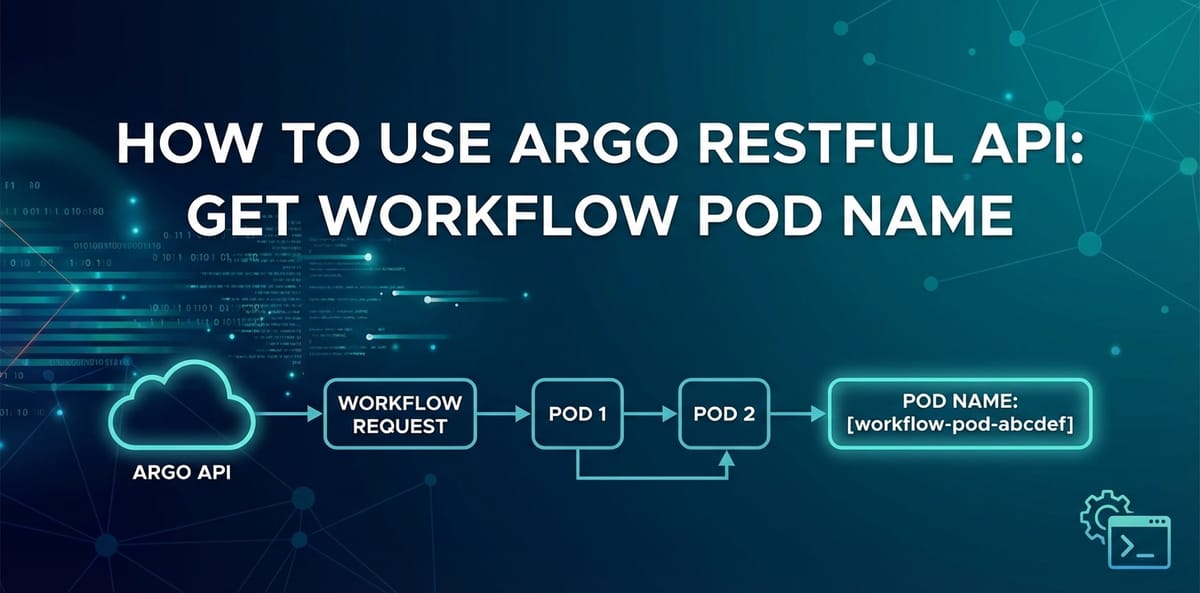
How to Use argo restful api get workflow pod name


In the intricate landscapes of modern cloud-native architectures, automation stands as a cornerstone of efficiency, reliability, and scalability. Within this paradigm, Kubernetes has emerged as the de facto standard for container orchestration, providing a robust platform for deploying, managing, and scaling containerized applications. However, orchestrating complex, multi-step tasks – often referred to as workflows – within Kubernetes demands specialized tools. This is precisely where Argo Workflows shines, offering a powerful, cloud-native workflow engine that runs directly on Kubernetes. It enables the definition of parallel processing, dependencies, and retries, making it indispensable for CI/CD pipelines, machine learning pipelines, batch jobs, and general automation tasks.
As organizations mature in their adoption of such sophisticated tools, the need for programmatic interaction becomes paramount. While the Argo UI provides an intuitive visual interface for monitoring and managing workflows, true automation and integration into broader systems necessitate a robust Application Programming Interface (API). The Argo Workflows RESTful API serves this critical purpose, providing a comprehensive set of endpoints that allow developers and automation engineers to interact with Argo programmatically. This capability unlocks a myriad of possibilities, from building custom dashboards and integrating with existing monitoring solutions to dynamically triggering workflows and, as we will delve into today, extracting specific execution details like the names of the underlying Kubernetes pods associated with a workflow's steps.
Understanding how to leverage the Argo RESTful API to retrieve workflow pod names is more than just a technical exercise; it's a fundamental skill for anyone operating complex, automated systems built on Argo Workflows. Pod names are the granular identifiers for the actual computational units executing within Kubernetes. They are crucial for debugging, retrieving logs, performing granular monitoring, and understanding the precise resource utilization of individual workflow steps. Without the ability to programmatically obtain these names, automation efforts would be hampered, forcing engineers to manually inspect the UI or resort to less efficient kubectl commands. This article will provide a comprehensive guide, meticulously detailing the process of using the Argo RESTful API to pinpoint and extract workflow pod names, covering everything from foundational concepts and environment setup to practical curl examples, programmatic solutions, and advanced considerations.
Understanding Argo Workflows Fundamentals: The Engine of Cloud-Native Automation
Before we plunge into the intricacies of its API, it's essential to grasp the fundamental concepts that underpin Argo Workflows. At its core, Argo Workflows is a Kubernetes-native container-native workflow engine. This means it leverages Kubernetes custom resources to define and execute workflows, treating each step in a workflow as a container that runs within a Kubernetes pod. This design principle ensures that Argo Workflows benefits directly from Kubernetes' inherent capabilities like resource isolation, scheduling, and self-healing.
A Workflow in Argo is a Custom Resource Definition (CRD) that defines a series of steps to be executed. These steps can be executed sequentially, in parallel, or as part of a Directed Acyclic Graph (DAG). Each workflow consists of a spec which outlines the desired state and operations, and a status field which reflects its current state, including information about its execution progress, errors, and the status of individual steps.
Within a workflow's spec, the building blocks are Templates. Templates are reusable definitions for steps or collections of steps. Common template types include: * Container Templates: Define a single container to run within a pod. This is the most basic and frequently used type. * Script Templates: Similar to container templates, but allow inline scripts to be executed within a container. * Resource Templates: Interact with Kubernetes resources directly, like creating or deleting a ConfigMap. * DAG Templates: Define a Directed Acyclic Graph of steps, allowing for complex dependencies and parallel execution. * Steps Templates: Define a linear sequence of steps.
When an Argo Workflow is submitted to Kubernetes, the Argo controller watches for these Workflow CRDs. Upon detecting a new workflow, it begins orchestrating its execution. For each step defined in the workflow that requires computation, the Argo controller provisions a corresponding Kubernetes pod. This pod encapsulates the container image specified in the step's template, along with any necessary commands, arguments, environment variables, and volume mounts. The lifecycle of these pods is managed by Kubernetes, but their orchestration and interdependencies are governed by the Argo controller based on the workflow definition.
The workflow phase describes the overall state of the workflow (e.g., Pending, Running, Succeeded, Failed, Error). However, to understand the execution of individual steps, we need to look deeper into the status field of the workflow object. This field contains a critical section named status.nodes. Each entry in status.nodes represents a specific execution node within the workflow graph – often directly corresponding to a pod. It provides detailed information about that node, including its ID, display name, type, phase, and crucially, its associated podName.
The significance of these podName values cannot be overstated. In a Kubernetes environment, logs, metrics, and events are intrinsically linked to pods. If a workflow step fails, or if you need to inspect the output of a successful step, knowing the exact pod name allows you to: * Retrieve Logs: Using kubectl logs <pod-name> -n <namespace>, you can access the standard output and error streams of the container running that step. This is invaluable for debugging application failures or understanding the progress of a long-running process. * Inspect Pod State: kubectl describe pod <pod-name> -n <namespace> provides a wealth of information about the pod's current state, events, resource usage, and container status, which is crucial for diagnosing infrastructure issues. * Execute Commands: For interactive debugging, kubectl exec -it <pod-name> -n <namespace> -- bash allows you to shell into a running container. * Monitor Resources: Tools like Prometheus and Grafana, often integrated with Kubernetes, use pod names as labels for collecting and visualizing resource metrics (CPU, memory, network I/O).
Therefore, the ability to programmatically obtain these pod names via an API is not merely a convenience but a necessity for building robust, observable, and easily debuggable automated systems. It bridges the gap between the high-level workflow definition and the low-level Kubernetes execution details, empowering developers to build sophisticated tooling around their Argo Workflows deployments.
Introduction to Argo's RESTful API: Programmatic Control Over Workflows
The true power of any robust system in today's interconnected world lies in its ability to be interacted with programmatically. For Argo Workflows, this crucial capability is provided by its comprehensive RESTful API. A RESTful API (Representational State Transfer Application Programming Interface) is an architectural style for designing networked applications. It defines a set of constraints for creating web services that are stateless, client-server based, cacheable, and uniform in interface. In simpler terms, it provides a standardized way for different software systems to communicate with each other over HTTP.
Argo's API allows users and other services to perform a wide array of operations, including: * Listing, creating, getting, updating, and deleting workflows. * Terminating or retrying specific workflows. * Accessing workflow templates and cluster workflow templates. * Retrieving workflow logs. * And, most importantly for our current discussion, querying detailed execution status, including the names of the pods associated with each step.
The primary reason Argo Workflows offers such a rich API is to facilitate automation and integration beyond the confines of its native UI. While the web interface is excellent for visual inspection, it cannot be leveraged by scripts, CI/CD pipelines, or custom applications. The API bridges this gap, enabling: * Custom Tooling and Dashboards: Organizations can build bespoke dashboards that aggregate workflow information from multiple clusters or integrate it with other business intelligence tools. * Integration with CI/CD Systems: Triggering Argo Workflows as part of a Jenkins, GitLab CI, or GitHub Actions pipeline, and then monitoring their status. * Dynamic Workflow Generation: Programmatically creating and submitting workflows based on external events or data. * Automated Monitoring and Alerting: Setting up systems that poll the API for workflow status, detect failures, and trigger alerts. * Advanced Analytics: Collecting historical workflow data, including pod execution details, for performance analysis and optimization.
API Authentication and Authorization
Interacting with the Argo API, especially in a production environment, necessitates robust security measures. Argo leverages Kubernetes' native Role-Based Access Control (RBAC) system for authentication and authorization. This means that any client attempting to access the Argo API must have appropriate permissions granted via Kubernetes ServiceAccounts, Roles, and RoleBindings.
Typically, when interacting with the Argo API from within the Kubernetes cluster (e.g., from a different pod), the ServiceAccount associated with that pod is used. This ServiceAccount is automatically mounted into the pod at /var/run/secrets/kubernetes.io/serviceaccount/token. The client can then use this token in the Authorization header of its HTTP requests (e.g., Authorization: Bearer <token>).
For external access, or for local development, you might use: 1. kubectl proxy or kubectl port-forward with kubeconfig: This method leverages your local kubeconfig file, which contains credentials (often client certificates or user tokens) that kubectl uses to authenticate with the Kubernetes API server. When kubectl port-forward is used to expose the Argo server, your kubectl context implicitly authenticates the connection. 2. Explicit Service Account Token: For automated scripts running outside the cluster but needing direct API access, you can create a dedicated ServiceAccount, generate a token for it, and then explicitly use that token in your API requests. This is a common pattern for CI/CD systems.
It's crucial to follow the principle of least privilege: grant only the necessary permissions to the ServiceAccount or user interacting with the Argo API. For instance, if you only need to read workflow status, provide get and list permissions on workflows.argoproj.io resources, rather than broader * access.
Exposing the Argo Server API
The Argo Server is a component of the Argo Workflows installation that provides the UI and the RESTful API. By default, it might not be directly exposed outside the Kubernetes cluster. To interact with its API, you need to make it accessible. Common methods include:
kubectl port-forward(for local development/testing): This creates a direct, temporary tunnel from your local machine to the Argo Server pod. It's ideal for quick testing and development but not suitable for production or continuous integration.- Kubernetes Ingress (for production/external access): An Ingress controller can be configured to expose the Argo Server via an external IP address or hostname, typically protected by TLS. This is the recommended approach for production deployments where external services or users need reliable and secure access.
- Kubernetes Service of Type LoadBalancer/NodePort: While less common for the Argo UI/API specifically, these service types can also expose the Argo Server externally.
Choosing the right exposure method depends on your environment's security requirements, network topology, and the intended consumers of the API. For the purpose of learning and testing, kubectl port-forward is often the most straightforward starting point. In the following sections, we will assume the Argo Server is accessible, whether through a local port-forward or a publicly exposed endpoint.
Setting Up Your Environment for API Interaction: Laying the Foundation
To effectively interact with the Argo Workflows RESTful API, a correctly configured environment is indispensable. This section will guide you through the necessary prerequisites and the fundamental steps to ensure your Argo Server API is accessible and ready for requests.
Prerequisites
Before you can send your first API request, ensure you have the following in place:
- A Running Kubernetes Cluster: This is the bedrock of any Argo Workflows deployment. You could be using a local cluster like Kind, minikube, or a managed service like GKE, EKS, or AKS. Ensure you have
kubectlconfigured and authenticated to interact with this cluster. You can verify your connection by runningkubectl cluster-info. - Argo Workflows Installed and Operational: Argo Workflows must be deployed in your Kubernetes cluster. If you haven't installed it yet, you can follow the official documentation. A common installation method involves applying a set of YAML manifests. For example, for the latest stable version:
bash kubectl create namespace argo kubectl apply -n argo -f https://raw.githubusercontent.com/argoproj/argo-workflows/stable/manifests/install.yamlAfter installation, verify that the Argo Server pod is running:bash kubectl get pods -n argo -l app=argo-serverYou should see output similar to this, indicating theargo-serverpod is in aRunningstate:NAME READY STATUS RESTARTS AGE argo-server-7956b69b8c-abcde 1/1 Running 0 5m curlCommand-Line Tool: This ubiquitous utility is essential for making HTTP requests directly from your terminal. Most Linux and macOS distributions come withcurlpre-installed. For Windows, you might need to install Git Bash, WSL, or downloadcurldirectly.jqJSON Processor (Highly Recommended): The Argo API returns responses in JSON format.jqis an incredibly powerful command-line JSON processor that allows you to parse, filter, and manipulate JSON data with ease. It's almost mandatory for working with REST APIs from the terminal. If you don't have it, install it via your package manager (e.g.,sudo apt-get install jqon Debian/Ubuntu,brew install jqon macOS).- A Sample Argo Workflow: To have something to query, let's create a simple "hello world" workflow. Save the following as
hello-workflow.yaml: ```yaml apiVersion: argoproj.io/v1alpha1 kind: Workflow metadata: generateName: hello-world- namespace: argo # Or your target namespace spec: entrypoint: main templates:- name: main steps:
- name: say-hello template: hello
- name: hello container: image: busybox:latest command: [sh, -c] args: ["echo Hello from Argo Workflow!; sleep 5"]
Submit this workflow:bash kubectl apply -f hello-workflow.yamlMonitor its status briefly:bash argo -n argo list ``` Once it's running or completed, you'll have a workflow to query with the API.
- name: main steps:
Accessing the Argo Server API
The next crucial step is making the Argo Server accessible for your API requests. For development and testing, kubectl port-forward is the simplest and most common method.
Using kubectl port-forward
This command creates a secure tunnel from a local port on your machine to a specific port on the Argo Server pod running inside your Kubernetes cluster.
- Identify the Argo Server Pod:
bash kubectl get pods -n argo -l app=argo-serverNote the full name of the runningargo-serverpod (e.g.,argo-server-7956b69b8c-abcde). - Start Port Forwarding:
bash kubectl port-forward -n argo deployment/argo-server 2746:2746Keep this command running in a dedicated terminal window. As long as it's running, you can access the Argo Server's API (and UI, if configured) athttp://localhost:2746.Important Note on Authentication forport-forward: When usingkubectl port-forwardwith your localkubeconfig, your requests are typically authenticated implicitly through yourkubectlcontext's credentials. This means you usually don't need to pass explicit authentication headers (like Bearer tokens) tolocalhost:2746unless yourkubeconfigitself is configured to require extra steps, or if the Argo Server has additional authentication layers enabled. For the scope of this tutorial, we will generally assume a straightforwardport-forwardsetup where direct access is permitted.deployment/argo-server: This targets theargo-serverdeployment directly.kubectlwill automatically pick one of its running pods.2746:2746: This maps local port2746to port2746on the Argo Server pod. Argo's API typically listens on port2746. You can choose any available local port.
Exposing via Ingress (for Production/External Access)
For more permanent, secure, and production-ready access, an Ingress resource is the preferred method. This involves:
- Deploying an Ingress Controller: Ensure you have an Ingress controller installed in your cluster (e.g., Nginx Ingress Controller, Traefik, GCE Ingress).
- Creating an Ingress Resource: Define a Kubernetes Ingress object that routes external traffic to the Argo Server service. ```yaml apiVersion: networking.k8s.io/v1 kind: Ingress metadata: name: argo-server-ingress namespace: argo annotations: # Example for Nginx Ingress Controller nginx.ingress.kubernetes.io/backend-protocol: "GRPC" # Argo uses gRPC under the hood # If you need authentication for external access, consider ingress controller features # nginx.ingress.kubernetes.io/auth-url: "..." spec: rules:Authentication for Ingress: When exposed via Ingress, you will almost certainly need to implement authentication. This can involve: * External OAuth2/OIDC Proxy: Services like
oauth2-proxycan be deployed alongside your Ingress to handle user authentication against an identity provider. * API Keys/Tokens: If your external services need to interact, you would create aServiceAccountin Kubernetes, obtain its token, and use that token as a Bearer token in your HTTP requests'Authorizationheader when targeting the Ingress endpoint.- host: argo.yourdomain.com # Replace with your desired hostname http: paths:
- path: / pathType: Prefix backend: service: name: argo-server # The default service name for Argo Server port: number: 2746
`` Apply this Ingress:kubectl apply -f argo-ingress.yaml. You would then access the API athttps://argo.yourdomain.com` (assuming TLS is configured on your Ingress).
- path: / pathType: Prefix backend: service: name: argo-server # The default service name for Argo Server port: number: 2746
- host: argo.yourdomain.com # Replace with your desired hostname http: paths:
For the remainder of this guide, we will primarily use http://localhost:2746 as the base URL, assuming kubectl port-forward is active. If you are using an Ingress, simply replace http://localhost:2746 with your Ingress endpoint (e.g., https://argo.yourdomain.com).
With your environment meticulously set up, and the Argo Server API readily accessible, you are now equipped to explore the specific API endpoints that will help us achieve our goal of retrieving workflow pod names. The next step involves understanding which parts of the Argo API expose the rich workflow status information we need.
Exploring Argo API Endpoints Relevant to Workflows: Navigating the Data Landscape
The Argo Workflows RESTful API provides a structured interface to interact with its various components. To get workflow pod names, we primarily need to query for existing workflows and then parse their detailed status. The key endpoints we will focus on fall under the /api/v1/workflows path.
Argo's API, while RESTful in its conceptual design, often uses gRPC under the hood, and its HTTP/JSON gateway (which the argo-server provides) translates gRPC requests and responses into JSON over HTTP. This means the paths and structures might feel slightly different from a purely REST-native api, but the principles remain the same.
Core Workflow API Endpoints
The two most relevant endpoints for our task are:
GET /api/v1/workflows/{namespace}: Listing Workflows- Purpose: This endpoint allows you to retrieve a list of all workflows within a specified Kubernetes namespace. It's useful for getting an overview or for programmatically finding a workflow when you don't know its exact name, perhaps searching by labels or other metadata.
- Response Structure: Returns a JSON object containing a
itemsarray, where each item is a complete workflow object. While this endpoint gives you full workflow objects, processing a large list to find a specific one can be inefficient if you already know the name. - Example Call (conceptual):
GET http://localhost:2746/api/v1/workflows/argo
GET /api/v1/workflows/{namespace}/{name}: Getting a Specific Workflow- Purpose: This is the most direct endpoint for our objective. It retrieves the full details of a single workflow identified by its name within a given namespace. This response will contain the comprehensive
statusfield, which holds the pod names we seek. - Response Structure: Returns a single JSON object representing the requested workflow, including its
spec,metadata, and most importantly, itsstatus. - Example Call (conceptual):
GET http://localhost:2746/api/v1/workflows/argo/hello-world-abcdef
- Purpose: This is the most direct endpoint for our objective. It retrieves the full details of a single workflow identified by its name within a given namespace. This response will contain the comprehensive
While there are other endpoints, such as those for workflowtemplates or for logs, they are less direct for our specific goal of retrieving pod names from a workflow's execution status. The GET /api/v1/workflows/{namespace}/{name} endpoint will be our primary target.
Understanding the Workflow Object Structure (JSON)
When you make a GET request to retrieve a workflow, the API returns a substantial JSON object. To extract pod names, we need to understand its structure. The most critical part for us is the status field.
A simplified example of a workflow's JSON status might look like this:
{
  "metadata": {
    "name": "hello-world-abcdef",
    "namespace": "argo",
    "uid": "...",
    "creationTimestamp": "..."
  },
  "spec": {
    "entrypoint": "main",
    "templates": [...]
  },
  "status": {
    "phase": "Succeeded",
    "startedAt": "2023-10-27T10:00:00Z",
    "finishedAt": "2023-10-27T10:00:05Z",
    "nodes": {
      "hello-world-abcdef": {
        "id": "hello-world-abcdef",
        "displayName": "hello-world-abcdef",
        "type": "Workflow",
        "phase": "Succeeded",
        "startedAt": "2023-10-27T10:00:00Z",
        "finishedAt": "2023-10-27T10:00:05Z",
        "children": [
          "hello-world-abcdef-1234567890"
        ]
      },
      "hello-world-abcdef-1234567890": {
        "id": "hello-world-abcdef-1234567890",
        "displayName": "say-hello",
        "type": "Pod",
        "templateName": "hello",
        "phase": "Succeeded",
        "startedAt": "2023-10-27T10:00:01Z",
        "finishedAt": "2023-10-27T10:00:04Z",
        "podName": "hello-world-abcdef-1234567890-23456",
        "outputs": {}
      }
    },
    "progress": "1/1",
    "resourcesDuration": "4s"
  }
}
Let's dissect the status.nodes field:
status.nodes: This is a map (or dictionary) where keys are internal node IDs (often composed of the workflow name and a hash) and values are objects representing individual execution nodes within the workflow.- Each Node Object:
id: A unique identifier for the node within the workflow.displayName: A human-readable name for the node. For steps, this often corresponds to the step's name defined in the workflow YAML. For pods, it's frequently the step name.type: Indicates the type of node. Crucially, nodes withtype: "Pod"are the ones that correspond directly to Kubernetes pods. Other types might be "Workflow" (the root), "DAG", "Steps", etc.phase: The execution phase of this specific node (e.g.,Pending,Running,Succeeded,Failed,Skipped).podName: This is the field we are looking for! It contains the actual name of the Kubernetes pod that Argo provisioned for this step. This name is generated by Kubernetes and includes the workflow's name, the node's ID, and a unique suffix.
Not every node in status.nodes will have a podName. Only nodes that represent an actual Kubernetes pod execution (i.e., type: "Pod") will contain this field. Parent nodes like the workflow root or DAG nodes will typically not have a podName themselves, but rather have children fields pointing to their subordinate nodes.
By understanding this structure, our strategy becomes clear: 1. Make an API request to GET /api/v1/workflows/{namespace}/{name}. 2. Parse the JSON response. 3. Navigate to the status.nodes object. 4. Iterate through the node entries. 5. For each node, check if type is "Pod" and if it contains a podName field. 6. Extract the podName value.
This methodical approach will allow us to programmatically retrieve the exact pod names, paving the way for further automation and integration tasks. In the subsequent sections, we will translate this understanding into practical command-line and programmatic examples using curl and Python.
Dissecting a Workflow Object for Pod Information: The Anatomy of Execution
To effectively extract pod names, a deep understanding of the Argo Workflow object's structure, particularly its status field, is paramount. This field is a dynamic record of the workflow's journey, evolving from its submission to its final state. It encapsulates every detail about the execution, making it the primary source of information for programmatic analysis.
The Significance of the status.nodes Field
As highlighted earlier, the status.nodes field is a map where keys are unique identifiers for each node in the workflow's execution graph, and values are detailed descriptions of those nodes. Each node represents a distinct entity in the workflow's execution, which could be the workflow itself, a step, a DAG task, a retry attempt, or a specific container invocation.
Let's consider a more detailed example of status.nodes for a workflow that might have multiple steps, possibly within a steps template or a DAG template.
Consider this workflow YAML:
apiVersion: argoproj.io/v1alpha1
kind: Workflow
metadata:
  generateName: multi-step-workflow-
  namespace: argo
spec:
  entrypoint: main
  templates:
  - name: main
    steps:
    - - name: first-step
        template: echo-message
    - - name: second-step
        template: echo-message
        arguments:
          parameters:
          - name: message
            value: "Hello from second step!"
  - name: echo-message
    inputs:
      parameters:
      - name: message
        value: "Hello from first step!"
    container:
      image: alpine/git
      command: ["sh", "-c"]
      args: ["echo {{inputs.parameters.message}}; sleep 3"]
When this workflow runs, its status.nodes in the JSON response from the API would look something like this (simplified and truncated for brevity, ... denotes omitted fields):
{
  "status": {
    "phase": "Succeeded",
    "nodes": {
      "multi-step-workflow-abcdef": {
        "id": "multi-step-workflow-abcdef",
        "displayName": "multi-step-workflow-abcdef",
        "type": "Workflow",
        "phase": "Succeeded",
        "children": ["multi-step-workflow-abcdef-31235", "multi-step-workflow-abcdef-78901"]
      },
      "multi-step-workflow-abcdef-31235": {
        "id": "multi-step-workflow-abcdef-31235",
        "displayName": "first-step",
        "type": "Pod",
        "templateName": "echo-message",
        "phase": "Succeeded",
        "podName": "multi-step-workflow-abcdef-31235-9s9c8",
        "inputs": {...},
        "outputs": {...}
      },
      "multi-step-workflow-abcdef-78901": {
        "id": "multi-step-workflow-abcdef-78901",
        "displayName": "second-step",
        "type": "Pod",
        "templateName": "echo-message",
        "phase": "Succeeded",
        "podName": "multi-step-workflow-abcdef-78901-q5w2e",
        "inputs": {...},
        "outputs": {...}
      }
      // ... potentially more nodes for init containers, sidecars, etc.
    }
  }
}
In this expanded view, we can observe:
- The root
Workflownode (multi-step-workflow-abcdef) acts as a parent, listing its direct children (the steps) in itschildrenarray. It does not have apodNameitself. - Each actual step (
first-step,second-step) is represented by a node object that hastype: "Pod". These are the crucial nodes for our purpose. - Within each
type: "Pod"node, thepodNamefield provides the exact name of the Kubernetes pod created for that specific step. For example,multi-step-workflow-abcdef-31235-9s9c8andmulti-step-workflow-abcdef-78901-q5w2e.
Extracting podName from Different Node Types
It's vital to recognize that not all nodes within status.nodes will have a podName. Only those that represent a Kubernetes pod's lifecycle will. Here's a breakdown:
type: "Workflow": This is the top-level node for the entire workflow. It does not run in a pod itself but orchestrates child nodes. It will not have apodName.type: "Steps"ortype: "DAG": These nodes represent logical groupings of steps or tasks. They are orchestration nodes and do not directly correspond to a single Kubernetes pod. They will not have apodNamebut will havechildrenthat point to the actual pod nodes.type: "Pod": This is the target! These nodes represent a specific invocation of a container template (or script template, resource template if it creates a pod). They will reliably contain thepodNamefield.type: "Suspend": Nodes forsuspendtemplates, awaiting external input. NopodName.type: "Retry": Nodes for retry attempts. The actual pod will be a child of this node.type: "Skipped": Nodes that were intentionally skipped. NopodName.
Therefore, when parsing the status.nodes object, our logic should explicitly filter for nodes where type is "Pod" and then extract their podName. This ensures we accurately capture only the pods that were actually created and executed by the workflow.
A Table of Node Types and podName Presence
To solidify this understanding, let's create a table summarizing the common node types and whether they typically possess a podName field:
| Node Type | Description | podName Field Present? |
Example Role |
|---|---|---|---|
Workflow |
The top-level orchestration unit of the entire workflow. | No | Manages overall workflow execution, phase, and children. |
Pod |
Represents a single Kubernetes pod created for a step/task. | Yes | Executes a container, script, or resource action. Our Target. |
Steps |
A node encapsulating a linear sequence of steps. | No | Orchestrates a series of child Pod nodes sequentially. |
DAG |
A node encapsulating a Directed Acyclic Graph of tasks. | No | Orchestrates a graph of child Pod or DAG nodes with dependencies. |
Suspend |
A node that pauses workflow execution, awaiting resumption. | No | Waits for external approval or a specific condition. |
Retry |
A parent node for retried executions of a child step. | No (child will have it) | Manages multiple attempts for a failed step. |
Skipped |
A node that was not executed due to conditions. | No | Represents a workflow path not taken. |
Container |
(Less common as a direct type in status.nodes) |
No (parent Pod has it) |
Defines the container within a Pod node. |
By meticulously traversing the status.nodes map and applying this filtering logic, we can accurately pinpoint and extract the podName for every active or completed step within an Argo Workflow. This forms the bedrock for our practical examples, which will demonstrate how to implement this parsing logic using curl with jq, and programmatically with Python. This detailed dissection of the workflow object is crucial for robust and reliable automation.
APIPark is a high-performance AI gateway that allows you to securely access the most comprehensive LLM APIs globally on the APIPark platform, including OpenAI, Anthropic, Mistral, Llama2, Google Gemini, and more.Try APIPark now! 👇👇👇
Practical Examples: Retrieving Pod Names using curl
Having established the theoretical framework and the necessary environment setup, it's time to put our knowledge into practice. The curl command-line tool, combined with jq for JSON parsing, offers a powerful and immediate way to interact with the Argo RESTful API and extract the desired pod names. This section will walk you through the precise curl and jq commands, explaining each part in detail.
For these examples, we'll assume you have kubectl port-forward -n argo deployment/argo-server 2746:2746 running in a separate terminal, making the Argo API accessible at http://localhost:2746. We'll also use the multi-step-workflow- example from the previous section.
First, let's ensure we have a running workflow. If not, submit the multi-step-workflow.yaml described earlier:
kubectl apply -f multi-step-workflow.yaml
Then, get the exact name of your workflow. Workflow names are usually generated with a suffix.
WORKFLOW_NAME=$(argo -n argo list -o name | grep multi-step-workflow- | head -n 1)
NAMESPACE="argo" # Or your target namespace
echo "Targeting workflow: $WORKFLOW_NAME in namespace: $NAMESPACE"
(Note: argo list -o name requires the argo CLI tool. If you don't have it, you can use kubectl get wf -n argo -o custom-columns=NAME:.metadata.name and manually pick the name.)
Let's assume WORKFLOW_NAME is multi-step-workflow-abcdef.
Step 1: Basic curl Command for Getting a Specific Workflow
The most direct way to get workflow details is to query its specific endpoint.
curl -s http://localhost:2746/api/v1/workflows/${NAMESPACE}/${WORKFLOW_NAME} | jq .
curl -s: Sends an HTTP GET request. The-sflag silences progress output fromcurl.http://localhost:2746/api/v1/workflows/${NAMESPACE}/${WORKFLOW_NAME}: The full API endpoint URL, replacing${NAMESPACE}and${WORKFLOW_NAME}with your actual values.| jq .: Pipes the raw JSON output fromcurltojq. The.argument tojqsimply formats the JSON into a human-readable, pretty-printed format, which is invaluable for inspection.
The output will be the entire JSON object of the workflow. You'll observe its metadata, spec, and the crucial status field.
Step 2: Filtering for status.nodes
Now, let's refine our jq query to focus specifically on the status.nodes part of the workflow object.
curl -s http://localhost:2746/api/v1/workflows/${NAMESPACE}/${WORKFLOW_NAME} | jq '.status.nodes'
This command will output just the nodes map within the status field, showing all the node objects (workflow root, steps, etc.).
Step 3: Iterating and Extracting podName for Pod Type Nodes
This is the core of our extraction logic. We need to iterate through all the values in the nodes map, check if a node's type is "Pod", and then extract its podName.
curl -s http://localhost:2746/api/v1/workflows/${NAMESPACE}/${WORKFLOW_NAME} | \
jq '.status.nodes | .[] | select(.type == "Pod") | .podName'
Let's break down the jq filter:
'.status.nodes': Selects thenodesmap within thestatusfield.| .[]: This is a powerfuljqconstruct. When applied to a JSON object (likenodeswhich is a map of key-value pairs),.[]iterates over all the values of that object. So, it effectively gives us each individual node object.| select(.type == "Pod"): This filters the stream of node objects. Only those nodes whosetypefield has the value "Pod" are passed through to the next part of the pipeline. This is crucial to ensure we only target actual pod executions.| .podName: From the filtered stream of "Pod" type nodes, this extracts the value of thepodNamefield.
Example Output:
"multi-step-workflow-abcdef-31235-9s9c8"
"multi-step-workflow-abcdef-78901-q5w2e"
This output provides precisely what we're after: a list of the Kubernetes pod names associated with the workflow's execution steps.
Handling Edge Cases and Variations
Pods Not Yet Scheduled or Failed Pods
If a workflow is still running, or if a pod creation failed, the podName field might not be present, or the phase might be Pending or Error. The select(.type == "Pod") filter handles cases where podName is absent because the node isn't a pod. If a pod node exists but podName is missing (e.g., due to an error before pod creation), .podName will return null for that specific node.
If you specifically want to see the displayName and podName together, or filter by phase, you can adjust the jq query:
# Get display name and pod name for all running pods
curl -s http://localhost:2746/api/v1/workflows/${NAMESPACE}/${WORKFLOW_NAME} | \
jq '.status.nodes | .[] | select(.type == "Pod" and .phase == "Running") | {displayName: .displayName, podName: .podName}'
Example Output (if running):
{
  "displayName": "first-step",
  "podName": "multi-step-workflow-abcdef-31235-9s9c8"
}
{
  "displayName": "second-step",
  "podName": "multi-step-workflow-abcdef-78901-q5w2e"
}
Dealing with Workflow Templates and Child Workflows
When a workflow runs a WorkflowTemplate or spawns child workflows, the primary workflow's status.nodes will show the child workflow as a node of type: "Workflow". To get its pod names, you would need to: 1. Extract the name of the child workflow from the parent workflow's status.nodes. 2. Make a new curl request to the child workflow's endpoint (/api/v1/workflows/{namespace}/{child-workflow-name}). 3. Apply the same jq logic to the child workflow's response.
This demonstrates a recursive pattern that might be necessary for deeply nested workflow structures, though for simple pod name retrieval from a single workflow, the above commands suffice.
The curl and jq combination is an incredibly effective and flexible tool for quick scripting and debugging with the Argo API. It showcases the power of the api for detailed interaction and forms the basis for more sophisticated programmatic solutions. This direct, command-line approach allows for rapid iteration and validation of the API's behavior before integrating it into larger applications.
Programmatic Access with Python: Building Robust Integrations
While curl and jq are excellent for ad-hoc queries and scripting, for more complex integrations, error handling, or inclusion in larger applications, a programmatic approach is often preferred. Python, with its rich ecosystem of libraries and readability, is a prime candidate for interacting with the Argo RESTful API. This section will guide you through building a Python script to retrieve workflow pod names, focusing on best practices for API interaction, error handling, and JSON parsing.
Why Choose Python for API Interaction?
- Robustness: Python allows for sophisticated error handling, retry mechanisms, and logging, making scripts more resilient to network issues or API errors.
- Modularity: You can encapsulate API interaction logic into reusable functions or classes, improving code organization and maintainability.
- Integration: Easily integrates with other Python libraries for data processing, database interaction, sending notifications, or building web applications.
- Readability: Python's syntax promotes clear and understandable code, which is crucial for complex automation scripts.
Prerequisites for Python Scripting
- Python 3: Ensure you have Python 3 installed.
requestsLibrary: Therequestslibrary is the de facto standard for making HTTP requests in Python. Install it if you haven't already:bash pip install requests- Argo Server Accessible: As with
curl, ensure your Argo Server is accessible, preferably viakubectl port-forwardtohttp://localhost:2746for local development.
Python Script to Get Workflow Pod Names
Let's construct a Python script to achieve our goal.
import requests
import json
import os
import sys
import time

# --- Configuration ---
ARGO_API_BASE_URL = os.environ.get("ARGO_API_BASE_URL", "http://localhost:2746")
ARGO_NAMESPACE = os.environ.get("ARGO_NAMESPACE", "argo")
WORKFLOW_NAME = os.environ.get("WORKFLOW_NAME") # To be set via env var or passed

# For production, you might need a Kubernetes ServiceAccount token
# TOKEN_PATH = "/techblog/en/var/run/secrets/kubernetes.io/serviceaccount/token"
# K8S_TOKEN = None
# if os.path.exists(TOKEN_PATH):
#     with open(TOKEN_PATH, "r") as f:
#         K8S_TOKEN = f.read().strip()

# Default headers (e.g., for JSON content type, and potentially for authentication)
HEADERS = {
    "Accept": "application/json",
    "Content-Type": "application/json"
}

# If using a Kubernetes ServiceAccount token for authentication
# if K8S_TOKEN:
#     HEADERS["Authorization"] = f"Bearer {K8S_TOKEN}"


def get_workflow_details(workflow_name: str, namespace: str = ARGO_NAMESPACE) -> dict | None:
    """
    Fetches the detailed status of a specific Argo Workflow.
    """
    if not workflow_name:
        print("Error: Workflow name cannot be empty.", file=sys.stderr)
        return None

    api_url = f"{ARGO_API_BASE_URL}/api/v1/workflows/{namespace}/{workflow_name}"
    print(f"Fetching workflow details from: {api_url}")

    try:
        response = requests.get(api_url, headers=HEADERS, verify=False) # verify=False for local https if cert not trusted
        response.raise_for_status() # Raises HTTPError for bad responses (4xx or 5xx)
        return response.json()
    except requests.exceptions.HTTPError as e:
        print(f"HTTP error occurred: {e}", file=sys.stderr)
        print(f"Response content: {e.response.text}", file=sys.stderr)
        return None
    except requests.exceptions.ConnectionError as e:
        print(f"Connection error occurred: {e}. Is Argo server running and port-forwarded?", file=sys.stderr)
        return None
    except requests.exceptions.Timeout as e:
        print(f"Timeout error occurred: {e}", file=sys.stderr)
        return None
    except requests.exceptions.RequestException as e:
        print(f"An unexpected request error occurred: {e}", file=sys.stderr)
        return None

def get_workflow_pod_names(workflow_details: dict) -> list[str]:
    """
    Extracts pod names from the workflow details dictionary.
    """
    pod_names = []
    if not workflow_details or "status" not in workflow_details or "nodes" not in workflow_details["status"]:
        print("Warning: Workflow details are incomplete or missing 'status.nodes'.", file=sys.stderr)
        return pod_names

    nodes = workflow_details["status"]["nodes"]
    for node_id, node_data in nodes.items():
        # Only consider nodes that are of type "Pod" and actually have a podName field
        if node_data.get("type") == "Pod" and "podName" in node_data:
            pod_names.append(node_data["podName"])
    return pod_names

def main():
    if not WORKFLOW_NAME:
        print("Error: WORKFLOW_NAME environment variable not set or provided.", file=sys.stderr)
        print("Usage: WORKFLOW_NAME=my-workflow-name python script.py", file=sys.stderr)
        sys.exit(1)

    print(f"Attempting to retrieve pod names for workflow '{WORKFLOW_NAME}' in namespace '{ARGO_NAMESPACE}'...")

    # Fetch workflow details
    workflow_details = get_workflow_details(WORKFLOW_NAME, ARGO_NAMESPACE)

    if workflow_details:
        # Extract pod names
        pod_names = get_workflow_pod_names(workflow_details)

        if pod_names:
            print(f"\nSuccessfully retrieved pod names for workflow '{WORKFLOW_NAME}':")
            for name in pod_names:
                print(f"- {name}")
        else:
            print(f"No pod names found for workflow '{WORKFLOW_NAME}'. "
                  "This might mean the workflow is pending, failed before pod creation, or has no pod-creating steps.")
    else:
        print(f"Failed to retrieve details for workflow '{WORKFLOW_NAME}'. See previous errors.", file=sys.stderr)

if __name__ == "__main__":
    main()
How to Run the Python Script
- Save the code: Save the above code as
get_argo_pod_names.py. - Ensure Argo Server is accessible: Start
kubectl port-forward -n argo deployment/argo-server 2746:2746in a separate terminal. - Get a Workflow Name: Find the name of a running or completed workflow (e.g.,
multi-step-workflow-abcdef). - Execute the script:
bash WORKFLOW_NAME="multi-step-workflow-abcdef" ARGO_NAMESPACE="argo" python get_argo_pod_names.pyYou should see output similar to this:``` Attempting to retrieve pod names for workflow 'multi-step-workflow-abcdef' in namespace 'argo'... Fetching workflow details from: http://localhost:2746/api/v1/workflows/argo/multi-step-workflow-abcdefSuccessfully retrieved pod names for workflow 'multi-step-workflow-abcdef': - multi-step-workflow-abcdef-31235-9s9c8 - multi-step-workflow-abcdef-78901-q5w2e ```
Code Explanation and Best Practices
- Configuration:
ARGO_API_BASE_URLandARGO_NAMESPACEare configurable, ideally via environment variables, promoting flexibility without hardcoding.WORKFLOW_NAMEis also an environment variable input. - Authentication (Commented out): The commented-out section shows how you would typically retrieve and use a Kubernetes
ServiceAccounttoken for authentication if running inside a pod or interacting with an Ingress-exposed API that requires it. This is a crucial aspect for production deployments. get_workflow_detailsFunction:- Constructs the full API endpoint URL.
- Uses
requests.get()to make the HTTP request. verify=False: Used here for simplicity withhttp://localhost, but forhttpsin production, you'd want proper SSL certificate verification (removeverify=Falseor pass a path to your CA bundle).response.raise_for_status(): This is a critical line for robust error handling. It automatically raises anrequests.exceptions.HTTPErrorif the HTTP status code is 4xx (client error) or 5xx (server error).response.json(): Parses the JSON response body into a Python dictionary.- Comprehensive Error Handling: The
try...exceptblocks catch variousrequestsexceptions (HTTPError, ConnectionError, Timeout, general RequestException), providing informative error messages. This prevents script crashes and helps diagnose network or API issues.
get_workflow_pod_namesFunction:- Safely checks for the existence of
statusandnodeskeys usingdict.get()or explicitinchecks to preventKeyErrorif the API response structure is unexpected or incomplete. - Iterates through
nodes.items()to get both the node ID (key) and the node data (value). - Applies the filtering logic:
node_data.get("type") == "Pod" and "podName" in node_data. This ensures we only extract pod names from actual pod execution nodes.
- Safely checks for the existence of
mainFunction:- Handles the overall flow, orchestrating calls to the helper functions.
- Provides clear output and error messages to the user.
- Uses
sys.exit(1)for graceful termination upon critical errors.
if __name__ == "__main__":block: Ensuresmain()is called only when the script is executed directly.
This Python script offers a solid foundation for programmatic interaction with the Argo Workflows API. It's designed for clarity, robustness, and easy extension, enabling developers to integrate Argo into a wider range of automated systems and applications. This level of programmatic control is what truly unlocks the potential of Argo Workflows within a comprehensive cloud-native environment.
Advanced Scenarios and Considerations: Pushing the Boundaries of Automation
Mastering the basic retrieval of workflow pod names through the Argo RESTful API is a significant step. However, real-world applications often present more complex scenarios that require deeper thought and advanced strategies. This section will explore these nuanced situations, from handling nested workflows to ensuring security, and will also naturally introduce how broader API management platforms like APIPark can streamline these operations.
Workflow Templates and Reusability
Argo Workflows strongly encourages the use of WorkflowTemplates (and ClusterWorkflowTemplates) for reusability. A WorkflowTemplate defines a reusable blueprint for a workflow or a part of a workflow. When a workflow is submitted, it can reference one or more WorkflowTemplates.
From an api perspective, a workflow that uses WorkflowTemplates behaves similarly to a standalone workflow regarding pod name retrieval. The status.nodes field of the executing workflow will still contain the type: "Pod" nodes with their podNames. The WorkflowTemplate itself is just a definition; it doesn't execute pods directly. Thus, our existing methods for parsing the workflow's status remain effective. The key is always to query the instance of the workflow that is running, not the WorkflowTemplate definition.
Child Workflows and Nested Execution
A more complex scenario arises with child workflows, where one workflow explicitly triggers another workflow. The parent workflow might have a step that uses a resource template to create a new Workflow resource, effectively kicking off a child workflow.
In such cases, the status.nodes of the parent workflow will show a node for the child workflow, often with type: "Workflow" and its name (which will be the child workflow's actual name). To get the pod names of the child workflow, you would need to: 1. Query the parent workflow's api endpoint. 2. Extract the name of the child workflow from the parent's status.nodes. 3. Make a subsequent api call to the child workflow's api endpoint (/api/v1/workflows/{namespace}/{child-workflow-name}). 4. Apply the pod name extraction logic to the child workflow's api response.
This implies a recursive or iterative approach if you need to gather pod names from an entire hierarchy of workflows. Your Python script, for example, could be extended with a function that recursively fetches workflow details if it encounters a child workflow node.
Error Handling and Robustness
Beyond basic API errors, robust automation scripts must consider:
- Workflow Phase: A workflow might be
Pending,Running,Failed, orError. If you're trying to get pod names from aPendingworkflow,podNamemight not exist yet. Your script should checkworkflow_details["status"]["phase"]and act accordingly (e.g., wait and retry ifPending, or report failure). - Pod Phase: Even if a node is
type: "Pod", itsphasecould bePending(pod not scheduled),Running,Succeeded,Failed, orError. You might only be interested in pods that haveFailedfor debugging, orRunningfor monitoring. - Missing Data: The
apiresponse might occasionally lack certain fields due to race conditions or system inconsistencies. Always use safe access methods likedict.get()in Python to avoidKeyErrorexceptions. - Rate Limiting/Retries: If making many
apicalls in quick succession, implement exponential backoff and retry logic to gracefully handle temporary network glitches orapirate limits.
Scalability and Performance
When dealing with hundreds or thousands of workflows, making individual api calls for each workflow can become inefficient. Consider these strategies:
- Batching/Listing: Instead of individual
GETrequests, useGET /api/v1/workflows/{namespace}to list multiple workflows and then filter/process them client-side. Be mindful of the size of the response if you have extremely many workflows. - Webhooks/Events: For near real-time updates, Argo Workflows supports webhooks that can notify an external service of workflow state changes. This "push" model is more efficient than constant "pull" (polling) for high-volume scenarios. Your service would receive the workflow object directly without needing to poll the
api. - Dedicated Monitoring Stack: For truly large-scale deployments, integrate Argo Workflows with a dedicated monitoring system (e.g., Prometheus for metrics, Loki for logs) that can ingest and process workflow events and pod metrics at scale, reducing the need for direct
apipolling for every detail.
Security Best Practices
Security in API interactions is paramount. * Least Privilege: Grant the minimum necessary Kubernetes RBAC permissions to the ServiceAccount or user token used for api access. If you only need to read workflow status, give get and list permissions, not create or delete. * Secure API Exposure: For production, always use HTTPS (TLS) for your Argo Server endpoint, typically via an Ingress controller. Avoid http and direct NodePort exposure. * Token Management: Do not hardcode API tokens or credentials in your scripts. Use Kubernetes Secrets, environment variables, or secret management systems (e.g., Vault). * Network Policies: Implement Kubernetes NetworkPolicies to restrict which pods can connect to the Argo Server's api endpoint.
The Role of API Gateways: Streamlining and Centralizing API Management
As your cloud-native ecosystem grows, you'll find yourself interacting not just with the Argo api, but also with numerous other services, both internal and external. Managing authentication, rate limiting, traffic routing, and monitoring across dozens or hundreds of different APIs can quickly become a significant operational overhead. This is where an API Gateway becomes an invaluable component in your infrastructure.
An API Gateway acts as a single entry point for all API calls, sitting in front of your backend services (like the Argo Workflows api). It handles common API management tasks, centralizing concerns that would otherwise need to be implemented repeatedly in each service or client.
Consider a scenario where you're building an internal developer portal that needs to: 1. Trigger Argo Workflows. 2. Query their status and get pod names (using the Argo API). 3. Interact with a custom machine learning model API. 4. Integrate with an external CRM API. 5. All while ensuring consistent authentication, robust logging, and performance monitoring.
Doing this directly for each api can be messy. You might have different authentication schemes for different APIs, varied data formats, and fragmented logging. This complexity significantly increases as your api footprint expands.
This is precisely the problem that a platform like APIPark aims to solve. APIPark is an open-source AI gateway and API management platform designed to help developers and enterprises manage, integrate, and deploy AI and REST services with ease. For example, while Argo provides its own api for workflow management, APIPark can act as a unified layer in front of Argo (and all your other services).
Here's how APIPark could significantly simplify managing your Argo API and other APIs:
- Unified API Format and Authentication: Instead of managing separate authentication for Argo and other services, APIPark can provide a single, consistent authentication mechanism for all your APIs. This means your client applications only need to authenticate once with APIPark, and APIPark handles the secure forwarding to the backend Argo API with the correct credentials. It also standardizes the request data format across different services, simplifying
apiinvocation. - End-to-End API Lifecycle Management: APIPark assists with managing the entire lifecycle of APIs – from design and publication to invocation and decommission. It can manage traffic forwarding, load balancing, and versioning of your published Argo API alongside all your other internal and external APIs.
- Centralized API Catalog and Sharing: All your API services, including the Argo
api, can be centrally displayed and easily discoverable within APIPark. This makes it straightforward for different departments and teams to find and use the requiredapiservices without needing to know the underlying Argo server's specific endpoint or authentication details. - Detailed API Call Logging and Data Analysis: APIPark provides comprehensive logging for every API call made through it, including those to the Argo
api. This granular detail allows for quick tracing and troubleshooting. Furthermore, its powerful data analysis capabilities can show long-term trends and performance changes, which is vital for proactive maintenance and understandingapiusage patterns. This adds a crucial layer of observability on top of your Argoapiinteractions. - Security and Access Control: APIPark allows for activation of subscription approval features, ensuring callers must subscribe to an
apiand await administrator approval. This adds an extra layer of security, preventing unauthorizedapicalls to your Argo Workflows or any other backend service.
By leveraging an API Gateway like ApiPark, you transform a fragmented api landscape into a cohesive, manageable, and secure ecosystem. While Argo's API provides the raw power, APIPark layers on the governance, security, and operational ease that are essential for large-scale enterprise automation and integration efforts. This holistic approach to api management not only streamlines the use of individual APIs like Argo's but also significantly reduces the complexity of your entire cloud-native application environment.
Troubleshooting Common Issues: Navigating the Pitfalls
Even with careful setup and precise commands, issues can arise when interacting with RESTful APIs. Understanding common problems and their solutions is crucial for efficient troubleshooting. Here, we address some of the most frequent challenges encountered when using the Argo RESTful API to get workflow pod names.
1. 401 Unauthorized or 403 Forbidden
Symptoms: Your curl or Python script receives an HTTP status code 401 (Unauthorized) or 403 (Forbidden). The response body might contain messages like "authentication required" or "permission denied".
Root Causes: * Missing or Invalid Authentication Token: You're trying to access the API without a valid Kubernetes ServiceAccount token, or the token you're providing is expired, malformed, or for a different cluster/user. * Incorrect RBAC Permissions: The ServiceAccount or user associated with your token does not have the necessary Role-Based Access Control (RBAC) permissions to get or list Argo Workflow resources in the specified namespace. * External API Gateway/Ingress Authentication: If accessing the Argo Server via an Ingress or an API Gateway (like APIPark), that layer might be enforcing its own authentication (e.g., OAuth, API keys) which you haven't correctly provided. * kubectl port-forward Discrepancy: While kubectl port-forward often implicitly authenticates, certain cluster configurations or kubeconfig setups might still require explicit token usage even for localhost.
Solutions: * Verify Token (for non-port-forwarded access): Ensure your Authorization: Bearer <token> header contains a valid, non-expired token. If generating a token from a ServiceAccount, double-check that the ServiceAccount exists in the correct namespace and has appropriate RoleBindings. ```bash # Example: Create a ServiceAccount and RoleBinding for read-only access kubectl create sa argo-reader -n argo kubectl create role argo-workflow-reader --verb=get,list,watch --resource=workflows.argoproj.io -n argo kubectl create rolebinding argo-reader-binding --role=argo-workflow-reader --serviceaccount=argo:argo-reader -n argo
# Get the token (method varies by Kubernetes version)
# For newer K8s (1.24+), you'd usually create a TokenRequest for ephemeral tokens:
# kubectl create token argo-reader -n argo --duration=86400s
# For older K8s, tokens were secret-based:
# SECRET_NAME=$(kubectl get sa argo-reader -n argo -o=jsonpath='{.secrets[0].name}')
# TOKEN=$(kubectl get secret $SECRET_NAME -n argo -o=jsonpath='{.data.token}' | base64 -d)
```
- Check RBAC: Review the
RoleandRoleBindingdefinitions. Ensure they grantgetandlist(orwatch) permissions onworkflows.argoproj.iofor the relevant namespace. - Ingress/Gateway Configuration: Consult the documentation for your Ingress controller or API Gateway (e.g., APIPark) to understand its authentication requirements and ensure you're meeting them.
- Local Port-Forward: If using
kubectl port-forward, confirm it's running correctly. If you're encountering401there, ensure yourkubeconfigis properly configured and authenticated with the cluster. Sometimes, restarting the port-forward can resolve transient issues.
2. 404 Not Found
Symptoms: The API returns an HTTP status code 404 (Not Found).
Root Causes: * Incorrect API Endpoint: The URL path is wrong (e.g., /api/v1/workflow instead of /api/v1/workflows). * Wrong Namespace: The specified namespace ({namespace} in the URL) does not exist or does not contain the target workflow. * Incorrect Workflow Name: The workflow name ({name} in the URL) is misspelled or does not exist. Remember workflow names often have a generated suffix. * Argo Server Not Running or Accessible: The argo-server pod might not be running, or your port-forward might have died, or the Ingress isn't routing correctly.
Solutions: * Double-Check URL: Carefully review the API endpoint URL for typos. The correct path for workflows is /api/v1/workflows. * Verify Namespace: Use kubectl get namespaces to confirm the namespace exists, and kubectl get wf -n <namespace> to confirm the workflow is in that namespace. * Confirm Workflow Name: Use argo list -n <namespace> or kubectl get wf -n <namespace> to get the exact, full workflow name (including any generated suffixes). * Check Argo Server Status: Verify the argo-server pod is Running using kubectl get pods -n argo -l app=argo-server. If using port-forward, ensure the command is still active and no errors are displayed in its terminal. Test connectivity with a simple curl http://localhost:2746/api/v1/clusterworkflows (should return an empty list or 401).
3. Network Connectivity Issues (e.g., Connection refused, Timeout)
Symptoms: curl reports "Connection refused" or hangs and eventually times out. Python requests library raises requests.exceptions.ConnectionError or requests.exceptions.Timeout.
Root Causes: * Argo Server Not Running: The argo-server pod itself is not running or is in a CrashLoopBackOff state. * Port-Forwarding Not Active: Your kubectl port-forward command has stopped, crashed, or was never started. * Firewall Rules: A firewall on your local machine, the Kubernetes node, or in the cloud provider is blocking traffic to the Argo Server port (2746 by default). * Incorrect Port: You're trying to connect to the wrong local port or the wrong remote port on the Argo Server.
Solutions: * Verify Argo Server Pod: Use kubectl get pods -n argo -l app=argo-server and kubectl describe pod <argo-server-pod-name> -n argo to check its status and events. * Restart Port-Forward: Stop and restart your kubectl port-forward command. Ensure no errors appear in its output. * Check Firewall: Temporarily disable local firewalls (e.g., ufw, firewalld on Linux; Windows Defender Firewall) to rule them out. If using cloud Kubernetes, check security groups/network ACLs. * Confirm Ports: Ensure your port-forward command maps the correct local port to the correct Argo Server port (typically 2746).
4. JSON Parsing Errors (jq errors, Python json.decoder.JSONDecodeError)
Symptoms: jq produces errors like "parse error", or Python's response.json() call raises a json.decoder.JSONDecodeError.
Root Causes: * Non-JSON Response: The API returned something other than valid JSON (e.g., an HTML error page from an Ingress, plain text error message, or an empty response). This often happens when the API endpoint itself is incorrect or an upstream error occurred before JSON could be generated. * Malformed JSON: The API returned JSON that is technically invalid. (Less common for well-established APIs like Argo, but possible in specific error scenarios). * Incorrect jq Filter: Your jq filter is attempting to access a field that doesn't exist at the current level, or it's misinterpreting the structure.
Solutions: * Inspect Raw Response: First, get the raw curl output without jq or response.json(): bash curl -s http://localhost:2746/api/v1/workflows/${NAMESPACE}/${WORKFLOW_NAME} Examine the raw output. Is it JSON? Is it an HTML error page? Is it an empty string? * Address Upstream Errors: If the raw output indicates a 404, 500, or other HTTP error, resolve that underlying issue first. The JSON parsing error is usually a symptom of a deeper problem. * Refine jq Filter: If the raw response is valid JSON, carefully review your jq filter. Test parts of it incrementally. For instance, jq '.status' then jq '.status.nodes', etc., to pinpoint where the structure deviates from your expectation. For Python, use print statements to inspect the workflow_details dictionary at different stages.
By systematically addressing these common troubleshooting points, you can efficiently diagnose and resolve issues encountered while leveraging the Argo RESTful API, ensuring your automation efforts remain smooth and productive. The detailed understanding of API behaviors and potential failure modes allows for the construction of more resilient and reliable systems.
Conclusion: Harnessing the Power of Programmatic Workflow Control
Our journey through the Argo RESTful API has illuminated the profound capabilities that programmatic interaction unlocks for managing and understanding your cloud-native workflows. From the fundamental concepts of Argo Workflows and their underlying Kubernetes pods to the meticulous dissection of API responses and the practical application of curl and Python, we've demonstrated how to precisely extract the invaluable pod names associated with each workflow step. This ability transcends mere convenience; it is a critical enabler for building highly observable, debuggable, and integrated automation systems.
The api serves as the nervous system of modern software infrastructure, allowing disparate components to communicate and orchestrate complex tasks seamlessly. For Argo Workflows, its api transforms it from a powerful standalone engine into a fully integrable platform. By mastering the GET /api/v1/workflows/{namespace}/{name} endpoint and expertly parsing its status.nodes field, you gain the power to: * Deeply Monitor: Track the exact Kubernetes pods that execute each step, enabling granular monitoring of resource consumption and performance. * Streamline Debugging: Instantly identify the specific pod responsible for a failure, facilitating rapid log retrieval and issue resolution. * Enhance Automation: Integrate pod name retrieval into custom scripts for automated log collection, dynamic scaling decisions, or advanced reporting. * Build Custom Tools: Develop bespoke dashboards, notification systems, or CI/CD pipeline steps that react intelligently to workflow execution details.
We've explored the robustness offered by Python for more complex integrations, including comprehensive error handling, and delved into advanced considerations such as handling nested workflows, ensuring scalability, and implementing rigorous security practices. The discussion around API Gateways like ApiPark further highlights the architectural maturity required for managing an expanding API ecosystem, offering a unified layer for authentication, lifecycle management, and observability across all your services, including your Argo Workflows API interactions.
In an era where infrastructure as code and extreme automation are not just aspirations but necessities, the ability to programmatically control and query every aspect of your systems is non-negotiable. Argo Workflows, with its robust RESTful API, empowers developers and operations teams to elevate their automation strategies, transforming complex orchestrations into transparent, manageable, and highly efficient processes. By embracing the principles and techniques outlined in this comprehensive guide, you are well-equipped to unlock the full potential of Argo Workflows, driving innovation and operational excellence in your cloud-native endeavors.
Frequently Asked Questions (FAQs)
Q1: What is the primary purpose of retrieving workflow pod names via the Argo RESTful API?
A1: The primary purpose is to enable programmatic access to the underlying Kubernetes resources that execute workflow steps. By obtaining pod names, users can programmatically fetch logs for debugging, inspect pod status and events, execute commands within containers for interactive troubleshooting, and integrate granular execution details into external monitoring, alerting, or reporting systems. This capability is crucial for advanced automation and deep observability of workflow execution beyond what the Argo UI offers.
Q2: Do all nodes within a workflow's status.nodes field have a podName?
A2: No, not all nodes in the status.nodes field will have a podName. Only nodes that directly represent a Kubernetes pod execution will contain the podName field. These are typically nodes with type: "Pod", corresponding to individual container or script steps. Orchestration nodes like the root Workflow node, DAG nodes, or Steps nodes do not have an associated podName as they don't directly run in a pod; instead, they manage the execution of their child nodes, some of which will be of type: "Pod".
Q3: How do I handle authentication when accessing the Argo RESTful API, especially in a production environment?
A3: For production environments, robust authentication is crucial. The recommended approach is to use Kubernetes Role-Based Access Control (RBAC) with ServiceAccounts. You would create a ServiceAccount, define specific Roles (e.g., read-only access to workflows) and RoleBindings to grant permissions to that ServiceAccount. When your application or script runs inside Kubernetes, the ServiceAccount's token is automatically mounted and can be used as an Authorization: Bearer <token> header in your API requests. For external access, you'd typically expose the Argo Server via an Ingress with TLS, and implement an authentication layer (e.g., OAuth2 proxy, API keys) which then forwards authenticated requests to the Argo Server with appropriate ServiceAccount credentials.
Q4: My curl command for getting pod names returns nothing or an error, but the workflow is running. What could be wrong?
A4: Several factors could lead to this. First, ensure your kubectl port-forward -n argo deployment/argo-server 2746:2746 command is still active and error-free. Second, double-check that the workflow name you're using in your curl command is exact, including any generated suffixes (use argo list -n <namespace> or kubectl get wf -n <namespace> to confirm). Third, if the workflow is still in a Pending state, or if a step failed before pod creation, the podName might not yet exist. Inspect the full curl output (without jq initially) for any HTTP errors (like 404 Not Found, 401 Unauthorized, or 500 Internal Server Error) or non-JSON content, which would indicate a deeper issue with connectivity, authentication, or the API endpoint itself.
Q5: Can APIPark help manage my Argo Workflows API interactions, and how?
A5: Yes, APIPark, as an open-source AI gateway and API management platform, can significantly enhance the management of your Argo Workflows API interactions and all your other APIs. It acts as a unified layer in front of your services, offering features like centralized authentication (so clients only need to authenticate once), end-to-end API lifecycle management, traffic forwarding, and versioning. Critically, APIPark provides comprehensive logging and powerful data analysis for every API call, including those to the Argo API, giving you deeper insights into API usage and performance. This helps streamline security, observability, and overall operational efficiency across your entire API ecosystem, rather than managing each API in isolation.
🚀You can securely and efficiently call the OpenAI API on APIPark in just two steps:
Step 1: Deploy the APIPark AI gateway in 5 minutes.
APIPark is developed based on Golang, offering strong product performance and low development and maintenance costs. You can deploy APIPark with a single command line.
curl -sSO https://download.apipark.com/install/quick-start.sh; bash quick-start.sh

In my experience, you can see the successful deployment interface within 5 to 10 minutes. Then, you can log in to APIPark using your account.

Step 2: Call the OpenAI API.