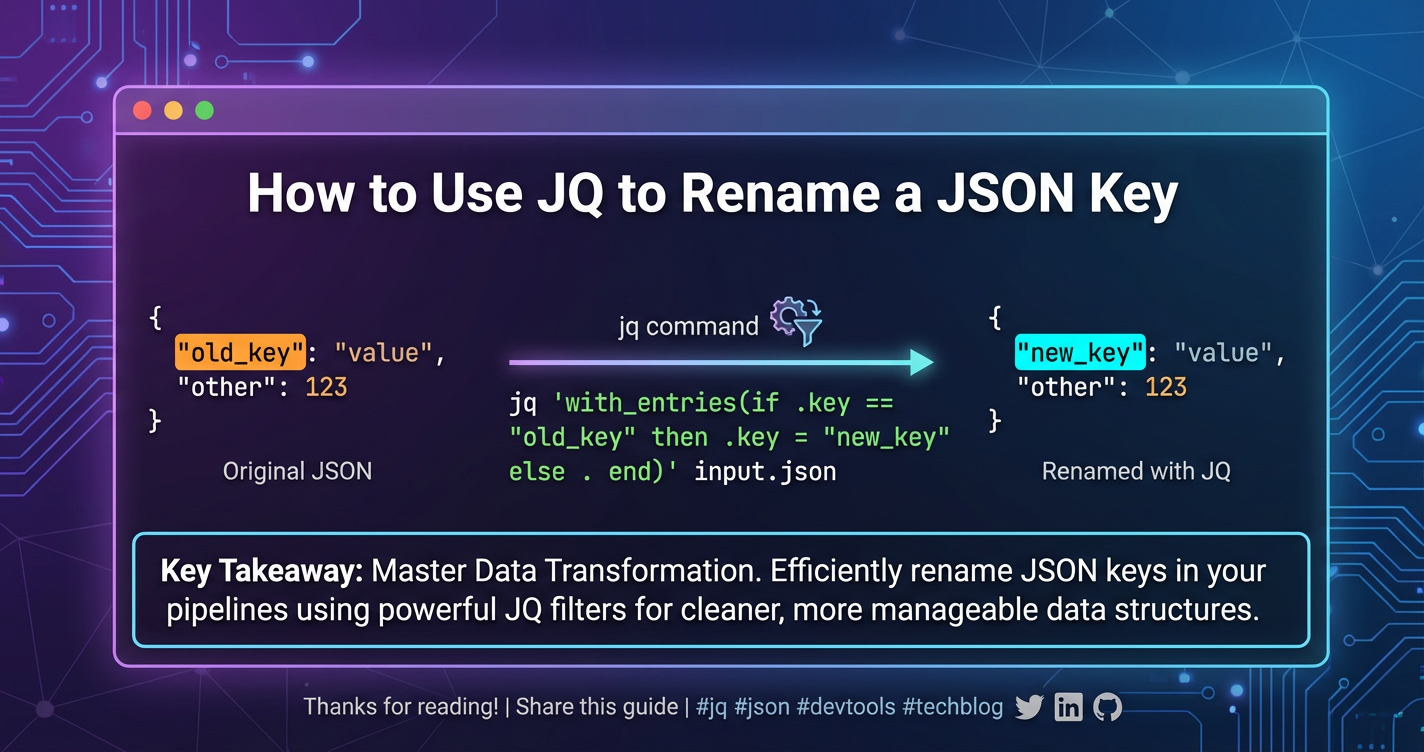
How to Use JQ to Rename a JSON Key
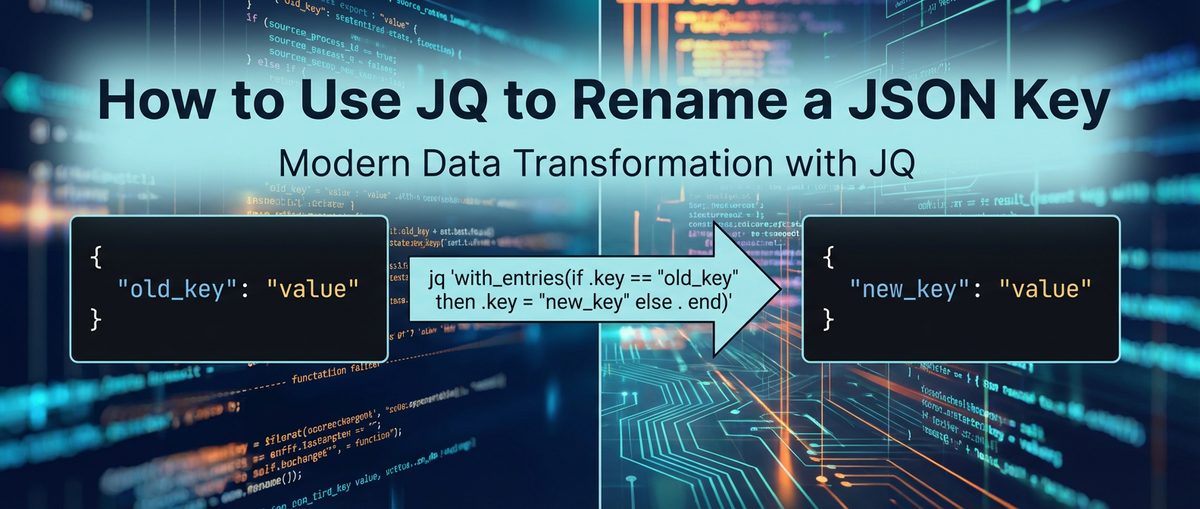


The digital landscape of today thrives on data. From the simplest mobile application to the most sophisticated enterprise system, information is constantly being exchanged, processed, and transformed. At the heart of much of this exchange lies JSON (JavaScript Object Notation), a lightweight, human-readable data interchange format that has become the lingua franca for web services, configuration files, and countless data-driven applications. Its simplicity and flexibility make it an ideal choice for transmitting structured data across various platforms and programming languages.
However, the reality of working with data, especially when integrating disparate systems or consuming third-party APIs, often presents a need for transformation. Data rarely arrives in the exact schema or nomenclature required by the receiving application. One of the most common and fundamental transformations required is the renaming of JSON keys. Whether it's to align with an internal naming convention, match a database schema, or simply to improve readability, the ability to efficiently and accurately rename keys within a JSON structure is an indispensable skill for developers, data engineers, and system administrators alike.
Imagine a scenario where you're consuming data from an external api. This api might return a user's identifier as user_id, but your internal system expects it as userId. Or perhaps a legacy api provides a field named customer_account_number, and you need to transform it to the more concise accountNumber for your modern front-end application. These seemingly minor differences can lead to significant friction, requiring careful handling to ensure data integrity and system compatibility.
This is precisely where jq enters the picture. jq is a powerful, yet incredibly lightweight and flexible, command-line JSON processor. It's often described as sed for JSON data, offering a comprehensive suite of tools for slicing, filtering, mapping, and transforming structured JSON with remarkable ease and precision. Unlike general-purpose text processing tools that treat JSON as plain text, jq understands the JSON structure, allowing for robust and error-resistant manipulations. For anyone working with api responses, log files, or configuration data in JSON format, mastering jq is not just a convenience; it's a fundamental skill that dramatically enhances productivity and data manipulation capabilities.
This comprehensive guide aims to demystify the process of renaming JSON keys using jq. We will explore various techniques, ranging from the straightforward renaming of a single top-level key to more intricate scenarios involving nested keys, multiple keys, and conditional transformations. Furthermore, we will delve into how these jq skills fit into the broader context of data transformation within an api ecosystem, emphasizing its utility in preparing data for api gateway processing or for consumption by various services. By the end of this article, you will possess a profound understanding of jq's capabilities for JSON key renaming and be equipped to tackle even the most complex data transformation challenges.
Understanding jq: A Prerequisite for JSON Mastery
Before we dive into the specific techniques for renaming JSON keys, it's crucial to establish a solid understanding of what jq is, why it's so widely adopted, and its fundamental operational principles. This foundational knowledge will not only facilitate your journey into jq-powered key renaming but also empower you to explore its vast array of other JSON manipulation capabilities.
What is jq?
At its core, jq is a command-line utility designed specifically for processing JSON data. It acts as a kind of Swiss Army knife for JSON, allowing you to parse, query, transform, and even create JSON structures directly from your terminal or within scripts. Its design philosophy emphasizes a functional programming style, where data flows through a series of filters that transform it step by step. This pipeline approach makes jq incredibly expressive and powerful, enabling complex operations with concise commands.
Why jq? The Advantages Unpacked
The reasons for jq's pervasive popularity among developers and system administrators are manifold:
- JSON-Native Processing: Unlike generic text manipulation tools like
grep,awk, orsed, which operate on strings,jqunderstands the inherent structure of JSON. This means it can safely navigate nested objects and arrays, correctly handle string escaping, and reliably parse numerical and boolean values without accidentally corrupting the data or encountering parsing errors due to unexpected characters. This native understanding significantly reduces the risk of introducing errors during transformation, a critical factor when dealing with sensitiveapidata or configuration files. - Powerful and Expressive Syntax:
jqprovides a rich and compact language for specifying transformations. It allows for filtering objects based on conditions, iterating over arrays, performing arithmetic operations, concatenating strings, and constructing entirely new JSON objects or arrays. Its syntax, while initially seeming idiosyncratic, quickly becomes intuitive, enabling users to craft complex data manipulations in a single, elegant command. This expressiveness is invaluable when dealing with dynamicapiresponses where specific data points need to be extracted or reshaped. - Lightweight and Fast:
jqis compiled into a single static executable with no external dependencies, making it incredibly lightweight and fast. It can process large JSON files (megabytes or even gigabytes) efficiently, making it suitable for scripting in environments with limited resources or for rapid prototyping and debugging. This performance characteristic is particularly beneficial in data pipelines where JSON transformation needs to happen quickly, often before data is forwarded to another service or stored. - Ubiquitous in Shell Scripting: Given its command-line nature,
jqintegrates seamlessly with traditional Unix pipelines. It can accept JSON input fromstdin, process it, and output the transformed JSON tostdout, making it a perfect companion for tools likecurl,wget,xargs, and various scripting languages. This allows developers to embedjqoperations directly into shell scripts for automating tasks such asapicall processing, log analysis, or configuration management. In a world whereapiintegrations are paramount,jqbecomes a cornerstone for automating data flow and validation. - Cross-Platform Compatibility:
jqis available for a wide range of operating systems, including Linux, macOS, and Windows, ensuring that yourjqscripts can be run consistently across different development and deployment environments. This consistency is vital for teams working on diverse platforms and for ensuring that automated processes behave identically regardless of the underlying infrastructure.
Basic jq Syntax: The Building Blocks
To get started with jq, you need to understand a few fundamental concepts:
.(Identity Filter): The simplestjqfilter, it outputs the entire input JSON without any changes. It’s like a pass-through.json # Input: {"name": "Alice", "age": 30} echo '{"name": "Alice", "age": 30}' | jq '.' # Output: {"name": "Alice", "age": 30}.key(Object Field Access): To extract the value associated with a specific key in an object, you use the.operator followed by the key name.json # Input: {"name": "Alice", "age": 30} echo '{"name": "Alice", "age": 30}' | jq '.name' # Output: "Alice"[](Array Element Access and Slicing): For arrays, you can access elements by index (e.g.,.[0]) or slice them (e.g.,.[0:2]).json # Input: ["apple", "banana", "cherry"] echo '["apple", "banana", "cherry"]' | jq '.[1]' # Output: "banana"|(Pipe Operator): This is the functional heart ofjq. It pipes the output of one filter as the input to the next filter, allowing for chaining complex operations.json # Input: {"data": {"id": 123, "name": "example"}} echo '{"data": {"id": 123, "name": "example"}}' | jq '.data | .name' # Output: "example"{}(Object Construction): You can construct new JSON objects.json # Input: {"firstName": "John", "lastName": "Doe"} echo '{"firstName": "John", "lastName": "Doe"}' | jq '{fullName: (.firstName + " " + .lastName)}' # Output: {"fullName": "John Doe"}
These basic building blocks form the foundation for all jq operations, including the sophisticated key renaming techniques we are about to explore. In the context of an api gateway or any service integration, jq allows for quick inspection and transformation of incoming or outgoing payloads, ensuring data consistency and adherence to expected schemas.
Installation Guide (Brief)
Installing jq is typically straightforward:
- Linux (Debian/Ubuntu):
sudo apt-get install jq - Linux (CentOS/RHEL):
sudo yum install jqorsudo dnf install jq - macOS (Homebrew):
brew install jq - Windows: Download the executable from the official
jqwebsite (stedolan.github.io/jq/download/) and add it to your system's PATH.
With jq installed and a basic understanding of its syntax, you are now well-prepared to delve into the practicalities of renaming JSON keys.
The Core Task: Renaming a Single JSON Key
Renaming a single JSON key is perhaps the most frequent data transformation task encountered by developers. Whether it's to harmonize naming conventions across different systems, update a schema, or prepare data for a specific application, jq offers several elegant ways to achieve this. The approach you choose often depends on the complexity of your JSON structure and the specific location of the key you wish to rename.
Simplest Case: Renaming a Top-Level Key
Let's start with the most straightforward scenario: renaming a key that resides at the top level of a JSON object. Suppose you have an api response like this:
Input JSON (data.json):
{
  "user_id": "u12345",
  "full_name": "Alice Smith",
  "email_address": "alice.smith@example.com",
  "status": "active"
}
You want to rename user_id to id.
Method 1: Using with_entries (Recommended for clarity and robustness)
The with_entries filter is incredibly versatile for manipulating key-value pairs within an object. It transforms an object into an array of {"key": "original_key", "value": "original_value"} objects, allows you to process this array, and then converts it back into an object. This makes it ideal for renaming keys programmatically.
The general pattern for renaming a key oldKey to newKey using with_entries is:
with_entries(
  if .key == "oldKey" then .key = "newKey" else . end
)
Applying this to our example:
jq Command:
jq 'with_entries(if .key == "user_id" then .key = "id" else . end)' data.json
Output JSON:
{
  "id": "u12345",
  "full_name": "Alice Smith",
  "email_address": "alice.smith@example.com",
  "status": "active"
}
Explanation: 1. with_entries(...): This tells jq to iterate over each key-value pair of the input object. For each pair, it transforms it into an object like {"key": "user_id", "value": "u12345"}. 2. if .key == "user_id" then .key = "id" else . end: This is a conditional statement applied to each of these temporary {"key": ..., "value": ...} objects. * if .key == "user_id": Checks if the current key being processed is "user_id". * then .key = "id": If true, it reassigns the key field of the temporary object to "id". The value field remains unchanged. * else . end: If the key is not "user_id", the temporary object is passed through unchanged (.). Finally, with_entries collects all these transformed key-value objects and reconstructs the original object with the modified keys. This method is clean, explicit, and handles cases where the key might not exist gracefully (it simply won't match the condition).
Method 2: Using del and Object Construction (Less direct for pure renaming, but illustrative)
Another common pattern for modifying objects in jq involves deleting the old key and then adding a new key with the old key's value. This is more verbose for a simple rename but demonstrates jq's flexibility.
jq Command:
jq '{id: .user_id} + del(.user_id)' data.json
Output JSON:
{
  "full_name": "Alice Smith",
  "email_address": "alice.smith@example.com",
  "status": "active",
  "id": "u12345"
}
Explanation: 1. {id: .user_id}: This creates a new object containing only the id key, whose value is taken from the original user_id field. 2. +: This is the object concatenation operator. It merges the object on its left with the object on its right. If keys overlap, the right-hand object's value takes precedence. 3. del(.user_id): This deletes the user_id key from the original input object. The result is that the original object, sans user_id, is merged with the new object containing id, effectively renaming the key. Note that the order of keys might change, which is generally not an issue in JSON but worth being aware of. This method assumes the user_id key always exists. If it doesn't, .user_id would evaluate to null, and {id: null} would be added.
Renaming a Nested Key
Many real-world JSON structures are nested, meaning objects contain other objects or arrays of objects. Renaming a key within such a nested structure requires navigating the path to that key. Let's consider a more complex api response:
Input JSON (nested_data.json):
{
  "apiVersion": "v1",
  "metadata": {
    "resource_id": "res-101",
    "name": "project-alpha",
    "owner": {
      "user_name": "dev_team",
      "email": "dev@example.com"
    }
  },
  "spec": {
    "settings": {
      "env_config": {
        "database_url": "mysql://db.example.com/alpha"
      }
    }
  }
}
We want to rename resource_id (nested under metadata) to id.
jq Command (using with_entries on the nested object):
jq '.metadata |= with_entries(if .key == "resource_id" then .key = "id" else . end)' nested_data.json
Output JSON:
{
  "apiVersion": "v1",
  "metadata": {
    "id": "res-101",
    "name": "project-alpha",
    "owner": {
      "user_name": "dev_team",
      "email": "dev@example.com"
    }
  },
  "spec": {
    "settings": {
      "env_config": {
        "database_url": "mysql://db.example.com/alpha"
      }
    }
  }
}
Explanation: 1. .metadata |= ...: The |= operator is jq's update assignment operator. It takes the value of .metadata, pipes it into the filter on the right, and then assigns the result back to .metadata. This is a very common and powerful pattern for modifying parts of a larger JSON structure without affecting other parts. 2. with_entries(...): The with_entries filter is then applied only to the metadata object, isolating the renaming operation to that specific nested level. The if .key == "resource_id" then .key = "id" else . end logic is the same as before, but it operates within the context of the metadata object's key-value pairs.
This approach effectively targets and modifies only the desired nested key, leaving the rest of the JSON structure intact. This is critical for maintaining the integrity of complex data schemas often encountered in api payloads.
Conditional Renaming: Only If the Key Exists or Meets Criteria
Sometimes, you might only want to rename a key if it exists, or if its value meets certain conditions. This adds a layer of robustness to your transformations, preventing errors or unintended side effects when dealing with inconsistent data.
Consider the previous nested_data.json. What if resource_id isn't always present in the metadata object? The with_entries method already handles this gracefully because the if condition won't be met. However, if you were using a different approach, or needed a more complex condition, jq provides tools for this.
Let's say we want to rename user_name to username inside metadata.owner, but only if user_name actually exists.
jq Command:
jq '.metadata.owner |= (if .user_name? then with_entries(if .key == "user_name" then .key = "username" else . end) else . end)' nested_data.json
Explanation: 1. .metadata.owner |= (...): We target the owner object for update. 2. if .user_name?: This is a crucial jq feature. The ? operator makes accessing a field "optional." If user_name exists, .user_name? evaluates to its value; if it doesn't, it evaluates to null without throwing an error. In a boolean context, null is falsey. So, this condition checks for the existence of user_name. 3. then with_entries(...) else . end: If user_name exists, the with_entries logic proceeds to rename it. If it doesn't, the owner object is passed through unchanged (.), preventing errors.
This detailed handling of key renaming, from simple to conditional, underscores jq's power. It allows developers to confidently transform JSON data from various api sources, ensuring it always conforms to the specific requirements of their applications or api gateway configurations.
Advanced Key Renaming Techniques with jq
Beyond single-key transformations, jq truly shines when tackling more complex renaming tasks. In scenarios involving multiple keys, dynamic renaming patterns, or transformations within arrays of objects, jq provides sophisticated filters and operators that simplify these challenges significantly. These advanced techniques are particularly valuable when normalizing data from diverse api sources, where naming conventions can vary widely.
Renaming Multiple Keys Simultaneously
It's common to need to rename several keys within an object. Instead of chaining multiple with_entries calls or del and + operations, which can become verbose, jq allows for more elegant solutions.
Input JSON (multi_rename.json):
{
  "client_id": "c789",
  "data_timestamp": "2023-10-26T10:00:00Z",
  "request_status": "completed",
  "payload_size": 1024
}
We want to rename client_id to id, data_timestamp to timestamp, and request_status to status.
Method 1: Using with_entries with multiple if/elif/else conditions
This is an extension of the single-key with_entries method, allowing for a series of conditional renames.
jq Command:
jq 'with_entries(
  if .key == "client_id" then .key = "id"
  elif .key == "data_timestamp" then .key = "timestamp"
  elif .key == "request_status" then .key = "status"
  else .
  end
)' multi_rename.json
Output JSON:
{
  "id": "c789",
  "timestamp": "2023-10-26T10:00:00Z",
  "status": "completed",
  "payload_size": 1024
}
Explanation: The elif (else if) construct allows you to chain multiple conditions. jq processes each key-value pair. If the key matches the first if, it's renamed; otherwise, it checks the first elif, then the second elif, and so on. If no condition is met, else . ensures the key-value pair remains unchanged. This method is highly readable and maintainable for a fixed set of renames.
Method 2: Using a lookup object for renaming
For a larger or more dynamic set of renames, creating a lookup object (or map) can be more efficient and easier to manage. This involves defining a mapping from old keys to new keys.
jq Command:
jq '
  . as $in | # Store the input object
  {
    "client_id": "id",
    "data_timestamp": "timestamp",
    "request_status": "status"
  } as $keyMap | # Define the key mapping
  reduce keys_as_strings[] as $k ({};
    .[($keyMap[$k] // $k)] = $in[$k]
  )
' multi_rename.json
Output JSON:
{
  "id": "c789",
  "timestamp": "2023-10-26T10:00:00Z",
  "status": "completed",
  "payload_size": 1024
}
Explanation: 1. . as $in: Stores the entire input object in a variable $in. 2. {...} as $keyMap: Defines a keyMap object where keys are old names and values are new names. 3. reduce keys_as_strings[] as $k ({}; ...): This is a powerful jq iteration construct. * keys_as_strings[]: Iterates over each key (as a string) in the input object. * as $k: Assigns the current key to the variable $k. * ({}): Initializes an empty object as the accumulator for reduce. * .[($keyMap[$k] // $k)] = $in[$k]: This is the core logic for each key. * $keyMap[$k]: Tries to find the new name for $k in $keyMap. * // $k: If $keyMap[$k] is null (i.e., the key $k is not in our map), it defaults to $k itself, meaning the key is not renamed. * $in[$k]: Gets the value of the original key $k from the input object $in. * .[...] = ...: Adds a new key-value pair to the accumulating object. The key is either the renamed key or the original key, and the value is the original value. This method is highly flexible, especially when the key mapping might come from an external source or need to be easily updated.
Dynamic Key Renaming: Based on Patterns or Mappings
Sometimes, keys need to be renamed not based on a fixed list, but on a pattern or a more complex transformation rule. For instance, you might want to remove a common prefix, convert snake_case to camelCase, or vice versa.
Input JSON (pattern_rename.json):
{
  "user_firstName": "John",
  "user_lastName": "Doe",
  "user_email": "john.doe@example.com",
  "product_code": "P-123"
}
We want to remove the "user_" prefix from relevant keys.
jq Command (using with_entries and sub for string substitution):
jq 'with_entries(
  .key |= sub("^user_"; "") # Replace "user_" at the start of the key with an empty string
)' pattern_rename.json
Output JSON:
{
  "firstName": "John",
  "lastName": "Doe",
  "email": "john.doe@example.com",
  "product_code": "P-123"
}
Explanation: 1. with_entries(...): Iterates over each key-value pair. 2. .key |= ...: Updates the key field of the temporary key-value object. 3. sub("^user_"; ""): This is jq's string substitution function. * "^user_": The regular expression to search for. ^ anchors the match to the beginning of the string. * "": The replacement string (an empty string, effectively removing the prefix). This dynamically renames keys that match the pattern, making it extremely powerful for schema normalization, especially when dealing with data from diverse api endpoints that might use different prefixes for categorization.
Renaming Keys Within an Array of Objects
Often, JSON data comes as an array of objects, where each object represents a record, and keys within these records need to be renamed. This is a very common structure for api responses containing lists of items.
Input JSON (array_of_objects.json):
[
  {
    "transaction_id": "T1001",
    "customer_id": "C001",
    "amount_usd": 150.75
  },
  {
    "transaction_id": "T1002",
    "customer_id": "C002",
    "amount_usd": 200.00
  },
  {
    "transaction_id": "T1003",
    "customer_id": "C001",
    "amount_usd": 50.20
  }
]
We want to rename transaction_id to id and customer_id to customerId for every object in the array.
jq Command (using map and with_entries):
jq 'map(
  with_entries(
    if .key == "transaction_id" then .key = "id"
    elif .key == "customer_id" then .key = "customerId"
    else .
    end
  )
)' array_of_objects.json
Output JSON:
[
  {
    "id": "T1001",
    "customerId": "C001",
    "amount_usd": 150.75
  },
  {
    "id": "T1002",
    "customerId": "C002",
    "amount_usd": 200.00
  },
  {
    "id": "T1003",
    "customerId": "C001",
    "amount_usd": 50.20
  }
]
Explanation: 1. map(...): This filter takes an array as input and applies the inner filter to each element of the array, returning a new array of the transformed elements. In this case, each element is an object. 2. with_entries(...): For each object within the array, the with_entries filter is applied, performing the conditional key renames exactly as demonstrated before.
This combination of map and with_entries is incredibly powerful and a staple for transforming lists of records often encountered when consuming apis that return collections of data.
Handling Edge Cases: Keys with Special Characters
While less common, JSON keys can technically contain almost any Unicode character, including spaces or special symbols, as long as they are properly quoted. jq handles these gracefully.
Input JSON (special_keys.json):
{
  "user-data": "value1",
  "api.version": "v2",
  "a key with spaces": "value3"
}
To rename user-data to userData:
jq Command:
jq 'with_entries(
  if .key == "user-data" then .key = "userData"
  elif .key == "api.version" then .key = "apiVersion"
  elif .key == "a key with spaces" then .key = "keyWithSpaces"
  else .
  end
)' special_keys.json
Output JSON:
{
  "userData": "value1",
  "apiVersion": "v2",
  "keyWithSpaces": "value3"
}
Explanation: jq correctly treats the string literals "user-data", "api.version", and "a key with spaces" as the full key names, allowing for precise matching and renaming. The . operator for direct key access .<key> only works for keys that are valid jq identifiers (alphanumeric and underscore, not starting with a number). For keys with special characters, you must use ."<key>" or iterate with with_entries. with_entries avoids this issue as it always provides the key as a string in .key.
These advanced jq techniques provide an unparalleled degree of control over JSON data. They are indispensable for developers who need to integrate with a multitude of apis, each potentially with its own unique and sometimes inconsistent data schemas. By mastering these methods, one can ensure that data flowing through systems, whether raw api responses or data destined for an api gateway, is always in the correct, standardized format.
jq in the Broader API and Data Ecosystem
While jq is an unparalleled tool for granular JSON transformations, its role extends far beyond simple key renaming. It fits into a much larger ecosystem of data processing, especially within the context of api integrations, microservices, and modern data pipelines. Understanding this broader context highlights jq's strategic value and where it complements more comprehensive api management solutions.
The Role of jq in Data Pipelines
Data pipelines are sequences of processing steps that transform raw data into a usable format. In these pipelines, JSON is often the format of choice for data transfer between stages. jq becomes a critical component for:
- Ingestion Normalization: When ingesting data from external
apis,jqcan quickly normalize disparate schemas into a consistent format before the data is stored or processed further. This is crucial for maintaining data quality and consistency across a data lake or warehouse. For example, anapimight return acustomer_idwhile another providesclientID.jqcan rename these to a single, consistentcustomerIdentifier. - Data Masking/Filtering: Before sensitive data is passed to less secure environments or analytics tools,
jqcan be used to redact or filter out specific fields, ensuring compliance with data privacy regulations. - Payload Transformation for Downstream Services: A single
apiresponse might need to be reshaped to fit the input requirements of multiple downstream microservices.jqcan generate different versions of the payload efficiently. - Logging and Monitoring:
jqcan parse complex JSON logs, extract relevant fields, and format them for easier analysis or ingestion into monitoring systems. This is particularly useful for debuggingapicalls and understanding system behavior.
Integration with Other Command-Line Tools
The beauty of jq lies in its seamless integration with other standard Unix command-line utilities, enabling powerful data processing workflows directly in the shell.
curlandjq: This is perhaps the most common pairing.curlfetches data fromapis, andjqprocesses the JSON response.bash # Fetch user data from an API and extract/rename specific fields curl -s "https://api.example.com/users/123" | \ jq '{ id: .user_id, fullName: (.firstName + " " + .lastName), email: .email_address }'This demonstratesjq's capability to not just rename keys but also to construct entirely new JSON objects with derived values, which is invaluable forapiconsumption.xargsandjq:xargscan be used to pass a list of items (e.g., IDs extracted byjq) as arguments to another command.bash # Get a list of IDs from an API response and process each ID curl -s "https://api.example.com/products" | \ jq -r '.products[].product_id' | \ xargs -I {} curl "https://api.example.com/products/{}/details"Here,jq -routputs raw strings, making them suitable forxargs. This forms a basicapiorchestration pattern.sed,awk,grep(cautiously): Whilejqis preferred for JSON, sometimes it's combined with these tools for non-JSON specific text processing around the JSON data itself, or for tasks that are inherently line-based. However, direct manipulation of JSON structure withsedorawkis generally discouraged due to the risk of invalidating the JSON.
jq and Schema Transformation
In an ecosystem where data often flows between services with different schema requirements, jq is an invaluable tool for schema transformation. This might involve:
- Adapting
apiresponses: An externalapimight provide a verbose response, but your internal service only needs a subset of fields, potentially with different names or nested structures.jqcan prune, reshape, and rename fields to match your internal contract. - Preparing data for databases: Flattening nested JSON, selecting specific fields, and renaming them to match database column names is a common
jquse case before inserting data. - Generating UI-specific payloads: A backend service might expose a generic data model, but a front-end UI requires a highly optimized and specific JSON structure.
jqcan tailor the data for the UI layer.
The Importance of Data Consistency Across Microservices and APIs
In a microservices architecture, multiple services interact, often exchanging data via apis. Data consistency is paramount for these interactions to be reliable. Inconsistent naming conventions, varying data types, or differing nested structures can lead to integration headaches, bugs, and increased development overhead.
jq acts as a powerful enforcer of data consistency. It can be used as a client-side or script-level transformation layer to: * Standardize api request payloads before they are sent. * Normalize api responses immediately after they are received. * Validate JSON against expected schemas (though jq isn't a schema validator, it can be used to check for existence of keys/values and filter accordingly).
By consistently applying jq transformations at various integration points, developers can significantly reduce the "impedance mismatch" between different services, fostering smoother communication and enhancing the overall resilience of the system. This proactive approach to data quality ensures that services can reliably consume and produce data, irrespective of the idiosyncrasies of external apis.
Complementing Granular jq with Broader API Management: Introducing APIPark
While jq is invaluable for client-side or script-level data transformation, enterprises often require more robust, centralized solutions for managing api data flows, especially when dealing with a multitude of AI models or complex api gateway architectures. This is where platforms like ApiPark come into play.
APIPark offers an open-source AI gateway and API management platform designed to streamline the integration, management, and deployment of both AI and REST services. It standardizes API formats, encapsulates prompts into REST APIs, and provides end-to-end API lifecycle management, which inherently simplifies many data transformation challenges that might otherwise require extensive jq scripting at various integration points. For instance, APIPark's ability to unify API formats for AI invocation means that inconsistencies in api payload schemas from various AI models are handled at the gateway level, abstracting away the need for repetitive jq transformations by individual consumers. It simplifies API usage and maintenance costs across the board.
Consider the role of APIPark as a sophisticated gateway for all your APIs. Instead of each application independently using jq to transform data from 10 different apis into its desired format, APIPark can define these transformations once at the gateway level. This means that an API gateway like APIPark handles the macro-level concerns of API governance, traffic management, and standardization across an entire ecosystem of APIs and AI models, while jq handles the micro-level data manipulation that might still be necessary at the edge (e.g., a developer quickly inspecting a response, or a specific internal script needing a unique one-off transformation).
Table: jq vs. APIPark in Data Transformation Context
| Feature/Aspect | jq (Command-Line JSON Processor) |
APIPark (AI Gateway & API Management Platform) |
|---|---|---|
| Primary Scope | Granular, client-side/script-level JSON manipulation | Centralized API & AI gateway management and governance |
| Typical Use Case | On-the-fly data extraction, reshaping, renaming in scripts/terminal | Standardizing API interfaces, routing, security, lifecycle management |
| Transformation Power | Highly flexible for complex JSON transformations, pattern-based renaming | Policy-driven transformations, request/response rewriting (often pre-configured) |
| Scalability | Limited by host machine, best for individual files/streams | Designed for high-throughput, clustered deployment to handle massive API traffic |
| Centralization | Decentralized; transformations defined per script/user | Centralized configuration for all APIs, applied consistently |
| Monitoring/Logging | Manual integration with other logging tools | Built-in comprehensive API call logging and analytics |
| AI Integration | Indirectly, by transforming AI api responses |
Direct integration & unified invocation for 100+ AI models |
| Deployment | Single executable | Enterprise-grade platform, often containerized/clustered |
| Learning Curve | Moderate for advanced features | Moderate for platform configuration, often GUI-driven |
This table illustrates that while jq provides an indispensable toolkit for detailed, hands-on JSON manipulation, a comprehensive gateway solution like APIPark manages the overarching infrastructure and provides a strategic layer for consistent API and AI service delivery. They are not mutually exclusive but rather complementary tools in a sophisticated data and API ecosystem. jq helps developers quickly mold data to their needs, while APIPark ensures that the APIs themselves are robust, secure, and easily consumable by a wide range of clients.
Best Practices and Performance Considerations
Mastering jq involves not just knowing the syntax, but also writing efficient, readable, and robust scripts. Especially when dealing with api responses or large data sets, attention to best practices and performance can significantly impact the reliability and speed of your data pipelines.
Writing Efficient jq Scripts
- Target Specific Paths: Instead of applying broad filters across the entire JSON, target the specific paths (
.metadata.owner.key) where transformations are needed. This reduces the amount of datajqhas to process and makes your intentions clearer.- Inefficient:
jq 'with_entries(if .key | contains("id") then ...)'(iterates all keys) - Efficient:
jq '.data.items[] |= with_entries(if .key == "oldId" then ...)'(targets specific items and their keys)
- Inefficient:
- Use
|=for In-Place Updates: The update assignment operator|=is highly efficient for modifying a specific part of a JSON structure without reconstructing the entire object.jq '.foo = (.foo | .bar = "baz")'is less efficient thanjq '.foo.bar = "baz"'orjq '.foo |= .bar = "baz"'.
- Minimize
reducefor Simple Tasks: Whilereduceis powerful, it can be less performant for simple object transformations compared towith_entriesor direct object construction, especially for very large objects. Use it when truly iterative processing across keys/values is required. - Chain Filters Correctly: Use the pipe (
|) operator to chain filters in a logical sequence. Each filter receives the output of the previous one as its input. This is the idiomatic way to writejqprograms.
Avoid Redundant Calculations: If a value is computed and used multiple times, assign it to a variable using as $variable. ```jq # Inefficient jq '{ newKey1: (.value | some_complex_calculation), newKey2: (.value | some_complex_calculation + 1) }'
Efficient
jq '.value | some_complex_calculation as $calc | { newKey1: $calc, newKey2: ($calc + 1) }' ```
Error Handling in jq
jq is generally quite resilient, but you can build more robust scripts by anticipating potential issues:
- Optional Paths (
?): As seen before,.?prevents errors if a key or array index might not exist..foo.bar?will producenullinstead of an error ifbaris missing fromfoo.jq # Ensure 'id' exists before trying to access it jq '.user_id? | select(. != null)' select()for Filtering: Useselect()to filter data based on conditions. This is useful for processing only valid records or those meeting specific criteria.jq # Only process objects that have a 'status' field set to "active" jq '.[] | select(.status == "active") | ...'try...catchfor Robustness: For very complex scripts,jqofferstry...catchblocks to gracefully handle errors, similar to other programming languages.jq jq 'try .id / .count catch "Error: " + . + " for " + input_filename'This can be essential inapipipelines where malformed data could halt an entire process.
Testing jq Transformations
Just like any code, jq scripts benefit from testing:
- Small, Representative Samples: Start with small JSON samples that represent various edge cases (missing fields, different data types, arrays with zero or many elements).
- Incremental Development: Build your
jqfilter step-by-step, piping the output of each stage to the next, and inspecting intermediate results. This helps pinpoint where an issue might occur. - Version Control: Store your
jqscripts in version control (Git) along with your data transformation logic orapiintegration code. This allows for collaboration and historical tracking.
Readability and Maintainability of jq Scripts
- Comments: While
jqdoesn't support comments directly within the filter string when run from the command line, you can add comments in your shell script orjqfile if you're writing a standalonejqprogram (e.g.,program.jq). For shell scripts, use standard shell comments (#). - Break Down Complex Tasks: If a single
jqcommand becomes too unwieldy, consider breaking it down into multiplejqcommands piped together, or using variables within a more structuredjqprogram file.
Indentation and Newlines: For complex jq programs, use newlines and indentation, especially with if/else or with_entries blocks. jq ignores whitespace for parsing, making this purely for human readability. ```bash # Instead of: jq 'map(with_entries(if .key=="old" then .key="new" else . end))'
Use:
jq ' map( with_entries( if .key == "old" then .key = "new" else . end ) ) ' ```
When jq Might Not Be the Best Tool
While jq is incredibly powerful for JSON, there are scenarios where other tools might be more appropriate:
- Extremely Large Files (Terabytes): For truly massive JSON files that don't fit into memory, stream processing tools designed for such scale (like Hadoop MapReduce jobs or Spark) or specialized database systems would be more suitable.
jqis efficient, but it's not designed for distributed processing across clusters. - Complex Procedural Logic: If your transformation requires complex loops, conditional logic spanning multiple input records, external API calls within the transformation, or state management beyond what
jqvariables can handle, a full-fledged scripting language (Python, Node.js, Go) would offer better control and easier debugging. - XML or Other Formats:
jqis JSON-specific. For XML,xmllintorxsltprocare better choices. For CSV,csvtkormiller(orawk) are more appropriate. - Schema Validation: While
jqcan check for key existence, it's not a full JSON Schema validator. For rigorous schema enforcement, dedicated libraries or services are needed.
In the grand scheme of api development and data management, jq acts as a crucial "glue" and "瑞士军刀" (Swiss Army Knife) for developers. It enables rapid prototyping, debugging, and light-to-moderate data transformation directly at the command line or within shell scripts. Its role is often to prepare data for or process data from services, including an api gateway, ensuring that the data conforms to expectations before it enters more robust, managed systems or api pipelines. By adhering to these best practices, you can leverage jq's full potential, ensuring your JSON manipulations are efficient, reliable, and easily maintainable within your api and data ecosystem.
Conclusion
Throughout this comprehensive guide, we have embarked on a deep dive into the art and science of renaming JSON keys using jq, the indispensable command-line JSON processor. We started by understanding jq's foundational strengths – its JSON-native parsing, expressive syntax, and unparalleled efficiency – which collectively make it a cornerstone tool for anyone navigating the complexities of modern data exchange.
We meticulously explored various techniques for tackling key renaming challenges, from the simple act of transforming a single top-level key to orchestrating intricate, conditional renames within deeply nested structures and arrays of objects. Through practical examples utilizing with_entries, map, sub, and object construction, we demonstrated how jq provides granular control over JSON data, enabling precise and robust transformations. These methods are not just academic exercises; they are the everyday tools that developers leverage to harmonize data from diverse sources, adapt api responses to application-specific needs, and ensure consistency across a sprawling landscape of microservices.
Furthermore, we contextualized jq's role within the broader api and data ecosystem. We highlighted its critical function in data pipelines for normalization, masking, and payload preparation, and its seamless integration with other command-line utilities like curl to construct powerful, automated workflows for api consumption. The importance of jq in maintaining data consistency across apis and microservices, mitigating schema mismatches, and facilitating smooth system interoperability cannot be overstated. It empowers developers to be agile and responsive to evolving data requirements without relying solely on heavier, more complex transformation layers.
Crucially, we also introduced ApiPark, an open-source AI gateway and API management platform, as a complementary solution. While jq excels at the individual, script-level manipulation of JSON, APIPark addresses the enterprise-grade challenges of centralized api governance, traffic management, and standardization across a multitude of apis and AI models. This distinction underscores that jq handles the surgical precision required for specific JSON transformations, while platforms like APIPark provide the robust gateway infrastructure to manage and scale the entire api lifecycle, ensuring consistent data delivery and high performance across an organization's digital offerings.
Finally, we outlined best practices for writing efficient, readable, and maintainable jq scripts, emphasizing techniques for performance optimization, robust error handling, and effective testing. Adhering to these guidelines ensures that your jq transformations are not only powerful but also reliable and easy to manage, contributing to the overall health and stability of your api integrations and data processing workflows.
In mastering jq for JSON key renaming, you gain more than just a technical skill; you acquire a fundamental capability for navigating the data-rich environments of today's technology landscape. Whether you are an api developer, a data engineer, or a system administrator, jq is an indispensable tool that empowers you to mold JSON data to your will, making complex data transformations a tractable and efficient process. Its versatility and elegance solidify its position as a cornerstone utility in any modern developer's toolkit, ensuring that data, in all its JSON forms, remains agile and adaptable to the ever-changing demands of software systems and api ecosystems.
Frequently Asked Questions (FAQs)
1. What is jq and why should I use it for JSON key renaming? jq is a lightweight and powerful command-line JSON processor. You should use it for JSON key renaming because it understands the JSON structure, allowing for robust, error-resistant transformations. Unlike generic text tools, jq ensures your JSON remains valid, provides a concise syntax for complex operations, and integrates seamlessly into shell scripts for automating api data processing and other tasks.
2. Can jq rename nested JSON keys, or only top-level ones? Yes, jq is fully capable of renaming nested JSON keys. By using path expressions (e.g., .parent.childKey) and operators like |= (update assignment) in conjunction with filters like with_entries, you can precisely target and rename keys at any depth within your JSON structure without affecting other parts of the document.
3. Is it possible to rename multiple JSON keys in a single jq command? Absolutely. jq provides several methods for renaming multiple keys simultaneously. The most common approach involves using with_entries with a series of if/elif/else conditions to specify different renames for different keys. For more dynamic or extensive mappings, you can define a lookup object and iterate through keys using reduce to apply the renaming logic.
4. How does jq handle cases where a key to be renamed might not exist? jq handles non-existent keys gracefully depending on the method used. If you use with_entries with an if .key == "oldKey" then ... else . end condition, the else . clause ensures that if the key doesn't match, the original key-value pair is simply passed through unchanged. If you are directly accessing a key that might not exist, using the optional path operator ? (e.g., .someKey?) will prevent an error and return null if the key is absent.
5. How does jq fit into an api management strategy, especially with tools like APIPark? jq is a vital tool for granular, client-side, or script-level JSON transformations, particularly useful for developers processing individual api responses or preparing api requests. It's excellent for on-the-fly debugging, data normalization, and lightweight data pipeline stages. In contrast, an API management platform like ApiPark offers a centralized, enterprise-grade solution for the overarching governance, security, traffic management, and standardization of all APIs and AI models. While jq handles the specific "last mile" JSON manipulation, APIPark provides the robust gateway infrastructure and policies that ensure api consistency, reliability, and scalability across an entire organization, complementing jq's capabilities rather than replacing them.
🚀You can securely and efficiently call the OpenAI API on APIPark in just two steps:
Step 1: Deploy the APIPark AI gateway in 5 minutes.
APIPark is developed based on Golang, offering strong product performance and low development and maintenance costs. You can deploy APIPark with a single command line.
curl -sSO https://download.apipark.com/install/quick-start.sh; bash quick-start.sh

In my experience, you can see the successful deployment interface within 5 to 10 minutes. Then, you can log in to APIPark using your account.

Step 2: Call the OpenAI API.