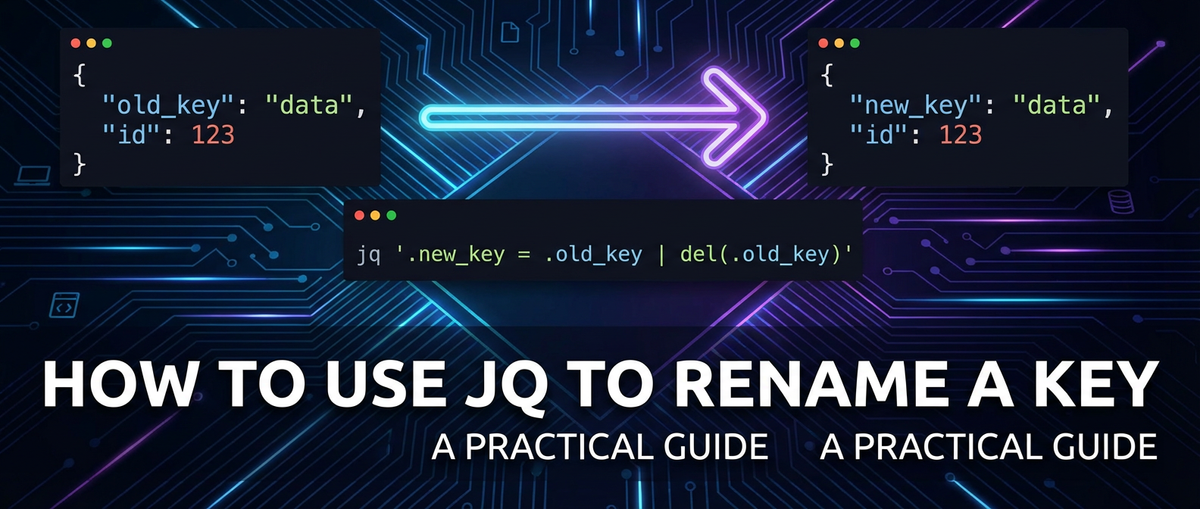
How to Use JQ to Rename a Key: A Practical Guide


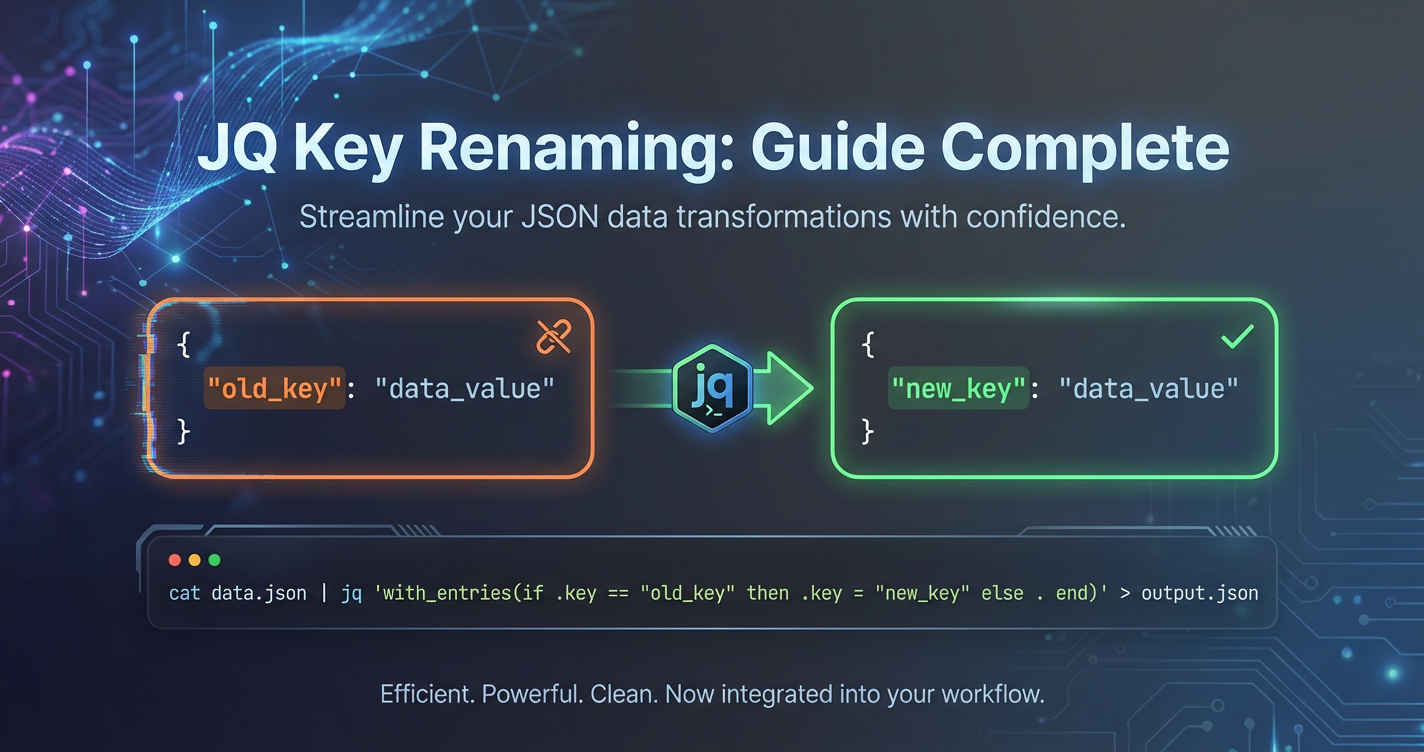
In the ever-evolving landscape of data management and manipulation, JSON (JavaScript Object Notation) has emerged as the lingua franca for data exchange across diverse systems. From web APIs to configuration files, its human-readable and lightweight nature makes it an indispensable format. However, raw JSON data often arrives with inconsistencies, redundant information, or key names that don't align with the conventions of downstream applications. This is where jq enters the scene—a powerful, flexible, and surprisingly elegant command-line JSON processor. It allows developers, system administrators, and data analysts to slice, filter, map, and transform JSON data with unparalleled precision directly from their terminal. Among its myriad capabilities, the ability to rename keys within JSON objects is a fundamental yet incredibly vital operation, enabling data standardization, schema migration, and seamless integration across disparate platforms.
This comprehensive guide will delve deep into the art and science of using jq to rename keys. We will explore various techniques, from the straightforward to the highly complex, illustrating each with practical examples and explaining the underlying jq mechanics. Whether you're preparing data for an API response, conforming to a specific database schema, or simply tidying up your JSON for better readability, mastering key renaming with jq will significantly enhance your data processing toolkit. We'll navigate the intricacies of renaming top-level keys, tackling nested structures, handling arrays of objects, and even implementing conditional logic to achieve dynamic transformations. By the end of this journey, you'll possess a robust understanding of jq's capabilities for key renaming, equipping you to handle virtually any JSON transformation challenge thrown your way.
Understanding the Need for Key Renaming in JSON
JSON's ubiquity means that data can originate from countless sources, each with its own naming conventions and structural nuances. While flexible, this diversity often necessitates transformation to ensure compatibility and consistency across different systems. Renaming keys is not merely a cosmetic change; it's a critical step in data pipeline management, ensuring that data conforms to expected schemas, integrates smoothly with api endpoints, and is correctly interpreted by consuming applications.
Consider a scenario where data is sourced from an external api. This api might use camelCase for its keys (e.g., firstName, lastModifiedDate), while your internal systems or a target database expect snake_case (e.g., first_name, last_modified_date). Without a mechanism to rename these keys, you would face parsing errors, data mapping challenges, and significant integration hurdles. Similarly, when data passes through an api gateway, it might need to adhere to a predefined schema before being forwarded to microservices or other backend components. A powerful api gateway might offer some transformation capabilities, but for granular, on-the-fly JSON manipulation at the command line or within scripts, jq is an indispensable companion. It bridges the gap between raw data and the specific requirements of apis and services, ensuring data integrity and operational efficiency.
Beyond mere convention, key renaming plays a crucial role in:
- Data Standardization: Ensuring all incoming data uses a consistent naming schema, regardless of its origin. This simplifies data processing, querying, and reporting downstream.
- Schema Migration: Adapting older data structures to new schema definitions, often encountered during database upgrades or system overhauls.
- API Versioning and Compatibility: When an API evolves, key names might change. Renaming capabilities allow older clients to adapt to new API versions without requiring extensive code changes on their end, or for a proxy/gateway to translate on the fly.
- Data Masking and Security: Renaming sensitive keys to less descriptive or obfuscated names before logging or exposing data to less secure environments can be a simple layer of defense, although it should not be the sole security measure.
- Improving Readability and Usability: Sometimes, source keys are cryptic or poorly named. Renaming them to more descriptive and intuitive names can significantly enhance the readability of JSON data for developers and analysts.
- Integration with Third-Party Tools: Many tools expect specific key names.
jqcan preprocess JSON to meet these requirements, making integration smoother.
The need for precise, efficient JSON key renaming is thus woven into the fabric of modern software development and data engineering. jq provides the robust framework to address these needs head-on, empowering users to take full control of their JSON data.
Getting Started with jq: Installation and Basic Syntax
Before diving into complex transformations, let's ensure you have jq installed and understand its fundamental operations. jq is a single binary with no external dependencies, making installation straightforward across various operating systems.
Installation
Linux (Debian/Ubuntu):
sudo apt-get update
sudo apt-get install jq
Linux (CentOS/RHEL/Fedora):
sudo yum install jq
# or for Fedora
sudo dnf install jq
macOS (using Homebrew):
brew install jq
Windows:
You can download the executable from the official jq website (https://stedolan.github.io/jq/download/). Place the jq.exe file in a directory included in your system's PATH, or simply use it from its downloaded location by navigating to it in your command prompt.
To verify installation, open your terminal or command prompt and type:
jq --version
You should see the installed jq version number.
Basic jq Syntax
jq operates by taking JSON input, applying a filter (a program written in jq's domain-specific language), and producing JSON output.
The basic structure of a jq command is:
echo '{"key": "value"}' | jq '.filter'
Or, for files:
jq '.filter' input.json
Let's look at some fundamental filters:
|: The pipe operator. It sends the output of one filter as the input to the next filter, enabling complex chained operations. This is fundamental to jq's power.```bash echo '{"user": {"name": "Charlie", "email": "charlie@example.com"}}' | jq '.user | .name'
Output:
"Charlie"
```
[]: Iterates over elements of an array.```bash echo '[{"id": 1}, {"id": 2}]' | jq '.[].id'
Output:
1
2
```
.key_name1.key_name2: Accesses a nested key.```bash echo '{"user": {"name": "Bob"}}' | jq '.user.name'
Output:
"Bob"
```
.key_name: Accesses the value associated with key_name.```bash echo '{"name": "Alice", "age": 30}' | jq '.name'
Output:
"Alice"
```
.: The identity filter, which outputs the entire input JSON.```bash echo '{"name": "Alice", "age": 30}' | jq '.'
Output:
{
"name": "Alice",
"age": 30
}
```
These basics form the building blocks for all advanced jq operations, including key renaming. A solid grasp of these fundamentals will make understanding the more intricate renaming techniques much easier.
Core Techniques for Renaming Keys in jq
Renaming keys in jq can be approached using several powerful methods, each suited for different scenarios. We'll start with the most common and progressively move to more advanced and flexible approaches.
1. Simple Renaming: del and Direct Assignment
One of the most intuitive ways to rename a top-level key is to first create a new key with the desired name and assign it the value of the old key, and then delete the old key. This approach is highly readable for simple, one-off renames.
Scenario: You have a JSON object with a key oldKey and you want to rename it to newKey.
Input JSON (data.json):
{
  "id": "item123",
  "oldKey": "someValue",
  "status": "active"
}
jq Filter:
.newKey = .oldKey | del(.oldKey)
Explanation: 1. .newKey = .oldKey: This creates a new key named newKey and assigns it the value of oldKey. At this point, the object contains both oldKey and newKey. 2. |: The pipe sends the modified object to the next filter. 3. del(.oldKey): This deletes the original oldKey from the object.
Execution:
jq '.newKey = .oldKey | del(.oldKey)' data.json
Output:
{
  "id": "item123",
  "status": "active",
  "newKey": "someValue"
}
Considerations: * This method is clear for a single key rename. * The order matters: if you del(.oldKey) first, .oldKey would not exist to be assigned to .newKey. * If oldKey does not exist, .newKey will be created with a null value, and del(.oldKey) will have no effect. This might be desirable or require conditional handling depending on the use case.
2. The Elegant Approach: with_entries
For more complex scenarios, especially when you need to rename multiple keys or apply transformations based on key names, with_entries is a far more powerful and idiomatic jq construct. It works by transforming an object into an array of key-value pairs, allowing you to manipulate these pairs, and then converting them back into an object.
The magic of with_entries lies in its use of to_entries and from_entries. * to_entries: Converts an object { "a": 1, "b": 2 } into an array of objects [{"key": "a", "value": 1}, {"key": "b", "value": 2}]. * from_entries: Does the reverse, converting an array of key-value objects back into an object.
with_entries(filter) is essentially a shorthand for to_entries | map(filter) | from_entries. The filter passed to with_entries is applied to each {"key": ..., "value": ...} object in the array.
Scenario: You want to rename firstName to first_name and lastName to last_name.
Input JSON (user.json):
{
  "firstName": "Jane",
  "lastName": "Doe",
  "email": "jane.doe@example.com",
  "age": 28
}
jq Filter (using with_entries):
with_entries(
  if .key == "firstName" then .key = "first_name"
  elif .key == "lastName" then .key = "last_name"
  else .
  end
)
Explanation: 1. with_entries(...): This initiates the transformation. The input object is converted into an array of {"key": ..., "value": ...} objects. 2. if .key == "firstName" then .key = "first_name": For each entry, if its key field is "firstName", it reassigns the key field to "first_name". 3. elif .key == "lastName" then .key = "last_name": Similarly, for "lastName" to "last_name". 4. else .: If the key is not "firstName" or "lastName", the entry is returned unchanged (. refers to the current entry). 5. Finally, the modified array of entries is converted back into an object.
Execution:
jq '
  with_entries(
    if .key == "firstName" then .key = "first_name"
    elif .key == "lastName" then .key = "last_name"
    else .
    end
  )
' user.json
Output:
{
  "first_name": "Jane",
  "last_name": "Doe",
  "email": "jane.doe@example.com",
  "age": 28
}
Advantages of with_entries: * Concise: Handles multiple renames elegantly within a single filter. * Flexible: Allows for complex conditional logic based on key names or even values. * Safe: If a key doesn't match any if condition, it remains unchanged by default (due to else .).
3. Renaming Nested Keys
Renaming keys within nested objects requires traversing the JSON structure. You can either specify the full path or use more general recursive approaches.
Path-Specific Renaming
To rename a key deep within a known path, you can use the direct access method combined with del and assignment.
Scenario: You have a user object with a nested address object, and you want to rename streetAddress to street within address.
Input JSON (nested.json):
{
  "id": "U456",
  "user": {
    "name": "Bob",
    "address": {
      "streetAddress": "123 Main St",
      "city": "Anytown"
    }
  }
}
jq Filter:
.user.address.street = .user.address.streetAddress | del(.user.address.streetAddress)
Execution:
jq '.user.address.street = .user.address.streetAddress | del(.user.address.streetAddress)' nested.json
Output:
{
  "id": "U456",
  "user": {
    "name": "Bob",
    "address": {
      "city": "Anytown",
      "street": "123 Main St"
    }
  }
}
Recursive Renaming with walk
For renaming keys at any level of nesting, jq's walk function is incredibly powerful. walk(f) recursively descends into a JSON structure and applies the filter f to each value. When f is applied to an object, walk applies it to each key-value pair.
Scenario: You want to rename every instance of id to uniqueId, no matter how deeply nested.
Input JSON (deep_nested.json):
{
  "transaction": {
    "id": "T1001",
    "items": [
      {
        "productId": "P001",
        "id": "itemA"
      },
      {
        "productId": "P002",
        "id": "itemB",
        "details": {
          "subId": "S001",
          "id": "detailC"
        }
      }
    ]
  },
  "clientId": "C200"
}
jq Filter:
walk(if type == "object" then (
  with_entries(
    if .key == "id" then .key = "uniqueId" else . end
  )
) else . end)
Explanation: 1. walk(...): This tells jq to traverse the entire JSON structure. 2. if type == "object" then (...) else . end: Inside walk, for each element encountered: * If the element is an object, apply the transformation defined in (...). * Otherwise (if it's an array, string, number, etc.), return it unchanged (.). 3. with_entries(...): For each object, apply the with_entries filter from before. 4. if .key == "id" then .key = "uniqueId" else . end: Within with_entries, if a key is "id", rename it to "uniqueId".
Execution:
jq '
  walk(if type == "object" then (
    with_entries(
      if .key == "id" then .key = "uniqueId" else . end
    )
  ) else . end)
' deep_nested.json
Output:
{
  "transaction": {
    "uniqueId": "T1001",
    "items": [
      {
        "productId": "P001",
        "uniqueId": "itemA"
      },
      {
        "productId": "P002",
        "uniqueId": "itemB",
        "details": {
          "subId": "S001",
          "uniqueId": "detailC"
        }
      }
    ]
  },
  "clientId": "C200"
}
The walk function is incredibly powerful for applying transformations uniformly across an entire JSON document, irrespective of depth. It's an indispensable tool for maintaining schema consistency in complex data structures that might flow through an api gateway or between various microservices, each potentially requiring standardized key names.
4. Renaming Keys within Arrays of Objects
When your JSON contains an array where each element is an object, and you need to rename keys within these objects, you'll typically combine map with the object renaming techniques discussed above.
Scenario: You have an array of product objects, and each product object has a product_id key that needs to be renamed to id.
Input JSON (products.json):
[
  {
    "product_id": "A101",
    "name": "Laptop",
    "price": 1200
  },
  {
    "product_id": "B202",
    "name": "Monitor",
    "price": 300
  },
  {
    "product_id": "C303",
    "name": "Keyboard",
    "price": 75
  }
]
jq Filter (using map with with_entries):
map(
  with_entries(
    if .key == "product_id" then .key = "id" else . end
  )
)
Explanation: 1. map(...): This filter iterates over each element of the input array and applies the filter inside map to each element. Since our array elements are objects, the with_entries filter will be applied to each object. 2. with_entries(...): As explained before, this converts the object into key-value pairs, applies the conditional renaming, and converts it back. 3. if .key == "product_id" then .key = "id" else . end: This specific condition renames product_id to id.
Execution:
jq '
  map(
    with_entries(
      if .key == "product_id" then .key = "id" else . end
    )
  )
' products.json
Output:
[
  {
    "id": "A101",
    "name": "Laptop",
    "price": 1200
  },
  {
    "id": "B202",
    "name": "Monitor",
    "price": 300
  },
  {
    "id": "C303",
    "name": "Keyboard",
    "price": 75
  }
]
jq Filter (using map with del and assignment):
For simpler, single renames within an array of objects, the del and assignment method can also be used inside map:
map(.id = .product_id | del(.product_id))
Execution:
jq 'map(.id = .product_id | del(.product_id))' products.json
This yields the same output and is arguably more concise for a single key rename. The choice between with_entries and direct assignment often comes down to the complexity of the renaming task and personal preference for readability. with_entries shines when dealing with multiple conditional renames or when you need to perform operations on the key names themselves (e.g., transforming cases).
Advanced Renaming Scenarios
jq's flexibility allows for highly sophisticated key renaming operations, going beyond simple remapping to dynamic and programmatic transformations.
5. Conditional Key Renaming
Sometimes, you only want to rename a key if certain conditions are met, either based on the key's existence, its value, or the presence of other keys.
Scenario: Rename user_id to id only if user_id exists.
Input JSON (optional_user.json):
[
  {
    "user_id": "U001",
    "name": "Alice"
  },
  {
    "name": "Bob",
    "age": 25
  },
  {
    "user_id": "U002",
    "email": "charlie@example.com"
  }
]
jq Filter:
map(
  if has("user_id") then (.id = .user_id | del(.user_id)) else . end
)
Explanation: 1. map(...): Iterates through each object in the array. 2. if has("user_id") then ... else . end: This conditional checks if the current object has a key named "user_id". * If true, it performs the rename: (.id = .user_id | del(.user_id)). The parentheses ensure the assignment and deletion are treated as a single operation that returns the modified object. * If false, the object is returned unchanged (.).
Execution:
jq 'map(if has("user_id") then (.id = .user_id | del(.user_id)) else . end)' optional_user.json
Output:
[
  {
    "id": "U001",
    "name": "Alice"
  },
  {
    "name": "Bob",
    "age": 25
  },
  {
    "id": "U002",
    "email": "charlie@example.com"
  }
]
This example demonstrates how to selectively apply transformations, which is crucial for handling variable or incomplete data structures often encountered when consuming various api feeds.
6. Dynamic Key Renaming based on a Mapping
For larger sets of key renames, especially those managed externally (e.g., in a separate configuration file or a jq variable), you can use a mapping to drive the renaming process.
Scenario: You have a predefined mapping of old keys to new keys.
Mapping (rename_map.json):
{
  "old_first_name": "firstName",
  "old_last_name": "lastName",
  "old_email": "emailAddress"
}
Input JSON (dynamic_input.json):
{
  "old_first_name": "David",
  "old_last_name": "Lee",
  "age": 40,
  "old_email": "david.lee@example.com"
}
jq Filter (reading mapping from a variable):
(
  # Read the mapping into a variable 'mapping'
  # This part is typically passed as a separate argument to jq using --argfile or --arg
  # For demonstration, we'll embed it here. In a real script, you'd use `jq --argfile map rename_map.json ...`
  . as $input_data |
  # Simulate reading the map (replace this with --argfile map rename_map.json)
  {"old_first_name": "firstName", "old_last_name": "lastName", "old_email": "emailAddress"} as $mapping |

  $input_data |
  with_entries(
    if $mapping[.key] then .key = $mapping[.key] else . end
  )
)
Execution (using jq --argfile for cleaner separation):
jq --argfile mapping rename_map.json '
  with_entries(
    if $mapping[.key] then .key = $mapping[.key] else . end
  )
' dynamic_input.json
Explanation: 1. --argfile mapping rename_map.json: This jq option loads the content of rename_map.json into a jq variable named $mapping. 2. with_entries(...): Processes the input JSON. 3. if $mapping[.key] then .key = $mapping[.key] else . end: For each key-value pair, it checks if the current .key exists as a key in the $mapping object. * If it exists, .key is updated to the corresponding value from $mapping. * Otherwise, the entry remains unchanged.
Output:
{
  "firstName": "David",
  "lastName": "Lee",
  "age": 40,
  "emailAddress": "david.lee@example.com"
}
This approach is highly scalable and maintainable for managing numerous key renames, especially in contexts where key mappings might change frequently or are managed as part of configuration. This is particularly valuable when integrating with multiple api providers where each might have slightly different naming conventions for similar data points.
7. Transforming Key Names (e.g., Case Conversion)
Beyond simple renames, you might need to programmatically transform key names, for example, converting between camelCase, snake_case, or PascalCase. jq doesn't have built-in camelCase/snake_case converters, but you can define custom functions. For more complex string manipulations that are beyond jq's string functions (like test, match, sub, gsub), you might need to pipe to external tools like sed or awk within a shell script, but jq can handle a good amount.
Here's an example of converting camelCase keys to snake_case for a subset of keys. This involves a bit more complex string manipulation, demonstrating jq's regex capabilities (gsub).
Scenario: Convert camelCase keys like firstName and lastModifiedDate to snake_case (first_name, last_modified_date).
Input JSON (camel_case.json):
{
  "firstName": "Anna",
  "lastName": "Smith",
  "lastModifiedDate": "2023-10-26",
  "userId": "A123",
  "apiEndpoint": "/techblog/en/users"
}
jq Filter (simplified camelCase to snake_case):
This transformation is non-trivial purely within jq for all cases (e.g., handling acronyms like userID to user_id vs userId to user_id). A common pattern is to insert an underscore before uppercase letters that are not at the beginning, then convert the whole string to lowercase.
def camelToSnake:
  gsub("(?<=[a-z])([A-Z])"; "_\\1") | ascii_downcase;

with_entries(
  if .key | test("^[a-z]+[A-Z]") then
    .key = (.key | camelToSnake)
  else
    .
  end
)
Explanation: 1. def camelToSnake: ...: Defines a custom function camelToSnake. 2. gsub("(?<=[a-z])([A-Z])"; "_\\1"): This performs a global substitution. * (?<=[a-z]): A positive lookbehind assertion. It matches a position immediately preceded by a lowercase letter. * ([A-Z]): Matches an uppercase letter and captures it in group 1. * _\\1: Replaces the matched uppercase letter with an underscore followed by the captured uppercase letter. 3. | ascii_downcase: Converts the entire string to lowercase. 4. with_entries(...): Processes the input object. 5. if .key | test("^[a-z]+[A-Z]") then ... else . end: This conditional check uses test to see if the key matches a pattern indicative of camelCase (starts with lowercase, followed by at least one uppercase letter later). This prevents converting keys like ID or URL unnecessarily. 6. .key = (.key | camelToSnake): If the condition is true, the key is transformed using our custom camelToSnake function.
Execution:
jq '
  def camelToSnake:
    gsub("(?<=[a-z])([A-Z])"; "_\\1") | ascii_downcase;

  with_entries(
    if .key | test("^[a-z]+[A-Z]") then
      .key = (.key | camelToSnake)
    else
      .
    end
  )
' camel_case.json
Output:
{
  "first_name": "Anna",
  "last_name": "Smith",
  "last_modified_date": "2023-10-26",
  "user_id": "A123",
  "api_endpoint": "/techblog/en/users"
}
This demonstrates jq's capability to perform powerful string manipulations on keys, making it incredibly versatile for data normalization across systems that adhere to different naming conventions, such as diverse internal api schemas or external service integrations.
8. Handling Non-Existent Keys Gracefully
When using methods like .new = .old | del(.old), if old doesn't exist, .new will become null. If this is not desired, or if you want to explicitly avoid adding a new key for a missing old key, conditional checks are essential.
Scenario: Rename legacyId to id, but only if legacyId is present in the object.
Input JSON (mixed_ids.json):
[
  {
    "legacyId": "L001",
    "name": "Alex"
  },
  {
    "name": "Zoe",
    "currentId": "C002"
  }
]
jq Filter (using if has):
map(
  if has("legacyId") then
    .id = .legacyId | del(.legacyId)
  else
    .
  end
)
Execution:
jq 'map(if has("legacyId") then .id = .legacyId | del(.legacyId) else . end)' mixed_ids.json
Output:
[
  {
    "id": "L001",
    "name": "Alex"
  },
  {
    "name": "Zoe",
    "currentId": "C002"
  }
]
This ensures that the transformation is idempotent and doesn't introduce unwanted null values or keys when the source key is absent.
Comparison of Renaming Methods
To summarize the techniques discussed, let's look at their primary use cases and characteristics.
| Method | Description | Best Use Case | Advantages | Disadvantages |
|---|---|---|---|---|
del + Direct Assignment (.new=.old|del(.old)) |
Explicitly creates a new key with the old key's value, then deletes the old key. | Simple, one-off top-level key renames. Easy to read and understand. | Straightforward, highly readable for simple cases. | Becomes verbose for multiple renames. Requires careful ordering. Introduces null if old key missing. |
with_entries |
Transforms object to array of {"key": ..., "value": ...} pairs, maps over them, then converts back to object. |
Multiple, conditional, or programmatic renames for top-level keys. | Elegant for complex logic. Handles multiple renames concisely. Graceful for non-matches. | Slightly less intuitive for beginners than direct assignment. |
Path-Specific del + Assignment |
Directly targets a nested key using its full path for renaming. | Renaming a specific key at a known, fixed nested path. | Precise targeting of nested keys. | Not suitable for variable or deeply unknown nesting. Becomes cumbersome for many nested renames. |
walk with with_entries |
Recursively traverses the entire JSON structure, applying a filter to all objects, allowing for deep, global key renames. | Renaming specific keys wherever they appear in a deeply nested, complex JSON. | Incredibly powerful for global, recursive transformations. Handles unknown depth effectively. | Can be harder to debug if the walk filter is complex. Potential performance impact on very large files. |
map with Renaming Logic |
Iterates over an array of objects, applying a key-renaming filter (e.g., with_entries or del+assignment) to each object in the array. |
Renaming keys within elements of an array of objects. | Essential for standardizing arrays of records. Combines well with other methods. | Requires understanding of map and object renaming techniques. |
Dynamic Renaming (--argfile) |
Uses an external JSON file (or a jq variable) as a mapping to programmatically rename keys. |
Managing large sets of renames or when mappings are external configurations. | Highly maintainable and scalable. Separates logic from data. | Requires external file or pre-defined jq variable. |
Transforming Key Names (def + gsub) |
Defines custom jq functions to apply string transformations (e.g., case conversion) to key names, often in conjunction with with_entries. |
Programmatic renaming based on patterns (e.g., camelCase to snake_case). |
Extremely flexible for enforcing naming conventions. Reusable custom functions. | Can involve complex jq string functions and regular expressions. |
This table serves as a quick reference, guiding you to choose the most appropriate jq technique for your specific key renaming challenge. The choice often depends on the complexity of your JSON structure, the number of keys to rename, and the dynamism required for the transformation.
APIPark is a high-performance AI gateway that allows you to securely access the most comprehensive LLM APIs globally on the APIPark platform, including OpenAI, Anthropic, Mistral, Llama2, Google Gemini, and more.Try APIPark now! 👇👇👇
Integrating jq into Workflows and the API Ecosystem
The power of jq isn't just in its ability to transform JSON; it's in its versatility to be integrated into various data processing and software development workflows. This is particularly true in the context of api interactions, where data standardization and transformation are constant requirements.
Shell Scripts and Automation
The most common application of jq is within shell scripts. Developers and system administrators frequently use it to parse log files, extract configuration parameters, process api responses, or prepare data for other command-line tools. For instance, a CI/CD pipeline might use jq to extract a specific value from a build manifest (e.g., a version number) or to modify a configuration file's key names before deploying an application.
#!/bin/bash

# Fetch data from an API
API_RESPONSE=$(curl -s "https://api.example.com/v1/users/123")

# Rename a key from 'userId' to 'id' and 'creationTimestamp' to 'createdAt'
# and only extract specific fields
PROCESSED_DATA=$(echo "$API_RESPONSE" | jq '
  . as $user |
  {
    id: ($user.userId // $user.id), # Use userId if exists, else id
    name: $user.userName,
    email: $user.emailAddress,
    createdAt: ($user.creationTimestamp | fromdateiso8601 | strftime("%Y-%m-%dT%H:%M:%SZ")) # Example value transformation
  }
')

# Further process or store the PROCESSED_DATA
echo "$PROCESSED_DATA" > processed_user.json
This example demonstrates jq's role in a typical data ingestion pipeline, transforming raw api data into a standardized format before further use.
Data Processing Pipelines (ETL)
In Extract, Transform, Load (ETL) processes, jq can act as a lightweight, yet powerful, transformation engine. When data is extracted (E) from a source (e.g., a database dump in JSON, a stream from a message queue), jq can perform the transformation (T) step, renaming keys, reshaping objects, filtering records, and ensuring the data conforms to the schema of the target system where it will be loaded (L). This is especially useful for processing unstructured or semi-structured data before it's moved into data warehouses or analytics platforms.
API Data Transformation
This is perhaps where jq's role in key renaming becomes most pronounced and directly relevant to the keywords api, api gateway, and gateway. Modern applications often rely on a multitude of internal and external APIs. * External API Consumption: When consuming external APIs, their response schemas are often fixed. jq can transform these responses into a format suitable for your internal applications. For example, an external api might return customerID, but your internal api gateway or microservice expects clientId. jq is perfect for this translation layer. * Internal API Standardization: Within a microservices architecture, different services might have slightly varied schemas. jq can be used to harmonize these schemas at the integration points, ensuring that data flowing between services is consistent. This reduces coupling and simplifies development. * API Gateway Integration: While an api gateway primarily handles routing, security, and rate limiting, some advanced api gateway solutions offer limited data transformation capabilities. However, for complex, conditional, or dynamic key renames, jq often provides more power and flexibility. It can be used before data hits an api gateway (e.g., to normalize client requests) or after an api gateway has routed a response from a backend service (e.g., to tailor the response for a specific client).
Imagine a scenario where an external api returns user data with keys like user_id, first_name, and last_name. Your internal system expects ID, FirstName, and LastName. You can use jq as a pre-processor:
curl -s "https://external.api.com/users/1" | jq '
  with_entries(
    if .key == "user_id" then .key = "ID"
    elif .key == "first_name" then .key = "FirstName"
    elif .key == "last_name" then .key = "LastName"
    else .
    end
  )
'
This transformation can be embedded in a shell script that acts as an intermediary, or even as part of a serverless function that wraps the external api call. The processed data can then be sent to an api gateway for further routing and security, ensuring that all internal services behind the gateway receive standardized JSON.
Where APIPark Fits In
In the context of robust API management and AI integration, platforms like APIPark offer comprehensive solutions. APIPark is an open-source AI gateway and API management platform designed to help manage, integrate, and deploy AI and REST services. It unifies API formats, handles authentication, and provides end-to-end API lifecycle management.
While APIPark excels at the broader management of APIs, including quick integration of 100+ AI models, prompt encapsulation into REST API, and performance rivaling Nginx, jq serves a complementary role. Consider jq as the surgeon's scalpel for precise, granular JSON data manipulation, whereas APIPark is the sophisticated operating theater.
For instance, data flowing through APIPark, whether it's an incoming request to an AI model api or an outgoing response from a managed service api, might occasionally require ad-hoc, highly specific key renaming or structural adjustments not covered by the gateway's built-in, usually more general, transformation policies. A developer could use jq to preprocess data before sending it to an APIPark-managed api, or to post-process responses received from an APIPark-routed backend. This ensures that even the most complex data structures conform to exact specifications required by specialized AI models or downstream applications, enhancing the overall efficiency and data integrity of the api ecosystem managed by platforms like APIPark. It's about combining the strength of a powerful api gateway for macro-management with the micro-precision of jq for data payloads.
Performance Considerations and Best Practices
While jq is generally efficient, especially for its purpose, certain practices can optimize performance and ensure maintainability of your jq scripts.
For Large Files
For extremely large JSON files (gigabytes), loading the entire file into memory can be a bottleneck. jq typically reads the entire input before processing. * Stream Processing (with jq -n --stream): For truly massive files where you only need to process parts of the data (e.g., top-level keys, or elements of a very large array), jq --stream can process JSON incrementally without loading the entire structure into memory. However, this mode has a different syntax and is significantly more complex to use for structural transformations like key renaming. For most common key renaming tasks, typical jq processing is sufficient. * External Tools for Splitting: If your large JSON is an array of objects, consider splitting it into smaller chunks (e.g., with split -l if each object is on a new line, or using jq to select sub-arrays) and processing each chunk separately.
For most use cases, where JSON files are within a few hundred megabytes, standard jq filters perform well on modern hardware.
Readability of jq Scripts
Complex jq filters can quickly become hard to read and maintain. * Indentation and Newlines: Use newlines and indentation liberally, especially with if/then/else and with_entries, to structure your filter logically. jq ignores whitespace. * Comments: While jq doesn't support comments directly within the filter string, you can add comments in your shell script around the jq command to explain its purpose. * Define Functions (def): For repetitive logic or complex transformations, define custom jq functions using def func: ...;. This modularizes your filter and improves readability, as shown in the camelToSnake example. * Use Variables (as $var): Store intermediate results or frequently accessed values in variables to simplify expressions and avoid re-calculating values.
# Example demonstrating readability with functions and variables
def rename_user_fields:
  with_entries(
    if .key == "userName" then .key = "fullName"
    elif .key == "userEmail" then .key = "email"
    else .
    end
  );

# Main filter
.user | rename_user_fields
Error Handling
jq is quite strict. If you try to access a key that doesn't exist without providing a fallback (//) or a conditional check (if has(...)), jq might output null or produce an error depending on the context. * // (Alternative Operator): Provides a fallback value if the left-hand side is null or false. Useful for providing default values or accessing an alternative key. (.newKey = (.oldKey // .anotherOldKey)). * ? (Optional Operator): Appends ? to a path element to prevent an error if that element is missing. The entire path up to ? will yield null if the element is absent. .user.address?.street. * if/then/else and has(): As demonstrated, these are crucial for conditional logic, ensuring transformations only apply when specific conditions are met, preventing errors from malformed or incomplete data.
Adhering to these best practices not only makes your jq scripts more robust but also easier to maintain and collaborate on, which is critical in environments involving complex data flows and multiple api integrations.
Real-World Examples and Scenarios
Let's combine several techniques into a more complex real-world scenario that often arises when working with apis and data integration.
Scenario: You receive a stream of event data from a third-party api webhook. The data has inconsistent key naming (eventID, timestampUTC, user_id), nested details objects that vary, and an array of items where each item needs key renaming and value transformation. You need to standardize this data for your internal analytics gateway.
Input JSON (event_data.json):
{
  "eventID": "EVN-1001",
  "timestampUTC": "2023-10-26T10:30:00Z",
  "eventType": "purchase",
  "user_id": "USR-456",
  "customerInfo": {
    "legacyCustomerId": "LCID-789",
    "email": "test@example.com",
    "phone": "123-456-7890"
  },
  "details": {
    "orderValue": 125.50,
    "currencyCode": "USD"
  },
  "items": [
    {
      "product_code": "PROD-A",
      "quantity_sold": 2,
      "itemPrice": 50.00
    },
    {
      "product_code": "PROD-B",
      "quantity_sold": 1,
      "itemPrice": 25.50,
      "discountApplied": 5.00
    }
  ],
  "sourceSystem": "ExternalAPI"
}
Desired Output: * eventID -> id * timestampUTC -> occurredAt * user_id -> userId * customerInfo.legacyCustomerId -> customerInfo.customerId * In items array: * product_code -> productId * quantity_sold -> quantity * itemPrice -> unitPrice * discountApplied should remain, if present. * Flatten details object into top-level keys (e.g., orderValue, currencyCode). * Remove sourceSystem.
jq Filter:
# Define a function for standardizing item keys
def standardize_item_keys:
  with_entries(
    if .key == "product_code" then .key = "productId"
    elif .key == "quantity_sold" then .key = "quantity"
    elif .key == "itemPrice" then .key = "unitPrice"
    else .
    end
  );

# Main transformation
. as $event |
{
  id: $event.eventID,
  occurredAt: $event.timestampUTC,
  eventType: $event.eventType,
  userId: $event.user_id,
  customerInfo: (
    $event.customerInfo |
    .customerId = .legacyCustomerId |
    del(.legacyCustomerId)
  ),
  orderValue: $event.details.orderValue,
  currencyCode: $event.details.currencyCode,
  items: ($event.items | map(standardize_item_keys))
}
Explanation: 1. def standardize_item_keys: ...;: A custom function is defined to handle key renaming within the items array, making the main filter cleaner. 2. . as $event: The entire input object is stored in a variable $event for easier referencing throughout the filter, improving readability, especially when accessing deep paths. 3. The main filter constructs a new object {}, selectively picking and renaming top-level keys: * id: $event.eventID, occurredAt: $event.timestampUTC, userId: $event.user_id: Direct renames from old key to new key. * customerInfo: (...): For the customerInfo object, an inner transformation renames legacyCustomerId to customerId and deletes the old key. * orderValue: $event.details.orderValue, currencyCode: $event.details.currencyCode: These lines demonstrate flattening, pulling nested details keys directly to the top level. * items: ($event.items | map(standardize_item_keys)): The items array is processed using map to apply our custom standardize_item_keys function to each item object. 4. Notice that sourceSystem is simply omitted from the output, effectively deleting it.
Execution:
jq '
  def standardize_item_keys:
    with_entries(
      if .key == "product_code" then .key = "productId"
      elif .key == "quantity_sold" then .key = "quantity"
      elif .key == "itemPrice" then .key = "unitPrice"
      else .
      end
    );

  . as $event |
  {
    id: $event.eventID,
    occurredAt: $event.timestampUTC,
    eventType: $event.eventType,
    userId: $event.user_id,
    customerInfo: (
      $event.customerInfo |
      .customerId = .legacyCustomerId |
      del(.legacyCustomerId)
    ),
    orderValue: $event.details.orderValue,
    currencyCode: $event.details.currencyCode,
    items: ($event.items | map(standardize_item_keys))
  }
' event_data.json
Output:
{
  "id": "EVN-1001",
  "occurredAt": "2023-10-26T10:30:00Z",
  "eventType": "purchase",
  "userId": "USR-456",
  "customerInfo": {
    "email": "test@example.com",
    "phone": "123-456-7890",
    "customerId": "LCID-789"
  },
  "orderValue": 125.5,
  "currencyCode": "USD",
  "items": [
    {
      "productId": "PROD-A",
      "quantity": 2,
      "unitPrice": 50
    },
    {
      "productId": "PROD-B",
      "quantity": 1,
      "unitPrice": 25.5,
      "discountApplied": 5
    }
  ]
}
This comprehensive example demonstrates the combined power of direct key access, def for functions, as $var for variables, map for array processing, and with_entries for conditional key renaming, all essential for robust api data transformation. This standardized JSON is now ready to be consumed by internal systems, potentially routed through an api gateway like APIPark, or stored in a database that expects a clean, consistent schema.
Troubleshooting Common jq Renaming Issues
Even with a solid understanding of jq, you might encounter issues. Here's a guide to common problems and their solutions.
1. Key Not Renamed, or null Value Appears
Problem: You tried to rename oldKey to newKey, but newKey is null, or oldKey is still present, or nothing happened.
Example Issue: jq '.newKey = .oldKey | del(.oldKey)' on {"status": "active"}. Output: {"status": "active", "newKey": null}.
Cause: The oldKey did not exist in the input JSON. When jq tries to access a non-existent key, it typically yields null.
Solution: * Check for key existence: Use has("oldKey") with an if/then/else block to only rename if the key is present. jq if has("oldKey") then .newKey = .oldKey | del(.oldKey) else . end * Provide a default: Use // to provide a fallback value if oldKey is missing. jq .newKey = (.oldKey // "default_value") | del(.oldKey)
2. Output is Not an Object or Array, but Raw Strings/Numbers
Problem: You expected an object or an array, but jq output only a string or number, potentially on multiple lines.
Example Issue: echo '{"data": [{"value": 1}, {"value": 2}]}' | jq '.data[].value' Output:
1
2
Expected (maybe): [1, 2] or {"value": 1}
Cause: * jq's filters can produce multiple outputs (e.g., .[].value yields each value separately). * If your filter results in a non-object/non-array type (like a string or number), that's what jq outputs.
Solution: * Wrap in [] or {}: If you want an array of results, wrap the filter in []. If you want an object, use {}. ```jq # For an array: echo '{"data": [{"value": 1}, {"value": 2}]}' | jq '[.data[].value]' # Output: [1, 2]
# For an object (if appropriate):
echo '{"name": "Alice"}' | jq '{user_name: .name}'
# Output: {"user_name": "Alice"}
```
3. Syntax Errors in jq Filter
Problem: jq: error: syntax error, unexpected ...
Cause: * Missing commas between object keys/values, or between array elements. * Unmatched parentheses, brackets, or braces. * Typos in jq functions or keywords. * Incorrect use of pipe | operator (e.g., trying to pipe into a literal).
Solution: * Careful review: Go through your jq filter meticulously, paying attention to pairing of {}, [], (), and placement of commas. * Use a linter: If available, an editor with jq syntax highlighting or a dedicated linter can catch simple errors. * Test small parts: Break down complex filters and test each component individually.
4. with_entries Not Working as Expected
Problem: with_entries applies to the wrong level, or the conditional logic inside with_entries isn't firing.
Cause: * with_entries is being applied to a non-object type (it only works on objects). * The if condition for .key is incorrect or too specific/general. * You're modifying something other than .key or .value inside with_entries when you only meant to rename.
Solution: * Ensure with_entries input is an object: If you're using it on an array of objects, remember map(with_entries(...)). If it's a deeply nested object, ensure you path correctly: .parent.child | with_entries(...). * Debug with_entries step-by-step: * to_entries to see the intermediate array of key-value pairs. * to_entries | map(filter) to see how map is modifying each pair. * Then add from_entries. * Verify key names: Double-check exact key names, case sensitivity matters!
5. walk Not Changing Keys or Going Too Deep
Problem: walk either doesn't rename keys as expected, or it renames keys in places it shouldn't.
Cause: * The walk filter's conditional logic (if type == "object" then ... else . end) is incorrect. * The with_entries filter inside walk is flawed. * walk applies to all values recursively; if your condition isn't precise, it can have unintended side effects.
Solution: * Isolate the object transformation: First, ensure your with_entries transformation works correctly on a single object. * Test type == "object": Add a debug statement or just type to see what types walk is encountering. * Be precise with conditions: If you only want to rename id if it's not the top-level id, then walk might not be the best tool, or its condition needs to be much more complex to track depth. For global renames, walk is excellent; for very specific depth-dependent renames, direct path access might be clearer.
By systematically debugging and understanding the cause of these common issues, you can efficiently resolve problems in your jq key renaming operations, ensuring reliable data transformations across all your api and data integration points.
Conclusion
Mastering jq for key renaming is an indispensable skill in today's data-driven world. As JSON continues to be the bedrock of data exchange, the ability to precisely and efficiently transform its structure becomes paramount. We've journeyed through the core techniques, from the straightforward del and assignment to the elegant with_entries, and advanced recursive transformations using walk. We've explored how to handle arrays of objects, implement conditional logic, and even dynamically transform key names based on external mappings or programmatic rules. Each method offers a unique advantage, allowing you to tailor your jq approach to the specific demands of your JSON data.
The scenarios discussed highlight jq's critical role in ensuring data standardization, facilitating seamless api integrations, and maintaining consistent data schemas across diverse systems. Whether you are consuming external api responses, preparing data for an internal api gateway, or standardizing datasets for analytics, jq provides the precision and power to achieve your transformation goals with command-line efficiency.
Furthermore, we touched upon how jq complements comprehensive API management solutions like APIPark. While a robust api gateway like APIPark handles the overarching governance, security, and routing of your API ecosystem—even streamlining the integration of over 100 AI models—jq remains the go-to tool for granular, on-the-fly JSON payload transformations. It ensures that the data flowing into and out of your APIPark-managed apis adheres to the exact specifications required by downstream services or consuming applications, solidifying the integrity and utility of your data infrastructure.
By internalizing the techniques and best practices outlined in this guide, you are now equipped to tackle a vast array of JSON key renaming challenges. This mastery will not only enhance your productivity but also contribute significantly to building more resilient, adaptable, and interoperable data pipelines and api architectures. Embrace jq's power, and unlock the full potential of your JSON data.
Frequently Asked Questions (FAQ)
1. What is jq and why is it useful for renaming keys?
jq is a lightweight and flexible command-line JSON processor. It allows you to slice, filter, map, and transform JSON data directly from your terminal or within scripts. It's incredibly useful for renaming keys because JSON data often comes from various sources (like apis) with inconsistent key names (e.g., user_id vs. userID). jq provides powerful filters like with_entries, del, and direct assignment, along with recursive functions like walk, to precisely modify key names to conform to desired schemas, improving data standardization and integration across systems.
2. What's the simplest way to rename a single top-level key in jq?
The simplest method for a single top-level key is to use direct assignment and then delete the old key. For example, to rename oldKey to newKey: jq '.newKey = .oldKey | del(.oldKey)' your_data.json This creates newKey with the value of oldKey and then removes oldKey. Remember, the order of operations matters: assign first, then delete.
3. How can I rename multiple keys or keys conditionally?
For renaming multiple keys or implementing conditional logic, the with_entries filter is highly recommended. It transforms your object into an array of key-value pairs, allowing you to map over them and change keys based on if/then/else conditions. Example: jq 'with_entries(if .key == "first_name" then .key = "firstName" elif .key == "last_name" then .key = "lastName" else . end)' This approach is very flexible for complex renaming requirements.
4. How do I rename keys that are nested deep within my JSON structure?
For deeply nested keys, you have two main options: 1. Path-specific access: If the path to the nested key is known and fixed, you can target it directly: .parent.child.oldKey = .parent.child.newKey | del(.parent.child.oldKey). 2. Recursive traversal with walk: If you need to rename a key wherever it appears, regardless of its depth, jq's walk function is ideal. You combine walk with with_entries to apply the renaming logic at every object encountered during the traversal: walk(if type == "object" then (with_entries(if .key == "oldKey" then .key = "newKey" else . end)) else . end).
5. Can jq transform data before it reaches an api gateway or after it leaves an API?
Absolutely. jq is an excellent tool for data transformation at various points in an api workflow. You can use it to: * Pre-process requests: Normalize incoming JSON requests before they hit an api gateway or backend service, ensuring consistent key names or structures. * Post-process responses: Transform JSON responses received from an api (either an external api or a backend service routed through an api gateway) into a format suitable for your client application or internal systems. While some advanced api gateway solutions, like APIPark, offer built-in transformation capabilities, jq provides granular, powerful, and scriptable control for complex or dynamic key renaming tasks directly at the command line or within custom scripts that wrap api calls.
🚀You can securely and efficiently call the OpenAI API on APIPark in just two steps:
Step 1: Deploy the APIPark AI gateway in 5 minutes.
APIPark is developed based on Golang, offering strong product performance and low development and maintenance costs. You can deploy APIPark with a single command line.
curl -sSO https://download.apipark.com/install/quick-start.sh; bash quick-start.sh

In my experience, you can see the successful deployment interface within 5 to 10 minutes. Then, you can log in to APIPark using your account.

Step 2: Call the OpenAI API.