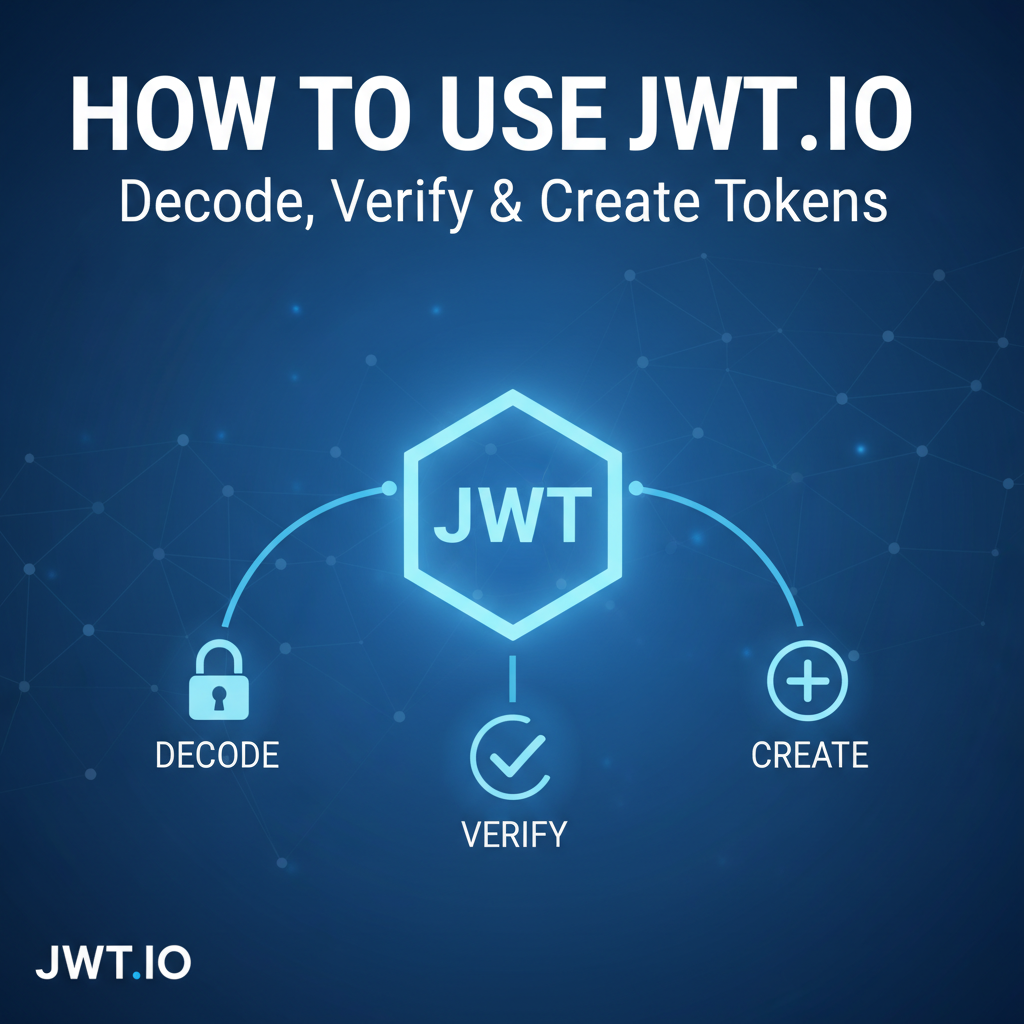
How to Use JWT.io: Decode, Verify & Create Tokens


In the vast and interconnected landscape of modern web development, where applications communicate through intricate networks of services, the need for robust and efficient authentication and authorization mechanisms has never been more paramount. Enterprises and developers alike increasingly rely on APIs (Application Programming Interfaces) to power everything from mobile applications to complex microservices architectures. Central to securing these api interactions is the JSON Web Token, or JWT. This powerful, compact, and URL-safe means of representing claims is the backbone of many authentication flows, providing a stateless and scalable approach to identity verification. Understanding how to interact with, inspect, and manipulate JWTs is an indispensable skill for any developer working with modern web services.
However, the seemingly simple three-part structure of a JWT—header, payload, and signature—can often conceal subtle complexities, particularly when debugging issues related to token validity, expiration, or incorrect signing. This is where tools like JWT.io come into their own. JWT.io is an indispensable online utility that demystifies the process of working with JWTs, offering a user-friendly interface to decode, verify, and even create these tokens. It serves as a visual playground for learning about JWTs, a crucial debugging tool for identifying token-related problems, and a practical workbench for generating tokens during development and testing phases.
This comprehensive guide will embark on a deep dive into the world of JWTs, exploring their fundamental structure, their pivotal role in api security, and the intricacies of their implementation. We will then meticulously walk through the capabilities of JWT.io, demonstrating how to leverage its features to effectively decode token contents, verify their integrity, and construct new tokens with precision. By the end of this journey, you will not only possess a profound theoretical understanding of JWTs but also practical mastery of JWT.io, empowering you to navigate the complexities of api authentication and authorization with confidence and expertise. Whether you are a seasoned backend developer, a frontend engineer interacting with secured apis, or a cybersecurity professional seeking to understand token vulnerabilities, this article will equip you with the knowledge and tools necessary to excel.
Part 1: Understanding JSON Web Tokens (JWTs) – The Cornerstone of Modern API Security
Before we delve into the practical utility of JWT.io, it is imperative to establish a solid foundational understanding of what JSON Web Tokens are, why they are so widely adopted, and their fundamental structure. JWTs are far more than just arbitrary strings; they are carefully constructed data containers designed to securely transmit information between parties.
1.1 What is a JWT? A Definitive Explanation
At its core, a JSON Web Token (JWT) is an open standard (RFC 7519) that defines a compact and self-contained way for securely transmitting information between parties as a JSON object. This information can be verified and trusted because it is digitally signed. JWTs are typically used for authentication and authorization in web applications, particularly in stateless environments like those found in RESTful apis and microservices.
Imagine a scenario where a user logs into a web application. Instead of the server creating a session and storing it on its memory (which can become a bottleneck for scalability), the server can generate a JWT. This JWT contains claims about the user (e.g., user ID, roles, expiration time) and is then sent back to the client. For every subsequent request, the client includes this JWT in the request header. The server (or an api gateway) can then verify the token's signature and trust the information within it, without needing to query a database or maintain a session state. This "statelessness" is one of the most significant advantages of JWTs.
1.2 Why JWT? The Advantages Over Traditional Session Management
The rise of JWTs is largely attributed to their inherent benefits, which address several shortcomings of traditional session-based authentication:
- Statelessness and Scalability: In traditional session management, the server stores session data, creating a stateful connection. This becomes problematic when scaling applications horizontally across multiple servers, as session data must be shared or replicated. JWTs are stateless; once issued, the token itself contains all necessary user information. The server only needs to verify the token's signature, allowing any server in a cluster to handle requests without needing shared session storage. This greatly simplifies horizontal scaling and improves the resilience of distributed systems.
- Decentralization and Microservices: In a microservices architecture, different services might need to authenticate users. With JWTs, an authentication service can issue a token, and other microservices can independently verify it using the same secret key (or public key for asymmetric algorithms) without needing to communicate with the authentication service for every request. This fosters greater autonomy among services and reduces inter-service communication overhead.
- Cross-Domain and Mobile Compatibility: JWTs are ideally suited for cross-domain authentication scenarios. Since the token is passed in the request header, it works seamlessly across different subdomains or even entirely different domains, making it perfect for single sign-on (SSO) implementations. Mobile applications also benefit, as JWTs are easily stored and transmitted without relying on browser cookies.
- Reduced Database Load: With JWTs, fewer database lookups are required per request. User information embedded in the token can often suffice for authorization decisions, reducing the load on the database and improving response times.
- Security Features: When implemented correctly, JWTs offer robust security. The digital signature ensures the token's integrity (it hasn't been tampered with) and authenticity (it was issued by a trusted entity). Encryption (JWE) can further protect the token's payload confidentiality, although JWS (signed tokens) are more commonly used.
1.3 The Anatomy of a JWT: Header, Payload, and Signature
A JWT is composed of three distinct parts, separated by dots (.), and each part is Base64Url-encoded. The typical structure looks like this: header.payload.signature. Let's break down each component in detail.
1.3.1 The Header
The header, also known as the alg (algorithm) and typ (type) header, is a JSON object that typically consists of two fields:
alg(Algorithm): This field specifies the cryptographic algorithm used to sign the JWT. Common algorithms include HMAC with SHA-256 (HS256) and RSA with SHA-256 (RS256). The choice of algorithm dictates whether a shared secret key (symmetric algorithms like HS256) or a public/private key pair (asymmetric algorithms like RS256) will be used for signing and verification.typ(Type): This field specifies the type of token, which is almost always "JWT".
Example Header (JSON):
{
  "alg": "HS256",
  "typ": "JWT"
}
This JSON object is then Base64Url-encoded to form the first part of the JWT. Base64Url encoding is a variant of Base64 that uses URL-safe characters, making it suitable for transmission in URLs, headers, and other web contexts.
1.3.2 The Payload
The payload, also known as the claims set, is another JSON object that contains the actual information (claims) about the entity (typically, the user) and additional data. Claims are statements about an entity (usually, the user) and additional metadata. There are three types of claims: registered, public, and private claims.
- Registered Claims: These are a set of predefined, non-mandatory claims recommended for interoperability. While not strictly enforced, they provide a set of useful, commonly understood claims.
iss(Issuer): Identifies the principal that issued the JWT.sub(Subject): Identifies the principal that is the subject of the JWT. Often a user ID.aud(Audience): Identifies the recipients that the JWT is intended for.exp(Expiration Time): Specifies the expiration time on or after which the JWT MUST NOT be accepted for processing. It's a Unix timestamp.nbf(Not Before): Specifies the time before which the JWT MUST NOT be accepted for processing.iat(Issued At): Specifies the time at which the JWT was issued.jti(JWT ID): Provides a unique identifier for the JWT. Can be used to prevent replay attacks.
- Public Claims: These can be defined by anyone using JWTs. To avoid collisions, they should be defined in the IANA JSON Web Token Registry or be a URI that contains a collision-resistant name space.
- Private Claims: These are custom claims created to share information between parties that agree on their meaning. They are not registered or public and should be used with caution to avoid collisions. Examples might include
userId,roles,company, etc.
Example Payload (JSON):
{
  "sub": "1234567890",
  "name": "John Doe",
  "admin": true,
  "exp": 1704067200, // January 1, 2024, 00:00:00 UTC
  "iat": 1704063600  // January 1, 2024, -1 hour UTC
}
Similar to the header, this JSON object is then Base64Url-encoded to form the second part of the JWT. It's crucial to remember that the payload is not encrypted by default; it is only encoded. Therefore, sensitive information that should not be visible to the client should never be placed in the payload. Confidentiality requires JWE (JSON Web Encryption).
1.3.3 The Signature
The signature is the most critical part of a JWT, as it ensures the token's integrity and authenticity. It is created by taking the Base64Url-encoded header, the Base64Url-encoded payload, a secret key (or a private key for asymmetric algorithms), and the algorithm specified in the header.
The signature is calculated as follows:
HMACSHA256(base64UrlEncode(header) + "." + base64UrlEncode(payload), secret)
- For symmetric algorithms (like HS256), a single secret key is shared between the issuer and the verifier.
- For asymmetric algorithms (like RS256 or ES256), the issuer signs the token with a private key, and the verifier uses the corresponding public key to verify the signature.
The resulting cryptographic hash or digital signature is then Base64Url-encoded to form the third part of the JWT. If any part of the header or payload is tampered with, the signature verification will fail, indicating that the token is invalid and should be rejected. This mechanism prevents malicious actors from altering the claims within a JWT.
1.4 Types of JWTs: JWS (Signed) vs. JWE (Encrypted)
While the most common form described above is a JSON Web Signature (JWS), which provides integrity and authenticity, there's also JSON Web Encryption (JWE).
- JWS (JSON Web Signature): This is the focus of most discussions and tools like JWT.io. It ensures that the token has not been tampered with and was issued by a trusted source. The content of the token (header and payload) is readable by anyone who obtains the token, but its integrity is guaranteed.
- JWE (JSON Web Encryption): This provides confidentiality for the JWT's contents. The header and payload are encrypted, making them unreadable without the correct decryption key. JWE is used when the information in the token needs to be kept secret from unauthorized parties. While powerful, JWE adds complexity and is less commonly implemented than JWS for basic authentication schemes, where the payload typically contains non-sensitive user IDs or roles.
This guide will primarily focus on JWS, as it is what JWT.io primarily helps with and is the most common use case for JWTs in api authentication.
1.5 Common Use Cases for JWTs
JWTs have found widespread adoption across various domains due to their inherent flexibility and security features:
- Authentication: This is the most prevalent use case. When a user successfully logs in, a server issues a JWT. The client stores this token and includes it with subsequent requests. The server verifies the token to authenticate the user for each request. This is particularly efficient for single-page applications (SPAs) and mobile apps interacting with backend
apis. - Authorization: Once authenticated, the claims within the JWT (e.g.,
admin: true,roles: ["editor", "viewer"]) can be used to determine what resources or actions a user is authorized to access. This can be performed directly by the backend service or by anapi gatewaypreceding the services. - Information Exchange: JWTs can securely transmit information between parties. Since the information is signed, the receiver can verify the sender's identity and ensure the message hasn't been altered. This is useful for secure data transfer between different applications or services.
- Single Sign-On (SSO): In an SSO environment, a user logs in once to an identity provider, which then issues a JWT. This JWT can then be used to access multiple service providers without requiring the user to log in again for each service.
- API Security: For
apis, JWTs provide a stateless and scalable way to secure endpoints. Anapi gatewayor individualapiendpoints can be configured to require a valid JWT for access, simplifying security enforcement and centralizing authentication logic.
The elegance and efficiency of JWTs make them a critical component in securing the complex api ecosystems that underpin modern digital experiences. With this foundational knowledge, we are now ready to explore how JWT.io empowers developers to interact with these powerful tokens.
Part 2: Introducing JWT.io – Your Essential JWT Toolkit
Having established a solid understanding of JWTs and their significance, it's time to introduce the primary tool we'll be exploring: JWT.io. This free, open-source online utility has become an indispensable resource for developers, security professionals, and anyone working with JSON Web Tokens. It simplifies the often-complex tasks of decoding, verifying, and creating JWTs, making the underlying mechanics more transparent and accessible.
2.1 What is JWT.io? Purpose and Core Features
JWT.io is a web-based debugger and generator for JSON Web Tokens. It provides an intuitive graphical interface that allows users to perform several critical operations on JWTs without needing to write any code or set up local environments. Its primary functions revolve around:
- Decoding: Breaking down a given JWT into its constituent Base64Url-encoded header, payload, and signature components, and then decoding these components back into human-readable JSON. This helps in understanding the claims embedded within a token.
- Verifying: Checking the integrity and authenticity of a JWT by re-calculating its signature using the provided header algorithm and a secret key or public key, then comparing it against the token's existing signature. This confirms whether the token has been tampered with and was issued by a trusted source.
- Creating: Constructing new JWTs from scratch by defining the header and payload claims, selecting a signing algorithm, and providing a secret or key pair. This is invaluable for testing
apiendpoints, mocking authentication, and learning the structure of JWTs.
The site is maintained by Auth0, a leading identity platform, and benefits from continuous improvements and a deep understanding of api authentication challenges. Its robust features make it a go-to tool for developers worldwide.
2.2 Why Use JWT.io? Practical Benefits for Developers
The practical benefits of integrating JWT.io into your development workflow are numerous and significant:
- Debugging Token Issues: Perhaps the most common use case is debugging. If your application's
apiis rejecting a JWT, or if you suspect a token is malformed or expired, pasting it into JWT.io instantly reveals its decoded contents. You can see theexp(expiration) claim, identify missing claims, or spot incorrect values, helping you quickly pinpoint the root cause of authentication or authorization failures. - Learning and Exploration: For newcomers to JWTs, JWT.io provides an excellent visual learning aid. You can see how changes to the header or payload immediately affect the encoded token string. You can experiment with different algorithms and secrets to understand their impact on the signature. This hands-on approach greatly accelerates comprehension.
- Rapid Token Generation for Testing: During development, you often need valid JWTs to test secured
apiendpoints without going through a full authentication flow. JWT.io allows you to quickly create custom tokens with specific claims (e.g., administrator privileges, specific user IDs, short expiration times) tailored for your testing scenarios. - Verifying API Gateway Configurations: When an
api gatewayis configured to validate incoming JWTs, you can use JWT.io to ensure that the tokens you are generating (or receiving) are correctly signed and will be accepted by thegateway. This helps validate yourgateway's security policies. - Security Audits and Analysis: Security professionals can use JWT.io to analyze tokens found in traffic captures or application storage. It helps in quickly assessing the information exposed in the payload and confirming the integrity of tokens, potentially identifying vulnerabilities if tokens are signed with weak secrets or expose excessive sensitive data.
- Cross-Platform Compatibility: As a web-based tool, JWT.io is accessible from any operating system and browser, eliminating the need for local installations or specific environment configurations. This makes it a highly portable and convenient utility.
2.3 Navigating the JWT.io Interface: A Quick Tour
The JWT.io interface is remarkably straightforward, typically divided into a few key areas:
- Encoded Text Area (Left Panel): This is where you paste an existing JWT or where a newly created token will appear. It's the raw, Base64Url-encoded string representing the complete token.
- Decoded Panels (Middle Panel): This section displays the decoded JSON objects for the
HeaderandPayload. It visually separates the two parts, making them easy to read and inspect. This is the heart of the decoding functionality. - Verification Section (Right Panel/Bottom): This area is dedicated to signature verification and token creation. It allows you to select the signing algorithm, input the secret key (or public/private key pair), and see the verification status ("Signature Verified" or "Invalid Signature"). When creating a token, you can also directly edit the Header and Payload JSON here.
The layout is intuitive, guiding the user through the process of inputting a token, viewing its decoded components, and then interacting with its cryptographic signature. The interactive nature of the site means that as you type in the secret or modify claims, the encoded token and verification status update in real-time, providing immediate feedback.
Part 3: Decoding JWTs with JWT.io – Unveiling Token Contents
The primary and most frequently used feature of JWT.io is its ability to decode JSON Web Tokens. This process breaks down the opaque token string into its human-readable header and payload components, offering immediate insights into the token's structure and the claims it carries. This section will guide you through the process and explain how to interpret the results.
3.1 Step-by-Step: Pasting and Decoding a JWT
Decoding a JWT on JWT.io is incredibly simple and requires only a few steps:
- Obtain a JWT: Before you can decode anything, you need a JWT. You might obtain this from a network request (e.g., inspecting the
Authorizationheader in a browser's developer tools or from anapiresponse body), from an application's local storage, or from a test script. - Navigate to JWT.io: Open your web browser and go to https://jwt.io/.
- Paste the Token: Locate the large text area on the left-hand side of the page, usually labeled "Encoded." Paste your complete JWT string into this input field.
Instantaneous Decoding: As soon as you paste a valid JWT, JWT.io automatically and instantly decodes the header and payload. You will see two JSON objects appear in the middle section of the page: one for the "HEADER: ALGORITHM & TOKEN TYPE" and another for the "PAYLOAD: DATA."
This immediate feedback is one of the most powerful aspects of JWT.io. There's no "decode" button to click; the process is real-time.
3.2 Explaining the Decoded Header
Once decoded, the "HEADER: ALGORITHM & TOKEN TYPE" panel will display a JSON object similar to this:
{
  "alg": "HS256",
  "typ": "JWT"
}
Let's break down what these fields tell you:
alg(Algorithm): This is crucial. It tells you exactly which cryptographic algorithm was used to sign the token.- HS256 (HMAC-SHA256): A symmetric algorithm. This means the same secret key is used for both signing and verification. This is common for simpler setups where the issuer and verifier are the same entity or share a trusted secret.
- RS256 (RSA-SHA256): An asymmetric algorithm. This means a private key is used for signing, and a public key is used for verification. This is common in more complex architectures, especially with multiple services verifying tokens issued by a central identity provider, where the private key remains secret with the issuer, and the public key is widely distributed for verification.
- ES256 (ECDSA-SHA256): Another asymmetric algorithm, using Elliptic Curve Digital Signature Algorithm. Offers similar security to RSA with smaller key sizes. Understanding the
algvalue is vital because it dictates what kind of key you'll need (shared secret, public key, or private key) for signature verification later.
typ(Type): Almost always "JWT," this field simply identifies that the token is a JSON Web Token. While it might seem redundant, it helps parsers quickly identify the token type.
The header provides the meta-information necessary for processing and verifying the token. Without a valid header, the token cannot be properly understood or secured.
3.3 Interpreting the Decoded Payload – Claims and Their Significance
The "PAYLOAD: DATA" panel is where the core information of the JWT resides. It will display a JSON object containing various claims, for example:
{
  "sub": "user_id_123",
  "name": "Alice Wonderland",
  "email": "alice@example.com",
  "roles": ["user", "premium"],
  "iat": 1704063600, // Unix timestamp for "Issued At"
  "exp": 1704067200, // Unix timestamp for "Expiration Time"
  "jti": "some-unique-token-id"
}
Each field in the payload is a "claim," and understanding these claims is key to understanding the token's purpose and validity.
3.3.1 Common Registered Claims to Look For:
sub(Subject): This claim usually identifies the entity for whom the JWT is issued. In an authentication context, it typically holds a unique user identifier, such as a user ID, email address, or username. It's often the most important claim for identifying the authenticated principal.iss(Issuer): If present, this claim identifies the entity that issued the JWT. For example, it might be the URL of your authentication service (e.g.,https://auth.example.com). This helps verify that the token originates from a trusted source.aud(Audience): This claim identifies the intended recipients of the JWT. Anapithat receives a token with anaudclaim should verify that its own identifier is present in theaudvalue. This prevents tokens intended for one service from being used with another.exp(Expiration Time): This is extremely important for security. Theexpclaim specifies the time after which the JWT MUST NOT be accepted for processing. It's a Unix timestamp (seconds since epoch). When you decode a token, JWT.io often highlights expired tokens or converts the Unix timestamp to a human-readable date and time for convenience. Ifexpis in the past, the token is expired and should be rejected.iat(Issued At): This claim specifies the time at which the JWT was issued. It's also a Unix timestamp. Useful for understanding the token's age and for calculating its remaining validity period.nbf(Not Before): If present, this claim specifies the time before which the JWT MUST NOT be accepted. Useful for tokens that should only become valid at a future time.jti(JWT ID): This optional claim provides a unique identifier for the JWT. It can be used to prevent the token from being replayed (used multiple times) within a short period, especially if tokens are stored in a blacklist for revocation.
3.3.2 Custom/Private Claims:
Beyond the registered claims, you will often find custom claims specific to the application or api ecosystem. In the example above, name, email, and roles are private claims.
name: The user's full name.email: The user's email address.roles: An array indicating the user's roles or permissions (e.g.,admin,editor,viewer). These are critical for fine-grained authorization decisions within your backendapis.
When debugging, carefully inspect all claims. Are the sub and email values what you expect? Are the roles correct? Is the exp claim set too far in the future (a security risk) or too close to the past (causing premature expiration)? Mismatched or incorrect claims are frequent sources of api authorization errors.
3.4 Security Implications of Decoded Information
It's crucial to reiterate: the payload is only Base64Url-encoded, not encrypted. Anyone who obtains a JWT can easily decode its header and payload using JWT.io or similar tools. This means that you must never put sensitive, confidential information in the payload that should not be exposed to the client.
For example, never put a user's password, personal identifiable information (PII) that requires strict confidentiality (unless encrypted with JWE), or sensitive api keys directly into a JWS payload. The payload should only contain claims that are necessary for authentication and authorization decisions and that are safe to be exposed. If confidentiality is required, JSON Web Encryption (JWE) must be used, which is a more complex topic beyond the scope of basic JWT.io usage.
Understanding what information is exposed in the decoded payload is a fundamental aspect of api security and responsible token design. Always prioritize privacy and principle of least privilege when crafting your JWT claims.
Part 4: Verifying JWTs with JWT.io – Ensuring Integrity and Authenticity
Decoding a JWT reveals its contents, but it does not guarantee its authenticity or integrity. A decoded token might appear valid, but its claims could have been tampered with, or it might have been issued by an unauthorized party. This is where signature verification comes into play. Signature verification is the most critical security feature of JWTs, and JWT.io provides an easy way to perform this check.
4.1 The Importance of Signature Verification
The digital signature part of a JWT serves two paramount purposes:
- Integrity: It ensures that the header and payload of the token have not been altered after it was issued. If even a single character in the header or payload is changed, the signature will no longer match, indicating tampering.
- Authenticity: It confirms that the token was issued by a legitimate and trusted entity that possesses the correct secret key (for symmetric algorithms) or private key (for asymmetric algorithms). If an attacker tries to create a fraudulent token, they won't have the correct key, and their generated signature will be invalid.
Without proper signature verification, JWTs offer no security benefits. Any api endpoint or gateway receiving a JWT must verify its signature before trusting any claims within the payload. Failing to do so is a severe security vulnerability.
4.2 How JWT.io Verifies a Token: The Process
JWT.io streamlines the verification process by automatically attempting to verify the signature once you provide the necessary key. Here's how it works:
- Reads Header and Payload: After you paste a token, JWT.io reads the Base64Url-encoded header and payload.
- Identifies Algorithm: It extracts the
algfield from the decoded header (e.g., "HS256," "RS256"). - Requires Secret/Key: Based on the algorithm, it prompts you to provide the corresponding secret key (for symmetric algorithms) or public key (for asymmetric algorithms).
- Recalculates Signature: Using the provided key and the algorithm specified in the header, JWT.io recalculates the signature over the header and payload.
- Compares Signatures: It then compares the newly calculated signature with the signature present in the original JWT string.
- Displays Status: Based on the comparison, it displays a clear "Signature Verified" (green) or "Invalid Signature" (red) message.
4.3 Step-by-Step: Providing the Secret/Public Key for Verification
To verify a JWT on JWT.io, follow these steps after pasting your token:
- Locate the Signature Verification Section: This is usually on the right-hand side or at the bottom of the JWT.io interface.
- Identify the Algorithm: Look at the
algfield in the decoded header panel. This tells you which type of key you need.- For HS256 (HMAC-SHA256) or other symmetric algorithms: You'll see a text field labeled "your-secret" or similar. This is where you paste the exact secret key (a string) that was used to sign the token. This key must be identical to the one known by the issuer.
- For RS256 (RSA-SHA256), ES256 (ECDSA-SHA256), or other asymmetric algorithms: You'll typically see fields for "Public Key" and potentially "Private Key." For verification, you need to provide the Public Key. The public key is usually provided in PEM format. You'll paste the public key string (including
-----BEGIN PUBLIC KEY-----and-----END PUBLIC KEY-----lines) into the designated public key input area.
- Input the Key: Carefully paste the secret key or public key into the appropriate field.
- Observe Verification Result: As soon as you provide the correct key, JWT.io will automatically attempt the verification.
- "Signature Verified" (Green): This indicates that the token's signature is valid. The token has not been tampered with, and it was issued by an entity possessing the correct key. You can trust the claims within the payload (subject to expiration checks).
- "Invalid Signature" (Red): This is a critical warning. It means either:
- The token's header or payload was tampered with after it was signed.
- The secret key or public key you provided is incorrect.
- The token was signed by an entity that does not possess the correct key (i.e., it's a fraudulent token). In any case, an invalid signature means the token must be rejected by your application or
api gateway.
Example of an Invalid Signature scenario:
If you try to change even a single character in the Payload section (which is editable on JWT.io), the "Signature Verified" status will immediately change to "Invalid Signature," demonstrating the integrity protection. This highlights how effective the signature mechanism is against tampering.
4.4 Understanding Verification Results and Debugging
When troubleshooting api authentication issues, the verification status on JWT.io is invaluable:
- If the signature is invalid:
- Check the Secret/Public Key: Is it absolutely correct? Even a single character difference will cause failure. For public keys, ensure the entire PEM block is included.
- Algorithm Mismatch: Does the algorithm in the token's header (
alg) match the algorithm you think was used and for which you have the key? - Token Tampering: If you are certain about the key and algorithm, then the token itself might have been altered in transit or before reaching your application. This is a serious security incident.
- If the signature is valid, but the
apistill rejects the token:- Expiration (
exp) Claim: Check if theexpclaim in the payload is in the past. Even a validly signed token is invalid if it has expired. JWT.io often highlights this. - Not Before (
nbf) Claim: Check if thenbfclaim is in the future. - Audience (
aud) Claim: Ensure theaudclaim matches what yourapiexpects. - Issuer (
iss) Claim: Verify theissclaim matches your trusted issuer. - Required Custom Claims: Does the token contain all the necessary custom claims (e.g.,
roles,permissions) that yourapirequires for authorization? - Clock Skew: Ensure that the server validating the token has its clock synchronized. A significant time difference can cause
expchecks to fail even if the token isn't truly expired from the issuer's perspective.
- Expiration (
4.5 Connecting Verification to API Gateway Security
In a robust api architecture, api gateways play a pivotal role in enforcing security policies, including JWT validation. An api gateway sits at the edge of your network, acting as a single entry point for all api requests. Before routing requests to backend services, a well-configured gateway will:
- Perform JWT Signature Verification: It will check the validity of the JWT's signature using the appropriate keys.
- Validate Claims: It will check for expiration (
exp),nbf,aud,iss, and potentially custom claims to ensure the token is suitable for the requested resource. - Reject Invalid Tokens: If the token fails any validation, the
gatewaywill reject the request immediately, preventing invalid or malicious tokens from ever reaching your backend services. - Extract and Forward Claims: For valid tokens, the
gatewaycan extract relevant claims from the payload (e.g.,user_id,roles) and forward them to the backend services in custom headers, simplifying the authorization logic for those services.
Using JWT.io to verify tokens is an excellent way to ensure that the tokens your applications are producing or consuming will be accepted by your api gateway or backend services. It acts as a pre-check, saving valuable debugging time during integration.
APIPark is a high-performance AI gateway that allows you to securely access the most comprehensive LLM APIs globally on the APIPark platform, including OpenAI, Anthropic, Mistral, Llama2, Google Gemini, and more.Try APIPark now! 👇👇👇
Part 5: Creating JWTs with JWT.io – Generating Tokens for Development and Testing
Beyond decoding and verifying, JWT.io offers a powerful capability to create new JSON Web Tokens from scratch. This feature is particularly useful for developers who need to generate custom tokens for testing purposes, simulate different user roles, or understand the token generation process firsthand. While not intended for production-grade token issuance, it's an invaluable tool for development environments.
5.1 When You Might Need to Create a Token
There are several scenarios where manually creating a JWT via JWT.io is incredibly beneficial:
- API Endpoint Testing: When building or testing a secured
apiendpoint, you often need a valid token to authorize your requests. Instead of going through a full user registration/login flow for every test, you can quickly generate a token with specific claims (e.g., a specific user ID, administrative privileges) using JWT.io. - Simulating User Roles/Permissions: To test role-based access control (RBAC), you can create tokens that represent different user roles (e.g.,
admin,editor,viewer) and verify that yourapicorrectly grants or denies access based on these roles. - Debugging Authorization Logic: If your
api's authorization logic is not working as expected, you can craft a token with precise claims and then step through your backend code to see how it interprets those claims, helping you identify where the logic might be failing. - Proof of Concept (PoC) Development: For quickly demonstrating a feature or a security concept that relies on JWTs, generating tokens on JWT.io can accelerate your PoC development without needing to set up an identity provider.
- Learning and Experimentation: As a learning tool, creating tokens helps you understand the direct relationship between the header, payload, algorithm, and secret, and how they combine to form the final token string.
5.2 Step-by-Step: Setting the Header on JWT.io
To create a new token, you'll work primarily in the "HEADER: ALGORITHM & TOKEN TYPE" and "PAYLOAD: DATA" sections of JWT.io, which are editable.
- Clear Existing Content (Optional): If there's an existing token, you might want to clear it or simply start editing the JSON objects.
- Edit the Header JSON: In the "HEADER: ALGORITHM & TOKEN TYPE" panel, you'll see a JSON editor.
alg(Algorithm): This is the most important field to set. Choose an algorithm based on your testing needs.HS256(HMAC with SHA-256) is typically the easiest for testing, as it only requires a shared secret string.RS256(RSA with SHA-256) requires a private/public key pair, which is more complex to set up but represents a more secure, production-ready asymmetric signing method. For testing withRS256, you would need to generate an RSA key pair separately and paste the private key into JWT.io for signing, and the public key for verification.
typ(Type): Leave this as "JWT" unless you have a very specific, non-standard reason to change it.
Example Header Input:
{
  "alg": "HS256",
  "typ": "JWT"
}
As you type, the encoded header part of the JWT (the first segment) will update in the "Encoded" text area on the left.
5.3 Step-by-Step: Crafting the Payload (Claims)
Next, you'll define the claims you want to include in your token.
- Edit the Payload JSON: In the "PAYLOAD: DATA" panel, you'll edit the JSON object to include your desired claims.
- Include Essential Claims:
sub(Subject): Always include asubclaim, as it's the primary identifier for the user or entity. E.g.,"sub": "test_user_42".exp(Expiration Time): It's highly recommended to include anexpclaim, especially for tokens used in development. This prevents tokens from being valid indefinitely. JWT.io often provides a convenient button or a pre-filled value forexpthat is a few hours or days in the future. If not, you can use an online Unix timestamp converter to get a timestamp for a future date (e.g.,Math.floor(Date.now() / 1000) + (60 * 60)for 1 hour from now).iat(Issued At): Also useful to include for tracking when the token was issued. JWT.io usually auto-populates this if you start from a blank payload.
- Add Custom Claims: Include any custom claims relevant to your
api's authorization logic.- E.g.,
"roles": ["developer", "tester"],"companyId": "XYZcorp","scope": "read:data write:data".
- E.g.,
Example Payload Input:
{
  "sub": "test_user_123",
  "username": "tester-dev",
  "roles": ["api_tester"],
  "exp": 1704153600, // Example: Jan 2, 2024, 00:00:00 UTC
  "iat": 1704149999  // Example: Jan 1, 2024, 23:59:59 UTC
}
As you edit the payload, the encoded payload part of the JWT (the second segment) will update in the "Encoded" text area.
5.4 Choosing the Algorithm and Providing the Secret/Key
Finally, to generate the complete signed token, you need to provide the secret or key.
- Locate the Verification/Signature Section: This is the same area where you verify tokens.
- Select Algorithm: Ensure the dropdown or selection for the algorithm matches the
algyou defined in your header (e.g., "HMACSHA256"). JWT.io usually auto-selects this based on your header. - Input the Secret/Key:
- For Symmetric Algorithms (e.g., HS256): Enter your chosen secret string into the "your-secret" field. This can be any string, but for robust testing, choose a complex, long string (e.g.,
super-secret-development-key-12345!). - For Asymmetric Algorithms (e.g., RS256): You will need to provide a private key (in PEM format) in the "Private Key" field to sign the token. You would then use the corresponding public key to verify it. Generating RSA key pairs is usually done via command-line tools like OpenSSL (
openssl genrsa -out private.pem 2048,openssl rsa -in private.pem -outform PEM -pubout -out public.pem). For simpler development, HS256 is often preferred.
- For Symmetric Algorithms (e.g., HS256): Enter your chosen secret string into the "your-secret" field. This can be any string, but for robust testing, choose a complex, long string (e.g.,
Result: Once the header, payload, and secret/key are all correctly entered, JWT.io will instantly generate the complete Base64Url-encoded JWT in the left-hand "Encoded" panel. The signature status will also show "Signature Verified" (green) because you've just created a valid token with the provided key.
5.5 Best Practices for Creating Tokens (Even for Development)
While creating tokens for testing, it's still good practice to follow some security principles:
- Short Expiration Times: Do not create tokens with excessively long expiration times, even for testing. This reduces the window of opportunity if a test token accidentally leaks.
- Minimal Necessary Claims: Only include the claims absolutely required for your testing scenario. Avoid adding unnecessary or potentially sensitive data.
- Strong (Test) Secrets: Even for development, avoid trivial secrets like "secret." Use a reasonably complex string to simulate real-world conditions.
- Algorithm Matching: Always ensure the algorithm used for signing matches what your
apiexpects. Mismatches are a common source of verification failures. - Discard Test Tokens: After testing, consider invalidating or simply discarding any manually created tokens. Do not reuse them indefinitely.
By effectively using JWT.io to create tokens, developers can significantly accelerate their testing cycles, thoroughly validate api security, and gain a deeper practical understanding of JWT mechanics, all within a user-friendly web interface.
Part 6: Advanced Concepts and Best Practices for JWT Security
While JWTs offer powerful benefits, their effective and secure implementation requires careful consideration of advanced concepts and adherence to best practices. Misconfigurations or oversight can lead to significant vulnerabilities. This section will delve into critical aspects beyond basic decoding and verification, emphasizing the role of api gateways and robust api management.
6.1 Token Expiration and Renewal Strategies
The exp (expiration) claim is fundamental to JWT security. Tokens should always have a finite lifespan to limit the window of exposure if they are compromised.
- Short-Lived Access Tokens: It is a best practice to issue access tokens with relatively short expiration times (e.g., 5 minutes to 1 hour). This minimizes the impact of a token being stolen. If a short-lived access token is compromised, its utility to an attacker quickly diminishes.
- Refresh Tokens: To provide a seamless user experience with short-lived access tokens, refresh tokens are often used. When an access token expires, the client can use a refresh token (which typically has a much longer lifespan, e.g., days or weeks) to request a new access token without requiring the user to re-authenticate. Refresh tokens are usually stored securely (e.g., httpOnly cookies) and often require server-side validation against a database, making them inherently stateful and revokable.
- Token Rotation: Regularly issuing new access tokens, even if the current one hasn't expired, can add another layer of security, especially in single-page applications.
6.2 Token Revocation: Blacklists vs. Statelessness
The stateless nature of JWTs is a double-edged sword when it comes to revocation. Once issued, a JWT is generally valid until its exp time, as the server doesn't maintain session state. This makes immediate revocation challenging.
- Blacklisting/Denylisting: The most common approach for revoking JWTs before their
exptime (e.g., when a user logs out, changes their password, or reports a compromise) is to maintain a blacklist (or denylist) on the server. This list stores thejti(JWT ID) of revoked tokens. Before accepting any JWT, the server (orapi gateway) checks if itsjtiis on the blacklist. This introduces a slight statefulness and database lookup, but it's a necessary compromise for security. - Short Expiration as Primary Defense: For many applications, relying heavily on short-lived access tokens, combined with refresh tokens for renewal, is sufficient. If an access token is compromised, its short lifespan limits its usefulness to an attacker. The refresh token, being server-validated, can be individually revoked.
- Compromise: The ideal solution often involves a hybrid approach: short-lived access tokens for
apiaccess, backed by long-lived, server-side revokable refresh tokens, and a small, performant blacklist for immediate revocation of critical access tokens (e.g., in a forced logout scenario).
6.3 Secure Storage of Tokens: localStorage vs. httpOnly Cookies
How clients store JWTs is critical for security, particularly against Cross-Site Scripting (XSS) and Cross-Site Request Forgery (CSRF) attacks.
localStorage: Storing JWTs inlocalStorageorsessionStoragein the browser makes them easily accessible via JavaScript. This means that if an attacker successfully injects malicious JavaScript into your web application (XSS attack), they can easily read the JWT fromlocalStorageand use it to impersonate the user. While convenient, it poses a significant XSS risk for access tokens.httpOnlyCookies: Storing JWTs inhttpOnlycookies makes them inaccessible to client-side JavaScript. The browser automatically attaches these cookies to relevantapirequests, making them secure against XSS. However,httpOnlycookies are vulnerable to CSRF attacks if not properly protected (e.g., with CSRF tokens orSameSite=Lax/Strictattributes). Refresh tokens are often stored inhttpOnlycookies due to their longer lifespan.- Secure Implementation: The choice depends on the type of token and application architecture. For access tokens in SPAs, a common (though not universally agreed upon) pattern involves using
httpOnlycookies for refresh tokens andlocalStorage(or memory for short-term access) for short-lived access tokens obtained from the refresh flow, coupled with robust XSS prevention measures. For mobile apps, secure storage mechanisms provided by the OS are preferred.
6.4 Preventing CSRF and XSS Attacks
- XSS (Cross-Site Scripting): As mentioned,
localStorageis vulnerable to XSS. Robust content security policies (CSPs) and careful input sanitization are essential to prevent XSS. If usinglocalStorage, ensure your application is highly resistant to XSS. - CSRF (Cross-Site Request Forgery): If JWTs are stored in regular (non-httpOnly) cookies, they are vulnerable to CSRF.
httpOnlycookies withSameSite=LaxorSameSite=Strictattributes offer good protection. For more complex scenarios, using a synchronized CSRF token (where the server sends a unique, unpredictable token, and the client includes it in a header for subsequent requests) is a strong defense.
6.5 Using JWTs with API Gateways: Enhanced Security and Management
An api gateway is an indispensable component for managing and securing api traffic, especially when using JWTs. It acts as an intermediary between clients and your backend services, centralizing many cross-cutting concerns.
- Centralized Authentication and Authorization: An
api gatewaycan be configured to perform all JWT validation (signature, expiration, claims) at the edge of your network. This offloads authentication logic from individual backend services, allowing them to focus purely on business logic. If a token is invalid, thegatewayrejects the request before it even hits your services, saving resources and increasing security. - Traffic Management:
Gateways can apply rate limiting, throttling, and circuit breakers based on information extracted from the JWT (e.g., user ID, client ID), preventing abuse and ensuring service stability. - Policy Enforcement: Access policies can be defined and enforced at the
gatewaylevel, determining which users (based on JWT claims) can access whichapis or specific endpoints. - Routing and Load Balancing: Based on JWT claims or other request parameters, the
gatewaycan intelligently route requests to different versions of a service or balance traffic across multiple instances. - Logging and Monitoring:
Gateways provide a central point for logging allapicalls, including details extracted from JWTs, which is critical for auditing, monitoring, and troubleshooting.
Implementing a powerful API Gateway is crucial for any enterprise or growing development team that aims for robust, scalable, and secure api operations. It streamlines the deployment, management, and protection of diverse apis, encompassing both traditional REST services and modern AI models. For instance, platforms like APIPark, an open-source AI gateway and API management platform, are specifically designed to simplify the integration and management of various apis, including those secured by JWTs. APIPark offers extensive features for API lifecycle management, authentication, traffic forwarding, and granular access control, which are vital for maintaining secure and efficient API operations. It provides an all-in-one solution for managing, integrating, and deploying AI and REST services with ease, supporting unified API formats for AI invocation and end-to-end API lifecycle management, making it an excellent choice for organizations leveraging APIs at scale.
6.6 Algorithm Selection and Key Management
Choosing the right signing algorithm and securely managing keys are foundational to JWT security.
- Symmetric vs. Asymmetric:
- Symmetric (e.g., HS256): Simpler to implement, but requires the same secret key to be shared between the issuer and all verifiers. This can be challenging to manage securely in distributed systems with many services. Ideal for single-service applications or where issuer and verifier are tightly coupled.
- Asymmetric (e.g., RS256, ES256): More complex, but highly scalable. The issuer signs with a private key (kept secret), and verifiers use the corresponding public key (which can be widely distributed). This allows for easy verification across many services without exposing the signing key. Public keys are often exposed via JWKS (JSON Web Key Set) endpoints.
- Key Strength and Rotation: Always use strong, cryptographically secure keys or secrets. Avoid hardcoding keys in source code. Store them in secure environment variables, secret management services (like AWS Secrets Manager, HashiCorp Vault), or hardware security modules (HSMs). Regularly rotate your signing keys to minimize the impact of a compromised key.
Table: Common JWT Claims and Their Significance
Understanding the common claims within a JWT payload is crucial for effective api security and debugging. This table provides a quick reference for the most frequently encountered registered claims.
| Claim | Full Name | Description | Importance in API Security | Example Value |
|---|---|---|---|---|
iss |
Issuer | Identifies the principal that issued the JWT. This claim helps consumers distinguish JWTs issued by different parties. | Authentication: Verifying the issuer ensures the token comes from a trusted identity provider. An api gateway might reject tokens from unrecognized issuers. |
"https://auth.example.com" or "my-service-identity" |
sub |
Subject | Identifies the principal that is the subject of the JWT. This is typically a unique identifier for the user or client application authenticated by the token. | Authentication & Authorization: This is often the primary identifier used by an api to recognize who is making the request. It links the token to a specific user record for retrieving roles or permissions. |
"user12345" or "client_app_id_xyz" |
aud |
Audience | Identifies the recipients that the JWT is intended for. Each recipient must identify itself with a value in the audience claim. If the audience claim is present, then the application processing the JWT must verify that its identifier is among the audience values. | Authorization: Prevents tokens issued for one service from being used with another. An api gateway or backend service should verify that its own unique identifier is present in the aud claim. |
"api.example.com" or ["web_app", "mobile_app"] |
exp |
Expiration Time | Identifies the expiration time on or after which the JWT MUST NOT be accepted for processing. The value is a Unix timestamp (seconds since epoch). | Critical Security: Absolutely essential for limiting the lifespan of a token. An expired token should always be rejected, even if its signature is valid. Crucial for mitigating the impact of token theft. | 1704067200 (Equivalent to Jan 1, 2024 00:00:00 UTC) |
nbf |
Not Before | Identifies the time before which the JWT MUST NOT be accepted for processing. The value is a Unix timestamp. This allows for delaying the effective start time of a token. | Security: Useful for ensuring a token isn't used prematurely. If a token is issued for a future event, nbf ensures it's not valid until that time. Less common than exp. |
1704063600 (Equivalent to Dec 31, 2023 23:00:00 UTC) |
iat |
Issued At | Identifies the time at which the JWT was issued. The value is a Unix timestamp. | Auditing & Session Management: Useful for auditing, tracking token age, and determining how long a user has been logged in. Can be used in conjunction with exp to calculate remaining validity. |
1704063600 (Equivalent to Dec 31, 2023 23:00:00 UTC) |
jti |
JWT ID | Provides a unique identifier for the JWT. The identifier can be used to prevent the JWT from being replayed (e.g., by checking if the ID has been seen before in a blacklist). | Security (Revocation & Replay Protection): Crucial for implementing token blacklisting. When a token is revoked (e.g., user logs out), its jti is added to a server-side list, and subsequent requests with that jti are rejected, even if the token hasn't expired. |
"a-random-uuid-string-123" |
roles (Custom) |
User Roles | A common private claim used to specify the roles or permissions granted to the user. This enables role-based access control (RBAC) at the api level. |
Authorization: Directly used by apis and api gateways to make authorization decisions about which resources a user can access or which actions they can perform. |
["admin", "user", "editor"] or "user_role" |
scope (Custom) |
Access Scope | Another common private claim defining the specific permissions or resources a token grants access to. Often used in OAuth 2.0 contexts. | Authorization: Enables fine-grained authorization. For example, a token might grant read:profile but not write:profile. API gateways can enforce these scopes before routing to backend services. |
"read:user write:posts" |
These best practices, combined with a clear understanding of JWT mechanics and the strategic deployment of api gateways, form the bedrock of a secure and scalable api ecosystem. JWT.io remains an invaluable ally in implementing and debugging these complex systems effectively.
Part 7: JWT Alternatives and When to Use Them
While JWTs are incredibly versatile and widely adopted, they are not the only solution for authentication and authorization. Understanding their alternatives and when to consider them is crucial for making informed architectural decisions in your api and application development.
7.1 Traditional Session Tokens
Before JWTs became prevalent, session-based authentication was the standard.
- How it works: When a user logs in, the server creates a session record (often stored in a database, in-memory cache, or file system) and assigns a unique
session ID. Thissession IDis then sent to the client, usually as anhttpOnlycookie. For subsequent requests, the client sends thissession IDback to the server, which then looks up the corresponding session data to authenticate and authorize the user. - When to use:
- Monolithic Applications: Ideal for traditional, stateful web applications where all components reside on a single server or a tightly coupled cluster.
- Strong Revocation Needs: Session tokens are inherently easy to revoke. Simply deleting the session record on the server immediately invalidates the user's session.
- Browser-Based Web Apps (with CSRF protection):
httpOnlycookies are naturally protected against XSS. With proper CSRF protection, they can be very secure for browser-based applications.
- Drawbacks:
- Scalability Challenges: Maintaining session state across multiple servers (especially in horizontally scaled or microservices architectures) requires complex solutions like sticky sessions or distributed session stores, which add overhead.
- Not Ideal for Mobile/Cross-Domain: Relying on cookies makes them less flexible for mobile applications or cross-domain
apicalls.
7.2 OAuth 2.0 and OpenID Connect (OIDC)
It's important to clarify that OAuth 2.0 and OIDC are not direct alternatives to JWTs but rather protocols that often use JWTs.
- OAuth 2.0: An authorization framework that enables an application to obtain limited access to a user's resources on an HTTP service, without giving the application the user's full credentials. It defines roles (resource owner, client, authorization server, resource server) and grant types (e.g., authorization code, client credentials). OAuth 2.0 is about delegated authorization, not authentication.
- When to use: When you need a third-party application to access resources on behalf of a user without exposing user credentials (e.g., "Login with Google," connecting a third-party app to your fitness tracker data).
- OpenID Connect (OIDC): An identity layer built on top of OAuth 2.0. It allows clients to verify the identity of the end-user based on authentication performed by an Authorization Server, as well as to obtain basic profile information about the end-user. OIDC uses an
ID Token, which is typically a JWT, to convey identity information.- When to use: When you need a standardized protocol for authentication (verifying user identity) and obtaining basic user profile information, especially in federated identity scenarios or with identity providers like Google, Auth0, Okta, etc.
Relationship with JWTs: In OAuth 2.0 and OIDC flows, JWTs are commonly used as: * Access Tokens: To grant access to protected resources. * ID Tokens (in OIDC): To convey user identity information from the identity provider to the client.
So, while you might choose to use OAuth 2.0/OIDC, you'll very likely be interacting with JWTs as part of those protocols.
7.3 API Keys
API keys are simple token strings that identify a client application, rather than a specific user.
- How it works: A unique string (the API key) is generated and issued to a client application. The client includes this key with every
apirequest (e.g., in a header or query parameter). Theapiserver orapi gatewayverifies the key against a stored list to grant or deny access. - When to use:
- Machine-to-Machine Communication: Ideal for service accounts, server-to-server communication, or public
apis where a specific user identity isn't required, but application identification is. - Rate Limiting and Usage Tracking: Excellent for identifying client applications for billing, rate limiting, and tracking
apiconsumption.
- Machine-to-Machine Communication: Ideal for service accounts, server-to-server communication, or public
- Drawbacks:
- No User Identity: API keys don't convey user identity, only application identity.
- Limited Security: They typically lack expiration or sophisticated revocation mechanisms without additional server-side logic. If an API key is compromised, it's hard to distinguish legitimate from illegitimate requests without changing the key.
- No Cryptographic Signature: No inherent protection against tampering like JWTs.
7.4 Mutual TLS (mTLS)
Mutual Transport Layer Security (mTLS) is a method for two parties to authenticate each other using TLS (the same technology that secures HTTPS).
- How it works: In addition to the server proving its identity to the client (standard TLS), the client also presents a digital certificate to the server. Both parties verify each other's certificates, establishing mutual trust.
- When to use:
- High-Security Machine-to-Machine: Excellent for highly secure service-to-service communication within a trusted network (e.g., microservices in a private cloud) where both sides need strong identity verification.
- Zero Trust Networks: A core component of zero-trust architectures, ensuring only authenticated and authorized services can communicate.
- Drawbacks:
- Complexity: Requires managing client-side certificates, which can be complex to generate, distribute, and revoke, especially for client-side web or mobile applications.
- Not User-Facing: Primarily for machine-to-machine, not direct user authentication.
Choosing the Right Approach
The "best" authentication/authorization method is context-dependent.
- For user authentication in modern web/mobile apps and microservices: JWTs (often within an OIDC framework) are a strong choice due to statelessness, scalability, and built-in integrity.
- For server-to-server
apiaccess or external publicapis: API keys or mTLS might be more suitable. - For delegated authorization (e.g., third-party app access): OAuth 2.0 is the standard.
- For legacy monolithic applications: Traditional sessions might still be appropriate.
Often, a combination of these approaches is used. For example, a system might use OIDC/JWTs for user authentication and authorization, while internal microservices communicate using mTLS and external partner apis use API keys. Understanding the strengths and weaknesses of each allows developers to build robust and secure api ecosystems tailored to their specific needs.
Conclusion: Mastering JWTs and JWT.io for Robust API Security
The journey through the intricate world of JSON Web Tokens, from their fundamental structure to their pivotal role in modern api security, underscores their significance in today's interconnected digital landscape. We have dissected the header, payload, and signature, understanding how each component contributes to a JWT's self-contained nature, integrity, and authenticity. This foundational knowledge is not merely academic; it is the bedrock upon which secure and scalable api ecosystems are built.
Central to this exploration has been JWT.io, an indispensable online utility that transforms the often-opaque process of working with JWTs into a transparent and intuitive experience. We've meticulously walked through its capabilities, demonstrating how to:
- Decode a JWT, instantly revealing the critical claims embedded within its payload, from user identifiers to expiration times. This provides immediate visibility into the token's contents, essential for debugging and understanding authorization context.
- Verify a JWT's signature, a crucial step that confirms its integrity and authenticity, ensuring that the token has not been tampered with and originated from a trusted source. The ability to quickly ascertain a token's validity is paramount for preventing unauthorized access.
- Create custom JWTs, empowering developers to generate tailored tokens for comprehensive
apitesting, simulating diverse user roles, and validating intricate authorization logic during development. This hands-on generation capability significantly accelerates the development and debugging workflow.
Beyond the mechanics, we delved into advanced concepts and best practices that elevate JWT implementation from functional to truly secure. Strategies for token expiration, judicious revocation, secure storage, and robust protection against XSS and CSRF attacks are not optional; they are imperative for safeguarding apis against evolving threats. Furthermore, the strategic deployment of an api gateway emerges as a non-negotiable component in scaling and securing api interactions. These gateways, like APIPark, centralize authentication, enforce policies, manage traffic, and provide an essential layer of defense for your backend services, ensuring that only valid and authorized requests ever reach your critical business logic.
As the reliance on apis continues to grow across all sectors, the ability to skillfully work with and secure JWTs will remain a core competency for developers, architects, and security professionals. JWT.io serves as a constant, reliable companion in this endeavor, demystifying complexities and empowering precise control over token management. By mastering both the theoretical underpinnings of JWTs and the practical application of tools like JWT.io, you are well-equipped to design, implement, and maintain the robust, secure, and performant api ecosystems that drive the modern digital world.
Frequently Asked Questions (FAQs)
1. What is the fundamental difference between encoding and encrypting a JWT payload?
Encoding (specifically Base64Url encoding, used for JWT headers and payloads) is a reversible process that transforms binary data into an ASCII string format suitable for transmission over the internet. It makes data readable but offers no confidentiality; anyone can easily decode a Base64Url-encoded string to reveal its original content. The purpose of encoding in JWT is solely to make the token compact and URL-safe. Encrypting, on the other hand, is a process that scrambles data to protect its confidentiality. Only parties with the correct decryption key can revert the encrypted data back to its original form. A standard JWT (JSON Web Signature or JWS) payload is encoded but not encrypted, meaning its contents are visible to anyone. If confidentiality is required for the payload, a JSON Web Encryption (JWE) token must be used, which explicitly encrypts the payload.
2. Can I use JWT.io to decrypt a JWE (JSON Web Encryption) token?
While JWT.io is excellent for decoding and verifying JWS (JSON Web Signature) tokens, its primary interface for JWE is limited. JWE tokens involve more complex cryptographic operations for encryption and decryption, requiring specific encryption algorithms and keys (content encryption key, key wrapping algorithm). While you might manually input parts of a JWE for inspection if you understand its format, JWT.io does not offer a straightforward, integrated decryption panel for arbitrary JWE tokens in the same way it does for JWS verification. For decrypting JWEs, developers typically rely on client-side or server-side libraries in their programming language of choice.
3. Why is it recommended to use short expiration times (exp claim) for JWTs, and how do refresh tokens fit into this?
Short expiration times for JWTs (e.g., 5-15 minutes for access tokens) are a critical security measure to minimize the window of opportunity for an attacker if a token is compromised (stolen). A short-lived token becomes useless to an attacker once it expires. However, constantly re-authenticating the user for every short-lived token would lead to a poor user experience. This is where refresh tokens come in. A refresh token typically has a much longer lifespan (e.g., days or weeks) and is used to obtain new, short-lived access tokens without requiring the user to re-enter their credentials. Refresh tokens are usually stored more securely (e.g., as httpOnly cookies) and often require server-side validation against a database, making them revokable and providing a better balance between security and user convenience.
4. What role does an API Gateway play in a JWT-secured architecture?
An API Gateway acts as a single entry point for all api requests, sitting in front of your backend services. In a JWT-secured architecture, the gateway plays a crucial role by centralizing JWT validation: it intercepts incoming requests, verifies the JWT's signature, checks for expiration (exp) and other claims (aud, iss), and enforces access policies before forwarding requests to the actual backend services. This offloads authentication and basic authorization logic from individual services, making them simpler and more secure. Gateways also handle concerns like rate limiting, routing, and logging. Platforms like APIPark exemplify such an API Gateway, providing robust features for managing and securing api access, simplifying integration, and ensuring efficient api operations.
5. What should I absolutely NOT put in a JWT payload, and why?
You should absolutely NOT put any sensitive, confidential, or private information in a standard JWT (JWS) payload that you wouldn't want exposed publicly. This includes, but is not limited to: * User passwords or hashes. * Highly sensitive personal identifiable information (PII) like social security numbers, credit card details, or health records. * Confidential API keys or secret credentials. * Any information that, if revealed, could lead to a significant security breach or privacy violation. The reason is that a JWT payload is only Base64Url-encoded, not encrypted. Anyone who obtains the token can easily decode it using tools like JWT.io and view all its contents. Confidentiality requires JSON Web Encryption (JWE), which is a separate and more complex standard. For JWS, the payload should only contain claims that are necessary for authentication and authorization decisions and are safe to be publicly readable.
🚀You can securely and efficiently call the OpenAI API on APIPark in just two steps:
Step 1: Deploy the APIPark AI gateway in 5 minutes.
APIPark is developed based on Golang, offering strong product performance and low development and maintenance costs. You can deploy APIPark with a single command line.
curl -sSO https://download.apipark.com/install/quick-start.sh; bash quick-start.sh

In my experience, you can see the successful deployment interface within 5 to 10 minutes. Then, you can log in to APIPark using your account.

Step 2: Call the OpenAI API.