How to Use `kubectl port-forward` in Kubernetes


Kubernetes has undeniably transformed the landscape of application deployment and management, offering unparalleled scalability, resilience, and automation. However, this power comes with a certain level of abstraction and complexity, especially when it comes to networking. By design, Kubernetes pods and services are often isolated from the external world, residing within their own cluster network. This isolation, while crucial for security and multi-tenancy, presents a significant hurdle for developers and administrators who need to interact directly with internal services for development, debugging, or administrative tasks. It's akin to having a vast, intricate city with all its infrastructure running perfectly, but without easy public access to every single shop or utility within its walls.
Enter kubectl port-forward, a seemingly simple yet incredibly powerful command-line utility that acts as a secure, temporary bridge between your local machine and a specific resource within your Kubernetes cluster. For anyone working with Kubernetes, understanding and mastering kubectl port-forward is not just a convenience; it's an essential skill that dramatically streamlines the development and troubleshooting workflow. It allows you to peer into the heart of your applications, connect local development tools to remote services, and debug issues that would otherwise be frustratingly opaque. This guide will take you on an exhaustive journey through kubectl port-forward, exploring its mechanics, diverse use cases, practical examples, limitations, and best practices, ensuring you can leverage its full potential to navigate the complex world of Kubernetes networking with confidence.
The Intricacies of Kubernetes Networking: Why port-forward is Essential
Before delving into the specifics of kubectl port-forward, it’s crucial to grasp the fundamental networking model of Kubernetes and the challenges it addresses. Kubernetes is designed with a "flat" network where all Pods can communicate with all other Pods without NAT, and all Nodes can communicate with all Pods without NAT. This design simplifies application deployment but often makes direct external access difficult.
At the core of Kubernetes networking are several key abstractions:
- Pods: The smallest deployable units in Kubernetes. Each Pod gets its own unique IP address within the cluster network. This IP is ephemeral; it changes if the Pod is rescheduled or recreated. Direct external access to a Pod's IP is generally not possible or advisable.
- Services: An abstract way to expose an application running on a set of Pods as a network service. Services provide a stable IP address and DNS name, acting as a load balancer across the Pods they target. There are several types of Services:
- ClusterIP: The default service type, exposing the service on an internal IP address within the cluster. This service is only reachable from within the cluster. Most internal API services, databases, or message queues within your Kubernetes cluster would typically be exposed via a ClusterIP Service.
- NodePort: Exposes the service on a static port on each Node's IP. This makes the service accessible from outside the cluster via
<NodeIP>:<NodePort>. However, NodePorts are often inconvenient for exposing many services due to port conflicts and reliance on Node IPs. - LoadBalancer: Exposes the service externally using a cloud provider's load balancer. This allocates an external IP address, making the service easily accessible, but incurs cloud costs and is typically used for primary public-facing applications.
- ExternalName: Maps a service to a DNS name, not to Pods.
- Ingress: An API object that manages external access to services in a cluster, typically HTTP and HTTPS. Ingress provides URL-based routing, name-based virtual hosting, and TLS termination, making it a more sophisticated way to expose HTTP/HTTPS APIs or web applications than NodePort or LoadBalancer.
Given this setup, if you have an application service, let's say a RESTful API endpoint running inside a Pod, and you need to access it from your local development machine to test a new feature or debug an issue, how do you do it? You can't just use the Pod's internal IP, which is not routable from your laptop. You could expose it with a NodePort or LoadBalancer, but that's overkill for temporary debugging and often undesirable for internal services, especially if they are not meant to be publicly accessible. This is precisely where kubectl port-forward shines, providing a targeted, temporary, and secure tunnel around these networking abstractions.
What is kubectl port-forward? Unveiling the Secure Tunnel
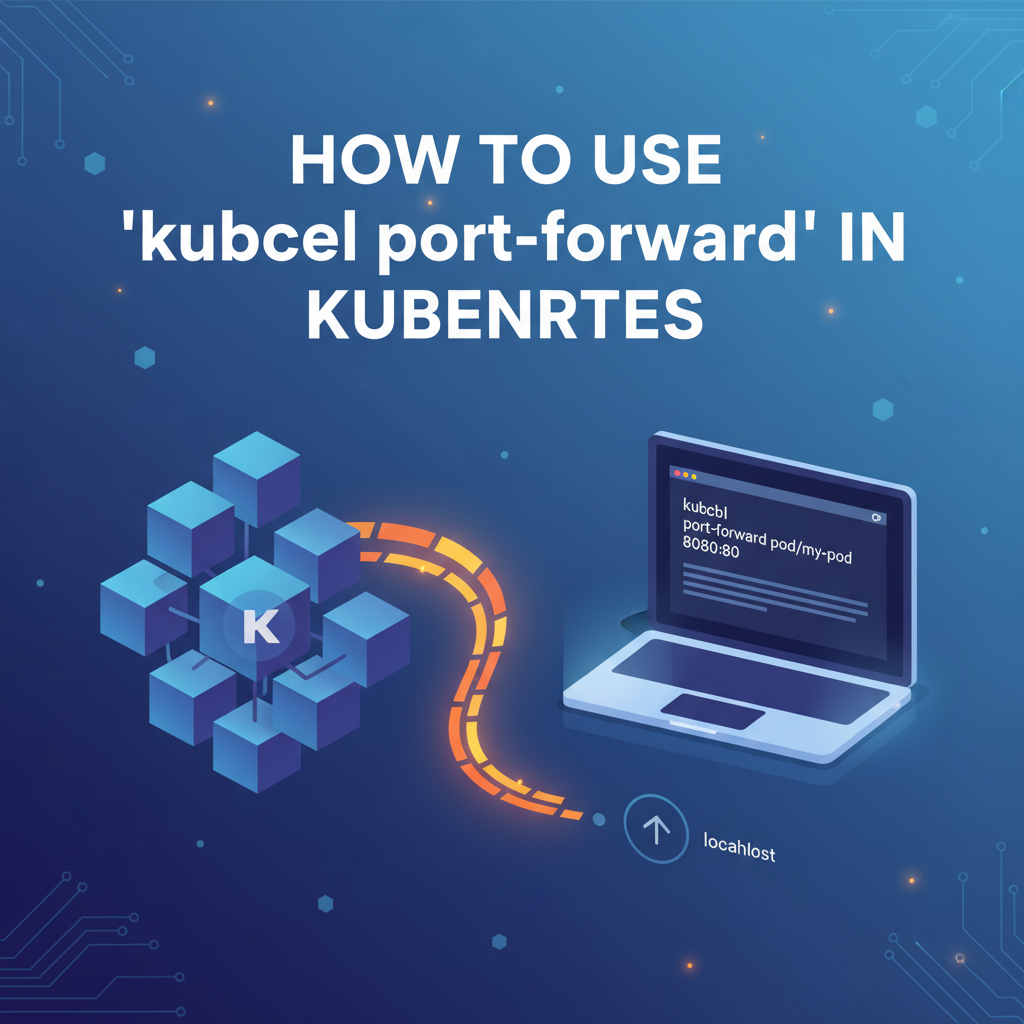
At its core, kubectl port-forward is a utility that creates a direct, secure, and temporary connection (a "tunnel") between a local port on your machine and a port on a specific resource (Pod or Service) within your Kubernetes cluster. It essentially allows you to access a service running inside your cluster as if it were running on localhost.
Imagine you have a microservice that exposes an API on port 8080 inside a Pod. Without port-forward, you'd need complex networking configurations to reach it. With port-forward, you can map a local port, say 9000, to the Pod's internal port 8080. Then, any request you make to localhost:9000 from your machine is magically forwarded through the tunnel to pod-ip:8080 inside the cluster.
The magic isn't actually magic; it's a clever use of the Kubernetes API server. When you execute kubectl port-forward, your kubectl client connects to the Kubernetes API server. The API server then establishes a secure WebSocket connection to the Kubelet on the Node where the target Pod resides. The Kubelet, in turn, sets up the actual TCP forwarding from the Pod's port to this WebSocket connection, which is then relayed back through the API server to your local kubectl client. This entire process happens over the secure API server connection, meaning the data flowing through the tunnel benefits from the existing security and authentication mechanisms of your Kubernetes cluster.
Key Characteristics:
- Targeted: You can forward to a specific Pod or a specific Service.
- Temporary: The connection lasts only as long as the
kubectl port-forwardcommand is running. When you terminate the command, the tunnel closes. - Secure: The traffic is tunneled through the Kubernetes API server, leveraging the cluster's RBAC and authentication. While the tunnel itself doesn't add end-to-end encryption if the application itself doesn't use TLS, the connection to the API server is typically secure (HTTPS).
- Local Access: It makes remote services appear as if they are running on
localhost, simplifying interaction with local tools. - Not for Production: It's a development and debugging tool, not a solution for exposing services to production traffic due to its single-point-of-failure nature and manual setup.
This powerful capability allows developers to bypass the typical ingress or service exposure mechanisms for direct, ad-hoc access, making it an indispensable tool for nearly any Kubernetes-centric workflow.
The Mechanics Behind the Magic: How port-forward Works Under the Hood
To truly appreciate the utility of kubectl port-forward, it helps to understand the underlying mechanism. It's not just a simple direct TCP tunnel; it's a sophisticated interaction orchestrated by various Kubernetes components.
When you run kubectl port-forward <target> <local-port>:<remote-port>, the following sequence of events unfolds:
kubectlClient Initiates Connection: Yourkubectlcommand-line tool, running on your local machine, first authenticates with the Kubernetes API Server. This is the same authentication process used for anykubectlcommand.kubectlRequests Port Forwarding: Thekubectlclient then sends an HTTPPOSTrequest to the Kubernetes API Server at an endpoint like/api/v1/namespaces/{namespace}/pods/{pod-name}/portforward. This request essentially tells the API Server: "Hey, I want to forward traffic from my local machine to a specific port on this Pod."APIServer Proxies Request to Kubelet: The Kubernetes API Server, acting as a secure proxy, doesn't directly handle the port forwarding itself. Instead, it delegates this task to the Kubelet agent running on the Node where the target Pod resides. The API Server establishes a WebSocket connection with the Kubelet on that Node. This is crucial for security, as the API Server acts as the trusted intermediary. All traffic between yourkubectlclient and the Kubelet is thus authenticated and authorized by the API Server.- Kubelet Establishes Internal Connection: Upon receiving the port-forwarding request (relayed through the API Server), the Kubelet on the Node takes over. It identifies the target Pod and the container within that Pod. It then directly establishes a TCP connection from the Kubelet process to the specified
remote-portwithin the Pod's network namespace. - Data Tunneling: Once the Kubelet has established its connection to the Pod, it starts forwarding data. Any data sent from your local machine to
local-portis sent through the secure WebSocket tunnel to the API Server, which then relays it to the Kubelet. The Kubelet, in turn, forwards this data to theremote-portinside the Pod. Conversely, any response from the Pod onremote-portis sent back through the Kubelet, the API Server, and finally to your localkubectlclient, appearing to originate fromlocal-port.
This multi-hop relay mechanism, orchestrated by the Kubernetes API Server, provides several advantages:
- Security: Your
kubectlclient never directly connects to the Node or the Pod. All communication is funneled through the API Server, which enforces RBAC and authentication policies. This means only authorized users can initiate port-forwarding requests. - Network Agnosticism: You don't need direct network reachability from your local machine to the Node IPs or Pod IPs. As long as your
kubectlclient can reach the API Server (which is typically publicly exposed or accessible via VPN),port-forwardwill work. - Simplicity: From the user's perspective, it's a single command, abstracting away the underlying networking complexities.
Understanding this flow highlights why port-forward is secure for development but unsuitable for production. The API Server and Kubelet are not designed for high-throughput data forwarding for multiple concurrent clients. They are control plane components, and burdening them with application traffic would degrade cluster performance and stability.
Basic Usage of kubectl port-forward: Your First Steps
The syntax for kubectl port-forward is straightforward, yet versatile. You typically need to specify the resource you want to target (a Pod or a Service), and the local and remote ports.
Forwarding to a Pod
This is the most common use case, allowing you to establish a direct connection to a specific instance of your application.
Syntax:
kubectl port-forward <pod-name> <local-port>:<remote-port> -n <namespace>
<pod-name>: The name of the specific Pod you want to connect to. Pod names are unique within a namespace.<local-port>: The port on your local machine that you want to use.<remote-port>: The port exposed by the application inside the Pod's container.-n <namespace>(optional): If your Pod is not in the default namespace, specify the namespace.
Example: Accessing an Nginx web server in a Pod
Let's say you have an Nginx Pod named nginx-5f966d58d-m65j9 running in the default namespace, serving web content on port 80. You want to access it from your local browser on port 8080.
- Deploy an Nginx Pod (if you don't have one):
bash kubectl run nginx --image=nginx --restart=NeverWait for the Pod to be running:kubectl get podsNote down the Pod name, e.g.,nginx-757c67487-b956c. - Execute the
port-forwardcommand:bash kubectl port-forward nginx-757c67487-b956c 8080:80You will see output indicating the forwarding is active:Forwarding from 127.0.0.1:8080 -> 80 Forwarding from [::1]:8080 -> 80This command will run in the foreground. - Access from your local machine: Open your web browser and navigate to
http://localhost:8080. You should see the default Nginx welcome page. Alternatively, usecurl:bash curl http://localhost:8080 - Terminate the connection: Press
Ctrl+Cin the terminal wherekubectl port-forwardis running. The tunnel will be closed.
Important Note on Ports: * local-port can be any free port on your local machine (above 1024 without root privileges on Linux, or any available port on Windows/macOS). * remote-port must be the port that the application inside the Pod is actually listening on. If your application listens on 3000, you must specify remote-port as 3000.
Forwarding to a Service
While forwarding to a Pod targets a specific instance, forwarding to a Service targets the Service itself. This is useful when you want to interact with the service abstraction, which handles load balancing across multiple Pods. When you forward to a Service, kubectl automatically selects one of the healthy Pods backing that Service and forwards traffic to it. If that Pod dies, kubectl will attempt to connect to another available Pod.
Syntax:
kubectl port-forward service/<service-name> <local-port>:<remote-port> -n <namespace>
service/<service-name>: Specifies that you are targeting a Service by its name.
Example: Accessing a ClusterIP Service
Let's assume you have a deployment and a ClusterIP Service named my-backend-service that routes to your backend API Pods, listening on port 5000.
- Deploy a sample application and service:
bash # Create a deployment kubectl create deployment my-backend --image=hashicorp/http-echo -- /http-echo -listen=:5000 -text="Hello from backend!" # Expose it as a ClusterIP service kubectl expose deployment my-backend --port=5000 --target-port=5000 --name=my-backend-serviceVerify the service:kubectl get service my-backend-service - Execute the
port-forwardcommand:bash kubectl port-forward service/my-backend-service 8080:5000This will forward local port 8080 to port 5000 on one of the Pods backingmy-backend-service. - Access from your local machine:
bash curl http://localhost:8080You should receive "Hello from backend!".
Forwarding to a Service is generally preferred over a specific Pod if your application has multiple replicas and you don't need to debug a particular Pod instance. It offers more resilience as kubectl will re-establish the connection to a different Pod if the initially selected one becomes unavailable. This is particularly useful for interacting with services that are part of an API gateway or a set of microservices where any healthy instance will do.
Forwarding to a Deployment (Indirectly)
You cannot directly port-forward to a Deployment object itself. A Deployment manages a set of ReplicaSets, which in turn manage Pods. To forward traffic to a Deployment, you would typically: 1. Forward to the Service associated with the Deployment (as shown above). This is the most common and robust method. 2. Forward to a specific Pod managed by the Deployment: bash kubectl port-forward $(kubectl get pods -l app=my-backend -o jsonpath='{.items[0].metadata.name}') 8080:5000 This command uses kubectl get pods with a label selector (-l app=my-backend) and jsonpath to dynamically retrieve the name of one of the Pods belonging to the my-backend Deployment, then passes that name to port-forward. This is useful if you need to target a specific pod instance for debugging, rather than just any healthy pod behind a service.
Mastering these basic syntaxes forms the foundation for effectively navigating and interacting with your Kubernetes-hosted applications and their internal APIs.
Advanced Usage Patterns and Scenarios
Beyond the basic direct forwarding, kubectl port-forward offers several advanced features and is instrumental in various complex scenarios. Its flexibility makes it a powerful tool for intricate development and debugging tasks.
Specifying a Namespace
While previously mentioned, it's worth reiterating: always specify the namespace (-n <namespace>) if your target Pod or Service is not in the default namespace. This prevents errors and ensures you target the correct resource.
kubectl port-forward -n dev my-app-pod 8080:80
Forwarding Multiple Ports
You can forward multiple ports from the same target resource in a single command. This is useful when a single Pod exposes several services or APIs on different ports.
kubectl port-forward my-app-pod 8080:80 9090:90
This command forwards local port 8080 to pod port 80, AND local port 9090 to pod port 90.
Running in the Background
For long-running development sessions or when you want to continue using your terminal, you can run kubectl port-forward in the background.
- Using
&:bash kubectl port-forward my-app-pod 8080:80 &This immediately puts the process in the background. You'll get a job ID. - Using
Ctrl+Zandbg:- Start the command in the foreground:
kubectl port-forward my-app-pod 8080:80 - Press
Ctrl+Zto suspend the process. - Type
bgand pressEnterto resume it in the background. - To bring it back to the foreground, use
fg. - To list background jobs, use
jobs.
- Start the command in the foreground:
Remember that background processes still need to be managed. To stop a background port-forward, you'll need its process ID (PID) or job ID. Use jobs to find the job ID, then kill %<job-id> (e.g., kill %1). Alternatively, use ps aux | grep 'kubectl port-forward' to find the PID and then kill <pid>.
Automatic Local Port Selection
If you don't care about the specific local port and just need any available one, you can specify 0 as the local port. kubectl will automatically select a free port and print it to the console.
kubectl port-forward my-app-pod :80
The output will tell you which local port was chosen:
Forwarding from 127.0.0.1:49153 -> 80
Forwarding from [::1]:49153 -> 80
This is extremely handy in scripts or when you just need quick access without manually checking port availability.
Target Specific Containers in a Multi-Container Pod
If a Pod has multiple containers and you need to forward to a specific container, kubectl port-forward typically targets the first container by default. However, you can specify the container name using the --container flag. This is crucial if different containers expose different APIs or services.
kubectl port-forward my-multi-container-pod 8080:80 --container my-specific-container
Connecting to Databases
One of the most common and valuable uses of kubectl port-forward is to connect local database clients (like DBeaver, MySQL Workbench, pgAdmin, SQL Developer, etc.) to database instances running inside Kubernetes Pods. This allows developers and DBAs to inspect, modify, or query databases without exposing them publicly.
Example: Connecting to a MySQL Pod
Assume you have a MySQL Pod running, listening on port 3306.
kubectl port-forward mysql-pod-name 3306:3306
Now, configure your local MySQL client to connect to localhost:3306 with the appropriate credentials. Your client will seamlessly interact with the MySQL instance inside the Kubernetes cluster. This applies equally to PostgreSQL, MongoDB, Redis, and other database systems.
Accessing Internal Web Interfaces or Dashboards
Many applications, especially infrastructure components like Prometheus, Grafana, Kafka Manager, or custom admin panels, expose web-based user interfaces. These UIs are typically ClusterIP services, meant for internal access. kubectl port-forward provides an easy way to view them locally.
Example: Accessing a Prometheus dashboard
If Prometheus is running in your cluster and its web UI is exposed via a service on port 9090:
kubectl port-forward service/prometheus-k8s 9090:9090 -n monitoring
Then, open http://localhost:9090 in your browser.
Debugging Microservices and APIs
This is arguably where kubectl port-forward provides the most direct benefit to developers. When working with microservices architectures, services often communicate with each other via APIs. When a problem arises, or a new API endpoint needs to be tested, kubectl port-forward allows you to directly interact with a specific microservice's API from your local machine, bypassing complex routing or service mesh configurations.
You can use tools like curl, Postman, or even a local debugger attached to your IDE to make requests to localhost:<local-port> and hit the API endpoint within the Pod. This is invaluable for: * Testing new API endpoints: Before deploying a new client, test the backend API directly. * Reproducing bugs: If a bug is reported in a specific service, you can forward its port and make the exact API calls to investigate. * Attaching a debugger: Many languages/IDEs support remote debugging. With port-forward, you can expose the debugger port of a remote application to your local machine, allowing you to step through code executing within the Pod.
For instance, if your Java microservice exposes a REST API on port 8080 and a JDWP debugger port on 5005:
kubectl port-forward my-java-app-pod 8080:8080 5005:5005
You can now access the API via localhost:8080 and attach your local IDE's debugger to localhost:5005.
While kubectl port-forward is excellent for local development and debugging of these internal APIs, managing, securing, and exposing these APIs for broader consumption, especially in an enterprise setting or for AI models, requires more robust solutions like an AI Gateway. Platforms such as APIPark, an open-source AI gateway and API management platform, offer comprehensive features for integrating 100+ AI models, unifying API formats, and managing the entire API lifecycle, far beyond the scope of a simple port forward. APIPark focuses on bringing order, security, and scalability to the exposure and consumption of your APIs, contrasting sharply with kubectl port-forward's role as a direct, developer-centric access tool.
Accessing Services Exposed by DaemonSets
DaemonSets ensure that all (or some) Nodes run a copy of a Pod. If these Pods expose services (e.g., node-level monitoring agents), you can use kubectl port-forward to access them. You'd typically need to target a specific Pod belonging to the DaemonSet on a particular Node.
# Get a pod name from a daemonset
POD_NAME=$(kubectl get pods -l app=my-daemonset-app -o jsonpath='{.items[0].metadata.name}')
kubectl port-forward $POD_NAME 8080:80
These advanced patterns demonstrate the versatility of kubectl port-forward, making it an indispensable tool for a wide array of development, debugging, and administrative tasks within a Kubernetes environment.
APIPark is a high-performance AI gateway that allows you to securely access the most comprehensive LLM APIs globally on the APIPark platform, including OpenAI, Anthropic, Mistral, Llama2, Google Gemini, and more.Try APIPark now! 👇👇👇
Practical Examples and Detailed Use Cases
To truly grasp the power of kubectl port-forward, let's walk through several detailed, practical scenarios that commonly arise in Kubernetes development.
Scenario 1: Developing and Testing a Frontend Application Locally
Imagine you're building a new web frontend locally using a framework like React or Angular. This frontend needs to communicate with a backend API that is already deployed inside your Kubernetes cluster as a microservice. You don't want to deploy your frontend to Kubernetes for every small change, nor do you want to expose the backend API publicly if it's still under development or strictly internal.
The Problem: Your local frontend (e.g., running on localhost:3000) cannot directly access the backend API (e.g., a ClusterIP service my-backend-api-service on port 8080 in Kubernetes).
The Solution with kubectl port-forward: 1. Identify the Backend Service: First, find the name of your backend Service. bash kubectl get services # Output might show: my-backend-api-service ClusterIP 10.xx.xx.xx <none> 8080/TCP 2m 2. Start Port Forwarding: Choose an available local port (e.g., 5000) and forward it to the backend service's port (8080). bash kubectl port-forward service/my-backend-api-service 5000:8080 -n my-app-namespace Keep this terminal open, or run it in the background (&). 3. Configure Local Frontend: In your local frontend application's configuration, change the backend API endpoint to http://localhost:5000. For example, in a React app using fetch: javascript fetch('http://localhost:5000/api/data') .then(response => response.json()) .then(data => console.log(data)); 4. Develop and Test: Now, when your local frontend makes a request to http://localhost:5000, kubectl port-forward will tunnel that request securely to your backend API service inside Kubernetes. This allows for rapid iteration on your frontend code without needing to re-deploy the backend or expose it.
Scenario 2: Debugging a Backend Service (API Debugging)
A common scenario is when a particular microservice's API isn't behaving as expected. You need to send specific requests to it, inspect its responses, and potentially attach a debugger to understand the issue.
The Problem: An internal API service (my-api-service) is deployed in Kubernetes, and you suspect a bug in its /users endpoint. You need to make direct GET or POST requests to it and observe the behavior.
The Solution with kubectl port-forward: 1. Identify the Target: You can forward to the service (for general debugging) or a specific pod (if the issue is isolated to one instance). Let's assume you want to hit any healthy instance via the service. bash kubectl port-forward service/my-api-service 8080:8080 -n my-app-namespace 2. Use Local Tools: * curl: Open another terminal and use curl to make direct API calls: bash curl http://localhost:8080/users curl -X POST -H "Content-Type: application/json" -d '{"name":"John Doe"}' http://localhost:8080/users * Postman/Insomnia: Configure your API client to send requests to http://localhost:8080. * Local Debugger: If your application supports remote debugging (e.g., JDWP for Java, delve for Go), ensure the Pod is configured to open the debugger port. Then, forward that port: bash # Assuming debugger on port 5005 kubectl port-forward my-api-pod-xyz 5005:5005 -n my-app-namespace Attach your IDE's debugger to localhost:5005, set breakpoints, and make your API calls. This gives you full visibility into the execution flow within the remote Pod.
This direct, local access to the API makes debugging significantly faster and more intuitive than relying solely on logs or indirect methods.
Scenario 3: Database Administration and Access
Database access from local machines to Kubernetes-hosted databases is another frequent requirement. Developers might need to run ad-hoc queries, inspect schema, or perform administrative tasks.
The Problem: A PostgreSQL database is running in a Pod within Kubernetes (postgres-pod-abc), exposed internally on port 5432. You want to connect to it using pgAdmin or your local IDE's database client.
The Solution with kubectl port-forward: 1. Initiate Port Forwarding: bash kubectl port-forward postgres-pod-abc 5432:5432 -n database-namespace It's common to use the same local and remote port for databases for simplicity. 2. Configure Local Client: Open pgAdmin, DBeaver, or any other PostgreSQL client. Configure a new connection: * Host/Hostname: localhost * Port: 5432 * Username/Password: As configured for your PostgreSQL instance. * Database: As required. 3. Connect and Manage: Your local client will now connect to the PostgreSQL instance running inside the Kubernetes Pod as if it were a local database. This allows for full administrative capabilities without exposing the database publicly or requiring complex VPN setups. The same principle applies to MySQL (port 3306), MongoDB (port 27017), Redis (port 6379), etc.
Scenario 4: Accessing Monitoring or Management Interfaces
Many Kubernetes deployments include monitoring tools like Prometheus, Grafana, or various cloud-native operator dashboards that provide internal web interfaces. These are typically exposed as ClusterIP Services.
The Problem: You want to view the Grafana dashboard (grafana-service) deployed in your monitoring namespace, which is accessible on port 3000 internally.
The Solution with kubectl port-forward: 1. Forward the Grafana Service: bash kubectl port-forward service/grafana-service 8000:3000 -n monitoring (Using local port 8000 to avoid conflicts if you have something else on 3000). 2. Access in Browser: Open your web browser and navigate to http://localhost:8000. You will be presented with the Grafana login page or dashboard.
This method provides quick, temporary access to critical internal dashboards without needing to configure Ingress rules or change service types, which might have security or architectural implications.
Scenario 5: Interacting with Stateful Applications
Applications like Kafka, ZooKeeper, or other message queues/stateful services often require direct client interaction during development or troubleshooting.
The Problem: You have a Kafka broker running in a Pod (kafka-0) within your messaging namespace, listening on port 9092. You want to use a local Kafka client (e.g., kafka-console-producer.sh, kafkacat) to produce or consume messages directly.
The Solution with kubectl port-forward: 1. Forward the Kafka Broker: bash kubectl port-forward kafka-0 9092:9092 -n messaging 2. Use Local Kafka Client: Configure your local Kafka client to connect to localhost:9092. For kafka-console-producer.sh (from Kafka distribution): bash kafka-console-producer.sh --broker-list localhost:9092 --topic my-topic For kafkacat: bash kafkacat -b localhost:9092 -t my-topic -P -K: # To produce kafkacat -b localhost:9092 -t my-topic -C # To consume This allows for direct interaction with stateful components, facilitating debugging of message flows or data consistency issues.
These detailed examples illustrate that kubectl port-forward isn't just a niche command; it's a versatile tool that integrates seamlessly into a developer's daily workflow, bridging the gap between local development environments and the remote Kubernetes cluster.
Limitations and Considerations: When port-forward Isn't Enough
While kubectl port-forward is an incredibly useful tool for development and debugging, it's crucial to understand its limitations and when it's not the appropriate solution. Misusing it can lead to performance issues, security vulnerabilities, or simply frustration.
Not for Production Traffic
This is the most critical limitation. kubectl port-forward is explicitly not designed for exposing services to production traffic or for handling high-volume, concurrent client connections.
- Single Point of Failure: The
kubectlclient process itself acts as the tunnel endpoint on your local machine. If that process dies, or your local machine loses network connectivity, the tunnel breaks. This is unacceptable for production systems requiring high availability. - Scalability: The architecture of
port-forwardinvolves relaying data through the Kubernetes API server and Kubelet. These are control plane components, optimized for managing the cluster, not for serving application traffic. Pushing large amounts of production traffic through them would strain the control plane, potentially impacting the stability and performance of your entire cluster. - Manual Setup: Each
port-forwardsession must be manually initiated and managed. This is not scalable for many users or automated systems. - Limited Features: It's a raw TCP tunnel. It doesn't offer features like SSL termination, URL routing, authentication, authorization, rate limiting, circuit breaking, or other advanced API management capabilities that production-grade solutions provide.
Security Implications
While port-forward utilizes the cluster's API server for authentication and authorization (meaning only users with appropriate RBAC permissions can initiate a port forward), the tunnel itself typically does not add encryption. If your application's communication is not already secured with TLS/SSL within the Pod, the traffic within the cluster (from Kubelet to Pod) might be unencrypted. For local debugging, this is often acceptable, but it's a consideration.
Furthermore, direct access to internal services, especially databases or critical API endpoints, should always be handled with care. Ensure that only necessary ports are forwarded for the minimum required duration.
Temporary Nature
The ephemeral nature of port-forward is a feature, not a bug, for development. However, it means any scripts or automated tasks relying on continuous access will need more robust solutions. Each kubectl port-forward command must be actively running; it's not a persistent networking configuration.
Performance Overhead
Although generally negligible for development and debugging, there is some performance overhead due to the multi-hop relay (local machine -> kubectl -> API Server -> Kubelet -> Pod). For extremely latency-sensitive applications or high-bandwidth data transfers, this overhead might become noticeable compared to direct network paths.
Alternative Solutions for Production and Beyond port-forward
When kubectl port-forward is no longer sufficient, or when you need to expose services for broader consumption (even internally, but persistently and securely), Kubernetes and its ecosystem offer several robust alternatives:
- Service Types (NodePort, LoadBalancer):
- NodePort: Exposes a service on a static port across all Nodes. Suitable for simple, limited exposure, often for internal tooling or testing environments where a direct IP:Port access is acceptable. Issues include port management and reliance on Node IPs.
- LoadBalancer: Integrates with cloud provider load balancers to provide a publicly accessible, stable external IP. Ideal for public-facing applications requiring high availability and scalability. Incurs cloud costs.
- Ingress Controllers:
- For HTTP/HTTPS traffic, an Ingress Controller (e.g., Nginx Ingress, Traefik, Istio Ingress Gateway) provides advanced routing capabilities based on hostnames and URL paths. It typically terminates SSL, manages traffic, and routes requests to appropriate backend services. This is the de-facto standard for exposing web applications and RESTful APIs externally or internally with sophisticated routing.
- Service Mesh (e.g., Istio, Linkerd):
- A service mesh provides advanced traffic management, observability, and security features for microservices communication within the cluster. While not primarily for external exposure, it can integrate with Ingress gateways (like Istio Ingress Gateway) to provide secure and highly controlled access. For accessing services securely from outside the cluster, a service mesh often integrates with VPNs or provides its own secure gateway.
- Dedicated API Gateways:
- For sophisticated management of API exposure, especially across multiple services, organizations, or for external partners, a dedicated API Gateway is essential. These platforms offer:This is where solutions like APIPark come into play. APIPark is an open-source AI gateway and API management platform designed specifically for enterprises and developers dealing with a multitude of APIs, including the integration of over 100 AI models. While
kubectl port-forwardis your local, direct line for debugging a single API endpoint, APIPark provides the robust infrastructure for managing the entire API lifecycle – from design and publication to invocation and decommissioning – at scale. It offers features like prompt encapsulation into REST APIs, independent API and access permissions for each tenant, and performance rivaling Nginx, showcasing a profound difference in scope and capability compared tokubectl port-forward. Think ofport-forwardas a specialized wrench for a specific local fix, and APIPark as the entire automated factory floor for API production and distribution.- Unified API Format: Standardize how external clients interact with various backend services.
- Security: Advanced authentication, authorization, rate limiting, and threat protection.
- Traffic Management: Load balancing, routing, caching, request/response transformation.
- Monitoring & Analytics: Detailed insights into API usage and performance.
- Developer Portal: To publish, document, and manage APIs for consumers.
- For sophisticated management of API exposure, especially across multiple services, organizations, or for external partners, a dedicated API Gateway is essential. These platforms offer:This is where solutions like APIPark come into play. APIPark is an open-source AI gateway and API management platform designed specifically for enterprises and developers dealing with a multitude of APIs, including the integration of over 100 AI models. While
- VPNs/Bastion Hosts:
- For secure, privileged access to the entire cluster network (or a segment of it) from outside, a Virtual Private Network (VPN) or a secure bastion host (jump server) can be used. This creates a secure network tunnel for your entire local machine to the cluster's network, allowing direct IP access to Pods and Services (subject to network policies). This is typically for administrators or specific development teams requiring deeper network access.
Choosing the right solution depends on your specific needs: temporary local access for development vs. persistent, scalable, and secure exposure for production traffic or broader internal consumption. kubectl port-forward fills a unique and vital niche, but it's part of a larger ecosystem of Kubernetes networking tools.
Best Practices for Using kubectl port-forward
To maximize the benefits of kubectl port-forward while mitigating potential downsides, adopting a few best practices is advisable. These guidelines help ensure efficient, secure, and clear usage.
- Be Specific with Targets: When possible, forward to a specific Pod name rather than a Service. While forwarding to a Service offers resilience by re-selecting a Pod, targeting a specific Pod is crucial for debugging issues that might be isolated to a single instance or for ensuring you are interacting with that exact replica. You can get the Pod name from a Deployment or ReplicaSet using label selectors:
bash kubectl get pods -l app=my-app -o jsonpath='{.items[0].metadata.name}'Then use this in yourport-forwardcommand. - Limit Duration and Clean Up:
kubectl port-forwardsessions should be temporary. Avoid leaving them running indefinitely, especially if they expose sensitive internal services. Always terminate the command when you're done debugging or developing. If running in the background, remember to kill the process (kill %<job-id>orkill <pid>). For scripts, ensure a cleanup step is included. - Understand Security Context: Remember that
port-forwardauthenticates you against the Kubernetes API server. Ensure your Kubernetes user account (or the service account used by a script) has the necessary RBAC permissions to access the Pods and Services you are targeting within their respective namespaces. If you don't have permissions, the command will fail with an authorization error. Always follow the principle of least privilege. - Use Meaningful Local Ports: While automatic port selection (
:0) is convenient, for predictable and reproducible setups, choose meaningful local ports. If the remote service is on 8080, consider using 8080 locally if available, or a well-known alternative like 8000 or 9000. This makes it easier to remember which local port maps to which remote service. - Integrate into Development Scripts: For recurring tasks, embed
kubectl port-forwardcommands into your development scripts (e.g., shell scripts,Makefiletargets). This streamlines setup, ensures consistency, and can include logic for backgrounding the process and handling cleanup.bash #!/bin/bash POD_NAME=$(kubectl get pods -l app=my-backend -o jsonpath='{.items[0].metadata.name}') echo "Forwarding to pod: $POD_NAME" kubectl port-forward $POD_NAME 8080:8080 & FORWARD_PID=$! echo "Port-forwarding started with PID $FORWARD_PID. Access at http://localhost:8080" echo "Press Enter to stop port-forwarding..." read kill $FORWARD_PID echo "Port-forwarding stopped." - Educate Your Team: Ensure all developers and administrators understand how
kubectl port-forwardworks, its appropriate use cases, and its limitations. This prevents misuse and fosters a more efficient and secure development environment. Emphasize that it's a development tool, not a production exposure mechanism. - Consider Alternatives for Persistent Needs: If you find yourself repeatedly setting up
port-forwardfor a service, or if multiple team members need consistent access, it might be a signal to consider more permanent solutions. For internal access, a VPN or an internal Ingress can provide more stable and manageable connectivity. For external or shared API access, especially involving complex routing, security, or API lifecycle management, a dedicated API Gateway like APIPark is the more robust and scalable choice. Whileport-forwardhelps you individually poke at an internal API, an API Gateway provides the structured and secure platform for making that API consumable by many, with governance and performance.
By adhering to these best practices, you can harness the full power of kubectl port-forward to enhance your Kubernetes development experience without introducing unnecessary risks or complexities.
Troubleshooting Common Issues
Despite its simplicity, you might encounter issues when using kubectl port-forward. Here are some common problems and their solutions:
Error from server (NotFound): pods "my-pod" not foundorservices "my-service" not found- Cause: The specified Pod or Service name is incorrect, or it doesn't exist in the current namespace.
- Solution:
- Double-check the spelling of the Pod/Service name.
- Verify the resource exists using
kubectl get podsorkubectl get services. - Ensure you are in the correct namespace, or explicitly specify it using
-n <namespace>.
Unable to listen on port 8080: Listen for TCP 127.0.0.1:8080: bind: address already in use- Cause: The
local-portyou specified (e.g., 8080) is already being used by another process on your local machine. - Solution:
- Choose a different
local-port. - Find and terminate the process currently using that port:
- Linux/macOS:
sudo lsof -i :8080(replace 8080 with your port), thenkill <PID>. - Windows:
netstat -ano | findstr :8080, thentaskkill /PID <PID> /F.
- Linux/macOS:
- Use automatic port selection by specifying
0for the local port (kubectl port-forward my-pod :80).
- Choose a different
- Cause: The
error: error upgrading connection: error dialing backend: dial tcp <pod-ip>:<remote-port>: connect: connection refused- Cause: This indicates that the
kubectlclient successfully connected to the API server, and the Kubelet on the Node tried to connect to the Pod, but the application inside the Pod is not listening on the specifiedremote-port, or the Pod is not running/healthy. - Solution:
- Verify the
remote-portis correct. Check your application's configuration or the container image documentation. - Check the Pod's status:
kubectl get pod <pod-name>. It should beRunningandReady. - Check the Pod's logs:
kubectl logs <pod-name>to see if the application started correctly and is listening on the expected port. - Ensure there isn't a firewall or network policy within the cluster blocking traffic to that Pod/port, although this is less common for
port-forwardunless extremely restrictive policies are in place.
- Verify the
- Cause: This indicates that the
Error from server (Forbidden): pods "my-pod" is forbidden: User "your-user" cannot get pods/portforward in namespace "default"- Cause: You do not have the necessary RBAC (Role-Based Access Control) permissions to perform
port-forwardoperations on the specified resource in that namespace. - Solution:
- Contact your cluster administrator to request the appropriate permissions (e.g.,
port-forwardverb on Pods/Services). - Ensure your
kubeconfigcontext is set to an account with the required privileges.
- Contact your cluster administrator to request the appropriate permissions (e.g.,
- Cause: You do not have the necessary RBAC (Role-Based Access Control) permissions to perform
Forwarding from 127.0.0.1:8080 -> 80is shown, but connection from browser/curl fails.- Cause:
- The application inside the Pod might be binding only to
localhost(127.0.0.1) within the Pod's network namespace, instead of0.0.0.0(all interfaces). If this happens, the Kubelet cannot connect to it, even from within the same Pod. - Network policies might be blocking the Kubelet from accessing the Pod's port (rare for this specific issue).
- The application inside the Pod might be binding only to
- Solution:
- Verify your application's binding address. It should typically bind to
0.0.0.0to listen on all available network interfaces inside the container. Check your application logs or configuration. - Check if you are using
localhostor127.0.0.1locally. On some systems,[::1](IPv6 localhost) might also be listed, ensure your client is trying to connect to the correctlocalhostvariant.
- Verify your application's binding address. It should typically bind to
- Cause:
kubectl port-forwardappears to hang or never connect.- Cause:
- Network connectivity issues between your client and the Kubernetes API Server.
- The API Server or Kubelet is overloaded or unresponsive.
- A firewall blocking outbound connections from your local machine to the API Server's port (usually 6443).
- Solution:
- Check your network connection.
- Verify the API Server is reachable:
kubectl cluster-info. - Check API Server and Kubelet logs (if you have cluster access).
- Temporarily disable any local firewalls to rule them out.
- Cause:
By systematically going through these common issues and their solutions, you can often quickly diagnose and resolve problems encountered when using kubectl port-forward, ensuring a smoother development and debugging experience.
Comparison Table: kubectl port-forward vs. Other Access Methods
To further solidify the understanding of where kubectl port-forward fits in the Kubernetes networking landscape, let's compare it with other common methods for exposing or accessing services within a cluster. This table highlights their primary use cases, advantages, and disadvantages.
| Feature / Method | kubectl port-forward |
NodePort Service | LoadBalancer Service | Ingress Controller | Dedicated API Gateway (e.g., APIPark) | VPN / Bastion Host |
|---|---|---|---|---|---|---|
| Primary Use Case | Local dev, debugging, direct admin access to internal service/Pod for a single user. | Simple service exposure on node IPs for internal or limited external access. | Public, highly available service exposure via cloud load balancer. | Sophisticated HTTP/HTTPS routing, SSL termination, and exposure for web apps/APIs. | Advanced API lifecycle management, security, traffic control, and monetization for diverse APIs. | Secure, full network access to cluster for administrators/developers. |
| Exposure Level | Local machine only (localhost) | Cluster Nodes ( <NodeIP>:<NodePort>) |
External IP ( <ExternalIP>:<Port>) |
External FQDN ( my-app.com) |
External FQDN ( api.mycompany.com/v1/users) |
Full network access (from VPN client to cluster network). |
| Persistence | Temporary (runs in foreground/background as a process) | Persistent (Service object in cluster) | Persistent (Service object in cluster) | Persistent (Ingress object in cluster) | Persistent (Dedicated infrastructure/platform) | Persistent (VPN tunnel/Bastion server) |
| Scalability | Very Low (single user, single tunnel) | Low (depends on Node/backend Pods) | High (cloud load balancer handles scaling) | High (Ingress Controller/backend Pods scale) | Very High (designed for high TPS and concurrent users) | Moderate (VPN server/Bastion capacity) |
| Security | Tunnel via API server (auth/RBAC), but no native end-to-end encryption in tunnel itself. | Basic network access; requires firewall rules for external access. | Cloud provider security; public exposure requires care. | Advanced security features (WAF, auth, TLS termination); publicly exposed. | Comprehensive API security, auth, rate limiting, threat protection. | Secure network tunnel, but grants broad access. |
| Cost | Free (uses existing kubectl and cluster resources) |
Free (uses existing Node ports) | Cloud provider costs for LoadBalancer | Cluster resources for Ingress Controller; potentially external LB costs. | Platform licensing/resources (e.g., dedicated servers for APIPark). | VPN server/Bastion host costs. |
| Complexity | Low (single command) | Low to Medium (Service definition) | Medium (Service definition, cloud provider setup) | Medium to High (Ingress definition, controller deployment) | High (platform setup, API design, policy configuration) | Medium to High (VPN server setup, client configuration) |
| Suitable for APIs? | Yes, for direct debugging of internal API endpoints. | Yes, for simple internal API exposure. | Yes, for public-facing, simple APIs. | Yes, standard for HTTP/HTTPS RESTful APIs with advanced routing. | Excellent, purpose-built for managing and exposing all types of APIs (REST, AI). | Yes, for development access to internal APIs. |
| Key Advantage | Instant, secure local access to any internal service. | Simple external access, stable port on Node. | Easy public access, cloud-integrated. | Flexible routing, SSL, name-based virtual hosting. | Unified API management, security, analytics, AI model integration, developer portal. | Full network access for deep interaction. |
| Key Disadvantage | Not for production, single point of failure. | Port conflicts, relies on Node IPs, basic. | Costs, public exposure, limited API management features. | HTTP/HTTPS only, less flexible for non-web protocols, requires controller. | Higher setup complexity, requires dedicated platform. | Broad network access can be security risk if not managed. |
This comparison clearly illustrates that kubectl port-forward occupies a distinct niche. It's the go-to tool for quick, on-demand, local access to services. When the requirements grow in terms of persistence, scalability, advanced features, or broad consumption, other Kubernetes constructs or dedicated platforms like APIPark become necessary. Understanding this spectrum of tools allows you to choose the most appropriate method for any given access challenge.
Conclusion: kubectl port-forward – A Developer's Best Friend
In the sprawling, often complex landscape of Kubernetes, kubectl port-forward stands out as a remarkably simple yet profoundly impactful tool. It elegantly solves the immediate and frequent need of developers and administrators to bypass the inherent networking isolation of Kubernetes and establish a direct, secure channel to internal Pods and Services. From debugging a recalcitrant microservice API to connecting a local database client, from testing a new frontend against a remote backend to accessing internal dashboards, port-forward streamlines countless daily workflows, making the remote cluster feel like a local extension of your development environment.
We've delved into its underlying mechanics, understanding how it leverages the Kubernetes API server and Kubelet to orchestrate a secure, temporary tunnel. We've explored its basic and advanced usage patterns, demonstrating its versatility through practical, detailed examples that cover a wide array of common scenarios. Crucially, we've also highlighted its limitations, emphasizing that while it's an indispensable development and debugging aid, it is categorically unsuitable for production traffic due to its inherent design, scalability constraints, and lack of advanced API management features.
The power of Kubernetes lies not just in its orchestration capabilities, but in the rich ecosystem of tools that empower users to interact with it effectively. kubectl port-forward is a prime example of such a tool – a minimalist yet mighty utility that bridges the gap between your local workstation and the heart of your applications running within the cluster. It empowers developers with the direct access needed to innovate and troubleshoot rapidly.
As applications and their underlying APIs grow in number and complexity, especially with the integration of AI models, the need for robust API management platforms becomes paramount. While kubectl port-forward provides the tactical solution for direct, ephemeral access to internal APIs during development, platforms like APIPark offer the strategic solution for governing, securing, and scaling these APIs across the enterprise. port-forward facilitates the individual developer's direct interaction with an API within the cluster, whereas APIPark orchestrates the entire lifecycle for many APIs, for many consumers, consistently and securely.
By mastering kubectl port-forward and understanding its rightful place within the broader Kubernetes networking and API management landscape, you equip yourself with a critical skill that will undoubtedly enhance your productivity and confidence when working with containerized applications. It remains, without question, a developer's best friend in the Kubernetes world.
Frequently Asked Questions (FAQs)
1. What is the primary purpose of kubectl port-forward?
The primary purpose of kubectl port-forward is to create a secure, temporary tunnel between a local port on your machine and a port on a specific Pod or Service within your Kubernetes cluster. This allows developers and administrators to access internal services for development, debugging, or administrative tasks as if they were running on localhost, without exposing them publicly.
2. Is kubectl port-forward suitable for production environments? Why or why not?
No, kubectl port-forward is not suitable for production environments. It is designed as a development and debugging tool. Its limitations include being a single point of failure (dependent on the kubectl client process), poor scalability (as traffic is relayed through the Kubernetes API server and Kubelet), manual setup, and a lack of production-grade features like load balancing, security policies, or high availability. For production, alternatives like NodePort, LoadBalancer, Ingress Controllers, or dedicated API Gateways are required.
3. Can I forward traffic to a specific container within a multi-container Pod?
Yes, you can. If your Pod contains multiple containers and you need to forward traffic to a specific one (for example, if different containers expose different APIs or services), you can use the --container flag with the name of the target container: kubectl port-forward my-pod 8080:80 --container my-specific-container.
4. How does kubectl port-forward handle security?
kubectl port-forward leverages the Kubernetes API server for security. Your kubectl client authenticates and authorizes with the API server using your kubeconfig credentials and RBAC policies. This means only users with appropriate permissions can initiate a port forward. The data then tunnels through this secure connection to the Kubelet on the Node. However, the tunnel itself does not add end-to-end encryption if the application's internal communication is not already secured with TLS/SSL.
5. What are some common alternatives to kubectl port-forward for exposing services in Kubernetes?
Common alternatives for exposing services, depending on the requirement, include: * Service Types: NodePort (for static port exposure on cluster nodes) and LoadBalancer (for public exposure via cloud provider load balancers). * Ingress Controllers: For sophisticated HTTP/HTTPS routing, SSL termination, and exposure of web applications and APIs with features like host-based or path-based routing. * Dedicated API Gateways: Platforms like APIPark for comprehensive API lifecycle management, advanced security, traffic control, and integration with AI models, designed for scalable and secure exposure of many APIs. * VPNs or Bastion Hosts: For secure, full network access to the cluster, typically used by administrators or development teams needing deeper cluster interaction.
🚀You can securely and efficiently call the OpenAI API on APIPark in just two steps:
Step 1: Deploy the APIPark AI gateway in 5 minutes.
APIPark is developed based on Golang, offering strong product performance and low development and maintenance costs. You can deploy APIPark with a single command line.
curl -sSO https://download.apipark.com/install/quick-start.sh; bash quick-start.sh

In my experience, you can see the successful deployment interface within 5 to 10 minutes. Then, you can log in to APIPark using your account.

Step 2: Call the OpenAI API.