How to Use kubectl port-forward: Local Access Made Easy


The intricate world of Kubernetes, with its distributed architecture and ephemeral nature, presents both immense power and unique challenges. While deploying applications to a cluster offers unparalleled scalability and resilience, the act of interacting with these applications during development, debugging, or ad-hoc testing can often feel like peering through a one-way mirror. Services reside within the cluster's private network, shielded from the outside world by design, making direct local access seem like a distant dream. This is precisely where kubectl port-forward emerges as an indispensable utility, a singular command that slices through network complexities to create a secure, temporary bridge between your local machine and a specific service or pod running within your Kubernetes cluster. It transforms the daunting task of accessing an internal component into a seamless, intuitive experience, empowering developers and operators to work with their applications as if they were running right on their desktops.
For anyone navigating the Kubernetes ecosystem, understanding kubectl port-forward is not merely a convenience; it's a foundational skill that significantly accelerates development cycles, simplifies debugging efforts, and provides immediate visibility into the behavior of clustered applications. It effectively brings the "local" back into "local development," allowing familiar tools and workflows to interact directly with remote resources without the need for complex network configurations or permanent service exposures. Whether you're a seasoned SRE debugging a production incident, a developer testing a new feature against a remote backend, or simply exploring the internals of a deployed application, port-forward serves as your direct conduit, making local access to remote Kubernetes services not just possible, but remarkably easy. This comprehensive guide will delve deep into the mechanics, use cases, advanced techniques, and best practices surrounding kubectl port-forward, ensuring you master this essential Kubernetes tool.
Understanding the Fundamentals: What is kubectl port-forward?
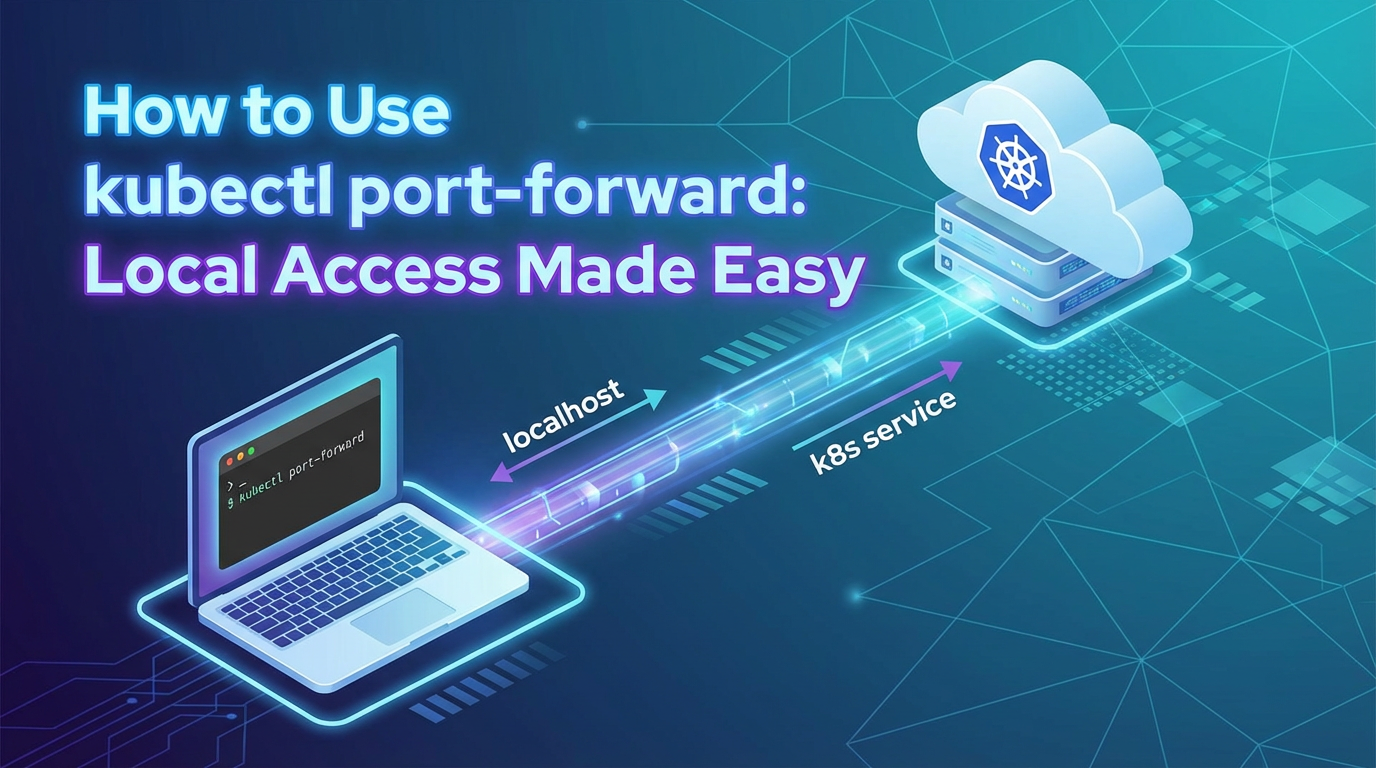
At its core, kubectl port-forward is a mechanism to create a secure, temporary network tunnel from your local machine to a specific port on a pod, service, or deployment within a Kubernetes cluster. It's a command-line utility that essentially proxies local connections to remote ones, making an internal Kubernetes resource appear as if it's listening on a port on your localhost. This is incredibly powerful because Kubernetes services are typically only accessible from within the cluster's internal network. port-forward provides a direct, unauthenticated (at the Kubernetes layer) conduit, bypassing the need for an Ingress, LoadBalancer, or NodePort service type for development and debugging purposes.
The underlying mechanism of kubectl port-forward involves several layers and components working in concert to establish this tunnel. When you execute a kubectl port-forward command, the kubectl client on your local machine initiates a request to the Kubernetes API server. This request essentially asks the API server to open a direct, bidirectional stream to a specific port on a target pod, service, or deployment.
Here’s a more granular breakdown of the process:
- Client-Side Initiation: Your
kubectlclient receives theport-forwardcommand, including the local port you want to listen on and the target remote port/resource. - API Server as an Intermediary:
kubectlsends a special HTTP/2 or SPDY request to the Kubernetes API server. This request is an upgrade request, essentially asking the API server to switch protocols to establish a streaming connection. The API server, acting as a secure intermediary, authenticates and authorizes yourkubectlclient. - Kubelet's Role: Once authorized, the API server instructs the
kubeletagent running on the node where the target pod resides to establish a connection to the specified port within that pod. Thekubeletis responsible for managing pods on a node and can execute commands, including establishing port-forwarding connections, directly into a pod's network namespace. - Data Tunneling: A TCP stream is then established:
- From your local machine to the
kubectlclient process. - From the
kubectlclient process to the Kubernetes API server. - From the Kubernetes API server to the
kubeleton the target node. - From the
kubeletinto the network namespace of the target pod, connecting to the specified remote port. Conversely, any traffic originating from the remote port in the pod travels back through this same tunnel to your local machine.
- From your local machine to the
This entire process creates what is effectively a TCP tunnel. Any data sent to the specified local port on your machine is encapsulated, sent through this tunnel to the Kubernetes API server, forwarded to the kubelet, and then delivered to the remote port inside the target pod. Responses from the pod follow the reverse path. This is a crucial distinction: kubectl port-forward doesn't expose your Kubernetes service to the public internet; it merely provides a direct, secure, and authenticated path (via the API server's authentication) from your local machine to the internal service. This temporary and direct nature makes it ideal for specific development and debugging tasks without altering the cluster's networking configuration.
The Basic Syntax and its Components
The fundamental syntax for kubectl port-forward is straightforward, yet incredibly versatile. It typically follows a pattern of kubectl port-forward <resource-type>/<resource-name> <local-port>:<remote-port>. Let's break down these components:
kubectl port-forward: The command itself, initiating the port-forwarding process.<resource-type>/<resource-name>: This specifies the Kubernetes resource you want to forward a port from. You can target different types of resources, each with slightly different implications:pod/<pod-name>: The most direct target. It will forward a port from a specific pod. This is useful when you need to connect to a particular instance of an application or a specific container within a pod.service/<service-name>: When targeting a service,kubectlintelligently selects one of the pods backing that service to establish the connection. This is often preferred because services provide a stable endpoint, andkubectlhandles the underlying pod selection, which can be beneficial if pods are recreated or scaled.deployment/<deployment-name>: Similar to services,kubectlwill select an available pod managed by the specified deployment. This provides an even higher level of abstraction and convenience, as you don't need to worry about specific pod or service names.replicaset/<replicaset-name>: Can also be used, similar to deployments.
<local-port>: This is the port number on your local machine thatkubectlwill listen on. When you accesslocalhost:<local-port>, your traffic will be routed through the tunnel. If you specify0,kubectlwill automatically select a random available local port.<remote-port>: This is the port number inside the target pod or service that your application is listening on. This is the port your application within Kubernetes is actually exposing.
Understanding these components is the first step towards effectively leveraging kubectl port-forward to interact with your Kubernetes-deployed applications from the comfort of your local development environment. The command remains active as long as the kubectl process is running, providing a live connection until terminated.
Getting Started: Your First port-forward Command
Embarking on your kubectl port-forward journey requires a few prerequisites to ensure a smooth start. Before you can establish any connections, you need:
kubectlconfigured: Ensure you have thekubectlcommand-line tool installed on your local machine and configured to communicate with your target Kubernetes cluster. This typically involves having a validkubeconfigfile with the necessary credentials and context set.- A running Kubernetes cluster: You must have an active Kubernetes cluster, whether it's a local Minikube instance, a Docker Desktop Kubernetes setup, or a remote cloud-based cluster (GKE, EKS, AKS, etc.).
- A deployed application or service: There must be at least one pod or service running within your cluster that you wish to access locally. Without a target,
port-forwardhas nothing to connect to.
Once these prerequisites are met, you're ready to identify your targets and execute your first port-forwarding command.
Identifying Services and Pods
Before you can forward a port, you need to know what you're forwarding to and what port it's listening on internally.
To list pods in your current namespace:
kubectl get pods
This will give you a list of pod names, which are crucial if you're targeting a specific pod.
To list services in your current namespace:
kubectl get services
This will show you service names, cluster IPs, and most importantly, the target ports (often listed under the PORT(S) column) that the service is exposing internally. For example, a web application service might list 80:80/TCP, indicating the service exposes port 80, which maps to port 80 on its backing pods.
To get more details about a specific pod or service, including labels, selectors, and container ports:
kubectl describe pod <pod-name>
kubectl describe service <service-name>
The describe command is invaluable for identifying the exact container ports your application is configured to listen on within the pod. For instance, if your application inside a pod is listening on port 3000, that's your remote port.
Forwarding to a Pod: kubectl port-forward pod/<pod-name> <local-port>:<remote-port>
Forwarding to a specific pod is the most granular way to use port-forward. It's particularly useful when you're debugging a problem specific to a single pod instance or if your service has multiple pods and you need to inspect one particular replica.
Let's consider a scenario where you have a simple web server deployed in a pod. Suppose you have a pod named my-web-server-789abcde-fghij running an Nginx container that listens on port 80. You want to access this Nginx instance from your local browser.
Example: Accessing a web server in a pod
- Find your pod:
bash kubectl get pods # Output might be: # NAME READY STATUS RESTARTS AGE # my-web-server-789abcde-fghij 1/1 Running 0 5m - Execute the
port-forwardcommand: Let's say you want to access it on local port 8080. The Nginx server inside the pod listens on port 80.bash kubectl port-forward pod/my-web-server-789abcde-fghij 8080:80Upon execution, you'll see output similar to:Forwarding from 127.0.0.1:8080 -> 80 Forwarding from [::1]:8080 -> 80This indicates thatkubectlis now listening on your local machine's port 8080 and forwarding all traffic to port 80 of the specified pod. - Access locally: Open your web browser or use
curland navigate tohttp://localhost:8080. You should now see the Nginx welcome page or whatever content your web server is serving from within the Kubernetes cluster.
This connection will persist as long as the kubectl command is running. To terminate the tunnel, simply press Ctrl+C in the terminal where the command is active.
Forwarding to a Service: kubectl port-forward service/<service-name> <local-port>:<remote-port>
While forwarding to a pod is precise, forwarding to a service is often more practical. A Kubernetes Service provides a stable internal IP address and DNS name for a set of pods, abstracting away the individual pod instances. When you port-forward to a service, kubectl handles the selection of an available pod that backs that service. This means if the targeted pod dies and a new one replaces it, kubectl will automatically pick a healthy replacement without you needing to update the port-forward command (though the connection might briefly drop and re-establish).
Explanation of why forwarding to a service is often preferred:
- Abstraction: You don't need to know the specific pod name, which can change due to deployments, scaling, or crashes.
- Load Balancing (basic): While
kubectl port-forwardonly connects to one pod at a time, using a service name allowskubectlto pick a healthy pod from the set, providing a layer of resilience. - Stability: Service names are stable identifiers within the cluster.
Let's assume you have a PostgreSQL database running in your cluster, exposed by a Kubernetes Service named my-db that listens internally on port 5432. You want to connect your local SQL client to this database.
Example: Accessing a database service
- Find your service and its port:
bash kubectl get services my-db # Output might be: # NAME TYPE CLUSTER-IP EXTERNAL-IP PORT(S) AGE # my-db ClusterIP 10.96.0.10 <none> 5432/TCP 10mHere, the servicemy-dbexposes port 5432. - Execute the
port-forwardcommand: Let's forward local port 5432 to the service's port 5432.bash kubectl port-forward service/my-db 5432:5432You'll see output similar to:Forwarding from 127.0.0.1:5432 -> 5432 Forwarding from [::1]:5432 -> 5432 - Connect with your local client: Now, open your preferred SQL client (e.g., DBeaver, pgAdmin) and connect to
localhost:5432. You should be able to authenticate and interact with your remote PostgreSQL database running inside Kubernetes.
Forwarding to a Deployment/ReplicaSet: kubectl port-forward deployment/<deployment-name> <local-port>:<remote-port>
You can also target a Deployment or ReplicaSet directly. When you do this, kubectl will effectively pick one of the active pods managed by that Deployment or ReplicaSet to establish the port-forward connection. This offers another layer of abstraction, simplifying the command even further, as you only need to know the name of your deployment.
How kubectl selects a pod in this scenario: kubectl queries the Kubernetes API for pods that are managed by the specified Deployment or ReplicaSet and are in a Running or Ready state. It then selects one of these available pods (often the first one returned by the API server) to establish the tunnel.
Use cases: This method is convenient when you have a deployment that you know exposes a particular application, and you don't need to specifically target a service or a particular pod instance. It's especially handy for microservices where each deployment might represent a distinct application component.
For example, if you have a deployment named my-api-backend that creates pods running an API service listening on port 8000:
kubectl port-forward deployment/my-api-backend 8000:8000
This command will find a pod managed by my-api-backend and forward local port 8000 to the pod's port 8000. You can then access your API locally at http://localhost:8000. This approach highlights kubectl port-forward's role in making internal APIs accessible for local testing, effectively turning your local machine into a temporary gateway for that specific API.
Each of these methods provides a robust way to establish local access, and choosing the right one often depends on the specific context of your task, whether it's broad service access or pinpoint pod debugging.
Advanced port-forward Techniques and Options
Beyond the basic syntax, kubectl port-forward offers a suite of advanced options and techniques that enhance its flexibility and utility. Mastering these can significantly streamline your workflow, allowing for more precise control over how and where your local connections are established.
Specifying a Namespace: -n <namespace>
In Kubernetes, resources are often organized into namespaces to provide scope for names and to isolate different projects or environments. By default, kubectl operates within the default namespace (or whatever namespace is currently set in your kubeconfig context). However, your target pod, service, or deployment might reside in a different namespace. The -n or --namespace flag allows you to explicitly specify the namespace of the resource you wish to target.
Usage:
kubectl port-forward -n my-development-namespace pod/my-app-pod 8080:80
This command tells kubectl to look for my-app-pod specifically within the my-development-namespace, ensuring you're connecting to the correct instance in the right environment. This is a fundamental option for working in multi-namespace clusters.
Listening on a Specific Local Address: --address <local-ip>
By default, kubectl port-forward listens on all available network interfaces on your local machine (e.g., 127.0.0.1 and ::1 for IPv4 and IPv6 loopback addresses). This means you can usually access the forwarded port via localhost. However, there might be scenarios where you want kubectl to bind to a specific local IP address, perhaps if you have multiple network interfaces or are running other services on conflicting loopback addresses.
Usage:
kubectl port-forward deployment/my-web-app --address 192.168.1.100 8080:80
In this example, the forwarded port 8080 would only be accessible from 192.168.1.100:8080 on your local machine, not localhost:8080. This can be useful for more controlled access or when integrating with specific local network setups. You can also specify 0.0.0.0 to listen on all interfaces, which is sometimes needed when running kubectl in a container and needing to expose the port to the host.
Running in the Background: & or using tools like nohup
The kubectl port-forward command, by default, is a blocking process. It occupies your terminal until you explicitly terminate it with Ctrl+C. While this is fine for quick, ad-hoc connections, it can be inconvenient if you need to run multiple port-forward commands simultaneously or continue using your terminal for other tasks.
Using & for simple backgrounding (Unix-like systems): You can append an ampersand (&) to the end of your command to run it in the background immediately.
kubectl port-forward service/my-frontend 3000:3000 &
[1] 12345
Forwarding from 127.0.0.1:3000 -> 3000
Forwarding from [::1]:3000 -> 3000
The command will print its output and then return control to your terminal. The [1] 12345 indicates the job number and process ID (PID). You can later bring it to the foreground with fg %1 (if it's job 1) or terminate it with kill 12345 (using its PID).
Using nohup for more robust backgrounding: For a more robust background process that won't terminate if you close your terminal session, nohup (no hang up) combined with & is a good option.
nohup kubectl port-forward service/my-backend 8000:8000 > /dev/null 2>&1 &
This command will run port-forward in the background, redirecting all its output to /dev/null (silencing it) and preventing it from terminating if your terminal session closes. You'll need to manually kill the process later using its PID.
Using screen or tmux: For managing multiple background processes and sessions, terminal multiplexers like screen or tmux are excellent tools. You can start a new tmux session, run your port-forward command, detach from the session, and the command will continue running. You can reattach to the session later to manage it. This is a common practice for long-running port-forward sessions.
Dynamic Local Ports: 0 for Auto-Assignment
Sometimes, you don't care about the specific local port number; you just need any available port. This is particularly useful in scripts or when you want to avoid port conflicts manually. By specifying 0 as the local port, kubectl will automatically find and assign an available ephemeral port on your local machine.
Usage:
kubectl port-forward service/my-app 0:80
kubectl will then print which local port it chose:
Forwarding from 127.0.0.1:54321 -> 80
Forwarding from [::1]:54321 -> 80
In this example, it automatically picked port 54321. This is very convenient for automating port-forward commands in scripts, where you might capture the assigned port number for subsequent operations.
Forwarding Multiple Ports Simultaneously
You are not limited to forwarding just one port at a time. kubectl port-forward allows you to specify multiple local-port:remote-port pairs in a single command, separated by spaces. This is incredibly useful when an application exposes multiple distinct services on different ports, and you need access to all of them.
Usage:
kubectl port-forward pod/my-multi-service-pod 8080:80 9000:9000 5432:5432
This command will create tunnels for three different local ports (8080, 9000, 5432) to their respective remote ports (80, 9000, 5432) on the my-multi-service-pod. This consolidates your port-forwarding needs into a single command and a single kubectl process.
Targeting Specific Containers within a Multi-Container Pod: --container <container-name>
In a multi-container pod (a pod running multiple containers, often referred to as a "sidecar" pattern), you might need to target a specific container if it's the one exposing the port you're interested in, and other containers in the pod might be exposing the same port or ports you don't need. The --container or -c flag allows you to explicitly specify which container within the pod the remote port belongs to.
Usage:
kubectl port-forward pod/my-sidecar-app -c main-app-container 8080:80
Here, even if my-sidecar-app pod has another container, kubectl will ensure the connection is established to port 80 of the main-app-container. This level of precision is crucial for complex pod architectures, ensuring you hit the right service.
By leveraging these advanced options, kubectl port-forward becomes an even more potent tool, adaptable to a wide array of complex development and debugging scenarios within your Kubernetes environment.
Practical Use Cases: Unlocking Development and Debugging Power
kubectl port-forward is far more than just a command; it's a gateway to accelerating development and simplifying the debugging process in a Kubernetes environment. Its ability to create a direct, temporary link to internal services opens up a myriad of practical use cases that fundamentally change how developers and operators interact with their applications. Let's explore some of these scenarios in detail.
Developing Locally Against Remote Services
One of the most powerful applications of kubectl port-forward is enabling local development against services deployed in a remote Kubernetes cluster. This eliminates the need to run an entire replica of your application stack locally, saving resources and ensuring your local code interacts with a production-like environment.
Backend APIs: Testing Frontend Applications Locally Against a Kubernetes-Deployed Backend API
Imagine you're building a frontend web application (e.g., a React, Angular, or Vue app) that needs to consume a backend API. While your frontend is running on localhost:3000, the backend API is deployed as a microservice in Kubernetes, accessible internally only. Instead of deploying your frontend to the cluster for every change or mocking the backend API extensively, kubectl port-forward provides an elegant solution.
Scenario: Your frontend running on localhost:3000 needs to make HTTP requests to my-backend-api service, which exposes an API on port 8000 within the cluster.
Steps: 1. Start port-forward for the backend API: bash kubectl port-forward service/my-backend-api 8000:8000 & This command establishes a tunnel, making the Kubernetes API service accessible at localhost:8000 on your machine. 2. Configure your frontend: In your local frontend development environment, configure the API endpoint to point to http://localhost:8000. 3. Develop: Now, as you develop your frontend locally, all its API calls will seamlessly route through localhost:8000 to the actual my-backend-api running in your Kubernetes cluster.
This workflow is incredibly efficient. You get immediate feedback from the actual backend, catching integration issues early, and avoiding the overhead of redeploying your frontend or setting up complex local API mocks. This effectively makes your local machine a temporary gateway for accessing the remote API, bridging the local-remote gap instantly.
Databases: Connecting Local IDEs or SQL Clients to a Remote Database
Accessing a database deployed in Kubernetes from your local machine is another common requirement. Whether you need to run ad-hoc queries, inspect data, or migrate schemas with a local database management tool (like DBeaver, DataGrip, pgAdmin, MySQL Workbench), port-forward simplifies the connection.
Scenario: You have a PostgreSQL database running in your cluster, exposed by a service named my-postgresql-db on port 5432.
Steps: 1. Forward the database port: bash kubectl port-forward service/my-postgresql-db 5432:5432 2. Connect with your local client: Configure your preferred SQL client to connect to localhost:5432 with the appropriate database credentials. Your client will now communicate directly with the PostgreSQL instance inside your Kubernetes cluster.
This is invaluable for debugging data-related issues, performing local data analysis, or simply familiarizing yourself with the database's current state without needing public exposure or complex VPN setups.
Message Queues: Accessing Kafka, RabbitMQ, etc.
Similar to databases, many applications rely on message queues like Kafka or RabbitMQ. If your local development setup needs to interact with a remote message queue, port-forward provides the necessary connectivity.
Scenario: You have a Kafka broker service my-kafka-broker listening on port 9092.
Steps: 1. Forward the Kafka broker port: bash kubectl port-forward service/my-kafka-broker 9092:9092 2. Configure local Kafka client: Point your local Kafka producers/consumers or management tools to localhost:9092. They will now interact with the Kafka cluster within Kubernetes.
This allows developers to test message production and consumption logic against a live queue, ensuring proper serialization, message formats, and topic interactions.
Debugging Kubernetes Applications
port-forward is an indispensable tool in the debugger's arsenal. It provides a direct channel to inspect internal application states and services without the overhead of public exposure.
Accessing Internal Metrics Endpoints (Prometheus, Health Checks)
Many applications expose internal metrics (e.g., /metrics for Prometheus scraping) or health check endpoints (e.g., /health) that are not publicly exposed. During debugging or performance monitoring, you might need to quickly access these.
Scenario: A microservice my-metrics-service exposes Prometheus metrics on port 9100.
Steps: 1. Forward the metrics port: bash kubectl port-forward service/my-metrics-service 9100:9100 2. Inspect locally: Open http://localhost:9100/metrics in your browser or use curl to view the raw metrics, helping you diagnose performance bottlenecks or application state.
Inspecting Application Logs via Web Interfaces
Some applications, especially those with built-in admin panels or log viewers, expose web interfaces. port-forward allows you to access these without making them publicly available.
Scenario: An application has an admin dashboard on port 8080.
Steps: 1. Forward the dashboard port: bash kubectl port-forward deployment/my-admin-app 8080:8080 2. Access dashboard: Navigate to http://localhost:8080 to interact with the application's internal UI.
Troubleshooting Network Connectivity Issues by Bypassing Ingress or LoadBalancer
When you suspect issues with your Ingress controller, LoadBalancer, or external network configurations, port-forward offers a way to bypass these layers and connect directly to your application pod. This helps isolate whether the problem lies within your application itself or the surrounding network infrastructure.
Scenario: Users report "service unavailable," but pods seem healthy.
Steps: 1. Bypass external layers: Use port-forward to connect directly to the service/pod. bash kubectl port-forward service/my-problematic-app 8080:80 2. Test directly: If the application responds correctly via localhost:8080, it indicates the issue is likely upstream (Ingress, LoadBalancer, DNS, firewall rules) rather than the application itself. If it still fails, the problem is within the application or its immediate environment.
Ad-Hoc API Access and Testing
kubectl port-forward provides a rapid method for testing APIs during development or before integrating them into larger systems. It acts as a quick, personal API gateway for internal services.
Quickly Testing a Specific API Endpoint Exposed by a Service
Before deploying a fully public API or integrating a new microservice API into an application, developers often need to test its functionality in isolation. port-forward facilitates this by providing direct access.
Scenario: You've developed a new API microservice new-data-api which exposes endpoints on port 5000.
Steps: 1. Forward the API port: bash kubectl port-forward service/new-data-api 5000:5000 2. Test with curl or Postman: Use curl http://localhost:5000/api/v1/data or your preferred API client to send requests and verify responses. This allows for immediate testing against the actual Kubernetes deployment without any public exposure or additional API gateway configuration.
Understanding How a Service Responds Before Integrating It into a Larger System
When designing or integrating complex microservice architectures, it's crucial to understand the exact behavior and response formats of upstream APIs. port-forward allows you to perform these exploratory tests.
Scenario: You're about to integrate with an existing order-processing-api and need to understand its error handling.
Steps: 1. Forward the service: bash kubectl port-forward service/order-processing-api 8080:8080 2. Simulate errors: Send various requests, including invalid ones, to http://localhost:8080 to observe the API's error codes and messages, ensuring your integration logic can handle them correctly.
This capability underscores how kubectl port-forward serves as a simple, direct, and temporary local gateway for individual APIs within your Kubernetes cluster. It's a developer's best friend for rapid prototyping and validation, ensuring that the APIs behave as expected before they become part of a broader system.
While kubectl port-forward is excellent for direct, localized API access during development and debugging, organizations eventually require a more robust solution for managing a multitude of APIs in production environments. This is where dedicated API gateways come into play, offering features like authentication, rate limiting, analytics, and unified API formats. For instance, APIPark is an open-source AI gateway and API management platform designed to streamline the integration and deployment of both AI and REST services, providing comprehensive lifecycle management far beyond what a simple port-forward can offer. APIPark facilitates end-to-end API lifecycle management, allowing for quick integration of 100+ AI models, prompt encapsulation into REST APIs, and robust performance monitoring, which are critical features for scalable API ecosystems. While port-forward grants you direct access to a single API for immediate testing, APIPark empowers you to govern, secure, and scale an entire portfolio of APIs, bridging the gap between individual service access and comprehensive API governance.
APIPark is a high-performance AI gateway that allows you to securely access the most comprehensive LLM APIs globally on the APIPark platform, including OpenAI, Anthropic, Mistral, Llama2, Google Gemini, and more.Try APIPark now! 👇👇👇
Security Considerations and Best Practices
While kubectl port-forward is an incredibly useful tool, its power comes with significant security implications if not used judiciously. Creating direct tunnels into your cluster's internal network fundamentally alters the isolation Kubernetes provides. Therefore, it's crucial to understand the risks and adopt best practices to mitigate them.
port-forward as a Potential Security Risk if Misused
The primary security concern with kubectl port-forward is that it can bypass network policies, firewalls, and ingress controllers that are otherwise designed to restrict access to internal services. If an unauthorized individual gains kubectl access and port-forward capabilities, they could potentially:
- Access sensitive data: Connect directly to databases, caches (like Redis), or internal
APIs containing confidential information. - Exploit vulnerabilities: Leverage
port-forwardto reach services with known vulnerabilities that are not exposed externally. - Pivot into the cluster: If a forwarded service has a vulnerability that allows for code execution or further network access, an attacker could use this as a pivot point to move deeper into the cluster's network.
- Expose internal services accidentally: Although
port-forwardtypically binds to localhost by default, if--address 0.0.0.0is used without proper understanding, it could expose an internal cluster service to anyone on the local network (or even the internet if the local machine is publicly exposed).
The direct nature of the tunnel means that the security mechanisms applied at the ingress or service mesh layer are often bypassed, placing a greater emphasis on the security of the kubectl client itself and the permissions associated with the user executing the command.
Principle of Least Privilege
The most critical best practice for kubectl port-forward (and indeed, for all Kubernetes operations) is to adhere strictly to the principle of least privilege. This means:
- Limit
port-forwardpermissions: Ensure that Kubernetes Role-Based Access Control (RBAC) policies grantport-forwardpermission (pods/portforward) only to users and service accounts that genuinely require it. This permission can be granted at the namespace level, further restricting its scope. For example, a developer might only needport-forwardaccess to pods within their development namespace, not production. - Restrict target resources: Ideally, RBAC should also limit which pods or services a user can
port-forwardto, if possible, although this can be more complex to implement finely.
Restricting Access to port-forward Command
Beyond RBAC, practical measures can help control port-forward usage:
- Secure
kubeconfigfiles: Ensurekubeconfigfiles are stored securely and have appropriate file permissions. Compromisedkubeconfigfiles grant an attacker full access to the cluster within the limits of the configured context's credentials. - Use strong authentication: Always use robust authentication mechanisms (e.g., OIDC, client certificates, multi-factor authentication) for your Kubernetes API server access.
- Regular audits: Periodically review who has
port-forwardpermissions and for which resources.
Auditing port-forward Usage
Logging and auditing are essential for security. Kubernetes API server audit logs can record port-forward requests, allowing security teams to monitor who is initiating these connections, when, and to which resources.
- Enable audit logging: Ensure your Kubernetes cluster has comprehensive audit logging enabled and configured to capture
port-forwardevents. - Monitor logs: Regularly review audit logs for suspicious
port-forwardactivities, especially those involving sensitive services or unusual times. An alert could be triggered forport-forwardcommands initiated by non-human service accounts or from unexpected IP addresses.
Ephemeral Nature of Forwarded Ports
Recognize that port-forward connections are temporary. They last only as long as the kubectl process is running. This ephemeral nature is a security benefit, as it reduces the window of opportunity for attackers compared to permanently exposed services.
- Terminate sessions: Always terminate
port-forwardsessions when they are no longer needed (e.g.,Ctrl+Corkillthe background process). Avoid leaving unnecessaryport-forwardtunnels open for extended periods.
Using VPNs/Bastion Hosts in Conjunction with port-forward
For clusters that are not directly accessible from the public internet (a common and recommended security posture), kubectl commands (including port-forward) typically need to be initiated from within a trusted network or via a secure connection method.
- VPNs: When accessing a remote cluster, ensure your local machine is connected to a corporate VPN that provides secure access to the cluster's network.
- Bastion Hosts/Jump Servers: For highly sensitive environments, users might first SSH into a hardened bastion host within the trusted network, and then execute
kubectl port-forwardcommands from there. This adds another layer of security and auditability. Theport-forwardthen occurs between the bastion host and the cluster, and a subsequent SSH tunnel could be used from the local machine to the bastion host to access the forwarded port.
By diligently applying these security considerations and best practices, kubectl port-forward can remain a powerful and safe tool in your Kubernetes toolkit, enabling agile development and debugging without compromising the integrity of your cluster.
Comparison with Other Kubernetes Local Access Methods
kubectl port-forward is a versatile tool, but it's not the only way to access Kubernetes resources locally. Understanding its distinctions from other methods, both temporary and permanent, is crucial for choosing the right approach for your specific needs.
kubectl proxy: Explaining its Function and Key Differences
kubectl proxy serves a very different purpose than kubectl port-forward. While both create local proxies to Kubernetes, their targets are fundamentally distinct.
- Function of
kubectl proxy:kubectl proxycreates a local proxy to the Kubernetes API server itself. It allows you to access the entire Kubernetes API (and by extension, the API of any custom resources, metrics, etc.) from your local machine, typically onhttp://localhost:8001. All requests through this proxy are authenticated using yourkubeconfigcontext, andkubectl proxyhandles the necessary headers and authorization.- Example Usage:
kubectl proxy - You would then access Kubernetes API endpoints like
http://localhost:8001/api/v1/podsin your browser or through a tool.
- Example Usage:
- Key Differences from
port-forward:- Target:
kubectl proxytargets the Kubernetes API server.kubectl port-forwardtargets a specific service or pod port running inside the cluster. - Scope:
kubectl proxyprovides access to the cluster's control plane and managementAPIs.kubectl port-forwardprovides access to your application'sAPIs or other ports. - Authentication:
kubectl proxyhandles Kubernetes API authentication for you.kubectl port-forwarddoes not add authentication for the application you're connecting to; if your application requires authentication, you must provide it. - Use Cases:
kubectl proxyis excellent for developing Kubernetes API clients, accessing the Kubernetes dashboard, or directly querying API server endpoints.kubectl port-forwardis ideal for accessing your application's web interfaces, databases, or internalAPIs from your local machine.
- Target:
kubectl exec: Direct Command Execution Within a Container
kubectl exec is another indispensable tool for interacting with pods, but its purpose is to execute commands directly inside a running container, similar to ssh into a virtual machine.
- Function of
kubectl exec: It allows you to run commands (likebash,ls,cat /var/log/app.log) inside a container within a pod. You can also open an interactive shell session.- Example Usage:
kubectl exec -it <pod-name> -- bash
- Example Usage:
- Key Differences from
port-forward:- Interaction Type:
kubectl execis for command-line interaction and direct manipulation within the container's environment.kubectl port-forwardis for network-level access (TCP/UDP traffic) to a port exposed by the container. - Local Client:
kubectl execdoes not involve any local client connecting to a network port. Instead, the command is sent to the container, and its output is streamed back to your local terminal. - Use Cases:
kubectl execis used for debugging (checking logs, file systems, running diagnostics), modifying configurations, or performing administrative tasks directly on the container.kubectl port-forwardis for accessing services, web interfaces, orAPIs that are listening on network ports.
- Interaction Type:
Service Types (NodePort, LoadBalancer, Ingress): Production-Grade Solutions
While kubectl port-forward is excellent for temporary, development-focused access, Kubernetes offers built-in service types for permanent, production-grade exposure of services to external clients. These methods are designed for scalability, reliability, and security in a public-facing context.
- NodePort: Exposes a service on a static port on each node's IP address. Any traffic sent to that port on any node in the cluster will be routed to the service. It's a simple way to expose a service but uses ephemeral node IPs and ports, making it less suitable for public, stable access.
- LoadBalancer: Available in cloud environments, this service type provisions an external cloud load balancer (e.g., AWS ELB, GCP Load Balancer) that routes traffic to your service. It provides a stable external IP address and is the standard way to expose public-facing services.
- Ingress: A Kubernetes resource that manages external access to services within a cluster, typically HTTP/HTTPS. Ingress provides URL-based routing, SSL/TLS termination, and name-based virtual hosting, acting as a sophisticated layer 7
API gateway. It requires an Ingress controller (e.g., Nginx Ingress, Traefik, Istio Gateway) to be deployed in the cluster. - Why these are production-grade solutions:
- Stability: Provide stable, external IP addresses or hostnames.
- Scalability: Designed to handle high volumes of external traffic.
- Security: Integrate with firewalls, network policies, and allow for TLS termination, rate limiting, and advanced traffic management (especially Ingress).
- Discovery: Services are discoverable externally through DNS or fixed IPs.
- When
port-forwardis preferred over these during development:- Cost-effectiveness: No need to provision external LoadBalancers or set up Ingress rules, saving cloud costs.
- Speed & Simplicity: Instant setup for local access without changing cluster configuration.
- Isolation: The service remains private within the cluster, reducing the attack surface.
- Debugging: Direct connection allows bypassing potentially problematic external layers for isolation.
- The Trade-offs:
- Complexity: Production-grade solutions involve more configuration (DNS, SSL certs, Ingress rules).
- Cost: LoadBalancers incur cloud provider costs.
- Security: While more robust, misconfigured production exposure can lead to security vulnerabilities.
- Permanence: These are persistent configurations, unlike the temporary nature of
port-forward.
Table: Comparison of Kubernetes Local Access Methods
To crystallize the differences, here's a comparative table summarizing the features and ideal use cases for various Kubernetes local access methods, highlighting where kubectl port-forward fits into the broader picture.
| Feature/Method | kubectl port-forward |
kubectl proxy |
kubectl exec |
NodePort/LoadBalancer/Ingress |
|---|---|---|---|---|
| Purpose | Temporary local access to specific service/pod ports | Local access to Kubernetes API | Execute commands inside container | Permanent external service exposure |
| Target Scope | Pods, Services, Deployments | Kubernetes API server | Pods (containers) | Services (externally) |
| Connection Type | TCP Tunnel | HTTP Reverse Proxy | Command/Shell Session (SPDY/HTTP2) | Direct network exposure (L4/L7) |
| Security Handling | Authenticated via API server; application handles own security | Authenticated via API server; API server handles auth/authz | Authenticated via API server; container OS handles permissions | Configured network policies, ACLs, WAF, TLS |
| Persistence | Session-bound (while kubectl runs) |
Session-bound (while kubectl runs) |
Command-bound | Persistent (until deleted/reconfigured) |
| Complexity | Low | Low | Low | Moderate to High (setup and maintenance) |
| Ideal Use Case | Dev, debugging, local API testing, ad-hoc access | Kubernetes API client dev, dashboard access | Troubleshooting, shell access, diagnostics | Production service exposure, public APIs |
| API/Gateway Context | Direct access to internal service's API for dev/test | Access to Kubernetes' own management API | N/A (internal container operations) | Exposing external APIs, often via a dedicated API Gateway (like APIPark for AI/REST APIs) |
This table clarifies that kubectl port-forward fills a unique and essential niche for direct, temporary, and private local interaction with internal Kubernetes services, making it a cornerstone for efficient development and debugging workflows. It serves as a personal gateway for local API access, distinct from the robust, production-ready API gateways and service exposure mechanisms.
Troubleshooting Common port-forward Issues
Even with its straightforward nature, kubectl port-forward can sometimes present challenges. Encountering issues is a normal part of working with any complex system like Kubernetes. Understanding the common problems and how to diagnose them effectively will save you significant time and frustration.
Port Already In Use
This is arguably the most frequent issue encountered. When you try to forward a port, kubectl attempts to bind to a specific local port on your machine. If another process is already listening on that port, kubectl will fail.
Symptom: You'll see an error message similar to:
E0123 12:34:56.789012 1234 portforward.go:xxx] Unable to listen on port 8080: Listeners failed to create with the following errors: [error: unable to create listener: Error listen tcp4 127.0.0.1:8080: bind: address already in use]
Diagnosis & Resolution: 1. Identify the culprit: * Linux/macOS: Use lsof -i :<local-port> (e.g., lsof -i :8080) or netstat -tulnp | grep :<local-port> (for netstat, you might need sudo for full process info). * Windows: Use netstat -ano | findstr :<local-port> to get the PID, then tasklist | findstr <PID> to find the process name. 2. Take action: * Kill the conflicting process: If it's a non-essential process, terminate it. * Choose a different local port: The simplest solution is often to pick an unused local port. Instead of 8080:80, try 8081:80. * Use dynamic port assignment: If the exact local port doesn't matter, use 0 as the local port (kubectl port-forward service/my-app 0:80) and kubectl will find an available one for you.
Service/Pod Not Found
This error occurs when kubectl cannot locate the target resource you're trying to forward to.
Symptom: Error messages like:
Error from server (NotFound): services "my-app" not found
or
Error from server (NotFound): pods "my-pod" not found
Diagnosis & Resolution: 1. Check resource name: Double-check the spelling of the service, pod, or deployment name. Kubernetes names are case-sensitive. 2. Check namespace: Ensure you're in the correct Kubernetes namespace. If the resource is in a different namespace, use the -n <namespace-name> flag (e.g., kubectl port-forward -n dev service/my-app 8080:80). 3. Verify resource existence: Use kubectl get pods -n <namespace> or kubectl get services -n <namespace> to confirm the resource actually exists and is spelled correctly in the target namespace. 4. Check resource type: Make sure you're using the correct resource type (e.g., service/my-app, not pod/my-app if it's a service).
Network Unreachable Errors / Connection Refused
These errors suggest that while the port-forward tunnel might be established, the target application within the pod isn't reachable or isn't listening on the specified remote port.
Symptom: The port-forward command might start successfully, but when you try to connect via localhost:<local-port>, your client application (browser, curl, SQL client) reports "connection refused," "network unreachable," or "connection timed out."
Diagnosis & Resolution: 1. Verify remote port: The most common cause is specifying the wrong remote port (<remote-port>). Use kubectl describe pod <pod-name> to inspect the pod's container definitions and find the exact port your application is listening on. Look for Container Port or Host Port in the Ports section. 2. Check application status: Ensure the application inside the pod is actually running and healthy. * Check pod status: kubectl get pods <pod-name> (look for Running, Ready). * Check pod logs: kubectl logs <pod-name> to see if the application started successfully and is listening on the expected port. * Check application liveness/readiness probes (if configured): These can indicate if the application is internally unhealthy. 3. Firewall within the pod/container: Less common, but sometimes a firewall rule inside the container might block access to its own port from the loopback interface, which is how kubelet typically connects. 4. Network policies: Kubernetes Network Policies could potentially interfere, though port-forward usually bypasses them by connecting directly via the kubelet. If you suspect network policies, try temporarily disabling them (in a development environment only) or verifying their rules.
Permissions Issues
If your kubeconfig context or user lacks the necessary RBAC permissions, kubectl port-forward will be denied.
Symptom: Error messages like:
Error from server (Forbidden): User "myuser" cannot portforward pods in namespace "default"
Diagnosis & Resolution: 1. Check RBAC permissions: You need portforward permissions on pods/portforward. Your cluster administrator will need to grant these. * For example, a Role (or ClusterRole) might include: yaml - apiGroups: [""] resources: ["pods/portforward"] verbs: ["create"] * And a RoleBinding (or ClusterRoleBinding) to bind this Role to your User or ServiceAccount. 2. Verify current user context: Ensure your kubectl is using the correct user and context: kubectl config current-context and kubectl config view --minify.
Firewall Blocks
Your local machine's firewall or an intermediate network firewall could block the port-forward connection.
Symptom: port-forward might successfully start, but no connection can be established from your local client, even with a seemingly correct command. Sometimes kubectl itself might hang or report a connection error.
Diagnosis & Resolution: 1. Local Firewall: Temporarily disable your local machine's firewall (e.g., Windows Defender Firewall, ufw on Linux, macOS firewall) to check if it's the culprit. If it works, re-enable it and add an exception for the local port you're using or for the kubectl application. 2. Intermediate Firewalls: If you're connecting to a remote cluster (e.g., in a cloud provider), ensure that any corporate or cloud network firewalls between your machine and the Kubernetes API server allow outbound connections from your machine to the API server's port (usually 6443 or 443) and inbound connections from the API server back to your machine on the port-forward's ephemeral source port. This is less common, as the port-forward tunnel itself is established over the existing kubectl connection to the API server, but complex network environments can sometimes interfere.
Debugging with Verbose Output (-v)
For more obscure issues, kubectl offers verbose logging that can reveal deeper insights into what's happening under the hood.
Usage: Append -v=<level> to your kubectl port-forward command, where <level> is a number from 1 to 9 (higher numbers mean more verbose output).
kubectl port-forward service/my-app 8080:80 -v=6
This will print detailed information about the API calls being made, connection attempts, and data flow, which can be invaluable for pinpointing exactly where a problem is occurring. Reviewing the verbose output for clues, especially around authentication, connection establishment, and data transfer, can often lead you directly to the root cause.
By systematically going through these troubleshooting steps, you'll be well-equipped to diagnose and resolve most kubectl port-forward issues, ensuring your local access remains seamless and efficient.
Beyond the Basics: Integrating port-forward into Workflows
While kubectl port-forward is powerful as a standalone command, its true potential is unlocked when integrated into broader development and operational workflows. Automating, scripting, and leveraging its capabilities within more sophisticated environments can significantly boost productivity and ensure consistency.
Scripting port-forward Commands
Repetitive tasks are prime candidates for scripting. If you frequently port-forward to the same services, or if your application requires multiple simultaneous tunnels, scripting can save keystrokes and reduce errors.
Basic Script Example (Bash): Let's say you always need to forward your frontend and backend services for local development.
#!/bin/bash

# Define resources and ports
FRONTEND_SERVICE="my-frontend-app"
FRONTEND_LOCAL_PORT="3000"
FRONTEND_REMOTE_PORT="3000"
BACKEND_SERVICE="my-backend-api"
BACKEND_LOCAL_PORT="8000"
BACKEND_REMOTE_PORT="8000"
NAMESPACE="dev"

echo "Starting port-forward for frontend..."
kubectl port-forward -n $NAMESPACE service/$FRONTEND_SERVICE $FRONTEND_LOCAL_PORT:$FRONTEND_REMOTE_PORT > /dev/null 2>&1 &
FRONTEND_PID=$!
echo "Frontend available at http://localhost:$FRONTEND_LOCAL_PORT (PID: $FRONTEND_PID)"

echo "Starting port-forward for backend API..."
kubectl port-forward -n $NAMESPACE service/$BACKEND_SERVICE $BACKEND_LOCAL_PORT:$BACKEND_REMOTE_PORT > /dev/null 2>&1 &
BACKEND_PID=$!
echo "Backend API available at http://localhost:$BACKEND_LOCAL_PORT (PID: $BACKEND_PID)"

echo "Press Ctrl+C to terminate all port-forward processes."

# Wait for Ctrl+C to gracefully terminate background processes
trap "echo 'Terminating port-forwards...'; kill $FRONTEND_PID $BACKEND_PID; exit" INT TERM
wait $FRONTEND_PID $BACKEND_PID # Wait for any to exit (or for trap)
This script starts both port-forward commands in the background, prints their local access points, and includes a trap command to ensure they are gracefully terminated when you press Ctrl+C. This makes managing multiple tunnels much more convenient and less prone to leaving orphaned kubectl processes.
Using tmux or screen for Persistent Background Processes
For developers and operators who manage multiple long-running processes or frequently switch contexts, terminal multiplexers like tmux (Terminal Multiplexer) or screen are invaluable. They allow you to create persistent terminal sessions that can be detached from and reattached to later, even if your SSH connection drops.
How to use with tmux: 1. Start a new tmux session: tmux new -s kubernetes-dev 2. Create panes for each forward: * Split the window: Ctrl+b % (vertical split) or Ctrl+b " (horizontal split). * Navigate between panes: Ctrl+b <arrow-key>. * In each pane, run a kubectl port-forward command. * kubectl port-forward service/my-app-1 8080:80 * kubectl port-forward service/my-app-2 9000:9000 3. Detach from session: Ctrl+b d. The port-forward commands will continue running in the background. 4. Reattach later: tmux attach -t kubernetes-dev 5. Kill session (when done): tmux kill-session -t kubernetes-dev
This method offers superior control and visibility over background port-forward processes compared to simple & or nohup.
Integration with IDEs (e.g., VS Code Kubernetes Extension)
Modern Integrated Development Environments (IDEs) are increasingly integrating Kubernetes tooling, making port-forward actions accessible directly within your coding environment.
- VS Code Kubernetes Extension: The popular "Kubernetes" extension for VS Code by Microsoft offers robust Kubernetes integration. From the Kubernetes sidebar, you can browse your cluster's resources (pods, services, deployments). For any selected pod or service, you can right-click and choose "Port Forward..." This brings up a dialog to specify local and remote ports, and the extension manages the
port-forwardprocess for you, often displaying the active forwarded ports. This tight integration means you don't even have to leave your IDE to establish a tunnel. Similar extensions exist for other IDEs, providing a seamless experience.
Automating port-forward with Development Tools
Beyond basic scripting, port-forward can be integrated into more sophisticated development tools and custom scripts that manage local development environments.
skaffold: For continuous development with Kubernetes,skaffold(by Google) automatically detects changes in your source code, builds images, deploys them to Kubernetes, and can automatically port-forward exposed service ports to your local machine. This means you get a live-reloading development experience against a remote cluster, whereport-forwardis seamlessly handled in the background.- Custom Local Development Orchestrators: Teams often build custom scripts or makefiles to orchestrate their local development environment. These tools can include commands to:
- Check if
port-forwardprocesses are already running. - Start multiple
port-forwardtunnels for various microservices. - Collect dynamic local port assignments if
0is used. - Ensure all necessary services are accessible before launching local frontend or testing suites.
- Check if
By weaving kubectl port-forward into these advanced workflows, developers can minimize manual intervention, maintain consistent access patterns, and dramatically enhance their overall efficiency when working with Kubernetes-based applications. It transitions port-forward from a mere utility into an integral component of a modern, streamlined development pipeline.
Conclusion: Empowering Developers with Local Access
In the dynamic and often abstract realm of Kubernetes, kubectl port-forward stands out as a remarkably tangible and indispensable tool. It elegantly solves one of the most fundamental challenges faced by developers and operators alike: gaining direct, unencumbered local access to services and applications running within a remote cluster. Throughout this comprehensive guide, we've dissected its mechanics, explored its myriad use cases, delved into advanced techniques, highlighted crucial security considerations, and compared it with alternative access methods, all to underscore its unparalleled utility.
kubectl port-forward bridges the formidable network gap that naturally exists between your local development machine and the distributed services orchestrated by Kubernetes. It creates a secure, temporary, and direct tunnel, enabling you to interact with internal cluster resources as if they were running on localhost. This capability is not just a convenience; it's a profound enabler for agile development, facilitating rapid iteration on frontend applications against live backends, connecting local IDEs to remote databases, and providing immediate access to API endpoints for ad-hoc testing and validation. For debugging, it offers a vital bypass to external networking layers, allowing for precise fault isolation and direct inspection of application behavior, from metrics endpoints to internal dashboards.
Its role in the Kubernetes development lifecycle is paramount. By allowing developers to bypass the complexities and overhead of publicly exposing every service, port-forward accelerates feedback loops, reduces cloud costs associated with external LoadBalancers, and maintains a tighter security posture by default. It empowers developers to be more productive, more autonomous, and ultimately, more effective in building and maintaining cloud-native applications.
However, its power necessitates responsibility. The direct nature of port-forward means it bypasses many of the security layers designed for external access. Adhering to the principle of least privilege, diligently auditing usage, and being mindful of the ephemeral nature of these connections are non-negotiable best practices. Understanding when to use port-forward versus more permanent, production-grade solutions like NodePort, LoadBalancer, or Ingress is also critical for architecting robust and secure systems. While port-forward provides direct access to individual APIs for local testing, organizations with a portfolio of APIs will ultimately benefit from comprehensive API gateway solutions like APIPark, which offer advanced features for management, security, and analytics in production environments.
In essence, kubectl port-forward transforms the remote and distributed nature of Kubernetes into a more intimate and manageable local experience. It's an indispensable command that every Kubernetes practitioner should master, not just for its functional capability but for the operational agility and development efficiency it unlocks. By making local access to services and APIs made easy, kubectl port-forward truly empowers the modern cloud-native developer.
FAQ
1. What is the fundamental difference between kubectl port-forward and kubectl proxy? The fundamental difference lies in what they proxy. kubectl port-forward creates a direct TCP tunnel from your local machine to a specific port on a pod, service, or deployment running inside your Kubernetes cluster. It allows you to access your application's network ports (e.g., a web server, a database, a custom API). In contrast, kubectl proxy creates a local HTTP reverse proxy to the Kubernetes API server itself. It allows your local tools to access the Kubernetes API endpoints (e.g., to list pods, services, deployments) from localhost:8001, handling authentication with your kubeconfig. You would use port-forward for your application's APIs and services, and proxy for Kubernetes' own management APIs.
2. Is kubectl port-forward secure for production environments? No, kubectl port-forward is generally not considered a secure or scalable solution for exposing production services to external users. It's designed for temporary, ad-hoc local access during development, debugging, and testing, often from a trusted environment like a developer's workstation or a bastion host. For production, you should use Kubernetes Service types like NodePort, LoadBalancer, or Ingress (often combined with an API Gateway like APIPark) which offer robust features for security, scalability, traffic management, and observability that port-forward lacks. Port-forward bypasses many network policies and security layers by design, making it unsuitable for public exposure.
3. How can I run kubectl port-forward in the background and terminate it later? On Unix-like systems (Linux, macOS), you can append an ampersand (&) to the end of your command to run it in the background: kubectl port-forward service/my-app 8080:80 &. This will give you a process ID (PID). To terminate it later, you can use kill <PID>. For more robust backgrounding that persists even if you close your terminal, you can use nohup: nohup kubectl port-forward service/my-app 8080:80 > /dev/null 2>&1 &, then kill the PID. Alternatively, terminal multiplexers like tmux or screen offer excellent control for managing multiple background port-forward sessions.
4. What if the local port I want to use is already taken? This is a very common issue. kubectl will report an "address already in use" error. To resolve this: 1. Identify the conflicting process: Use lsof -i :<local-port> (Linux/macOS) or netstat -ano | findstr :<local-port> (Windows) to find what's using the port. 2. Kill the process: If it's not essential, terminate the conflicting process. 3. Choose a different local port: The simplest solution is to just pick an unused local port, e.g., if 8080 is taken, try 8081:80. 4. Use dynamic port assignment: If you don't care about the specific local port, use 0 as the local port in your command (e.g., kubectl port-forward service/my-app 0:80). kubectl will automatically select an available ephemeral port for you.
5. How does kubectl port-forward help in debugging microservices APIs? kubectl port-forward is invaluable for debugging microservices APIs by providing direct local access. During development, you can forward an API service to localhost and test your local frontend or API client directly against the actual remote API in the cluster. This helps in: * Isolating issues: Determining if a problem lies within the API service itself or in the external networking (Ingress, LoadBalancer). * Rapid iteration: Quickly testing changes in your API by deploying a new pod and instantly forwarding its port. * Bypassing complex setup: Accessing internal APIs without needing to configure DNS, SSL certificates, or public API gateway rules for every test. * Ad-hoc testing: Using tools like curl or Postman to interact directly with internal API endpoints to understand their responses and behavior before formal integration. This effectively turns your local machine into a temporary gateway for that specific API instance.
🚀You can securely and efficiently call the OpenAI API on APIPark in just two steps:
Step 1: Deploy the APIPark AI gateway in 5 minutes.
APIPark is developed based on Golang, offering strong product performance and low development and maintenance costs. You can deploy APIPark with a single command line.
curl -sSO https://download.apipark.com/install/quick-start.sh; bash quick-start.sh

In my experience, you can see the successful deployment interface within 5 to 10 minutes. Then, you can log in to APIPark using your account.

Step 2: Call the OpenAI API.