How to Use Llama2 Chat Format Effectively
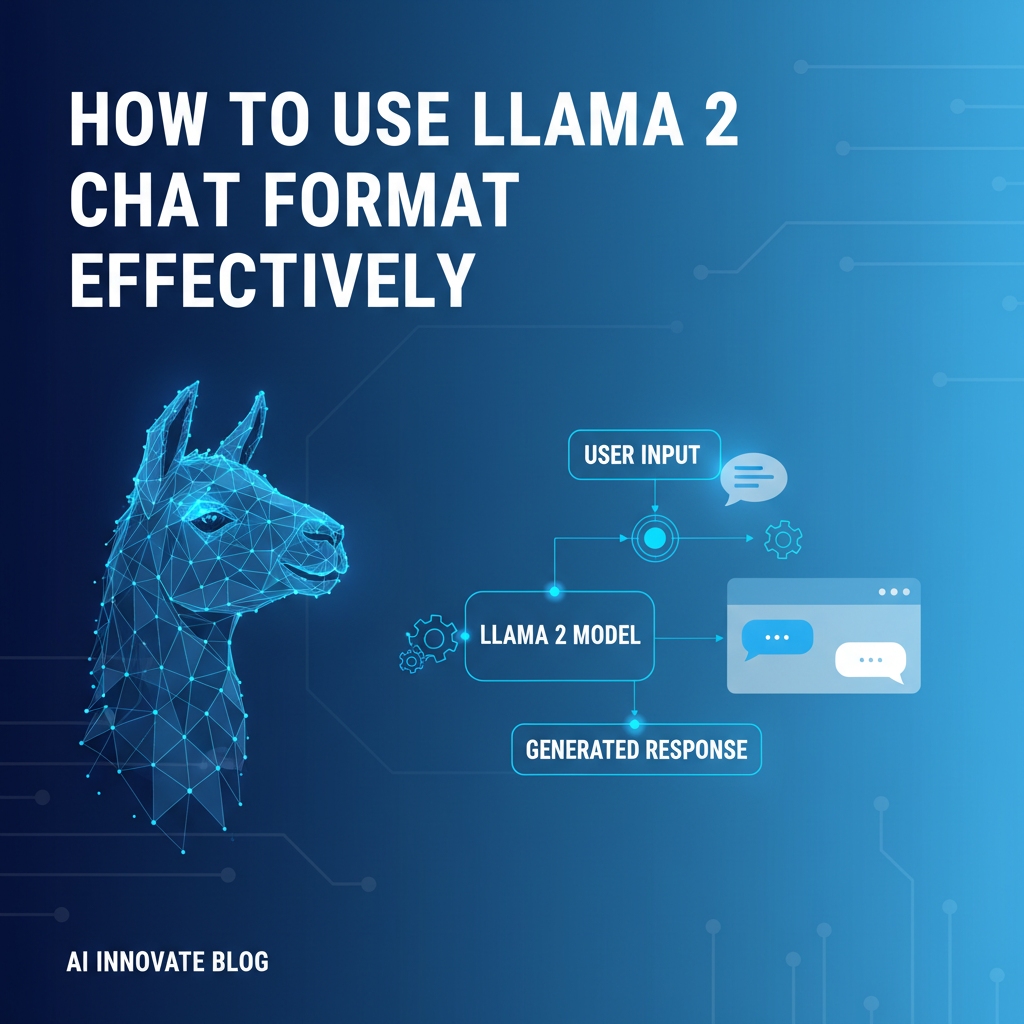


The advent of large language models (LLMs) has revolutionized how we interact with technology, opening up unprecedented possibilities for automation, innovation, and human-computer collaboration. Among the vanguard of these transformative technologies stands Llama2, an open-source marvel from Meta AI that has captured the attention of researchers and developers worldwide. Its accessibility and robust performance have made it a go-to choice for a myriad of applications, from intricate content generation to sophisticated conversational agents. However, merely deploying Llama2 is only the first step; harnessing its full potential demands a deep understanding of its unique chat format. This format is not merely a syntactic quirk but a sophisticated design choice that dictates how the model interprets intent, manages context, and ultimately generates relevant and coherent responses.
Effective communication with Llama2, much like with a human, hinges on clear, structured input. The specific delimiters and structure of the Llama2 chat format are akin to a universal language that the model understands most proficiently. Deviating from this established protocol can lead to suboptimal performance, misinterpretations, and frustratingly irrelevant outputs. This article delves into the intricacies of the Llama2 chat format, providing a comprehensive guide for developers and enthusiasts alike to master its nuances. We will explore the fundamental components, unravel the power of system prompts, discuss advanced techniques for managing conversational context, and reveal how a robust Model Context Protocol (MCP), consistently applied, becomes the bedrock of effective LLM interaction. By the end of this extensive exploration, you will possess the knowledge to not only correctly format your prompts but also to strategically engineer your interactions to elicit Llama2's most brilliant and useful responses, profoundly shaping the very modelcontext that guides its understanding.
Understanding Llama2's Core Philosophy and Architecture
Before diving into the specifics of its chat format, it's beneficial to grasp the fundamental philosophy underpinning Llama2's design. Llama2, and its instruct-tuned variant Llama-2-Chat, were developed with a strong emphasis on helpfulness and safety, refined through extensive human feedback via Reinforcement Learning from Human Feedback (RLHF). This intensive training process has endowed Llama2-Chat with a particular sensitivity to instructional cues and a preference for structured input, which is directly reflected in its prescribed chat format. Unlike some other models that might tolerate a wide range of input styles, Llama2-Chat thrives when it receives prompts that adhere to its expected structure. This structured approach helps the model differentiate between various elements of an input: the system's overarching guidelines, the user's specific query, and the flow of a multi-turn conversation.
The Llama2 family of models comes in various sizes, ranging from 7 billion to 70 billion parameters, offering a spectrum of capabilities suitable for different computational resources and application demands. Being open-source, it empowers a vast community to build upon, scrutinize, and improve its applications, fostering innovation and transparency in the AI landscape. However, this openness also places the onus on the user to understand its operational mechanics, particularly how it processes and understands conversational turns. The chat format isn't merely a convention; it's an optimized input mechanism that maximizes the model's ability to leverage its training effectively. When you provide input in the correct format, you are essentially speaking Llama2's native language, enabling it to access its vast knowledge base and reasoning capabilities with greater precision and reliability. It's about providing the model with the clearest possible signal, minimizing ambiguity and maximizing the chances of receiving a high-quality, relevant response.
Deconstructing the Llama2 Chat Format: The Foundation of Interaction
The Llama2 chat format is designed to provide clear structural cues to the model, delineating different parts of a conversation and instructions. This structured input is paramount for the model to correctly interpret the role of each piece of text—whether it's an overarching system instruction, a user's current query, or a previous turn in the dialogue. Understanding each component is crucial for effective communication.
The Fundamental Structure: A Single Turn
At its most basic, a single turn in a Llama2 conversation, particularly when initiating with system instructions, adheres to the following pattern:
<s>[INST] <<SYS>>
System Prompt
<</SYS>>

User Prompt [/INST]
Let's break down each element with granular detail:
<s>and</s>: These are token delimiters that signify the beginning and end of a single "utterance" or conversational turn. They are critical for the model to understand where one turn concludes and another potentially begins. Think of them as the conversation's "start" and "stop" markers. Without these, the model might struggle to segment distinct conversational units, leading to confusion about what constitutes a complete thought or interaction. In practice,<s>marks the start of a sequence that the model needs to process, and</s>signals its completion. When generating, the model might naturally generate</s>to indicate it has finished its response for that turn.[INST]and[/INST]: These tags encapsulate the user's instruction or prompt. Everything between these two tags is interpreted by the model as a direct command or query from the user. This segment is where you ask your questions, provide tasks, or offer specific inputs for the model to process. These tags are fundamental in distinguishing user input from model output or system instructions, allowing Llama2 to clearly identify its directives. They help the model understand, "This is what the human wants me to do or respond to now."<<SYS>>and<</SYS>>: These specialized delimiters are reserved for the system prompt. The text contained within these tags provides high-level instructions, context, persona definitions, or constraints that apply to the entire conversation or a significant portion thereof. The system prompt sets the foundational ground rules for the model's behavior. It is distinct from the user prompt because it defines the how and who (e.g., "You are a helpful AI assistant," "Always answer in Markdown") rather than the what (e.g., "Tell me about photosynthesis"). The judicious use of a system prompt is one of the most powerful tools in shaping Llama2's output and is a key component of a well-defined Model Context Protocol (MCP). It establishes the initial modelcontext for all subsequent interactions.- User Prompt: This is the actual question, command, or data you are presenting to Llama2. It is nested within the
[INST]tags, often following the<<SYS>>block if one is present. This is where your immediate query resides, e.g., "Explain the theory of relativity." or "Write a short poem about autumn."
Multi-Turn Conversations: Maintaining the Flow
One of the most powerful aspects of LLMs is their ability to engage in multi-turn dialogues, maintaining context across several interactions. For Llama2, this requires a specific continuation of the format. After the model responds to an initial prompt, subsequent user prompts are appended in a structured manner, preserving the conversational history.
The format for a multi-turn conversation proceeds as follows:
<s>[INST] <<SYS>>
System Prompt (often only present in the first turn, or re-iterated if needed)
<</SYS>>

User Prompt 1 [/INST] Model Response 1 </s>
<s>[INST] User Prompt 2 [/INST] Model Response 2 </s>
<s>[INST] User Prompt 3 [/INST]
Let's dissect this multi-turn structure:
- Initial Turn: The first interaction follows the fundamental structure, including the optional system prompt. The model's response directly follows the closing
[/INST]tag, and then the entire turn is closed with</s>.<s>[INST] <<SYS>> System Prompt <</SYS>> User Prompt 1 [/INST] Model Response 1 </s> - Subsequent Turns: For every new user interaction, you initiate a new
<s>[INST]block. Crucially, the system prompt (<<SYS>>...<</SYS>>) is generally not repeated in subsequent turns unless you explicitly want to override or re-emphasize system-level instructions. The model implicitly retains the initial system prompt's instructions as part of its ongoing modelcontext. The new user prompt is placed within these[INST]tags. After the model responds to this second prompt, its output is appended, followed by</s>, marking the end of that specific turn. This pattern continues for the duration of the conversation.<s>[INST] User Prompt 2 [/INST] Model Response 2 </s><s>[INST] User Prompt 3 [/INST](awaiting Model Response 3)
The unbroken sequence of <s>, [INST], [/INST], Model Response, and </s> tokens is what allows Llama2 to maintain a coherent and contextually aware dialogue. Each </s> acts as a clear separation marker, helping the model understand that the previous turn, including both user input and its own response, is now part of the historical modelcontext for the subsequent input.
Importance of Delimiters: Why Precision Matters
The seemingly verbose delimiters (<s>, </s>, [INST], [/INST], <<SYS>>, <</SYS>>) are not arbitrary. They are meticulously designed to provide explicit cues to the underlying transformer architecture of Llama2. Transformers excel at pattern recognition and sequence processing, and these delimiters serve as strong, unambiguous patterns for the model to parse the input.
- Syntactic Clarity: They prevent ambiguity. Without them, the model might struggle to differentiate between a user's instruction and a snippet of text meant as an example, or between a system-level directive and a conversational query.
- Contextual Framing: The delimiters help frame the
modelcontextfor each part of the input. The system prompt is understood as high-level guidance, the user prompt as a specific task, and the prior model responses as part of the ongoing dialogue history. - Preventing "Prompt Injection" (to an extent): While not a foolproof solution, clear delimiters make it harder for malicious or accidental user input to "inject" itself into the system prompt's role, thus maintaining the intended behavior defined by the
MCP. - Optimized Performance: The Llama2-Chat models were fine-tuned with this specific format. Providing input that deviates from it means you are giving the model a type of input it hasn't been extensively trained on, which can predictably lead to less optimal and less reliable outputs. Adhering to the format is akin to speaking the model's native language, enabling it to operate at its peak efficiency and understanding.
In essence, mastering Llama2's chat format is not just about syntax; it's about mastering the language of interaction with a highly sophisticated AI. It is the fundamental layer upon which all effective prompting strategies are built, ensuring that the modelcontext is correctly established and maintained throughout any interaction.
The Power of the System Prompt in Llama2
Within the structured confines of the Llama2 chat format, the system prompt (<<SYS>>...<</SYS>>) stands out as an exceptionally powerful tool. It is the architect of the model's initial behavior, setting the stage for all subsequent interactions. Unlike user prompts, which typically focus on immediate tasks or questions, the system prompt defines the underlying constraints, persona, and overarching guidelines that govern Llama2's responses throughout the conversation. It is a critical component of a comprehensive Model Context Protocol (MCP), dictating the foundational elements of the modelcontext.
What is a System Prompt and Why is it So Important?
A system prompt is a block of text, usually provided at the very beginning of a conversation, that instructs the model on how to behave, who to be, and what limitations to adhere to. It's the equivalent of giving an employee a detailed job description and a company policy handbook before they start working.
The importance of the system prompt cannot be overstated because it influences:
- Persona and Tone: It can transform Llama2 from a generic AI into a specialized persona, such as a helpful assistant, a cynical critic, a poetic bard, or a strict editor. It can also dictate the tone of responses—formal, informal, witty, academic, empathetic, etc.
- Constraints and Rules: It can enforce specific output formats (e.g., "always respond in Markdown," "limit answers to 100 words"), restrict certain types of content (e.g., "do not discuss political topics"), or guide the model towards specific types of information.
- Background Information: For complex tasks, the system prompt can provide crucial background information, definitions, or context that the model needs to understand the problem space before processing user queries. This initial injection of domain-specific knowledge is vital for specialized applications.
- Safety and Alignment: System prompts are often used to reinforce safety guidelines, prevent harmful outputs, and ensure the model aligns with ethical standards, reflecting the RLHF training the Llama2-Chat models underwent.
Examples of Effective System Prompts
Crafting effective system prompts is an art form, requiring clarity, specificity, and foresight. Here are various examples illustrating their power:
1. Defining a Persona and Tone:
<<SYS>>
You are a highly articulate and empathetic customer support agent for a leading tech company. Your primary goal is to provide clear, concise, and friendly solutions to user problems. Always maintain a professional yet approachable tone. If you don't know the answer, politely state that you'll look into it or escalate the issue. Do not use jargon unless specifically requested by the user.
<</SYS>>
Impact: This prompt immediately sets Llama2's role, guiding its language, demeanor, and problem-solving approach. It ensures a consistent brand voice for a customer service application.
2. Setting Output Format and Constraints:
<<SYS>>
You are a Markdown formatting expert. All your responses must be formatted using GitHub Flavored Markdown (GFM). Always include relevant headings, bullet points, and code blocks where appropriate. Ensure code blocks specify the language. Your answers should be comprehensive but succinct, aiming for clarity over verbosity.
<</SYS>>
Impact: This forces the model to adhere to a specific technical format, which is invaluable for documentation generation, code explanations, or any scenario where structured text is paramount. It ensures that the modelcontext prioritizes output formatting.
3. Imposing Content Restrictions:
<<SYS>>
You are a creative writing assistant focused solely on generating fantasy lore. You must only discuss topics related to fictional worlds, magic systems, creatures, and characters. Under no circumstances should you generate content about real-world politics, current events, or controversial social issues. Keep all responses within the realm of high fantasy.
<</SYS>>
Impact: This prompt creates a thematic sandbox, preventing the model from straying into undesired territories and maintaining focus for a specific creative project. It narrows the modelcontext to a particular domain.
4. Providing Background Information for Complex Tasks:
<<SYS>>
You are assisting a financial analyst. The current economic climate is characterized by high inflation (8.5%), rising interest rates (federal funds rate at 5.25%), and moderate unemployment (3.7%). Commodity prices, particularly oil, have seen a 15% increase year-over-year. The user will ask questions related to investment strategies under these specific conditions. Use this economic context for all your advice.
<</SYS>>
Impact: This system prompt supplies critical domain-specific data, allowing Llama2 to provide informed and contextually relevant analysis, transforming it into a specialized financial aid. Without this explicit context, the model's responses would be generic and less useful.
Best Practices for Crafting System Prompts
- Be Clear and Specific: Avoid vague language. Instead of "Be nice," say "Maintain a friendly and empathetic tone, avoiding any negative language."
- State Intent Explicitly: Clearly articulate the model's role and purpose.
- Use Negative Constraints Sparingly but Effectively: While it's generally better to tell the model what to do, sometimes specifying what not to do is essential (e.g., "Do not use emojis").
- Prioritize: If there are conflicting instructions, clarify which ones take precedence.
- Test and Iterate: System prompts are not one-size-fits-all. Experiment with different phrasings and observe Llama2's responses. Refine until you achieve the desired behavior.
- Keep it Concise (where possible): While detailed, avoid unnecessary verbosity that could dilute the core instructions. Every word in the system prompt contributes to the modelcontext and consumes token space.
Connection to Model Context Protocol (MCP)
The system prompt is arguably the most critical component of establishing a robust Model Context Protocol (MCP). MCP can be understood as a set of standardized guidelines and practices for preparing and managing the entire modelcontext provided to an AI. It's about ensuring that the model consistently receives the necessary information—including instructions, historical dialogue, and user input—in a structured and optimized manner.
Llama2's use of the <<SYS>>...<</SYS>> tags within its chat format is a direct implementation of a core tenet of MCP: the explicit separation and prioritization of system-level instructions. A well-defined system prompt ensures that:
- Consistency: Every interaction starts with the same foundational rules, regardless of the user's specific query.
- Predictability: The model's behavior becomes more predictable and controllable, reducing unexpected outputs.
- Efficiency: By front-loading critical information, subsequent user prompts can be shorter and more focused, as the model already understands its operational parameters.
- Reproducibility: If you use the same system prompt, you expect similar base behaviors from the model for similar inputs, which is vital for developing reliable applications.
Through the meticulous crafting and deployment of system prompts, developers can precisely engineer the initial modelcontext, guiding Llama2 towards its most useful and aligned performance, making it an indispensable element of any sophisticated LLM application.
Crafting Effective User Prompts for Llama2
While the system prompt sets the foundational ground rules and persona, the user prompt is where the dynamic interaction truly happens. It's your direct line to Llama2, where you present your specific questions, tasks, or data for immediate processing. Crafting effective user prompts within the Llama2 chat format requires clarity, specificity, and often a strategic approach to guide the model towards the desired output. This section will delve into best practices for writing user prompts, ensuring that your queries are understood and answered precisely, building upon the established modelcontext.
Clarity and Specificity: Avoiding Ambiguity
One of the most common pitfalls in prompting any LLM, including Llama2, is ambiguity. Vague or broad prompts can lead to generic, unhelpful, or even incorrect responses. Llama2, while incredibly intelligent, operates based on the patterns it has learned; if your request is unclear, it might resort to the most common interpretation, which may not be what you intended.
- Be Direct: State exactly what you want the model to do. Instead of "Tell me about cars," ask "Explain the main differences between electric vehicles and internal combustion engine vehicles, focusing on environmental impact and long-term costs."
- Define Terms (if necessary): If you're using specialized jargon or acronyms, briefly define them or instruct Llama2 to ask for clarification if it encounters unfamiliar terms.
- Specify Output Format: Even if you've set a general format in the system prompt, you can refine it for specific user prompts. For example, "Summarize this article in 3 bullet points" or "Provide a step-by-step guide."
- Avoid Double Negatives: These can be confusing for humans and even more so for AI. Rephrase positively whenever possible.
Example of poor vs. good prompt: * Poor: [INST] Write something about dogs. [/INST] (Too broad, could be anything from a poem to a scientific paper.) * Good: [INST] Write a heartwarming short story, approximately 300 words, about a stray dog finding its forever home, from the dog's perspective. Focus on its feelings of loneliness and ultimate joy. [/INST] (Specific length, genre, perspective, and emotional focus.)
Providing Context: The Information Llama2 Needs
Even with a robust system prompt, individual user queries often require specific immediate context to be answered accurately. Llama2 does not "know" everything about your specific situation unless you tell it. The information you provide within the user prompt directly contributes to the dynamic modelcontext for that particular query.
- Include Relevant Details: If you're asking Llama2 to analyze a piece of text, include the text. If you want it to help you write code, provide the existing code snippet or the desired programming language and framework.
- Establish Scenarios: For role-playing or scenario-based tasks, clearly describe the situation. For instance, "Imagine you are a customer service representative and I am an angry customer whose internet is down. Respond to my complaint:"
- Reference Prior Turns (if needed): While Llama2 maintains conversational history, for very long or complex dialogues, it might be beneficial to explicitly reference a key point from an earlier turn if it's crucial for the current question. However, be mindful of token limits.
Example: [INST] Based on the financial analysis we discussed earlier (high inflation, rising interest rates), what would be a prudent investment strategy for a conservative investor looking to preserve capital? [/INST] (This prompt assumes the modelcontext was established by a strong system prompt or prior conversation and then adds a specific question relevant to that context.)
Using Examples (Few-shot Prompting): Demonstrating Desired Output
One of the most effective ways to guide Llama2 is through few-shot prompting, where you provide one or more examples of input-output pairs that demonstrate the desired behavior. This is particularly useful for specific formats, styles, or complex reasoning tasks that are hard to describe purely with instructions. The examples augment the modelcontext by showing rather than just telling.
- Format Examples: Show Llama2 exactly how you want the output to look.
- Reasoning Examples: Demonstrate a step-by-step reasoning process.
- Tone/Style Examples: Provide text snippets that exemplify the desired writing style.
Example: `[INST] Convert the following sentences into a concise, active voice: Input: The ball was thrown by the boy. Output: The boy threw the ball.
Input: The report was written by the committee. Output: The committee wrote the report.
Input: The decision was made by the board of directors. Output: [/INST]`
In this case, Llama2 learns the transformation pattern from the examples, making it more likely to produce the desired active voice conversion.
Breaking Down Complex Tasks: Guiding Llama2 Step-by-Step
Large and complex tasks can overwhelm LLMs, leading to lower quality outputs. Just as you would break down a difficult project for a human, breaking down a complex prompt for Llama2 can significantly improve results. This iterative approach helps maintain a focused modelcontext at each step.
- Sequential Steps: Ask Llama2 to perform one step at a time. For instance, instead of "Write an essay on climate change," first ask "Outline the key arguments for and against climate change mitigation policies." Then, "Expand on the first argument in detail."
- Chain of Thought Prompting: Encourage Llama2 to "think step-by-step" before providing its final answer. This involves prompting the model to articulate its reasoning process, which often leads to more accurate and robust conclusions.
Example of Chain of Thought: [INST] Evaluate the pros and cons of implementing a four-day work week for tech companies. Think step-by-step before giving your final conclusion. Step 1: Identify potential benefits for employees. Step 2: Identify potential benefits for employers. Step 3: Identify potential drawbacks for employees. Step 4: Identify potential drawbacks for employers. Step 5: Weigh these factors and provide a balanced conclusion. [/INST]
Iterative Refinement: Improving Prompts Based on Responses
Prompting is often an iterative process. It's rare to get a perfect response on the first try, especially for complex tasks. Treat Llama2's responses as feedback and use them to refine your next prompt. This continuous feedback loop helps in fine-tuning the modelcontext with each interaction.
- Analyze Errors: If the response is off-topic, too long, too short, or factually incorrect, consider why. Was the prompt unclear? Was essential context missing?
- Clarify and Constrain: Use subsequent prompts to clarify ambiguous points or add new constraints. "That was good, but can you make it more formal?" or "Can you elaborate on point number three?"
- Experiment: Try different phrasings, reorder information, or add/remove examples to see what yields the best results.
The Interplay Between System and User Prompts
The system prompt and user prompt work in tandem to create the complete modelcontext. The system prompt establishes the foundational environment and long-term rules, while the user prompt provides the immediate task within that environment.
- A strong system prompt reduces the need for lengthy user prompts that re-establish basic rules. You can keep user prompts concise and focused on the immediate task.
- The system prompt acts as a filter and guide, ensuring that even if a user prompt is slightly ambiguous, Llama2 is more likely to interpret it in line with the overall conversational goals.
- Conversely, a well-crafted user prompt can temporarily override or add nuances to system prompt directives for a specific turn, though major deviations are best handled by modifying the system prompt itself or starting a new conversation.
By mastering the art of crafting both system and user prompts, developers can unlock Llama2's full potential, transforming it from a powerful language model into a highly effective and adaptable tool tailored to specific application needs. This mastery is a cornerstone of any effective Model Context Protocol.
APIPark is a high-performance AI gateway that allows you to securely access the most comprehensive LLM APIs globally on the APIPark platform, including OpenAI, Anthropic, Mistral, Llama2, Google Gemini, and more.Try APIPark now! 👇👇👇
Managing Context in Multi-Turn Dialogues: Deep Dive into MCP and modelcontext
One of the most significant challenges in building sophisticated AI conversational agents is maintaining coherent and relevant dialogue across multiple turns. Large Language Models (LLMs) like Llama2 have an inherent ability to track context, but this ability is not infinite. Understanding how modelcontext is constructed and managed, particularly within the framework of a Model Context Protocol (MCP), is paramount for developing robust and intelligent conversational systems. Without careful management, even the most advanced LLMs can "forget" earlier parts of a conversation, leading to irrelevant or contradictory responses—a phenomenon often referred to as "context drift."
The Challenge of Context Window: LLMs Have Finite Memory
Every LLM operates with a "context window," a fixed maximum number of tokens (words or sub-word units) it can process at any given time. This window includes everything: the system prompt, all previous user prompts, all previous model responses, and the current user prompt. When the conversation exceeds this window, the model effectively "forgets" the oldest parts of the dialogue. For example, Llama2 models might have context windows ranging from 2048 to 4096 tokens, which, while substantial, can be quickly consumed in detailed or long-running conversations.
This finite memory presents a critical challenge: how do you keep the most relevant information within the active modelcontext when the conversation history grows too long?
Explicit vs. Implicit Context
To address this, it's useful to differentiate between explicit and implicit context:
- Explicit Context: This refers to all the text directly fed into the model's input for the current turn. This includes the system prompt, the preceding turns of the conversation (user prompts and model responses), and the current user's query. The Llama2 chat format explicitly structures this information to be clearly parsed by the model.
- Implicit Context: This is the model's internal understanding, its learned world knowledge, and its ability to infer based on the explicit context. While powerful, its effective range is still limited by the explicit context window. If crucial information is outside this window, the implicit understanding might fail.
Strategies for Context Management
To overcome the limitations of the context window and ensure the modelcontext remains pertinent, various strategies can be employed. These strategies are integral to a comprehensive Model Context Protocol.
- Summarization:
- Mechanism: As the conversation approaches the context window limit, previous turns (or parts of them) are summarized into a shorter, concise representation. This summary then replaces the original verbose history in the input to the model.
- Pros: Saves significant token space, allowing for longer dialogues. Can retain key facts and decisions.
- Cons: Loss of detail in the summarized parts. The summarization itself consumes tokens and computational resources. The quality of the summary can impact the subsequent conversation.
- Example: A chatbot discussing travel plans might summarize the agreed-upon destination and dates after several turns, rather than repeating the full negotiation.
- Retrieval-Augmented Generation (RAG):
- Mechanism: Instead of solely relying on the model's internal knowledge or the immediate conversational history, RAG involves retrieving relevant information from an external knowledge base (e.g., a database, document store, or web search) and injecting it into the prompt.
- Pros: Access to up-to-date, factual, and domain-specific information beyond the model's training data. Reduces hallucination.
- Cons: Requires a well-indexed and searchable external knowledge base. Retrieval latency can affect response time. The retrieved information still needs to fit within the context window.
- Example: A medical chatbot might retrieve information about a specific drug from an official medical database when asked a question, rather than summarizing past conversations.
- Windowing (Fixed-Window or Sliding-Window):
- Mechanism: Only the most recent 'N' turns or a fixed number of tokens are kept in the
modelcontext, and older parts are simply discarded. - Pros: Simple to implement. Guarantees the most recent interactions are always considered.
- Cons: Completely loses older, potentially crucial, context. Can lead to abrupt shifts in conversation if critical information is dropped.
- Example: A casual chat bot might simply keep the last 5 user/model turns, assuming older context is less relevant.
- Mechanism: Only the most recent 'N' turns or a fixed number of tokens are kept in the
- Hierarchical Context Management:
- Mechanism: Combines elements of summarization and explicit context. Key facts or decisions from earlier in the conversation are extracted and stored as a separate, persistent "fact list" or "executive summary." This high-level summary is then always included in the prompt, alongside a sliding window of recent detailed interactions.
- Pros: Retains critical long-term context while preserving recent detail. More robust against context drift for key elements.
- Cons: More complex to implement. Requires intelligent extraction of important information.
Introducing Model Context Protocol (MCP)
The strategies above highlight the need for a systematic approach to context management. This is where the concept of a Model Context Protocol (MCP) becomes crucial. MCP is not a single algorithm but rather a holistic framework or set of best practices that defines how the entire modelcontext—encompassing system instructions, conversation history, and real-time user requests—is structured, managed, and presented to an AI model to ensure consistent, predictable, and optimal performance.
In the context of Llama2's chat format:
MCPdictates that the system prompt (<<SYS>>...<</SYS>>) always occupies a privileged position, establishing the initial rules.MCPemphasizes the importance of preserving the turn-based structure (<s>[INST]...[/INST] Model Response </s>) to maintain conversational flow.MCPincludes the implementation of context management strategies (summarization, RAG, windowing) to prevent context window overflow while preserving critical information within the activemodelcontext. It defines how and when these strategies are applied.MCPensures that themodelcontextis always prepared in a way that maximizes Llama2's ability to understand, reason, and respond appropriately. It's the blueprint for how all input data is packaged for the AI.
A well-defined MCP is essential for:
- Consistency Across Interactions: Ensuring that every user query, regardless of its position in the dialogue, is interpreted within a stable set of guidelines and historical understanding.
- Preventing Drift and Hallucination: By actively managing what information is available to the model,
MCPhelps keep Llama2 grounded in the relevant conversation history and facts. - Improving Reliability and Reproducibility: A standardized
MCPmakes model behavior more predictable and easier to debug. - Optimizing Resource Usage: Efficient
MCPminimizes unnecessary token usage, which can have cost implications and improve latency.
Essentially, MCP formalizes the process of constructing the modelcontext that Llama2 (and other LLMs) uses for its reasoning. It's the overarching strategy that brings together all the individual techniques of prompt engineering and context handling into a cohesive, effective system.
Table: Comparing Context Management Strategies
Here’s a comparative overview of the discussed context management strategies:
| Strategy | Description | Pros | Cons | Best Use Cases |
|---|---|---|---|---|
| No Management | Feed entire history until context window is full, then truncate. | Simplest to implement. | Severe context drift, loss of critical older information. Not scalable. | Very short, one-off interactions where context is minimal. |
| Windowing | Keep only the last N turns or a fixed token count. | Easy to implement. Maintains recent context. | Arbitrarily loses older context, potentially critical information. | Casual chatbots, general Q&A where long-term memory isn't critical. |
| Summarization | Condense past turns into a concise summary to replace original history. | Saves significant token space. Retains key facts. | Loss of detail. Summarization itself consumes tokens/compute. Quality dependent on summarizer. | Long-running support conversations, technical troubleshooting where key facts need to persist. |
| Retrieval-Augmented Generation (RAG) | Retrieve external, relevant information and inject it into the prompt. | Access to up-to-date, factual, domain-specific data. Reduces hallucination. | Requires external knowledge base. Retrieval latency. Retrieved data still needs to fit window. | Fact-based Q&A, domain-specific assistance (e.g., legal, medical, financial), dynamic information needs. |
| Hierarchical Context | Store key facts/decisions persistently; use a sliding window for recent detail. | Robustly preserves critical context. Balances detail and long-term memory. | More complex implementation. Requires intelligent information extraction. | Complex project management assistants, long-term educational tutors, detailed planning tools. |
Effective context management, guided by a robust Model Context Protocol, is not just an optimization; it is a fundamental requirement for building truly intelligent, reliable, and user-friendly AI applications powered by Llama2 in multi-turn conversational settings. It ensures that the modelcontext is always tailored to elicit the best possible performance.
Advanced Techniques and Considerations for Llama2
Beyond the foundational aspects of chat format and context management, several advanced techniques and considerations can further refine Llama2's behavior and enhance the quality of its responses. These delve into the parameters that control the model's generation process, strategies for handling unexpected outputs, and ethical implications that developers must consider for responsible deployment. Each of these elements contributes to the overall effectiveness and robustness of your Model Context Protocol and the resulting modelcontext.
Temperature and Top-P Sampling: Controlling Creativity and Diversity
When Llama2 generates text, it doesn't simply pick the most probable next word. It samples from a distribution of possible next tokens. Temperature and Top-P are two crucial parameters that allow you to control this sampling process, influencing the creativity, randomness, and diversity of the model's output.
- Temperature: This parameter directly influences the randomness of the model's output.
- Higher Temperature (e.g., 0.7-1.0): Makes the output more random, creative, and diverse. The model is more likely to select less probable tokens, leading to more imaginative but potentially less coherent or "factual" responses. Useful for creative writing, brainstorming, or generating varied options.
- Lower Temperature (e.g., 0.1-0.3): Makes the output more deterministic and focused. The model tends to select the most probable tokens, leading to more factual, conservative, and predictable responses. Ideal for tasks requiring accuracy, summarization, or strict adherence to instructions.
- Default usually around 0.6-0.7 for balanced output.
- Top-P (Nucleus Sampling): This parameter controls the cumulative probability of the tokens considered for sampling.
- Instead of considering all tokens, Top-P selects a subset of tokens whose cumulative probability exceeds a certain threshold 'P'. The model then samples from this smaller, more probable set.
- Higher Top-P (e.g., 0.9-0.95): Allows the model to consider a wider range of tokens, leading to more diverse outputs, similar to higher temperature but often with more control over coherence.
- Lower Top-P (e.g., 0.5-0.7): Narrows the selection to a smaller set of highly probable tokens, resulting in more focused and predictable outputs.
- Often used in conjunction with temperature; if temperature is 0, Top-P has no effect as the model always picks the most probable token.
Best Practice: Experiment with these parameters based on your application's needs. For factual tasks, keep temperature low and Top-P moderate. For creative tasks, increase temperature and Top-P to encourage exploration.
Max New Tokens: Managing Response Length
The max_new_tokens (or max_tokens) parameter directly controls the maximum number of tokens Llama2 will generate in a single response. This is distinct from the total context window size.
- Purpose: Essential for controlling the verbosity of the model's output.
- Prevents overly long, rambling responses: Especially useful when token usage is tied to cost or when UI constraints demand concise answers.
- Ensures completion within limits: Guarantees that the model won't generate an infinitely long response.
- Considerations: Setting
max_new_tokenstoo low can result in truncated, incomplete, or abruptly cut-off responses. Always ensure it's sufficient for a meaningful answer. For instance, if you ask for a 500-word essay, settingmax_new_tokensto 100 will yield an incomplete response.
Fine-tuning and Custom Models: Beyond Basic Prompting (Briefly)
While advanced prompting techniques can achieve remarkable results, there are limits to what can be done with a base model. For highly specialized tasks, unique domains, or situations requiring deeply ingrained knowledge or specific stylistic adherence, fine-tuning Llama2 (or a smaller variant) on a custom dataset becomes necessary.
- Fine-tuning: Involves further training a pre-trained LLM on a smaller, task-specific dataset. This allows the model to adapt its internal representations and generate outputs that are highly aligned with the nuances of your particular domain or desired behavior.
- Benefits: Significantly improved accuracy and relevance for niche tasks, adherence to specific terminology, and enhanced performance where generic knowledge isn't sufficient. Can also result in smaller, more efficient models for specific use cases.
- Considerations: Requires a high-quality, relevant dataset and computational resources for training. It's a more involved process than mere prompting. However, the resulting model offers a dramatically improved
modelcontextfor its specific domain.
Error Handling and Debugging: What to Do When Llama2 Doesn't Behave as Expected
Despite all efforts, LLMs can sometimes produce unexpected or undesirable outputs. Debugging these issues requires a systematic approach.
- Review the
Modelcontext:- System Prompt: Is it clear, unambiguous, and comprehensive? Does it have any conflicting instructions?
- User Prompt: Is it specific enough? Is all necessary context provided? Are there any hidden assumptions?
- Full Input: Examine the entire input provided to the model (including system prompt, history, and current user prompt) to ensure it correctly adheres to the Llama2 chat format and doesn't exceed the context window. Use a token counter if available.
- Adjust Parameters: Experiment with temperature and Top-P. A very high temperature might lead to creative but nonsensical output; a very low one might stifle desired creativity.
- Iterative Prompt Refinement: If the response is off, try rephrasing the prompt, adding more examples (few-shot), or breaking down the task into smaller steps.
- Check for Over-Constraint: Sometimes, too many constraints in the system prompt can lead to the model struggling to find a valid response, or even refusing to answer.
- Examine Hallucinations: If the model invents facts, consider if it's lacking external information (where RAG might help) or if the prompt is too open-ended.
- Safety Filters: Llama2 has built-in safety mechanisms. If your output is being filtered, review your prompt for any content that might trigger these filters, even unintentionally.
Ethical Considerations: Bias, Safety, Responsible Deployment
Deploying powerful LLMs like Llama2 comes with significant ethical responsibilities. As developers, we must consider the broader societal impact of our applications. These considerations directly influence how we craft our Model Context Protocol and manage the modelcontext to ensure responsible AI.
- Bias: LLMs are trained on vast datasets that reflect existing human biases. Llama2, despite RLHF, can still exhibit biases.
- Mitigation: Carefully craft system prompts to encourage fairness, neutrality, and diverse perspectives. Monitor outputs for biased language or stereotypes.
- Safety and Harmful Content: LLMs can potentially generate harmful, offensive, or dangerous content (e.g., hate speech, misinformation, instructions for illicit activities).
- Mitigation: Implement robust safety filters (both pre- and post-generation). Use system prompts to explicitly forbid generation of harmful content. Design your application such that it does not encourage or facilitate harmful interactions.
- Privacy: If Llama2 processes personal or sensitive user data, ensure compliance with privacy regulations (e.g., GDPR, CCPA).
- Mitigation: Anonymize data where possible. Avoid sending sensitive information to the model if it's not strictly necessary.
- Transparency and Explainability: Users should ideally understand that they are interacting with an AI and, where possible, why the AI produced a particular response.
- Mitigation: Clearly label AI-generated content. Design your system to allow for human oversight and intervention.
- Misinformation and Hallucination: LLMs can confidently present incorrect information.
- Mitigation: For critical applications, implement fact-checking mechanisms (e.g., RAG with authoritative sources). Educate users about the limitations of AI.
By proactively addressing these advanced techniques and ethical considerations, developers can build more robust, reliable, and responsible applications leveraging Llama2's impressive capabilities. These are not merely optional enhancements but critical components for elevating LLM interaction to a professional and ethical standard, ensuring the modelcontext aligns with desired human values.
Practical Applications and Integration: Elevating Llama2 Deployment
The theoretical understanding of Llama2's chat format, context management, and advanced prompting techniques finds its true value in practical application and seamless integration into real-world systems. Llama2's versatility makes it suitable for a vast array of use cases, but deploying it effectively often requires more than just calling an API. This section explores common applications and, crucially, how platforms and AI gateways can significantly simplify the integration and management of Llama2, ensuring that the defined Model Context Protocol is consistently enforced.
Use Cases for Llama2 with Effective Chat Formatting
The precise control offered by Llama2's chat format and robust prompt engineering unlocks a plethora of applications:
- Customer Service Chatbots: By defining a system prompt that establishes a helpful, empathetic, and knowledgeable persona, Llama2 can be used to answer customer queries, troubleshoot common issues, and even escalate complex problems. Effective context management ensures the bot remembers previous interactions and customer details.
- Content Generation Tools: From drafting marketing copy and social media updates to generating blog post outlines or creative stories, Llama2 can be a powerful content assistant. System prompts can dictate style, tone, and format (e.g., "Write in a witty, engaging tone, targeting young professionals"). User prompts guide specific topics or constraints.
- Code Assistants: Llama2 can generate code snippets, explain complex functions, debug errors, or translate code between languages. System prompts can define the programming language, framework, and coding standards. Few-shot prompting can be used to demonstrate desired code patterns.
- Data Analysis and Summarization: Given raw data or lengthy documents, Llama2 can summarize key findings, extract specific information, or identify trends. System prompts can instruct it on the desired output format (e.g., "Summarize this report into a management executive brief, focusing on financial implications, in Markdown format").
- Educational Tutors: Llama2 can act as a personalized tutor, explaining complex concepts, answering student questions, and providing practice problems. Hierarchical context management can keep track of a student's progress and areas of difficulty over long sessions.
- Virtual Personal Assistants: Scheduling, task management, information retrieval, and personalized recommendations can all be powered by Llama2, with the chat format enabling a natural, multi-turn dialogue.
Each of these applications benefits immensely from a clear Model Context Protocol that dictates how the modelcontext is constructed and maintained, leveraging the Llama2 chat format to its fullest.
Integration with Platforms/Gateways: Simplifying Llama2 Deployment
While Llama2 offers unparalleled capabilities, integrating it into enterprise-grade applications or managing its deployment across various services can introduce significant operational complexities. Manually handling the intricate chat format, managing context for potentially hundreds or thousands of concurrent users, applying different system prompts, and ensuring consistent Model Context Protocol adherence for every API call can become an overwhelming task for development teams. This is precisely where AI gateway and API management platforms demonstrate their immense value.
For instance, when deploying Llama2 in production, ensuring that every user interaction correctly adheres to its complex chat format, particularly in multi-turn scenarios, can be a significant operational overhead. Developers might spend considerable time crafting the exact <s>[INST] <<SYS>> ... [/INST] sequences, handling token limits, and orchestrating context summaries for each request. This is precisely where an AI Gateway like ApiPark demonstrates its immense value.
APIPark, as an open-source AI gateway and API management platform, is specifically designed to abstract away these underlying complexities, providing a unified and efficient way to manage AI service integration. Its features directly address the challenges of effectively deploying and scaling LLMs like Llama2:
- Unified API Format for AI Invocation: APIPark standardizes the request data format across various AI models. This means developers don't have to painstakingly construct the
<s>[INST] <<SYS>> System Prompt <</SYS>> User Prompt [/INST]structures for every Llama2 call. APIPark can handle the transformation, converting a simpler, unified input from the application layer into the precise Llama2 chat format required by the model. This significantly reduces developer burden and ensures strict adherence to the Model Context Protocol without manual, error-prone formatting, thus consistently delivering the optimalmodelcontextto Llama2. - Prompt Encapsulation into REST API: APIPark allows users to quickly combine specific Llama2 models with custom system and user prompts, transforming them into ready-to-use REST APIs. Imagine encapsulating a Llama2 instance, along with a predefined system prompt (e.g., "You are a customer support agent, always polite and helpful"), and then exposing this as a simple
/api/customer-supportendpoint. This not only simplifies deployment but also ensures that the carefully craftedmodelcontext—including the intricate Llama2 chat format and any persistent system instructions—is consistently applied across all invocations, boosting efficiency and reducing potential errors. - End-to-End API Lifecycle Management: Managing Llama2 as an API involves more than just calling it. APIPark assists with the entire lifecycle, including traffic forwarding, load balancing across multiple Llama2 instances (if you're hosting them), versioning of published APIs, and applying security policies. This ensures high availability, scalability, and robust security for your Llama2-powered applications.
- Quick Integration of 100+ AI Models: Beyond Llama2, APIPark's ability to integrate over 100 AI models means your applications aren't locked into a single model. This flexibility allows you to experiment with different LLMs or even orchestrate multi-model workflows, always ensuring that the correct
Model Context Protocolis applied for each respective model. - Detailed API Call Logging and Powerful Data Analysis: Understanding how your Llama2 APIs are being used is crucial. APIPark provides comprehensive logging, recording every detail of each API call, including the full
modelcontext(input and output). This data is invaluable for debugging, performance monitoring, and identifying opportunities for prompt refinement. Its data analysis capabilities help display long-term trends and performance changes, allowing for proactive maintenance and optimization of your Llama2 integrations.
By leveraging platforms like APIPark, organizations can significantly accelerate the development and deployment of Llama2-powered applications. These gateways simplify the technical overhead associated with managing specific model formats and maintaining complex conversational modelcontext, allowing developers to focus on application logic and user experience rather than the intricate mechanics of LLM interaction. This centralization and standardization are key to building scalable, maintainable, and robust AI systems that effectively utilize Llama2's powerful capabilities.
Conclusion
The journey into mastering Llama2's chat format is one of precision, strategy, and continuous refinement. We have traversed the foundational elements, from the critical <s> and [INST] delimiters that structure every interaction, to the profound influence of the <<SYS>> system prompt that defines Llama2's persona and operational boundaries. Understanding these components is not merely a syntactic exercise; it's about speaking the model's native language, enabling it to unlock its vast capabilities with unparalleled accuracy and relevance.
We delved into the art of crafting potent user prompts, emphasizing clarity, specificity, and the strategic use of examples and step-by-step guidance. Critically, we explored the complexities of context management in multi-turn dialogues, highlighting the inherent limitations of an LLM's context window and presenting various strategies—summarization, RAG, and windowing—to maintain conversational coherence. This discussion culminated in the articulation of a robust Model Context Protocol (MCP), a generalized framework for structuring and managing the entire modelcontext to ensure consistent, predictable, and optimal interactions with Llama2. The MCP is the invisible hand that guides Llama2's understanding, ensuring that every piece of information, from high-level instructions to granular conversational history, is presented in a way that maximizes its utility.
Furthermore, we examined advanced techniques like temperature and Top-P sampling for controlling creative output, max_new_tokens for managing response length, and the crucial considerations of error handling and ethical deployment. These elements underscore the responsibility that comes with harnessing such powerful AI tools. Finally, we explored the practical applications of Llama2 and how platforms like ApiPark dramatically simplify the integration and management of LLMs, abstracting away the complexities of format adherence and context orchestration, thereby allowing developers to focus on delivering innovative solutions.
In an ever-evolving AI landscape, the ability to effectively communicate with models like Llama2 remains a cornerstone skill. By meticulously applying the principles of the Llama2 chat format, strategically managing your modelcontext, and adhering to a thoughtful Model Context Protocol, you empower yourself to build intelligent, reliable, and truly transformative AI applications. The future of human-AI collaboration hinges on our ability to craft clearer, more intentional conversations, and with Llama2's robust format, we have a powerful tool to achieve just that.
Frequently Asked Questions (FAQs)
1. What is the fundamental difference between a system prompt and a user prompt in Llama2's chat format? A system prompt, enclosed in <<SYS>>...<</SYS>> tags, provides high-level instructions, defines the model's persona, tone, and overarching constraints for the entire conversation. It establishes the foundational modelcontext. A user prompt, enclosed in [INST]...[/INST] tags, is the specific question, command, or task presented by the user in a particular turn, operating within the framework set by the system prompt. System prompts guide how Llama2 behaves, while user prompts dictate what Llama2 should do at a given moment.
2. Why is adhering strictly to the Llama2 chat format (<s>[INST]...[/INST]) so important, and what happens if I don't? Adhering to the Llama2 chat format is crucial because the Llama2-Chat models were explicitly fine-tuned with this structure. These specific delimiters (<s>, </s>, [INST], [/INST], <<SYS>>, <</SYS>>) serve as clear signals to the model, helping it correctly parse and interpret different parts of the input (system instructions, user queries, previous turns). If you deviate from this format, the model may misinterpret your input, leading to confused, irrelevant, or suboptimal responses because it's receiving a signal it wasn't extensively trained to understand, thereby compromising the intended modelcontext.
3. What is "Model Context Protocol (MCP)" and how does it relate to Llama2's chat format? Model Context Protocol (MCP) is a conceptual framework or a set of standardized guidelines for how the entire modelcontext—including system instructions, conversation history, and real-time user requests—is structured, managed, and presented to an AI model to ensure consistent, predictable, and optimal performance. Llama2's chat format is a specific implementation of an MCP, as it provides a clear, structured way to delineate different parts of the modelcontext (e.g., system prompt, user prompt, historical turns) using specific tokens, which is vital for the model's understanding and coherent responses.
4. How do I manage context in long multi-turn conversations with Llama2 when the context window is limited? Managing context is vital for long conversations. Key strategies include: * Summarization: Condensing earlier parts of the conversation into shorter summaries to save token space. * Windowing: Keeping only the most recent 'N' turns or a fixed token count and discarding older content. * Retrieval-Augmented Generation (RAG): Fetching relevant external information from a knowledge base and injecting it into the prompt. * Hierarchical Context Management: Extracting and persistently storing key facts while using a sliding window for recent detailed interactions. These strategies are all part of a robust Model Context Protocol to ensure the modelcontext remains relevant.
5. How can platforms like APIPark simplify the deployment and management of Llama2 models? Platforms like APIPark simplify Llama2 deployment by abstracting away many underlying complexities. APIPark offers a "Unified API Format for AI Invocation" which handles the intricate Llama2 chat format conversion, meaning developers don't have to manually construct the <s>[INST]...[/INST] structures. Its "Prompt Encapsulation into REST API" feature allows custom Llama2 prompts to be exposed as simple API endpoints, ensuring consistent Model Context Protocol application. Additionally, APIPark provides end-to-end API lifecycle management, quick integration of various AI models, detailed logging, and performance monitoring, significantly reducing operational overhead and accelerating the development of Llama2-powered applications.
🚀You can securely and efficiently call the OpenAI API on APIPark in just two steps:
Step 1: Deploy the APIPark AI gateway in 5 minutes.
APIPark is developed based on Golang, offering strong product performance and low development and maintenance costs. You can deploy APIPark with a single command line.
curl -sSO https://download.apipark.com/install/quick-start.sh; bash quick-start.sh

In my experience, you can see the successful deployment interface within 5 to 10 minutes. Then, you can log in to APIPark using your account.

Step 2: Call the OpenAI API.