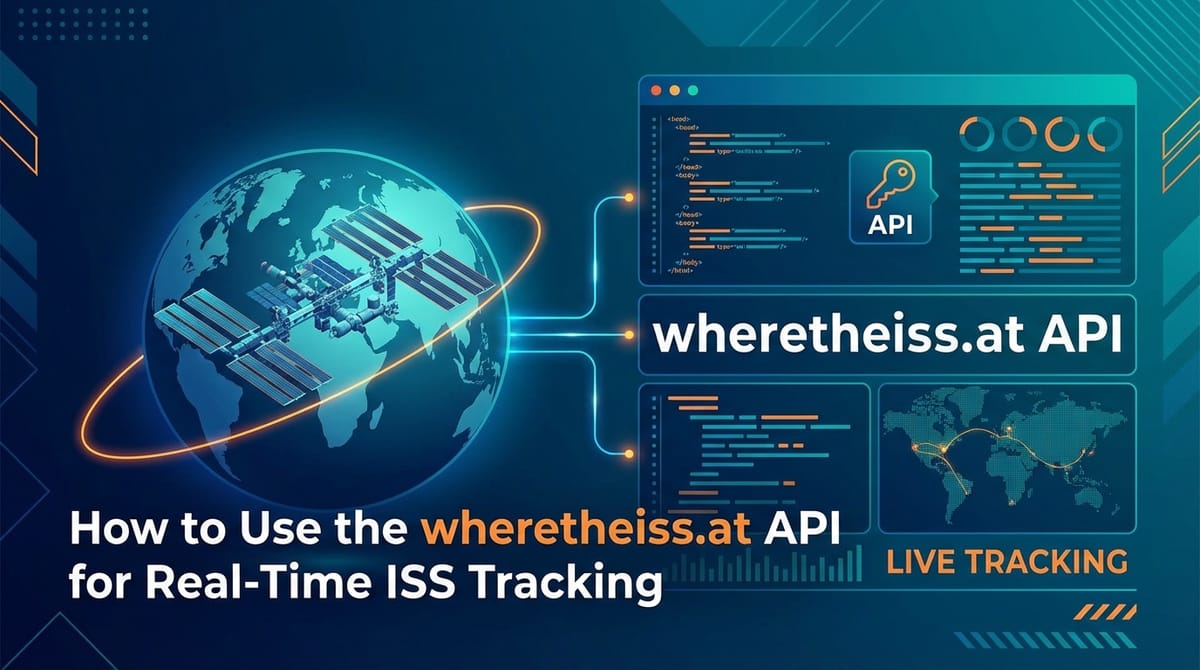
How to Use the wheretheiss.at API for Real-Time ISS Tracking


The International Space Station (ISS) is a marvel of human ingenuity, a continually orbiting research laboratory that serves as a testament to international collaboration and our species' enduring drive to explore beyond Earth's confines. Visible to the naked eye as a bright, fast-moving star across the night sky, its silent journey above us captivates millions. For enthusiasts, educators, developers, and even casual observers, knowing where the ISS is at any given moment offers a profound connection to this incredible feat of engineering. In an age where information is king, the ability to tap into real-time data about the ISS’s position opens up a universe of possibilities for applications, educational tools, and personal projects.
This comprehensive guide will delve deep into the mechanics of tracking the ISS in real-time using a simple yet powerful tool: the wheretheiss.at API. We will navigate through the fundamentals of what an API is, explore the specific details of this particular service, and provide step-by-step instructions with extensive code examples in multiple programming languages. Our journey will equip you with the knowledge and skills to integrate this fascinating data into your own applications, transforming abstract concepts of space into tangible, interactive experiences. Whether you're a seasoned developer looking for a new project or a curious beginner eager to dip your toes into the world of API consumption, this article will serve as your definitive roadmap to bringing the ISS's celestial dance right to your screen.
The International Space Station (ISS): A Beacon in the Cosmos
Before we dive into the technicalities of tracking, it's essential to appreciate the object of our pursuit: the International Space Station. The ISS is not just another satellite; it's the largest modular space station in low Earth orbit, a collaborative project involving five participating space agencies: NASA (United States), Roscosmos (Russia), JAXA (Japan), ESA (Europe), and CSA (Canada). Launched in 1998, with the first long-duration crew arriving in November 2000, it has been continuously occupied by humans for over two decades, setting a record for the longest continuous human presence in space.
Imagine a structure roughly the size of a football field, weighing nearly 450 tons, hurtling through space at an astonishing speed of 28,000 kilometers per hour (17,500 mph). This speed means it orbits Earth approximately every 90 minutes, completing 16 orbits a day and experiencing 16 sunrises and sunsets within a 24-hour period. Its altitude typically ranges between 330 to 430 kilometers (205 to 267 miles) above our planet, a relatively close distance that makes it visible from Earth's surface under the right conditions.
The primary purpose of the ISS is to serve as a microgravity and space environment research laboratory in which scientific research is conducted in astrobiology, astronomy, meteorology, physics, and other fields. It has hosted thousands of experiments and provided invaluable data that helps us understand life in space, develop new technologies, and prepare for future long-duration missions to the Moon and Mars. Astronauts from various nations live and work aboard, conducting experiments, maintaining the station, and occasionally performing spacewalks. The station itself is a testament to the incredible engineering challenges of building and sustaining a permanent human outpost beyond Earth's atmosphere, a true symbol of humanity's reach into the cosmos. Understanding its significance adds a layer of appreciation to the real-time tracking efforts we will undertake.
Why Track the ISS in Real-Time? Unveiling the Practical and Educational Value
The allure of tracking the ISS goes far beyond simple curiosity. While the sheer wonder of pinpointing a human-made object orbiting above us is a powerful motivator, real-time ISS tracking offers a multitude of practical, educational, and even recreational benefits. Developers and hobbyists alike find a rich vein of opportunity in harnessing this data, transforming raw coordinates into engaging experiences.
From an educational standpoint, tracking the ISS provides an unparalleled hands-on learning experience in subjects like astronomy, physics, geography, and computer science. Students can visualize orbital mechanics, understand coordinate systems, and grasp concepts of speed and altitude by watching the station's trajectory unfold on a digital map. Imagine a classroom project where students build their own ISS tracker, integrating map libraries and learning about API calls. This kind of experiential learning makes abstract scientific principles tangible and exciting, fostering a deeper understanding and potentially sparking a lifelong interest in STEM fields. Educators can use these tools to explain orbital paths, the challenges of maintaining a consistent orbit, and the sheer scale of space travel.
For amateur astronomers and sky gazers, real-time tracking is indispensable. While the ISS is bright enough to be seen with the naked eye, it’s not always visible due to cloud cover, daylight, or simply being on the "wrong side" of the Earth. Knowing its exact location and predicted path allows enthusiasts to precisely anticipate viewing opportunities. Imagine the thrill of stepping outside at the perfect moment, looking up, and spotting the brilliant beacon of the ISS silently gliding across the night sky, knowing precisely where it is and where it's headed thanks to your own tracking application. This precision enhances the viewing experience and makes it accessible even to those living in light-polluted urban areas, guiding them to the brief windows of visibility.
Developers, on the other hand, see the wheretheiss.at API as an excellent entry point into the world of API consumption and data visualization. It's a simple, unauthenticated API that provides straightforward JSON data, making it ideal for learning the basics of HTTP requests, parsing data, and integrating with front-end mapping libraries. Beyond basic tracking, developers can build more sophisticated applications: * Mobile Apps: Create a smartphone app that alerts users when the ISS is overhead or displays its current location on a globe. * Web Dashboards: Develop a web-based dashboard showing the ISS’s path, speed, altitude, and perhaps even integrate other space data like upcoming rocket launches or satellite positions. * IoT Devices: Imagine a small display in your home or office that always shows the ISS's current position on a world map or simply lights up when it's overhead. * Art Installations: Use the real-time data to drive dynamic art pieces that react to the ISS's movement, perhaps projecting its path onto a physical globe. * Data Analysis: Over time, collecting this data can allow for analysis of its orbital decay, adjustments, or even correlations with other atmospheric phenomena.
Ultimately, tracking the ISS is a captivating blend of science, technology, and wonder. It bridges the vastness of space with our everyday lives, demonstrating the power of freely available data and the endless possibilities for creative application development. This section merely scratches the surface of what can be achieved, and as we delve into the technical implementation, you'll find even more avenues for exploration.
Understanding APIs: The Gateway to Data in the Digital Age
At the heart of real-time ISS tracking, and indeed most modern web and application development, lies the concept of an API – an Application Programming Interface. To truly leverage the wheretheiss.at service, a solid understanding of what an API is and how it functions is paramount. Without this foundational knowledge, interacting with data services remains a mysterious black box.
In its simplest form, an API acts as an intermediary that allows two software applications to communicate with each other. Think of it like a restaurant menu. You, the customer (your application), don't go into the kitchen (the server where data lives) to prepare your meal. Instead, you consult the menu (the API documentation) to see what dishes (data or services) are available and how to order them. You then place your order with the waiter (the API endpoint), who takes your request to the kitchen, retrieves the prepared meal (the data response), and brings it back to you. You don't need to know how the kitchen prepares the food, just how to order it.
In the context of web services like wheretheiss.at, the vast majority of APIs operate using the principles of REST (Representational State Transfer). A RESTful API is a set of architectural constraints that defines how web standards, such as HTTP and URLs, are used. When your application wants to retrieve data from a web API, it typically sends an HTTP request (like a GET request, similar to what your browser does when you visit a webpage) to a specific URL, known as an endpoint. This endpoint is the precise address where the API service resides for a particular resource or action.
For example, when you want to know the ISS's current location, your application will send an HTTP GET request to the wheretheiss.at API's endpoint. The server hosting the API will receive this request, process it, fetch the latest ISS coordinates from its internal systems (which might be constantly updated from satellite telemetry data), and then send back a response.
This response is typically formatted in JSON (JavaScript Object Notation), a lightweight data-interchange format that is easy for humans to read and write, and easy for machines to parse and generate. JSON uses a human-readable text to transmit data objects consisting of attribute–value pairs and array data types. For instance, the ISS location might be returned as:
{
  "timestamp": 1678886400,
  "iss_position": {
    "latitude": "40.7128",
    "longitude": "-74.0060"
  },
  "message": "success"
}
Your application then receives this JSON string, parses it (converts it into an object or dictionary that your programming language can easily work with), and extracts the relevant information—in this case, latitude and longitude.
The beauty of APIs lies in their abstraction and standardization. They allow developers to build complex applications by integrating functionalities and data from various sources without needing to understand the underlying complexities of each service. This modularity fosters rapid development, encourages innovation, and enables a rich ecosystem of interconnected services. For our ISS tracking project, the wheretheiss.at API simplifies what would otherwise be a daunting task of directly parsing satellite data, making it accessible to anyone with basic programming skills. Understanding this fundamental concept of an API is your first step towards unlocking a world of data-driven possibilities.
Introducing the wheretheiss.at API: Your Window to Orbital Data
Now that we have a solid grasp of APIs, it's time to focus on the star of our show: the wheretheiss.at API. This particular service stands out for its elegant simplicity and singular focus: providing the current real-time location of the International Space Station. Unlike many commercial APIs, it requires no authentication, no API keys, and imposes very generous (if any explicit) rate limits, making it an ideal choice for educational projects, rapid prototyping, and hobbyist applications.
The wheretheiss.at API is built on the principles of REST, meaning you interact with it using standard HTTP methods. For retrieving the ISS's current position, you'll exclusively use the GET method. The core functionality is exposed through a single, straightforward endpoint:
API Endpoint: http://api.open-notify.org/iss-now.json
A simple HTTP GET request to this URL will return a JSON object containing the ISS's current latitude, longitude, and a timestamp of when that data was recorded. This endpoint is maintained by Open Notify, a project that provides a simple way to get public data about the International Space Station and other space-related information. Their focus on simplicity and open access makes this particular api an excellent resource for anyone interested in space data.
Let's break down the typical response structure you'll receive from this API:
{
  "timestamp": 1678886400,
  "iss_position": {
    "latitude": "40.7128",
    "longitude": "-74.0060"
  },
  "message": "success"
}
Each field in this JSON response carries specific meaning, which is crucial for correctly interpreting the data and integrating it into your applications.
Understanding the Data Fields
To make this clearer, let's look at the fields in detail:
| Field Name | Data Type | Description | Example Value |
|---|---|---|---|
timestamp |
Integer | A Unix timestamp (also known as epoch time) representing the exact moment the ISS position data was recorded. This is the number of seconds that have elapsed since January 1, 1970 (UTC). It's vital for knowing how fresh your data is. | 1678886400 |
iss_position |
Object | A nested JSON object containing the geographical coordinates of the ISS. This object itself contains two key-value pairs: latitude and longitude. |
|
latitude |
String | The current geographical latitude of the ISS, expressed as a decimal number. Positive values indicate North, negative values indicate South. Returned as a string, but easily convertible to a float. | "40.7128" |
longitude |
String | The current geographical longitude of the ISS, expressed as a decimal number. Positive values indicate East, negative values indicate West. Returned as a string, but easily convertible to a float. | "-74.0060" |
message |
String | A status message indicating the success or failure of the API request. A value of "success" means the data was retrieved without issues. Any other message would indicate an error. | "success" |
The timestamp field is particularly important. Because the ISS moves so rapidly, data quickly becomes stale. By comparing the timestamp in the API response with your local system's current time, you can gauge the latency of the data. For truly real-time tracking, you'll want to refresh this data frequently, perhaps every 1 to 5 seconds, to ensure your displayed position is as accurate as possible.
The iss_position object's latitude and longitude fields are the core pieces of information you'll use. These standard geographical coordinates can be directly plugged into mapping libraries (like Leaflet.js, Google Maps, OpenLayers, Mapbox, etc.) to visualize the ISS's location on a map. Remember that these are typically strings in the JSON response, so you'll often need to parse them into floating-point numbers in your programming language before performing calculations or passing them to mapping functions.
The message field is a quick check for the success of your API call. While wheretheiss.at is generally very stable, it's good practice to always check this field to ensure you're working with valid data and to implement basic error handling if it's not "success".
In summary, the wheretheiss.at API offers an incredibly accessible entry point into real-time space data. Its simplicity makes it an excellent choice for learning about API consumption and developing captivating interactive applications. With just a single endpoint and a clear JSON response, you have all the necessary components to bring the ISS's orbital journey to life.
Prerequisites for API Consumption: Laying the Groundwork
Before we delve into the actual code examples, it's crucial to ensure you have the foundational understanding and tools necessary to interact with any API, including wheretheiss.at. While the iss-now.json API is particularly user-friendly, a few basic concepts will streamline your development process and prevent common pitfalls.
Firstly, a rudimentary understanding of programming logic is essential. You don't need to be an expert in any specific language, but familiarity with variables, data types (especially strings, numbers, and objects/dictionaries), control flow (if/else statements, loops), and functions will be incredibly beneficial. These are the building blocks you'll use to make API requests, process the received data, and integrate it into your application's logic. If you're completely new to programming, starting with Python or JavaScript can offer a gentle introduction due to their readability and widespread community support.
Secondly, a grasp of HTTP (Hypertext Transfer Protocol) fundamentals is important. HTTP is the underlying protocol of the World Wide Web, and it's how your application will communicate with the wheretheiss.at server. Specifically, you should be familiar with: * HTTP Methods: Primarily GET, which is used to retrieve data from a specified resource. Other common methods include POST (to send data to create a resource), PUT (to update a resource), and DELETE (to remove a resource), though these are not applicable to the iss-now.json API. * URLs (Uniform Resource Locators): The address used to identify a resource on the web. Our endpoint, http://api.open-notify.org/iss-now.json, is a perfect example. * HTTP Status Codes: Numerical codes returned by the server indicating the status of the request. A 200 OK code signifies a successful request, while 404 Not Found means the requested resource doesn't exist, and 500 Internal Server Error indicates a problem on the server side. While the iss-now.json API returns a message field in its JSON payload, checking the HTTP status code is a more fundamental way to assess the API's health and the success of your request.
Thirdly, you'll need a development environment set up for your chosen programming language. This typically includes: * An interpreter or compiler for your language (e.g., Python installed, Node.js runtime for JavaScript, Java Development Kit for Java). * A text editor or Integrated Development Environment (IDE) (e.g., VS Code, Sublime Text, PyCharm, IntelliJ IDEA, Eclipse) where you can write and manage your code. * A package manager (e.g., pip for Python, npm for Node.js, Maven or Gradle for Java, NuGet for C#) to easily install third-party libraries that simplify HTTP requests and JSON parsing.
Finally, while the wheretheiss.at API doesn't require authentication, many other APIs do. Therefore, understanding concepts like API keys, tokens, and OAuth for future API integrations will be valuable. For this specific project, however, you can rest assured that your requests will be accepted without any special credentials.
By ensuring these prerequisites are in place, you'll be well-prepared to follow the upcoming code examples, troubleshoot any issues that arise, and confidently build your real-time ISS tracking application. The journey into API consumption is a rewarding one, and these initial steps form a strong foundation.
Step-by-Step Guide to Using the wheretheiss.at API (Code Examples)
This section is the core of our guide, demonstrating how to fetch data from the wheretheiss.at API using various popular programming languages. Each example will cover making the HTTP GET request, handling the response, parsing the JSON data, and extracting the latitude and longitude.
For all examples, the API endpoint remains: http://api.open-notify.org/iss-now.json.
1. Python Example
Python is renowned for its readability and powerful libraries, making it an excellent choice for interacting with APIs. The requests library is the de facto standard for making HTTP requests in Python, simplifying the process significantly.
Prerequisites: Ensure Python is installed. Install the requests library:
pip install requests
Code Explanation: The requests.get() function sends an HTTP GET request to the specified URL. The response object contains various pieces of information, including the HTTP status code (response.status_code) and the response body. We use response.json() to automatically parse the JSON response into a Python dictionary, making it easy to access fields like timestamp, iss_position, latitude, and longitude. Error handling is included to check if the request was successful (HTTP status code 200) and if the API message indicates success.
import requests
import time
from datetime import datetime

def get_iss_location():
    """Fetches the current location of the ISS from the wheretheiss.at API."""
    api_url = "http://api.open-notify.org/iss-now.json"

    print(f"Attempting to fetch ISS location from: {api_url}")
    try:
        # Make the GET request to the API
        response = requests.get(api_url)
        response.raise_for_status() # Raises HTTPError for bad responses (4xx or 5xx)

        # Parse the JSON response
        data = response.json()

        # Check if the API call was successful according to its own message
        if data.get("message") == "success":
            timestamp = data.get("timestamp")
            iss_position = data.get("iss_position", {})
            latitude = iss_position.get("latitude")
            longitude = iss_position.get("longitude")

            # Convert timestamp to a human-readable date and time
            dt_object = datetime.fromtimestamp(timestamp)

            print(f"\n--- ISS Location Data ---")
            print(f"Time (UTC): {dt_object}")
            print(f"Latitude: {latitude}°")
            print(f"Longitude: {longitude}°")
            print(f"Raw Timestamp: {timestamp}")
            print(f"Message: {data.get('message')}")

            return latitude, longitude, dt_object
        else:
            print(f"API returned an error message: {data.get('message')}")
            return None, None, None

    except requests.exceptions.HTTPError as http_err:
        print(f"HTTP error occurred: {http_err} - Status code: {response.status_code}")
    except requests.exceptions.ConnectionError as conn_err:
        print(f"Connection error occurred: {conn_err} - Could not connect to the API.")
    except requests.exceptions.Timeout as timeout_err:
        print(f"Timeout error occurred: {timeout_err} - The request took too long.")
    except requests.exceptions.RequestException as req_err:
        print(f"An unexpected error occurred: {req_err}")
    except ValueError:
        print("Error parsing JSON response. The API might have returned invalid data.")

    return None, None, None

if __name__ == "__main__":
    # Example of continuous tracking
    print("Starting real-time ISS tracking (Ctrl+C to stop)...")
    while True:
        lat, lon, time_str = get_iss_location()
        if lat is not None:
            print(f"Current ISS position: Lat {lat}, Lon {lon} at {time_str} UTC")
        else:
            print("Failed to retrieve ISS location.")

        # Wait for a few seconds before the next request to avoid excessive polling
        # and to give the ISS time to move noticeably.
        time.sleep(5)
2. JavaScript (Browser Environment using Fetch API)
For web applications, JavaScript's built-in fetch API is the modern way to make network requests. It returns Promises, which makes asynchronous operations more manageable.
Prerequisites: A web browser with JavaScript enabled (which is standard). No external libraries are strictly necessary for basic usage of fetch.
Code Explanation: The fetch() function initiates the request. .then(response => response.json()) handles the response, converting it from an HTTP response stream into a JavaScript object. The subsequent .then(data => { ... }) callback processes this parsed data. .catch(error => { ... }) is crucial for handling any network or parsing errors. This code can be placed within a <script> tag in an HTML file.
<!DOCTYPE html>
<html lang="en">
<head>
    <meta charset="UTF-8">
    <meta name="viewport" content="width=device-width, initial-scale=1.0">
    <title>Real-Time ISS Tracker (Browser JS)</title>
    <style>
        body { font-family: Arial, sans-serif; margin: 20px; background-color: #f4f4f4; color: #333; }
        .container { max-width: 600px; margin: 0 auto; background-color: #fff; padding: 20px; border-radius: 8px; box-shadow: 0 0 10px rgba(0,0,0,0.1); }
        h1 { color: #0056b3; text-align: center; }
        p { margin-bottom: 10px; }
        #issLocation { font-size: 1.1em; font-weight: bold; color: #007bff; }
        #errorContainer { color: #dc3545; font-weight: bold; }
    </style>
</head>
<body>
    <div class="container">
        <h1>Current ISS Location</h1>
        <p>Fetching real-time data from the `wheretheiss.at` API...</p>
        <div id="issLocation">
            Loading...
        </div>
        <div id="errorContainer"></div>
        <p>This data updates every 5 seconds.</p>
    </div>

    <script>
        const api_url = "http://api.open-notify.org/iss-now.json";
        const issLocationDiv = document.getElementById('issLocation');
        const errorContainerDiv = document.getElementById('errorContainer');

        async function getISSLocation() {
            try {
                errorContainerDiv.textContent = ''; // Clear previous errors
                const response = await fetch(api_url);

                if (!response.ok) {
                    throw new Error(`HTTP error! status: ${response.status}`);
                }

                const data = await response.json();

                if (data.message === "success") {
                    const timestamp = data.timestamp;
                    const latitude = data.iss_position.latitude;
                    const longitude = data.iss_position.longitude;

                    // Convert Unix timestamp to a readable date
                    const date = new Date(timestamp * 1000); // JavaScript expects milliseconds

                    issLocationDiv.innerHTML = `
                        <p><strong>Latitude:</strong> ${latitude}°</p>
                        <p><strong>Longitude:</strong> ${longitude}°</p>
                        <p><strong>Last Updated (UTC):</strong> ${date.toUTCString()}</p>
                    `;
                    console.log(`ISS at Lat: ${latitude}, Lon: ${longitude} on ${date.toUTCString()}`);
                } else {
                    errorContainerDiv.textContent = `API reported an issue: ${data.message}`;
                    console.error(`API reported an issue: ${data.message}`);
                    issLocationDiv.textContent = 'Failed to load ISS data.';
                }

            } catch (error) {
                errorContainerDiv.textContent = `Error fetching ISS data: ${error.message}`;
                console.error("Error fetching ISS data:", error);
                issLocationDiv.textContent = 'Failed to load ISS data due to a network or parsing error.';
            }
        }

        // Fetch location immediately and then every 5 seconds
        getISSLocation();
        setInterval(getISSLocation, 5000); // 5000 milliseconds = 5 seconds
    </script>
</body>
</html>
3. Node.js Example (using node-fetch or axios)
Node.js allows JavaScript to run on the server side, making it suitable for back-end services or command-line tools. We'll use node-fetch as it mirrors the browser fetch API. axios is another popular alternative.
Prerequisites: Node.js installed. Install node-fetch:
npm install node-fetch
Note: For Node.js versions 18 and above, fetch is built-in and node-fetch is not strictly required, but still good practice to explicitly include or understand.
Code Explanation: Similar to the browser example, fetch is used. We use async/await for cleaner asynchronous code, making the getISSLocation function await the fetch response and its JSON parsing. Error handling is done with a try...catch block. This script runs directly from your terminal.
// For Node.js versions < 18, you might need:
// const fetch = require('node-fetch');
// For Node.js versions >= 18, fetch is global.
// For consistency, let's assume we might still explicitly import if we were building a module.
// In a simple script, if using Node 18+, `fetch` is available directly.
// For wider compatibility (Node 16 and below), `node-fetch` is necessary.
// Let's use an explicit import to be clear:
import fetch from 'node-fetch'; // Requires "type": "module" in package.json or saving as .mjs

// If not using ES modules (common for older Node projects or simpler scripts):
// const fetch = require('node-fetch');

const api_url = "http://api.open-notify.org/iss-now.json";

async function getISSLocation() {
    console.log(`Attempting to fetch ISS location from: ${api_url}`);
    try {
        const response = await fetch(api_url);

        if (!response.ok) {
            console.error(`HTTP error! status: ${response.status}`);
            return null;
        }

        const data = await response.json();

        if (data.message === "success") {
            const timestamp = data.timestamp;
            const latitude = data.iss_position.latitude;
            const longitude = data.iss_position.longitude;

            const date = new Date(timestamp * 1000); // JS Date object expects milliseconds

            console.log(`\n--- ISS Location Data ---`);
            console.log(`Time (UTC): ${date.toUTCString()}`);
            console.log(`Latitude: ${latitude}°`);
            console.log(`Longitude: ${longitude}°`);
            console.log(`Raw Timestamp: ${timestamp}`);
            console.log(`Message: ${data.message}`);

            return { latitude, longitude, date };
        } else {
            console.error(`API reported an issue: ${data.message}`);
            return null;
        }

    } catch (error) {
        console.error("Error fetching ISS data:", error);
        return null;
    }
}

async function startTracking() {
    console.log("Starting real-time ISS tracking (Ctrl+C to stop)...");
    while (true) {
        const location = await getISSLocation();
        if (location) {
            console.log(`Current ISS position: Lat ${location.latitude}, Lon ${location.longitude} at ${location.date.toUTCString()}`);
        } else {
            console.log("Failed to retrieve ISS location.");
        }

        await new Promise(resolve => setTimeout(resolve, 5000)); // Wait for 5 seconds
    }
}

// To run this: save as .mjs or add "type": "module" to package.json
// Then run: node your_file_name.mjs
startTracking();
4. Ruby Example
Ruby's standard library provides Net::HTTP for making HTTP requests, which is robust and flexible.
Prerequisites: Ruby installed. No external gems are strictly necessary for Net::HTTP.
Code Explanation: Net::HTTP.get_response(URI(api_url)) makes the HTTP GET request. The response object is then checked for a 200 status code. JSON.parse(response.body) converts the JSON string into a Ruby hash, allowing easy access to data.
require 'net/http'
require 'json'
require 'uri'
require 'time' # For Time.at and to_s

def get_iss_location
  api_url = "http://api.open-notify.org/iss-now.json"
  uri = URI(api_url)

  puts "Attempting to fetch ISS location from: #{api_url}"
  begin
    response = Net::HTTP.get_response(uri)

    if response.is_a?(Net::HTTPSuccess)
      data = JSON.parse(response.body)

      if data["message"] == "success"
        timestamp = data["timestamp"]
        iss_position = data["iss_position"]
        latitude = iss_position["latitude"]
        longitude = iss_position["longitude"]

        # Convert Unix timestamp to a human-readable date and time
        dt_object = Time.at(timestamp).utc

        puts "\n--- ISS Location Data ---"
        puts "Time (UTC): #{dt_object}"
        puts "Latitude: #{latitude}°"
        puts "Longitude: #{longitude}°"
        puts "Raw Timestamp: #{timestamp}"
        puts "Message: #{data["message"]}"

        return latitude, longitude, dt_object
      else
        puts "API returned an error message: #{data["message"]}"
        return nil, nil, nil
      end
    else
      puts "HTTP error occurred: #{response.code} #{response.message}"
      return nil, nil, nil
    end

  rescue JSON::ParserError => e
    puts "Error parsing JSON response: #{e.message}"
    return nil, nil, nil
  rescue SocketError => e
    puts "Connection error: #{e.message} - Could not connect to the API."
    return nil, nil, nil
  rescue StandardError => e
    puts "An unexpected error occurred: #{e.message}"
    return nil, nil, nil
  end
end

if __FILE__ == $0
  puts "Starting real-time ISS tracking (Ctrl+C to stop)..."
  loop do
    lat, lon, time_str = get_iss_location
    if lat
      puts "Current ISS position: Lat #{lat}, Lon #{lon} at #{time_str} UTC"
    else
      puts "Failed to retrieve ISS location."
    end

    sleep(5) # Wait for 5 seconds
  end
end
5. PHP Example
PHP is commonly used for web development and provides curl for making robust HTTP requests, or file_get_contents for simpler cases. We'll use curl for better control and error handling.
Prerequisites: PHP installed with curl extension enabled (often enabled by default).
Code Explanation: The curl_init() function initializes a cURL session. curl_setopt() sets various options like the URL, return transfer, and timeout. curl_exec() executes the request. curl_getinfo() retrieves information about the last transfer, including the HTTP status code. json_decode() converts the JSON string into a PHP object or associative array.
<?php

function getIssLocation() {
    $api_url = "http://api.open-notify.org/iss-now.json";

    echo "Attempting to fetch ISS location from: " . $api_url . "\n";

    $ch = curl_init();
    curl_setopt($ch, CURLOPT_URL, $api_url);
    curl_setopt($ch, CURLOPT_RETURNTRANSFER, true); // Return the response as a string
    curl_setopt($ch, CURLOPT_TIMEOUT, 10); // Set a timeout for the request

    $response = curl_exec($ch);
    $http_code = curl_getinfo($ch, CURLINFO_HTTP_CODE);
    $curl_error = curl_error($ch);
    curl_close($ch);

    if ($curl_error) {
        echo "cURL error occurred: " . $curl_error . "\n";
        return [null, null, null];
    }

    if ($http_code !== 200) {
        echo "HTTP error occurred: Status code " . $http_code . "\n";
        return [null, null, null];
    }

    $data = json_decode($response, true); // Decode as an associative array

    if (json_last_error() !== JSON_ERROR_NONE) {
        echo "Error parsing JSON response: " . json_last_error_msg() . "\n";
        return [null, null, null];
    }

    if (isset($data['message']) && $data['message'] === "success") {
        $timestamp = $data['timestamp'];
        $iss_position = $data['iss_position'];
        $latitude = $iss_position['latitude'];
        $longitude = $iss_position['longitude'];

        // Convert Unix timestamp to a human-readable date and time
        $dt_object = new DateTime("@$timestamp", new DateTimeZone('UTC'));

        echo "\n--- ISS Location Data ---\n";
        echo "Time (UTC): " . $dt_object->format('Y-m-d H:i:s') . "\n";
        echo "Latitude: " . $latitude . "°\n";
        echo "Longitude: " . $longitude . "°\n";
        echo "Raw Timestamp: " . $timestamp . "\n";
        echo "Message: " . $data['message'] . "\n";

        return [$latitude, $longitude, $dt_object->format('Y-m-d H:i:s')];
    } else {
        echo "API returned an error message: " . ($data['message'] ?? 'Unknown error') . "\n";
        return [null, null, null];
    }
}

// Example of continuous tracking
echo "Starting real-time ISS tracking (Ctrl+C to stop)...\n";
while (true) {
    list($lat, $lon, $time_str) = getIssLocation();
    if ($lat !== null) {
        echo "Current ISS position: Lat " . $lat . ", Lon " . $lon . " at " . $time_str . " UTC\n";
    } else {
        echo "Failed to retrieve ISS location.\n";
    }

    sleep(5); // Wait for 5 seconds
}

?>
6. Java Example (using java.net.http.HttpClient - Java 11+)
Java 11 introduced a modern HttpClient API in the standard library, simplifying HTTP requests significantly compared to older methods.
Prerequisites: Java Development Kit (JDK) 11 or later installed.
Code Explanation: The HttpClient is used to build and send HttpRequest objects. The HttpResponse is then processed. We use ObjectMapper from the Jackson library to parse JSON into a Java object, which is generally more robust than manual parsing.
import java.net.URI;
import java.net.http.HttpClient;
import java.net.http.HttpRequest;
import java.net.http.HttpResponse;
import java.time.Instant;
import java.time.ZoneOffset;
import java.time.format.DateTimeFormatter;
import java.util.concurrent.TimeUnit;

// For JSON parsing, typically you'd use a library like Jackson or Gson.
// Add this to your project's build.gradle or pom.xml if using Maven/Gradle:
// Maven:
/*
<dependency>
    <groupId>com.fasterxml.jackson.core</groupId>
    <artifactId>jackson-databind</artifactId>
    <version>2.13.0</version>
</dependency>
*/
// Gradle:
// implementation 'com.fasterxml.jackson.core:jackson-databind:2.13.0'

import com.fasterxml.jackson.databind.JsonNode;
import com.fasterxml.jackson.databind.ObjectMapper;

public class IssTrackerJava {

    private static final String API_URL = "http://api.open-notify.org/iss-now.json";
    private static final ObjectMapper objectMapper = new ObjectMapper(); // Re-use ObjectMapper

    public static IssLocation getIssLocation() {
        System.out.println("Attempting to fetch ISS location from: " + API_URL);

        HttpClient client = HttpClient.newHttpClient();
        HttpRequest request = HttpRequest.newBuilder()
                .uri(URI.create(API_URL))
                .GET()
                .build();

        try {
            HttpResponse<String> response = client.send(request, HttpResponse.BodyHandlers.ofString());

            if (response.statusCode() == 200) {
                JsonNode root = objectMapper.readTree(response.body());
                String message = root.path("message").asText();

                if ("success".equals(message)) {
                    long timestamp = root.path("timestamp").asLong();
                    JsonNode issPosition = root.path("iss_position");
                    String latitude = issPosition.path("latitude").asText();
                    String longitude = issPosition.path("longitude").asText();

                    // Convert Unix timestamp to human-readable date and time (UTC)
                    String dtObject = Instant.ofEpochSecond(timestamp)
                                             .atZone(ZoneOffset.UTC)
                                             .format(DateTimeFormatter.ofPattern("yyyy-MM-dd HH:mm:ss"));

                    System.out.println("\n--- ISS Location Data ---");
                    System.out.println("Time (UTC): " + dtObject);
                    System.out.println("Latitude: " + latitude + "°");
                    System.out.println("Longitude: " + longitude + "°");
                    System.out.println("Raw Timestamp: " + timestamp);
                    System.out.println("Message: " + message);

                    return new IssLocation(latitude, longitude, dtObject);
                } else {
                    System.out.println("API returned an error message: " + message);
                    return null;
                }
            } else {
                System.out.println("HTTP error occurred: Status code " + response.statusCode());
                return null;
            }
        } catch (java.net.ConnectException e) {
            System.err.println("Connection error: " + e.getMessage() + " - Could not connect to the API.");
            return null;
        } catch (java.net.http.HttpTimeoutException e) {
            System.err.println("Request timed out: " + e.getMessage());
            return null;
        } catch (Exception e) {
            System.err.println("An error occurred during API call or JSON parsing: " + e.getMessage());
            e.printStackTrace();
            return null;
        }
    }

    public static void main(String[] args) {
        System.out.println("Starting real-time ISS tracking (Ctrl+C to stop)...");
        while (true) {
            IssLocation location = getIssLocation();
            if (location != null) {
                System.out.println("Current ISS position: Lat " + location.latitude + ", Lon " + location.longitude + " at " + location.dateTimeUTC + " UTC");
            } else {
                System.out.println("Failed to retrieve ISS location.");
            }

            try {
                TimeUnit.SECONDS.sleep(5); // Wait for 5 seconds
            } catch (InterruptedException e) {
                Thread.currentThread().interrupt(); // Restore the interrupt status
                System.out.println("Tracking interrupted.");
                break;
            }
        }
    }

    // Simple class to hold ISS location data
    static class IssLocation {
        String latitude;
        String longitude;
        String dateTimeUTC;

        public IssLocation(String latitude, String longitude, String dateTimeUTC) {
            this.latitude = latitude;
            this.longitude = longitude;
            this.dateTimeUTC = dateTimeUTC;
        }
    }
}
7. C# Example (using HttpClient)
C#'s HttpClient class is the standard for making HTTP requests in modern .NET applications, offering asynchronous methods for efficient non-blocking operations.
Prerequisites: .NET SDK (e.g., .NET 6 or later) installed.
Code Explanation: The HttpClient is initialized and used to send a GetAsync request. EnsureSuccessStatusCode() throws an exception if the HTTP response indicates an error (e.g., 4xx or 5xx). ReadAsStringAsync() retrieves the response body, which is then parsed using JsonConvert.DeserializeObject from the Newtonsoft.Json library.
using System;
using System.Net.Http;
using System.Threading.Tasks;
using Newtonsoft.Json; // Install-Package Newtonsoft.Json
using System.Timers;

public class IssTrackerCsharp
{
    private static readonly HttpClient client = new HttpClient();
    private const string ApiUrl = "http://api.open-notify.org/iss-now.json";
    private static System.Timers.Timer _timer;

    public static async Task GetIssLocation()
    {
        Console.WriteLine($"Attempting to fetch ISS location from: {ApiUrl}");
        try
        {
            HttpResponseMessage response = await client.GetAsync(ApiUrl);
            response.EnsureSuccessStatusCode(); // Throws an exception if the HTTP status is an error code

            string responseBody = await response.Content.ReadAsStringAsync();
            IssResponse issData = JsonConvert.DeserializeObject<IssResponse>(responseBody);

            if (issData.Message == "success")
            {
                DateTime dtObject = DateTimeOffset.FromUnixTimeSeconds(issData.Timestamp).UtcDateTime;

                Console.WriteLine("\n--- ISS Location Data ---");
                Console.WriteLine($"Time (UTC): {dtObject:yyyy-MM-dd HH:mm:ss}");
                Console.WriteLine($"Latitude: {issData.IssPosition.Latitude}°");
                Console.WriteLine($"Longitude: {issData.IssPosition.Longitude}°");
                Console.WriteLine($"Raw Timestamp: {issData.Timestamp}");
                Console.WriteLine($"Message: {issData.Message}");
                Console.WriteLine($"Current ISS position: Lat {issData.IssPosition.Latitude}, Lon {issData.IssPosition.Longitude} at {dtObject:yyyy-MM-dd HH:mm:ss} UTC");
            }
            else
            {
                Console.WriteLine($"API returned an error message: {issData.Message}");
            }
        }
        catch (HttpRequestException e)
        {
            Console.WriteLine($"HTTP Request Error: {e.Message}");
        }
        catch (JsonException e)
        {
            Console.WriteLine($"JSON Deserialization Error: {e.Message}");
        }
        catch (TaskCanceledException e) when (e.InnerException is TimeoutException)
        {
            Console.WriteLine($"Request timed out: {e.Message}");
        }
        catch (Exception e)
        {
            Console.WriteLine($"An unexpected error occurred: {e.Message}");
        }
    }

    public static async Task Main(string[] args)
    {
        Console.WriteLine("Starting real-time ISS tracking (Ctrl+C to stop)...");

        // Initial fetch
        await GetIssLocation();

        // Set up a timer to fetch every 5 seconds
        _timer = new System.Timers.Timer(5000); // 5000ms = 5 seconds
        _timer.Elapsed += async (sender, e) => await GetIssLocation();
        _timer.AutoReset = true; // Repeat the event
        _timer.Enabled = true; // Start the timer

        // Keep the console application running indefinitely
        Console.WriteLine("Press any key to stop tracking.");
        Console.ReadKey();
        _timer.Stop();
        _timer.Dispose();
        Console.WriteLine("Tracking stopped.");
    }

    // Helper classes to deserialize JSON
    public class IssPosition
    {
        [JsonProperty("latitude")]
        public string Latitude { get; set; }
        [JsonProperty("longitude")]
        public string Longitude { get; set; }
    }

    public class IssResponse
    {
        [JsonProperty("message")]
        public string Message { get; set; }
        [JsonProperty("timestamp")]
        public long Timestamp { get; set; }
        [JsonProperty("iss_position")]
        public IssPosition IssPosition { get; set; }
    }
}
APIPark is a high-performance AI gateway that allows you to securely access the most comprehensive LLM APIs globally on the APIPark platform, including OpenAI, Anthropic, Mistral, Llama2, Google Gemini, and more.Try APIPark now! 👇👇👇
Interpreting the Data and Basic Visualization
Once you've successfully retrieved the latitude and longitude from the wheretheiss.at API, the next logical step is to visualize this data. Raw numerical coordinates, while accurate, don't offer an intuitive understanding of the ISS's global position. Transforming these numbers into a point on a map brings the data to life, making the tracking experience engaging and informative.
The geographical coordinates you receive are standard WGS84 (World Geodetic System 1984) format, which is universally used by GPS and most modern mapping systems. Latitude ranges from -90° (South Pole) to +90° (North Pole), and longitude ranges from -180° to +180°.
Displaying on a Map
For web-based applications, several excellent JavaScript mapping libraries can effortlessly display these coordinates:
- Leaflet.js: A lightweight, open-source library that is incredibly easy to set up. You can create a map, add a marker at the ISS's coordinates, and update its position with each new API call. It's an excellent choice for simplicity and performance.
- Concept: Initialize a
L.mapobject, add a tile layer (e.g., OpenStreetMap), and then create aL.markerat the initial ISS coordinates. In your update function, simply callmarker.setLatLng([newLat, newLon])to move the marker.
- Concept: Initialize a
- Google Maps Platform: Offers more advanced features, satellite imagery, and routing capabilities. While it requires an API key, it provides a very polished and feature-rich mapping experience.
- Concept: Load the Google Maps JavaScript API, create a
new google.maps.Map()object, and then usenew google.maps.Marker()to place the ISS. Update the marker's position usingmarker.setPosition(new google.maps.LatLng(newLat, newLon)).
- Concept: Load the Google Maps JavaScript API, create a
- Mapbox GL JS: A powerful library for highly customizable and performant maps, especially for vector tiles. It's ideal for visually stunning applications.
- Concept: Initialize
mapboxgl.Map, add a source and a layer for the ISS marker. Update the source data with new coordinates to move the marker.
- Concept: Initialize
For desktop or mobile applications, similar principles apply using native mapping components (e.g., MapKit for iOS, Google Maps SDK for Android, or desktop GIS libraries).
Beyond a Single Point: Tracking the Path
Displaying a single point is a great start, but the ISS is constantly moving. To truly visualize its trajectory, you can store a history of its positions and draw a line (polyline) connecting these points on the map. * With each API call, add the new latitude and longitude to an array of points. * When updating the map, redraw the polyline with the updated array. * Consider limiting the number of historical points to keep the map clean and performant (e.g., only show the last 30 minutes of the path).
Time Zone Considerations
The timestamp returned by the wheretheiss.at API is a Unix epoch timestamp, representing time in UTC (Coordinated Universal Time). When displaying this time to users, especially in a global application, it's good practice to: * Display the time in UTC, explicitly labeling it as such. * Offer an option to convert and display the time in the user's local time zone. * For educational purposes, explicitly discussing UTC helps reinforce global time standards.
By combining the raw numerical data with effective visualization techniques, you transform a technical API response into an intuitive and captivating real-time ISS tracking experience. This blend of data acquisition and visual representation truly highlights the power and potential of public APIs.
Building a More Robust ISS Tracker Application
Moving beyond a simple script that prints coordinates to the console, let's consider the elements involved in building a more comprehensive and robust ISS tracker application. This involves thoughtful design choices around data refresh, user interface, and overall user experience.
User Interface (UI) Considerations
A compelling ISS tracker application needs an intuitive user interface. For a web application, this might include: * An Interactive Map: As discussed, this is paramount. The map should be responsive, allowing users to pan, zoom, and potentially click on the ISS marker for more information. * Information Panel: Alongside the map, a panel displaying current key data points: * Current Latitude & Longitude: Always prominent. * Current Speed & Altitude: While not provided directly by wheretheiss.at, these can be inferred or fetched from other space APIs (e.g., api.open-notify.org/astros.json for current astronauts, or others for detailed orbital elements). * Last Updated Time (UTC and Local): To give context to the data's freshness. * Visible Over: Perhaps a text description of the general area the ISS is currently flying over (e.g., "North Atlantic Ocean," "Central Africa"), which can be derived by reverse geocoding the coordinates. * Controls: * Zoom/Pan: Standard map controls. * Layer Toggles: Option to switch between satellite and road map views. * Path History Toggle: Show/hide the historical path of the ISS. * Refresh Rate Selector: Allow users to choose how often the data is updated (e.g., 1s, 5s, 10s).
Data Refresh Strategy
The ISS moves quickly, so frequent data updates are crucial. * Polling: For the wheretheiss.at API, which is a simple REST endpoint, polling is the standard method. Your application will make a new API request at regular intervals (e.g., every 1 to 5 seconds). * Interval Management: Use setInterval in JavaScript, Timer in C#, a Thread.sleep loop in Java/Python/Ruby, or a scheduled task for server-side applications. * Optimized Updates: When the new data arrives, only update the necessary UI elements. For a map marker, just update its coordinates; don't redraw the entire map. For the path, append the new point to the existing line.
Handling Time and Predictions
While wheretheiss.at gives current location, a robust tracker might also offer predictions: * Next Pass Over My Location: This is a popular feature. It involves more complex calculations (or another API call, like api.open-notify.org/iss-pass.json?lat={latitude}&lon={longitude} which unfortunately is deprecated or not working reliably for general use). Such calculations require orbital mechanics knowledge or reliance on specialized libraries/APIs that provide satellite propagation data. * Day/Night Terminator: Overlaying the day/night line on the map helps users understand when the ISS is in sunlight (and thus potentially visible) versus darkness. This also helps visualize the time zones it's crossing.
Error Handling and User Feedback
A robust application anticipates failures and communicates them clearly: * Network Errors: If an API call fails (e.g., no internet, API server down), display a user-friendly message, rather than a cryptic error. Perhaps a "Data temporarily unavailable" message. * Invalid Data: If the API returns unexpected or malformed data, handle it gracefully. * Loading States: Show a "Loading..." indicator when fetching data for the first time or after a refresh, especially on slower connections. * Rate Limiting: Although wheretheiss.at is very permissive, generally, you'd implement client-side logic to avoid hammering an API with too many requests too quickly, respecting any documented rate limits.
Architecture Considerations
For a web application, consider: * Frontend-heavy: Most of the logic resides in the browser, directly calling the wheretheiss.at API. This is suitable for simple public data. * Backend Proxy: For more complex scenarios, or if you were integrating multiple APIs, you might have a simple backend server that acts as a proxy. The frontend calls your backend, and your backend calls the wheretheiss.at API (and others). This can hide API keys (though not needed here), aggregate data, or apply caching.
By carefully considering these aspects, your ISS tracker transforms from a mere code demonstration into a valuable, user-friendly, and informative application that truly harnesses the power of real-time orbital data. The continuous interaction with the wheretheiss.at API provides the dynamic heart of such an application.
Advanced Considerations and Best Practices for API Consumption
While the wheretheiss.at API is remarkably simple, adopting best practices in API consumption is crucial for building reliable, efficient, and scalable applications, especially as you venture into more complex API integrations. These considerations apply broadly to any API you might interact with.
Robust Error Handling
As demonstrated in the code examples, comprehensive error handling is non-negotiable. Merely checking for a "success" message in the API payload is not enough. You must anticipate: * Network Issues: Connection failures, DNS resolution problems, and timeouts. Your application should be able to recover or inform the user gracefully. * HTTP Status Codes: Always check the HTTP status code (e.g., 200 OK, 400 Bad Request, 404 Not Found, 500 Internal Server Error). A 200 status code indicates that the API server successfully processed the request, even if the payload's "message" field might indicate an internal API error. Other codes clearly signify different types of problems. * JSON Parsing Errors: The API might return malformed JSON, or even non-JSON content, if something goes wrong on the server side. Your parsing logic should be wrapped in try-catch blocks to handle these exceptions. * Missing Data: Ensure your code checks for the existence of expected fields (e.g., latitude, longitude) before attempting to access them, as an API might occasionally return incomplete data.
Graceful degradation is key: if the API is temporarily unavailable, your application should ideally still function, perhaps by displaying cached data or a message indicating the data is stale, rather than crashing entirely.
Optimal Polling Intervals
For APIs like wheretheiss.at that don't offer WebSockets or server-sent events for continuous updates, polling is the standard. However, choosing the right polling interval is a balance: * Too frequent: You might hit implicit rate limits, waste network resources, and potentially get your IP temporarily blocked by the API provider. For the ISS, 1-5 seconds is generally acceptable as its position changes noticeably. * Too infrequent: The data will quickly become stale, reducing the "real-time" aspect of your tracker. * Dynamic Intervals: For more advanced applications, you could implement a dynamic polling interval. For example, if an API request fails, back off and try again after a longer delay. If the data isn't changing significantly, you might poll less often.
Always refer to the API's documentation for any explicit rate limits. While wheretheiss.at is open, other APIs are often much stricter.
API Politeness and Caching
Even with open APIs, it's good practice to be a "polite" consumer. * Avoid unnecessary requests: If you're building a web application, ensure that background tabs or inactive parts of your application aren't continually polling the API. Pause polling when the user minimizes the window or navigates away. * Client-side Caching: For data that doesn't change frequently (not the case for ISS position, but common for other APIs), implement client-side caching. Store data locally for a short period to avoid re-fetching identical information. Even for the ISS, if you're displaying a historical path, you don't need to re-fetch all historical points every time; just append the new one.
Security and Data Privacy (General API Context)
While wheretheiss.at doesn't require authentication and provides public data, when dealing with other APIs: * API Keys/Tokens: Never expose API keys or sensitive credentials directly in client-side code (e.g., in browser JavaScript). Use a backend proxy to make authenticated calls, keeping your credentials secure on the server. * Input Validation: If your application sends data to an API, always validate and sanitize user input to prevent injection attacks or malformed data. * HTTPS: Always use https for API endpoints if available, as it encrypts communication, protecting data in transit. wheretheiss.at primarily uses http, but for any sensitive data, https is non-negotiable.
By adhering to these advanced considerations and best practices, you ensure that your applications are not only functional but also resilient, respectful of API providers, and prepared for the complexities of integrating diverse data sources.
Scaling and Managing Your API Integrations – The Role of an API Gateway
As your development projects grow in complexity, you might find yourself integrating with not just one, but many APIs. Perhaps you're building a comprehensive space dashboard that not only tracks the ISS but also pulls data on astronaut schedules, satellite launches, deep-space missions, and even integrates AI models to predict satellite trajectories or analyze public sentiment around space news. In such scenarios, managing individual API connections—each with its own authentication, rate limits, data formats, and lifecycle—can quickly become a significant operational overhead. This is where an API Gateway and API Management platform becomes an invaluable asset.
An API Gateway acts as a single entry point for all client requests, routing them to the appropriate backend services or external APIs. It can handle a multitude of concerns that would otherwise need to be implemented separately in each consuming application or backend service. For instance, if your ISS tracker expands to include multiple external APIs, you might face challenges such as: * Unified Authentication: Each external API might require different authentication methods (API keys, OAuth, JWTs). An API gateway can centralize authentication, presenting a single, consistent authentication mechanism to your client applications, while handling the complexities of translating these to the various backend APIs. * Rate Limiting & Throttling: Preventing your applications from overwhelming external APIs or your own backend services, and protecting your services from abuse. The gateway can enforce rate limits across all incoming requests. * Request/Response Transformation: Different APIs might return data in slightly different formats. An API gateway can transform payloads, ensuring a consistent data structure is presented to your client applications, simplifying frontend development. * Monitoring & Analytics: Gaining insight into API usage, performance, and errors across all integrated services. A gateway can log all API calls, providing a centralized dashboard for performance monitoring and troubleshooting. * Lifecycle Management: As your project evolves, APIs are designed, published, versioned, and eventually deprecated. An API gateway assists in managing this entire lifecycle, ensuring smooth transitions and clear communication to consumers. * Security: Applying common security policies like IP whitelisting, basic authentication, and even advanced threat protection at the gateway level before requests reach your services.
For projects involving multiple APIs, especially when integrating different data sources or building complex AI-driven applications, managing these connections can become cumbersome. Platforms like ApiPark, an open-source AI gateway and API management platform, offer robust solutions to these challenges. APIPark, available under the Apache 2.0 license, is designed to help developers and enterprises manage, integrate, and deploy both AI and REST services with ease. It provides a unified management system for authentication and cost tracking across a variety of AI models, for example, if you were to augment your ISS tracking with AI models to predict future trajectories based on historical data, or even analyze real-time social media sentiment related to ISS sightings.
APIPark standardizes the request data format across all AI models, ensuring that changes in underlying AI models or prompts do not affect the application or microservices. This significantly simplifies AI usage and reduces maintenance costs. Moreover, APIPark excels in providing end-to-end API lifecycle management, enabling teams to design, publish, invoke, and decommission APIs with clear processes and traffic management features. This can be incredibly valuable as your ISS tracking project evolves or as you integrate more complex functionalities, perhaps even encapsulating AI models to predict future trajectories based on historical data, or to filter visible passes based on cloud cover by integrating with a weather API. The platform's ability to offer powerful data analysis and detailed API call logging also means you can easily trace and troubleshoot issues, ensuring system stability and data security as your ISS tracker becomes more sophisticated. With its performance rivaling Nginx, supporting over 20,000 TPS, APIPark ensures your integrated APIs can handle large-scale traffic, providing a scalable and secure foundation for ambitious projects. For any developer looking to move beyond simple, single-API integrations into a world of complex, interconnected services, understanding and utilizing an API management platform like APIPark becomes an essential part of their toolkit.
Future Enhancements and Project Ideas
The wheretheiss.at API offers a fantastic starting point, but the possibilities for expanding your ISS tracking project are virtually limitless. Here are some ideas to inspire further development and take your application to the next level, demonstrating the versatility of API integration and creative problem-solving.
Mobile Application Development
Transform your web-based tracker into a native mobile app for iOS or Android. * Native Map Experience: Leverage device-specific mapping APIs (MapKit for iOS, Google Maps SDK for Android) for a more integrated and performant user experience. * Push Notifications: Implement push notifications to alert users when the ISS is about to pass over their current location, providing precise timing and viewing directions. This would involve calculating pass times, potentially using the (currently unreliable) iss-pass.json endpoint or more complex orbital mechanics libraries. * Augmented Reality (AR): For a truly immersive experience, use AR frameworks (ARKit, ARCore) to overlay the ISS's path onto the real-world sky through the device's camera, showing its current position and trajectory against the stars.
IoT Integration and Physical Displays
Bridge the digital data with the physical world through Internet of Things (IoT) devices: * Smart Home Display: Use a small LCD or LED matrix display (e.g., Raspberry Pi with a Pimoroni Unicorn HAT) to show the ISS's current location on a simplified world map or just light up an LED when it's overhead. * Globe Projection: Create a physical globe that rotates and projects the ISS's real-time position onto its surface using a miniature projector or an array of LEDs. * Amateur Radio Integration: If you're into amateur radio, the ISS often transmits signals. Your tracker could integrate with a directional antenna system to point towards the ISS as it passes overhead, enhancing radio contact attempts.
Integrating with Other Space APIs
The wheretheiss.at API is just one piece of the vast space data ecosystem. Enhance your tracker by combining it with other APIs: * Astronaut Data: The Open Notify astros.json API (same provider as wheretheiss.at) provides data on how many astronauts are currently in space and their names/craft. Display this alongside the ISS location. * Satellite Tracking: Integrate with more comprehensive satellite tracking APIs (e.g., N2YO.com, Space-Track.org) to show other active satellites, space debris, or even the location of other spacecraft like the Hubble Space Telescope. * Weather Data: Use a weather API (e.g., OpenWeatherMap, AccuWeather) to show cloud cover over the ISS's current location or over the user's location, helping determine visibility. * Astronomical Events: Pull data from astronomical APIs to show conjunctions with planets or major constellations, adding context to the ISS's sky presence.
Advanced Data Analysis and Visualization
Go beyond simple plotting to delve deeper into the data: * Orbital Path Prediction: While complex, with historical data and orbital elements (often available from other sources as TLEs - Two-Line Elements), you could predict future passes with greater accuracy. * Geographic Analysis: Analyze which countries/regions the ISS passes over most frequently or how its orbit changes over time. * Velocity and Altitude Calculations: Estimate the ISS's instantaneous velocity and altitude by calculating the distance between consecutive points and dividing by the time difference. * Interactive Demos: Create educational demos that explain concepts like orbital decay, gravitational forces, or the Coriolis effect using the real-time data as a visual aid.
These ideas serve as a springboard for innovation. The wheretheiss.at API provides a reliable and accessible foundation, but your creativity and willingness to explore other tools and data sources will truly define the uniqueness and utility of your real-time ISS tracker. Each enhancement offers an opportunity to learn new technologies, solve interesting problems, and contribute to the growing community of space enthusiasts and developers.
Conclusion
The journey of tracking the International Space Station in real-time is a captivating blend of scientific curiosity, technical implementation, and creative application development. Starting with the simple yet powerful wheretheiss.at API, we've explored the fundamental concepts of API consumption, dissected the structure of its JSON response, and provided comprehensive code examples across a spectrum of programming languages including Python, JavaScript, Node.js, Ruby, PHP, Java, and C#. These practical demonstrations have equipped you with the immediate tools to fetch, parse, and utilize the ISS's current latitude and longitude.
Beyond the raw code, we've delved into critical considerations for building robust applications, from effective data visualization on interactive maps to implementing resilient error handling and optimizing data refresh strategies. The discussion extended to the broader context of API management, highlighting how solutions like ApiPark become indispensable for developers and enterprises navigating the complexities of integrating multiple APIs, standardizing data, and scaling their projects efficiently. Whether you're integrating an AI model or simply managing various data sources, a robust API gateway streamlines operations, enhances security, and improves performance, ensuring your projects can grow without succumbing to technical debt.
The wheretheiss.at API is more than just a data source; it's an accessible entry point into the vast and inspiring world of space exploration and data science. It serves as an excellent foundation for honing your programming skills, understanding asynchronous operations, and mastering the art of bringing external data into your applications. From developing educational tools for aspiring astronauts to crafting unique IoT displays or sophisticated analytical dashboards, the possibilities are boundless.
We encourage you to take these foundational steps and experiment. Build your own tracker, add unique features, integrate other APIs, and explore the future enhancements suggested. The continuous orbit of the International Space Station above us is a constant reminder of human achievement and the wonders of the cosmos. With the knowledge gained from this guide, you now have the power to connect with this orbiting laboratory in a tangible and dynamic way, bringing a piece of space right into your digital world. Happy tracking, and may your coding journey be as inspiring as the ISS's silent voyage!
Frequently Asked Questions (FAQ)
1. What is an API and how does wheretheiss.at use it?
An API (Application Programming Interface) is a set of rules and protocols that allows different software applications to communicate with each other. The wheretheiss.at API acts as a specific service that allows your program to request (via an HTTP GET request to its endpoint http://api.open-notify.org/iss-now.json) the current geographical coordinates (latitude and longitude) and a timestamp of the International Space Station. It then sends back this data, typically in a structured JSON format, for your application to use.
2. Is the wheretheiss.at API free to use and does it require authentication?
Yes, the wheretheiss.at API, part of the Open Notify project, is completely free to use. It is designed for public access and education, which means it does not require any API keys, tokens, or other forms of authentication. This makes it an excellent choice for beginners to learn about API consumption without needing to manage credentials.
3. How often should I request data from the wheretheiss.at API for real-time tracking?
The International Space Station moves at approximately 28,000 km/h (17,500 mph), meaning its position changes very rapidly. For truly real-time tracking, it is generally recommended to poll the API every 1 to 5 seconds. Polling too frequently might waste resources or risk hitting an implicit rate limit, while polling too infrequently will result in stale data. The wheretheiss.at API is quite robust, but it's always good practice to be mindful of server load.
4. What information does the wheretheiss.at API provide, and how can I use it?
The API returns a JSON object containing three main pieces of information: * timestamp: A Unix epoch timestamp indicating when the data was recorded (in UTC). * iss_position: A nested object containing latitude and longitude (as strings) of the ISS's current location. * message: A status message, usually "success", indicating the result of the request. You can use the latitude and longitude directly with mapping libraries (e.g., Leaflet.js, Google Maps) to visualize the ISS on a world map. The timestamp helps you determine the data's freshness and convert it to a human-readable date and time.
5. What are some common challenges when using APIs for real-time data, and how can an API Gateway help?
Common challenges include handling network errors, ensuring robust JSON parsing, managing varying authentication methods for different APIs, enforcing rate limits, and monitoring performance across multiple integrated services. As projects scale, these challenges intensify. An API Gateway, like ApiPark, helps by acting as a central hub for all API traffic. It can consolidate authentication, apply unified rate limits, transform data formats, provide centralized logging and analytics, and manage the full lifecycle of APIs. This simplifies development, enhances security, improves performance, and reduces operational complexity, especially when integrating many internal or external APIs, including AI models.
🚀You can securely and efficiently call the OpenAI API on APIPark in just two steps:
Step 1: Deploy the APIPark AI gateway in 5 minutes.
APIPark is developed based on Golang, offering strong product performance and low development and maintenance costs. You can deploy APIPark with a single command line.
curl -sSO https://download.apipark.com/install/quick-start.sh; bash quick-start.sh

In my experience, you can see the successful deployment interface within 5 to 10 minutes. Then, you can log in to APIPark using your account.

Step 2: Call the OpenAI API.