How to Watch for Changes to Custom Resources in Golang
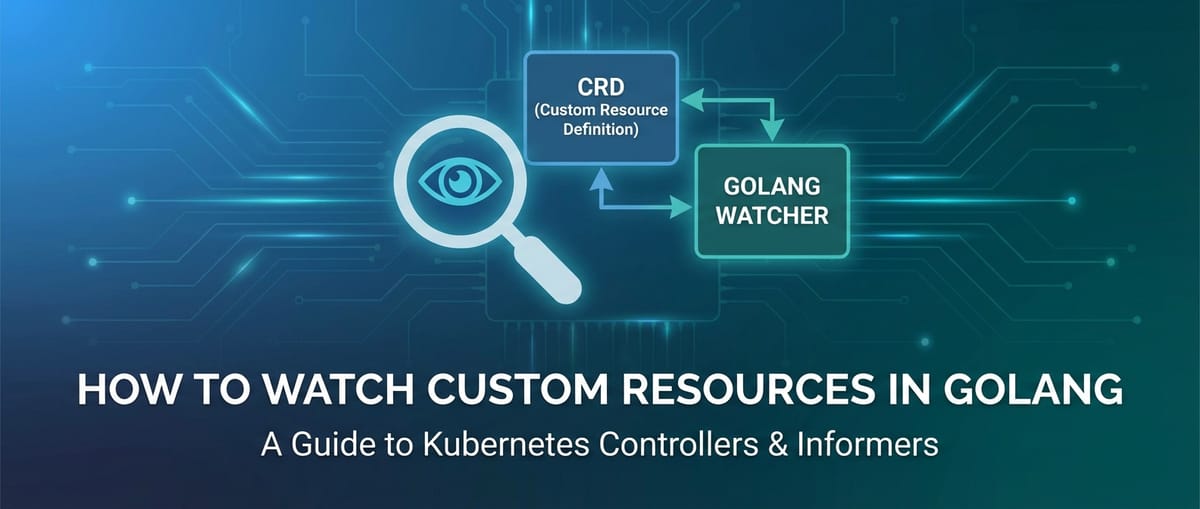


In the dynamic and ever-evolving landscape of cloud-native computing, Kubernetes has established itself as the de facto orchestrator for containerized workloads. Its extensibility, driven by the concept of Custom Resources (CRs) and Custom Resource Definitions (CRDs), empowers developers to mold Kubernetes into a platform tailored precisely to their application's needs. However, merely defining new resource types is only half the battle; the true power lies in building intelligent agents, known as controllers or operators, that observe these custom resources and react to their changes, thereby enforcing desired states and automating complex operational tasks.
This comprehensive guide delves deep into the art and science of watching for changes to custom resources in Golang, the native language of Kubernetes. We will embark on a journey starting from the fundamental principles of Kubernetes extensibility, through the intricate workings of the client-go library, and culminating in the construction of robust, production-grade controllers. Our exploration will equip you with the knowledge and practical insights to build sophisticated automation that seamlessly integrates with the Kubernetes control plane, transforming your custom resource definitions into active components of your infrastructure. This isn't just about writing code; it's about understanding the underlying patterns and philosophies that drive cloud-native operations, ensuring your solutions are not only functional but also resilient, scalable, and maintainable within the Kubernetes ecosystem.
Unpacking Kubernetes Custom Resources (CRs) and Custom Resource Definitions (CRDs)
Before we can effectively watch for changes to custom resources, it's paramount to establish a rock-solid understanding of what they are and why they are so fundamental to Kubernetes' extensibility model. Kubernetes, at its core, is an API-driven system designed to manage containers, storage, and networking. While it provides a rich set of built-in resources like Pods, Deployments, Services, and ConfigMaps, real-world applications often demand more specific, domain-aware abstractions. This is precisely where Custom Resource Definitions (CRDs) come into play, offering a powerful mechanism to extend the Kubernetes API itself.
A Custom Resource Definition (CRD) is a Kubernetes resource that defines a new, user-defined resource type within a cluster. When you create a CRD, you are essentially telling the Kubernetes API server about a new kind of object it should be aware of, along with its schema, scope (namespaced or cluster-scoped), and other critical properties. Once a CRD is created, the Kubernetes API server dynamically generates a RESTful API endpoint for that new resource type, making it accessible just like any built-in Kubernetes resource. This dynamic extension capability is a cornerstone of the operator pattern, enabling developers to encapsulate operational knowledge and application-specific logic directly within Kubernetes.
The Anatomy of a Custom Resource Definition (CRD)
Let's dissect a typical CRD manifest to understand its key components. A CRD essentially defines the blueprint for your custom resource.
apiVersion: apiextensions.k8s.io/v1
kind: CustomResourceDefinition
metadata:
  name: myapplications.example.com
spec:
  group: example.com
  names:
    plural: myapplications
    singular: myapplication
    kind: MyApplication
    shortNames:
      - ma
  scope: Namespaced # Or Cluster
  versions:
    - name: v1
      served: true
      storage: true
      schema:
        openAPIV3Schema:
          type: object
          properties:
            apiVersion:
              type: string
            kind:
              type: string
            metadata:
              type: object
            spec:
              type: object
              properties:
                image:
                  type: string
                  description: The Docker image to deploy
                replicas:
                  type: integer
                  minimum: 1
                  default: 1
                  description: Number of desired replicas
                port:
                  type: integer
                  minimum: 80
                  maximum: 65535
                  description: Port to expose the application on
            status:
              type: object
              properties:
                availableReplicas:
                  type: integer
                conditions:
                  type: array
                  items:
                    type: object
                    properties:
                      type:
                        type: string
                      status:
                        type: string
                      lastTransitionTime:
                        type: string
                        format: date-time
                      reason:
                        type: string
                      message:
                        type: string
In this example: * group: example.com: This defines the API group for your custom resource, ensuring uniqueness and preventing conflicts with other CRDs. It's a fundamental part of the full resource name (e.g., myapplications.example.com). * names: This block specifies the various names for your resource: plural (used in kubectl get), singular (used internally), kind (the type name in YAML manifests), and optional shortNames. * scope: This dictates whether instances of your custom resource are namespaced (isolated within a Kubernetes namespace) or cluster-scoped (unique across the entire cluster). Most application-specific resources are namespaced. * versions: CRDs support multiple versions, allowing for graceful evolution of your API. Each version specifies if it's served (accessible via the API server) and storage (the version used for storing the resource in etcd). * schema.openAPIV3Schema: This is a crucial part. It defines the structure and validation rules for your custom resource using OpenAPI v3 schema syntax. This schema is enforced by the Kubernetes API server, providing strong data validation, preventing malformed resources from being created, and offering robust auto-completion capabilities in tools like kubectl. The spec field typically holds the desired state defined by the user, while the status field is managed by your controller to reflect the current observed state of the resource.
Custom Resources (CRs): Instances of Your Definition
Once a CRD is applied to a cluster, you can start creating instances of that custom resource, much like you would create a Pod or a Deployment. These instances are called Custom Resources (CRs). Each CR is a concrete object that conforms to the schema defined in its corresponding CRD.
Here's an example of a MyApplication Custom Resource based on the CRD above:
apiVersion: example.com/v1
kind: MyApplication
metadata:
  name: my-webapp
  namespace: default
spec:
  image: "nginx:latest"
  replicas: 3
  port: 8080
When you apply this YAML, the Kubernetes API server accepts it, validates it against the myapplications.example.com CRD's schema, and stores it in etcd. At this point, the CR exists, but nothing "happens" automatically. This is where your Golang controller comes in – its job is to observe this CR and take action.
The power of CRDs lies in their ability to bridge the gap between application-specific concerns and Kubernetes' generic orchestration capabilities. By extending the API, you create a declarative interface for your custom applications and infrastructure components, allowing users to interact with them using standard kubectl commands and YAML manifests, just as they do with built-in Kubernetes resources. This consistent user experience, combined with strong OpenAPI schema validation, makes custom resources a cornerstone for building sophisticated and maintainable operators.
The Indispensable Need for Watching Resources
Having defined and created custom resources, the next critical step is to make the Kubernetes cluster intelligent enough to react to their presence and modifications. This brings us to the core concept of "watching for changes." In an event-driven system like Kubernetes, passively polling for resource state changes is not only inefficient but also inherently flawed for building robust controllers.
Why Polling is Inefficient and Problematic
One might initially consider a simple loop that periodically fetches all instances of a custom resource and compares their current state with a previously stored state. This "polling" approach, while seemingly straightforward, suffers from several significant drawbacks:
- Resource Inefficiency: Continuously listing all resources puts a heavy load on the Kubernetes API server and etcd, especially in large clusters with many resources or frequent polling intervals. Each poll consumes network bandwidth, CPU cycles on the API server, and disk I/O on etcd. This overhead quickly becomes unsustainable.
- Latency: The controller can only react to changes at the interval of its poll. If the polling interval is long, there will be a significant delay between a resource changing and the controller detecting and acting upon it. If the interval is short, the resource inefficiency problem is exacerbated.
- Race Conditions and State Mismatches: In a distributed system, a lot can happen between two polls. A resource might be created, updated multiple times, and then deleted, all within a single polling interval. The controller might miss intermediate states or even the final state, leading to incorrect assumptions and potential race conditions when it finally processes the outdated information.
- Complexity of Change Detection: Accurately detecting what exactly changed between two resource states (e.g., which field was modified) requires complex deep comparison logic. This adds boilerplate and potential for bugs to the controller's implementation.
These issues highlight why a reactive, event-driven approach is not just a best practice but a fundamental requirement for building reliable Kubernetes controllers.
The Event-Driven Paradigm in Kubernetes
Kubernetes addresses the limitations of polling through its powerful "Watch" API. Instead of periodically fetching the entire state, clients can establish a long-lived connection to the Kubernetes API server and request to be notified of any changes to specific resource types. When a resource is created, updated, or deleted, the API server pushes an event notification to the watching client. This push-based model offers several advantages:
- Real-time Responsiveness: Controllers receive notifications almost immediately after a change occurs, allowing for prompt reactions and minimizing operational latency.
- Efficiency: Events are typically small payloads containing only the changed resource object. This significantly reduces network traffic and API server load compared to full resource listings.
- Simplified Change Handling: The API server explicitly signals the type of event (Added, Updated, Deleted), simplifying the controller's logic for processing changes.
- Scalability: The watch mechanism is designed to scale horizontally, allowing many controllers to watch resources without overwhelming the API server.
The Controller Pattern and Reconciliation Loop
The core principle behind Kubernetes automation, and indeed watching for changes, is the controller pattern. A controller is a control loop that continuously observes the actual state of resources in the cluster and compares it with the desired state (as defined in resource manifests, especially custom resources). If there's a discrepancy, the controller takes corrective actions to bring the actual state closer to the desired state. This process is often referred to as the reconciliation loop.
The workflow typically involves: 1. Observation: The controller watches for events (Add, Update, Delete) related to the resources it manages. 2. Queueing: Upon receiving an event, the controller places the affected resource's key (e.g., namespace/name) into a work queue. This decouples event reception from processing logic, allowing for rate limiting and retries. 3. Reconciliation: The controller picks an item from the work queue, retrieves the current actual state of that resource from the cluster (or its local cache), and compares it against the desired state. 4. Action: Based on the comparison, the controller performs necessary actions, such as creating new Pods, updating Deployments, configuring services, or modifying the status sub-resource of its custom resource. 5. Status Update: After taking action, the controller often updates the status field of the custom resource to reflect the current observed state of the managed application or infrastructure.
This cyclical, declarative approach is robust because it's idempotent. The controller doesn't just react to changes; it continuously strives to ensure the desired state is met, even if external factors temporarily disrupt the actual state. This makes Kubernetes controllers highly resilient to failures and transient issues.
Golang's client-go Library: The Foundation
To interact with the Kubernetes API from Golang, the official and most widely used client library is client-go. It's a comprehensive library that provides strongly typed APIs for all Kubernetes built-in resources, as well as mechanisms to interact with custom resources. Understanding client-go is fundamental to building any Golang-based Kubernetes controller or operator.
client-go is not just a simple wrapper around HTTP calls; it offers a sophisticated set of tools designed to handle the complexities of Kubernetes API interaction, including authentication, caching, retries, and, most importantly for our topic, watching resource changes.
Core Components of client-go
client-go provides several types of clients, each suited for different use cases:
- Clientset (
kubernetes.Clientset):- Purpose: This is the most common client for interacting with built-in Kubernetes resources (e.g., Pods, Deployments, Services). It provides strongly typed APIs for these resources.
- Usage: You get a
clientsetby providing arest.Config(which contains connection details like API server address, authentication credentials). - Example:
clientset.AppsV1().Deployments("default").Get(context.TODO(), "my-deployment", metav1.GetOptions{}) - Pros: Type-safe, intuitive for standard resources.
- Cons: Does not directly support custom resources unless a custom clientset is generated.
- Dynamic Client (
dynamic.Interface):- Purpose: This client is designed for interacting with resources whose types are not known at compile time, or for which a strongly typed clientset isn't available. This is extremely useful for custom resources.
- Usage: Requires a
schema.GroupVersionResourceto specify the target resource. Returnsunstructured.Unstructuredobjects. - Example:
go gvr := schema.GroupVersionResource{Group: "example.com", Version: "v1", Resource: "myapplications"} unstructuredObj, err := dynamicClient.Resource(gvr).Namespace("default").Get(context.TODO(), "my-webapp", metav1.GetOptions{}) // You then need to work with unstructured data, often converting to/from specific Go structs. - Pros: Highly flexible, ideal for custom resources without generating a custom clientset.
- Cons: Less type-safe, requires more manual handling of data structures (type assertions,
runtime.Objectconversions).
- REST Client (
rest.Interface):- Purpose: This is the lowest-level client in
client-go, providing direct access to the Kubernetes API as a RESTful endpoint. It's akin to making HTTP requests directly but handles authentication and retry logic. - Usage: You define the API paths and methods. It returns raw JSON or
runtime.Objects. - Example:
go result := &MyApplication{} err := restClient.Get(). Namespace("default"). Resource("myapplications"). Name("my-webapp"). VersionedParams(&metav1.GetOptions{}, scheme.ParameterCodec). Do(context.TODO()). Into(result) - Pros: Most control, can interact with any API endpoint.
- Cons: Most complex to use, requires extensive knowledge of Kubernetes API paths and serialization. Typically not used directly by controllers unless specific, fine-grained control is needed.
- Purpose: This is the lowest-level client in
For custom resources, while Dynamic Client is a flexible option, for building production-grade operators, it's often preferred to generate a custom clientset using tools like controller-gen from kubernetes/code-generator. This creates strongly typed Go structs for your CRD and a corresponding clientset, offering the benefits of type safety and reducing the chance of runtime errors.
Listers and Informers: The Pillars of Efficient Watching
The most crucial components of client-go for building reactive controllers are Listers and Informers. These two abstractions work hand-in-hand to provide an efficient, event-driven mechanism for accessing and reacting to Kubernetes resources.
Listers (cache.Lister): A Lister provides a read-only, local cache of Kubernetes resources. Instead of querying the Kubernetes API server every time you need an object, you can retrieve it from the local cache. This drastically reduces the load on the API server and improves the performance of your controller. Listers are typically populated by Informers.
Informers (cache.SharedIndexInformer): An Informer is the heart of the watch mechanism. It combines the functionality of listing and watching: 1. Initial List: When an Informer starts, it first performs a full List operation to populate its local cache with all existing resources of a given type. 2. Watch Stream: Immediately after the initial list, it establishes a Watch connection to the Kubernetes API server. 3. Event Processing: Any subsequent Add, Update, or Delete events received from the watch stream are used to update the local cache. 4. Event Notification: For each event, the Informer invokes registered event handler functions (AddFunc, UpdateFunc, DeleteFunc), notifying your controller about the change.
This intelligent combination ensures that your controller always has an up-to-date view of the resources (via the cache) and is immediately notified of any changes (via the watch stream), without constantly querying the API server. This pattern is central to all production-grade Kubernetes controllers.
Deep Dive into Informers
Informers are the cornerstone of event-driven Kubernetes controllers in Golang. They abstract away the complexities of managing List and Watch API calls, local caching, and event dispatching. Understanding their internal mechanics is vital for building robust and performant operators.
What is an Informer? Its Role in Local Caching and Event Delivery
At a conceptual level, an Informer performs three primary functions:
- Initial Synchronization (List): Upon startup, an Informer executes a
ListAPI call for a specific resource type. This populates an in-memory store (the local cache) with all existing resources. This step ensures that the controller has a complete initial view of the cluster state. - Continuous Observation (Watch): After the initial
List, the Informer establishes aWatchconnection to the Kubernetes API server for the same resource type. Any subsequent changes (creation, update, deletion) to these resources are streamed as events over this connection. - Cache Management and Event Dispatch: As watch events arrive, the Informer updates its local cache accordingly. Simultaneously, it dispatches these events to registered event handlers, which are functions you provide to implement your controller's specific logic.
This design ensures that your controller operates on eventually consistent data. The local cache provides lightning-fast read access, eliminating the need to hit the API server for every query. The watch stream keeps the cache updated in near real-time, and the event handlers react to these changes.
SharedInformerFactory: The Efficiency Hub
In a typical Kubernetes operator, you might need to watch multiple resource types (e.g., your custom resource, Deployments, Pods, Services). Creating a separate Informer for each resource type individually can lead to inefficiencies: * Multiple watch connections to the API server, potentially consuming more resources. * Separate local caches, leading to redundant data storage.
To address this, client-go provides the SharedInformerFactory. This factory is designed to:
- Consolidate Watch Connections: For a given API group and version, the
SharedInformerFactoryoften manages a single watch connection for all resources within that group/version, reducing overhead. - Centralize Caching: It provides a shared cache for all Informers instantiated through it. This ensures that all components of your controller (which might be watching different resources) operate on a consistent and efficiently managed local store.
- Lifecycle Management: The factory helps manage the lifecycle of all its Informers, starting and stopping them gracefully.
The SharedInformerFactory is the recommended way to initialize Informers in a Kubernetes controller because it promotes resource efficiency and a single source of truth for the cached state. It allows you to create Informers for built-in resources (e.g., factory.CoreV1().Pods().Informer()) and for your custom resources (e.g., factory.ForResource(gvr) or using a generated typed informer).
Event Handlers: Responding to Change
The core of your controller's reactive logic resides in the event handler functions that you register with an Informer. The cache.ResourceEventHandler interface defines three callback functions:
AddFunc(obj interface{}): This function is called when a new resource is added to the cluster (and thus to the Informer's cache). Theobjparameter contains the newly created resource.UpdateFunc(oldObj, newObj interface{}): This function is triggered when an existing resource is modified.oldObjis the resource before the update, andnewObjis the resource after the update. This allows you to compare states and react specifically to certain changes.DeleteFunc(obj interface{}): This function is invoked when a resource is deleted. Theobjparameter contains the last known state of the deleted resource.
It's crucial to understand that these event handlers are called synchronously within the Informer's processing loop. Therefore, heavy, long-running operations should not be performed directly inside these handlers. Instead, the typical pattern is to: 1. Extract the key (e.g., namespace/name) of the affected resource from the obj parameter. 2. Add this key to a work queue (e.g., workqueue.RateLimitingInterface). 3. Return quickly.
The actual reconciliation logic will then be executed by a separate worker Goroutine that processes items from the work queue, ensuring that the Informer's event loop remains unblocked and continues to process events efficiently.
Resync Periods and Their Implications
Informers have a ResyncPeriod configuration parameter. If set, the Informer will periodically call UpdateFunc for every object in its cache, even if the object hasn't actually changed on the API server.
- Purpose: This mechanism helps in cases where events might be lost (e.g., due to network issues or API server restarts). A periodic resync ensures that the controller eventually reconciles its state with the actual cluster state, even if some events were missed. It acts as a safety net.
- Impact: While useful for resilience, frequent resyncs can lead to unnecessary processing by your controller, as
UpdateFuncwill be called for unchanged objects. - Best Practice: Often, controllers are designed to be "level-triggered," meaning they can derive the desired state based solely on the current state of the objects in the cache, regardless of the event that triggered reconciliation. In such cases, a very long or zero
ResyncPeriodis often sufficient, as the work queue and reconciliation logic handle eventual consistency. The defaultResyncPeriodis typically 10 hours.
| Informer Component | Function | Key Benefit |
|---|---|---|
| List Operation | Fetches all resources of a type at startup to populate the local cache. | Ensures the controller starts with a complete and current view of the cluster state. |
| Watch Operation | Establishes a long-lived connection to the API server to receive real-time event notifications (Add, Update, Delete) for resources. | Provides immediate responsiveness to changes, highly efficient in terms of network and API server load. |
Local Cache (Store) |
An in-memory store that holds a copy of all resources the Informer is watching, kept up-to-date by watch events. | Fast read access to resource data, significantly reduces API server requests. |
| Event Handlers | Callbacks (AddFunc, UpdateFunc, DeleteFunc) registered by the controller to react to resource changes. |
Enables custom logic execution upon resource events, allowing the controller to take action. |
| SharedInformerFactory | A factory that consolidates multiple informers, allowing them to share a single watch connection and a unified cache for efficiency. | Optimizes resource usage, ensures cache consistency across different parts of a controller. |
| Resync Period | A configurable interval at which the Informer will re-dispatch all objects in its cache to the UpdateFunc, even if they haven't changed. |
Safety net against missed events, ensures eventual consistency. |
By meticulously designing your controller around the principles of Informers, local caching, and asynchronous event processing via work queues, you lay the groundwork for a highly performant, scalable, and resilient Kubernetes operator in Golang.
APIPark is a high-performance AI gateway that allows you to securely access the most comprehensive LLM APIs globally on the APIPark platform, including OpenAI, Anthropic, Mistral, Llama2, Google Gemini, and more.Try APIPark now! 👇👇👇
Implementing a Basic Watcher for CRs in Golang
Now that we have a solid theoretical foundation, let's walk through the practical steps of setting up a basic watcher for our custom MyApplication resource using client-go in Golang. This example will focus on the core mechanics without delving into advanced controller patterns like work queues and error handling (which we'll cover later).
1. Project Setup and Dependencies
First, create a new Go module and add the necessary client-go dependency:
mkdir myapplication-controller
cd myapplication-controller
go mod init github.com/your-username/myapplication-controller
go get k8s.io/client-go@v0.29.0 # Use a specific version compatible with your cluster
Next, define the Go struct for your custom resource. You'll need to mirror the spec and status fields from your CRD. It's often best practice to generate these types using controller-gen, but for a simple example, we can define them manually. Create a file like api/v1/types.go:
// api/v1/types.go
package v1

import (
    metav1 "k8s.io/apimachinery/pkg/apis/meta/v1"
)

// +genclient
// +k8s:deepcopy-gen:interfaces=k8s.io/apimachinery/pkg/runtime.Object

// MyApplication is the Schema for the myapplications API
type MyApplication struct {
    metav1.TypeMeta   `json:",inline"`
    metav1.ObjectMeta `json:"metadata,omitempty"`

    Spec   MyApplicationSpec   `json:"spec,omitempty"`
    Status MyApplicationStatus `json:"status,omitempty"`
}

// MyApplicationSpec defines the desired state of MyApplication
type MyApplicationSpec struct {
    Image    string `json:"image"`
    Replicas int32  `json:"replicas"`
    Port     int32  `json:"port"`
}

// MyApplicationStatus defines the observed state of MyApplication
type MyApplicationStatus struct {
    AvailableReplicas int32               `json:"availableReplicas"`
    Conditions        []MyApplicationCondition `json:"conditions,omitempty"`
}

// MyApplicationConditionType is a valid value for MyApplicationCondition.Type
type MyApplicationConditionType string

const (
    // MyApplicationReady means the application is ready to serve requests.
    MyApplicationReady MyApplicationConditionType = "Ready"
    // MyApplicationProgressing means the application is currently progressing its rollout.
    MyApplicationProgressing MyApplicationConditionType = "Progressing"
    // MyApplicationFailed means the application has failed its rollout.
    MyApplicationFailed MyApplicationConditionType = "Failed"
)

// MyApplicationCondition describes the state of a MyApplication at a certain point.
type MyApplicationCondition struct {
    Type               MyApplicationConditionType `json:"type"`
    Status             metav1.ConditionStatus `json:"status"`
    LastTransitionTime metav1.Time            `json:"lastTransitionTime"`
    Reason             string                 `json:"reason"`
    Message            string                 `json:"message"`
}

// +k8s:deepcopy-gen:interfaces=k8s.io/apimachinery/pkg/runtime.Object

// MyApplicationList contains a list of MyApplication
type MyApplicationList struct {
    metav1.TypeMeta `json:",inline"`
    metav1.ListMeta `json:"metadata,omitempty"`
    Items           []MyApplication `json:"items"`
}
The +genclient and +k8s:deepcopy-gen:interfaces=k8s.io/apimachinery/pkg/runtime.Object comments are directives for code-generator tools. If you intend to generate a custom clientset, you would run these tools after defining your types. For this example, we'll use a DynamicClient to keep it simpler without code generation.
2. Setting up kubeconfig
Your controller needs to know how to connect to the Kubernetes API server. This is typically done via kubeconfig.
// main.go
package main

import (
    "context"
    "flag"
    "fmt"
    "path/filepath"
    "time"

    "k8s.io/apimachinery/pkg/runtime/schema"
    "k8s.io/client-go/dynamic"
    "k8s.io/client-go/tools/cache"
    "k8s.io/client-go/tools/clientcmd"
    "k8s.io/client-go/util/homedir"
    "k8s.io/klog/v2"

    // Import for local types if needed (optional for dynamic client)
    // v1 "github.com/your-username/myapplication-controller/api/v1"
)

func main() {
    klog.InitFlags(nil) // Initialize klog
    defer klog.Flush()

    var kubeconfig *string
    if home := homedir.HomeDir(); home != "" {
        kubeconfig = flag.String("kubeconfig", filepath.Join(home, ".kube", "config"), "(optional) absolute path to the kubeconfig file")
    } else {
        kubeconfig = flag.String("kubeconfig", "", "absolute path to the kubeconfig file")
    }
    flag.Parse()

    // Use the current context in kubeconfig
    config, err := clientcmd.BuildConfigFromFlags("", *kubeconfig)
    if err != nil {
        klog.Fatalf("Error building kubeconfig: %s", err.Error())
    }

    // Create a dynamic client
    dynamicClient, err := dynamic.NewForConfig(config)
    if err != nil {
        klog.Fatalf("Error creating dynamic client: %s", err.Error())
    }

    // Define the GroupVersionResource for your custom resource
    myAppGVR := schema.GroupVersionResource{
        Group:    "example.com",
        Version:  "v1",
        Resource: "myapplications", // Plural name from CRD
    }

    // Create a ListWatch for the Custom Resource
    // Note: For custom resources, you'll often use the dynamic client to construct the list watcher.
    // You need to explicitly convert objects to Unstructured for the cache to handle them.
    lw := cache.NewListWatchFromClient(
        dynamicClient.Resource(myAppGVR).Namespace(metav1.NamespaceAll), // Watch across all namespaces
        myAppGVR.Resource, // resource name
        metav1.NamespaceAll,
        fields.Everything(),
    )

    // Create a new SharedIndexInformer for your custom resource
    // A SharedInformerFactory would typically be used for multiple informers.
    // For a single custom resource, you can create an informer directly.
    informer := cache.NewSharedIndexInformer(
        lw,
        &unstructured.Unstructured{}, // The type of object the informer will handle
        time.Minute*30,              // Resync period (e.g., every 30 minutes)
        cache.Indexers{},            // No custom indexers for this basic example
    )

    // Register event handlers
    informer.AddEventHandler(cache.ResourceEventHandlerFuncs{
        AddFunc: func(obj interface{}) {
            // Convert the unstructured object to our MyApplication type if needed, or just print
            // For dynamic client, obj will be *unstructured.Unstructured
            unstructuredObj := obj.(*unstructured.Unstructured)
            klog.Infof("MyApplication Added: %s/%s", unstructuredObj.GetNamespace(), unstructuredObj.GetName())
            // Here you would typically add the object's key to a work queue
        },
        UpdateFunc: func(oldObj, newObj interface{}) {
            oldUnstructuredObj := oldObj.(*unstructured.Unstructured)
            newUnstructuredObj := newObj.(*unstructured.Unstructured)
            if oldUnstructuredObj.GetResourceVersion() == newUnstructuredObj.GetResourceVersion() {
                // Periodic resync will send update events for the resource
                // without changing its resource version. This is common
                // when no change is made to the object but its controller
                // might need to reconcile it periodically.
                return
            }
            klog.Infof("MyApplication Updated: %s/%s", newUnstructuredObj.GetNamespace(), newUnstructuredObj.GetName())
            // Here you would typically add the object's key to a work queue
        },
        DeleteFunc: func(obj interface{}) {
            // In case of deletion, the object might be a *cache.DeletedFinalStateUnknown
            // wrapper if the object was deleted from the store before processing.
            // We need to unwrap it to get the actual object.
            finalObj, ok := obj.(*unstructured.Unstructured)
            if !ok {
                tombstone, ok := obj.(cache.DeletedFinalStateUnknown)
                if !ok {
                    klog.Errorf("error decoding object, invalid type: %T", obj)
                    return
                }
                finalObj, ok = tombstone.Obj.(*unstructured.Unstructured)
                if !ok {
                    klog.Errorf("error decoding tombstone object, invalid type: %T", tombstone.Obj)
                    return
                }
            }
            klog.Infof("MyApplication Deleted: %s/%s", finalObj.GetNamespace(), finalObj.GetName())
            // Here you would typically add the object's key to a work queue
        },
    })

    // Create a stop channel for the informer
    stopCh := make(chan struct{})
    defer close(stopCh)

    klog.Info("Starting MyApplication controller")
    // Start the informer. This will block until the stopCh is closed.
    informer.Run(stopCh)
}
Wait! The above code snippet is a good start, but it's not using SharedInformerFactory and might be missing imports. Let's refine it and ensure it's more idiomatic and complete, incorporating the SharedInformerFactory as discussed earlier, and proper imports.
// main.go - Revised
package main

import (
    "context"
    "flag"
    "fmt"
    "os"
    "os/signal"
    "path/filepath"
    "syscall"
    "time"

    metav1 "k8s.io/apimachinery/pkg/apis/meta/v1"
    "k8s.io/apimachinery/pkg/apis/meta/v1/unstructured"
    "k8s.io/apimachinery/pkg/runtime/schema"
    "k8s.io/client-go/dynamic"
    "k8s.io/client-go/informers"
    "k8s.io/client-go/tools/cache"
    "k8s.io/client-go/tools/clientcmd"
    "k8s.io/client-go/util/homedir"
    "k8s.io/klog/v2"
)

func main() {
    klog.InitFlags(nil)
    defer klog.Flush()

    var kubeconfig *string
    if home := homedir.HomeDir(); home != "" {
        kubeconfig = flag.String("kubeconfig", filepath.Join(home, ".kube", "config"), "(optional) absolute path to the kubeconfig file")
    } else {
        kubeconfig = flag.String("kubeconfig", "", "absolute path to the kubeconfig file")
    }
    flag.Parse()

    // Use the current context in kubeconfig
    config, err := clientcmd.BuildConfigFromFlags("", *kubeconfig)
    if err != nil {
        klog.Fatalf("Error building kubeconfig: %s", err.Error())
    }

    // Create a dynamic client for custom resources
    dynamicClient, err := dynamic.NewForConfig(config)
    if err != nil {
        klog.Fatalf("Error creating dynamic client: %s", err.Error())
    }

    // Define the GroupVersionResource for your custom resource
    myAppGVR := schema.GroupVersionResource{
        Group:    "example.com",
        Version:  "v1",
        Resource: "myapplications", // Plural name from CRD
    }

    // Create a SharedInformerFactory for dynamic clients
    // This factory allows us to create informers for custom resources.
    // You can specify a default resync period here, or pass 0 for no automatic resync.
    factory := informers.NewDynamicSharedInformerFactory(dynamicClient, time.Minute*30) // Resync every 30 minutes

    // Get an informer for our custom resource.
    // The GVR determines which resource the informer will watch.
    informer := factory.ForResource(myAppGVR).Informer()

    // Register event handlers
    informer.AddEventHandler(cache.ResourceEventHandlerFuncs{
        AddFunc: func(obj interface{}) {
            unstructuredObj, ok := obj.(*unstructured.Unstructured)
            if !ok {
                klog.Errorf("Expected *unstructured.Unstructured but got %T", obj)
                return
            }
            klog.Infof("MyApplication Added: %s/%s", unstructuredObj.GetNamespace(), unstructuredObj.GetName())
            // In a real controller, you'd add this to a work queue
        },
        UpdateFunc: func(oldObj, newObj interface{}) {
            oldUnstructuredObj, ok := oldObj.(*unstructured.Unstructured)
            if !ok {
                klog.Errorf("Expected *unstructured.Unstructured for oldObj but got %T", oldObj)
                return
            }
            newUnstructuredObj, ok := newObj.(*unstructured.Unstructured)
            if !ok {
                klog.Errorf("Expected *unstructured.Unstructured for newObj but got %T", newObj)
                return
            }
            if oldUnstructuredObj.GetResourceVersion() == newUnstructuredObj.GetResourceVersion() {
                // This update event is due to a periodic resync, ignore if not actual change.
                return
            }
            klog.Infof("MyApplication Updated: %s/%s", newUnstructuredObj.GetNamespace(), newUnstructuredObj.GetName())
            // In a real controller, you'd add this to a work queue
        },
        DeleteFunc: func(obj interface{}) {
            // Handle deleted objects, which might be a tombstone
            finalObj, ok := obj.(*unstructured.Unstructured)
            if !ok {
                tombstone, ok := obj.(cache.DeletedFinalStateUnknown)
                if !ok {
                    klog.Errorf("error decoding object, invalid type: %T", obj)
                    return
                }
                finalObj, ok = tombstone.Obj.(*unstructured.Unstructured)
                if !ok {
                    klog.Errorf("error decoding tombstone object, invalid type: %T", tombstone.Obj)
                    return
                }
            }
            klog.Infof("MyApplication Deleted: %s/%s", finalObj.GetNamespace(), finalObj.GetName())
            // In a real controller, you'd add this to a work queue
        },
    })

    // Set up signal handler for graceful shutdown
    stopCh := make(chan struct{})
    sigCh := make(chan os.Signal, 1)
    signal.Notify(sigCh, syscall.SIGINT, syscall.SIGTERM)

    go func() {
        <-sigCh
        klog.Info("Received shutdown signal, stopping informer...")
        close(stopCh)
    }()

    klog.Info("Starting Informer Factory...")
    // Start all informers in the factory. This blocks until the caches are synced.
    // You typically call this in a goroutine and wait for stopCh.
    factory.Start(stopCh)

    // Wait for the cache to be synced before starting to process events
    if !cache.WaitForCacheSync(stopCh, informer.HasSynced) {
        klog.Errorf("Failed to sync informer cache")
        return
    }
    klog.Info("Informer cache synced successfully.")

    // Keep the main Goroutine alive until stopCh is closed
    <-stopCh
    klog.Info("Controller gracefully shut down.")
}
This revised main.go snippet demonstrates how to use informers.NewDynamicSharedInformerFactory to create an informer for a custom resource using the dynamic client. The unstructured.Unstructured type is used because the dynamic client works with generic, untyped resources. For production use, you'd typically generate typed clients and use informers.NewSharedInformerFactory for type safety.
To run this: 1. Make sure your MyApplication CRD is applied to your Kubernetes cluster. 2. Build the Go program: go build -o myapplication-watcher main.go 3. Run it: ./myapplication-watcher (or ./myapplication-watcher --kubeconfig=/path/to/your/kubeconfig) 4. In another terminal, create, update, and delete MyApplication custom resources: ```bash kubectl apply -f - <<EOF apiVersion: example.com/v1 kind: MyApplication metadata: name: test-app namespace: default spec: image: "my-image:v1" replicas: 1 port: 8080 EOF
kubectl patch myapplication test-app -p '{"spec":{"replicas":2}}' --type=merge

kubectl delete myapplication test-app
```
You should see the MyApplication Added, Updated, and Deleted logs appear in your watcher's output, demonstrating that it's successfully watching for changes.
Advanced Topics and Best Practices for Production-Grade Controllers
While the basic watcher demonstrates the core mechanism, building a production-ready Kubernetes controller requires addressing several advanced topics and adhering to best practices. These ensure your controller is resilient, performant, and correctly manages its lifecycle within a dynamic cluster environment.
Workqueues: Decoupling Event Handling from Processing
As mentioned, event handlers should be lightweight and return quickly. Heavy processing directly within AddFunc, UpdateFunc, or DeleteFunc can block the Informer's event loop, causing it to miss subsequent events. The solution is to use a workqueue (specifically client-go/util/workqueue).
A workqueue acts as a buffer between the Informer's event handlers and the controller's reconciliation logic. When an event occurs, the handler simply pushes the key (e.g., namespace/name) of the affected resource into the workqueue. Separate worker Goroutines then concurrently pull items from the queue, fetch the latest state of the resource from the Informer's cache (or the API server if not found), and perform the reconciliation.
Benefits of Workqueues: * Decoupling: Separates event reception from processing. * Concurrency: Allows multiple worker Goroutines to process items from the queue in parallel. * Rate Limiting: RateLimitingInterface allows you to define strategies for retrying failed items with exponential backoff, preventing tight loops on erroneous resources. * Deduplication: Automatically dedupes identical keys, ensuring a resource is processed only once even if multiple events occur for it in quick succession. * Retries: Enables automatic retries for failed reconciliation attempts.
Basic Workqueue Integration:
// In your controller struct:
type Controller struct {
    // ... other fields
    workqueue workqueue.RateLimitingInterface
    informer  cache.SharedIndexInformer
}

// In your Add/Update/DeleteFunc:
func (c *Controller) enqueueMyApplication(obj interface{}) {
    key, err := cache.MetaNamespaceKeyFunc(obj)
    if err != nil {
        klog.Errorf("couldn't get key for object %v: %v", obj, err)
        return
    }
    c.workqueue.Add(key)
}

// In your controller's Run method:
func (c *Controller) Run(workers int, stopCh <-chan struct{}) error {
    defer runtime.HandleCrash()
    defer c.workqueue.ShutDown()

    klog.Info("Starting controller")
    if !cache.WaitForCacheSync(stopCh, c.informer.HasSynced) {
        return fmt.Errorf("failed to wait for caches to sync")
    }

    for i := 0; i < workers; i++ {
        go wait.Until(c.runWorker, time.Second, stopCh)
    }

    <-stopCh
    klog.Info("Stopping controller workers")
    return nil
}

func (c *Controller) runWorker() {
    for c.processNextWorkItem() {
    }
}

func (c *Controller) processNextWorkItem() bool {
    obj, shutdown := c.workqueue.Get()
    if shutdown {
        return false
    }

    defer c.workqueue.Done(obj)

    err := c.syncHandler(obj.(string)) // obj is the key (namespace/name)
    c.handleErr(err, obj)
    return true
}

func (c *Controller) handleErr(err error, obj interface{}) {
    if err == nil {
        c.workqueue.Forget(obj) // Item processed successfully
        return
    }

    if c.workqueue.NumRequeues(obj) < maxRetries { // maxRetries is a constant
        klog.Errorf("Error syncing %v: %v, retrying...", obj, err)
        c.workqueue.AddRateLimited(obj) // Requeue with rate limiting
        return
    }

    c.workqueue.Forget(obj) // Give up after max retries
    runtime.HandleError(err)
    klog.Errorf("Dropping %v from workqueue after %d retries: %v", obj, maxRetries, err)
}

func (c *Controller) syncHandler(key string) error {
    namespace, name, err := cache.SplitMetaNamespaceKey(key)
    if err != nil {
        runtime.HandleError(fmt.Errorf("invalid resource key: %s", key))
        return nil // Don't retry malformed keys
    }

    // Fetch the latest state from the informer's cache
    obj, exists, err := c.informer.GetStore().GetByKey(key)
    if err != nil {
        return fmt.Errorf("error fetching object with key %s from store: %w", key, err)
    }

    if !exists {
        klog.Infof("MyApplication %s/%s no longer exists, cleaning up...", namespace, name)
        // Perform cleanup actions if necessary
        return nil
    }

    // Actual reconciliation logic starts here
    myApp := obj.(*unstructured.Unstructured) // Or cast to your typed struct
    klog.Infof("Reconciling MyApplication %s/%s (ResourceVersion: %s)", namespace, name, myApp.GetResourceVersion())
    // ... (e.g., create/update/delete Deployments, Services based on myApp.Spec)
    // Update status of myApp
    // Then, call c.dynamicClient.Resource(myAppGVR).Namespace(namespace).UpdateStatus(ctx, myApp, metav1.UpdateOptions{})
    return nil
}
This structure forms the backbone of almost all client-go based controllers.
Handling Eventual Consistency
Kubernetes is an eventually consistent system. This means that a change might not be immediately reflected across all components. Your controller should be designed with this in mind: * Read from Cache, Write to API Server: Always read the desired state of your custom resource from the Informer's local cache. When creating or updating managed resources (e.g., Pods, Deployments) or updating the status of your CR, write directly to the Kubernetes API server. * Retries: If a managed resource cannot be created or updated immediately (e.g., due to temporary API server overload or validation errors), your reconciliation loop should return an error, triggering a retry via the workqueue's rate limiting. * Observed State: Controllers typically manage two states: the Spec (desired state, defined by the user in the CR) and the Status (observed state, maintained by the controller). Always update the Status field of your custom resource to reflect the current state of the resources it manages. This provides transparency to the user and aids in debugging.
Contexts for Graceful Shutdown
Controllers are long-running processes. It's crucial for them to shut down gracefully when the process receives termination signals (SIGINT, SIGTERM). Golang's context package, combined with os/signal, provides an elegant way to manage this.
As shown in the revised main.go, a stopCh channel (derived from a context.Context) is passed to informer.Run() and factory.Start(). When the termination signal is received, the stopCh is closed, signaling all running Goroutines (including the Informers and workqueue workers) to stop. This allows them to finish any in-progress tasks before exiting, preventing data corruption or inconsistent states.
Leader Election for High Availability
For critical controllers, running multiple replicas for high availability is a common practice. However, if multiple controller instances are simultaneously trying to reconcile the same resources, they can interfere with each other, leading to race conditions or unnecessary work.
Leader election solves this problem. Using client-go/tools/leaderelection, controllers can elect a single leader instance from a group of replicas. Only the leader performs the reconciliation logic, while followers remain idle, ready to take over if the leader fails. This ensures that only one instance is active at any given time, providing both high availability and correctness. Leader election typically uses a ConfigMap or Lease object in Kubernetes to coordinate.
Testing Strategies for Controllers
Testing a Kubernetes controller can be complex due to its interaction with the Kubernetes API. Key testing strategies include: * Unit Tests: Test individual functions and logic components in isolation, mocking dependencies like the Kubernetes API or the Informer cache. * Integration Tests: Test the controller against a fake or embedded Kubernetes API server (e.g., using k8s.io/client-go/kubernetes/fake or sigs.k8s.io/controller-runtime/pkg/envtest). This allows you to simulate Kubernetes interactions without needing a real cluster. * E2E (End-to-End) Tests: Deploy the controller and your custom resources to a real (often temporary) Kubernetes cluster and verify its behavior in a production-like environment. This ensures the controller interacts correctly with the full Kubernetes stack.
Considerations for Production-Grade Controllers
Moving from a functional prototype to a production-ready Kubernetes controller involves more than just implementing core logic. It requires careful consideration of observability, security, performance, and broader API management.
Observability: Metrics, Logging, Tracing
A controller operating silently in a black box is a liability. Robust observability is critical for understanding its behavior, diagnosing issues, and ensuring its health.
- Logging: Use structured logging (e.g.,
klogorzap) to record controller actions, reconciliation steps, errors, and warnings. Ensure logs provide sufficient context (e.g., resource key, event type) and are configurable for different verbosity levels. - Metrics: Expose Prometheus metrics (using
github.com/prometheus/client_golang) to track key performance indicators (KPIs) and operational insights:- Workqueue depth and processing time.
- Number of reconciliation attempts (successful, failed, retried).
- Latency of API calls made by the controller.
- Controller health and uptime.
- Number of managed resources by state (e.g., ready, progressing, failed).
- Tracing: For complex controllers interacting with multiple internal or external services, distributed tracing (e.g., OpenTelemetry) can help visualize the flow of requests and pinpoint bottlenecks or failures across service boundaries.
Security: RBAC for Custom Resources
Your controller interacts with the Kubernetes API server, and thus requires appropriate permissions via Role-Based Access Control (RBAC).
- ServiceAccount: Deploy your controller with a dedicated
ServiceAccount. - Role/ClusterRole: Define a
Role(for namespaced resources) orClusterRole(for cluster-scoped resources and CRDs) that grants your controller the minimal necessary permissions:get,list,watchfor your custom resource (myapplications.example.com).get,list,watch,create,update,patch,deletefor the Kubernetes built-in resources it manages (e.g.,deployments,services,pods).updateandpatchfor thestatussub-resource of your custom resource.getforleasesorconfigmapsif using leader election.
- RoleBinding/ClusterRoleBinding: Bind the
ServiceAccountto theRoleorClusterRole. Adhering to the principle of least privilege is paramount to prevent security vulnerabilities.
Performance Tuning
Optimizing your controller's performance is crucial, especially in large clusters or with high event rates. * Efficient Reconciliation: Keep your reconciliation loop as efficient as possible. Avoid unnecessary API calls. Leverage the Informer's cache. * Workqueue Workers: Tune the number of workqueue workers based on your cluster size, resource constraints, and the complexity of your reconciliation logic. * Resource Limits: Set appropriate CPU and memory limits for your controller's Pods to prevent resource exhaustion and ensure stable operation. * CRD Schema Optimization: A well-defined OpenAPI schema with appropriate validation rules can prevent malformed resources, reducing error handling overhead in your controller.
Managing Dependencies
As your controller grows, it might integrate with external systems, databases, or third-party APIs. * Configuration: External dependencies should be configurable via ConfigMaps or Secrets, allowing easy updates without redeploying the controller. * Retry Logic: Implement robust retry logic and circuit breakers for external API calls to handle transient failures and prevent cascading errors. * Client Management: Manage external API clients carefully, ensuring proper connection pooling and graceful shutdown.
Broadening the Scope: APIs, Gateways, and AI Integration
While our immediate focus has been on internal Kubernetes resource management, the utility of such robust controllers often extends to exposing services or integrating with external systems. This is where the broader concept of API management and secure gateway solutions becomes paramount. Imagine your Golang controller processes a custom resource that defines a new AI model deployment or a specific machine learning workflow. Once deployed and operational within Kubernetes, you'd typically need to expose this model's inference capabilities as a stable, accessible API service to applications or end-users.
This is precisely where a sophisticated API gateway like APIPark can significantly enhance your operational efficiency and security. APIPark, as an open-source AI gateway and API management platform, can act as a central hub for managing all your services, from traditional REST APIs to cutting-edge AI models. It standardizes the request data format across different AI models, provides unified authentication, sophisticated traffic management, load balancing, and detailed logging for these exposed services.
For instance, your controller watching MyApplication resources might provision a new AI inference service. Once that service is ready, APIPark could then be used to: 1. Quickly Integrate: Register the new AI inference endpoint (exposed via a Kubernetes Service) with APIPark, potentially abstracting its internal Kubernetes details. 2. Unified Invocation: Provide a unified API format, so consuming applications don't need to know the specifics of the underlying AI model API. This simplifies application development and reduces maintenance costs. 3. Prompt Encapsulation: Combine your AI model with custom prompts into new, higher-level REST APIs via APIPark, allowing users to call a simple sentiment-analysis API rather than directly interacting with a complex LLM. 4. Lifecycle Management: Oversee the entire lifecycle of these exposed APIs, from publication to versioning and eventual decommission. 5. Security and Access Control: Enforce security policies, require subscription approvals, and provide independent API and access permissions for different teams or tenants, all managed through APIPark’s robust gateway features.
Just as watching CRs is crucial for the internal logic and automation within Kubernetes, managing the external access points to your services, often through a powerful API gateway like APIPark, is equally vital for building a comprehensive, secure, and scalable cloud-native application ecosystem. The insights gained from monitoring custom resources could feed into external systems, potentially exposed via a robust API management platform or gateway like APIPark, ensuring efficient communication and control of diverse services, including AI models. This seamless integration of internal Kubernetes control loops with external API management ensures that your entire system, from infrastructure to end-user access, is managed with precision and efficiency. APIPark’s performance, rivaling Nginx with over 20,000 TPS, and its detailed API call logging, make it an indispensable tool for ensuring system stability and data security for any enterprise leveraging apis, particularly in the rapidly expanding domain of AI.
Conclusion
The ability to watch for changes to Custom Resources in Golang is a foundational skill for anyone looking to extend and automate Kubernetes effectively. By mastering client-go, particularly the SharedInformerFactory and cache.ResourceEventHandlerFuncs, you gain the power to build sophisticated controllers that transform static resource definitions into active, intelligent agents within your cluster. These controllers enable Kubernetes to manage not just containers, but entire applications and complex operational workflows, making it a truly extensible platform.
We've traversed the journey from understanding the declarative nature of Custom Resource Definitions and instances, through the critical necessity of event-driven watching over inefficient polling, and into the practical implementation details using client-go. We then explored advanced concepts like workqueues for robust reconciliation, graceful shutdown with contexts, leader election for high availability, and comprehensive testing strategies. Finally, we touched upon the broader landscape of API management, where tools like APIPark play a crucial role in exposing and securing the services orchestrated by your custom controllers, particularly for emerging AI applications.
Building a production-grade Kubernetes controller is an intricate task that demands attention to detail in areas such as observability, security (RBAC), and performance. However, the investment in understanding these principles and patterns pays immense dividends, empowering you to automate complex tasks, reduce operational burden, and unlock the full potential of Kubernetes as a truly programmable infrastructure. By continuously observing, comparing, and reconciling desired states, your Golang controllers will become the intelligent backbone of your cloud-native operations, seamlessly adapting to changes and maintaining the health and stability of your applications.
Frequently Asked Questions (FAQs)
- What is the primary difference between polling and watching for Kubernetes resource changes? Polling involves periodically making
ListAPI calls to fetch the current state of resources and then comparing it to a previously known state to detect changes. This is inefficient, resource-intensive, and introduces latency. Watching, on the other hand, establishes a long-lived connection to the Kubernetes API server, which pushes real-time event notifications (Add, Update, Delete) as changes occur. Watching is highly efficient and provides near real-time responsiveness, forming the basis of all Kubernetes controllers. - Why should I use
SharedInformerFactoryinstead of creating individual informers for each resource type?SharedInformerFactoryis a crucial optimization for controllers. It allows multiple informers (even for different resource types within the same API group) to share a single watch connection to the Kubernetes API server and a unified local cache. This significantly reduces network overhead, API server load, and memory consumption compared to creating separate, independent informers, making your controller more efficient and scalable. - What is the role of a workqueue in a Golang Kubernetes controller? A
workqueue(specificallyclient-go/util/workqueue.RateLimitingInterface) is used to decouple the event handling logic from the heavy reconciliation logic. When an event is received by an Informer's event handler, the handler quickly adds the resource's key to the workqueue. Separate worker Goroutines then pull keys from the queue, fetch the resource's latest state, and perform the actual reconciliation. This design prevents event handlers from blocking the Informer's event loop, allows for concurrent processing, rate-limiting, and automatic retries of failed reconciliation attempts. - How do I ensure my controller is highly available and avoids conflicts when running multiple replicas? To achieve high availability and prevent multiple controller replicas from interfering with each other (e.g., trying to reconcile the same resource simultaneously), you should implement leader election.
client-go/tools/leaderelectionprovides a mechanism where multiple controller instances compete to become the "leader." Only the elected leader actively performs reconciliation, while other instances remain idle, ready to take over if the leader fails. This ensures that only one controller instance is active for a given set of resources at any point, guaranteeing correctness and resilience. - How can an API Gateway like APIPark complement a Kubernetes controller for custom resources? While a Kubernetes controller manages the internal lifecycle and state of custom resources within the cluster, an API Gateway like APIPark complements this by managing the external exposure and consumption of services that these custom resources might provision. For example, if your controller deploys an AI model defined by a custom resource, APIPark can then provide a unified API endpoint for that model, offering features like authentication, traffic management, rate limiting, and detailed logging. It standardizes access, enhances security, and simplifies the integration of services (including AI models) for external applications, acting as a crucial bridge between your internal Kubernetes automation and the broader API ecosystem.
🚀You can securely and efficiently call the OpenAI API on APIPark in just two steps:
Step 1: Deploy the APIPark AI gateway in 5 minutes.
APIPark is developed based on Golang, offering strong product performance and low development and maintenance costs. You can deploy APIPark with a single command line.
curl -sSO https://download.apipark.com/install/quick-start.sh; bash quick-start.sh

In my experience, you can see the successful deployment interface within 5 to 10 minutes. Then, you can log in to APIPark using your account.

Step 2: Call the OpenAI API.