Implement Java WebSockets Proxy: A Complete Guide


The digital landscape is increasingly characterized by real-time interactivity, a demand often met by the WebSocket protocol. Unlike the traditional request-response cycle of HTTP, WebSockets provide a persistent, full-duplex communication channel between a client and a server, enabling instant data exchange for applications ranging from live chat and gaming to financial tickers and collaborative editing tools. While direct client-to-server WebSocket connections are common, scenarios often arise where an intermediary, a WebSocket proxy, becomes not just beneficial but essential. This comprehensive guide delves into the intricate process of implementing a Java-based WebSocket proxy, exploring its architecture, core mechanics, advanced features, and integration within modern system designs.
1. Introduction: The Evolving Need for WebSocket Proxies
In the realm of modern web applications, the demand for instantaneous, bidirectional communication has surged. Traditional HTTP, with its stateless, request-response model, often falls short when real-time updates and interactive experiences are paramount. This is where WebSockets enter the picture, offering a persistent, full-duplex communication channel over a single TCP connection, allowing both client and server to send data to each other at any time. From live chat applications and online gaming platforms to collaborative document editing and real-time financial dashboards, WebSockets have become the de facto standard for building responsive, dynamic user experiences.
However, as applications scale and architectural complexities grow, simply establishing direct WebSocket connections often isn't enough. Just as HTTP traffic frequently traverses proxies and api gateways for security, performance, and management, WebSocket traffic too can benefit immensely from an intermediary gateway or proxy. A WebSocket proxy acts as a middleman, forwarding WebSocket messages between clients and backend WebSocket servers. This seemingly simple function unlocks a plethora of advantages, addressing critical concerns in areas such as network topology, security, load balancing, monitoring, and protocol transformation.
Imagine a scenario where thousands of clients are simultaneously connected to a backend WebSocket service. Without a proxy, each client might need a direct connection, potentially exposing internal server structures, complicating firewall configurations, and making load distribution a nightmare. A well-implemented WebSocket proxy can abstract away these complexities, presenting a unified api endpoint to clients while intelligently routing traffic, applying security policies, and gathering valuable operational insights on the backend. This guide aims to demystify the process of building such a gateway using Java, a language renowned for its robustness, vast ecosystem, and proven performance in enterprise-grade applications. By the end, you will have a thorough understanding of the principles, design patterns, and practical implementation steps required to create a powerful, scalable Java WebSocket proxy.
2. Understanding WebSockets and Their Proxy Needs
Before diving into the specifics of proxy implementation, it's crucial to solidify our understanding of the WebSocket protocol itself and the fundamental reasons why a proxy becomes necessary.
2.1 The WebSocket Protocol at a Glance
The WebSocket protocol (standardized as RFC 6455) initiates with an HTTP handshake. A client sends a regular HTTP GET request to the server, but with specific headers indicating an "Upgrade" to the WebSocket protocol. Key headers include Upgrade: websocket, Connection: Upgrade, Sec-WebSocket-Key, and Sec-WebSocket-Version. If the server supports WebSockets and accepts the upgrade, it responds with an HTTP 101 Switching Protocols status, along with corresponding Sec-WebSocket-Accept and other headers. Once this handshake is complete, the underlying TCP connection transitions from being an HTTP connection to a full-duplex WebSocket connection. From this point onwards, HTTP is no longer used; instead, data frames are exchanged directly over the raw TCP socket, significantly reducing overhead compared to repeated HTTP requests.
This persistent connection is a game-changer. It eliminates the overhead of establishing new TCP connections for every message, reduces latency by avoiding request-response cycles, and allows for push notifications from the server without explicit client polling. However, this persistence also introduces new challenges, particularly in managing numerous long-lived connections and ensuring their reliability and security across complex network topologies.
2.2 Why a Proxy for WebSockets?
The reasons for introducing a proxy between WebSocket clients and servers are manifold and often echo the benefits seen with HTTP proxies, but with specific considerations for the stateful nature of WebSockets.
2.2.1 Security Enhancement
Proxies serve as the first line of defense. By placing a WebSocket proxy at the edge of your network, you can shield your backend WebSocket servers from direct exposure to the public internet. This gateway can handle TLS termination, ensuring that all client-facing connections are encrypted (WSS - WebSocket Secure) while potentially allowing unencrypted (WS - WebSocket) connections internally, simplifying certificate management for internal services. The proxy can also enforce access control policies, authenticate clients, and filter malicious traffic before it reaches the core application logic. For instance, rate limiting, IP blacklisting, or even deep packet inspection can be implemented at the proxy level to prevent denial-of-service attacks or unauthorized access attempts. This layering of security adds significant robustness to the entire system, protecting the valuable application apis and data held by the backend services.
2.2.2 Load Balancing and Scalability
As real-time applications grow in popularity, the number of concurrent WebSocket connections can skyrocket. A single backend server might quickly become overwhelmed. A WebSocket proxy acts as an intelligent load balancer, distributing incoming WebSocket connections across multiple backend WebSocket servers. This distribution can be based on various algorithms, such as round-robin, least connections, or even more sophisticated application-aware routing. If a backend server fails, the proxy can gracefully redirect new connections to healthy servers, enhancing fault tolerance and high availability. This capability is crucial for scaling applications horizontally, allowing developers to add or remove backend instances dynamically without impacting the client experience. The proxy ensures that resources are efficiently utilized, and no single server becomes a bottleneck for the api traffic.
2.2.3 Centralized Traffic Management and Monitoring
A proxy provides a single point of control for all WebSocket traffic. This centralization is invaluable for monitoring, logging, and analytics. The proxy can record connection metadata, message counts, data transfer rates, and even message content (for debugging or auditing, with appropriate privacy safeguards). This data is critical for understanding application performance, identifying bottlenecks, and detecting anomalies. Furthermore, a proxy can inject custom headers, modify messages, or even apply specific QoS (Quality of Service) policies. This centralized management simplifies debugging, performance tuning, and operational oversight across a complex distributed system that leverages various apis.
2.2.4 Protocol Transformation and Bridging
In some advanced scenarios, a WebSocket proxy might do more than just forward bytes. It can act as a protocol transformer, converting WebSocket messages into other formats (e.g., MQTT, AMQP, or even HTTP POST requests) before sending them to a different type of backend service. This bridging capability allows disparate systems to communicate, enabling greater flexibility in system design. For example, a proxy could expose a WebSocket api to clients, but internally communicate with a legacy message queue system via a different protocol. This abstraction helps in integrating new real-time features with existing infrastructure without requiring wholesale changes to backend systems or their exposed apis.
2.2.5 Simplifying Network Topology
By abstracting backend services, a proxy simplifies client connectivity. Clients only need to know the api endpoint of the proxy, rather than the IP addresses and ports of multiple backend servers. This simplifies firewall rules, DNS configurations, and overall network design. It also allows for easier migration or rearrangement of backend services without affecting client configurations, as the proxy layer provides a consistent public api interface.
In summary, implementing a Java WebSocket proxy offers significant architectural benefits, transforming a potentially chaotic direct connection model into a managed, secure, and scalable api ecosystem.
3. Java WebSocket APIs and Core Concepts
Building a Java WebSocket proxy heavily relies on the Java WebSocket API (JSR 356), which provides a standardized way to integrate WebSockets into Java applications. Understanding its core components is paramount.
3.1 JSR 356: The Java WebSocket API
JSR 356 defines a set of APIs for developing WebSocket applications in Java. It supports both server-side and client-side WebSocket endpoints and is integrated with servlet containers like Tomcat, Jetty, and Undertow. The API is annotation-driven, making it relatively straightforward to define WebSocket endpoints.
3.1.1 Key Annotations and Interfaces
@ServerEndpoint: This annotation marks a Java class as a WebSocket server endpoint. It's typically applied to a POJO (Plain Old Java Object) and specifies the URI path where the endpoint will be deployed. For instance,@ServerEndpoint("/techblog/en/websocket")means clients can connect tows://yourserver/websocket. This is the entry point for clients interacting with yourapivia WebSockets.@ClientEndpoint: Similar to@ServerEndpoint, but for client-side WebSocket endpoints. It's used when your Java application acts as a WebSocket client, connecting to an external WebSocket server.@OnOpen: Annotates a method to be invoked when a new WebSocket connection is opened. This method often takes aSessionobject as an argument, representing the communication session with the connected client.@OnMessage: Annotates a method to be invoked when a message is received from the client. This method can handle various message types (String, ByteBuffer, custom POJOs if encoders/decoders are configured).@OnClose: Annotates a method to be invoked when a WebSocket connection is closed, either gracefully or due to an error. This is a crucial hook for resource cleanup.@OnError: Annotates a method to be invoked when an error occurs during the WebSocket session.Session: Represents a single WebSocket connection. It allows sending messages to the client and provides access to session-specific properties.RemoteEndpoint: An interface obtained from aSessionobject, used for sending messages. It has two sub-interfaces:RemoteEndpoint.Basic(synchronous sending) andRemoteEndpoint.Async(asynchronous sending). Asynchronous sending is generally preferred for performance and non-blocking operations.
3.2 WebSocket Handshake and Connection Lifecycle
The process of establishing and managing a WebSocket connection involves several stages:
- HTTP Handshake: As mentioned, this is the initial phase where a client's HTTP request is upgraded to a WebSocket connection. The proxy must correctly handle this HTTP phase before switching to raw TCP forwarding.
- Connection Open: Once the handshake is successful, the
@OnOpenmethod is triggered, and aSessionobject is created. - Message Exchange: Both client and server can send and receive messages using their respective
Sessionobjects and@OnMessagehandlers. Messages are framed according to the WebSocket protocol. - Connection Close: Either party can initiate a close handshake. The
@OnClosemethod is called, and theSessionbecomes invalid. - Error Handling: If an error occurs at any point (e.g., network issues, protocol violations), the
@OnErrormethod is invoked.
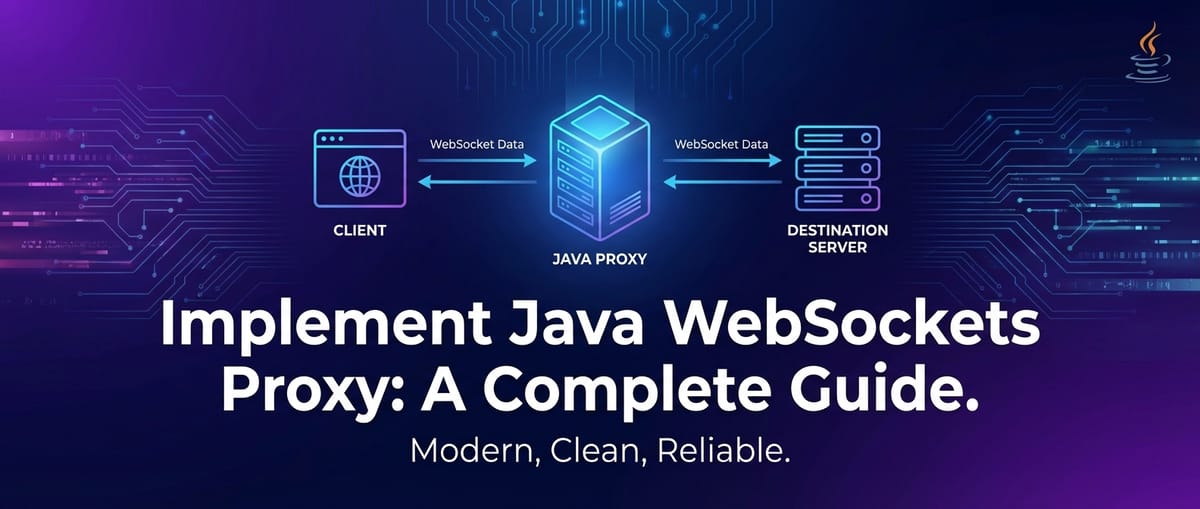
For a proxy, the key challenge is to participate in this lifecycle for two separate connections simultaneously: one with the client and one with the backend server. The proxy acts as both a WebSocket server to the client and a WebSocket client to the backend, mediating the exchange. This dual role requires careful management of Session objects and efficient message forwarding.
3.3 Proxying Fundamentals: The Dual Role
A WebSocket proxy, at its core, performs two fundamental operations:
- Client-Facing Endpoint (Server Role): It exposes a WebSocket
apiendpoint that clients connect to. It processes the WebSocket handshake and establishes aSessionfor each incoming client connection. - Backend-Facing Connection (Client Role): For each client connection, the proxy initiates a new WebSocket connection to a designated backend WebSocket server. This involves another WebSocket handshake.
Once both connections are established, the proxy becomes a message relay:
- Messages received from the client are forwarded to the backend server.
- Messages received from the backend server are forwarded back to the client.
This forwarding must be done efficiently and transparently. The proxy should ideally not modify the message content unless specifically designed for tasks like protocol transformation or message inspection. The challenge lies in managing the state of these paired connections, handling errors gracefully on either side, and ensuring high throughput and low latency. The apis provided by JSR 356 offer the building blocks for managing individual WebSocket sessions, and the proxy logic glues these sessions together.
4. Architectural Design Considerations for a Java WebSocket Proxy
Designing a robust and efficient Java WebSocket proxy involves making critical architectural decisions. These choices impact scalability, reliability, security, and maintainability.
4.1 Proxy Patterns: Reverse vs. Forward
While proxies can broadly be categorized as forward or reverse, a WebSocket proxy typically functions as a reverse proxy.
- Forward Proxy: Clients explicitly configure a forward proxy to access external resources. The proxy fetches resources on behalf of the client. This is less common for WebSocket proxies unless specific enterprise network setups require it.
- Reverse Proxy: Clients connect to the reverse proxy, which then forwards the request to one or more backend servers. Clients are often unaware they are communicating with a proxy. This is the standard pattern for a WebSocket
gateway, as it centralizes access, provides load balancing, and enhances security by abstracting backend services. Our focus will be on implementing a reverse WebSocket proxy. This design allows the proxy to act as a unifiedapi gatewayfor all WebSocket traffic.
4.2 Handling the HTTP Upgrade Handshake
The WebSocket handshake is an HTTP request. The proxy must be capable of receiving this HTTP request, inspecting its headers to confirm it's a WebSocket upgrade request, and then forwarding a modified version of this request to the backend WebSocket server. The backend server will then respond with its own 101 Switching Protocols response, which the proxy must relay back to the client. Crucially, the Sec-WebSocket-Key header from the client must be forwarded, and the Sec-WebSocket-Accept from the backend must be returned to the client. The proxy should not try to calculate these keys itself, as that would invalidate the handshake from the client's perspective. It simply acts as a passthrough for the handshake headers while also initiating its own handshake with the backend.
4.3 Connection Management and State
Each client-proxy-backend triplet represents a pair of WebSocket sessions. The proxy must maintain a mapping between these sessions. For instance, when a message arrives from a client on Session_Client, the proxy needs to know which Session_Backend it corresponds to for forwarding. A simple ConcurrentHashMap<Session, Session> or a custom wrapper object can manage this mapping.
Graceful handling of connection closures is also vital. If a client closes its connection, the proxy should detect this (via @OnClose) and promptly close the corresponding backend connection. Similarly, if the backend connection drops, the proxy should notify the client and close the client-facing session. Heartbeat mechanisms (ping/pong frames) can be implemented at the proxy level to detect dead connections more proactively.
4.4 Message Forwarding Strategy: Synchronous vs. Asynchronous
The efficiency of message forwarding directly impacts proxy performance.
- Synchronous Forwarding: Using
RemoteEndpoint.Basic.sendText()orsendBinary()blocks the current thread until the message is sent. While simpler to implement, it can lead to performance bottlenecks under heavy load, as a single slow network or backend can block other messages. - Asynchronous Forwarding: Using
RemoteEndpoint.Async.sendText()orsendBinary()(or theirsendXXX(message, sendHandler)counterparts) returns immediately, allowing the proxy to continue processing other messages or connections. The actual sending happens in the background. This is the preferred approach for high-performance proxies, as it maximizes throughput and minimizes latency by fully leveraging non-blocking I/O. Asynchronous operations require careful handling of callbacks (SendHandler) to manage potential errors during sending.
4.5 Error Handling and Resilience
A robust proxy must anticipate and gracefully handle errors. This includes:
- Network Errors: Disconnected clients, unresponsive backend servers.
- Protocol Errors: Invalid WebSocket frames.
- Application Errors: Issues during message processing within the proxy (though ideally, the proxy should be transparent).
Appropriate @OnError methods should log errors, close problematic sessions, and potentially trigger retry mechanisms for backend connections. Circuit breakers and bulkhead patterns can be considered for preventing a failing backend from cascading failures throughout the proxy. Exponential backoff for reconnecting to a backend can prevent overwhelming a struggling service.
4.6 Threading Model
The choice of threading model significantly influences scalability.
- Dedicated Thread per Connection: Simple but resource-intensive. Not suitable for handling thousands of concurrent connections.
- Event-Driven (NIO): Modern WebSocket implementations (like those in Netty, Undertow, or built into servlet containers) are inherently event-driven and use non-blocking I/O (NIO). This allows a small number of threads to manage a large number of concurrent connections efficiently. When a message arrives or a connection event occurs, an event is dispatched to a thread from a thread pool. This is the recommended approach and is largely handled for you by JSR 356 implementations. Your
@OnOpen,@OnMessage,@OnClose, and@OnErrormethods will be invoked by these event-handling threads.
4.7 Integration with Load Balancers and API Gateways
For production deployments, the Java WebSocket proxy itself might sit behind another layer of infrastructure:
- HTTP Load Balancers (e.g., Nginx, HAProxy): These can handle the initial HTTP connection and distribute clients across multiple instances of your Java WebSocket proxy. They must be configured for WebSocket
upgradeawareness. API Gateways: A more comprehensiveapi gatewaycan manage authentication, authorization, rate limiting, and other policies across all yourapis (REST, WebSockets, etc.). Your Java WebSocket proxy can be one of the services managed by this largerapi gateway. This is a powerful combination for centralizingAPIgovernance and observability.
For instance, consider how ApiPark as an open-source AI gateway and API management platform could complement a custom Java WebSocket proxy. While your custom proxy handles the specific WebSocket forwarding logic, APIPark could sit in front of it (or manage services that consume WebSocket data), offering unified API formats, prompt encapsulation (for AI-driven WebSockets), end-to-end API lifecycle management, and centralized security. This allows for a holistic approach to API exposure, irrespective of the underlying protocol, by providing a robust api gateway solution. APIPark facilitates quick integration of 100+ AI models and helps with managing the entire lifecycle of APIs, including design, publication, invocation, and decommissioning, making it a valuable asset for any enterprise dealing with complex api landscapes, including those with WebSocket components.
APIPark is a high-performance AI gateway that allows you to securely access the most comprehensive LLM APIs globally on the APIPark platform, including OpenAI, Anthropic, Mistral, Llama2, Google Gemini, and more.Try APIPark now! 👇👇👇
5. Step-by-Step Implementation: Building the Java WebSocket Proxy
Now, let's get into the practical implementation of a basic Java WebSocket proxy. We'll use Maven for dependency management and JSR 356 with Tomcat embedded (or any compliant servlet container) for demonstration.
5.1 Project Setup and Dependencies (Maven)
First, create a new Maven project. In your pom.xml, you'll need dependencies for the Java WebSocket API and a compliant server runtime. Here, we'll use Tomcat's WebSocket and embedded servlet capabilities.
<?xml version="1.0" encoding="UTF-8"?>
<project xmlns="http://maven.apache.org/POM/4.0.0"
         xmlns:xsi="http://www.w3.org/2001/XMLSchema-instance"
         xsi:schemaLocation="http://maven.apache.org/POM/4.0.0 http://maven.apache.org/xsd/maven-4.0.0.xsd">
    <modelVersion>4.0.0</modelVersion>

    <groupId>com.example</groupId>
    <artifactId>java-websocket-proxy</artifactId>
    <version>1.0-SNAPSHOT</version>

    <properties>
        <maven.compiler.source>11</maven.compiler.source>
        <maven.compiler.target>11</maven.compiler.target>
        <project.build.sourceEncoding>UTF-8</Charset>
        <tomcat.version>9.0.83</tomcat.version> <!-- Use a recent stable version -->
    </properties>

    <dependencies>
        <!-- JSR 356 API -->
        <dependency>
            <groupId>javax.websocket</groupId>
            <artifactId>javax.websocket-api</artifactId>
            <version>1.1</version>
            <scope>provided</scope> <!-- Provided by the servlet container -->
        </dependency>

        <!-- Tomcat Embed Core -->
        <dependency>
            <groupId>org.apache.tomcat.embed</groupId>
            <artifactId>tomcat-embed-core</artifactId>
            <version>${tomcat.version}</version>
        </dependency>
        <!-- Tomcat Embed WebSockets -->
        <dependency>
            <groupId>org.apache.tomcat.embed</groupId>
            <artifactId>tomcat-embed-websocket</artifactId>
            <version>${tomcat.version}</version>
        </dependency>
        <!-- Tomcat Embed Jasper (for JSP support, often needed with embedded servers for full web app context) -->
        <dependency>
            <groupId>org.apache.tomcat.embed</groupId>
            <artifactId>tomcat-embed-jasper</artifactId>
            <version>${tomcat.version}</version>
        </dependency>

        <!-- SLF4J for logging -->
        <dependency>
            <groupId>org.slf4j</groupId>
            <artifactId>slf4j-api</artifactId>
            <version>1.7.32</version>
        </dependency>
        <dependency>
            <groupId>org.slf4j</groupId>
            <artifactId>slf4j-simple</artifactId>
            <version>1.7.32</version>
            <scope>runtime</scope>
        </dependency>

        <!-- Client API for connecting to backend (optional, if using JSR 356 for backend client) -->
        <dependency>
            <groupId>org.glassfish.tyrus</groupId>
            <artifactId>tyrus-client</artifactId>
            <version>1.17</version>
            <scope>compile</scope> <!-- Or any other JSR 356 client implementation -->
        </dependency>
        <dependency>
            <groupId>org.glassfish.tyrus</groupId>
            <artifactId>tyrus-container-grizzly-client</artifactId>
            <version>1.17</version>
            <scope>runtime</scope>
        </dependency>

        <!-- Or if you prefer to use Tomcat's native client, it's typically part of the websocket-api -->
        <!-- However, using a specific client implementation like Tyrus can be more robust for client-side -->

    </dependencies>

    <build>
        <plugins>
            <plugin>
                <groupId>org.apache.maven.plugins</groupId>
                <artifactId>maven-compiler-plugin</artifactId>
                <version>3.8.1</version>
                <configuration>
                    <source>${maven.compiler.source}</source>
                    <target>${maven.compiler.target}</target>
                </configuration>
            </plugin>
            <plugin>
                <groupId>org.codehaus.mojo</groupId>
                <artifactId>exec-maven-plugin</artifactId>
                <version>3.0.0</version>
                <executions>
                    <execution>
                        <goals>
                            <goal>java</goal>
                        </goals>
                    </execution>
                </executions>
                <configuration>
                    <mainClass>com.example.proxy.WebSocketProxyServer</mainClass>
                </configuration>
            </plugin>
        </plugins>
    </build>
</project>
5.2 The Backend WebSocket Server (for testing)
Before building the proxy, let's create a simple backend WebSocket server that the proxy will connect to. This server will echo messages back to the sender.
BackendWebSocketServer.java
package com.example.backend;

import javax.websocket.*;
import javax.websocket.server.ServerEndpoint;
import java.io.IOException;
import java.util.Collections;
import java.util.HashSet;
import java.util.Set;
import org.slf4j.Logger;
import org.slf4j.LoggerFactory;

@ServerEndpoint("/techblog/en/backend")
public class BackendWebSocketServer {

    private static final Logger logger = LoggerFactory.getLogger(BackendWebSocketServer.class);
    private static final Set<Session> sessions = Collections.synchronizedSet(new HashSet<>());

    @OnOpen
    public void onOpen(Session session) {
        sessions.add(session);
        logger.info("Backend: New WebSocket session opened: {}", session.getId());
    }

    @OnMessage
    public void onMessage(String message, Session session) {
        logger.info("Backend: Received message from {}: {}", session.getId(), message);
        try {
            // Echo the message back
            session.getBasicRemote().sendText("Echo from backend: " + message);
            logger.info("Backend: Sent echo back to {}: {}", session.getId(), "Echo from backend: " + message);
        } catch (IOException e) {
            logger.error("Backend: Error sending message to {}: {}", session.getId(), e.getMessage());
        }
    }

    @OnClose
    public void onClose(Session session) {
        sessions.remove(session);
        logger.info("Backend: WebSocket session closed: {}", session.getId());
    }

    @OnError
    public void onError(Session session, Throwable throwable) {
        logger.error("Backend: Error on session {}: {}", session.getId(), throwable.getMessage(), throwable);
    }

    // Main method to run an embedded Tomcat for the backend server
    public static void main(String[] args) throws LifecycleException, InterruptedException {
        int backendPort = 8081; // Backend server runs on a different port
        org.apache.catalina.startup.Tomcat tomcat = new org.apache.catalina.startup.Tomcat();
        tomcat.setPort(backendPort);
        tomcat.getConnector().setURIEncoding("UTF-8");

        // Add context for WebSocket
        org.apache.catalina.Context context = tomcat.addContext("", null); // Root context for simplicity
        context.addApplicationListener(new org.apache.catalina.deploy.WebXml.WebListener("org.apache.catalina.websocket.WsContextListener"));
        org.apache.tomcat.websocket.server.WsSci wsSci = new org.apache.tomcat.websocket.server.WsSci();
        context.addServletContainerInitializer(wsSci, Collections.emptySet());

        // Add the WebSocket endpoint class programmatically
        context.addServletMappingDecoded("/techblog/en/backend", "wsServlet"); // Map the WebSocket endpoint
        org.apache.catalina.Wrapper wsWrapper = tomcat.addServlet(context, "wsServlet", new org.apache.catalina.servlets.DefaultServlet()); // Dummy servlet wrapper
        wsWrapper.setLoadOnStartup(1);

        // This is a common way to configure programmatically,
        // but often the `@ServerEndpoint` annotation and `DeploymentModule` handle it.
        // For embedded Tomcat, `WsSci` usually finds annotated endpoints.

        tomcat.start();
        logger.info("Backend WebSocket Server started on port {} at path /backend", backendPort);
        tomcat.getServer().await();
    }
}
Note: The embedded Tomcat setup for BackendWebSocketServer and WebSocketProxyServer needs careful configuration to correctly register JSR 356 endpoints. The example provides a basic listener; in a real-world scenario, you might configure ServletContext listeners or use Spring Boot, which simplifies embedded server setup significantly. For this guide, the WsSci (WebSocket Servlet Container Initializer) should automatically discover @ServerEndpoint annotated classes on startup.
5.3 The Java WebSocket Proxy Server
This is the core of our implementation. The proxy will act as a @ServerEndpoint for clients and will programmatically connect as a @ClientEndpoint to the backend.
WebSocketProxyServer.java
package com.example.proxy;

import org.apache.catalina.Context;
import org.apache.catalina.LifecycleException;
import org.apache.catalina.startup.Tomcat;
import org.apache.tomcat.websocket.server.WsSci;
import org.glassfish.tyrus.client.ClientManager;
import org.slf4j.Logger;
import org.slf4j.LoggerFactory;

import javax.websocket.*;
import javax.websocket.server.ServerEndpoint;
import java.io.IOException;
import java.net.URI;
import java.util.Collections;
import java.util.Map;
import java.util.concurrent.ConcurrentHashMap;
import java.util.concurrent.TimeUnit;
import java.util.concurrent.atomic.AtomicInteger;

/**
 * This class implements the server-side part of the WebSocket proxy.
 * It acts as a WebSocket endpoint for clients and establishes connections to a backend WebSocket server.
 */
@ServerEndpoint("/techblog/en/proxy")
public class WebSocketProxyServer {

    private static final Logger logger = LoggerFactory.getLogger(WebSocketProxyServer.class);

    // Map to store client session to backend session mappings
    private static final Map<Session, Session> clientToBackendSessionMap = new ConcurrentHashMap<>();
    private static final Map<Session, Session> backendToClientSessionMap = new ConcurrentHashMap<>();

    private static final String BACKEND_URI = "ws://localhost:8081/backend"; // Address of our backend server

    private final ClientManager backendClientManager; // Tyrus client manager for backend connections
    private final AtomicInteger activeConnections = new AtomicInteger(0);

    public WebSocketProxyServer() {
        this.backendClientManager = ClientManager.createClient();
        logger.info("WebSocketProxyServer initialized. Backend target: {}", BACKEND_URI);
    }

    /**
     * Called when a new WebSocket connection is opened from a client.
     * This method also initiates a connection to the backend server.
     * @param clientSession The session established with the client.
     * @param config The endpoint config (not used directly here but can be useful).
     */
    @OnOpen
    public void onOpen(Session clientSession, EndpointConfig config) {
        logger.info("Proxy: Client session opened: {}. Total active client connections: {}", clientSession.getId(), activeConnections.incrementAndGet());

        try {
            // Attempt to connect to the backend WebSocket server
            // We pass the clientSession so the BackendClientEndpoint can link them.
            final Session backendSession = backendClientManager.connectToServer(
                    new BackendClientEndpoint(clientSession), // Our custom client endpoint for the backend
                    URI.create(BACKEND_URI)
            );

            // Store the mappings
            clientToBackendSessionMap.put(clientSession, backendSession);
            backendToClientSessionMap.put(backendSession, clientSession);

            logger.info("Proxy: Successfully connected client {} to backend {}.", clientSession.getId(), backendSession.getId());

            // Optional: Set a message handler for binary messages if needed
            clientSession.addMessageHandler(new MessageHandler.Partial<byte[]>() {
                @Override
                public void onMessage(byte[] message, boolean last) {
                    try {
                        // Forward binary messages from client to backend
                        backendSession.getAsyncRemote().sendBinary(java.nio.ByteBuffer.wrap(message));
                        logger.debug("Proxy: Forwarded binary message from client {} to backend {}", clientSession.getId(), backendSession.getId());
                    } catch (Exception e) {
                        logger.error("Proxy: Error forwarding binary message from client {} to backend {}: {}", clientSession.getId(), backendSession.getId(), e.getMessage());
                        closeSessions(clientSession, backendSession, e);
                    }
                }
            });

        } catch (DeploymentException | IOException e) {
            logger.error("Proxy: Failed to connect to backend for client {}: {}", clientSession.getId(), e.getMessage(), e);
            try {
                // If backend connection fails, close the client session
                clientSession.close(new CloseReason(CloseReason.CloseCodes.UNEXPECTED_CONDITION, "Could not connect to backend server."));
            } catch (IOException closeException) {
                logger.error("Proxy: Error closing client session after backend connection failure: {}", closeException.getMessage());
            }
        }
    }

    /**
     * Called when a text message is received from a client.
     * This message is then forwarded to the corresponding backend session.
     * @param message The text message received.
     * @param clientSession The session with the client.
     */
    @OnMessage
    public void onMessage(String message, Session clientSession) {
        logger.info("Proxy: Received text message from client {}: {}", clientSession.getId(), message);

        Session backendSession = clientToBackendSessionMap.get(clientSession);
        if (backendSession != null && backendSession.isOpen()) {
            try {
                // Asynchronously send the message to the backend
                backendSession.getAsyncRemote().sendText(message, sendResult -> {
                    if (sendResult.getException() != null) {
                        logger.error("Proxy: Error sending message from client {} to backend {}: {}",
                                clientSession.getId(), backendSession.getId(), sendResult.getException().getMessage());
                        closeSessions(clientSession, backendSession, sendResult.getException());
                    } else {
                        logger.debug("Proxy: Successfully forwarded text message from client {} to backend {}", clientSession.getId(), backendSession.getId());
                    }
                });
            } catch (Exception e) {
                logger.error("Proxy: Exception during forwarding text message from client {} to backend {}: {}", clientSession.getId(), backendSession.getId(), e.getMessage());
                closeSessions(clientSession, backendSession, e);
            }
        } else {
            logger.warn("Proxy: No active backend session for client {} to forward message: {}", clientSession.getId(), message);
            try {
                clientSession.close(new CloseReason(CloseReason.CloseCodes.VIOLATED_POLICY, "Backend connection not available."));
            } catch (IOException e) {
                logger.error("Proxy: Error closing client session without backend: {}", e.getMessage());
            }
        }
    }

    // Add other @OnMessage handlers for different types (binary, pong, etc.) if needed.
    // For simplicity, we only handle String here and added a basic binary handler in onOpen.

    /**
     * Called when a client WebSocket connection is closed.
     * The corresponding backend connection is also closed.
     * @param clientSession The session that was closed.
     * @param closeReason The reason for closure.
     */
    @OnClose
    public void onClose(Session clientSession, CloseReason closeReason) {
        logger.info("Proxy: Client session closed: {}. Reason: {}. Total active client connections: {}",
                clientSession.getId(), closeReason.getReasonPhrase(), activeConnections.decrementAndGet());

        Session backendSession = clientToBackendSessionMap.remove(clientSession);
        if (backendSession != null) {
            backendToClientSessionMap.remove(backendSession);
            if (backendSession.isOpen()) {
                try {
                    backendSession.close(new CloseReason(CloseReason.CloseCodes.NORMAL_CLOSURE, "Client disconnected."));
                    logger.info("Proxy: Closed backend session {} corresponding to client {}.", backendSession.getId(), clientSession.getId());
                } catch (IOException e) {
                    logger.error("Proxy: Error closing backend session {} for client {}: {}", backendSession.getId(), clientSession.getId(), e.getMessage());
                }
            } else {
                logger.warn("Proxy: Backend session {} for client {} was already closed.", backendSession.getId(), clientSession.getId());
            }
        }
    }

    /**
     * Called when an error occurs on a client WebSocket session.
     * The corresponding backend connection is also closed.
     * @param clientSession The session where the error occurred.
     * @param throwable The exception that caused the error.
     */
    @OnError
    public void onError(Session clientSession, Throwable throwable) {
        logger.error("Proxy: Error on client session {}: {}", clientSession.getId(), throwable.getMessage(), throwable);

        Session backendSession = clientToBackendSessionMap.get(clientSession); // Get without removing yet
        closeSessions(clientSession, backendSession, throwable); // Use helper to ensure both are closed and removed
    }

    /**
     * Helper method to ensure both client and backend sessions are closed and removed from maps.
     * @param clientSession The client session.
     * @param backendSession The backend session.
     * @param cause The throwable that caused the closure.
     */
    private void closeSessions(Session clientSession, Session backendSession, Throwable cause) {
        if (clientSession != null && clientSession.isOpen()) {
            try {
                clientSession.close(new CloseReason(CloseReason.CloseCodes.UNEXPECTED_CONDITION, "Proxy error: " + cause.getMessage()));
            } catch (IOException e) {
                logger.error("Proxy: Error closing client session {}: {}", clientSession.getId(), e.getMessage());
            } finally {
                clientToBackendSessionMap.remove(clientSession);
                activeConnections.decrementAndGet();
            }
        }

        if (backendSession != null && backendSession.isOpen()) {
            try {
                backendSession.close(new CloseReason(CloseReason.CloseCodes.UNEXPECTED_CONDITION, "Proxy error: " + cause.getMessage()));
            } catch (IOException e) {
                logger.error("Proxy: Error closing backend session {}: {}", backendSession.getId(), e.getMessage());
            } finally {
                backendToClientSessionMap.remove(backendSession);
            }
        }
    }

    /**
     * Inner class to handle the proxy's connection to the backend server.
     * This acts as a client endpoint.
     */
    @ClientEndpoint
    public static class BackendClientEndpoint {

        private static final Logger logger = LoggerFactory.getLogger(BackendClientEndpoint.class);
        private final Session clientSessionReference; // Reference to the client session that initiated this backend connection

        public BackendClientEndpoint(Session clientSessionReference) {
            this.clientSessionReference = clientSessionReference;
        }

        @OnOpen
        public void onOpen(Session session) {
            logger.info("Proxy Client: Connected to backend server: {}", session.getId());
            // This is where we would typically link the sessions if not done externally
            // For now, the external map ensures the link.
        }

        @OnMessage
        public void onMessage(String message, Session backendSession) {
            logger.info("Proxy Client: Received message from backend {}: {}", backendSession.getId(), message);
            if (clientSessionReference != null && clientSessionReference.isOpen()) {
                try {
                    // Forward message from backend to the original client
                    clientSessionReference.getAsyncRemote().sendText(message, sendResult -> {
                        if (sendResult.getException() != null) {
                            logger.error("Proxy Client: Error sending message from backend {} to client {}: {}",
                                    backendSession.getId(), clientSessionReference.getId(), sendResult.getException().getMessage());
                            // Close both if client cannot receive
                            Session clientS = backendToClientSessionMap.get(backendSession);
                            if (clientS != null) {
                                WebSocketProxyServer.instance.closeSessions(clientS, backendSession, sendResult.getException());
                            }
                        } else {
                            logger.debug("Proxy Client: Successfully forwarded text message from backend {} to client {}", backendSession.getId(), clientSessionReference.getId());
                        }
                    });
                } catch (Exception e) {
                    logger.error("Proxy Client: Exception during forwarding text message from backend {} to client {}: {}", backendSession.getId(), clientSessionReference.getId(), e.getMessage());
                    Session clientS = backendToClientSessionMap.get(backendSession);
                    if (clientS != null) {
                        WebSocketProxyServer.instance.closeSessions(clientS, backendSession, e);
                    }
                }
            } else {
                logger.warn("Proxy Client: Client session {} is not open or null. Cannot forward message from backend {}",
                        (clientSessionReference != null ? clientSessionReference.getId() : "null"), backendSession.getId());
                // Close backend session if client is gone
                Session clientS = backendToClientSessionMap.get(backendSession);
                if (clientS != null) {
                    WebSocketProxyServer.instance.closeSessions(clientS, backendSession, new IllegalStateException("Client session not available."));
                } else { // If client was already removed, just close backend
                    try {
                        backendSession.close(new CloseReason(CloseReason.CloseCodes.VIOLATED_POLICY, "Client session unavailable."));
                    } catch (IOException e) {
                        logger.error("Proxy Client: Error closing backend session {} due to missing client: {}", backendSession.getId(), e.getMessage());
                    }
                }
            }
        }

        // Add other @OnMessage handlers for binary, pong etc. if backend sends them.

        @OnClose
        public void onClose(Session backendSession, CloseReason closeReason) {
            logger.info("Proxy Client: Backend session closed: {}. Reason: {}", backendSession.getId(), closeReason.getReasonPhrase());
            Session clientS = backendToClientSessionMap.get(backendSession);
            if (clientS != null) {
                // If backend closes, propagate to client
                WebSocketProxyServer.instance.closeSessions(clientS, backendSession, new IllegalStateException("Backend closed connection."));
            } else {
                 logger.warn("Proxy Client: Backend session {} closed, but no corresponding client session found.", backendSession.getId());
                 backendToClientSessionMap.remove(backendSession);
            }
        }

        @OnError
        public void onError(Session backendSession, Throwable throwable) {
            logger.error("Proxy Client: Error on backend session {}: {}", backendSession.getId(), throwable.getMessage(), throwable);
            Session clientS = backendToClientSessionMap.get(backendSession);
            if (clientS != null) {
                WebSocketProxyServer.instance.closeSessions(clientS, backendSession, throwable);
            } else {
                logger.error("Proxy Client: Error on backend session {} with no linked client. Closing backend session directly.", backendSession.getId());
                try {
                    backendSession.close(new CloseReason(CloseReason.CloseCodes.UNEXPECTED_CONDITION, "Backend error without linked client."));
                } catch (IOException e) {
                    logger.error("Proxy Client: Error closing backend session {} after error: {}", backendSession.getId(), e.getMessage());
                } finally {
                    backendToClientSessionMap.remove(backendSession);
                }
            }
        }
    }

    // Static instance to allow inner BackendClientEndpoint to call back to outer class methods
    private static WebSocketProxyServer instance;

    // Main method to run an embedded Tomcat for the proxy server
    public static void main(String[] args) throws LifecycleException, InterruptedException {
        int proxyPort = 8080; // Proxy server runs on a different port than backend
        Tomcat tomcat = new Tomcat();
        tomcat.setPort(proxyPort);
        tomcat.getConnector().setURIEncoding("UTF-8");

        Context context = tomcat.addContext("", null); // Root context

        // Add WebSocket ServletContainerInitializer to discover @ServerEndpoint
        WsSci wsSci = new WsSci();
        context.addServletContainerInitializer(wsSci, Collections.emptySet());

        tomcat.start();
        logger.info("WebSocket Proxy Server started on port {} at path /proxy", proxyPort);

        // Initialize the static instance after Tomcat starts and WsSci has registered endpoints
        // This is a bit of a hack for simplicity to allow BackendClientEndpoint to access outer class methods
        // In a real application, dependency injection frameworks (e.g., Spring) manage this gracefully.
        for (Object endpoint : context.findApplicationListeners()) {
            if (endpoint instanceof WebSocketProxyServer) {
                instance = (WebSocketProxyServer) endpoint;
                break;
            }
        }
        if (instance == null) {
             logger.warn("Could not find WebSocketProxyServer instance from context listeners. Some error handling might be impacted.");
             // Fallback if not found via listener, create a new one, but state might not be fully shared if multiple instances
             instance = new WebSocketProxyServer();
        }

        tomcat.getServer().await();
    }
}
5.4 Testing the Proxy
To test this setup:
- Start the Backend Server: Run
BackendWebSocketServer.main()(ormvn exec:java -Dexec.mainClass="com.example.backend.BackendWebSocketServer"). It should start onlocalhost:8081/backend. - Start the Proxy Server: Run
WebSocketProxyServer.main()(ormvn exec:java -Dexec.mainClass="com.example.proxy.WebSocketProxyServer"). It should start onlocalhost:8080/proxy. - Connect a Client: You can use a simple HTML/JavaScript client or a WebSocket testing tool (like Postman, Insomnia, or browser developer tools).
Example HTML Client (client.html):
<!DOCTYPE html>
<html>
<head>
    <title>WebSocket Proxy Client</title>
    <style>
        body { font-family: Arial, sans-serif; margin: 20px; }
        #messages { border: 1px solid #ccc; padding: 10px; min-height: 200px; max-height: 400px; overflow-y: scroll; margin-bottom: 10px; }
        input[type="text"] { width: 70%; padding: 8px; }
        button { padding: 8px 15px; cursor: pointer; }
    </style>
</head>
<body>
    <h1>WebSocket Proxy Client</h1>
    <p>Connecting to: `ws://localhost:8080/proxy`</p>
    <div id="messages"></div>
    <input type="text" id="messageInput" placeholder="Type a message...">
    <button onclick="sendMessage()">Send</button>
    <button onclick="closeConnection()">Close Connection</button>

    <script>
        const messagesDiv = document.getElementById('messages');
        const messageInput = document.getElementById('messageInput');
        let ws;

        function log(message) {
            const p = document.createElement('p');
            p.textContent = message;
            messagesDiv.appendChild(p);
            messagesDiv.scrollTop = messagesDiv.scrollHeight; // Scroll to bottom
        }

        function connectWebSocket() {
            if (ws && ws.readyState === WebSocket.OPEN) {
                log("Already connected.");
                return;
            }
            log("Attempting to connect to WebSocket proxy...");
            ws = new WebSocket("ws://localhost:8080/proxy");

            ws.onopen = (event) => {
                log("Connected to proxy!");
            };

            ws.onmessage = (event) => {
                log(`Received: ${event.data}`);
            };

            ws.onclose = (event) => {
                log(`Disconnected from proxy. Code: ${event.code}, Reason: ${event.reason}`);
                ws = null;
            };

            ws.onerror = (error) => {
                log(`WebSocket Error: ${error.message}`);
            };
        }

        function sendMessage() {
            if (ws && ws.readyState === WebSocket.OPEN) {
                const message = messageInput.value;
                if (message) {
                    ws.send(message);
                    log(`Sent: ${message}`);
                    messageInput.value = '';
                }
            } else {
                log("Not connected. Please connect first.");
                connectWebSocket(); // Attempt to reconnect if not open
            }
        }

        function closeConnection() {
            if (ws && ws.readyState === WebSocket.OPEN) {
                ws.close();
            } else {
                log("No active connection to close.");
            }
        }

        // Connect automatically when page loads
        window.onload = connectWebSocket;
    </script>
</body>
</html>
Open client.html in your browser, and you should see messages flowing through the proxy to the backend and back to the client. The console output from BackendWebSocketServer and WebSocketProxyServer will show the journey of each message.
Table 1: Key Responsibilities in the WebSocket Proxy Data Flow
| Component | Primary Role(s) | Example Actions
### 5.5 Advanced Considerations and Best Practices

This basic implementation is a starting point. For a production-grade proxy, consider the following:

#### 5.5.1 Robust Error Handling and Logging

The current error handling is rudimentary. A production system needs:
*   **Centralized Logging**: Integrate with a robust logging framework (e.g., Logback with SLF4J) and send logs to a centralized log management system (e.g., ELK Stack, Splunk, Graylog).
*   **Structured Logging**: Log messages in JSON format for easier parsing and analysis.
*   **Metrics and Monitoring**: Expose metrics (e.g., number of active connections, message throughput, error rates, latency) using tools like Micrometer/Prometheus.
*   **Alerting**: Set up alerts for critical errors or performance degradation.
*   **Circuit Breakers**: Implement circuit breakers (e.g., with resilience4j or Hystrix) to prevent a failing backend from causing the proxy to crash. If a backend consistently fails, the circuit breaker can temporarily halt requests to it, allowing it to recover.

#### 5.5.2 Security Measures

*   **TLS Termination (WSS)**: The proxy should handle TLS (SSL/TSL) termination for WSS connections, decrypting incoming traffic and encrypting outgoing traffic if the backend also uses WSS, or forwarding as WS internally. This is crucial for protecting data in transit.
*   **Authentication and Authorization**: Implement mechanisms to authenticate clients before allowing WebSocket connections. This could involve checking JWTs, OAuth tokens, or API keys in the initial HTTP handshake headers. The proxy can then inject authenticated user information into backend requests or reject unauthenticated connections.
*   **Rate Limiting**: Protect backend servers from abuse by limiting the number of connections or messages per client within a specific timeframe.
*   **Input Validation**: Although less common for a simple forwarding proxy, if the proxy is involved in any message modification or interpretation, input validation is essential.
*   **Firewall Integration**: Configure firewalls to only allow WebSocket traffic through the proxy's designated ports.

#### 5.5.3 Scalability and High Availability

*   **Clustering**: Deploy multiple instances of the Java WebSocket proxy behind a traditional HTTP/TCP load balancer (like Nginx, HAProxy, or a cloud provider's load balancer). This load balancer must support WebSocket `upgrade` and ideally sticky sessions (session affinity) to ensure a client's subsequent WebSocket connection attempts go to the same proxy instance, which in turn maintains the connection to the same backend WebSocket server. This is important for stateful `api`s.
*   **Connection Pooling (Backend)**: For situations where backend connections are expensive to establish, consider connection pooling strategies, though WebSockets are typically long-lived.
*   **Health Checks**: Implement health check endpoints on the proxy so that load balancers can determine if a proxy instance is healthy and capable of accepting new connections.

#### 5.5.4 Advanced Routing and Load Balancing

The current proxy simply connects to a single fixed backend. In a production environment, you might need:
*   **Dynamic Backend Discovery**: Integrate with service discovery mechanisms (e.g., Eureka, Consul, Kubernetes Service) to dynamically find available backend WebSocket servers.
*   **Backend Load Balancing Algorithms**: Implement more sophisticated load balancing algorithms (e.g., least connections, consistent hashing, weighted round-robin) when multiple backend servers are available.
*   **Content-Based Routing**: If messages contain routing information (e.g., a topic, a user ID), the proxy could inspect the message content and forward it to a specific backend server responsible for that topic or user. This requires deeper inspection capabilities within the `api` layer.

#### 5.5.5 Message Transformation and Protocol Bridging

For advanced use cases, the proxy can do more than just forward messages:
*   **Message Filtering/Modification**: Intercept and modify messages (e.g., add metadata, filter sensitive information, translate message formats).
*   **Protocol Conversion**: As discussed, convert WebSocket messages to other protocols (MQTT, AMQP, Kafka, HTTP) to integrate with different backend systems or message brokers. This turns the proxy into a true `gateway`.
*   **Caching**: In specific scenarios, for rapidly changing but frequently requested data, the proxy might cache certain WebSocket messages (e.g., latest stock price) and serve them to new clients immediately until the next update from the backend.

#### 5.5.6 Configuration Management

Hardcoding the backend URI (like `ws://localhost:8081/backend`) is not suitable for production.
*   **External Configuration**: Use configuration files (YAML, properties), environment variables, or a configuration management service (e.g., Spring Cloud Config, Consul) to manage backend addresses, ports, security settings, and other operational parameters.

## 6. Integrating with an API Gateway: The Broader Context

While a custom Java WebSocket proxy provides fine-grained control over WebSocket-specific traffic, it often operates as part of a larger ecosystem governed by a comprehensive `api gateway`. An `api gateway` is a single entry point for all `API` consumers, handling requests across various protocols (HTTP/REST, WebSockets, gRPC, etc.) and applying universal policies.

### 6.1 The Role of an `API Gateway`

An `api gateway` provides a centralized point for:

*   **Unified `API` Access**: Presenting a single, consistent `api` interface to external consumers, abstracting the complexity of numerous backend microservices.
*   **Security**: Centralized authentication, authorization, rate limiting, and DDoS protection across all `api`s.
*   **Traffic Management**: Routing, load balancing, caching, throttling, and circuit breaking for all `api` calls.
*   **Monitoring and Analytics**: Aggregating logs and metrics for all `api` interactions, providing insights into usage, performance, and errors.
*   **Protocol Translation**: Handling conversions between different `api` protocols (e.g., exposing a REST `api` that talks to a SOAP service internally).
*   **`API` Versioning**: Managing different versions of `api`s without breaking existing clients.
*   **Developer Portal**: Offering self-service `api` documentation, testing tools, and access management for developers.

### 6.2 WebSocket Proxy as a Component of an `API Gateway` Strategy

Your custom Java WebSocket proxy fits seamlessly into this broader `api gateway` strategy. Instead of clients connecting directly to your proxy, they would connect to the main `api gateway`. The `api gateway` would then intelligently route WebSocket upgrade requests to your Java WebSocket proxy instances.

This layered approach offers several benefits:

1.  **Consolidated Security Policies**: The `api gateway` can enforce global security policies (e.g., JWT validation, IP whitelisting) for *all* incoming `api` traffic, including WebSockets, before it even reaches your dedicated WebSocket proxy.
2.  **Universal Traffic Management**: Load balancing, rate limiting, and circuit breaking can be applied at the `api gateway` level, simplifying the operational burden on your individual proxies.
3.  **Unified Observability**: All `api` traffic, regardless of protocol, can be logged and monitored through the `api gateway`, providing a holistic view of system performance and health.
4.  **Simplified `API` Exposure**: Your Java WebSocket proxy can focus purely on efficient WebSocket forwarding, while the `api gateway` handles the complexity of exposing and managing the public-facing `api`s.

For organizations dealing with a diverse set of `api`s, including traditional REST and emerging real-time or AI-driven `api`s, this integrated approach is crucial. Products like [ApiPark](https://apipark.com/) exemplify this integration perfectly. As an open-source AI `gateway` and `API` management platform, APIPark extends traditional `api gateway` capabilities to the realm of Artificial Intelligence and real-time services. It can manage all your `api`s, offering quick integration of 100+ AI models and features like unified `API` format for AI invocation, prompt encapsulation into REST `API`s, and end-to-end `API` lifecycle management. While your Java WebSocket proxy can handle specialized WebSocket traffic, APIPark provides the overarching `api gateway` infrastructure for security, traffic management, logging, and data analysis across your entire `api` portfolio. This combination allows you to leverage the strengths of a custom, protocol-specific proxy while benefiting from the comprehensive governance and scalability offered by a full-fledged `api gateway`. APIPark's ability to achieve over 20,000 TPS with modest resources and its detailed `API` call logging and powerful data analysis features make it an attractive option for enterprise-grade `api` management, ensuring both efficiency and security for all your `api` services.

## 7. Performance Optimization and Benchmarking

Building a functional proxy is one thing; building a high-performance, scalable proxy is another. Optimizing performance and having a strategy for benchmarking are critical for production deployments.

### 7.1 Key Performance Indicators (KPIs)

When evaluating a WebSocket proxy, focus on these KPIs:
*   **Throughput (Messages/second or Connections/second)**: How many messages or new connections can the proxy handle per unit of time?
*   **Latency**: The delay introduced by the proxy for each message. This is often the most critical metric for real-time applications.
*   **Concurrent Connections**: The maximum number of simultaneous active WebSocket connections the proxy can maintain without degradation.
*   **Resource Utilization**: CPU, memory, and network I/O usage under various loads.
*   **Error Rate**: The frequency of failed connections or message deliveries.

### 7.2 Performance Optimization Techniques

#### 7.2.1 Efficient I/O

The Java WebSocket API (JSR 356) implementations (like Tomcat, Jetty, Tyrus) are built on top of NIO (Non-blocking I/O). Ensure you're leveraging this:
*   **Asynchronous Message Sending**: Always use `Session.getAsyncRemote()` for sending messages. This prevents blocking threads and maximizes throughput.
*   **Buffer Management**: Avoid unnecessary data copying. If you're forwarding binary data, try to pass `ByteBuffer` objects directly or use zero-copy techniques if your underlying network library supports it.
*   **Message Framing**: The WebSocket protocol adds framing overhead. For very high-frequency, small messages, consider batching or using a more compact binary format, though this moves responsibility away from a transparent proxy.

#### 7.2.2 Threading Model and Concurrency

*   **Avoid Blocking Operations**: Ensure your `@OnOpen`, `@OnMessage`, `@OnClose`, and `@OnError` methods are as lightweight and non-blocking as possible. Heavy computation or I/O within these methods will quickly degrade performance. Offload long-running tasks to dedicated thread pools.
*   **Optimal Thread Pool Sizes**: While the container manages event-handling threads, if you offload tasks to custom thread pools, tune their sizes based on the number of cores and the nature of the tasks (CPU-bound vs. I/O-bound).
*   **Minimize Context Switching**: Keep the logic simple within the proxy to reduce the need for threads to yield and resume, which incurs CPU overhead.

#### 7.2.3 JVM Tuning

*   **Garbage Collection (GC)**: Profile GC activity. Frequent or long GC pauses (`stop-the-world` events) can severely impact real-time performance. Choose an appropriate garbage collector (e.g., G1, ZGC, Shenandoah) and tune its parameters based on your memory profile.
*   **Heap Size**: Allocate sufficient heap memory to the JVM to avoid excessive GC, but not so much that it leads to paging.
*   **JIT Compiler**: Ensure the JIT compiler is given enough time to optimize hot paths. Avoid premature benchmarking on freshly started applications.

#### 7.2.4 Network Tuning

*   **Operating System Limits**: Increase open file descriptor limits (ulimit) on Linux systems, as each WebSocket connection consumes a file descriptor.
*   **TCP Buffer Sizes**: Tune TCP send/receive buffer sizes for high-bandwidth scenarios.
*   **Keep-Alive**: Configure TCP keep-alive settings to prevent idle connections from being prematurely closed by network intermediaries.
*   **Ephemeral Ports**: Ensure your OS has enough ephemeral ports available if the proxy initiates many outbound connections.

#### 7.2.5 Configuration and Hardware

*   **Server Hardware**: Deploy on servers with sufficient CPU cores, memory, and fast network interfaces.
*   **Operating System**: Use a lean, optimized OS (e.g., Linux distributions designed for server workloads).
*   **Containerization**: Use Docker and Kubernetes for consistent deployment, resource management, and scaling. Ensure proper resource limits and requests are set for your proxy containers.

### 7.3 Benchmarking Tools and Methodology

Effective benchmarking requires careful planning:
*   **Client Simulators**: Use specialized WebSocket load testing tools.
    *   **JMeter**: Can be extended with WebSocket plugins.
    *   **Gatling**: Scala-based, powerful for scripting complex scenarios.
    *   **k6**: JavaScript-based, modern load testing tool.
    *   **Custom Clients**: For very specific test patterns, writing a dedicated Java or Node.js WebSocket client can offer maximum flexibility.
*   **Test Scenarios**:
    *   **Connection Ramp-up**: Gradually increase the number of concurrent connections to find the breaking point.
    *   **Message Throughput**: Test sending varying message sizes and frequencies.
    *   **Fan-out/Fan-in**: Simulate scenarios where one message triggers many messages (fan-out) or many messages coalesce into one (fan-in).
    *   **Long-Lived Idling**: Test the stability of thousands of idle connections over extended periods.
    *   **Error Injection**: Simulate backend failures or network partitions to test resilience.
*   **Monitoring**: During benchmarks, continuously monitor the proxy's CPU, memory, network I/O, JVM GC activity, and internal application metrics. Correlate these with client-side performance metrics.
*   **Isolation**: Conduct benchmarks in isolated environments to avoid interference from other services.
*   **Repeatability**: Ensure your tests are repeatable to consistently measure improvements or regressions.

By diligently applying these optimization techniques and rigorously benchmarking, you can transform a basic Java WebSocket proxy into a high-performance component capable of handling enterprise-scale real-time traffic.

## 8. Conclusion: The Power and Promise of a Java WebSocket Proxy

The journey through implementing a Java WebSocket proxy reveals its critical role in modern, real-time application architectures. From understanding the fundamental principles of the WebSocket protocol to navigating the intricacies of JSR 356, and then designing a robust, scalable, and secure intermediary, this guide has covered the essential elements. We've seen how a Java-based proxy can act as a crucial `gateway`, offering capabilities far beyond simple message forwarding, encompassing enhanced security, intelligent load balancing, centralized monitoring, and even protocol transformation.

A custom Java WebSocket proxy, while a powerful tool, is most effective when viewed within the broader context of a comprehensive `api gateway` strategy. By integrating with advanced platforms like [ApiPark](https://apipark.com/), which serves as an open-source AI `gateway` and `API` management platform, organizations can achieve a unified and highly efficient `API` ecosystem. This synergy allows for specialized WebSocket handling at the proxy layer, while leveraging the `api gateway` for global `API` governance, security policies, and consolidated observability across all `api` types, including AI-driven services. Such an integrated approach ensures that even the most complex real-time applications can be managed with unparalleled efficiency, security, and scalability.

Building a Java WebSocket proxy is an investment in the stability and future-proofing of your real-time infrastructure. It empowers developers to construct highly responsive applications that can gracefully scale to meet ever-increasing user demands, all while maintaining strict security postures and clear operational visibility. The ability to control, route, and protect real-time `api` traffic positions Java as a robust choice for building the backbone of tomorrow's interactive web.

---

## 9. Frequently Asked Questions (FAQ)

### Q1: What is the primary benefit of using a Java WebSocket proxy instead of direct client-to-server connections?

**A1:** The primary benefit of using a Java WebSocket proxy is to introduce an intermediary layer that enhances security, scalability, and manageability of WebSocket traffic. It allows you to shield backend servers, perform load balancing across multiple backend instances, enforce centralized security policies (like TLS termination, authentication, rate limiting), and gain comprehensive monitoring and logging capabilities. This abstraction simplifies client configurations and provides a single point of control for your real-time `api`s, crucial for complex and enterprise-grade applications.

### Q2: How does a WebSocket proxy handle the initial HTTP handshake and then transition to WebSocket communication?

**A2:** A WebSocket proxy effectively acts as both a WebSocket server to the client and a WebSocket client to the backend. When a client initiates a WebSocket connection, it sends an HTTP GET request with specific upgrade headers. The proxy intercepts this request, validates it, and then initiates its own HTTP upgrade handshake with the designated backend WebSocket server. Once the backend responds with a `101 Switching Protocols` status, the proxy relays this response back to the client. At this point, both the client-proxy and proxy-backend connections transition to raw TCP WebSocket communication, and the proxy then simply forwards data frames between the two established WebSocket sessions.

### Q3: Can a Java WebSocket proxy also act as a load balancer for multiple backend WebSocket servers?

**A3:** Absolutely. A Java WebSocket proxy is ideally suited to function as a load balancer. When a client connects, the proxy can apply various load balancing algorithms (e.g., round-robin, least connections, IP hashing) to select an appropriate backend WebSocket server. It then establishes a WebSocket connection to that chosen backend. This allows for horizontal scaling of your backend services, improved fault tolerance (by redirecting traffic away from failing servers), and efficient distribution of concurrent WebSocket connections, preventing any single backend server from becoming a bottleneck for your `api` traffic.

### Q4: What are the key considerations for securing a Java WebSocket proxy in a production environment?

**A4:** Securing a Java WebSocket proxy involves several critical aspects:
1.  **TLS Termination**: The proxy should handle WSS (WebSocket Secure) connections, decrypting incoming traffic and potentially re-encrypting for backend connections.
2.  **Authentication & Authorization**: Implement mechanisms to verify client identities (e.g., JWT, OAuth tokens) and ensure they have permission to access the `api`s.
3.  **Rate Limiting**: Protect backend services from abuse or DDoS attacks by limiting the number of connections or messages a single client can send within a given period.
4.  **IP Filtering**: Whitelist or blacklist IP addresses to restrict access.
5.  **Logging & Monitoring**: Comprehensive logging of connection attempts, messages, and errors is crucial for detecting and responding to security incidents.
6.  **Integration with `API Gateway`s**: For comprehensive security, often a dedicated `api gateway` (like [ApiPark](https://apipark.com/)) is deployed in front of the WebSocket proxy to enforce universal security policies across all `api` types.

### Q5: How can a Java WebSocket proxy integrate with a larger `API Gateway` platform, such as APIPark?

**A5:** A Java WebSocket proxy can seamlessly integrate into a broader `api gateway` strategy. In this setup, the `api gateway` (e.g., APIPark) serves as the primary entry point for all client requests, including WebSocket upgrade requests. The `api gateway` would then route these WebSocket-specific requests to your dedicated Java WebSocket proxy instances. This allows the `api gateway` to handle universal concerns like authentication, authorization, rate limiting, and centralized monitoring for all `api`s (REST, WebSockets, AI models), while your Java WebSocket proxy focuses on efficient, specialized WebSocket forwarding. APIPark, specifically, can manage the entire lifecycle of your `api`s, unify `api` formats, and even handle prompt encapsulation for AI `api`s, providing a cohesive and powerful `api` management solution that complements your custom WebSocket proxy.

### 🚀You can securely and efficiently call the OpenAI API on [APIPark](https://apipark.com/) in just two steps:

**Step 1: Deploy the [APIPark](https://apipark.com/) AI gateway in 5 minutes.**

[APIPark](https://apipark.com/) is developed based on Golang, offering strong product performance and low development and maintenance costs. You can deploy [APIPark](https://apipark.com/) with a single command line.
```bash
curl -sSO https://download.apipark.com/install/quick-start.sh; bash quick-start.sh

In my experience, you can see the successful deployment interface within 5 to 10 minutes. Then, you can log in to APIPark using your account.

Step 2: Call the OpenAI API.