Implementing a Kubernetes Controller to Watch CRD Changes
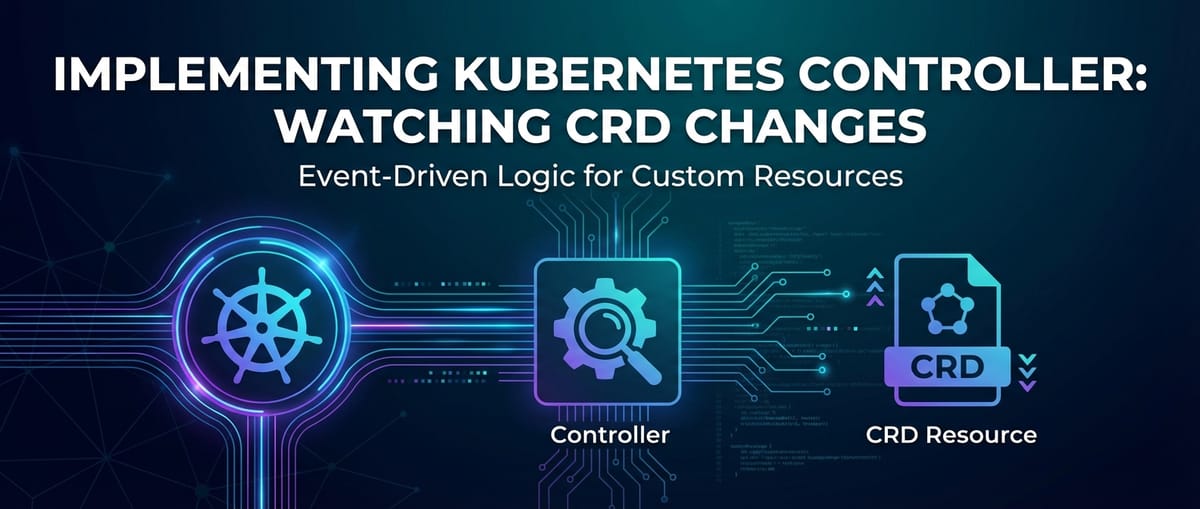


In the ever-evolving landscape of cloud-native computing, Kubernetes has firmly established itself as the de facto standard for orchestrating containerized applications. Its declarative nature and powerful automation capabilities have revolutionized how developers and operators build, deploy, and manage complex systems. However, the true strength of Kubernetes lies not just in its built-in functionalities, but in its extensibility. Through Custom Resource Definitions (CRDs) and custom controllers, Kubernetes can be extended to manage virtually any aspect of an application or infrastructure, transforming it into a control plane for domain-specific automation. This powerful paradigm allows organizations to encode their operational knowledge directly into the platform, creating highly resilient, self-healing, and intelligent systems.
The journey into custom Kubernetes automation begins with a deep understanding of how to extend its core API and how to programmatically react to changes within this extended API surface. At the heart of this extensibility are CRDs, which allow users to define their own resource types, and Kubernetes controllers, which are the active agents that observe and reconcile the state of these custom resources. This article will embark on a comprehensive exploration of implementing a Kubernetes controller specifically designed to watch for changes in CRDs. We will delve into the foundational concepts, walk through a practical implementation, discuss best practices, and examine the broader implications of this powerful automation pattern. Our aim is to equip you with the knowledge and tools to confidently build custom operators that extend Kubernetes to meet your unique needs, creating bespoke automation layers that significantly enhance operational efficiency and application stability.
From defining the custom schema that represents your application's components to writing the intricate logic that orchestrates their lifecycle, we will cover the entire spectrum. This includes understanding the Kubernetes reconciliation loop, leveraging client-go and controller-runtime libraries, and handling the nuances of event-driven programming within a distributed system. Furthermore, we will touch upon how these custom resources and the apis they expose can integrate with broader api gateway solutions for external management and security, ensuring that the powerful automation achieved internally can be safely and effectively consumed externally. By the end of this extensive guide, you will have a solid architectural understanding and practical implementation roadmap for building robust, production-ready Kubernetes controllers that truly unlock the full potential of your cloud-native deployments.
A Deep Dive into Kubernetes Architecture: The Foundation of Extensibility
Before we can effectively implement a custom controller, it's crucial to grasp the fundamental architectural components of Kubernetes and how they interact. Kubernetes operates on a control plane architecture, where various components collaborate to maintain the desired state of the cluster. Understanding these components illuminates how CRDs extend the system and how controllers interact with it.
The Kubernetes control plane, often referred to as the master components, is the orchestrating brain of the cluster:
- kube-apiserver: This is the central front-end of the Kubernetes control plane. It exposes the Kubernetes API that allows all internal and external components to communicate with the cluster. Every operation within Kubernetes, whether by a user, a controller, or a
kubelet, goes through the API server. It validates and configures data for API objects and stores them inetcd. Its role as the single point of contact makes it critical for both understanding and extending Kubernetes. - etcd: A highly available key-value store that serves as Kubernetes' backing store for all cluster data. All configurations, states, and metadata are persistently stored here. Controllers, by observing changes in the API server, are indirectly reacting to changes in
etcd. - kube-scheduler: Watches for newly created Pods with no assigned node and selects a node for them to run on. The scheduler determines the best fit based on various factors like resource requirements, hardware constraints, policy constraints, and affinity/anti-affinity specifications.
- kube-controller-manager: Runs controller processes. Each controller, such as the Deployment controller, ReplicaSet controller, or StatefulSet controller, continuously watches the state of its respective resources and attempts to move the current state towards the desired state. This is where our custom controller will conceptually fit, though it might run as a separate deployment.
- cloud-controller-manager: Integrates Kubernetes with the underlying cloud provider APIs. It handles provider-specific control logic, such as provisioning load balancers, persistent volumes, and managing node lifecycle.
On the other side, we have the worker nodes, where the actual workloads run:
- kubelet: An agent that runs on each node in the cluster. It ensures that containers are running in a Pod according to the PodSpec. It communicates with the API server, reporting the node's health and executing container operations.
- kube-proxy: A network proxy that runs on each node. It maintains network rules on nodes, allowing network communication to your Pods from inside or outside of the cluster.
- Container Runtime: The software that is responsible for running containers. Kubernetes supports various runtimes like containerd, CRI-O, and Docker.
The Reconciliation Loop: Kubernetes' Core Operating Principle
At the heart of Kubernetes' automation capabilities is the "reconciliation loop." This powerful pattern dictates how Kubernetes components, particularly controllers, maintain the desired state of the system. The loop consists of three fundamental steps:
- Observe: Controllers continuously monitor the Kubernetes API server for changes in resources they are responsible for. This "watching" mechanism allows them to detect when a resource's desired state has been modified or when its current state deviates from the desired state.
- Analyze: Upon detecting a change, the controller analyzes the difference between the observed current state and the desired state specified in the resource definition. This involves comparing attributes, checking for missing components, or identifying discrepancies.
- Act: Based on the analysis, the controller takes corrective actions to bring the current state in line with the desired state. These actions could involve creating new resources, updating existing ones, deleting stale resources, or interacting with external APIs.
This loop runs continuously, ensuring that the cluster always converges towards its desired configuration. This idempotent nature means that the controller can execute its actions multiple times without causing unintended side effects, a crucial property for robust distributed systems. Our custom controller will adhere precisely to this reconciliation loop pattern, constantly observing our custom resource definitions and acting to ensure their proper management.
Extending Kubernetes: The Power of Custom Resource Definitions (CRDs)
While Kubernetes provides a rich set of built-in resources (e.g., Pods, Deployments, Services), real-world applications often require domain-specific abstractions. This is where Custom Resource Definitions (CRDs) come into play. CRDs allow you to define your own API objects that function exactly like native Kubernetes resources, complete with their own schemas, versions, and lifecycle management.
By defining a CRD, you are effectively extending the Kubernetes API itself. Once a CRD is registered with the API server, you can create instances of your custom resource (CRs) using standard Kubernetes tools like kubectl. These CRs are then stored in etcd and can be manipulated like any other Kubernetes object. This mechanism empowers developers to model complex application components, external service integrations, or internal operational workflows as first-class citizens within Kubernetes, paving the way for powerful, domain-specific automation through custom controllers. The ability to create new api types within Kubernetes fundamentally transforms its role from a generic container orchestrator to a highly customizable control plane for an ever-expanding universe of resources.
Understanding Custom Resource Definitions (CRDs) in Depth
Custom Resource Definitions (CRDs) are the cornerstone of extending Kubernetes. They allow cluster administrators to define new, user-defined resources that behave just like native Kubernetes resources. This capability is fundamental for implementing the Operator pattern, where custom controllers manage the lifecycle of these custom resources.
What are CRDs?
A CRD is a declaration that tells the Kubernetes API server about a new kind of object you want to introduce into the cluster. When you create a CRD, you're essentially registering a new API endpoint. For example, if you define a CRD for "Application", the API server will then be able to accept and store objects of kind Application in a specific API group and version (e.g., api/v1/applications).
These custom resources (CRs), which are instances of your CRD, are stored in etcd alongside native resources. This means they benefit from Kubernetes' built-in features like API versioning, watch capabilities, kubectl integration, and RBAC (Role-Based Access Control). This seamless integration is what makes CRDs so powerful: they allow you to extend Kubernetes without modifying its core source code. They are not merely configuration files; they represent actual API objects with their own defined schema and lifecycle.
Anatomy of a CRD
A CRD itself is a Kubernetes resource, defined in YAML or JSON, that specifies the properties of the custom resource it defines. Let's break down its key components:
| Field | Description | Example Values |
|---|---|---|
apiVersion |
Specifies the version of the Kubernetes API that this object represents. For CRDs, this is typically apiextensions.k8s.io/v1. |
apiextensions.k8s.io/v1 |
kind |
Specifies the type of Kubernetes resource. For CRDs, this is always CustomResourceDefinition. |
CustomResourceDefinition |
metadata.name |
The name of the CRD, which must be in the format <plural-name>.<group>. This uniquely identifies the CRD within the cluster. |
applications.example.com |
spec.group |
The API group of the custom resource. This is usually a reverse domain name (e.g., example.com). |
example.com |
spec.versions |
A list of API versions supported by this custom resource. Each version specifies its name, served (whether the version is enabled), storage (which version is used for storage in etcd), and schema definition. |
v1alpha1, v1 |
spec.scope |
Defines whether the custom resource is Namespaced (can only exist within a Kubernetes namespace) or Cluster (exists across the entire cluster). |
Namespaced or Cluster |
spec.names |
Defines various names for the custom resource, including plural (used in API URLs, e.g., /apis/example.com/v1/applications), singular, kind (the name used in the kind field of the custom resource object), and shortNames (optional, for kubectl shortcuts). |
plural: applications, singular: application, kind: Application, shortNames: ["app"] |
spec.validation |
(Optional, but highly recommended) Defines an OpenAPI v3 schema that validates custom resource objects before they are stored in etcd. This ensures data integrity and helps users create valid resources. You can define properties, types, required fields, patterns, and more. |
{ openAPIV3Schema: { type: "object", properties: { spec: { ... } } } } |
spec.subresources |
(Optional) Allows you to define status and scale subresources. The status subresource enables separate updates to the status field, which is common for controllers. The scale subresource allows the custom resource to be scaled via /scale API endpoint, similar to Deployments. |
{ status: {} } or { scale: { specReplicasPath: ".spec.replicas", statusReplicasPath: ".status.replicas" } } |
Defining a Custom Resource (CR)
Once a CRD is created and registered in the cluster, you can then create instances of that custom resource. These instances are regular Kubernetes objects that conform to the schema defined in the CRD. For our Application example, a custom resource might look like this:
apiVersion: example.com/v1
kind: Application
metadata:
  name: my-web-app
  namespace: default
spec:
  image: "nginx:1.21.6"
  replicas: 3
  port: 80
  environment:
    - name: DEBUG
      value: "true"
This Application object is now a first-class citizen in your Kubernetes cluster. You can interact with it using kubectl: kubectl get application, kubectl describe application my-web-app, etc. The Kubernetes API server handles the persistence and retrieval, but it doesn't do anything with this resource on its own. This is where controllers come in.
Use Cases for CRDs
The utility of CRDs extends across a vast array of scenarios:
- Operator Pattern: The most common use. CRDs define the API for a specific application (e.g., a database, a message queue, or a complex AI service), and a custom controller (the "operator") automates the deployment, scaling, backup, and recovery of that application.
- Defining Application Components: Abstracting complex deployments into simpler, higher-level resources. For instance, an
ApplicationCRD could encapsulate a Deployment, a Service, a ConfigMap, and an Ingress, presenting a single, coherent API for developers. - Managing External Infrastructure: Extending Kubernetes to manage resources outside the cluster. A CRD could represent an external database instance, a cloud storage bucket, or even a virtual machine in an IaaS provider, with a controller synchronizing its state.
- Abstracting Complex Configurations: Simplifying configurations for developers. Instead of directly manipulating multiple low-level Kubernetes resources, users interact with a single, high-level custom resource.
- Building Internal Platforms: Enterprises use CRDs and controllers to build opinionated internal developer platforms, offering platform-as-a-service (PaaS) capabilities tailored to their specific needs. This allows developers to self-service their application deployments using familiar
kubectlcommands and custom APIs.
CRDs effectively allow you to evolve Kubernetes into a highly specialized orchestration engine for your specific domain. Each CRD defines a new api surface, and the subsequent instances of that CRD become the targets for automation and management by a custom controller.
The Role of Kubernetes Controllers: The Brain Behind Automation
If CRDs are the nouns in Kubernetes' extended vocabulary, then controllers are the verbs. They are the active components that observe the state of resources, compare it to a desired state, and take actions to reconcile any differences. Without a controller watching a CRD, the custom resources defined by that CRD would simply exist as data in etcd, without any associated operational logic.
What is a Controller?
In Kubernetes, a controller is a control loop that continuously monitors the state of specific Kubernetes resources (both native and custom) and makes changes to move the actual state closer to the desired state. This fundamental design pattern is often referred to as a "reconciliation loop" or "control loop." Every core Kubernetes feature, from Pod scheduling to Deployment scaling, is managed by a controller.
A custom controller, often part of an "Operator," extends this philosophy to user-defined resources. It's a piece of software that runs inside or outside the Kubernetes cluster, continuously watching the Kubernetes API for events related to the CRDs it manages. When it detects a change (creation, update, or deletion of a custom resource), it performs a predefined set of actions to ensure that the actual state of the cluster (and potentially external systems) matches the desired state declared in the custom resource.
How Controllers Work: The Watch-List Mechanism and Reconciliation
The operational flow of a Kubernetes controller is sophisticated yet elegant, relying heavily on the Kubernetes API server's eventing system:
- Watching for Events (List-Watch mechanism): Controllers don't constantly poll the API server for changes, which would be inefficient. Instead, they use a "list-watch" mechanism.
- List: When a controller starts, it first performs a "list" operation to fetch all existing resources of the type it's interested in. This populates its local cache.
- Watch: After the initial list, the controller establishes a "watch" connection with the API server. The API server then pushes notifications (events) to the controller whenever a resource it's watching is created, updated, or deleted. These events are processed sequentially.
- Informers and SharedIndexInformers: To optimize this process and reduce the load on the API server, controllers typically use "informers." An informer provides a local, in-memory cache of Kubernetes resources. It continuously syncs with the API server and dispatches events (
Add,Update,Delete) to registered event handlers.SharedIndexInformersare even more efficient, allowing multiple controllers to share the same informer and its cached data, preventing redundant API calls and reducing memory footprint. - Event Handling and Work Queue: When an event is received, the informer's event handler typically adds the key of the affected resource (e.g.,
namespace/name) to a work queue. This work queue acts as a buffer and ensures that reconciliation requests are processed reliably, with retries for transient errors. - Reconciliation Loop Execution: A dedicated worker goroutine (in Go, the language of choice for Kubernetes) picks items from the work queue. For each item (a resource key), the worker:
- Fetches the desired state: It retrieves the current version of the custom resource from its local cache (or directly from the API server if not found in cache).
- Determines the current actual state: It queries the API server (or its local caches) for related native Kubernetes resources (e.g., Deployments, Services) or external resources that should correspond to the custom resource.
- Compares and Reconciles: It compares the desired state specified in the custom resource with the observed actual state. If there's a discrepancy (e.g., a Deployment is missing, a replica count is wrong, an external api gateway configuration is out of sync), the controller takes corrective actions. This could involve:
- Creating new Kubernetes resources (e.g., a Deployment and a Service for an
ApplicationCR). - Updating existing resources to match desired specifications.
- Deleting resources that are no longer needed.
- Updating the
statusfield of the custom resource itself to reflect the current operational state. - Interacting with external APIs to manage resources outside Kubernetes.
- Creating new Kubernetes resources (e.g., a Deployment and a Service for an
- Updates Status (Crucial): After performing its actions, the controller updates the
statussubresource of the custom resource. This provides users and other controllers with an up-to-date view of the actual state and any conditions or errors. - Error Handling and Re-queueing: If an error occurs during reconciliation, the controller typically re-queues the item with an exponential backoff strategy, giving the system time to recover before retrying.
Standard Controllers vs. Custom Controllers
Kubernetes comes with a suite of standard controllers (kube-controller-manager) that manage built-in resources. For example:
- Deployment Controller: Watches
Deploymentobjects and creates/updatesReplicaSetobjects. - ReplicaSet Controller: Watches
ReplicaSetobjects and ensures a specified number of Pods are running. - Service Controller: Manages
LoadBalancersforServiceobjects of typeLoadBalancer(if a cloud provider is integrated).
Custom controllers, on the other hand, are developed by users to manage CRDs. They follow the same principles but operate on domain-specific resources. These are often packaged as "Operators," which are application-specific controllers that extend the functionality of the Kubernetes API to create, configure, and manage instances of complex applications on behalf of a Kubernetes user. They are essentially automated, application-specific SREs that encode human operational knowledge into software.
The Kubernetes API is the singular point of interaction for all these controllers. Whether a standard controller or a custom one, their entire operational lifecycle revolves around observing changes reported by the API server and subsequently issuing commands back to the API server to achieve the desired state. This tight coupling with the API ensures consistency and allows for a declarative approach to managing all cluster resources.
Setting Up Your Development Environment
Building a Kubernetes controller, especially one that watches CRD changes, typically involves a specific set of tools and libraries. While it's possible to write a controller in any language that can interact with the Kubernetes API, Go is the predominant language due to its strong support in the Kubernetes ecosystem, the availability of robust libraries, and the language's suitability for concurrent network programming.
Go Language
Go (Golang) is the language of choice for developing Kubernetes components and controllers. Its simplicity, performance, built-in concurrency features (goroutines and channels), and strong static typing make it ideal for building reliable distributed systems.
- Installation: Ensure you have a recent version of Go installed (e.g., Go 1.18 or later). Follow the official Go installation instructions for your operating system.
- Workspace: Set up your Go workspace according to Go modules best practices.
Client-go Library
client-go is the official Go client library for interacting with the Kubernetes API. It provides a low-level interface for creating, reading, updating, and deleting Kubernetes objects. It also includes utilities for building controllers, such as:
- Clientset: Type-safe clients for interacting with standard Kubernetes resources.
- RESTClient: A more generic client for interacting with any Kubernetes API endpoint, including custom resources.
- Informers: Mechanisms for efficiently listing and watching resources, maintaining a local cache, and dispatching events.
- Listers: Optimized interfaces for reading from the informer's cache.
- Workqueues: Rate-limiting queues for processing events and retrying failures.
While client-go is powerful, using it directly for building complex controllers can be verbose and require significant boilerplate code. This is where higher-level abstractions come in.
Controller-runtime Library
controller-runtime is a library built on top of client-go that simplifies the development of Kubernetes controllers. It provides a more opinionated and streamlined framework, abstracting away much of the complexity of client-go. Key features include:
- Manager: Orchestrates multiple controllers, webhooks, and shares resources like client connections and caches.
- Controller: A high-level abstraction for defining a reconciliation loop, automatically handling informers, workqueues, and event filtering.
- Scheme: Manages the Go types for Kubernetes API objects and their conversions.
- Client: A unified client interface that can read from cached informers and write directly to the API server.
- Webhooks: Simplified integration for Mutating and Validating Admission Webhooks.
For most modern custom controllers, controller-runtime is the recommended library as it drastically reduces development time and enforces best practices.
Operator SDK / Kubebuilder
Building a controller from scratch, even with controller-runtime, still requires setting up project structure, generating boilerplate code for CRDs and Go types, and managing deployments. Operator SDK and Kubebuilder are scaffolding tools that automate much of this initial setup:
- Kubebuilder: A framework for building Kubernetes APIs and controllers using
controller-runtime. It generates a complete project structure, Go types for your CRDs, controller reconciliation logic skeletons, and deployment manifests. It's highly flexible and serves as the foundation for Operator SDK. - Operator SDK: Built on top of Kubebuilder, it provides additional tools and lifecycle management capabilities specific to building Operators (e.g., integration with OLM - Operator Lifecycle Manager).
For this guide, we'll primarily follow the Kubebuilder philosophy and structure, as it provides a clear path to understanding the underlying mechanics.
Local Kubernetes Cluster
To develop and test your controller, you'll need a local Kubernetes cluster:
- Minikube: A tool that runs a single-node Kubernetes cluster inside a VM on your laptop. Great for simple local development.
- Kind (Kubernetes in Docker): Runs local Kubernetes clusters using Docker containers as "nodes." It's faster to start up and often preferred for development and CI/CD pipelines.
Containerization Tools
Your controller will run as a containerized application within the Kubernetes cluster. You'll need:
- Docker or Podman: To build container images for your controller.
With these tools in place, you are ready to embark on the journey of building your custom Kubernetes controller. The combination of Go, controller-runtime, and Kubebuilder provides a powerful and efficient ecosystem for extending Kubernetes with your own domain-specific automation logic.
APIPark is a high-performance AI gateway that allows you to securely access the most comprehensive LLM APIs globally on the APIPark platform, including OpenAI, Anthropic, Mistral, Llama2, Google Gemini, and more.Try APIPark now! 👇👇👇
Building a Simple CRD and Controller: A Step-by-Step Implementation
Let's put theory into practice by building a simple Kubernetes controller that manages a custom Application resource. This Application resource will represent a desired application deployment, and our controller will ensure that corresponding Kubernetes Deployments and Services exist and are configured correctly.
Scenario: Managing a Custom "Application" Resource
Imagine we want to simplify the deployment of applications in our cluster. Instead of developers writing separate YAML for Deployment, Service, ConfigMap, etc., we want them to define a single Application resource. Our controller will then translate this high-level definition into the necessary low-level Kubernetes primitives.
Our Application resource will have: * spec.image: The container image to deploy. * spec.replicas: The number of Pod replicas. * spec.port: The port the application listens on. * spec.environment: Optional environment variables.
Step 1: Initialize the Project with Kubebuilder
First, ensure kubebuilder is installed. If not, follow its official installation guide. Then, create a new project:
# Create a new directory for your project
mkdir application-operator
cd application-operator

# Initialize the project. Replace example.com with your domain.
# This sets up basic project structure, Go modules, and a Dockerfile.
kubebuilder init --domain example.com --repo example.com/application-operator
This command creates a standard project layout, including main.go, Dockerfile, go.mod, Makefile, and PROJECT files.
Step 2: Define the CRD and Generate Boilerplate Code
Next, we define our custom resource Application within the example.com group and v1 version.
# Create the API for Application resource.
# This generates the CRD YAML, API type definitions, and controller scaffold.
kubebuilder create api --group example --version v1 --kind Application
This command performs several critical actions: * Creates api/v1/application_types.go: Defines the Go structs for Application, ApplicationSpec, and ApplicationStatus. * Creates config/crd/bases/example.com_applications.yaml: The YAML definition for the Application CRD. * Creates controllers/application_controller.go: A skeleton for our controller's reconciliation logic.
Step 3: Implement the Custom Resource (API) Structure
Open api/v1/application_types.go. You'll find generated structs. We need to fill in ApplicationSpec and ApplicationStatus to reflect our desired Application properties.
package v1

import (
    metav1 "k8s.io/apimachinery/pkg/apis/meta/v1"
)

// EDIT THIS FILE!  THIS IS SCAFFOLDING FOR YOU TO OWN!
// NOTE: json tags are required.  Any new fields you add must have json tags with the correct case.

// AppEnvironmentVar defines an environment variable for the application.
type AppEnvironmentVar struct {
    Name  string `json:"name"`
    Value string `json:"value"`
}

// ApplicationSpec defines the desired state of Application
type ApplicationSpec struct {
    // INSERT ADDITIONAL SPEC FIELDS - desired state of cluster
    // Important: Run "make generate" to regenerate code after modifying this file

    // +kubebuilder:validation:Minimum=1
    // Image is the container image to deploy.
    Image string `json:"image"`
    // Replicas is the number of desired application pods.
    Replicas int32 `json:"replicas"`
    // Port is the port the application listens on.
    Port int32 `json:"port"`
    // Environment variables for the application container.
    // +optional
    Environment []AppEnvironmentVar `json:"environment,omitempty"`
}

// ApplicationStatus defines the observed state of Application
type ApplicationStatus struct {
    // INSERT ADDITIONAL STATUS FIELDS - define observed state of cluster
    // Important: Run "make generate" to regenerate code after modifying this file

    // ObservedReplicas is the current number of running application pods.
    // +optional
    ObservedReplicas int32 `json:"observedReplicas,omitempty"`
    // Conditions reflect the latest available observations of an object's state.
    // +optional
    Conditions []metav1.Condition `json:"conditions,omitempty"`
}

//+kubebuilder:object:root=true
//+kubebuilder:subresource:status

// Application is the Schema for the applications API
type Application struct {
    metav1.TypeMeta   `json:",inline"`
    metav1.ObjectMeta `json:"metadata,omitempty"`

    Spec   ApplicationSpec   `json:"spec,omitempty"`
    Status ApplicationStatus `json:"status,omitempty"`
}

//+kubebuilder:object:root=true

// ApplicationList contains a list of Application
type ApplicationList struct {
    metav1.TypeMeta `json:",inline"`
    metav1.ListMeta `json:"metadata,omitempty"`
    Items           []Application `json:"items"`
}

func init() {
    SchemeBuilder.Register(&Application{}, &ApplicationList{})
}
Important: After modifying application_types.go, you must run make generate and make manifests. * make generate: Updates generated code, especially for controller-runtime and client-go, based on markers (like +kubebuilder:object:root). * make manifests: Regenerates the CRD YAML (config/crd/bases/example.com_applications.yaml) to reflect your updated spec and validation rules.
Review config/crd/bases/example.com_applications.yaml to see how your ApplicationSpec and ApplicationStatus fields have been translated into an OpenAPI v3 schema, which Kubernetes uses for validation.
Step 4: Implement the Controller Logic
This is the core of our controller. Open controllers/application_controller.go. The Reconcile method is where the control loop logic resides.
package controllers

import (
    "context"
    "fmt"
    "time"

    appsv1 "k8s.io/api/apps/v1"
    corev1 "k8s.io/api/core/v1"
    "k8s.io/apimachinery/pkg/api/errors"
    metav1 "k8s.io/apimachinery/pkg/apis/meta/v1"
    "k8s.io/apimachinery/pkg/runtime"
    "k8s.io/apimachinery/pkg/types"
    "k8s.io/apimachinery/pkg/util/intstr"
    ctrl "sigs.k8s.io/controller-runtime"
    "sigs.k8s.io/controller-runtime/pkg/client"
    "sigs.k8s.io/controller-runtime/pkg/controller/controllerutil"
    "sigs.k8s.io/controller-runtime/pkg/log"

    webappv1 "example.com/application-operator/api/v1" // Our custom API group
)

// ApplicationReconciler reconciles an Application object
type ApplicationReconciler struct {
    client.Client
    Scheme *runtime.Scheme
}

//+kubebuilder:rbac:groups=webapp.example.com,resources=applications,verbs=get;list;watch;create;update;patch;delete
//+kubebuilder:rbac:groups=webapp.example.com,resources=applications/status,verbs=get;update;patch
//+kubebuilder:rbac:groups=webapp.example.com,resources=applications/finalizers,verbs=update
//+kubebuilder:rbac:groups=apps,resources=deployments,verbs=get;list;watch;create;update;patch;delete
//+kubebuilder:rbac:groups="",resources=services,verbs=get;list;watch;create;update;patch;delete
//+kubebuilder:rbac:groups="",resources=events,verbs=create;patch // For recording Kubernetes events

// Reconcile is part of the main kubernetes reconciliation loop which aims to
// move the current state of the cluster closer to the desired state.
// TODO(user): Modify the Reconcile function to compare the state specified by
// the Application object against the actual cluster state, and then
// perform operations to make the cluster state reflect the state specified by
// the user.
//
// For more details, check Reconcile and its Result here:
// - https://pkg.go.dev/sigs.k8s.io/controller-runtime@v0.16.0/pkg/reconcile
func (r *ApplicationReconciler) Reconcile(ctx context.Context, req ctrl.Request) (ctrl.Result, error) {
    _log := log.FromContext(ctx)

    // Fetch the Application instance
    application := &webappv1.Application{}
    err := r.Get(ctx, req.NamespacedName, application)
    if err != nil {
        if errors.IsNotFound(err) {
            // Request object not found, could have been deleted after reconcile request.
            // Owned objects are automatically garbage collected. For additional cleanup logic use finalizers.
            // Return and don't requeue
            _log.Info("Application resource not found. Ignoring since object must be deleted.")
            return ctrl.Result{}, nil
        }
        // Error reading the object - requeue the request.
        _log.Error(err, "Failed to get Application")
        return ctrl.Result{}, err
    }

    // Define a new Deployment object for the application
    deployment := r.newDeploymentForApplication(application)

    // Set Application instance as the owner and controller
    // This ensures that the Deployment is garbage collected when the Application is deleted
    if err := controllerutil.SetControllerReference(application, deployment, r.Scheme); err != nil {
        _log.Error(err, "Failed to set controller reference for Deployment")
        return ctrl.Result{}, err
    }

    // Check if the Deployment already exists, if not, create it
    foundDeployment := &appsv1.Deployment{}
    err = r.Get(ctx, types.NamespacedName{Name: deployment.Name, Namespace: deployment.Namespace}, foundDeployment)
    if err != nil && errors.IsNotFound(err) {
        _log.Info("Creating a new Deployment", "Deployment.Namespace", deployment.Namespace, "Deployment.Name", deployment.Name)
        err = r.Create(ctx, deployment)
        if err != nil {
            _log.Error(err, "Failed to create new Deployment", "Deployment.Namespace", deployment.Namespace, "Deployment.Name", deployment.Name)
            return ctrl.Result{}, err
        }
        // Deployment created successfully - return and requeue for status update
        return ctrl.Result{RequeueAfter: 5 * time.Second}, nil // Requeue to check status soon
    } else if err != nil {
        _log.Error(err, "Failed to get Deployment")
        return ctrl.Result{}, err
    }

    // Check if deployment spec needs an update
    // This is a simplified check. In a real controller, you'd compare all relevant fields.
    if *foundDeployment.Spec.Replicas != application.Spec.Replicas ||
        foundDeployment.Spec.Template.Spec.Containers[0].Image != application.Spec.Image ||
        foundDeployment.Spec.Template.Spec.Containers[0].Ports[0].ContainerPort != application.Spec.Port {

        _log.Info("Updating existing Deployment", "Deployment.Namespace", foundDeployment.Namespace, "Deployment.Name", foundDeployment.Name)
        foundDeployment.Spec.Replicas = &application.Spec.Replicas
        foundDeployment.Spec.Template.Spec.Containers[0].Image = application.Spec.Image
        foundDeployment.Spec.Template.Spec.Containers[0].Ports[0].ContainerPort = application.Spec.Port
        // Update environment variables if application.Spec.Environment changes
        foundDeployment.Spec.Template.Spec.Containers[0].Env = r.getEnvVars(application)

        err = r.Update(ctx, foundDeployment)
        if err != nil {
            _log.Error(err, "Failed to update Deployment", "Deployment.Namespace", foundDeployment.Namespace, "Deployment.Name", foundDeployment.Name)
            return ctrl.Result{}, err
        }
        // Deployment updated successfully - return and requeue for status update
        return ctrl.Result{RequeueAfter: 5 * time.Second}, nil
    }

    // Define a new Service object for the application
    service := r.newServiceForApplication(application)

    // Set Application instance as the owner and controller
    if err := controllerutil.SetControllerReference(application, service, r.Scheme); err != nil {
        _log.Error(err, "Failed to set controller reference for Service")
        return ctrl.Result{}, err
    }

    // Check if the Service already exists, if not, create it
    foundService := &corev1.Service{}
    err = r.Get(ctx, types.NamespacedName{Name: service.Name, Namespace: service.Namespace}, foundService)
    if err != nil && errors.IsNotFound(err) {
        _log.Info("Creating a new Service", "Service.Namespace", service.Namespace, "Service.Name", service.Name)
        err = r.Create(ctx, service)
        if err != nil {
            _log.Error(err, "Failed to create new Service", "Service.Namespace", service.Namespace, "Service.Name", service.Name)
            return ctrl.Result{}, err
        }
        // Service created successfully - return and requeue for status update
        return ctrl.Result{RequeueAfter: 5 * time.Second}, nil
    } else if err != nil {
        _log.Error(err, "Failed to get Service")
        return ctrl.Result{}, err
    }

    // If service exists, ensure it matches desired spec (e.g., port)
    if foundService.Spec.Ports[0].Port != application.Spec.Port ||
        foundService.Spec.Ports[0].TargetPort.IntVal != application.Spec.Port {
        _log.Info("Updating existing Service", "Service.Namespace", foundService.Namespace, "Service.Name", foundService.Name)
        foundService.Spec.Ports[0].Port = application.Spec.Port
        foundService.Spec.Ports[0].TargetPort = intstr.FromInt(int(application.Spec.Port))
        err = r.Update(ctx, foundService)
        if err != nil {
            _log.Error(err, "Failed to update Service", "Service.Namespace", foundService.Namespace, "Service.Name", foundService.Name)
            return ctrl.Result{}, err
        }
        return ctrl.Result{RequeueAfter: 5 * time.Second}, nil
    }


    // Update the Application Status
    // In a real controller, you would aggregate status from the deployment and service.
    // For simplicity, we'll just update observedReplicas here.
    if application.Status.ObservedReplicas != foundDeployment.Status.Replicas {
        application.Status.ObservedReplicas = foundDeployment.Status.Replicas
        // Example of updating condition:
        meta.SetStatusCondition(&application.Status.Conditions, metav1.Condition{
            Type:               "Available",
            Status:             metav1.ConditionTrue,
            Reason:             "DeploymentReady",
            Message:            fmt.Sprintf("Deployment has %d replicas", foundDeployment.Status.Replicas),
            LastTransitionTime: metav1.Now(),
        })

        err = r.Status().Update(ctx, application)
        if err != nil {
            _log.Error(err, "Failed to update Application status")
            return ctrl.Result{}, err
        }
        _log.Info("Application status updated", "ObservedReplicas", application.Status.ObservedReplicas)
        return ctrl.Result{RequeueAfter: 5 * time.Second}, nil
    }

    _log.Info("Reconciliation complete. No changes needed.")
    return ctrl.Result{}, nil
}

// Helper function to construct a Deployment object
func (r *ApplicationReconciler) newDeploymentForApplication(app *webappv1.Application) *appsv1.Deployment {
    labels := map[string]string{
        "app":        app.Name,
        "controller": "application-operator",
    }
    envVars := r.getEnvVars(app)

    return &appsv1.Deployment{
        ObjectMeta: metav1.ObjectMeta{
            Name:      app.Name,
            Namespace: app.Namespace,
            Labels:    labels,
        },
        Spec: appsv1.DeploymentSpec{
            Replicas: &app.Spec.Replicas,
            Selector: &metav1.LabelSelector{
                MatchLabels: labels,
            },
            Template: corev1.PodTemplateSpec{
                ObjectMeta: metav1.ObjectMeta{
                    Labels: labels,
                },
                Spec: corev1.PodSpec{
                    Containers: []corev1.Container{{
                        Name:  "app-container",
                        Image: app.Spec.Image,
                        Ports: []corev1.ContainerPort{{
                            ContainerPort: app.Spec.Port,
                        }},
                        Env: envVars,
                    }},
                },
            },
        },
    }
}

// Helper function to construct a Service object
func (r *ApplicationReconciler) newServiceForApplication(app *webappv1.Application) *corev1.Service {
    labels := map[string]string{
        "app":        app.Name,
        "controller": "application-operator",
    }

    return &corev1.Service{
        ObjectMeta: metav1.ObjectMeta{
            Name:      app.Name,
            Namespace: app.Namespace,
            Labels:    labels,
        },
        Spec: corev1.ServiceSpec{
            Selector: labels,
            Ports: []corev1.ServicePort{{
                Protocol:   corev1.ProtocolTCP,
                Port:       app.Spec.Port,
                TargetPort: intstr.FromInt(int(app.Spec.Port)),
            }},
            Type: corev1.ServiceTypeClusterIP, // Can be extended to LoadBalancer if needed
        },
    }
}

// Helper to convert AppEnvironmentVar to corev1.EnvVar
func (r *ApplicationReconciler) getEnvVars(app *webappv1.Application) []corev1.EnvVar {
    var envs []corev1.EnvVar
    for _, env := range app.Spec.Environment {
        envs = append(envs, corev1.EnvVar{
            Name:  env.Name,
            Value: env.Value,
        })
    }
    return envs
}

// SetupWithManager sets up the controller with the Manager.
func (r *ApplicationReconciler) SetupWithManager(mgr ctrl.Manager) error {
    return ctrl.NewControllerManagedBy(mgr).
        For(&webappv1.Application{}).
        Owns(&appsv1.Deployment{}). // Watch Deployments owned by Application
        Owns(&corev1.Service{}).    // Watch Services owned by Application
        Complete(r)
}
Explanation of the Reconcile function:
- Fetch Application CR: The first step is always to fetch the custom resource that triggered the reconciliation. If it's not found (meaning it was likely deleted), we simply return.
- Define Desired Deployment: We create a
Deploymentobject based on theApplication's spec. ThisDeploymentrepresents the desired state of our application's pods. - Set Owner Reference:
controllerutil.SetControllerReferenceis crucial. It establishes anownerReferencefrom theDeploymentto theApplication. This ensures that when theApplicationCR is deleted, the Kubernetes garbage collector automatically cleans up the associatedDeployment(andService). - Reconcile Deployment:
- We try to
Getan existingDeploymentwith the same name/namespace. - If it doesn't exist, we
Createit. - If it exists, we compare its
specto our desiredDeploymentspec. If they differ (e.g., replica count, image, port), weUpdatethe existingDeployment. - We
RequeueAftera short duration (5 seconds) after creation/update. This gives Kubernetes time to provision the resource and allows our controller to fetch its updated status soon.
- We try to
- Define Desired Service: Similar to the Deployment, we define the desired
Serviceobject for exposing our application. - Reconcile Service: We follow the same pattern for the
Service– check if it exists, create if not, update if the spec (like port) has changed. - Update Application Status: After ensuring the child resources (Deployment, Service) are in the desired state, the controller updates the
statusfield of theApplicationCR itself. This is vital for users to see the actual operational state of their custom resource. We updateObservedReplicasbased on the Deployment's status and add aCondition. - Return
ctrl.Result{}: If everything is in sync and no errors occurred, we return an emptyctrl.Result{}, indicating that the reconciliation is complete and no immediate re-queue is needed.
SetupWithManager function: This function tells controller-runtime how to set up our controller. * For(&webappv1.Application{}): Indicates that this controller is primarily watching Application resources. * Owns(&appsv1.Deployment{}) and Owns(&corev1.Service{}): Instructs the controller to also watch Deployment and Service resources that are owned by an Application. This means if a Deployment owned by an Application changes (e.g., gets deleted manually), our ApplicationReconciler will be triggered to reconcile the owning Application.
Step 5: Wiring it Up (main.go)
The main.go file (generated by Kubebuilder) is responsible for setting up the Manager and registering our controller. Typically, you won't need to modify this much, but it's good to understand.
package main

import (
    "flag"
    "os"

    // Import all Kubernetes client auth plugins (e.g. Azure, GCP, OIDC, etc.)
    // to ensure that exec-entrypoint and run can make use of them.
    _ "k8s.io/client-go/plugin/pkg/client/auth"

    "k8s.io/apimachinery/pkg/runtime"
    utilruntime "k8s.io/apimachinery/pkg/util/runtime"
    clientgoscheme "k8s.io/client-go/kubernetes/scheme"
    ctrl "sigs.k8s.io/controller-runtime"
    "sigs.k8s.io/controller-runtime/pkg/healthz"
    "sigs.k8s.io/controller-runtime/pkg/log/zap"

    webappv1 "example.com/application-operator/api/v1"
    "example.com/application-operator/controllers"
    //+kubebuilder:scaffold:imports
)

var (
    scheme   = runtime.NewScheme()
    setupLog = ctrl.Log.WithName("setup")
)

func init() {
    utilruntime.Must(clientgoscheme.AddToScheme(scheme))

    utilruntime.Must(webappv1.AddToScheme(scheme))
    //+kubebuilder:scaffold:scheme
}

func main() {
    var metricsAddr string
    var enableLeaderElection bool
    var probeAddr string
    flag.StringVar(&metricsAddr, "metrics-bind-address", ":8080", "The address the metric endpoint binds to.")
    flag.StringVar(&probeAddr, "health-probe-bind-address", ":8081", "The address the probe endpoint binds to.")
    flag.BoolVar(&enableLeaderElection, "leader-elect", false,
        "Enable leader election for controller manager. "+
            "Enabling this will ensure there is only one active controller manager.")
    opts := zap.Options{
        Development: true,
    }
    opts.BindFlags(flag.CommandLine)
    flag.Parse()

    ctrl.SetLogger(zap.New(zap.UseFlagOptions(&opts)))

    mgr, err := ctrl.NewManager(ctrl.Options{
        Scheme:                 scheme,
        MetricsBindAddress:     metricsAddr,
        Port:                   9443,
        HealthProbeBindAddress: probeAddr,
        LeaderElection:         enableLeaderElection,
        LeaderElectionID:       "9a6b123a.example.com",
        // LeaderElectionReleaseOnCancel: true, // Only for controller-runtime v0.16.0+
    })
    if err != nil {
        setupLog.Error(err, "unable to start manager")
        os.Exit(1)
    }

    if err = (&controllers.ApplicationReconciler{
        Client: mgr.GetClient(),
        Scheme: mgr.GetScheme(),
    }).SetupWithManager(mgr); err != nil {
        setupLog.Error(err, "unable to create controller", "controller", "Application")
        os.Exit(1)
    }
    //+kubebuilder:scaffold:builder

    if err := mgr.AddHealthzCheck("healthz", healthz.Ping); err != nil {
        setupLog.Error(err, "unable to set up health check")
        os.Exit(1)
    }
    if err := mgr.AddReadyzCheck("readyz", healthz.Ping); err != nil {
        setupLog.Error(err, "unable to set up ready check")
        os.Exit(1)
    }

    setupLog.Info("starting manager")
    if err := mgr.Start(ctrl.SetupSignalHandler()); err != nil {
        setupLog.Error(err, "problem running manager")
        os.Exit(1)
    }
}
Key parts here: * init(): Registers the schemas for all built-in Kubernetes types (clientgoscheme) and our custom Application type (webappv1.AddToScheme) with a global runtime.Scheme. This allows the Manager to work with these Go types. * main(): * Creates a Manager (ctrl.NewManager). The Manager handles shared clients, caches, schemes, and serves as the entry point for all controllers and webhooks. * Instantiates our ApplicationReconciler and calls its SetupWithManager method, effectively registering our controller with the Manager. * Starts the Manager, which in turn starts all registered controllers, begins watching resources, and runs the reconciliation loops.
Step 6: Deploying the Controller
Now, let's deploy our controller to a Kubernetes cluster (e.g., Minikube or Kind).
- Install CRDs:
bash make installThis command applies theconfig/crd/bases/example.com_applications.yamlto your cluster, making theApplicationcustom resource available. You can verify withkubectl get crd applications.example.com. - Build and Push Docker Image (if deploying to remote/Minikube/Kind):
bash make docker-build IMG="your-docker-registry/application-operator:v0.0.1" make docker-push IMG="your-docker-registry/application-operator:v0.0.1"Remember to replaceyour-docker-registrywith your actual Docker Hub username or private registry. For Minikube, you might useeval $(minikube docker-env)beforemake docker-buildto build directly into Minikube's Docker daemon. - Deploy the Controller:
bash make deploy IMG="your-docker-registry/application-operator:v0.0.1"This applies the deployment manifests found inconfig/(generated by Kubebuilder), which include aDeploymentfor your controller and associated RBAC roles. Verify:kubectl get pods -n application-operator-system(default namespace for controller deployment). You should see your controller pod running. - Run Locally (for faster development): Instead of deploying, you can run the controller locally:
bash make runThis runs your controller binary outside the cluster, but it connects to the cluster's API server (using your~/.kube/configfile). This is excellent for rapid iteration and debugging.
Step 7: Testing
Let's create an Application custom resource and observe our controller in action.
Create my-app.yaml:
apiVersion: example.com/v1
kind: Application
metadata:
  name: my-web-app
  namespace: default
spec:
  image: "nginx:1.21.6"
  replicas: 2
  port: 80
  environment:
    - name: MESSAGE
      value: "Hello from my-web-app"
Apply it:
kubectl apply -f my-app.yaml
Now, watch what happens: * kubectl get application: You should see my-web-app. * kubectl get deployment my-web-app: A Deployment should be created. * kubectl get service my-web-app: A Service should be created. * kubectl get pods -l app=my-web-app: You should see two Nginx pods. * kubectl describe application my-web-app: Observe the Status field being updated by your controller. * Check the controller logs (kubectl logs -f <controller-pod-name> -n application-operator-system or the make run terminal) to see the reconciliation process.
Modify the Application: Edit my-app.yaml, change replicas: 2 to replicas: 3, and re-apply:
# Edit my-app.yaml
# ...
# replicas: 3
# ...
kubectl apply -f my-app.yaml
Observe the Deployment scaling up and the Application status updating. Delete the Application:
kubectl delete -f my-app.yaml
You'll see the Deployment and Service also being deleted by the Kubernetes garbage collector, thanks to the owner reference.
This hands-on example demonstrates the power of custom controllers. You've successfully extended Kubernetes to understand a new resource type and built an automated system that manages its lifecycle, translating a high-level Application definition into concrete Kubernetes resources. This capability is fundamental for building sophisticated platforms and automating complex operational workflows within the cloud-native ecosystem.
Advanced Considerations and Best Practices for Controller Development
Developing robust and production-ready Kubernetes controllers involves more than just implementing the basic reconciliation loop. Several advanced considerations and best practices are crucial for building reliable, scalable, and maintainable operators.
Idempotency: The Golden Rule
Every action taken by your controller must be idempotent. This means applying the same operation multiple times should produce the same result as applying it once. Kubernetes controllers are designed to be continuously reconciling, meaning the Reconcile function can be called repeatedly, even if no actual changes have occurred or if a previous attempt failed midway. * Example: Instead of checking "if deployment exists, create it," the pattern should be "create or update deployment." If the deployment already exists and matches the desired state, the update operation will effectively be a no-op or simply confirm the current state. * Why it's important: Ensures resilience against network partitions, retries, and controller restarts without causing unintended side effects or resource duplication.
Event Handling, Retries, and Rate Limiting
The controller-runtime library (and client-go beneath it) provides robust mechanisms for handling events and retries: * Work Queue: Items (resource keys) are added to a rate-limiting work queue. * Exponential Backoff: If a reconciliation fails with an error, the item is re-queued, and subsequent retries are delayed with increasing intervals (exponential backoff). This prevents overwhelming the API server or external services during transient errors. * Max Retries: Define a maximum number of retries to prevent endlessly trying to reconcile a persistently broken resource. After max retries, the controller might mark the resource as failed in its status and stop reconciling until an explicit change or manual intervention. * Filtering Events: Use predicates to filter which events trigger a reconciliation. For example, you might only care about changes to an Application's spec, not just its metadata (though status updates are usually important).
Finalizers: Graceful Cleanup of External Resources
Kubernetes garbage collection handles resources owned by your CR within the cluster (like Deployments and Services). However, if your controller provisions external resources (e.g., a database in a cloud provider, an entry in an api gateway), you need a way to clean them up when the custom resource is deleted. Finalizers are the solution. * When a resource with finalizers is deleted, Kubernetes doesn't immediately remove it. Instead, it adds a deletion timestamp to the resource and calls the controller's Reconcile method. * The controller detects the deletion timestamp, performs cleanup of external resources, and then removes its finalizer from the resource. * Once all finalizers are removed, Kubernetes proceeds with the actual deletion of the custom resource. * Example: A finalizer could ensure that a cloud database provisioned by your Database CR is de-provisioned before the Database CR itself disappears from Kubernetes.
Status Management: The Source of Truth
The status subresource of your CRD is paramount for effective controller development. It serves as the single source of truth for the actual state of your custom resource and its managed components. * Reflect Reality: The status should accurately reflect the observed state, not just the desired state. This includes conditions (e.g., Ready, Available, Degraded), observed generation, and references to related resources. * Separate Updates: By using r.Status().Update(ctx, application), you update the status subresource, which doesn't trigger a full reconciliation based on spec changes. This prevents infinite loops if your status updates accidentally trigger a spec-based reconciliation. * Inform Users: Users rely on the status to understand the health and progress of their custom resources. Make it comprehensive and easy to interpret.
Webhooks (Mutating/Validating Admission)
Webhooks allow you to intercept Kubernetes API requests before they are persisted to etcd. * Validating Admission Webhooks: Enforce complex policies on custom resources (and native resources) that cannot be expressed purely with OpenAPI v3 schemas. For example, ensuring that replicas for a critical application is always an odd number or that certain labels are present. * Mutating Admission Webhooks: Modify resources before they are saved. For instance, automatically inject default values, add common labels, or inject sidecar containers into pods managed by your controller. * Kubebuilder/Controller-runtime provide excellent support for scaffolding and deploying webhooks.
Metrics and Observability
A production-grade controller needs comprehensive observability: * Metrics (Prometheus): Expose Prometheus metrics from your controller (e.g., reconciliation duration, work queue depth, errors, number of created/updated/deleted resources). controller-runtime has built-in metrics support. * Structured Logging: Use structured logging (e.g., Zap logger used by controller-runtime) to make logs easily parsable and queryable, providing valuable insights into controller behavior. * Events: Emit Kubernetes events (e.g., kubectl describe application <name>) to signal important actions, warnings, or errors to users directly in Kubernetes.
Testing Strategies
Thorough testing is critical for controllers: * Unit Tests: Test individual functions and logic components in isolation. * Integration Tests: Test the controller's interaction with a mocked or real (but isolated) Kubernetes API server. envtest (part of controller-runtime) provides a lightweight control plane for this. * End-to-End (E2E) Tests: Deploy the controller to a real cluster (e.g., Kind), create custom resources, and assert that the desired state is achieved and maintained.
Security: RBAC and Least Privilege
Your controller needs appropriate Role-Based Access Control (RBAC) permissions to interact with the Kubernetes API. * Least Privilege: Grant only the minimum necessary permissions. If your controller only manages Deployment and Service resources for its Application CR, it shouldn't have cluster-admin privileges. * +kubebuilder:rbac markers: Kubebuilder automatically generates RBAC roles based on these markers in your controller code, making it easy to define required permissions. * ServiceAccount: Controllers run as Pods with an associated ServiceAccount, which is bound to the necessary Roles/ClusterRoles.
Scalability and Performance
- Shared Informers:
controller-runtimeautomatically uses shared informers, which is crucial for efficiency. Avoid direct API calls for fetching resources if they can be served from the informer's cache. - Rate Limiting: Protect external APIs (if your controller interacts with them) from excessive requests.
- Resource Management: Monitor your controller's CPU and memory usage. Optimize its reconciliation logic to be efficient. For large clusters, consider sharding controllers if they manage a massive number of resources.
CRD Versioning
Plan for CRD versioning (e.g., v1alpha1, v1beta1, v1) from the beginning. * API Evolution: As your custom resource evolves, you'll need to introduce new versions. * Conversion Webhooks: For seamless upgrades, implement conversion webhooks to automatically convert resources between different API versions when accessed or stored. This allows users to continue using older API versions while your controller uses the latest.
Integration with API Gateways and External Services
As your controller manages application deployments, these applications often expose services that need to be consumed externally. This is where the concept of an api gateway becomes highly relevant. * A custom controller might not only create Kubernetes Service objects but also configure an external api gateway to expose that Service securely. This could involve creating routing rules, applying rate limits, or setting up authentication policies. * The gateway concept can be extended to internal routing or service mesh configurations managed by the controller, ensuring that traffic flows correctly between microservices orchestrated by your custom resources. * For instance, if your Application CR specifies exposePublic: true, your controller could provision an Ingress resource or even directly interact with a cloud provider's Load Balancer API to create a public endpoint, potentially registering it with an api gateway for full lifecycle management.
By diligently considering these advanced aspects, you can move beyond a basic proof-of-concept to build a resilient, observable, and production-grade Kubernetes controller that truly empowers your cloud-native platform.
The Broader Ecosystem: API Management and Beyond
Our exploration of Kubernetes controllers and CRDs has revealed a powerful mechanism for internal automation and platform extension. We've seen how a custom controller can orchestrate the lifecycle of an Application resource, translating high-level intent into low-level Kubernetes primitives like Deployments and Services. This capability transforms Kubernetes into a control plane not just for infrastructure, but for the very applications running on it, allowing for the realization of sophisticated "application as code" paradigms.
However, the journey often extends beyond the confines of the Kubernetes cluster. Applications, whether they are traditional RESTful services or modern AI inference endpoints, typically need to expose their functionalities to external consumers, partners, or other internal systems. This is where the concepts of api exposure, security, and management come to the forefront, necessitating robust api gateway solutions.
While our custom controller expertly manages the deployment lifecycle of Application instances within Kubernetes, the challenge often extends to how these applications' exposed services are consumed externally. Ensuring security, managing access, and tracking usage efficiently for these APIs is paramount. This is precisely the domain where comprehensive api gateway and API management platforms excel.
Consider an Application that our controller deploys, perhaps an AI-powered image recognition service defined by a custom CRD. This service, once deployed, exposes an API endpoint. To make this API consumable securely and efficiently, we need: * Unified Access: A single point of entry for all APIs, simplifying discovery and consumption. * Security Policies: Authentication, authorization, rate limiting, and threat protection at the edge. * Traffic Management: Load balancing, routing, caching, and versioning. * Monitoring and Analytics: Insight into API usage, performance, and errors. * Developer Portal: Documentation, SDKs, and a streamlined onboarding experience for API consumers.
Platforms like APIPark are designed to address these very challenges. APIPark, an open-source AI gateway and API management platform, provides end-to-end lifecycle management for APIs. It offers a suite of features that directly complement the internal orchestration capabilities of Kubernetes controllers:
- Quick Integration of 100+ AI Models: If our
ApplicationCR represents an AI model, APIPark can provide a unified management system for its authentication and cost tracking, standardizing how various AI APIs are invoked. - Unified API Format for AI Invocation: APIPark standardizes the request data format across all AI models, ensuring that changes in underlying AI models or prompts do not affect the application or microservices. This is particularly valuable for custom applications deployed by our controller that might leverage various AI backends.
- Prompt Encapsulation into REST API: Users can quickly combine AI models with custom prompts to create new APIs, such as sentiment analysis or translation APIs. This can elevate the services exposed by our
Applicationbeyond raw inference, providing higher-value, curated APIs. - End-to-End API Lifecycle Management: Beyond just deployment, APIPark assists with managing the entire lifecycle of APIs, including design, publication, invocation, and decommission. It helps regulate API management processes, manage traffic forwarding, load balancing, and versioning of published APIs. Our controller deploys the
Application, and APIPark manages its external exposure. - API Service Sharing within Teams: The platform allows for the centralized display of all API services, making it easy for different departments and teams to find and use the required API services—even those custom APIs provisioned by our Kubernetes controller.
- Independent API and Access Permissions for Each Tenant: APIPark enables the creation of multiple teams (tenants), each with independent applications, data, user configurations, and security policies, while sharing underlying applications and infrastructure. This is critical for large organizations deploying various applications managed by different controllers.
- API Resource Access Requires Approval: APIPark allows for the activation of subscription approval features, ensuring that callers must subscribe to an API and await administrator approval before they can invoke it, preventing unauthorized API calls and potential data breaches.
- Performance Rivaling Nginx: With just an 8-core CPU and 8GB of memory, APIPark can achieve over 20,000 TPS, supporting cluster deployment to handle large-scale traffic, ensuring that the custom APIs exposed by our controller are performant.
- Detailed API Call Logging and Powerful Data Analysis: APIPark provides comprehensive logging and analysis capabilities, recording every detail of each API call. This feature is invaluable for businesses to quickly trace and troubleshoot issues, ensuring system stability and data security for all APIs, including those provisioned by our custom Kubernetes controller.
The integration point is natural: a Kubernetes controller creates and manages the internal application deployment (e.g., our Application CR), ensuring it runs correctly within the cluster. Once that internal service is stable, an api gateway like APIPark then takes over the responsibility of exposing that service as a managed API to external consumers. This bridges the gap between the internal orchestration prowess of Kubernetes controllers and the external consumption needs of modern api ecosystems, allowing enterprises to fully realize the value of their cloud-native applications. This ensures that the custom apis created or managed through Kubernetes controllers can be securely exposed, monitored, and shared, significantly enhancing the value derived from our cloud-native applications. The combination of powerful internal automation via Kubernetes controllers and robust external api management via platforms like APIPark creates a truly comprehensive and efficient application delivery and consumption pipeline.
Conclusion
The journey through implementing a Kubernetes controller to watch CRD changes underscores the profound extensibility and power of the Kubernetes platform. By defining Custom Resource Definitions (CRDs), we effectively extend the Kubernetes API, introducing domain-specific abstractions that transform the cluster into a control plane tailored to our unique operational needs. The custom controller, in turn, acts as the intelligent agent that observes these custom resources and continuously reconciles their actual state with their desired state, automating complex workflows and ensuring the resilience and stability of our applications.
We've delved into the fundamental architectural components of Kubernetes, understanding how the reconciliation loop drives its automation. We explored the anatomy of CRDs, from defining their schema to understanding their role as first-class API objects. The practical implementation demonstrated how kubebuilder and controller-runtime significantly streamline the development process, allowing us to build a functional controller that manages an Application custom resource, orchestrating its underlying Deployments and Services. Furthermore, we covered critical advanced considerations, from ensuring idempotency and handling retries to implementing finalizers for graceful cleanup and leveraging webhooks for robust policy enforcement and mutation. These practices are indispensable for crafting production-ready, reliable, and scalable operators.
Ultimately, the ability to create custom APIs through CRDs and automate their lifecycle with controllers represents a paradigm shift. It empowers organizations to encode their invaluable operational knowledge directly into the platform, moving beyond mere infrastructure automation to sophisticated application-level orchestration. While these controllers expertly manage the internal state, the broader ecosystem necessitates robust api gateway solutions for secure and efficient external api exposure and management. Platforms like APIPark seamlessly complement this internal automation, providing the critical bridge for lifecycle management, security, and performance optimization of the apis that our custom controllers bring to life. By mastering the art of Kubernetes controller development, developers and operators can unlock unprecedented levels of automation, agility, and intelligence in their cloud-native environments, driving innovation and significantly enhancing the value delivered by their applications.
Frequently Asked Questions (FAQs)
1. What is the primary purpose of a Kubernetes Controller in relation to CRDs? The primary purpose of a Kubernetes Controller when working with CRDs is to act as an automated agent that ensures the "actual state" of resources in the cluster matches the "desired state" declared in the Custom Resource (CR) instances. CRDs define new types of Kubernetes objects (custom APIs), but they are passive. The controller actively watches for changes to these custom resources and then performs the necessary operations (e.g., creating Deployments, Services, or interacting with external APIs) to bring the system to the desired configuration as specified in the CR.
2. Why should I use CRDs and custom controllers instead of just native Kubernetes resources? You should use CRDs and custom controllers when you need to extend Kubernetes with domain-specific abstractions that are not covered by native resources. This allows you to model complex applications or infrastructure components as first-class Kubernetes objects. It simplifies the user experience for developers (who interact with a high-level Application CR instead of multiple low-level YAMLs), encapsulates operational knowledge, and enables powerful, automated lifecycle management of custom components, transforming Kubernetes into a control plane for your specific platform needs.
3. What is the "reconciliation loop," and why is it important for Kubernetes controllers? The "reconciliation loop" is the core operating principle of Kubernetes controllers. It's a continuous process where a controller (1) observes the current state of resources, (2) analyzes any discrepancies between the current state and the desired state (as defined in a CR), and (3) acts to resolve those discrepancies. This loop ensures that the cluster consistently converges towards the desired configuration, even in the face of failures or external changes. Its idempotent nature is crucial for building robust and self-healing distributed systems.
4. How do Kubernetes controllers interact with the Kubernetes API, and what role does client-go or controller-runtime play? Kubernetes controllers interact with the Kubernetes API server as their central communication hub. They use the API to "list" existing resources, "watch" for real-time changes (events), and send commands to "create," "update," or "delete" resources. client-go is the official Go client library providing low-level access to the Kubernetes API with type-safe clients, informers, and workqueues. controller-runtime is a higher-level framework built on client-go that simplifies controller development by abstracting away much of the boilerplate, offering a streamlined reconciliation loop pattern, and managing shared clients and caches more efficiently.
5. How do custom controllers, and the custom APIs they manage, relate to API Gateway solutions like APIPark? Custom controllers and the APIs defined by CRDs (Custom Resources) manage the internal orchestration and lifecycle of applications or services within the Kubernetes cluster. Once these applications are running and exposing internal services, an API Gateway like APIPark becomes essential for managing their external exposure. API Gateways provide a single, secure entry point for external consumers, offering features such as traffic management, security policies (authentication, authorization, rate limiting), monitoring, and a developer portal. While the controller ensures the application's internal state, an API Gateway ensures the secure, performant, and managed consumption of that application's services as external APIs, particularly valuable for AI-driven services and complex microservice architectures.
🚀You can securely and efficiently call the OpenAI API on APIPark in just two steps:
Step 1: Deploy the APIPark AI gateway in 5 minutes.
APIPark is developed based on Golang, offering strong product performance and low development and maintenance costs. You can deploy APIPark with a single command line.
curl -sSO https://download.apipark.com/install/quick-start.sh; bash quick-start.sh

In my experience, you can see the successful deployment interface within 5 to 10 minutes. Then, you can log in to APIPark using your account.

Step 2: Call the OpenAI API.