Implementing App Mesh GatewayRoute on K8s: A Practical Guide
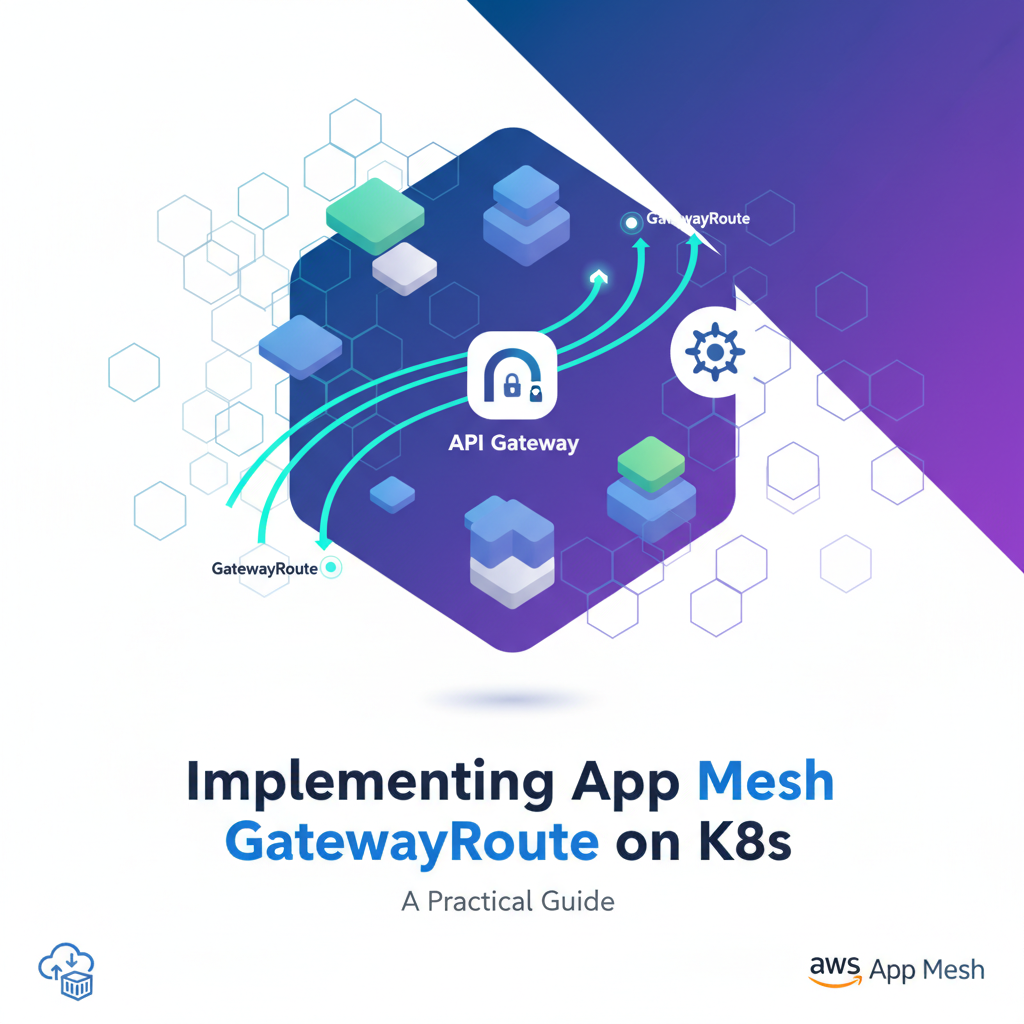


In the rapidly evolving landscape of microservices and cloud-native architectures, managing inter-service communication and external ingress has become a complex yet critical endeavor. Kubernetes, as the de facto standard for container orchestration, provides a robust foundation, but as applications scale, the need for advanced traffic management, observability, and security capabilities becomes paramount. This is where service meshes, and specifically AWS App Mesh, step in to provide a dedicated control plane for these concerns. Among its powerful features, the App Mesh GatewayRoute stands out as a crucial component for defining how external traffic enters your service mesh, bridging the gap between the traditional Kubernetes ingress and the sophisticated routing within the mesh.
This comprehensive guide will delve deep into the implementation of App Mesh GatewayRoute on Kubernetes, offering a practical, step-by-step approach. We will explore the core concepts, walk through a detailed setup, and discuss best practices to ensure your microservices are not only well-connected internally but also securely and efficiently exposed to the outside world.
The Evolution of Traffic Management: From Monoliths to Service Meshes
Before we dive into the specifics of App Mesh GatewayRoute, it's essential to understand the journey that led us to service meshes. In monolithic architectures, traffic management was relatively straightforward, often handled by a single load balancer and a web server. With the advent of microservices, applications are broken down into dozens or even hundreds of smaller, independent services, each with its own lifecycle, development team, and deployment schedule. This distributed nature introduces significant challenges:
- Service Discovery: How do services find and communicate with each other?
- Traffic Management: How do you route requests between different versions of a service, implement circuit breakers, or manage retries?
- Observability: How do you monitor the health and performance of individual services and the entire system?
- Security: How do you enforce authentication, authorization, and encryption between services?
Kubernetes provides foundational answers to some of these questions through Services and Ingress resources. A Kubernetes Service abstracts away the Pods that run your application, providing a stable network endpoint. A Kubernetes Ingress, on the other hand, manages external access to the services in a cluster, typically providing HTTP/S routing. While these are vital building blocks, they primarily operate at Layer 4 (TCP) and basic Layer 7 (HTTP) routing. For the sophisticated needs of large-scale microservice deployments, a more advanced layer is required – the service mesh.
A service mesh, like AWS App Mesh, is a dedicated infrastructure layer that handles service-to-service communication. It provides a transparent way to add capabilities like traffic management, security, and observability without requiring changes to the application code. It achieves this by injecting a proxy (typically Envoy) alongside each service instance, forming a "data plane." These proxies intercept all network traffic to and from the service, applying the rules and configurations managed by a "control plane."
Introducing AWS App Mesh: A Fully Managed Service Mesh
AWS App Mesh is a fully managed service mesh that makes it easy to monitor and control microservices on AWS. It allows you to run your services on various AWS compute services, including Amazon ECS, Amazon EKS, AWS Fargate, and Amazon EC2, and integrate them into a unified mesh. App Mesh addresses the complexities of microservice communication by standardizing how your services communicate, enabling end-to-end visibility and traffic control.
The core components of App Mesh form a powerful abstraction layer over your underlying infrastructure:
- Mesh: The logical boundary for network traffic between the services that reside within it. All other App Mesh resources are scoped to a mesh.
- Virtual Node: Represents a logical pointer to a particular service (or a group of identical services) running within your mesh. Typically, a Virtual Node corresponds to a Kubernetes Service.
- Virtual Service: An abstraction of a real service provided by one or more virtual nodes. Other services in the mesh discover and communicate with a service using its Virtual Service name. This allows you to update the underlying Virtual Nodes without changing how client services connect.
- Virtual Router: Handles traffic for a Virtual Service. It contains one or more Routes that determine how requests are directed to specific Virtual Nodes.
- Route: Defines how traffic for a Virtual Service is directed to different Virtual Nodes. Routes can specify various matching criteria (e.g., HTTP headers, paths) and weighted distributions for traffic splitting.
- Virtual Gateway: This is the ingress point to your mesh. It represents an Envoy proxy that receives traffic from outside the mesh and routes it into a Virtual Service. Unlike a Virtual Node, which represents an internal service, a Virtual Gateway represents an edge proxy that allows external clients to interact with services inside the mesh.
- GatewayRoute: The specific resource we'll focus on. It defines how traffic received by a Virtual Gateway is routed to one or more Virtual Services within the mesh. It is analogous to a Route but applies to ingress traffic handled by a Virtual Gateway.
Understanding the interplay of these components is fundamental to effectively implementing App Mesh. The gateway keyword here is crucial, signifying its role as an entry point for external traffic, essentially making your Virtual Gateway function as a sophisticated api gateway for your internal services, managed by the mesh control plane. This enables fine-grained api routing and control right at the edge of your service mesh.
The Role of GatewayRoute: Ingress to the Mesh
While Virtual Routers and Routes manage traffic within the mesh, the GatewayRoute manages traffic into the mesh from external clients. Imagine your service mesh as a walled garden of interconnected microservices. A Virtual Gateway is the gatekeeper, and the GatewayRoute is the rulebook that tells the gatekeeper where to send incoming visitors (external requests) within the garden.
A GatewayRoute specifies a match condition (e.g., HTTP path, host, or header) and a target Virtual Service. When the Virtual Gateway receives a request that matches the criteria defined in a GatewayRoute, it forwards that request to the specified Virtual Service. This mechanism provides several key benefits:
- Decoupling External Access from Internal Routing: You can expose specific API endpoints or services without exposing the entire mesh structure. Changes to internal service routing (e.g., A/B testing, blue/green deployments managed by Virtual Routers) do not require changes to the external ingress configuration.
- Centralized Ingress Control: All external traffic enters through a defined Virtual Gateway, allowing for consistent application of policies and observability at the mesh boundary.
- Advanced Routing Capabilities: GatewayRoutes support HTTP/2 and gRPC matching, hostnames, and header-based routing, which goes beyond the capabilities of basic Kubernetes Ingress controllers.
- Security at the Edge: As traffic passes through the Envoy proxy of the Virtual Gateway, mTLS can be enforced, and other security policies can be applied before the request even reaches your internal services.
In essence, a GatewayRoute helps define the api contract for your external consumers, directing their requests appropriately into the complex web of your microservices. It's a critical piece of the puzzle for any production-ready microservice architecture on Kubernetes.
Service Mesh Ingress vs. API Gateways
It's important to differentiate between the ingress capabilities of a service mesh, such as App Mesh GatewayRoute, and dedicated api gateway products. While a Virtual Gateway combined with GatewayRoutes acts as an api gateway for directing traffic into the mesh, it primarily focuses on Layer 7 traffic management, observability, and security within the context of the service mesh.
| Feature | Service Mesh Ingress (e.g., App Mesh GatewayRoute) | Dedicated API Gateway (e.g., APIPark, Kong, Apigee) |
|---|---|---|
| Primary Focus | Ingress routing into the service mesh; internal service-to-service communication. | External API exposure, lifecycle management, monetization, developer experience. |
| Target Audience | Microservice developers, SREs, platform engineers managing internal traffic. | External API consumers, application developers, API product managers, security teams. |
| Core Capabilities | Path/header-based routing, traffic splitting, retry policies, circuit breaking, mTLS for internal services. | Authentication/Authorization (OAuth, API keys), rate limiting, caching, data transformation, analytics, developer portal, billing. |
| Integration Point | At the edge of the service mesh, routing to internal Virtual Services. | Often sits in front of the entire application (including the service mesh ingress). |
| Deployment Model | Part of the service mesh infrastructure, often deployed as an Envoy proxy within Kubernetes. | Can be deployed on-premise, cloud-hosted, or as a SaaS. |
| Use Cases | Fine-grained control over how external requests are routed to specific microservices, A/B testing ingress. | Managing public APIs, monetizing APIs, building developer ecosystems, protecting backend services. |
| Traffic Analytics | Granular metrics for internal mesh traffic and ingress. | Business-level analytics on API consumption, performance, and user behavior. |
While App Mesh GatewayRoute provides powerful internal ingress control for microservices within the mesh, organizations often require a more comprehensive solution for managing external-facing APIs. This is where dedicated API gateway platforms come into play. Tools like ApiPark, an open-source AI gateway and API management platform, offer features beyond service mesh capabilities. APIPark, for instance, provides quick integration of 100+ AI models, unified API formats, prompt encapsulation into REST APIs, end-to-end API lifecycle management, and robust security features like access approval workflows. It excels at managing external API exposure, authentication, rate limiting, and analytics, making it an ideal complement to a service mesh, sitting logically in front of your App Mesh Virtual Gateways to provide a full-fledged API developer experience and governance.
Pre-requisites for Implementing App Mesh GatewayRoute on Kubernetes
To embark on our practical implementation, ensure you have the following tools and configurations in place:
- Kubernetes Cluster: A running Kubernetes cluster (v1.17 or later is recommended). For AWS, Amazon EKS is the most straightforward option.
- If using EKS, ensure you have
eksctlinstalled and configured.
- If using EKS, ensure you have
kubectl: The Kubernetes command-line tool, configured to connect to your cluster.aws-cli: The AWS Command Line Interface, configured with credentials that have permissions to manage App Mesh resources and EKS.helm(v3+): The Kubernetes package manager, used for installing the App Mesh Controller.appmesh-controller: The App Mesh controller for Kubernetes. This controller translates Kubernetes custom resources (CRDs) for App Mesh into actual App Mesh resources in your AWS account. It also handles Envoy proxy injection into your application Pods.
Setting up Your Environment (EKS Example)
For a streamlined setup, we'll assume an EKS cluster. If you have another Kubernetes environment, adapt the EKS-specific steps accordingly.
1. Create an EKS Cluster (if you don't have one)
# Define cluster name and region
export CLUSTER_NAME="appmesh-gateway-cluster"
export AWS_REGION="us-west-2" # Or your preferred region

eksctl create cluster \
  --name $CLUSTER_NAME \
  --region $AWS_REGION \
  --version 1.28 \
  --nodegroup-name standard-workers \
  --node-type t3.medium \
  --nodes 3 \
  --nodes-min 1 \
  --nodes-max 4 \
  --with-oidc \
  --ssh-access
This command creates an EKS cluster with 3 t3.medium worker nodes and enables OIDC provider, which is necessary for IAM roles for service accounts (IRSA). This process can take 15-20 minutes.
2. Install the AWS App Mesh Controller for Kubernetes
The App Mesh controller manages App Mesh resources in your AWS account based on Kubernetes CRDs and injects the Envoy proxy sidecar into your application Pods.
First, ensure you have the correct IAM permissions for the App Mesh controller. The controller needs to be able to create, update, and delete App Mesh resources. We'll use IRSA (IAM Roles for Service Accounts) for this.
a. Create an IAM Policy for the App Mesh Controller: You can find the latest policy ARN in the AWS App Mesh documentation. As of now, it's typically arn:aws:iam::aws:policy/AWSAppMeshFullAccess. Alternatively, you can create a custom policy with fine-grained permissions if AWSAppMeshFullAccess is too broad for your security posture. For this guide, AWSAppMeshFullAccess is sufficient.
b. Create an IAM Role for the App Mesh Controller Service Account:
# Get your OIDC Provider ARN
export OIDC_ID=$(aws eks describe-cluster --name $CLUSTER_NAME --query "cluster.identity.oidc.issuer" --output text | sed -e "s/^https:\/\///")

# Create a Kubernetes Service Account and associate an IAM Role
eksctl create iamserviceaccount \
  --cluster $CLUSTER_NAME \
  --namespace appmesh-system \
  --name appmesh-controller \
  --attach-policy-arn arn:aws:iam::aws:policy/AWSAppMeshFullAccess \
  --override-existing-serviceaccounts \
  --approve \
  --region $AWS_REGION
This command creates the appmesh-system namespace if it doesn't exist, creates a Kubernetes Service Account named appmesh-controller within that namespace, and attaches the AWSAppMeshFullAccess IAM policy to it.
c. Install the App Mesh Controller using Helm:
helm repo add eks https://aws.github.io/eks-charts
helm repo update

helm upgrade -i appmesh-controller eks/appmesh-controller \
    --namespace appmesh-system \
    --set region=$AWS_REGION \
    --set serviceAccount.create=false \
    --set serviceAccount.name=appmesh-controller
The --set serviceAccount.create=false and --set serviceAccount.name=appmesh-controller flags ensure that Helm uses the Service Account we manually created and associated with the IAM role.
Verify the controller is running:
kubectl get pods -n appmesh-system
You should see pods like appmesh-controller-xxxx in a Running state.
3. Enable App Mesh Sidecar Injection
For App Mesh to work, an Envoy proxy sidecar must be injected into your application Pods. This can be done automatically using a mutating admission webhook.
# Enable sidecar injection for the 'default' namespace (or your application namespace)
kubectl annotate namespace default k8s.aws/mesh=$CLUSTER_NAME-mesh --overwrite
Replace default with your specific application namespace if needed. The annotation specifies which mesh the namespace belongs to. The appmesh-controller will then automatically inject the Envoy proxy into any new Pods deployed in this namespace.
APIPark is a high-performance AI gateway that allows you to securely access the most comprehensive LLM APIs globally on the APIPark platform, including OpenAI, Anthropic, Mistral, Llama2, Google Gemini, and more.Try APIPark now! 👇👇👇
A Practical Scenario: E-commerce Product and Review Services
Let's imagine a common microservices pattern for an e-commerce application. We have:
product-service: Manages product catalog information.review-service: Handles customer reviews for products.
Our goal is to expose these services through an external ingress, where: * Requests to /products/* are routed to the product-service. * Requests to /reviews/* are routed to the review-service.
This will be achieved using an App Mesh Virtual Gateway and GatewayRoutes.
Step 1: Define the Mesh
The first step is to define the logical boundary for our services – the Mesh. This resource acts as a container for all other App Mesh objects.
# mesh.yaml
apiVersion: appmesh.k8s.aws/v1beta2
kind: Mesh
metadata:
  name: e-commerce-mesh
spec:
  awsName: e-commerce-mesh # Optional: if not specified, metadata.name is used
Apply this to your cluster:
kubectl apply -f mesh.yaml
Verify the mesh is created in AWS:
aws appmesh list-meshes --region $AWS_REGION
Step 2: Define Virtual Nodes for Services
Each microservice will be represented by a Virtual Node. This tells App Mesh about your running service instances.
# product-service-vn.yaml
apiVersion: appmesh.k8s.aws/v1beta2
kind: VirtualNode
metadata:
  name: product-service
  namespace: default
spec:
  podSelector: # This links the Virtual Node to Kubernetes Pods
    matchLabels:
      app: product-service
  listeners:
    - portMapping:
        port: 8080
        protocol: http
  serviceDiscovery:
    dns:
      hostname: product-service.default.svc.cluster.local # Kubernetes Service DNS name
  mesh:
    name: e-commerce-mesh
---
# review-service-vn.yaml
apiVersion: appmesh.k8s.aws/v1beta2
kind: VirtualNode
metadata:
  name: review-service
  namespace: default
spec:
  podSelector:
    matchLabels:
      app: review-service
  listeners:
    - portMapping:
        port: 8080
        protocol: http
  serviceDiscovery:
    dns:
      hostname: review-service.default.svc.cluster.local
  mesh:
    name: e-commerce-mesh
Apply these:
kubectl apply -f product-service-vn.yaml
kubectl apply -f review-service-vn.yaml
These Virtual Nodes tell App Mesh that there will be services labeled app: product-service and app: review-service running on port 8080, and their internal DNS names are product-service.default.svc.cluster.local and review-service.default.svc.cluster.local respectively.
Step 3: Define Virtual Services
Virtual Services provide a logical name for your services that other services in the mesh can discover. They abstract away the underlying Virtual Nodes.
# virtual-services.yaml
apiVersion: appmesh.k8s.aws/v1beta2
kind: VirtualService
metadata:
  name: product-service.default.svc.cluster.local # Match DNS for client consumption
  namespace: default
spec:
  provider:
    virtualNode:
      virtualNodeRef:
        name: product-service
  mesh:
    name: e-commerce-mesh
---
apiVersion: appmesh.k8s.aws/v1beta2
kind: VirtualService
metadata:
  name: review-service.default.svc.cluster.local
  namespace: default
spec:
  provider:
    virtualNode:
      virtualNodeRef:
        name: review-service
  mesh:
    name: e-commerce-mesh
Apply these:
kubectl apply -f virtual-services.yaml
Now, other services (and our Virtual Gateway) can refer to product-service.default.svc.cluster.local and review-service.default.svc.cluster.local and App Mesh will route them to the correct Virtual Nodes.
Step 4: Define a Virtual Gateway (The Entry Point)
This is the api gateway component for App Mesh. It defines the edge proxy that will receive external traffic.
# virtual-gateway.yaml
apiVersion: appmesh.k8s.aws/v1beta2
kind: VirtualGateway
metadata:
  name: e-commerce-gateway
  namespace: default
spec:
  listeners:
    - portMapping:
        port: 8080 # The port the Gateway will listen on for external traffic
        protocol: http
  mesh:
    name: e-commerce-mesh
  # Optional: For advanced configuration like TLS, access logs, etc.
  # logging:
  #   accesslog:
  #     file:
  #       path: /dev/stdout
Apply this:
kubectl apply -f virtual-gateway.yaml
This Virtual Gateway e-commerce-gateway will listen for HTTP traffic on port 8080. We still need to deploy a Kubernetes Service and Deployment to actually run the Envoy proxy for this Virtual Gateway.
Step 5: Define GatewayRoutes (How external traffic routes to Virtual Services)
This is where we specify the actual routing rules for incoming traffic to our Virtual Gateway.
# gateway-routes.yaml
apiVersion: appmesh.k8s.aws/v1beta2
kind: GatewayRoute
metadata:
  name: product-gateway-route
  namespace: default
spec:
  virtualGateway:
    virtualGatewayRef:
      name: e-commerce-gateway
  httpRoute:
    match:
      prefix: "/techblog/en/products" # Match requests starting with /products
    action:
      target:
        virtualService:
          virtualServiceRef:
            name: product-service.default.svc.cluster.local
  mesh:
    name: e-commerce-mesh
---
apiVersion: appmesh.k8s.aws/v1beta2
kind: GatewayRoute
metadata:
  name: review-gateway-route
  namespace: default
spec:
  virtualGateway:
    virtualGatewayRef:
      name: e-commerce-gateway
  httpRoute:
    match:
      prefix: "/techblog/en/reviews" # Match requests starting with /reviews
    action:
      target:
        virtualService:
          virtualServiceRef:
            name: review-service.default.svc.cluster.local
  mesh:
    name: e-commerce-mesh
Apply these:
kubectl apply -f gateway-routes.yaml
These GatewayRoutes instruct e-commerce-gateway to forward requests matching /products to product-service.default.svc.cluster.local and requests matching /reviews to review-service.default.svc.cluster.local. This is a critical api routing configuration for your ingress.
Step 6: Deploy Kubernetes Services and Deployments
Now we need to deploy our actual application microservices and the Kubernetes components that host our Virtual Gateway.
a. Application Microservices (Product and Review)
For demonstration, we'll use simple Nginx containers that serve different responses. In a real scenario, these would be your actual application binaries.
# app-deployments.yaml
apiVersion: apps/v1
kind: Deployment
metadata:
  name: product-service
  namespace: default
spec:
  replicas: 2
  selector:
    matchLabels:
      app: product-service
  template:
    metadata:
      labels:
        app: product-service
      annotations:
        # App Mesh sidecar injection is enabled for the namespace, so no explicit annotation needed here
        # However, for specific Pods, you could override with:
        # appmesh.k8s.aws/sidecarInjectorWebhook: enabled
    spec:
      containers:
        - name: product-service
          image: nginx:latest
          ports:
            - containerPort: 8080
          env:
            - name: NGINX_PORT
              value: "8080"
          command: ["/techblog/en/bin/sh", "-c"]
          args:
            - |
              echo "This is the Product Service" > /usr/share/nginx/html/index.html;
              nginx -g 'daemon off;';
---
apiVersion: v1
kind: Service
metadata:
  name: product-service
  namespace: default
spec:
  selector:
    app: product-service
  ports:
    - protocol: TCP
      port: 8080
      targetPort: 8080
---
apiVersion: apps/v1
kind: Deployment
metadata:
  name: review-service
  namespace: default
  labels:
    app: review-service
spec:
  replicas: 2
  selector:
    matchLabels:
      app: review-service
  template:
    metadata:
      labels:
        app: review-service
    spec:
      containers:
        - name: review-service
          image: nginx:latest
          ports:
            - containerPort: 8080
          env:
            - name: NGINX_PORT
              value: "8080"
          command: ["/techblog/en/bin/sh", "-c"]
          args:
            - |
              echo "This is the Review Service" > /usr/share/nginx/html/index.html;
              nginx -g 'daemon off;';
---
apiVersion: v1
kind: Service
metadata:
  name: review-service
  namespace: default
spec:
  selector:
    app: review-service
  ports:
    - protocol: TCP
      port: 8080
      targetPort: 8080
Apply these:
kubectl apply -f app-deployments.yaml
Observe that when these pods start, the appmesh-controller webhook will automatically inject an envoy sidecar container into each pod, alongside your nginx container. You can verify this by running kubectl describe pod <pod-name> and looking for two containers.
b. Virtual Gateway Deployment and Service
Finally, we need to deploy the actual Envoy proxy that will act as our e-commerce-gateway. This is typically done with a Kubernetes Deployment and a Service of type LoadBalancer to expose it externally.
# gateway-deployment.yaml
apiVersion: apps/v1
kind: Deployment
metadata:
  name: e-commerce-gateway
  namespace: default
spec:
  selector:
    matchLabels:
      app: e-commerce-gateway
  replicas: 1
  template:
    metadata:
      labels:
        app: e-commerce-gateway
      annotations:
        appmesh.k8s.aws/virtualGateway: e-commerce-gateway # Critical: links this deployment to the VirtualGateway
    spec:
      containers:
        - name: envoy
          image: public.ecr.aws/appmesh/aws-appmesh-envoy:v1.27.2.0-prod # Use an App Mesh compatible Envoy image
          ports:
            - containerPort: 8080
          env:
            - name: APPMESH_VIRTUAL_GATEWAY_NAME
              value: e-commerce-gateway
            - name: APPMESH_RESOURCE_ARN
              value: arn:aws:appmesh:$AWS_REGION:$(aws sts get-caller-identity --query Account --output text):mesh/e-commerce-mesh/virtualGateway/e-commerce-gateway
          # Add resource limits and probes for production
          resources:
            requests:
              cpu: "100m"
              memory: "128Mi"
            limits:
              cpu: "500m"
              memory: "512Mi"
---
apiVersion: v1
kind: Service
metadata:
  name: e-commerce-gateway
  namespace: default
spec:
  selector:
    app: e-commerce-gateway
  ports:
    - protocol: TCP
      port: 80
      targetPort: 8080 # Expose the gateway's listener port
  type: LoadBalancer # Expose externally via an AWS Load Balancer (ALB/NLB)
Important: Replace $AWS_REGION and $(aws sts get-caller-identity --query Account --output text) with your actual AWS region and account ID, or ensure these environment variables are set before applying. The appmesh.k8s.aws/virtualGateway annotation is crucial here; it tells the App Mesh controller to configure this Envoy instance as the specified Virtual Gateway.
Apply this:
kubectl apply -f gateway-deployment.yaml
Step 7: Testing the GatewayRoute
Wait for the e-commerce-gateway service to get an external IP or hostname.
kubectl get svc e-commerce-gateway -n default
Look for the EXTERNAL-IP or EXTERNAL-HOSTNAME of type LoadBalancer. This might take a few minutes as AWS provisions the load balancer. Once available, you can test it:
export GATEWAY_URL=$(kubectl get svc e-commerce-gateway -n default -o jsonpath='{.status.loadBalancer.ingress[0].hostname}') # Or .ip for IP
echo "Gateway URL: $GATEWAY_URL"

# Test product service
curl -v http://$GATEWAY_URL/products/123

# Test review service
curl -v http://$GATEWAY_URL/reviews/456
You should see responses similar to "This is the Product Service" and "This is the Review Service" respectively. This confirms that the App Mesh Virtual Gateway and GatewayRoutes are correctly directing external traffic to the appropriate Virtual Services and their underlying Virtual Nodes/Pods.
Advanced Considerations and Best Practices
Implementing App Mesh GatewayRoute is a significant step, but real-world deployments require further considerations.
Traffic Shifting and Canary Deployments
One of the most powerful features of a service mesh is its ability to perform advanced traffic management. While GatewayRoutes primarily direct external traffic to a Virtual Service, the Virtual Router and Routes within the mesh handle traffic splitting between different versions of Virtual Nodes.
For example, if you want to perform a canary deployment for your product-service: 1. Deploy a new version of product-service (e.g., product-service-v2) with a new Virtual Node. 2. Update the Virtual Service for product-service.default.svc.cluster.local to point to a Virtual Router. 3. Configure the Virtual Router with two Routes: one for product-service-v1 (e.g., 90% traffic) and one for product-service-v2 (e.g., 10% traffic). 4. The GatewayRoute remains unchanged, directing all /products traffic to product-service.default.svc.cluster.local, and the Virtual Router handles the internal splitting.
This decoupling allows you to manage external API routing independently from internal versioning strategies, offering immense flexibility.
Security: mTLS and Authorization
App Mesh natively supports mTLS (mutual TLS) between services within the mesh. When a Virtual Gateway is configured, it can also participate in mTLS. This means that external clients can establish mTLS with the Virtual Gateway's Envoy proxy, and the gateway can then enforce mTLS for calls to internal services. This provides strong identity-based security at the mesh boundary and throughout the mesh.
For authorization, you can integrate App Mesh with AWS Identity and Access Management (IAM) policies or leverage external authorization services. While GatewayRoute primarily handles routing, the underlying Envoy proxy can be extended with filters for more granular authorization checks.
Observability: Metrics, Logs, and Traces
App Mesh automatically integrates with AWS X-Ray for tracing, Amazon CloudWatch for metrics, and allows for logging to CloudWatch Logs or other destinations. The Envoy proxies, including the one for the Virtual Gateway, emit rich telemetry data.
- Metrics: You'll get detailed metrics on request counts, latencies, error rates for traffic flowing through your GatewayRoutes, providing insights into external API performance.
- Logs: Access logs from the Virtual Gateway Envoy can be invaluable for debugging ingress issues and understanding traffic patterns. You can configure logging directly in the Virtual Gateway specification.
- Traces: End-to-end tracing with X-Ray allows you to visualize the entire request flow from the external client, through the Virtual Gateway, and into your backend microservices, helping to identify performance bottlenecks.
Robust observability is non-negotiable for production systems, and App Mesh simplifies the collection of this critical data.
Integrating with External Load Balancers (ALB/NLB)
In our example, we used a Service of type LoadBalancer for the e-commerce-gateway deployment. On AWS, this provisions an Elastic Load Balancer (ELB), either an Application Load Balancer (ALB) or a Network Load Balancer (NLB).
- ALB: If you need advanced HTTP routing (e.g., host-based routing, path-based routing, URL rewriting) before traffic hits your App Mesh Virtual Gateway, an ALB can be placed in front. The ALB would then forward traffic to the Kubernetes Service of your Virtual Gateway. This setup allows the ALB to handle a first layer of ingress while App Mesh takes over for internal mesh routing.
- NLB: For high-performance TCP/UDP traffic or when you want to preserve client source IP, an NLB is a better choice. It simply forwards traffic to your Virtual Gateway service.
The choice depends on your specific api gateway requirements and the complexity of external routing you need before hitting the service mesh.
Infrastructure as Code (IaC)
For production environments, always manage your App Mesh and Kubernetes resources using Infrastructure as Code tools like AWS CloudFormation, HashiCorp Terraform, or GitOps tools like Argo CD/Flux. This ensures consistency, repeatability, and version control for your infrastructure. All the YAML manifests provided in this guide are excellent candidates for IaC.
Naming Conventions and Organization
As your mesh grows, consistent naming conventions for your Meshes, Virtual Nodes, Virtual Services, Virtual Gateways, and GatewayRoutes become crucial for maintainability and clarity. Consider adopting a schema that includes service names, environments, and versions. Using separate Kubernetes namespaces for different applications or teams can also help organize resources.
Health Checks and Resilience
Ensure your Virtual Gateway and application deployments have appropriate liveness and readiness probes defined in their Kubernetes manifests. This allows Kubernetes to correctly manage the lifecycle of your pods and ensures that only healthy instances receive traffic. App Mesh also has its own health check mechanisms for Virtual Nodes, which contribute to the overall resilience of your mesh.
Troubleshooting Common Issues
Despite careful planning, issues can arise during implementation. Here are some common problems and troubleshooting tips:
- Pod Sidecar Injection Failure:
- Symptom: Your application Pods only have one container (your application) instead of two (application + Envoy).
- Check:
- Is the
appmesh-controllerrunning inappmesh-systemnamespace? - Is the target namespace annotated correctly:
kubectl get namespace <your-namespace> -o yaml | grep k8s.aws/mesh? It should showk8s.aws/mesh: your-mesh-name. - Check
appmesh-controllerlogs for errors:kubectl logs -n appmesh-system <controller-pod-name>.
- Is the
- Virtual Gateway Pod Not Starting/Crashing:
- Symptom: The
e-commerce-gatewaydeployment's pod is in aCrashLoopBackOfforPendingstate. - Check:
- Is the
appmesh.k8s.aws/virtualGatewayannotation present and correct in the Virtual Gateway deployment? - Is the
APPMESH_RESOURCE_ARNenvironment variable correct (including region and account ID)? - Check the Envoy container logs:
kubectl logs <gateway-pod-name> -c envoy. Look for configuration loading errors. - Ensure the Envoy image
public.ecr.aws/appmesh/aws-appmesh-envoyis accessible.
- Is the
- Symptom: The
- GatewayRoute Not Routing Correctly:
- Symptom: Requests to the external gateway URL are not reaching the correct service, or return 404/503 errors.
- Check:
- GatewayRoute Match: Double-check the
prefix,path,host, orheadermatch conditions in yourGatewayRoutemanifests. Are they exact or sufficiently broad? - Target Virtual Service: Is the
virtualServiceRef.namein the GatewayRoute action block correct and pointing to an existing Virtual Service? - Virtual Service Provider: Does the Virtual Service correctly point to a healthy Virtual Node?
- Virtual Node DNS: Is the
serviceDiscovery.dns.hostnamein the Virtual Node manifest correct and matching the Kubernetes Service DNS? - Envoy Logs: Check the Envoy logs of the Virtual Gateway pod. Envoy logs are very verbose and will show routing decisions or errors.
- App Mesh Resource Status: Use
aws appmesh describe-virtual-gateway --mesh-name e-commerce-mesh --virtual-gateway-name e-commerce-gatewayandaws appmesh describe-gateway-route --mesh-name e-commerce-mesh --virtual-gateway-name e-commerce-gateway --gateway-route-name <route-name>to check if the App Mesh resources are correctly provisioned in AWS and show a healthy status.
- GatewayRoute Match: Double-check the
- IAM Permissions Issues:
- Symptom: App Mesh resources are not created in AWS, or the controller logs show permission errors.
- Check:
- Verify the IAM role associated with the
appmesh-controllerservice account hasAWSAppMeshFullAccessor equivalent permissions. - Ensure the EKS cluster's OIDC provider is correctly configured and the IRSA setup is valid.
- Verify the IAM role associated with the
- External Load Balancer Not Ready:
- Symptom: The
e-commerce-gatewayKubernetes Service of typeLoadBalancerdoesn't get anEXTERNAL-IPorEXTERNAL-HOSTNAME. - Check:
- Is the Kubernetes service in a
Pendingstate? - Check
kubectl describe svc e-commerce-gatewayfor events or errors related to AWS Load Balancer provisioning. - Ensure your cluster's worker nodes have appropriate network connectivity and security group rules to allow the ALB/NLB to reach them.
- Is the Kubernetes service in a
- Symptom: The
By systematically going through these checks, you can efficiently diagnose and resolve most issues encountered during App Mesh GatewayRoute implementation.
Conclusion: Empowering Microservices with App Mesh GatewayRoute
Implementing App Mesh GatewayRoute on Kubernetes is a powerful way to bring advanced traffic management and security capabilities to the edge of your service mesh. By meticulously defining Meshes, Virtual Nodes, Virtual Services, Virtual Gateways, and GatewayRoutes, you gain fine-grained control over how external requests interact with your microservices. This approach not only enhances the resilience and observability of your api endpoints but also provides a clear separation of concerns between external api gateway functionalities and internal service-to-service communication.
The journey from traditional ingress to a service mesh-driven api ingress like App Mesh GatewayRoute signifies a maturation in microservice architectures. It allows organizations to scale their applications with confidence, knowing that traffic is handled efficiently, securely, and with comprehensive observability. While a service mesh handles the intricate dance of internal service communication, complementary tools like ApiPark can further enhance the external api gateway experience by providing robust API lifecycle management, AI model integration, and developer portal functionalities. Together, these technologies form a formidable stack for building and managing modern, scalable, and resilient distributed applications on Kubernetes. By embracing these capabilities, you position your microservices for success in the demanding cloud-native world.
Frequently Asked Questions (FAQs)
1. What is the primary difference between a Kubernetes Ingress and an App Mesh Virtual Gateway with GatewayRoute? A Kubernetes Ingress primarily handles basic Layer 7 HTTP/S routing to Kubernetes Services, often using an Ingress Controller like Nginx or ALB Ingress Controller. It operates at a cluster level. An App Mesh Virtual Gateway with GatewayRoute, on the other hand, is an Envoy proxy that functions as the ingress point into the App Mesh. It provides more sophisticated Layer 7 traffic management (like header/path matching, gRPC routing, mTLS), observability, and integrates seamlessly with the mesh's internal routing mechanisms (Virtual Routers/Routes) for advanced scenarios like traffic splitting, retries, and circuit breaking within the mesh. It's an API gateway component specific to the service mesh.
2. Can I use App Mesh GatewayRoute with a traditional API Gateway like AWS API Gateway or a self-hosted solution like APIPark? Absolutely. In fact, this is a common and recommended pattern for comprehensive api management. A traditional api gateway (like AWS API Gateway, Apigee, Kong, or ApiPark) would typically sit in front of your App Mesh Virtual Gateway. The API Gateway would handle broader concerns such as external authentication/authorization, rate limiting, data transformation, caching, developer portals, and API monetization. It would then forward requests to the App Mesh Virtual Gateway, which would take over for fine-grained routing into the service mesh and provide mesh-specific capabilities like mTLS and distributed tracing across your microservices. This creates a powerful layered approach to API management.
3. What are the main benefits of using App Mesh GatewayRoute instead of just Kubernetes Ingress for external traffic? The main benefits include: * Advanced Traffic Control: More sophisticated Layer 7 routing (e.g., gRPC, more granular header matching). * Seamless Mesh Integration: Consistent observability (X-Ray, CloudWatch), security (mTLS), and traffic policies across external ingress and internal service-to-service communication. * Decoupling: Separate management of external API exposure from internal microservice routing logic (e.g., A/B testing, blue/green deployments). * Standardization: Provides a consistent control plane for all service interactions, regardless of deployment platform (EKS, ECS, EC2). * Improved Observability: Deeper insights into traffic at the edge of the mesh, contributing to end-to-end tracing.
4. How does App Mesh handle service discovery for services exposed via GatewayRoute? When an external request arrives at the Virtual Gateway and matches a GatewayRoute, App Mesh uses the Virtual Gateway's Envoy proxy to forward the request to the specified Virtual Service. The Virtual Service then acts as an abstraction layer, resolving to the appropriate Virtual Node(s) based on its provider configuration (e.g., a specific Virtual Node or a Virtual Router with weighted routes). The Virtual Node, in turn, uses its serviceDiscovery.dns.hostname (typically the Kubernetes Service DNS) to find the actual application Pods. This entire process is managed by App Mesh, ensuring transparent service discovery and routing.
5. What is the impact of App Mesh GatewayRoute on application performance? App Mesh GatewayRoute introduces an additional Envoy proxy hop for external requests. While this adds a small amount of latency, Envoy is highly optimized and designed for high performance. The benefits of enhanced traffic control, security, and observability often far outweigh this minimal performance overhead. For most microservice architectures, the performance impact is negligible, and the operational advantages are significant. Performance can be further optimized through proper resource allocation for the Gateway's Envoy proxy and efficient configuration of routing rules. Tools like APIPark also boast high performance, with benchmarks indicating over 20,000 TPS on an 8-core CPU and 8GB memory, ensuring your API gateway layer doesn't become a bottleneck.
🚀You can securely and efficiently call the OpenAI API on APIPark in just two steps:
Step 1: Deploy the APIPark AI gateway in 5 minutes.
APIPark is developed based on Golang, offering strong product performance and low development and maintenance costs. You can deploy APIPark with a single command line.
curl -sSO https://download.apipark.com/install/quick-start.sh; bash quick-start.sh

In my experience, you can see the successful deployment interface within 5 to 10 minutes. Then, you can log in to APIPark using your account.

Step 2: Call the OpenAI API.