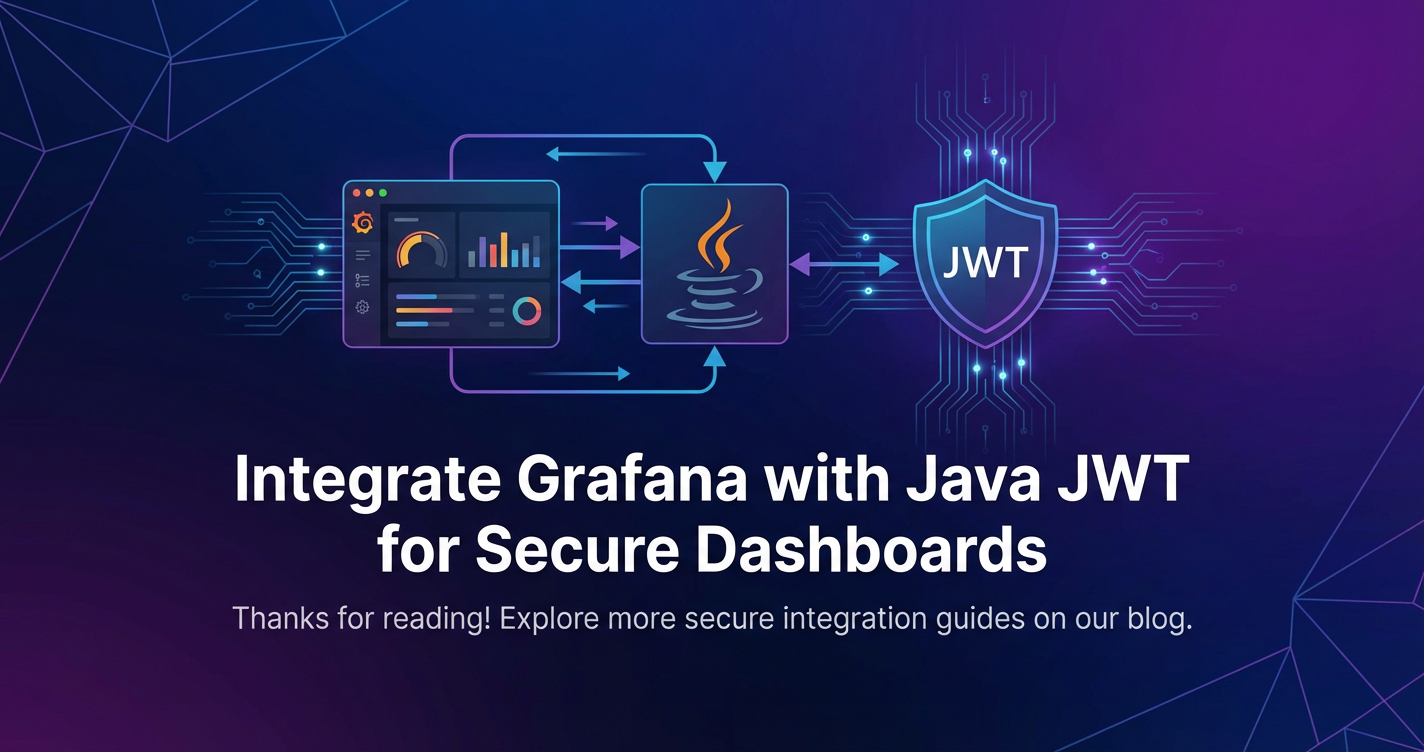
Integrate Grafana with Java JWT for Secure Dashboards


APIPark is a high-performance AI gateway that allows you to securely access the most comprehensive LLM APIs globally on the APIPark platform, including OpenAI, Anthropic, Mistral, Llama2, Google Gemini, and more.Try APIPark now! 👇👇👇
Integrate Grafana with Java JWT for Secure Dashboards
In the rapidly evolving landscape of data-driven decision-making, the ability to visualize complex datasets is paramount. Grafana stands as a titan in this domain, offering unparalleled flexibility and power in crafting insightful dashboards from a myriad of data sources. From infrastructure monitoring to business intelligence, Grafana provides the window into an organization's operational heartbeat. However, the true value of these insights can only be unlocked when coupled with robust security mechanisms that ensure only authorized individuals access sensitive information. This is where the elegant simplicity and cryptographic strength of JSON Web Tokens (JWT), orchestrated by the robust and pervasive Java ecosystem, offer a compelling solution for building secure Grafana dashboards.
The journey towards a secure data visualization environment is often fraught with challenges. Organizations wrestle with integrating existing identity providers, managing granular access permissions, and ensuring that sensitive data displayed on dashboards remains protected against unauthorized access or manipulation. Traditional authentication methods, while functional, often fall short when dynamic, fine-grained control and a scalable, stateless approach are required. JWTs, by design, address many of these shortcomings, providing a compact, URL-safe means of representing claims to be transferred between two parties. When a Java backend, with its enterprise-grade security capabilities, is tasked with issuing and validating these tokens, and an intelligent gateway routes authenticated requests to Grafana, a powerful and secure ecosystem emerges.
This comprehensive guide delves into the intricacies of integrating Grafana with Java JWT, meticulously detailing each architectural component and configuration step required to establish a fortress around your valuable data insights. We will navigate the foundational concepts of secure data visualization, unravel the mechanics of JWTs, explore Java's formidable security toolkit, and construct a practical integration strategy that leverages reverse proxies and Grafana's authentication proxy features. Beyond the technical implementation, we will discuss best practices for designing a secure access workflow, ensuring that your Grafana dashboards not only illuminate data but also uphold the highest standards of data integrity and confidentiality. By the end, you will possess a profound understanding of how to architect a secure, scalable, and manageable solution for accessing your Grafana dashboards, making data-driven decisions both insightful and incredibly safe.
Understanding the Landscape of Secure Data Visualization
The proliferation of data in every facet of modern enterprise has transformed data visualization from a niche analytical tool into a strategic imperative. Organizations now rely on dashboards to monitor critical systems, track key performance indicators, understand customer behavior, and guide strategic initiatives. Grafana, with its open-source ethos and versatile plugin architecture, has emerged as a leading platform for crafting these vital visual narratives. Yet, the very power that makes Grafana indispensable also underscores the critical need for an equally robust security posture.
The Imperative of Data Security in Visualization
The data displayed on Grafana dashboards often encompasses highly sensitive information: financial performance, customer demographics, system health metrics, employee data, and proprietary business insights. Exposing such data without stringent access controls can lead to catastrophic consequences. A data breach involving unprotected dashboards could result in:
- Financial Losses: Regulatory fines (e.g., GDPR, CCPA), legal fees, and loss of revenue due to reputational damage. The average cost of a data breach continues to climb, highlighting the economic impact of security failures.
- Reputational Damage: Loss of customer trust, negative press, and damage to brand image can have long-lasting effects that are difficult to quantify and even harder to repair. Once trust is eroded, regaining it is an arduous uphill battle.
- Competitive Disadvantage: Exposure of proprietary business strategies, product roadmaps, or operational efficiencies to competitors can severely undermine market position and future growth prospects.
- Compliance Violations: Failure to protect sensitive data can lead to non-compliance with industry-specific regulations (e.g., HIPAA for healthcare, PCI DSS for financial services), incurring severe penalties and operational restrictions. Adherence to these standards is not merely a formality but a fundamental requirement for operating in regulated sectors.
- Operational Disruptions: Malicious actors gaining access to operational dashboards could manipulate data, inject false alerts, or even use the insights gained to launch further attacks on underlying systems, leading to widespread service interruptions.
Given these pervasive risks, securing data visualization platforms like Grafana is not merely an IT checkbox but a fundamental business requirement. The security measures implemented must be proactive, comprehensive, and adaptable to the evolving threat landscape, extending beyond basic authentication to encompass granular authorization and ongoing monitoring.
Grafana's Role in Data Insight and its Security Challenges
Grafana's appeal lies in its extraordinary flexibility. It can connect to virtually any data source imaginable – Prometheus, Elasticsearch, SQL databases, cloud monitoring services, and even custom APIs – allowing users to aggregate disparate data streams into a single, cohesive view. Its powerful query editor, diverse panel types (graphs, tables, heatmaps, singlestats), and sophisticated alerting capabilities empower users to not only visualize current states but also identify trends, predict future issues, and respond promptly to anomalies. From tracking application performance metrics in real-time to visualizing sales figures across different regions, Grafana offers a dynamic canvas for data exploration.
However, this flexibility introduces complexities when it comes to security. While Grafana provides several built-in authentication mechanisms, each comes with its own set of trade-offs:
- Basic Authentication: Simple username/password pairs, often stored locally or against an LDAP/Active Directory. While straightforward, it lacks the sophistication for fine-grained, dynamic authorization and can be cumbersome to manage at scale. It also exposes credentials more readily.
- LDAP/Active Directory: Integrates with existing enterprise directories, centralizing user management. This is a common choice for larger organizations, but it still often provides role-based access that might not be dynamic enough for complex authorization rules derived from external systems or user attributes.
- OAuth/OIDC: Allows integration with popular identity providers like Google, GitHub, Okta, or Azure AD. This offloads authentication to trusted third parties, enhancing security. However, mapping external claims to Grafana roles can sometimes be inflexible or require additional configuration layers, especially when dealing with highly specific authorization policies that transcend basic group memberships.
- SAML: Enterprise-grade single sign-on (SSO) solution, often preferred for its robust security and interoperability. Similar to OAuth, while it handles authentication excellently, translating SAML assertions into dynamic, fine-grained Grafana access permissions can necessitate custom middleware.
The core challenge emerges when an organization requires a highly dynamic, stateless, and centrally managed authentication and authorization system that integrates seamlessly with a broader microservices architecture. For instance, if user roles and permissions are determined by a complex backend service that manages customer subscriptions, project teams, or feature entitlements, Grafana's native mechanisms might not offer the direct hooks to enforce these rules dynamically at the dashboard level. This is precisely where a custom solution leveraging Java and JWTs provides a sophisticated and highly adaptable pathway to secure access, allowing the backend application to fully control who sees what, based on a rich set of claims embedded within a trusted token. This approach transforms Grafana from a purely visualization tool into an integral, securely governed component of the enterprise data ecosystem.
Deep Dive into JSON Web Tokens (JWT)
JSON Web Tokens, commonly pronounced "jot," have rapidly become the de facto standard for stateless authentication and information exchange in modern web applications and microservices architectures. They offer a robust, self-contained mechanism for securely transmitting information between parties as a JSON object, digitally signed to ensure authenticity and integrity. Understanding their structure, function, advantages, and inherent security considerations is paramount for anyone looking to implement secure Grafana dashboards with Java.
What is JWT? Structure and Purpose
A JWT is essentially a compact, URL-safe string that encodes information about a user or entity, digitally signed to prevent tampering. It typically consists of three parts, separated by dots (.):
- Header: This part typically consists of two fields:
alg(algorithm): Specifies the cryptographic algorithm used to sign the JWT (e.g., HMAC SHA256 or RSA).typ(type): Identifies the token as a JWT. An example header might look like:json { "alg": "HS256", "typ": "JWT" }This JSON object is then Base64Url encoded to form the first part of the JWT.
- Payload: This section contains the "claims" – statements about an entity (typically the user) and additional data. There are three types of claims:
- Registered Claims: These are a set of predefined claims that are not mandatory but are recommended to provide a set of useful, interoperable claims. Examples include:
iss(issuer): Identifies the principal that issued the JWT.sub(subject): Identifies the principal that is the subject of the JWT.aud(audience): Identifies the recipients that the JWT is intended for.exp(expiration time): Specifies the expiration time on or after which the JWT MUST NOT be accepted.nbf(not before): Specifies the time before which the JWT MUST NOT be accepted.iat(issued at): Specifies the time at which the JWT was issued.jti(JWT ID): Provides a unique identifier for the JWT.
- Public Claims: These can be defined by JWT users, but to avoid collisions, they should be registered in the IANA JSON Web Token Registry or be defined as a URI that contains a collision-resistant namespace.
- Private Claims: These are custom claims created to share information between parties that agree upon their usage. For example, a claim like
roleorteam_idmight be included to convey user permissions or organizational affiliation. An example payload might be:json { "sub": "user123", "name": "Jane Doe", "iat": 1516239022, "exp": 1516242622, "role": "admin", "organization": "ACME Corp" }This JSON object is also Base64Url encoded to form the second part of the JWT.
- Registered Claims: These are a set of predefined claims that are not mandatory but are recommended to provide a set of useful, interoperable claims. Examples include:
- Signature: This part is created by taking the encoded header, the encoded payload, a secret (or a private key), and the algorithm specified in the header, then signing them. For HMAC SHA256, the signature is computed as:
HMACSHA256( base64UrlEncode(header) + "." + base64UrlEncode(payload), secret )The signature is crucial for verifying that the sender of the JWT is who it says it is and that the message hasn't been tampered with.
The final JWT string combines these three parts: encodedHeader.encodedPayload.signature.
The primary purpose of JWTs is to facilitate secure information exchange. They are particularly well-suited for stateless authentication in distributed systems. Once a user logs in, the server issues a JWT. The client then stores this token and includes it in the Authorization header of subsequent requests to protected resources. The server, upon receiving a request, can validate the token without needing to query a database or maintain session state, making it highly scalable for APIs and microservices.
How JWT Works: Issuance, Transmission, Verification
The typical lifecycle of a JWT involves several key steps:
- Authentication Request: A client application (e.g., a web browser, mobile app) sends user credentials (username, password) to an authentication server.
- JWT Issuance: The authentication server validates the credentials. If valid, it constructs a JWT containing relevant claims about the user (e.g., user ID, roles, expiration time) and signs it using a secret key or a private key. This signed JWT is then returned to the client.
- Client Storage: The client application receives the JWT and typically stores it in a secure location, such as an HTTP-only cookie, local storage, or session storage.
- Resource Access Request: For subsequent requests to protected resources (e.g., a backend API endpoint, a Grafana dashboard), the client includes the JWT in the
Authorizationheader, usually in theBearertoken format (Authorization: Bearer <JWT>). - JWT Verification: The resource server (or an intermediary like a reverse proxy or API Gateway) intercepts the request. It extracts the JWT, verifies its signature using the same secret key (or the corresponding public key) that was used to sign it. If the signature is valid and the token has not expired, the server trusts the claims within the payload.
- Authorization and Response: Based on the claims in the verified JWT (e.g., user roles, permissions), the resource server determines if the user is authorized to access the requested resource. If authorized, the request is processed, and the resource is returned. If not, an unauthorized response is sent.
This stateless nature means that each request carrying a valid JWT can be authenticated and authorized independently, without requiring the server to maintain session information, making JWTs ideal for scalable, distributed architectures.
Advantages of JWT
JWTs offer several compelling advantages that contribute to their widespread adoption:
- Statelessness: Once issued, the server doesn't need to store any session information. Each request is self-contained with all necessary authentication data, simplifying server-side implementation and improving scalability, especially in microservices environments.
- Compactness: Due to their small size, JWTs can be sent through URL, POST parameter, or inside an HTTP header. This also makes them faster to transmit compared to XML-based security tokens.
- Security: The digital signature ensures that the token has not been tampered with since it was issued. If the token's payload is altered, the signature verification will fail, immediately invalidating the token. This cryptographic integrity is a cornerstone of JWT security.
- Portability/Interoperability: JWTs are an open standard (RFC 7519) and are widely supported across various programming languages and platforms, promoting seamless integration between disparate systems.
- Decoupled Architecture: They enable a clear separation of concerns between the authentication server (which issues tokens) and resource servers (which validate tokens), facilitating a more distributed and flexible architecture. This is particularly beneficial in complex ecosystems with multiple APIs.
- Rich Claims: The payload allows for the inclusion of any custom claims, providing flexibility to embed granular user information, roles, and permissions directly into the token, which can then be used for fine-grained authorization decisions without additional database lookups.
Disadvantages and Security Considerations
Despite their advantages, JWTs are not without their caveats and require careful implementation to mitigate potential security risks:
- Token Revocation: JWTs, by design, are stateless. Once signed and issued, they remain valid until they expire. There's no inherent mechanism to "revoke" a token before its expiration time if, for instance, a user logs out, changes permissions, or a token is compromised. Solutions involve:
- Short Expiration Times: Issuing tokens with very short lifespans (e.g., 5-15 minutes) and pairing them with longer-lived refresh tokens.
- Blacklisting: Maintaining a server-side blacklist of revoked token IDs (
jticlaim). This reintroduces state, counteracting the primary benefit of JWTs, but can be necessary for critical scenarios. - Changing Secret Keys: If a secret key is compromised, immediately changing it invalidates all previously issued tokens signed with the old key.
- Replay Attacks: If an attacker intercepts a valid JWT, they can "replay" it to impersonate the user until the token expires. This is why JWTs should always be transmitted over HTTPS.
- Secure Storage: How JWTs are stored on the client side is crucial.
- Local Storage/Session Storage: Vulnerable to Cross-Site Scripting (XSS) attacks, where malicious JavaScript injected into the page can steal the token.
- HTTP-Only Cookies: More secure against XSS, as JavaScript cannot access these cookies. However, they are still vulnerable to Cross-Site Request Forgery (CSRF) if not properly protected (e.g., with
SameSiteattribute and CSRF tokens).
- Secret Key Management: The signing key (or private key) used to sign JWTs is the cornerstone of their security. If this key is compromised, an attacker can forge valid tokens, leading to severe security breaches. Keys must be stored securely, rotated regularly, and never exposed in client-side code or public repositories.
- Payload Exposure: The payload is only Base64Url encoded, not encrypted. This means anyone with the token can read its contents. Therefore, sensitive information that should not be visible to the client must not be placed in the JWT payload. Encryption (JWE - JSON Web Encryption) is an option for confidentiality but adds complexity.
- Token Size: While compact, if too many claims are added to the payload, the token can become large, leading to increased request sizes and potential performance overhead.
In summary, JWTs provide a powerful, efficient, and stateless mechanism for authentication and information exchange. When integrated thoughtfully with a robust backend service (like one built in Java) and secured with best practices, they offer a formidable component in building a secure and scalable infrastructure for applications, including the critical task of securing access to Grafana dashboards. The security of the overall system hinges not just on the token itself, but on the careful design of its issuance, transmission, validation, and lifecycle management within the broader architectural context.
Java's Ecosystem for Web Security
Java has long been the backbone of enterprise applications, renowned for its stability, performance, and vast ecosystem of libraries and frameworks. When it comes to building secure web services, Java offers an unparalleled suite of tools and established best practices, making it an ideal choice for issuing and validating JWTs. Its robust security APIs, mature frameworks like Spring Security, and a plethora of open-source libraries simplify the complex task of authentication and authorization.
Java's Enterprise Strength and Security Focus
The enduring popularity of Java in the enterprise sector is attributable to several core strengths:
- Reliability and Stability: Java's strong typing, garbage collection, and robust exception handling mechanisms contribute to highly reliable applications that can operate continuously under heavy loads. This inherent stability is critical for security services where uptime and correctness are paramount.
- Performance: With continuous advancements in the Java Virtual Machine (JVM), Java applications deliver impressive performance, capable of handling high transaction volumes crucial for authentication services that process millions of requests.
- Vast Ecosystem: The Java community has cultivated an enormous ecosystem of libraries, frameworks, and tools. Frameworks like Spring Boot simplify application development, while Maven and Gradle streamline dependency management and build processes. For security, specifically, this means a wealth of battle-tested components are readily available.
- Security APIs and Standards: Java has always placed a strong emphasis on security, offering comprehensive APIs for cryptography, secure communication (SSL/TLS), and access control within the Java Standard Edition (SE) and Enterprise Edition (EE). These foundational APIs provide the primitives necessary for implementing robust security features.
- Developer Productivity: Tools like Integrated Development Environments (IDEs) such as IntelliJ IDEA and Eclipse, combined with powerful debugging capabilities and extensive documentation, empower developers to build and maintain complex secure applications efficiently.
For the purpose of handling JWTs, Java's capabilities are particularly relevant. It can host the authentication service that generates JWTs upon successful login, and it can also implement the validation logic required to verify incoming tokens before granting access to resources, including Grafana.
Standard Security Libraries in Java for JWT Handling
While one could theoretically implement JWT generation and validation from scratch using Java's cryptographic APIs, it is strongly recommended to leverage existing, well-vetted libraries. These libraries handle the complexities of cryptographic operations, encoding/decoding, and claim management, reducing the risk of security vulnerabilities that can arise from custom implementations.
Prominent libraries for JWT handling in Java include:
- JJWT (JSON Web Token for Java): A popular, easy-to-use library for creating and parsing JWTs. It's built on the JCA (Java Cryptography Architecture) and supports various signing algorithms, including HMAC and RSA. JJWT abstracts away much of the cryptographic detail, allowing developers to focus on the claims and the token lifecycle.
- Maven Dependency Example:
xml <dependency> <groupId>io.jsonwebtoken</groupId> <artifactId>jjwt-api</artifactId> <version>0.12.5</version> </dependency> <dependency> <groupId>io.jsonwebtoken</groupId> <artifactId>jjwt-impl</artifactId> <version>0.12.5</version> <scope>runtime</scope> </dependency> <dependency> <groupId>io.jsonwebtoken</groupId> <artifactId>jjwt-jackson</artifactId> <version>0.12.5</version> <scope>runtime</scope> </dependency>
- Maven Dependency Example:
- Spring Security: While not a dedicated JWT library itself, Spring Security is the de-facto standard for securing Spring-based applications. It provides a highly configurable framework for authentication and authorization. It can be integrated with JWTs by creating custom filters that intercept requests, extract JWTs, validate them using a library like JJWT, and then set up the
SecurityContextHolderwith authenticated user details. This makes it an indispensable component for building a Java-based JWT issuing or validating service.
Building a JWT Issuing Service in Java
A Java-based service (often a RESTful API endpoint) is responsible for authenticating users and, upon successful authentication, issuing a JWT. This involves constructing the token with appropriate claims and signing it.
Basic Code Example for Token Generation (using JJWT):
import io.jsonwebtoken.Jwts;
import io.jsonwebtoken.SignatureAlgorithm;
import io.jsonwebtoken.security.Keys;
import java.security.Key;
import java.util.Date;
import java.util.HashMap;
import java.util.Map;

public class JwtService {

    private final Key signingKey; // Secret key for signing tokens

    public JwtService() {
        // Generate a secure random key for HS256 algorithm.
        // In a real application, this key should be loaded from a secure source (e.g., environment variable, KMS)
        // and kept secret. Never hardcode.
        this.signingKey = Keys.secretKeyFor(SignatureAlgorithm.HS256);
    }

    public String generateToken(String subject, String role, String organization, long expirationMillis) {
        Map<String, Object> claims = new HashMap<>();
        claims.put("role", role);
        claims.put("organization", organization);
        // Add more custom claims as needed for Grafana authorization

        return Jwts.builder()
                .setClaims(claims)
                .setSubject(subject) // Typically the username or user ID
                .setIssuedAt(new Date(System.currentTimeMillis()))
                .setExpiration(new Date(System.currentTimeMillis() + expirationMillis))
                .signWith(signingKey) // Sign the token with the secret key
                .compact(); // Build and serialize the JWT to a compact, URL-safe string
    }

    // ... (For a real application, you'd have user authentication logic here)
    public static void main(String[] args) {
        JwtService jwtService = new JwtService();
        String token = jwtService.generateToken("jane.doe", "admin", "engineering", 3600 * 1000); // 1 hour expiration
        System.out.println("Generated JWT: " + token);
    }
}
Best Practices for Key Management in Java:
- Never hardcode signing keys: Store them in secure environment variables, Kubernetes secrets, a Key Management System (KMS) like AWS KMS or HashiCorp Vault, or a secure configuration server.
- Use strong, cryptographically random keys: For HMAC algorithms, keys should be at least 256 bits (32 bytes). Use
Keys.secretKeyFor(SignatureAlgorithm.HS256)for convenience or generate them securely. - Key Rotation: Implement a strategy to regularly rotate signing keys. This limits the window of exposure if a key is compromised. A common approach is to support multiple valid keys for a transition period.
- Asymmetric Keys (RSA/EC): For more advanced scenarios, especially in public-key infrastructure setups, asymmetric keys can be used. The token is signed with a private key, and anyone can verify it with the corresponding public key. This is useful when multiple services need to validate tokens issued by a single authority without sharing a secret key.
Building a JWT Validation Service in Java
A separate Java service, or a different component within the same service, will be responsible for validating incoming JWTs. This service will parse the token, verify its signature, and check its claims (e.g., expiration).
Basic Code Example for Token Parsing and Validation (using JJWT):
import io.jsonwebtoken.Claims;
import io.jsonwebtoken.ExpiredJwtException;
import io.jsonwebtoken.Jws;
import io.jsonwebtoken.JwtException;
import io.jsonwebtoken.Jwts;
import io.jsonwebtoken.security.Keys;
import java.security.Key;
import java.util.Date;

public class JwtValidationService {

    private final Key signingKey; // Must be the same key used for signing

    public JwtValidationService(Key signingKey) {
        this.signingKey = signingKey;
    }

    public boolean validateToken(String token) {
        try {
            Jws<Claims> claimsJws = Jwts.parserBuilder()
                    .setSigningKey(signingKey) // Specify the signing key for verification
                    .build()
                    .parseClaimsJws(token); // Parses and validates the token

            // Optionally, further validate claims:
            // if (!claimsJws.getBody().getSubject().equals("expectedSubject")) { ... }
            // if (!claimsJws.getBody().getAudience().equals("expectedAudience")) { ... }

            System.out.println("Token is valid. Subject: " + claimsJws.getBody().getSubject());
            System.out.println("Role: " + claimsJws.getBody().get("role", String.class));
            return true;
        } catch (ExpiredJwtException e) {
            System.err.println("JWT is expired: " + e.getMessage());
            return false;
        } catch (JwtException e) { // Catches SignatureException, MalformedJwtException, etc.
            System.err.println("Invalid JWT: " + e.getMessage());
            return false;
        }
    }

    // ... (For a real application, you'd integrate this into a Spring Security filter or similar)
    public static void main(String[] args) {
        // Assume you have the same signing key as the JwtService
        JwtService jwtService = new JwtService(); // Used to get the signing key for this example
        String generatedToken = jwtService.generateToken("test.user", "viewer", "sales", 10 * 1000); // 10 seconds expiration

        JwtValidationService validationService = new JwtValidationService(jwtService.signingKey);

        System.out.println("Attempting to validate token immediately:");
        validationService.validateToken(generatedToken);

        try {
            System.out.println("Waiting for token to expire...");
            Thread.sleep(11 * 1000); // Wait for 11 seconds
        } catch (InterruptedException e) {
            Thread.currentThread().interrupt();
        }

        System.out.println("Attempting to validate expired token:");
        validationService.validateToken(generatedToken);
    }
}
Handling Exceptions:
ExpiredJwtException: Occurs when theexpclaim indicates the token has passed its expiration time.SignatureException: Thrown if the token's signature is invalid, indicating tampering or a wrong signing key.MalformedJwtException: Indicates that the token string is not a valid JWT format.UnsupportedJwtException: Occurs if the JWT is not a JWS (JSON Web Signature) or JWE (JSON Web Encryption) or if the JWS/JWE is not supported.IllegalArgumentException: Indicates an empty or null JWT string.
By implementing these services in Java, organizations gain fine-grained control over the JWT lifecycle, from issuance with custom claims to robust validation, laying a solid foundation for securing Grafana and other api endpoints within a broader microservices ecosystem. The flexibility of Java allows for the creation of sophisticated authentication and authorization logic that can adapt to complex business rules and security requirements.
Integrating Grafana with Custom Authentication
Connecting Grafana to a custom, Java-based JWT authentication system requires a strategic approach, as Grafana itself doesn't directly consume JWTs from a client request. Instead, we leverage an intermediary layer—typically a reverse proxy or an API Gateway—to intercept requests, validate the JWT, and then forward the authenticated request to Grafana with specific HTTP headers that Grafana understands. This "Auth Proxy" pattern is robust and widely adopted.
Grafana's Authentication Mechanisms and Their Limitations
As discussed earlier, Grafana offers several built-in authentication options. While effective for many scenarios, they often fall short when:
- Dynamic, Fine-Grained Authorization: Your application requires user roles and permissions to be determined dynamically based on business logic, external data, or a complex authorization policy, rather than static group memberships.
- Single Sign-On (SSO) Across Disparate Services: You need a unified authentication mechanism for Grafana and other services (e.g., your main application, other microservices) using a single token.
- Stateless Authentication: You want to avoid session management on the Grafana server itself, relying entirely on tokens.
- Custom Identity Provider: You have a bespoke identity management system that isn't directly supported by Grafana's built-in OAuth, LDAP, or SAML providers.
In these situations, implementing a custom authentication flow with a JWT-issuing Java backend becomes the most flexible and powerful solution.
The Reverse Proxy Approach: A Robust Integration Strategy
The most common and robust method for integrating custom authentication, including JWT, with Grafana is through a reverse proxy, often referred to as an "Auth Proxy" in Grafana's context.
How it Works:
- Client Request: A user's browser or application sends a request to access a Grafana dashboard. This request includes the JWT in the
Authorizationheader (e.g.,Authorization: Bearer <your_jwt>). - Proxy Interception: A reverse proxy (e.g., Nginx, Apache, or a dedicated API Gateway) sits in front of Grafana and intercepts this incoming request.
- JWT Validation: The reverse proxy, or an external authentication service it communicates with, extracts the JWT from the request. It then validates the token's signature, checks its expiration, and extracts the claims (e.g., username, roles, organization ID).
- Header Injection: If the JWT is valid, the proxy injects specific HTTP headers into the request before forwarding it to Grafana. These headers contain the authenticated user's information that Grafana expects.
- Grafana Reception: Grafana, configured to trust these headers, receives the request and recognizes the user as authenticated based on the injected information. It then applies its internal authorization rules (e.g., dashboard permissions, folder access) based on the user's roles or organization.
Setting up Nginx/Apache for JWT Validation (Conceptual Overview):
While Nginx or Apache can be configured to act as a reverse proxy, direct JWT validation within these servers often requires custom modules (e.g., ngx_http_auth_jwt_module for Nginx) or communicating with an external authentication service. For simpler cases, the proxy might just pass the JWT to an upstream Java service for validation, which then instructs the proxy on how to proceed.
A more flexible and powerful approach, especially for complex microservices environments and managing various api endpoints, is to use a dedicated AI Gateway & API Management platform. This is where a product like APIPark shines. APIPark, an open-source AI gateway, can be positioned directly in front of Grafana (and other backend services). It's designed to streamline the management, integration, and deployment of both AI and REST services, and critically, it offers robust features that are perfectly suited for this JWT-based Grafana integration:
- Centralized Authentication: APIPark can be configured to act as the central point for validating JWTs for all incoming api calls, including those destined for Grafana. Its powerful traffic forwarding capabilities ensure that once a token is validated, the request is routed correctly.
- Traffic Management: It handles load balancing, traffic routing, and versioning for published APIs, ensuring high availability and performance for your Grafana instance.
- Access Control: Beyond basic JWT validation, APIPark can enforce additional access policies based on the claims within the JWT or other contextual information.
- Performance: With its high performance rivaling Nginx (20,000+ TPS with an 8-core CPU and 8GB memory), APIPark can handle the authentication overhead without impacting the responsiveness of your Grafana dashboards, even under large-scale traffic.
- Detailed Logging: APIPark provides comprehensive logging for every API call, which is invaluable for auditing, troubleshooting, and security monitoring – crucial for tracking authentication attempts to your secure Grafana instance.
By using APIPark, the complexity of managing JWT validation, header injection, and secure routing is centralized and managed within a dedicated platform, significantly simplifying the overall architecture compared to piecing together custom Nginx configurations or writing extensive proxy logic from scratch. It acts as an intelligent intermediary, ensuring that only authenticated and authorized requests ever reach your Grafana instance.
Grafana's External Authentication (Auth Proxy) Configuration
To enable Grafana to trust headers injected by a reverse proxy or API Gateway, you need to configure the [auth.proxy] section in your grafana.ini configuration file.
Key Configuration Parameters:
[auth.proxy]
enabled = true             # Enable the authentication proxy
header_name = X-WEBAUTH-USER # The HTTP header containing the username
header_property = username # Property to map from the header if the header contains JSON
auto_sign_up = true        # Automatically create new Grafana users if they don't exist
sync_ttl = 60              # How often to synchronize user data from the proxy (seconds)
whitelist = 192.168.1.1/24, 10.0.0.0/8 # IP address ranges that are allowed to send X-WEBAUTH-USER header
headers = X-WEBAUTH-EMAIL:email, X-WEBAUTH-ROLES:roles, X-WEBAUTH-ORG:organization # Map additional headers to user properties
enabled = true: This is the most crucial setting. It tells Grafana to expect authentication details from a proxy.header_name = X-WEBAUTH-USER: Specifies the HTTP header that Grafana should look for to identify the authenticated user's login ID. The proxy will inject this header after validating the JWT.header_property: If yourheader_namevalue contains a JSON string, you can specify a property within that JSON to extract the username. This is less common but offers flexibility.auto_sign_up = true: If set totrue, Grafana will automatically create a new user account if theX-WEBAUTH-USERheader identifies a user who doesn't already exist in Grafana's database. This greatly simplifies user provisioning.sync_ttl: Defines how frequently (in seconds) Grafana should re-synchronize user information (roles, email, etc.) from the provided headers. This allows for dynamic updates to user permissions.whitelist: CRITICAL SECURITY SETTING. This defines a comma-separated list of IP address (or CIDR ranges) from which Grafana will acceptX-WEBAUTH-USERand otherauth.proxyheaders. Only your reverse proxy's IP address(es) should be in this whitelist. This prevents malicious users from forging these headers directly to Grafana.headers: This powerful setting allows you to map additional HTTP headers to specific Grafana user properties or roles.X-WEBAUTH-EMAIL:email: Maps the value ofX-WEBAUTH-EMAILto the user's email address in Grafana.X-WEBAUTH-ROLES:roles: Maps the value ofX-WEBAUTH-ROLESto Grafana roles. The value in the header should be a comma-separated list of Grafana roles (e.g.,Viewer,Editor,Admin). Grafana will assign these roles to the user within the current organization. Ifauto_assign_org_roleis also configured, it can control the default role for new users.X-WEBAUTH-ORG:organization: If you want to dynamically assign users to specific Grafana organizations, you can use a header likeX-WEBAUTH-ORGwhich contains the organization name or ID. Grafana can then automatically create/assign the user to this organization.
Developing the Java-based Authentication Proxy Logic
The Java service acting as the "Auth Proxy" (or integrated within your API Gateway logic, if using a platform like APIPark) will perform the following steps:
- Receive Request: The Java service intercepts the incoming HTTP request.
- Extract JWT: It extracts the JWT from the
Authorization: Bearer <JWT>header. - Validate JWT: It uses the Java JWT validation logic (as demonstrated in the previous section with JJWT) to:
- Verify the token's signature using the shared secret key or public key.
- Check the token's expiration time.
- Perform any other necessary validations (e.g., issuer, audience claims).
- Extract User Information: If the JWT is valid, it parses the payload to extract user details like
subject(username),email,role,organization, or any other custom claims relevant for Grafana authorization. - Set Grafana Headers: The Java service then constructs and sets the required
X-WEBAUTH-*headers based on the extracted JWT claims.X-WEBAUTH-USER: Set to thesubjectclaim (e.g.,jane.doe).X-WEBAUTH-EMAIL: Set to anemailclaim (if available in JWT).X-WEBAUTH-ROLES: Set to a comma-separated string of Grafana roles derived from aroleclaim in the JWT (e.g.,Viewer,Editor).X-WEBAUTH-ORG: Set to anorganizationclaim to assign the user to a specific Grafana organization.
- Forward Request: Finally, the Java service forwards the modified HTTP request (with the injected headers) to the Grafana server.
- Error Handling: If the JWT is invalid (expired, malformed, invalid signature), the Java service should respond with an
HTTP 401 UnauthorizedorHTTP 403 Forbiddenstatus code, preventing the request from reaching Grafana and safeguarding access.
Example Java (Spring Boot) Pseudo-Code for a JWT Auth Proxy:
// This is a simplified conceptual example. In a real application, you'd use Spring Security filters.
@RestController
public class AuthProxyController {

    @Autowired
    private JwtValidationService jwtValidationService; // Your service to validate JWTs
    @Autowired
    private RestTemplate restTemplate; // To forward requests to Grafana

    @Value("${grafana.url}")
    private String grafanaUrl;

    @PostMapping("/techblog/en/grafana/**") // Or a gateway route
    public ResponseEntity<String> proxyGrafanaRequest(@RequestHeader(value = "Authorization", required = false) String authorizationHeader,
                                                     HttpServletRequest request) {

        if (authorizationHeader == null || !authorizationHeader.startsWith("Bearer ")) {
            return new ResponseEntity<>("Authorization header missing or invalid", HttpStatus.UNAUTHORIZED);
        }

        String jwt = authorizationHeader.substring(7); // Remove "Bearer " prefix

        try {
            // Validate JWT and get claims
            Jws<Claims> claimsJws = jwtValidationService.validateAndGetClaims(jwt);
            Claims claims = claimsJws.getBody();

            String username = claims.getSubject();
            String email = claims.get("email", String.class);
            String roles = claims.get("role", String.class); // Assuming 'role' claim holds comma-separated roles
            String organization = claims.get("organization", String.class);

            // Build new request to Grafana
            HttpHeaders headers = new HttpHeaders();
            headers.add("X-WEBAUTH-USER", username);
            if (email != null) headers.add("X-WEBAUTH-EMAIL", email);
            if (roles != null) headers.add("X-WEBAUTH-ROLES", roles);
            if (organization != null) headers.add("X-WEBAUTH-ORG", organization);

            // Copy original request headers (excluding Authorization)
            request.getHeaderNames().asIterator().forEachRemaining(headerName -> {
                if (!headerName.equalsIgnoreCase("authorization")) {
                    headers.add(headerName, request.getHeader(headerName));
                }
            });

            // Construct full Grafana URL (handle path variables etc.)
            String requestUri = request.getRequestURI().substring(request.getContextPath().length() + "/techblog/en/grafana".length());
            String fullGrafanaUrl = grafanaUrl + requestUri + (request.getQueryString() != null ? "?" + request.getQueryString() : "");

            HttpEntity<String> entity = new HttpEntity<>(request.getInputStream().readAllBytes(), headers); // Copy request body

            // Forward the request to Grafana
            ResponseEntity<String> grafanaResponse = restTemplate.exchange(
                    fullGrafanaUrl,
                    HttpMethod.valueOf(request.getMethod()),
                    entity,
                    String.class
            );

            return grafanaResponse;

        } catch (ExpiredJwtException e) {
            return new ResponseEntity<>("JWT expired", HttpStatus.UNAUTHORIZED);
        } catch (JwtException e) {
            return new ResponseEntity<>("Invalid JWT: " + e.getMessage(), HttpStatus.FORBIDDEN);
        } catch (Exception e) {
            return new ResponseEntity<>("Internal server error: " + e.getMessage(), HttpStatus.INTERNAL_SERVER_ERROR);
        }
    }
}
This integrated approach—combining a Java backend for JWT issuance and validation with a strategic reverse proxy or API Gateway (like APIPark) and Grafana's auth.proxy feature—creates a highly secure, flexible, and scalable solution for managing access to your critical data visualization dashboards. It allows for centralized authentication and authorization logic, decoupled from Grafana itself, empowering robust and dynamic access control.
Designing a Secure Dashboard Access Workflow
Establishing a secure Grafana environment with Java and JWT goes beyond mere technical configuration; it demands a thoughtfully designed workflow that encompasses user interaction, token management, and robust authorization. This section outlines the complete architectural flow and best practices for creating a comprehensive and secure access strategy.
Overall Architecture and Request Flow
To fully appreciate the interplay between the various components, let's visualize the end-to-end request flow:
- User Authentication (Login):
- A user opens a client application (web browser, mobile app).
- The client application directs the user to a Java Backend Authentication Service (e.g., a Spring Boot service).
- The user provides credentials (username/password, OAuth provider, etc.).
- The Java service authenticates the user against its identity store.
- Upon successful authentication, the Java service generates a JWT containing user-specific claims (username, email, roles, organization ID, expiration time) and signs it using a secret key.
- The JWT is returned to the client application.
- Client Application Stores JWT:
- The client application securely stores the JWT (e.g., in an HTTP-only cookie, or in-memory for SPAs, being mindful of XSS risks). For enhanced security, a combination of short-lived access tokens and longer-lived refresh tokens is often employed. The access token is used for immediate requests, while the refresh token obtains new access tokens when the current one expires.
- Accessing Grafana Dashboard:
- The user navigates to a Grafana dashboard URL.
- The client application intercepts this request and adds the stored JWT to the
Authorizationheader (e.g.,Authorization: Bearer <JWT>). - This request is then sent towards the API Gateway / Reverse Proxy (e.g., Nginx, or an advanced platform like APIPark).
- API Gateway / Reverse Proxy (APIPark in action):
- The API Gateway intercepts the incoming request.
- It extracts the JWT from the
Authorizationheader. - It performs JWT Validation (signature verification, expiration check, basic claim validation) using its configured logic, potentially communicating with the Java Backend Validation Service if the gateway itself doesn't directly handle the full validation.
- If the JWT is valid, the gateway extracts relevant user information (username, email, roles, organization) from the JWT's claims.
- It then injects these user details into specific HTTP headers (e.g.,
X-WEBAUTH-USER,X-WEBAUTH-EMAIL,X-WEBAUTH-ROLES,X-WEBAUTH-ORG). - Crucially, if a product like APIPark is used, it simplifies this entire process. APIPark, as an open-source AI Gateway and API Management Platform, can be configured to manage the JWT validation centrally. It not only handles the parsing and verification of these tokens but also efficiently routes the traffic. Its robust API lifecycle management, including traffic forwarding and load balancing, ensures that validated requests reach Grafana securely and performantly. APIPark's ability to act as a unified API format gateway means it can consistently apply these security policies across all your backend services, not just Grafana.
- The modified request (with Grafana-specific headers) is forwarded to the Grafana server.
- If the JWT is invalid or missing, the gateway responds with an
HTTP 401 UnauthorizedorHTTP 403 Forbiddenand does not forward the request to Grafana, effectively acting as the first line of defense.
- Grafana Authorization:
- Grafana receives the request from the whitelisted API Gateway/Reverse Proxy.
- Because
auth.proxyis enabled, Grafana trusts the injectedX-WEBAUTH-*headers. - It identifies the user based on
X-WEBAUTH-USER. - If
auto_sign_upis true, Grafana creates a new user or updates an existing one with information fromX-WEBAUTH-EMAIL,X-WEBAUTH-ROLES, andX-WEBAUTH-ORG. - Grafana then applies its internal authorization logic: checking if the authenticated user has permissions to view the requested dashboard or folder based on their assigned roles and organization membership.
- The dashboard content is rendered and returned to the client application via the gateway.
User Management and Roles in Grafana through JWT Claims
The true power of this integration lies in how JWT claims can dynamically inform Grafana's user management and role assignments.
- JWT Claims: Your Java backend should populate the JWT payload with relevant user attributes:
sub(subject): Typically the unique identifier for the user (e.g.,username,user_id). This maps directly toX-WEBAUTH-USER.email: User's email address, maps toX-WEBAUTH-EMAIL.roles: A custom claim (e.g.,"role": "admin,editor") representing the user's high-level permissions. This can be mapped toX-WEBAUTH-ROLES.organization: A custom claim (e.g.,"org": "acme_sales") indicating the user's primary organization. This can be mapped toX-WEBAUTH-ORG.teams: More granular claims (e.g.,"teams": ["teamA", "teamB"]) for fine-grained access.
- Mapping Claims to Grafana Roles:
- When the API Gateway/Reverse Proxy injects
X-WEBAUTH-ROLES, Grafana interprets these as its built-in roles:Viewer,Editor,Admin. Ensure your Java service correctly translates your internal roles to these Grafana-specific roles. For example, an internal "Manager" role might map to Grafana "Editor", while an internal "Executive" might map to "Viewer" (if they only need to consume data). - If
auto_sign_upis true, Grafana will handle user creation and initial role assignment. - The
sync_ttlsetting ensures that if a user's roles or organization change in your backend, these changes are eventually propagated to Grafana when the user's next request is processed by the proxy.
- When the API Gateway/Reverse Proxy injects
Granular Access Control and Dynamic Permissions
While Grafana's native permissions (dashboard-level, folder-level) are effective, JWT allows for an even more dynamic and potentially granular authorization model:
- Grafana's Native Permissions: Once a user is authenticated and assigned roles/organization by the proxy, Grafana's standard authorization applies. You can:
- Assign specific permissions (View, Edit) to dashboards or folders for different roles (e.g.,
Editorscan edit dashboards in the "Engineering" folder,Viewerscan only view). - Control access to specific data sources based on user roles (though this is often managed by the data source itself or a data proxy).
- Assign specific permissions (View, Edit) to dashboards or folders for different roles (e.g.,
- Custom Logic in the Java Proxy for Enhanced Granularity: For scenarios requiring highly specific, dynamic, or attribute-based access control, the Java proxy can implement additional authorization layers before forwarding to Grafana:
- Data Source Whitelisting: The JWT might contain a claim like
"allowed_data_sources": ["prod_metrics", "dev_logs"]. The Java proxy could inspect this and, if the user tries to access a dashboard linked to an unauthorized data source, block the request entirely or even rewrite the Grafana request to limit data access. - Dashboard-Specific Access: If the JWT contains a claim like
"allowed_dashboards": ["dashboard_id_123", "dashboard_id_456"], the Java proxy could verify if the requested Grafana dashboard ID (parsed from the URL) is within the user's allowed list. This requires more sophisticated proxy logic to parse Grafana URLs. - Tenant-Based Isolation: If your Grafana instance serves multiple tenants, each with their own data and dashboards, the JWT could contain a
"tenant_id"claim. The Java proxy could then ensure that a user fromtenant_Acan only access Grafana resources tagged fortenant_A, potentially by routing to tenant-specific Grafana instances or by adding headers that Grafana uses to filter data.
- Data Source Whitelisting: The JWT might contain a claim like
These advanced scenarios demonstrate how the Java-based proxy acts as an intelligent enforcement point, allowing your backend application to dictate authorization rules with utmost flexibility, ensuring that the claims in the JWT become the ultimate source of truth for access decisions.
Session Management and Token Revocation
The stateless nature of JWTs, while beneficial for scalability, presents challenges for session management and token revocation.
- Short-Lived Access Tokens and Refresh Tokens:
- Issue access tokens with short expiration times (e.g., 5-15 minutes). This limits the window of opportunity for an attacker if a token is compromised.
- Issue a longer-lived Refresh Token (e.g., days or weeks) alongside the access token. The refresh token is typically stored more securely (e.g., HTTP-only cookie).
- When an access token expires, the client uses the refresh token to request a new access token from the Java authentication service. This cycle continues until the refresh token expires or is revoked.
- Mechanisms for Revoking JWTs: Since JWTs are typically valid until expiration, explicit revocation requires additional mechanisms:
- Blacklisting (JTI Claim): When a user logs out or an admin forces a logout, the
jti(JWT ID) claim of the access token (or refresh token) can be added to a server-side blacklist (e.g., a Redis cache). The Java proxy, during validation, would check this blacklist. This introduces state but is effective for immediate revocation. - Changing Signing Key: If a widespread compromise is suspected or a critical security event occurs, rotating the JWT signing key immediately invalidates all tokens signed with the old key. This is a drastic measure, often requiring all users to re-authenticate.
- Short Expiration for Access Tokens: As mentioned, this is the most common and robust approach. Compromised short-lived tokens will quickly become useless.
- User Status Check: For highly sensitive operations, the Java proxy could perform an additional call to a user management service to confirm the user's active status or permissions, effectively overriding the claims in the JWT if the user has been deactivated or their roles changed.
- Blacklisting (JTI Claim): When a user logs out or an admin forces a logout, the
By carefully designing the JWT lifecycle, from issuance with appropriate claims to robust validation and thoughtful revocation strategies, organizations can achieve a highly secure and manageable access workflow for their Grafana dashboards, ensuring data integrity and confidentiality without compromising on usability or scalability. This comprehensive approach ensures that every access attempt is not only authenticated but also authorized according to the most up-to-date security policies.
Best Practices and Advanced Considerations
Building a secure Grafana environment with Java and JWT is an ongoing endeavor that requires continuous attention to best practices and foresight into potential vulnerabilities. Beyond the core implementation, several advanced considerations can significantly enhance the security, resilience, and maintainability of your system.
Secure Key Management
The signing key (secret for HMAC, private key for RSA/EC) is the cryptographic anchor of your JWT system. Its compromise would allow an attacker to forge valid tokens, granting them unauthorized access to your Grafana dashboards and potentially other services.
- Environment Variables: For simpler deployments, storing keys in environment variables is better than hardcoding them in code. This keeps keys out of source control.
- Key Management Systems (KMS): For enterprise-grade security, integrate with a dedicated KMS (e.g., AWS KMS, Google Cloud KMS, Azure Key Vault, HashiCorp Vault). KMS provides secure storage, auditing, and often automatic rotation of cryptographic keys. Your Java application would make a secure API call to the KMS to retrieve the key at runtime, never storing it persistently.
- Hardware Security Modules (HSMs): For the highest level of security, particularly for asymmetric keys, HSMs provide a tamper-resistant physical device for storing and performing cryptographic operations with keys.
- Key Rotation Policy: Implement a regular key rotation schedule (e.g., quarterly, annually). When rotating keys, ensure your JWT validation service can temporarily accept tokens signed by both the old and new keys during a transition period to avoid downtime.
- Avoid Key Reuse: Never reuse signing keys across different environments (development, staging, production) or for different types of tokens. Each token type or environment should have its own unique key.
Token Storage on the Client Side
How the client application stores the JWT is critical for preventing client-side attacks.
- HTTP-Only Cookies: This is generally the most secure option for web applications.
HttpOnly: Prevents JavaScript from accessing the cookie, mitigating XSS attacks.Secure: Ensures the cookie is only sent over HTTPS.SameSite: Set toLaxorStrictto prevent CSRF attacks by ensuring the cookie is only sent with requests originating from the same site.
- Local Storage/Session Storage: While convenient for Single Page Applications (SPAs), tokens stored here are vulnerable to XSS attacks. If an attacker injects malicious JavaScript, they can easily steal the token. If you must use local storage, implement robust Content Security Policies (CSPs) and regularly audit your frontend for XSS vulnerabilities.
- In-Memory Storage: The most secure for SPAs as tokens are not persistently stored. However, this means the user has to re-authenticate on browser refresh or tab close.
- Refresh Tokens: Store refresh tokens (if used) in HTTP-only, secure,
SameSitecookies, while access tokens can be held in memory for API calls.
HTTPS Everywhere
This is non-negotiable. All communication involving JWTs—from client login to token transmission, to requests forwarded by the API Gateway to Grafana—must occur over HTTPS (TLS/SSL). Without HTTPS, tokens can be intercepted and stolen in transit (man-in-the-middle attacks), rendering all other security measures largely ineffective. Ensure valid, trusted certificates are used across all components.
Rate Limiting and DDoS Protection
Your Java-based authentication endpoint (where users log in and obtain JWTs) is a prime target for brute-force attacks and denial-of-service (DDoS) attempts.
- Rate Limiting: Implement rate limiting on your login API. For example, allow only 5 failed login attempts per IP address within 5 minutes, then impose a temporary lockout.
- Account Lockout: After a certain number of failed attempts, lock the user's account for a period or until an administrator unlocks it.
- Captcha/MFA: For sensitive actions or after suspicious activity, introduce CAPTCHA challenges or require multi-factor authentication (MFA) to further secure the login process.
- DDoS Protection: Utilize cloud-based DDoS protection services (e.g., Cloudflare, Akamai, AWS Shield) or network-level firewalls to protect your gateway and authentication services from volumetric attacks.
Logging and Monitoring
Comprehensive logging and vigilant monitoring are essential for detecting and responding to security incidents.
- Authentication Logs: Log all successful and failed login attempts to your Java authentication service, including IP addresses, timestamps, and usernames.
- JWT Validation Logs: Log instances of invalid, expired, or tampered JWTs at your API Gateway/reverse proxy or Java validation service. This helps identify potential attack vectors.
- Access Logs: Log all access attempts to Grafana dashboards, correlating them with user IDs derived from the JWT.
- Centralized Logging: Aggregate all logs into a centralized logging system (e.g., ELK Stack, Splunk, Graylog) for easier analysis, search, and long-term storage.
- Alerting: Set up alerts for suspicious activities, such as:
- High rates of failed login attempts.
- Frequent invalid JWT errors.
- Access from unusual geographic locations.
- Unauthorized access attempts to sensitive dashboards.
It is worth noting that platforms like APIPark inherently offer detailed API call logging and powerful data analysis capabilities. Every API call, including those to Grafana that pass through the gateway, is meticulously recorded. This allows businesses to quickly trace and troubleshoot issues, but more importantly, to analyze historical call data, detect long-term trends, and identify performance changes or suspicious access patterns, significantly bolstering your security monitoring and preventive maintenance strategies.
Auditing and Compliance
Regularly audit your security configurations, access controls, and logs to ensure compliance with relevant industry regulations (e.g., GDPR, HIPAA, PCI DSS) and internal security policies. Automated security scanning tools can help identify vulnerabilities in your Java code and infrastructure.
Scalability
Ensure your Java-based JWT services are designed for scalability to handle increasing user loads.
- Stateless Services: Embrace statelessness for your JWT services, allowing easy horizontal scaling by adding more instances.
- Load Balancing: Place your Java authentication and validation services behind a load balancer.
- Efficient Cryptography: While libraries handle much of this, be mindful of performance implications if you implement very complex cryptographic operations.
Future Trends and Advanced Concepts
The landscape of web security is constantly evolving. Staying abreast of advanced concepts can provide a competitive edge:
- Token Binding: A nascent W3C standard that cryptographically binds a token to the TLS session in which it is presented, preventing token replay and theft.
- FIDO2/WebAuthn: For passwordless authentication, offering stronger security against phishing and credential stuffing.
- Contextual Authorization: Beyond roles, authorization decisions can be enriched by context (time of day, location, device posture) for more adaptive security.
By diligently implementing these best practices and considering advanced security measures, your Grafana dashboards, secured by Java and JWT, will not only be powerful analytical tools but also resilient bastions of your organization's sensitive data, instilling confidence in your data-driven decisions. The journey to ironclad security is continuous, requiring vigilance, adaptation, and a proactive mindset, but the foundations laid with robust architecture, careful implementation, and intelligent tools like APIPark provide an excellent starting point.
Conclusion
The integration of Grafana with Java JWT for securing dashboards represents a powerful confluence of modern data visualization, robust authentication standards, and enterprise-grade backend development. We have meticulously explored the "why" behind this integration, highlighting the critical imperative of data security in an age where insights are paramount but also highly sensitive. Grafana, a titan in data visualization, finds its ultimate security complement in the stateless, verifiable nature of JSON Web Tokens, orchestrated with precision by the Java ecosystem.
This comprehensive guide has navigated the intricacies of JWTs, from their tripartite structure and lifecycle to their inherent advantages in scalability and portability, while also addressing critical security considerations such as token revocation and secure storage. We delved into Java's formidable capabilities, showcasing how its rich ecosystem and established libraries empower developers to create highly secure and performant JWT issuing and validation services. The core of our secure architecture hinges on the strategic deployment of an API Gateway or reverse proxy, like the robust and efficient APIPark, acting as an intelligent intermediary. This gateway intercepts requests, validates JWTs with the diligence of our Java backend, and injects the necessary authentication headers that Grafana is configured to trust through its auth.proxy feature. This layered approach ensures that every request reaching your Grafana instance has been rigorously authenticated and authorized.
Furthermore, we've outlined a holistic workflow for designing secure dashboard access, emphasizing the dynamic mapping of JWT claims to Grafana roles and organizations, and even extending to granular, custom authorization logic within the Java proxy. The discussion on best practices, from secure key management and token storage to rigorous logging, monitoring, and DDoS protection, underscores that true security is a continuous process, demanding vigilance and adaptability.
By embracing this integrated architecture, organizations can move beyond basic authentication, achieving a highly flexible, scalable, and dynamically secure environment for their Grafana dashboards. This approach not only protects sensitive data from unauthorized access but also streamlines user management and enhances operational efficiency by centralizing authentication and authorization logic. In a world increasingly reliant on data for strategic advantage, securing access to these critical insights with a well-architected solution featuring Java, JWT, and an intelligent gateway like APIPark, is not just an option, but an absolute necessity for ensuring data integrity, fostering trust, and driving informed decision-making. The investment in this robust security framework pays dividends in peace of mind, compliance, and the unhindered pursuit of data-driven excellence.
Appendix: Grafana Authentication Method Comparison
The following table provides a comparison of Grafana's built-in authentication methods against the custom Java JWT integration approach, highlighting their key characteristics and suitability for different organizational needs.
| Feature | Grafana Built-in (e.g., LDAP/OAuth) | Custom Java JWT Integration (via Auth Proxy) |
|---|---|---|
| Authentication Logic | Handled internally by Grafana, or delegates to configured external IdP (LDAP, OAuth/OIDC, SAML). | Managed entirely by a custom Java backend service, which issues and validates JWTs. |
| Authorization Logic | Primarily role-based (Viewer, Editor, Admin) and organization-based, often mapped from IdP groups/claims. | Highly flexible; roles/permissions derived from rich JWT claims, allowing for fine-grained, dynamic, and attribute-based access control implemented in Java. |
| User Provisioning | Can be automatic via auto_sign_up and group synchronization (for LDAP/OAuth). |
Fully controlled by the Java service and auth.proxy headers; new users automatically created/updated based on JWT claims. |
| Session Management | Typically session-based (cookies), or token-based with IdP, requiring Grafana to maintain state. | Stateless from Grafana's perspective; state managed by JWT (expiration) and refresh tokens on client/backend. |
| Integration Complexity | Moderate; involves configuring Grafana ini file and IdP settings. |
High initial setup; involves developing Java services, configuring reverse proxy/API Gateway, and Grafana auth.proxy. |
| Scalability | Good, but can introduce session state. | Excellent; stateless JWTs and scalable Java microservices support high-performance distributed systems. |
| Security Control | Relies on IdP security and Grafana's internal mechanisms. | Centralized security control in Java backend; allows for custom security policies, advanced threat detection, and API Gateway (like APIPark) features. |
| Customization | Limited to what Grafana's built-in providers offer. | Extremely high; full control over token content, validation rules, and authorization decisions. |
| Reverse Proxy/Gateway | Optional, mainly for load balancing or SSL termination. | Mandatory for JWT validation, header injection, and secure routing (e.g., using APIPark). |
| Auditing/Logging | Grafana's internal logs, plus IdP logs. | Comprehensive logging across Java services, API Gateway (e.g., APIPark's detailed call logging), and Grafana. |
| Use Case Suitability | Standard enterprise SSO, simpler role-based access. | Complex microservices, dynamic authorization, multi-tenancy, custom identity providers, advanced security requirements. |
5 FAQs
Q1: Why can't Grafana directly consume JWTs from client applications? A1: Grafana is designed to be a data visualization tool, not a full-fledged identity provider or API gateway. Its primary focus is on rendering dashboards efficiently. While it supports various authentication methods, directly parsing and validating raw JWTs from arbitrary clients would expose it to the complexities of cryptographic key management, token parsing, and security vulnerabilities (like signature verification failures or handling expired tokens), which are better handled by a dedicated, hardened backend service or an API Gateway sitting in front of it. The auth.proxy mechanism allows Grafana to delegate this complex security task to an external, specialized component, enhancing both security and architectural modularity.
Q2: What are the main benefits of using Java for JWT issuance and validation in this setup? A2: Java offers several significant advantages. Firstly, its robust ecosystem, including mature frameworks like Spring Security and dedicated JWT libraries like JJWT, simplifies the development of secure authentication services. Secondly, Java's enterprise-grade stability and performance are critical for handling high volumes of authentication requests reliably. Thirdly, Java provides a strong foundation for implementing complex business logic and granular authorization rules, allowing you to embed rich claims in JWTs and enforce sophisticated access policies that go beyond basic roles, tailored precisely to your application's needs. Finally, the Java Virtual Machine's (JVM) security features and continuous updates contribute to a highly secure runtime environment.
Q3: How does APIPark fit into this secure Grafana architecture? A3: APIPark acts as an intelligent AI Gateway and API Management platform that can sit directly in front of Grafana (and other backend services). In this architecture, APIPark would serve as the central point for intercepting requests, validating JWTs issued by your Java backend, and injecting the necessary X-WEBAUTH-* headers before forwarding the request to Grafana. Its benefits include: * Centralized Security: Consolidates JWT validation and access control for all your APIs. * Performance: High-throughput processing ensures minimal latency. * Traffic Management: Handles routing, load balancing, and versioning efficiently. * Detailed Logging: Provides comprehensive audit trails for every API call, aiding in security monitoring and troubleshooting. * Simplified Deployment: Streamlines the deployment and management of the entire API ecosystem. By leveraging APIPark, you offload the complex proxy logic and gain advanced API management features, enhancing the overall security and operational efficiency of your Grafana integration.
Q4: How can I ensure granular access control for different users to specific dashboards or data within Grafana? A4: Granular access control is achieved through a combination of JWT claims and Grafana's native permissions, often with the Java proxy enhancing the enforcement. Your Java backend should embed specific claims in the JWT (e.g., user_teams, allowed_data_sources, permitted_dashboard_ids). The Java proxy, after validating the JWT, can: 1. Map high-level claims (like roles) to Grafana's Viewer, Editor, Admin roles via X-WEBAUTH-ROLES header. 2. Use X-WEBAUTH-ORG to assign users to specific Grafana organizations. 3. For more granular control, the Java proxy can implement custom logic to inspect the user's JWT claims against the requested Grafana resource (e.g., dashboard ID, data source used by the dashboard) and block access or filter content before forwarding the request to Grafana. This provides a highly flexible and dynamic authorization layer.
Q5: What is the recommended strategy for handling JWT token revocation when a user logs out or is deactivated? A5: Due to their stateless nature, JWTs are valid until they expire. Immediate revocation requires additional mechanisms: 1. Short-Lived Access Tokens + Refresh Tokens: Issue access tokens with very short expiration times (e.g., 5-15 minutes) for API calls, paired with longer-lived refresh tokens for obtaining new access tokens. When a user logs out, only the refresh token needs to be invalidated. 2. Blacklisting: Implement a server-side blacklist (e.g., in a Redis cache) where the jti (JWT ID) of tokens to be revoked are stored. Your Java validation service or API Gateway (like APIPark) would check this blacklist during token validation. This reintroduces some state but allows for immediate revocation. 3. User Status Check: For highly sensitive applications, the Java proxy can perform a quick check against a centralized user management service to confirm the user's active status or current permissions, effectively allowing for "online" revocation or permission changes to take immediate effect, even if the JWT itself hasn't expired.
🚀You can securely and efficiently call the OpenAI API on APIPark in just two steps:
Step 1: Deploy the APIPark AI gateway in 5 minutes.
APIPark is developed based on Golang, offering strong product performance and low development and maintenance costs. You can deploy APIPark with a single command line.
curl -sSO https://download.apipark.com/install/quick-start.sh; bash quick-start.sh

In my experience, you can see the successful deployment interface within 5 to 10 minutes. Then, you can log in to APIPark using your account.

Step 2: Call the OpenAI API.