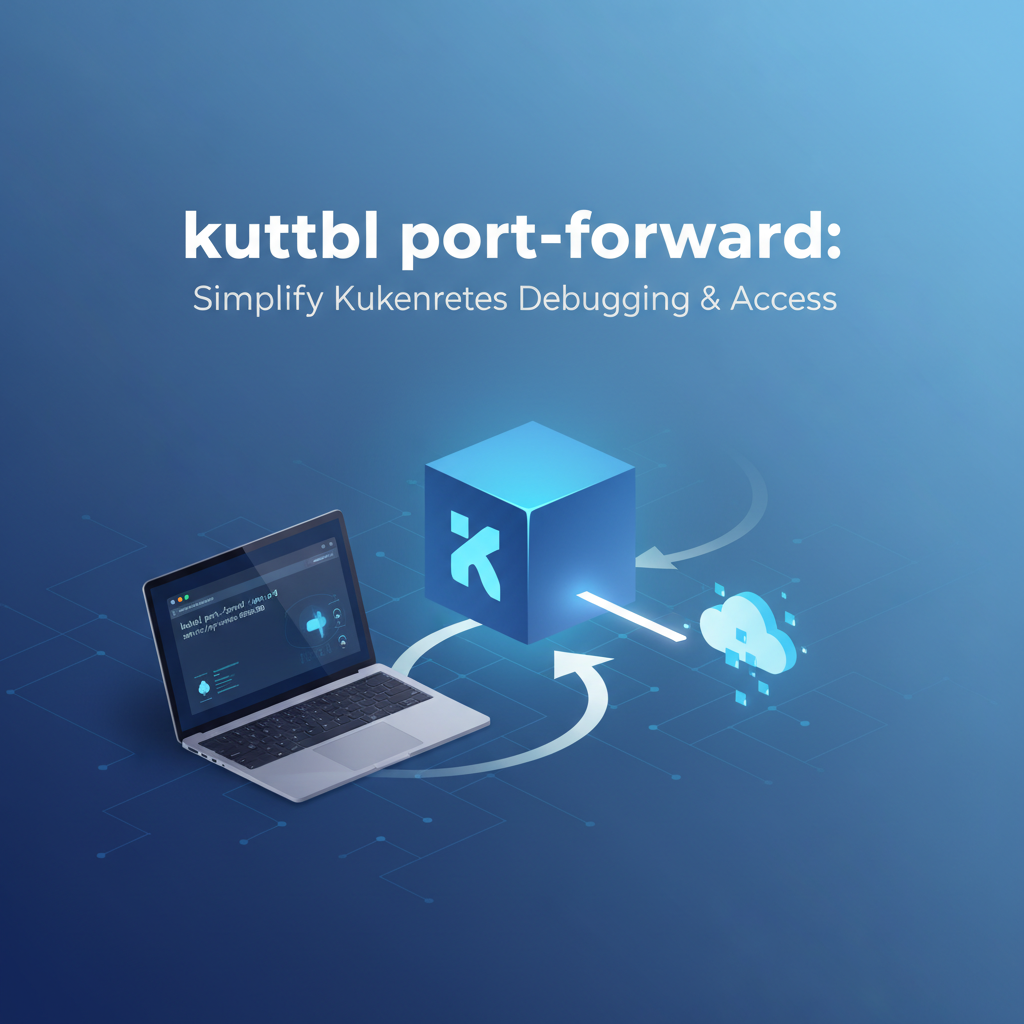
kubectl port forward: Simplify Kubernetes Debugging & Access


Kubernetes, the de facto standard for container orchestration, offers unparalleled power and flexibility in deploying and managing applications at scale. However, this power often comes with an inherent layer of complexity, particularly when it comes to networking and debugging. Applications deployed within a Kubernetes cluster are, by design, isolated from the external world and, often, even from direct access by developers' local machines. While this isolation enhances security and stability, it can pose significant challenges during the development, testing, and troubleshooting phases. How does a developer efficiently inspect a web service running inside a specific pod, connect a local database client to a database service within the cluster, or test an internal API before it's exposed to the public? This is precisely where kubectl port-forward emerges as an indispensable tool – an unsung hero that bridges the gap between your local development environment and the intricate network fabric of your Kubernetes cluster.
In the vast ecosystem of Kubernetes utilities, kubectl port-forward stands out for its simplicity and profound utility. It carves out a direct, secure tunnel from your local machine to a specific port on a pod or service within your cluster, bypassing the complex layers of ingress controllers, load balancers, and network policies that govern external access. This capability transforms the often-daunting task of debugging into a straightforward, interactive process. It allows developers to interact with their containerized applications as if they were running locally, enabling rapid iteration, precise troubleshooting, and confident verification of functionality before widespread deployment. This comprehensive guide will delve deep into the mechanics, use cases, best practices, and advanced considerations of kubectl port-forward, revealing why it is an essential tool in every Kubernetes practitioner's arsenal for simplifying debugging and gaining direct access.
Understanding the Kubernetes Network Model and Its Challenges
Before appreciating the elegance and necessity of kubectl port-forward, it's crucial to grasp the fundamental networking principles within a Kubernetes cluster and the inherent challenges they present for direct access. Kubernetes is designed with a flat network space in mind, where every pod gets its own IP address, and every pod can communicate with every other pod without NAT. However, this ideal within the cluster's boundaries doesn't automatically extend to external access or direct local machine interaction.
At its core, the Kubernetes network model isolates workloads. Pods are the smallest deployable units, each encapsulating one or more containers. Each pod is assigned a unique IP address within the cluster's Pod CIDR range, making it reachable by other pods. Services, on the other hand, provide a stable, abstract IP address and DNS name for a set of pods, acting as an internal load balancer. While a pod's IP address can change if it restarts or is rescheduled, a Service's Cluster IP remains constant, offering a reliable endpoint for internal communication.
However, these Pod IPs and Cluster IPs are typically private to the Kubernetes cluster. They are not routable from outside the cluster, meaning your local laptop, sitting on your corporate network or home Wi-Fi, cannot directly establish a connection to 10.42.0.5 (a typical Pod IP) or 10.43.0.10 (a typical Service IP) because these IP ranges are not exposed or routed through external network infrastructure. This isolation is a critical security feature, preventing unauthorized external access to internal components and minimizing the attack surface.
To expose applications externally, Kubernetes offers several mechanisms:
- NodePort: Exposes a Service on a static port on each Node's IP address. This port is often in a high range (e.g., 30000-32767). Accessing the application then involves connecting to
<NodeIP>:<NodePort>. While it provides external access, it's often cumbersome, requires knowledge of node IPs, and is not suitable for production internet-facing services due to the high port range and direct node exposure. - LoadBalancer: This type of Service creates an external load balancer (if supported by the cloud provider) that distributes traffic to the backing pods. It provides a stable, public IP address or DNS name. This is ideal for production applications requiring public exposure, but it's an infrastructure-heavy solution and often involves provisioning external resources, which might incur costs and take time.
- Ingress: Ingress is not a Service type but an API object that manages external access to services within a cluster, typically HTTP/S. An Ingress Controller (like Nginx Ingress Controller or Traefik) acts as a reverse proxy, routing external traffic to the appropriate backend Service based on rules defined in Ingress resources (e.g., hostnames, paths). Ingress provides more advanced routing, TLS termination, and virtual hosting capabilities, making it the preferred method for exposing multiple HTTP/S services under a single external IP.
While these methods effectively handle external exposure for production-grade applications, they are often overkill or simply inappropriate for the ephemeral, direct access needed during development and debugging. Setting up an Ingress for a quick test of an internal API endpoint, or waiting for a LoadBalancer to provision, significantly slows down the development cycle. Furthermore, many internal services are never meant to be exposed externally through these mechanisms due to security or architectural reasons. Yet, developers still need a way to peek inside, to interact directly with these components from their local environment without altering the cluster's network configuration or compromising security. This is the precise void that kubectl port-forward fills, offering a simple, on-demand, and secure tunnel for temporary, direct access.
What is kubectl port-forward? A Deep Dive into Its Mechanism
At its core, kubectl port-forward is a powerful command-line utility that creates a secure, bidirectional network tunnel between a local port on your machine and a specified port on a pod or service within your Kubernetes cluster. It effectively makes a remote service appear as if it's running on localhost, allowing you to use your local development tools, web browsers, or database clients to interact with it directly. This capability is invaluable for debugging, local development, and accessing internal cluster resources without exposing them publicly.
The mechanism behind kubectl port-forward is a clever orchestration involving several Kubernetes components, working in concert to establish this direct connection:
- Initiation from Your Local Machine: When you execute
kubectl port-forward, yourkubectlclient, running on your local machine, first establishes a secure connection to the Kubernetes API server. This connection uses the same authentication and authorization credentials thatkubectltypically uses to manage your cluster (e.g., viakubeconfig). This initial step is crucial for security, as it ensures that only authorized users can request port forwarding. - API Server as the Orchestrator: Upon receiving the
port-forwardrequest, the Kubernetes API server acts as an orchestrator. It receives the target resource (pod or service name), the remote port within that resource, and optionally the local port you wish to use. The API server doesn't directly handle the data stream itself; instead, it mediates the connection. - Contacting the Kubelet: The API server identifies which node the target pod is running on. It then instructs the
kubeletagent, which runs on that specific node, to establish a connection to the requested port within the target pod. Thekubeletis the primary node agent responsible for managing pods and containers on its node. It exposes an API endpoint for various operations, including exec, logs, and, crucially, port forwarding. - Establishing the Tunnel to the Pod: The
kubeletthen directly connects to the specified port of the application running inside the target pod. This connection is established locally on the Kubernetes node. Thekubeletthen streams the data between yourkubectlclient and the pod's port through the secure connection that was initially established with the API server. This entire path—from yourkubectlclient to the API server, then to thekubelet, and finally into the pod—forms the secure, bidirectional tunnel.
Key Characteristics and Implications of this Mechanism:
- Not a Public Exposure: It's vital to understand that
kubectl port-forwarddoes not expose your service to the public internet. It creates a tunnel only to your local machine. No external firewall rules are modified, no load balancers are provisioned, and no Ingress rules are created. The tunnel exists as long as thekubectl port-forwardcommand is running in your terminal. - Direct-to-Pod/Service Connection: When forwarding to a pod, the connection is directly to that specific pod instance. If that pod restarts or is deleted, the
port-forwardsession will break. When forwarding to a service,kubectlwill identify one of the backing pods associated with that service and establish the tunnel to it. This provides a more stable target, as Kubernetes can select a new healthy pod if the original one becomes unavailable. - Security Context: The security of the
port-forwardoperation relies entirely on Kubernetes Role-Based Access Control (RBAC). A user must have the necessary permissions (specifically,pods/portforwardorservices/portforwardverbs) to initiate a port forward. This prevents unauthorized users from tunneling into sensitive services. - Ephemeral Nature: The tunnel is temporary. Once you terminate the
kubectl port-forwardcommand (e.g., by pressingCtrl+C), the connection is immediately closed. This makes it ideal for ad-hoc debugging and development tasks. - Performance Considerations: While incredibly useful,
port-forwardis not designed for high-throughput, sustained traffic. The data stream passes through thekubectlclient, the API server, and thekubelet, which can introduce some latency and overhead. It's perfectly adequate for interactive debugging, API testing, and connecting local clients, but it's not a substitute for proper external exposure mechanisms (likeLoadBalancerorIngress) for production workloads.
In essence, kubectl port-forward acts as a highly specialized, secure VPN for a single port, providing a development-friendly conduit directly into your Kubernetes cluster. It sidesteps the complexities of external networking, allowing developers to focus on the application logic rather than the intricate dance of network configuration, thereby significantly streamlining the debugging and development workflow.
Syntax and Basic Usage of kubectl port-forward
The kubectl port-forward command is designed for simplicity, yet it offers sufficient flexibility to target various Kubernetes resources and configure the forwarding behavior. Understanding its basic syntax and common variations is crucial for effectively leveraging this powerful tool.
The fundamental structure of the command is as follows:
kubectl port-forward <resource>/<name> [local-port:]remote-port [--address <ip-address>] [--kubeconfig <path>]
Let's break down each component:
kubectl port-forward: The base command that initiates the port-forwarding operation.<resource>/<name>: Specifies the Kubernetes resource you want to forward to. This can be:pod/<pod-name>: To forward to a specific pod. This is the most common use case.service/<service-name>: To forward to a service.kubectlwill then pick one of the healthy pods backing that service to establish the tunnel. This offers more resilience if the targeted pod restarts.deployment/<deployment-name>: To forward to a deployment.kubectlwill identify one of the pods managed by this deployment.replicaset/<replicaset-name>: Similar to deployment, targets a pod in a replica set.- Direct Pod Selection (with labels): You can also specify a pod using its label selector with
-lor directly use the full pod name. If using labels,kubectlwill pick the first matching pod.
[local-port:]remote-port: This specifies the ports involved in the forwarding:remote-port: This is the port inside the target pod or service that your application is listening on. This is a mandatory component. For example, if your Nginx container listens on port80,remote-portwould be80.local-port: This is the port on your local machine that you want to use to access the remote service. It's optional.- If you omit
local-port(e.g.,kubectl port-forward pod/my-pod 8080),kubectlwill use the same port number locally as theremote-port(i.e.,8080:8080). - If you specify
local-port(e.g.,kubectl port-forward pod/my-pod 8080:80), your local machine will listen on8080, and traffic will be forwarded to port80inside the pod. This is useful ifremote-portis already in use locally, or if you prefer a different local port.
- If you omit
--address <ip-address>(Optional): By default,kubectl port-forwardbinds the local port to127.0.0.1(localhost). This means only applications on your local machine can access the forwarded port. If you want to bind to a different local IP address (e.g.,0.0.0.0to make it accessible from other machines on your local network, though caution is advised), you can specify it here.- Example:
kubectl port-forward pod/my-pod 8080:80 --address 0.0.0.0
- Example:
--kubeconfig <path>(Optional): Specifies the path to yourkubeconfigfile if it's not in the default location (~/.kube/config) or if you want to use a different context.
Basic Usage Examples:
Let's illustrate with practical scenarios. Assume you have a Kubernetes deployment named my-web-app running an Nginx server that listens on port 80 inside its pods.
- Forwarding to a Specific Pod (simplest form): First, find the name of one of your pods:
bash kubectl get pods -l app=my-web-app -o name # Output might be: pod/my-web-app-78f9f68897-abcdeThen, forward port80from the pod to port8080on your local machine:bash kubectl port-forward pod/my-web-app-78f9f68897-abcde 8080:80Now, you can open your web browser and navigate tohttp://localhost:8080to access the Nginx server running inside the pod. The command will block your terminal, showing output likeForwarding from 127.0.0.1:8080 -> 80. To stop, pressCtrl+C. - Forwarding to a Service: If you have a service named
my-web-app-servicethat targets your Nginx pods:bash kubectl port-forward service/my-web-app-service 8080:80This is often preferred because if the specific podkubectlchose initially dies,kubectlwill attempt to connect to another healthy pod backing the service, providing more robustness. - Forwarding to a Deployment (convenience): You can directly reference a deployment.
kubectlwill automatically select one of its active pods.bash kubectl port-forward deployment/my-web-app 8080:80 - Using the Same Local and Remote Port: If you want your local machine to listen on the same port as the remote service (e.g.,
8080locally to8080remotely), you can omit thelocal-port:prefix. Suppose your application listens on8080in the pod:bash kubectl port-forward pod/my-app-pod 8080 # This will forward 127.0.0.1:8080 -> pod-ip:8080 - Forwarding Multiple Ports: You can forward multiple ports in a single command by listing them sequentially:
bash kubectl port-forward pod/my-app-pod 8080:80 9000:90 # This forwards local 8080 to remote 80, AND local 9000 to remote 90. - Binding to a Specific Local IP Address: If you need to access the forwarded port from another device on your local network (e.g., a mobile device or a VM on the same host), you can bind to
0.0.0.0. Use with caution, as this makes the port accessible from any network interface on your machine.bash kubectl port-forward pod/my-app-pod 8080:80 --address 0.0.0.0
Other Useful Flags:
-n <namespace>or--namespace <namespace>: Specifies the Kubernetes namespace where the target resource resides. If omitted,kubectluses the current context's default namespace.-l <label-selector>: If you don't know the exact pod name but know its labels, you can use a label selector.kubectlwill then pick one of the pods matching the selector.bash kubectl port-forward -l app=my-web-app 8080:80This is particularly useful when pod names are dynamic (e.g., due to deployments adding hashes).--pod-running-timeout=<duration>: The length of time (e.g.,5s,2m,1h) to wait for a pod to be running beforeport-forwardfails. Defaults to1m0s.
Mastering these basic syntaxes and options provides the foundation for effective debugging and interaction with your Kubernetes services. The ability to quickly establish a direct, temporary link to any internal service is a game-changer for developer productivity and troubleshooting efficiency.
Practical Use Cases: Where kubectl port-forward Shines
kubectl port-forward is not just a theoretical concept; it's a workhorse in the daily life of any developer or operator interacting with Kubernetes. Its ability to create a direct, ephemeral tunnel unlocks a myriad of practical use cases that dramatically simplify debugging, accelerate local development, and streamline access to internal services. Let's explore some of the most common and impactful scenarios where kubectl port-forward truly shines.
1. Debugging Web Applications and APIs
One of the most frequent applications of kubectl port-forward is gaining direct access to web servers, RESTful APIs, or GraphQL endpoints running inside a pod. Imagine you've deployed a new version of your microservice, and you suspect an issue with its API.
- Scenario: Your
my-backend-servicepod is running an API on port8080. - Problem: You need to test a specific endpoint
GET /api/v1/usersto ensure it returns the correct data. - Solution:
bash kubectl port-forward service/my-backend-service 8000:8080Now, from your local browser,curl, Postman, Insomnia, or any API client, you can hithttp://localhost:8000/api/v1/users. You're directly interacting with the API running inside the Kubernetes cluster, bypassing any Ingress or LoadBalancer setup, and getting immediate feedback. This is invaluable for verifying request/response cycles, checking error handling, and confirming data integrity without deploying to a staging environment with public exposure. If you observe an issue, you can quickly make changes locally, rebuild, push, and re-test.
2. Connecting Local GUI Clients to In-Cluster Databases or Caches
Many applications rely on databases (MySQL, PostgreSQL, MongoDB, Redis) or message queues (Kafka, RabbitMQ) that are also deployed within Kubernetes. While these services typically have internal-only exposure, developers often need to connect a local GUI client (e.g., DBeaver, pgAdmin, RedisInsight, DataGrip) to inspect data, execute queries, or monitor queues directly.
- Scenario: Your
order-processingapplication uses apostgresdatabase deployed as a StatefulSet in Kubernetes, listening on the standard port5432. - Problem: You need to verify some data entries directly using your local SQL client.
- Solution:
bash kubectl port-forward service/postgres-service 5432:5432Once this command is running, you can configure your local PostgreSQL client to connect tolocalhost:5432with the appropriate credentials. Your client will then establish a connection directly to the PostgreSQL instance running inside the Kubernetes pod. This dramatically simplifies data inspection and ad-hoc query execution without needing tokubectl execinto the pod and use command-line tools. The same principle applies to Redis (6379), MongoDB (27017), and other data stores.
3. Local Development Workflow Integration
kubectl port-forward is a cornerstone for creating efficient hybrid development environments where some components run locally and others remotely in Kubernetes.
- Scenario: You are developing a new frontend application locally, but it needs to communicate with a backend API that's already deployed and running in Kubernetes.
- Problem: The local frontend cannot directly reach the backend
apiservice because it's internal to the cluster. - Solution:
bash kubectl port-forward service/my-backend-service 3001:8080Now, your local frontend, running onlocalhost:3000, can make API calls tohttp://localhost:3001/apiand have them seamlessly routed to themy-backend-servicein Kubernetes. This allows developers to rapidly iterate on their local code while relying on a stable, shared backend environment in the cluster, avoiding the overhead of running all services locally. This setup is particularly useful for microservices architectures, enabling developers to focus on one service at a time.
4. Testing Internal Services and Gateways
Many Kubernetes deployments feature internal services that act as intermediate api proxies, data processors, or even internal api gateway components not meant for external exposure. These might be part of a larger open platform strategy where internal APIs are consumed by other internal services. Developers often need to test these internal components.
- Scenario: You have an internal
api gatewayservice,internal-gateway, which processes requests before forwarding them to various microservices. Thisgatewayis not exposed externally. - Problem: You need to test the routing logic and transformations performed by
internal-gateway. - Solution:
bash kubectl port-forward service/internal-gateway 8080:80You can then send requests tohttp://localhost:8080from your local machine, effectively treating your internalapi gatewayas if it were running locally. This allows for thorough testing of the gateway's functionality, its interactions with backend services, and its internal routing mechanisms without impacting external traffic or requiring a public endpoint.
This is also a prime area where solutions like APIPark come into play for more structured and managed API access. While kubectl port-forward provides an excellent ad-hoc and temporary way to access internal APIs for debugging, for a full-fledged open platform that aims to integrate 100+ AI models, unify API formats, and manage the entire API lifecycle with security and team sharing, a dedicated api gateway and API management platform is indispensable. APIPark, as an open-source AI gateway and API developer portal, offers a comprehensive solution for managing, integrating, and deploying AI and REST services. It transforms internal APIs into well-governed, discoverable, and secure assets, offering features like end-to-end API lifecycle management, performance rivaling Nginx, and detailed call logging – far beyond the temporary access port-forward provides. So, while port-forward helps debug a single api or gateway instance, APIPark scales that concept to a robust, enterprise-grade open platform for all your API needs.
5. Troubleshooting Network Issues and Service Connectivity
When a service isn't behaving as expected, kubectl port-forward can be a powerful diagnostic tool for isolating network problems.
- Scenario: You suspect your
payment-processorpod isn't listening on the correct port, or there's an issue with the application starting up. - Problem: You need to verify if the application within the pod is indeed listening on port
8080. - Solution:
bash kubectl port-forward pod/payment-processor-pod 8080:8080If the command successfully establishes the tunnel, it means the pod is listening on8080. If it fails with "Error dialing backend: dial tcp ... connection refused", it strongly suggests that nothing is listening on port8080inside the pod, or the application crashed. This quickly narrows down the problem from network configuration to the application itself.
6. Accessing Admin Interfaces and Metrics Endpoints
Many applications and infrastructure components provide web-based admin interfaces or /metrics endpoints for health checks and observability, which are typically not exposed externally.
- Scenario: Your Kafka broker running in a pod exposes a JMX exporter on port
8080for Prometheus to scrape, but it's not exposed via a Service or Ingress. - Problem: You want to quickly check the raw metrics data directly from your browser.
- Solution:
bash kubectl port-forward pod/kafka-broker-0 8080:8080Then navigate tohttp://localhost:8080/metricsin your browser. This provides an immediate view of the raw metrics, invaluable for debugging monitoring setups or understanding the real-time state of the application. Similar use cases apply to accessing custom admin dashboards, log viewers, or profiling tools that run inside pods.
In all these scenarios, kubectl port-forward offers a fast, secure, and temporary solution to a common problem: how to interact directly with isolated resources within a Kubernetes cluster. It empowers developers and operators to work more efficiently, reducing friction and accelerating the path from code to production.
Advanced Scenarios and Considerations
While kubectl port-forward is straightforward for basic use, understanding its nuances, advanced features, and important considerations like security and performance is vital for sophisticated debugging and efficient workflow integration.
Targeting Specific Containers within a Multi-Container Pod
In Kubernetes, a pod can contain multiple containers (often referred to as a "sidecar pattern"). By default, kubectl port-forward targets the first container in the pod or attempts to infer the correct one. However, if you need to forward a port to a specific container within a multi-container pod, you can specify the container name using the --container or -c flag.
- Scenario: You have a
data-processorpod with two containers:main-app(listening on 8080) andmetrics-sidecar(listening on 9090). You want to access themetrics-sidecar. - Solution:
bash kubectl port-forward pod/data-processor-pod 9090:9090 --container metrics-sidecarThis ensures that the tunnel is established specifically to themetrics-sidecarcontainer, preventing ambiguity and allowing precise targeting of services within complex pods.
Backgrounding the Process for Continuous Forwarding
Running kubectl port-forward directly in your terminal will block it, displaying the forwarding status. For temporary, quick checks, this is fine. However, for longer debugging sessions or integration with scripts, you might want to run it in the background.
- Using
&(Bash/Zsh): The simplest way is to append&to the command:bash kubectl port-forward service/my-backend 8000:8080 &This will run the command in the background, freeing up your terminal. You can then usejobsto manage it, orkill %<job_number>to terminate it. - Using
nohuportmux/screen: For more robust backgrounding that persists even if you close your terminal session,nohupor terminal multiplexers liketmuxorscreenare excellent choices.bash nohup kubectl port-forward service/my-backend 8000:8080 > /dev/null 2>&1 &This starts theport-forwardcommand in the background, detaches it from the terminal, and redirects its output to/dev/null. You would then need to find its process ID (ps aux | grep port-forward) to kill it later.tmuxorscreenoffer a more interactive way to manage multiple terminal sessions, including backgrounding.
Security Implications and Best Practices
While kubectl port-forward is a secure tool in terms of its mechanism (encrypted tunnel, RBAC-controlled), its misuse can still create security vulnerabilities.
- Bypassing Network Policies: When you
port-forwardto a pod, you are creating a direct tunnel that effectively bypasses any Kubernetes Network Policies that might restrict ingress to that pod. This is by design, as it's meant for debugging, but it means that if an attacker gains control of your local machine and yourkubeconfig, they could potentiallyport-forwardinto sensitive services even if those services are protected by strict network policies. - Principle of Least Privilege: Always ensure that users only have the necessary RBAC permissions for
port-forwarding. Grantingpods/portforwardorservices/portforwardpermissions should be done judiciously, ideally scoped to specific namespaces or even specific resources where necessary. Avoid granting cluster-wideport-forwardaccess unless absolutely required for an admin role. - Local Machine Security: The security of your
port-forwardtunnel is highly dependent on the security of your local machine. If your machine is compromised, the attacker could potentially leverage your activeport-forwardsessions or initiate new ones. - Auditing and Logging: While
kubectl port-forwardoperations themselves are typically logged by the Kubernetes API server, the actual data flowing through the tunnel is not usually logged by Kubernetes components. Organizations with strict security requirements might need to implement additional local logging or network monitoring tools to trackport-forwardusage, especially if0.0.0.0is allowed for--address. - Avoid Public Exposure: Never use
kubectl port-forwardwith--address 0.0.0.0in scenarios where your local machine is publicly accessible, or where exposing the port to your local network could lead to unauthorized access to internal Kubernetes services. It's designed for developer-centric, constrained access.
Performance Considerations
kubectl port-forward is ideal for interactive debugging and development, but it's crucial to understand its performance characteristics and limitations.
- Latency: The data path involves your
kubectlclient, the API server, thekubelet, and then the target application. Each hop introduces some overhead and latency. While negligible for typical debugging tasks (e.g., loading a web page, running a few API calls, inspecting database entries), it can become noticeable for high-throughput data transfers or real-time applications. - Throughput:
port-forwardis not engineered for maximum network throughput. It's a single-stream tunnel. For applications requiring sustained, high-bandwidth connections, it will likely not perform as well as direct network access or dedicated external exposure mechanisms. - CPU/Memory Usage: The
kubectlclient on your local machine will consume some CPU and memory to manage the tunnel. For a few concurrent sessions, this is minimal, but managing manyport-forwardsessions simultaneously could impact your local machine's resources. - Intended Use: Always remember
port-forwardis a debugging and development tool, not a production-grade externalization solution. For production traffic, rely onNodePort,LoadBalancer, orIngresswhich are optimized for scale, resilience, and performance.
Alternatives and When to Use Them
While kubectl port-forward is powerful, it's essential to know when other tools might be more appropriate.
kubectl exec: For direct command-line interaction within a pod (e.g., runningbash, inspecting files, executing scripts),kubectl exec -it <pod-name> -- bashis the command of choice. It doesn't create a network tunnel but gives you shell access.kubectl logs: For viewing application logs from a pod,kubectl logs <pod-name>is simple and effective.- VPN Solutions: For full network access to your Kubernetes cluster's private network from your local machine, a Virtual Private Network (VPN) solution (e.g., OpenVPN, WireGuard, or cloud provider VPNs) is the most comprehensive approach. A VPN places your local machine directly into the cluster's network, allowing direct routing to Pod IPs and Service IPs without
port-forwardfor every service. This is often preferred for more integrated development environments or for operations teams needing broad access. - Service Meshes (e.g., Istio, Linkerd): Service meshes provide advanced traffic management, observability, and security features within the cluster. While they don't replace
port-forwardfor local debugging, they offer sophisticated ways to manage internal service communication, including advanced routing, retry policies, and circuit breaking. Some service meshes also offer their own mechanisms for debugging traffic, but these are typically different from the direct tunnelport-forwardprovides. - Development Tools with Kubernetes Integration: Tools like Telepresence, Skaffold, and Tilt are designed to integrate your local development environment with remote Kubernetes clusters more seamlessly, often abstracting away
port-forwardor enhancing its capabilities for a smoother developer experience. Telepresence, for instance, can intercept traffic to a specific service in the cluster and redirect it to a locally running version of your application.
Choosing the right tool depends on your specific goal: port-forward for quick, direct, temporary access; exec for command-line interaction; VPN for full network integration; and production exposure mechanisms for external-facing services. Understanding these advanced scenarios and alternatives allows for a more effective and secure interaction with your Kubernetes environments.
APIPark is a high-performance AI gateway that allows you to securely access the most comprehensive LLM APIs globally on the APIPark platform, including OpenAI, Anthropic, Mistral, Llama2, Google Gemini, and more.Try APIPark now! 👇👇👇
Troubleshooting Common kubectl port-forward Issues
Even with its relative simplicity, kubectl port-forward can sometimes throw errors or behave unexpectedly. Understanding common issues and their resolutions can save significant debugging time.
1. "Unable to listen on port...": Local Port Already in Use
This is perhaps the most frequent error encountered. It means the local-port you specified (or the remote-port if you didn't specify a local-port) is already being used by another process on your local machine.
- Error Message Examples:
E0620 10:30:45.123456 12345 portforward.go:400] error creating listener: unable to listen on port 8080: Listen: address already in useF0620 10:30:45.123456 12345 portforward.go:234] Failed to start listening on 127.0.0.1:8080: listen tcp 127.0.0.1:8080: bind: address already in use
- Resolution:
- Change
local-port: The easiest solution is to specify a differentlocal-portthat is currently free.bash # Instead of 8080:80, try 8000:80 kubectl port-forward service/my-web-app 8000:80 - Identify and Kill Conflicting Process: If you need to use that specific local port, you'll need to find and terminate the process that's currently using it.
- Linux/macOS:
bash sudo lsof -i :8080 # This will show the process ID (PID) kill <PID> - Windows (PowerShell):
powershell netstat -ano | Select-String "8080" # Look for the PID in the last column Stop-Process -Id <PID> -Force
- Linux/macOS:
- Check for Other
port-forwardSessions: Sometimes, you might have anotherkubectl port-forwardcommand running in a different terminal session. Terminate any previousport-forwardsessions that might be occupying the desired port.
- Change
2. "Error dialing backend: dial tcp... connection refused": Application Not Listening or Wrong Port
This error indicates that kubectl successfully established a tunnel to the pod, but when it tried to connect to the remote-port inside the pod, nothing was listening, or the application refused the connection.
- Error Message Example:
E0620 10:35:00.123456 12345 portforward.go:400] error dialing backend: dial tcp 10.42.0.12:8080: connect: connection refusederror: unable to forward port 8080 to pod 12345678-abcd, target port 8080 is not listening
- Resolution:
- Verify
remote-port: Double-check that theremote-portyou specified is indeed the port your application inside the pod is listening on. This is a common mistake. Refer to your application's configuration or Dockerfile. - Check Pod/Application Status:
- Is the pod actually running and healthy? Use
kubectl get podsandkubectl describe pod <pod-name>. - Is the application within the pod started correctly and listening on the specified port? Use
kubectl logs <pod-name>to check application startup logs. You might alsokubectl exec -it <pod-name> -- netstat -tulnp(orss -tulnpfor newer Linux) to see what ports are open inside the container.
- Is the pod actually running and healthy? Use
- Correct Pod/Service Name: Ensure you're targeting the correct pod or service name. A typo can lead to
port-forwardtrying to connect to a non-existent or wrong resource.
- Verify
3. "Error from server (NotFound): pods "..." not found": Incorrect Resource Name or Namespace
This error means kubectl couldn't find the specified pod, service, or deployment.
- Error Message Example:
Error from server (NotFound): pods "my-app-xyz123" not foundError from server (NotFound): services "my-service" not found
- Resolution:
- Verify Name: Carefully re-check the spelling of the pod, service, or deployment name. Kubernetes resource names are case-sensitive.
- Verify Namespace: Ensure you are in the correct Kubernetes namespace. If the resource is in a different namespace, use the
-n <namespace-name>flag.bash kubectl port-forward pod/my-app-pod 8080:80 -n my-app-namespace - Verify Resource Type: Make sure you're using the correct resource type prefix (e.g.,
pod/,service/,deployment/).
4. Kubernetes RBAC Permissions Issues
If your Kubernetes user account lacks the necessary permissions to perform port-forward operations, kubectl will report an authorization error.
- Error Message Example:
Error from server (Forbidden): User "developer" cannot portforward pods in namespace "default"Error from server (Forbidden): pods "my-app-pod" is forbidden: User "..." cannot portforward on resource "pods" in API Group "" in the namespace "default"
- Resolution:
- Check Your RBAC: This requires an administrator. The administrator needs to grant your user account (or the service account associated with your
kubeconfig) thepods/portforwardorservices/portforwardverb on the target resource within the appropriate namespace. This is typically done via aRoleandRoleBinding.- Example
Rolesnippet for a specific namespace: ```yaml apiVersion: rbac.authorization.k8s.io/v1 kind: Role metadata: name: port-forward-reader namespace: my-app-namespace rules:- apiGroups: [""] resources: ["pods", "pods/portforward"] verbs: ["get", "list", "portforward"] ``` Then bind this role to your user.
- Example
- Switch Context: If you have multiple
kubeconfigcontexts, ensure you are using the one with appropriate permissions for the cluster and namespace you are trying to access.kubectl config use-context <context-name>.
- Check Your RBAC: This requires an administrator. The administrator needs to grant your user account (or the service account associated with your
5. Local Firewall Issues
Sometimes, the kubectl port-forward command itself might run successfully, but you still can't access localhost:<local-port> from your browser or client. This can be due to a local firewall blocking the connection.
- Resolution:
- Check Local Firewall: Temporarily disable your local firewall (e.g., Windows Defender Firewall, macOS Gatekeeper,
ufwon Linux) to see if that resolves the issue. If it does, you'll need to configure an exception for the specific local port you're using. - Binding Address: If you used
--address 0.0.0.0and can't connect from another machine, ensure that0.0.0.0is correctly configured and not blocked by local network settings or your host's firewall. For most cases, sticking to the default127.0.0.1is safer and less prone to firewall issues unless explicitly needed.
- Check Local Firewall: Temporarily disable your local firewall (e.g., Windows Defender Firewall, macOS Gatekeeper,
By systematically going through these troubleshooting steps, you can quickly diagnose and resolve most kubectl port-forward issues, ensuring smooth and uninterrupted debugging workflows.
Best Practices for Using kubectl port-forward
Leveraging kubectl port-forward effectively goes beyond understanding its syntax; it involves adopting best practices that ensure security, efficiency, and maintainability in your Kubernetes development and debugging workflows.
1. Ephemeral Use is Key
kubectl port-forward is inherently an ephemeral tool. Its primary purpose is for short-term, on-demand access for debugging, testing, or development.
- Avoid Permanent Solutions: Never treat
port-forwardas a permanent solution for exposing services. For services that need persistent, reliable, and scalable external access, always configure proper Kubernetes Services (NodePort, LoadBalancer) or Ingress resources. Relying onport-forwardfor anything other than temporary interactive use will lead to brittle systems, security risks, and operational headaches. - Terminate Sessions: Always remember to terminate
port-forwardsessions when you are done. Leaving them running unnecessarily consumes local machine resources, keeps connections open, and can potentially introduce security risks if your local environment is compromised later. A simpleCtrl+Cin the terminal whereport-forwardis running is usually sufficient. If run in the background, identify and kill the process.
2. Adhere to the Principle of Least Privilege (RBAC)
Security in Kubernetes is paramount, and port-forward capabilities should be tightly controlled through Role-Based Access Control (RBAC).
- Specific Permissions: Grant users or service accounts only the
pods/portforwardorservices/portforwardpermissions they absolutely need. Ideally, these permissions should be scoped to specific namespaces where a developer is working, rather than granting cluster-wide access. - Avoid Over-Privilege: Do not grant
port-forwardpermissions to roles that don't explicitly require them, especially automation accounts or CI/CD pipelines unless there's a very specific, carefully audited use case (which is rare forport-forward). - Audit Regularly: Periodically review your RBAC configurations to ensure that
port-forwardpermissions are not over-granted or held by users who no longer need them.
3. Choose the Right Target: Pod vs. Service
When deciding whether to forward to a pod or a service, consider the resilience and stability you need for your debugging session.
- Forward to a
Servicefor Stability: If you're debugging an application that is part of a Deployment or StatefulSet, forwarding to theServicethat targets those pods (kubectl port-forward service/my-service 8000:80) is generally more robust. If the specific pod thatkubectlinitially picked crashes or is rescheduled,kubectlwill attempt to re-establish the tunnel to another healthy pod behind the service. - Forward to a
Podfor Specificity: Forwarding directly to apod(kubectl port-forward pod/my-app-1234-abcde 8000:80) is useful when you need to interact with a specific instance of a pod, perhaps one that's exhibiting a particular bug, or for debugging a single-replica application. Be aware that if that specific pod restarts or is deleted, yourport-forwardsession will break. - Use Label Selectors: When dealing with dynamic pod names, using a label selector with
kubectl port-forward -l app=my-app 8000:80is a convenient way to target pods without needing their full, often hashed, names.
4. Document Usage and Share Knowledge
In team environments, it's beneficial to document common port-forward commands for frequently accessed services.
- Team Wikis/Docs: Keep a record of common
port-forwardcommands for internal services, databases, or APIgatewaycomponents that developers frequently need to access. This can be part of your project'sREADME.mdor an internal developer portal. - Consistent Local Ports: If possible, establish conventions for local ports (e.g., always use
8000for the mainapiservice,5432for PostgreSQL). This reduces conflicts and makes it easier for team members to remember and use.
5. Be Mindful of --address 0.0.0.0
While --address 0.0.0.0 allows the forwarded port to be accessible from other devices on your local network, it also opens up a potential security vector.
- Use with Caution: Only use this flag when you explicitly need other machines on your local network to access the forwarded port, and you are absolutely confident about the security of your local network segment.
- Local Firewall: If using
0.0.0.0, ensure your local machine's firewall is configured correctly to allow traffic to that port only from trusted sources, or consider the risks involved. For most personal debugging, binding to the default127.0.0.1is sufficient and safer.
6. Consider Automation for Integration Testing (Carefully)
While primarily a manual debugging tool, port-forward can sometimes be temporarily used in automated integration tests, though this requires careful consideration.
- Ephemeral Automation: For specific, isolated integration tests in a CI/CD pipeline, a
port-forwardmight be initiated to allow a test suite to connect to a service within the cluster, and then immediately terminated. This is a niche use case and should not be a general strategy. - Alternatives Preferred: For robust CI/CD integration, exposing services via internal cluster DNS names, or dedicated test
open platformenvironments with accessibleapi gateways, are usually better and more scalable approaches than relying onport-forward.
By adhering to these best practices, you can maximize the utility of kubectl port-forward while maintaining a secure, efficient, and collaborative development environment within your Kubernetes ecosystem.
The Role of kubectl port-forward in a Modern Kubernetes Ecosystem
In the dynamic and rapidly evolving landscape of container orchestration, where microservices, serverless functions, and complex networking patterns are the norm, kubectl port-forward retains its indispensable status. Far from being rendered obsolete by more sophisticated tools, it complements them, serving as a fundamental primitive for direct, low-level access that advanced abstractions often intentionally obscure.
Kubernetes ecosystems are built on layers of abstraction: pods abstract containers, services abstract pods, ingresses abstract services, and service meshes add further layers for traffic management, security, and observability. Each layer is designed to solve specific challenges at scale and provide resilience, but during development and debugging, these layers can become barriers. This is precisely where kubectl port-forward asserts its unique value.
It acts as a direct conduit, providing a "cheat code" to bypass these layers when necessary for individual human interaction. When you are writing code and iterating rapidly, you don't always want to wait for an Ingress controller to propagate rules or for a LoadBalancer to provision. You want immediate feedback from the actual service running in the cluster. This immediate feedback loop is critical for developer productivity.
Consider its role alongside more robust api gateway solutions and open platform strategies. While an api gateway like APIPark is designed to be the central point of ingress for external traffic, providing API lifecycle management, security, rate limiting, and analytics for a myriad of APIs (including AI models), kubectl port-forward is for the developer wanting to test a specific API instance before it even reaches that gateway. APIPark manages the public-facing, governed, and productized aspects of your APIs, offering an open platform for partners and internal teams to discover and consume services. Port-forward helps build and debug the individual components that eventually become part of that open platform or are managed by APIPark's advanced api gateway capabilities.
Furthermore, kubectl port-forward reinforces the "shift-left" philosophy in DevOps, empowering developers to find and fix issues earlier in the development cycle. Instead of deploying to a staging environment and relying solely on external tools or logs, developers can use port-forward to interact with their code in a near-production environment from their local machine, mimicking the operational context closely. This reduces the time and cost associated with late-stage bug discovery.
It also serves as a crucial component for integration with local development tools. Modern IDEs, debuggers, and data clients can all seamlessly integrate with services exposed via port-forward, making the experience of working with Kubernetes applications almost identical to working with locally run applications. This bridges the cognitive gap between local development and cloud-native deployment.
In summary, kubectl port-forward is not a replacement for comprehensive networking solutions, api gateway platforms like APIPark, or sophisticated debugging frameworks. Instead, it is a foundational, lightweight, and incredibly effective tool that perfectly complements them. It offers the direct, immediate access necessary for day-to-day development and debugging, ensuring that the complexity of Kubernetes networking doesn't hinder developer velocity. It remains a powerful testament to the principle that sometimes, the simplest solutions are the most indispensable.
Conclusion: Empowering Developers with Direct Access
Navigating the intricate landscape of Kubernetes networking can often feel like peering into a black box. The inherent isolation and robust security measures that make Kubernetes so powerful for production deployments can simultaneously create significant friction for developers during the critical phases of building, testing, and debugging applications. This is precisely the chasm that kubectl port-forward bridges with remarkable simplicity and effectiveness.
Throughout this extensive exploration, we have delved into the core mechanics of kubectl port-forward, understanding how it meticulously constructs a secure, bidirectional tunnel from your local machine directly to a target pod or service within your Kubernetes cluster. We've seen its practical utility in a diverse array of scenarios, from rapidly debugging web applications and connecting local GUI clients to in-cluster databases, to integrating seamlessly with local development workflows and troubleshooting elusive network issues. It empowers developers to interact with their containerized applications as if they were running locally, fostering a culture of rapid iteration and confident verification.
While port-forward is an invaluable ephemeral tool, we also discussed its critical considerations: the importance of security best practices, the nuances of targeting specific containers, and understanding its performance implications. We underscored that port-forward is a developer's debugging utility, not a production-grade exposure mechanism, emphasizing the need for robust api gateway solutions like APIPark for managing a secure and scalable open platform of APIs. APIPark provides the lifecycle governance, integration, and performance needed for a comprehensive API strategy, allowing port-forward to remain focused on its core strength: enabling direct, on-demand, and temporary access.
Ultimately, kubectl port-forward is more than just a command; it's a fundamental capability that significantly enhances developer productivity and reduces the cognitive load associated with Kubernetes. It demystifies the network, providing a clear window into the heart of your applications running in the cluster. For any individual or team operating within the Kubernetes ecosystem, mastering kubectl port-forward is not merely an advantage—it is an absolute necessity, simplifying complex environments and empowering developers with the direct access they need to build, debug, and deploy with unparalleled efficiency.
Comparison Table: kubectl port-forward vs. Other Kubernetes Exposure Methods
| Feature / Method | kubectl port-forward |
Service (NodePort) |
Service (LoadBalancer) |
Ingress |
|---|---|---|---|---|
| Primary Use Case | Local debugging, development, temporary access, direct inspection of internal services. | Exposing a service on a static port on each node; primarily for testing or specific scenarios where node IP is known. | Exposing a service publicly via an external cloud load balancer; for production public-facing services. | Advanced HTTP/S routing for multiple services, host-based routing, path-based routing, TLS termination; for complex public-facing web applications. |
| Scope of Access | Local machine only (or local network if --address 0.0.0.0 used with caution). |
Accessible from outside the cluster via NodeIP:NodePort. |
Accessible from the internet via a dedicated public IP/hostname. | Accessible from the internet via a public IP/hostname, managed by an Ingress controller. |
| Security | High (RBAC-controlled tunnel, local access by default). Bypasses network policies for specific pod. | Medium (exposes high ports on all nodes; requires node-level firewall rules). | High (uses cloud provider security features). | High (managed by Ingress controller, supports TLS, WAF integration common). |
| Persistence | Ephemeral (lasts as long as command runs). | Persistent (as long as Service exists). | Persistent (as long as Service exists). | Persistent (as long as Ingress resource exists). |
| Configuration | Command-line (simple). | Service manifest (YAML). | Service manifest (YAML, cloud-provider specific). | Ingress manifest (YAML), Ingress Controller setup. |
| Complexity | Low | Low-Medium | Medium (depends on cloud provider). | Medium-High (requires Ingress Controller and rules). |
| Traffic Handling | Single stream tunnel, not for high throughput. | Basic load balancing to pods (via kube-proxy). | Advanced load balancing, health checks (cloud provider managed). | Advanced routing, path rewrite, SSL offloading (Ingress Controller managed). |
| Cost Implications | None (uses local resources). | None (uses existing cluster nodes). | Potentially significant (cloud provider load balancer charges). | Potentially some for Ingress Controller resources, but often less than multiple LoadBalancers. |
| Example | kubectl port-forward service/my-app 8080:80 |
apiVersion: v1 kind: Service spec: type: NodePort |
apiVersion: v1 kind: Service spec: type: LoadBalancer |
apiVersion: networking.k8s.io/v1 kind: Ingress |
Frequently Asked Questions (FAQ)
1. What is the primary purpose of kubectl port-forward?
The primary purpose of kubectl port-forward is to create a secure, temporary, and direct network tunnel from your local machine to a specific port on a pod or service inside your Kubernetes cluster. This allows developers to access internal applications, databases, or APIs as if they were running on localhost, facilitating rapid debugging, testing, and local development without exposing these resources publicly or modifying cluster networking configurations.
2. Is kubectl port-forward secure for production use?
No, kubectl port-forward is not intended for production use or exposing services to external traffic. It's a development and debugging tool. While the tunnel itself is secured (using the same authentication as your kubectl commands), it's ephemeral, requires manual initiation, and bypasses many of Kubernetes' network policies and security features designed for production. For production exposure, always use NodePort, LoadBalancer, or Ingress resources, often complemented by an api gateway like APIPark for advanced API management and security.
3. What's the difference between kubectl port-forward and kubectl exec?
kubectl port-forward creates a network tunnel to a specific port of a running process inside a pod, allowing you to interact with network services (like a web server or database) from your local machine. In contrast, kubectl exec provides direct command-line access to a running container within a pod, allowing you to run shell commands, inspect files, or execute scripts as if you were logged into the container's operating system. They serve different purposes for interacting with pods.
4. Can I port-forward to a service that doesn't have an external IP?
Absolutely, and this is one of its most powerful features! kubectl port-forward is specifically designed to access internal Kubernetes services that do not (and should not) have external IP addresses or public exposure. It tunnels directly to a pod backing the specified Service, bypassing any external networking considerations. This makes it ideal for debugging internal microservices, databases, or custom api gateway components that are part of your cluster's private network.
5. My kubectl port-forward command failed with "address already in use". How do I fix this?
This error indicates that the local-port you are trying to use on your machine is already occupied by another process. To resolve this, you have two main options: 1. Change the local port: Specify a different, unused local port in your kubectl port-forward command (e.g., kubectl port-forward service/my-app 8000:80 instead of 8080:80). 2. Identify and terminate the conflicting process: Use operating system tools (like lsof -i :<port> on Linux/macOS or netstat -ano | Select-String "<port>" on Windows) to find the process using the port and then terminate it. Remember to check for any other kubectl port-forward sessions that might still be running in the background.
🚀You can securely and efficiently call the OpenAI API on APIPark in just two steps:
Step 1: Deploy the APIPark AI gateway in 5 minutes.
APIPark is developed based on Golang, offering strong product performance and low development and maintenance costs. You can deploy APIPark with a single command line.
curl -sSO https://download.apipark.com/install/quick-start.sh; bash quick-start.sh

In my experience, you can see the successful deployment interface within 5 to 10 minutes. Then, you can log in to APIPark using your account.

Step 2: Call the OpenAI API.