Master `jwt.io`: Decode, Verify & Secure JSON Web Tokens
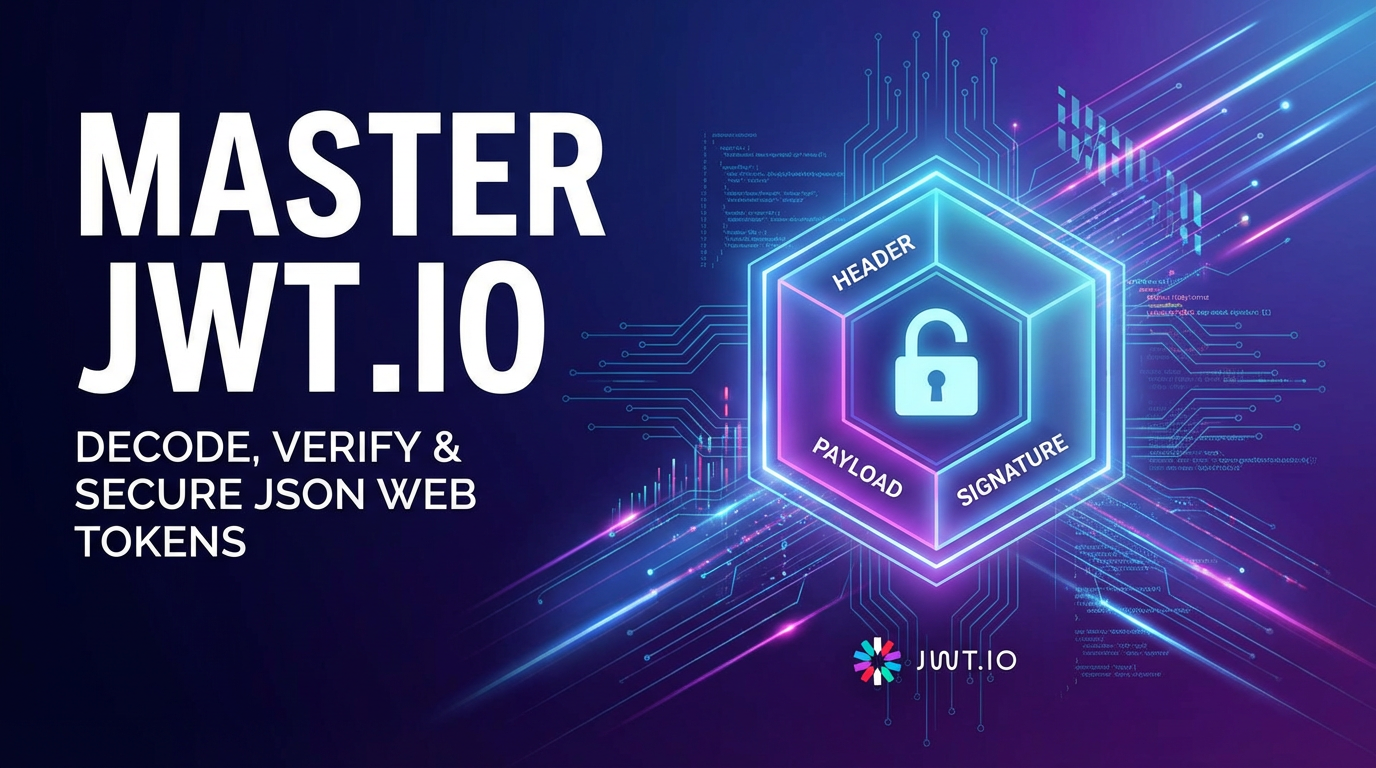


In the intricate tapestry of modern web development, where applications communicate across a myriad of services and devices, the need for robust, scalable, and secure authentication and authorization mechanisms has never been more paramount. Amidst this complexity, JSON Web Tokens (JWTs) have emerged as a foundational technology, offering a compact, URL-safe means of transmitting information between parties as a JSON object. Far from being a mere buzzword, JWTs empower developers to build stateless, distributed systems with enhanced security and efficiency. At the heart of mastering this powerful standard lies jwt.io, an indispensable online toolkit that serves as a decoder, verifier, and educational resource, providing unparalleled insight into the inner workings of these tokens. This comprehensive guide will delve deep into the principles, practices, and profound implications of JWTs, navigating through their structure, security considerations, and their indispensable role within the broader API ecosystem, including the critical functions performed by an API gateway and the fundamental interactions with any api endpoint.
The modern digital landscape is characterized by its reliance on interconnected services. Every mobile application, single-page application, and microservice architecture interacts through Application Programming Interfaces, or APIs. Securing these APIs is not merely an option but a strict necessity to protect sensitive data and maintain system integrity. This is precisely where JWTs shine, providing a standardized, self-contained method for clients and servers to exchange authenticated information. However, the theoretical understanding of JWTs is only half the battle; practical application and rigorous verification are equally crucial. jwt.io acts as the bridge between theory and practice, offering a transparent window into any JWT, allowing developers to meticulously examine its components, debug issues, and validate its authenticity. Without such a tool, the intricate details hidden within a token would remain opaque, hindering effective development and troubleshooting. Furthermore, as systems scale and become more distributed, the role of an API gateway becomes increasingly vital, acting as the centralized enforcement point for security policies, including the validation and processing of these very JWTs, before requests are routed to downstream services. The broader concept of a gateway in any network architecture inherently implies a point of control and security, a role perfectly suited for handling the intricacies of JWT validation.
Unveiling the Anatomy of JSON Web Tokens: The Core Mechanics
To truly master JWTs, one must first grasp their fundamental structure and purpose. A JSON Web Token is a compact, URL-safe means of representing claims to be transferred between two parties. These claims are pieces of information regarding an entity (typically, a user) and additional metadata. The beauty of JWTs lies in their self-contained nature: they hold all the necessary information, removing the need for the server to constantly query a database to validate a session, thereby promoting statelessness—a cornerstone of scalable microservices architectures. This statelessness is a profound architectural shift, moving away from traditional server-side session management towards a more distributed, horizontally scalable paradigm.
The elegance of a JWT, and indeed much of its power, derives from its deceptively simple, yet robust, three-part structure, separated by dots (.):
Header.Payload.Signature
Each of these parts plays a distinct and critical role in defining the token's characteristics, conveying information, and ensuring its integrity. Understanding each component individually is paramount to fully appreciating the security and utility that JWTs bring to api interactions and the broader gateway infrastructure.
The Header: Setting the Stage for the Token
The first part of a JWT is the Header, which is typically a JSON object that specifies the type of the token (JWT) and the signing algorithm used. This header is then Base64Url encoded to form the first part of the JWT string. It's the token's metadata, dictating how the token itself should be interpreted and verified.
Consider a typical Header structure:
{
  "alg": "HS256",
  "typ": "JWT"
}
alg(Algorithm): This claim identifies the cryptographic algorithm used to sign the JWT. Common algorithms includeHS256(HMAC using SHA-256),RS256(RSA Signature with SHA-256), andES256(ECDSA using P-256 and SHA-256). The choice of algorithm profoundly impacts the security model of yourapis, determining whether a shared secret or a public/private key pair is used for signature generation and verification. For instance,HS256is a symmetric algorithm requiring a shared secret key for both signing and verification, making it suitable for scenarios where a single entity (or closely controlled entities) generates and consumes the token. Conversely,RS256andES256are asymmetric algorithms, using a private key for signing and a public key for verification, which is ideal for scenarios where multiple consumers need to verify tokens issued by a single issuer without sharing the private key, a common pattern in sophisticatedapi gatewaysetups or single sign-on (SSO) systems.typ(Type): This claim declares the type of the token, which is usually "JWT". While seemingly simplistic, this claim helps consumers of the token identify its format and adhere to the appropriate parsing and validation rules. It acts as a quick identifier, ensuring that the consumingapiorgatewayprocesses the token correctly within its expected context.
The choice of alg in the header is a critical security decision. Using a weak or inappropriate algorithm can compromise the entire token. Developers must be meticulous in selecting an algorithm that aligns with their security requirements and infrastructure capabilities, especially when integrating JWTs into an api gateway where robust cryptographic operations are expected. The header, despite its brevity, sets the cryptographic foundation for the entire token's lifecycle.
The Payload: Carrying the Claims and Information
The second part of the JWT is the Payload, another JSON object that contains the "claims"—statements about an entity (typically, the user) and additional data. These claims are the very essence of the token, carrying the information that an api needs to make authorization decisions or to personalize user experiences. Like the Header, the Payload is also Base64Url encoded.
Claims within the Payload can be categorized into three types:
- Registered Claims: These are a set of predefined, non-mandatory claims, but they are recommended for interoperability and for providing a common set of useful information. They act as a standardized vocabulary, making it easier for different systems and
api gatewayimplementations to understand the token's content.iss(Issuer): Identifies the principal that issued the JWT. For example, "auth.example.com".sub(Subject): Identifies the principal that is the subject of the JWT. This is often a user ID.aud(Audience): Identifies the recipients that the JWT is intended for. The token consumer (e.g., a specificapiorapi gateway) must be among the audience values.exp(Expiration Time): Identifies the expiration time on or after which the JWT MUST NOT be accepted for processing. This is a crucial security feature, preventing tokens from being used indefinitely. It is represented as a Unix timestamp.nbf(Not Before): Identifies the time before which the JWT MUST NOT be accepted for processing. Also a Unix timestamp.iat(Issued At): Identifies the time at which the JWT was issued. Can be useful for token refreshing strategies.jti(JWT ID): Provides a unique identifier for the JWT. Can be used to prevent replay attacks and for token blacklisting mechanisms in scenarios where instantaneous revocation is desired, especially when dealing with criticalapiaccess.
- Public Claims: These are claims defined by those using JWTs and must be registered in the IANA "JSON Web Token Claims" registry or be collision-resistant namespaced. They allow for extensible information beyond the registered claims. For example, an organization might define a
tenant_idclaim. - Private Claims: These are custom claims created to share information between parties that agree on their meaning, without requiring registration. They should be used with caution, ensuring that both the issuer and the consumer (e.g., an
apiand its correspondingapi gateway) understand their semantics perfectly to avoid misinterpretation and potential security vulnerabilities. Examples might includerole(e.g., "admin", "user") orpermissions(e.g., ["read:users", "write:products"]).
A critical security principle regarding the Payload is to never include sensitive information such as passwords, personal identifiable information (PII), or highly confidential data directly within the claims. While the signature prevents tampering, the Payload itself is only Base64Url encoded, not encrypted. This means anyone with access to the token can easily decode its Payload and read its contents. Therefore, the Payload should only contain information that is safe to be publicly exposed or information that, if compromised, would not lead to severe security breaches. The stateless nature of JWTs implies that the server should trust the claims only after successful signature verification, relying on the api gateway or backend api to validate other aspects like exp, nbf, and aud to prevent unauthorized access.
The Signature: Ensuring Integrity and Authenticity
The third and most vital part of a JWT for security is the Signature. This component is what makes the token "trustworthy" and verifiable. Without a valid signature, a JWT is merely a Base64Url encoded string of data that anyone could have fabricated. The signature ensures two critical aspects of token security:
- Integrity: It guarantees that the token's Header and Payload have not been tampered with since they were issued. If even a single character in the Header or Payload is altered, the signature verification will fail.
- Authenticity: It verifies that the token was indeed created by the legitimate issuer who holds the secret key (for symmetric algorithms) or the private key (for asymmetric algorithms).
The signature is created by taking the Base64Url encoded Header, the Base64Url encoded Payload, a secret key (or private key), and the algorithm specified in the Header. The formula for the signature generation generally looks like this:
HMACSHA256( base64UrlEncode(header) + "." + base64UrlEncode(payload), secret)
Or, for RSA/ECDSA:
RSASHA256( base64UrlEncode(header) + "." + base64UrlEncode(payload), private_key)
The resulting cryptographic hash or encrypted signature is then Base64Url encoded to form the third part of the JWT.
When an api or an api gateway receives a JWT, it performs the same signature calculation using the token's Header and Payload, and the same secret/public key. If the calculated signature matches the signature provided in the token, the token is considered valid and untampered. If they don't match, the token is rejected, indicating a potential forgery or alteration. This crucial step is the backbone of JWT security, preventing malicious actors from altering claims (like user roles or permissions) to gain unauthorized access to an api. The efficiency and cryptographic strength of this signature process are paramount, especially in high-traffic api gateway environments where thousands of tokens might be validated per second.
How JWTs Work in Practice: The Authentication Flow
To contextualize the structure, let's visualize a common JWT authentication flow, emphasizing how an api and potentially an api gateway interact with these tokens:
- User Authentication: A user sends their credentials (username/password) to an authentication
apiendpoint. - Token Issuance: The authentication
apiverifies the credentials. If valid, it generates a JWT containing claims about the user (e.g., user ID, roles, expiration time). It then signs the JWT with a secret key (or private key) and sends it back to the client. - Client Stores Token: The client (e.g., a web browser or mobile app) receives the JWT and typically stores it in a secure location (e.g., HttpOnly cookies, local storage, or session storage).
- Subsequent
APIRequests: For every subsequent request to protectedapiendpoints, the client includes the JWT, usually in theAuthorizationheader as aBearertoken (e.g.,Authorization: Bearer <your-jwt>). API Gatewayor BackendAPIValidation:- The
API Gateway(if present) intercepts the request. - It extracts the JWT from the header.
- It verifies the token's signature using the pre-configured secret (or public key) to ensure its integrity and authenticity.
- It checks standard claims like
exp(expiration time) to ensure the token is still valid. - It might check
aud(audience) to ensure the token is intended for this specificapiorgateway. - If validation passes, the
API Gatewaycan then forward the request to the appropriate backendapiservice, often adding user information derived from the JWT claims to the request context. - If no
API Gatewayis present, the backendapiservice directly performs these validation steps.
- The
APIProcesses Request: The backendapiservice, now confident in the user's identity and authorization (because theAPI Gatewayor theapiitself validated the JWT), processes the request. The claims in the JWT can be used for fine-grained authorization logic (e.g., "Does this user have permission to delete this resource based on their 'role' claim?").
This flow demonstrates how JWTs enable a stateless, efficient, and secure interaction model. The heavy lifting of authentication is done once during token issuance, and subsequent api requests carry their own proof of authenticity, which can be quickly validated by any api or api gateway that possesses the correct key.
The Role of jwt.io: Your Essential Toolkit for JWT Mastery
While the theoretical understanding of JWTs is crucial, practical engagement is where true mastery begins. This is precisely where jwt.io steps in as an indispensable, free online tool that every developer working with JSON Web Tokens should have in their arsenal. It serves as a comprehensive playground and debugging utility, providing real-time insights into the structure, content, and validity of JWTs. From decoding suspicious tokens to verifying their signatures against a secret or public key, jwt.io demystifies the opaque string of characters that is a JWT, turning it into an understandable, actionable object.
The site is designed with simplicity and effectiveness in mind, making complex cryptographic verification processes accessible to developers. Its primary functions extend beyond mere decoding, offering a holistic environment for experimentation and education. This makes jwt.io not just a debugging tool but also a powerful learning resource for understanding how different algorithms and claims impact the final token and its security posture when interacting with various apis and api gateway implementations.
Decoding JWTs with jwt.io: Unveiling the Hidden Data
The most commonly used feature of jwt.io is its ability to instantly decode any given JWT. When you paste a token into the designated input field on the left-hand side of the jwt.io interface, the tool immediately separates it into its three constituent parts: Header, Payload, and Signature. It then Base64Url decodes the Header and Payload, presenting their JSON contents in a human-readable format.
Step-by-Step Guide to Decoding:
- Navigate to
jwt.io: Open your web browser and go tohttps://jwt.io/. - Locate the "Encoded" Field: On the left side of the page, you'll see a large text area labeled "Encoded". This is where you'll paste your JWT.
- Paste Your JWT: Copy the full JWT string (e.g.,
eyJhbGciOiJIUzI1NiIsInR5cCI6IkpXVCJ9.eyJzdWIiOiIxMjM0NTY3ODkwIiwibmFtZSI6IkpvaG4gRG9lIiwiaWF0IjoxNTE2MjM5MDIyfQ.SflKxwRJSMeKKF2QT4fwpMeJf36POk6yJV_adQssw5c) into this field. - Observe the Decoded Output: Immediately, the middle and right sections of the page will populate.
- Header (middle-top): Displays the decoded JSON object of the Header, showing
alg(algorithm) andtyp(type). - Payload (middle-bottom): Displays the decoded JSON object of the Payload, showing all the claims like
sub,name,iat,exp, etc. - Signature (right-bottom): Shows the raw signature, the secret/public key input fields, and the verification status.
- Header (middle-top): Displays the decoded JSON object of the Header, showing
Analyzing Header and Payload: Once decoded, you can inspect the header to confirm the algorithm used, which is critical for understanding how the token was signed and how it should be verified by your api or api gateway. The payload reveals all the claims, allowing you to confirm that the expected user information, roles, permissions, and expiration times are correctly embedded within the token. This is invaluable for debugging issues related to incorrect authorization, missing user data, or prematurely expiring tokens.
Common Pitfalls and Debugging: jwt.io helps identify issues like malformed tokens, where a token string might be incorrectly formatted (e.g., missing dots, invalid Base64Url characters). While it won't correct the token, it will visually indicate the parsing failure, prompting you to check the source of the token generation. If the signature section reports an "invalid signature," it means the token has either been tampered with or you're using the wrong secret/public key for verification, a common misconfiguration in api security setups.
Verifying JWTs with jwt.io: Ensuring Trust and Authenticity
Decoding provides visibility, but verification provides trust. The core security promise of a JWT lies in its signature, which guarantees integrity and authenticity. jwt.io allows you to actively verify this signature against a provided secret or public key, simulating the process that your api or api gateway would perform.
The Importance of Verification: Verification is the linchpin of JWT security. It prevents unauthorized parties from forging or altering tokens to gain illicit access to api resources. Without proper verification, a decoded JWT is just a piece of text that could have been created by anyone. Robust verification ensures that: * The token originated from a trusted issuer. * The token's contents (Header and Payload) have not been altered since issuance. * The token has not expired (exp claim) or is not being used before its nbf time.
Using the Secret/Public Key for Verification:
On the jwt.io page, below the decoded Payload, you'll find a section dedicated to "VERIFY SIGNATURE." This section dynamically changes based on the alg specified in the Header.
- For Symmetric Algorithms (e.g.,
HS256):- You will see a text input field labeled "your-secret".
- Paste the exact same secret key that was used to sign the JWT by the issuer. This key is typically a long, complex, and securely stored string.
jwt.iowill then re-calculate the signature using the token's Header, Payload, and your provided secret.- If the calculated signature matches the token's embedded signature, a green "Signature Verified" message will appear, confirming the token's integrity and authenticity.
- If there's a mismatch, a red "Invalid Signature" message will be displayed, indicating a problem with the token (tampering) or the provided secret.
- For Asymmetric Algorithms (e.g.,
RS256,ES256):- Instead of a single "secret" field, you will see fields for "Public Key" and potentially "Private Key" (for generation).
- For verification, you'll need to provide the public key corresponding to the private key used for signing. This public key is often distributed or made available through a JWKS (JSON Web Key Set) endpoint in real-world
api gatewayor identity provider systems. - Paste the public key (typically in PEM format) into the "Public Key" field.
jwt.iowill then use this public key to verify the signature. A green "Signature Verified" confirms validity, while a red "Invalid Signature" indicates an issue.
This verification feature is incredibly powerful for debugging api integration issues. If your backend api or api gateway is rejecting tokens, you can use jwt.io to quickly ascertain if the issue is due to an incorrect secret/public key, a tampered token, or perhaps an expired token that passes signature validation but fails claim validation (which jwt.io highlights but doesn't strictly "fail" on, beyond the exp warning).
Generating JWTs with jwt.io: Crafting Tokens for Testing
Beyond decoding and verification, jwt.io also serves as a robust tool for generating custom JWTs. This capability is invaluable for developers who need to: * Test API endpoints: Create tokens with specific claims (e.g., different user roles, specific permissions) to test various authorization scenarios on protected api endpoints. * Simulate user roles: Generate tokens for "admin" users, "guest" users, or users with specific feature access to ensure your api's access control logic is working as intended. * Debug token parsing issues: Craft tokens with unusual characters or structures to stress-test your api's token parsing library.
How to Create Custom Tokens:
- Modify Header: Directly edit the JSON in the "Header" section to specify your desired algorithm (
alg) and type (typ). - Modify Payload: Directly edit the JSON in the "Payload" section to add or modify any registered, public, or private claims. You can add
expclaims to test token expiration,audclaims to test audience validation, or customroleclaims for authorization. - Provide Secret/Private Key: In the "VERIFY SIGNATURE" section, enter the secret key (for symmetric algorithms) or the private key (for asymmetric algorithms) that you want to use to sign the token.
- Observe Generated Token: As you make changes to the Header, Payload, or secret,
jwt.ioautomatically re-generates the full encoded JWT string in the "Encoded" field on the left.
This interactive generation capability significantly accelerates development and testing cycles. Instead of writing boilerplate code to issue tokens, developers can rapidly prototype and test various token configurations, ensuring that their apis and api gateway solutions correctly interpret and enforce policies based on JWT content. It's a sandbox environment that fosters deeper understanding through hands-on experimentation.
Deep Dive into JWT Security Best Practices: Fortifying Your Digital Gates
While JWTs offer significant advantages for api security and authentication, their effectiveness is entirely dependent on their correct implementation. Missteps in handling JWTs can introduce severe vulnerabilities, potentially compromising your entire system. Adhering to best practices is not optional; it's a fundamental requirement for securing any api that relies on these tokens, particularly when operating behind an api gateway.
Choosing the Right Algorithm: Symmetric vs. Asymmetric
The alg claim in the JWT Header is more than just a label; it dictates the cryptographic foundation of your token's security. The primary distinction lies between symmetric and asymmetric algorithms.
- Symmetric Algorithms (e.g., HS256, HS384, HS512):
- Use a single, shared secret key for both signing and verification.
- Pros: Simpler to implement, generally faster performance, suitable for monolithic applications or when the issuer and consumer are the same entity (e.g., your backend
apiissues and consumes its own tokens). - Cons: Requires secure distribution and storage of the shared secret. If the secret is compromised, an attacker can both sign and verify tokens, leading to complete impersonation. Not ideal for scenarios where multiple distinct services need to verify tokens from a central issuer without sharing the signing key.
- Use Cases: Internal service-to-service communication within a trusted boundary, simple
apiauthentication.
- Asymmetric Algorithms (e.g., RS256, RS384, RS512, ES256, ES384, ES512):
- Use a private key for signing and a corresponding public key for verification.
- Pros: Enhanced security model. The private key remains secret with the issuer, while the public key can be widely distributed (e.g., via a JWKS endpoint) to any
apiorapi gatewaythat needs to verify tokens. A compromised public key only allows verification, not signing. - Cons: More complex to manage (key pair generation, public key distribution), generally slower performance due to cryptographic overhead.
- Use Cases: OpenID Connect (OIDC), OAuth 2.0, single sign-on (SSO) systems, scenarios with multiple microservices or third-party
apis needing to verify tokens from a central identity provider (IdP). This is particularly relevant forapi gatewayimplementations that act as a central validation point for tokens from external IdPs.
Recommendation: For most modern api architectures, especially those involving microservices or multiple consumers, asymmetric algorithms like RS256 are preferred for their superior security posture. It centralizes the trust in the issuer's private key while allowing for broad, secure distribution of the public key for verification across different apis and gateway services.
Secret Management: The Cornerstone of Symmetric Security
For symmetric algorithms (HS256), the security of your JWTs hinges entirely on the secrecy and strength of your shared key.
- Strong Secrets: Generate long, complex, unpredictable secrets. Avoid common phrases, dictionary words, or easily guessable patterns. Use cryptographic random number generators. A minimum length of 32 bytes (256 bits) is generally recommended for HS256.
- Secure Storage: Never hardcode secrets directly into your application code. Instead, store them in environment variables, dedicated secret management services (e.g., AWS Secrets Manager, HashiCorp Vault), or secure configuration files with restricted access.
- Key Rotation: Implement a regular key rotation policy. Periodically generate new secrets and update all
apis andapi gatewaycomponents that use them. This minimizes the window of exposure if a key is ever compromised. A phased approach for key rotation (allowing both old and new keys to be valid for a period) can ensure smooth transitions without service disruption.
Claim Management: What to Include and What to Exclude
The Payload of a JWT carries claims, but not all claims are created equal, and not all data should be a claim.
- Minimize Payload Size: Keep the number and size of claims to a minimum. Larger tokens consume more bandwidth, increase latency, and can impact the performance of your
apis andapi gateways. Only include essential information required for authentication and coarse-grained authorization. - Avoid Sensitive Data: As repeatedly emphasized, the Payload is only Base64Url encoded, not encrypted. NEVER put passwords, PII (e.g., social security numbers, full credit card details), or highly confidential information directly into a JWT payload. If such data is necessary, store a reference (e.g., a database ID) in the JWT and retrieve the sensitive data from a secure backend service.
- Validate Standard Claims: Always validate
exp,nbf,aud, andissclaims on the receiving end.exp(Expiration Time): Crucial for limiting the token's lifespan and preventing indefinite use. Always enforce this.nbf(Not Before): Ensures the token is not used prematurely.aud(Audience): Verifies that the token is intended for the specificapiorapi gatewaythat is processing it, preventing tokens issued for one service from being used on another.iss(Issuer): Confirms that the token originated from a trusted identity provider.
- Custom Claims for Authorization: Use custom claims (e.g.,
roles,permissions,tenantId) for granular authorization logic. However, ensure these claims are consistently interpreted by all consumingapis and theapi gateway.
Token Storage (Client-Side): A Critical Security Vector
How the client stores the JWT is a significant security consideration, particularly for web applications. The choice impacts susceptibility to Cross-Site Scripting (XSS) and Cross-Site Request Forgery (CSRF) attacks.
| Storage Method | Pros | Cons | XSS Risk | CSRF Risk (without additional measures) |
|---|---|---|---|---|
| LocalStorage | Easy to access by JavaScript, persists across tabs | Vulnerable to XSS (malicious JS can steal it), no automatic expiry, not sent with cross-domain requests | High | Low (not sent with cross-domain) |
| SessionStorage | Similar to LocalStorage, but expires with session | Vulnerable to XSS, expires with tab closure | High | Low |
| HttpOnly Cookies | Not accessible by JavaScript (mitigates XSS), sent automatically with requests | Vulnerable to CSRF (unless protected with SameSite and anti-CSRF tokens), limited domain scope |
Low (if HttpOnly) | High |
- HttpOnly Cookies: Generally recommended for web applications. By setting the
HttpOnlyflag, client-side JavaScript cannot access the cookie, significantly mitigating XSS risks where malicious scripts could steal the token. Combine withSecureflag (for HTTPS only) andSameSite=LaxorStrictto protect against CSRF. - LocalStorage/SessionStorage: While convenient, these are highly susceptible to XSS. If an attacker injects malicious JavaScript into your application, they can easily access and steal the JWT, leading to session hijacking. Use only if absolutely necessary and with extreme caution, employing stringent Content Security Policies (CSP) to prevent script injection.
- Refresh Tokens: For enhanced security and user experience, pair short-lived access tokens (stored securely, e.g., in memory or HttpOnly cookies for web clients) with long-lived refresh tokens (always stored in HttpOnly, secure,
SameSite=Lax/Strictcookies). The access token is sent with everyapirequest, and when it expires, the refresh token is used to obtain a new access token from an authentication endpoint. This limits the window of opportunity for stolen access tokens.
Token Revocation: Addressing the Stateless Challenge
One of the inherent challenges of stateless JWTs is immediate revocation. Once a token is issued and signed, it remains valid until its expiration time, even if the user logs out, changes their password, or their permissions are revoked.
Strategies for Revocation:
- Short Expiration Times: The most common mitigation. By setting access tokens to expire quickly (e.g., 5-15 minutes), the window for misuse of a compromised token is minimized. This is often combined with refresh tokens.
- Blacklisting/Denylisting: Maintain a server-side list of revoked JWTs (identified by their
jticlaim). Before processing any request, theapiorapi gatewaychecks this blacklist. This introduces a stateful component, which can negate some benefits of JWTs, but is effective for immediate revocation. The blacklist must be efficiently queried and replicated across allapiandgatewayinstances. - Change of Secrets: If a critical security event occurs (e.g., all tokens issued by a specific secret need to be invalidated), changing the signing secret (for symmetric algorithms) or rotating the private key (for asymmetric) will invalidate all previously issued tokens signed with the old key. This is a blunt instrument and should be used cautiously.
- Session Management (Hybrid Approach): For scenarios demanding immediate revocation without a blacklist, a hybrid approach involves storing minimal session data server-side (e.g., user ID and session version). The JWT contains the session version. Upon logout or revocation, the session version is incremented. When the
apiorapi gatewayvalidates the JWT, it also checks if the token's session version matches the current server-side version.
Rate Limiting and Brute Force Protection
Implement rate limiting on all api endpoints, especially authentication and token issuance/refresh endpoints, to prevent brute-force attacks against user credentials or against the token issuance process. An api gateway is an ideal place to enforce global rate limits. Additionally, implement robust logging and monitoring to detect unusual activity that might indicate an attack.
APIPark is a high-performance AI gateway that allows you to securely access the most comprehensive LLM APIs globally on the APIPark platform, including OpenAI, Anthropic, Mistral, Llama2, Google Gemini, and more.Try APIPark now! 👇👇👇
JWTs in the Broader API Ecosystem: api, api gateway, gateway Integration
The power of JWTs is fully realized when integrated within a well-designed api ecosystem, particularly when an API Gateway acts as the central orchestrator. This section explores how JWTs function in concert with general api endpoints and the crucial role played by a gateway in enhancing security, performance, and manageability.
JWTs and API Security: The Foundation
At its core, JWTs provide a stateless mechanism for API authentication and authorization. When a client sends a request to an api endpoint with a JWT, the api (or a preceding api gateway) can rapidly verify the user's identity and permissions without needing to query a database for session information. This reduces the load on backend systems, improves response times, and simplifies the scaling of api services.
- Authentication: The presence of a valid, signed JWT in the
Authorizationheader (Bearer <token>) serves as proof that the user has successfully authenticated with the system. Theapitrusts the token's claims because its signature is cryptographically verifiable. - Authorization: The claims within the JWT (e.g.,
role: "admin",permissions: ["read:users", "write:products"]) can be directly used by theapito make granular authorization decisions. This allows for fine-grained access control to specific resources or operations within theapi. For instance, anapiendpoint for/usersmight check thepermissionsclaim in the JWT to determine if the user hasread:usersaccess before returning user data. - Decoupling: JWTs decouple the authentication service from the resource
apis. The authentication service issues the token, but the resourceapis only need to verify it. This promotes a microservices architecture where services are independent and loosely coupled, each interacting with tokens in a standardized manner.
The Role of an API Gateway: Centralized JWT Management
An API Gateway acts as a single entry point for all client requests to your apis. It's a reverse proxy that sits in front of your microservices or backend apis, offering a range of capabilities including routing, load balancing, caching, and, crucially, security policy enforcement. When it comes to JWTs, an API Gateway is an invaluable component for centralizing and streamlining token handling.
- Centralized Authentication and Authorization: An
API Gatewaycan be configured to perform JWT validation for all incoming requests before they reach any backend service. This offloads the burden of token verification from individual microservices, allowing them to focus solely on their business logic.- The
API Gatewayextracts the JWT from the request. - It verifies the signature using the configured secret or public key.
- It validates standard claims like
exp,nbf,aud, andiss. - It might perform additional authorization checks based on claims like
rolesorpermissions.
- The
- Token Transformation and Propagation: Upon successful validation, the
API Gatewaycan transform the JWT or extract relevant claims and inject them into the request header (e.g.,X-User-ID,X-User-Roles) before forwarding the request to the backendapi. This ensures that downstream services receive verified, relevant user context without needing to parse or validate the entire JWT themselves, simplifying their codebase and reducing redundant processing. - Rate Limiting and Throttling: The
API Gatewayis the perfect place to enforce rate limits onapicalls, based on claims within the JWT (e.g., user ID, client ID) or other request parameters. This protects your backendapis from abuse and ensures fair usage. - Abuse Prevention: By centralizing JWT validation, an
API Gatewayacts as the first line of defense against malformed or fraudulent tokens, rejecting them early in the request lifecycle and preventing potentially malicious traffic from reaching critical backend services. This is a critical securitygatewayfunction, filtering out invalid requests before they consume valuable backend resources. - Auditing and Logging: An
API Gatewaycan provide comprehensive logging of allapirequests, including details about JWTs processed and any validation failures. This is invaluable for security audits, troubleshooting, and detecting anomalous behavior across yourapilandscape.
Example Scenarios: JWTs and API Gateway in Action
Let's illustrate with a couple of practical scenarios where the API Gateway (a generalized gateway in the network architecture) orchestrates JWT-based security:
- Microservices Architecture with Centralized Authentication:
- A client logs in to an Identity Provider (IdP) service.
- The IdP issues an
RS256signed JWT (an ID Token or Access Token) to the client. The public key for verifying this token is available via the IdP's JWKS endpoint. - The client then makes requests to various microservices (e.g.,
/api/users,/api/products), including the JWT in theAuthorizationheader. - The
API Gatewayintercepts these requests. - The
API Gatewayretrieves the public key from the IdP's JWKS endpoint (or from a local cache) and uses it to verify the JWT'sRS256signature. - It validates
exp,aud, andissclaims. - If valid, the
API Gatewayextracts theuser_idandrolesfrom the JWT payload. - It then forwards the request to the appropriate microservice (e.g., the User Service or Product Service), adding
X-User-IDandX-User-Rolesheaders. - The microservices, trusting the
API Gateway's validation, simply read these headers to perform their internal business logic and fine-grained authorization, without needing to re-validate the JWT themselves.
- External
APIMonetization with Policy Enforcement:- An organization exposes a public
apito external developers. - External developers obtain client credentials and exchange them for JWTs from the organization's OAuth server.
- Developers then call the organization's public
apis with their JWTs. - The
API Gatewayacts as the entry point. - It performs JWT validation, ensuring the token is valid, unexpired, and issued by the trusted OAuth server.
- It checks custom claims in the JWT (e.g.,
client_tier: "premium") to enforce usage policies. - Based on these claims, the
API Gatewayapplies rate limits (e.g., "premium" clients get higher rate limits) and routes requests to the appropriate backendapiversion (e.g.,/v2/datafor premium,/v1/datafor standard). - This centralized
gatewayfunctionality ensures consistent policy application, security, and performance across all exposedapis.
- An organization exposes a public
For organizations seeking to centralize and streamline their api security, especially when dealing with a multitude of AI and REST services, a robust solution like an AI gateway becomes indispensable. This is where tools like APIPark excel. APIPark, as an open-source AI gateway and API management platform, is designed to manage, integrate, and deploy various apis with ease. It offers features like quick integration of over 100 AI models and prompt encapsulation into REST apis, indicating its capability to handle diverse api types. Crucially, its "End-to-End API Lifecycle Management" and "Independent API and Access Permissions for Each Tenant" features strongly suggest that APIPark would provide robust mechanisms for token-based authentication and authorization, including the validation and enforcement of policies based on JWTs, as part of its comprehensive api gateway functionality. In such a powerful gateway platform, JWTs would be a fundamental component for securing access, managing user identities, and ensuring proper authorization across all integrated api services, whether they are traditional REST apis or cutting-edge AI model invocations. The performance claims of APIPark (over 20,000 TPS) also highlight the need for efficient token validation, a task where JWTs' statelessness and verifiable signatures are highly advantageous for any gateway handling high-volume api traffic.
Advanced JWT Topics and Use Cases: Beyond Basic Authentication
The utility of JWTs extends far beyond simple user authentication. Their self-contained nature and cryptographic verifiability make them suitable for a variety of advanced scenarios, further cementing their role as a versatile component within any modern api and gateway architecture.
Refresh Tokens: Balancing Security and User Experience
As discussed in security best practices, access tokens (the JWTs used for routine api calls) should have short expiration times to limit the impact of compromise. However, constantly re-authenticating users after a few minutes is a poor user experience. This dilemma is solved by introducing Refresh Tokens.
- Mechanism:
- Upon initial login, the authentication
apiissues two tokens: a short-lived Access Token (JWT) and a long-lived Refresh Token. - The Access Token is used for all protected
apirequests and stored in a secure, ephemeral manner (e.g., in-memory for SPAs, or HttpOnly cookie for web apps). - The Refresh Token is stored more persistently and securely (always HttpOnly, secure,
SameSitecookie for web apps, or secure storage for mobile apps). - When the Access Token expires, the client sends the Refresh Token to a dedicated
/refreshapiendpoint. - The
/refreshendpoint (typically secured itself) validates the Refresh Token (which is often a long, random string stored in a database, not necessarily a JWT, but can be a JWT with specific claims and signature). If valid, it issues a new Access Token and potentially a new Refresh Token.
- Upon initial login, the authentication
- Benefits:
- Reduced Attack Surface: Short-lived access tokens minimize the damage if a token is stolen.
- Improved UX: Users remain logged in for extended periods without frequent re-authentication.
- Revocation Capability: Refresh tokens are typically stored server-side and can be individually revoked (e.g., on logout, password change, or suspicious activity), providing a stateful revocation mechanism that is otherwise difficult with stateless access JWTs. An
API gatewaycan play a role in securing access to the/refreshendpoint and validating the refresh tokens themselves.
OIDC (OpenID Connect) and OAuth 2.0 with JWTs: Identity and Authorization Standards
JWTs are fundamental building blocks within widely adopted industry standards for identity and authorization: OAuth 2.0 and OpenID Connect (OIDC).
- OAuth 2.0: Primarily an authorization framework. It defines how a client can obtain an authorization grant and then exchange it for an Access Token, allowing the client to access protected resources on behalf of the user. While OAuth 2.0 itself doesn't mandate JWTs for Access Tokens, they are very commonly used. A JWT Access Token simplifies the resource
api's job, as it can directly verify the token and its claims (scopes, client ID, user ID) without making an additional call to an authorization server's introspection endpoint. - OpenID Connect (OIDC): Built on top of OAuth 2.0, OIDC adds an identity layer. Its primary goal is to enable clients to verify the identity of the end-user based on authentication performed by an Authorization Server, as well as to obtain basic profile information about the end-user. The key component for identity in OIDC is the ID Token, which is always a JWT.
- ID Token (JWT): Contains claims about the authenticated user (e.g.,
sub,email,name,picture). It is signed by the Authorization Server and its audience (aud) is the client application. The client application verifies the ID Token to confirm the user's identity. - Access Token (often JWT): Granted by OAuth 2.0, used to access protected resources on a resource
api. Its audience is the resourceapi. - In an OIDC flow, the
API Gatewaywould typically verify both the ID Token (for identity assertion for the client itself) and the Access Token (for authorizing access to backendapis), leveraging the asymmetric signing of these JWTs to trust tokens issued by the IdP.
- ID Token (JWT): Contains claims about the authenticated user (e.g.,
JWT for Microservices Communication: Secure Service-to-Service Trust
In complex microservices architectures, services often need to communicate with each other. While an API gateway handles external client-to-service communication, internal service-to-service calls also require authentication and authorization. JWTs are an excellent fit for this purpose.
- Mechanism:
- A "calling service" (Service A) needs to call a "target service" (Service B).
- Service A requests an internal access token (a JWT) from an internal identity or authentication service, specifically for calling Service B.
- This JWT would contain claims identifying Service A (
sub: "service-a-id") and specifying its permissions for Service B (aud: "service-b"). - Service A includes this JWT in its request to Service B.
- Service B verifies the JWT's signature and claims. It ensures the
audis indeed "service-b" and that Service A has the necessary permissions for the requested operation.
- Benefits:
- Mutual Trust: Services can trust each other's identities and permissions based on verifiable JWTs.
- Fine-Grained Authorization: Claims can define granular access policies between services (e.g., "Service A can read data from Service B, but not write").
- Auditing: JWTs provide an auditable trail of which service called which, and with what permissions.
- An
API gatewaymight also be positioned between internal microservices (a "sidecar proxy" or internalgateway) to enforce these service-to-service JWT policies.
Serverless Architectures and JWTs: Authorizing Functions
Serverless computing platforms (e.g., AWS Lambda, Azure Functions, Google Cloud Functions) leverage JWTs for securing function invocations.
- AWS Lambda Authorizers (Custom Authorizers): These are Lambda functions that act as
API Gatewayauthorizers. Before an actual backend Lambda function is invoked, theAPI Gatewaycalls the custom authorizer. The authorizer's job is to receive the JWT (from theAuthorizationheader), validate it (signature, claims), and return an IAM policy document. This policy dictates whether the request is authorized to invoke the backend function. This offloads JWT validation entirely to a dedicated function, centralizing security logic for serverlessapis. - Azure Functions with Azure AD: Azure Functions can be integrated with Azure Active Directory (AAD). AAD issues JWTs (Access Tokens) to clients. When a client invokes an Azure Function, the Function App can be configured to automatically validate these JWTs, leveraging AAD's robust identity capabilities. This is effectively an
api gatewayfunction provided by the platform.
These advanced use cases highlight the adaptability and robustness of JWTs across diverse architectural patterns, from traditional apis to complex, distributed microservices and serverless environments, with the api gateway consistently playing a pivotal role in ensuring their secure and efficient management.
Implementing JWTs in Practice: Bridging Theory with Code
While jwt.io is an excellent tool for understanding and debugging, real-world applications require libraries to programmatically issue, sign, and verify JWTs. The ecosystem of JWT libraries is rich and spans nearly every popular programming language. Using well-vetted, community-supported libraries is a critical best practice, as implementing cryptographic operations from scratch is error-prone and highly discouraged.
Here’s a conceptual overview of common library functions, illustrating how they handle JWTs:
1. Issuing and Signing a JWT
This process involves defining the header and payload, then signing them with a secret or private key.
Conceptual Steps:
- Define Header: Specify the
alg(e.g.,HS256,RS256) andtyp(JWT).json { "alg": "HS256", "typ": "JWT" } - Define Payload (Claims): Include necessary claims like
sub,iss,aud,exp, and any custom claims (e.g.,role).json { "sub": "user_id_123", "iss": "your-auth-service.com", "aud": "your-api.com", "exp": 1678886400, // Unix timestamp for March 15, 2023, 12:00:00 AM UTC "iat": 1678800000, "role": "admin" } - Choose Key:
- For
HS256: A strong, symmetric secret string. - For
RS256: A private RSA key.
- For
- Sign and Encode: The library will Base64Url encode the header and payload, concatenate them with a
.separator, then sign the resulting string using the chosen algorithm and key. The final output is the full JWT string.
Example (Node.js using jsonwebtoken library - simplified):
const jwt = require('jsonwebtoken');

// Your securely stored secret key
const secret = process.env.JWT_SECRET; // Must be robust, e.g., 'your_very_secure_and_long_secret_key_here'

// Claims for the token
const payload = {
  userId: 'user-123',
  email: 'test@example.com',
  role: 'user',
  // You can also add registered claims like 'exp', 'iss', 'aud' directly
};

// Options for signing, including expiration
const signOptions = {
  expiresIn: '1h', // Token valid for 1 hour
  issuer: 'my-auth-service',
  audience: 'my-api-gateway', // Important for audience validation by the API gateway
  algorithm: 'HS256' // Must match the 'alg' in the header
};

try {
  const token = jwt.sign(payload, secret, signOptions);
  console.log('Generated JWT:', token);
  // Output might look like: eyJhbGciOiJIUzI1NiIsInR5cCI6IkpXVCJ9.eyJ1c2VySWQiOiJ1c2VyLTEyMyIsImVtYWlsIjoidGVzdEBleGFtcGxlLmNvbSIsInJvbGUiOiJ1c2VyIiwiaWF0IjoxNjc4ODE4NjU2LCJleHAiOjE2Nzg4MjIyNTYsImlzcyI6Im15LWF1dGgtc2VydmljZSIsImF1ZCI6Im15LWFwaS1nYXRld2F5In0.some_signature_string
} catch (error) {
  console.error('Error generating JWT:', error.message);
}
This generated JWT would then be returned to the client, which would include it in subsequent requests to a protected api endpoint, often managed by an api gateway.
2. Verifying a JWT
This is the critical step performed by the consuming api or api gateway to ensure the token's integrity and authenticity.
Conceptual Steps:
- Receive Token: Extract the JWT string from the
Authorizationheader (e.g.,Bearer <token>). - Provide Key:
- For
HS256: The same symmetric secret key used for signing. - For
RS256: The corresponding public RSA key.
- For
- Verify Signature: The library will parse the token, recalculate the signature using the provided key and the algorithm specified in the token's header, and compare it to the token's embedded signature.
- Validate Claims: Simultaneously, the library will validate registered claims like
exp,nbf,aud,issagainst configured values. If the token is expired, or its audience/issuer doesn't match, verification will fail. - Return Decoded Payload: If all checks pass, the decoded payload (claims) is returned, which the
apiorapi gatewaycan then use for authorization.
Example (Node.js using jsonwebtoken library - simplified):
const jwt = require('jsonwebtoken');

// Your securely stored secret key, identical to the one used for signing
const secret = process.env.JWT_SECRET;

// An example JWT string (replace with a real one you generated)
const receivedToken = 'eyJhbGciOiJIUzI1NiIsInR5cCI6IkpXVCJ9.eyJ1c2VySWQiOiJ1c2VyLTEyMyIsImVtYWlsIjoidGVzdEBleGFtcGxlLmNvbSIsInJvbGUiOiJ1c2VyIiwiaWF0IjoxNjc4ODE4NjU2LCJleHAiOjE2Nzg4MjIyNTYsImlzcyI6Im15LWF1dGgtc2VydmljZSIsImF1ZCI6Im15LWFwaS1nYXRld2F5In0.some_signature_string';

// Options for verification, including expected issuer and audience
const verifyOptions = {
  issuer: 'my-auth-service',
  audience: 'my-api-gateway', // Must match the audience claim in the token
  algorithms: ['HS256'] // Specify expected algorithms to prevent algorithm confusion attacks
};

try {
  const decoded = jwt.verify(receivedToken, secret, verifyOptions);
  console.log('Token Verified. Decoded Payload:', decoded);
  /*
  Decoded Payload: {
    userId: 'user-123',
    email: 'test@example.com',
    role: 'user',
    iat: 1678818656,
    exp: 1678822256,
    iss: 'my-auth-service',
    aud: 'my-api-gateway'
  }
  */
} catch (error) {
  if (error instanceof jwt.TokenExpiredError) {
    console.error('JWT Verification Failed: Token has expired.');
  } else if (error instanceof jwt.JsonWebTokenError) {
    console.error('JWT Verification Failed:', error.message);
  } else {
    console.error('Unknown error during JWT verification:', error);
  }
}
This verification logic would reside in an api's middleware or directly within an API Gateway's authentication module. The api or gateway relies on the library to handle the intricate cryptographic details, allowing developers to focus on higher-level authorization logic based on the decoded claims. Libraries typically perform robust error handling for various token validation failures, such as TokenExpiredError, JsonWebTokenError (for malformed tokens or invalid signatures), and NotBeforeError. It is crucial to handle these errors gracefully to provide appropriate responses to the client without exposing sensitive internal details.
By understanding these foundational implementation concepts, developers can effectively integrate JWTs into their applications, ensuring secure and scalable api interactions, whether directly with backend services or through a powerful api gateway.
Conclusion: Securing the Digital Frontier with JWTs and jwt.io
JSON Web Tokens have undeniably transformed the landscape of modern web and api security, providing a stateless, scalable, and efficient mechanism for authentication and authorization. Their self-contained nature and cryptographic signatures empower developers to build distributed systems that are both robust and performant. From basic user logins to complex microservices communication and serverless function invocations, JWTs have proven their versatility and reliability across a myriad of architectural patterns.
However, the power of JWTs comes with a significant responsibility: the imperative for correct and secure implementation. Without a deep understanding of their structure, the nuances of symmetric versus asymmetric algorithms, rigorous secret management, and judicious claim handling, JWTs can become a source of critical vulnerabilities. This is where tools like jwt.io become absolutely indispensable. It bridges the gap between theoretical knowledge and practical application, offering a transparent window into every aspect of a token's lifecycle—from decoding its hidden claims to meticulously verifying its cryptographic signature. jwt.io empowers developers to debug, test, and educate themselves on JWT intricacies, fostering a higher standard of api security.
Furthermore, the integration of JWTs within the broader api ecosystem is greatly enhanced by the deployment of an API Gateway. This crucial gateway component acts as a centralized enforcement point, offloading authentication and authorization concerns from individual services, streamlining policy application, and providing a robust first line of defense against malicious api traffic. Platforms such as APIPark exemplify how modern API Gateway and management solutions can effectively leverage and secure JWTs across a diverse range of apis, including emerging AI services, ensuring not just security but also performance and seamless management.
As the digital frontier continues to expand, driven by interconnected apis and increasingly sophisticated services, the mastery of technologies like JWTs will remain paramount. By diligently adhering to best practices and leveraging powerful tools like jwt.io and robust api gateway solutions, developers and organizations can confidently build secure, scalable, and resilient applications that meet the demands of tomorrow's interconnected world.
5 Frequently Asked Questions (FAQs)
Q1: What is the main difference between JWT and traditional session-based authentication? A1: The primary difference lies in statefulness. Traditional session-based authentication relies on server-side sessions, where the server stores session data (e.g., user ID, login status) and provides the client with a session ID (often in a cookie). This makes the server stateful. JWTs, on the other hand, are stateless. All necessary user information and authentication data are self-contained within the token itself, signed by the server. The server doesn't need to store session data for each user, making JWTs ideal for scalable, distributed apis and microservices where any api instance can verify the token without shared state.
Q2: Is it safe to store sensitive information like passwords in a JWT's payload? A2: Absolutely not. The JWT payload is only Base64Url encoded, not encrypted. This means anyone who intercepts the JWT can easily decode the payload and read its contents. Therefore, you should never store sensitive personal identifiable information (PII), passwords, or highly confidential data directly in a JWT payload. Instead, include only essential, non-sensitive claims required for authentication and authorization (e.g., user ID, role) and retrieve any sensitive data from secure backend services using the validated user context from the token.
Q3: How can JWTs be revoked immediately if a user logs out or their account is compromised? A3: Immediate revocation is a challenge with stateless JWTs because they are valid until their expiration time. Common strategies include: 1. Short Expiration Times: Set access tokens to expire quickly (e.g., 5-15 minutes) to minimize the window of compromise, often used with longer-lived refresh tokens. 2. Blacklisting/Denylisting: Maintain a server-side list of revoked JWTs (using their jti claim). Any api or api gateway receiving a request checks this blacklist before processing. This introduces a stateful component but provides immediate revocation. 3. Refresh Token Revocation: If using refresh tokens, revoke the refresh token (which is typically stateful) to prevent new access tokens from being issued. 4. Key Rotation: In extreme cases, changing the signing key (for symmetric) or private key (for asymmetric) will invalidate all previously issued tokens signed with the old key.
Q4: What role does an API Gateway play in a system using JWTs? A4: An API Gateway plays a critical role as a centralized entry point for all api requests. For JWTs, it typically performs: 1. Centralized Validation: The gateway intercepts requests, extracts JWTs, and performs signature and claim validation (e.g., expiry, audience, issuer) before forwarding to backend services. This offloads validation logic from individual apis. 2. Authentication & Authorization Enforcement: It acts as the first line of defense, rejecting invalid or unauthorized requests based on JWT claims. 3. Token Transformation: After validation, it can transform the JWT or extract claims, injecting them into request headers for downstream apis, simplifying their logic. 4. Rate Limiting & Throttling: The gateway can apply traffic policies based on JWT claims (e.g., user ID, client tier). This makes the API Gateway an essential gateway for managing the security and flow of api calls.
Q5: What are the main security concerns with JWTs and how can jwt.io help address them? A5: Key security concerns include: * Weak Secrets/Keys: Using easily guessable or compromised secrets can lead to token forgery. * Improper Algorithm Choice: Using symmetric algorithms when asymmetric is more appropriate for multi-party trust. * Lack of Claim Validation: Not validating exp, aud, iss claims can lead to unauthorized access or replay attacks. * Sensitive Data in Payload: Exposing confidential information due to lack of encryption. * XSS/CSRF: Vulnerabilities in client-side token storage. jwt.io helps by: * Transparency: Decoding tokens instantly reveals their header and payload, allowing developers to check for sensitive data or incorrect claims. * Verification Sandbox: It allows developers to test signature verification with different secrets/public keys, helping identify issues with key management or algorithm mismatches. * Generation Utility: It enables the creation of test tokens with specific claims, aiding in the testing of api authorization logic and validating claim-handling processes. By offering immediate feedback, jwt.io is an invaluable tool for debugging and enforcing best practices in api security.
🚀You can securely and efficiently call the OpenAI API on APIPark in just two steps:
Step 1: Deploy the APIPark AI gateway in 5 minutes.
APIPark is developed based on Golang, offering strong product performance and low development and maintenance costs. You can deploy APIPark with a single command line.
curl -sSO https://download.apipark.com/install/quick-start.sh; bash quick-start.sh

In my experience, you can see the successful deployment interface within 5 to 10 minutes. Then, you can log in to APIPark using your account.

Step 2: Call the OpenAI API.