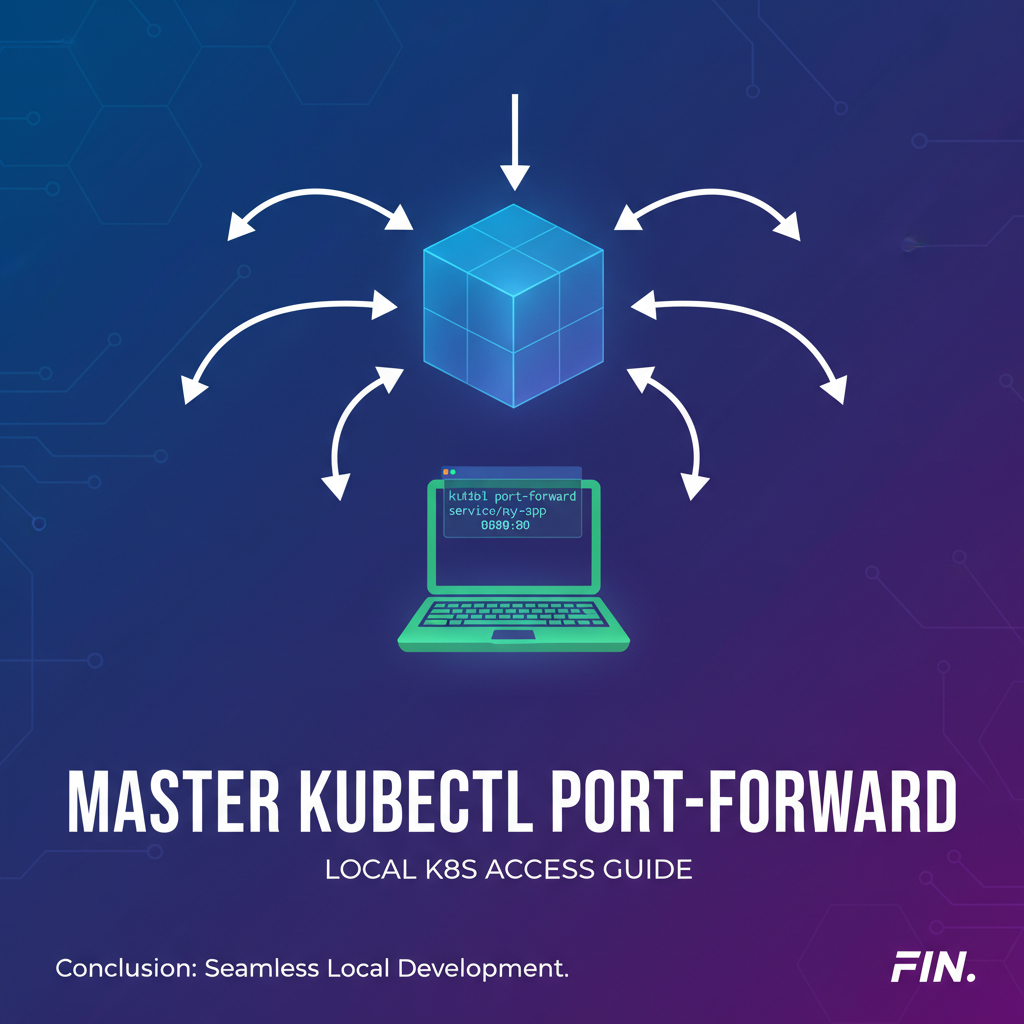
Master kubectl port-forward: Local K8s Access Guide
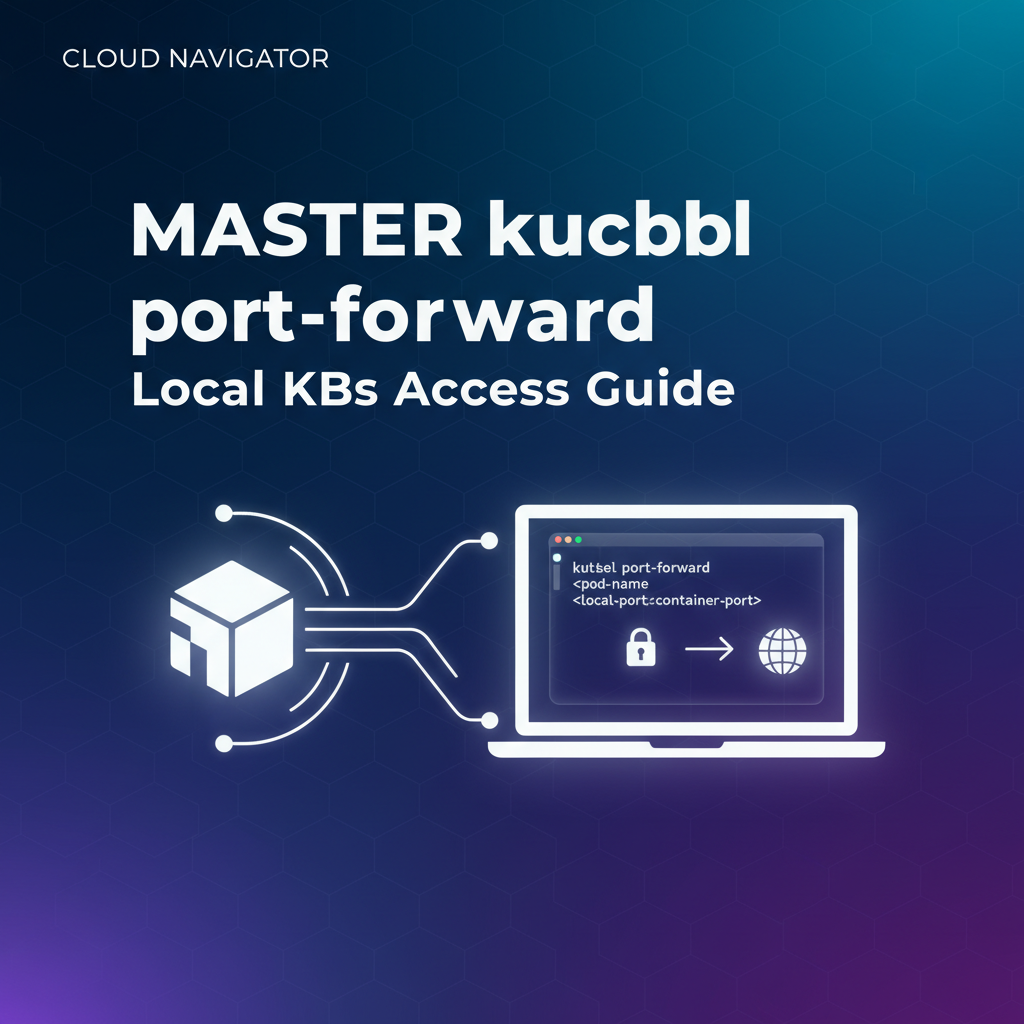


Unlocking the Kubernetes Interior: Your Local Gateway to Cluster Services
The sprawling and dynamic nature of Kubernetes clusters, while offering immense power and scalability, often presents a unique challenge to developers and operations teams: how do you access an application or service running deep inside the cluster from your local machine? In a world increasingly dominated by microservices and containerized workloads, the ability to peer into and interact with these internal components is not just a convenience, but a fundamental necessity for efficient development, rigorous debugging, and effective troubleshooting. This is where kubectl port-forward steps in, emerging as an indispensable utility for anyone working with Kubernetes, acting as your personal, temporary gateway to the heart of your cluster.
Imagine you're developing a new feature for a front-end application that needs to consume an API service running within a Kubernetes pod. Or perhaps you're debugging a stubborn bug in a backend microservice, needing to attach a local debugger, or simply to curl its internal API endpoint to check its responses. You could expose the service publicly using a LoadBalancer or Ingress, but that's often overkill, insecure, and slow for rapid iterative development. This is precisely the scenario kubectl port-forward is designed to solve. It carves out a secure, bi-directional tunnel, effectively bridging a port on your local machine to a port on a specific resource (a Pod, Service, or Deployment) inside your Kubernetes cluster. This guide will take you on an exhaustive journey through kubectl port-forward, from its foundational principles and basic syntax to advanced usage patterns, security implications, and its crucial role in modern development workflows, distinguishing it from full-fledged API Gateway solutions while highlighting its unique strengths.
By the end of this comprehensive article, you will not only master the intricacies of kubectl port-forward but also understand how it fits into a broader Kubernetes access strategy, including how it complements, rather than replaces, robust API Gateway solutions for production environments. You’ll be equipped with the knowledge to efficiently access internal Kubernetes services, debug your applications with unprecedented ease, and elevate your overall Kubernetes development experience.
Navigating the Kubernetes Network Labyrinth: Why Direct Access is a Challenge
Before diving into the mechanics of kubectl port-forward, it's crucial to grasp why direct access to services within a Kubernetes cluster isn't straightforward by default. Kubernetes is designed with a strong emphasis on isolation, self-healing, and a unique networking model that abstracts away many underlying complexities. While this model is powerful for orchestrating distributed applications, it inherently makes direct, external access to individual components challenging.
At its core, Kubernetes assigns unique IP addresses to each Pod, and these IP addresses are typically internal to the cluster. They are ephemeral, meaning they can change if a Pod is rescheduled or replaced. Furthermore, these Pod IPs are not directly routable from outside the cluster network without specific network configurations. This internal-only nature is a cornerstone of Kubernetes' security and operational design, ensuring that components can communicate securely amongst themselves without unnecessary external exposure.
To enable communication within the cluster and controlled access from outside, Kubernetes provides various Service types: * ClusterIP: The default service type, which exposes the Service on a cluster-internal IP. This IP is only reachable from within the cluster. It’s ideal for internal communication between microservices. * NodePort: Exposes the Service on a static port on each Node's IP address. This makes the Service accessible from outside the cluster by hitting NodeIP:NodePort. While simple, it often requires firewall rules and can be problematic for multiple services or dynamic Node IPs. * LoadBalancer: Available only with cloud providers that support external load balancers. It provisions an external load balancer for your Service, making it publicly accessible via a dedicated external IP address. This is suitable for public-facing applications but incurs cloud costs and is less ideal for development. * Ingress: An API object that manages external access to the services in a cluster, typically HTTP. Ingress provides load balancing, SSL termination, and name-based virtual hosting. It's a powerful and flexible way to expose multiple services under a single external IP, but it operates at the HTTP/HTTPS layer and requires an Ingress controller.
While these Service types cater to various exposure needs, none of them offer the direct, on-demand, and isolated local access that developers often require during their daily tasks. For instance, you might have a service that isn't yet ready for public exposure via an Ingress or LoadBalancer, or you might need to access a specific instance of a Pod for debugging purposes, bypassing the load-balancing abstraction of a Service. This gap is precisely where kubectl port-forward shines. It bypasses the complexities of external exposure mechanisms, providing a secure and temporary "local gateway" directly to the target resource without altering any permanent network configurations within the cluster. This makes it an invaluable tool for developers to interact with their containerized API services, databases, or any other application components running in Kubernetes, right from their local machine.
What is kubectl port-forward? Your Direct Tunnel into Kubernetes
At its heart, kubectl port-forward is a powerful command-line utility that creates a secure, temporary, and bi-directional tunnel between a local port on your development machine and a specific port on a resource (typically a Pod, Service, or Deployment) residing within your Kubernetes cluster. Think of it as establishing a private, ad-hoc network bridge, making an internal cluster port appear as if it's running directly on your local machine's network interface. This capability transforms your local machine into a direct gateway to the chosen Kubernetes service, allowing you to interact with its API or application directly.
The elegance of port-forward lies in its simplicity and efficiency. It doesn't require any changes to your cluster's network policies, no modifications to service definitions, and no external IP addresses. All it needs is your existing kubeconfig file with the appropriate authentication credentials to communicate with the Kubernetes API server. The kubectl command then leverages this connection to establish the tunnel.
The Underlying Mechanism: How the Tunnel Works
When you execute kubectl port-forward, here's a simplified breakdown of what happens:
- Client-Side Initiation: Your
kubectlclient on your local machine sends a request to the Kubernetes API server, indicating its intention to establish a port-forwarding session to a specific target resource (e.g., a Pod namedmy-app-pod). - API Server as Proxy: The Kubernetes API server acts as a secure intermediary. It authenticates your request using your
kubeconfigcredentials and, if authorized, establishes a connection to the target Pod's Kubelet. - Kubelet's Role: The Kubelet, the agent running on the node where the target Pod resides, receives the request from the API server. It then initiates a connection to the specified port within the target Pod.
- Data Flow: Once these connections are established (local client -> API server -> Kubelet -> Pod),
kubectleffectively proxies all traffic between your local port and the Pod's port. Any data sent to your local port is forwarded through this secure tunnel to the Pod, and any responses from the Pod are sent back through the tunnel to your local machine.
This entire process happens over the secure WebSocket connection between kubectl and the Kubernetes API server, which then further extends into the cluster's internal network. This architecture makes port-forward inherently secure, as it relies on the same authentication and authorization mechanisms as any other kubectl command. It's not opening a public port on your cluster; it's creating a private, authenticated channel directly to a specific internal component. This makes it a perfect tool for development and debugging, where you need direct access to an API or application without exposing it to the wider internet. Whether you are locally testing a front-end that consumes a backend API, debugging a specific microservice instance, or accessing a database running within the cluster, kubectl port-forward provides that direct, untarnished line of communication, effectively creating a temporary, personal local gateway right to your Kubernetes resources.
Syntax and Basic Usage: Your First Steps into the Tunnel
Mastering kubectl port-forward begins with understanding its fundamental syntax and how to apply it to different Kubernetes resource types. The command structure is remarkably intuitive, making it accessible even for those new to Kubernetes.
The most common form of the command is:
kubectl port-forward <resource_type>/<resource_name> <local_port>:<remote_port>
Let's break down each component:
<resource_type>: Specifies the type of Kubernetes resource you want to forward to. Common types includepod,service, anddeployment.<resource_name>: The specific name of the resource you wish to target. This name must exist within your current or specified namespace.<local_port>: The port number on your local machine that you want to bind the tunnel to. When you accesslocalhost:<local_port>, your traffic will be routed through the tunnel.<remote_port>: The port number inside the target Kubernetes resource (Pod, Service, or Deployment) that you want to connect to. This is the port where the application or API service is actually listening.
Now, let's explore practical examples for each resource type, demonstrating how kubectl port-forward functions as your dedicated local gateway.
1. Forwarding to a Pod: The Most Granular Access
Forwarding directly to a Pod gives you the most granular control, allowing you to target a specific instance of your application. This is especially useful for debugging a particular Pod's behavior.
Scenario: You have an Nginx web server running in a Pod named nginx-5c5f4586d6-p8z26 (the actual Pod name will vary due to its unique identifier, usually part of a Deployment). It's listening on port 80 inside the container. You want to access it from your local machine on port 8080.
Command:
kubectl port-forward pod/nginx-5c5f4586d6-p8z26 8080:80
Output Example:
Forwarding from 127.0.0.1:8080 -> 80
Forwarding from [::1]:8080 -> 80
Now, open your web browser or curl on your local machine:
curl http://localhost:8080
You should see the default Nginx welcome page, confirming that you've successfully created a local gateway to your Pod's internal web server.
Important Note: If the Pod you're targeting is part of a Deployment or ReplicaSet, and that Pod gets terminated and replaced (e.g., due to a crash or cluster maintenance), your port-forward session will break because the specific Pod it was connected to no longer exists. For more stable connections, especially for development, forwarding to a Service is generally preferred.
2. Forwarding to a Service: The Stable Development Gateway
Forwarding to a Service is often the most robust and recommended approach for general development and testing, particularly when you want to access a backend API. A Kubernetes Service provides a stable internal IP address and DNS name, acting as a load balancer in front of a set of Pods. When you port-forward to a Service, kubectl handles the complexity of selecting an available Pod behind that Service.
Scenario: You have a Kubernetes Service named my-backend-api that exposes your application's API on port 8000. This Service is backed by multiple Pods. You want to access this API from your local machine on port 8000.
Command:
kubectl port-forward service/my-backend-api 8000:8000
Output Example:
Forwarding from 127.0.0.1:8000 -> 8000
Forwarding from [::1]:8000 -> 8000
Now, you can interact with your backend API just as if it were running locally:
curl http://localhost:8000/api/v1/status
This method provides a stable gateway to your backend API, regardless of which specific Pod is serving the request at any given moment. If a Pod crashes, the Service will simply route traffic to another healthy Pod, maintaining your port-forward connection.
3. Forwarding to a Deployment: Accessing the Latest Revision
You can also target a Deployment directly. When you do this, kubectl will automatically select one of the Pods managed by that Deployment for the forwarding session. This can be convenient if you don't know the exact Pod name or don't have a dedicated Service yet.
Scenario: You have a Deployment named my-app-deployment that manages your application Pods, which listen on port 3000. You want to forward to one of these Pods on local port 3001.
Command:
kubectl port-forward deployment/my-app-deployment 3001:3000
Output Example:
Forwarding from 127.0.0.1:3001 -> 3000
Forwarding from [::1]:3001 -> 3000
Similar to Pod forwarding, if the selected Pod by the Deployment is recreated, the port-forward session will break. Using a Service is generally preferred for resilience unless you specifically need to target a Deployment (e.g., for quickly trying the latest deployed version without checking individual Pods or Services).
Specifying the Local Bind Address (--address flag)
By default, kubectl port-forward binds to 127.0.0.1 (localhost). This means only applications on your local machine can access the forwarded port. However, in some advanced scenarios, you might want to expose this forwarded port to other machines on your local network (e.g., for a colleague to test, or a VM). You can achieve this using the --address flag.
Scenario: You want to allow other devices on your local network to access your forwarded service on 8080.
Command:
kubectl port-forward service/my-backend-api --address 0.0.0.0 8080:8000
This will bind the local port to all network interfaces, making it accessible from other machines on your local network (assuming no local firewall rules block it). Be cautious when using 0.0.0.0 as it increases the local exposure of your connection.
Specifying the Namespace (--namespace / -n flag)
If your target resource is not in the currently active Kubernetes namespace (as configured in your kubeconfig context), you'll need to specify the namespace using the --namespace or short-form -n flag.
Scenario: Your my-backend-api service is in the development namespace, and your current context is set to default.
Command:
kubectl port-forward service/my-backend-api 8000:8000 -n development
This fundamental understanding of syntax and resource targeting lays the groundwork for effectively leveraging kubectl port-forward as your go-to local gateway for Kubernetes services and API interactions. As we delve deeper, we'll explore more advanced techniques and considerations that further enhance its utility.
Advanced kubectl port-forward Scenarios and Tips: Mastering Your Tunnel
Beyond the basic usage, kubectl port-forward offers several advanced features and considerations that can significantly streamline your development and debugging workflows. Understanding these nuances helps you truly master this powerful tool, making it an even more effective gateway to your Kubernetes cluster's internal APIs and services.
1. Handling Multiple Forwarding Sessions Concurrently
It's common to work with multiple microservices or different internal tools simultaneously. kubectl port-forward allows you to run multiple forwarding sessions at the same time, provided each session uses a unique local port.
Scenario: You need to access a backend API service on local 8000 and a database service on local 3306.
Commands (in separate terminal windows or as background processes):
kubectl port-forward service/my-backend-api 8000:8000
kubectl port-forward service/my-database-svc 3306:3306
Each command will establish its own independent tunnel. Your local machine can then interact with http://localhost:8000 for the API and localhost:3306 for the database, effectively creating multiple distinct local gateways.
2. Backgrounding the port-forward Process
By default, kubectl port-forward is a blocking command, meaning it takes over your terminal until you press Ctrl+C. For continuous development, you often want to run it in the background so you can continue using your terminal for other kubectl commands or development tasks.
Methods for Backgrounding:
- Using
&(Unix-like systems): Appending&to the command runs it in the background. You'll still see initial output, but you regain control of your terminal.bash kubectl port-forward service/my-backend-api 8000:8000 &To bring it back to the foreground (if needed) or to terminate it, you can usefgand thenCtrl+C, or find its process ID (ps -ef | grep port-forward) andkillit. - Using
nohup(No Hang Up): This command allows a process to continue running even after you log out of the shell. It's often combined with&. Output is usually redirected tonohup.out.bash nohup kubectl port-forward service/my-backend-api 8000:8000 > /dev/null 2>&1 &This redirects all output to/dev/null, making it truly silent. - Using
screenortmux: For more robust session management, tools likescreenortmuxallow you to create persistent terminal sessions that you can detach from and reattach to later. You can runport-forwardwithin atmuxpane and then detach, leaving it running.
3. Terminating a port-forward Session
When run in the foreground, simply pressing Ctrl+C in the terminal where the command is running will terminate the session. For backgrounded processes:
- Using
jobs: If you backgrounded with&in the current shell,jobswill list background processes.kill %<job_number>will terminate it.bash jobs # [1] Running kubectl port-forward service/my-backend-api 8000:8000 & kill %1 - Using
killall: A quick way to kill allkubectl port-forwardprocesses.bash killall kubectl port-forwardBe cautious withkillallas it will terminate all instances, not just a specific one. - Using
psandkill: The most precise method. Find the process ID (PID) and then terminate it.bash ps aux | grep 'kubectl port-forward' # user 12345 0.0 0.1 123456 7890 ? Sl Oct01 0:01 kubectl port-forward service/my-backend-api 8000:8000 kill 12345
4. Dynamic Local Port Selection
If you omit the local port and only specify the remote port, kubectl will automatically select an available local port for you. This is handy when you don't care about the specific local port or want to avoid conflicts.
Command:
kubectl port-forward service/my-backend-api :8000
Output Example:
Forwarding from 127.0.0.1:50123 -> 8000
Forwarding from [::1]:50123 -> 8000
In this case, the local port 50123 was chosen automatically. This makes your local gateway even more flexible.
5. Troubleshooting Common port-forward Issues
Even with its robustness, you might encounter issues. Here are some common problems and their solutions:
error: unable to listen on any of the requested ports: [8000]:- Cause: The local port (
8000in this example) is already in use by another application on your machine. - Solution: Choose a different local port (e.g.,
8080:8000) or terminate the application currently using that port. You can find out which process is using a port withlsof -i :8000(on Unix-like systems) ornetstat -ano | findstr :8000(on Windows).
- Cause: The local port (
error: service/my-backend-api not found:- Cause: The specified service name is incorrect, or it doesn't exist in the current or specified namespace.
- Solution: Double-check the service name and ensure you're in the correct namespace (or use the
-nflag). Usekubectl get servicesto list available services.
error: unable to forward 8000 to 8000: EOForerror: connection refused:- Cause: The application inside the target Pod is not listening on the specified remote port (
8000). This can happen if the application crashed, hasn't started yet, or is configured to listen on a different port. - Solution: Verify the application's configuration within the Pod. Use
kubectl logs <pod_name>to check application logs for startup errors, orkubectl describe pod <pod_name>to see its container ports. You can alsokubectl exec -it <pod_name> -- netstat -tulnpto confirm listening ports inside the Pod (ifnetstatis available).
- Cause: The application inside the target Pod is not listening on the specified remote port (
error: You must be logged in to the server (Unauthorized):- Cause: Your
kubeconfigis invalid, expired, or lacks the necessary permissions (RBAC) to performport-forwardoperations on the target resource. - Solution: Check your
kubeconfigcontext (kubectl config current-context). Ensure your user hasgetpermissions on Pods andportforwardpermissions. A cluster administrator can verify or grant these roles.
- Cause: Your
error: error upgrading connection: container not found(when forwarding to a Pod and specifying a container):- Cause:
kubectl port-forwardtargets the Pod's network namespace, not a specific container within a multi-container Pod. While the port is forwarded to the Pod, the actual application listening on that port must be accessible from the Pod's network interface. You can't specify a container forport-forwarddirectly. - Solution: Ensure the application you want to reach is listening on the
remote_portfrom within the Pod's network context, regardless of which container it's in. If multiple containers expose the same port, the traffic will go to the first one that binds to it.
- Cause:
By internalizing these advanced techniques and troubleshooting approaches, you'll transform kubectl port-forward from a simple command into a versatile tool that enhances your productivity and resilience when working with Kubernetes services and their internal APIs.
kubectl port-forward in Development Workflows: Your Agile Companion
In the fast-paced world of cloud-native development, kubectl port-forward is more than just a command; it's a critical enabler of agile workflows. Its ability to create an instant, secure local gateway to services running within Kubernetes significantly reduces friction, accelerates development cycles, and simplifies debugging. Let's explore several common development scenarios where port-forward proves invaluable.
1. Local Frontend Development with Remote Backend Services
Perhaps the most common use case is developing a frontend application (e.g., a React, Angular, or Vue.js app) on your local machine while consuming backend APIs that are already deployed in a Kubernetes cluster.
- Challenge: Your local frontend expects to communicate with a backend API at an address like
api.example.comorlocalhost:8000. The actual backend service is running internally within Kubernetes. - Solution with
port-forward: You can usekubectl port-forwardto bring the remote backend API service to a local port on your machine.bash kubectl port-forward service/my-backend-api 8000:8000 -n my-app-namespace &Now, your local frontend can simply make its API calls tohttp://localhost:8000, andkubectl port-forwardwill seamlessly route these requests to the actualmy-backend-apiservice inside your Kubernetes cluster. This eliminates the need to deploy the backend locally, deal with environment inconsistencies, or expose the backend publicly for local development. It creates a convenient local gateway for your frontend.
2. Attaching a Local Debugger to Remote Microservices
Debugging microservices in a distributed environment can be notoriously complex. kubectl port-forward simplifies this by allowing you to attach a local IDE debugger to a specific container running within a Kubernetes Pod.
- Challenge: You have a Java, Python, Node.js, or Go microservice running in a Pod, and you need to step through its code line-by-line using your local IDE's debugger.
- Solution with
port-forward:- Ensure your application container in Kubernetes is configured for remote debugging (e.g., exposing a debug port like
5005for Java's JDWP). - Identify the specific Pod you want to debug.
- Use
port-forwardto expose the Pod's debug port locally:bash kubectl port-forward pod/my-java-app-pod 5005:5005 - Configure your local IDE (e.g., VS Code, IntelliJ IDEA) to connect its remote debugger to
localhost:5005. Now, you can set breakpoints in your local codebase, and when the remote service hits those points, your local debugger will trigger, allowing for interactive debugging. This direct local gateway for debugging is a game-changer for troubleshooting complex issues.
- Ensure your application container in Kubernetes is configured for remote debugging (e.g., exposing a debug port like
3. Securely Accessing Databases from Local GUI Clients
Many developers rely on graphical tools (e.g., DBeaver, MySQL Workbench, pgAdmin) to interact with databases. If your database is running within Kubernetes, you can use port-forward to establish a secure connection.
- Challenge: Your database (e.g., PostgreSQL, MySQL, MongoDB) is running in a Pod or managed by a Kubernetes Operator, and it's only accessible from within the cluster. You want to use your local GUI client to query, manage, or inspect data.
- Solution with
port-forward:- Identify the Service (or Pod) exposing your database's port (e.g.,
5432for PostgreSQL,3306for MySQL,27017for MongoDB). - Forward that port to your local machine:
bash kubectl port-forward service/my-postgres-db 5432:5432 - Configure your local database client to connect to
localhost:5432with the appropriate credentials. This creates a private, secure gateway for database access, bypassing the need for public exposure or complex VPN setups for development purposes.
- Identify the Service (or Pod) exposing your database's port (e.g.,
4. Testing External Integrations or Webhooks
When developing services that consume webhooks or interact with external APIs, you often need to test how your internal Kubernetes service responds to these external calls.
- Challenge: Your Kubernetes service receives webhooks from an external system (e.g., GitHub, Stripe), but the external system can't directly reach your internal K8s service.
- Solution (indirect with
port-forwardand ngrok/similar):- Use
kubectl port-forwardto expose your internal K8s service to a local port.bash kubectl port-forward service/my-webhook-listener 8080:8080 - Use a tunneling service like
ngrokorlocaltunnelto expose your local8080port to the internet with a public URL.bash ngrok http 8080 - Configure the external system (e.g., GitHub webhook settings) to point to the public URL provided by
ngrok. This two-step process effectively extends your local gateway to the internet, allowing external systems to reach your internal Kubernetes service for testing, significantly aiding in the development of robust API integrations.
- Use
5. Quickly Spinning Up and Accessing Ephemeral Environments
For feature branches, pull request reviews, or spike solutions, developers often need to quickly deploy and test isolated versions of their applications.
- Challenge: Deploying a full, publicly accessible environment for every temporary branch is resource-intensive and time-consuming.
- Solution with
port-forward: Deploy the necessary Pods/Services to a development namespace, then useport-forwardto access them directly. This provides a lightweight way to interact with ephemeral deployments without needing full Ingress or LoadBalancer configurations. It's a quick and dirty local gateway for isolated testing.
In all these scenarios, kubectl port-forward empowers developers by removing network barriers, providing direct access, and fostering a more efficient and responsive development environment. It truly acts as a developer's best friend for interacting with the internal workings and APIs of a Kubernetes cluster.
APIPark is a high-performance AI gateway that allows you to securely access the most comprehensive LLM APIs globally on the APIPark platform, including OpenAI, Anthropic, Mistral, Llama2, Google Gemini, and more.Try APIPark now! 👇👇👇
Security Considerations and Best Practices: Guarding Your Local Gateway
While kubectl port-forward is an incredibly useful tool, it's crucial to understand its security implications and adopt best practices to prevent unintended vulnerabilities. It acts as a bypass mechanism, creating a direct connection that, if misused, could potentially expose internal services. Therefore, treating this local gateway with respect is paramount.
1. port-forward Bypasses Network Policies (Locally)
One of the most important security considerations is that kubectl port-forward bypasses Kubernetes Network Policies for the forwarded connection itself. Network Policies control how Pods communicate with each other and with external endpoints within the cluster. However, the port-forward tunnel is established between your local machine and the Kubernetes API server, which then proxies to the target Pod. This means that if a Pod usually has a Network Policy preventing external access to its port, port-forward will still allow you to access it from your local machine.
- Implication: Do not rely on Network Policies to secure services that you are exposing via
port-forward. The security model shifts to your local machine and thekubeconfigused. - Best Practice: Use
port-forwardprimarily for development and debugging purposes where authenticated, direct access is intended and controlled. Avoid using it as a long-term solution for production access or for exposing sensitive services to untrusted environments.
2. Reliance on Kubeconfig Authentication
The security of your port-forward session is directly tied to the security of your kubeconfig file and the credentials it contains. kubectl uses these credentials to authenticate with the Kubernetes API server, and the API server checks your Role-Based Access Control (RBAC) permissions to determine if you are authorized to access the target resource and perform port-forward operations.
- Implication: Anyone with access to your
kubeconfigfile and its associated credentials could potentially establishport-forwardtunnels to resources you have access to. - Best Practice:
- Secure your
kubeconfig: Treat yourkubeconfigfile (~/.kube/config) as highly sensitive information. Protect it with strong file permissions (e.g.,chmod 600 ~/.kube/config). - Least Privilege: Ensure your Kubernetes user account (defined in
kubeconfig) follows the principle of least privilege. It should only have the necessary RBAC permissions for the namespaces and resource types you absolutely need to work with. Avoid usingadminor highly privileged accounts for routine development tasks that involveport-forward.
- Secure your
3. Limited Attack Surface (Local Machine Only)
By default, kubectl port-forward binds the local port to 127.0.0.1 (localhost). This means the forwarded port is only accessible from the machine running the kubectl command. This significantly limits the attack surface.
- Implication: Unless you explicitly use
--address 0.0.0.0, the forwarded service is not exposed to your local network or the internet. - Best Practice:
- Default to
localhost: Always prefer to bind to127.0.0.1unless there's a specific, controlled reason (e.g., for a local VM to access it) to use--address 0.0.0.0. - Firewall for
0.0.0.0: If you must use--address 0.0.0.0, ensure your local machine's firewall is properly configured to restrict access to the forwarded port from other machines on your network, or only use it on trusted, isolated networks.
- Default to
4. Duration of the Forwarding Session
kubectl port-forward creates a temporary gateway. Leaving sessions running indefinitely, especially for services with sensitive data or APIs, can increase risk.
- Best Practice: Close
port-forwardsessions when they are no longer needed. UseCtrl+Cfor foreground processes orkillfor backgrounded ones. This minimizes the window of opportunity for unintended access.
5. Pod vs. Service Forwarding (Stability vs. Granularity)
While not strictly a security point, the choice between forwarding to a Pod versus a Service has implications for control and predictability.
- Pod Forwarding: More granular, targets a specific Pod. If that Pod is deleted/restarted, the forward breaks.
- Service Forwarding: More stable, targets a Service, which then routes to any healthy Pod. If Pods are recycled, the forward usually maintains connection through the Service's abstraction.
- Best Practice: For debugging a specific Pod instance, use
pod/. For general development access to an API or application, useservice/for stability.
In summary, kubectl port-forward provides a powerful, direct gateway to your Kubernetes services. Its security model is robust by design, leveraging your existing kubeconfig and RBAC. However, like any powerful tool, it demands responsible use. By adhering to these security considerations and best practices, you can leverage its full potential without inadvertently compromising your cluster's security posture or exposing sensitive APIs.
Comparing kubectl port-forward with Other Kubernetes Access Methods
Understanding where kubectl port-forward fits in the broader landscape of Kubernetes access methods is crucial for choosing the right tool for the job. While it provides an invaluable local gateway, it serves a distinct purpose compared to other service exposure mechanisms. Let's compare port-forward with common alternatives, highlighting their differences and optimal use cases.
1. kubectl port-forward vs. ClusterIP Services
- ClusterIP: Exposes a service on an internal IP address only accessible from within the cluster. It provides basic load balancing among Pods.
port-forward: Creates a direct tunnel from your local machine to a specified Pod or Service, effectively making it accessible from outside the cluster, but only from your local host (by default).
| Feature | ClusterIP Service | kubectl port-forward |
|---|---|---|
| Access Scope | Internal to the cluster only. | Local machine only (by default). |
| Persistence | Permanent service within the cluster. | Temporary session, tied to the kubectl command's lifetime. |
| Exposure | No external exposure. | Bypasses network policies for the forwarded connection locally. |
| Use Case | Inter-service communication, internal cluster APIs. | Local development, debugging, testing internal APIs. |
| Configuration | Defined in YAML manifest, part of cluster state. | Ad-hoc command-line execution. |
| Security Model | Controlled by Network Policies and RBAC for internal access. | Relies on kubeconfig authentication and local machine security. |
When to choose port-forward over ClusterIP: When you need to access a service that only has a ClusterIP from your local development machine without deploying an external-facing service. It's your quick, personal local gateway to an internal API.
2. kubectl port-forward vs. NodePort Services
- NodePort: Exposes a service on a static port across all worker nodes in the cluster. This makes it accessible from outside the cluster via
NodeIP:NodePort. port-forward: Local-only access from your machine, no cluster-wide exposure.
| Feature | NodePort Service | kubectl port-forward |
|---|---|---|
| Access Scope | Any machine that can reach the cluster nodes. | Local machine only (by default). |
| Persistence | Permanent service within the cluster, external exposure. | Temporary session. |
| Exposure | Publicly exposed on all nodes' IP addresses. | Local-only. |
| Use Case | Simple public exposure for small apps, external access for non-HTTP services. | Local development, debugging, testing internal APIs. |
| Security Model | Requires external firewall rules, less secure for sensitive APIs. | More secure for local access, relies on kubeconfig and local firewall. |
When to choose port-forward over NodePort: For development and debugging, port-forward is almost always preferred. NodePort can be insecure for exposing development services due to its cluster-wide accessibility, and it may conflict with other services if ports are not carefully managed. port-forward is a much more contained and secure local gateway.
3. kubectl port-forward vs. LoadBalancer Services
- LoadBalancer: Provisions an external cloud load balancer to expose a service to the internet with a dedicated external IP.
port-forward: Local-only access.
| Feature | LoadBalancer Service | kubectl port-forward |
|---|---|---|
| Access Scope | Public internet. | Local machine only (by default). |
| Persistence | Permanent, highly available public exposure. | Temporary session. |
| Exposure | Public, often with associated costs. | Local-only, no cloud costs beyond cluster compute. |
| Use Case | Production-grade public-facing applications, external APIs. | Local development, debugging, internal API testing. |
| Security Model | Cloud provider security, network access controls, often used with a robust API Gateway. | Relies on kubeconfig and local machine security. |
When to choose port-forward over LoadBalancer: For development and testing. Deploying a LoadBalancer for every development iteration is expensive and unnecessary. port-forward offers a free, quick, and isolated local gateway for your API services.
4. kubectl port-forward vs. Ingress
- Ingress: An API object that manages external access to services, typically HTTP/HTTPS. It provides routing rules, SSL termination, and host/path-based routing. It requires an Ingress Controller.
port-forward: Direct TCP forwarding, works for any protocol, primarily for local access.
| Feature | Ingress | kubectl port-forward |
|---|---|---|
| Access Scope | Public internet (HTTP/HTTPS). | Local machine only (by default), any TCP protocol. |
| Persistence | Permanent, often centralizes routing for multiple services. | Temporary session. |
| Exposure | Public, intelligent routing for web traffic, SSL. | Local-only, direct port-to-port. |
| Use Case | Production-grade web applications, public REST APIs, microservice routing. | Local development, debugging any internal TCP service. |
| Security Model | Often integrates with Web Application Firewalls, API Gateways, advanced authentication. | Relies on kubeconfig and local machine security. |
When to choose port-forward over Ingress: When you need direct, low-level access to a service (e.g., a database, a custom TCP service, or to debug a web service before Ingress is configured) from your local machine, without needing a public HTTP endpoint or complex routing rules. It's a direct plumbing tool, whereas Ingress is an intelligent traffic manager.
When to choose kubectl port-forward:
- Rapid Local Development: Quickly connect a local frontend to a remote backend API.
- Isolated Debugging: Attach a local debugger to a specific Pod or troubleshoot a particular API service instance.
- Temporary Access: Securely access internal databases or tools from your local machine.
- Protocol Agnostic: Works for any TCP-based service, not just HTTP/HTTPS.
- Cost-Effective: Avoids incurring cloud costs for external Load Balancers or public IPs during development.
- Security for Local Access: Provides a secure, authenticated local gateway without public exposure.
In essence, kubectl port-forward is your Swiss Army knife for direct, temporary, and localized interaction with Kubernetes resources. It fills a critical gap for developers, offering unparalleled flexibility and efficiency for tasks that don't warrant the overhead or public exposure of other service types. While other methods are for broader, more permanent exposure, port-forward is for your personal, immediate needs in the development cycle.
Integrating with API Gateways: Complementary Tools for Different Stages
The journey of an application from local development to production-ready deployment involves various tools, each serving a specific purpose. kubectl port-forward and an API Gateway represent two such tools, distinct in their function but complementary in the overall lifecycle of an application, particularly when dealing with exposing services and their APIs. While kubectl port-forward provides a temporary, direct, and local gateway for developers, an API Gateway offers a robust, managed, and scalable solution for externalizing APIs to consumers in production environments.
The Role of an API Gateway
An API Gateway acts as the single entry point for all client requests to your backend services, especially in a microservices architecture. It handles concerns such as:
- Traffic Management: Routing requests to the appropriate services, load balancing, rate limiting.
- Security: Authentication, authorization, SSL termination, threat protection (e.g., WAF capabilities).
- Resilience: Circuit breakers, retries, fallbacks.
- Monitoring & Analytics: Centralized logging, metrics collection, tracing.
- Transformation: Request/response manipulation, protocol translation.
- Developer Portal: Documentation, self-service API key management for consumers.
Essentially, an API Gateway like APIPark is designed for the consumer of your APIs, managing how external traffic interacts with your services at scale and with enterprise-grade security and governance. It's about providing a unified, secure, and performant façade for all your backend APIs.
kubectl port-forward vs. API Gateway: A Clear Distinction
| Feature | kubectl port-forward |
API Gateway (e.g., APIPark) |
|---|---|---|
| Purpose | Direct, temporary, local access for developers/debuggers. | Centralized, managed, scalable entry point for external API consumers. |
| Target Audience | Internal development teams, SREs. | External clients, other applications, partners. |
| Scope | Individual pod/service, single-user access. | Entire suite of backend services, multi-user, high-volume traffic. |
| Network Level | TCP tunnel, bypasses higher-level network policies. | HTTP/HTTPS routing, applies security and traffic policies. |
| Management | Ad-hoc command-line, unmanaged. | Centralized platform, configuration, policy enforcement. |
| Security | Relies on kubeconfig & local machine security. |
Comprehensive features: auth, rate limiting, WAF, detailed logging. |
| Use Case | Debugging a new API locally, developing a frontend against a remote backend. | Exposing microservices, integrating 100+ AI models, enterprise-grade API management. |
How kubectl port-forward and API Gateways Work Together
Despite their differences, kubectl port-forward and an API Gateway are not mutually exclusive; they complement each other at different stages of the application lifecycle.
- Pre-Gateway Development and Debugging: Before your service's API is exposed to the world through an API Gateway, developers often need to work with it locally.
kubectl port-forwardprovides that direct line. You might useport-forwardto:- Develop a new microservice's API: Test its endpoints and functionality locally before configuring it for API Gateway exposure.
- Debug a service upstream of the Gateway: If your API Gateway is routing requests to a backend service that's misbehaving, you can use
port-forwardto bypass the gateway and directly access the problematic service for deeper debugging. This is crucial for isolating issues. - Test internal APIs that won't be exposed externally: Not every internal API or service (e.g., an internal data processing component, a metrics collector) needs to go through the API Gateway.
port-forwardis ideal for accessing these internal-only components for development or troubleshooting.
- Developing and Testing the API Gateway Itself: Even when developing or configuring an API Gateway, you might use
kubectl port-forward. For instance, if you're deploying a new version of the API Gateway or configuring new routing rules, you could useport-forwardto access the API Gateway's own management API or a test instance of the gateway itself, ensuring it functions as expected before deploying it to handle live traffic.
APIPark: An Open Source AI Gateway & API Management Platform
While kubectl port-forward offers an invaluable tool for direct, local access during development and debugging, organizations aiming for secure, scalable, and manageable external exposure of their services and APIs will invariably turn to a dedicated API Gateway solution. This is particularly true for modern microservices architectures and AI/ML workloads where complex API management is critical.
For instance, an open-source platform like APIPark provides a comprehensive AI gateway and API management solution. It's designed to help developers and enterprises manage, integrate, and deploy AI and REST services with ease, operating as an Apache 2.0 licensed open-source project.
Consider a scenario where you're developing a new AI model service. You might use kubectl port-forward to debug a new AI model service locally, ensuring its internal API responds correctly. Once that service is robust and ready for broader consumption, APIPark steps in to facilitate its productionization and externalization.
Here's how APIPark complements kubectl port-forward by handling the enterprise-grade requirements once your internal services are ready:
- Quick Integration of 100+ AI Models: While
port-forwardhelps you debug a single AI model's API locally, APIPark allows you to quickly integrate a vast array of AI models, centralizing their authentication and cost tracking. - Unified API Format for AI Invocation: With APIPark, you can standardize the request data format across all your AI models. This means that once your AI model's API is stable (perhaps after local
port-forwarddebugging), APIPark ensures that changes to the underlying model or prompts won't break your applications or microservices, saving significant maintenance costs. - Prompt Encapsulation into REST API: APIPark lets you combine AI models with custom prompts to create new, specialized APIs (e.g., for sentiment analysis or translation). After testing these core functionalities with
port-forward, APIPark provides the framework to expose them as managed REST APIs. - End-to-End API Lifecycle Management: Once an API service, perhaps initially accessed via
port-forwardfor local testing, is deemed production-ready, APIPark assists with its entire lifecycle: design, publication, invocation, and decommissioning, including managing traffic forwarding, load balancing, and versioning, whichport-forwarddoesn't cover. - API Service Sharing within Teams: While
port-forwardis for individual access, APIPark allows for the centralized display and sharing of all API services across different departments and teams, fostering collaboration and reuse. - Independent API and Access Permissions for Each Tenant: APIPark enables multi-tenancy, providing independent applications, data, and security policies for different teams, a level of segregation and control far beyond what
port-forwardoffers. - API Resource Access Requires Approval: For secure access, APIPark can activate subscription approval features, ensuring callers must be approved before invoking an API, preventing unauthorized access and data breaches, a critical security layer that
port-forwarddoes not provide for external consumers. - Performance Rivaling Nginx & Detailed API Call Logging: APIPark offers high performance (20,000+ TPS) and comprehensive logging for every API call, crucial for production monitoring, troubleshooting, and ensuring system stability—aspects that
port-forwardis not designed to address.
In essence, kubectl port-forward is the essential local gateway that helps you build, test, and debug your individual services and APIs efficiently. When those services are mature and need to be exposed securely, scalably, and manageably to a broader audience, an API Gateway like APIPark becomes the necessary infrastructure, transforming your internal services into robust, public-facing API products. They are two sides of the same coin: one for the developer's workbench, the other for the enterprise's external interface.
Practical Examples and Detailed Walkthroughs: Putting port-forward to Work
To solidify your understanding, let's walk through some detailed, hands-on examples of kubectl port-forward in action. These scenarios cover common development and debugging tasks, illustrating how this versatile command serves as your local gateway to various Kubernetes services and APIs.
For these examples, ensure you have: * A running Kubernetes cluster (Minikube, Kind, GKE, EKS, AKS, etc.). * kubectl installed and configured with access to your cluster.
Example 1: Accessing a Simple Nginx Web Server Pod
This is the "Hello World" of port-forward. We'll deploy a basic Nginx web server and access it locally.
Step 1: Deploy an Nginx Deployment and Service
First, create a deployment for Nginx and a ClusterIP service to expose it internally. Save this as nginx-deployment.yaml:
# nginx-deployment.yaml
apiVersion: apps/v1
kind: Deployment
metadata:
  name: nginx-deployment
  labels:
    app: nginx
spec:
  replicas: 1
  selector:
    matchLabels:
      app: nginx
  template:
    metadata:
      labels:
        app: nginx
    spec:
      containers:
      - name: nginx
        image: nginx:latest
        ports:
        - containerPort: 80
---
apiVersion: v1
kind: Service
metadata:
  name: nginx-service
spec:
  selector:
    app: nginx
  ports:
    - protocol: TCP
      port: 80
      targetPort: 80
  type: ClusterIP # Only accessible within the cluster
Apply this to your cluster:
kubectl apply -f nginx-deployment.yaml
Step 2: Verify Deployment and Service
Check if the Pod and Service are running:
kubectl get pods -l app=nginx
kubectl get services nginx-service
You should see one Nginx Pod running and nginx-service with a ClusterIP.
Step 3: Forward the Nginx Service to Your Local Machine
Now, let's create a local gateway to the Nginx web server. We'll forward the service's port 80 to local port 8080.
kubectl port-forward service/nginx-service 8080:80
You will see output similar to:
Forwarding from 127.0.0.1:8080 -> 80
Forwarding from [::1]:8080 -> 80
This command will block your terminal. Keep it running.
Step 4: Access Nginx Locally
Open your web browser and navigate to http://localhost:8080. You should see the "Welcome to nginx!" default page. Alternatively, use curl in a separate terminal:
curl http://localhost:8080
You will get the HTML content of the Nginx welcome page.
Step 5: Clean Up
Once you're done, press Ctrl+C in the terminal running port-forward. Then delete the deployment and service:
kubectl delete -f nginx-deployment.yaml
Example 2: Forwarding to a Simple Backend API Service
Let's assume you have a simple Python Flask API that returns "Hello from Kubernetes!" on port 5000.
Step 1: Create a Flask Application
Create a app.py file:
# app.py
from flask import Flask
app = Flask(__name__)

@app.route('/')
def hello():
    return 'Hello from Kubernetes!'

if __name__ == '__main__':
    app.run(host='0.0.0.0', port=5000)
Step 2: Create a Dockerfile
# Dockerfile
FROM python:3.9-slim-buster
WORKDIR /app
COPY requirements.txt .
RUN pip install -r requirements.txt
COPY app.py .
CMD ["python", "app.py"]
And requirements.txt:
flask
Build and push this Docker image to your registry (e.g., Docker Hub). Replace yourusername/flask-api with your image name.
docker build -t yourusername/flask-api:latest .
docker push yourusername/flask-api:latest
Step 3: Deploy the Flask API and Service
Save this as flask-api.yaml:
# flask-api.yaml
apiVersion: apps/v1
kind: Deployment
metadata:
  name: flask-api-deployment
  labels:
    app: flask-api
spec:
  replicas: 1
  selector:
    matchLabels:
      app: flask-api
  template:
    metadata:
      labels:
        app: flask-api
    spec:
      containers:
      - name: flask-api
        image: yourusername/flask-api:latest # Replace with your image
        ports:
        - containerPort: 5000
---
apiVersion: v1
kind: Service
metadata:
  name: flask-api-service
spec:
  selector:
    app: flask-api
  ports:
    - protocol: TCP
      port: 5000
      targetPort: 5000
  type: ClusterIP
Apply it:
kubectl apply -f flask-api.yaml
Step 4: Forward the Flask API Service
Let's make a local gateway to our Flask API on local port 8081.
kubectl port-forward service/flask-api-service 8081:5000
Keep this running.
Step 5: Test the API Locally
In a new terminal:
curl http://localhost:8081
You should receive: Hello from Kubernetes!
This demonstrates how to use port-forward to interact with a custom API service deployed within your cluster.
Step 6: Clean Up
kubectl delete -f flask-api.yaml
Example 3: Accessing a MySQL Database within Kubernetes using a Local Client
This is invaluable for developers needing to manage database schemas or inspect data.
Step 1: Deploy MySQL and a Service
First, create a Secret for the MySQL root password. Replace your_password with a strong password.
echo -n 'your_password' | base64
# Copy the base64 encoded string, e.g., 'eW91cl9wYXNzd29yZA=='
Create mysql-deployment.yaml:
# mysql-deployment.yaml
apiVersion: v1
kind: Secret
metadata:
  name: mysql-secret
type: Opaque
stringData:
  mysql-root-password: your_password # Replace with your actual password
---
apiVersion: apps/v1
kind: Deployment
metadata:
  name: mysql-deployment
  labels:
    app: mysql
spec:
  selector:
    matchLabels:
      app: mysql
  strategy:
    type: Recreate
  template:
    metadata:
      labels:
        app: mysql
    spec:
      containers:
      - name: mysql
        image: mysql:8.0
        env:
        - name: MYSQL_ROOT_PASSWORD
          valueFrom:
            secretKeyRef:
              name: mysql-secret
              key: mysql-root-password
        ports:
        - containerPort: 3306
        volumeMounts:
        - name: mysql-persistent-storage
          mountPath: /var/lib/mysql
      volumes:
      - name: mysql-persistent-storage
        emptyDir: {} # For simplicity, using emptyDir. Use PersistentVolumeClaim for real data.
---
apiVersion: v1
kind: Service
metadata:
  name: mysql-service
spec:
  selector:
    app: mysql
  ports:
    - protocol: TCP
      port: 3306
      targetPort: 3306
  type: ClusterIP
Apply this:
kubectl apply -f mysql-deployment.yaml
Wait a minute or two for MySQL to start up inside the Pod. Check kubectl get pods -l app=mysql.
Step 2: Forward the MySQL Service
Establish a local gateway to your MySQL database on the standard port 3306.
kubectl port-forward service/mysql-service 3306:3306
Keep this running.
Step 3: Connect with a Local MySQL Client
Open your preferred MySQL GUI client (e.g., MySQL Workbench, DBeaver) or command-line client (mysql). Configure a new connection: * Hostname/IP: 127.0.0.1 (or localhost) * Port: 3306 * Username: root * Password: your_password (the one you set in the secret)
You should be able to connect and manage your database within the Kubernetes cluster, thanks to the port-forward tunnel.
Step 4: Clean Up
kubectl delete -f mysql-deployment.yaml
kubectl delete secret mysql-secret
These detailed examples demonstrate the power and flexibility of kubectl port-forward. It empowers developers to seamlessly integrate their local development environments with remote Kubernetes services, providing a direct, secure, and ephemeral local gateway for debugging, testing, and interacting with various applications and APIs.
Best Practices and Advanced Considerations: Refine Your port-forward Mastery
Having covered the core functionality and practical applications, let's explore additional best practices and advanced considerations that will further refine your use of kubectl port-forward. These insights move beyond basic functionality, offering tips for efficiency, stability, and understanding its role within a broader Kubernetes ecosystem.
1. Automating port-forward with Scripts
While manual execution is fine for occasional use, repetitive port-forward tasks can be automated using shell scripts or Makefiles. This is particularly useful for setting up a local development environment that requires multiple forwarded services.
Example Script (dev-setup.sh):
#!/bin/bash

NAMESPACE=${NAMESPACE:-default} # Use default namespace if not specified

echo "Starting port-forward for backend API..."
kubectl port-forward service/my-backend-api 8000:8000 -n "$NAMESPACE" > /dev/null 2>&1 &
BACKEND_PID=$!
echo "Backend API forwarded to localhost:8000 (PID: $BACKEND_PID)"

echo "Starting port-forward for database..."
kubectl port-forward service/my-database-service 3306:3306 -n "$NAMESPACE" > /dev/null 2>&1 &
DB_PID=$!
echo "Database forwarded to localhost:3306 (PID: $DB_PID)"

echo "Development environment setup. Access services at localhost:8000 and localhost:3306."
echo "Press [Enter] to terminate all port-forwards..."
read

echo "Terminating port-forward processes..."
kill "$BACKEND_PID"
kill "$DB_PID"
echo "All port-forwards terminated."
Make the script executable (chmod +x dev-setup.sh) and run it. This script provides a simple way to manage multiple local gateways for your development environment.
2. Using Kubeconfig Contexts Effectively
If you work with multiple Kubernetes clusters (e.g., dev, staging, production) or different namespaces, correctly managing your kubeconfig contexts is vital. kubectl port-forward operates within the currently active context by default.
- Best Practice: Before running
port-forward, always verify your current context:kubectl config current-context. If you need to switch, usekubectl config use-context <context-name>. Alternatively, explicitly specify the context with--context <context-name>in yourport-forwardcommand, although this is less common forport-forwardas it tends to be used against your currently active dev cluster.
3. Resource Awareness: Pod Lifecycles and Performance
When forwarding to a Pod, be mindful of the Pod's lifecycle. If the Pod is restarted (e.g., due to a crash, deployment update, or node maintenance), your port-forward session will break.
- Best Practice: For stable local gateway access to an API or application, prefer forwarding to a
Servicewhenever possible. The Service abstraction ensures that even if Pods behind it change, yourport-forwardconnection remains stable by automatically routing to a new healthy Pod. Only forward directly to aPodwhen you need to target a specific instance for debugging its unique state or logs.
Also, remember that the port-forward tunnel uses your local machine's resources and the Kubernetes API server's resources. While generally lightweight, if you're forwarding a high-throughput API or service, it could potentially impact the performance of your local machine or add minimal load to the API server. For most development uses, this is negligible.
4. Alternatives for More Permanent or Shared Local Access
While kubectl port-forward is excellent for temporary, individual local access, it's not designed for persistent, shared, or complex local development needs. For more advanced scenarios, consider these alternatives:
telepresence(or similar tools likeSkaffold'sdevmode): These tools go beyond simple port forwarding. They allow you to swap a remote Kubernetes deployment with a local version, routing all traffic intended for the remote service to your local machine. This enables a fully immersive local development experience where your local service appears as if it's running inside the cluster, communicating with other cluster services directly. This is a far more sophisticated "local gateway" for entire microservice interaction.- VPNs or Bastion Hosts: For more robust and shared access to a development cluster, especially in enterprise environments, a VPN connection or a bastion host (jump server) can provide a more managed and secure network gateway to the entire cluster network.
port-forwardcan still be used over a VPN connection for even more direct access within the secure tunnel. - Local Kubernetes (Minikube, Kind): For truly isolated local development, running an entire Kubernetes cluster locally can be beneficial. You wouldn't need
port-forwardto access services in this context as they're already on your local machine, but it's a powerful alternative to remote development entirely.
5. Logging and Auditing
kubectl port-forward operations are typically logged by the Kubernetes API server, especially if auditing is enabled in your cluster. This provides an audit trail of who performed port-forward operations, to which resources, and when.
- Best Practice: If you are a cluster administrator, ensure your cluster has appropriate auditing enabled to monitor sensitive operations like
port-forwardfor security compliance and troubleshooting. As a developer, be aware that yourport-forwardactivities are auditable.
By integrating these best practices and understanding the context of kubectl port-forward within the broader Kubernetes ecosystem, you can wield this command with greater efficiency, stability, and security, making it an indispensable tool in your Kubernetes mastery toolkit for managing your local gateways to internal cluster APIs and services.
Conclusion: Empowering Your Kubernetes Workflow with kubectl port-forward
As we conclude this extensive guide, the power and versatility of kubectl port-forward should be abundantly clear. In the complex and isolated environment of a Kubernetes cluster, this unassuming command emerges as a critical utility, acting as a personal, temporary, and secure local gateway that bridges the gap between your development machine and the services and APIs residing deep within your container orchestration platform.
We've traversed its fundamental principles, understanding how it carves out a private tunnel through the Kubernetes API server, and explored its basic syntax for forwarding to Pods, Services, and Deployments. We then delved into advanced usage patterns, demonstrating how to manage multiple sessions, background processes, troubleshoot common issues, and even dynamically select local ports. The utility of port-forward truly shines in practical development workflows: from enabling local frontend development against remote backends, to attaching local debuggers to live microservices, securely accessing databases, and facilitating the testing of complex API integrations.
Crucially, we've also emphasized the importance of security and best practices. Understanding that port-forward bypasses network policies locally, relies entirely on kubeconfig authentication, and should be used judiciously for temporary, development-centric access is paramount. It is a powerful tool that demands responsible stewardship.
Finally, we positioned kubectl port-forward within the larger Kubernetes access landscape, comparing it to other service exposure methods like ClusterIP, NodePort, LoadBalancer, and Ingress. This comparison highlighted that while these other methods are designed for permanent, managed, and often public exposure of services (especially via a dedicated API Gateway like APIPark), port-forward serves the unique and vital role of providing direct, unmanaged, and local access for developers. The two are not in competition but are complementary, serving different stages of the application lifecycle: kubectl port-forward for the agile, iterative development and debugging phase, and robust API Gateway solutions for the secure, scalable, and manageable production deployment of APIs.
Mastering kubectl port-forward is not merely about memorizing a command; it's about understanding a fundamental pattern for interacting with Kubernetes. It empowers you to break down the barriers of cluster isolation, accelerate your development cycles, and debug with unprecedented efficiency. By integrating this knowledge into your daily routine, you unlock a significant boost in productivity, transforming your Kubernetes development experience into one that is both seamless and highly effective. Embrace kubectl port-forward as your go-to local gateway, and watch your Kubernetes mastery flourish.
Frequently Asked Questions (FAQ)
1. What is the primary purpose of kubectl port-forward?
The primary purpose of kubectl port-forward is to establish a secure, temporary, and bi-directional tunnel between a local port on your machine and a specific port on a resource (Pod, Service, or Deployment) inside a Kubernetes cluster. This allows developers to access and interact with internal Kubernetes services and their APIs as if they were running locally, which is crucial for development, debugging, and testing. It acts as a local gateway to internal cluster services.
2. Is kubectl port-forward secure for production use?
No, kubectl port-forward is generally not suitable for production use or for exposing services permanently to external consumers. It's designed for authenticated, temporary, and direct developer access. While the connection itself is secure (authenticated via kubeconfig and proxied through the Kubernetes API server), it lacks the comprehensive security, traffic management, and resilience features expected of a production-grade external exposure mechanism or an API Gateway. For exposing production APIs, solutions like Kubernetes Ingress, LoadBalancer services, or dedicated API Gateway platforms (such as APIPark) are recommended.
3. Can I use kubectl port-forward to access a database running in Kubernetes?
Yes, kubectl port-forward is an excellent tool for securely accessing databases (like MySQL, PostgreSQL, MongoDB) running within your Kubernetes cluster from a local GUI client or command-line tool. You simply forward the database service's port (e.g., 3306 for MySQL) to a local port, and then configure your local client to connect to localhost:<local_port>, bypassing the need for public database exposure or complex VPN configurations for development purposes.
4. What happens if the Pod I'm forwarding to restarts or is deleted?
If you are forwarding directly to a specific Pod (e.g., kubectl port-forward pod/my-app-pod 8080:8000), and that Pod restarts or is deleted, your port-forward session will break because the target resource no longer exists or its network endpoint has changed. To avoid this, it's generally recommended to forward to a Service (e.g., kubectl port-forward service/my-app-service 8080:8000). A Kubernetes Service provides a stable internal IP and automatically routes to healthy Pods, so your port-forward connection will remain active even if the underlying Pods are recycled.
5. How does kubectl port-forward differ from an API Gateway like APIPark?
kubectl port-forward provides a temporary, direct, and unmanaged local gateway for individual developers to access services and APIs within Kubernetes, primarily for development, debugging, and testing. It is a low-level utility. An API Gateway, such as APIPark, is a centralized platform designed for production environments to securely, scalably, and manageably expose APIs to external consumers. It offers features like traffic management, authentication, authorization, rate limiting, API lifecycle management, and detailed analytics, which kubectl port-forward does not. They are complementary tools: port-forward is for internal developer access, while an API Gateway is for external, controlled API consumption.
🚀You can securely and efficiently call the OpenAI API on APIPark in just two steps:
Step 1: Deploy the APIPark AI gateway in 5 minutes.
APIPark is developed based on Golang, offering strong product performance and low development and maintenance costs. You can deploy APIPark with a single command line.
curl -sSO https://download.apipark.com/install/quick-start.sh; bash quick-start.sh

In my experience, you can see the successful deployment interface within 5 to 10 minutes. Then, you can log in to APIPark using your account.

Step 2: Call the OpenAI API.