Mastering APISIX Backends: Boost Performance & Reliability
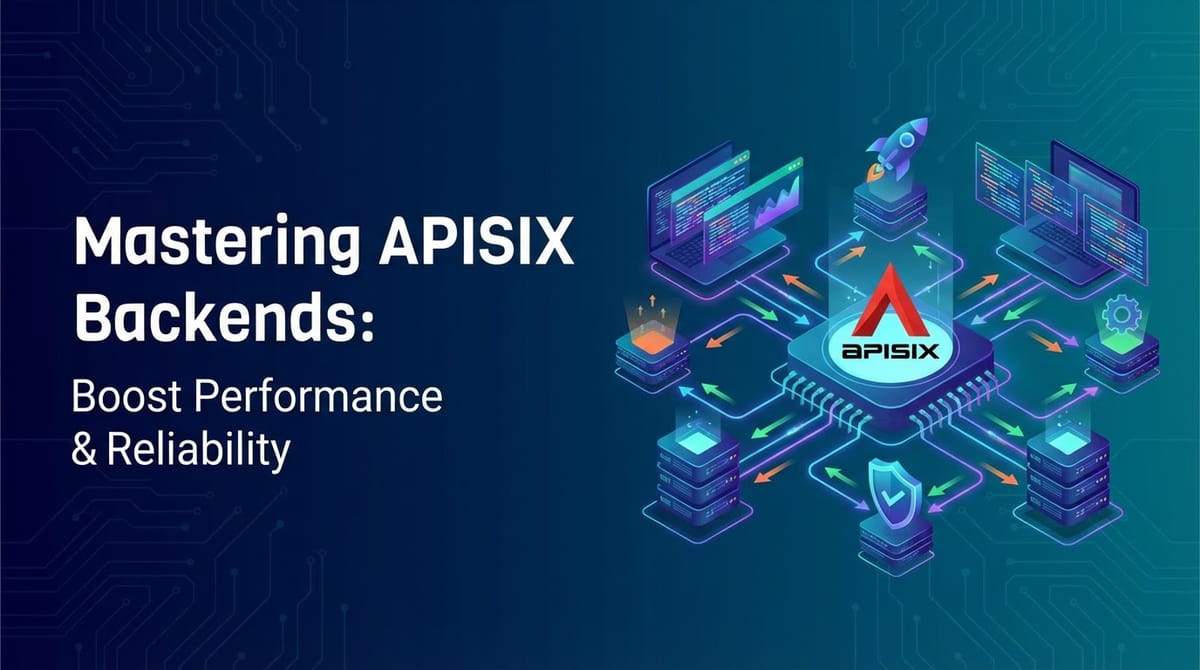


In the labyrinthine world of modern microservices, where applications are fragmented into myriad smaller, independently deployable units, the challenge of managing communication, ensuring security, and maintaining high performance becomes paramount. At the heart of this challenge lies the crucial role of the API gateway. An API gateway acts as the single entry point for all client requests, routing them to the appropriate backend services, applying policies, and offloading common tasks. Among the pantheon of powerful API gateway solutions, Apache APISIX stands out as a high-performance, open-source, and dynamic cloud-native gateway. Its robust architecture and extensive plugin ecosystem empower developers and operations teams to meticulously control and optimize their backend interactions.
This comprehensive guide delves deep into the art and science of mastering APISIX backends, providing an exhaustive exploration of how to configure, monitor, and optimize your backend services to achieve unparalleled performance and unwavering reliability. We will unpack the intricacies of APISIX's backend management capabilities, from sophisticated load balancing algorithms and proactive health checks to advanced traffic routing and security measures. Our journey will illuminate the path to constructing a resilient, high-throughput API infrastructure capable of meeting the rigorous demands of today's digital landscape. By the end of this article, you will possess the knowledge and strategic insights required to leverage APISIX to its fullest potential, transforming your backend operations into a beacon of efficiency and stability.
Chapter 1: Understanding APISIX and Its Role as an API Gateway
The proliferation of microservices and the increasing reliance on API-driven architectures have made the API gateway an indispensable component of any modern distributed system. It's no longer just about routing requests; it's about providing a unified facade, enforcing security policies, managing traffic, and ensuring observability across a complex web of services. APISIX, designed from the ground up for cloud-native environments, excels in this multifaceted role, offering dynamic capabilities that traditional proxies often lack.
What is APISIX? A High-Performance, Cloud-Native API Gateway
Apache APISIX is an open-source, cloud-native API gateway, ingress controller, and service mesh that leverages Nginx + LuaJIT for its high-performance data plane and etcd for its dynamic configuration store. This combination provides several distinct advantages: ultra-low latency, high concurrency, and the ability to update rules and configurations in real-time without restarts. Unlike many traditional gateway solutions that require service restarts for configuration changes, APISIX's dynamic nature ensures zero downtime and rapid adaptability to evolving service requirements. It supports multiple protocols, including HTTP/HTTPS, HTTP/2, gRPC, WebSockets, and Dubbo, making it versatile for various types of applications and services. Its core strength lies in its extensive plugin ecosystem, allowing users to extend its functionalities for authentication, traffic control, observability, and security with ease.
Why an API Gateway is Crucial in Modern Architectures
The necessity of an API gateway stems from the inherent complexities of microservices. Without a central point of control, managing client-to-service communication becomes a chaotic and error-prone endeavor.
- Centralized Management and Policy Enforcement: An API gateway consolidates various cross-cutting concerns that would otherwise need to be implemented in each microservice. This includes authentication, authorization, rate limiting, logging, and caching. By centralizing these policies, consistency is maintained, and the burden on individual service developers is significantly reduced, allowing them to focus purely on business logic. APISIX provides a rich set of plugins for these purposes, simplifying policy application across thousands of APIs.
- Enhanced Security: Exposing backend services directly to the internet is a significant security risk. An API gateway acts as a powerful security shield, protecting backend services from malicious attacks. It can enforce access control, validate API keys or JWT tokens, implement IP whitelisting/blacklisting, and integrate with Web Application Firewalls (WAFs). APISIX's security plugins, such as
jwt-auth,key-auth,ip-restriction, andcoraza(WAF integration), provide robust layers of protection. Furthermore, it can terminate TLS connections, encrypting traffic between the gateway and clients, and optionally re-encrypting for secure communication with backend services using mTLS. - Sophisticated Traffic Management: Modern applications demand intelligent traffic routing to ensure high availability, load distribution, and efficient resource utilization. An API gateway like APISIX offers advanced capabilities such as load balancing across multiple instances of a service, dynamic routing based on various request parameters (URI, host, headers, methods), canary releases, blue/green deployments, and A/B testing. This granular control over traffic flow is essential for seamless deployments, quick rollbacks, and experimental feature releases without impacting all users.
- Improved Observability: Understanding the health and performance of hundreds or thousands of microservices is a daunting task. An API gateway serves as a critical point for collecting metrics, logs, and traces for all incoming requests and outgoing responses. This centralized data collection vastly simplifies monitoring, troubleshooting, and performance analysis. APISIX integrates seamlessly with popular observability tools like Prometheus, Grafana, ELK stack, and distributed tracing systems like Zipkin and Jaeger, providing invaluable insights into the entire API lifecycle.
- Optimized Developer Experience: By abstracting the complexity of the backend architecture, an API gateway presents a simpler, more consistent API to client developers. It can handle versioning, format transformations, and aggregation of multiple service calls into a single response, simplifying client-side development and reducing network chattiness. This streamlined experience translates to faster development cycles and improved productivity for client-facing teams.
APISIX's Architecture Overview
Understanding APISIX's core architecture is fundamental to mastering its backend management capabilities. It primarily consists of two main planes:
- Data Plane: This is where the actual traffic flows through. Built on Nginx and LuaJIT, the data plane handles request routing, plugin execution, and communication with backend services. Its non-blocking I/O model and efficient LuaJIT runtime enable it to process requests with exceptionally low latency and high concurrency, making it ideal for demanding environments. Each APISIX instance runs independently, processing requests based on the configuration it fetches from the control plane.
- Control Plane: This is responsible for managing and distributing configurations to the data plane instances. APISIX uses etcd, a highly consistent and available distributed key-value store, as its configuration center. Operators can interact with the control plane through the Admin API (a RESTful interface) or the APISIX Dashboard (a user-friendly GUI) to define routes, services, upstreams, and plugins. Any changes made are immediately pushed to etcd, and the data plane instances dynamically pull these updates without requiring restarts, ensuring true hot-reloading. This dynamic configuration is a cornerstone of APISIX's agility and robustness.
This architectural design allows APISIX to scale horizontally by adding more data plane instances, ensuring that the gateway itself does not become a bottleneck. The separation of concerns between data processing and configuration management contributes significantly to its performance and reliability.
Chapter 2: The Anatomy of APISIX Backends
To effectively manage and optimize backend services with APISIX, it's crucial to understand how APISIX conceptualizes and interacts with these services. APISIX introduces several key abstractions – Upstreams, Services, and Routes – which together form the blueprint for directing and manipulating traffic to your application backends. Each component plays a distinct role in defining the connection to your ultimate destination, applying policies, and ensuring reliable communication.
Defining "Backend" in APISIX Context: Upstreams, Routes, Services
In APISIX, the term "backend" isn't a single, monolithic entity but rather a collection of interconnected configurations that describe where a request should go and how it should be handled.
- Upstreams: An Upstream object represents a group of backend service instances (or "nodes") that perform the same function. It's essentially a virtual host for your backend cluster. When you configure an Upstream, you define the load balancing policy, health check mechanisms, retry policies, and circuit breaking rules that apply to all nodes within that group. This abstraction is fundamental for high availability and efficient resource distribution.
- Services: A Service object acts as an abstraction layer for your actual business services. It's a logical grouping of an API, typically binding to an Upstream. A Service can have its own set of plugins, which are applied globally to all requests hitting this service. This is useful for applying common policies like authentication or logging for an entire business capability, regardless of how many routes point to it. A single Service can be referenced by multiple Routes.
- Routes: A Route object defines the rules for how incoming client requests are matched and then directed to a specific Service or Upstream. This is the entry point for client traffic into APISIX. Routes specify matching criteria based on URI, host, HTTP methods, headers, query parameters, and more. Once a request matches a Route, the plugins configured on that Route (and potentially its associated Service and Upstream) are executed, and the request is forwarded to the designated Upstream/Service. Routes provide the most granular control over traffic flow and plugin execution.
Understanding the hierarchy – Routes match traffic and direct it to Services, which then forward it to Upstreams containing backend nodes – is key to designing a flexible and scalable API architecture with APISIX.
Upstreams: The Heart of Backend Management
The Upstream object is arguably the most critical component for managing backend performance and reliability. It encapsulates all the logic related to connecting, load balancing, and maintaining the health of your actual application servers.
What are Upstreams? Server Pools for Backend Services
An Upstream in APISIX represents a logical cluster of backend servers that serve the same purpose. Instead of directly configuring individual server IPs in routes, you define an Upstream that contains multiple nodes (individual backend server addresses and ports). This abstraction allows APISIX to seamlessly manage multiple instances of a service, providing features like load balancing, fault tolerance, and dynamic scaling without reconfiguring every route. For example, if you have three instances of a user-service running, they would all be configured as nodes within a user-service-upstream.
Load Balancing Algorithms: Distributing the Load Intelligently
APISIX offers several sophisticated load balancing algorithms to distribute incoming requests efficiently across the nodes in an Upstream. Choosing the right algorithm can significantly impact performance, latency, and resource utilization of your backend services.
- Round-Robin (default): This is the simplest and most commonly used algorithm. Requests are distributed sequentially and equally to each node in the Upstream. It's straightforward to implement and works well when all backend servers have similar processing capabilities and response times. However, if one server is slower or overloaded, subsequent requests might still be sent to it, leading to uneven distribution.
- Weighted Round-Robin: An extension of round-robin, this algorithm assigns a weight to each node, indicating its capacity or priority. Nodes with higher weights receive a proportionally larger share of requests. This is ideal for heterogeneous backend environments where servers might have different hardware specifications or processing power. For instance, a new, more powerful server can be given a higher weight to handle more traffic, while older servers gradually receive less.
- Least Connections: This algorithm directs incoming requests to the backend server with the fewest active connections. It's particularly effective for long-lived connections or when backend servers exhibit varying response times. By sending traffic to less busy servers, it helps prevent bottlenecks and ensures a more balanced workload, ultimately reducing overall latency.
- Consistent Hashing: This algorithm maps requests to backend servers based on a hash of a specific key (e.g., client IP, URI, or header). The same key will consistently be routed to the same server, as long as that server is healthy. This is extremely useful for maintaining session stickiness (session persistence) without relying on sticky sessions mechanisms, especially in scenarios where clients need to interact with a specific backend instance that holds their session state or cached data. It minimizes re-hashing when servers are added or removed, improving cache hit rates and reducing data movement.
- Exponential Jitter (Random Weighted): While not a standard APISIX load balancing algorithm directly for distribution, it's related to how APISIX can dynamically adjust retry waits. However, for load balancing, APISIX also offers a basic
randomalgorithm. For scenarios needing more advanced weighted random distribution, usingweighted round-robinis often preferred. The goal is to provide a probabilistic distribution that accounts for varying server capabilities without strictly sequential order. - CHash (Consistent Hashing): APISIX provides various consistent hashing options, allowing you to hash based on different request attributes like
header,cookie,URI,query_arg,consumer, orclient_ip. This is crucial for maintaining stateful connections or improving cache efficiency by directing specific requests to the same backend node.
Health Checks: Proactive Backend Monitoring for Reliability
Health checks are vital for maintaining backend reliability. They allow APISIX to proactively monitor the status of individual backend nodes and automatically remove unhealthy ones from the load balancing pool, preventing requests from being sent to failing servers. This ensures continuous service availability and prevents cascading failures. APISIX supports both active and passive health checks.
- Active Health Checks: APISIX periodically sends synthetic requests (e.g., HTTP GET requests to a specific
/healthendpoint) to each backend node. If a node fails to respond within a timeout or returns an unhealthy status code (e.g., 5xx), it's marked as unhealthy and temporarily removed from the Upstream's load balancing pool. Once it starts responding positively again, it's automatically reintegrated.- Types: APISIX supports
http,tcp, andredishealth checks. HTTP checks are most common, hitting a specific URL. TCP checks verify if a port is open and listening. Redis checks ensure a Redis instance is responsive. - Configuration: You define the
http_path,interval,timeout,unhealthythresholds (e.g.,http_failures,http_codes,interval), andhealthythresholds (e.g.,successes,interval).
- Types: APISIX supports
- Passive Health Checks: Unlike active checks, passive checks don't send synthetic requests. Instead, APISIX monitors the actual traffic flowing through to the backend nodes. If a node consistently returns error responses (e.g., 5xx status codes) or connection failures for a configured number of times within a specific period, it's marked as unhealthy. This approach is less intrusive as it doesn't add extra traffic.
- Configuration: You define
unhealthythresholds based onhttp_failures,tcp_failures, ortimeoutsand thepassive.unhealthy.interval. Similarly,healthycriteria can be set.
- Configuration: You define
Combining active and passive health checks provides a robust and responsive mechanism for detecting and isolating unhealthy backend services, significantly boosting the overall reliability of your API.
Retries: Handling Transient Failures Gracefully
Transient failures are an inevitable part of distributed systems (e.g., temporary network glitches, brief service restarts, momentary resource exhaustion). Instead of immediately returning an error to the client, APISIX can be configured to retry failed requests on a different healthy backend node. This improves the user experience by masking intermittent issues and increasing the likelihood of successful request completion.
- Configuration: Within an Upstream, you can configure the
retriescount (how many times to retry) andretry_timeout(maximum time for all retries). You can also specify which types of errors should trigger a retry (e.g.,timeout,connection_error,http_5xx). - Caveats: While beneficial, excessive retries can exacerbate issues, especially during a broader service outage, leading to a "retry storm." It's crucial to set appropriate retry limits and combine them with circuit breaking mechanisms to prevent overwhelming already struggling backends. Also, ensure that the backend operations are idempotent if retries are enabled for mutating requests (POST, PUT, DELETE), as a request might be processed multiple times.
Circuit Breaking: Preventing Cascading Failures
Circuit breaking is a crucial design pattern for building resilient microservices. It prevents a failing backend service from consuming excessive resources and causing cascading failures across your entire system. When a backend node consistently fails (based on criteria like maximum failures or timeouts), the circuit breaker "trips," temporarily isolating that node. APISIX stops sending requests to the tripped node for a specified cooldown period. After the cooldown, APISIX allows a small number of "half-open" requests to test if the backend has recovered. If successful, the circuit closes, and traffic resumes. If not, the circuit remains open.
- Configuration: In APISIX, circuit breaking is configured within the Upstream using parameters like
max_failures(number of consecutive failures before tripping),unhealthy.interval(cooldown period), andhealthy.successes(how many successful requests to close the circuit). - Benefits: This pattern protects your backend services from being overloaded by continuous requests to a failing instance, giving them time to recover. It also provides immediate feedback to the client (e.g., a 503 error) rather than prolonged timeouts, improving the client experience.
At this point, it's worth pausing to consider the broader landscape of API management. While APISIX excels as a high-performance API gateway, handling the intricate details of traffic routing, load balancing, and backend health, the lifecycle of an API extends far beyond these gateway functions. For organizations looking for a comprehensive solution that combines robust gateway capabilities with advanced API lifecycle management, developer portals, and particularly, support for the burgeoning field of AI services, platforms like APIPark offer compelling advantages. APIPark provides an all-in-one AI gateway and API developer portal, designed to manage, integrate, and deploy AI and REST services with ease. It offers quick integration of 100+ AI models, a unified API format for AI invocation, prompt encapsulation into REST APIs, and end-to-end API lifecycle management, complementing and extending the foundational capabilities offered by powerful gateways like APISIX by focusing on the overall developer and operational experience for all types of APIs, including AI-driven ones. Its performance rivaling Nginx further underscores its suitability for high-throughput environments.
Nodes within Upstreams: Defining Individual Backend Servers
Each Upstream is composed of one or more nodes. A node represents an individual instance of your backend service.
- Host and Port: The primary identifiers for a node, specifying the IP address (or hostname) and port where the backend service is listening.
- Weight: An optional parameter used with weighted load balancing algorithms. It determines the relative proportion of traffic a node receives.
- Status: Indicates whether a node is currently
healthyorunhealthy. This status is dynamically managed by APISIX based on health checks and circuit breaker logic. - Metadata: Allows you to attach arbitrary key-value pairs to a node, which can be useful for various custom logic or informational purposes.
By defining nodes within Upstreams, APISIX can effectively abstract the individual server instances, allowing for dynamic scaling, replacement, and failure handling without impacting the overall service availability or the client's perception of the API.
Services: Abstracting Backend Logic for Reusability
The Service object in APISIX provides a higher level of abstraction, grouping multiple routes that point to the same backend application or logical service.
Why Use Services? Reusability and Decoupling
- Reusability: If you have multiple routes (e.g.,
/users,/users/{id},/admin/users) that all map to the sameuser-servicebackend, you can define a single Service object foruser-serviceand associate youruser-service-upstreamwith it. Then, all these routes can simply point to theuser-serviceService. This avoids redundant configuration of the Upstream in every route. - Decoupling: Services decouple the routing logic from the backend service definition. If you need to change the Upstream (e.g., point to a new version of the backend), you only need to update the Service object, and all associated routes will automatically inherit the change.
- Global Plugin Application: Plugins configured at the Service level apply to all requests that are routed through that Service, regardless of the specific Route that matched them. This is ideal for applying common policies like authentication (e.g.,
key-auth,jwt-auth) or basic logging across an entire logical API.
Binding Upstreams to Services
A Service typically binds to a single Upstream. This means that all requests routed to a particular Service will ultimately be forwarded to the nodes defined in its associated Upstream, following the Upstream's load balancing, health check, and circuit breaking rules. This clear separation of concerns makes your APISIX configuration more organized, maintainable, and scalable.
Routes: Directing Traffic to Services/Upstreams with Granular Control
Routes are the entry points for client traffic into APISIX. They define the specific criteria that an incoming request must meet to be processed by APISIX and then directed to a particular Service or Upstream.
Matching Rules: Precision in Traffic Direction
APISIX Routes offer extremely flexible and powerful matching capabilities, allowing for fine-grained control over how requests are directed. You can define various predicates to match incoming requests:
- URI: Match requests based on their path (e.g.,
/users,/products/*, regular expressions). This is the most common matching criterion. - Host: Match requests based on the
Hostheader (e.g.,api.example.com). This is essential for hosting multiple domains or subdomains through a single APISIX instance. - Methods: Match requests based on their HTTP method (e.g.,
GET,POST,PUT,DELETE). - Headers: Match requests based on specific HTTP headers and their values (e.g.,
X-Version: v2,Authorizationheader presence). - Args (Query Parameters): Match requests based on query string parameters (e.g.,
?version=1.0,?locale=en-US). - Remote IP: Match requests based on the client's IP address, useful for geographical routing or security restrictions.
- Priority: Routes are evaluated in order of priority. If multiple routes match a request, the one with the highest priority (or the first one matched if priorities are equal) is chosen. This allows for defining more specific rules that override broader ones.
The ability to combine multiple matching rules with logical AND/OR operations provides unparalleled flexibility in crafting sophisticated routing policies.
Plugin Configuration at Route Level
Just like Services and Upstreams, Routes can also have plugins configured directly on them. Plugins applied at the Route level take precedence over those defined at the Service or Global level. This enables extremely granular control over policies:
- Specific Rate Limiting: Apply a stricter rate limit to a particular sensitive endpoint (e.g.,
/users/signup) than to other endpoints of the same service. - Custom Authentication: Require a different authentication mechanism for an admin-specific route compared to public routes of the same service.
- Request/Response Transformations: Perform specific header or body transformations only for requests hitting a certain route.
By understanding and judiciously using Routes, Services, and Upstreams, you can construct a highly dynamic, performant, and reliable API gateway infrastructure with APISIX, tailored precisely to the needs of your microservices. This layered approach ensures maintainability, reusability, and granular control, which are all hallmarks of a well-architected distributed system.
Chapter 3: Strategies for Boosting Performance
Optimizing performance is a continuous endeavor in API management. With APISIX, you have a powerful arsenal of features and plugins specifically designed to reduce latency, increase throughput, and ensure your backend services operate at peak efficiency. These strategies range from intelligent load distribution to sophisticated caching and efficient data handling.
Load Balancing Optimization: Smart Distribution for Maximum Throughput
Load balancing is the cornerstone of performance and scalability in distributed systems. Proper configuration ensures that no single backend instance becomes a bottleneck, and resources are utilized optimally.
- Choosing the Right Algorithm for Different Workloads:
- For uniform backends with similar processing power and fast requests, Round-Robin is simple and effective.
- For heterogeneous backends or those with varying response times, Weighted Round-Robin (to direct more traffic to stronger servers) or Least Connections (to send requests to less busy servers) are superior choices.
- For stateful services, services with internal caching, or applications requiring session stickiness, Consistent Hashing based on
client_iporcookieis invaluable to ensure the same client consistently hits the same backend, maximizing cache hit rates and simplifying session management. - It's not a one-size-fits-all solution; analyze your backend characteristics and request patterns to make an informed decision.
- Dynamic Weight Adjustments: In advanced scenarios, you might consider dynamically adjusting backend weights based on real-time metrics (e.g., CPU utilization, memory, queue depth) reported by monitoring systems. While APISIX doesn't have this out-of-the-box in its load balancing algorithms, you could implement a custom solution using the Admin API to update Upstream node weights programmatically. This allows for adaptive load balancing that responds to the fluctuating health and capacity of your backend services, ensuring maximum throughput even under varying conditions.
- Sticky Sessions (Session Persistence): For applications that require client requests to be consistently routed to the same backend server (e.g., for in-memory session state), APISIX's
chash(consistent hashing) plugin, configured to hash oncookieorclient_ip, provides this "stickiness." This prevents session breaks and ensures a smoother user experience, though it can sometimes lead to uneven load distribution if a particular server accumulates many "sticky" clients. Use it judiciously when the application truly demands it.
Caching Mechanisms: Reducing Backend Load and Latency
Caching is one of the most effective strategies for improving API performance by serving frequently requested data from a faster, closer store rather than hitting the backend service every time.
- APISIX Proxy Cache Plugin (
proxy-cache): APISIX provides a powerfulproxy-cacheplugin that allows the gateway itself to cache responses from backend services.- Configuration: You define cache zones, cache keys (how to identify a unique cached item, typically based on URI, headers, or query args), cache expiration times (
cache_ttl), and conditions for caching (e.g., only cache GET requests with 200 OK responses). - Benefits: Reduces the load on backend services, significantly lowers response times for cached requests, and provides resiliency in case the backend is temporarily unavailable (by serving stale content).
- Invalidation: A critical aspect of caching. APISIX allows you to purge specific cached items or entire cache zones via the Admin API or by using
Cache-Controlheaders (e.g.,Cache-Control: no-cache, no-store, must-revalidate). Implementing an effective invalidation strategy is key to serving fresh content while still reaping caching benefits.
- Configuration: You define cache zones, cache keys (how to identify a unique cached item, typically based on URI, headers, or query args), cache expiration times (
- Leveraging External Caches (Redis, Memcached): For more complex caching needs, especially for shared data across multiple APISIX instances or for very large datasets, integrating with external distributed caches like Redis or Memcached is a common pattern. APISIX can be extended with custom Lua plugins to interact with these caches, enabling highly sophisticated caching logic that goes beyond simple proxy caching. This allows for centralized cache management and greater flexibility.
- Cache-Control Headers: Adhering to standard HTTP
Cache-Controlheaders (e.g.,max-age,s-maxage,public,private,no-cache,no-store) in your backend responses is crucial. APISIX respects these headers, allowing your backend services to dictate caching behavior at the gateway level and even at the client browser level. This provides a decentralized yet effective way to manage cache validity across the entire request chain.
Compression: Minimizing Bandwidth Usage
HTTP compression, primarily Gzip or Brotli, reduces the size of response bodies transferred over the network, leading to faster loading times and reduced bandwidth costs, especially for text-based content (JSON, HTML, CSS, JavaScript).
- Gzip/Brotli Compression Plugin (
gzip): APISIX offers agzipplugin that can automatically compress responses from backend services before sending them to clients.- Benefits: Significantly reduces network latency for clients, particularly those on slower connections, and lowers bandwidth consumption.
- Configuration: You can specify minimum response size for compression (
min_length), compression levels, andContent-Typeheaders to include or exclude from compression (e.g., only compressapplication/jsonandtext/html). - Impact on CPU: While compression saves bandwidth, it consumes CPU resources on the APISIX gateway. It's important to monitor CPU utilization and find a balance. For highly CPU-bound APISIX instances, offloading compression to backend services or disabling it for very small responses might be beneficial.
Connection Management: Efficient Resource Utilization
Efficient management of network connections between APISIX and your backend services is vital for reducing overhead and improving request processing speed.
- Keep-Alive Connections (Backend Servers): APISIX supports HTTP Keep-Alive connections to backend servers. Instead of establishing a new TCP connection for every request, APISIX reuses existing connections, reducing the overhead of TCP handshakes and TLS negotiations. This significantly improves performance, especially for services receiving a high volume of requests. Ensure your backend servers are also configured to support Keep-Alive.
- Connection Pools: APISIX inherently manages connection pools to backends for improved efficiency. By maintaining a pool of ready-to-use connections, it minimizes the latency associated with establishing new connections for each incoming request, leading to faster response times and reduced resource consumption on both the gateway and backend sides.
Request/Response Transformation: Optimizing Data Flow
Transforming requests before they hit the backend and responses before they reach the client can streamline data, reduce unnecessary processing, and adapt APIs for various consumers.
- Rewriting Paths, Headers, and Body (Plugins:
uri-rewrite,response-rewrite,request-rewrite):uri-rewrite: Allows you to modify the request URI before it's forwarded to the backend. This is useful for internal routing, versioning (e.g.,/v1/usersto/users), or abstracting internal paths.request-rewrite: Provides comprehensive modification capabilities for the request line, headers, and even the request body before forwarding to the backend. This can be used to add/remove authentication headers, inject custom metadata, or transform payload formats.response-rewrite: Modifies the response status code, headers, or body before sending it back to the client. This is useful for unifying error formats, sanitizing sensitive information, or adding custom client-facing headers.- Benefits: These transformations enable APISIX to act as an adaptation layer, allowing backend services to remain simpler and more focused on business logic, while the gateway handles client-specific format requirements or internal routing complexities.
- Filtering Unnecessary Data: While not a direct plugin, thoughtful use of
response-rewritecan also implicitly filter data by removing or modifying parts of the response body that are not relevant to the client, reducing payload size and parsing effort on the client side.
Rate Limiting and Throttling: Protecting Backends from Overload
While not strictly a "performance booster" in terms of speeding up individual requests, rate limiting is crucial for sustaining performance and ensuring reliability under high load by preventing backends from being overwhelmed.
- Protecting Backends from Overload (
limit-req,limit-count,limit-connplugins):limit-req: Limits the rate of requests per second based on various keys (e.g.,client_ip,consumer,header). Uses a leaky bucket algorithm for smooth rate control.limit-count: Limits the total number of requests within a fixed time window.limit-conn: Limits the number of concurrent connections from clients.- Benefits: Prevents DDoS attacks, abusive clients, and accidental overload scenarios. It ensures fair usage of backend resources and maintains service availability even during traffic spikes.
- Fair Usage Policies: By applying different rate limits per consumer or API key, you can enforce tiered access or prevent a single client from monopolizing resources.
Implementing these performance optimization strategies within APISIX can dramatically enhance the speed, responsiveness, and overall efficiency of your API infrastructure. It's a continuous process of monitoring, analyzing, and fine-tuning to ensure your gateway and backend services are operating at their best.
APIPark is a high-performance AI gateway that allows you to securely access the most comprehensive LLM APIs globally on the APIPark platform, including OpenAI, Anthropic, Mistral, Llama2, Google Gemini, and more.Try APIPark now! 👇👇👇
Chapter 4: Enhancing Reliability and Resilience
Beyond optimizing performance, ensuring the reliability and resilience of your API ecosystem is paramount. A reliable system is one that can withstand failures, recover gracefully, and provide consistent service even under adverse conditions. APISIX offers a comprehensive suite of features and integrations to build a truly robust API gateway that acts as a bulwark against service disruptions.
Advanced Health Checks and Anomaly Detection
Building upon the basic health checks discussed earlier, advanced configurations and integrations can provide a more proactive and intelligent approach to backend monitoring.
- Custom Health Check Endpoints: Instead of just checking if a port is open or a basic
/healthendpoint returns 200, design specific, lightweight health check endpoints within your backend services that perform a deeper diagnostic. This might involve checking database connections, external service dependencies, or internal queues. APISIX can then be configured to probe these more intelligent endpoints. This level of granularity ensures that only truly operational instances are considered healthy. - Integrating with Monitoring Systems (Prometheus, Grafana): APISIX's
prometheusplugin exports a rich set of metrics (e.g., request count, latency, error rates, Upstream health) in a format easily scraped by Prometheus. These metrics can then be visualized in Grafana dashboards, providing real-time insights into the health and performance of your gateway and its backend interactions. Detailed dashboards allow operations teams to quickly spot anomalies, identify slow services, and observe the impact of deployments. - Alerting Strategies: Beyond mere visualization, integrate APISIX metrics with an alerting system (e.g., Alertmanager for Prometheus, PagerDuty, Opsgenie). Set up alerts for critical thresholds such as:
- High error rates (e.g., >5% 5xx errors from a specific Upstream).
- Increased backend latency (e.g., P99 latency exceeding a threshold).
- Decreased healthy backend nodes (e.g., less than 50% of nodes in an Upstream are healthy).
- APISIX gateway resource utilization (CPU, memory, open files). Proactive alerts enable rapid response to issues, often before they impact a significant number of users.
Circuit Breaking and Retries in Depth
While introduced as basic concepts, fine-tuning circuit breakers and retries is an art that requires understanding your backend's behavior.
- Fine-tuning Parameters for Specific Backend Characteristics: Not all backend services fail in the same way or recover at the same pace.
- For fast-recovering, stateless services, you might set a lower
max_failuresand shorterunhealthy.intervalto quickly isolate issues. - For services that take longer to initialize or recover (e.g., those loading large datasets), you might need a higher
max_failuresto avoid premature tripping and a longerunhealthy.intervalto give them adequate recovery time. - Experiment with different
healthy.successesvalues to determine how many successful requests are needed to confidently close the circuit, balancing rapid recovery with cautious re-engagement.
- For fast-recovering, stateless services, you might set a lower
- Graceful Degradation Strategies: When a circuit breaker trips, APISIX returns a 503 Service Unavailable error by default. For critical APIs, you might implement more sophisticated graceful degradation. This could involve:
- Redirecting requests to a static fallback service or cached content (using
uri-rewriteor custom plugins). - Returning a "canned" response (e.g., default data) instead of an error, preserving some functionality.
- APISIX allows custom plugin logic to handle these scenarios, ensuring that even when primary backends are down, users get a more functional or informative experience.
- Redirecting requests to a static fallback service or cached content (using
Blue/Green Deployments and Canary Releases
These deployment strategies are crucial for minimizing downtime and risk when introducing new versions of backend services. APISIX, with its dynamic routing capabilities, is an ideal tool to facilitate them.
- Using APISIX to Manage Traffic Shifting:
- Blue/Green Deployments: Deploy a completely new version of your backend service ("Green" environment) alongside the existing stable version ("Blue" environment). Once "Green" is validated, use APISIX to instantly shift 100% of traffic from "Blue" to "Green" by updating the Upstream associated with a Service or by simply changing which Upstream a Service points to. If issues arise, traffic can be instantly rolled back to "Blue." This offers near-zero downtime deployments.
- Canary Releases: Introduce a new version of a service (the "canary") to a small subset of users (e.g., 1-5% of traffic). APISIX can achieve this by having two Upstreams (one for the old version, one for the new) and using
weighted round-robinload balancing, gradually increasing the weight for the canary Upstream. For more precise control, rules can be defined on a Route (e.g.,header-matchfor internal users orquery-argfor specific testing flags) to direct traffic to the canary. - Benefits: Canary releases allow for real-world testing of new versions with minimal blast radius. Any issues affect only a small percentage of users, enabling quick fixes or rollbacks without impacting the majority.
- Incremental Rollouts for New Backend Versions: Combining canary releases with a gradual increase in traffic to the new version allows for a controlled, risk-averse rollout process. This iterative approach, managed by APISIX's dynamic Upstream weighting, ensures stability throughout the deployment lifecycle.
- Rollback Strategies: In case of critical issues during a rollout, APISIX enables instant rollbacks. For blue/green, it's a simple flip back to the old environment. For canary, it means reducing the weight of the new version to zero or directing all traffic back to the stable Upstream. This agility is key to maintaining high reliability.
Request/Response Logging and Observability
Comprehensive logging and observability are the eyes and ears of your API infrastructure, providing the necessary data to understand behavior, troubleshoot issues, and ensure security.
- APISIX Logging Plugins (HTTP Logger, Kafka Logger, File Logger, etc.): APISIX offers a variety of logging plugins to capture and export detailed request and response information.
http-logger: Sends logs to a remote HTTP endpoint (e.g., a centralized logging service like Splunk or Elastic APM).kafka-logger: Publishes logs to an Apache Kafka topic for high-throughput, asynchronous logging and subsequent processing by stream processing frameworks.file-logger: Writes logs to a local file.syslog: Sends logs to a syslog server.- Benefits: These plugins allow you to offload logging concerns from your backend services to the gateway, centralizing log collection and ensuring consistent log formats. Logs can include request/response headers, body (if configured), timing information, client IP, and chosen route/service.
- Detailed API Call Logging: As mentioned with APIPark, having comprehensive logging is crucial. APISIX, through its various logging plugins, can record every detail of each API call, including request methods, URIs, client IPs, response statuses, and latency. This enables businesses to quickly trace and troubleshoot issues in API calls, ensuring system stability and data security.
- Centralized Logging Systems (ELK, Loki): Integrating APISIX logs with centralized logging platforms like Elasticsearch, Logstash, and Kibana (ELK Stack) or Grafana Loki enables powerful log aggregation, searching, analysis, and visualization. This is essential for quickly identifying error patterns, security incidents, or performance bottlenecks across your entire microservice landscape.
- Distributed Tracing (OpenTracing, Zipkin, Jaeger): For understanding the flow of a single request across multiple microservices, distributed tracing is indispensable. APISIX supports plugins like
opentelemetrywhich can generate and forward trace contexts (e.g.,traceparentheaders) to backend services. When your backend services are also instrumented, this allows you to visualize the entire request path, pinpointing latency hotspots and failures within the service chain. This level of insight is critical for debugging complex distributed systems and optimizing end-to-end performance.
Security Considerations for Backends
The API gateway is the first line of defense for your backends. Robust security measures at this layer are non-negotiable.
- Authentication and Authorization (JWT, OAuth2, Key Auth plugins):
key-auth: Authenticates clients using API keys.jwt-auth: Validates JSON Web Tokens (JWTs), ensuring only authorized clients with valid tokens can access services.oauth(viaext-pluginor custom integration): For full OAuth2 flows, APISIX can act as an enforcement point, ensuring tokens are valid and roles are authorized.- Benefits: Offloads authentication and initial authorization from backend services, making them simpler and more secure. It provides a centralized point for managing access control.
- Independent API and Access Permissions for Each Tenant: This is another area where a platform like APIPark excels, allowing for the creation of multiple teams (tenants), each with independent applications, data, user configurations, and security policies. APISIX contributes to this by providing the granular controls to enforce these policies based on consumer, API key, or JWT claims.
- IP Restriction and Blacklisting/Whitelisting (
ip-restrictionplugin): Allows you to permit or deny access to APIs based on client IP addresses. This is useful for restricting access to internal networks, specific partners, or blocking known malicious IPs. - WAF Integration (
corazaplugin): Thecorazaplugin integrates APISIX with the Coraza WAF engine, providing a powerful layer of protection against common web vulnerabilities like SQL injection, cross-site scripting (XSS), and other OWASP Top 10 threats. A WAF at the gateway level can proactively filter malicious requests before they even reach your backend services, significantly enhancing security. - Encrypting Traffic (mTLS, HTTPS to Backends):
- HTTPS (TLS/SSL) for Client-to-Gateway: APISIX terminates HTTPS connections from clients, ensuring secure communication from the edge.
- HTTPS for Gateway-to-Backend: Configure APISIX to use HTTPS when communicating with backend services, even within your private network. This encrypts traffic end-to-end, protecting sensitive data in transit.
- mTLS (Mutual TLS): For the highest level of security, APISIX can be configured for mutual TLS authentication with backend services. This means both the gateway and the backend verify each other's digital certificates, ensuring that only trusted entities can communicate. This is critical for highly sensitive applications and zero-trust architectures.
By meticulously implementing these reliability and resilience strategies, you can transform your APISIX gateway into a robust, self-healing, and secure foundation for your entire microservices architecture. This proactive approach ensures that your APIs remain available and performant, even in the face of unexpected failures or malicious attacks.
Chapter 5: Practical Implementation and Best Practices
Having explored the theoretical underpinnings and core capabilities of APISIX for backend management, it's time to delve into practical implementation strategies and best practices that ensure smooth operation, maintainability, and scalability. Effective management of an API gateway involves not just configuration, but also robust deployment processes, vigilant monitoring, and continuous improvement.
Configuration Management: Declarative vs. Dynamic
APISIX offers flexible ways to manage its configuration, catering to different operational philosophies.
- APISIX Dashboard: For users who prefer a graphical interface, the APISIX Dashboard provides a user-friendly way to create, modify, and delete Routes, Services, Upstreams, and plugins. It's excellent for initial setup, visual inspection, and quick adjustments. However, for large-scale, automated deployments, relying solely on a GUI can become cumbersome and error-prone.
- Admin API: The APISIX Admin API is a RESTful interface that allows programmatic interaction with the APISIX control plane. This is the backbone for automation. You can use
curlcommands, custom scripts, or client libraries to manage all APISIX configurations. This approach is powerful for integrating APISIX into CI/CD pipelines and custom management tools. - YAML/JSON Configuration Files (Declarative Approach for GitOps): For organizations embracing GitOps or Infrastructure as Code (IaC) principles, storing APISIX configurations (Routes, Services, Upstreams, Plugins) as YAML or JSON files in a version-controlled repository (like Git) is the gold standard.
- Benefits:
- Version Control: Every change is tracked, auditable, and easily revertible.
- Collaboration: Multiple teams can collaborate on configurations, with pull requests and code reviews ensuring quality.
- Automation: Tools like Argo CD, Flux CD, or custom scripts can automatically synchronize the desired state from Git to the APISIX Admin API, ensuring that the gateway configuration always matches the repository's content.
- Idempotency: The Admin API is largely idempotent, meaning applying the same configuration multiple times will result in the same state, simplifying automation.
- Implementation: You would typically write scripts or use tools that read these YAML/JSON definitions and then call the APISIX Admin API to apply them. This is how many modern gateway deployments are managed at scale.
- Benefits:
Infrastructure as Code (IaC) with APISIX
Embracing IaC for APISIX configurations brings immense benefits, aligning gateway management with broader cloud-native practices.
- Automating APISIX Configuration Deployment: Tools like Terraform, Ansible, or Kubernetes Operators can be used to manage APISIX installations and configurations.
- Terraform: Can manage the APISIX cluster itself (e.g., deploying APISIX instances in a cloud environment) and then use a custom provider or
local-execto push configurations via the Admin API. - Kubernetes Operator: For Kubernetes environments, the APISIX Ingress Controller or a dedicated APISIX Operator allows you to define APISIX Routes, Upstreams, and Services as Kubernetes Custom Resources (CRDs). Kubernetes then ensures that the APISIX gateway reflects these desired states, fully integrating APISIX management into the Kubernetes ecosystem.
- Terraform: Can manage the APISIX cluster itself (e.g., deploying APISIX instances in a cloud environment) and then use a custom provider or
- Version Control for Gateway Settings: Storing all your gateway configurations (routes, services, upstreams, plugins) in Git is a non-negotiable best practice. This provides a single source of truth, enables rollbacks, and supports collaborative development and auditing, vital for complex API landscapes.
Monitoring and Alerting: The Eyes and Ears of Your Gateway
Vigilant monitoring is crucial for identifying issues before they impact users and for continuously optimizing performance.
- Key Metrics to Monitor:
- Latency: Average, P95, P99 latency for all requests and for specific services/routes.
- Error Rates: Percentage of 4xx and 5xx errors from the gateway and for each backend service.
- Throughput: Requests per second (RPS) for the entire gateway and individual services/routes.
- CPU/Memory Usage: For APISIX instances and the etcd cluster. High CPU can indicate inefficient plugins or heavy traffic; high memory can indicate leaks or misconfigurations.
- Upstream Health: Number of healthy/unhealthy nodes in each Upstream.
- Connection Counts: Active connections to APISIX and from APISIX to backends.
- Cache Hit Ratio: If using
proxy-cache, monitor the percentage of requests served from the cache.
- Setting Up Effective Alerts: Define clear, actionable alerts based on these metrics. Avoid alert fatigue by setting reasonable thresholds and escalating critical alerts appropriately. For example, an alert for 5xx errors should trigger only if the rate exceeds a certain percentage for a sustained period, not for a single transient error. Integrate with your team's on-call system to ensure prompt response to critical incidents.
Testing Backend Configurations: Ensuring Correctness and Performance
Thorough testing of your APISIX and backend configurations is essential to prevent regressions and ensure optimal performance.
- Unit Tests for APISIX Routes/Plugins: While APISIX configurations are often infrastructure, you can write unit-style tests for your declarative YAML/JSON files. This involves validating the structure and correctness of your configuration files using schema validation tools or custom scripts before deployment.
- Integration Tests with Actual Backends: After deploying configurations to a staging environment, perform integration tests. Send realistic traffic patterns through APISIX to your actual backend services. Verify that requests are routed correctly, plugins are applied as expected (e.g., rate limits, authentication), and responses are as anticipated. Automate these tests within your CI/CD pipeline.
- Performance Testing: Before deploying to production, conduct performance tests (load testing, stress testing) against your APISIX gateway and backend services. This helps identify bottlenecks, validate your load balancing strategies, and confirm that your infrastructure can handle anticipated peak loads. Tools like JMeter, k6, or Locust can simulate high volumes of concurrent users and requests, providing crucial data on latency, throughput, and error rates under stress.
Scaling APISIX Itself: Handling Large-Scale Traffic
APISIX is designed for high performance and scalability, but proper architectural considerations are needed for massive traffic.
- Horizontal Scaling of APISIX Data Plane: The APISIX data plane is stateless (it pulls configurations from etcd). You can easily scale it horizontally by adding more APISIX instances behind a traditional load balancer (e.g., AWS ALB, Nginx, or even another APISIX instance acting as an entry point). This distributes the load across multiple gateway instances, increasing overall throughput and availability.
- High Availability for etcd Cluster: The etcd cluster is the brain of APISIX, storing all configurations. It's critical for etcd to be highly available. Deploy etcd in a clustered setup (typically 3 or 5 nodes in different availability zones) to ensure fault tolerance. Monitor etcd health and performance closely, as any issues with etcd will impact APISIX's ability to update configurations.
- Resource Allocation: Provide sufficient CPU, memory, and network resources to your APISIX instances. While APISIX is highly efficient, heavy plugin usage (e.g., extensive body transformations, WAF) can increase CPU consumption. Regularly review resource usage and adjust allocations as needed.
Real-World Scenarios and Troubleshooting
Even with the best practices, issues can arise. Understanding common scenarios and troubleshooting techniques is invaluable.
- Common Backend Issues and How APISIX Helps:
- Backend Overload: APISIX's rate limiting and circuit breaking prevent overload by shedding excess traffic or temporarily isolating struggling backends.
- Backend Latency Spikes: Health checks can identify slow backends, removing them from the pool. Load balancing algorithms help distribute requests to less busy instances.
- Backend Failures: Health checks and circuit breakers automatically handle failures, ensuring requests are not sent to dead servers, and retries can recover from transient issues.
- New Version Rollback: APISIX's dynamic routing allows for instant traffic shifts back to a stable version.
- Debugging APISIX Configurations:
- Admin API: Query the Admin API to inspect the live configuration of Routes, Services, and Upstreams. This is the most accurate source of truth.
- Logs: Check APISIX error logs and access logs (configured via logging plugins) for clues on routing failures, plugin errors, or backend communication issues.
- Monitoring Dashboards: Use Grafana dashboards to identify which services or routes are experiencing problems (e.g., high error rates, increased latency).
curl -v: Use verbosecurlcommands from the APISIX instance to the backend to diagnose direct connectivity issues.debug-loggerplugin: For in-depth debugging, temporarily enable thedebug-loggerplugin on a specific Route to get very detailed logs about request processing.
By integrating these practical implementation steps and best practices into your operational workflow, you can confidently manage APISIX backends, ensuring that your API gateway remains a highly performant, reliable, and secure cornerstone of your microservices architecture. The continuous feedback loop of monitoring, testing, and refining configurations is key to long-term success.
Conclusion
Mastering APISIX backends is not merely about configuring an API gateway; it's about architecting a resilient, high-performance, and secure foundation for your entire microservices ecosystem. Throughout this extensive guide, we have delved into the intricacies of APISIX's capabilities, from its fundamental role as a dynamic cloud-native gateway to the granular controls it offers over backend interactions. We've seen how Upstreams, Services, and Routes form the critical abstractions for directing traffic, while advanced load balancing, proactive health checks, and sophisticated circuit breaking mechanisms ensure both optimal performance and unwavering reliability.
Our exploration covered a wide spectrum of strategies, from leveraging caching and compression to minimize latency and bandwidth, to implementing robust security measures like authentication, authorization, and WAF integration. We also emphasized the importance of modern DevOps practices, such as Infrastructure as Code, comprehensive monitoring, and rigorous testing, all of which are indispensable for maintaining a healthy and scalable API infrastructure. The ability to perform blue/green deployments and canary releases with APISIX’s dynamic routing capabilities further empowers teams to iterate rapidly and safely, minimizing risk and maximizing uptime.
In an increasingly API-driven world, where the agility and robustness of your services directly impact business success, the strategic deployment and meticulous management of an API gateway like APISIX are non-negotiable. By applying the principles and practical guidance outlined in this article, you are well-equipped to unlock the full potential of APISIX, transforming your backend operations into a model of efficiency, stability, and security. As the landscape of distributed systems continues to evolve, embracing powerful and flexible tools like APISIX, and complementing them with comprehensive API management platforms such as APIPark for broader lifecycle governance and AI API integration, will be key to staying ahead. The journey to a truly mastered API backend is continuous, but with APISIX, you have a steadfast partner capable of meeting the demands of tomorrow.
APISIX Backend Management: Essential Plugins Summary
Here is a summary of key APISIX plugins discussed, categorized by their primary function in backend management:
| Category | Plugin Name | Description | Primary Goal |
|---|---|---|---|
| Traffic Control | limit-req |
Limits the request rate using a leaky bucket algorithm. | Performance, Reliability (prevent overload) |
limit-count |
Limits the total number of requests within a fixed time window. | Performance, Reliability (prevent overload) | |
limit-conn |
Limits the number of concurrent connections. | Performance, Reliability (prevent overload) | |
chash (Upstream) |
Consistent hashing for load balancing based on client IP, headers, etc., ensuring sticky sessions. | Performance, Reliability (session persistence) | |
| Caching | proxy-cache |
Caches backend responses at the gateway level to reduce backend load and latency. | Performance |
| Transformation | uri-rewrite |
Modifies the request URI before forwarding to the backend. | Performance, Flexibility |
request-rewrite |
Modifies request line, headers, and body before forwarding to the backend. | Performance, Flexibility | |
response-rewrite |
Modifies response status, headers, and body before sending to the client. | Performance, Flexibility | |
| Compression | gzip |
Compresses response bodies using Gzip to reduce bandwidth usage. | Performance |
| Security | key-auth |
Authenticates clients using API keys. | Reliability, Security |
jwt-auth |
Validates JSON Web Tokens for client authentication. | Reliability, Security | |
ip-restriction |
Restricts access based on client IP addresses (whitelisting/blacklisting). | Reliability, Security | |
coraza |
Integrates with the Coraza WAF engine to protect against common web vulnerabilities. | Reliability, Security | |
| Observability | prometheus |
Exports APISIX metrics in Prometheus format for monitoring and alerting. | Reliability, Observability |
http-logger |
Forwards access and error logs to a remote HTTP endpoint. | Reliability, Observability | |
kafka-logger |
Publishes access and error logs to an Apache Kafka topic. | Reliability, Observability | |
opentelemetry |
Generates and propagates OpenTelemetry trace contexts for distributed tracing. | Reliability, Observability |
5 Frequently Asked Questions (FAQs)
Q1: What is the primary difference between APISIX's Upstream, Service, and Route objects when managing backends?
A1: The three objects work in a hierarchical manner. A Route defines the rules for matching incoming client requests (e.g., based on URI, host, headers). Once a request matches a Route, it's typically forwarded to a Service. A Service acts as an abstraction for a logical backend API or application, allowing for common policies (like authentication) to be applied across multiple routes. Finally, a Service points to an Upstream. An Upstream represents a group of actual backend server instances (nodes) and defines how traffic is load balanced, how health checks are performed, and what retry or circuit breaking policies are in place for those physical servers. In essence, Routes direct traffic, Services apply common API logic, and Upstreams manage the underlying physical backend infrastructure.
Q2: How does APISIX ensure high availability and prevent single points of failure for backend services?
A2: APISIX ensures high availability through several mechanisms. Firstly, its Upstream objects allow for multiple backend server nodes, distributing traffic via various load balancing algorithms. Secondly, active and passive health checks continuously monitor the health of these nodes, automatically removing unhealthy ones from the load balancing pool and reintroducing them when they recover. Thirdly, circuit breaking prevents requests from continuously hammering a failing backend, giving it time to recover and protecting other services from cascading failures. Lastly, retries for transient errors allow APISIX to attempt sending a failed request to a different healthy backend, masking temporary glitches from the client. The APISIX data plane itself is also designed for horizontal scalability, meaning you can run multiple APISIX instances behind a load balancer, eliminating a single point of failure at the gateway layer.
Q3: Can APISIX help with blue/green deployments or canary releases for backend service updates?
A3: Absolutely. APISIX's dynamic configuration capabilities make it an excellent tool for managing advanced deployment strategies. For blue/green deployments, you can deploy your new "green" version of a service alongside the existing "blue" version. Once validated, you can instantly shift 100% of traffic from the "blue" Upstream to the "green" Upstream by updating the associated Service or Route in APISIX. For canary releases, you can configure two Upstreams (one for the old version, one for the new) and use APISIX's weighted round-robin load balancing algorithm to gradually increase the weight for the new version's Upstream, sending a small, controlled percentage of traffic to it. This allows for real-world testing with minimal risk.
Q4: What are the key performance optimization features APISIX offers for backend interactions?
A4: APISIX offers several critical features to boost backend performance. Load balancing algorithms (e.g., least connections, consistent hashing) intelligently distribute requests to optimize resource utilization. The proxy-cache plugin reduces backend load and improves response times by serving frequently requested data directly from the gateway. Compression via the gzip plugin reduces data transfer size and network latency. Connection management with HTTP Keep-Alive reuses existing connections to backends, minimizing overhead. Additionally, request/response transformation plugins (like uri-rewrite, request-rewrite, response-rewrite) can optimize data formats and reduce backend processing, while rate limiting protects backends from overload, ensuring sustained performance.
Q5: How does APISIX integrate with existing observability and security tools for backend monitoring and protection?
A5: APISIX provides robust integration with observability and security tools. For observability, the prometheus plugin exports detailed metrics that can be scraped by Prometheus and visualized in Grafana. Various logging plugins (e.g., http-logger, kafka-logger, file-logger) forward access and error logs to centralized logging systems like ELK or Loki, enabling powerful analysis. For distributed tracing, the opentelemetry plugin helps propagate trace contexts. On the security front, APISIX offers authentication plugins (key-auth, jwt-auth) to verify client identities, ip-restriction for access control, and the coraza plugin for Web Application Firewall (WAF) capabilities to protect against common attacks. It also supports HTTPS and mTLS for secure communication between clients, the gateway, and backend services.
🚀You can securely and efficiently call the OpenAI API on APIPark in just two steps:
Step 1: Deploy the APIPark AI gateway in 5 minutes.
APIPark is developed based on Golang, offering strong product performance and low development and maintenance costs. You can deploy APIPark with a single command line.
curl -sSO https://download.apipark.com/install/quick-start.sh; bash quick-start.sh

In my experience, you can see the successful deployment interface within 5 to 10 minutes. Then, you can log in to APIPark using your account.

Step 2: Call the OpenAI API.