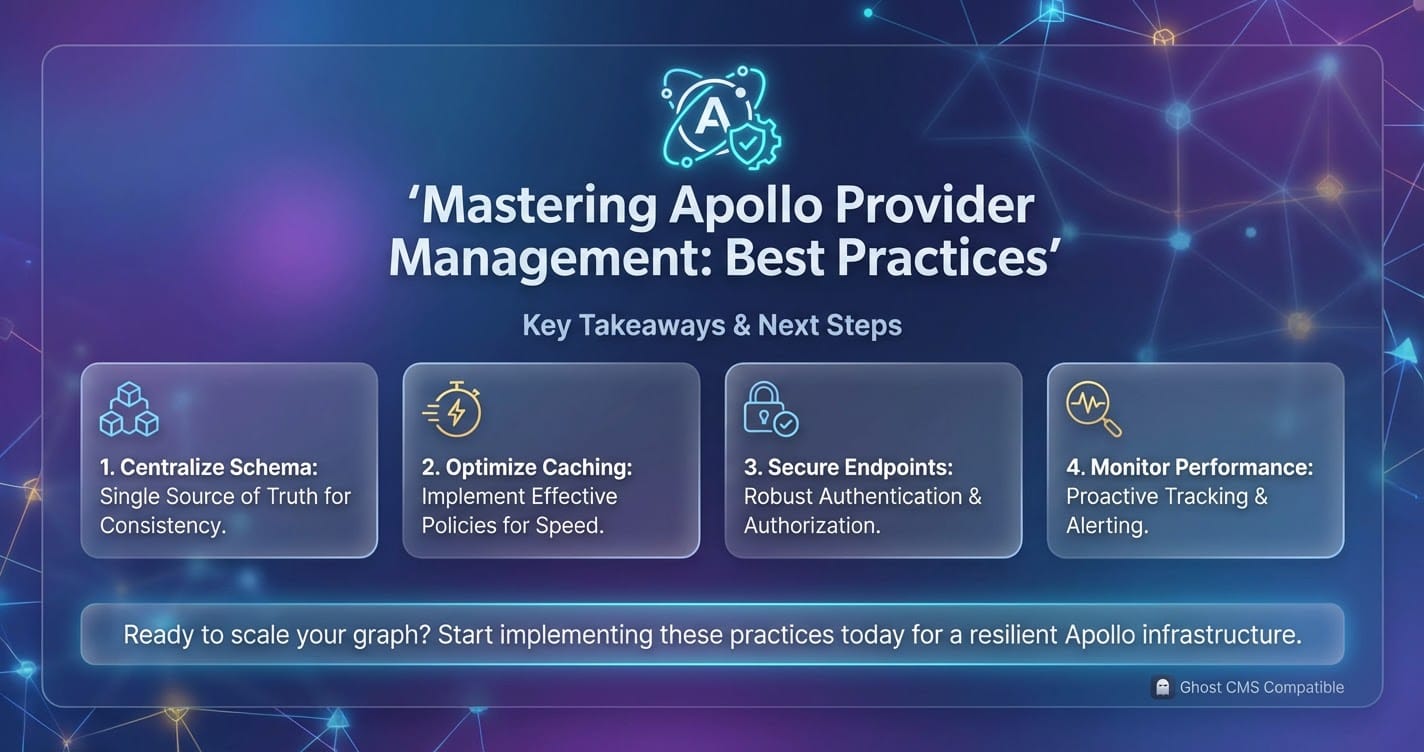
Mastering Apollo Provider Management: Best Practices


In the vast and rapidly evolving landscape of modern web development, managing application state, especially data fetched from remote sources, stands as a perennial challenge. As applications grow in complexity, the need for a robust, efficient, and predictable data layer becomes paramount. Enter Apollo Client, a comprehensive state management library for JavaScript that allows you to manage both local and remote data with GraphQL. At the heart of any Apollo-powered React application lies the ApolloProvider, a foundational component that serves as the conduit connecting your React component tree to the ApolloClient instance. Without a properly configured and thoughtfully managed ApolloProvider, the full power of Apollo Client—its declarative data fetching, intelligent caching, and real-time updates—remains untapped.
The journey from a simple data display to a highly interactive, performant, and scalable application hinges significantly on how effectively you manage your Apollo setup. This extends beyond merely wrapping your root component; it encompasses intricate considerations such as optimizing network requests, handling authentication seamlessly, gracefully managing errors, and ensuring that your application remains responsive and resilient under varying conditions. Furthermore, in an era where applications frequently interact with a multitude of backend services, often spanning different domains or requiring specialized access patterns, the architecture around your data layer must be both flexible and secure. This calls for not just mastery of Apollo Client’s internal mechanisms but also an understanding of how it integrates with broader backend infrastructures, including sophisticated api gateway solutions that manage ingress traffic and enforce policies across a suite of apis.
This extensive guide aims to demystify the intricacies of ApolloProvider management, offering a deep dive into best practices that transcend basic setup. We will meticulously explore the initial configuration of ApolloClient, delving into critical aspects like link chaining, cache strategies, and error handling. Beyond the fundamentals, we will venture into advanced patterns, such as orchestrating multiple Apollo clients within a single application, dynamically reconfiguring client instances, and effectively testing components that rely on Apollo. Performance and scalability will form a significant pillar of our discussion, scrutinizing caching mechanisms, query optimization techniques, and the nuances of server-side rendering. Moreover, we will examine how Apollo Client seamlessly integrates with other ecosystem components, including how a robust api gateway can fortify your data access layer, especially for those operating an open platform. By the conclusion of this article, you will possess a comprehensive understanding and a practical toolkit to build Apollo-powered applications that are not only feature-rich but also maintainable, highly performant, and ready to scale.
The Foundation: Understanding ApolloProvider and its Indispensable Role
At the core of every React application that leverages Apollo Client for GraphQL interactions is the ApolloProvider component. Its role is deceptively simple yet profoundly critical: to make an instance of ApolloClient available to every component within its subtree. This is achieved by leveraging React's Context API, an elegant solution for passing data through the component tree without manually threading props at every level. While ApolloProvider itself doesn't perform data fetching, it acts as the essential bridge, allowing descendant components to utilize Apollo's hooks (like useQuery, useMutation, useSubscription) and its imperative client object to interact with your GraphQL backend.
What is ApolloProvider? Core Function and Significance
Imagine ApolloProvider as the central nervous system of your Apollo Client setup in a React application. It’s a specialized React component, typically placed at the very root of your application, or at least at the highest level from which all Apollo-consuming components will originate. When you wrap your application with ApolloProvider, you pass it a single prop: an instance of ApolloClient. This ApolloClient instance encapsulates all the necessary logic for interacting with your GraphQL server, including network communication, caching, error handling, and more.
The significance of ApolloProvider cannot be overstated. Without it, none of Apollo Client’s powerful features would be accessible within your React components. It establishes the necessary context, ensuring that useQuery knows which ApolloClient instance to use when fetching data, or useMutation knows where to send its requests. This centralized configuration approach promotes consistency, simplifies data management, and abstracts away the complexities of networking and caching from individual components, allowing developers to focus on building UI logic rather than intricate data pipelines.
How it Works Under the Hood: React Context API
To truly appreciate ApolloProvider, it's helpful to understand its underlying mechanism: the React Context API. Introduced in React 16.3, the Context API provides a way to share values like user authentication data, theme preferences, or, in this case, an ApolloClient instance, between components without explicitly passing a prop through every level of the tree.
When ApolloProvider renders, it essentially creates a React Context and places the ApolloClient instance into that context. Any descendant component can then "subscribe" to this context using useContext (or Consumer for class components) to retrieve the ApolloClient instance. Apollo Client's hooks (useQuery, useMutation, useSubscription) internally leverage this useContext mechanism. When you call useQuery('yourQuery'), the hook looks up the ApolloClient instance from the nearest ApolloProvider in the component tree and uses that client to execute the GraphQL query. This design pattern ensures that your components are decoupled from the specific implementation details of your Apollo setup, making them more reusable and testable.
Basic Setup: ApolloClient Instance Creation and Wrapping the App
The basic setup for ApolloProvider is straightforward, yet it forms the bedrock upon which all advanced Apollo features are built. It involves two primary steps: initializing an ApolloClient instance and then wrapping your root React component with ApolloProvider, passing the created client to it.
Let's walk through a typical setup:
First, you need to install the necessary packages:
npm install @apollo/client graphql
# or
yarn add @apollo/client graphql
Next, you'll create your ApolloClient instance. This usually happens in a dedicated file, often src/apollo.js or src/index.js, to keep your configuration centralized.
// src/apollo.js
import { ApolloClient, InMemoryCache, ApolloProvider } from '@apollo/client';

// 1. Create an ApolloClient instance
const client = new ApolloClient({
  uri: 'https://your-graphql-backend.com/graphql', // The URI of your GraphQL server
  cache: new InMemoryCache(), // A new instance of InMemoryCache for caching query results
});

export default client;
In this basic configuration, we're providing two essential options: * uri: This specifies the endpoint of your GraphQL server. All network requests will be directed here. It’s crucial that this URL is correct and accessible from your client application. * cache: An instance of InMemoryCache. This is Apollo Client's normalized cache, responsible for storing query results and making your application incredibly fast. It automatically updates your UI when data changes and ensures that you don't refetch the same data unnecessarily. We will delve much deeper into cache management later.
Once your ApolloClient instance is ready, the next step is to make it available to your React application. This is done by wrapping your root component (e.g., <App />) with ApolloProvider in your main entry file, typically src/index.js for a React create-react-app setup.
// src/index.js
import React from 'react';
import ReactDOM from 'react-dom/client';
import App from './App';
import { ApolloProvider } from '@apollo/client';
import client from './apollo'; // Import the client instance we just created

const root = ReactDOM.createRoot(document.getElementById('root'));
root.render(
  <React.StrictMode>
    {/* 2. Wrap your entire application with ApolloProvider */}
    <ApolloProvider client={client}>
      <App />
    </ApolloProvider>
  </React.StrictMode>
);
With these steps, your React application is now powered by Apollo Client. Any component within the <App /> tree can now use Apollo hooks to fetch data, execute mutations, and subscribe to real-time updates. This basic setup, while seemingly simple, is the gateway to unlocking sophisticated data management capabilities and is the first best practice: establishing a clear, singular point of entry for your ApolloClient instance. Deviating from this standard without a compelling architectural reason can lead to confusion and make debugging significantly more challenging. It ensures that all parts of your application consistently interact with the same data layer, promoting a unified and predictable state.
Initializing ApolloClient: Configuration Best Practices
The ApolloClient instance is the central hub of your GraphQL operations, and its configuration is a critical determinant of your application's performance, security, and developer experience. While the basic setup is a good starting point, production-ready applications demand a more nuanced approach to its initialization. Mastering these configuration options is key to building robust and scalable api integrations.
Core Client Setup: Beyond the URI and Cache
The ApolloClient constructor accepts a variety of options that allow fine-grained control over how your application interacts with the GraphQL api. Understanding these options and their interplay is crucial for an optimized setup.
uri or link: The Network Interface
While uri provides a simple way to specify your GraphQL server's endpoint, link offers a much more powerful and flexible mechanism for defining your network stack. An ApolloLink is a modular piece of logic that processes GraphQL operations. You can chain multiple links together to create a custom network request pipeline. This pipeline can handle authentication, error retries, query batching, and more, before finally sending the operation to the GraphQL server.
Common ApolloLink types include:
HttpLink: The fundamental link for sending GraphQL operations over HTTP. When you use theurioption, Apollo Client internally creates anHttpLinkfor you.AuthLink(@apollo/client/link/context): Essential for adding authentication tokens (like JWTs) to your GraphQL requests. It allows you to dynamically set HTTP headers, typically by reading a token from local storage or an authentication context.ErrorLink(@apollo/client/link/error): Designed to catch and handle network or GraphQL errors centrally. This is invaluable for logging errors, displaying user-friendly messages, or triggering token refreshes.RetryLink(@apollo/client/link/retry): Automatically retries failed GraphQL operations under specific conditions, improving the resilience of your application against transient network issues or server glitches.BatchHttpLink(@apollo/client/link/batch-http): Combines multiple GraphQL requests into a single HTTP request, reducing network overhead. This is particularly useful when many components concurrently fetch data, leading to a "waterfall" of individual requests.WebSocketLink(@apollo/client/link/ws): For real-time functionality with GraphQL Subscriptions. This link establishes a WebSocket connection to your server and manages the subscription lifecycle.
The power of ApolloLink lies in its composability. You can combine these links using ApolloLink.from([]) or concat() to build a sophisticated request pipeline. The order of links matters significantly, as operations flow through them sequentially. For instance, an AuthLink should typically come before an HttpLink so that the authentication header is added before the request is sent.
import { ApolloClient, InMemoryCache, ApolloLink } from '@apollo/client';
import { createHttpLink } from '@apollo/client/link/http';
import { setContext } from '@apollo/client/link/context';
import { onError } from '@apollo/client/link/error';
import { RetryLink } from '@apollo/client/link/retry';

const httpLink = createHttpLink({
  uri: 'https://your-graphql-backend.com/graphql',
});

const authLink = setContext((_, { headers }) => {
  // Get the authentication token from local storage if it exists
  const token = localStorage.getItem('token');
  // Return the headers to the context so httpLink can read them
  return {
    headers: {
      ...headers,
      authorization: token ? `Bearer ${token}` : "",
    }
  }
});

const errorLink = onError(({ graphQLErrors, networkError }) => {
  if (graphQLErrors)
    graphQLErrors.forEach(({ message, locations, path }) =>
      console.log(
        `[GraphQL error]: Message: ${message}, Location: ${locations}, Path: ${path}`,
      ),
    );

  if (networkError) console.log(`[Network error]: ${networkError}`);
});

const retryLink = new RetryLink({
  delay: {
    initial: 300,
    max: Infinity,
    jitter: true
  },
  attempts: {
    max: 5,
    retryIf: (error, _operation) => !!error
  }
});

const client = new ApolloClient({
  link: ApolloLink.from([
    retryLink,     // Try to retry first
    errorLink,     // Then handle errors
    authLink,      // Add auth headers
    httpLink       // Finally, send the HTTP request
  ]),
  cache: new InMemoryCache(),
});
This example illustrates a powerful link chain: retries happen first, then errors are caught and logged, then authentication headers are added, and finally the request is sent over HTTP. This modularity is a hallmark of best practices in ApolloClient configuration.
cache: Deep Dive into InMemoryCache
The cache option is where you configure InMemoryCache, Apollo Client's normalized cache. This isn't just a simple key-value store; it's a sophisticated data structure that stores GraphQL query results in a flat, normalized graph. This normalization prevents data duplication, ensures consistency, and allows for instantaneous updates when data changes anywhere in your application.
Key configurations for InMemoryCache:
typePolicies: This is arguably the most powerful feature ofInMemoryCache.typePoliciesallow you to customize how specific types and fields are cached. You can define:keyFields: For types that don't have anidor_idfield (Apollo Client's default primary key),keyFieldslets you specify which fields uniquely identify an object. This is crucial for proper normalization.fields: For specific fields, you can define custom merge functions (merge), read functions (read), or even specify how arrays should be handled (relayStylePagination,offsetLimitPaginationfor lists). This is invaluable for implementing infinite scrolling or custom pagination logic directly within the cache.
dataIdFromObject: A function that allows you to override Apollo Client's default primary key generation. By default, Apollo looks for anidor_idfield. If your objects use a different field for their unique identifier (e.g.,uuid,code), you can provide a customdataIdFromObjectfunction to ensure correct normalization.
import { ApolloClient, InMemoryCache, ApolloLink } from '@apollo/client';
// ... other imports

const client = new ApolloClient({
  link: /* ... your link chain ... */,
  cache: new InMemoryCache({
    typePolicies: {
      Query: { // Policies for the root Query type
        fields: {
          allProducts: { // For a field named 'allProducts'
            keyArgs: false, // Don't include arguments in the cache key for this field
            merge(existing = [], incoming) {
              // Custom merge logic for pagination (e.g., infinite scroll)
              return [...existing, ...incoming];
            },
          },
        },
      },
      Product: { // Policies for the 'Product' type
        keyFields: ['sku'], // Use 'sku' as the primary key for Product objects
        fields: {
          description: {
            read(existing) {
              // Custom read function to potentially transform data before returning from cache
              return existing ? existing.toUpperCase() : existing;
            }
          }
        }
      },
      User: { // Policies for the 'User' type
        keyFields: ['emailAddress'] // Using 'emailAddress' as primary key
      }
    },
    // Custom function to generate a unique ID for objects without 'id' or '_id'
    dataIdFromObject: (object) => {
      switch (object.__typename) {
        case 'Product':
          return `Product:${object.sku}`;
        case 'Category':
          return `Category:${object.slug}`;
        default:
          return object.id || object._id || null;
      }
    }
  }),
});
Thoughtfully configured typePolicies and dataIdFromObject are fundamental for preventing cache inconsistencies, optimizing performance by minimizing network requests, and creating a seamless user experience.
ssrMode: Server-Side Rendering Considerations
If your application uses Server-Side Rendering (SSR) or Static Site Generation (SSG), the ssrMode option for ApolloClient is essential. When set to true, InMemoryCache operates in a slightly different mode that is optimized for SSR. Crucially, it disables automatic garbage collection during SSR, ensuring that all fetched data remains in the cache until it's serialized and sent to the client. On the client side, this serialized cache is then "rehydrated" into a new InMemoryCache instance, allowing the React application to immediately render with data, avoiding flickering and improving initial load performance.
// On the server side:
const client = new ApolloClient({
  ssrMode: true, // Crucial for SSR to prevent cache garbage collection
  link: httpLink,
  cache: new InMemoryCache(),
});

// On the client side, after SSR:
const client = new ApolloClient({
  ssrMode: false, // Back to normal client-side operations
  link: httpLink,
  cache: new InMemoryCache().restore(window.__APOLLO_STATE__), // Rehydrate cache from server
});
connectToDevTools
Set connectToDevTools: true (which is the default in development) to enable the Apollo Client DevTools browser extension. This invaluable tool provides insights into your cache, network requests, and component subscriptions, dramatically simplifying debugging and performance analysis. Always ensure this is disabled in production for security and performance reasons.
const client = new ApolloClient({
  // ... other configs
  connectToDevTools: process.env.NODE_ENV === 'development',
});
Authentication and Authorization Best Practices
Handling user authentication and authorization is a cornerstone of almost any production application. With Apollo Client, the AuthLink (specifically setContext) is the primary mechanism for attaching authentication headers to your GraphQL requests.
import { ApolloClient, InMemoryCache, ApolloLink } from '@apollo/client';
import { createHttpLink } from '@apollo/client/link/http';
import { setContext } from '@apollo/client/link/context';
import { onError } from '@apollo/client/link/error';

const httpLink = createHttpLink({
  uri: 'https://your-graphql-backend.com/graphql',
});

const authLink = setContext((_, { headers }) => {
  const token = localStorage.getItem('jwt_token'); // Or from a more secure storage
  return {
    headers: {
      ...headers,
      authorization: token ? `Bearer ${token}` : '',
    },
  };
});

// For handling token refresh strategies:
// If your tokens expire, you might need a more sophisticated link
// that intercepts 401 errors, attempts to refresh the token, and retries the original request.
// This often involves a custom link or integration with a dedicated authentication library.
const authErrorLink = onError(({ graphQLErrors, networkError, operation, forward }) => {
  if (graphQLErrors) {
    for (let err of graphQLErrors) {
      if (err.extensions && err.extensions.code === 'UNAUTHENTICATED') {
        // Option 1: Log out user immediately
        localStorage.removeItem('jwt_token');
        // Redirect to login page
        window.location.href = '/login';
        // Prevent further execution of the original operation
        return;

        // Option 2: Attempt token refresh (more complex, requires backend support)
        // const oldHeaders = operation.getContext().headers;
        // return new Observable(observer => {
        //   fetch('/refresh-token', { method: 'POST' })
        //     .then(response => response.json())
        //     .then(({ token }) => {
        //       localStorage.setItem('jwt_token', token);
        //       operation.setContext({
        //         headers: {
        //           ...oldHeaders,
        //           authorization: `Bearer ${token}`,
        //         },
        //       });
        //       // Retry the request
        //       forward(operation).subscribe(observer);
        //     })
        //     .catch(refreshError => {
        //       console.error('Token refresh failed:', refreshError);
        //       localStorage.removeItem('jwt_token');
        //       window.location.href = '/login';
        //       observer.error(refreshError);
        //     });
        // });
      }
    }
  }
  if (networkError) {
    console.log(`[Network Error]: ${networkError}`);
    // Handle network specific errors
  }
});

const client = new ApolloClient({
  link: ApolloLink.from([authErrorLink, authLink, httpLink]), // Order matters!
  cache: new InMemoryCache(),
});
The key best practice here is to centralize authentication logic within AuthLink and error handling for UNAUTHENTICATED responses within an ErrorLink. This ensures that every api request automatically includes the necessary credentials, and authentication failures are handled consistently across the entire application, whether it's by redirecting to a login page or attempting a token refresh. For highly secure or complex api ecosystems, an api gateway can also play a pivotal role in offloading authentication and authorization concerns, providing a unified front for multiple backend services.
Error Handling Strategies
Robust error handling is paramount for a production-ready application. Apollo Client provides powerful mechanisms, primarily through ErrorLink, to catch and process errors that occur during GraphQL operations.
import { onError } from '@apollo/client/link/error';

const errorLink = onError(({ graphQLErrors, networkError, operation, forward }) => {
  if (graphQLErrors) {
    for (let err of graphQLErrors) {
      console.error(`[GraphQL Error]: Query: ${operation.operationName}, Message: ${err.message}`);
      // Based on error code, you can display different messages or trigger actions
      switch (err.extensions.code) {
        case 'FORBIDDEN':
          // Redirect to an access denied page or show a toast notification
          console.warn('Access forbidden. User does not have necessary permissions.');
          break;
        case 'INTERNAL_SERVER_ERROR':
          // Log to a remote error tracking service (e.g., Sentry, Bugsnag)
          console.error('Server internal error. Please try again later.');
          break;
        case 'UNAUTHENTICATED':
          // Handled by authErrorLink already, or fallback here
          break;
        default:
          // Generic error message
          break;
      }
    }
  }

  if (networkError) {
    console.error(`[Network Error]: Message: ${networkError.message}, Status: ${networkError.statusCode}`);
    if (networkError.statusCode === 400 || networkError.statusCode === 500) {
      // Display a general "something went wrong" message
    }
    // Potentially trigger offline mode features
  }
});

// Integrate this into your ApolloClient:
const client = new ApolloClient({
  link: ApolloLink.from([errorLink, authLink, httpLink]),
  cache: new InMemoryCache(),
});
Best practices for error handling include: 1. Centralized Logging: Use ErrorLink to log all GraphQL and network errors to a centralized monitoring system (e.g., Sentry, New Relic). 2. User Feedback: Translate technical errors into user-friendly messages. Don't expose raw GraphQL error messages to end-users unless absolutely necessary. 3. Specific Actions: Based on error codes or types, trigger specific actions like logging out, redirecting, or showing different UI states. 4. Global Error Boundaries: Complement ErrorLink with React Error Boundaries at various levels of your UI to catch rendering-phase errors and prevent entire application crashes. This provides a fallback UI for components that fail.
Batching and Debouncing Requests
To optimize network performance, especially in applications that make many concurrent or near-concurrent GraphQL requests, batching and debouncing are powerful techniques.
BatchHttpLink for Request Batching
BatchHttpLink allows Apollo Client to combine multiple GraphQL operations into a single HTTP request, sending them to the server as an array of operations. This significantly reduces HTTP overhead, TCP handshake latency, and can improve overall perceived performance.
import { ApolloClient, InMemoryCache, ApolloLink } from '@apollo/client';
import { BatchHttpLink } from '@apollo/client/link/batch-http';

// Create a batching HTTP link
const batchHttpLink = new BatchHttpLink({
  uri: 'https://your-graphql-backend.com/graphql',
  batchMax: 10, // Max number of operations to batch together
  batchInterval: 20, // Milliseconds to wait before sending a batch
});

const client = new ApolloClient({
  link: ApolloLink.from([
    authLink, // Auth link should come before batch link
    batchHttpLink,
  ]),
  cache: new InMemoryCache(),
});
Using BatchHttpLink is a best practice when you anticipate many small, independent queries firing in quick succession, such as on a dashboard with multiple widgets fetching their own data. Ensure your GraphQL server is also configured to accept batched requests. The batchInterval should be tuned carefully: too short, and you might not batch enough requests; too long, and you introduce artificial latency.
Debouncing and Throttling (Custom Logic)
While BatchHttpLink handles request consolidation, debouncing (e.g., preventing a query from firing until a user stops typing) and throttling (e.g., limiting how often a scroll event triggers a data fetch) are typically implemented at the component level or through custom ApolloLinks if the logic needs to be more globally applied. For example, useLazyQuery can be used to manually trigger queries, giving you control over when they fire based on user input or other events.
By meticulously configuring ApolloClient with these best practices, you lay a solid groundwork for a performant, secure, and maintainable application that efficiently interacts with your GraphQL api. This comprehensive approach ensures that the data layer is robust enough to handle the demands of modern web development, preparing it for future scaling and integration challenges.
Advanced Provider Management Patterns
As applications evolve beyond simple data display, the initial, straightforward ApolloProvider setup may need to adapt to more complex architectural demands. Advanced patterns for ApolloProvider management address scenarios like interacting with multiple backend services, dynamically changing client configurations, and ensuring robust testing environments. Mastering these patterns is crucial for large-scale applications and those integrating with diverse api ecosystems.
Multiple Apollo Clients: Orchestrating Diverse Data Sources
There are legitimate scenarios where a single ApolloClient instance might not suffice. An application might need to interact with: * Different GraphQL backends: For instance, one backend for core business logic and another for analytics or third-party integrations. * Different authentication contexts: Perhaps one part of the application requires a user-specific token, while another uses an api key for public data. * Different caching strategies: Specific parts of the application might benefit from distinct caching policies, isolated from the main data store.
In such cases, Apollo Client allows you to create and manage multiple ApolloClient instances, each with its own link chain and cache.
How to Configure and Use Them
To use multiple clients, you simply create separate ApolloClient instances. The trick is telling your components which client to use. The ApolloProvider component accepts an optional client prop. If omitted, Apollo hooks will look for the client from the nearest ApolloProvider in the tree. If provided, ApolloProvider will use that specific client for its subtree.
The most common approach for multiple clients involves nesting ApolloProviders or using the client prop on Apollo hooks directly.
1. Nesting ApolloProviders: You can wrap different sections of your application with different ApolloProvider instances. This is ideal when distinct parts of your UI primarily interact with a specific backend or context.
// clients.js
import { ApolloClient, InMemoryCache, createHttpLink } from '@apollo/client';
import { setContext } from '@apollo/client/link/context';

// Client for the main API
const mainHttpLink = createHttpLink({ uri: 'https://main-api.com/graphql' });
const mainAuthLink = setContext((_, { headers }) => ({
  headers: { ...headers, authorization: `Bearer ${localStorage.getItem('main_token')}` },
}));
export const mainClient = new ApolloClient({
  link: mainAuthLink.concat(mainHttpLink),
  cache: new InMemoryCache({
    typePolicies: {
      // Main API specific type policies
    }
  }),
  name: 'main-client' // Useful for devtools
});

// Client for the analytics API
const analyticsHttpLink = createHttpLink({ uri: 'https://analytics-api.com/graphql' });
export const analyticsClient = new ApolloClient({
  link: analyticsHttpLink, // No auth for public analytics, perhaps
  cache: new InMemoryCache(),
  name: 'analytics-client'
});
// App.js
import React from 'react';
import { ApolloProvider } from '@apollo/client';
import { mainClient, analyticsClient } from './clients';
import MainDashboard from './MainDashboard';
import AnalyticsView from './AnalyticsView';

function App() {
  return (
    <ApolloProvider client={mainClient}> {/* Main client for the whole app initially */}
      <MainDashboard />
      <ApolloProvider client={analyticsClient}> {/* Override for this subtree */}
        <AnalyticsView />
      </ApolloProvider>
    </ApolloProvider>
  );
}
In AnalyticsView and its children, Apollo hooks will use analyticsClient. In MainDashboard, they will use mainClient. This creates clear boundaries and ensures api calls go to the correct backend with the appropriate configuration.
2. Specifying Client per Hook Call: For more granular control, or when a single component needs to interact with multiple clients, Apollo hooks accept a client option.
// MyComponent.js
import React from 'react';
import { useQuery } from '@apollo/client';
import { mainClient, analyticsClient } from './clients'; // Assume clients are imported

const GET_USER_DATA = gql`query getUser { user { id name } }`;
const GET_PAGE_VIEWS = gql`query getPageViews { pageViews }`;

function MyComponent() {
  // Use the default client (mainClient in the example above)
  const { data: userData } = useQuery(GET_USER_DATA);

  // Explicitly use the analyticsClient for this query
  const { data: pageViewsData } = useQuery(GET_PAGE_VIEWS, { client: analyticsClient });

  return (
    <div>
      <p>User: {userData?.user?.name}</p>
      <p>Page Views: {pageViewsData?.pageViews}</p>
    </div>
  );
}
This approach offers maximum flexibility but can lead to prop-drilling of client instances if not managed carefully. The ApolloProvider nesting is generally preferred for broader application areas.
Considerations for Multiple Clients: * Clear Boundaries: Define distinct responsibilities for each client. * Performance: Each client has its own cache. While this isolates data, it can also lead to increased memory usage. * Complexity: Managing multiple clients adds a layer of complexity to your api interaction layer. Only use this pattern when genuinely necessary. * api gateway for Unification: When dealing with many diverse backend services, an api gateway can abstract away the complexity of multiple endpoints. It can present a single, unified api endpoint to your frontend, even if it’s routing requests to different internal services. This means your Apollo Client might only need one HttpLink pointing to the api gateway, with the gateway handling the complexity of routing, authentication, and policy enforcement to various backend apis. This approach simplifies frontend ApolloClient configuration significantly.
Dynamic Client Configuration: Adapting to Runtime Changes
In certain advanced scenarios, you might need to dynamically change aspects of your ApolloClient instance at runtime. This could involve: * Switching the GraphQL uri based on user selection (e.g., different environments, regions). * Adjusting AuthLink headers after a token refresh. * Modifying typePolicies or keyFields based on dynamic feature flags.
While modifying an ApolloClient instance mid-lifecycle is generally discouraged due to the complexities of cache management and active subscriptions, you can achieve dynamic behavior by conditionally rendering an ApolloProvider with a new ApolloClient instance.
import React, { useState, useMemo } from 'react';
import { ApolloClient, InMemoryCache, ApolloProvider, createHttpLink } from '@apollo/client';
import { setContext } from '@apollo/client/link/context';

function createConfiguredClient(token, endpoint) {
  const httpLink = createHttpLink({ uri: endpoint });
  const authLink = setContext((_, { headers }) => ({
    headers: { ...headers, authorization: token ? `Bearer ${token}` : '' },
  }));
  return new ApolloClient({
    link: authLink.concat(httpLink),
    cache: new InMemoryCache(),
  });
}

function AppWithDynamicClient() {
  const [authToken, setAuthToken] = useState(localStorage.getItem('token'));
  const [apiEndpoint, setApiEndpoint] = useState('https://default-api.com/graphql');

  // Memoize the client instance to prevent unnecessary re-creations
  const client = useMemo(() => createConfiguredClient(authToken, apiEndpoint), [authToken, apiEndpoint]);

  const handleLogin = (newToken) => {
    localStorage.setItem('token', newToken);
    setAuthToken(newToken);
  };

  const handleEndpointChange = (newEndpoint) => {
    setApiEndpoint(newEndpoint);
  };

  return (
    <ApolloProvider client={client}>
      {/* Your application components */}
      <button onClick={() => handleLogin('new-mock-token')}>Login/Refresh Token</button>
      <button onClick={() => handleEndpointChange('https://alternative-api.com/graphql')}>
        Switch API Endpoint
      </button>
      {/* ... rest of your app */}
    </ApolloProvider>
  );
}
Considerations for Dynamic Clients: * useMemo is Crucial: Always memoize your ApolloClient instance creation. Recreating the client on every render will cause performance issues, wipe the cache, and lead to unexpected behavior. * Cache Invalidation: When you replace an ApolloClient instance, its entire cache is lost. This might be desired if you're switching tenants or environments, but it can also lead to a poor user experience as all data needs to be refetched. * Active Subscriptions: Replacing the client will terminate any active GraphQL subscriptions associated with the old client. * State Management: Managing the inputs for createConfiguredClient (like authToken or apiEndpoint) often requires a global state management solution (e.g., React Context, Redux, Zustand).
This pattern should be used judiciously, primarily when your application truly needs to interact with vastly different api configurations at runtime that cannot be handled by a single, static client through dynamic link logic.
Testing ApolloProvider-wrapped Components: Ensuring Reliability
Testing components that interact with Apollo Client requires a specialized approach, as they depend on the ApolloProvider context. @apollo/client/testing provides MockedProvider, a powerful utility specifically designed for this purpose.
MockedProvider for Unit and Integration Tests
MockedProvider allows you to simulate GraphQL responses without making actual network requests. This makes your tests fast, deterministic, and isolated from your backend.
// MyComponent.js
import React from 'react';
import { useQuery, gql } from '@apollo/client';

const GET_GREETING = gql`
  query GetGreeting($name: String!) {
    greeting(name: $name)
  }
`;

function MyComponent({ name }) {
  const { loading, error, data } = useQuery(GET_GREETING, { variables: { name } });

  if (loading) return <p>Loading...</p>;
  if (error) return <p>Error :( {error.message}</p>;

  return <h1>{data.greeting}</h1>;
}

export default MyComponent;
// MyComponent.test.js
import React from 'react';
import { render, screen, waitFor } from '@testing-library/react';
import '@testing-library/jest-dom';
import { MockedProvider } from '@apollo/client/testing'; // Import MockedProvider
import MyComponent from './MyComponent';
import { gql } from '@apollo/client';

const GET_GREETING = gql`
  query GetGreeting($name: String!) {
    greeting(name: $name)
  }
`;

const mocks = [
  {
    request: {
      query: GET_GREETING,
      variables: { name: 'Alice' },
    },
    result: {
      data: {
        greeting: 'Hello, Alice!',
      },
    },
  },
  {
    request: {
      query: GET_GREETING,
      variables: { name: 'Bob' },
    },
    error: new Error('Failed to fetch greeting'),
  },
];

describe('MyComponent', () => {
  it('renders greeting when data is fetched successfully', async () => {
    render(
      <MockedProvider mocks={[mocks[0]]} addTypename={false}> {/* addTypename:false to match client behavior if not explicitly added */}
        <MyComponent name="Alice" />
      </MockedProvider>
    );

    expect(screen.getByText('Loading...')).toBeInTheDocument();

    await waitFor(() => {
      expect(screen.getByText('Hello, Alice!')).toBeInTheDocument();
    }, { timeout: 2000 }); // Increase timeout if needed for slower tests
  });

  it('renders error message when data fetching fails', async () => {
    render(
      <MockedProvider mocks={[mocks[1]]} addTypename={false}>
        <MyComponent name="Bob" />
      </MockedProvider>
    );

    expect(screen.getByText('Loading...')).toBeInTheDocument();

    await waitFor(() => {
      expect(screen.getByText(/Error :( Failed to fetch greeting/i)).toBeInTheDocument();
    });
  });

  it('handles multiple queries in the same component', async () => {
    const TWO_QUERIES = gql`
      query GetGreetingAndFarewell($name: String!) {
        greeting(name: $name)
        farewell(name: $name)
      }
    `;

    const twoQueriesMocks = [
      {
        request: {
          query: TWO_QUERIES,
          variables: { name: 'Charlie' },
        },
        result: {
          data: {
            greeting: 'Hi Charlie',
            farewell: 'Goodbye Charlie',
          },
        },
      },
    ];

    const MyDualComponent = ({ name }) => {
      const { data: greetingData } = useQuery(GET_GREETING, { variables: { name } });
      const { data: farewellData } = useQuery(gql`query GetFarewell($name: String!) { farewell(name: $name) }`, { variables: { name } });
      return (
        <div>
          <p>{greetingData?.greeting}</p>
          <p>{farewellData?.farewell}</p>
        </div>
      );
    };

    render(
      <MockedProvider mocks={twoQueriesMocks} addTypename={false}>
        <MyDualComponent name="Charlie" />
      </MockedProvider>
    );

    await waitFor(() => {
      expect(screen.getByText('Hi Charlie')).toBeInTheDocument();
      expect(screen.getByText('Goodbye Charlie')).toBeInTheDocument();
    });
  });
});
Best Practices for Testing: * Isolate Components: Test components in isolation as much as possible, providing only the data they need. * Mock All Scenarios: Test loading states, success states, and various error states (network errors, GraphQL errors). * Clear Mocks: Ensure your mocks array precisely matches the query and variables your component will execute. Mismatches will cause tests to fail. * Asynchronous Nature: Remember that GraphQL operations are asynchronous. Use await waitFor() from @testing-library/react to wait for queries to resolve and the UI to update. * addTypename: If your production client uses addTypename: true (which is default) and your mock data doesn't include __typename fields, your tests might fail. Set addTypename={false} on MockedProvider for simplicity in most unit tests unless __typename is critical to your component's logic.
By implementing these advanced ApolloProvider management patterns and robust testing strategies, developers can build highly adaptive, resilient, and verifiable Apollo applications capable of handling intricate data requirements and diverse backend integrations. This level of architectural sophistication becomes particularly relevant when an application needs to operate as an open platform or interact with various apis, often managed by a central api gateway.
APIPark is a high-performance AI gateway that allows you to securely access the most comprehensive LLM APIs globally on the APIPark platform, including OpenAI, Anthropic, Mistral, Llama2, Google Gemini, and more.Try APIPark now! 👇👇👇
Performance Optimization and Scalability with Apollo Client
Building a performant and scalable application is not just about writing efficient components; it's fundamentally about optimizing the data layer. Apollo Client, with its sophisticated caching and network management capabilities, offers numerous avenues for performance optimization. When coupled with a well-designed api gateway, these optimizations can deliver a truly responsive user experience and handle increasing load effectively.
Cache Management Strategies: The Heart of Apollo's Performance
The InMemoryCache is the cornerstone of Apollo Client's performance. A well-managed cache drastically reduces network requests, improves perceived load times, and ensures data consistency across your application.
Deep Dive into InMemoryCache: Normalization and Garbage Collection
InMemoryCache normalizes your GraphQL data, meaning it stores each unique object (like a User or Product) only once, identified by a unique id (or keyFields). When data for an object is fetched again, or part of it changes due to a mutation, the cache can automatically update all references to that object across your application. This prevents stale data from appearing in different parts of the UI.
- Normalization: This process breaks down the GraphQL response into individual objects and stores them under a unique identifier, often formed by combining its
__typenameand itsidfield (e.g.,User:123,Product:abc). This de-duplication is crucial. - Garbage Collection: By default,
InMemoryCachekeeps all data it encounters. While this ensures data availability, it can lead to memory bloat over time, especially in long-lived applications. Apollo Client doesn't automatically garbage collect unused data. This means you need to be intentional about cache management.
typePolicies for Custom Caching Logic
As explored earlier, typePolicies are your primary tool for customizing cache behavior. They are indispensable for solving complex caching challenges:
keyFields: For types that lack a defaultidor_id, specifyingkeyFields(keyFields: ['customIdField']) ensures correct object identification and normalization. Without this, Apollo might treat objects with the same data but missing a standard ID as distinct entities, leading to duplication and inconsistencies.fields:readfunctions: Allow you to intercept cache reads for a specific field. You can transform data (e.g., format a date, apply a filter), combine fields, or even read from local state before returning a value. This is powerful for derived state directly from the cache.mergefunctions: Critical for handling list data, especially with pagination (e.g., infinite scrolling). When a new set of data is fetched for a list (e.g.,loadMorePosts), amergefunction (merge(existing = [], incoming) { return [...existing, ...incoming]; }) defines how the new data should be combined with the existing data in the cache, rather than replacing it entirely. This prevents data loss and ensures a smooth user experience.- Pagination Helpers: Apollo offers built-in helpers (
relayStylePagination,offsetLimitPagination) for common pagination patterns, simplifyingmergefunction implementation.
dataIdFromObject for Predictable Object Identification
If your backend uses non-standard unique identifiers, dataIdFromObject provides a global way to tell Apollo Client how to generate a cache ID for any object.
const client = new ApolloClient({
  // ...
  cache: new InMemoryCache({
    dataIdFromObject: (obj) => {
      // Example: Use 'uuid' for 'User' type, 'slug' for 'BlogCategory'
      if (obj.__typename === 'User' && obj.uuid) return `User:${obj.uuid}`;
      if (obj.__typename === 'BlogCategory' && obj.slug) return `BlogCategory:${obj.slug}`;
      // Fallback to default behavior
      return defaultDataIdFromObject(obj);
    },
    // ... typePolicies
  }),
});
This ensures that objects are consistently identified across your cache, preventing unintended duplication or loss of data.
Invalidating and Updating Cache Manually
While Apollo's cache updates automatically for mutations, sometimes you need to manually interact with the cache:
client.writeQuery/client.writeFragment: Directly write data into the cache. Useful for optimistic UI updates or when you receive data from a source other than a GraphQL query/mutation (e.g., WebSocket message).client.readQuery/client.readFragment: Read data directly from the cache. Useful for accessing data without triggering a network request, or for debugging.client.evict/client.gc: Explicitly remove objects from the cache (evict) or trigger garbage collection (gc) to free up memory. This is crucial for maintaining memory efficiency, especially when users navigate away from certain data or when data becomes stale. For instance, after a user logs out, you might want toclient.clearStore()to empty the entire cache andclient.resetStore()which also refetches all active queries.
// Example: Optimistic UI update for a 'like' mutation
const [likePost] = useMutation(LIKE_POST_MUTATION, {
  update(cache, { data: { likePost } }) {
    cache.writeFragment({
      id: cache.identify(likePost.post), // Get the cache ID of the post
      fragment: gql`
        fragment LikePostFragment on Post {
          likesCount
          viewerHasLiked
        }
      `,
      data: {
        likesCount: likePost.post.likesCount,
        viewerHasLiked: likePost.post.viewerHasLiked,
      },
    });
  },
  optimisticResponse: {
    likePost: {
      __typename: 'LikePostResponse',
      post: {
        __typename: 'Post',
        id: postId,
        likesCount: currentLikesCount + 1,
        viewerHasLiked: true,
      },
    },
  },
});
Effective cache management is an ongoing process that requires careful thought about your data models, api design, and user interaction patterns. It's the most significant lever for performance in Apollo Client applications.
Query and Mutation Optimization
Beyond caching, optimizing how queries and mutations are executed can dramatically impact performance.
fetchPolicy Considerations
The fetchPolicy option on useQuery (and watchQuery) dictates how Apollo Client handles cache lookups and network requests for that specific query. Choosing the right policy for each query is vital.
fetchPolicy Value |
Description | Use Case |
|---|---|---|
cache-first |
(Default) Checks the cache first. If all data is available, returns it immediately. Otherwise, makes a network request. | Most common. For data that changes infrequently or where immediate UI display is prioritized over absolute real-time accuracy. |
cache-and-network |
Returns data from the cache immediately, then makes a network request. Updates UI if network data differs. | For initial quick display, but where eventual real-time accuracy is important (e.g., user profiles, settings). Prevents "blinking" on initial load. |
network-only |
Bypasses the cache entirely and always makes a network request. Writes network response to cache. | For highly dynamic data that must always be fresh (e.g., real-time stock prices, critical system status). Use sparingly as it increases network load. |
cache-only |
Only reads from the cache. Never makes a network request. | For local-only data or data guaranteed to be in the cache from a previous query. Will error if data is not found. Useful for very specific performance optimizations. |
no-cache |
Makes a network request, but does not write the network response to the cache. | For very sensitive or ephemeral data that should not be cached (e.g., single-use tokens, sensitive forms). Bypasses both read and write cache. |
standby |
Does not fetch data automatically. Requires manual triggering (e.g., client.refetchQueries). Useful for queries that are conditionally enabled. |
When a query should only be run imperatively. |
ssr |
Behaves like cache-first in a browser and network-only during SSR. |
Specifically for SSR applications where you want to ensure data is fetched on the server but subsequent client-side navigation uses the cache. |
A common pitfall is using network-only unnecessarily, leading to excessive api calls. Start with cache-first or cache-and-network and only move to network-only when real-time freshness is a strict requirement.
Lazy Queries for Deferred Data Fetching
useQuery automatically executes its query when the component mounts. useLazyQuery provides a tuple [execute, { loading, error, data }] allowing you to trigger the query imperatively based on user interaction or other events.
function SearchComponent() {
  const [searchQuery, setSearchQuery] = useState('');
  const [getSearchResults, { loading, data }] = useLazyQuery(SEARCH_PRODUCTS_QUERY);

  const handleSearch = () => {
    getSearchResults({ variables: { query: searchQuery } });
  };

  return (
    <div>
      <input type="text" value={searchQuery} onChange={(e) => setSearchQuery(e.target.value)} />
      <button onClick={handleSearch}>Search</button>
      {loading && <p>Searching...</p>}
      {data && <ul>{/* Render search results */}</ul>}
    </div>
  );
}
useLazyQuery is a best practice for form submissions, search fields (often combined with debouncing), and any scenario where a query should not run immediately on component render.
Optimistic UI Updates for a Snappier User Experience
Optimistic UI is a powerful technique where the UI is immediately updated to reflect the expected outcome of a mutation, before the server actually confirms the change. This provides instantaneous feedback to the user, making the application feel much faster and more responsive. If the mutation fails, the UI is rolled back.
This is achieved using the optimisticResponse option in useMutation.
const [addTodo] = useMutation(ADD_TODO, {
  update(cache, { data: { addTodo } }) {
    const existingTodos = cache.readQuery({ query: GET_TODOS });
    cache.writeQuery({
      query: GET_TODOS,
      data: { todos: [...existingTodos.todos, addTodo] },
    });
  },
  optimisticResponse: {
    addTodo: {
      __typename: 'Todo',
      id: 'temp-id-' + Math.random(), // Temporary ID for the optimistic item
      text: newTodoText,
      completed: false,
    },
  },
});
Implementing optimistic UI requires careful planning, especially for how temporary IDs are handled and how the cache is updated. However, the perceived performance gain is often well worth the effort.
Server-Side Rendering (SSR) and Static Site Generation (SSG)
For better SEO, faster initial load times, and improved user experience, many modern React applications adopt SSR or SSG. Apollo Client has robust support for both.
Hydrating the Cache on the Client-Side
The core idea for Apollo with SSR/SSG is to fetch all necessary data on the server, populate an InMemoryCache on the server, serialize that cache, and then send it along with the rendered HTML to the client. On the client, a new ApolloClient instance is initialized, and its cache is "rehydrated" with the serialized data. This allows the client-side React app to pick up exactly where the server left off, rendering with data immediately without refetching.
// Server-side (e.g., Next.js `getServerSideProps` or custom Express server)
import { getDataFromTree } from '@apollo/client/react/ssr';
import { ApolloClient, InMemoryCache, ApolloProvider, createHttpLink } from '@apollo/client';

async function renderAppWithData(Component, req) {
  const client = new ApolloClient({
    ssrMode: true, // Essential for SSR
    link: createHttpLink({ uri: process.env.GRAPHQL_URL }),
    cache: new InMemoryCache(),
  });

  const App = (
    <ApolloProvider client={client}>
      <Component />
    </ApolloProvider>
  );

  // Fetch all queries within the component tree
  await getDataFromTree(App);

  // Extract the cache state
  const initialState = client.extract();

  // Render HTML and embed initialState
  const html = ReactDOMServer.renderToString(App);
  return { html, initialState };
}

// Client-side (e.g., Next.js `_app.js` or `index.js`)
import { ApolloClient, InMemoryCache, ApolloProvider } from '@apollo/client';
import { useMemo } from 'react';

function createApolloClient(initialState) {
  const httpLink = createHttpLink({ uri: '/api/graphql' }); // Or your full URL
  return new ApolloClient({
    ssrMode: typeof window === 'undefined', // Set ssrMode based on environment
    link: httpLink,
    cache: new InMemoryCache().restore(initialState || {}), // Restore from serialized state
  });
}

function MyApp({ Component, pageProps }) {
  const client = useMemo(() => createApolloClient(pageProps.apolloState), [pageProps.apolloState]);

  return (
    <ApolloProvider client={client}>
      <Component {...pageProps} />
    </ApolloProvider>
  );
}
Proper SSR/SSG with Apollo Client ensures a seamless experience, where the initial HTML is fully populated with data, improving SEO and reducing cumulative layout shift (CLS). This is particularly beneficial for content-heavy open platform applications where initial content visibility is critical.
By diligently applying these cache management, query optimization, and SSR/SSG strategies, you can build Apollo-powered applications that are not just functional but also exceptionally fast, responsive, and ready to scale with growing user demand and data complexity. This proactive approach to performance forms a crucial part of delivering a high-quality user experience.
Integration with Other Ecosystems and Tooling
A modern application rarely exists in isolation. Apollo Client, while powerful, is just one piece of a larger puzzle. Its true strength emerges when seamlessly integrated with other critical tools and infrastructures, from backend api gateways to monitoring solutions and type safety mechanisms. These integrations are essential for building a truly resilient, maintainable, and collaborative development environment, especially when managing an open platform of diverse apis.
Integrating with a Robust api gateway
For organizations managing a complex array of APIs, especially those looking to integrate AI models or expose their services as an open platform, a robust api gateway becomes indispensable. An api gateway acts as a single entry point for all client requests, routing them to the appropriate backend services. This architecture provides numerous benefits that directly impact the efficiency and security of your Apollo Client applications.
The Role of an API Gateway: * Centralized Authentication and Authorization: An api gateway can offload the burden of authenticating every incoming request. Instead of each backend service or GraphQL endpoint needing to implement its own authentication logic, the gateway handles it once, typically by validating tokens or api keys. It can then pass user context downstream to the relevant services. This simplifies your AuthLink configuration in Apollo Client, potentially reducing it to simply attaching a token that the gateway will then validate. * Traffic Management: Gateways can manage traffic with features like load balancing, throttling, rate limiting, and circuit breaking. This ensures that your backend services are protected from overload and that api consumers (including your Apollo Client app) experience consistent performance. * Request Routing and Aggregation: A gateway can route requests to multiple microservices, or even aggregate data from several services into a single response, simplifying the client-side fetching logic. While GraphQL itself can aggregate data, a gateway can handle aggregation for REST-based services behind a unified GraphQL api endpoint that Apollo Client consumes. * Security and Policy Enforcement: Beyond authentication, gateways can enforce security policies, detect and mitigate attacks (like DDoS), and provide an additional layer of defense for your backend services. They can also transform requests and responses, adding or removing headers, or even caching responses at the edge. * Observability: Gateways are an ideal place to collect metrics, logs, and traces for all incoming api traffic, providing a comprehensive view of api usage and performance.
APIPark: A Solution for Unified API Management
Integrating Apollo Client with a powerful api gateway like APIPark can significantly enhance security, observability, and scalability, streamlining the entire api consumption process. APIPark, as an open-source AI gateway and API management platform, is specifically designed to unify diverse AI and REST services under a single, manageable umbrella. For an Apollo Client application, this means:
- Unified API Endpoint: Your Apollo Client can simply point to APIPark's
gatewayendpoint, abstracting away the complexity of whether it's talking to an AI model, a traditional RESTapi, or a GraphQL service. APIPark handles the routing and transformation. - Simplified Authentication: APIPark provides a unified management system for authentication, meaning your Apollo
AuthLinksends credentials to APIPark, which then manages authorization to the actual backend services. This centralizes security policy enforcement, crucial for anopen platform. - Prompt Encapsulation into REST API: APIPark's feature to encapsulate AI models with custom prompts into new REST
apis means your Apollo Client can interact with powerful AI capabilities (like sentiment analysis or translation) through a standardizedapiinterface, without needing to understand the underlying AI model specifics. The GraphQL schema can then define fields that resolve to these APIPark-managedapis. - End-to-End API Lifecycle Management: From design to publication and monitoring, APIPark provides comprehensive tools. This ensures that the
apis your Apollo Client consumes are well-governed, versioned, and performant. Its ability to manage traffic forwarding, load balancing, and detailedapicall logging directly benefits the stability and diagnosability of your frontend data fetching. - Performance and Scalability: APIPark boasts performance rivaling Nginx, capable of handling over 20,000 TPS with cluster deployment. This ensures that the
gatewaylayer won't be a bottleneck for your high-traffic Apollo Client application, even as you expose moreapis as anopen platform.
By leveraging an api gateway like APIPark, your ApolloClient application benefits from a streamlined, secure, and performant api interaction layer, allowing developers to focus on building rich user experiences rather than intricate backend integration challenges.
Monitoring and Observability
Understanding how your Apollo Client application performs in production is vital. Effective monitoring and observability tools help identify bottlenecks, diagnose issues, and ensure a smooth user experience.
- Apollo DevTools: The browser extension is an invaluable asset during development. It visualizes your cache state, active queries, mutations, subscriptions, and network requests, offering deep insights into Apollo Client's behavior.
- APM Tools (Application Performance Monitoring): For production, integrate with APM solutions like Sentry, New Relic, Datadog, or OpenTelemetry. These tools can capture client-side errors, monitor network latency for GraphQL operations, track component render times, and provide a holistic view of your application's health. You can often integrate custom
ApolloLinks to send GraphQL operation details and performance metrics directly to your APM. - Logging
ApolloClientOperations: Implement anErrorLink(as discussed) to log all GraphQL and network errors to a centralized logging service. For debugging, you can enable verbose logging in development. Additionally, yourapi gateway(like APIPark) should provide detailedapicall logging and data analysis, offering a server-side perspective on client interactions.
Type Safety with TypeScript
For large-scale applications, TypeScript is nearly indispensable for maintainability and developer experience. Apollo Client works seamlessly with TypeScript, and generating types from your GraphQL schema is a best practice.
- Generating Types: Tools like
graphql-codegenallow you to automatically generate TypeScript types for your GraphQL schema, operations (queries, mutations, fragments), and variables. This includes types foruseQuery,useMutationhooks, and even the shape of yourApolloClientcache. - Benefits:
- Compile-time Error Checking: Catch type mismatches and missing fields before runtime.
- Autocompletion: Enhanced developer experience with intelligent autocompletion in IDEs.
- Refactoring Safety: Confidently refactor GraphQL queries or schema definitions, knowing that TypeScript will highlight any breaking changes in your client-side code.
- Clear Data Structures: Provides clear documentation of the data shapes you expect from your GraphQL
api.
# Example graphql-codegen setup
# npm install -D @graphql-codegen/cli @graphql-codegen/typescript @graphql-codegen/typescript-operations @graphql-codegen/typescript-react-apollo
# codegen.yml
schema: 'https://your-graphql-backend.com/graphql'
documents: 'src/**/*.graphql' # Or wherever your .graphql files are
generates:
  src/generated/graphql.tsx:
    plugins:
      - typescript
      - typescript-operations
      - typescript-react-apollo
    config:
      withHooks: true # Generate types for useQuery, useMutation, etc.
      withHOC: false
      withComponent: false
After running graphql-codegen, you'll get automatically generated types that provide strong typing for all your Apollo Client interactions, significantly reducing bugs and improving code quality. This is especially valuable in an open platform context where many developers might be contributing or consuming the apis, and clear contracts are essential.
By embracing these integrations—from leveraging an api gateway for robust backend connectivity to ensuring type safety with TypeScript—developers can build Apollo Client applications that are not only powerful in their data management but also resilient, secure, and collaborative within a broader ecosystem. This holistic approach is key to mastering ApolloProvider management in a real-world, production environment.
Common Pitfalls and Troubleshooting
Even with the best practices in place, developing with Apollo Client can present its share of challenges. Understanding common pitfalls and knowing how to troubleshoot them effectively is crucial for maintaining a smooth development workflow and a stable production application.
Over-fetching/Under-fetching Data
This is a classic GraphQL problem, though Apollo Client provides tools to mitigate it. * Over-fetching: Requesting more fields than your UI actually needs. This increases payload size and potentially database load on the server. * Troubleshooting: Use Apollo DevTools to inspect your queries and their responses. Refactor your GraphQL fragments to only include necessary fields. * Under-fetching: Requesting too little data, leading to subsequent requests or n+1 problems. * Troubleshooting: Observe your network requests in DevTools. If you see multiple queries firing for data that could have been fetched in a single, more comprehensive query, consolidate your data requirements. Leverage GraphQL fragments to define reusable sets of fields.
Cache Invalidation Issues
The cache is a powerful ally but can become a source of frustration if not managed correctly. * Stale Data: UI shows old data after a mutation or an external change. * Troubleshooting: * refetchQueries: After a mutation, tell Apollo to refetch relevant queries (refetchQueries: [{ query: GET_TODOS }]). * update function: Use the update function in useMutation to manually modify the cache after a mutation, ensuring all relevant parts of the cache are fresh. This is generally more efficient than refetchQueries. * client.resetStore() / client.clearStore(): As a last resort, or for major events like logout, clear and refetch the entire cache. * keyFields and dataIdFromObject: Ensure your types have correct keyFields (or id/_id) so Apollo can normalize objects properly. Incorrect identification leads to data duplication and inconsistent updates. * typePolicies merge functions: For lists, ensure your merge functions are correctly implemented to append or update items, rather than replacing the entire list. * Cache Memory Bloat: Application consuming too much memory due to an ever-growing cache. * Troubleshooting: * Implement client.evict() for specific entities no longer needed. * Use client.gc() periodically for more aggressive garbage collection (though this can be tricky to manage). * Consider fetchPolicy: 'no-cache' for truly ephemeral data.
Authentication Token Expiration and Handling UNAUTHENTICATED Errors
Security is paramount, and expiring tokens are a common cause of unexpected api failures. * Silent Failures: User's session expires, but the UI doesn't reflect it, leading to subsequent failed api calls. * Troubleshooting: * ErrorLink for UNAUTHENTICATED: Implement an ErrorLink that specifically checks for UNAUTHENTICATED or 401 errors. When detected, clear the token, redirect the user to a login page, and provide clear feedback. * Token Refresh Logic: For a smoother UX, implement a token refresh mechanism. This typically involves intercepting the UNAUTHENTICATED error, making a separate request to a refresh token endpoint (often managed by your api gateway for security), updating the token, and retrying the original failed GraphQL operation. This requires careful implementation to avoid race conditions and infinite loops. * api gateway integration: A robust api gateway like APIPark can centralize token validation and refresh logic, offloading this complexity from the client and ensuring consistent behavior across all apis.
Network Errors and Silent Failures
Beyond authentication, general network issues can degrade user experience. * Connection Issues: User is offline, or backend api is unreachable. * Troubleshooting: * ErrorLink for networkError: Catch all networkError types in your ErrorLink. Display a generic "Network Unavailable" message or provide an offline mode if applicable. * RetryLink: Implement a RetryLink to automatically reattempt failed network requests a few times, improving resilience against transient issues. * Global Fallback UI: Use a global ErrorLink to set an application-wide network status, allowing your UI to display a banner or indicator when connectivity is lost.
Performance Bottlenecks
Slow load times, unresponsive UI, or high CPU/memory usage can stem from various sources. * Excessive Re-renders: Components re-rendering more often than necessary, even when data hasn't changed. * Troubleshooting: Use React DevTools profiler to identify components re-rendering. Apply React.memo, useMemo, useCallback to memoize components and values, preventing unnecessary work. * Large Payloads: Queries fetching too much data. * Troubleshooting: As mentioned, optimize GraphQL queries to fetch only what's needed. Consider GraphQL pagination for large lists. * Slow api Response Times: Backend api is slow to respond. * Troubleshooting: This is usually a backend issue, but Apollo Client can help mask it with: * Optimistic UI: Provide immediate feedback for mutations. * cache-and-network fetch policy: Show stale data quickly while fresh data loads in the background. * api gateway caching: If your api gateway supports it, cache responses at the edge for frequently accessed, non-dynamic data. * Browser Memory Leaks: Apollo Client cache growing indefinitely or other client-side memory issues. * Troubleshooting: Use browser's memory profiler. Ensure proper cache eviction strategies are in place. Check for detached DOM nodes or uncleaned up event listeners.
By systematically addressing these common pitfalls, developers can significantly improve the stability, performance, and user experience of their Apollo Client applications. A deep understanding of Apollo's internal mechanisms, coupled with strategic use of its configuration options and integration with external tools like api gateways, forms the bedrock of effective troubleshooting and long-term maintenance. This proactive and informed approach ensures that your application remains robust, even as it scales and integrates with an expanding open platform of services.
Conclusion
Mastering ApolloProvider management is far more than a mere technical formality; it is a strategic imperative for any developer aiming to build high-performance, maintainable, and scalable applications with Apollo Client and React. This journey has taken us from the fundamental role of ApolloProvider as the bridge to your GraphQL data layer, through the intricate configurations of ApolloClient, and into advanced patterns designed to handle the complexities of modern software architecture.
We've meticulously explored how to configure ApolloClient for optimal performance and resilience, emphasizing the power of ApolloLink for crafting sophisticated network request pipelines that manage authentication, error handling, and request batching. The InMemoryCache, a true marvel of data management, was dissected to reveal its normalization mechanisms, the customization capabilities of typePolicies, and the critical strategies for preventing cache inconsistencies and memory bloat. Furthermore, we delved into query optimization techniques, including the judicious use of fetchPolicy and useLazyQuery, alongside the profound impact of optimistic UI updates and robust server-side rendering strategies on perceived performance and user experience.
Beyond the immediate scope of Apollo Client, we underscored the crucial importance of its integration within a broader ecosystem. The strategic role of an api gateway was highlighted, demonstrating how solutions like APIPark can centralize api management, enhance security, and streamline interactions with diverse backend services, particularly for those aspiring to operate an open platform or integrate cutting-edge AI models. The benefits of comprehensive monitoring and the indispensable value of type safety through TypeScript were also thoroughly examined, illustrating their contributions to application stability and collaborative development.
The journey through common pitfalls and troubleshooting techniques armed us with the knowledge to diagnose and rectify issues ranging from stale cache data and authentication failures to network errors and performance bottlenecks. Each solution reinforced the theme that a proactive and informed approach to Apollo Client configuration and management is the bedrock of a successful application.
Ultimately, by embracing these best practices, you are not just writing code; you are architecting a data layer that is inherently scalable, highly performant, and delightful to develop against. The benefits—from a snappier user interface and reduced network traffic to a more secure and maintainable codebase—are profound and far-reaching. As the digital landscape continues to evolve, with increasing demands for real-time data and seamless user experiences, your mastery of ApolloProvider management will remain an invaluable asset, empowering you to build the next generation of robust and innovative applications.
Frequently Asked Questions (FAQ)
1. What is the primary purpose of ApolloProvider in a React application?
ApolloProvider serves as the essential bridge that makes an ApolloClient instance available to every component within its React component tree. It leverages React's Context API to pass the ApolloClient instance down, allowing descendant components to use Apollo hooks (useQuery, useMutation, etc.) to interact with your GraphQL backend without prop-drilling. Without it, Apollo Client's functionalities would not be accessible to your React components.
2. When should I use multiple ApolloClient instances instead of a single one?
You should consider using multiple ApolloClient instances when your application needs to interact with different GraphQL backends (e.g., separate microservices, third-party APIs), requires distinct authentication contexts for different parts of the app, or necessitates entirely isolated caching strategies for specific data domains. This pattern provides clear separation and tailored configuration but adds complexity, so it should be used judiciously.
3. How does InMemoryCache contribute to Apollo Client's performance, and what are typePolicies used for?
InMemoryCache is Apollo Client's normalized cache that stores GraphQL query results in a de-duplicated, graph-like structure. This prevents redundant network requests, ensures data consistency across the UI, and speeds up data access. typePolicies allow you to customize how specific types and fields are cached, defining keyFields for unique object identification, and read or merge functions for custom data transformation or pagination logic, making the cache highly adaptable and efficient.
4. What is an api gateway, and how does it benefit an Apollo Client application?
An api gateway acts as a single entry point for all client requests, routing them to the appropriate backend services. For an Apollo Client application, a gateway like APIPark can centralize authentication, authorization, traffic management, and security policies. It simplifies the client-side ApolloClient configuration by providing a unified endpoint, offloads security concerns, enhances observability, and ensures scalable api access, especially when dealing with diverse backend apis or operating an open platform.
5. What are common strategies for handling authentication token expiration in Apollo Client?
The most common strategy involves using an ErrorLink in your ApolloClient configuration. This ErrorLink should intercept GraphQL or network errors (specifically UNAUTHENTICATED or 401 status codes). Upon detection, you can either clear the expired token and redirect the user to a login page or implement a more advanced token refresh mechanism. A token refresh involves making a separate request to renew the token (often handled securely by an api gateway), updating the client's token, and then retrying the original failed GraphQL operation.
🚀You can securely and efficiently call the OpenAI API on APIPark in just two steps:
Step 1: Deploy the APIPark AI gateway in 5 minutes.
APIPark is developed based on Golang, offering strong product performance and low development and maintenance costs. You can deploy APIPark with a single command line.
curl -sSO https://download.apipark.com/install/quick-start.sh; bash quick-start.sh

In my experience, you can see the successful deployment interface within 5 to 10 minutes. Then, you can log in to APIPark using your account.

Step 2: Call the OpenAI API.