Mastering App Mesh GatewayRoute with K8s
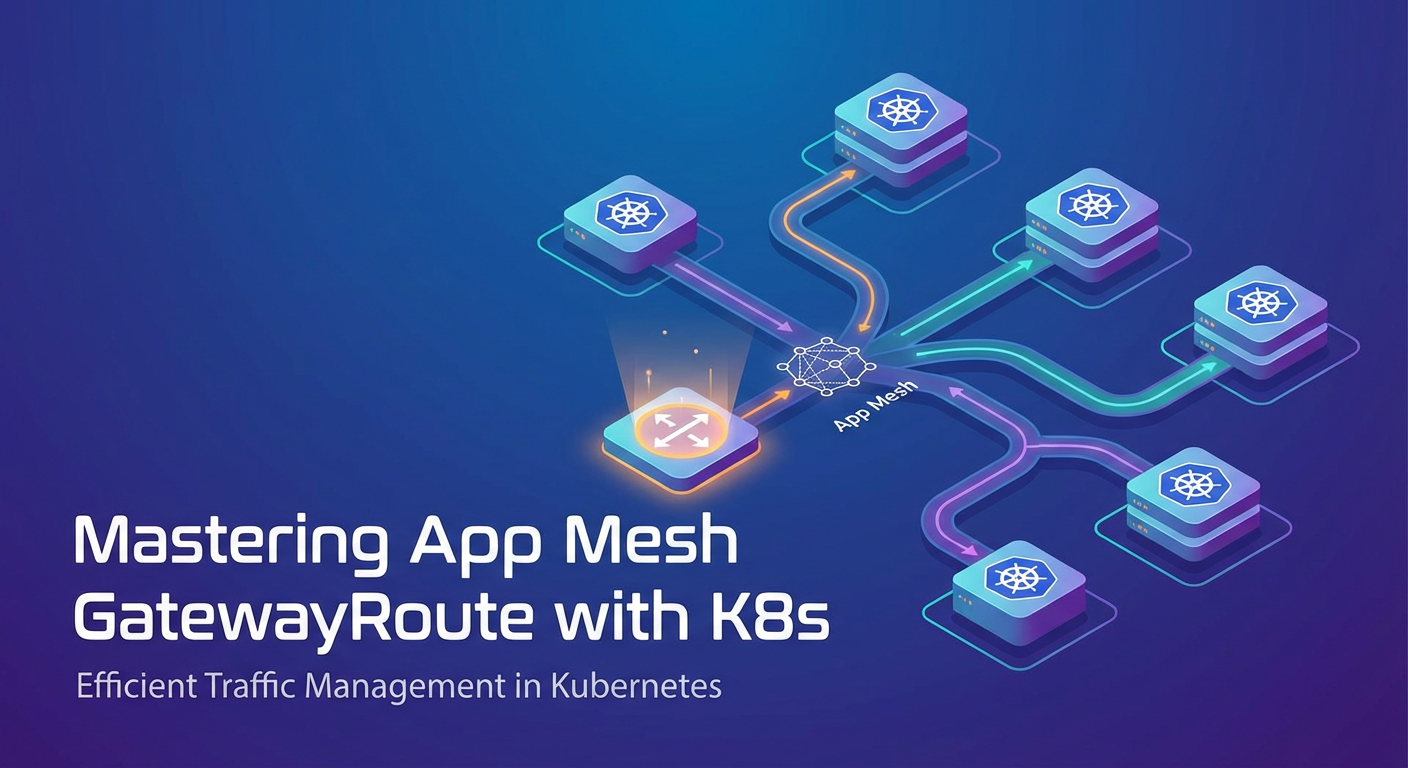


In the dynamic and ever-evolving landscape of modern cloud-native applications, orchestrating complex microservices has become both an art and a science. As organizations increasingly adopt the microservices architectural paradigm, the challenges associated with managing inter-service communication, traffic routing, resilience, and observability grow exponentially. Kubernetes (K8s) has emerged as the undisputed champion for container orchestration, providing a robust platform for deploying, scaling, and managing containerized workloads. However, while Kubernetes excels at managing the lifecycle of applications, it primarily operates at Layer 4 (TCP/UDP) for service discovery and basic load balancing. For sophisticated Layer 7 (HTTP/gRPC) traffic management, advanced routing capabilities, and deep insights into application behavior, a dedicated service mesh becomes indispensable.
Among the various service mesh implementations available, AWS App Mesh stands out, particularly for organizations deeply embedded within the AWS ecosystem. App Mesh provides a consistent way to monitor and control microservices, abstracting away the underlying networking complexities. It leverages the powerful Envoy proxy as its data plane, injecting it as a sidecar alongside application containers to intercept and manage all network traffic. This architectural choice empowers developers and operators with granular control over service-to-service communication without requiring any changes to application code. Within this sophisticated framework, the concept of a gateway plays a pivotal role, serving as the crucial entry point for external traffic into the mesh. Specifically, the App Mesh GatewayRoute resource is the cornerstone for defining how requests arriving at this gateway are precisely routed to various services within the mesh, making it a fundamental component for any robust api gateway strategy within a Kubernetes environment. Mastering App Mesh GatewayRoute with K8s is not merely about understanding YAML configurations; it’s about architecting a resilient, observable, and highly performant microservices api infrastructure capable of handling the demands of modern applications. This comprehensive guide will delve into the intricacies of App Mesh GatewayRoute, exploring its capabilities, implementation patterns within Kubernetes, advanced use cases, and best practices to unlock its full potential.
Understanding the Landscape: K8s, Service Mesh, and App Mesh
Before we dive deep into the specifics of App Mesh GatewayRoute, it's crucial to establish a foundational understanding of the interconnected technologies that form this powerful ecosystem. Kubernetes, service meshes in general, and AWS App Mesh each contribute unique capabilities that, when combined, offer an unparalleled environment for microservices.
Kubernetes Fundamentals: The Orchestration Backbone
Kubernetes, often abbreviated as K8s, is an open-source system for automating deployment, scaling, and management of containerized applications. It provides a declarative approach to managing workloads, ensuring that the actual state of your applications matches the desired state defined in your configurations. Key Kubernetes concepts relevant to networking and service mesh integration include:
- Pods: The smallest deployable units in Kubernetes, encapsulating one or more containers, storage resources, and unique network IPs. All containers within a Pod share the same network namespace and can communicate via
localhost. - Deployments: Manage the desired state of your Pods, ensuring a specified number of replicas are running and facilitating rolling updates and rollbacks.
- Services: An abstract way to expose an application running on a set of Pods as a network service. Services provide a stable IP address and DNS name, acting as internal load balancers for traffic directed to the Pods they front. Types include
ClusterIP(internal only),NodePort(exposes service on each node's IP at a static port), andLoadBalancer(provisions an external load balancer for your service, commonly used for exposingapi gatewaycomponents to the internet). - Ingress: An
apiobject that manages external access to services in a cluster, typically HTTP. Ingress can provide load balancing, SSL termination, and name-based virtual hosting. While Ingress handles external traffic into the Kubernetes cluster, its focus is primarily on routing to Kubernetes Services, not necessarily deep within a mesh or with the granular L7 controls a service mesh offers.
While Kubernetes provides essential networking primitives, its capabilities for advanced Layer 7 traffic management (like request matching based on headers, intelligent retries, circuit breaking, fine-grained traffic shifting) are limited. For instance, achieving a canary release with a 5% traffic split based on a specific header is complex, if not impossible, with native K8s components alone. This is where the service mesh steps in.
The Need for a Service Mesh: Beyond K8s Networking
As microservices architectures grow in complexity, developers encounter a myriad of operational challenges that go beyond simple service discovery and load balancing:
- Traffic Management: How do you route requests based on HTTP headers, query parameters, or URI paths? How do you perform canary deployments or A/B testing with fine-grained traffic splitting?
- Resilience: How do you implement robust retry policies, circuit breakers, and timeouts to prevent cascading failures?
- Security: How do you ensure secure communication between services (mTLS), and enforce granular access control policies?
- Observability: How do you get deep insights into application performance, latency, errors, and traffic flow (metrics, distributed tracing, logging)?
Addressing these concerns at the application layer often requires embedding libraries into each service, leading to language-specific implementations, increased development overhead, and inconsistent behavior across the ecosystem. A service mesh solves these problems by externalizing these concerns to a dedicated infrastructure layer, typically implemented using a proxy sidecar pattern. The mesh handles all network traffic between services, providing a universal layer for policy enforcement and telemetry collection, transparently to the application. This unified approach simplifies development, enhances operational consistency, and provides a powerful control plane for managing the entire microservices network.
Introduction to AWS App Mesh: Cloud-Native Service Mesh
AWS App Mesh is a fully managed service mesh that makes it easy to monitor and control microservices. It standardizes how your services communicate, giving you end-to-end visibility and ensuring high availability. App Mesh works with various compute services, including Amazon Elastic Kubernetes Service (EKS), Amazon Elastic Container Service (ECS), Amazon EC2, and AWS Fargate, allowing for a consistent service mesh experience across diverse environments.
At its core, App Mesh utilizes the open-source Envoy proxy as its data plane. Envoy is a high-performance, lightweight proxy designed for single services and applications, as well as a communication bus for larger microservice api architectures. When you integrate your services with App Mesh, an Envoy proxy is deployed as a sidecar container alongside your application container within each Pod. All inbound and outbound network traffic for your application is then transparently intercepted and managed by this Envoy proxy.
The key components of App Mesh are:
- Mesh: The logical boundary for your microservices. All other App Mesh resources (virtual services, virtual nodes, virtual routers, virtual gateways, gateway routes) are scoped to a specific mesh.
- Virtual Nodes: Represents a logical pointer to a particular service (e.g., a Kubernetes Deployment and Service). It defines the listener ports and backend services for an Envoy proxy.
- Virtual Routers: Handles traffic for a Virtual Service and distributes it to Virtual Nodes. It defines routing rules based on match criteria (e.g., path, headers) and assigns weights to different routes, enabling sophisticated traffic shifting.
- Virtual Services: An abstraction of a real service provided by one or more Virtual Nodes and potentially managed by a Virtual Router. It's the stable DNS name that other services within the mesh use to communicate with it.
- Virtual Gateways: The critical entry point for traffic from outside the service mesh into services that are inside the mesh. It acts as an Envoy proxy listener that receives incoming requests from external clients.
- GatewayRoutes: Defines the routing rules for traffic that arrives at a Virtual Gateway, directing it to specific Virtual Services within the mesh. This is where external
apicalls are mapped to internal service endpoints.
App Mesh's advantages include deep integration with other AWS services like Amazon CloudWatch for metrics and logging, AWS X-Ray for distributed tracing, and AWS Certificate Manager for TLS. This native integration simplifies operational overhead, making it an attractive choice for AWS-centric organizations.
Diving Deep into App Mesh Virtual Gateway and GatewayRoute
The journey of an external request into a service mesh managed by App Mesh with Kubernetes involves several critical steps, with the Virtual Gateway and GatewayRoute being the pivotal components that dictate how this ingress traffic is handled. These resources are fundamental to establishing a robust and flexible api gateway strategy for your microservices.
The Role of a Virtual Gateway: The Mesh's Front Door
A Virtual Gateway in App Mesh acts as the designated ingress point for traffic originating from outside the mesh, directing it towards the Virtual Services residing within the mesh. Think of it as the secure, intelligent front door for your microservices apis. Without a Virtual Gateway, external entities wouldn't have a standardized, controlled way to communicate with your mesh-enabled services.
Contrast this with a standard Kubernetes Ingress. While both handle external traffic, their scopes differ. A Kubernetes Ingress primarily routes HTTP/S traffic to Kubernetes Services within the cluster. It can perform basic path-based or host-based routing. A Virtual Gateway, on the other hand, is specifically designed to route traffic into the App Mesh, allowing it to leverage all the advanced capabilities of the mesh (like fine-grained L7 routing, retries, circuit breaking, and detailed observability) from the moment the request enters. It's the bridge that extends the service mesh's benefits to external consumers.
From an implementation perspective in Kubernetes, a Virtual Gateway is typically deployed as follows:
- Kubernetes Deployment: An Envoy proxy container runs within a Kubernetes Pod. This Deployment defines the resource limits, replicas, and container image for your
gatewayproxy. - Kubernetes Service: A
LoadBalancertype Service fronts the Envoy proxy Deployment. This Service provisions an external AWS Load Balancer (either an Application Load Balancer - ALB, or a Network Load Balancer - NLB, depending on your needs), providing a stable external IP or DNS name for yourgateway. - App Mesh VirtualGateway CRD: This Custom Resource Definition (CRD) in Kubernetes links the App Mesh control plane to your Kubernetes Service. It tells App Mesh about the existence and configuration of this external
gateway, including its listener ports and any TLS configuration.
The Virtual Gateway, once provisioned, doesn't inherently know how to route traffic. Its sole purpose is to listen for incoming requests and hand them over to its associated GatewayRoutes for processing.
Here's a simplified YAML example for a VirtualGateway in Kubernetes:
apiVersion: appmesh.k8s.aws/v1beta2
kind: VirtualGateway
metadata:
  name: my-app-gateway
  namespace: default
spec:
  meshRef:
    name: my-app-mesh
  podSelector:
    matchLabels:
      app: my-gateway-proxy # This label links to the K8s Deployment
  listeners:
    - portMapping:
        port: 8080
        protocol: http
      healthCheck:
        protocol: http
        path: /health
        healthyThreshold: 2
        intervalMillis: 5000
        timeoutMillis: 2000
        unhealthyThreshold: 2
  # Optional: TLS configuration
  # tls:
  #   mode: STRICT
  #   certificate:
  #     acm:
  #       certificateArns:
  #         - arn:aws:acm:us-east-1:123456789012:certificate/uuid
And its corresponding Kubernetes Deployment and Service:
apiVersion: apps/v1
kind: Deployment
metadata:
  name: my-gateway-proxy
  namespace: default
spec:
  selector:
    matchLabels:
      app: my-gateway-proxy
  replicas: 2
  template:
    metadata:
      labels:
        app: my-gateway-proxy
        app.kubernetes.io/name: my-gateway-proxy
    spec:
      containers:
        - name: envoy
          image: public.ecr.aws/appmesh/aws-appmesh-envoy:v1.27.2.0-prod
          ports:
            - containerPort: 8080
              name: http
          env:
            - name: APPMESH_VIRTUAL_GATEWAY_NAME
              value: my-app-gateway # Link to the VirtualGateway CRD
            - name: APPMESH_MESH_NAME
              value: my-app-mesh
          resources:
            requests:
              memory: "64Mi"
              cpu: "50m"
            limits:
              memory: "128Mi"
              cpu: "100m"
---
apiVersion: v1
kind: Service
metadata:
  name: my-gateway-service
  namespace: default
spec:
  selector:
    app: my-gateway-proxy
  ports:
    - port: 80
      targetPort: 8080
      protocol: TCP
  type: LoadBalancer
This setup provisions an external Load Balancer that routes traffic to the Envoy proxies running as my-gateway-proxy Pods. The VirtualGateway CRD then configures these Envoy proxies to act as the mesh ingress.
Unpacking GatewayRoute: The Traffic Cop for External Requests
The GatewayRoute is where the true power of App Mesh's external traffic management comes to light. Once a request hits the Virtual Gateway, the GatewayRoute resource determines exactly where within the service mesh that request should be directed. It acts as the "traffic cop," applying sophisticated Layer 7 routing rules to translate external HTTP/gRPC requests into specific internal Virtual Service invocations.
Definition: A GatewayRoute defines how incoming requests to a VirtualGateway are routed to a specific VirtualService within the mesh. Each GatewayRoute is associated with a single VirtualGateway.
Key Attributes and Configuration:
spec.gatewayRouteName: A unique identifier for theGatewayRoutewithin the mesh.spec.virtualGatewayRef: A crucial reference that links thisGatewayRouteto its parentVirtualGateway. This ensures that the routing rules apply to the correct ingress point.spec.routeSpec: This is the heart of theGatewayRoute, defining the actual routing logic. It specifies the protocol (HTTP, HTTP2, gRPC) and the match criteria for incoming requests.httpRoute/http2Route/grpcRoute: These blocks specify routing rules for HTTP, HTTP/2, or gRPC protocols, respectively. They contain:action: This defines where the request should be routed. It typically points to avirtualServiceRef, specifying the targetVirtualServicewithin the mesh.match: This is where the granular routing criteria are defined. It allows you to match requests based on various attributes:prefix: Matches requests with a specific path prefix (e.g.,/userswill match/users,/users/123, etc.).path: Matches requests with an exact path.method: Matches requests based on their HTTP method (GET, POST, PUT, DELETE, etc.).headers: Matches requests based on the presence or value of specific HTTP headers. This is incredibly powerful for versioning, A/B testing, and feature flagging.queryParameters: Matches requests based on query string parameters.hostname: Matches requests based on theHostheader, enabling host-based routing (e.g.,api.example.comvs.dev.example.com).
weightedTargets: Within theactionblock, you can specify multiplevirtualServiceRefs with associatedweights. This enables weighted routing, allowing you to distribute traffic across different versions of aVirtualService(e.g., 90% tov1and 10% tov2for a canary deployment).retryPolicy: Defines how thegatewayshould handle transient failures when forwarding requests to the targetVirtualService. This includes specifying HTTP status codes to retry on, the maximum number of retries, and retry intervals. This significantly enhances the resilience of yourapis.timeout: Configures how long thegatewayshould wait for a response from the targetVirtualServicebefore timing out the request. This prevents external clients from waiting indefinitely for slow backend services.rewrite: Allows you to rewrite path or hostname before forwarding the request to theVirtualService. For example, rewriting/v1/usersto/usersinternally.headerAdd/headerRemove: Provides the ability to add or remove custom headers to requests before they are forwarded into the mesh. This can be useful for injecting tracing IDs, authentication tokens, or other contextual information.
Real-world Scenarios for GatewayRoute:
The flexibility of GatewayRoute opens up a plethora of advanced traffic management strategies:
- Basic Path-Based Routing: The most common scenario, directing requests based on their URL path.
GET /users->user-servicePOST /products->product-service
- Host-Based Routing: Serving multiple
apis or different versions of anapifrom the samegatewaybut different hostnames.api.example.com->service-Alegacy.example.com->service-B
- Header-Based Versioning: Routing traffic to specific versions of a service based on a custom header, often used for internal testing or targeted feature rollouts.
- Request with
X-Version: v2header ->backend-v2-service - All other requests ->
backend-v1-service
- Request with
- Canary Deployments: Gradually shifting a small percentage of production traffic to a new version of a service, monitoring its performance, and then progressively increasing the traffic split.
GatewayRoutecan distribute traffic with precise weights.- 99% of traffic ->
backend-v1-service - 1% of traffic ->
backend-v2-service
- 99% of traffic ->
- A/B Testing: Routing users to different service versions based on certain criteria (e.g., a cookie, a query parameter) to test UI variations or feature effectiveness.
- Blue/Green Deployments: A high-level strategy where
GatewayRoutecan be used to instantly switch all traffic from an old (blue) version to a new (green) version once the green environment is verified.
YAML Examples for GatewayRoute
Let's illustrate with some concrete YAML examples.
Example 1: Simple Path-Based GatewayRoute
This GatewayRoute directs all traffic with the prefix /products to the product-virtual-service.
apiVersion: appmesh.k8s.aws/v1beta2
kind: GatewayRoute
metadata:
  name: product-gateway-route
  namespace: default
spec:
  gatewayRouteName: product-route-8080
  virtualGatewayRef:
    name: my-app-gateway # Links to the VirtualGateway defined earlier
  routeSpec:
    httpRoute:
      match:
        prefix: "/techblog/en/products"
      action:
        target:
          virtualServiceRef:
            name: product-virtual-service.default # Target VirtualService
Example 2: Weighted Canary Deployment with Header Matching
This GatewayRoute demonstrates a more complex scenario: * If the x-version header is v2, 100% of the traffic for /app goes to app-virtual-service-v2. * Otherwise, 90% of traffic goes to app-virtual-service-v1 and 10% to app-virtual-service-v2 for the /app prefix, enabling a canary release for general users.
apiVersion: appmesh.k8s.aws/v1beta2
kind: GatewayRoute
metadata:
  name: app-canary-gateway-route
  namespace: default
spec:
  gatewayRouteName: app-canary-route-8080
  virtualGatewayRef:
    name: my-app-gateway
  routeSpec:
    httpRoute:
      # Route for developers/testers with X-Version: v2 header
      match:
        prefix: "/techblog/en/app"
        headers:
          - name: x-version
            match:
              exact: "v2"
      action:
        target:
          virtualServiceRef:
            name: app-virtual-service-v2.default
        rewrite: # Optional: rewrite path to remove /app prefix before sending
          prefix: "/techblog/en/app"
          targetPrefix: "/techblog/en/"
      priority: 100 # Higher priority routes are evaluated first

    - httpRoute: # Fallback route for all other traffic
      match:
        prefix: "/techblog/en/app"
      action:
        targets: # Weighted targets for canary release
          - virtualServiceRef:
              name: app-virtual-service-v1.default
            weight: 90
          - virtualServiceRef:
              name: app-virtual-service-v2.default
            weight: 10
      retryPolicy:
        httpRetryEvents:
          - server-error
          - gateway-error
        maxRetries: 3
        perTryTimeout:
          unit: MILLIS
          value: 1000
        timeout:
          idle:
            unit: MILLIS
            value: 60000
          perRequest:
            unit: MILLIS
            value: 15000
      priority: 200 # Lower priority route
This table summarizes key GatewayRoute match criteria and their common use cases:
| Match Criteria | Description | Common Use Cases | |---|---|---|---|--- | Prefix | /api/users | match: { prefix: "/techblog/en/users" } | Basic API access. | | Path | /api/v1/users/ | match: { path: "/techblog/en/api/v1/users/" } | Specific API endpoint matching. | | Method | GET /api/products | httpRoute: { match: { prefix: "/techblog/en/products", method: "GET" } } | Restrict methods for specific API paths. | | Headers | X-Version: v2 | httpRoute: { match: { prefix: "/techblog/en/api", headers: [{ name: "x-version", match: { exact: "v2" }}]} } | Canary releases, A/B testing, internal feature flags for apis. | | Query Parameters | ?region=eu | httpRoute: { match: { prefix: "/techblog/en/items", queryParameters: [{ name: "region", match: { exact: "eu" }}]} } | Geo-routing, feature toggles based on URL parameters. | | Hostname | dev.example.com | httpRoute: { match: { hostname: { exact: "dev.example.com" }} } | Routing traffic to different environments or api versions based on domain. | | Weighted Targets | 10% to v2, 90% to v1 | action: { targets: [{ virtualServiceRef: ..., weight: 10 }, { virtualServiceRef: ..., weight: 90 }]} | Gradual rollouts, low-risk deployments for new api versions. | | Retry Policy | On 5xx errors | retryPolicy: { httpRetryEvents: ["server-error"], maxRetries: 3 } | Enhance resilience of external api calls against transient backend issues. | | Timeout | 15 seconds per request | timeout: { perRequest: { unit: SECONDS, value: 15 } } | Prevent long-running requests from blocking gateway resources or external clients. | | Rewrite | /v1/users to /users | rewrite: { prefix: "/techblog/en/v1/users", targetPrefix: "/techblog/en/users" } | Decouple external api paths from internal service paths, simplifying api evolution. |
Understanding and leveraging these GatewayRoute attributes provides immense power in managing external access to your Kubernetes-based microservices with App Mesh, establishing it as a highly capable api gateway layer.
Implementing GatewayRoute with Kubernetes
Putting the theoretical understanding of App Mesh VirtualGateway and GatewayRoute into practice within a Kubernetes environment requires a structured approach. This section will guide you through the necessary prerequisites and provide a step-by-step example, illustrating how external traffic flows into your mesh-enabled services.
Prerequisites
Before you can deploy and configure App Mesh resources on Kubernetes, ensure you have the following in place:
- Kubernetes Cluster: An operational Kubernetes cluster, preferably Amazon Elastic Kubernetes Service (EKS) for seamless integration with AWS services like IAM, CloudWatch, and Load Balancers. While App Mesh can run on any K8s, EKS simplifies many aspects.
kubectlandaws-cli: Configured with appropriate access to your Kubernetes cluster and AWS account.- App Mesh Controller for Kubernetes: This controller (or App Mesh
apiserver) must be deployed in your K8s cluster. It watches for App Mesh CRDs (likeMesh,VirtualNode,VirtualGateway,GatewayRoute) and translates them into App Mesh API calls to the AWS App Mesh service. You can install it using Helm.bash # Example: Install App Mesh Controller helm repo add eks https://aws.github.io/eks-charts helm repo update helm install appmesh-controller eks/appmesh-controller \ --namespace appmesh-system \ --set region=<YOUR_AWS_REGION> \ --set serviceAccount.create=false \ --set serviceAccount.name=appmesh-controller \ --set enableTracing=true # Enable X-Ray tracing if desired(Note: You'll need to create an IAM Role for Service Accounts (IRSA) for theappmesh-controllerand attach theAWSCloudMapFullAccessandAWSAppMeshFullAccesspolicies.) - Envoy Proxy Sidecar Injection: You need a mechanism to inject the Envoy proxy sidecar into your application Pods. This can be done manually by adding the Envoy container definition to your Deployment YAMLs or, more commonly, automatically via App Mesh mutating webhook admission controller.
bash # Example: Enable automatic sidecar injection for a namespace kubectl annotate namespace <your-namespace> k8s.aws/mesh=<your-mesh-name> - IAM Permissions: Ensure the Kubernetes Service Accounts used by your Envoy proxy Pods (for both your applications and the Virtual Gateway) have appropriate IAM roles attached via IRSA. These roles need permissions to interact with App Mesh and other AWS services (e.g.,
AWSAppMeshEnvoyAccesspolicy).
Step-by-Step Deployment Example
Let's walk through an example to set up a VirtualGateway and GatewayRoute for a simple api service (color-app) that returns a random color.
Scenario: We have a color-app microservice with two versions (v1 and v2). We want to expose this api to external users through a VirtualGateway and initially route all traffic to v1, but allow a specific header (x-color-version: v2) to access v2.
1. Define the App Mesh Mesh
This is the logical boundary for all your App Mesh resources.
apiVersion: appmesh.k8s.aws/v1beta2
kind: Mesh
metadata:
  name: color-mesh
spec:
  # Optional: Define egress filter to allow specific egress traffic
  # egressFilter:
  #   type: ALLOW_ALL
  # serviceDiscovery:
  #   awsCloudMap: {}
2. Define VirtualNodes for your microservices
Each version of your color-app will have a VirtualNode. These point to your Kubernetes Services.
# VirtualNode for color-app v1
apiVersion: appmesh.k8s.aws/v1beta2
kind: VirtualNode
metadata:
  name: color-app-v1
  namespace: default
spec:
  meshRef:
    name: color-mesh
  serviceDiscovery:
    dns:
      hostname: color-app-v1.default.svc.cluster.local # K8s Service name
  listeners:
    - portMapping:
        port: 8080
        protocol: http
      healthCheck:
        protocol: http
        path: /health
        healthyThreshold: 2
        intervalMillis: 5000
        timeoutMillis: 2000
        unhealthyThreshold: 2
---
# VirtualNode for color-app v2
apiVersion: appmesh.k8s.aws/v1beta2
kind: VirtualNode
metadata:
  name: color-app-v2
  namespace: default
spec:
  meshRef:
    name: color-mesh
  serviceDiscovery:
    dns:
      hostname: color-app-v2.default.svc.cluster.local
  listeners:
    - portMapping:
        port: 8080
        protocol: http
      healthCheck:
        protocol: http
        path: /health
        healthyThreshold: 2
        intervalMillis: 5000
        timeoutMillis: 2000
        unhealthyThreshold: 2
3. Define VirtualService and VirtualRouter
The VirtualService provides a stable name for your color-app. The VirtualRouter will manage traffic distribution between color-app-v1 and color-app-v2.
apiVersion: appmesh.k8s.aws/v1beta2
kind: VirtualRouter
metadata:
  name: color-router
  namespace: default
spec:
  meshRef:
    name: color-mesh
  listeners:
    - portMapping:
        port: 8080
        protocol: http
---
apiVersion: appmesh.k8s.aws/v1beta2
kind: Route
metadata:
  name: color-route-v1
  namespace: default
spec:
  meshRef:
    name: color-mesh
  virtualRouterRef:
    name: color-router
  routeName: color-route-v1
  httpRoute:
    action:
      targets:
        - virtualNodeRef:
            name: color-app-v1
          weight: 100
    match:
      prefix: "/techblog/en/" # Default route
---
apiVersion: appmesh.k8s.aws/v1beta2
kind: VirtualService
metadata:
  name: color-app.default # This is the internal DNS name for the service
  namespace: default
spec:
  meshRef:
    name: color-mesh
  provider:
    virtualRouterRef:
      name: color-router
4. Deploy Kubernetes Deployments and Services for color-app
These are your actual microservices with Envoy sidecar injection enabled (by annotating the namespace default with k8s.aws/mesh: color-mesh).
# Deployment for color-app v1
apiVersion: apps/v1
kind: Deployment
metadata:
  name: color-app-v1
  namespace: default
spec:
  selector:
    matchLabels:
      app: color-app
      version: v1
  replicas: 1
  template:
    metadata:
      labels:
        app: color-app
        version: v1
      annotations:
        # App Mesh sidecar injection should be handled by webhook
        # appmesh.k8s.aws/sidecarInjectorWebhook: enabled
        # appmesh.k8s.aws/controller-mesh: color-mesh
    spec:
      serviceAccountName: appmesh-envoy # Ensure this SA has App Mesh permissions
      containers:
        - name: color-app
          image: your-repo/color-app:v1 # Replace with your image
          ports:
            - containerPort: 8080
---
# Service for color-app v1
apiVersion: v1
kind: Service
metadata:
  name: color-app-v1
  namespace: default
spec:
  selector:
    app: color-app
    version: v1
  ports:
    - port: 8080
      targetPort: 8080
---
# Deployment for color-app v2
apiVersion: apps/v1
kind: Deployment
metadata:
  name: color-app-v2
  namespace: default
spec:
  selector:
    matchLabels:
      app: color-app
      version: v2
  replicas: 1
  template:
    metadata:
      labels:
        app: color-app
        version: v2
    spec:
      serviceAccountName: appmesh-envoy
      containers:
        - name: color-app
          image: your-repo/color-app:v2 # Replace with your image
          ports:
            - containerPort: 8080
---
# Service for color-app v2
apiVersion: v1
kind: Service
metadata:
  name: color-app-v2
  namespace: default
spec:
  selector:
    app: color-app
    version: v2
  ports:
    - port: 8080
      targetPort: 8080
5. Define the VirtualGateway and its K8s Deployment/Service
This exposes the gateway to the internet. Remember the appmesh-envoy service account.
# VirtualGateway definition (similar to earlier example)
apiVersion: appmesh.k8s.aws/v1beta2
kind: VirtualGateway
metadata:
  name: color-gateway
  namespace: default
spec:
  meshRef:
    name: color-mesh
  podSelector:
    matchLabels:
      app: color-gateway-proxy
  listeners:
    - portMapping:
        port: 8080
        protocol: http
      healthCheck:
        protocol: http
        path: /health
        healthyThreshold: 2
        intervalMillis: 5000
        timeoutMillis: 2000
        unhealthyThreshold: 2
---
# K8s Deployment for the Virtual Gateway proxy
apiVersion: apps/v1
kind: Deployment
metadata:
  name: color-gateway-proxy
  namespace: default
spec:
  selector:
    matchLabels:
      app: color-gateway-proxy
  replicas: 2
  template:
    metadata:
      labels:
        app: color-gateway-proxy
    spec:
      serviceAccountName: appmesh-envoy # Use the same SA as app pods
      containers:
        - name: envoy
          image: public.ecr.aws/appmesh/aws-appmesh-envoy:v1.27.2.0-prod # Use the latest App Mesh Envoy image
          ports:
            - containerPort: 8080
              name: http
          env:
            - name: APPMESH_VIRTUAL_GATEWAY_NAME
              value: color-gateway
            - name: APPMESH_MESH_NAME
              value: color-mesh
          resources:
            requests:
              memory: "64Mi"
              cpu: "50m"
            limits:
              memory: "128Mi"
              cpu: "100m"
---
# K8s Service of type LoadBalancer for the Virtual Gateway
apiVersion: v1
kind: Service
metadata:
  name: color-gateway-service
  namespace: default
spec:
  selector:
    app: color-gateway-proxy
  ports:
    - port: 80
      targetPort: 8080
      protocol: TCP
  type: LoadBalancer
6. Define the GatewayRoute
This is where we implement our routing logic: x-color-version: v2 header routes to v2, all others to v1.
apiVersion: appmesh.k8s.aws/v1beta2
kind: GatewayRoute
metadata:
  name: color-gateway-route
  namespace: default
spec:
  gatewayRouteName: color-route-entrypoint
  virtualGatewayRef:
    name: color-gateway # Links to the VirtualGateway we defined
  routeSpec:
    httpRoute:
      # High priority route for specific header (v2)
      match:
        prefix: "/techblog/en/color"
        headers:
          - name: x-color-version
            match:
              exact: "v2"
      action:
        target:
          virtualServiceRef:
            name: color-app.default # Target the VirtualService
      priority: 100 # Higher priority routes are evaluated first
    - httpRoute:
      # Lower priority route for all other requests (default to v1)
      match:
        prefix: "/techblog/en/color"
      action:
        target:
          virtualServiceRef:
            name: color-app.default # Target the VirtualService, router handles v1
      priority: 200 # Lower priority route
(Note: The VirtualRouter for color-app.default is currently configured to send 100% of traffic to color-app-v1. To achieve the desired behavior where the GatewayRoute itself directs to v1 or v2 without the VirtualRouter interfering in this specific case, you would need separate VirtualService definitions for color-app-v1 and color-app-v2, or a more sophisticated VirtualRouter setup with header matching. For simplicity, let's assume color-app.default implicitly resolves to v1 by default and the header-based route overrides it to v2 directly via a dedicated VirtualService for v2 if needed, or by modifying the VirtualRouter with header-based routing for internal mesh traffic.)
Let's refine the GatewayRoute and VirtualService definitions to properly handle explicit routing to v1 and v2 directly from the gateway for clarity and correctness:
First, let's assume we have two separate VirtualService definitions, color-app-v1.default and color-app-v2.default, each backed by their respective VirtualNodes. This simplifies routing directly from the GatewayRoute.
# VirtualService for color-app v1 (directly to v1 VirtualNode)
apiVersion: appmesh.k8s.aws/v1beta2
kind: VirtualService
metadata:
  name: color-app-v1.default # Explicit VirtualService for v1
  namespace: default
spec:
  meshRef:
    name: color-mesh
  provider:
    virtualNodeRef:
      name: color-app-v1
---
# VirtualService for color-app v2 (directly to v2 VirtualNode)
apiVersion: appmesh.k8s.aws/v1beta2
kind: VirtualService
metadata:
  name: color-app-v2.default # Explicit VirtualService for v2
  namespace: default
spec:
  meshRef:
    name: color-mesh
  provider:
    virtualNodeRef:
      name: color-app-v2
Now, the GatewayRoute can explicitly target these VirtualServices:
apiVersion: appmesh.k8s.aws/v1beta2
kind: GatewayRoute
metadata:
  name: color-gateway-route
  namespace: default
spec:
  gatewayRouteName: color-route-entrypoint
  virtualGatewayRef:
    name: color-gateway
  routeSpec:
    httpRoute:
      # High priority route for specific header (v2)
      match:
        prefix: "/techblog/en/color"
        headers:
          - name: x-color-version
            match:
              exact: "v2"
      action:
        target:
          virtualServiceRef:
            name: color-app-v2.default # Explicitly target v2
      priority: 100
    - httpRoute:
      # Lower priority route for all other requests (default to v1)
      match:
        prefix: "/techblog/en/color"
      action:
        target:
          virtualServiceRef:
            name: color-app-v1.default # Explicitly target v1
      priority: 200
This revised GatewayRoute now correctly implements the desired logic, routing based on the x-color-version header to either the v1 or v2 VirtualService.
Illustrative Diagram of Traffic Flow:
External Client
      |
      V
+----------------+
| AWS Load Balancer (ALB/NLB) |
+----------------+
      |
      V
+-----------------------------------+
| Kubernetes Service: color-gateway-service (LoadBalancer) |
+-----------------------------------+
      |
      V
+---------------------------------------------------+
| Kubernetes Deployment: color-gateway-proxy (Envoy) |
|         (Acts as App Mesh VirtualGateway)         |
+---------------------------------------------------+
      |
      V
+---------------------------------------------------+
| App Mesh GatewayRoute: color-gateway-route        |
|  - Matches /color & X-Version: v2 -> color-app-v2.default |
|  - Matches /color (default)    -> color-app-v1.default |
+---------------------------------------------------+
      |           |
      V           V
+-----------------+   +-----------------+
| VirtualService: |   | VirtualService: |
| color-app-v1.default|   | color-app-v2.default|
+-----------------+   +-----------------+
      |                   |
      V                   V
+-----------------+   +-----------------+
| VirtualNode:    |   | VirtualNode:    |
| color-app-v1    |   | color-app-v2    |
+-----------------+   +-----------------+
      |                   |
      V                   V
+-----------------+   +-----------------+
| K8s Pod:        |   | K8s Pod:        |
| color-app v1 (Envoy sidecar) |   | color-app v2 (Envoy sidecar) |
+-----------------+   +-----------------+
This diagram visually represents how an external request traverses from the client, through the AWS Load Balancer, hits the VirtualGateway (Envoy proxy within K8s), is processed by the GatewayRoute, and finally reaches the correct VirtualService and its underlying VirtualNode/Pod within the mesh.
Integrating with an External API Gateway
It's important to understand that while App Mesh VirtualGateway and GatewayRoute provide excellent Layer 7 routing capabilities into the mesh, they are not typically designed to be a full-fledged external api gateway solution for all use cases. A dedicated external api gateway (like AWS API Gateway, Kong, or a powerful open-source solution like APIPark) often sits in front of the App Mesh VirtualGateway.
The role of an external api gateway is typically broader, encompassing:
- Authentication and Authorization: Handling various authentication schemes (OAuth, API keys, JWT validation) and enforcing fine-grained access policies at the edge.
- Rate Limiting and Throttling: Protecting your backend services from abuse and ensuring fair usage.
- Request/Response Transformation: Modifying payloads, headers, or query parameters before forwarding to the backend, or transforming responses before sending them back to clients.
- Caching: Improving performance and reducing load on backend services by caching common responses.
- Monetization and Developer Portals: Providing self-service developer experiences,
apidocumentation, and billing models.
APIPark, for instance, is an all-in-one AI gateway and API developer portal that is open-sourced under the Apache 2.0 license. It excels at managing, integrating, and deploying AI and REST services with ease. A robust solution like APIPark can handle the initial authentication, rate limiting, and request transformation for external api calls before forwarding them to your App Mesh VirtualGateway. This allows App Mesh to focus on its core strength: intelligent routing, resilience, and observability within the microservices mesh, while APIPark manages the broader api lifecycle, developer experience, and edge security. This layered approach creates a highly optimized and secure api infrastructure where each component specializes in its domain, enhancing efficiency, security, and data optimization for developers, operations personnel, and business managers alike.
Observability and Monitoring
A significant benefit of using App Mesh is its deep integration with AWS observability tools, which are crucial for understanding the behavior of your GatewayRoute and the services it fronts:
- Amazon CloudWatch: App Mesh automatically emits metrics (e.g., request count, latency, error rates) from Envoy proxies to CloudWatch. You can create dashboards and alarms to monitor the health and performance of your
VirtualGatewayandGatewayRoutes. Key metrics to watch includehttp_requests_total(success/failure rates),request_duration_microseconds(latency), andconnection_totalat theVirtualGatewaylevel. - AWS X-Ray: App Mesh integrates with X-Ray for distributed tracing. When a request enters the mesh through a
VirtualGateway, X-Ray segments are generated, allowing you to trace the request's journey through multiple services, identify bottlenecks, and pinpoint latency issues, even across different versions routed byGatewayRoute. - Logging: Envoy proxies generate detailed access logs, which can be configured to stream to CloudWatch Logs or other logging solutions. These logs are invaluable for debugging
GatewayRoutematching issues, understanding request patterns, and diagnosing errors. Enable access logging for yourVirtualGateway'sVirtualNodeconfiguration. - Prometheus/Grafana: For those preferring open-source tooling, App Mesh Envoy proxies can expose Prometheus-compatible metrics endpoints. You can scrape these metrics using Prometheus and visualize them with Grafana, providing custom dashboards for your
gatewayandapitraffic.
By leveraging these observability tools, you gain comprehensive visibility into every request that passes through your GatewayRoute, enabling proactive monitoring and rapid troubleshooting.
APIPark is a high-performance AI gateway that allows you to securely access the most comprehensive LLM APIs globally on the APIPark platform, including OpenAI, Anthropic, Mistral, Llama2, Google Gemini, and more.Try APIPark now! 👇👇👇
Advanced GatewayRoute Scenarios and Best Practices
Mastering App Mesh GatewayRoute extends beyond basic routing. It involves leveraging its advanced features for complex deployment strategies, resilience testing, and adhering to best practices for security and operational efficiency.
Blue/Green Deployments
While GatewayRoute excels at weighted routing for canary releases, it's also perfect for blue/green deployments. In this strategy, you deploy a completely new version of your application (the "green" environment) alongside the existing "blue" version. Once the green environment is thoroughly tested and deemed stable, you use GatewayRoute to instantly switch 100% of the traffic from the blue VirtualService to the green VirtualService.
This typically involves:
- Deploying
VirtualNodesand aVirtualServicefor the "blue" environment. - Deploying identical
VirtualNodesand aVirtualServicefor the "green" environment. - Configuring a
GatewayRoutethat initially points 100% of traffic to the "blue"VirtualService. - After verification, updating the
GatewayRoutedefinition to point 100% of traffic to the "green"VirtualService.
This switch is atomic and fast, minimizing downtime and simplifying rollbacks if issues are detected post-switch.
Fault Injection
App Mesh allows for fault injection at the VirtualNode and VirtualRouter level. While not directly part of GatewayRoute itself, fault injection can be crucial for testing how your external api clients and the gateway respond to various failure scenarios in your backend services. You can inject:
- Delays: Simulate network latency or slow service responses.
- Aborts: Simulate service failures by returning specific HTTP status codes (e.g., 500, 503) or immediately closing connections.
By strategically injecting faults into specific VirtualNodes or routes that your GatewayRoute directs traffic to, you can validate the effectiveness of your GatewayRoute's retry policies, client-side timeouts, and overall system resilience.
Traffic Mirroring (Shadowing)
Traffic mirroring, also known as shadowing, is an advanced technique where a copy of live production traffic is sent to a separate, isolated environment (e.g., a new version of a service, a staging environment) for testing without impacting the production users. This is incredibly useful for validating new features, performance testing, or catching bugs with real-world traffic patterns before a full rollout.
App Mesh's Route (used within VirtualRouters) supports traffic mirroring. While GatewayRoute itself doesn't directly mirror, the traffic it routes into a VirtualService can then be mirrored by the VirtualRouter associated with that VirtualService. The GatewayRoute serves as the initial entry point, and then the internal mesh routing logic handles the shadowing.
Security Considerations
Security is paramount for any api gateway. When using App Mesh GatewayRoute with Kubernetes, several best practices enhance your security posture:
- IAM Roles for Service Accounts (IRSA): Ensure your Envoy proxy Pods (for both
VirtualGatewayand applicationVirtualNodes) are configured with IRSA. This grants them least-privilege access to AWS App Mesh and other AWS services without embedding AWS credentials directly into containers. - TLS/mTLS Configuration:
- External TLS: For the
VirtualGatewayexposed via an ALB/NLB, configure TLS termination at the Load Balancer using AWS Certificate Manager (ACM). This encrypts traffic from external clients to thegateway. - Internal mTLS: Enable mutual TLS (mTLS) within your App Mesh
Mesh. This encrypts all service-to-service communication, including from theVirtualGatewayto yourVirtualServices, and authenticates both client and server certificates. App Mesh integrates with ACM for mTLS certificate management.
- External TLS: For the
- Network Policies: Implement Kubernetes Network Policies to restrict communication between Pods. For example, ensure that only the
VirtualGatewayPods can communicate with theVirtualServicesthey are configured to route to, and block direct access to backend services from outside the mesh or from unauthorized Pods. - Secrets Management: Store sensitive information (e.g.,
apikeys, database credentials) using Kubernetes Secrets, AWS Secrets Manager, or AWS Systems Manager Parameter Store, and inject them securely into your Pods.
Performance Tuning
The Envoy proxies that power your VirtualGateway and VirtualNodes are resource-intensive. Proper performance tuning is essential:
- Resource Limits: Set appropriate CPU and memory requests and limits for your Envoy proxy containers. Over-provisioning wastes resources, while under-provisioning can lead to performance degradation or OOMKills. Monitor CPU/memory usage patterns and adjust accordingly.
- Envoy Configuration: While App Mesh largely manages Envoy configuration, understanding its underlying mechanisms can help. For instance, connection pooling settings can optimize persistent connections to backend services.
- Scalability: Scale your
VirtualGatewayDeployment horizontally based on load. Use Horizontal Pod Autoscalers (HPA) to automatically adjust the number ofgatewayreplicas in response to CPU utilization or custom metrics.
Tooling and Automation (GitOps)
Managing App Mesh resources, especially GatewayRoutes, alongside your Kubernetes deployments can become complex without proper automation. Adopting a GitOps approach is highly recommended:
- Declarative Configuration: Treat all your App Mesh and Kubernetes resources as declarative configurations stored in a Git repository.
- CI/CD Pipeline: Implement a CI/CD pipeline that validates, applies, and synchronizes these configurations to your cluster.
- Tools like Argo CD or Flux CD: These tools can continuously monitor your Git repository and ensure that your cluster's state always matches the desired state defined in Git. This makes
GatewayRouteupdates, traffic shifts, and newapideployments reliable and auditable.
Troubleshooting Common Issues
Despite careful planning, issues can arise. Here are common GatewayRoute-related problems and troubleshooting tips:
- Incorrect
GatewayRouteMatches:- Symptoms: Requests not reaching the intended service, 404s, or unexpected routing.
- Troubleshooting: Double-check
prefix,path,headers, andqueryParametersin yourGatewayRoutedefinition. Remember thatprefix: "/techblog/en/"matches everything, and more specific routes should have higher priority. Usecurl -vto inspect request headers being sent.
- Service Discovery Problems:
- Symptoms:
VirtualGatewaycan't find theVirtualService, resulting in 503 errors. - Troubleshooting: Verify that the
virtualServiceRefin yourGatewayRoutecorrectly points to an existingVirtualServicewith the correct mesh and namespace. Check theVirtualService's provider (e.g.,VirtualRouterorVirtualNode) and ensure it's healthy.
- Symptoms:
- IAM Permissions:
- Symptoms: App Mesh resources fail to apply or Envoy proxies fail to start/register with the mesh, often with "access denied" errors in logs.
- Troubleshooting: Ensure the IAM roles attached to the
VirtualGatewayand application Pod Service Accounts have the necessaryappmeshpermissions (AWSAppMeshEnvoyAccess).
- Envoy Configuration Errors:
- Symptoms: Envoy proxy crashing, not accepting traffic, or reporting configuration errors in its logs.
- Troubleshooting: Check the logs of the
VirtualGatewayEnvoy Pods (kubectl logs <gateway-pod-name> -c envoy). App Mesh will push configurations to Envoy, and issues here usually indicate a problem with the App Mesh CRD definitions. Usekubectl describeon your App Mesh resources for event messages.
- Network Connectivity:
- Symptoms: Timeouts, connection refused.
- Troubleshooting: Verify Kubernetes network policies. Ensure security groups on your EC2 instances (where Pods run) and Load Balancers allow the necessary traffic. Check for
iptablesrules that might be blocking communication.
Comparison and Ecosystem Integration
Understanding where App Mesh GatewayRoute fits within the broader ecosystem of service meshes and networking solutions is crucial for making informed architectural decisions.
App Mesh vs. Istio/Linkerd
While App Mesh provides a robust service mesh experience, it's not the only player. Istio and Linkerd are other popular open-source service meshes:
- Istio: A feature-rich, highly configurable service mesh that offers extensive capabilities for traffic management, security, and observability. It is highly flexible and vendor-agnostic but comes with a steeper learning curve and higher operational complexity.
- Linkerd: A simpler, lightweight, and performant service mesh with a focus on ease of use and observability. It provides essential mesh features with less overhead than Istio.
App Mesh's Differentiating Factors:
- AWS Native Integration: Deep integration with AWS services (CloudWatch, X-Ray, ACM, IAM, EKS, ECS, Fargate) simplifies deployment, management, and security, especially for AWS-centric organizations.
- Fully Managed Control Plane: AWS manages the App Mesh control plane, reducing operational burden compared to self-managing Istio or Linkerd control planes.
- Envoy-based Data Plane: Leverages the battle-tested Envoy proxy for high performance and extensibility, similar to Istio.
The choice often comes down to the trade-offs between cloud vendor lock-in versus vendor neutrality, and managed service simplicity versus complete control and customizability. For those heavily invested in AWS, App Mesh often provides the most streamlined experience.
GatewayRoute vs. K8s Ingress
We briefly touched upon this, but it's worth reiterating the distinction:
- Kubernetes Ingress: Primarily routes L7 traffic into the Kubernetes cluster to Kubernetes Services. It's a K8s-native construct for exposing HTTP/S endpoints and is typically implemented by an Ingress Controller (like Nginx Ingress, ALB Ingress Controller). It lacks deep service mesh capabilities like mTLS, detailed observability, circuit breaking, or fine-grained traffic splitting for internal mesh services.
- App Mesh
VirtualGateway+GatewayRoute: This combination routes L7 traffic into the App Mesh. It extends the full power of the service mesh to external traffic, enabling advanced routing rules, retry policies, timeouts, and rich observability for requests destined for mesh-enabled services. It acts as the intelligent mesh-awareapi gatewayat the boundary of your service mesh.
In a typical setup, a K8s Ingress (or an external api gateway like APIPark) might sit in front of the VirtualGateway. The Ingress handles the initial api exposure and basic routing to the VirtualGateway service, while the VirtualGateway/GatewayRoute then takes over for precise, mesh-aware routing to the internal microservices.
Placement in the Overall API Infrastructure
A comprehensive API infrastructure often involves multiple layers:
- Edge
API Gateway(e.g., AWS API Gateway, APIPark, Kong): Handles publicAPIexposure, authentication/authorization, rate limiting, caching, developer portal, and request/response transformations. This is the first point of contact for external consumers. - Load Balancer (e.g., ALB/NLB): Provides network-level load distribution and often TLS termination, forwarding traffic to the next layer.
- App Mesh
VirtualGateway+GatewayRoute: The entry point into the service mesh, applying granular L7 routing, resilience policies, and collecting mesh-level telemetry for external traffic. - Internal Service Mesh (App Mesh Virtual Routers/Services): Manages internal service-to-service communication, applying policies for resilience, security (mTLS), and observability across the microservices.
- Microservices (App Mesh Virtual Nodes): The actual application logic.
Each layer contributes to a robust and scalable API architecture, specializing in different aspects of api management and traffic flow.
Conclusion
Mastering App Mesh GatewayRoute with Kubernetes is a critical skill for anyone building and operating modern microservices architectures on AWS. It provides the crucial bridge between external clients and your mesh-enabled services, allowing you to apply sophisticated Layer 7 traffic management policies right at the ingress point. From basic path-based routing to complex canary deployments, A/B testing, and robust resilience patterns, GatewayRoute empowers you to control the flow of external api traffic with unparalleled precision and visibility.
By understanding the interplay between Kubernetes resources, App Mesh components like VirtualGateway and VirtualService, and the granular controls offered by GatewayRoute's match and action specifications, you can engineer highly available, fault-tolerant, and performant api endpoints. Furthermore, integrating GatewayRoute within a layered api gateway strategy, potentially leveraging external solutions like APIPark for broader api lifecycle management and security, allows for a comprehensive approach to api governance. The journey towards mastering cloud-native networking is continuous, but with App Mesh GatewayRoute, you gain a powerful tool to navigate its complexities and build resilient, observable, and scalable api infrastructure. This deep dive into GatewayRoute should equip you with the knowledge and confidence to implement advanced routing strategies, ensuring your microservices apis are not just functional, but also robust and ready for the demands of production.
Frequently Asked Questions (FAQs)
- What is the primary difference between a Kubernetes Ingress and an App Mesh GatewayRoute? A Kubernetes Ingress is a native K8s resource for managing external access to services within the cluster, primarily for HTTP/S traffic. It typically routes to K8s Services. An App Mesh
GatewayRoute, on the other hand, defines how incoming requests to an App MeshVirtualGatewayare routed into the service mesh to specific App MeshVirtualServices. It leverages the advanced L7 capabilities of the mesh (like header-based routing, weighted targets, retries, and timeouts) which a standard K8s Ingress lacks. In a layered architecture, an Ingress might forward traffic to theVirtualGatewaybefore theGatewayRoutetakes over. - How does App Mesh GatewayRoute contribute to a microservices architecture's resilience?
GatewayRouteenhances resilience by allowing you to defineretryPolicyandtimeoutsettings for requests entering the mesh. TheretryPolicyenables thegatewayto automatically reattempt failed requests to aVirtualServicebased on specified HTTP events or network errors, preventing transient failures from impacting external clients.Timeoutpolicies prevent requests from hanging indefinitely, ensuring a responsive user experience and preventing resource exhaustion at thegatewaylevel. These features mean your externalapiconsumers are better protected from temporary service disruptions within your mesh. - Can GatewayRoute be used for A/B testing or canary deployments? Absolutely.
GatewayRouteis perfectly suited for both A/B testing and canary deployments. For canary deployments, you can useweightedTargetswithin theGatewayRoute'sactionto distribute a small percentage of traffic to a new version of aVirtualService, gradually increasing the weight as confidence grows. For A/B testing,GatewayRoute'smatchcriteria can be used to route users based on specificheaders(e.g., cookies) orqueryParametersto differentVirtualServicesrepresenting test variations. - What role does the Envoy proxy play in App Mesh GatewayRoute? The Envoy proxy is the data plane component that underlies all App Mesh functionality, including
GatewayRoute. When you define aVirtualGatewayin App Mesh and deploy it in Kubernetes, it runs as an Envoy proxy container. This Envoy proxy is configured by the App Mesh control plane to listen for incoming traffic and apply the routing rules defined in yourGatewayRoutes. It intercepts, routes, and manages all traffic according to these rules, while also emitting rich metrics, logs, and trace data. Essentially, theVirtualGatewayis an Envoy proxy acting as the ingress point, and theGatewayRouteconfigures how that Envoy proxy behaves. - How does an external API Gateway, like APIPark, complement App Mesh GatewayRoute? An external
API Gatewaylike APIPark complements App MeshGatewayRouteby handling concerns that are typically outside the scope of a service mesh's ingress. APIPark focuses on the broaderAPIlifecycle management, offering features such as advanced authentication and authorization, comprehensive rate limiting, request/response transformation,APImonetization, and a developer portal. It acts as the first line of defense and management for all externalapiconsumers. APIPark would typically forward its processed and authenticatedapirequests to your App MeshVirtualGateway, which then usesGatewayRoutefor granular, mesh-aware routing to the correct microservice within your Kubernetes cluster. This creates a powerful, layeredapiinfrastructure where APIPark manages the "edge" concerns, and App MeshGatewayRouteand the service mesh handle the "internal" traffic management and resilience.
🚀You can securely and efficiently call the OpenAI API on APIPark in just two steps:
Step 1: Deploy the APIPark AI gateway in 5 minutes.
APIPark is developed based on Golang, offering strong product performance and low development and maintenance costs. You can deploy APIPark with a single command line.
curl -sSO https://download.apipark.com/install/quick-start.sh; bash quick-start.sh

In my experience, you can see the successful deployment interface within 5 to 10 minutes. Then, you can log in to APIPark using your account.

Step 2: Call the OpenAI API.