Mastering Blue Green Upgrade on GCP: A Guide for Seamless Deployment


In the dynamic landscape of modern software development, where user expectations for continuous availability and feature velocity are ever-increasing, deploying new versions of applications without disrupting service is paramount. Traditional deployment methods, often characterized by downtime windows and high-risk rollbacks, are no longer acceptable for high-traffic, mission-critical systems. This is where advanced deployment strategies, suchably Blue-Green deployment, step in, offering a robust solution to these complex challenges. By establishing two identical production environments, one live ("Blue") and one staged ("Green"), organizations can dramatically reduce the risks associated with software updates, ensuring near-zero downtime and providing a rapid rollback mechanism should issues arise.
Google Cloud Platform (GCP), with its comprehensive suite of scalable, resilient, and highly available services, provides an ideal ecosystem for implementing sophisticated deployment patterns like Blue-Green. From powerful compute options like Google Kubernetes Engine (GKE) and Compute Engine to intelligent networking solutions and robust monitoring tools, GCP offers the foundational building blocks necessary to execute these strategies effectively. The inherent flexibility and integration capabilities of GCP services empower developers and operations teams to build highly automated and reliable deployment pipelines. This guide will delve deep into the principles of Blue-Green deployment, explore how various GCP services can be leveraged to achieve seamless upgrades, and provide practical insights for architecting and executing these strategies to ensure your applications remain available, performant, and secure throughout their lifecycle. We will explore the critical role of components like an API Gateway in managing external traffic during these transitions, and how a well-thought-out approach can transform your deployment headaches into a competitive advantage.
Unpacking the Fundamentals of Blue-Green Deployment
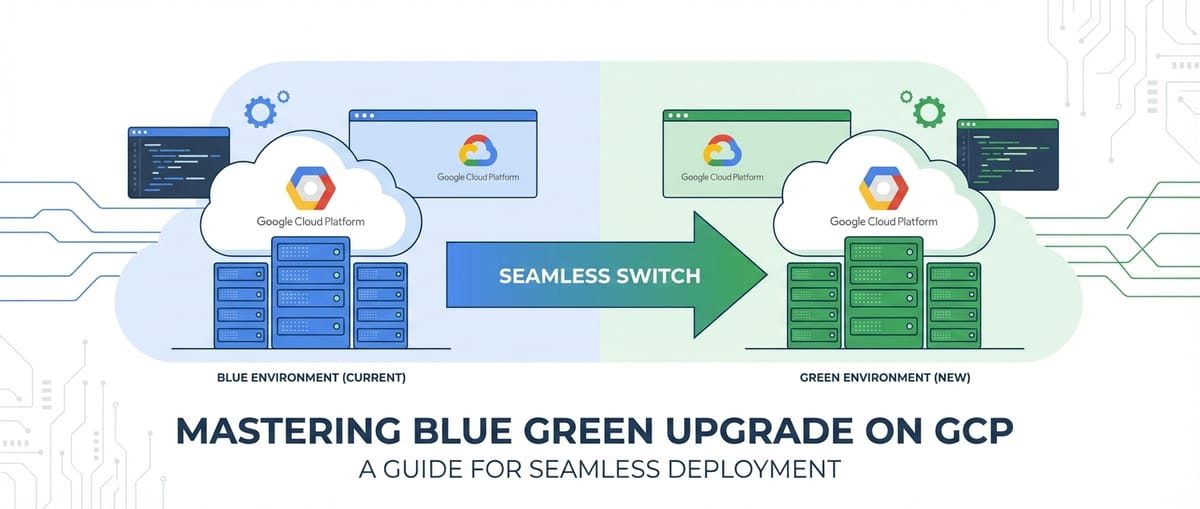
At its core, Blue-Green deployment is a strategy designed to reduce downtime and risk by running two identical production environments, aptly named "Blue" and "Green." One environment, "Blue," is currently live and serving production traffic, representing the stable, previous version of your application. The "Green" environment, on the other hand, is the newly deployed version, which is thoroughly tested and prepared to take over production traffic. This duality is the fundamental strength of the approach, allowing for a methodical transition rather than an abrupt cutover. The term "identical" is crucial here, implying not just the application code but also the underlying infrastructure, configuration, and dependencies. This mirroring ensures that the "Green" environment accurately reflects how the new version will behave in a live setting, minimizing surprises during the actual switch.
The process typically involves deploying the new version of your application to the "Green" environment while "Blue" continues to handle all incoming requests. Once the "Green" environment is fully deployed, configured, and subjected to rigorous testing—including integration, performance, and user acceptance testing—the next step is to switch the production traffic from "Blue" to "Green." This traffic switch is often managed at the load balancer or routing layer, making it a nearly instantaneous operation. Should any unforeseen issues manifest in the "Green" environment after the switch, the traffic can be immediately reverted back to the "Blue" environment, providing an incredibly fast and safe rollback mechanism. The "Blue" environment, once traffic has fully shifted to "Green," can then be scaled down, decommissioned, or kept as a standby for future rollbacks, depending on the organizational strategy and cost considerations. This dual-environment setup effectively decouples deployment from release, allowing engineering teams to deploy frequently and release confidently, knowing that a safety net is always in place.
The Undeniable Advantages of Adopting Blue-Green
The widespread adoption of Blue-Green deployment is driven by a compelling list of benefits that directly address critical pain points in traditional deployment models. Foremost among these is the achievement of near-zero downtime deployments. By pre-staging the new version in a separate, isolated environment, the actual transition of traffic becomes a quick routing change, virtually eliminating the service interruptions that users often experience. This continuous availability is crucial for applications where any period of downtime translates directly to lost revenue, decreased productivity, or frustrated users.
Another significant advantage is the instantaneous and low-risk rollback capability. If, post-switch, an unexpected bug or performance degradation is detected in the "Green" environment, reverting to the stable "Blue" version is as simple as switching the traffic back. This rapid recovery mechanism significantly mitigates the financial and reputational damage associated with faulty deployments, offering a level of confidence that is difficult to achieve with in-place upgrades. The ability to roll back in minutes, rather than hours, can be a game-changer for incident response.
Furthermore, Blue-Green deployments facilitate robust testing in a production-like environment. Before the traffic switch, the "Green" environment is a fully functional, isolated duplicate of production. This provides an unparalleled opportunity to perform final validation tests, including smoke tests, integration tests, and even performance load tests, using real-world data or synthetic traffic patterns, without impacting live users. This final testing phase dramatically increases the confidence in the new release before it becomes the primary production system. Moreover, it allows for post-deployment validation with real user traffic to a small percentage of users (often combined with a canary release strategy) before a full cutover, gathering critical feedback in a controlled manner. This comprehensive testing framework not only catches potential issues earlier but also empowers development teams to iterate faster and more frequently.
Finally, Blue-Green fosters a culture of increased confidence and reduced stress within development and operations teams. The knowledge that a safety net is always available encourages more frequent deployments and smaller, incremental changes, which are inherently less risky than large, monolithic updates. This continuous delivery mindset accelerates innovation, improves developer productivity, and ultimately leads to a higher quality product delivered to users more consistently. The ability to deploy on demand, rather than waiting for scheduled maintenance windows, provides significant operational flexibility.
Navigating the Challenges and Considerations
While the benefits of Blue-Green deployment are substantial, it's not without its challenges and requires careful planning and execution. One of the most frequently cited concerns is increased infrastructure cost. Running two identical production environments simultaneously, even for a limited period, inherently doubles the resource requirements. This can be a significant cost factor, especially for large-scale applications. Organizations must carefully balance the benefits of enhanced reliability against the operational costs, potentially looking into strategies like scaling down the "Blue" environment once "Green" is stable, or only maintaining the "Blue" for a very short rollback window. Cloud platforms like GCP, with their pay-as-you-go model and automation capabilities, can help mitigate these costs by allowing resources to be provisioned and de-provisioned programmatically, but the dual operational cost remains a key consideration.
Another critical area of complexity lies in database migration and stateful services. Applications often rely on databases and other stateful components that cannot simply be duplicated and switched like stateless application instances. Database schema changes, data migrations, and ensuring data consistency between the "Blue" and "Green" environments present significant hurdles. Strategies must be developed for backward and forward compatibility of database schemas, ensuring that both the old and new application versions can operate with the evolving database. This might involve multi-phase migrations, read replicas, or robust data synchronization mechanisms. For other stateful services, such as persistent queues, session stores, or caching layers, careful planning is needed to ensure session continuity or graceful degradation during the transition. Any shared state or external dependency must be handled with utmost care to prevent data loss or corruption during the switch.
Finally, the complexity of managing two environments and the orchestration required for seamless traffic switching can be daunting without proper automation. Manual Blue-Green deployments are prone to human error and can negate many of the benefits. A robust Continuous Integration/Continuous Deployment (CI/CD) pipeline is essential to automate the provisioning of the "Green" environment, deployment of the new application, execution of tests, and the traffic switch itself. This automation requires significant upfront investment in tools, scripts, and processes, but it pays dividends in reliability and efficiency. Moreover, comprehensive monitoring and alerting systems are non-negotiable to observe the health of both environments before, during, and after the switch, ensuring that any anomalies are detected and addressed promptly. Without proper telemetry, the benefits of quick rollback become less potent as issues might not be identified quickly enough.
GCP Services: The Blueprint for Blue-Green Mastery
Google Cloud Platform offers a rich and diverse ecosystem of services that are perfectly suited for building and managing Blue-Green deployment strategies. Its global infrastructure, coupled with managed services, simplifies the operational overhead and provides the scalability and reliability required for these advanced deployment patterns. Understanding how to leverage these services effectively is key to mastering Blue-Green upgrades on GCP.
Compute Services: The Foundation of Your Application
The choice of compute service on GCP often dictates the specific implementation details of your Blue-Green strategy. GCP provides several powerful options, each with unique advantages for managing application instances.
Google Compute Engine (GCE)
For workloads running on virtual machines (VMs), Compute Engine is the fundamental service. Implementing Blue-Green with GCE typically involves Managed Instance Groups (MIGs). A MIG automatically deploys and manages a fleet of identical VM instances from a specified instance template.
- Instance Templates: These define the VM's machine type, boot disk image, network configuration, and other properties. For a Blue-Green deployment, you would create a new instance template for the "Green" environment that includes your updated application code or configuration.
- Managed Instance Groups (MIGs): You'd typically have two MIGs: one for "Blue" (current production) and one for "Green" (new version). Each MIG ensures that a specified number of healthy instances are running. The power of MIGs lies in their autohealing and autoscaling capabilities, which ensure the stability and performance of your application during and after the deployment. For Blue-Green, you would provision a new "Green" MIG using the new instance template, ensuring it's running and healthy before any traffic shift occurs.
- Load Balancers: To route traffic to these MIGs, GCP's Load Balancers are indispensable. A common pattern is to place both the "Blue" and "Green" MIGs behind a Global External HTTP(S) Load Balancer. The load balancer's URL maps and backend services are then used to control which MIG receives traffic.
The process would involve creating a new "Green" instance template with the updated application, then creating a new "Green" MIG based on this template. Once the "Green" MIG is healthy, the load balancer's URL map is updated to direct traffic to the "Green" backend service, which points to the "Green" MIG. The "Blue" MIG can then be scaled down or deleted after the transition. This approach provides fine-grained control over VM instances but requires careful management of instance templates and MIG configurations.
Google Kubernetes Engine (GKE)
GKE is perhaps the most natural fit for Blue-Green deployments, especially for containerized microservice architectures. Kubernetes, the underlying orchestration system, inherently supports declarative deployments and rolling updates, which can be adapted for Blue-Green.
- Deployments: In Kubernetes, a Deployment object manages a set of identical pods. For Blue-Green, you would typically have two distinct Deployments: one for "Blue" and one for "Green," each managing pods running the respective application version.
- Services: A Kubernetes Service provides a stable network endpoint for a set of pods. It acts as an internal load balancer. During a Blue-Green deployment, both "Blue" and "Green" Deployments can expose their pods via separate Services, or a single Service can be made to point to different Deployments.
- Ingress Controllers: For external access to your GKE applications, an Ingress resource or a gateway like the Google Cloud Load Balancer (managed by the GKE Ingress controller) is used. The Ingress can be configured to route traffic based on path, host, or other rules, making it perfect for shifting traffic between "Blue" and "Green" services.
- Istio (Service Mesh): For advanced traffic management, Istio, a service mesh integrated with GKE (or deployed independently), offers unparalleled capabilities. Istio allows for highly granular traffic routing rules, enabling precise Blue-Green and canary deployments at the API level. You can define rules to send 100% of traffic to the "Blue" version and then, with a simple configuration change, shift it to 100% "Green," or even perform a gradual rollout (canary) by sending, for example, 10% to "Green" initially. This provides immense flexibility and control, especially for complex microservice landscapes where individual services might undergo independent Blue-Green upgrades. The API Gateway functionality of Istio's Ingress gateway (often paired with an external load balancer) further streamlines external access management during such transitions.
GKE's declarative nature and powerful orchestration features simplify the management of multiple application versions and the traffic shifting process, making it a preferred choice for many organizations embracing Blue-Green.
Cloud Run and App Engine
For serverless or platform-as-a-service (PaaS) deployments, Cloud Run and App Engine offer built-in features that simplify Blue-Green-like traffic management.
- Cloud Run: This managed serverless platform allows you to deploy containerized applications. Cloud Run automatically handles versioning and traffic splitting. When you deploy a new revision, you can direct a percentage of traffic to it while the old revision continues to serve the rest. This is essentially a simplified Blue-Green/canary model, where the traffic split can be instantly adjusted from 0% to 100% for the new revision. This significantly reduces the operational complexity, as the platform manages the underlying infrastructure.
- App Engine (Standard and Flexible): App Engine also provides native traffic splitting capabilities. You can deploy new versions of your application and allocate traffic percentages to each version. Similar to Cloud Run, you can perform an immediate switch or a gradual rollout. This abstraction makes App Engine a very developer-friendly option for Blue-Green, as the infrastructure management is entirely handled by GCP.
These serverless options provide a highly abstracted and simplified approach to Blue-Green, ideal for stateless applications where fine-grained infrastructure control is less critical than rapid deployment and minimal operational overhead.
Networking Services: The Orchestrators of Traffic
The success of any Blue-Green deployment hinges on the ability to precisely control and shift network traffic between the "Blue" and "Green" environments. GCP's networking services are designed for this very purpose.
- Cloud Load Balancing: GCP offers a suite of highly scalable and globally distributed load balancers.
- Global External HTTP(S) Load Balancer: This is the go-to choice for web applications and API services exposed to the internet. It uses URL maps and backend services to route traffic. For Blue-Green, you would configure two backend services (one pointing to "Blue" and one to "Green") and update the URL map to switch traffic between them. This switch can be done instantly or gradually for canary deployments. The global nature ensures low latency access for users worldwide.
- Internal HTTP(S) Load Balancer: Similar to its external counterpart, but for internal traffic within your GCP VPC network. Essential for microservice architectures where internal services communicate with each other and need Blue-Green updates.
- Network Load Balancer (TCP/UDP): For non-HTTP(S) traffic, the Network Load Balancer can be used. While it offers less granular traffic control than HTTP(S) load balancers, it can still be used to direct traffic to different target pools or instance groups representing Blue/Green environments.
- VPC Networks: Your Virtual Private Cloud (VPC) network provides the isolated and secure environment for your "Blue" and "Green" resources. Ensuring consistent network configurations, firewall rules, and routing policies across both environments is crucial for smooth transitions and security.
- Cloud DNS: While typically load balancers manage the traffic shift within GCP, Cloud DNS can be used for more coarse-grained external DNS-based traffic switching, although this often incurs higher latency and less immediate control compared to load balancers. It's more commonly used for disaster recovery scenarios or geographically distributed Blue-Green setups.
The strategic use of GCP's load balancers, particularly the HTTP(S) load balancers, is central to implementing effective Blue-Green traffic shifts with minimal disruption. They act as the primary gateway for incoming requests, directing them to the appropriate version of your application.
Database Services: The Stateful Challenge
Databases are often the trickiest component in a Blue-Green strategy due to their stateful nature. Simply duplicating a database is often not feasible, especially with live production data. GCP offers robust database solutions, but they require careful planning for Blue-Green.
- Cloud SQL (Managed MySQL, PostgreSQL, SQL Server): For Cloud SQL, the challenge is schema evolution and data migration.
- Backward/Forward Compatibility: Ideally, database schema changes should be backward-compatible with the old application version and forward-compatible with the new. This allows both "Blue" and "Green" applications to operate simultaneously with the same database for a period.
- Read Replicas: You can use Cloud SQL read replicas to allow the "Green" environment to test against a near real-time copy of the production data, albeit read-only for the "Green" testing phase.
- Phased Migrations: For non-compatible schema changes, a multi-phase migration strategy might be necessary, potentially involving temporary downtime or advanced data synchronization techniques, which moves away from the pure zero-downtime ideal of Blue-Green. Tools for database schema migration, often integrated into CI/CD, become critical here.
- Cloud Spanner: A globally distributed, strongly consistent database, Spanner's schema evolution capabilities (online schema changes) can simplify some aspects, but data migration still needs careful consideration. Its high availability and scalability make it suitable for critical applications undergoing Blue-Green.
- Cloud Firestore/Datastore: For NoSQL databases, schema flexibility often eases the burden of schema changes, but ensuring data integrity and consistency during an application version transition remains vital.
- Data Migration Service (DMS): GCP's DMS can assist in migrating data between various sources and targets, which might be useful in setting up the "Green" database environment or synchronizing data for complex scenarios.
The most common approach for databases in Blue-Green is to ensure the database schema can support both the "Blue" and "Green" application versions simultaneously (backward/forward compatibility). If this isn't possible, then the database upgrade often becomes the singular point of potential downtime or requires highly complex, custom migration logic that falls outside a typical Blue-Green traffic switch.
Monitoring & Logging: The Eyes and Ears of Deployment
Observability is non-negotiable for successful Blue-Green deployments. You need to know exactly what's happening in both environments at all times.
- Cloud Monitoring: Provides comprehensive metrics for all GCP services, as well as custom metrics for your applications. Critical for observing the health, performance, and resource utilization of both "Blue" and "Green" environments. Setting up dashboards and alerts is paramount to detect issues quickly post-deployment.
- Cloud Logging: Centralizes logs from all your GCP resources and applications. Essential for troubleshooting, debugging, and gaining insights into application behavior. You should have clear logging strategies for both Blue and Green environments, potentially using different log sinks or labels to distinguish them.
- Cloud Trace: For distributed microservice architectures, Trace helps visualize requests flowing through your services, identifying latency bottlenecks and errors. In a Blue-Green context, this can help verify that traffic is correctly routed and that the new "Green" services are performing as expected.
- Cloud Audit Logs: Provides records of administrative activities and data access within your GCP project, crucial for security and compliance during deployment changes.
A robust observability stack ensures that you can confidently shift traffic, detect anomalies in the "Green" environment, and make informed decisions about whether to commit to the new version or roll back.
CI/CD and Automation: The Engine of Seamlessness
Automation is the backbone of any effective Blue-Green strategy. Manual deployments are prone to errors and slow down the process, negating many of the benefits.
- Cloud Build: GCP's fully managed CI/CD platform. It can automate the entire Blue-Green workflow: building container images, deploying to "Green" environments (e.g., GKE or Cloud Run), running automated tests, and triggering the traffic switch via load balancer updates.
- Cloud Source Repositories: Managed Git repository for storing your application code, infrastructure as code (IaC) templates, and CI/CD pipeline definitions.
- Cloud Deploy: A managed continuous delivery service on GCP designed to automate deployments to GKE. It can manage releases, targets (like Blue/Green environments), and progressive rollouts, making it highly suitable for orchestrating complex GKE-based Blue-Green deployments.
- Terraform/Cloud Deployment Manager: For managing your GCP infrastructure as code. These tools allow you to declaratively define your "Blue" and "Green" environments, ensuring consistency and repeatability. You can define your MIGs, load balancers, and their configurations in code, enabling automated provisioning and updates.
By integrating these services, you can build a highly automated, reliable, and repeatable Blue-Green deployment pipeline, transforming a complex operational task into a streamlined, low-risk process.
Architectural Patterns for Blue-Green on GCP
Implementing Blue-Green on GCP can take various forms, depending on your application's architecture, chosen compute services, and desired level of control. Here, we explore common architectural patterns.
Basic VM-Based Deployment with Compute Engine
For applications running on virtual machines managed by Compute Engine, a straightforward Blue-Green pattern involves using Managed Instance Groups (MIGs) and a Global HTTP(S) Load Balancer.
- Initial State (Blue): Your current production application runs on a "Blue" Managed Instance Group (MIG-Blue). This MIG is configured with an instance template that deploys the current stable version of your application. MIG-Blue is associated with a "Blue" backend service, which is referenced by a URL map in a Global HTTP(S) Load Balancer. All production traffic flows through this path.
- Provisioning Green: When a new application version is ready, you first create a new instance template (Template-Green) that includes the updated application code or configuration. Then, you provision a new, entirely separate "Green" Managed Instance Group (MIG-Green) based on Template-Green. This MIG-Green is associated with a new "Green" backend service. Crucially, at this stage, no production traffic is routed to MIG-Green.
- Testing Green: With MIG-Green running in parallel, you can perform extensive testing. This might involve internal health checks, automated integration tests, and even shadow traffic (replicating a small portion of live traffic to "Green" without impacting real users, though this adds complexity) to validate the new version in a production-like environment.
- Traffic Shift: Once MIG-Green passes all tests and is deemed stable, you update the URL map of the Global HTTP(S) Load Balancer. The URL map is reconfigured to point the desired traffic paths from the "Blue" backend service to the "Green" backend service. This update is nearly instantaneous. All new incoming requests will now be routed to MIG-Green.
- Monitoring and Validation: Closely monitor the "Green" environment using Cloud Monitoring and Cloud Logging for any errors, performance degradations, or unexpected behavior after the traffic shift.
- Rollback/Decommission:
- Rollback: If issues are detected, the URL map can be immediately reverted to point back to the "Blue" backend service, diverting all traffic back to the stable "Blue" environment.
- Decommission: If the "Green" environment proves stable and healthy after a satisfactory period, the MIG-Blue (and its associated instance template and backend service) can be scaled down, deleted, or kept as a standby for future quick rollbacks, depending on your strategy and cost tolerance.
This VM-based approach offers direct control over the underlying infrastructure but requires careful management of instance templates and MIGs. Automation via Terraform and Cloud Build is highly recommended to manage the provisioning, deployment, and load balancer configuration updates.
Container-Based Deployment with GKE
For applications deployed as containers on Google Kubernetes Engine (GKE), Blue-Green deployments are often more streamlined due to Kubernetes' inherent capabilities for managing application versions and services.
- Initial State (Blue): Your current production application is running in a Kubernetes Deployment (Deployment-Blue) within your GKE cluster. This Deployment manages a set of pods running the "Blue" application version. A Kubernetes Service (Service-Blue) provides a stable internal endpoint for these pods. External traffic reaches Service-Blue via a GKE Ingress resource (managed by a Global HTTP(S) Load Balancer).
- Provisioning Green: When a new container image for your application is ready, you create a new Kubernetes Deployment (Deployment-Green) in the same GKE cluster. This Deployment uses the new container image and is configured to run alongside Deployment-Blue. You also create a corresponding Kubernetes Service (Service-Green) to provide an internal endpoint for Deployment-Green's pods.
- Testing Green: With Deployment-Green running, you can perform extensive internal testing by directly accessing Service-Green. This allows you to validate the new version without exposing it to external users.
- Traffic Shift via Ingress/Service Mesh:
- Basic Ingress Shift: The simplest method is to update the GKE Ingress resource to change which Kubernetes Service it points to. Initially, the Ingress points to Service-Blue. To shift traffic, you update the Ingress to point to Service-Green. This change is propagated to the underlying Google Cloud Load Balancer, effectively switching external traffic.
- Istio for Granular Control: For much more sophisticated control, especially in a microservices environment, Istio is invaluable. With Istio, you define
VirtualServiceandDestinationRuleresources. Initially, theVirtualServicedirects 100% of traffic to the "Blue" subset defined in aDestinationRule. To switch, you simply update theVirtualServiceto direct 100% of traffic to the "Green" subset. Istio allows for immediate cutovers or gradual, canary-style rollouts by specifying percentages of traffic to each version, providing a highly flexible gateway for your service traffic.
- Monitoring and Validation: Leverage Cloud Monitoring, Cloud Logging, and Istio's telemetry (if used) to closely observe the "Green" environment after the traffic shift. Monitor API endpoints for errors and performance.
- Rollback/Decommission:
- Rollback: If issues arise, simply revert the Ingress configuration or Istio
VirtualServiceto point back to Service-Blue (or the "Blue" subset), immediately restoring service. - Decommission: Once "Green" is stable, Deployment-Blue and Service-Blue can be scaled down or removed, freeing up cluster resources.
- Rollback: If issues arise, simply revert the Ingress configuration or Istio
The GKE approach leverages Kubernetes' native orchestration, making it highly efficient for containerized applications. The use of a service mesh like Istio elevates this further, offering advanced traffic management capabilities crucial for complex microservice architectures, where an API Gateway might also be deployed as an Istio Ingress gateway.
Serverless Blue-Green with Cloud Run/App Engine
For serverless applications on Cloud Run or App Engine, Blue-Green deployments are simplified significantly by the platforms' built-in traffic management features.
- Initial State (Blue): Your application is deployed as a "Blue" revision (Cloud Run) or version (App Engine), serving 100% of the traffic.
- Deploying Green: When a new application version is ready, you deploy it as a new "Green" revision (Cloud Run) or version (App Engine). Importantly, at this stage, the new "Green" revision/version is typically deployed with 0% of production traffic routed to it.
- Testing Green: Both Cloud Run and App Engine provide specific URLs for individual revisions/versions, allowing you to thoroughly test the "Green" deployment in isolation without affecting live users. You can run automated tests against this specific endpoint.
- Traffic Shift: This is the simplest part. You update the traffic splitting configuration within Cloud Run or App Engine to direct 100% of traffic to the "Green" revision/version. This change is almost immediate and seamless, requiring no manual load balancer configuration. The platform handles the underlying routing.
- Monitoring and Validation: Use Cloud Monitoring and Cloud Logging to observe the new "Green" revision/version's performance and error rates.
- Rollback/Decommission:
- Rollback: If issues are detected, simply revert the traffic splitting configuration back to 100% for the "Blue" revision/version. The old revision/version remains available.
- Decommission: Once "Green" is stable, the "Blue" revision/version can be retired, though Cloud Run and App Engine often retain old revisions for quick rollbacks.
This serverless pattern offers the highest level of abstraction and automation for Blue-Green, ideal for stateless applications where the platform's traffic management capabilities are sufficient. It abstracts away much of the underlying infrastructure complexity.
Multi-Region Blue-Green Considerations
For applications requiring extreme high availability and disaster recovery, Blue-Green can be extended across multiple GCP regions. This adds another layer of complexity but offers unparalleled resilience.
- Regional Blue-Green: Within each region, you would implement a Blue-Green strategy as described above (e.g., GKE or Compute Engine).
- Global Traffic Management: A Global External HTTP(S) Load Balancer is then used to distribute traffic across regions. During a deployment, you might update the "Green" environment in one region, shift traffic within that region, then move to the next region. Alternatively, you could update all "Green" environments globally, test them, and then perform a global traffic switch using the load balancer's backend service configurations.
- Database Synchronization: Multi-region Blue-Green significantly amplifies database challenges. Solutions like Cloud Spanner, which offers global consistency, are ideal. For other databases, robust cross-region replication and conflict resolution strategies become critical.
While highly resilient, multi-region Blue-Green deployments require meticulous planning, robust automation, and a deep understanding of global load balancing and data consistency challenges.
The Role of an API Gateway in Blue-Green Deployments
Regardless of the specific architectural pattern chosen (VMs, GKE, or serverless), an API Gateway plays a pivotal role in managing external interactions with your application services, especially during Blue-Green deployments. An API Gateway acts as a single entry point for all external clients, abstracting the complexity of the underlying microservices or application architecture.
During a Blue-Green upgrade, your backend services shift from "Blue" to "Green." An API Gateway can be configured to manage this transition at the API level. For instance, if you have an API Gateway deployed in front of your GKE cluster, it can be configured to route requests to the "Blue" Kubernetes Service or the "Green" Kubernetes Service. This provides an additional layer of control and abstraction from the client's perspective. Clients continue to hit the same gateway endpoint, oblivious to the underlying environment switch. The gateway handles the routing logic.
For example, an API Gateway like APIPark, which we will discuss in more detail, can sit at the edge of your GCP deployment. It can handle features like authentication, rate limiting, and request transformation before forwarding the request to either your "Blue" or "Green" backend. This means that even if your "Green" backend introduces breaking changes (though ideally, it should be backward-compatible during the transition), the API Gateway can provide a layer of adaptation or versioning, ensuring client applications are unaffected. This is particularly valuable when managing multiple versions of an API during a transition period or when performing gradual rollouts. The gateway becomes a central control point for managing how external consumers interact with your evolving backend services.
| GCP Service Category | Recommended Service for Blue-Green | Key Blue-Green Feature/Benefit | Considerations/Challenges |
|---|---|---|---|
| Compute | Compute Engine (MIGs) | - Declarative instance management - Clear Blue/Green separation via MIGs/Instance Templates |
- Requires more manual config of instance templates - Higher resource consumption if Blue is kept alive |
| Google Kubernetes Engine (GKE) | - Native Deployment/Service objects - Istio for advanced traffic routing - Ideal for microservices |
- Learning curve for Kubernetes/Istio - Cluster resource management |
|
| Cloud Run / App Engine | - Built-in traffic splitting/versioning - Managed, serverless platform |
- Less granular infrastructure control - Best for stateless workloads |
|
| Networking | Cloud Load Balancing (HTTP(S)) | - Instant traffic shifting via URL Maps/Backend Services - Global reach, high scalability |
- Configuration complexity for advanced scenarios - Health check accuracy |
| VPC Networks | - Secure, isolated network for Blue/Green environments | - Consistent network config across environments | |
| Databases | Cloud SQL / Cloud Spanner | - Read replicas for Green testing - Online schema changes (Spanner) |
- Database schema compatibility (backward/forward) - Data migration complexities |
| Observability | Cloud Monitoring / Logging | - Real-time metrics and logs for both environments - Essential for quick issue detection |
- Proper dashboard/alerting setup required - Differentiating Blue/Green logs |
| CI/CD & Automation | Cloud Build / Cloud Deploy | - Automates provisioning, deployment, testing, and traffic shift - IaC with Terraform/Cloud Deployment Manager |
- Upfront investment in pipeline development - Maintaining pipeline complexity |
APIPark is a high-performance AI gateway that allows you to securely access the most comprehensive LLM APIs globally on the APIPark platform, including OpenAI, Anthropic, Mistral, Llama2, Google Gemini, and more.Try APIPark now! 👇👇👇
Implementing Blue-Green Upgrades Step-by-Step on GCP
Executing a Blue-Green upgrade successfully on GCP requires a structured, phase-based approach. Each phase builds upon the previous one, ensuring that checks and validations are in place before proceeding to the next, minimizing risk.
Phase 1: Pre-Requisites and Planning
Before any deployment, meticulous planning and preparation are crucial. This foundational phase sets the stage for a smooth Blue-Green transition.
- Infrastructure as Code (IaC): All infrastructure for both "Blue" and "Green" environments should be defined using IaC tools like Terraform or Cloud Deployment Manager. This ensures environments are identical, repeatable, and reduces the chance of configuration drift. Your VPC, subnets, firewall rules, instance templates, Managed Instance Groups, GKE cluster configurations, load balancers, and API Gateway configurations should all be codified. This is paramount for maintaining consistency and enabling automated provisioning.
- Robust CI/CD Pipeline: A fully automated CI/CD pipeline is non-negotiable. This pipeline should handle everything from code commit to building artifacts (e.g., container images), provisioning "Green" infrastructure, deploying the application, running automated tests, and orchestrating the traffic switch. Cloud Build and Cloud Deploy are excellent GCP services for this. The pipeline definition itself should be version-controlled.
- Comprehensive Monitoring and Alerting: Establish detailed monitoring dashboards and alerts for both the "Blue" and "Green" environments using Cloud Monitoring. Monitor key metrics such as application health, request latency, error rates (e.g., 5xx errors), CPU/memory utilization, and any custom business metrics relevant to your application. Alerts should be configured to notify relevant teams immediately if predefined thresholds are breached in either environment, particularly after the traffic shift.
- Clear Rollback Strategy: Define a clear, well-tested rollback plan. Understand exactly how to revert the traffic switch and potentially the database state if an issue is detected. The speed and reliability of the rollback are a core benefit of Blue-Green, so ensure it's equally automated and validated. Document who is responsible for initiating a rollback and under what conditions.
- Database Migration Strategy: For applications with databases, pre-plan the database schema evolution. Aim for backward and forward compatibility where the "Blue" and "Green" application versions can both operate with the evolving schema for a transition period. If this is not possible, design a detailed, phased migration plan that minimizes downtime and data inconsistency risks. This might involve setting up read replicas for the "Green" environment to test against, or using logical replication tools for data synchronization.
Phase 2: Provisioning and Deployment of the Green Environment
With the prerequisites in place, the next step is to create and populate the "Green" environment.
- Provision Green Infrastructure: The CI/CD pipeline uses your IaC definitions to provision all necessary GCP resources for the "Green" environment. This includes new Compute Engine MIGs, new GKE Deployments, or new Cloud Run/App Engine revisions. These resources are separate and distinct from the "Blue" environment, ensuring isolation.
- Deploy New Application Version: The new version of your application code, built into a container image or a deployable artifact, is deployed to the newly provisioned "Green" infrastructure. Ensure all necessary configurations, environment variables, and secrets are correctly applied to the "Green" instances.
- Configure API Gateway (Internal Testing): If an API Gateway is part of your architecture (e.g., deployed within GKE or as an internal proxy), ensure it's configured to allow internal, non-production traffic to reach the "Green" services for testing. This means your testing tools or internal users can access the new version through the gateway without impacting live users. This setup allows for internal validation of the entire request path, including how the gateway interacts with the "Green" backend.
Phase 3: Rigorous Testing of the Green Environment
This is a critical phase where the new "Green" environment is thoroughly validated before taking live traffic.
- Automated Smoke Tests: Run a suite of automated tests to verify the basic functionality and health of the "Green" application. These should be quick tests that confirm the application starts correctly, serves basic requests, and connects to its dependencies.
- Integration Tests: Execute comprehensive integration tests to ensure that all components of the "Green" application interact correctly with each other and with external services (e.g., databases, other microservices, external APIs).
- Performance and Load Tests: Depending on the application, run performance and load tests against the "Green" environment. This helps identify any performance regressions or scalability issues with the new version under expected traffic loads. This is particularly important for high-traffic APIs where throughput and latency are critical.
- User Acceptance Testing (UAT) / Exploratory Testing: Involve a small group of internal users or QA testers to perform manual UAT or exploratory testing on the "Green" environment. This provides valuable human feedback on usability and catches edge cases that automated tests might miss.
- Shadow Traffic (Optional, Advanced): For highly critical systems, consider routing a small amount of replicated live traffic (shadow traffic) to the "Green" environment. The responses from "Green" are discarded, but its behavior and performance metrics can be compared against "Blue" without impacting live users. This is complex to implement and typically reserved for very mature organizations.
- Verify API Gateway Routing: Ensure that the API Gateway (or relevant load balancer) is properly configured to direct internal test traffic to the "Green" services, and that all APIs exposed through the gateway function as expected with the new backend.
Phase 4: Traffic Shifting
Once the "Green" environment is fully validated and deemed stable, the traffic shift can commence. This is the moment of truth.
- Update Load Balancer/Routing Configuration: The CI/CD pipeline (or a designated operator) updates the configuration of the GCP Load Balancer (e.g., URL map for HTTP(S) Load Balancer, Ingress resource for GKE, traffic splitting for Cloud Run/App Engine) to direct 100% of production traffic to the "Green" environment.
- For example, if using an HTTP(S) Load Balancer with Compute Engine MIGs, the URL map's default service is switched from the "Blue" backend service to the "Green" backend service.
- For GKE, the Ingress object's backend service or an Istio
VirtualServiceis updated. - For Cloud Run/App Engine, the traffic split is adjusted to 100% for the new "Green" revision/version.
- API Gateway External Traffic Shift: If you have a dedicated API Gateway like APIPark deployed, its configuration would be updated to point to the new "Green" backend services, ensuring that all external API calls are routed to the new application version. This can also be orchestrated by the CI/CD pipeline, ensuring the gateway properly routes traffic.
- Monitor Closely: This is the most critical monitoring period. Observe Cloud Monitoring dashboards in real-time. Look for any immediate spikes in error rates (e.g., 4xx or 5xx HTTP errors), increased latency, resource exhaustion, or other anomalies in the "Green" environment. Pay attention to user-facing metrics. The key is to catch any issues as quickly as possible.
Phase 5: Monitoring, Validation, and Decommission/Rollback
After the traffic shift, continuous monitoring is essential, followed by a decision to either commit to the new version or roll back.
- Post-Shift Monitoring and Validation: Continue intensive monitoring of the "Green" environment for a predefined soak period (e.g., hours or a full day, depending on your change management policies and application criticality). Gather user feedback and address any reported issues promptly. Validate that all critical business functions are operating normally and that performance meets expectations.
- Decision Point: Based on the monitoring data and validation results:
- Success: If the "Green" environment proves stable and healthy throughout the soak period, the deployment is considered successful.
- Failure: If significant issues are detected that cannot be immediately resolved, the deployment is deemed a failure, and a rollback is initiated.
- Rollback: If a rollback is necessary, immediately revert the Load Balancer/routing configuration (or the API Gateway configuration) to point all traffic back to the "Blue" environment. This should be a quick and automated process, typically taking only minutes. Once traffic is restored to "Blue," analyze the root cause of the failure in "Green," fix the issues, and prepare for a new deployment attempt. The "Green" environment can be temporarily scaled down or decommissioned to save costs.
- Decommission Blue: If the "Green" environment is fully successful and stable for the designated soak period, the "Blue" environment (MIG-Blue, Deployment-Blue, or old revisions) can be safely scaled down, decommissioned, or deleted. This frees up resources and reduces ongoing costs. Some organizations might choose to keep the "Blue" environment in a reduced state for a longer period as an ultra-fast disaster recovery option.
This structured approach, underpinned by GCP's services and a strong commitment to automation and observability, makes Blue-Green deployments on GCP a reliable and low-risk strategy for maintaining continuous application availability.
Challenges and Best Practices for Blue-Green on GCP
While Blue-Green deployment on GCP offers significant advantages, effectively navigating its inherent challenges requires adherence to best practices and careful consideration of architectural decisions.
Database Management: The Most Complex Piece
As previously highlighted, managing databases is often the most intricate part of a Blue-Green strategy due to their stateful nature and the need for data consistency.
- Schema Evolution Strategy:
- Backward Compatibility: Prioritize making all database schema changes backward-compatible. This means the new "Green" application can work with the old schema, and the old "Blue" application can still work with the new schema. This allows both application versions to connect to the same database during the transition period, simplifying the process immensely. Techniques include adding new columns as nullable, introducing new tables without immediately removing old ones, and using feature flags for new functionalities.
- Phased Approach for Incompatible Changes: If backward compatibility is impossible (e.g., renaming a column, changing data types), a multi-phase deployment might be necessary. This could involve:
- Deploying "Green" with only backward-compatible changes.
- Migrating data or performing the breaking schema change.
- Then deploying another "Green" version that relies on the new schema. This often introduces a brief, planned downtime for the critical database migration step, moving away from a pure zero-downtime Blue-Green.
- Data Migration and Synchronization: For significant data model changes, a robust data migration strategy is required. Use database migration tools (e.g., Flyway, Liquibase, or custom scripts managed by Cloud Build) as part of your CI/CD pipeline. Consider using GCP's Data Migration Service (DMS) for large-scale data movements. For read-heavy workloads, using Cloud SQL read replicas for the "Green" environment during testing can be beneficial, but remember that "Green" won't be writing to it directly in a shared database scenario.
- Transaction Management: Ensure that critical business transactions are handled gracefully across the Blue-Green switch. This might involve pausing new transactions briefly during the precise moment of the traffic cutover or designing your application to be idempotent.
Handling Stateful Services Beyond Databases
Beyond traditional databases, many modern applications rely on other stateful services.
- Session Management: For applications relying on user sessions, ensure session continuity during the Blue-Green switch. This typically involves externalizing sessions to a shared, highly available store like Cloud Memorystore (Redis) or Cloud Firestore, accessible by both "Blue" and "Green" environments. If sessions are sticky to specific instances, the transition will terminate existing sessions unless carefully managed.
- Persistent Queues/Message Brokers: Services like Cloud Pub/Sub or Apache Kafka (deployed on GKE) should be designed to be consumed by both "Blue" and "Green" versions during the transition. New "Green" consumers should be able to process messages, while "Blue" consumers might continue to drain their queues. Ensure message ordering and "at-least-once" or "exactly-once" delivery semantics are maintained.
- Persistent Storage: For persistent disk storage attached to VMs, migrating disks between "Blue" and "Green" is complex and generally discouraged. Instead, use shared file systems like Cloud Filestore or object storage like Cloud Storage for any shared persistent data, making it accessible to both environments.
Cost Management: Optimizing Resource Usage
Running two identical environments, even for a limited time, incurs additional costs. Smart cost management is crucial.
- Automated Teardown: Immediately decommission or scale down the "Blue" environment once the "Green" environment is fully stable and proven. Automate this process within your CI/CD pipeline using Terraform or Cloud Build.
- Right-Sizing: Ensure both "Blue" and "Green" environments are right-sized for their expected load, avoiding over-provisioning.
- Reserved Instances/Commitment Discounts: For long-running base infrastructure (e.g., GKE nodes, persistent VMs), leverage GCP's Committed Use Discounts (CUDs) to reduce overall costs, understanding that some burst capacity for Blue-Green will be on-demand.
- Short Soak Periods: While monitoring is essential, define the shortest feasible "soak period" for the "Green" environment to minimize the duration of dual-environment operation.
Embracing Automation for Reliability and Speed
Automation is the single most important best practice for Blue-Green deployments.
- Comprehensive CI/CD: As discussed, a robust CI/CD pipeline covering all stages from code commit to environment tear-down is non-negotiable.
- Infrastructure as Code (IaC): Use Terraform or Cloud Deployment Manager to define all your GCP resources. This ensures consistency, repeatability, and prevents configuration drift between "Blue" and "Green."
- Automated Testing: Integrate all levels of automated tests (unit, integration, end-to-end, performance, security scans) into your pipeline to ensure the "Green" environment is thoroughly validated before traffic is shifted.
- Automated Rollback: Ensure your rollback mechanism is as automated and tested as your forward deployment. A manual rollback under pressure is prone to errors.
The Criticality of Observability
You cannot manage what you cannot measure. Robust observability is paramount before, during, and after a Blue-Green deployment.
- Unified Monitoring Dashboards: Create dashboards in Cloud Monitoring that display key metrics for both "Blue" and "Green" environments side-by-side. This allows for easy comparison and quick identification of any discrepancies or regressions.
- Granular Logging: Ensure your applications log effectively, with context (e.g., trace IDs, request IDs) that allows for end-to-end request tracing using Cloud Logging. Differentiate logs from "Blue" and "Green" environments using metadata or separate logging sinks where appropriate.
- Proactive Alerting: Configure alerts for critical thresholds (e.g., error rates, latency, resource utilization) on both environments. This ensures you're immediately notified if the "Green" environment encounters issues, or if the "Blue" environment has unexpected behavior post-switch (e.g., traffic not fully draining).
- Distributed Tracing (Cloud Trace): For microservices, implement distributed tracing to understand the flow of requests across services in both environments. This is invaluable for pinpointing bottlenecks or errors introduced by the new "Green" version.
Security and Compliance Considerations
Maintaining consistent security postures across Blue and Green is vital.
- Identical Security Configurations: Ensure that IAM policies, firewall rules, network access controls, and security configurations are identical for both "Blue" and "Green" environments. Use IaC to enforce this.
- Vulnerability Scanning: Integrate vulnerability scanning of container images (Artifact Analysis, Container Analysis) and deployed applications as part of your CI/CD pipeline, ensuring the "Green" environment is free of known vulnerabilities before promotion.
- Compliance Auditing: Ensure that the Blue-Green process itself adheres to any regulatory compliance requirements (e.g., SOX, HIPAA, GDPR). Cloud Audit Logs can provide a detailed audit trail of all actions performed during the deployment.
Integrating APIPark for Enhanced API Management
In a sophisticated Blue-Green deployment strategy on GCP, where multiple versions of services might coexist and external consumers demand seamless access, an API Gateway becomes an indispensable component. While GCP's load balancers provide excellent traffic management at the infrastructure level, a dedicated API Gateway like APIPark offers specialized features that elevate your API management and enhance the Blue-Green experience.
APIPark, as an open-source AI gateway and API management platform, can significantly simplify how your external clients interact with your evolving backend services during a Blue-Green transition. It acts as a unified facade for all your APIs, abstracting away the intricacies of your underlying GCP Blue-Green environments. Imagine your "Blue" and "Green" deployments serving the same API endpoints but backed by different versions of your application logic. APIPark can sit in front of these deployments, providing a single, consistent gateway for all inbound API traffic.
One of APIPark's key strengths is its ability to provide a Unified API Format for AI Invocation, but this concept extends naturally to all APIs it manages. During a Blue-Green upgrade, even if minor changes or updates are introduced in the "Green" environment's APIs, APIPark can act as an intermediary to ensure that client applications continue to receive a standardized, consistent API response. This can involve request/response transformation, allowing the "Green" backend to evolve without immediately breaking existing client integrations. This abstraction is critical for maintaining zero-downtime from the client's perspective, even if internal API contract variations occur between Blue and Green versions.
Furthermore, APIPark's End-to-End API Lifecycle Management features are highly beneficial. During a Blue-Green deployment, you are essentially managing different versions of your APIs. APIPark helps regulate these API management processes, allowing you to define and manage different API versions, handle traffic forwarding, and even apply specific policies (like rate limiting or authentication) based on the API version being consumed. This means you can test a new API version (served by the "Green" environment) internally via APIPark's developer portal before exposing it to all external users. This provides an additional layer of controlled exposure.
When performing the traffic shift, instead of directly manipulating a load balancer's URL map for application services, you could update APIPark's internal routing rules to point to the "Green" backend. This means the API Gateway becomes the central control point for API traffic, rather than just raw HTTP traffic. APIPark can manage how traffic is routed to the "Blue" or "Green" Kubernetes services, Compute Engine MIGs, or Cloud Run revisions that are exposing your APIs. This gives you fine-grained control at the API level, allowing for more intelligent routing decisions than a pure infrastructure load balancer.
APIPark also offers Detailed API Call Logging and Powerful Data Analysis. During a Blue-Green transition, observing API call patterns, error rates, and latency through APIPark provides invaluable insights into the health of the "Green" environment. You can quickly identify if the new version is introducing new API errors or performance regressions, allowing for a rapid rollback. Its performance, rivaling Nginx, ensures that the gateway itself doesn't become a bottleneck during the traffic shift, even under high load.
In essence, while GCP services provide the robust infrastructure for Blue-Green deployments, APIPark enhances the experience by specifically addressing the API management layer. It adds intelligence, control, and observability to your API traffic, making your Blue-Green upgrades smoother, safer, and more transparent to your consumers. By acting as the intelligent gateway for all your APIs, APIPark empowers you to deploy with confidence, knowing your API consumers will always experience a seamless interaction regardless of your backend's Blue-Green dance.
Conclusion
Mastering Blue-Green upgrade on GCP is not merely a technical exercise; it's a fundamental shift in how organizations approach software deployment, emphasizing reliability, speed, and confidence. By systematically leveraging the robust ecosystem of Google Cloud Platform – from scalable compute services like GKE and Compute Engine to intelligent networking, comprehensive monitoring, and powerful CI/CD tools – businesses can achieve near-zero downtime deployments and minimize the risks inherent in releasing new software versions. The strategy revolves around the core principle of maintaining two identical production environments, one live ("Blue") and one staged ("Green"), enabling an instant traffic switch and an equally rapid rollback capability.
The journey to seamless deployment involves meticulous planning, particularly for complex components like databases and stateful services, where backward compatibility and careful migration strategies are paramount. Automation, powered by Infrastructure as Code and robust CI/CD pipelines, is the engine that drives efficiency and reduces human error throughout the entire process, from provisioning the "Green" environment to orchestrating the traffic shift and eventual decommissioning of the "Blue." Furthermore, an unwavering commitment to observability, through comprehensive monitoring, logging, and alerting, provides the critical feedback loops necessary to validate the "Green" environment's health and make informed decisions, ensuring that any anomalies are detected and addressed immediately.
Integrating a specialized API Gateway solution like APIPark further refines the Blue-Green strategy by adding a layer of intelligent API management. APIPark acts as a unified facade for your services, abstracting backend complexities, streamlining API versioning, and providing critical insights into API traffic patterns during transitions. This ensures that external consumers experience uninterrupted service, regardless of the underlying environment changes.
Ultimately, adopting Blue-Green on GCP transforms deployments from high-stress, risky events into routine, low-impact operations. It empowers development teams to innovate faster, release more frequently, and deliver higher quality software with greater confidence. As applications grow in complexity and user expectations continue to rise, mastering this strategy is not just an advantage, but a necessity for any organization striving for continuous availability and operational excellence in the cloud.
Frequently Asked Questions (FAQs)
- What is the primary benefit of using Blue-Green deployment on GCP? The primary benefit is achieving near-zero downtime for application deployments. By maintaining two identical environments ("Blue" for current production, "Green" for the new version), the traffic switch is almost instantaneous, eliminating service interruptions. It also provides an immediate and safe rollback mechanism if issues arise in the new "Green" environment.
- Which GCP services are most crucial for implementing a Blue-Green deployment? Several GCP services are key:
- Compute: Google Kubernetes Engine (GKE) for containerized apps, or Compute Engine with Managed Instance Groups (MIGs) for VM-based apps. Cloud Run/App Engine offer built-in traffic splitting for serverless.
- Networking: Cloud Load Balancing (especially HTTP(S) Load Balancer) for traffic shifting.
- CI/CD & Automation: Cloud Build, Cloud Deploy, and Infrastructure as Code (Terraform) to automate the entire process.
- Observability: Cloud Monitoring and Cloud Logging for real-time health and performance validation.
- How do you handle database migrations during a Blue-Green deployment? Database management is often the most challenging aspect. The best practice is to ensure database schema changes are backward-compatible, allowing both the "Blue" and "Green" application versions to work with the same database simultaneously during the transition. If backward compatibility is not possible, a phased migration strategy or a brief planned downtime for the database upgrade might be necessary, moving away from a pure zero-downtime ideal for that specific step.
- What role does an API Gateway play in Blue-Green upgrades on GCP? An API Gateway (like APIPark) acts as a unified entry point for external clients, abstracting the complexity of the underlying Blue-Green environments. It can be configured to intelligently route API requests to either the "Blue" or "Green" backend services. This provides an additional layer of control, enables API versioning, and can perform request/response transformations to maintain a consistent API contract for clients, ensuring seamless external interaction during the backend switch.
- What are the main challenges to be aware of when adopting Blue-Green deployments? Key challenges include increased infrastructure costs (running two environments simultaneously, even temporarily), complexity in managing stateful services like databases, and the significant upfront investment required for building a robust, automated CI/CD pipeline and comprehensive observability stack. Without proper automation, the benefits can be negated by manual errors and slow processes.
🚀You can securely and efficiently call the OpenAI API on APIPark in just two steps:
Step 1: Deploy the APIPark AI gateway in 5 minutes.
APIPark is developed based on Golang, offering strong product performance and low development and maintenance costs. You can deploy APIPark with a single command line.
curl -sSO https://download.apipark.com/install/quick-start.sh; bash quick-start.sh

In my experience, you can see the successful deployment interface within 5 to 10 minutes. Then, you can log in to APIPark using your account.

Step 2: Call the OpenAI API.