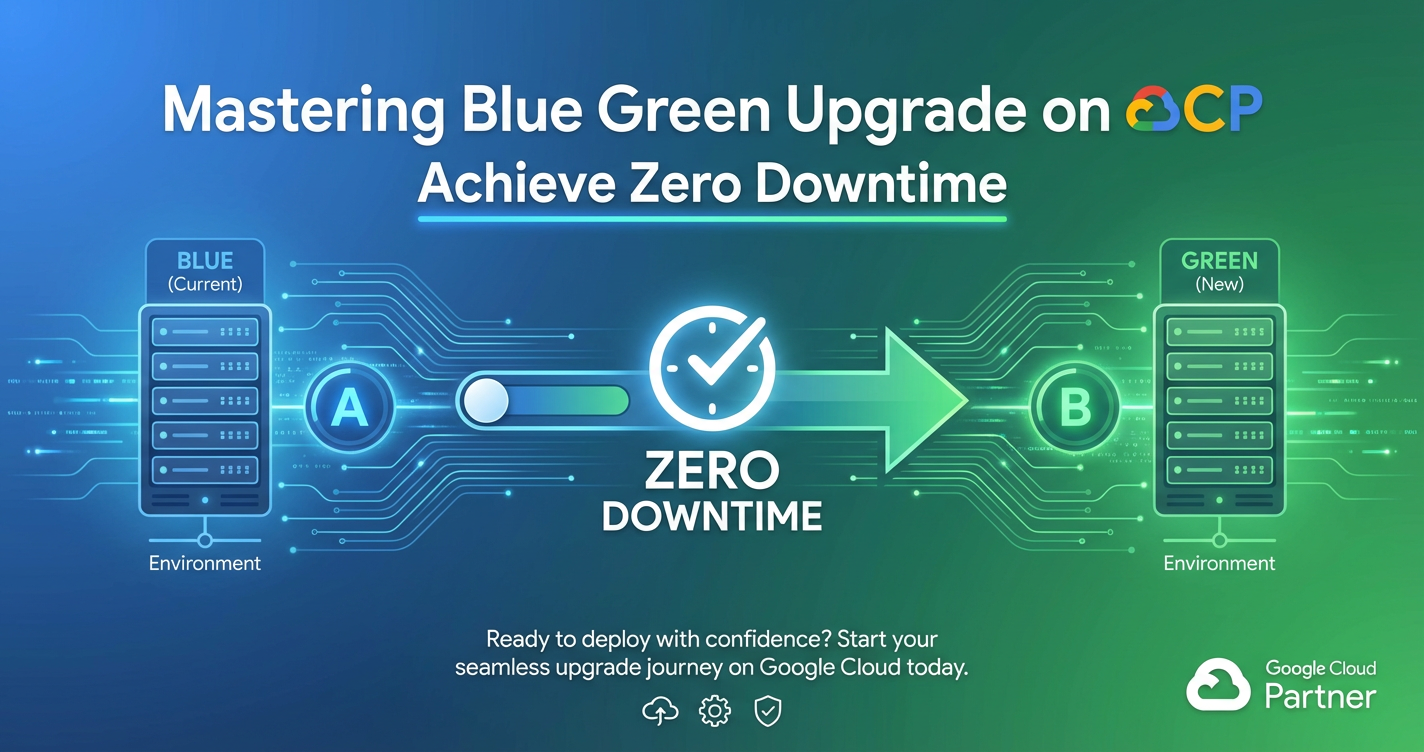
Mastering Blue Green Upgrade on GCP: Achieve Zero Downtime
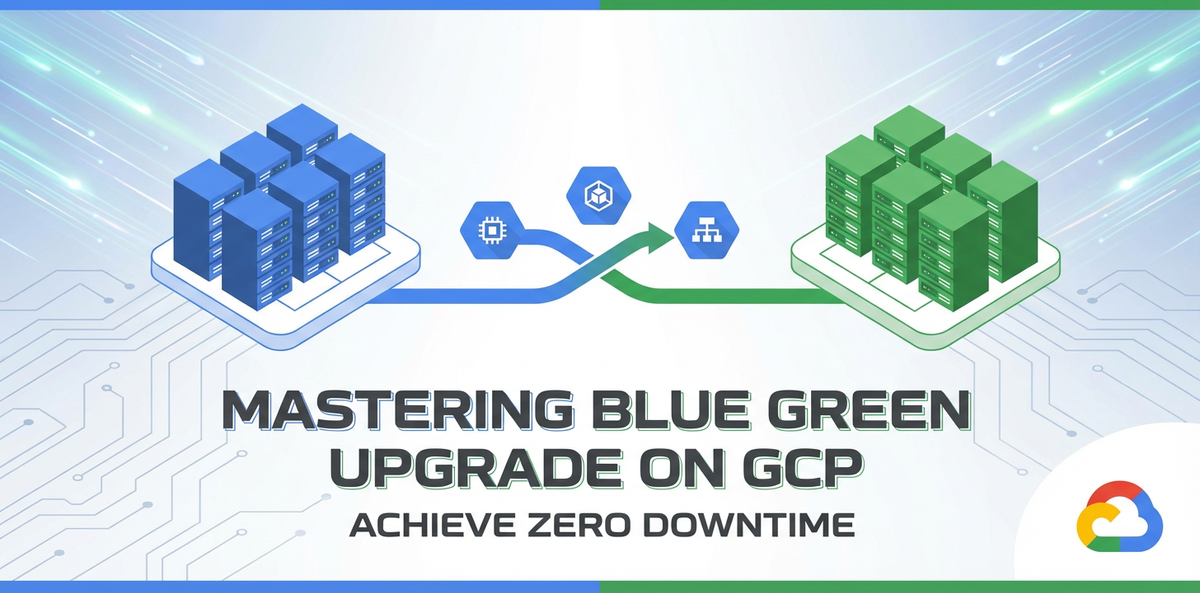


In the relentless pursuit of seamless user experiences and uninterrupted service delivery, modern enterprises face the monumental challenge of updating their applications without causing any disruption to their users. Downtime, even for a few minutes, can translate into significant financial losses, reputational damage, and a frustrated customer base. In an era where applications are expected to be "always on," traditional deployment methods, which often necessitate service outages, are simply no longer acceptable. This profound shift has propelled advanced deployment strategies, with Blue-Green deployments emerging as a powerful paradigm for achieving true zero-downtime upgrades, especially within robust cloud environments like Google Cloud Platform (GCP).
This comprehensive guide delves into the intricacies of mastering Blue-Green deployments on GCP, providing a detailed roadmap for architects, developers, and operations teams to implement this strategy effectively. We will explore the fundamental principles, the critical GCP services that facilitate its execution, practical implementation steps, and advanced considerations to ensure your application upgrades are not just fast, but entirely invisible to your end-users. By embracing the methodologies outlined here, organizations can unlock unprecedented levels of agility, reliability, and confidence in their software delivery pipelines, fundamentally transforming how they manage application lifecycle on GCP.
The Imperative of Zero Downtime in Modern Applications
The digital landscape of today is characterized by an insatiable demand for instant gratification and continuous availability. Users expect applications to be accessible 24/7, irrespective of backend maintenance, feature releases, or infrastructure upgrades. This expectation is not merely a convenience; it’s a fundamental business requirement that impacts revenue, customer loyalty, and competitive standing. For e-commerce platforms, even a momentary outage during peak hours can result in millions of dollars in lost sales. For financial services, downtime can lead to critical transaction failures and severe regulatory penalties. Even for internal enterprise applications, unavailability can cripple productivity and delay critical business processes, spiraling into widespread operational inefficiency.
The consequences of downtime extend far beyond immediate financial losses. A single outage can erode customer trust, leading users to seek more reliable alternatives from competitors. It can damage brand reputation, making it harder to attract new customers and retain existing ones. Furthermore, the operational overhead involved in recovering from an outage—diagnosing issues, rolling back changes, communicating with stakeholders—is substantial, diverting valuable engineering resources from innovation to remediation. In a hyper-connected world where news spreads instantaneously, a public outage can quickly become a social media crisis, amplifying its negative impact. Therefore, the goal of achieving zero downtime during application upgrades is not just a technical aspiration but a strategic imperative that underpins business continuity and long-term success. Modern deployment strategies like Blue-Green are designed precisely to meet this critical demand, transforming the once perilous process of software updates into a smooth, risk-averse operation.
Understanding Blue-Green Deployment: A Deep Dive
At its core, a Blue-Green deployment strategy is an elegant solution to the problem of delivering new software versions with minimal risk and zero downtime. The principle is deceptively simple yet profoundly effective: maintain two identical production environments, traditionally named "Blue" and "Green." At any given moment, only one environment is actively serving live user traffic, while the other remains idle or is used for staging and testing.
What is it? Imagine your current production environment, complete with all its running instances, databases, and network configurations, as the "Blue" environment. This Blue environment is currently handling all incoming requests from your users. When a new version of your application is ready for deployment, instead of updating the Blue environment directly, you provision an entirely new, identical environment, which we call "Green." This Green environment is where the new version of your application is deployed, configured, and thoroughly tested, all while the Blue environment continues to serve live traffic uninterrupted. This complete separation ensures that any issues introduced by the new version do not affect existing users.
How it Works: The Lifecycle of a Blue-Green Deployment The process typically unfolds in a well-orchestrated sequence of steps:
- Preparation and Provisioning: The first step involves preparing the Green environment. This means provisioning the necessary infrastructure (virtual machines, Kubernetes pods, databases, network configurations) to precisely mirror the Blue environment. Infrastructure as Code (IaC) tools are invaluable here, ensuring consistency and repeatability.
- New Version Deployment: The new version of the application code, along with any updated configurations or dependencies, is deployed exclusively to the Green environment. This environment remains isolated from live traffic during this phase.
- Comprehensive Testing: With the new application running in Green, a battery of tests is performed. This includes functional tests, integration tests, performance tests, and user acceptance tests (UAT). The goal is to rigorously validate that the new version operates as expected under realistic load conditions and integrates correctly with all downstream services, without impacting the live Blue environment.
- Traffic Switching: Once the Green environment is fully validated and deemed stable, the critical step of switching live traffic occurs. This is typically managed by a load balancer,
API gateway, or DNS records. Instead of directly routing requests to the Blue environment, the load balancer is reconfigured to direct all new incoming requests to the Green environment. This switch is often instantaneous, or can be carefully phased in (a "canary release" within a Blue-Green context) to minimize risk further. For external-facingAPIs, anAPI gatewayplays a crucial role here, as it can manage the routing rules and potentially perform advanced traffic management like rate limiting and authentication across different versions of yourAPI. - Monitoring and Observation: Immediately after the switch, intense monitoring of the Green environment begins. Teams observe key performance indicators (KPIs), error rates, system logs, and user feedback to ensure the new version performs optimally under live traffic. This period is crucial for detecting any unforeseen issues that might only manifest under real-world load.
- Blue Environment Decommissioning (or Standby): If the Green environment performs flawlessly for a predetermined "bake-in" period, the Blue environment, which is now idle, can be either decommissioned to save costs or kept on standby as a rapid rollback option. Should any critical issues arise in Green, traffic can be instantly reverted back to Blue, mitigating the impact of the failed deployment.
Advantages: Why Blue-Green Excels The benefits of adopting a Blue-Green strategy are substantial and multifaceted:
- Zero Downtime: This is the paramount advantage. Users experience no service interruption during the upgrade process, enhancing user satisfaction and maintaining business continuity.
- Rapid Rollback: The ability to instantly switch back to the previous, stable Blue environment provides an unparalleled safety net. If issues are detected in the new Green version, a rollback is a simple traffic redirection, minimizing the mean time to recovery (MTTR).
- Reduced Risk: By isolating the new deployment in a separate environment, the risk of introducing regressions or critical bugs into the production system is significantly reduced. Testing can be more thorough and less constrained by the fear of impacting live users.
- Simplified Testing: The Green environment serves as a pristine staging ground. It allows for comprehensive testing against a production-like infrastructure, which is crucial for identifying performance bottlenecks and integration issues before they affect real users.
- Cleaner Deployments: Blue-Green promotes immutable infrastructure principles. Instead of patching or updating existing servers, entire new environments are provisioned and then switched, leading to more consistent and predictable deployments.
Challenges: Navigating the Complexities Despite its compelling advantages, Blue-Green deployment is not without its challenges:
- Increased Infrastructure Costs: Running two full production-grade environments simultaneously can double your infrastructure costs, even if temporarily. This necessitates careful cost management and efficient resource provisioning/decommissioning.
- Database and Data Synchronization: This is often the most complex aspect. For stateful applications, ensuring data consistency and managing database schema migrations across Blue and Green environments requires meticulous planning. Changes to the database must be backward-compatible or carefully synchronized to avoid data corruption or application failures during the switch.
- Stateful Applications: Applications that maintain in-memory state or sticky sessions pose challenges. Strategies like session replication, externalizing session state (e.g., to Redis), or careful session draining are required.
- Monitoring Complexity: Monitoring two environments and the traffic switch requires robust observability tools to quickly detect and diagnose issues in the new environment.
- Deployment Automation: Manual Blue-Green deployments are prone to errors. Extensive automation through CI/CD pipelines is essential for consistency, speed, and reliability.
By understanding these advantages and challenges, organizations can approach Blue-Green deployments with a clear strategy, leveraging its strengths while proactively mitigating its inherent complexities.
Traditional vs. Blue-Green vs. Other Strategies: A Comparative View
The landscape of deployment strategies has evolved significantly, moving beyond simple in-place upgrades that often necessitated downtime. To fully appreciate the power of Blue-Green deployments, it's beneficial to compare it with other prevalent methods, highlighting its distinct advantages and specific use cases.
Traditional "Big Bang" Deployments: Historically, deployments often involved a "big bang" approach, where the running application was taken offline, the new version was deployed, and then the application was brought back online. * Pros: Simplicity in concept, no need for duplicate infrastructure. * Cons: Guaranteed downtime, high risk of disruption, difficult rollback, often performed during off-peak hours, leading to stress for operations teams.
Rolling Updates: In a rolling update, instances of the old application version are gradually replaced with instances of the new version, one by one or in small batches. This is common in container orchestration platforms like Kubernetes. * Pros: Minimizes downtime (though not strictly zero, as individual instances are updated), reduced infrastructure cost compared to Blue-Green, gradual rollout allows for early detection of issues. * Cons: Rollback can be complex and slow (requires rolling back multiple instances), potential for mixed environments (old and new versions running simultaneously, which can cause issues with API compatibility or session state), no instant rollback to a completely stable previous state.
Canary Deployments: Canary deployment is a risk-reduction strategy where a new version is rolled out to a small subset of users (the "canary group") before being deployed to the entire user base. * Pros: Excellent for early detection of issues with real user traffic, minimizes impact radius of a bad release, gradual rollout. * Cons: Can still introduce issues for the canary group, monitoring needs to be extremely granular, not a true zero-downtime strategy in itself (though often combined with rolling updates or Blue-Green for the main rollout). Traffic splitting mechanisms are crucial here, often facilitated by sophisticated load balancers or API gateway solutions.
A/B Testing: While often confused with deployment strategies, A/B testing is primarily a user experience (UX) and marketing optimization technique. It involves showing different versions of a feature (A or B) to different user segments to gather data on which performs better against specific metrics. * Pros: Data-driven decision making, optimizes user experience and business outcomes. * Cons: Not a deployment strategy for software updates; focuses on feature comparison, not system stability.
Why Blue-Green Stands Out: Blue-Green deployments truly shine when absolute zero downtime and instant rollback capabilities are non-negotiable. Unlike rolling updates which gradually converge to the new version, Blue-Green offers an atomic switch. You are either entirely on Blue or entirely on Green, eliminating the complexities of a mixed environment. The ability to keep the old environment fully operational as a "safe harbor" for an indefinite period (before decommissioning) provides a level of confidence and safety that other strategies struggle to match. While it has higher infrastructure costs, the peace of mind and the resilience it offers often outweigh this financial consideration, especially for mission-critical applications.
The following table summarizes the key differences:
| Feature/Strategy | Big Bang | Rolling Update | Canary Deployment | Blue-Green Deployment |
|---|---|---|---|---|
| Downtime | High | Low/Minimal | Low (for most users) | Zero |
| Rollback Speed | High (if backup ready) | Slow/Complex | Moderate | Instant |
| Risk of Issues | High | Moderate | Low (limited impact) | Low (isolated testing) |
| Infrastructure Cost | Low | Low | Low/Moderate | High (duplicate env) |
| Complexity | Low | Moderate | High (monitoring, traffic) | High (data, automation) |
| Testing Scope | Limited | Partial | Real-user subset | Full, isolated |
| Environment State | Single, updated | Mixed (during update) | Mixed (during test) | Clean, atomic switch |
GCP Services for Blue-Green Deployments: The Toolkit
Google Cloud Platform provides a rich ecosystem of services that are perfectly suited for implementing robust Blue-Green deployment strategies. Leveraging these services not only streamlines the process but also enhances scalability, reliability, and observability. Understanding how each service contributes is key to a successful implementation.
Google Kubernetes Engine (GKE): The Natural Habitat
For containerized applications, GKE is arguably the most powerful platform for Blue-Green deployments. Kubernetes' native constructs align seamlessly with the Blue-Green paradigm.
- Namespaces: You can deploy your Blue and Green environments into separate Kubernetes namespaces within the same GKE cluster. This provides logical isolation for resources, network policies, and service accounts, simplifying management and preventing accidental interference.
- Deployments: Kubernetes
Deploymentobjects manage the lifecycle of your application pods. For a Blue-Green deployment, you would define two separateDeployments: one for Blue (e.g.,my-app-blue) and one for Green (e.g.,my-app-green), each referencing a different image tag (old vs. new version). - Services: A Kubernetes
Serviceprovides a stable IP address and DNS name for a set of pods. For Blue-Green, you typically have a singleService(e.g.,my-app-external) that points to a dynamically configurable selector. Initially, thisServiceselects pods from the BlueDeployment. When the GreenDeploymentis ready, you update theService's selector to point to the Green pods. This allows seamless traffic redirection. - Ingress and Load Balancers: To expose your
Serviceto external traffic, you use a KubernetesIngressresource. On GCP, anIngressautomatically provisions a Google Cloud HTTP(S) Load Balancer. This Load Balancer becomes the critical component for switching traffic. You can configure theIngressto initially route to the BlueServiceand then update its backend configuration to point to the GreenServicefor the switch. - Istio / Anthos Service Mesh: For advanced traffic management, Istio (or Anthos Service Mesh on GCP) provides a sophisticated layer. It allows for fine-grained control over traffic routing based on weights, headers, or other criteria. With Istio
VirtualServices, you can define traffic rules to gradually shift traffic from Blue to Green, perform canary releases, or even mirror traffic for testing the new version with production load without impacting users. This offers a more controlled and granular approach than simply updating aServiceselector or Load Balancer backend. This can also act as a powerfulAPI gatewayfor internal microservices, handling routing and policy enforcement.
Compute Engine & Managed Instance Groups (MIGs): Virtual Machine Flexibility
For applications running directly on Virtual Machines (VMs), Compute Engine and Managed Instance Groups (MIGs) are the go-to services.
- Instance Templates: Define the configuration for your VMs (OS, machine type, disk, startup script, application code). You would create separate instance templates for your Blue and Green environments, referencing different application versions.
- Managed Instance Groups (MIGs): Create two separate MIGs: one for Blue and one for Green. Each MIG uses its respective instance template. MIGs automatically manage VM creation, deletion, auto-scaling, and auto-healing, ensuring high availability and consistent environments.
- Health Checks: Configure robust health checks for your MIGs. The Load Balancer uses these health checks to determine if an instance is capable of serving traffic. Only healthy instances in the Green MIG will receive traffic after the switch.
Global External HTTP(S) Load Balancing: The Traffic Maestro
Google Cloud's Global External HTTP(S) Load Balancer is indispensable for Blue-Green deployments, especially for web applications and APIs.
- Global Reach: It provides a single global IP address, distributing traffic to backends in multiple regions, ensuring low latency and high availability.
- URL Maps: The Load Balancer uses URL maps to route incoming requests to different backend services based on URL paths or hostnames. For Blue-Green, you initially configure the URL map to point to the Blue backend service.
- Backend Services: Each backend service is associated with a specific MIG or GKE
Service. To perform the switch, you update the URL map to redirect traffic from the Blue backend service to the Green backend service. This can be done almost instantaneously, providing a true zero-downtime transition. - Health Checks: As with MIGs, comprehensive health checks are crucial. The Load Balancer will only route traffic to backend instances that pass their health checks, preventing traffic from being sent to unhealthy instances in the Green environment during the rollout.
Cloud DNS: DNS-level Switching (Caution Advised)
While generally less granular and slower for zero-downtime, Cloud DNS can be used for Blue-Green in specific scenarios, primarily for coarse-grained environment switches.
- DNS Records: You can update DNS records (e.g., A records) to point to the new Load Balancer IP address (if you provision a new Load Balancer for Green) or directly to the new environment's IP.
- Propagation Delay: The main drawback is DNS propagation delay. While many DNS resolvers honor low Time-To-Live (TTL) values quickly, some caching resolvers might hold onto old records for longer, leading to inconsistent routing for users. This can result in a period where some users are on Blue and others on Green, which can be problematic for stateful applications or those with strict
APIcompatibility requirements. Therefore, it's generally not recommended for true zero-downtime for most web applications.
Cloud SQL / Persistent Disks: Managing Stateful Data
Databases are often the trickiest part of Blue-Green. GCP offers solutions, but careful planning is essential.
- Cloud SQL: For relational databases, Cloud SQL provides fully managed instances.
- Read Replicas: You can set up read replicas for high availability and to offload read traffic.
- Schema Migrations: The most critical aspect is handling schema changes. Ideally, schema changes should be backward-compatible, meaning the old application version (Blue) can still function with the new schema, and the new application version (Green) can also function with the old schema for a brief transition period. This allows you to apply schema changes before the Green deployment, or simultaneously with the Green deployment, ensuring both versions can interact with the database. Tools like Flyway or Liquibase are invaluable.
- Data Replication: For some scenarios, especially during initial setup or major overhauls, database replication (e.g., active-passive or active-active) might be considered, though this adds significant complexity and cost.
- Persistent Disks: For non-database persistent storage, such as shared file systems or configuration files, persistent disks can be attached to VMs. Managing these in a Blue-Green setup often means ensuring the new application version is compatible with the existing data structure or performing data migration steps as part of the Green deployment. Typically, it’s best to externalize state and avoid relying on VM-attached disks for shared, critical data in a Blue-Green context.
Cloud Storage: Static Asset Management
Cloud Storage is ideal for hosting static assets (images, CSS, JavaScript files) for your applications.
- Versioned Buckets: You can use versioned buckets or path-based versioning within buckets to store different versions of your static assets. The application (both Blue and Green) would reference the appropriate asset path.
- CDN Integration: Combine with Cloud CDN for global caching and improved performance. When you switch to Green, the new application version will automatically reference the updated assets, which Cloud CDN will fetch and cache.
Cloud Build & Cloud Deploy: Automating the Pipeline
Automation is the cornerstone of successful Blue-Green deployments. Cloud Build and Cloud Deploy provide a robust CI/CD framework.
- Cloud Build: Automates the entire build, test, and containerization process. It can trigger upon code commits, build your application, run unit and integration tests, and push container images to Container Registry (or Artifact Registry).
- Cloud Deploy: A managed service for continuous delivery to GKE and Anthos. It orchestrates releases across different environments, making it ideal for managing the Blue-Green workflow. You can define pipelines that deploy to Green, perform smoke tests, wait for approval, and then switch traffic. Cloud Deploy natively supports strategies like "canary" which can be adapted to manage the gradual traffic shift in a Blue-Green context.
Cloud Monitoring & Cloud Logging: Observability is Key
Without robust observability, Blue-Green deployments are risky.
- Cloud Monitoring: Collects metrics from your GCP resources and applications. Set up custom dashboards to monitor key metrics for both Blue and Green environments (e.g., CPU utilization, memory, request latency, error rates, HTTP status codes). Crucially, configure alerts to trigger immediately if Green environment metrics deviate from expected norms after the switch.
- Cloud Logging: Aggregates logs from all your application instances and GCP services. Centralized logging is essential for troubleshooting issues quickly in the Green environment. Use Log Explorer to filter and analyze logs during and after the deployment.
- Health Checks: Beyond basic load balancer health checks, implement application-level health checks (
/healthor/readyendpoints) that verify not just the server is running, but that the application can connect to its database and other dependencies.
By thoughtfully integrating these GCP services, organizations can construct a highly automated, resilient, and observable Blue-Green deployment pipeline, significantly enhancing their ability to deliver new features and updates with unwavering reliability.
APIPark is a high-performance AI gateway that allows you to securely access the most comprehensive LLM APIs globally on the APIPark platform, including OpenAI, Anthropic, Mistral, Llama2, Google Gemini, and more.Try APIPark now! 👇👇👇
Step-by-Step Implementation Guide on GCP: Practical Scenarios
Implementing Blue-Green deployments on GCP involves a series of coordinated actions across various services. We will outline two common scenarios to illustrate the practical steps involved.
Scenario 1: Stateless Web Application on Google Kubernetes Engine (GKE)
This is the most common and arguably the simplest Blue-Green setup, as GKE's native constructs are highly amenable to this strategy.
Prerequisites: * A GKE cluster provisioned. * kubectl configured and authenticated. * Application container images (old and new versions) pushed to Google Container Registry (GCR) or Artifact Registry.
Steps:
- Define Blue Environment (Initial Production):
- Ensure your current application is running in a
bluenamespace or with labels that identify it asblue. - Kubernetes Deployment (Blue):
yaml # blue-deployment.yaml apiVersion: apps/v1 kind: Deployment metadata: name: myapp-blue namespace: default labels: app: myapp version: blue spec: replicas: 3 selector: matchLabels: app: myapp version: blue template: metadata: labels: app: myapp version: blue spec: containers: - name: myapp image: us-central1-docker.pkg.dev/your-project-id/your-repo/myapp:v1.0.0 # Old version ports: - containerPort: 8080 - Kubernetes Service: This
Serviceacts as the stable endpoint for theAPIor web traffic. It initially targets thebluedeployment.yaml # myapp-service.yaml apiVersion: v1 kind: Service metadata: name: myapp-service namespace: default spec: selector: app: myapp # This selector will be updated to 'version: green' later version: blue # Initially points to blue ports: - protocol: TCP port: 80 targetPort: 8080 type: ClusterIP # Or NodePort if no Ingress, but Ingress is preferred. - GKE Ingress (External Load Balancer): This will expose
myapp-serviceto the internet via a GCP HTTP(S) Load Balancer. ```yaml # myapp-ingress.yaml apiVersion: networking.k8s.io/v1 kind: Ingress metadata: name: myapp-ingress namespace: default annotations: kubernetes.io/ingress.class: "gce" # Optional: for internal load balancer, use: # networking.gke.io/v1beta1.ingress.class: "gce-internal" spec: rules:- http: paths:
- path: /* pathType: ImplementationSpecific backend: service: name: myapp-service port: number: 80 ```
- http: paths:
- Apply these configurations:
kubectl apply -f blue-deployment.yaml,kubectl apply -f myapp-service.yaml,kubectl apply -f myapp-ingress.yaml. Your application is now live on the Blue environment.
- Ensure your current application is running in a
- Deploy New Version to Green Environment (Staging):
- Create a new
Deploymentfor the green version. Crucially, it must have a differentversionlabel than Blue. - Kubernetes Deployment (Green):
yaml # green-deployment.yaml apiVersion: apps/v1 kind: Deployment metadata: name: myapp-green namespace: default labels: app: myapp version: green spec: replicas: 3 selector: matchLabels: app: myapp version: green template: metadata: labels: app: myapp version: green spec: containers: - name: myapp image: us-central1-docker.pkg.dev/your-project-id/your-repo/myapp:v2.0.0 # New version ports: - containerPort: 8080 - Apply the Green deployment:
kubectl apply -f green-deployment.yaml. - Now both Blue (v1.0.0) and Green (v2.0.0) deployments are running in parallel.
- Create a new
- Test the Green Environment:
- While Green is running, it's not yet receiving live traffic. You can perform internal tests directly against the Green pods or by creating a temporary
Servicethat points only toversion: greento allow testing. - Run comprehensive automated tests: unit, integration, and end-to-end tests against the Green environment.
- Monitor Green environment health, logs, and performance using Cloud Monitoring and Cloud Logging.
- While Green is running, it's not yet receiving live traffic. You can perform internal tests directly against the Green pods or by creating a temporary
- Switch Traffic from Blue to Green:
- This is the critical "atomic" switch. You update the
selectorof the existingmyapp-serviceto point to thegreendeployment. The Ingress (Load Balancer) will automatically pick up this change and start routing traffic to the new Green pods. - Update
myapp-service.yaml:yaml # myapp-service-updated.yaml apiVersion: v1 kind: Service metadata: name: myapp-service namespace: default spec: selector: app: myapp version: green # Switched to green! ports: - protocol: TCP port: 80 targetPort: 8080 type: ClusterIP - Apply the updated
Service:kubectl apply -f myapp-service-updated.yaml. - The GCP Load Balancer will detect the change in the
myapp-service's backend and instantly update its routing rules. All new incoming traffic will now go to the Green environment. Theapiendpoints exposed by the new version are now live.
- This is the critical "atomic" switch. You update the
- Monitor Green in Production:
- Closely monitor the Green environment's performance, error rates, and user experience using Cloud Monitoring. Look for any anomalies or regressions.
- Check application logs in Cloud Logging for unexpected errors.
- Rollback (if necessary) or Decommission Blue:
- Rollback: If critical issues are detected in Green, immediately revert the
myapp-serviceselector back toversion: blue.yaml # myapp-service-rollback.yaml apiVersion: v1 kind: Service metadata: name: myapp-service namespace: default spec: selector: app: myapp version: blue # Rollback to blue! ports: - protocol: TCP port: 80 targetPort: 8080 type: ClusterIPApply:kubectl apply -f myapp-service-rollback.yaml. This is near-instantaneous. - Decommission: If Green is stable, after a suitable bake-in period (e.g., 24-48 hours), you can delete the Blue deployment:
kubectl delete deployment myapp-blue. This frees up resources and reduces costs.
- Rollback: If critical issues are detected in Green, immediately revert the
Scenario 2: Application with Database on Compute Engine/MIGs
This scenario introduces the complexity of stateful applications and databases.
Prerequisites: * Existing Blue environment running on Compute Engine MIGs, fronted by a GCP HTTP(S) Load Balancer. * A Cloud SQL instance or similar database service. * Application code and deployment scripts ready for a new version.
Steps:
- Prepare Database for New Version:
- Backward Compatibility: Ensure any new database schema changes (e.g., adding a new column) are backward-compatible. The old application (Blue) must be able to function correctly with the new schema, and the new application (Green) must also be able to function with the old schema (at least temporarily).
- Apply Schema Migrations: Execute any necessary database schema migrations to the Cloud SQL instance before deploying the Green environment. Use tools like Flyway or Liquibase for managed migrations.
- Replication (if required): For highly complex or critical data changes, consider setting up a read replica for the Green environment, though this adds complexity and usually isn't necessary for typical schema updates in a Blue-Green.
- Define Green Environment (New Version on MIGs):
- Instance Template (Green): Create a new Compute Engine
Instance Templatethat includes the new application version's code and configurations. This template should be identical to the Blue one in terms of machine type, OS, etc., but point to the new application artifact. - Managed Instance Group (Green): Create a new
Managed Instance Group(e.g.,my-app-green-mig) using the new GreenInstance Template. Configure auto-scaling policies similar to your Blue MIG. - Health Checks: Ensure robust HTTP/TCP health checks are configured for the Green MIG, targeting an application endpoint that verifies deep application health, not just server uptime.
- Instance Template (Green): Create a new Compute Engine
- Configure Load Balancer for Green:
- Backend Service (Green): Create a new
Backend Service(e.g.,my-app-green-backend) that targets yourmy-app-green-mig. Associate the health checks defined earlier. - Load Balancer Configuration: Your existing GCP HTTP(S) Load Balancer has a
URL Mapthat currently points tomy-app-blue-backend. The key for Blue-Green is to create a newURL Mapor modify the existing one to point tomy-app-green-backend.- Option A (Simpler): Update the
URL Mapto switch the default path rule frommy-app-blue-backendtomy-app-green-backend. This is an atomic switch. - Option B (Advanced/Canary): For a more controlled rollout (combining Blue-Green with Canary), you could use a temporary rule in the
URL Mapto send a small percentage of traffic tomy-app-green-backend, and then gradually increase it, before making a full switch. This requires more complex configuration using host rules or path matchers.
- Option A (Simpler): Update the
- Backend Service (Green): Create a new
- Test the Green Environment:
- Before the full traffic switch, you can test the Green environment by sending direct requests to its instances (if network rules permit) or by temporarily configuring a small portion of traffic via the Load Balancer (as in Option B above) to a specific test user group or IP range.
- Perform comprehensive functional, integration, performance, and user acceptance testing.
- Switch Traffic from Blue to Green:
- Update the
URL Mapconfiguration of your HTTP(S) Load Balancer to direct all incoming traffic to themy-app-green-backendservice. This can often be done viagcloudcommands or Terraform/Deployment Manager, resulting in a near-instantaneous switch. - The
apirequests coming to the externalgatewaywill now be routed to the new set of application instances.
- Update the
- Monitor Green in Production:
- Use Cloud Monitoring dashboards to observe the performance and health of the
my-app-green-mig. Pay close attention to latency, error rates, CPU/memory usage, and application-specific metrics. - Analyze logs from the Green instances in Cloud Logging for any errors or warnings.
- Use Cloud Monitoring dashboards to observe the performance and health of the
- Rollback (if necessary) or Decommission Blue:
- Rollback: If issues are detected, immediately revert the
URL Mapconfiguration of the Load Balancer back tomy-app-blue-backend. This brings the stable previous version back into service instantly. - Decommission: Once
my-app-green-mighas proven stable for a sufficient period, you can deletemy-app-blue-migand its associatedInstance Templateto eliminate redundant infrastructure and reduce costs.
- Rollback: If issues are detected, immediately revert the
These scenarios highlight the versatility of GCP services in facilitating Blue-Green deployments. The key is thorough planning, extensive automation, and robust monitoring at every stage.
Addressing Key Challenges in Blue-Green on GCP
While Blue-Green deployments offer significant advantages, several challenges can arise, particularly in a cloud environment. Proactively addressing these ensures a smoother, more reliable implementation on GCP.
Cost Management: Optimizing Resource Utilization
The most apparent challenge of Blue-Green is the increased infrastructure cost due to running two identical environments simultaneously. On GCP, several strategies can mitigate this:
- Temporary Resource Provisioning: Leverage Infrastructure as Code (e.g., Terraform, Cloud Deployment Manager) to provision the Green environment only when needed and deprovision it promptly after a successful switch and "bake-in" period. Avoid keeping the old environment indefinitely if not strictly necessary for compliance or long-term rollback.
- Auto-scaling Optimization: Configure auto-scaling for both Blue and Green environments, but consider having the Green environment initially scale to a minimum viable size for testing, and only scale up to full production capacity just before the traffic switch. After the switch, the old Blue environment can be scaled down to a single instance (or even zero instances if state permits) while remaining a quick rollback option.
- Spot VMs/Preemptible VMs for Non-Critical Components: For parts of the Green environment that are not directly user-facing or mission-critical during the initial testing phase, consider using Spot VMs (Compute Engine) or Preemptible VMs (GKE nodes) to significantly reduce costs. However, be aware of their ephemeral nature.
- Right-Sizing: Continuously review and right-size your instances and resources. Over-provisioning contributes directly to unnecessary costs. GCP's recommendations and cost analysis tools can help identify waste.
- Shared Services: Centralize services that don't need to be duplicated, such as monitoring, logging, CI/CD pipelines, and possibly some shared data stores, ensuring they are accessible by both environments but only paid for once.
Database Migrations & Data Consistency: The Stateful Conundrum
Database management is often the most complex aspect of Blue-Green, especially for stateful applications and those relying on complex schemas. GCP's Cloud SQL and other data services require careful planning:
- Backward-Compatible Schema Changes: This is the golden rule. Any schema change (e.g., adding a column, modifying an index, introducing a new table) must be designed so that both the old application version (Blue) and the new application version (Green) can operate correctly with the database schema during the transition period. This often means:
- Adding new columns as nullable first.
- Avoiding renaming or dropping columns until both application versions no longer reference them.
- Using feature flags in the application code to manage new features that interact with new schema elements.
- Phased Data Migration: For significant data transformations, a multi-step approach might be necessary:
- Deploy a new Green version that can read and write to the existing schema.
- Perform a data migration script (potentially using a separate batch job or Cloud Dataflow/Dataproc) to transform existing data into the new format.
- Deploy a second Green version that fully utilizes the new data format.
- Cloud SQL Best Practices:
- Managed Backups and Point-in-Time Recovery: Cloud SQL provides automated backups and point-in-time recovery, which are crucial safety nets for any database migration.
- Read Replicas: For read-heavy applications, use Cloud SQL read replicas to offload queries. For Blue-Green, you might temporarily point the Green environment to a read replica for some tests, though the write master remains the critical component.
- Managed Schema Migration Tools: Integrate tools like Flyway, Liquibase, or Google's own AlloyDB
database migrationservices into your CI/CD pipeline to automate and track schema changes, ensuring they are applied consistently and reversibly.
- Data Consistency Monitoring: Implement robust monitoring to detect data inconsistencies or application errors related to database interactions immediately after the switch.
Stateful Applications: Session Management and Persistence
Applications that rely on in-memory state or sticky sessions need special consideration to ensure a smooth transition:
- Externalize Session State: The most effective solution is to externalize session state. Instead of storing sessions in individual application instances, use a shared, highly available external store like Cloud Memorystore (Redis or Memcached), Firestore, or Bigtable. Both Blue and Green environments can then access the same session data, ensuring user continuity.
- Session Draining: For applications that cannot fully externalize state, implement session draining. Before decommissioning the Blue environment (or its instances), gracefully stop accepting new connections and allow existing connections to complete or expire naturally. This can be managed by Load Balancer configurations or internal
API gatewayrouting rules. - Sticky Sessions (Load Balancer): While sticky sessions can ensure a user stays on the same instance, they complicate Blue-Green by making traffic shifts less clean. If sticky sessions are absolutely necessary, they should be managed carefully, ensuring they are compatible across application versions or that sessions are reset upon switch. This often contradicts the goals of Blue-Green.
- Persistent Disks (for non-database data): For non-database persistent data that is shared (e.g., uploaded files), rely on Cloud Storage. Attaching persistent disks directly to Blue and Green VMs, or even using Filestore, would require careful synchronization or a shared access strategy, which adds complexity. Cloud Storage offers inherent versioning and high availability suitable for such data.
Monitoring and Rollback Strategies: The Safety Net
Effective monitoring and a well-defined rollback strategy are the bedrock of confidence in Blue-Green deployments:
- Comprehensive Health Checks: Go beyond basic TCP checks. Implement application-level health checks (e.g., HTTP
GET /healthorGET /ready) that verify not just the server is running, but that the application can connect to its database, externalAPIs, and other critical dependencies. These health checks should be leveraged by your Load Balancer and MIGs. - Key Metric Monitoring: Set up detailed dashboards in Cloud Monitoring for both Blue and Green environments. Track critical application and infrastructure metrics:
- Error rates: HTTP 5xx errors, application-specific error logs.
- Latency: Request latency from the Load Balancer to the application and internal service calls.
- Throughput: Requests per second.
- Resource utilization: CPU, memory, disk I/O.
- Application-specific business metrics: e.g., successful checkouts, user registrations.
- Alerting: Configure robust alerts in Cloud Monitoring to notify teams immediately if any critical metrics for the Green environment cross predefined thresholds after the traffic switch.
- Centralized Logging: Use Cloud Logging to aggregate all application and infrastructure logs. Structured logging helps with quick analysis. Create log-based metrics and alerts to detect specific error patterns.
- Automated Rollback Triggers: For critical, easily detectable issues, consider automating rollback. If specific error rates spike or latency exceeds limits within minutes of the switch, the system could automatically revert the Load Balancer (or GKE
Serviceselector) back to the Blue environment. This requires careful configuration and testing to avoid false positives. - Runbook for Manual Rollback: Even with automation, have a clear, tested manual rollback runbook. Operations teams should be able to execute a rollback quickly and confidently if automated systems fail or if a complex issue requires human intervention.
Service Mesh Considerations (Istio/Anthos Service Mesh): Advanced Traffic Governance
For complex microservice architectures, a service mesh like Istio (available as Anthos Service Mesh on GCP) can elevate Blue-Green capabilities. While GCP Load Balancers and GKE Ingress handle external traffic, a service mesh operates at Layer 7, providing granular control over internal service-to-service communication.
- Advanced Traffic Routing: Istio
VirtualServices allow you to define rules to split traffic by weight, HTTP headers, cookies, or other attributes. This enables sophisticated canary releases within your Blue-Green strategy (e.g., 5% of traffic to Green, then 10%, etc.). It also allows for traffic mirroring, where a copy of live production traffic is sent to the Green environment for realistic testing without impacting users. - Policy Enforcement: Apply policies like rate limiting, circuit breaking, and access control to
APIs at the service mesh layer. This ensures consistentAPIgovernance across both Blue and Green environments, and allows policies to be updated or tested with new versions. - Observability: Istio natively integrates with Prometheus (and thus Cloud Monitoring) and Jaeger (for tracing), providing deep insights into service-to-service communication, which is invaluable during Blue-Green validation.
- API Gateway Synergy: When combined with an external
API gatewayfor ingress traffic (which we will discuss shortly), a service mesh provides an end-to-endgatewaysolution for both external and internalAPIs, ensuring consistent management and visibility throughout the entire application stack undergoing Blue-Green deployments.
By addressing these challenges proactively and leveraging the powerful capabilities of GCP's services, organizations can build a Blue-Green deployment strategy that is not only robust but also highly efficient and cost-effective.
Enhancing Blue-Green with API Management and Gateways: The APIPark Advantage
In the context of modern, often microservice-based applications, the role of APIs is paramount. External-facing APIs are the interface through which partners, third-party developers, and even internal applications interact with your services. Even internal communication within a microservice architecture heavily relies on APIs. As such, the Blue-Green deployment of APIs requires not only the infrastructure switch but also careful API versioning, compatibility, and management. This is where an API gateway becomes an invaluable component, and products like APIPark can significantly enhance the Blue-Green workflow on GCP.
A gateway in network architecture serves as a central point of entry, routing requests to the appropriate backend services. For APIs, an api gateway elevates this role by providing a host of additional functionalities critical for externalizing and managing apis securely and efficiently. During a Blue-Green deployment, while GCP's HTTP(S) Load Balancer handles the core traffic switching between the Blue and Green environments, an API gateway can provide a layer of intelligence and control specifically tailored for APIs.
Consider how an API gateway complements the Blue-Green strategy:
- Intelligent Traffic Routing for APIs: Beyond simple environment switching, an
API gatewaycan manage more complexAPIrouting logic. For instance, it can route specificAPIversions to the Green environment while older versions remain on Blue, facilitating seamless transitions and graceful deprecation. It can also perform A/B testing or canary releases at theAPIendpoint level, even when the underlying infrastructure has been fully switched to Green. - API Versioning and Compatibility: A critical aspect of Blue-Green for
APIs is ensuring backward compatibility. AnAPI gatewaycan manage multipleAPIversions, allowing you to deploy a new version (Green) while continuing to support olderAPIversions (Blue) through policies and transformations. This is especially useful during the "bake-in" period or if some consumers are slower to adopt newAPIversions. It can also enforce consistentAPIinvocation formats across versions. - Authentication, Authorization, and Security: An
API gatewayacts as a security enforcement point for all incomingAPItraffic. It can handle authentication (e.g., OAuth, JWT validation), authorization, rate limiting, and threat protection, ensuring that only legitimate and authorized requests reach your backend services in either the Blue or Green environment. This unified security layer simplifies management during a transition. - API Lifecycle Management: A comprehensive
API gatewayfacilitates end-to-endAPIlifecycle management—from design and publication to deprecation. This aligns perfectly with Blue-Green, as newAPIversions are deployed, tested, promoted, and eventually replace older versions. Thegatewayensures smooth version transitions and clear documentation in developer portals. - Centralized Observability for APIs: An
API gatewayprovides a single point for collecting metrics and logs for allAPIcalls. This granular visibility intoAPItraffic is invaluable during a Blue-Green deployment, allowing teams to monitorAPIperformance, error rates, and usage patterns specifically for the Green environment'sAPIs, independent of the underlying infrastructure metrics.
Introducing APIPark: An Open-Source AI Gateway & API Management Platform
For organizations seeking a robust solution to manage their APIs, particularly in an AI-driven landscape, APIPark emerges as a powerful, open-source AI gateway and API management platform. Its features are highly complementary to a Blue-Green deployment strategy on GCP, especially for applications that expose APIs or integrate AI models.
How APIPark Complements Blue-Green on GCP:
- Unified
APIFormat for AI Invocation: Imagine you are upgrading an AI service that processesAPIcalls. With APIPark, even if the underlying AI model in your Green environment changes, it can standardize the request data format, ensuring that your existing applications or microservices can invoke the new AIAPIseamlessly without modification. This simplifies the Blue-Green switch for AI-driven components. - Prompt Encapsulation into REST
API: As part of a Blue-Green upgrade, you might be deploying new AI models or updated prompts. APIPark allows users to quickly combine AI models with custom prompts to create newAPIs. During a Blue-Green transition, you can test these newAPIs in the Green environment via APIPark before directing full traffic. - End-to-End
APILifecycle Management: APIPark assists with managing the entire lifecycle ofAPIs, including design, publication, invocation, and decommission. This is directly relevant to Blue-Green, as it helps regulateAPImanagement processes, manage traffic forwarding (e.g., to the Green environment), and versioning of publishedAPIs. When your Blue-Green switch happens, APIPark ensures that the correctAPIversions are exposed and managed. - Detailed
APICall Logging and Powerful Data Analysis: After switching traffic to the Green environment, observingAPIperformance is critical. APIPark provides comprehensive logging, recording every detail of eachAPIcall. This allows businesses to quickly trace and troubleshoot issues with the newAPIversions in the Green deployment. Its powerful data analysis capabilities then analyze this historical call data to display long-term trends and performance changes, helping with preventive maintenance post-deployment. - Performance and Scalability: APIPark is designed for high performance, rivaling Nginx, and supports cluster deployment. This ensures that even during a peak traffic switch to the Green environment, the
API gatewayitself does not become a bottleneck, handling over 20,000 TPS on modest hardware configurations. This robust performance is crucial for maintaining zero downtime promises.
By integrating an API gateway like APIPark into your Blue-Green strategy on GCP, you not only manage the infrastructure switch but also gain granular control and deep visibility over your APIs, ensuring that your application updates are truly seamless, secure, and performant for every API consumer. It effectively extends the Blue-Green paradigm from infrastructure to the API layer, crucial for modern, interconnected applications.
Best Practices for Blue-Green on GCP
Successfully implementing and sustaining Blue-Green deployments on Google Cloud Platform requires adherence to a set of best practices that emphasize automation, testing, and continuous improvement.
- Automate Everything (IaC and CI/CD):
- Infrastructure as Code (IaC): Treat your infrastructure configuration (VMs, networks, load balancers, GKE clusters, databases) as code using tools like Terraform or Cloud Deployment Manager. This ensures consistency between Blue and Green environments, reduces manual errors, and makes environment provisioning/deprovisioning repeatable and fast.
- Continuous Integration/Continuous Delivery (CI/CD): Fully automate your build, test, and deployment pipelines using Cloud Build and Cloud Deploy. A robust CI/CD pipeline should automatically provision the Green environment, deploy the new application version, run comprehensive tests, orchestrate the traffic switch, and potentially even trigger automated rollbacks based on monitoring signals. Manual steps are points of failure and delay.
- Thorough Testing is Non-Negotiable:
- Layered Testing Strategy: Implement a comprehensive testing pyramid: unit tests, integration tests, end-to-end tests, performance tests, and user acceptance tests (UAT). All these should be run against the Green environment before traffic is switched.
- Production-Like Data: Where feasible and compliant with data privacy regulations, test with production-like data in the Green environment to uncover edge cases that might not appear with synthetic data.
- Load Testing: Simulate production load on the Green environment to ensure it can handle expected traffic volumes and identify any performance bottlenecks before going live. Google Cloud provides services like Cloud Load Testing or integrates with third-party tools.
- Robust Monitoring and Alerting are Paramount:
- Deep Observability: Leverage Cloud Monitoring and Cloud Logging extensively. Collect metrics and logs from every component of your Blue and Green environments, including application performance, infrastructure health, network activity, and
APIcall metrics (especially if using anAPI gatewaylike APIPark). - Targeted Dashboards: Create dedicated dashboards that display key metrics for both Blue and Green side-by-side during the deployment, allowing for quick comparisons and anomaly detection.
- Proactive Alerting: Configure alerts for critical thresholds (e.g., error rates, latency spikes, resource exhaustion) that will notify your teams immediately if the Green environment experiences issues after the switch. Early detection is key to rapid rollback.
- Deep Observability: Leverage Cloud Monitoring and Cloud Logging extensively. Collect metrics and logs from every component of your Blue and Green environments, including application performance, infrastructure health, network activity, and
- Plan for Rollback as a First-Class Citizen:
- Instant Reversion: The ability to instantly revert traffic back to the stable Blue environment is the superpower of Blue-Green. Design your traffic switching mechanism (Load Balancer URL Maps, GKE Service selectors,
API gatewayrouting) to make this reversion a single, quick action. - Automated Rollback (where possible): For easily detectable critical failures (e.g., HTTP 5xx errors exceeding a threshold), consider configuring automated rollback triggers in your CI/CD pipeline or monitoring system.
- Tested Rollback Runbook: Document and regularly practice your manual rollback procedures. Ensure operations teams are familiar with the steps to execute a rollback quickly and confidently.
- Database Rollback Strategy: Crucially, have a plan for database rollbacks. This often means ensuring schema changes are backward-compatible and having a strategy for reverting data changes if necessary (though reverting data is generally much harder than reverting application code).
- Instant Reversion: The ability to instantly revert traffic back to the stable Blue environment is the superpower of Blue-Green. Design your traffic switching mechanism (Load Balancer URL Maps, GKE Service selectors,
- Small, Frequent Deployments:
- Reduce Change Surface: Large, infrequent deployments inherently carry more risk because they bundle many changes. By making smaller, more frequent deployments, you reduce the "change surface" of each release, making it easier to identify and troubleshoot issues. This aligns perfectly with the agile philosophy and the Blue-Green methodology.
- Faster Feedback Loop: Smaller deployments mean faster feedback loops, allowing teams to learn and iterate more quickly.
- Embrace Immutable Infrastructure:
- Never Patch, Always Replace: Blue-Green naturally promotes immutable infrastructure. Instead of SSHing into servers and applying patches, you build new, clean VM images or container images for the Green environment. This eliminates configuration drift and ensures consistency.
- Versioned Artifacts: Store all application code, configuration files, and container images in version control and artifact repositories (like GCR/Artifact Registry) to ensure reproducibility.
- Manage Database and Stateful Components Carefully:
- Externalize State: As discussed, for stateful applications, externalize session state, queues, and caches to shared, highly available services like Cloud Memorystore, Cloud Pub/Sub, or Cloud Firestore.
- Schema Evolution: Prioritize backward-compatible database schema changes. Use schema migration tools. For complex database changes, plan a multi-phase deployment or consider specialized database deployment strategies.
- Leverage GCP's Global Network and Security Features:
- Global Load Balancing: Utilize GCP's Global HTTP(S) Load Balancer for global reach and resilience.
- VPC and Network Policies: Design your Virtual Private Cloud (VPC) and network policies (firewall rules, GKE Network Policies) to ensure secure isolation between environments and control traffic flow.
- Identity and Access Management (IAM): Strictly control access to GCP resources using IAM, applying the principle of least privilege. This is especially important when deploying new environments.
By integrating these best practices into your development and operations workflows, you can build a highly resilient, efficient, and trustworthy Blue-Green deployment strategy on Google Cloud Platform, ultimately achieving the coveted goal of zero-downtime upgrades for your critical applications and APIs.
Conclusion
The journey to achieve zero-downtime upgrades on Google Cloud Platform culminates in the mastery of Blue-Green deployment strategies. In a world that demands continuous availability and seamless user experiences, traditional deployment methodologies are no longer sufficient. Blue-Green deployments offer an unparalleled solution, providing the confidence to release new software versions with minimal risk and the ability to instantly revert to a stable state if unforeseen issues arise.
Throughout this extensive guide, we have dissected the core tenets of Blue-Green, elucidated its profound advantages, and navigated its inherent complexities, particularly within the dynamic ecosystem of GCP. We explored how powerful GCP services such as Google Kubernetes Engine (GKE), Compute Engine with Managed Instance Groups (MIGs), and the Global HTTP(S) Load Balancer form the foundational pillars of this strategy. We also delved into critical considerations for stateful applications, database migrations, and the indispensable role of comprehensive monitoring with Cloud Monitoring and Cloud Logging. Furthermore, we highlighted how specialized tools like an API gateway—and specifically APIPark with its robust API management capabilities—can enhance the Blue-Green process by providing intelligent routing, versioning, security, and observability for your APIs, ensuring that the transition is smooth not just at the infrastructure layer, but also at the application's interface.
By embracing automation through CI/CD pipelines, prioritizing thorough testing, establishing robust monitoring, and meticulously planning for rollback, organizations can transform application upgrades from a high-stakes operation into a routine, low-risk process. Mastering Blue-Green on GCP is not merely a technical accomplishment; it is a strategic imperative that empowers businesses to innovate faster, maintain unwavering customer trust, and secure their competitive edge in an ever-evolving digital landscape. The path to truly continuous delivery, with zero impact on users, lies firmly in the adoption and expert implementation of these advanced deployment paradigms.
Frequently Asked Questions (FAQs)
1. What is the fundamental difference between Blue-Green and Rolling Updates? The core difference lies in the transition and rollback mechanism. In a Blue-Green deployment, you maintain two entirely separate, identical environments (Blue and Green). All traffic is served by one (Blue), while the new version is deployed to the other (Green). The switch to Green is an atomic, instantaneous redirection of all traffic. If issues arise, a rollback is equally instantaneous by switching traffic back to the still-running Blue environment. Rolling updates, conversely, replace instances of the old version with new ones gradually within a single environment. This minimizes downtime but results in a temporary "mixed" environment and a slower, more complex rollback process as individual instances need to be reverted. Blue-Green offers true zero downtime and instant rollback, whereas rolling updates offer minimal downtime and a more gradual recovery.
2. How do I handle database schema changes during a Blue-Green deployment on GCP? Handling database schema changes is often the trickiest part of Blue-Green. The best practice is to ensure schema changes are backward-compatible. This means the new application version (Green) can function with the old schema, and critically, the old application version (Blue) can also function with the new schema during the transition period. This allows you to apply schema changes before the Green environment goes live (or at least simultaneously), and then perform the Blue-Green switch. Tools like Flyway or Liquibase are recommended for managing these migrations. For complex data transformations, a multi-phase deployment (e.g., deploy Green with new schema support, migrate data, then deploy a second Green that fully utilizes the new data) might be necessary. Cloud SQL's managed backups and point-in-time recovery provide a crucial safety net.
3. What are the main cost implications of Blue-Green deployments on GCP, and how can they be mitigated? The primary cost implication is the need to run two full, production-grade environments (Blue and Green) simultaneously, at least for a period. This can temporarily double your infrastructure costs. To mitigate this: * Temporary Provisioning: Use Infrastructure as Code (e.g., Terraform) to provision the Green environment only when needed and deprovision the old Blue environment quickly after successful deployment and a "bake-in" period. * Auto-scaling: Optimize auto-scaling for both environments, scaling Green up just before the switch and scaling Blue down (or to minimum capacity) once Green is stable. * Right-Sizing: Continuously review and right-size your resources to avoid over-provisioning in either environment. * Shared Services: Centralize non-duplicate services like monitoring, logging, and CI/CD.
4. Can Blue-Green deployments be used with stateful applications on GCP, and what are the considerations? Yes, but with careful planning. Stateful applications, which rely on in-memory state or persistent connections, present challenges. The primary consideration is session management. Best practices include: * Externalizing State: Store session data, caches, and queues in external, highly available services like Cloud Memorystore (Redis/Memcached) or Cloud Firestore, rather than within individual application instances. Both Blue and Green environments can then access this shared state. * Session Draining: Implement graceful session draining for the Blue environment before decommissioning, allowing existing connections to complete. * Cloud Storage for Persistent Data: For persistent file storage, leverage Cloud Storage to avoid complexities of shared disks between environments. Avoid relying on VM-attached persistent disks for data that needs to be shared or transitioned.
5. How does an API gateway like APIPark enhance Blue-Green deployments on GCP? An API gateway like APIPark adds a critical layer of API management and governance that complements the infrastructure switching of Blue-Green. It enhances the process by: * Intelligent API Routing: Beyond basic traffic redirection, APIPark can manage API versioning, routing specific API endpoints or versions to the Green environment while maintaining older versions on Blue, facilitating phased rollouts or backward compatibility. * API Lifecycle Management: It helps manage the entire API lifecycle, ensuring that new API versions deployed to Green are properly published, documented, and eventually replace older versions seamlessly. * Unified API Format: For AI services, APIPark can standardize request formats, allowing seamless invocation of new AI models in the Green environment without affecting consumer applications. * Enhanced Observability: APIPark provides detailed API call logging and analytics, giving granular insights into the performance and behavior of new API versions in the Green environment post-switch, crucial for validation and troubleshooting. * Security and Policy Enforcement: It acts as a central point for API security (authentication, authorization, rate limiting), ensuring consistent policies are applied to both Blue and Green API endpoints.
🚀You can securely and efficiently call the OpenAI API on APIPark in just two steps:
Step 1: Deploy the APIPark AI gateway in 5 minutes.
APIPark is developed based on Golang, offering strong product performance and low development and maintenance costs. You can deploy APIPark with a single command line.
curl -sSO https://download.apipark.com/install/quick-start.sh; bash quick-start.sh

In my experience, you can see the successful deployment interface within 5 to 10 minutes. Then, you can log in to APIPark using your account.

Step 2: Call the OpenAI API.