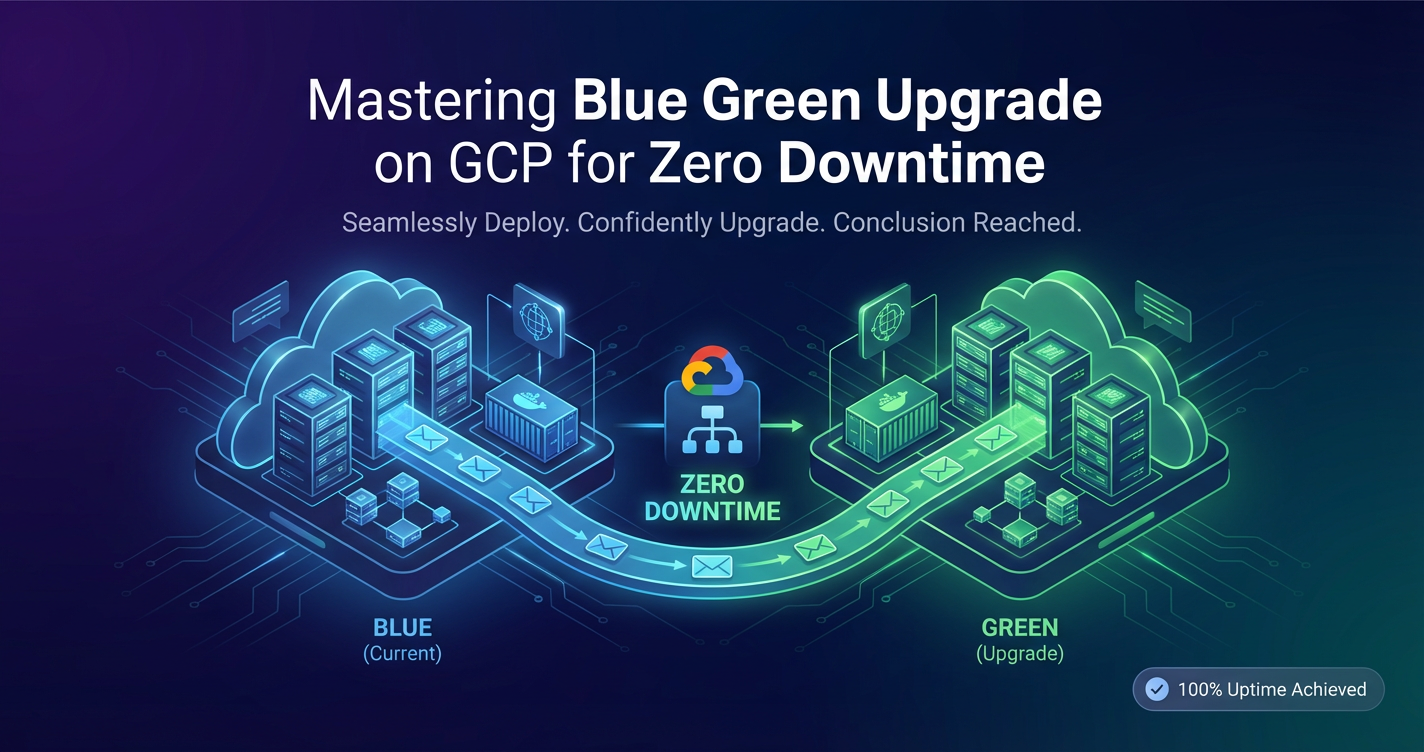
Mastering Blue Green Upgrade on GCP for Zero Downtime


In the relentless pursuit of operational excellence, modern software development emphasizes continuous delivery and deployment. Yet, the specter of downtime during application upgrades remains a significant concern for enterprises striving to maintain high availability and an uninterrupted user experience. Traditional deployment strategies, often involving in-place updates or basic rolling restarts, frequently introduce periods of reduced service availability, degraded performance, or even complete outages. This is where advanced deployment patterns, particularly the Blue/Green upgrade strategy, emerge as indispensable tools in a DevOps arsenal.
Google Cloud Platform (GCP), with its vast array of robust, scalable, and highly available services, provides an ideal ecosystem for implementing sophisticated deployment patterns like Blue/Green. This comprehensive guide delves deep into the principles of Blue/Green deployment, meticulously detailing how to leverage various GCP services to achieve true zero-downtime upgrades. We will explore the architectural considerations, practical implementation steps, and critical best practices necessary to master this powerful strategy, ensuring your applications remain perpetually available, resilient, and performant in the dynamic cloud environment. Our journey will cover everything from foundational concepts to advanced traffic management techniques, making it clear how to navigate the complexities and unlock the full potential of Blue/Green deployments on GCP.
The Imperative for Zero-Downtime Deployments
In today's interconnected digital landscape, user expectations for application availability are higher than ever. Any disruption, no matter how brief, can lead to significant financial losses, reputational damage, and a decline in customer trust. E-commerce platforms, financial services, healthcare applications, and real-time communication systems, among countless others, simply cannot afford downtime. Even routine updates, critical for security patches, feature enhancements, and performance optimizations, must be executed without impacting the end-user experience. This stringent requirement for uninterrupted service delivery has driven the evolution of deployment strategies, pushing organizations beyond simplistic "stop-and-start" approaches towards more sophisticated, resilient methodologies.
Traditional deployment models often involve taking a service offline, updating it, and then bringing it back online. While simple, this approach inherently guarantees a period of unavailability. Rolling updates, a common improvement, introduce new instances gradually while decommissioning old ones. While better, rolling updates still carry risks: a faulty new instance can propagate errors across the entire fleet before detection, leading to partial service degradation or prolonged recovery efforts. Moreover, rolling updates can sometimes expose users to mixed versions of an application, leading to unpredictable behavior if not carefully managed. The limitations of these methods underscore the urgent need for a strategy that can fully isolate new deployments, thoroughly test them in a production-like environment, and only then seamlessly switch traffic, guaranteeing a truly zero-downtime transition and a robust rollback mechanism should issues arise.
Understanding Blue/Green Deployment: The Core Philosophy
Blue/Green deployment is a technique that reduces downtime and risk by running two identical production environments, "Blue" and "Green." At any given time, only one of these environments is live, serving all production traffic.
The "Blue" environment represents the current production version of your application, actively handling user requests. The "Green" environment is where the new version of your application is deployed, thoroughly tested, and validated, but it does not receive any production traffic initially. Once the Green environment is deemed stable and ready, the critical step of "switching" traffic occurs. This involves redirecting all incoming requests from the Blue environment to the Green environment. This switch is typically instantaneous and involves updating a load balancer, DNS entry, or API Gateway configuration. If, after the switch, any issues are detected in the Green environment, a rapid rollback is possible by simply switching traffic back to the original Blue environment, which remains operational and unchanged. This ability to instantly revert to a known good state is a cornerstone of the Blue/Green strategy, providing an unparalleled safety net against unforeseen deployment errors. Only after the Green environment has proven stable for a sufficient period and confidence is high is the Blue environment decommissioned or repurposed for the next deployment cycle.
This methodology offers numerous advantages over traditional approaches. Firstly, it virtually eliminates downtime during deployments because the new version is fully warmed up and tested before it ever receives live traffic. Secondly, it provides an immediate and reliable rollback mechanism. If the new version (Green) exhibits unexpected behavior or critical bugs, traffic can be instantly diverted back to the stable old version (Blue) without any frantic debugging or complex recovery procedures. Thirdly, Blue/Green deployments facilitate comprehensive testing in a production-like environment, as the Green environment can be subjected to smoke tests, integration tests, and even user acceptance tests (UAT) with synthetic traffic, closely mimicking real-world conditions without impacting actual users. This isolation and control significantly enhance the quality and reliability of releases, making them a cornerstone for high-stakes applications.
Key Components and Lifecycle of a Blue/Green Deployment
To effectively implement Blue/Green deployments, several core components and a well-defined lifecycle are essential. Understanding these elements is crucial for designing a robust and reliable system on GCP.
Blue Environment (Current Production)
The Blue environment is the currently active production environment. It hosts the stable version of your application and is responsible for serving all live user traffic. This environment must be fully operational, monitored, and scaled to handle typical production loads. It represents the "known good state" and serves as the safety net for rapid rollback. Throughout the Blue/Green transition, the Blue environment remains untouched and available, ready to take over if the Green environment encounters issues. Its infrastructure, configurations, and data dependencies are carefully maintained to ensure its readiness for an immediate switch-back.
Green Environment (New Release)
The Green environment is an identical, but separate, production-like environment. It is where the new version of your application code, configurations, and potentially new infrastructure components are deployed. This environment is built from scratch or provisioned from templates, ensuring it matches the Blue environment's specifications but with the updated application logic. It is crucial that the Green environment is as isolated as possible from the Blue environment to prevent any interdependencies or unintended side effects during the testing phase. Before receiving live traffic, the Green environment undergoes extensive testing, including automated unit, integration, and end-to-end tests, as well as performance and soak testing to ensure it can withstand production loads.
Traffic Shifting Mechanism
The heart of a Blue/Green deployment lies in its ability to seamlessly shift traffic between the Blue and Green environments. This mechanism is typically managed at the network edge or through an API Gateway.
- Load Balancers: A common approach is to configure a load balancer (e.g., Google Cloud Load Balancer) to direct traffic. Initially, the load balancer points to the Blue environment. When the Green environment is ready, the load balancer's configuration is updated to point all traffic to the Green environment. This switch is usually near-instantaneous.
- DNS Changes: For simpler architectures or specific use cases, updating DNS records (e.g., A records or CNAMEs) can shift traffic. However, DNS propagation delays can introduce a period where some users might still hit the old Blue environment, making this less suitable for truly instantaneous transitions or services requiring strict consistency.
- Service Mesh: In microservices architectures, a service mesh (like Istio or Anthos Service Mesh on GCP) provides advanced traffic management capabilities. It can configure virtual services and gateway rules to precisely control the flow of traffic, enabling not just full shifts but also incremental canary releases, where a small percentage of traffic is directed to the Green environment first. This granular control offers further risk reduction.
- API Gateway: A dedicated API Gateway acts as the ingress point for all client requests, providing an abstraction layer over your backend services. During a Blue/Green deployment, the API Gateway can be reconfigured to route requests to the Green environment's API endpoints once validated. This is especially powerful for complex API landscapes, where the API Gateway can also handle versioning, authentication, and policy enforcement independently of the backend service's deployment.
Rollback Strategy
A robust rollback strategy is paramount for any Blue/Green deployment. The ability to quickly revert to the previous stable state is what provides the safety and confidence for aggressive deployment schedules. If any critical issues are detected in the Green environment after the traffic switch, the rollback simply involves redirecting all traffic back to the Blue environment. Because the Blue environment remained active and untouched during the Green environment's validation and switch, it is immediately available to resume serving requests without any further deployment or configuration changes. This instantaneous reversal capability is a key differentiator of Blue/Green from other deployment strategies where rollbacks often involve a new deployment of the previous version, which can be time-consuming and disruptive.
Lifecycle Phases:
- Preparation: Define Blue and Green environments, automate infrastructure provisioning (Infrastructure as Code), and set up monitoring and alerting.
- Deployment (Green): Deploy the new application version, including any database schema changes (designed for forward/backward compatibility), to the Green environment.
- Testing (Green): Conduct thorough automated and manual testing on the Green environment using synthetic and staging data. Performance testing and security scans are critical here.
- Verification & Validation: Confirm all tests pass and the Green environment is stable and performs as expected under load.
- Traffic Switch: Reconfigure the traffic shifting mechanism (load balancer, DNS, API Gateway, service mesh) to direct 100% of live traffic to the Green environment.
- Monitoring (Green): Intensely monitor the Green environment in real-time for performance, errors, and any anomalies. Keep the Blue environment ready for an immediate rollback.
- Rollback (if needed): If critical issues arise in Green, immediately switch traffic back to Blue. Analyze the root cause and prepare a new Green deployment.
- Decommissioning/Repurposing (Blue): Once the Green environment is proven stable for a defined period (e.g., hours or days), the Blue environment can be decommissioned, scaled down, or updated with the new version to become the "new Blue" for the next deployment cycle.
This structured approach significantly mitigates the risks associated with production deployments, making high-frequency, zero-downtime releases an achievable reality.
GCP Services for Robust Blue/Green Implementations
Google Cloud Platform offers a rich ecosystem of services that are perfectly suited for building and managing sophisticated Blue/Green deployment pipelines. Leveraging these services enables organizations to automate, secure, and monitor their deployments with high reliability.
Compute Services
GCP provides a flexible array of compute options, each with specific advantages for Blue/Green strategies:
- Google Kubernetes Engine (GKE): For containerized applications and microservices, GKE is often the go-to choice. It provides a managed Kubernetes environment, simplifying container orchestration, scaling, and self-healing. In a GKE Blue/Green setup, separate Kubernetes namespaces or clusters can host the Blue and Green environments. Kubernetes Deployments and Services can be used to manage pods, while Ingress or Gateway API resources handle external traffic routing. Advanced traffic management for GKE can be achieved with Istio/Anthos Service Mesh. This enables precise traffic splitting, canary releases, and full Blue/Green cutovers at the service level.
- Compute Engine (VMs) with Managed Instance Groups (MIGs): For traditional VM-based applications, Compute Engine and MIGs offer a powerful combination. Blue and Green environments can be distinct MIGs, each configured with an instance template specific to the application version. A Global External Load Balancer can then be used to direct traffic to the desired MIG. Updating the load balancer's backend service or URL map is the mechanism for switching between Blue and Green. MIGs also offer auto-scaling and auto-healing capabilities, ensuring environment resilience.
- Cloud Run: For serverless containerized applications, Cloud Run provides an extremely efficient and simple Blue/Green mechanism out-of-the-box. Each deployment of a new container image creates a new "revision." Cloud Run allows traffic to be split across different revisions, enabling smooth Blue/Green transitions and even fine-grained canary rollouts with minimal configuration overhead. This service significantly reduces the operational burden of managing infrastructure for Blue/Green.
- App Engine: For developers building scalable web applications and mobile backends, App Engine (Standard and Flexible environments) offers built-in version management. Developers can deploy new versions (Green) alongside existing ones (Blue) and then use the App Engine traffic splitting feature to direct a percentage or all traffic to the new version. This integrated capability simplifies Blue/Green for App Engine applications.
Networking and Traffic Management
The networking layer is critical for managing the traffic switch:
- Cloud Load Balancing: GCP's comprehensive suite of load balancers (Global External HTTP(S), Internal HTTP(S), Network TCP/UDP, SSL Proxy, TCP Proxy) is fundamental. The Global External HTTP(S) Load Balancer, in particular, is ideal for public-facing web applications. It can be configured with multiple backend services, allowing a swift switch of the active backend from Blue to Green by updating a URL map or backend service configuration. This provides a single, global IP address for your application, ensuring low latency for users worldwide.
- Cloud DNS: While typically slower due to DNS propagation, Cloud DNS can be used for simpler Blue/Green strategies, especially for internal services where immediate consistency isn't as critical. By updating DNS records to point to the Green environment's load balancer or IP address, traffic can be redirected.
- VPC (Virtual Private Cloud): Essential for network isolation and connectivity. Blue and Green environments should ideally reside within the same VPC or peered VPCs to facilitate seamless internal communication and prevent networking complexities during the switch. Custom routes and firewall rules ensure secure and controlled access.
- Cloud CDN: For applications serving static or cacheable content, Cloud CDN integrates directly with HTTP(S) Load Balancers. During a Blue/Green transition, cached content can be invalidated for the old Blue environment and repopulated from the new Green environment, ensuring users always receive the latest content.
- Service Mesh (Anthos Service Mesh/Istio): As mentioned, for microservices on GKE, a service mesh like Anthos Service Mesh (GCP's managed Istio offering) provides granular traffic control. It allows for advanced routing policies based on headers, cookies, or weights, enabling precise Blue/Green traffic shifts, canary releases, and fault injection for resilience testing. This level of control is invaluable for complex, distributed applications.
Databases and Data Storage
Managing stateful data during Blue/Green deployments is often the most challenging aspect:
- Cloud SQL, Cloud Spanner, Firestore: For relational, globally consistent, and NoSQL databases respectively, the key is backward and forward compatibility for schema changes. Database migrations must be carefully planned so that both the Blue (old schema) and Green (new schema) application versions can interact with the same database simultaneously, at least for a transition period. This often involves additive schema changes initially, followed by cleanup after the Green environment is fully stable and the Blue is decommissioned.
- Cloud Storage: For immutable storage of application artifacts, logs, or user-uploaded content, Cloud Storage buckets are highly durable and scalable. Both Blue and Green environments can access shared buckets, but careful versioning of application-generated content is required if the schema of stored data changes between versions.
Monitoring, Logging, and Alerting
Visibility is paramount for a successful Blue/Green transition:
- Cloud Monitoring: Collects metrics from all GCP services and custom application metrics. Dashboards should be configured to display key performance indicators (KPIs) for both Blue and Green environments simultaneously. This allows for direct comparison of their health and performance before, during, and after the traffic switch.
- Cloud Logging: Centralizes logs from all application instances and GCP services. Structured logging helps in quickly identifying issues in the Green environment. Log exports to BigQuery or Pub/Sub can enable advanced analytics and real-time anomaly detection.
- Cloud Trace: For distributed tracing in microservices, Cloud Trace helps visualize request flows, identify performance bottlenecks, and understand service dependencies. This is invaluable for validating the performance and correctness of the Green environment under load.
- Cloud Alerting: Configures alerts based on specific metric thresholds (e.g., error rates, latency, resource utilization) or log patterns. Critical alerts should trigger immediate notifications and potentially automated rollback procedures.
CI/CD and Automation
Automation is the bedrock of reliable Blue/Green deployments:
- Cloud Build: A serverless CI/CD platform that executes your build, test, and deploy steps. Cloud Build can automate the entire process, from fetching source code, building container images, deploying to the Green environment, running tests, and finally initiating the traffic switch.
- Cloud Deploy: A managed continuous delivery service that automates deployments to GKE. It integrates with Cloud Build and provides progressive deployment strategies, making it easier to orchestrate releases across multiple environments, including Blue/Green scenarios.
- Spinnaker (on GKE): For advanced, multi-cloud, and sophisticated continuous delivery pipelines, Spinnaker is a powerful open-source platform. It offers robust capabilities for orchestrating complex Blue/Green deployments, including canary analysis and automated rollbacks based on custom metrics.
- Terraform/Cloud Deployment Manager: For Infrastructure as Code (IaC). Defining your Blue and Green environments, load balancers, and other GCP resources using IaC ensures consistency, repeatability, and version control for your infrastructure. This is critical for reliable and idempotent deployments.
By thoughtfully combining these GCP services, organizations can construct highly automated, resilient, and observable Blue/Green deployment pipelines that eliminate downtime and significantly reduce the risk associated with application upgrades. The strategic integration of an API Gateway, for instance, can further centralize traffic management and enhance the overall agility of your API ecosystem during such transitions.
Detailed Implementation Strategies on GCP
Implementing Blue/Green on GCP requires tailoring the approach to your specific application architecture and chosen compute services. Here, we delve into common strategies.
1. Blue/Green for Google Kubernetes Engine (GKE) Applications
GKE provides a highly flexible and powerful environment for containerized applications, making it an excellent candidate for sophisticated Blue/Green deployments.
Architecture: Typically, you'd use a single GKE cluster, but separate Kubernetes namespaces for Blue and Green environments (app-blue and app-green). Alternatively, for extremely high isolation or multi-tenant scenarios, separate GKE clusters could be used, though this increases complexity and cost. An Ingress Controller (e.g., Nginx Ingress Controller, GCP Load Balancer Ingress) or, more powerfully, Anthos Service Mesh (Istio) acts as the traffic management layer.
Steps:
- Define Services and Deployments:
- For your
app-bluenamespace, you'll have aDeployment(e.g.,app-v1) and aService(e.g.,app-service). TheServiceselects pods managed byapp-v1. - The Ingress/Gateway routes traffic to
app-servicein theapp-bluenamespace.
- For your
- Prepare Green Environment:
- Deploy the new version of your application (e.g.,
app-v2) to theapp-greennamespace using a newDeployment. - Create a corresponding
Service(e.g.,app-service-green) in theapp-greennamespace, targetingapp-v2pods. Ensure this service is initially isolated and not exposed externally.
- Deploy the new version of your application (e.g.,
- Test Green:
- Perform comprehensive tests against
app-service-greeninternally within the cluster or by temporarily exposing it through a dedicated test Ingress. This includes functional, integration, performance, and security tests.
- Perform comprehensive tests against
- Traffic Switch with Load Balancer Ingress:
- If using the GCP Load Balancer Ingress Controller, the Ingress resource specifies backend services. To switch traffic, you would update the Ingress manifest to change the backend service from
app-service(Blue) toapp-service-green(Green). Applying this change is quick, and the load balancer updates its routing rules. - This switch effectively redirects all external traffic.
- If using the GCP Load Balancer Ingress Controller, the Ingress resource specifies backend services. To switch traffic, you would update the Ingress manifest to change the backend service from
- Traffic Switch with Istio/Anthos Service Mesh:
- This is the most granular approach. Define
VirtualServiceandDestinationRuleresources. - Initially, the
VirtualServicedirects 100% of traffic to theapp-service(Blue). - To switch, update the
VirtualServiceto direct 100% of traffic toapp-service-green(Green). This change is propagated by Istio's control plane almost instantly. - Istio also enables advanced canary deployments, where you can gradually shift traffic (e.g., 5%, then 25%, then 100%) to the Green environment, monitoring health at each stage. This is a powerful extension of Blue/Green.
- A robust API Gateway solution, which can integrate with or be deployed as part of your service mesh, can centralize the management of these traffic routing rules for your exposed APIs, offering a unified control plane for your Blue/Green transitions.
- This is the most granular approach. Define
- Monitoring and Rollback:
- Closely monitor both environments using Cloud Monitoring and Cloud Logging.
- If issues arise in Green, simply revert the Ingress or
VirtualServiceconfiguration back to point toapp-service(Blue). The rollback is as fast as the initial switch.
- Decommission Blue:
- Once Green is stable, delete the
DeploymentandServiceforapp-v1in theapp-bluenamespace to free up resources.
- Once Green is stable, delete the
2. Blue/Green for Compute Engine (VMs) with Managed Instance Groups (MIGs)
This strategy is suitable for traditional monolithic applications or stateful services deployed on VMs.
Architecture: Two separate Managed Instance Groups (MIGs): blue-mig and green-mig. Each MIG uses an Instance Template corresponding to the application version. A Global External HTTP(S) Load Balancer is used to direct traffic.
Steps:
- Blue Environment Setup:
- Create
blue-migwithblue-instance-template(containingapp-v1). - Create a Backend Service (
blue-backend-service) and attachblue-migto it. - Configure a URL Map (
app-url-map) and a Target HTTP(S) Proxy to direct traffic from the Global Load Balancer toblue-backend-service.
- Create
- Prepare Green Environment:
- Create
green-instance-template(containingapp-v2). - Create
green-migusinggreen-instance-template. Configure auto-scaling and health checks identical toblue-mig. - Create a new Backend Service (
green-backend-service) and attachgreen-migto it.
- Create
- Test Green:
- Before attaching to the load balancer, you can access instances in
green-migdirectly (e.g., via internal IP or temporary external IP) to perform integration and smoke tests. - Optionally, temporarily add
green-backend-serviceto the URL map with a specific host/path rule for internal testing, ensuring it's not exposed to public traffic.
- Before attaching to the load balancer, you can access instances in
- Traffic Switch:
- Update the
app-url-mapconfiguration. Modify the default service or specific path rules to point togreen-backend-serviceinstead ofblue-backend-service. - This is typically a single
gcloudcommand or a Terraform/Cloud Deployment Manager update, which is atomic and takes effect quickly.
- Update the
- Monitoring and Rollback:
- Monitor the
green-miginstances and the load balancer's traffic distribution. - If issues are detected, revert the
app-url-mapconfiguration to point back toblue-backend-service.
- Monitor the
- Decommission Blue:
- Once
green-migis stable, deleteblue-migandblue-backend-service.
- Once
3. Blue/Green for Cloud Run Applications
Cloud Run offers the simplest and most integrated Blue/Green capabilities due to its built-in revision management and traffic splitting features.
Architecture: A single Cloud Run service, with multiple revisions deployed over time.
Steps:
- Initial Deployment (Blue):
- Deploy
app-v1to a Cloud Run service (my-app). This createsmy-app-00001revision, and 100% of traffic is routed to it.
- Deploy
- Deploy New Version (Green):
- Deploy
app-v2to the same Cloud Run service. This automatically creates a new revision, e.g.,my-app-00002. By default, Cloud Run will not immediately route traffic to this new revision. The previous revision (my-app-00001) continues to receive 100% of traffic.
- Deploy
- Test Green:
- Cloud Run provides a unique URL for each revision (e.g.,
my-app-00002.<region>.run.app). You can use this URL to directly testapp-v2without affecting live traffic.
- Cloud Run provides a unique URL for each revision (e.g.,
- Traffic Switch:
- Update the Cloud Run service configuration to route 100% of traffic to
my-app-00002. This is a quick command:bash gcloud run services update my-app --platform managed --region us-central1 --to-revisions my-app-00002=100 - Cloud Run can also perform canary releases by gradually shifting traffic (e.g.,
--to-revisions my-app-00001=90,my-app-00002=10).
- Update the Cloud Run service configuration to route 100% of traffic to
- Monitoring and Rollback:
- Monitor
my-app-00002using Cloud Monitoring. - If issues arise, immediately switch traffic back to
my-app-00001:bash gcloud run services update my-app --platform managed --region us-central1 --to-revisions my-app-00001=100
- Monitor
- Clean Up:
- Once
my-app-00002is stable, you can retainmy-app-00001as a rollback option or delete older, unused revisions to keep the service tidy.
- Once
4. Blue/Green for App Engine Applications
App Engine's versioning system also natively supports Blue/Green deployments, particularly for web applications.
Architecture: A single App Engine application, with multiple versions deployed.
Steps:
- Initial Deployment (Blue):
- Deploy
app-v1as the default version to your App Engine service. 100% of traffic goes toapp-v1.
- Deploy
- Deploy New Version (Green):
- Deploy
app-v2to the same App Engine service, but do not set it as the default version yet. App Engine will createapp-v2as a new version. - By default, this new version will not receive any traffic.
- Deploy
- Test Green:
- Access
app-v2directly via its version-specific URL (e.g.,https://app-v2-dot-your-project-id.appspot.com) to perform testing.
- Access
- Traffic Switch:
- Use the App Engine traffic splitting feature to direct all traffic to
app-v2. This can be done via the GCP Console orgcloudcommand:bash gcloud app versions set-traffic --service default --split-by cookie --splits v2=1 --split-by-cookie "app-v2-test"or for a full 100% shift:bash gcloud app services set-traffic default --splits v2=1This command instantly routes all requests toapp-v2. App Engine also supports gradual traffic migration (canary).
- Use the App Engine traffic splitting feature to direct all traffic to
- Monitoring and Rollback:
- Monitor
app-v2in Cloud Monitoring and Cloud Logging. - If issues occur, switch traffic back to
app-v1:bash gcloud app services set-traffic default --splits v1=1
- Monitor
- Clean Up:
- Once
app-v2is stable, you can delete theapp-v1version to save resources.
- Once
Each of these strategies leverages GCP's inherent capabilities to manage infrastructure and traffic, simplifying the often-complex process of Blue/Green deployments. The choice depends heavily on your application's compute model and the level of control and granularity required for traffic management. Regardless of the chosen path, consistent monitoring, robust testing, and automated rollbacks are universal requirements for success.
APIPark is a high-performance AI gateway that allows you to securely access the most comprehensive LLM APIs globally on the APIPark platform, including OpenAI, Anthropic, Mistral, Llama2, Google Gemini, and more.Try APIPark now! 👇👇👇
Critical Considerations for True Zero-Downtime
While the Blue/Green strategy offers a robust framework for zero-downtime deployments, its successful implementation hinges on careful attention to several critical aspects, particularly concerning stateful applications and API management.
Database Migrations and Schema Evolution
Perhaps the most complex aspect of any application upgrade is managing the underlying data store. In a Blue/Green scenario, both the old (Blue) and new (Green) versions of your application might need to access the same database concurrently for a period. This necessitates a database schema evolution strategy that ensures:
- Backward Compatibility: The new schema (required by the Green environment) must be compatible with the old application version (Blue environment). This means the old application must still be able to read and write data to the database without errors, even after the new schema changes have been applied. This often involves making only additive changes (adding columns, tables, or indexes) in the initial migration step.
- Forward Compatibility: The old schema (used by the Blue environment) must also be compatible with the new application version (Green environment) in case of a rollback. If the Green application has written data in a new format, the Blue application must be able to gracefully handle or ignore this new data structure upon rollback.
- Multi-phase Migrations: Complex schema changes often require a multi-phase approach. For example, to rename a column:
- Phase 1: Add a new column with the desired name. Modify the Green application to write to both the old and new columns. Keep the Blue application writing only to the old column.
- Phase 2: Once the Green environment is stable and traffic has fully shifted, modify the Green application to only write to the new column. Update the Blue application to read from the new column as well (if needed for rollback readiness).
- Phase 3: After a sufficiently long period, and confident that no rollback to the old version will occur, drop the old column. This careful choreography is vital to avoid data corruption or application errors during the transition. Automated schema migration tools integrated into your CI/CD pipeline are essential here.
Session Management and State Persistence
For stateful applications, managing user sessions and application state across Blue and Green environments is crucial.
- Sticky Sessions (Session Affinity): While often used to improve cache hit rates and reduce load on application servers, sticky sessions (where a user is consistently routed to the same instance) can complicate Blue/Green transitions. If a user's session is tied to a Blue instance, they won't automatically switch to a Green instance upon traffic redirection. This can lead to session loss or inconsistent user experiences. Generally, it's best to avoid sticky sessions during a Blue/Green cutover or ensure the switch is managed at a layer where session affinity isn't a factor (e.g., if sessions are stored externally).
- Externalized State: The most robust solution is to externalize session state and other application-specific state to a shared, highly available store accessible by both Blue and Green environments. GCP services like Cloud Memorystore (Redis or Memcached), Firestore, or Cloud SQL can serve this purpose. This way, any instance in either environment can retrieve the necessary session data, ensuring a seamless user experience regardless of which environment serves the request.
API Versioning and Compatibility
When updating services that expose APIs, managing version compatibility is paramount. A well-designed API versioning strategy is a prerequisite for smooth Blue/Green deployments, especially in a microservices architecture.
- Backward Compatibility: Ideally, new versions of an API should be backward compatible with existing clients. This means clients designed for
v1of an API should still function correctly when interacting withv2of the API. This can be achieved through additive changes to API responses or optional parameters. - Explicit API Versioning: For breaking changes, explicit API versioning (e.g.,
/v1/users,/v2/usersin the URL, or using custom HTTP headers) is necessary. During a Blue/Green deployment, the API Gateway plays a critical role. It can be configured to route requests for/v1/usersto the Blue environment and/v2/usersto the Green environment during a transition period. This allows existing clients to continue using the old API while new clients can leverage the updated API.
A powerful API Gateway like APIPark is invaluable here. APIPark is an open-source AI gateway and API management platform that offers comprehensive features for managing the entire lifecycle of APIs, including design, publication, invocation, and decommission. Its capabilities for regulating API management processes, managing traffic forwarding, load balancing, and API versioning are precisely what is needed for orchestrating seamless Blue/Green transitions, especially for complex API landscapes. It can help you define and enforce routing rules that direct different API versions to their respective Blue or Green backend services, ensuring clients always hit the correct endpoint without disruption. Furthermore, APIPark's ability to encapsulate prompts into REST APIs means that even AI service updates can be managed with similar Blue/Green rigor if their underlying APIs are exposed through the gateway.
Comprehensive Monitoring and Automated Rollback
The ability to detect issues rapidly and revert to a stable state is the safety net of Blue/Green.
- Real-time Observability: Cloud Monitoring, Cloud Logging, and Cloud Trace provide the pillars for observability. Dashboards showing key metrics (latency, error rates, request counts, resource utilization) for both Blue and Green environments side-by-side are essential. Custom metrics for business-critical workflows should also be established.
- Aggressive Alerting: Configure alerts with low thresholds and short evaluation periods for critical metrics. Alerts should notify on-call teams immediately and, ideally, trigger automated actions.
- Automated Rollback: For the highest level of safety, integrate automated rollback mechanisms into your CI/CD pipeline. If certain critical alerts (e.g., sustained high error rates in Green, health check failures) are triggered within a defined post-deployment window, the system should automatically initiate the traffic switch back to Blue without human intervention. This minimizes the blast radius and recovery time.
Cost Implications
Running two full production environments simultaneously, even for a limited period, doubles your infrastructure costs during the transition.
- Optimized Resource Usage: Leverage auto-scaling on MIGs or GKE to ensure the Green environment scales only to the necessary capacity for testing and then for production traffic. For the Blue environment, once traffic shifts, it can be scaled down to a minimal footprint (or kept warm) before decommissioning.
- Temporary Resources: Use ephemeral resources where possible. Cloud Run and App Engine's serverless models naturally minimize cost for unused revisions.
- Strategic Decommissioning: Promptly decommission the Blue environment once the Green environment has proven stable. This minimizes the period of double expenditure.
By meticulously addressing these considerations, organizations can move beyond merely implementing the mechanics of Blue/Green and truly master the art of zero-downtime deployments on GCP. This holistic approach ensures not only technical success but also business continuity and an unblemished user experience.
Building an Automated Blue/Green Pipeline with GCP CI/CD
The true power of Blue/Green deployments is unlocked through automation. A robust Continuous Integration/Continuous Delivery (CI/CD) pipeline built on GCP services can orchestrate the entire process, from code commit to zero-downtime production deployment.
The CI/CD Pipeline Stages
A typical automated Blue/Green CI/CD pipeline on GCP might consist of the following stages:
- Source Control (Cloud Source Repositories/GitHub/GitLab):
- Developers commit code changes to a version control system.
- A push to the main branch (or a dedicated release branch) triggers the CI/CD pipeline.
- Continuous Integration (Cloud Build):
- Build: Cloud Build fetches the latest code, compiles it, runs unit tests, and builds a container image (e.g., Docker).
- Image Tagging: The container image is tagged with a unique version identifier (e.g., Git SHA, build number) and pushed to Google Container Registry (GCR) or Artifact Registry. This image represents our "Green" version.
- Static Analysis/Linting: Further code quality checks are performed.
- Deployment to Green Environment (Cloud Build/Cloud Deploy/Terraform):
- Infrastructure Provisioning (if needed): If the Green environment's infrastructure differs or needs to be provisioned from scratch, Terraform or Cloud Deployment Manager is used to create the necessary GCP resources (e.g., new GKE namespace, new MIG, new Cloud Run revision).
- Application Deployment: The new container image is deployed to the Green environment:
- GKE: Cloud Build updates Kubernetes Deployment manifests to point to the new image, or Cloud Deploy orchestrates the deployment to a GKE namespace.
- Compute Engine (MIGs): Cloud Build or Terraform updates the Instance Template for
green-migand triggers a rolling update for the MIG. - Cloud Run/App Engine: Cloud Build deploys the new revision/version.
- Crucially, at this stage, the Green environment is deployed but does not receive live traffic.
- Automated Testing (Cloud Build/Cloud Function/Custom Test Runners):
- Smoke Tests: Basic health checks and connectivity tests are run against the Green environment to ensure it started successfully.
- Integration Tests: Tests verifying interactions between the deployed application and its dependencies (databases, other services, APIs).
- End-to-End Tests: Simulate user journeys to confirm critical functionalities.
- Performance/Load Tests: Tools like Apache JMeter, Locust, or Google Cloud's own testing services (e.g., running Jmeter from GKE or Compute Engine) can generate synthetic load against the Green environment to validate its performance under expected traffic. This step is vital to ensure the new version can handle production load.
- Security Scans: Automated vulnerability scans (e.g., using Cloud Security Command Center integrations) against the newly deployed Green environment.
- Validation and Approval (Optional Human Gate / Cloud Build Trigger):
- After all automated tests pass, the pipeline might pause for a manual approval step. A human operator reviews test reports and metrics from the Green environment.
- Alternatively, for highly trusted pipelines, this can be fully automated based on predefined success criteria.
- Traffic Switch (Cloud Build/Cloud Deploy/API Gateway):
- Once approved, the pipeline executes the traffic shift:
- Load Balancer: Cloud Build updates the URL Map of the Global External HTTP(S) Load Balancer to point to the Green environment's backend service.
- GKE (Istio/ASM): Cloud Build updates the
VirtualServiceto direct 100% of traffic to the Green service. - Cloud Run/App Engine: Cloud Build executes the
gcloud run services updateorgcloud app services set-trafficcommand. - API Gateway: If an external
API Gatewayis managing ingress, Cloud Build interacts with theAPI Gateway's management API to reconfigure routing rules, directing traffic to the new Green backend. This is where anAPI Gatewaylike APIPark can simplify the logic of redirecting traffic and managingAPIversions during the switch. APIPark's lifecycle management and traffic forwarding features make it an ideal candidate for automating this critical step.
- Once approved, the pipeline executes the traffic shift:
- Post-Deployment Monitoring and Rollback Trigger (Cloud Monitoring/Cloud Functions):
- Immediately after the traffic switch, intense monitoring of the Green environment is crucial.
- Cloud Monitoring dashboards are configured to highlight key metrics for the Green environment.
- Cloud Monitoring alerts are set up with strict thresholds. If these alerts are triggered (e.g., significant increase in error rates, service unavailability), a Cloud Function or another Cloud Build job can be automatically invoked to initiate a rollback (switching traffic back to Blue). This ensures issues are remediated autonomously and rapidly.
- Clean Up / Decommissioning (Cloud Build/Terraform):
- After a predefined "soak" period (e.g., 24-48 hours) where the Green environment is stable under live traffic, the Blue environment can be decommissioned or repurposed.
- Cloud Build or Terraform can delete the old GKE namespace, MIG, or Cloud Run/App Engine revision, freeing up resources.
Example: GKE Blue/Green with Cloud Build and Istio
Consider a microservices application on GKE:
- Code Commit: Developer pushes code to GitHub.
- Cloud Build Trigger: A Cloud Build trigger starts on the push.
- Build Stage: Cloud Build builds a new Docker image, runs unit tests, pushes image to Artifact Registry.
- Deploy Green: Cloud Build applies Kubernetes manifests to
app-greennamespace:deployment-v2.yaml,service-green.yaml. It also updatesvirtualservice.yamlto include aapp-greenroute but initially with 0% weight for live traffic. - Test Green: Cloud Build triggers integration tests against
app-green-service.app-green.svc.cluster.local. - Traffic Shift (Canary then Full):
- Cloud Build updates
virtualservice.yamlto shift 5% traffic toapp-green. - Pipeline pauses for 10 minutes, monitoring metrics for
app-green(latency, errors) via Cloud Monitoring. If alerts fire, an automated rollback is triggered. - If 5% is stable, Cloud Build updates
virtualservice.yamlto shift 100% traffic toapp-green.
- Cloud Build updates
- Post-Deployment Monitoring: Continued monitoring. If critical alerts fire, an automated rollback to
app-blueis triggered by a Cloud Function. - Decommission Blue: After 24 hours of stability, Cloud Build deletes resources in
app-bluenamespace.
This level of automation makes Blue/Green deployments not just possible, but routine, enabling organizations to deploy updates frequently and with high confidence, achieving true agility and resilience on GCP.
Advanced Blue/Green Concepts and Refinements
While the core Blue/Green strategy is powerful, several advanced concepts and refinements can further enhance its utility and risk mitigation capabilities. These techniques often build upon the fundamental Blue/Green isolation by adding more granular traffic control and sophisticated validation.
Canary Deployments
Canary deployment is a refined version of Blue/Green, where instead of a single, instantaneous switch, traffic is gradually shifted to the new Green environment. A small percentage of users (the "canary") are first routed to the new version. This allows for real-world testing with a minimal blast radius.
- Mechanism: Services like Cloud Run, App Engine, and especially a service mesh like Istio/Anthos Service Mesh on GKE, excel at canary deployments. They allow you to define traffic splits (e.g., 1% to Green, 99% to Blue).
- Process:
- Deploy the new version (Green) alongside the old (Blue).
- Route a tiny percentage of traffic (e.g., 1-5%) to Green.
- Monitor critical metrics (error rates, latency, resource usage, business KPIs) for the Green environment intently.
- If the canary proves stable, gradually increase the traffic percentage to Green (e.g., 10%, 25%, 50%, 100%).
- At each stage, pause and monitor. If issues are detected, immediately revert the traffic split back to 0% for Green, effectively rolling back.
- Benefits: Significantly reduces risk compared to a full cutover. Issues affecting only a small subset of users can be caught and fixed before wider impact. Allows for A/B testing variations to be run simultaneously.
- Keywords Connection: A robust
API Gatewayor servicegatewayis crucial for managing these granular traffic splits and ensuring that only the intended percentage ofAPIcalls reaches the canary environment.
A/B Testing
A/B testing is a specific form of canary deployment where different versions of an application (or specific features) are exposed to different user segments to compare their performance or user engagement.
- Mechanism: Similar to canary deployments, traffic is split, but often based on user attributes (e.g., geography, device type, internal users) or randomly assigned.
- Use Cases: Testing new UI/UX designs, comparing performance of different algorithms, or evaluating the business impact of new features.
- Distinction from Blue/Green: While A/B testing uses similar traffic routing mechanics, its primary goal is not just deployment safety but data-driven decision making. A successful A/B test might lead to a full Blue/Green deployment of the winning variant.
- Keywords Connection: The
API Gatewaycan play a role in directing specific user groups to differentAPIversions based on rules like headers or cookies, enabling powerful A/B testing of backendAPIfeatures.
Multi-Region Deployments
For applications requiring extremely high availability and disaster recovery, deploying the Blue and Green environments across multiple GCP regions is essential.
- Architecture: Both Blue and Green environments are themselves highly available within a region, and then replicated across multiple regions. A Global External HTTP(S) Load Balancer is fronting these multi-regional deployments.
- Blue/Green in Multi-Region:
- First, perform a Blue/Green deployment within a single region (e.g.,
us-central1). - Once stable, the "Green" version in
us-central1becomes the new "Blue" for that region. - Then, perform a Blue/Green deployment in another region (e.g.,
us-east1), leveraging theus-central1stable version as the reference. - The Global Load Balancer routes traffic to the closest healthy region.
- First, perform a Blue/Green deployment within a single region (e.g.,
- Benefits: Ensures service continuity even if an entire GCP region experiences an outage during or after an upgrade.
- Keywords Connection: A global
gatewayor load balancer is fundamental to abstracting the multi-regional complexity, directingAPItraffic to the healthiest and nearest available Blue or Green environment.
Automation with Machine Learning for Anomaly Detection
To enhance the "monitoring" aspect of Blue/Green and canary deployments, integrating machine learning for anomaly detection can be incredibly powerful.
- Mechanism: Cloud Monitoring and Cloud Logging data can be fed into services like Cloud APIs for anomaly detection or custom ML models built with Vertex AI. These models can learn baseline behavior and detect subtle deviations that might indicate an issue with the new Green deployment, even before it triggers explicit thresholds.
- Automated Rollback Trigger: Anomaly detection systems can then trigger automated rollbacks via Cloud Functions, providing a proactive and intelligent safety mechanism beyond simple threshold-based alerting.
Infrastructure as Code (IaC) for Environments
While mentioned earlier, emphasizing IaC's role in advanced Blue/Green is crucial. Tools like Terraform or Cloud Deployment Manager allow you to define your entire Blue and Green infrastructure (VMs, GKE clusters, load balancers, database instances, network configurations, API Gateway setups) as code.
- Benefits:
- Consistency: Ensures Blue and Green environments are truly identical, reducing "configuration drift" issues.
- Repeatability: Enables reliable recreation of environments.
- Version Control: Infrastructure changes are tracked alongside application code changes.
- Automation: Simplifies provisioning and de-provisioning of environments within the CI/CD pipeline.
By embracing these advanced techniques and leveraging the full suite of GCP services, organizations can elevate their Blue/Green deployment strategy from a robust safety mechanism to a cornerstone of continuous innovation and unwavering reliability. The combination of traffic control, intelligent monitoring, and comprehensive automation makes truly zero-downtime, high-frequency releases an achievable reality.
Challenges and Best Practices
Despite its numerous advantages, Blue/Green deployment is not without its challenges. Overcoming these hurdles requires careful planning, rigorous testing, and adherence to best practices.
Common Challenges
- Database and State Management: As extensively discussed, this is the most formidable challenge. Ensuring backward and forward compatibility for schema changes, managing long-running database migrations, and handling shared state across Blue and Green environments require meticulous design and execution. If not handled correctly, it can lead to data corruption or inconsistent application behavior.
- Cost: Running two full production environments simultaneously for any period doubles your infrastructure costs. While ephemeral resources on Cloud Run or App Engine mitigate this, for large-scale GKE or Compute Engine deployments, this cost can be substantial. Efficient cleanup and strategic scaling are crucial.
- Complexity: Setting up and maintaining a robust Blue/Green pipeline, especially with advanced features like canary deployments or multi-region setups, adds significant operational complexity. It requires expertise in infrastructure as code, CI/CD, traffic management, and monitoring.
- Long-lived Connections/Sticky Sessions: Applications with long-lived client connections (e.g., WebSockets, streaming APIs) or those relying heavily on sticky sessions can experience disruption during the traffic switch. Careful design is needed to gracefully drain connections from the Blue environment or ensure session state is externalized.
- External Dependencies: If your application relies on external third-party APIs or services, ensuring they can handle requests from both Blue and Green environments, or coordinating their upgrades, can be tricky. Mocking or dedicated testing environments for these dependencies may be required.
- Testing Thoroughness: The success of Blue/Green hinges on the thoroughness of pre-switch testing. If the Green environment is not adequately tested under realistic load and conditions, issues will only surface after the traffic switch, negating the "zero-downtime" benefit and requiring a rollback.
Best Practices for Success
- Automate Everything: This is the golden rule. From infrastructure provisioning (IaC using Terraform/Cloud Deployment Manager) to application deployment (Cloud Build/Cloud Deploy), testing, traffic switching, and even rollback, automate every step. Manual intervention is prone to errors and slows down the process.
- Test, Test, Test:
- Unit & Integration Tests: Ensure code quality and component interactions are correct.
- End-to-End Tests: Validate the entire application flow in the Green environment.
- Performance/Load Tests: Stress-test the Green environment to ensure it can handle production traffic before going live.
- Chaos Engineering: Periodically inject faults into your systems to test their resilience, including rollback mechanisms.
- Pre-production Environment Mirroring: Make your staging or pre-production environment as close a mirror to production as possible, including data.
- Robust Monitoring and Alerting: Implement comprehensive monitoring for both Blue and Green environments using Cloud Monitoring and Cloud Logging. Configure aggressive alerts for key performance indicators (KPIs) and business metrics. Dashboards should offer side-by-side comparisons of environment health.
- Clear Rollback Plan: Define clear criteria for when to roll back. Ensure the rollback mechanism is fully automated, thoroughly tested, and can be executed instantly. The Blue environment must remain pristine and ready for an immediate switch-back.
- Design for Backward/Forward Compatibility (Especially for Data): Prioritize schema evolution strategies that allow both old and new application versions to coexist with the database. Externalize state where possible.
- Decouple Infrastructure from Application: Use containerization (GKE, Cloud Run) or managed services to abstract away infrastructure concerns, making Blue/Green deployments more portable and less dependent on underlying VM configurations.
- Leverage a Powerful API Gateway: For services exposing
APIs, a robustAPI Gatewayis a critical component. It centralizes traffic management,APIversioning, authentication, and policy enforcement, greatly simplifying the routing logic during Blue/Green transitions. AnAPI Gatewaylike APIPark can provide end-to-endAPIlifecycle management, allowing for seamless traffic forwarding and load balancing between Blue and GreenAPIbackends without affecting client applications. Its capability to handleAPIversioning and traffic regulation is specifically beneficial for zero-downtime upgrades. - Graceful Shutdowns: Ensure your applications are designed for graceful shutdowns, allowing instances in the Blue environment to complete in-flight requests before being decommissioned. This prevents service disruptions for users midway through an interaction.
- Regular Practice: Treat Blue/Green deployments as a routine operation. The more frequently you practice, the more proficient your team becomes, and the less daunting the process seems.
Conclusion
Mastering Blue/Green upgrades on GCP is not merely a technical exercise; it is a strategic imperative for organizations committed to delivering uninterrupted service and fostering continuous innovation. By meticulously separating deployment environments, carefully orchestrating traffic shifts, and maintaining a robust rollback capability, businesses can eliminate the anxieties associated with application updates and achieve true zero-downtime.
GCP provides an unparalleled toolkit for this endeavor. From the flexible compute options of GKE, Cloud Run, and Compute Engine with MIGs, to the sophisticated traffic management capabilities of Cloud Load Balancing and Service Mesh, and the indispensable monitoring and CI/CD services, every component required for a highly automated and reliable Blue/Green pipeline is at your fingertips. The strategic integration of a powerful API Gateway like APIPark further enhances this capability, centralizing the management of API traffic, versioning, and lifecycle, which is crucial for orchestrating seamless transitions of your exposed APIs.
The journey to mastering Blue/Green involves acknowledging challenges such as database migrations and state management, but these can be overcome through diligent planning, backward and forward compatibility, and externalization of state. Above all, success hinges on an unwavering commitment to automation, comprehensive testing, continuous monitoring, and the establishment of a clear, practiced rollback strategy. By embedding these best practices into your DevOps culture, you not only ensure maximum application availability but also accelerate your development cycles, foster confidence in your releases, and ultimately deliver a superior, uninterrupted experience to your end-users. Embrace Blue/Green on GCP, and transform your deployment process from a high-stakes gamble into a predictable, low-risk, and highly efficient operation.
5 Frequently Asked Questions (FAQs)
1. What is the primary difference between Blue/Green deployment and rolling updates?
The primary difference lies in risk mitigation and downtime. In a rolling update, new instances of an application gradually replace old ones within the same environment. While it reduces downtime compared to a full stop-and-start, it still has the risk of mixing old and new versions, and a faulty new instance can gradually corrupt the entire fleet before detection, leading to partial service degradation and a slower, more complex rollback if issues arise. With Blue/Green deployment, an entirely new, isolated "Green" environment is deployed, tested, and validated completely separate from the active "Blue" production environment. All traffic is then switched instantaneously to the Green environment. This ensures truly zero downtime during the switch and provides an immediate, low-risk rollback by simply switching traffic back to the untouched Blue environment if any issues emerge in Green.
2. How do you handle database schema changes in a Blue/Green deployment to prevent downtime or data loss?
Handling database schema changes is often the most complex part of Blue/Green. The key is to ensure both the old (Blue) and new (Green) application versions can interact with the database concurrently, even if only for a short transition period. This requires a strategy focusing on backward and forward compatibility. * Backward Compatibility: The new schema must be readable by the old application version (Blue). This often means only making additive changes (adding columns, tables) initially. * Forward Compatibility: The old schema must be compatible with the new application version (Green) in case of a rollback. A common approach is multi-phase migrations: 1. Phase 1 (Additive): Add new columns/tables for the Green application, but the Blue application continues to use the old schema. Green might write to both old and new. 2. Phase 2 (Code Update): Once Green is live and stable, the Green application code uses only the new schema. The old columns can be safely ignored. 3. Phase 3 (Cleanup): After a sufficiently long period with no rollback, the old columns/tables can be dropped. This careful sequencing, often managed by automated migration tools, prevents data corruption and ensures both environments remain functional during the transition.
3. What role does an API Gateway play in a Blue/Green deployment on GCP?
An API Gateway serves as a critical ingress point and traffic management layer in a Blue/Green deployment. It acts as the single entry point for all client requests, abstracting the underlying backend infrastructure. For Blue/Green, its roles include: * Traffic Routing: The API Gateway can be reconfigured to instantly switch all incoming API requests from the Blue backend services to the Green backend services. * API Versioning: It enables routing of different API versions to their respective Blue or Green environments (e.g., /v1/api to Blue, /v2/api to Green) during a transition, allowing for breaking changes without impacting existing clients. * Load Balancing and Health Checks: The API Gateway can perform health checks on both Blue and Green backends and distribute load effectively. * Policy Enforcement: It continues to apply policies like authentication, authorization, rate limiting, and caching regardless of which environment is serving the request. Platforms like APIPark specifically offer powerful features for API lifecycle management, traffic forwarding, load balancing, and versioning, making them invaluable tools for orchestrating seamless Blue/Green transitions for your API ecosystem on GCP.
4. How can I ensure truly zero downtime, even for stateful applications, during a Blue/Green deployment?
Achieving zero downtime for stateful applications requires careful management of persistent data and user sessions: * Externalize State: Do not store session state or application-specific state on individual instances. Instead, use a shared, highly available external store accessible by both Blue and Green environments, such as Cloud Memorystore (Redis), Firestore, or Cloud SQL. This allows any instance in either environment to retrieve necessary session data, ensuring a seamless user experience during a switch. * Database Compatibility: As discussed, design database migrations for backward and forward compatibility, allowing both versions of your application to access the same database. * Graceful Shutdowns: Configure your Blue environment instances to gracefully drain existing connections and finish in-flight requests before being decommissioned. This prevents abrupt disconnections for active users. * Immutable Infrastructure: Build your Green environment from entirely new, immutable infrastructure (e.g., new VM images, new container images) rather than attempting in-place upgrades. This ensures consistency and reduces configuration drift.
5. What are the key GCP services to use for an automated Blue/Green CI/CD pipeline?
For an automated Blue/Green CI/CD pipeline on GCP, you'll typically leverage a combination of services: * Source Control: Cloud Source Repositories, GitHub, or GitLab for code management. * Continuous Integration & Build: Cloud Build for building container images, running unit tests, and pushing images to Artifact Registry. * Compute: Google Kubernetes Engine (GKE) for containerized applications, Cloud Run for serverless containers, or Compute Engine with Managed Instance Groups (MIGs) for VM-based applications. * Traffic Management: Cloud Load Balancing (especially HTTP(S) Load Balancers) for external ingress, or Anthos Service Mesh (Istio) for granular traffic control within GKE. A dedicated API Gateway can also be deployed to manage API traffic. * Infrastructure as Code: Terraform or Cloud Deployment Manager for provisioning and managing Blue/Green infrastructure. * Monitoring & Logging: Cloud Monitoring for real-time metrics and dashboards, Cloud Logging for centralized logs, and Cloud Trace for distributed tracing. * Continuous Delivery Orchestration: Cloud Deploy for managing progressive deployments to GKE, or advanced pipelines using Cloud Build directly. These services integrate seamlessly, allowing you to create an end-to-end automated pipeline for reliable, zero-downtime Blue/Green deployments.
🚀You can securely and efficiently call the OpenAI API on APIPark in just two steps:
Step 1: Deploy the APIPark AI gateway in 5 minutes.
APIPark is developed based on Golang, offering strong product performance and low development and maintenance costs. You can deploy APIPark with a single command line.
curl -sSO https://download.apipark.com/install/quick-start.sh; bash quick-start.sh

In my experience, you can see the successful deployment interface within 5 to 10 minutes. Then, you can log in to APIPark using your account.

Step 2: Call the OpenAI API.