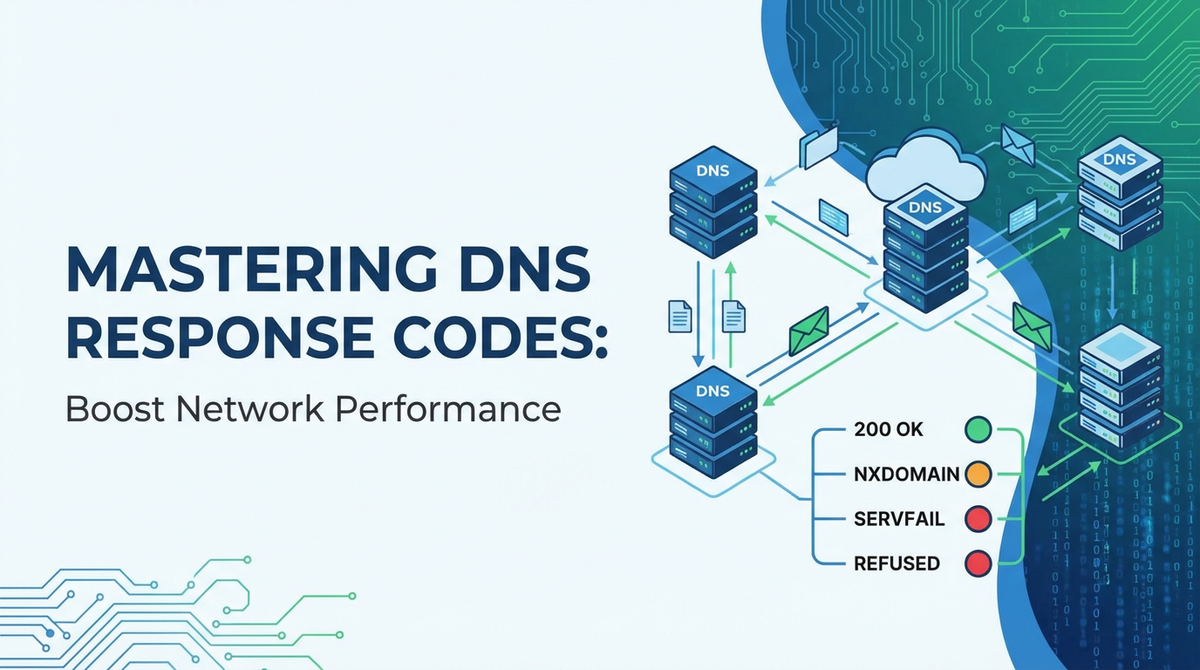
Mastering DNS Response Codes: Boost Network Performance


In the vast and intricate web of interconnected systems that forms the modern internet, the Domain Name System (DNS) stands as an unsung hero, silently translating human-readable domain names into machine-readable IP addresses. Without DNS, navigating the digital world would be akin to memorizing the phone number of every contact in a global directory – a task both impractical and impossible. Yet, while most users and even many IT professionals interact with DNS primarily at the surface level, a deeper understanding of its operational nuances, particularly the seemingly cryptic DNS response codes, unlocks a powerful diagnostic toolkit. These codes, embedded within every DNS response, are not mere error messages; they are critical indicators of network health, pointing to issues ranging from simple typos to complex server failures or even sophisticated cyber-attacks.
The true mastery of network performance, stability, and security in an increasingly complex digital ecosystem begins with the foundational elements, and DNS is arguably the most critical among them. Every millisecond shaved off a DNS resolution time contributes to a snappier user experience, every avoided resolution failure prevents a potential outage, and every detected anomaly strengthens the network's resilience against threats. This comprehensive guide aims to demystify DNS response codes, transforming them from obscure technical jargon into actionable insights. We will journey through the anatomy of a DNS query and response, meticulously dissecting each significant response code, exploring its implications for network performance and reliability, and equipping you with the strategies to leverage this knowledge for superior network management. By the end of this exploration, you will not only understand what these codes mean but also how to proactively monitor, troubleshoot, and optimize your DNS infrastructure, ultimately boosting your network's overall performance and ensuring a seamless digital experience for all users.
The Indispensable Fundamentals of DNS
Before delving into the intricacies of response codes, it is paramount to firmly grasp the foundational architecture and operational mechanisms of the Domain Name System itself. Often likened to the internet's phonebook, DNS is a hierarchical, decentralized naming system for computers, services, or any resource connected to the internet or a private network. Its primary function is to translate more easily memorized domain names, such as "example.com," into the numerical IP addresses, like "192.0.2.1" or "2001:db8::1," that computers use to locate and identify each other. This translation process, known as DNS resolution, is fundamental to virtually every internet interaction, from browsing websites and sending emails to streaming videos and executing complex cloud-based applications.
The DNS hierarchy is structured like an inverted tree, with the root at the top. At the very top are the Root Name Servers, a collection of 13 logical servers globally distributed. These servers know where to find the authoritative name servers for Top-Level Domains (TLDs) such as .com, .org, .net, or country-code TLDs like .uk or .jp. Below the Root Servers are the TLD Name Servers, which manage all the domains under their specific TLD. For instance, the .com TLD servers know where to find the authoritative name servers for every .com domain. Finally, at the leaf level are the Authoritative Name Servers, which hold the actual DNS records (like A records for IPv4 addresses, AAAA records for IPv6, MX records for mail exchange, CNAME records for aliases, etc.) for specific domains, such as example.com. These servers are the ultimate source of truth for a domain's DNS information.
The process of DNS resolution typically begins with a DNS Resolver, often provided by an Internet Service Provider (ISP), a corporate network, or a public DNS service (like Google Public DNS or Cloudflare DNS). When a user types a domain name into their browser, the operating system's stub resolver forwards the query to its configured DNS resolver. The resolver then undertakes a series of queries, often in a recursive manner, to find the target IP address.
Here's a simplified breakdown of a recursive query process: 1. Client Query: Your computer asks its configured DNS resolver, "What is the IP address for www.example.com?" 2. Resolver to Root: The resolver, if it doesn't have the answer cached, asks a Root Name Server, "Where can I find www.example.com?" 3. Root to TLD: The Root Server responds, "I don't know the exact IP, but I know the TLD servers for .com domains. Ask them." 4. Resolver to TLD: The resolver then asks one of the .com TLD Name Servers, "Where can I find www.example.com?" 5. TLD to Authoritative: The .com TLD server responds, "I don't know the exact IP, but I know the authoritative name servers for example.com. Ask them." 6. Resolver to Authoritative: Finally, the resolver asks the authoritative name server for example.com, "What is the IP address for www.example.com?" 7. Authoritative Response: The authoritative name server provides the definitive IP address for www.example.com. 8. Resolver to Client: The resolver then sends this IP address back to your computer. 9. Caching: Along the way, each resolver caches the responses it receives for a specified time (Time-To-Live, or TTL), speeding up future queries for the same domain.
This intricate dance of queries and responses, though often invisible to the end-user, significantly impacts the user experience. Latency in DNS resolution adds directly to the overall load time of a website or application. Furthermore, the availability and reliability of DNS services are paramount; a failure at any point in this chain can render a website or service unreachable, regardless of the underlying server's operational status. Understanding these fundamentals sets the stage for appreciating why DNS response codes are so vital: they are the diagnostic breadcrumbs left by each server in this resolution journey, offering critical insights into where and why a query might have succeeded or, more importantly, failed.
Anatomy of a DNS Query and Response
To truly master DNS response codes and leverage them for network optimization, one must first grasp the underlying structure of a DNS query and its corresponding response. These are not merely abstract communications but precisely formatted packets conforming to the standards defined in RFCs like RFC 1035. Understanding this structure reveals where the critical RCODE (Response Code) field resides and what other information accompanies it, providing context for interpreting resolution outcomes.
A DNS message, whether a query or a response, is fundamentally structured into five primary sections: 1. Header Section: This is the most crucial part, containing various flags and counts that define the nature of the message. It's a 12-byte fixed-size section that provides an overview of the entire DNS message. Key fields within the header include: * ID (Identification): A 16-bit number assigned by the program that generates the query. This ID is copied into the corresponding response to allow the client to match queries to responses, especially when multiple queries are outstanding. * QR (Query/Response Flag): A single bit that indicates whether the message is a query (0) or a response (1). * Opcode (Operation Code): A 4-bit field specifying the type of query. Standard query (0) is the most common, but inverse query (1), server status request (2), and dynamic update (5) are also defined. * AA (Authoritative Answer Flag): In a response, this bit is set to 1 if the responding name server is authoritative for the domain name in the question section. If it's 0, the answer comes from a non-authoritative source, typically a cache. * TC (TrunCation Flag): If set to 1, indicates that the message was truncated because it was too large for the transport protocol (e.g., UDP). This often prompts a retry using TCP. * RD (Recursion Desired Flag): In a query, this bit requests the DNS server to perform a recursive query. * RA (Recursion Available Flag): In a response, this bit indicates whether the DNS server supports recursion. * Z (Reserved): Three bits reserved for future use, always set to 0. * AD (Authentic Data Flag): Part of DNSSEC, indicates that all data in the answer and authority sections has been validated by DNSSEC. * CD (Checking Disabled Flag): Part of DNSSEC, indicates that the resolver should not perform DNSSEC validation. * RCODE (Response Code): A 4-bit field (or 8-bit in EDNS0) that specifies the status of the query. This is the focus of our deep dive. * QDCOUNT, ANCOUNT, NSCOUNT, ARCOUNT: These 16-bit fields specify the number of entries in the Question, Answer, Authority, and Additional sections, respectively.
- Question Section: This section contains the query details. For a standard query, it typically includes:
- QNAME: The domain name being queried (e.g.,
www.example.com). This is typically represented as a sequence of length-prefixed labels. - QTYPE: The type of resource record being requested (e.g., A for IPv4, AAAA for IPv6, MX for mail, NS for name server).
- QCLASS: The class of the query, almost always
INfor Internet.
- QNAME: The domain name being queried (e.g.,
- Answer Section: In a response, this section contains the resource records (RRs) that directly answer the query. For example, an A record with
www.example.commapping to its IPv4 address. Each RR includes:- NAME: The domain name to which the record pertains.
- TYPE: The type of RR (A, AAAA, MX, etc.).
- CLASS: The class of the record (IN).
- TTL (Time-To-Live): The duration (in seconds) that the record can be cached by resolvers.
- RDLENGTH: The length of the RDATA field.
- RDATA: The actual data for the record, such as an IP address.
- Authority Section: This section points to authoritative name servers for the domain in question, especially useful in iterative responses where the server is not authoritative but provides delegation information. It typically contains NS (Name Server) records.
- Additional Section: This section contains supplementary RRs that may aid the resolver. For instance, if an MX record is returned in the answer section, the additional section might contain A or AAAA records for the mail exchange hosts, saving the resolver an extra query. EDNS0 (Extension Mechanisms for DNS) options, such as client subnet information or DNSSEC records, also appear here.
The RCODE field within the header section is paramount. It provides a concise, standardized indicator of the outcome of a DNS query from the perspective of the server that generated the response. A dig or nslookup command will prominently display this RCODE, making it the first and often most critical piece of information for troubleshooting. By meticulously examining the RCODE in conjunction with other header flags like AA, TC, RD, and RA, as well as the contents of the Answer, Authority, and Additional sections, administrators can gain a holistic understanding of a DNS resolution's journey and pinpoint the precise location and nature of any issues, paving the way for targeted performance enhancements and robust network reliability.
Deep Dive into DNS Response Codes (RCODEs)
The RCODE, or Response Code, field is a 4-bit integer within the DNS header that specifies the status of the query. While officially ranging from 0 to 15, certain codes are well-defined and frequently encountered, serving as vital diagnostic clues. Understanding each code's specific meaning, common causes, and implications is the cornerstone of effective DNS troubleshooting and performance optimization.
0 - NOERROR: No Error
Detailed Explanation: A NOERROR (RCODE 0) response is the most common and, ostensibly, the most desirable outcome for a DNS query. It signifies that the DNS server successfully processed the query and found the requested data. When you see a NOERROR response, it means the server understood your query, had the authority to provide an answer or found it in its cache, and returned the appropriate resource records (RRs) in the Answer section. This is the expected result when a domain name is valid, correctly configured, and the DNS infrastructure is functioning optimally. The presence of a NOERROR code usually indicates a successful resolution, allowing the client to proceed with establishing a connection to the target IP address.
Implications for Performance: From a raw RCODE perspective, NOERROR implies optimal performance as the query was resolved without any server-side issues. The speed of this resolution, however, is a separate performance metric. A NOERROR response received quickly indicates excellent DNS performance. This rapid resolution minimizes the time users spend waiting for DNS lookups, directly contributing to faster website loading, snappier application responsiveness, and an overall smoother user experience. It signifies that the entire DNS resolution chain, from the client's resolver to the authoritative name server, operated efficiently, possibly leveraging caching effectively to reduce recursive lookups.
Troubleshooting NOERROR (Even Good Responses Can Hide Issues): While NOERROR is positive, it doesn't automatically mean everything is perfect. Sometimes, a NOERROR response can mask underlying issues, especially when coupled with other symptoms or incorrect records. * Stale Cache: A resolver might return NOERROR from its cache, but the cached record could be stale if the authoritative server's record has changed and the TTL has not expired. This can lead to clients connecting to outdated IP addresses. * Incorrect CNAME/Delegation: A NOERROR response might point to an intermediate CNAME record or an incorrect delegation, causing an additional, perhaps slow, lookup chain to resolve the ultimate IP. The initial NOERROR simply means the first part of the chain was successful. * NXDOMAIN Delegation: In rare cases, a NOERROR can accompany an empty Answer section if a zone specifically delegates a subdomain to non-existent nameservers (though NXDOMAIN is more common for non-existent domains). * Performance Bottlenecks Upstream: If your local resolver is returning NOERROR but upstream authoritative servers are slow, the cumulative effect can still be poor performance, even if each individual step ultimately succeeds. Monitoring round-trip times for NOERROR responses is crucial. * DNSSEC Validation Failures: A NOERROR can still occur even if DNSSEC validation fails, particularly if the client or resolver is not configured to strictly enforce DNSSEC, potentially exposing users to spoofed data. Regularly auditing DNS records, monitoring TTLs, and checking the full query path with tools like dig +trace are essential even when responses are consistently NOERROR.
1 - FORMERR: Format Error
Detailed Explanation: A FORMERR (RCODE 1) indicates that the DNS server was unable to interpret the query due to a malformed packet. Essentially, the server received a query that did not conform to the standard DNS message format, rendering it unreadable or unintelligible. This is analogous to receiving a letter that is so badly written or structured that you cannot even discern its purpose or content, let alone provide a coherent reply. The server simply cannot process what was sent to it.
Common Causes: * Client Misconfiguration: The most frequent culprit. A client's DNS stub resolver or application might be constructing DNS queries incorrectly, perhaps due to a software bug, an outdated library, or a custom (and faulty) DNS client implementation. * Software Bugs: Bugs in DNS server software, though rare in mature implementations, can sometimes lead to them incorrectly parsing valid queries or generating malformed responses. * Security Attacks: Malicious actors can intentionally craft malformed DNS queries as part of a denial-of-service (DoS) attack, aiming to consume server resources by forcing it to process invalid requests or exploit vulnerabilities in parsing. For example, DNS amplification attacks often involve spoofed source IPs sending malformed queries to open resolvers. * Network Corruption: Although less common, network issues like faulty hardware, congested links, or protocol mismatches can corrupt DNS packets in transit, making them appear malformed upon arrival at the server.
Impact on Performance: A FORMERR response signifies a complete failure of the DNS resolution process for that specific query. From the user's perspective, this means the requested resource cannot be reached. Applications attempting to resolve a domain will fail, likely leading to retries, increased latency, and eventually a timeout or an error message presented to the user (e.g., "server not found"). Persistent FORMERRs can lead to significant service outages or severely degraded performance for affected clients. It also consumes server resources as the server expends cycles attempting to parse the invalid request, potentially impacting its ability to serve legitimate queries.
Troubleshooting: * Packet Capture: The most effective way to diagnose FORMERR is to perform a packet capture (e.g., using Wireshark or tcpdump) on both the client and server sides. Analyzing the raw DNS packets will reveal deviations from the standard format. Look for incorrect flag settings, malformed domain names, or invalid record types. * Client-Side Review: Examine the client's DNS configuration, the application making the queries, and any custom DNS resolver logic. Update or reconfigure clients. * Server Logs: Check DNS server logs for entries related to FORMERR, which might provide clues about the source IP addresses of the malformed queries. * Software Updates: Ensure all DNS client and server software is up-to-date to mitigate known bugs. * Security Assessment: If FORMERRs are high-volume and from diverse sources, investigate potential DDoS or amplification attacks.
2 - SERVFAIL: Server Failure
Detailed Explanation: A SERVFAIL (RCODE 2) response indicates that the DNS server, despite understanding the query and being authoritative or attempting recursion, encountered an internal problem and was unable to complete the request. Unlike FORMERR, where the query itself was unreadable, SERVFAIL means the server could read the query but failed internally while trying to fulfill it. This is a critical error, often signifying a problem with the DNS server's operational state or its ability to communicate with other essential components of the DNS hierarchy.
Common Causes: * Server Overload: The DNS server may be experiencing exceptionally high query volumes, exhausting its CPU, memory, or network resources, leading it to fail in processing requests. * Misconfiguration: Incorrect zone file configurations, corrupted DNS database files, or misconfigured recursion settings can lead to SERVFAIL. For instance, a missing delegation for a zone it believes it's responsible for. * Network Issues (Upstream): If a recursive DNS server cannot reach its configured upstream authoritative servers (e.g., due to firewall rules, routing problems, or upstream server outages), it will respond with SERVFAIL because it cannot complete the recursive lookup. * Corrupted Zone Files: Errors within the zone data (e.g., syntax errors, inconsistent records) on an authoritative server can prevent it from loading or serving the zone correctly. * Hardware Failure: Underlying hardware issues on the DNS server (disk errors, RAM issues) can corrupt data or prevent processes from running correctly. * DNSSEC Validation Failures: If a validating resolver receives a DNSSEC-signed response that fails validation, and it's configured to be strict, it might return SERVFAIL rather than an insecure answer. * Security Software Interference: Firewalls, intrusion prevention systems, or antivirus software incorrectly configured can sometimes block legitimate DNS traffic or interfere with server processes, leading to internal failures.
Impact on Performance: SERVFAIL is highly detrimental to network performance and reliability. It means a complete inability to resolve the domain, resulting in service outages for users. Applications reliant on DNS will fail to connect, leading to timeouts, error messages, and a complete cessation of functionality. For a critical service, widespread SERVFAIL responses can bring down entire segments of an infrastructure, directly impacting business operations and user trust. Repeated SERVFAILs contribute to higher latency due to retries, increase the load on other DNS servers as clients try alternatives, and generate significant troubleshooting overhead.
Troubleshooting: * Check Server Logs: The first and most critical step. DNS server logs (e.g., BIND's syslog, Windows DNS Event Viewer) will often contain detailed error messages explaining the cause of the internal failure. Look for clues about resource exhaustion, zone loading issues, or communication failures. * Resource Utilization: Monitor CPU, memory, disk I/O, and network bandwidth on the DNS server. Spikes or sustained high usage can indicate an overload scenario. * Network Connectivity: Verify that the DNS server can reach its configured upstream DNS servers or the authoritative servers it needs to query. Check firewall rules, routing tables, and network device logs. * Zone File Validation: On authoritative servers, use tools like named-checkzone (for BIND) to validate zone file syntax and integrity. * DNSSEC Status: If DNSSEC is enabled, check the validation logs and configuration. A misconfigured DNSSEC setup can lead to false SERVFAILs. * Redundancy and Load Balancing: Ensure you have multiple DNS servers for redundancy. If a single server is consistently failing, redirect traffic to healthy servers and investigate the problematic one in isolation. Deploying solutions for intelligent traffic management and load balancing, especially for API services or AI model inferences, becomes crucial for maintaining reliability, where an API Gateway like APIPark can play a pivotal role. While DNS resolves domain names to IPs, API gateways ensure the subsequent communication to those IPs (API endpoints) is managed, secure, and resilient. Both rely on robust underlying infrastructure.
3 - NXDOMAIN: Non-Existent Domain
Detailed Explanation: NXDOMAIN (RCODE 3), which stands for "Non-Existent Domain," is a definitive statement from an authoritative name server indicating that the queried domain name does not exist within its zone or that a specific resource record for the queried name does not exist. This is not a server error; rather, it's a legitimate response conveying information about the non-existence of the requested resource. The authoritative server is explicitly confirming that it is the definitive source of information for this zone, and the requested name simply isn't there.
Common Causes: * Typographical Errors: The most common cause. Users or applications frequently make typos when entering domain names. * Expired or Unregistered Domains: If a domain name has expired or was never registered, its authoritative servers will correctly respond with NXDOMAIN. * Incorrect Subdomain: Attempting to resolve a subdomain that has not been configured (e.g., nonexistent.example.com when only www.example.com exists). * Deleted Records: A domain or specific record that was previously active might have been removed from the DNS zone. * Domain Generation Algorithms (DGAs): Malware often uses DGAs to generate a large number of domain names to contact command-and-control (C2) servers. Many of these generated domains will not be registered, leading to a flood of NXDOMAIN responses, which can be a strong indicator of malware activity. * Blocked Domains/Blacklisting: Sometimes, network policies or security systems might intercept queries for known malicious domains and return NXDOMAIN as a method of blocking access, although this is usually implemented at the resolver level.
Impact on Performance: While NXDOMAIN is a "successful" response in that it correctly informs the client of non-existence, a high volume of NXDOMAINs can still negatively impact network performance and security posture. * User Experience: For end-users, an NXDOMAIN means the website or service is unreachable, leading to frustration and perceived network unreliability. * Increased Latency: Even though the response is definitive, the recursive process to reach the authoritative server still consumes time and resources. For recursive resolvers, a significant number of NXDOMAIN queries can increase their workload. * Security Concerns: A sudden surge in NXDOMAIN queries originating from internal networks can be a strong indicator of malware infections (DGA activity) or misconfigured internal applications constantly trying to reach non-existent resources. Monitoring NXDOMAIN rates is a crucial part of network security. * DNS Amplification Attacks (indirectly): While NXDOMAIN isn't used for amplification directly, other forms of DNS attacks might try to exhaust server resources by generating numerous legitimate but ultimately fruitless queries.
Troubleshooting: * Verify Spelling: First, double-check the exact spelling of the domain name. * Check Domain Registration: Use whois lookups to confirm the domain's registration status and expiration date. * Inspect Zone Files: On the authoritative DNS server, review the zone file for the domain to ensure the desired records exist and are correctly configured. * Client Configuration: Ensure client applications or systems are querying the correct domain names. * Monitor NXDOMAIN Rates: Implement monitoring tools to track the volume of NXDOMAIN responses. A sudden increase, especially from specific internal clients, warrants immediate investigation for malware or misconfiguration. Correlate with internal IP addresses to identify compromised hosts. * DNS Sinkholing: For suspected DGA activity, consider DNS sinkholing techniques to redirect NXDOMAIN traffic to a controlled server for analysis, preventing outbound connections to potentially malicious C2 servers.
4 - NOTIMP: Not Implemented
Detailed Explanation: A NOTIMP (RCODE 4) response signifies that the DNS server received a query for an operation or query type that it does not support. The server understood the format of the query but does not have the necessary functionality implemented to fulfill the specific request. This is less about an error in the domain name or server configuration and more about a limitation in the server's capabilities or the types of DNS features it supports.
Common Causes: * Unsupported Query Types: The most common scenario. The client might be requesting a less common or experimental DNS record type (e.g., AFSDB, APL, SPF (legacy), or specific DNSSEC records if the server isn't DNSSEC-aware) that the DNS server's software version does not recognize or handle. * Unsupported Opcodes: A query might specify an Opcode (e.g., an inverse query or server status request if the server is not configured to respond to them) that the server's implementation does not support. Standard queries (Opcode 0) are almost universally supported. * Legacy DNS Servers: Older, outdated DNS server software might lack support for newer RFCs or extended DNS features. * Restricted Functionality: Some highly specialized or minimal DNS servers might be intentionally configured to only respond to a very limited set of query types or Opcodes to reduce attack surface or resource consumption.
Impact on Performance: Similar to FORMERR and SERVFAIL, a NOTIMP response results in a complete failure to resolve the requested resource. For the user, this translates to an inability to access the service that relies on that specific DNS query type. Applications will fail to obtain necessary information, leading to degraded service or complete unavailability. While NOTIMP usually indicates a compatibility issue rather than a server meltdown, it still introduces latency due to retries and can cause operational disruptions if a critical application depends on the unsupported functionality.
Troubleshooting: * Verify Query Type/Opcode: Use dig or nslookup to inspect the exact query type (-t option in dig) and Opcode being sent. * Check Server Capabilities: Consult the documentation for the DNS server software (e.g., BIND, PowerDNS, Windows DNS) to ascertain its supported query types and features. * Update DNS Server Software: If using an older DNS server, consider upgrading to a more recent version that supports the required functionality. * Client Adjustment: If the client is making an unusual or unnecessary query type, reconfigure the client application to use standard, widely supported query types. * Network Packet Analysis: A packet capture can confirm the specific query type or Opcode that triggered the NOTIMP response.
5 - REFUSED: Query Refused
Detailed Explanation: A REFUSED (RCODE 5) response indicates that the DNS server understood the query but intentionally refused to answer it for policy reasons. Unlike SERVFAIL, where the server tried but failed internally, REFUSED means the server actively chose not to respond. This is a deliberate act of rejection, often rooted in security, access control, or resource management policies implemented by the DNS server administrator.
Common Causes: * Access Control Lists (ACLs): The most common reason. The DNS server is configured with ACLs that restrict queries from specific IP addresses, networks, or client types. If a query originates from an unauthorized source, it will be refused. * Rate Limiting: To protect against DoS attacks or resource exhaustion, DNS servers might implement query rate limiting. If a client exceeds a configured query threshold within a specific timeframe, subsequent queries from that client might be refused. * Security Policies: The server might be configured to refuse queries for certain zones, specific record types, or from known malicious IP ranges (blacklisting). * Server Overload (Deliberate Refusal): While SERVFAIL implies an uncontrolled internal failure due to overload, a server can be configured to deliberately refuse queries when it reaches certain resource thresholds, preferring to remain operational for a subset of queries rather than collapsing entirely. * Incorrect Recursion Configuration: A recursive DNS server might be configured to only allow recursion for internal clients. If an external client attempts a recursive query, it might be refused. * Zone Transfer Restrictions: Attempts to perform an unauthorized zone transfer will typically result in a REFUSED response.
Impact on Performance: For the querying client, REFUSED is a definitive failure, preventing access to the desired resource. This leads to user-facing errors, application timeouts, and degraded service. From a broader network perspective, a high volume of REFUSED responses can indicate: * Misconfigured Security: Legitimate users or applications are being blocked due to overly strict or incorrect ACLs. * Under Attack: If REFUSED responses are directed at legitimate traffic during a suspected DoS attack, it means the server is actively defending itself but potentially disrupting valid users. * Resource Management Issues: Persistent REFUSED due to rate limiting might signal an overloaded DNS server that needs scaling or better traffic distribution.
Troubleshooting: * Check Server Logs: DNS server logs are critical for identifying the specific reason for refusal. Look for entries related to ACL violations, rate limits triggered, or explicit policy rejections. * Review ACLs and Firewall Rules: Examine the DNS server's access control configurations (e.g., allow-query, allow-recursion in BIND) and any upstream firewall rules that might be inadvertently blocking legitimate traffic. * Monitor Query Rates: Implement monitoring to track query rates from different sources. If rate limits are being hit, consider adjusting them or scaling DNS infrastructure. * Source IP Verification: Confirm the source IP address of the client making the refused queries and ensure it is expected to have access. * Zone Transfer Permissions: If REFUSED occurs during zone transfers, verify the allow-transfer settings on the authoritative server. * Test with dig / nslookup: Use these tools from the affected client's network to replicate the issue and observe the REFUSED response directly.
6 - YXDOMAIN: Name Exists When It Should Not
Detailed Explanation: YXDOMAIN (RCODE 6) is a response code primarily used in the context of Dynamic DNS Updates (RFC 2136). It indicates that an update request attempted to add a name that already exists, but the update policy dictates that the name should not exist for the requested operation to succeed. In essence, the update instruction was "create this name, but only if it's new," and the server found that the name was already present. This RCODE prevents unintended overwrites or conflicts during automated record management.
Common Causes: * Dynamic Update Client Misconfiguration: A client attempting to dynamically update DNS records might be sending an "add if non-existent" request for a name that already has an existing record. * Conflicting Update Policies: The dynamic update policy on the DNS server might explicitly disallow adding a name if it already exists, to ensure data integrity or prevent accidental changes. * Race Conditions: In highly dynamic environments, multiple clients or processes might attempt to create the same record simultaneously, leading to one succeeding and subsequent attempts receiving YXDOMAIN.
Impact on Performance: While not directly affecting general user resolution, YXDOMAIN impacts the automation and reliability of services that rely on dynamic DNS updates. If a service depends on successfully registering or updating its hostname, YXDOMAIN will cause that registration to fail, potentially leading to the service being unreachable by its intended name. This can lead to service downtime or incorrect resource discovery, affecting the efficiency of dynamic infrastructure like virtual machines or container orchestration platforms.
Troubleshooting: * Review Dynamic Update Client Logs: Check the logs of the client attempting the dynamic update. They should provide details about the update request that led to YXDOMAIN. * Inspect DNS Zone: Manually check the DNS zone to see if the name in question already exists. * Review Dynamic Update Policies: Examine the allow-update and update policy configurations on the DNS server for the affected zone. Ensure they align with the expected behavior of the dynamic update client. * Client Logic Correction: Adjust the dynamic update client's logic to handle existing records appropriately (e.g., attempt a "modify" or "delete then add" operation if the name is expected to exist).
7 - YXRRSET: RR Set Exists When It Should Not
Detailed Explanation: YXRRSET (RCODE 7), also specific to Dynamic DNS Updates, indicates that an update request attempted to add a resource record set (a group of RRs of the same type and name) that already exists, but the update policy dictates that the RR set should not exist for the operation to succeed. This is similar to YXDOMAIN but applies specifically to a set of resource records rather than the domain name itself. For example, trying to add an A record for host.example.com when an A record for host.example.com already exists and the policy forbids this.
Common Causes: * Dynamic Update Client Misconfiguration: A client sends an "add if non-existent" request for an RR set that already exists. * Conflicting Update Policies: The update policy on the DNS server might specifically disallow adding an RR set if an identical one already exists. * Imprecise Updates: The client might be attempting an overly broad update operation instead of a more specific one (e.g., trying to add an entire RR set instead of just modifying a specific record within it).
Impact on Performance: Like YXDOMAIN, YXRRSET primarily affects the reliability and automation of services reliant on dynamic DNS updates. Failure to update specific resource records can lead to incorrect service endpoints being advertised, causing connection failures, load balancing issues, or service discovery problems, particularly in dynamic cloud and microservices environments.
Troubleshooting: * Review Dynamic Update Client Logs: Identify the exact RR set being targeted and the nature of the update request. * Inspect DNS Zone Records: Verify the existence of the specific RR set in the DNS zone. * Review Dynamic Update Policies: Check server-side update policies for the zone. * Refine Client Update Logic: Modify the client to perform more precise updates (e.g., use a "delete existing RR set then add new" strategy if replacement is intended, or "add if difference" if multiple records for the same name/type are allowed).
8 - NXRRSET: RR Set Does Not Exist When It Should
Detailed Explanation: NXRRSET (RCODE 8), another code primarily for Dynamic DNS Updates, indicates that an update request attempted to delete or modify a resource record set, but the specified RR set does not exist. The update operation was predicated on the existence of the RR set, which the server could not find. This typically means the client tried to remove something that wasn't there or update a non-existent record.
Common Causes: * Dynamic Update Client Misconfiguration: A client attempts to delete an RR set that has already been deleted, never existed, or has been moved. * Stale Client State: The client's view of the DNS zone is outdated, and it's trying to operate on records that no longer exist on the server. * Timing Issues: In distributed systems, race conditions or out-of-order operations might lead to a client attempting to delete an RR set before it has been created or after another process has already deleted it.
Impact on Performance: Similar to YXDOMAIN and YXRRSET, NXRRSET impacts the proper functioning of dynamic DNS. Failed deletions or modifications can lead to orphaned records, stale entries, or incorrect DNS advertisements, potentially causing routing issues, security vulnerabilities (if old records point to compromised resources), or service misdirection. The automated management of resources becomes unreliable.
Troubleshooting: * Review Dynamic Update Client Logs: Pinpoint the exact RR set the client was trying to manipulate. * Inspect DNS Zone: Verify the current state of the zone to confirm the absence of the RR set. * Client Logic Correction: Adjust the client's logic to handle cases where an RR set might not exist before attempting to delete or modify it. Implement idempotent update operations. * Synchronize Client State: Ensure dynamic update clients have a consistent and up-to-date view of the DNS zone.
9 - NOTAUTH: Not Authoritative
Detailed Explanation: NOTAUTH (RCODE 9) indicates that the server receiving the query is not authoritative for the requested zone. This response is typically seen in specific scenarios related to zone transfers or certain update requests, particularly when the AA (Authoritative Answer) bit is set in the query, or when a request implies authority. It means the server believes it is not the primary source of truth for the domain in question.
Common Causes: * Misconfigured Secondary Server: A secondary (slave) DNS server might be trying to perform an operation (like an update that requires authority) for which it doesn't have master privileges, or it hasn't successfully completed a zone transfer to become authoritative for the zone. * Query with AA Bit Set to Non-Authoritative Server: A client might incorrectly set the AA bit in a query to a server that is only a caching or recursive resolver for the requested domain, rather than an authoritative one. * Incorrect Zone Transfer Attempt: A server attempting to perform a zone transfer for a zone it's not configured as a slave for, or from a master that doesn't consider it a legitimate slave.
Impact on Performance: While NOTAUTH doesn't directly block general DNS resolution in the same way SERVFAIL does, it can impede the proper functioning of DNS infrastructure, especially in managing and propagating zone data. Failed zone transfers or incorrect authoritative assertions can lead to inconsistent DNS records across secondary servers, causing clients to receive outdated or incorrect information, or preventing new domains/records from being propagated. This can result in localized outages or stale data.
Troubleshooting: * Verify Zone Configuration: Ensure the DNS server is correctly configured as either an authoritative master or a secondary for the zone in question. * Check Master-Slave Relationships: For secondary servers, verify that they are correctly configured to pull zone transfers from their designated master servers and that the master allows transfers to them. * Client Query Examination: Use dig to inspect client queries and verify that the AA bit is not inappropriately set when querying non-authoritative servers. * Server Roles: Re-evaluate the designated roles of your DNS servers (e.g., primary, secondary, recursive-only) and ensure they align with their configuration.
10 - NOTZONE: Not Zone
Detailed Explanation: NOTZONE (RCODE 10) is also used primarily in Dynamic DNS Updates. It indicates that a name specified in an update request is not within the zone for which the update is being attempted. Essentially, the update client is trying to modify a record that belongs to a different DNS zone than the one it's targeting, or the name itself does not fall within the administrative boundaries of the specified zone.
Common Causes: * Update Client Misconfiguration: The dynamic update client might be attempting to update a name in the wrong zone, e.g., trying to update host.sub.example.com in the example.com zone when sub.example.com is delegated to a separate zone. * Incorrect Zone Definition: The DNS server's zone file might be incorrectly defined, leading to a mismatch between what the client expects and what the server perceives as part of the zone. * Typographical Errors in Update Request: A typo in the domain name within the update request could cause it to fall outside the intended zone.
Impact on Performance: NOTZONE prevents successful dynamic updates, which can disrupt automated service registration, IP address management, and other dynamic infrastructure operations. This leads to services being unreachable by their intended names or incorrect IP addresses being advertised, similar to the impacts of YXDOMAIN and YXRRSET.
Troubleshooting: * Review Dynamic Update Client Logs: Determine the full domain name being targeted by the update request and the zone it's attempting to update. * Inspect DNS Zone File and Delegations: Verify the boundaries of the target zone on the DNS server and any delegations to sub-zones. Ensure the name being updated logically falls within the designated zone. * Correct Client Configuration: Adjust the dynamic update client to target the correct zone or use the correct FQDN for the update.
Other RCODEs (11-15): Reserved or Specific
RCODEs 11-15 are currently reserved for future use by IANA or for specific, non-standard implementations. While they might occasionally appear in highly specialized environments or due to non-compliant DNS software, they are rarely encountered in general operation. If you encounter these, it usually points to a highly unusual or proprietary DNS setup that requires specific documentation for interpretation, or it could indicate an issue with non-standard DNS server behavior or a corrupted packet that happens to map to these reserved codes. For the purpose of general network performance and troubleshooting, focusing on RCODEs 0-10 covers the vast majority of practical scenarios.
This detailed examination of each major RCODE underscores their importance. Each code provides a unique fingerprint of a DNS resolution event, allowing network administrators to diagnose problems with precision, identify security threats, and proactively enhance the performance and reliability of their DNS infrastructure.
| RCODE | Name | Description | Common Causes | Performance Impact & Troubleshooting Focus |
|---|---|---|---|---|
| 0 | NOERROR | The query was successful, and the answer section contains the requested data. (Ideal scenario) | Valid domain, correct configuration, responsive server, efficient caching. | Positive: Fastest resolution, minimal latency. Troubleshooting: Monitor query times for slow NOERRORs; check for stale cache, incorrect CNAME chains, or DNSSEC validation issues that might silently pass through if not strictly enforced. Focus on overall resolution speed. |
| 1 | FORMERR | The DNS server was unable to interpret the query due to a malformed packet. | Client misconfiguration, software bugs, malformed queries from security attacks (DoS). | Negative: Complete query failure, increased latency due to retries, service unavailability. Troubleshooting: Packet capture (Wireshark), review client/server software versions, check logs for malformed query sources, assess for security attacks. |
| 2 | SERVFAIL | The DNS server, despite understanding the query, encountered an internal error and could not complete the request. | Server overload, misconfiguration (zone files, recursion), upstream network issues (cannot reach authoritative servers), corrupted data, DNSSEC validation failures (strict mode). | Critical Negative: Service outage, high latency, user-facing errors. Troubleshooting: Server logs (resource exhaustion, zone errors), network connectivity to upstream servers, resource monitoring (CPU, RAM), DNSSEC configuration review, redundancy planning. |
| 3 | NXDOMAIN | The authoritative name server explicitly states that the queried domain name does not exist. | Typographical errors, expired/unregistered domains, non-existent subdomains, deleted records, DGA malware activity. | Neutral/Negative: User sees "not found", increased workload on resolvers for frequent lookups, potential security indicator (DGA). Troubleshooting: Verify spelling/registration, inspect zone files, monitor NXDOMAIN rates for spikes (malware detection), client-side config check. |
| 4 | NOTIMP | The DNS server does not support the requested query type or operation. | Unsupported query types (e.g., rare RR types), unsupported opcodes, legacy DNS server software, deliberately restricted functionality. | Negative: Query failure, service unavailability if critical type. Troubleshooting: Verify query type/opcode with dig, check server documentation for supported features, update DNS server software if needed, adjust client logic. |
| 5 | REFUSED | The DNS server understood the query but deliberately refused to answer it for policy reasons. | Access Control Lists (ACLs), rate limiting, security policies, blacklisting, server overload (configured to refuse), incorrect recursion configuration, unauthorized zone transfers. | Negative: Query blocked, service unavailability for unauthorized users, can indicate DoS defense. Troubleshooting: Server logs for refusal reasons, review ACLs/firewalls, check rate limits, verify source IP, ensure proper recursion settings, zone transfer permissions. |
| 6 | YXDOMAIN | (Dynamic Updates) The name exists when it should not for the attempted update operation. (Attempt to add a name that already exists, but policy forbids it). | Dynamic update client misconfiguration, conflicting update policies. | Negative: Failed automated record creation, service registration issues, potential for stale records. Troubleshooting: Review client update logs, inspect DNS zone, check server dynamic update policies. |
| 7 | YXRRSET | (Dynamic Updates) The RR Set exists when it should not for the attempted update operation. (Attempt to add an RR Set that already exists, but policy forbids it). | Dynamic update client misconfiguration, conflicting update policies, imprecise updates. | Negative: Failed automated record updates, incorrect service endpoints, load balancing issues. Troubleshooting: Review client update logs, inspect specific RR sets in zone, check server dynamic update policies, refine client update logic. |
| 8 | NXRRSET | (Dynamic Updates) The RR Set does not exist when it should for the attempted update operation. (Attempt to delete/modify an RR Set that is not present). | Dynamic update client misconfiguration, stale client state, timing issues (race conditions). | Negative: Failed automated record deletions/modifications, orphaned/stale records, service misdirection. Troubleshooting: Review client update logs, verify current zone state, correct client logic to handle non-existent records, synchronize client state. |
| 9 | NOTAUTH | The server is not authoritative for the requested zone (often in context of queries with AA bit set or specific update requests). | Misconfigured secondary server, client queries with incorrect AA bit, unauthorized zone transfer attempts. |
Negative: Inconsistent DNS records, failed zone transfers, stale data. Troubleshooting: Verify server zone configuration (master/slave roles), check client query flags, confirm proper master-slave relationships. |
| 10 | NOTZONE | (Dynamic Updates) The name is not within the specified zone for the attempted update operation. | Update client misconfiguration, incorrect zone definition, typographical errors in update request. | Negative: Failed dynamic updates, incorrect service registration, inability to update records. Troubleshooting: Review client update logs (target FQDN and zone), inspect zone boundaries and delegations on server, correct client configuration. |
Leveraging DNS Response Codes for Network Performance Enhancement
Understanding DNS response codes is not merely an academic exercise; it's a practical skill that directly translates into tangible improvements in network performance, reliability, and security. By integrating the analysis of these codes into routine network operations, IT professionals can move from reactive troubleshooting to proactive optimization.
Proactive Monitoring with DNS Response Codes
The cornerstone of leveraging DNS response codes is proactive monitoring. This involves consistently collecting, analyzing, and alerting on DNS response metrics. * Tools for DNS Monitoring: A variety of tools, both built-in and third-party, can aid in this. Command-line utilities like dig and nslookup (or Resolve-DnsName in PowerShell) are invaluable for immediate, manual checks. For continuous monitoring, specialized DNS monitoring services (e.g., ThousandEyes, Catchpoint), network performance monitoring (NPM) solutions, or even custom scripts integrating with DNS server logs can be deployed. These tools often track metrics like query success rates, resolution times, and the distribution of RCODEs. * Setting Up Alerts for Critical RCODEs: Establishing alerts for non-zero RCODEs is paramount. Specifically: * SERVFAIL (2): This is a red-alert situation. An increase in SERVFAIL responses almost always indicates a critical issue with your DNS servers or their upstream connectivity, leading to service outages. Immediate investigation is required. * REFUSED (5): While sometimes intentional, a sudden spike in REFUSED responses for legitimate queries could signal an overloaded server, a misconfigured ACL, or even a targeted attack triggering rate limits. Monitoring this can prevent service disruption for authorized users. * FORMERR (1): High rates of FORMERR usually point to client-side issues or attempts at malicious queries. Alerting on FORMERR can help identify widespread client misconfigurations or early signs of attack. * Tracking NXDOMAIN Rates: A consistent, low level of NXDOMAIN (3) is normal due to user typos or expired domains. However, a sudden, significant increase in NXDOMAIN responses, especially from internal network segments, is a strong indicator of potential malware infections (e.g., Domain Generation Algorithm-based C2 communication) or widespread application misconfiguration. Correlating these spikes with source IPs can quickly pinpoint compromised hosts or faulty software, allowing for swift containment and remediation. Monitoring NXDOMAIN also helps identify if legitimate domains have expired or been improperly de-registered, catching potential service interruptions before they become widespread.
Troubleshooting Strategies Utilizing RCODEs
When a network issue arises, DNS RCODEs should be among the very first diagnostic steps. * RCODEs as the First Diagnostic Step: Before delving into application logs or network trace routes, perform a simple dig or nslookup for the problematic domain. The RCODE will immediately tell you if the issue lies with DNS resolution itself, and if so, what type of DNS issue it is. A SERVFAIL points to the server, FORMERR to the query, NXDOMAIN to the domain's existence, and REFUSED to access policies. * Correlating RCODEs with Other Metrics: RCODEs gain even more power when correlated with other network and system metrics. For example: * SERVFAIL + High CPU/Memory on DNS Server = Server overload. * SERVFAIL + High Network Latency to Upstream DNS = Upstream network connectivity issue. * REFUSED + High Query Volume from Specific IP = Rate limiting or an attempted attack. * NXDOMAIN spike + Malware alerts from Endpoint Detection and Response (EDR) = DGA activity. * Differentiating Between Client-Side and Server-Side Issues: RCODEs help quickly distinguish the origin of a problem: * Client-Side: If FORMERR is consistently returned from multiple servers to a specific client, the problem is likely with how that client constructs its queries. If NXDOMAIN for a valid domain is seen only by one client, it might be a local cache poisoning or client-specific configuration. * Server-Side: If multiple clients receive SERVFAIL from a particular DNS server, the problem is almost certainly with that DNS server's internal operations or its ability to reach upstream authoritative servers. REFUSED from a server indicates a server-side policy decision.
Optimizing DNS Infrastructure for Peak Performance
Beyond troubleshooting, RCODE analysis informs strategic infrastructure optimization. * Optimizing DNS Caching: NOERROR responses from a cache are faster. Effective caching reduces the load on authoritative servers and minimizes overall resolution latency. Understanding the impact of TTLs (Time-To-Live) on records is crucial. Short TTLs (e.g., 60-300 seconds) are good for highly dynamic records or during changes to ensure quick propagation, but they increase query load. Longer TTLs (e.g., 3600-86400 seconds) reduce load but mean changes take longer to propagate. Striking the right balance based on record volatility is key. Monitoring cache hit rates and cache miss latency helps fine-tune these settings. * Load Balancing DNS Traffic: To prevent SERVFAIL responses due to server overload, distribute DNS query load across multiple redundant DNS servers. This can be achieved through client-side configuration (listing multiple resolvers), round-robin DNS for authoritative servers, or using Anycast IP routing to direct queries to the nearest healthy server. Intelligent load balancing ensures queries are handled efficiently, maintaining high availability and consistent performance. * Geographical Distribution / Anycast DNS: Deploying DNS servers globally and using Anycast IP addresses allows users to query the nearest DNS server, drastically reducing latency for NOERROR responses. This geographical distribution minimizes the network distance queries must travel, directly improving user experience, especially for a global user base. It also enhances resilience, as regional outages are less likely to affect the entire DNS service. * Security Considerations: * Protecting Against DNS Amplification and DDoS: Monitoring REFUSED and FORMERR can indicate active attacks. Implementing rate limiting (which generates REFUSED), robust firewall rules, and DNS sinkholing for NXDOMAIN (to capture DGA traffic) are crucial. DNSSEC provides cryptographic validation of DNS responses, mitigating cache poisoning and ensuring the authenticity of NOERROR and NXDOMAIN responses, preventing man-in-the-middle attacks. * Choosing Reliable DNS Providers: The reliability, performance, and security features (like DDoS protection, DNSSEC support) of your chosen DNS provider (for authoritative zones) or public resolvers significantly impact your network's overall DNS health. Providers with strong global infrastructure and robust security measures will yield fewer SERVFAIL and REFUSED responses.
By actively monitoring RCODEs and translating their insights into actionable optimization strategies, network administrators can build a more resilient, performant, and secure DNS infrastructure, which in turn elevates the entire network's capability and reliability.
APIPark is a high-performance AI gateway that allows you to securely access the most comprehensive LLM APIs globally on the APIPark platform, including OpenAI, Anthropic, Mistral, Llama2, Google Gemini, and more.Try APIPark now! 👇👇👇
Case Studies / Practical Scenarios
Understanding DNS response codes is best solidified through practical application. Here, we explore a few common scenarios and how RCODEs guide the troubleshooting process.
Scenario 1: Intermittent Website Slowdown (Root Cause: SERVFAIL intermittent)
Problem: Users are reporting that a critical internal web application is intermittently slow or completely unreachable. The problem seems to come and go, making it difficult to pinpoint. Other internal applications are generally fine, but this one relies heavily on internal service discovery through DNS.
Initial Investigation & RCODE Diagnosis: 1. User Experience: Users try to access app.internal.example.com. Sometimes it loads, sometimes it hangs, sometimes they get a browser error like "server not found" or "DNS_PROBE_FINISHED_NXDOMAIN" (which might be a client-side interpretation of a more fundamental DNS failure). 2. dig Command: An IT administrator runs dig app.internal.example.com @<internal_dns_server_ip> repeatedly. Most of the time, they get a NOERROR with the correct IP. However, occasionally, the response is a SERVFAIL (RCODE 2). The SERVFAIL responses are not consistent but occur sporadically. 3. Corroborating Evidence: The intermittent nature of SERVFAIL suggests a resource issue or an intermittent connectivity problem. The administrator checks the internal DNS server: * Server Logs: The logs for the internal DNS server (running BIND, for example) show warnings or errors around the times SERVFAIL was observed, indicating "out of memory" or "failed to query upstream" or "zone internal.example.com not loaded." * Resource Utilization: Monitoring tools show periodic spikes in CPU utilization, memory consumption, or network I/O on the primary internal DNS server, especially during peak hours. * Upstream Connectivity: The internal DNS server relies on an internal authoritative DNS server for internal.example.com. Checking connectivity from the internal DNS server to the authoritative server (e.g., ping, traceroute) shows intermittent packet loss or high latency.
Resolution: Based on the SERVFAIL responses and corroborating evidence, the problem is a server-side issue. * Resource Scaling: The intermittent nature, coupled with resource spikes, points to the DNS server being overloaded. The administrator upgrades the DNS server's hardware (CPU, RAM) or allocates more virtual resources if it's a VM. * Zone File Correction: A detailed review of the internal.example.com zone file reveals a few syntax errors that, while not always breaking the server, could cause intermittent parsing failures under load. Correcting these errors improves stability. * Network Path Optimization: Addressing the intermittent connectivity to the upstream authoritative server involves reviewing network configurations, checking for faulty cables/switches, or reconfiguring routing if necessary. * Redundancy: To prevent future single points of failure, a secondary internal DNS server is configured, and clients are updated to use both for redundancy and basic load distribution.
Scenario 2: User Cannot Access a Specific External Service (Root Cause: REFUSED)
Problem: A user reports being unable to access partner-api.com, a critical external API service. Other external websites work fine. The user tried from their work laptop and their personal phone on the corporate Wi-Fi, both failing.
Initial Investigation & RCODE Diagnosis: 1. User Experience: When trying to access partner-api.com or an application that calls its API, the user gets an immediate error message like "DNS lookup failed" or "connection refused." 2. dig Command: An administrator uses dig partner-api.com @<corporate_dns_resolver_ip> from a corporate machine. The response is consistently REFUSED (RCODE 5). 3. Corroborating Evidence: * Corporate DNS Resolver Logs: Reviewing the logs on the corporate DNS resolver (which received the REFUSED response from its authoritative or upstream servers) shows entries indicating "query rejected by policy" or "client IP blocked." * Firewall Rules: The network firewall and proxy server configurations are checked. A recent update to a security policy involved blocking known malicious domains or domains with specific characteristics. It turns out partner-api.com was inadvertently added to a blacklist or a new geo-blocking rule was implemented that affects the partner's IP range. * Rate Limiting Policy: The corporate DNS resolver has rate-limiting enabled to prevent abuse. If the user's application made a very high volume of queries in a short period, it might have triggered the rate limiter.
Resolution: The REFUSED code immediately points to an intentional block by a DNS server policy. * Whitelist IP/Domain: If the domain is legitimate and critical, the partner-api.com domain is whitelisted in the corporate DNS resolver's configuration and/or the network firewall/proxy. * Adjust Rate Limits: If rate limiting was the cause, the administrator assesses the typical query volume for the affected application and adjusts the rate limits to accommodate legitimate traffic while still preventing abuse. * Policy Review: The security policy that caused the accidental blocking is reviewed and refined to ensure future updates don't inadvertently block legitimate business-critical services.
Scenario 3: High Volume of NXDOMAIN Responses (Root Cause: Client Misconfiguration or DGA Malware)
Problem: The network monitoring system flags a significant increase in NXDOMAIN (RCODE 3) responses originating from internal networks, particularly from a specific subnet or even a handful of individual workstations. There are no reports of widespread website access issues, but the spike in NXDOMAINs is unusual.
Initial Investigation & RCODE Diagnosis: 1. Monitoring Alert: The alert shows that NXDOMAIN counts are 10x higher than normal. The source IPs for these queries are traced. 2. dig Command: From one of the flagged workstations, an administrator runs dig for various domains. Normal domains resolve with NOERROR. However, dig queries to suspicious, seemingly random domains (e.g., dsfg435hfg.xyz, g3h54j6k.biz) consistently return NXDOMAIN. These random queries are not initiated by user activity. 3. Corroborating Evidence: * Endpoint Analysis: Running an EDR (Endpoint Detection and Response) scan on the suspect workstations reveals signs of malware infection, specifically processes attempting to establish outbound connections to randomly generated domain names. This is classic Domain Generation Algorithm (DGA) behavior. * Application Logs: In another instance, if it's not malware, logs from a newly deployed application on a specific server show it attempting to connect to a misconfigured endpoint (e.g., prod.api.internal instead of prod-api.internal), leading to repeated NXDOMAIN queries.
Resolution: The NXDOMAIN spike is a critical indicator of either misconfiguration or, more seriously, malware. * Malware Remediation (DGA Scenario): * Containment: The infected workstations are immediately isolated from the network. * Eradication: Malware is removed, and systems are re-imaged or cleaned. * Prevention: DNS sinkholing is implemented to redirect future DGA-generated NXDOMAIN queries to a local analysis server, preventing malware from contacting its C2 and allowing for further analysis and detection of other infected hosts. * DNS Firewalling: Implement a DNS firewall to block access to known malicious domains and IP addresses. * Client Misconfiguration Remediation (Application Scenario): * Configuration Correction: The misconfigured application's settings are updated to use the correct domain name. * Deployment Review: The deployment process for the application is reviewed to prevent similar misconfigurations in the future. * Monitoring Refinement: Enhance monitoring to specifically alert on high NXDOMAIN rates from newly deployed applications, signaling potential configuration errors.
These case studies illustrate that DNS response codes are not just error messages but powerful diagnostic signals. By systematically analyzing them in conjunction with other network and system metrics, IT professionals can swiftly diagnose, troubleshoot, and resolve complex network performance and security issues, moving towards a more robust and responsive infrastructure.
Integrating DNS Insights into a Broader IT Strategy
The modern digital landscape is characterized by an intricate web of interconnected services, where speed, reliability, and security are paramount. Just as DNS provides the foundational naming resolution for this ecosystem, other layers of infrastructure, such as API gateways, play a critical role in managing the subsequent traffic and interactions. Understanding foundational network components like DNS is not an isolated discipline; it is crucial for building resilient systems that underpin all aspects of modern IT, from traditional web applications to sophisticated API-driven architectures and artificial intelligence services.
The principles of meticulous configuration, proactive monitoring, and rapid troubleshooting that we apply to DNS management are equally, if not more, critical for managing today's complex application environments. When a user requests a service, DNS first translates the human-readable domain into an IP address. Then, for many modern applications, this IP address often points to an API gateway. This gateway then manages the routing, security, load balancing, and orchestration of calls to numerous backend services, potentially including microservices or AI models. If DNS resolution fails (e.g., SERVFAIL or NXDOMAIN), the API gateway will never even receive the request. Conversely, if DNS is perfectly healthy but the API gateway or the services behind it are not, the application still fails.
Consider, for example, the role of an AI gateway and API management platform. APIPark, an open-source AI gateway and API developer portal, exemplifies how modern infrastructure extends beyond basic DNS. While APIPark focuses on managing the entire lifecycle of APIs—from integration and uniform invocation of 100+ AI models to prompt encapsulation, traffic forwarding, load balancing, and detailed logging—its effectiveness implicitly relies on a robust underlying network. A well-configured and highly performant DNS infrastructure ensures that clients can reliably and quickly resolve the domain name of the API Gateway itself. If the DNS for api.yourcompany.com suffers from SERVFAIL, no amount of sophisticated API management by APIPark will allow clients to reach its powerful features.
APIPark's capabilities, such as its ability to achieve over 20,000 TPS with minimal resources, its support for cluster deployment, and its detailed API call logging, highlight the need for consistent performance and reliability across all layers of the IT stack. Just as we monitor DNS for SERVFAIL to prevent resolution failures, APIPark's logging and data analysis features allow businesses to "quickly trace and troubleshoot issues in API calls," ensuring system stability at the application layer. Its features for end-to-end API lifecycle management, including regulating traffic forwarding, load balancing, and versioning, are direct parallels to the principles of DNS optimization for availability and performance, but applied at a higher level of abstraction for APIs.
The convergence of AI, APIs, and cloud-native architectures means that every component, from the lowest-level DNS query to the highest-level AI model invocation, must operate seamlessly. A REFUSED DNS response could mean an API gateway's IP address is unreachable, just as a 403 Forbidden from an API gateway, managed by a platform like APIPark, could mean an API call was unauthorized. Both are critical signals in their respective domains, indicating a policy-based denial of access. Therefore, the same proactive mindset and diagnostic rigor applied to DNS response codes must be extended across the entire technology stack.
Integrating DNS insights into a broader IT strategy means: * Holistic Monitoring: Implementing monitoring solutions that span DNS, network infrastructure, API gateways, and application services, allowing correlation of issues across layers. * Cross-Layer Troubleshooting: Training teams to understand how issues at one layer (e.g., DNS SERVFAIL) can manifest as symptoms at another (e.g., API call timeouts). * Security from the Ground Up: Recognizing that DNS security (DNSSEC, protection against DDoS) is foundational for securing API endpoints and AI services, which are then further protected by an API gateway's robust authentication, authorization, and rate-limiting features. * Performance by Design: Architecting systems where DNS resolution is fast and reliable, and API traffic is efficiently managed and load-balanced, leveraging platforms like APIPark to ensure high throughput and low latency for all digital interactions.
Ultimately, mastering DNS response codes provides a robust foundation for understanding network behavior. This understanding, when extended to other critical infrastructure components like API gateways, empowers organizations to build and maintain truly high-performing, resilient, and secure digital services in an ever-evolving technological landscape.
Advanced Topics and Future Trends in DNS
The Domain Name System, while seemingly a mature and stable technology, continues to evolve in response to the growing demands for security, privacy, and performance in the digital realm. As network professionals master the current landscape of DNS response codes, it is equally important to be aware of the advanced topics and emerging trends that will shape the future of DNS.
DNSSEC: Securing DNS Responses
DNS Security Extensions (DNSSEC) is perhaps the most significant security enhancement to DNS. It provides origin authentication and data integrity for DNS responses through cryptographic digital signatures. The core problem DNSSEC solves is cache poisoning: malicious actors injecting forged DNS records into a resolver's cache, redirecting users to fake websites. DNSSEC works by creating a chain of trust, starting from the Root Zone and extending down to individual domain zones. Each zone signs its DNS records, and the parent zone signs the child zone's signing keys. Resolvers configured to validate DNSSEC can then cryptographically verify the authenticity and integrity of responses. If a response fails validation, a strict validating resolver will typically return a SERVFAIL (RCODE 2) to the client, indicating that the data cannot be trusted. Implementing DNSSEC is crucial for protecting against a wide range of DNS-based attacks, ensuring that NOERROR and NXDOMAIN responses are genuinely authoritative and untampered.
DNS over HTTPS (DoH) / DNS over TLS (DoT): Encrypting DNS Traffic for Privacy and Security
Traditionally, DNS queries are sent unencrypted over UDP or TCP, making them susceptible to eavesdropping and manipulation. DNS over HTTPS (DoH) and DNS over TLS (DoT) are two protocols designed to encrypt DNS traffic, enhancing user privacy and security. * DoT (RFC 7858): Encrypts DNS queries using TLS (Transport Layer Security) over a dedicated port (853). It provides encryption between the client (or stub resolver) and the DNS resolver. * DoH (RFC 8484): Encapsulates DNS queries within HTTPS traffic, typically over port 443, the same port used for web browsing. This makes DoH traffic indistinguishable from regular web traffic, adding an extra layer of privacy by making it harder for intermediaries to block or analyze DNS requests.
Both DoH and DoT prevent passive surveillance of DNS queries by ISPs or other network intermediaries and make active tampering (like injecting FORMERR or REFUSED for censorship) more difficult. As these protocols gain wider adoption, network administrators need to understand their implications for monitoring and filtering DNS traffic, as traditional packet inspection methods for DNS become less effective. While they encrypt the transport, the RCODE field still exists within the encrypted payload and would be visible once decrypted by the legitimate resolver, retaining its diagnostic value.
Role of DNS in Containerized Environments and Microservices
The rise of containerization (e.g., Docker, Kubernetes) and microservices architectures has fundamentally changed how applications discover and communicate with each other. In these dynamic environments, services are ephemeral, scaling up and down rapidly, and their IP addresses are constantly changing. DNS plays a crucial role in service discovery: * Internal DNS: Kubernetes, for example, runs its own internal DNS server (CoreDNS or Kube-DNS) within the cluster. This internal DNS allows microservices to resolve each other's hostnames (e.g., my-service.my-namespace.svc.cluster.local) to their current IP addresses. * Dynamic Updates: The concepts of YXDOMAIN, YXRRSET, and NXRRSET (RCODEs 6, 7, 8) become highly relevant here. Container orchestrators automatically update DNS records as containers are spun up or down, making successful dynamic updates critical for service availability. * External DNS Integration: Integrating internal service discovery with external DNS (e.g., using external DNS controllers in Kubernetes) allows external clients to reach services running within the cluster. Understanding the full DNS resolution path, including internal and external DNS servers, is vital for troubleshooting connectivity in these complex, distributed systems.
AI/ML for DNS Anomaly Detection
As DNS traffic volumes grow and attack vectors become more sophisticated, the sheer volume of logs makes manual anomaly detection challenging. Artificial Intelligence and Machine Learning (AI/ML) are increasingly being applied to: * Detect DGA Malware: AI/ML models can be trained to identify patterns characteristic of DGA-generated domain names (which typically result in high NXDOMAIN rates), flagging potential malware infections automatically. * Identify DNS Tunneling: Malicious actors can exfiltrate data or establish command-and-control channels by encoding data within legitimate-looking DNS queries and responses. AI/ML can detect these subtle patterns that bypass traditional signature-based detection. * Predict Server Overload: By analyzing historical query patterns, resource utilization, and SERVFAIL spikes, AI/ML can predict potential DNS server overload events, allowing for proactive scaling or load shifting before an outage occurs. * Automated Threat Hunting: AI/ML algorithms can continuously scan DNS query logs for unusual RCODE distributions, sudden changes in query volume from specific sources, or unexpected query types, enabling faster identification of emerging threats and operational issues.
The evolution of DNS ensures its continued relevance as a critical component of internet infrastructure. Mastering its foundational elements, including response codes, and staying abreast of these advanced topics will enable network professionals to build and maintain secure, private, and high-performance networks ready for the challenges of tomorrow's digital world.
Conclusion
The Domain Name System, often operating silently in the background, is the invisible backbone of all internet connectivity. Its ubiquitous presence belies its complexity, yet a deep understanding of its operational signals, particularly DNS response codes, empowers network professionals with unparalleled diagnostic capabilities. From the reassuring NOERROR that confirms a successful resolution to the critical SERVFAIL demanding immediate attention, each RCODE tells a precise story about the health, performance, and security posture of the network.
We have journeyed through the intricate anatomy of DNS queries and responses, meticulously dissecting the meaning and implications of each major response code. We've seen how FORMERR points to malformed packets, NXDOMAIN to non-existent resources, and REFUSED to deliberate policy-driven blocks. Furthermore, we've explored how these codes are not merely theoretical constructs but actionable intelligence that can be leveraged for proactive monitoring, targeted troubleshooting, and strategic optimization of DNS infrastructure. The ability to interpret a SERVFAIL in context with server resources, or to correlate a spike in NXDOMAIN with potential malware activity, transforms a raw data point into a powerful lever for maintaining network stability and security.
In an era defined by interconnectedness, where the performance of every application, from simple web browsing to sophisticated AI services managed by platforms like API gateways such as APIPark, hinges on reliable underlying infrastructure, mastering DNS response codes is no longer optional—it is fundamental. By integrating this knowledge into daily operations, implementing robust monitoring, and applying a proactive mindset, IT professionals can significantly enhance network performance, ensure unwavering reliability, and fortify defenses against an evolving threat landscape. The DNS, in its quiet efficiency, holds the keys to a faster, more secure, and more resilient digital experience. Embrace its language, and unlock the full potential of your network.
Frequently Asked Questions (FAQ)
1. What is a DNS response code, and why is it important? A DNS response code (RCODE) is a numerical value in a DNS message header that indicates the status of a DNS query. It tells you whether a query was successful, failed, or was refused, and why. Understanding RCODEs is crucial for diagnosing network issues, troubleshooting DNS server problems, identifying security threats (like malware activity or DDoS attempts), and optimizing network performance by pinpointing resolution bottlenecks.
2. What are the most common DNS RCODEs I should be aware of for troubleshooting? The most common and critical RCODEs are: * 0 (NOERROR): The query was successful. * 1 (FORMERR): The DNS server couldn't interpret the query (malformed packet). * 2 (SERVFAIL): The DNS server encountered an internal error. * 3 (NXDOMAIN): The queried domain name does not exist. * 5 (REFUSED): The DNS server intentionally refused the query based on policy. Monitoring and understanding these five codes will cover the vast majority of DNS troubleshooting scenarios.
3. How can I check the DNS response code for a domain? You can check DNS response codes using command-line tools like dig (on Linux/macOS) or nslookup (on Windows and other platforms). For example, dig example.com will display the RCODE prominently in the "HEADER" section of the output, typically next to "status:". In nslookup, the RCODE might be less explicit but implied by the error message (e.g., "Non-existent domain" for NXDOMAIN).
4. What does a "SERVFAIL" (RCODE 2) indicate, and how should I troubleshoot it? A SERVFAIL indicates that the DNS server understood the query but failed internally to provide an answer. This is a critical error often caused by server overload, misconfiguration, upstream network issues preventing access to authoritative servers, or corrupted zone files. To troubleshoot, immediately check the DNS server's logs for specific error messages, monitor its resource utilization (CPU, memory), verify network connectivity to its upstream resolvers, and validate its zone files.
5. How can monitoring DNS RCODEs help improve network performance and security? By monitoring RCODEs, you can proactively identify performance and security issues: * Performance: High rates of SERVFAIL or REFUSED indicate service outages or bottlenecks, prompting you to scale resources or adjust policies. Slow NOERROR responses highlight latency issues. * Security: A sudden surge in NXDOMAIN responses, especially from internal hosts, can be a strong indicator of malware (e.g., DGA activity) attempting to contact command-and-control servers. FORMERR and REFUSED can signal attempts at DNS amplification or DoS attacks, allowing you to implement defenses like rate limiting or stricter ACLs. Analyzing these trends enables timely intervention and optimization.
🚀You can securely and efficiently call the OpenAI API on APIPark in just two steps:
Step 1: Deploy the APIPark AI gateway in 5 minutes.
APIPark is developed based on Golang, offering strong product performance and low development and maintenance costs. You can deploy APIPark with a single command line.
curl -sSO https://download.apipark.com/install/quick-start.sh; bash quick-start.sh

In my experience, you can see the successful deployment interface within 5 to 10 minutes. Then, you can log in to APIPark using your account.

Step 2: Call the OpenAI API.