Mastering GraphQL Input Type Field of Object
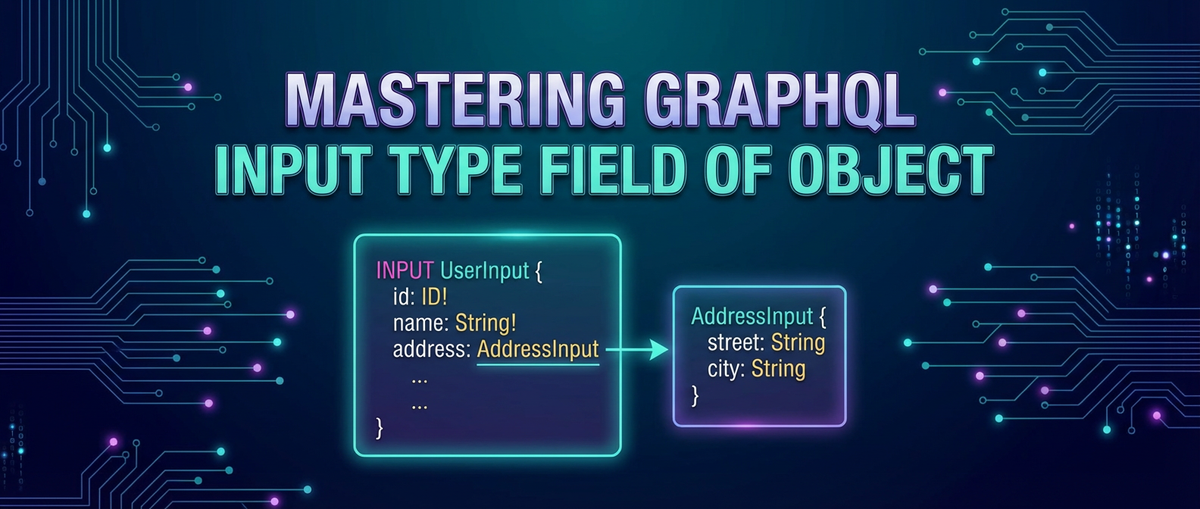


The landscape of modern application development is fundamentally shaped by how data is accessed, manipulated, and secured. In this intricate dance between front-end interfaces and robust back-end services, GraphQL has emerged as a formidable paradigm, offering a more efficient, powerful, and flexible alternative to traditional RESTful architectures. At the heart of GraphQL's ability to empower dynamic data interactions, particularly when sending data to the server, lies the concept of Input Types. These specialized structures are the unsung heroes of mutations and complex query arguments, enabling developers to define clear, predictable, and strongly typed payloads for server-side operations.
This comprehensive guide delves into the nuances of mastering GraphQL Input Type fields of objects. We will journey from the foundational principles of GraphQL to the intricate details of designing, implementing, and optimizing Input Types, especially focusing on how they encapsulate and handle complex object structures. Understanding this facet is not merely about syntax; it's about crafting robust, maintainable, and highly efficient api endpoints that stand the test of time and evolving business logic. By the end of this exploration, you will possess a profound understanding of how to leverage Input Types to build a sophisticated and resilient GraphQL api, integrating seamlessly into your overall api gateway strategy and enhancing your application's data management capabilities.
Understanding the Bedrock: A Brief Revisit to GraphQL Fundamentals
Before we immerse ourselves in the specifics of Input Types, it’s beneficial to briefly revisit the core tenets of GraphQL. Conceived by Facebook in 2012 and open-sourced in 2015, GraphQL isn't a database technology but a query language for your api. It provides a complete and understandable description of the data in your api, allowing clients to ask for exactly what they need and nothing more. This fundamental shift from multiple REST endpoints to a single, powerful GraphQL endpoint brings a plethora of advantages:
- Efficiency: Clients can specify the exact data they require, eliminating over-fetching (receiving more data than needed) and under-fetching (requiring multiple requests to get all necessary data). This is particularly critical for mobile applications or scenarios with limited bandwidth.
- Flexibility: The client dictates the shape of the response, making it easier to evolve apis without breaking existing client applications. New features can be added, and existing ones can be modified without rigid versioning schemes often associated with REST.
- Strong Typing: GraphQL apis are backed by a schema, a powerful type system that defines all the data and operations available. This schema acts as a contract between the client and the server, enabling powerful introspection, auto-completion, and compile-time validation, significantly improving developer experience and reducing runtime errors.
- Reduced Round-Trips: A single GraphQL query can fetch data from multiple resources, often reducing the number of network requests compared to typical RESTful patterns that might require sequential calls to different endpoints.
Central to GraphQL's architecture are its core concepts:
- Schemas: The blueprint of your GraphQL api, defining all the types and operations.
- Types: The building blocks of your schema, describing the shape of your data. These include Scalar Types (String, Int, Float, Boolean, ID), Object Types (custom types with fields), Enum Types (a set of allowed values), Interface Types (abstract types that other object types can implement), and Union Types (a type that can be one of a few object types).
- Queries: Operations used to read or fetch data from the server. They are analogous to GET requests in REST.
- Mutations: Operations used to write, change, or create data on the server. These are akin to POST, PUT, PATCH, or DELETE requests in REST.
- Subscriptions: Operations that allow clients to receive real-time updates from the server, typically used for live data feeds or notifications.
While Object Types are foundational for defining the structure of data returned by queries, they are not suitable for data sent to the server in mutations or complex query arguments. This is precisely where Input Types step in, providing a distinct and crucial mechanism for defining the shape of data payloads that arrive from the client. Without Input Types, the strong typing and introspection benefits of GraphQL would be severely hampered when it comes to modifying data, leading to less predictable and more error-prone apis.
The Deep Dive: Understanding GraphQL Input Types
The distinction between Object Types and Input Types is a cornerstone of effective GraphQL api design. While Object Types describe the data you can query, Input Types describe the data you can send to the server. This separation is critical for maintaining clarity, ensuring security, and enabling robust validation within your GraphQL schema.
Definition and Purpose
A GraphQL Input Type is a special kind of object type that is primarily used as an argument to fields. Crucially, all the fields within an Input Type must be either scalar types, enum types, or other input types. This recursive definition allows for the construction of arbitrarily complex input payloads while maintaining strict type checking.
Consider the scenario of creating a new user. An Object Type named User might look like this:
type User {
  id: ID!
  username: String!
  email: String!
  createdAt: DateTime!
  updatedAt: DateTime!
  isActive: Boolean!
  profile: Profile
}

type Profile {
  firstName: String
  lastName: String
  bio: String
  avatarUrl: String
}
When you want to create a new user, you wouldn't send an id or createdAt field from the client, as these are typically generated by the server. You also wouldn't want to allow a client to arbitrarily set isActive or other sensitive fields. This is where Input Types become indispensable. They allow you to define a specific structure for the data that the client is permitted to provide for a particular operation.
An Input Type for creating a user might look like this:
input CreateUserInput {
  username: String!
  email: String!
  password: String!
  profile: CreateProfileInput
}

input CreateProfileInput {
  firstName: String
  lastName: String
  bio: String
  avatarUrl: String
}
Notice the key differences:
- It uses the
inputkeyword instead oftype. - It omits server-generated fields like
idandcreatedAt. - It can include fields specific to input, like
password, which would never be part of theUseroutput type. - Its fields can themselves be other
Input Types, likeprofile: CreateProfileInput.
The primary purpose of Input Types is thus to serve as the structured arguments for:
- Mutations: The most common use case. When you're adding, updating, or deleting data, Input Types provide a clean way to bundle related arguments.
- Complex Query Arguments: While less frequent, Input Types can be used for sophisticated filtering, sorting, or pagination parameters in queries, especially when these parameters involve multiple sub-fields.
Syntax and Structure
The syntax for defining an Input Type is straightforward, mirroring that of an Object Type but with the input keyword:
input MyInputType {
  # FieldName: TypeName
  stringField: String
  requiredIntField: Int!
  enumField: MyEnumType
  nestedInputField: AnotherInputType
  listOfStrings: [String!]
  requiredListOfIDs: [ID!]!
}
Key aspects of its structure:
inputKeyword: Differentiates it from anObject Type.- Field Definitions: Each field specifies a name and a type.
- Optional vs. Required Fields:
- Fields without an exclamation mark (
!) are optional. If omitted in the client's input, their value will typically benullin the resolver arguments (unless a default value is specified). - Fields with an exclamation mark (
!) are required. If a client omits a required field or sendsnullfor it, the GraphQL server will typically return a validation error before the resolver is even invoked. This provides immediate feedback and enforces data integrity at the schema level.
- Fields without an exclamation mark (
- Lists:
[String!]indicates a list of non-nullable strings, while[String!]!indicates a non-nullable list of non-nullable strings. If a field is[String], it means the list can containnullvalues. If it's[String]!, the list itself must not benull, but its elements can be.
The strong typing enforced by Input Types ensures that the data received by your resolvers always conforms to the expected structure, greatly simplifying server-side logic and reducing the potential for errors.
When to Use Input Types
The decision to employ Input Types is driven by the need for structured, type-safe data transmission to the server. Here are the primary scenarios where they shine:
- Creating Resources: When a client sends a new entity to be stored in the database, such as
createUser,createProduct,addComment. The Input Type bundles all the necessary fields for creation. - Updating Resources: For operations like
updateUser,modifyOrder,editPost. Input Types are especially powerful here because they can define fields that are optional, allowing for partial updates without requiring the client to send all fields of an object. - Deleting Resources (Complex Deletion): While simple deletions often just require an
ID, complex scenarios like batch deletion based on specific criteria or soft deletion flags might benefit from anInput Typeto structure these criteria. - Complex Query Arguments: Although less common, if a query requires multiple interdependent parameters that form a logical unit (e.g., advanced search filters with pagination and sorting options), an
Input Typecan encapsulate these parameters for clarity and reusability. For example, aposts(filter: PostFilterInput): [Post!]query. - Reusability: A well-designed
Input Typecan be reused across multiple mutations or even different parts of a complex query, promoting consistency and reducing redundancy in your schema. For instance,AddressInputcould be used inCreateUserInput,UpdateShippingAddressInput, andSearchByAddressInput.
By thoughtfully designing your Input Types, you create a clear contract for how clients interact with your api for data manipulation, leading to a more robust, maintainable, and developer-friendly system.
Working with Object Fields within Input Types
The true power and complexity of GraphQL Input Types manifest when they begin to encompass and manage relationships, particularly through nesting. An Input Type isn't limited to scalar fields; it can contain fields that are themselves other Input Types, allowing you to model deeply structured data payloads. This capability is vital for interacting with complex data models, often mirroring the relational structures found in databases or the nested documents common in NoSQL stores.
Nesting Input Types: The Power of Composition
The ability to nest Input Types is arguably their most significant feature. It allows you to compose complex data structures from smaller, reusable, and self-contained input units. This promotes modularity, readability, and consistency across your schema.
Let's expand on our CreateUserInput example. A user might have not just a Profile but also ContactInfo which includes phone numbers, email preferences, and physical addresses.
input CreateUserInput {
  username: String!
  email: String!
  password: String!
  profile: CreateProfileInput # Nested Input Type
  contactInfo: ContactInfoInput # Another Nested Input Type
}

input CreateProfileInput {
  firstName: String
  lastName: String
  bio: String
  avatarUrl: String
}

input ContactInfoInput {
  phoneNumber: String
  emailPreferences: EmailPreferencesInput # Deeply nested Input Type
  shippingAddress: AddressInput # Another deeply nested Input Type
}

input EmailPreferencesInput {
  receiveNewsletter: Boolean = true # Default value example
  receivePromotions: Boolean = false
}

input AddressInput {
  street: String!
  city: String!
  state: String!
  zipCode: String!
  country: String!
}
A client sending data for a createUser mutation would then structure its payload like this:
mutation CreateUser($input: CreateUserInput!) {
  createUser(input: $input) {
    id
    username
    email
    profile {
      firstName
      lastName
    }
    contactInfo {
      phoneNumber
      shippingAddress {
        city
        country
      }
    }
  }
}

{
  "input": {
    "username": "johndoe",
    "email": "john.doe@example.com",
    "password": "securepassword123",
    "profile": {
      "firstName": "John",
      "lastName": "Doe",
      "bio": "Software Engineer"
    },
    "contactInfo": {
      "phoneNumber": "123-456-7890",
      "emailPreferences": {
        "receivePromotions": true
      },
      "shippingAddress": {
        "street": "123 Main St",
        "city": "Anytown",
        "state": "CA",
        "zipCode": "90210",
        "country": "USA"
      }
    }
  }
}
This example clearly demonstrates how nested Input Types allow for the coherent transmission of complex, hierarchical data in a single mutation, matching the often-nested structure of business entities.
Handling Relational Data
When dealing with relational data, Input Types provide flexible ways to establish connections between entities during creation or update operations. This often involves either referencing existing entities by their IDs or creating related entities within the same mutation.
1. Linking to Existing Entities: The simplest way to handle relationships is by passing the ID of an already existing entity.
Example: Creating a Post and linking it to an existing Author and Categories.
input CreatePostInput {
  title: String!
  content: String!
  authorId: ID! # Link to an existing Author
  categoryIds: [ID!]! # Link to existing Categories
}

type Mutation {
  createPost(input: CreatePostInput!): Post!
}
Here, authorId and categoryIds are fields within CreatePostInput, referencing the IDs of other entities. The resolver for createPost would then use these IDs to establish the database relationships.
2. Creating Related Entities Simultaneously: In more complex scenarios, you might want to create a parent entity and its child entities in a single mutation. This requires nesting Input Types that are designed for creation.
Example: Creating an Order and its OrderItems at the same time.
input CreateOrderInput {
  customerId: ID! # Existing customer
  items: [CreateOrderItemInput!]! # List of nested input types
  shippingAddress: AddressInput! # Nested input type for address
}

input CreateOrderItemInput {
  productId: ID!
  quantity: Int!
  notes: String
}

type Mutation {
  createOrder(input: CreateOrderInput!): Order!
}
The client would send an array of CreateOrderItemInput objects within the CreateOrderInput payload. The server-side resolver would then process this nested structure, creating the Order record and subsequently all associated OrderItem records, establishing the one-to-many relationship.
3. Many-to-Many Relationships: For many-to-many relationships (e.g., Users and Roles), Input Types typically handle this by accepting an array of IDs for the related entity.
Example: Updating a user's roles.
input UpdateUserInput {
  # ... other fields
  roleIds: [ID!]
}

type Mutation {
  updateUser(id: ID!, input: UpdateUserInput!): User!
}
Here, roleIds allows the client to specify which roles the user should now be associated with. The resolver would then manage the join table entries to reflect these changes.
Advanced Nesting Patterns
While simple nesting is common, Input Types can support profoundly nested structures, essential for modeling complex business objects like financial transactions, complex product configurations, or document-oriented data.
Consider a scenario for a product configuration where a product has multiple variants, each with its own attributes and perhaps a list of compatible accessories, which themselves have unique identifiers and quantities.
input CreateProductConfigurationInput {
  productId: ID!
  variantOptions: [ProductVariantOptionInput!]!
  selectedAccessories: [ProductAccessoryInput!]
  metadata: ProductMetadataInput
}

input ProductVariantOptionInput {
  variantId: ID!
  value: String!
}

input ProductAccessoryInput {
  accessoryId: ID!
  quantity: Int!
  customizations: [AccessoryCustomizationInput!]
}

input AccessoryCustomizationInput {
  type: CustomizationType! # An Enum
  value: String!
}

input ProductMetadataInput {
  tags: [String!]
  internalNotes: String
}
This example shows a four-level deep nesting: CreateProductConfigurationInput -> ProductAccessoryInput -> AccessoryCustomizationInput. Such depth allows for highly granular control over the data being sent to the server for complex operations.
Strategies for Managing Complexity:
- Decomposition: Break down large, monolithic input types into smaller, more focused ones. This improves readability and reusability. For instance,
AddressInputis a good candidate for standalone definition. - Clear Naming: Use descriptive names for both the input types and their fields, following consistent naming conventions (e.g.,
CreateXInput,UpdateYInput). - Documentation: Utilize GraphQL's introspection capabilities by adding descriptions to your input types and their fields, explaining their purpose and expected values.
- Purpose-Driven Design: Design input types specifically for their intended operation (creation, update). An
UpdateXInputmight have all optional fields, while aCreateXInputmight have many required fields.
Mastering nested Input Types is crucial for any developer building a sophisticated GraphQL api. It allows for the elegant handling of complex data models, translating intricate application requirements into clear, type-safe api interactions.
Practical Use Cases and Examples
To truly master GraphQL Input Types, it's essential to see them in action across various common api operations. These examples illustrate how Input Types streamline data submission, making client-server interactions both robust and intuitive.
Creating Resources (e.g., createUser)
The creation of new entities is perhaps the most straightforward and common use case for Input Types. They ensure that all necessary data for a new record is provided in a structured and validated manner.
Schema Definition:
type User {
  id: ID!
  username: String!
  email: String!
  createdAt: DateTime!
  isActive: Boolean!
}

input CreateUserInput {
  username: String!
  email: String!
  password: String! # Only needed for creation, not typically exposed in User output
  initialStatusActive: Boolean = true # Example of a default value
}

type Mutation {
  createUser(input: CreateUserInput!): User!
}
Client-Side Mutation:
mutation SignUpUser($userData: CreateUserInput!) {
  createUser(input: $userData) {
    id
    username
    email
    isActive
  }
}

# Variables for the mutation
{
  "userData": {
    "username": "alice_smith",
    "email": "alice.smith@example.com",
    "password": "secure_password_abc"
  }
}
Here, CreateUserInput bundles username, email, and password. The initialStatusActive field, if omitted by the client, would default to true as specified in the schema. The createUser resolver on the server would receive this input object, hash the password, create the user record in the database, and return the newly created User object.
Updating Resources (e.g., updateProduct)
Updating existing resources often presents a challenge in REST (e.g., PUT vs. PATCH). GraphQL Input Types elegantly handle partial updates by making fields optional.
Schema Definition:
type Product {
  id: ID!
  name: String!
  description: String
  price: Float!
  stock: Int!
  imageUrl: String
  isActive: Boolean!
}

input UpdateProductInput {
  name: String
  description: String
  price: Float
  stock: Int
  imageUrl: String
  isActive: Boolean
}

type Mutation {
  updateProduct(id: ID!, input: UpdateProductInput!): Product
}
Client-Side Mutation (Partial Update):
mutation ChangeProductDetails($productId: ID!, $productData: UpdateProductInput!) {
  updateProduct(id: $productId, input: $productData) {
    id
    name
    price
    stock
  }
}

# Variables for the mutation
{
  "productId": "prod_123",
  "productData": {
    "price": 29.99,
    "stock": 150
  }
}
In this updateProduct mutation, the client only sends the price and stock fields within UpdateProductInput. The other fields (name, description, imageUrl, isActive) are omitted, indicating that they should remain unchanged. The resolver would fetch the product by id, apply the non-null/non-omitted fields from input, and then save the updated product. This approach avoids sending redundant data and clearly specifies what parts of the resource are being modified.
Deleting Resources (Batch Deletion)
While single resource deletion often just takes an ID as an argument, batch deletion or deletion based on complex criteria benefits from Input Types.
Schema Definition:
type DeleteProductsPayload {
  success: Boolean!
  deletedIds: [ID!]!
  message: String
}

input BatchDeleteProductsInput {
  ids: [ID!]! # List of IDs to delete
  confirmForceDelete: Boolean = false # Optional flag
}

type Mutation {
  batchDeleteProducts(input: BatchDeleteProductsInput!): DeleteProductsPayload!
}
Client-Side Mutation:
mutation RemoveMultipleProducts($deletionInfo: BatchDeleteProductsInput!) {
  batchDeleteProducts(input: $deletionInfo) {
    success
    deletedIds
    message
  }
}

# Variables for the mutation
{
  "deletionInfo": {
    "ids": ["prod_1", "prod_2", "prod_3"],
    "confirmForceDelete": true
  }
}
This example uses BatchDeleteProductsInput to provide a list of IDs and an optional flag. The DeleteProductsPayload is a common pattern for mutations to return status information, which is also an Object Type.
Filtering and Sorting in Queries (Enhanced with Input Types)
Although Input Types are primarily for mutations, they can significantly enhance the expressiveness and reusability of query arguments, particularly for complex filtering, pagination, and sorting.
Schema Definition:
type Post {
  id: ID!
  title: String!
  content: String!
  status: PostStatus!
  author: User!
  tags: [String!]!
  createdAt: DateTime!
}

enum PostStatus {
  DRAFT
  PUBLISHED
  ARCHIVED
}

input PostFilterInput {
  status: PostStatus
  authorId: ID
  searchQuery: String
  tags: [String!]
  createdAtAfter: DateTime
  createdAtBefore: DateTime
}

input PaginationInput {
  first: Int = 10
  after: String # Cursor for pagination
}

input SortInput {
  field: String!
  direction: SortDirection!
}

enum SortDirection {
  ASC
  DESC
}

type Query {
  posts(
    filter: PostFilterInput
    pagination: PaginationInput
    sort: SortInput
  ): [Post!]!
}
Client-Side Query:
query GetFilteredAndSortedPosts(
  $postFilter: PostFilterInput
  $pagination: PaginationInput
  $sortOrder: SortInput
) {
  posts(filter: $postFilter, pagination: $pagination, sort: $sortOrder) {
    id
    title
    status
    author {
      username
    }
    createdAt
  }
}

# Variables for the query
{
  "postFilter": {
    "status": "PUBLISHED",
    "searchQuery": "GraphQL",
    "tags": ["tutorial", "backend"]
  },
  "pagination": {
    "first": 5
  },
  "sortOrder": {
    "field": "createdAt",
    "direction": "DESC"
  }
}
Here, PostFilterInput, PaginationInput, and SortInput are all Input Types, allowing the client to construct highly specific and complex queries. This modular approach makes the query arguments clearer and allows for easier extension of filtering/sorting capabilities. The posts resolver would then interpret these input objects to construct the appropriate database query.
These practical examples demonstrate the versatility and power of GraphQL Input Types. By adopting them consistently for operations that modify data or require structured query parameters, developers can build robust, predictable, and developer-friendly GraphQL apis that scale with application complexity.
APIPark is a high-performance AI gateway that allows you to securely access the most comprehensive LLM APIs globally on the APIPark platform, including OpenAI, Anthropic, Mistral, Llama2, Google Gemini, and more.Try APIPark now! 👇👇👇
Best Practices for Designing Input Types
Designing effective GraphQL Input Types is an art that blends schema elegance with practical functionality. Adhering to best practices ensures your api remains maintainable, secure, and intuitive for consumers.
Granularity: When to Combine, When to Separate
The decision on the granularity of your Input Types is crucial.
- Combine when fields are always logically grouped: If a set of fields always appears together and forms a coherent conceptual unit (e.g.,
AddressInputwithstreet,city,zipCode), then combine them into a single nested Input Type. This reduces redundancy and makes the schema more readable. - Separate when fields are optional or context-dependent: If certain fields are only relevant in specific contexts or are frequently optional, consider making them part of their own Input Type or directly defining them as optional fields within a larger Input Type. Avoid monolithic Input Types where a single input object tries to capture every possible field of an entity across all operations. This leads to bloated inputs and confusing documentation.
- Purpose-driven Input Types: Design separate Input Types for different mutation types.
CreateUserInputmight require a password, whileUpdateUserInputwould not, and all its fields would be optional.DeleteUserInputmight only need an ID.
Naming Conventions
Consistency in naming is paramount for developer experience.
- Suffix with
Input: Always appendInputto the name of your Input Types (e.g.,CreateUserInput,AddressInput). This clearly distinguishes them from Object Types and other schema entities. - Clear and Descriptive Field Names: Use names that accurately reflect the data they hold. Avoid abbreviations where clarity is lost.
- Action-oriented for Mutations: For mutation arguments, consider names that reflect the action (e.g.,
CreateXInput,UpdateYInput).
Validation
While GraphQL's type system handles basic validation (e.g., Int! must be an integer and not null), complex business logic validation occurs at the server-side, typically within the resolver or a service layer.
- Schema-level Validation: Leverage required fields (
!) and Enum Types to enforce basic constraints at the GraphQL layer. This provides immediate feedback to the client for common mistakes. - Server-side Validation: Implement robust validation logic in your backend resolvers. This includes:
- Data integrity checks: Ensuring unique usernames/emails, valid date ranges, etc.
- Business rule validation: For example, an order cannot be placed if stock is insufficient.
- Authorization checks: Ensuring the current user has permission to perform the action or modify specific fields (e.g., a regular user cannot set
isAdmin: true).
- Custom Scalars for Complex Types: For data types beyond standard GraphQL scalars (e.g., email addresses, UUIDs, specific date formats), consider using Custom Scalar Types. These can perform some initial validation at the GraphQL layer, but the ultimate source of truth is still server-side validation.
- Client-side Validation: While not a substitute for server-side validation, client-side validation significantly improves user experience by providing instant feedback before a network request is even made.
Versioning and Evolution
Evolving an api is inevitable. GraphQL offers powerful mechanisms for graceful evolution.
- Adding New Fields: It is generally safe to add new optional fields to an existing Input Type. Clients that don't send the new field will continue to work without issues, receiving
nullfor that field in the resolver. - Making Optional Fields Required: This is a breaking change. If a field was optional and is now made required (
field: String -> field: String!), existing clients that do not provide that field will break. This should be avoided in production apis or introduced with a new version of the Input Type. - Removing Fields or Input Types: This is also a breaking change.
- Deprecating Fields: While more common for output types, you can
deprecatefields in Input Types (though less directly supported in some GraphQL libraries). A better approach for breaking changes in input types is often to create a new input type (e.g.,CreateUserV2Input) and a new mutation, allowing older clients to use the legacy mutation while new clients migrate.
Security Considerations
Input Types play a critical role in api security. Poor design can lead to vulnerabilities.
- Preventing Mass Assignment Vulnerabilities: Never directly map an entire Input Type object from the client to a database model or ORM object without explicit field whitelisting or careful validation. For example, if your
Usermodel has anisAdminflag,UpdateUserInputshould never include anisAdmin: Booleanfield that an ordinary user can set. Only expose fields that the client is legitimately allowed to modify. This is a common pitfall. - Authorization Checks in Resolvers: Even if an Input Type is well-designed, the resolver must perform rigorous authorization checks. A user might be allowed to update their own profile but not the profile of another user. The Input Type defines what data can be sent, but the resolver defines who can send it and for whom.
- Input Sanitization: Before processing input, especially for text fields, ensure proper sanitization to prevent injection attacks (SQL injection, XSS). While GraphQL's type system helps, the actual string content still needs attention.
By diligently applying these best practices, you can build GraphQL Input Types that are not only functional but also contribute to a resilient, secure, and developer-friendly api ecosystem.
Challenges and Solutions
While GraphQL Input Types offer immense benefits, working with them, particularly in complex scenarios, can present certain challenges. Understanding these challenges and knowing how to address them is key to truly mastering this aspect of GraphQL.
Ambiguity with null vs. Omitting a Field
One of the most common ambiguities, especially during update mutations, revolves around the distinction between sending null for an optional field versus simply omitting the field from the input payload.
- Omitting a field: In an
UpdateInputType, omitting an optional field generally implies "leave this field unchanged" or "do not update this specific attribute." - Sending
nullfor a field: Sendingnullfor an optional field typically means "explicitly set this field's value to null in the database."
The Challenge: Different backend ORMs or update mechanisms might treat null and omitted fields identically if not handled carefully. If a client intends to leave a field unchanged by omitting it, but the resolver interprets an omitted field as null and updates the database, unintended data loss can occur. Conversely, if a client explicitly wants to set a field to null, but the resolver treats null as "omit," the change won't take effect.
Solutions:
- Resolver Logic: The most robust solution lies in the resolver. Iterate through the
inputobject received by the resolver.Many GraphQL frameworks and ORMs provide utilities to facilitate this "patch" logic, often by distinguishing between keys that were sent withnulland keys that were never sent.- If a field is present and its value is
null, process it as an explicitnullupdate. - If a field is present and its value is non-
null, process it as an update to that value. - If a field is not present (i.e., it was omitted from the client's payload), then skip updating that field in the database.
- If a field is present and its value is
- Explicit
NullableInput Types (Less Common but an Option): For highly specific scenarios where the distinction is paramount and a simplenullisn't enough, you could design your schema to make the intention explicit. For example, instead offieldName: String, you might have: ```graphql input StringUpdateFieldInput { set: String clear: Boolean # If true, explicitly set to null }input UpdateMyResourceInput { myStringField: StringUpdateFieldInput } ``` While this is verbose, it leaves no room for ambiguity from the client's perspective. It's usually overkill for most cases but illustrates the explicit control possible. - Clear Documentation: Regardless of the technical solution, ensure that your api documentation clearly explains the semantics of omitting a field versus explicitly setting it to
nullfor update operations.
Handling File Uploads
Traditional GraphQL's type system doesn't natively support file uploads as a standard scalar type. This means integrating file upload functionality requires a slightly different approach.
The Challenge: Files are binary data, and embedding them directly into a JSON GraphQL payload is inefficient and impractical.
Solutions:
- GraphQL Multipart Request Specification: The most widely adopted solution is the "GraphQL Multipart Request Specification." This specification defines how to send files as part of a
multipart/form-datarequest, alongside the GraphQL query/mutation, to a single endpoint.Example Schema: ```graphql scalar Uploadinput UploadFileInput { file: Upload! description: String }type File { id: ID! filename: String! mimetype: String! url: String! }type Mutation { uploadFile(input: UploadFileInput!): File! } ```The resolver foruploadFilewould then receive the file stream, process it (e.g., save to cloud storage, generate a URL), and return theFileobject.UploadScalar Type: Many GraphQL server implementations (like Apollo Server) provide aUploadscalar type that adheres to this specification. You define your Input Type to include fields of typeUpload.- Client-Side Implementation: Client libraries (e.g., Apollo Client) and tools (e.g.,
form-dataorFormDatain browsers) support constructing multipart requests that include both your GraphQL operation (as JSON) and the binary files.
- Separate REST Endpoint (Fallback): For simpler cases or existing infrastructure, you might still use a dedicated REST endpoint for file uploads, where the client first uploads the file, receives a URL or ID, and then sends that URL/ID to a GraphQL mutation to link the file to another entity. This breaks the single-endpoint paradigm but can be simpler to implement with existing tooling.
Integration with Existing APIs / Backend Services
Many organizations don't start with a greenfield GraphQL api. They often have a rich ecosystem of existing RESTful services, microservices, or even legacy systems. Integrating GraphQL into such an environment poses its own set of challenges.
The Challenge: The GraphQL layer often acts as an api gateway or a facade, harmonizing disparate backend systems. Input Types need to transform client-provided data into a format palatable for these varied backend services, which might have different data models, authentication mechanisms, and communication protocols.
Solutions:
- Resolver as Translator: Your GraphQL resolvers become the primary translation layer. When an Input Type is received, the resolver is responsible for:
- Decomposing: Breaking down the complex GraphQL input into simpler calls to underlying REST endpoints or microservices.
- Transforming: Mapping GraphQL input fields to the specific request body or query parameters expected by the backend api.
- Aggregating: Calling multiple backend services and then combining their responses to form the GraphQL output type.
- Handling Authentication/Authorization: Passing along credentials or performing internal authorization checks before forwarding requests to backend services.
- API Management Platforms and Gateways: This is where a robust api gateway truly shines. A product like APIPark can significantly simplify this integration challenge.By leveraging an intelligent api gateway like APIPark, developers can focus on building their GraphQL schema and business logic, offloading much of the complexity of integrating and managing a diverse api ecosystem to a specialized platform. This ensures that your GraphQL Input Types are effectively translated and securely delivered to the appropriate backend services, creating a seamless and high-performing application experience.
- Unified API Management: APIPark acts as an all-in-one api gateway and developer portal. It can sit in front of your GraphQL services and your existing RESTful apis, providing a unified management layer for authentication, traffic management, rate limiting, and analytics across all your apis. This ensures consistent security policies and operational visibility.
- Integration of Diverse Backends: Whether your GraphQL resolvers need to talk to a traditional REST service, a gRPC service, or even integrate with over 100+ AI models, APIPark can help streamline these connections. For example, your GraphQL mutation could take a
GenerateImageInputand the resolver could use APIPark to invoke an underlying AI image generation service with standardized API calls, abstracting away the specifics of that AI api. - Prompt Encapsulation: If your GraphQL schema interacts with AI models, APIPark allows you to encapsulate custom prompts into REST APIs, which your GraphQL resolvers can then easily consume. This standardizes AI invocation and simplifies maintenance.
- Traffic Management and Load Balancing: As your GraphQL api scales, managing traffic to its underlying services becomes critical. APIPark offers performance rivaling Nginx (over 20,000 TPS with 8-core CPU, 8GB memory) and supports cluster deployment, ensuring your GraphQL layer can handle large-scale traffic and efficiently distribute requests to your backend services.
- API Lifecycle Management: APIPark helps with the entire api lifecycle, from design to publication, invocation, and decommission. This is crucial for managing the evolution of your GraphQL schema and its underlying backend integrations.
- Security and Access Control: With features like subscription approval and independent access permissions for each tenant, APIPark adds an essential layer of security, ensuring only authorized callers can invoke your GraphQL mutations and queries, protecting your backend services.
These challenges, from subtle semantic distinctions to broad architectural integration, are part and parcel of building sophisticated GraphQL apis. By adopting thoughtful design patterns, leveraging established specifications, and deploying powerful api management tools, developers can confidently navigate these complexities and unleash the full potential of GraphQL Input Types.
GraphQL and the API Ecosystem
GraphQL's ascension has significantly reshaped discussions around api design and management, offering a compelling alternative or complement to traditional RESTful apis. Its role in the broader api ecosystem is multifaceted, impacting how developers build, manage, and scale their services.
GraphQL's Role in Modern API Design
GraphQL has cemented its position as a go-to choice for modern api design, especially in scenarios demanding high flexibility and efficiency.
- Client-Driven Data Fetching: GraphQL empowers clients to define their data requirements precisely, drastically reducing over-fetching and under-fetching—common pain points with REST. This is particularly advantageous for mobile applications, single-page applications, and IoT devices where network efficiency is paramount.
- Strong Type System: The schema-first approach provides a robust contract between client and server, facilitating better tooling (introspection, automatic documentation, code generation) and significantly improving developer productivity and reducing integration errors. This strong typing, as we've explored, extends to data manipulation through Input Types, ensuring data integrity from the client to the backend.
- Rapid Iteration: For fast-evolving front-ends or products with frequent UI changes, GraphQL's flexibility means the api doesn't need to be versioned or refactored as frequently as REST endpoints might, accelerating development cycles.
- Microservices Orchestration: In a microservices architecture, a GraphQL layer can serve as an effective "backend for frontends" (BFF) or a unified api gateway. It can aggregate data from multiple underlying microservices, presenting a single, coherent api to client applications, simplifying client-side consumption.
Complementing or Replacing REST
The relationship between GraphQL and REST is often misconstrued as an either/or proposition. In reality, they frequently complement each other.
- Complementary Use: Many organizations adopt a hybrid approach. GraphQL might be used for complex data fetching and manipulation (where its flexibility shines), while RESTful apis continue to serve specific, well-defined functions (e.g., file uploads, webhooks, or simple CRUD operations where caching benefits of HTTP are more valuable). An api gateway can then sit in front of both, providing a unified access point.
- GraphQL as an API Gateway/Facade: GraphQL can act as a powerful api gateway itself, sitting atop existing RESTful apis. This allows legacy services to be exposed through a modern, flexible GraphQL interface without extensive refactoring of the backend. Resolvers then translate GraphQL queries/mutations into calls to the underlying REST endpoints.
- Migration Path: For projects migrating from REST, adopting GraphQL incrementally is a common strategy. New features might be built exclusively with GraphQL, while existing features remain on REST, slowly transitioning over time.
The Importance of a Good API Gateway for Complex Architectures
Regardless of whether an organization uses REST, GraphQL, or a hybrid model, the importance of a robust api gateway cannot be overstated, especially in complex microservice architectures.
- Centralized Traffic Management: An api gateway provides a single entry point for all client requests, abstracting the complexity of the backend. It handles routing, load balancing, and ensures traffic is distributed efficiently across various services.
- Security and Access Control: Critical security functions like authentication, authorization, rate limiting, and input validation can be offloaded to the gateway, applying consistent policies across all apis (GraphQL or REST). This frees individual services from reimplementing these concerns.
- Monitoring and Analytics: Gateways are ideal for collecting api usage metrics, logs, and performance data, providing invaluable insights into api health and client behavior.
- Service Discovery and Orchestration: They can facilitate service discovery, allowing new services to be added or removed without client-side configuration changes. They can also orchestrate calls to multiple backend services to fulfill a single client request, similar to GraphQL's aggregation capabilities but at the network edge.
- Developer Portal: A comprehensive api gateway often includes a developer portal, offering documentation, api keys, and usage analytics to external and internal developers, significantly improving the developer experience.
Platforms like APIPark exemplify the evolution of api gateway and management solutions. By offering capabilities such as unified api format for AI invocation, end-to-end api lifecycle management, and detailed api call logging, APIPark ensures that whether you're building a new GraphQL api from scratch, integrating it with existing REST services, or incorporating complex AI models, your entire api ecosystem is managed securely, efficiently, and scalably. Its ability to integrate over 100+ AI models and encapsulate prompts into REST apis highlights its forward-thinking approach to modern api challenges, making it an invaluable asset for enterprises navigating the complexities of distributed systems and AI integration.
The strategic deployment of a powerful api gateway in conjunction with well-designed GraphQL Input Types creates a synergistic effect, resulting in an api architecture that is not only powerful and flexible for developers but also resilient, secure, and performant for end-users.
Building a Robust GraphQL Backend: Implementation Details
Bringing GraphQL Input Types to life requires careful consideration of implementation specifics within your backend application. This section explores how to translate schema definitions into executable code, emphasizing the role of the Schema Definition Language (SDL) and resolvers, and highlighting various tools and frameworks.
Schema Definition Language (SDL)
The Schema Definition Language (SDL) is the universal syntax for defining GraphQL schemas, including Input Types. It's concise, human-readable, and framework-agnostic, making it the bedrock of communication between different GraphQL tools and implementations.
As demonstrated throughout this article, defining an Input Type in SDL is straightforward:
# Defines an input type for creating a new user
input CreateUserInput {
  username: String! # Required string
  email: String!    # Required email string
  password: String! # Required password string
  profile: CreateProfileInput # Nested input type for profile details
}

# Defines an input type for creating a user profile
input CreateProfileInput {
  firstName: String # Optional first name
  lastName: String  # Optional last name
  bio: String       # Optional biography
  avatarUrl: String # Optional URL for an avatar image
}

# Defines a mutation that uses the CreateUserInput
type Mutation {
  createUser(input: CreateUserInput!): User! # 'input' is the argument, 'CreateUserInput!' is its type
}
When building your GraphQL backend, you typically define your entire schema using SDL files (.graphql or .gql) and then load these definitions into your GraphQL server. This "schema-first" approach ensures that your schema is the single source of truth, guiding both client and server development. Many frameworks can automatically generate code (e.g., TypeScript types) from your SDL, further streamlining development.
Resolvers: Processing the Input Type Data
Resolvers are the core logic of your GraphQL server. They are functions that execute when a corresponding field is queried or mutated, responsible for fetching or manipulating data. When an Input Type is used as an argument to a mutation or query, the resolver receives the parsed input data as an argument.
Let's consider a simplified resolver structure for our createUser mutation:
// Example in JavaScript (using Apollo Server)

const resolvers = {
  Mutation: {
    createUser: async (parent, { input }, context, info) => {
      // 1. Validate input (beyond schema-level validation)
      if (input.password.length < 8) {
        throw new Error("Password must be at least 8 characters long.");
      }
      // Assuming context.dataSources.users provides database interaction
      const existingUser = await context.dataSources.users.findByEmail(input.email);
      if (existingUser) {
        throw new Error("User with this email already exists.");
      }

      // 2. Process password (e.g., hash it)
      const hashedPassword = await hashPassword(input.password);

      // 3. Prepare data for database insertion
      const userDataToSave = {
        username: input.username,
        email: input.email,
        passwordHash: hashedPassword,
        profile: input.profile || {}, // Handle optional nested input
        createdAt: new Date().toISOString(),
        isActive: true, // Server-generated default
      };

      // 4. Interact with the database/service layer
      const newUser = await context.dataSources.users.create(userDataToSave);

      // 5. Return the result (typically an Object Type)
      return {
        id: newUser.id,
        username: newUser.username,
        email: newUser.email,
        createdAt: newUser.createdAt,
        isActive: newUser.isActive,
        profile: newUser.profile,
      };
    },
  },
};
In this resolver:
- The
inputargument directly maps to theCreateUserInputstructure defined in the SDL. - The resolver performs additional business logic validation (password length, unique email).
- It transforms the raw input data (e.g., hashing the password) before interacting with the database.
- It handles nested Input Types (
input.profile). - It interacts with a data source (e.g., an ORM, another service, a database client) to persist the data.
- Finally, it constructs and returns an object that conforms to the
Useroutput type specified in the schema.
This pattern demonstrates how resolvers are the critical link between the type-safe contract of Input Types and the actual data manipulation logic of your backend.
Frameworks and Libraries
Building a GraphQL backend from scratch can be complex. Fortunately, a rich ecosystem of frameworks and libraries exists across various programming languages, simplifying the implementation of schemas and resolvers.
- JavaScript/TypeScript:
- Apollo Server: A popular, production-ready GraphQL server that can be integrated with various HTTP frameworks (Express, Koa, Hapi). It's highly extensible and supports schema-first development.
- Express-GraphQL: A simple middleware for Express, allowing you to quickly set up a GraphQL endpoint.
- NestJS: A progressive Node.js framework for building efficient, reliable, and scalable server-side applications, offering excellent GraphQL integration.
- Python:
- Graphene: A powerful and flexible Python library for building GraphQL apis, with integrations for Django, Flask, and SQLAlchemy.
- Ariadne: A schema-first library for building GraphQL servers in Python.
- Java/Kotlin:
- GraphQL-Java: The official GraphQL implementation for Java, providing a low-level foundation.
- Spring for GraphQL: Offers high-level GraphQL support for Spring Boot applications, integrating with Spring Data and Spring WebFlux.
- .NET:
- Hot Chocolate: A modern GraphQL server for .NET, supporting schema-first, code-first, and fluent api approaches.
- GraphQL.NET: Another popular option for building GraphQL apis in .NET.
- Go:
- gqlgen: A schema-first Go library that generates Go types and resolvers from your GraphQL schema.
- graphql-go/graphql: A GraphQL server written in Go.
These frameworks provide functionalities like parsing SDL, executing queries, handling resolvers, managing context, and integrating with other parts of your application stack. They abstract away much of the boilerplate, allowing developers to focus on the specific business logic encoded in their Input Types and resolvers.
Testing Input Types
Thorough testing is paramount for any api, and GraphQL Input Types are no exception.
- Unit Tests for Resolvers: Focus on testing the business logic within your resolvers in isolation. Mock database calls and external service integrations to ensure the resolver correctly processes input, performs validation, and returns the expected output.
- Integration Tests for Mutations: Test the full mutation flow, from sending a GraphQL request with an Input Type payload to verifying the data changes in the database and checking the structure of the returned response. This confirms that your schema, resolvers, and data sources work together seamlessly.
- Schema Validation Tests: Ensure your SDL is valid and consistent. Many GraphQL tools offer schema validation against the GraphQL specification.
- Type Generation and Client Tests: If you're using code generation from your schema, ensure the generated types correctly reflect your Input Types. Client-side tests should ensure that the client correctly constructs and sends Input Type payloads.
By combining schema definition, robust resolvers, appropriate frameworks, and comprehensive testing, you can build a GraphQL backend that effectively leverages Input Types to provide a powerful, type-safe, and reliable api for data manipulation.
Conclusion
Mastering GraphQL Input Type fields of objects is not merely an academic exercise; it's a fundamental skill for any developer aspiring to build robust, scalable, and developer-friendly GraphQL apis. We've journeyed through the core principles, defining Input Types as the crucial mechanism for sending structured, type-safe data to the server, particularly for mutations and complex query arguments. The power of nesting Input Types allows us to model intricate object relationships, mirroring the complexity of real-world data and business logic, while ensuring data integrity and clarity.
From the foundational syntax to practical use cases spanning creation, updates, and even advanced query filtering, we've seen how Input Types streamline client-server interactions. Best practices, including thoughtful granularity, consistent naming conventions, rigorous validation, and a keen eye on security, are not just guidelines but essential pillars for crafting an api that is both powerful and resilient. Furthermore, understanding the challenges, such as the null vs. omitted field dilemma and integrating with diverse backend services, and knowing their solutions, equips developers to tackle real-world complexities effectively. In this context, the role of an intelligent api gateway like APIPark becomes indispensable, offering a unified platform for managing, securing, and integrating GraphQL services with the broader api ecosystem, including AI models and traditional RESTful apis.
GraphQL's prominence in modern api design is undeniable, offering unparalleled flexibility and efficiency. By thoroughly understanding and skillfully applying Input Types, you empower your applications to interact with data in a more predictable, secure, and performant manner. This mastery not only enhances the developer experience but also fortifies the stability and adaptability of your entire api landscape, paving the way for future innovation and growth. Continue to explore, experiment, and contribute to the vibrant GraphQL community, as the journey to api mastery is an ongoing evolution.
5 FAQs about Mastering GraphQL Input Type Field of Object
1. What is the fundamental difference between a GraphQL Object Type and an Input Type? The fundamental difference lies in their directionality and purpose. An Object Type is used to define the shape of data that can be returned by the GraphQL server (e.g., results of a query). Its fields can resolve to other Object Types, interfaces, or unions. An Input Type, conversely, is used to define the shape of data that can be sent to the GraphQL server as arguments to mutations or complex queries. Its fields can only be scalars, enums, or other Input Types, preventing cyclical dependencies and ensuring a clear data flow for input.
2. Why can't I use an Object Type directly as an argument for a mutation instead of an Input Type? Using an Object Type directly as an input is problematic for several reasons. Firstly, Object Types can contain fields that resolve to interfaces or unions, which can't be serialized as direct input values. Secondly, Object Types are often designed with server-generated fields (like id, createdAt) or sensitive fields (passwordHash) that a client should not provide or modify directly during input. Input Types offer a distinct, purpose-built structure that can be tailored precisely for input payloads, excluding irrelevant or sensitive fields and ensuring strict type validation specific to the mutation's requirements.
3. How do I handle partial updates (e.g., PATCH equivalent in REST) using GraphQL Input Types? Partial updates are elegantly handled by making all fields within your UpdateInput Type optional (i.e., not ending with !). When a client sends an update mutation, it only includes the fields it intends to change. The resolver for that mutation then checks which fields are present in the input object. If a field is present, its value (even null) is used to update the corresponding database record. If a field is omitted from the input, the resolver leaves that field unchanged in the database, effectively providing a powerful and type-safe "patch" mechanism.
4. Can an Input Type contain fields that are lists of other Input Types? Yes, absolutely. An Input Type can contain fields that are lists of other Input Types. This is a powerful feature that allows for deep nesting and the creation of complex, hierarchical data structures in a single input payload. For example, when creating an Order, you might have an items field which is a list of CreateOrderItemInput objects. This allows you to create a parent entity and all its related child entities in a single, atomic mutation.
5. What role does an API Gateway play when using GraphQL Input Types, especially in a microservices environment? An api gateway plays a crucial role by acting as a central entry point for all client requests, including those interacting with GraphQL mutations and their Input Types. In a microservices environment, the gateway can: * Orchestrate Backend Calls: Translate a single GraphQL mutation with a complex Input Type into multiple calls to various underlying microservices. * Centralize Security: Apply consistent authentication, authorization (ensuring users can only send authorized Input Type data), and rate-limiting policies across all your GraphQL operations, offloading this from individual services. * Traffic Management: Handle load balancing and routing of GraphQL requests to the appropriate backend GraphQL services. * Unified Management: Tools like APIPark can provide unified management for GraphQL and other apis (like REST or AI models), offering a consistent developer portal, logging, and analytics, ensuring that all data inputs are managed and secured consistently regardless of the underlying api technology.
🚀You can securely and efficiently call the OpenAI API on APIPark in just two steps:
Step 1: Deploy the APIPark AI gateway in 5 minutes.
APIPark is developed based on Golang, offering strong product performance and low development and maintenance costs. You can deploy APIPark with a single command line.
curl -sSO https://download.apipark.com/install/quick-start.sh; bash quick-start.sh

In my experience, you can see the successful deployment interface within 5 to 10 minutes. Then, you can log in to APIPark using your account.

Step 2: Call the OpenAI API.