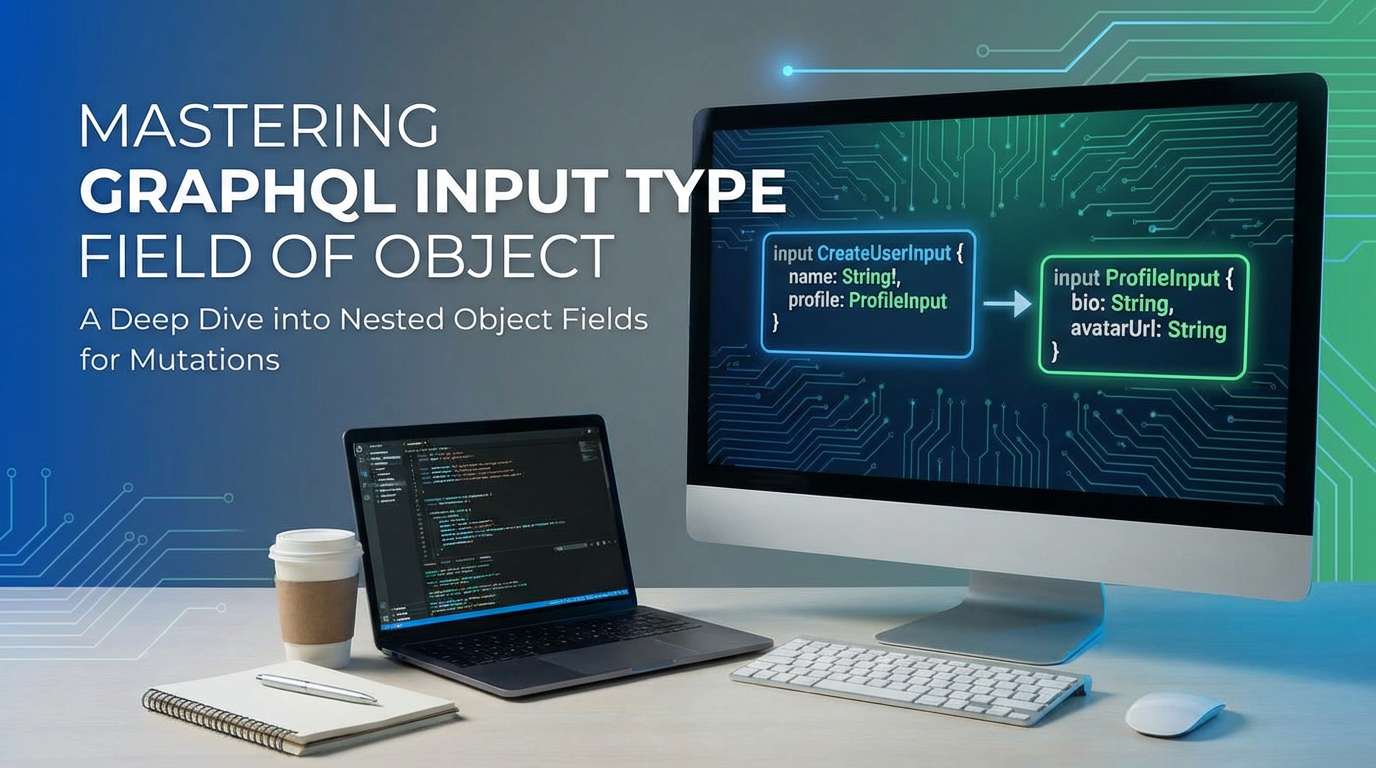
Mastering GraphQL Input Type Field of Object


APIPark is a high-performance AI gateway that allows you to securely access the most comprehensive LLM APIs globally on the APIPark platform, including OpenAI, Anthropic, Mistral, Llama2, Google Gemini, and more.Try APIPark now! 👇👇👇
Mastering GraphQL Input Type Field of Object: Crafting Robust and Intuitive APIs
In the intricate dance of modern web development, the Application Programming Interface (API) stands as the crucial choreographer, orchestrating how different software components communicate and exchange data. As the digital landscape becomes increasingly complex, the demand for more efficient, flexible, and developer-friendly APIs has never been higher. GraphQL has emerged as a powerful contender in this arena, offering a paradigm shift from traditional RESTful approaches by allowing clients to request precisely the data they need, nothing more, nothing less. This granular control over data fetching is one of GraphQL's most celebrated features, revolutionizing how frontend and backend teams interact.
However, GraphQL's elegance extends beyond just querying data; it also provides a sophisticated mechanism for mutating data—creating, updating, and deleting records—in a structured and predictable manner. Central to this capability, especially when dealing with complex data structures, is the concept of Input Types. While seemingly a subtle distinction from regular object types, mastering the Input Type and its application to "Field of Object" scenarios is paramount for building truly robust, maintainable, and intuitive GraphQL APIs. Without a deep understanding of how to effectively define and utilize Input Types, especially for nested object structures, developers risk creating API endpoints that are cumbersome, prone to errors, and difficult to evolve.
This comprehensive guide will delve deep into the world of GraphQL Input Types, exploring their fundamental principles, practical applications, and advanced patterns. We will unravel why Input Types are indispensable for handling complex data mutations, particularly when dealing with "fields of objects"—that is, when you need to send an entire structured object, or even a nested hierarchy of objects, as part of a single mutation. By the end of this journey, you will possess the knowledge and practical insights to design GraphQL mutations that are not only powerful but also a joy for consumers to interact with, laying the groundwork for highly scalable and resilient API ecosystems.
The Foundational Blocks of GraphQL: A Brief Recap of Types
Before we immerse ourselves in the specifics of Input Types, it’s beneficial to briefly revisit the core type system that underpins GraphQL. Understanding these foundational blocks provides essential context for appreciating the unique role and constraints of Input Types.
GraphQL's type system is designed to provide a clear contract between the client and the server, ensuring that both parties understand the shape of the data being exchanged. At its heart, GraphQL categorizes data into several fundamental types:
- Scalar Types: These are the primitive data units, representing a single value. GraphQL provides built-in scalars like
Int(a signed 32-bit integer),Float(a signed double-precision floating-point value),String(a UTF‐8 character sequence),Boolean(true or false), andID(a unique identifier, often serialized as a string). Custom scalar types can also be defined for more specific data formats likeDate,DateTime, orJSON. - Object Types: These are the most fundamental building blocks for defining the structure of the data your API can return. An
Object Typecontains a collection of fields, each of which can be another object type, a scalar, an enum, or a list of any of these. For example, aUserobject type might have fields likeid,name,email, andposts(a list ofPostobjects). Object types are crucial for describing the shape of query responses. - Enum Types: Enumeration types are special scalar types that are restricted to a specific set of allowed values. They are useful for defining fields where only a predefined set of options is valid, such as
OrderStatus(PENDING,SHIPPED,DELIVERED). - List Types: Any type in GraphQL can be a
Listtype, indicated by wrapping the type name in square brackets (e.g.,[String],[User!]!). AListtype represents a collection of values of a certain type. The!suffix indicates nullability constraints, which brings us to the next point. - Non-Null Types: By default, all types in GraphQL are nullable, meaning a field can potentially return
null. To enforce that a field must always return a value, you append an exclamation mark (!) to its type (e.g.,String!,[User!]!). This is critical for defining API contracts and ensuring data integrity. - Interface Types: Interfaces are abstract types that define a common set of fields that implementing object types must include. This allows for polymorphism, where you can query for an interface and receive different concrete object types that share the interface's fields, such as a
Nodeinterface implemented byUserandProducttypes, both having anidfield. - Union Types: Union types are similar to interfaces but do not specify any common fields. They allow a field to return one of several distinct object types, such as a
SearchResultunion type that could return either aPostor aUserobject.
These types collectively form the schema definition language (SDL) that developers use to describe the capabilities of a GraphQL API. While Object Types are primarily concerned with the output shape of data (what the client receives), Input Types serve a distinct and equally important purpose related to the input shape of data (what the client sends to the server).
Introducing GraphQL Input Types: The Gateway to Complex Mutations
The core strength of GraphQL lies in its ability to manage both data fetching (queries) and data modification (mutations) through a unified schema. While querying is relatively straightforward, mutations often involve sending complex, structured data to the server. This is where Input Types come into play, providing a dedicated mechanism for defining the shape of input data for mutations and, less commonly, for complex query arguments.
What are Input Types?
An Input Type is a special kind of object type in GraphQL designed specifically for use as arguments to fields. Unlike regular Object Types which represent the data that the server returns, Input Types represent the data that the client sends to the server. They are prefixed with the keyword input instead of type.
Consider a scenario where you want to create a new user. You might need to send fields like name, email, password, and perhaps a nested address object. If you were to define all these fields as individual arguments to your createUser mutation, the mutation signature could quickly become unwieldy. Input Types solve this by allowing you to bundle multiple input fields into a single, cohesive object.
Why Do We Need Input Types? The Problem of "Many Arguments"
Imagine you're designing an API to create a product. Initially, it might have a few fields: name, description, price.
type Mutation {
  createProduct(name: String!, description: String, price: Float!): Product
}
This is manageable. But what if your product grows to include: * category (ID) * sku (String) * dimensions (width, height, depth - Float) * weight (Float) * inventoryCount (Int) * manufacturer (ID) * tags ([String!]) * images ([String!]) * isActive (Boolean)
If you continue to add these as individual arguments, your mutation signature would become incredibly long and difficult to read, write, and maintain:
type Mutation {
  createProduct(
    name: String!
    description: String
    price: Float!
    category: ID!
    sku: String!
    dimensionsWidth: Float
    dimensionsHeight: Float
    dimensionsDepth: Float
    weight: Float
    inventoryCount: Int
    manufacturer: ID
    tags: [String!]
    images: [String!]
    isActive: Boolean!
  ): Product
}
This "many arguments" problem introduces several issues:
- Readability: The mutation signature is cluttered and hard to parse.
- Maintainability: Adding or removing a field requires modifying the mutation signature directly, potentially impacting multiple client implementations.
- Reusability: If you have another mutation like
updateProduct, you'd essentially replicate this long list of arguments. - Encapsulation: Related data points (like dimensions) are scattered as individual arguments rather than grouped logically.
Input Types provide an elegant solution by allowing you to encapsulate these related fields into a single, structured object. Instead of passing many individual arguments, you pass a single argument of an Input Type.
Syntax and Definition
Defining an Input Type is syntactically similar to defining an Object Type, but with a key difference: you use the input keyword.
Let's refactor our createProduct example using Input Types:
First, define the Input Type for dimensions:
input DimensionsInput {
  width: Float
  height: Float
  depth: Float
}
Then, define the main ProductInput for creating a product:
input ProductInput {
  name: String!
  description: String
  price: Float!
  category: ID!
  sku: String!
  dimensions: DimensionsInput # Nested Input Type
  weight: Float
  inventoryCount: Int
  manufacturer: ID
  tags: [String!]
  images: [String!]
  isActive: Boolean = true # Default value
}
Now, your createProduct mutation becomes much cleaner and more organized:
type Mutation {
  createProduct(input: ProductInput!): Product
}
This transformed mutation is concise, readable, and clearly indicates that the createProduct operation expects a structured ProductInput object. The ! on ProductInput! means that the entire input object must be provided, while individual fields within ProductInput can be optional or required based on their own ! suffix. Notice also the use of a default value for isActive, demonstrating another powerful feature within Input Types.
Key Characteristics and Constraints of Input Types
Understanding the specific rules governing Input Types is crucial for their correct and effective use:
- Input Keyword: Always defined with the
inputkeyword. - Fields Only:
Input Typescan only have fields; they cannot have arguments themselves. This means you can't do something likefield(arg: String): Typeinside anInput Type. - Scalar, Enum, or Other Input Types: The fields within an
Input Typemust resolve to aScalar, anEnum, or anotherInput Type. They cannot contain fields that resolve toObject Types,Interface Types, orUnion Types. This constraint ensures thatInput Typesare purely for data ingress, not for data egress or complex polymorphic structures that are typically associated with output types. - No Direct References to Output Types: An
Input Typecannot directly reference anObject Typeor anInterface Typein its field definitions. If you need to send an ID for an existing object, you use aScalartype likeID!. - Default Values: Fields within an
Input Typecan have default values, just like arguments to fields. This is incredibly useful for providing sensible defaults when a client might omit a particular field. - Nullability: Like other GraphQL types, fields within
Input Typescan be marked as non-nullable (!) to enforce that a value must always be provided for that field.
These characteristics make Input Types perfectly suited for their role: defining well-structured, predictable data payloads for modifications.
Practical Application: Using Input Types in Mutations
The primary and most frequent use case for Input Types is within mutations. They provide a clear, standardized way to send complex data to the server for creation, update, or deletion operations.
Simple Mutation Example: Creating a User
Let's start with a relatively simple scenario: creating a new user with basic details.
Schema Definition:
# Defines the output type for a User
type User {
  id: ID!
  name: String!
  email: String!
  createdAt: String!
}

# Defines the input type for creating a user
input CreateUserInput {
  name: String!
  email: String!
  password: String!
}

# Defines the mutation field
type Mutation {
  createUser(input: CreateUserInput!): User!
}
Client-side Mutation:
A client would then send a mutation like this:
mutation CreateNewUser($userData: CreateUserInput!) {
  createUser(input: $userData) {
    id
    name
    email
  }
}
Variables:
{
  "userData": {
    "name": "Alice Wonderland",
    "email": "alice@example.com",
    "password": "superSecurePassword123"
  }
}
In this example, CreateUserInput bundles name, email, and password into a single logical unit. The createUser mutation then accepts this structured input. This approach improves clarity and makes the API easier to consume.
Complex Mutation Example: Updating an Order with Nested Items and Addresses
Now, let's tackle a more intricate scenario that truly highlights the power of Input Types for "Field of Object" structures: updating an existing order which might involve modifying the order's status, adding/removing/updating order items, and possibly updating delivery addresses. This is where the ability to nest Input Types becomes indispensable.
Output Types (for context):
type Product {
  id: ID!
  name: String!
  price: Float!
}

type OrderItem {
  id: ID!
  product: Product!
  quantity: Int!
  priceAtOrder: Float!
}

type Address {
  id: ID!
  street: String!
  city: String!
  state: String
  zipCode: String!
  country: String!
}

enum OrderStatus {
  PENDING
  PROCESSING
  SHIPPED
  DELIVERED
  CANCELLED
}

type Order {
  id: ID!
  user: User!
  items: [OrderItem!]!
  shippingAddress: Address!
  billingAddress: Address
  status: OrderStatus!
  totalAmount: Float!
  createdAt: String!
  updatedAt: String!
}
Input Types for Update Order:
For updating an order, we need flexibility. We might want to update only the status, or only add an item, or update an address. This means many fields within our update Input Type should be optional.
# Input for updating an individual order item within an order
input UpdateOrderItemInput {
  id: ID!             # ID of the existing item to update/remove
  productId: ID       # New product ID if changing the product, or for new item
  quantity: Int       # New quantity
  _action: ItemAction # Special field to indicate action (e.g., ADD, UPDATE, REMOVE)
}

enum ItemAction {
  ADD
  UPDATE
  REMOVE
}

# Input for creating a new address or updating an existing one
# Note: For updates, typically you'd either send the full new address
# or specify an ID to update a specific address. Here, we assume full replacement or creation.
input AddressInput {
  street: String!
  city: String!
  state: String
  zipCode: String!
  country: String!
}

# Main Input Type for updating an order
input UpdateOrderInput {
  status: OrderStatus
  shippingAddress: AddressInput # Replace/Update shipping address
  billingAddress: AddressInput  # Replace/Update billing address
  items: [UpdateOrderItemInput!] # Array of items to add/update/remove
}

# Mutation field
type Mutation {
  updateOrder(id: ID!, input: UpdateOrderInput!): Order!
}
Explanation of UpdateOrderInput:
status: OrderStatus: This is an optional field. If provided, the order's status will be updated.shippingAddress: AddressInputandbillingAddress: AddressInput: These fields demonstrate nestedInput Types. If a newAddressInputobject is provided forshippingAddress, the server would typically replace the existing shipping address or create a new one associated with the order.items: [UpdateOrderItemInput!]: This is a list of nestedInput Types. This is where the "Field of Object" capability truly shines. We are not just sending simple scalars; we're sending a list of complex objects, each potentially carrying instructions for how to modify a specific order item. The_actionfield withinUpdateOrderItemInputis a common pattern for managing list mutations, allowing the client to explicitly state its intention for each item (add new, update existing, or remove existing).
Client-side Mutation Example:
Let's say a user wants to change the order status to PROCESSING, update the quantity of an existing item, and add a new item.
mutation ModifyOrder($orderId: ID!, $updateData: UpdateOrderInput!) {
  updateOrder(id: $orderId, input: $updateData) {
    id
    status
    items {
      id
      product {
        name
      }
      quantity
    }
    shippingAddress {
      street
      city
    }
  }
}
Variables:
{
  "orderId": "order-123",
  "updateData": {
    "status": "PROCESSING",
    "items": [
      {
        "id": "item-abc",
        "quantity": 3,
        "_action": "UPDATE"
      },
      {
        "productId": "prod-xyz",
        "quantity": 1,
        "_action": "ADD"
      }
    ]
  }
}
This example perfectly illustrates how Input Types allow for the transmission of highly structured, nested data for complex mutations. The updateOrder mutation remains clean, relying on the UpdateOrderInput to carry all the necessary details, including actions on nested list items. This significantly enhances the API's expressiveness and flexibility.
Practical Application: Using Input Types in Queries (Less Common but Possible)
While Input Types are predominantly used in mutations, they can also serve a purpose in queries, especially when dealing with complex filtering or sorting criteria that would otherwise lead to a multitude of arguments.
Imagine a query to search for products with advanced filters:
input ProductFilterInput {
  categoryIds: [ID!]
  minPrice: Float
  maxPrice: Float
  searchText: String
  isActive: Boolean
  minWeight: Float
  maxWeight: Float
  manufacturerId: ID
  tags: [String!]
}

input ProductSortInput {
  field: String! # e.g., "price", "name", "createdAt"
  direction: SortDirection! # ASC, DESC
}

enum SortDirection {
  ASC
  DESC
}

type Query {
  products(
    filter: ProductFilterInput
    sort: [ProductSortInput!]
    limit: Int = 10
    offset: Int = 0
  ): [Product!]!
}
Here, ProductFilterInput and ProductSortInput encapsulate complex filtering and sorting logic, making the products query much cleaner and more extensible. Instead of passing minPrice, maxPrice, searchText, etc., as individual arguments, they are logically grouped within the filter Input Type. This pattern is particularly useful for building dynamic search interfaces where numerous filter combinations are possible.
Advanced Patterns and Best Practices for Input Types
Mastering Input Types goes beyond just knowing their syntax; it involves adopting best practices and understanding advanced patterns to build truly scalable and maintainable GraphQL APIs.
1. Nesting Input Types for Hierarchical Data
As demonstrated with the UpdateOrderInput example, nesting Input Types is fundamental for handling hierarchical or deeply structured data. This allows you to represent complex relationships within your input payload, mirroring the nested structure often found in your output Object Types.
Best Practice: Design your nested Input Types to be as granular and reusable as possible. For instance, an AddressInput can be reused for shipping, billing, or contact addresses across various mutations (e.g., createUser, updateUser, createOrder).
2. Reusability and Granularity
Just like Object Types, Input Types should be designed with reusability in mind. Creating specific, granular Input Types for common data structures (like AddressInput, ContactInfoInput, DimensionsInput) reduces redundancy and makes your schema easier to understand and evolve.
- Avoid overly generic input types: While reuse is good, an
Input Typethat tries to do too much for too many different contexts can become confusing. Strike a balance between generality and specificity. - Create
CreateandUpdatespecific Input Types: It's a common and highly recommended practice to have separateInput Typesfor creation and update operations, even if they share many fields.Example: ```graphql input CreateUserInput { name: String! email: String! password: String! # address: AddressInput! (if address is required on creation) }input UpdateUserInput { name: String email: String password: String # address: AddressInput (if address can be updated, and full replacement is desired) }type Mutation { createUser(input: CreateUserInput!): User! updateUser(id: ID!, input: UpdateUserInput!): User! } ```CreateUserInput: Often all fields are!(non-nullable) because you need complete data to create a new record.UpdateUserInput: Most fields are optional (nullable) because you might only want to update a subset of fields. Theid: ID!is typically the only required field in the update input itself, or passed as a separate argument to the mutation.
3. Validation: Server-Side Enforcement
GraphQL's type system provides a strong foundation for schema validation (ensuring the input shape matches the defined Input Type). However, it doesn't cover business logic validation (e.g., email format, password strength, product quantity must be positive). This must be handled on the server side within your resolvers.
Best Practice: * Schema-level validation (handled by GraphQL runtime): Ensures data shape is correct. * Resolver-level validation (your code): Ensures data content is correct and adheres to business rules. This is where you'd check password complexity, unique email addresses, valid date ranges, etc. * Consistent Error Handling: When validation fails, return consistent, informative error messages, possibly using GraphQL's errors array or custom error types in your schema.
4. Versioning and API Evolution
Input Types facilitate smoother API evolution. When you need to add a new field to a mutation payload, you can simply add it as an optional field to the existing Input Type without breaking existing clients. If a field becomes deprecated, you can mark it as such. For major changes, creating new Input Types or new mutations (createProductV2) might be necessary, but for incremental additions, Input Types offer flexibility.
5. The Power of Nullability: Optional vs. Required Fields
Careful use of nullability (!) within Input Types is essential.
!(Non-Nullable): Indicates a field must be provided by the client. Use this for essential data required for the operation to succeed (e.g.,name: String!forCreateUserInput).- No
!(Nullable): Indicates a field is optional. If the client omits it, the server will receivenullfor that field. This is crucial forUpdateoperations where clients only send the fields they intend to modify.
6. Handling Partial Updates (PATCH Semantics)
When updating resources, clients often only want to send the fields that have changed, rather than the entire object. Input Types with mostly nullable fields are perfect for this "PATCH" semantic.
Example: If UpdateUserInput has name: String (nullable), a client can update just the name: mutation { updateUser(id: "user-1", input: { name: "New Name" }) { ... } } The server receives input.name as "New Name" and other fields as null, allowing it to selectively update only the provided fields.
7. Default Values for Input Fields
As seen in ProductInput, you can specify default values for fields within an Input Type. If the client omits a field with a default value, the server will receive that default value instead of null. This is a powerful feature for simplifying client code and providing sensible fallbacks.
input ProductInput {
  isActive: Boolean = true # If client omits isActive, it defaults to true
  # ... other fields
}
Comparison: Input Types vs. Direct Arguments
While Input Types offer significant advantages for complex data, there are scenarios where direct arguments are perfectly suitable or even preferable. Understanding when to use each is key to good API design.
| Feature / Aspect | Direct Arguments | Input Types |
|---|---|---|
| Complexity | Best for simple, few arguments. | Essential for complex, nested, or many arguments. |
| Readability | Good for simple mutations/queries. | Significantly improves readability for complex operations. |
| Maintainability | Changes to arguments directly impact signature. | Adding new fields is non-breaking (if nullable/default). |
| Reusability | Arguments are specific to the field they're on. | Can be reused across multiple mutations/queries. |
| Nesting | Limited to simple scalar or list of scalar values. | Supports deep nesting of objects for structured data. |
| Default Values | Supported. | Supported for fields within the Input Type. |
| Typical Use Case | Simple ID-based operations (deleteUser(id: ID!)). |
Create/Update operations with many fields or nested data. |
| Encapsulation | Low; fields are flat. | High; groups related fields into a single object. |
| "Field of Object" | Not applicable. | Core pattern for sending structured "field of object" data. |
When to use Direct Arguments: * For very simple operations with one or two scalar arguments, like deleteUser(id: ID!) or toggleFeature(featureId: ID!, enable: Boolean!). * When the arguments are truly independent and don't logically form a single cohesive object.
When to use Input Types: * Any time you're creating or updating a resource that has multiple fields. * When you need to send nested objects (e.g., an address object within a user creation). * When you anticipate that the number of input fields might grow over time, to ensure future extensibility without breaking changes. * When you want to reuse a common set of input fields across multiple operations.
As a general guideline, if a mutation takes more than two or three arguments, it's often a strong indicator that an Input Type would be a more appropriate and cleaner solution.
GraphQL Input Type Challenges and Solutions
While Input Types are incredibly powerful, developers can encounter a few common challenges:
1. Overly Complex Nested Inputs
It's possible to over-nest Input Types, leading to deeply structured client payloads that are difficult to construct and validate.
Solution: Strive for a balance. If an Input Type becomes too deep (more than 3-4 levels) or contains too many fields at one level, consider if the operation itself can be broken down into smaller, more focused mutations. For instance, instead of updateOrder(input: { items: [{ product: { name: "...", category: { name: "..." } } }] }), you might have updateOrderItem(...) and updateProduct(...) as separate mutations, accepting simpler inputs.
2. Managing Large Numbers of Input Types
In a large schema, the number of Input Types can grow significantly, especially with Create and Update variants for many entities.
Solution: * Organization: Group related Input Types logically within your schema definition files. * Naming Conventions: Adhere to clear naming conventions (e.g., Create[Entity]Input, Update[Entity]Input, [Entity]FilterInput). * Documentation: Provide clear descriptions for each Input Type and its fields within your schema, using GraphQL's native documentation features. This is crucial for clients.
3. Client-Side Tooling and Typing
Working with deeply nested Input Types on the client side can sometimes feel cumbersome, especially in dynamically typed languages or without strong tooling.
Solution: Leverage GraphQL code generation tools (like GraphQL Code Generator) that can generate TypeScript interfaces or other language-specific types directly from your GraphQL schema. This provides type safety and autocomplete, making it much easier for clients to construct valid input objects.
The Role of API Management in GraphQL: Beyond the Schema
While GraphQL provides an elegant solution for API design and data exchange, the operational aspects of managing an API ecosystem—regardless of its underlying technology—remain critical. This is where robust API management platforms and API gateways become indispensable. Even the most perfectly designed GraphQL API, with its meticulously crafted Input Types, needs effective governance, security, and observability in a production environment.
An API gateway acts as a single entry point for all client requests, routing them to the appropriate backend services. For GraphQL, this means it can sit in front of your GraphQL server, providing a layer of abstraction and control. While GraphQL itself offers a powerful schema for defining interactions, it doesn't inherently provide features like rate limiting, authentication, authorization, caching, or monitoring across an entire ecosystem of services. These are cross-cutting concerns that an api gateway is specifically designed to address.
Consider a large enterprise that might have: * Traditional REST APIs * Newer GraphQL endpoints * Backend microservices for AI models or specialized processing
Managing this diverse landscape requires a comprehensive api gateway solution. Such a gateway can enforce security policies uniformly, collect vital analytics on API usage, handle traffic spikes through load balancing, and even manage API versions. This ensures that while developers are building sophisticated APIs with Input Types to handle complex data, operations teams have the tools to keep the entire api infrastructure secure, performant, and reliable.
APIPark - Open Source AI Gateway & API Management Platform is an excellent example of a modern api gateway and API management solution that addresses these challenges. It's designed to simplify the management, integration, and deployment of various services, including both traditional REST APIs and advanced AI services. Although this article specifically focuses on GraphQL Input Types, the principles of robust API design and management apply universally. A platform like APIPark can serve as the central gateway for all your api needs, ensuring that your meticulously crafted GraphQL APIs, alongside any other service, are exposed and managed with enterprise-grade security and performance.
For instance, an APIPark gateway can: * Provide a unified authentication layer for all your APIs, including GraphQL. * Implement rate limiting to protect your GraphQL server from abuse. * Monitor the performance and usage of your GraphQL endpoints, offering detailed call logging and data analysis. * Manage access permissions for different teams or tenants, ensuring only authorized clients can invoke specific mutations that use complex Input Types. * Even if your GraphQL layer aggregates data from underlying AI services, APIPark's capabilities for integrating 100+ AI models and providing a unified API format could be invaluable for managing those backend dependencies, whether directly or indirectly.
By leveraging a powerful api gateway like APIPark, developers can focus on building sophisticated GraphQL schemas and Input Types without having to worry about implementing common operational concerns at the application level. This separation of concerns allows for greater agility and a more secure, maintainable api landscape. The ability of APIPark to support cluster deployment and achieve high TPS performance means that even the most complex GraphQL mutations, handled gracefully by Input Types, can operate efficiently under heavy traffic loads, ensuring a seamless experience for end-users.
Real-world Scenarios and Case Studies (Conceptual)
To further solidify the understanding of Input Types, let's briefly consider their application in various real-world domains:
- E-commerce:
createOrder(input: CreateOrderInput!):CreateOrderInputwould contain a list ofCreateOrderItemInput(product ID, quantity) and nestedAddressInputfor shipping and billing.updateProduct(id: ID!, input: UpdateProductInput!):UpdateProductInputwould include optional fields for name, description, price, and potentially aDimensionsInputobject if dimensions are being updated.
- Social Media:
createPost(input: CreatePostInput!):CreatePostInputmight includecontent: String!,tags: [String!], andattachments: [AttachmentInput!](whereAttachmentInputcould specify type and URL).updateProfile(id: ID!, input: UpdateProfileInput!):UpdateProfileInputwould have optional fields forbio,profilePictureUrl, and potentially aLocationInputobject.
- Data Analytics and Reporting:
generateReport(input: ReportGenerationInput!):ReportGenerationInputcould be a highly complexInput TypecontainingstartDate: Date!,endDate: Date!,metrics: [MetricType!]!,groupBy: [GroupByField!],filters: [FilterConditionInput!], andoutputFormat: ReportFormat!. This showsInput Typesbeing used even in queries if the server-side processing is substantial, making the input highly structured.
These examples underscore that wherever structured data needs to be sent to a GraphQL server for modification or complex retrieval, Input Types provide the elegant and robust solution.
Future Trends and Evolution of GraphQL Input Types
The GraphQL specification is continuously evolving, driven by community feedback and the needs of large-scale applications. While Input Types have been a stable and fundamental part of GraphQL for years, future enhancements or patterns might emerge:
- Input Unions: A highly requested feature is the ability to have "Input Unions" – allowing an
Input Typefield to accept one of several differentInput Types. This would enable more flexible and polymorphic input structures. While not natively supported by the spec yet, workarounds exist, and it remains a point of active discussion. - Enhanced Default Value Mechanisms: While default values are supported, more advanced logical defaults or server-side calculated defaults could further simplify client interactions.
- Closer Integration with Specification Extensions: As GraphQL becomes more mature, expect to see more formal specifications around common patterns like partial updates or batch mutations, potentially leading to standardized
Input Typeconstructs for these operations.
For now, the existing Input Type specification is robust and powerful enough to handle the vast majority of complex input scenarios effectively.
Conclusion: The Cornerstone of Flexible GraphQL Mutations
In the journey of mastering GraphQL, understanding and skillfully employing Input Types is not merely a good practice; it is an absolute necessity for building APIs that are both powerful and pleasant to use. They act as the sophisticated gateway through which complex, structured data flows into your GraphQL server, transforming what could be a convoluted mess of individual arguments into clean, readable, and maintainable mutation signatures.
We've explored how Input Types elegantly solve the "many arguments" problem, enabling the precise definition of "Field of Object" structures—allowing entire nested objects to be transmitted as part of a single mutation. From simple user creation to intricate order updates involving lists of items and nested addresses, Input Types provide the architectural backbone for robust data modification. Best practices such such as granular design, clear naming conventions, and differentiating between Create and Update Input Types ensure long-term maintainability and extensibility.
Furthermore, we acknowledged that even the most well-designed GraphQL api benefits immensely from a comprehensive api management strategy. Tools like APIPark serve as crucial api gateways, providing essential services like security, monitoring, and traffic control, allowing developers to focus on the intricate logic of their GraphQL schema and the sophisticated design of their Input Types, knowing that the broader api ecosystem is managed with enterprise-grade reliability and performance.
By embracing Input Types, you are not just writing GraphQL code; you are crafting a coherent, intuitive, and future-proof api contract that empowers clients to interact with your data in a highly structured and efficient manner. This mastery ultimately leads to more reliable applications, faster development cycles, and a more satisfying experience for both API providers and consumers alike. The path to a truly excellent GraphQL api is paved with well-designed Input Types.
Frequently Asked Questions (FAQs)
1. What is the fundamental difference between a GraphQL Object Type and an Input Type? The fundamental difference lies in their direction of data flow. An Object Type is used to define the output shape of data that your GraphQL API can return to a client (e.g., the structure of a User or Product object you query for). Conversely, an Input Type is specifically designed to define the input shape of data that a client sends to the server, primarily as arguments to mutations or complex queries. Input Types cannot contain fields that resolve to Object Types, Interface Types, or Union Types; their fields must resolve to Scalar, Enum, or other Input Types.
2. Why should I use Input Types instead of just passing multiple arguments to my mutations? You should use Input Types for mutations that require sending multiple fields, especially when those fields are logically related or form a nested object structure. Using Input Types significantly improves: * Readability: The mutation signature remains concise and clear. * Maintainability: Adding new fields to an Input Type is often non-breaking for existing clients if the new field is optional or has a default value. * Reusability: A well-designed Input Type can be reused across multiple mutations (e.g., AddressInput for createUser and updateOrder). * Encapsulation: Related data points are grouped into a single, cohesive object, making the data structure more organized and easier to understand.
3. Can Input Types be nested? If so, what are the limits? Yes, Input Types can be deeply nested. This is one of their most powerful features, allowing you to send complex hierarchical data structures, like an order with multiple items, each having its own details, and associated shipping and billing addresses. There are no explicit limits defined by the GraphQL specification on the depth of nesting, but from a practical perspective, excessively deep nesting can make client-side payload construction and server-side processing more complex. It's generally a good practice to keep nesting to a reasonable depth (e.g., 3-4 levels) to maintain clarity and avoid overly complex data structures.
4. How do I handle partial updates (like HTTP PATCH requests) using GraphQL Input Types? To handle partial updates, define your Input Type for update mutations with nullable fields (i.e., do not use the ! non-nullable suffix) for any field that a client might optionally update. For example, input UpdateUserInput { name: String, email: String }. When a client sends an UpdateUserInput object, they only include the fields they wish to change. The fields that are omitted will be null on the server-side, allowing your resolver logic to selectively update only the provided values while leaving others untouched. The id of the resource being updated is typically passed as a separate argument to the mutation, not within the Input Type itself, to clearly identify the target.
5. What is the role of an API Gateway like APIPark when working with GraphQL APIs? An API Gateway like APIPark plays a crucial role in managing GraphQL APIs, even though GraphQL offers its own powerful query and mutation capabilities. An API Gateway acts as a central gateway for all API traffic, providing cross-cutting concerns that GraphQL itself doesn't directly address. This includes: * Security: Centralized authentication, authorization, and protection against common API threats. * Traffic Management: Rate limiting, throttling, load balancing, and routing requests to appropriate backend services. * Observability: Detailed API call logging, monitoring, and analytics on performance and usage patterns. * API Lifecycle Management: Versioning, publishing, and access control for various API consumers and teams. By placing a robust API Gateway in front of your GraphQL server, you can offload these operational concerns, allowing your GraphQL implementation to focus solely on data fetching and mutation logic, thus creating a more secure, scalable, and manageable API ecosystem.
🚀You can securely and efficiently call the OpenAI API on APIPark in just two steps:
Step 1: Deploy the APIPark AI gateway in 5 minutes.
APIPark is developed based on Golang, offering strong product performance and low development and maintenance costs. You can deploy APIPark with a single command line.
curl -sSO https://download.apipark.com/install/quick-start.sh; bash quick-start.sh

In my experience, you can see the successful deployment interface within 5 to 10 minutes. Then, you can log in to APIPark using your account.

Step 2: Call the OpenAI API.