Mastering JWT.io: Decode, Verify, and Secure Your Tokens


In the intricate landscape of modern web development, where distributed systems, microservices, and single-page applications reign supreme, secure and efficient authentication and authorization mechanisms are paramount. Traditional session-based authentication often struggles to scale across stateless APIs, leading to the rise of JSON Web Tokens (JWTs). These compact, URL-safe tokens have become a cornerstone for proving identity and permissions across various digital interactions, acting as a trusted courier of claims between parties. Understanding their structure, how they function, and critically, how to decode, verify, and secure them, is a fundamental skill for any developer building robust apis and web applications today.
While the conceptual understanding of JWTs is essential, practical tools that simplify their manipulation are equally vital. This is where JWT.io enters the picture – an indispensable online utility that offers a straightforward interface for decoding, debugging, and understanding the nuances of JSON Web Tokens. It acts as a visual interpreter, breaking down the opaque string of a JWT into its readable components, allowing developers to inspect headers, payloads, and even simulate signature verification. This comprehensive guide delves deep into the world of JWTs and JWT.io, equipping you with the knowledge to master their use, bolster your api security, and navigate the complexities of modern authentication with confidence. We will explore everything from their fundamental architecture to advanced security considerations, ensuring that your applications are not only functional but also resilient against potential vulnerabilities.
The Foundation: Understanding JSON Web Tokens (JWTs)
Before we can effectively use tools like JWT.io, it's crucial to grasp what a JSON Web Token fundamentally is, why it's used, and its inherent structure. A JWT is an open standard (RFC 7519) that defines a compact and self-contained way for securely transmitting information between parties as a JSON object. This information can be verified and trusted because it is digitally signed. JWTs are often used for authorization, where a server can issue a token to a client after successful authentication. The client then presents this token with subsequent requests to access protected resources, and the server can verify the token's validity without needing to query a database for user sessions, making stateless authentication possible and highly scalable.
The "self-contained" nature of JWTs is a significant advantage. It means that all the necessary information about the user (or the entity being authenticated) and their permissions is embedded directly within the token itself. This eliminates the need for the server to maintain session state, which can be particularly beneficial in distributed architectures and microservices environments where multiple services might need to validate a user's identity. Imagine an api gateway receiving a request; instead of querying an identity service every time, it can simply validate the JWT presented in the request header, making a quick, local decision about access. This efficiency is critical for high-performance api ecosystems.
The Anatomy of a JWT: Three Distinct Parts
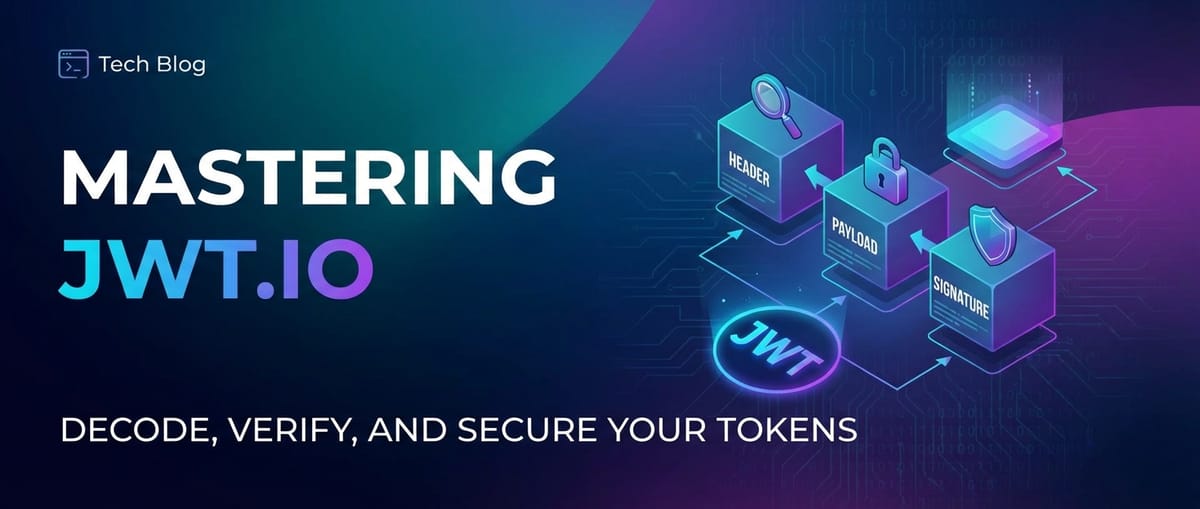
Every JSON Web Token is composed of three distinct parts, separated by dots (.), forming a structure that looks like header.payload.signature. Each of these parts is Base64Url-encoded, making the entire token safe for transmission in URLs, HTTP headers, or POST parameters. Understanding what each part represents is fundamental to decoding and verifying JWTs.
1. The Header (Header)
The first part of a JWT is the header, which typically consists of two fields: typ (type) and alg (algorithm). - typ: This field indicates the type of the token, which is usually "JWT". While it might seem redundant, it explicitly declares the token's format, which can be useful for parsers and api gateways. - alg: This field specifies the cryptographic algorithm used to sign the JWT. Common algorithms include HMAC SHA256 (HS256) and RSA SHA256 (RS256), among others. The choice of algorithm dictates how the signature is computed and, consequently, how it should be verified. The security implications of choosing the right algorithm and managing its associated keys or secrets cannot be overstated. A weak algorithm or poorly managed key can render the entire token system vulnerable. For instance, if an api relies solely on HS256 with a compromised secret, an attacker could forge tokens with arbitrary claims.
When you decode a JWT, the header provides the initial context for how to interpret and validate the rest of the token. It tells the verifier, for example, which secret key to use if it's an HS256 token, or which public key if it's an RS256 token. Without a clear and secure header, the verification process would be ambiguous or easily circumvented.
2. The Payload (Payload)
The second part of the JWT is the payload, which contains the "claims." Claims are statements about an entity (typically the user) and additional metadata. There are three types of claims: registered, public, and private claims. - Registered Claims: These are a set of predefined claims that are not mandatory but are recommended for interoperability. Examples include: - iss (issuer): Identifies the principal that issued the JWT. - sub (subject): Identifies the principal that is the subject of the JWT. - aud (audience): Identifies the recipients that the JWT is intended for. - exp (expiration time): Defines the expiration time on or after which the JWT MUST NOT be accepted for processing. This is a critical security measure to prevent replay attacks and ensure token freshness. - nbf (not before): Defines the time before which the JWT MUST NOT be accepted for processing. - iat (issued at time): Identifies the time at which the JWT was issued. - jti (JWT ID): Provides a unique identifier for the JWT. - Public Claims: These are claims defined by those using JWTs. To avoid collisions, they should be defined in the IANA JSON Web Token Claims Registry or be a URI that contains a collision-resistant namespace. Developers often use public claims to add information that might be useful across different apis, like a user's role or organization ID. - Private Claims: These are custom claims created to share information between parties that agree upon their use. They are not registered or public, and care must be taken to ensure they don't collide with registered or public claim names. For instance, an api might include a private claim like user_id or department_code to streamline internal authorization checks.
The payload is essentially the "data" carried by the JWT. It's where the application-specific information resides, informing the consuming apis about the user's identity, roles, and any other relevant context needed for authorization decisions. While the payload is Base64Url-encoded, making it easily readable by anyone, it is not encrypted. This is a common misconception: JWTs ensure integrity and authenticity through the signature, but they do not provide confidentiality for the payload itself. Therefore, sensitive information that should not be exposed (even in encoded form) should never be placed directly in the JWT payload. Instead, only non-sensitive identifiers or references to sensitive data should be included, allowing the receiving api to fetch the complete sensitive data securely from a backend.
3. The Signature (Signature)
The third and final part of a JWT is the signature. This is arguably the most crucial component for security, as it guarantees the token's integrity and authenticity. The signature is created by taking the Base64Url-encoded header, the Base64Url-encoded payload, concatenating them with a dot, and then cryptographically signing the resulting string using the algorithm specified in the header, along with a secret key or a private key.
The purpose of the signature is two-fold: 1. Integrity: It ensures that the token has not been tampered with since it was issued. If even a single character in the header or payload is changed, the computed signature will no longer match the provided signature, and the token will be deemed invalid. 2. Authenticity: It verifies that the token was indeed issued by the legitimate sender (the issuer) who holds the secret or private key. Without the correct key, an attacker cannot generate a valid signature for a forged token.
For symmetric algorithms like HS256, the same secret key is used for both signing and verifying the token. For asymmetric algorithms like RS256, a private key is used to sign the token, and the corresponding public key is used to verify it. Asymmetric algorithms are particularly useful in scenarios where the issuer (e.g., an identity provider) and the verifier (e.g., an api gateway or a backend api) are separate entities, and the verifier only needs the public key, which can be safely distributed. The security of your JWT system hinges directly on the strength of your signing algorithm and the secrecy of your keys. A compromised key means an attacker can forge valid tokens, bypassing all authentication and authorization layers.
Navigating JWT.io: Your Essential JWT Debugger
Having understood the theoretical underpinnings of JWTs, the next step is to explore JWT.io, the primary online tool that facilitates their practical examination. JWT.io serves as an interactive debugger, decoder, and validator for JSON Web Tokens, making it an indispensable resource for developers working with JWT-based authentication systems. Its intuitive interface provides immediate visual feedback, allowing users to quickly understand the contents and status of a given JWT.
At its core, JWT.io simplifies the otherwise complex task of manually parsing Base64Url-encoded strings and verifying cryptographic signatures. Without such a tool, a developer would have to write custom scripts or use multiple command-line utilities to inspect a JWT, which can be time-consuming and error-prone. JWT.io consolidates these functions into a single, accessible web application, dramatically improving developer productivity and understanding. It's not just for debugging issues; it's also an excellent educational tool, visually demonstrating how the header, payload, and signature components interact and how different algorithms affect the signing process.
The JWT.io Interface: A Quick Tour
Upon visiting https://jwt.io/, you'll be greeted by a clean, three-column layout. - Left Panel (Encoded): This is where you paste your JWT. As you type or paste, the other panels update in real-time. - Middle Panel (Decoded): This panel displays the decoded header and payload as human-readable JSON objects. It clearly separates the two components, allowing for easy inspection of claims and algorithm information. - Right Panel (Verify Signature): This crucial panel is dedicated to signature verification. It allows you to select the signing algorithm, input the secret (for symmetric algorithms) or public key (for asymmetric algorithms), and then attempts to verify the token's signature. It provides a clear "Signature Verified" or "Invalid Signature" status, along with details if there's an error.
This real-time feedback loop is one of JWT.io's greatest strengths. A developer can instantly see if a token is malformed, if claims are as expected, or if a signature fails verification, without needing to integrate the token into a live application or write any code. This rapid iteration capability is invaluable during development and debugging phases, helping to pinpoint issues much faster.
Decoding with JWT.io: Peeling Back the Layers
Decoding a JWT is the act of transforming its Base64Url-encoded parts back into human-readable JSON. While it doesn't verify the token's integrity, it's the first step to understanding what information a token carries. JWT.io makes this process trivial and instant.
Step-by-Step Decoding with JWT.io
- Obtain a JWT: The first step is to get your hands on a JWT. This could be from an
apiresponse (e.g., after a login request), a browser's local storage or cookies, or a token generated for testing purposes. - Paste into the Encoded Section: Copy the entire JWT string (e.g.,
eyJhbGciOiJIUzI1NiIsInR5cCI6IkpXVCJ9.eyJzdWIiOiIxMjM0NTY3ODkwIiwibmFtZSI6IkpvaG4gRG9lIiwiaWF0IjoxNTE2MjM5MDIyfQ.SflKxwRJSMeKKF2QT4fwpMeJf36POk6yJV_adQssw5c) into the left-hand "Encoded" text area onJWT.io. - Observe Real-time Decoding: As you paste, the middle "Decoded" panel will automatically populate with two JSON objects:
- Header: Displays the
alg(algorithm) andtyp(type) fields. - Payload: Shows all the claims (registered, public, and private) contained within the token.
- Header: Displays the
Let's consider an example. Suppose you have the following JWT: eyJhbGciOiJIUzI1NiIsInR5cCI6IkpXVCJ9.eyJzdWIiOiIxMjM0NTY3ODkwIiwibmFtZSI6IkpvaG4gRG9lIiwiYWRtaW4iOnRydWUsImlhdCI6MTUxNjIzOTAyMn0.tXm3k7sVqB4L2E8E0s1Z9rN8P5o0F5x0W3J0J2K5D1Q
Pasting this into JWT.io would immediately reveal:
Decoded Header:
{
  "alg": "HS256",
  "typ": "JWT"
}
Decoded Payload:
{
  "sub": "1234567890",
  "name": "John Doe",
  "admin": true,
  "iat": 1516239022
}
This instant visual representation is incredibly powerful. You can quickly confirm that the algorithm is as expected (e.g., HS256), inspect the sub (subject) to ensure it corresponds to the correct user ID, check the admin claim for proper authorization roles, and verify the iat (issued at time) to gauge the token's age. If you encounter an unexpected value in the payload, it might indicate an issue with how the token was generated by your authentication service. For instance, if a user who should not have administrative privileges suddenly has admin: true in their token, this immediately flags a potential security misconfiguration.
Common Decoding Scenarios and Insights
- Expired Tokens: While
JWT.iowill decode an expired token, theexpclaim will be visible in the payload. Your application'sapi gatewayor backendapiwill then be responsible for checking thisexpclaim during verification and rejecting the token if it's past its expiration time.JWT.iohighlights the human-readable timestamp alongside the Unix timestamp for convenience. - Missing Claims: If your application relies on specific claims for authorization (e.g.,
role,permission_scope), decoding the token onJWT.ioallows you to quickly ascertain if these claims are present and have the correct values. A missing required claim would lead to authorization failures in your application. - Malformed Tokens: If you paste an invalid JWT string (e.g., one with an incorrect number of parts, or malformed Base64Url encoding),
JWT.iowill typically show an error, indicating that it cannot parse the token. This helps in identifying fundamental structural issues. - Understanding Base64Url Encoding:
JWT.ioinherently demonstrates the effect of Base64Url encoding. It's not encryption; it's merely a way to represent binary data (like raw JSON) in an ASCII string format suitable for URLs, stripping out characters that might cause issues (like+,/, and=). This is why the decoded payload is immediately readable. Developers should always remember that anything put in the JWT payload is transparently visible to anyone who obtains the token. This reinforces the principle of not storing sensitive personal information directly in the JWT.
Verifying with JWT.io: The Crucial Step for Security
Decoding a JWT only shows you its contents; it does not prove that the token is authentic or hasn't been tampered with. This is where signature verification comes in, the most critical security aspect of using JWTs. The signature guarantees the token's integrity and authenticity. JWT.io provides a convenient way to perform this verification, particularly useful for debugging and understanding how different algorithms and secrets affect the outcome.
The Mechanism of Signature Verification
The process of signature verification fundamentally involves recalculating the signature based on the header, payload, and the expected secret or public key, then comparing this recomputed signature with the one provided in the token. If they match, the token is considered valid and untampered; otherwise, it's invalid.
Symmetric vs. Asymmetric Algorithms: Key Differences
The verification process differs significantly depending on whether a symmetric or asymmetric algorithm is used:
1. Symmetric Algorithms (e.g., HS256, HS384, HS512) - How they work: These algorithms use a single, shared secret key for both signing and verifying the token. The key must be kept absolutely confidential by both the issuer and the verifier. - Verification: To verify an HS256 token, JWT.io (or your application's api gateway / backend api) needs the exact same secret string that was used to sign the token. It then takes the Base64Url-encoded header and payload, hashes them using SHA256 (for HS256) with the provided secret, and compares the resulting hash with the signature part of the JWT. - Use Case: Best suited for scenarios where the issuer and the consumer of the JWT are the same entity or highly trusted internal services that can securely share a secret.
2. Asymmetric Algorithms (e.g., RS256, RS384, RS512, ES256, ES384, ES512) - How they work: These algorithms use a pair of keys: a private key for signing and a public key for verification. The private key must be kept secret by the issuer, but the public key can be freely distributed to anyone who needs to verify the token. - Verification: To verify an RS256 token, JWT.io (or your application) needs the public key corresponding to the private key that signed the token. It uses this public key to decrypt or validate the signature against the header and payload. - Use Case: Ideal for scenarios where multiple consumers need to verify tokens issued by a single authority (e.g., an Identity Provider issuing tokens to various client applications and apis). The public key can be shared widely without compromising the signing process.
Step-by-Step Verification with JWT.io
- Paste the JWT: As before, paste your JWT into the "Encoded" section. The header and payload will automatically decode.
- Inspect the Header: Look at the
algfield in the "Decoded Header" section. This tells you which algorithm was used. - Configure Verification in the Right Panel:
- For Symmetric Algorithms (e.g., HS256):
JWT.iousually auto-detects the algorithm. In the "Verify Signature" section, you'll see a text box labeled "your-secret". Enter the exact secret string that was used to sign the JWT into this box. - For Asymmetric Algorithms (e.g., RS256): Select the appropriate algorithm from the dropdown (if not auto-detected). You'll then need to paste the corresponding public key (not the private key!) into the provided text area. Public keys are often in PEM format (e.g., starting with
-----BEGIN PUBLIC KEY-----).
- For Symmetric Algorithms (e.g., HS256):
- Observe Verification Status: Once the correct algorithm and key/secret are provided,
JWT.iowill instantly display either "Signature Verified" in green or "Invalid Signature" in red.
Example: Verifying an HS256 Token
Let's use the previous JWT: eyJhbGciOiJIUzI1NiIsInR5cCI6IkpXVCJ9.eyJzdWIiOiIxMjM0NTY3ODkwIiwibmFtZSI6IkpvaG4gRG9lIiwiYWRtaW4iOnRydWUsImlhdCI6MTUxNjIzOTAyMn0.tXm3k7sVqB4L2E8E0s1Z9rN8P5o0F5x0W3J0J2K5D1Q
If this token was signed with the secret your-super-secret-key, you would: 1. Paste the token. 2. See alg: HS256 in the header. 3. Enter your-super-secret-key into the "your-secret" field. 4. JWT.io will display "Signature Verified".
If you enter an incorrect secret, or if the token itself was tampered with, JWT.io would show "Invalid Signature." This instant feedback is crucial for identifying misconfigurations or potential tampering during development.
The Importance of Server-Side Verification
While JWT.io is excellent for debugging, it is absolutely critical to understand that all JWT verification for production apis must occur on the server side (or by a trusted api gateway). Relying on client-side verification is a severe security vulnerability because clients can be manipulated. A malicious user could bypass client-side checks and present a forged token directly to your backend.
When an api gateway or backend api receives a JWT, it performs a series of validations: 1. Signature Verification: This is the primary check for integrity and authenticity. 2. Expiration Check (exp claim): Ensures the token has not expired. 3. "Not Before" Check (nbf claim): Ensures the token is active. 4. Issuer Check (iss claim): Verifies the token was issued by an expected authority. 5. Audience Check (aud claim): Confirms the token is intended for the current service/application. 6. Claim Validation: Checks for the presence and validity of any custom claims required for authorization (e.g., roles, permissions).
If any of these checks fail, the api gateway or backend api must reject the request, preventing unauthorized access. This multi-layered verification process forms the backbone of secure JWT usage.
Algorithm Comparison Table
To better illustrate the differences between common JWT signature algorithms, here's a comparison table:
| Feature | HS256 (HMAC SHA-256) | RS256 (RSA SHA-256) | ES256 (ECDSA SHA-256) |
|---|---|---|---|
| Type | Symmetric | Asymmetric | Asymmetric |
| Key Type | Shared Secret Key | RSA Private Key (sign) / Public Key (verify) | ECC Private Key (sign) / Public Key (verify) |
| Security | Dependent on secret key secrecy | Dependent on private key secrecy | Dependent on private key secrecy |
| Performance | Generally faster for small tokens | Slower than HS256 due to public key crypto | Faster than RS256 for signing/verifying |
| Key Distribution | Must be securely shared with all verifiers | Public key can be openly distributed | Public key can be openly distributed |
| Use Case | Single entity, internal microservices, trusted parties | Distributed systems, third-party apis, multiple clients |
Similar to RS256 but with smaller keys and better performance |
| Key Size (min) | 256 bits (32 bytes) | 2048 bits | 256 bits |
Choosing the right algorithm depends on your application's architecture, security requirements, and performance needs. Symmetric algorithms are simpler but require careful key management, especially in distributed environments. Asymmetric algorithms offer greater flexibility in key distribution, making them ideal for apis consumed by various clients.
APIPark is a high-performance AI gateway that allows you to securely access the most comprehensive LLM APIs globally on the APIPark platform, including OpenAI, Anthropic, Mistral, Llama2, Google Gemini, and more.Try APIPark now! 👇👇👇
Securing JWTs: Best Practices and Common Pitfalls
While JWTs offer significant advantages for authentication and authorization, their security is not inherent; it depends entirely on how they are implemented and managed. Misconfigurations or oversight in handling JWTs can lead to severe vulnerabilities. Mastering JWTs isn't just about decoding and verifying; it's crucially about securing them throughout their lifecycle.
1. Robust Secret/Key Management
- Strong, Unique Secrets: For symmetric algorithms (HS256), the secret key must be long, unpredictable, and kept strictly confidential. Never hardcode secrets in your codebase or store them in version control. Use environment variables, secret management services (e.g., AWS Secrets Manager, HashiCorp Vault), or secure configuration files. Each application or service should ideally use its own unique secret.
- Secure Private Keys: For asymmetric algorithms (RS256, ES256), the private key must be protected with the highest level of security, typically stored in Hardware Security Modules (HSMs) or secure key vaults. Public keys can be distributed freely, often through
JWKS(JSON Web Key Set) endpoints, which allowapi gateways and clients to dynamically fetch the latest public keys for verification. - Key Rotation: Regularly rotate your signing keys or secrets. This limits the window of exposure if a key is compromised. Automated key rotation mechanisms should be a standard part of your security infrastructure.
2. Implement Short Expiration Times (exp Claim)
- Minimize Token Lifespan: JWTs should have short expiration times (e.g., 5-15 minutes for access tokens). Shorter lifespans reduce the risk associated with compromised tokens because even if an attacker obtains a token, its utility window is limited.
- Use Refresh Tokens: For prolonged user sessions, implement a refresh token mechanism. When an access token expires, the client can use a long-lived, single-use refresh token (stored securely, often in a database) to request a new access token. Refresh tokens should be granted less frequently, often rotated, and immediately revoked if any suspicious activity is detected.
3. Implement Token Revocation (for Stateful scenarios)
- Stateless by Design, but Sometimes Revocation is Needed: While JWTs are designed to be stateless, there are situations where immediate revocation is necessary (e.g., user logs out, password reset, account compromise).
- Blacklisting/Whitelisting: To implement revocation, you'll need a mechanism like a blacklist (a list of revoked
jtis, or JWT IDs) or a whitelist (only validjtis are allowed). When a token needs to be revoked, itsjtiis added to the blacklist (typically a fast key-value store like Redis). Every incoming JWT must then be checked against this blacklist before processing. This introduces a slight statefulness, but it's a necessary trade-off for security in certain situations.
4. Ensure Transport Layer Security (HTTPS/SSL/TLS)
- Always Use HTTPS: JWTs must always be transmitted over HTTPS (SSL/TLS). This encrypts the entire communication channel, protecting the token from being intercepted and read by attackers (Man-in-the-Middle attacks). Since JWT payloads are Base64Url-encoded, not encrypted, HTTPS is the only mechanism that provides confidentiality for the token's contents during transit. Without HTTPS, an attacker could easily sniff the token, decode its payload, and potentially use it for unauthorized access.
5. Validate All Standard Claims
Beyond signature verification, diligently validate the following registered claims: - exp (Expiration Time): Always check that the token has not expired. - nbf (Not Before): Ensure the token is not being used before its activation time. - iss (Issuer): Verify that the token was issued by the expected authority (e.g., your authentication server). This prevents tokens from unknown sources from being accepted. - aud (Audience): Confirm that the token is intended for the specific recipient api or application. An api gateway might enforce this to ensure a token for ServiceA isn't used to access ServiceB. - jti (JWT ID): If implementing replay protection or revocation, ensure the jti is unique and not on a blacklist.
6. Avoid Sensitive Data in the Payload
- Payload is Readable: Reiterate this point: the JWT payload is Base64Url-encoded, not encrypted. Anyone who intercepts the token can decode and read its contents.
- Store References, Not Data: Instead of putting sensitive Personally Identifiable Information (PII) like email addresses, phone numbers, or credit card details directly into the JWT, store only non-sensitive identifiers (e.g.,
user_id,session_id). The receivingapican then use these identifiers to securely retrieve the sensitive data from a trusted backend data store.
7. Implement api gateway for Centralized Validation
An api gateway plays a crucial role in securing JWT-based apis. By placing an api gateway in front of your backend services, you can centralize JWT validation, offloading this critical task from individual microservices.
A robust api gateway will: - Intercept Requests: All incoming api requests pass through the gateway. - Validate JWTs: The gateway can be configured to perform all necessary JWT validations (signature, expiration, issuer, audience, etc.) at the edge. This includes fetching public keys from JWKS endpoints or using shared secrets. - Reject Invalid Tokens: If a JWT fails any validation, the gateway can immediately reject the request, preventing invalid or malicious tokens from ever reaching your backend services. This significantly reduces the attack surface for your microservices. - Extract Claims: Upon successful validation, the gateway can extract relevant claims from the JWT (e.g., user ID, roles) and inject them into the request header (or context) before forwarding the request to the upstream service. This allows backend services to trust the gateway's validation and focus on business logic. - Rate Limiting and Throttling: Beyond JWT validation, an api gateway also provides other critical security features like rate limiting, api key management, and IP whitelisting, further enhancing the security posture of your apis.
An example of such a powerful api gateway is APIPark. APIPark is an open-source AI gateway and API management platform that specifically excels at managing, integrating, and deploying AI and REST services. It offers features like end-to-end API Lifecycle Management, including regulating API management processes, managing traffic forwarding, load balancing, and versioning of published APIs. Its ability to handle high-volume traffic, rivaling Nginx in performance, makes it an ideal candidate for centralizing JWT validation. With APIPark, you can configure granular access permissions, require approval for API resource access, and ensure detailed logging of all api calls, providing a comprehensive solution for api security and governance. By leveraging an intelligent gateway like APIPark, organizations can effectively secure their apis, simplify authentication workflows, and build more resilient distributed systems.
8. Guard Against Common JWT Attacks
- None Algorithm Attack: Some JWT libraries, if not configured correctly, might allow an attacker to change the
alg(algorithm) in the header to "none" and then remove the signature. If the server blindly trusts thealgclaim and attempts to verify with anonealgorithm, it might incorrectly validate the token. Yourapi gatewayand verification logic must explicitly disallow thenonealgorithm unless there's a specific, controlled use case for unsigned tokens (which is rare and generally ill-advised for security-criticalapis). - Key Confusion Attack: In this attack, an attacker changes the
algfrom an asymmetric algorithm (e.g., RS256) to a symmetric one (e.g., HS256) and uses the target server's public key as the secret for HS256 to sign a forged token. If the server, upon seeing HS256, uses the public key (which it typically has for RS256 verification) as the symmetric secret, the forged token might be validated. Proper library implementation and explicit key type checking are essential to prevent this. Ensure your verifier only uses symmetric secrets for symmetric algorithms and public keys for asymmetric algorithms. - Brute-Force Attack on Secrets: If an HS256 secret is weak or short, an attacker can brute-force it. This highlights the importance of strong, high-entropy secrets.
Advanced Topics and Considerations
Beyond the basics, several advanced topics contribute to a robust and secure JWT implementation.
Refresh Tokens and Token Rotation
As discussed, short-lived access tokens are crucial for security. Refresh tokens are the mechanism to maintain long-term user sessions without exposing the application to the risks of long-lived access tokens. - Issuance: Upon initial login, both an access token and a refresh token are issued. - Usage: The access token is used for api requests. When it expires, the client uses the refresh token to request a new access token from an authentication server. - Security: Refresh tokens should be: - Long-lived, but single-use: Once a refresh token is used to issue a new access token, it should be immediately invalidated and a new refresh token issued. This prevents replay attacks. - Stored securely: Never in local storage. Ideally, in an HTTP-only cookie with Secure and SameSite attributes, or in a secure, encrypted storage mechanism on mobile devices. - Revocable: Easily revocable by the server if a user logs out, changes password, or if suspicious activity is detected.
JWTs in Microservices Architecture
In a microservices environment, JWTs truly shine due to their stateless nature. - Stateless Authentication: An authentication service issues JWTs. Each microservice (or the api gateway) can independently verify the JWT without needing to communicate with the authentication service for every request. - Decentralized Authorization: Claims within the JWT (e.g., roles, permissions) allow microservices to make granular authorization decisions locally, based on trusted information provided by the token. - api gateway as the Enforcement Point: As previously highlighted, an api gateway like APIPark can act as the central policy enforcement point, validating tokens, authenticating users, and routing requests, simplifying the security burden on individual services. This gateway can also handle rate limiting, caching, and analytics, providing a unified api management layer.
JSON Web Key Sets (JWKS)
For asymmetric algorithms, managing and distributing public keys can become complex, especially when keys are rotated. JWKS solves this problem. - Standardized Key Distribution: A JWKS is a JSON object that contains a set of public keys used to verify JWTs issued by a particular entity. - Dynamic Key Discovery: Issuers expose a JWKS endpoint (e.g., /.well-known/jwks.json). Verifiers (like api gateways or client libraries) can fetch this endpoint to obtain the latest public keys. This allows for seamless key rotation without requiring manual updates to all consuming services. - Enhanced Security: By using JWKS, applications can always use the most current public keys, enhancing security and reducing operational overhead.
Practical Use Cases and Real-World Examples
JWTs are ubiquitous in modern web development, empowering a wide range of applications and services. Their flexibility and security features make them suitable for diverse authentication and authorization challenges.
1. Single Sign-On (SSO) Systems
- Mechanism: In an SSO setup, a user authenticates once with an Identity Provider (IdP). The IdP then issues a JWT. This JWT can subsequently be presented to multiple different applications or services within the same ecosystem to grant access without requiring the user to re-authenticate for each one.
- Benefits: Improves user experience by reducing login fatigue and simplifies administration. The
issandaudclaims become particularly important here to ensure tokens are used correctly across applications.
2. api Authentication and Authorization
- Primary Use Case: This is the most common application of JWTs. A client application (web, mobile, desktop) authenticates with an authentication service, receives a JWT, and then includes this JWT in the
Authorizationheader (e.g.,Bearer <token>) of subsequent requests to protectedapiendpoints. - Role-Based Access Control (RBAC): The JWT payload can contain claims indicating the user's roles (e.g.,
admin,editor,viewer). The backendapiorapi gatewaycan then use these claims to determine if the user has permission to access a specific resource or perform a particular action. - Attribute-Based Access Control (ABAC): More granular permissions can be encoded as attributes in the JWT, allowing for dynamic authorization decisions based on specific data properties or contextual information.
3. Microservice Communication
- Service-to-Service Authentication: Beyond user authentication, JWTs can also be used for secure communication between microservices. A service can obtain a JWT (perhaps representing itself or a delegated user) and use it when calling another internal service. This ensures that only authorized services can communicate with each other, even within a trusted internal network. An
api gatewayoften orchestrates this, validating tokens for external users and potentially issuing new, more granular tokens for internal service calls.
4. OAuth 2.0 and OpenID Connect (OIDC)
- JWT as an ID Token: OpenID Connect, an authentication layer on top of OAuth 2.0, extensively uses JWTs as "ID Tokens." These ID Tokens contain claims about the authenticated user and are signed by the Identity Provider, providing verifiable identity information to the client application.
- Access Tokens (sometimes JWTs): While OAuth 2.0 access tokens can be opaque strings, they are frequently implemented as JWTs, especially in modern
apiecosystems, offering the benefits of self-contained, verifiable information.
5. WebHooks and Serverless Functions
- Secure Event Delivery: When sending data via webhooks or triggering serverless functions, a JWT can be included to verify the authenticity of the sender. The receiving endpoint can then verify the JWT's signature and claims to ensure the event originated from a trusted source and hasn't been tampered with. This is crucial for preventing malicious invocations or spoofed events.
The adoption of JWTs across these diverse use cases underscores their adaptability and the robust security they offer when implemented correctly. Tools like JWT.io empower developers to debug and understand these complex tokens, while platforms like APIPark provide the necessary infrastructure to manage and secure them at scale within modern api ecosystems.
Conclusion: Empowering Secure Digital Interactions
The journey through the intricacies of JSON Web Tokens, from their fundamental structure to the advanced strategies for their security and management, underscores their pivotal role in modern api and web application development. JWTs provide a powerful, efficient, and scalable mechanism for authentication and authorization, enabling stateless apis, facilitating microservice communication, and powering sophisticated systems like Single Sign-On. However, their power comes with a critical responsibility: the need for meticulous implementation and continuous vigilance against potential vulnerabilities.
JWT.io emerges as an invaluable companion in this journey. It democratizes the understanding of JWTs, transforming opaque token strings into transparent, inspectable components. By providing an intuitive platform for decoding headers and payloads, and crucially, for simulating signature verification, JWT.io empowers developers to rapidly debug issues, validate expectations, and deepen their comprehension of token mechanics. It serves not just as a debugger, but as a practical learning tool that reinforces the theoretical concepts of JWT structure and cryptographic integrity.
Beyond individual token inspection, the broader security landscape of JWTs demands a comprehensive approach. This includes the unwavering commitment to robust secret and key management, the judicious implementation of short expiration times coupled with secure refresh token strategies, and the critical practice of validating every relevant claim. Moreover, the architecture of modern apis greatly benefits from the strategic deployment of an api gateway. A powerful gateway such as APIPark acts as a front-line defense, centralizing JWT validation, enforcing security policies, and offloading authentication burdens from backend services. By intelligently processing and routing requests, APIPark enhances the efficiency, security, and overall manageability of your api ecosystem, allowing developers to focus on delivering core business logic with confidence.
Ultimately, mastering JWTs is about more than just knowing how to generate or consume them; it's about understanding their lifecycle, their vulnerabilities, and the best practices that transform them from mere data carriers into trusted digital credentials. By leveraging tools like JWT.io for clarity and platforms like APIPark for governance and security, developers can confidently build the next generation of secure, scalable, and resilient applications that power our increasingly interconnected digital world. The future of apis is secure, and JWTs, properly implemented, are at its heart.
Frequently Asked Questions (FAQs)
1. What is the fundamental difference between JWTs and traditional session-based authentication? Traditional session-based authentication relies on the server storing session state (e.g., in a database or memory) and associating a session ID (often in a cookie) with the client. The server must be queried on each request to validate the session ID and retrieve user information. JWTs, conversely, are stateless. All user information and claims are embedded directly within the token and signed by the server. The server (or api gateway) can verify the token's authenticity and integrity on each request without needing to look up session state, making them highly scalable for distributed systems and microservices.
2. Is it safe to store JWTs in local storage (localStorage)? Generally, it is not recommended to store JWTs (especially access tokens) in localStorage due to its susceptibility to Cross-Site Scripting (XSS) attacks. If an attacker successfully injects malicious JavaScript into your website, they can access all data in localStorage, including your JWT, and use it to impersonate the user. A more secure approach for web applications is to store JWTs (or refresh tokens) in HTTP-only cookies, which are inaccessible to JavaScript, thus mitigating XSS risks. However, this introduces challenges with Cross-Site Request Forgery (CSRF), which needs to be addressed with appropriate CSRF protection.
3. What does "Base64Url-encoded" mean, and why is it used in JWTs? Base64Url encoding is a variant of Base64 encoding specifically designed to be safe for use in URLs. It replaces + with -, / with _, and omits the padding character = to ensure that the encoded string doesn't interfere with URL parsing or cause issues when transmitted in URL query parameters or HTTP headers. It's used in JWTs because it efficiently converts binary data (like JSON objects) into a compact, ASCII string format that can be easily transmitted across the web without data corruption. It is important to remember that Base64Url encoding is not encryption; it only transforms the data's representation, making it easily readable by anyone who decodes it.
4. Can JWTs be encrypted for confidentiality? Yes, JWTs can be encrypted, in which case they are referred to as JSON Web Encryption (JWE). While standard JWTs (JWS - JSON Web Signature) only provide integrity and authenticity through a signature, JWE adds confidentiality by encrypting the token's payload. This ensures that only the intended recipient with the correct decryption key can read the token's contents. JWE is used when the information in the payload is sensitive and needs to be protected from unauthorized viewing, even during transit.
5. How does an api gateway enhance JWT security and management? An api gateway, like APIPark, significantly bolsters JWT security and management by acting as a central enforcement point at the edge of your network. It intercepts all incoming requests, allowing for centralized JWT validation (signature, expiration, issuer, audience checks) before requests reach backend services. This offloads authentication logic from individual microservices, reduces the attack surface, and ensures consistent security policies across all apis. The gateway can also handle rate limiting, api key management, and routing based on JWT claims, providing a robust, scalable, and manageable security layer for your api ecosystem.
🚀You can securely and efficiently call the OpenAI API on APIPark in just two steps:
Step 1: Deploy the APIPark AI gateway in 5 minutes.
APIPark is developed based on Golang, offering strong product performance and low development and maintenance costs. You can deploy APIPark with a single command line.
curl -sSO https://download.apipark.com/install/quick-start.sh; bash quick-start.sh

In my experience, you can see the successful deployment interface within 5 to 10 minutes. Then, you can log in to APIPark using your account.

Step 2: Call the OpenAI API.