Mastering JWT.io: Decode, Verify & Secure Tokens
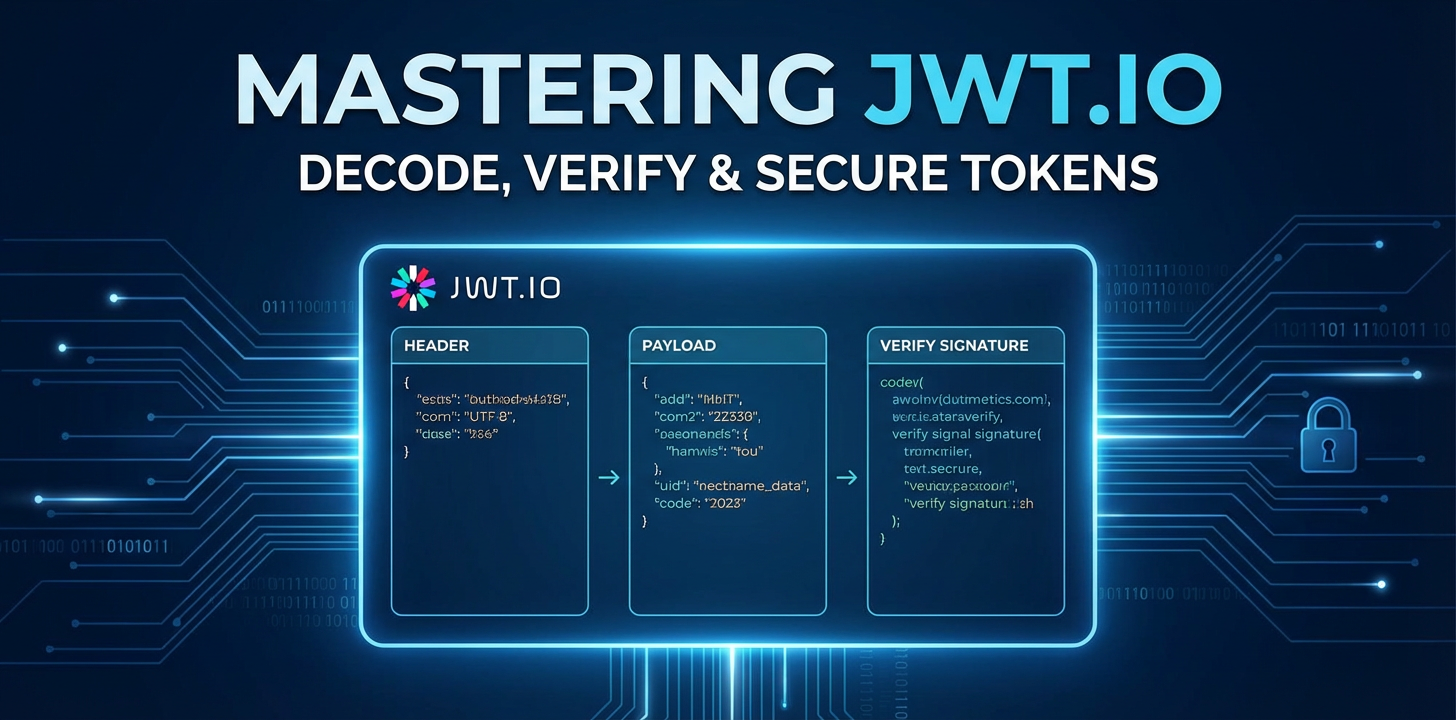


In the intricate landscape of modern web development, where applications communicate through a vast network of APIs, the paramount importance of security cannot be overstated. From safeguarding sensitive user data to preventing unauthorized access, robust authentication and authorization mechanisms form the bedrock of any reliable system. Traditional session-based authentication, while effective in many contexts, often struggles to scale efficiently in distributed architectures, microservices, and single-page applications (SPAs). This is where JSON Web Tokens (JWTs) emerge as a powerful, elegant, and widely adopted solution, offering a stateless and self-contained method for securely transmitting information between parties.
JWTs have revolutionized how developers approach API security, enabling more scalable and flexible authentication flows. However, understanding, debugging, and securing these tokens requires more than just theoretical knowledge; it demands practical tools and a deep grasp of their underlying principles. Enter JWT.io, the indispensable online utility that serves as a decoder, debugger, and validator for JSON Web Tokens. For anyone working with APIs, whether a seasoned backend engineer, a frontend developer consuming secure endpoints, or a security analyst scrutinizing network traffic, mastering JWT.io is not merely a convenience but a fundamental skill.
This comprehensive guide aims to take you on an exhaustive journey through the world of JWTs and their interaction with JWT.io. We will meticulously dissect the anatomy of a JWT, unraveling its header, payload, and signature components with granular detail. Beyond just decoding, we will delve into the critical process of token verification, exploring how integrity and authenticity are established, and the common pitfalls to avoid. Furthermore, we will extend our focus to the broader context of API security, examining advanced concepts, best practices for secure token implementation, and the pivotal role of an API gateway in fortifying your digital infrastructure. By the end of this extensive exploration, you will possess not only the theoretical knowledge but also the practical insights necessary to confidently decode, verify, and secure tokens, ensuring the integrity and resilience of your API-driven applications.
The Foundation: Understanding JSON Web Tokens (JWTs) in Detail
Before we can effectively leverage JWT.io, it is absolutely essential to possess an profound understanding of what a JSON Web Token truly is, why it exists, and how it is constructed. A JWT is an open standard (RFC 7519) that defines a compact and self-contained way for securely transmitting information between parties as a JSON object. This information can be verified and trusted because it is digitally signed. JWTs are often used for authentication and authorization in web applications, particularly in stateless environments like those built with microservices or consuming APIs.
The Anatomy of a JWT: A Three-Part Structure
Every JSON Web Token is composed of three distinct parts, separated by dots (.), each serving a specific and crucial role:
- Header (Header.Payload.Signature)
- Payload (Header.Payload.Signature)
- Signature (Header.Payload.Signature)
Let's examine each component with a level of detail that underscores its importance in the overall security model of a JWT.
The Header: Declaring Intent
The header typically consists of two fields:
alg(Algorithm): This specifies the cryptographic algorithm used to sign the JWT. Common algorithms includeHS256(HMAC using SHA-256) for symmetric key encryption, andRS256(RSA Signature with SHA-256) orES256(ECDSA using P-256 and SHA-256) for asymmetric key encryption. The choice of algorithm is paramount as it dictates how the signature will be generated and, critically, how it will be verified. Incorrectly handling this algorithm can open doors to severe security vulnerabilities, such as "algorithm confusion attacks" where an attacker might try to force a weaker or unverified algorithm.typ(Type): This declares the type of the token, which for JWTs is almost alwaysJWT. While seemingly trivial, this field helps consumers of the token identify its format and process it accordingly.
Example Header (Base64Url Encoded): eyJhbGciOiJIUzI1NiIsInR5cCI6IkpXVCJ9
Decoded Header (JSON):
{
  "alg": "HS256",
  "typ": "JWT"
}
This header is then Base64Url-encoded to form the first part of the JWT. The Base64Url encoding is a URL-safe variant of Base64, meaning it uses characters that are safe to include in URLs without requiring additional encoding (e.g., - instead of +, _ instead of /). This is a crucial detail for HTTP transport.
The Payload: Carrying Claims (Not Secrets!)
The payload, also known as the JWT Claims Set, contains the actual information you want to transmit. This information is expressed as a set of "claims," which are statements about an entity (typically the user) and additional metadata. It's crucial to understand that the payload is not encrypted; it is only Base64Url-encoded. This means anyone can decode the payload and read its contents. Therefore, sensitive information that absolutely must remain confidential should never be placed directly into the JWT payload.
Claims can be categorized into three types:
- Registered Claims: These are a set of predefined claims that are neither mandatory nor recommended but provide a useful, interoperable set of claims. These claims are often used to provide a framework for common JWT use cases and are explicitly defined in the JWT specification.
iss(Issuer): Identifies the principal that issued the JWT. This could be a domain name, a service ID, or any string that uniquely identifies the token issuer. Validating the issuer helps ensure the token originated from a trusted source.sub(Subject): Identifies the principal that is the subject of the JWT. This is usually the user ID or a unique identifier for the entity the token represents. It's important for identifying who the token is about.aud(Audience): Identifies the recipients that the JWT is intended for. Each principal intended to process the JWT must identify itself with a value in the audience claim. If the token is intended for multiple applications, theaudclaim might be an array of strings. This is vital for preventing a token intended for one service from being used by another.exp(Expiration Time): Identifies the expiration time on or after which the JWT MUST NOT be accepted for processing. The value is a Unix timestamp (seconds since epoch). Short expiration times significantly reduce the risk of compromised tokens being used for extended periods. This is a critical security feature.nbf(Not Before): Identifies the time before which the JWT MUST NOT be accepted for processing. Also a Unix timestamp. Useful for delaying activation of a token.iat(Issued At): Identifies the time at which the JWT was issued. Also a Unix timestamp. Can be used to determine the age of the token.jti(JWT ID): Provides a unique identifier for the JWT. Can be used to prevent the token from being replayed (though actual replay prevention usually involves more sophisticated mechanisms, potentially including an API gateway for enforcement).
- Public Claims: These are custom claims defined by JWT users, but to avoid collisions, they should be registered in the IANA "JSON Web Token Claims" registry or be defined by a URI that contains a collision-resistant namespace. In practice, these are simply custom claims intended to be used by multiple applications or services.
- Private Claims: These are custom claims created to share information between parties that agree upon their use. For example, you might include a
roleclaim to specify a user's permissions ("role": ["admin", "editor"]) or atenantIdfor multi-tenancy applications. When defining private claims, care must be taken to ensure the names do not collide with registered or public claims. Again, remember these are visible to anyone.
Example Payload (Base64Url Encoded): eyJzdWIiOiIxMjM0NTY3ODkwIiwibmFtZSI6IkpvaG4gRG9lIiwiaWF0IjoxNTE2MjM5MDIyfQ
Decoded Payload (JSON):
{
  "sub": "1234567890",
  "name": "John Doe",
  "iat": 1516239022
}
This payload is also Base64Url-encoded to form the second part of the JWT.
The Signature: Ensuring Integrity and Authenticity
The signature is the most critical component for the security of a JWT. It is used to verify that the sender of the JWT is who it says it is and that the message hasn't been changed along the way. Without a valid signature, a JWT is merely a Base64Url-encoded string of data with no integrity guarantees.
The signature is created by taking the Base64Url-encoded header, the Base64Url-encoded payload, a secret (for symmetric algorithms like HS256) or a private key (for asymmetric algorithms like RS256), and the algorithm specified in the header, and then signing them.
The signature generation process generally follows this pattern:
signature = Algorithm(
    base64UrlEncode(header) + "." +
    base64UrlEncode(payload),
    secret_or_private_key
)
For instance, with HS256, it would be HMACSHA256(base64UrlEncode(header) + "." + base64UrlEncode(payload), secret).
When a server receives a JWT, it performs the exact same signing process using the provided header, payload, and its own secret/public key. It then compares the newly generated signature with the signature provided in the token. If they match, the token is considered valid and untampered; if they don't, the token is rejected as invalid or potentially compromised. This mechanism is the cornerstone of JWT security, guaranteeing that the token's content originated from a trusted source and has not been altered in transit. The secret key must be kept absolutely confidential on the server-side; its compromise would allow an attacker to forge valid tokens.
Why JWTs? Advantages in Modern API Development
The widespread adoption of JWTs is driven by several key advantages that align perfectly with the demands of contemporary distributed systems and API architectures:
- Statelessness: Unlike traditional session-based authentication where the server stores session information, JWTs are self-contained. All necessary user information (claims) is stored within the token itself. This means the server does not need to maintain a session state, making applications highly scalable and easier to deploy in distributed environments like microservices. Each request carrying a JWT can be independently verified without needing to query a centralized session store. This is particularly beneficial when interacting with numerous APIs.
- Security: JWTs are digitally signed, ensuring their integrity and authenticity. Once issued, if any part of the header or payload is tampered with, the signature verification will fail, rendering the token invalid. This robust cryptographic guarantee is a major security uplift.
- Compactness: JWTs are small in size, which makes them efficient to transmit in HTTP headers or URL query parameters. Their compact nature contributes to faster authorization checks and reduced network overhead.
- Self-contained: The token itself contains all the information about the user, including permissions and expiration time. This reduces the need for multiple database queries for each request, accelerating authorization decisions. A backend service receiving a JWT can immediately verify its claims without further interaction with the issuing authentication service, assuming it has the correct key for verification.
- Decoupling: JWTs enable a clean separation between the authentication service (issuer) and the resource services (audience). Any service that trusts the issuer and possesses the correct public key or shared secret can validate the token independently, without direct communication with the authentication service for every request. This fosters a highly decoupled and flexible architecture, critical for large-scale microservice deployments that rely heavily on inter-service api calls.
JWTs vs. Session Cookies: A Comparative Overview
While both JWTs and session cookies serve the purpose of maintaining user state between requests, they do so with fundamentally different approaches, each with its own set of trade-offs, especially in the context of API-driven applications.
| Feature | Session Cookies | JSON Web Tokens (JWTs) |
|---|---|---|
| State Management | Server-side state (session store). | Client-side state (token itself contains claims). Stateless on server. |
| Scalability | Can be challenging for horizontal scaling (requires shared session store or sticky sessions). | Highly scalable; ideal for distributed systems and microservices. |
| Cross-Domain | Typically restricted to a single domain (Same-Origin Policy). | Easily transferable across multiple domains/subdomains; excellent for SSO. |
| Storage Location | Browser cookies (managed by browser). | Local Storage, Session Storage, HTTP-only cookies, memory (managed by developer). |
| Security Risks | CSRF, Session Fixation, XSS (if not HTTP-only). | XSS (if stored in local/session storage), Token Theft, Algorithm Confusion. |
| Revocation | Easy: delete session from server. | Harder: requires blocklisting or short exp times with refresh tokens. |
| Payload | Stores opaque session ID only. | Stores user claims/data (readable but signed). |
| Usage | Traditional web apps, server-rendered UIs. | RESTful APIs, SPAs, Mobile Apps, Microservices, IoT, cross-service authorization. |
| Network Traffic | Less data per request (just session ID). | More data per request (full token), but avoids server-side lookups. |
| API Integration | Less suited due to statefulness and CSRF concerns. | Highly suitable for securing API calls due to statelessness and self-contained nature. |
For applications heavily relying on API communication, especially across different domains or between decoupled microservices, JWTs offer a more natural and efficient fit due to their statelessness and self-contained nature. They simplify the authentication flow by offloading state management to the client and leveraging digital signatures for trust.
With a solid understanding of JWT fundamentals now established, we are well-prepared to dive into the practical application of this knowledge using the premier debugging tool for JWTs: JWT.io.
Deep Dive into JWT.io: The Ultimate Decoder, Debugger, and Validator
JWT.io stands as the authoritative and most widely used online tool for interacting with JSON Web Tokens. It is an indispensable utility for developers, security professionals, and anyone needing to inspect, debug, or verify JWTs. Its intuitive interface provides immediate visual feedback on the token's structure and validity, transforming an otherwise cryptic string into an understandable, actionable data object. Mastering JWT.io means gaining the ability to quickly diagnose issues, validate implementations, and understand the contents and security posture of any given JWT.
Introducing JWT.io: Your Window into Token Mechanics
At its core, JWT.io is a web-based debugger that allows you to paste a JWT and instantly see its decoded components: the header, the payload, and the signature verification status. It supports various signing algorithms and provides fields for inputting secrets or public keys to perform signature validation. For many, it's the first stop when encountering an unfamiliar token or debugging an authentication issue.
The interface of JWT.io is typically divided into several key sections:
- Encoded: A large text area where you paste or type your full JWT.
- Decoded (Header & Payload): Two separate panes displaying the JSON representation of the Base64Url-decoded header and payload.
- Signature Verification: A section where you select the algorithm (auto-detected from the header) and input the secret (for symmetric algorithms) or public key (for asymmetric algorithms). This section then dynamically indicates whether the signature is valid or not.
Let's walk through the process of using JWT.io, emphasizing the insights each section provides.
Decoding a JWT: Unveiling the Contents
The first and most immediate function of JWT.io is its ability to decode a JWT. When you paste an encoded JWT string into the "Encoded" text area, the tool instantly separates the string by its . delimiters and Base64Url-decodes the first two parts.
- Step-by-step guide using the JWT.io interface:
- Open your web browser and navigate to https://jwt.io.
- Locate the large text area labeled "Encoded" (or similar, depending on any UI updates).
- Paste your complete JWT string into this area. For example, paste a token like
eyJhbGciOiJIUzI1NiIsInR5cCI6IkpXVCJ9.eyJzdWIiOiIxMjM0NTY3ODkwIiwibmFtZSI6IkpvaG4gRG9lIiwiaWF0IjoxNTE2MjM5MDIyfQ.SflKxwRJSMeKKF2QT4fwpMeJf36POk6yJV_adQssw5c. - Observe the magic! As soon as you paste the token, the "Decoded" sections (Header and Payload) will automatically populate with human-readable JSON.
- Explaining the three panes: Encoded, Header, Payload, and Signature Verification:
- Encoded: This pane shows the raw, Base64Url-encoded JWT string. It's the string that gets transmitted over the network. It visibly highlights the three parts in different colors, making it easy to see where the header ends, the payload begins, and the signature is appended. This visual separation immediately reinforces the three-part structure of a JWT.
- Header: This pane displays the JSON object derived from Base64Url-decoding the first part of the JWT. Here, you'll immediately see the
alg(e.g.,HS256,RS256) andtyp(JWT) claims. This is crucial for understanding how the token was signed and what type of token it is. If you're debugging, this is where you'd confirm the expected signing algorithm matches what's actually in the token. - Payload: This pane reveals the JSON object derived from Base64Url-decoding the second part of the JWT. This is where all the claims reside – registered claims like
iss,sub,aud,exp,iat, as well as any public or private custom claims your application has added (e.g.,role,userId). This is where you inspect the user's identity, permissions, and any other data carried by the token. Debugging potential authorization issues often starts by examining the claims here. - Signature Verification: This section, discussed in more detail below, is where the integrity check happens.
- Demonstrating how the tool visually separates the components: JWT.io uses distinct background colors for the header, payload, and signature portions of the encoded token, providing an immediate visual cue to their boundaries. This simple yet effective UI design greatly aids in understanding the token's structure at a glance.
- Discussing the Base64Url encoding and how JWT.io decodes it: It's vital to reiterate that Base64Url encoding is not encryption. It's merely a method of representing binary data (the JSON objects) in an ASCII string format that is safe for URL and filename usage. JWT.io performs this decoding instantly, revealing the plaintext JSON. This emphasizes that sensitive information should never be directly placed in the payload, as any recipient can easily decode and read it. The security of JWTs comes from the signature, not the obscurity of the payload.
Inspecting the Header: The Algorithm and Type
Once decoded, the header provides immediate, fundamental information about the token:
- What information is found here?
alg,typ. As previously noted, thealgclaim tells you precisely which cryptographic algorithm was used to sign the token. This knowledge is critical because your backend server must use the same algorithm and the corresponding key (secret or public key) to verify the token. Thetypclaim, usuallyJWT, confirms that the token adheres to the JSON Web Token specification. - Importance of
algfor signature verification: Thealgclaim is paramount. If your server is expecting anHS256token but receives one withRS256, or worse,none, it must strictly reject it or apply the correct verification logic. JWT.io makes this transparent by automatically detecting thealgfrom the header and pre-selecting it in the signature verification section, guiding you toward the correct verification method.
Examining the Payload (Claims): The Data Carried
The payload is where the actual "information" of the token resides. Detailed examination of its claims is crucial for understanding the token's purpose and its authorization context.
- Registered Claims: Detail each one (
iss,sub,aud,exp,nbf,iat,jti).iss(Issuer): Who created this token? Is it your authentication service? An external identity provider? Validating this against a predefined list of trusted issuers is a key security check to prevent tokens from unknown sources from being accepted.sub(Subject): Who is this token about? This is typically the user ID. It's the primary identifier your application will use to fetch user-specific data or apply permissions.aud(Audience): For whom is this token intended? If your token is issued forapi.example.com/serviceA, but a request tries to use it forapi.example.com/serviceB, andserviceBis not listed inaud, it should be rejected. This prevents tokens from being accidentally or maliciously misused across different services.exp(Expiration Time): When does this token become invalid? This Unix timestamp is perhaps the most important security claim. Short-lived tokens minimize the window of opportunity for attackers if a token is compromised. JWT.io helpfully highlights expired tokens by indicating "Signature Verified" but also showing theexpclaim in red if the token is past its expiry.nbf(Not Before): When does this token become valid? Useful for ensuring a token isn't used before its intended activation time, typically just after issuance.iat(Issued At): When was this token issued? Can be used for auditing or calculating token age.jti(JWT ID): A unique identifier. While not for typical "revocation" in a stateless sense, it can be used for advanced scenarios like preventing replay attacks in conjunction with a blocklist, especially when enforced at an API gateway.
- Public Claims: These are custom claims defined by JWT users, but intended for general interoperability. If you're building a public api and want to define a common claim for all consumers, you might use a public claim, ensuring its name avoids collisions.
- Private Claims: Custom data for specific applications. Discuss sensitive data considerations. Most applications will use private claims to store application-specific data. Examples include
roles,permissions,tenantId,userId(ifsubis too generic), or other contextual information necessary for authorization decisions. Crucially, remember that any data placed in private claims is readable by anyone who decodes the token. Therefore, never store highly sensitive information like unhashed passwords, personal identifiable information (PII) that shouldn't be publicly visible, or private API keys in the JWT payload. If such data is needed, store a reference (like an ID) in the JWT and retrieve the actual sensitive data from a secure backend store.
Signature Verification: The Cornerstone of JWT Security
This is where JWT.io truly shines as a security debugger. The signature verification section allows you to test the integrity and authenticity of the token using the secret key or public key that corresponds to the alg specified in the header.
- The most crucial part for security: A JWT without a verified signature is worthless from a security perspective. The signature provides the guarantee that the token's content has not been altered since it was issued and that it indeed originated from the expected issuer.
- How JWT.io helps: You input the secret/public key.
- Below the decoded header and payload, you'll find a section dedicated to "Signature Verification."
- The
algdropdown will typically be pre-selected based on the token's header. - If the algorithm is symmetric (e.g.,
HS256,HS384,HS512), you'll be prompted to enter a "secret." This secret must be the exact same key used by your server to sign the token. - If the algorithm is asymmetric (e.g.,
RS256,ES256,PS256), you'll be prompted to enter a "public key." This public key corresponds to the private key that your server used to sign the token. - Once the correct key material is provided, JWT.io will instantly display "Signature Verified" in green, or "Invalid Signature" in red.
- Explaining the process: JWT.io re-computes the signature using the provided secret/key and compares it to the token's signature. Behind the scenes, JWT.io takes the Base64Url-encoded header, the Base64Url-encoded payload, and the key material you provided. It then re-runs the signing algorithm specified in the header. The output of this re-computation is then compared byte-for-byte with the signature segment of the token you pasted. If they match, the signature is valid; if they differ, it's invalid.
- Importance of a valid signature: Ensures integrity (token hasn't been tampered with) and authenticity (token was issued by the expected entity).
- Integrity: A valid signature confirms that the header and payload have not been altered in any way since the token was signed. If an attacker tried to change a
roleclaim from"user"to"admin", the signature would no longer match, and the token would be rejected. - Authenticity: A valid signature also confirms that the token was issued by an entity possessing the correct secret or private key. If an attacker attempts to forge a token without knowing the secret, they cannot generate a valid signature, and their forged token will be rejected. This is why keeping your signing secrets/private keys absolutely confidential is non-negotiable.
- Integrity: A valid signature confirms that the header and payload have not been altered in any way since the token was signed. If an attacker tried to change a
- Common issues: Incorrect secret, wrong algorithm.
- Incorrect Secret/Key: This is the most common reason for "Invalid Signature." Double-check that you're using the exact secret string (including any special characters or encoding) or the correct public key (including the full PEM format, if applicable) that your server is using. Typographical errors are frequent culprits.
- Wrong Algorithm: Although JWT.io typically auto-detects, sometimes developers might accidentally configure their server to use one algorithm (e.g.,
HS256) but try to verify with another (e.g.,HS512) or vice-versa. Always confirm thealgin the header matches your verification logic. A notorious vulnerability, "algorithm confusion attack," exploits situations where servers don't explicitly enforce thealgfrom the header but instead assume a fixed algorithm.
By actively using JWT.io, developers can rapidly understand the behavior of their JWT implementations, identify misconfigurations, and confirm the expected content and validity of tokens flowing through their systems. It serves as an invaluable diagnostic tool, simplifying the complex world of token-based authentication.
APIPark is a high-performance AI gateway that allows you to securely access the most comprehensive LLM APIs globally on the APIPark platform, including OpenAI, Anthropic, Mistral, Llama2, Google Gemini, and more.Try APIPark now! 👇👇👇
Advanced Concepts and Best Practices for JWT Security
While JWTs offer significant advantages in modern distributed architectures, their security is not inherent; it is highly dependent on proper implementation and adherence to rigorous best practices. Flaws in how JWTs are generated, stored, or validated can open critical vulnerabilities, transforming a powerful security mechanism into a potential weak point. Mastering JWT security involves a deep understanding of these advanced concepts and proactive measures to mitigate risks.
Key Management: The Foundation of Trust
The security of a JWT ultimately hinges on the strength and confidentiality of its signing key. Poor key management practices are a direct path to token compromise.
- Importance of strong, unique secrets/keys:
- Symmetric Keys (HS256, etc.): The secret key used for HMAC algorithms must be a long, cryptographically strong, random string (at least 32 bytes for HS256, ideally more). It must be unique per application and never hardcoded into source code. Generated secrets should be stored securely in environment variables, dedicated secret management services (e.g., HashiCorp Vault, AWS Secrets Manager), or a robust Key Management System (KMS). Reusing secrets across different applications or environments is a critical security flaw.
- Asymmetric Keys (RS256, ES256, etc.): For asymmetric algorithms, you generate a key pair: a private key and a public key. The private key, used for signing, must be kept absolutely secret and protected with the same rigor as symmetric secrets. The public key, used for verification, can be shared openly. It's often exposed via a JWKS (JSON Web Key Set) endpoint, allowing clients or other services to dynamically retrieve the correct public key for verification.
- Using RSA/ECDSA (asymmetric cryptography) vs. HS256 (symmetric). When to use each.
- Symmetric (HS256): Simpler to implement. The same secret key is used for both signing and verifying. Ideal for scenarios where a single entity (e.g., a monolith application or an API gateway and a small set of backend services that all trust each other explicitly) issues and verifies its own tokens. It's fast and efficient. The major drawback is that the secret must be securely shared with every entity that needs to verify the token.
- Asymmetric (RS256, ES256): More complex but offers greater flexibility and security in distributed systems. The private key is held by the issuer, while the public key is used by verifiers. This means the verifiers don't need access to the sensitive private key. This is the preferred method for Single Sign-On (SSO) scenarios, OAuth 2.0, OpenID Connect, and microservice architectures where many different services need to verify tokens issued by a central authentication service. The public key can be freely distributed without compromising the signing capability.
- Secure storage of secrets: Secrets should never be stored directly in code repositories, plaintext configuration files, or client-side applications. Employ environment variables, dedicated secret management services, or encrypted configuration files. Access to these secrets should be strictly controlled and audited.
Expiration (exp) and Revocation: Managing Token Lifecycles
The exp claim is a cornerstone of JWT security, but it's not a complete solution on its own.
- Why short-lived tokens are important: If a JWT is compromised (e.g., stolen via XSS), an attacker can use it until it expires. Short expiration times (e.g., 5-15 minutes for access tokens) significantly limit the window of opportunity for attackers. This means even if a token is stolen, its utility to an attacker is fleeting.
- Strategies for handling token expiration: refresh tokens.
- For seamless user experience with short-lived access tokens, a common pattern is to use refresh tokens. An access token is short-lived and used for protected API calls. When it expires, the client can use a longer-lived refresh token (which is typically stored more securely, often as an HTTP-only cookie, and is usually one-time use) to obtain a new access token without requiring the user to re-authenticate.
- Refresh tokens themselves should have robust security measures: long but finite lifespans, stored server-side (in a database), associated with a specific user, single-use per access token request, and subject to revocation.
- Token revocation (even though JWTs are stateless): Blocklisting, short lifespans, using an API gateway to enforce policies.
- Because JWTs are stateless, there's no inherent "revoke token" functionality like with server-side sessions. Once issued, a validly signed token is typically accepted until its expiration.
- Short Lifespans: The primary "revocation" mechanism for access tokens is their short expiration time.
- Blocklisting/Denylisting: For immediate revocation (e.g., after a user logs out, changes password, or a token is deemed compromised), you can implement a blocklist (or denylist) where revoked
jti(JWT ID) claims are stored in a fast-access data store (like Redis). Before processing any JWT, the server (or preferably, an API gateway) checks if the token'sjtiis on the blocklist. If it is, the token is immediately rejected, regardless of itsexptime. This introduces a small amount of state but is often a necessary trade-off for security. - API Gateway Enforcement: An API gateway is an ideal place to enforce blocklisting. It sits in front of all backend services and can perform this check centrally and efficiently, preventing revoked tokens from ever reaching your application logic. This offloads revocation logic from individual services.
Audience (aud) and Issuer (iss) Validation: Preventing Misuse
Validating these registered claims is critical for ensuring tokens are used in their intended context.
- Crucial for preventing cross-application attacks: An attacker might try to replay a valid token issued for one service (e.g.,
audit-api) against another service (e.g.,user-management-api). Ifuser-management-apidoesn't validate theaudclaim, it might accept a token not meant for it, potentially leading to unauthorized actions. - Always validate these claims in your application: Your backend services (or the API gateway) must explicitly check that the
issclaim matches a trusted issuer and that theaudclaim includes the current service's identifier. Failure to do so creates a significant vulnerability.
Algorithm Confusion Attacks: A Stealthy Threat
This is a specific and dangerous class of attack that exploits lax verification logic.
- How attackers might try to force a
nonealgorithm or switch from RSA to HMAC:- An attacker takes a token signed with an asymmetric algorithm (e.g.,
RS256), modifies thealgclaim in the header tonone, and strips the signature. If the server is poorly implemented, it might blindly trust thealgclaim and proceed to verify with no signature at all, effectively accepting any token. - Alternatively, an attacker might take an
RS256token, change thealgtoHS256, and then attempt to sign it with the public key as the secret. If the server expectsRS256but instead verifies withHS256using the public key (which is often publicly available, thus no longer a "secret"), the attacker can successfully forge valid tokens.
- An attacker takes a token signed with an asymmetric algorithm (e.g.,
- The importance of explicitly checking the
algclaim and using the correct verification method: Your backend verification code must never blindly trust thealgclaim from the token's header. Instead, it should:- Have a predefined set of acceptable algorithms.
- Based on the expected algorithm (configured on the server-side, not from the token), retrieve the correct secret or public key.
- Explicitly use the expected algorithm for verification, regardless of what the token's
algclaim states. If the token'salgclaim doesn't match the expected algorithm, the token should be rejected. This prevents an attacker from dictating the verification algorithm.
Storing JWTs Securely: Client-Side Considerations
How JWTs are stored on the client-side is crucial for preventing client-side attacks.
- HTTP-only cookies vs. local storage/session storage. Discuss the pros and cons, especially regarding XSS and CSRF.
- HTTP-only Cookies:
- Pros: Automatically sent with every request, protected from JavaScript access (mitigates XSS), can be marked
Secure(HTTPS only) andSameSite(mitigates CSRF). - Cons: Cannot be accessed by JavaScript (makes it harder for SPAs to use), susceptible to CSRF if
SameSiteis not properly configured, can be sent with unnecessary requests (e.g., image loading) leading to higher traffic.
- Pros: Automatically sent with every request, protected from JavaScript access (mitigates XSS), can be marked
- Local Storage/Session Storage:
- Pros: Accessible via JavaScript (easy for SPAs), not sent automatically with every request (developer has control).
- Cons: Highly vulnerable to XSS attacks (if an attacker injects malicious JS, they can easily steal the token). No built-in
SameSiteprotection.
- Recommendation: For refresh tokens, HTTP-only, Secure, SameSite=Lax/Strict cookies are often considered the most secure option. For access tokens, the debate is ongoing. Storing them in memory for the duration of a session and immediately deleting them upon tab closure, or using them from HTTP-only cookies if the architecture permits, are generally preferred over local storage, given the XSS risks.
- HTTP-only Cookies:
Rate Limiting and Abuse Prevention: Protecting Your Endpoints
Even with perfectly implemented JWTs, endpoints can be vulnerable to abuse, especially token issuance or refresh token endpoints.
- Discuss how an API gateway can implement rate limiting on token issuance endpoints or for specific API routes protected by JWTs.
- API Gateways are strategically positioned to act as the first line of defense for your backend services. They can enforce rate limiting policies on any endpoint, including those responsible for issuing JWTs (e.g.,
/login,/token). This prevents brute-force attacks on credentials or excessive requests for new tokens. - They can also rate limit calls to protected resources based on the user's identity (extracted from the JWT claims) or IP address, preventing a single user or bot from overwhelming your services.
- API Gateways are strategically positioned to act as the first line of defense for your backend services. They can enforce rate limiting policies on any endpoint, including those responsible for issuing JWTs (e.g.,
- ApiPark could be mentioned here as an example of an API gateway that provides such capabilities. Platforms like ApiPark offer robust API management features, including advanced rate limiting, sophisticated access control, and traffic shaping. These capabilities are invaluable for securing endpoints that rely on JWTs, ensuring that only legitimate requests at acceptable volumes reach your backend services, thereby preventing abuse and maintaining system stability. By centralizing these security policies, APIPark simplifies the operational overhead associated with managing a secure API ecosystem.
Logging and Monitoring: The Watchful Eye
Security is not a static state; it's a continuous process of vigilance.
- The need to log token issuance, verification failures, and unusual access patterns:
- Issuance: Log when tokens are issued, to whom, and from where (IP address).
- Verification Failures: Crucially, log all instances of
Invalid SignatureorExpired Tokenerrors. These can indicate misconfigurations, attempted attacks, or legitimate user issues. High volumes of verification failures should trigger immediate alerts. - Unusual Access Patterns: Monitor for abnormal patterns, such as a single user requesting an unusually high number of new tokens, access from new or suspicious geographical locations, or rapid changes in IP addresses associated with a single token.
- Comprehensive logging provides the necessary audit trail for forensics and helps detect security incidents in real-time or post-factum. Integrated monitoring and alerting systems are essential to act upon these logs.
By diligently applying these advanced concepts and best practices, developers and security professionals can significantly enhance the security posture of their applications relying on JSON Web Tokens, transforming them into a resilient and trustworthy component of their API architecture.
JWTs in the Real World: Use Cases and Integration with APIs
The theoretical underpinnings and security best practices of JWTs truly come alive when observed in practical, real-world applications. Their stateless nature, compactness, and verifiability make them an ideal fit for modern distributed systems, especially those centered around API communication. Understanding these common use cases and how JWTs integrate with API infrastructure is crucial for effective system design.
Authentication and Authorization: The Primary Domain of JWTs
The most prevalent use case for JWTs is to facilitate secure authentication and authorization flows in various architectural styles.
- Single Sign-On (SSO): In an SSO system, a user authenticates once with an Identity Provider (IdP) and receives a JWT. This token can then be used to access multiple service providers (SPAs, microservices, different applications) without requiring the user to re-enter credentials for each. The service providers simply verify the JWT against the IdP's public key, trust the claims within, and grant access. This seamless experience is largely enabled by the portable and verifiable nature of JWTs.
- Microservices Communication: In a microservices architecture, services often need to communicate with each other securely. When a request comes into a "gateway service" or an API gateway, a JWT might be issued or validated. This token, containing user identity and permissions, is then passed to downstream microservices. Each microservice can independently verify the token's signature and examine its claims to make authorization decisions without needing to call back to a central authentication service for every request. This reduces latency and increases resilience.
- Protecting RESTful APIs: For most modern RESTful APIs, JWTs have become the de facto standard for authentication. A client (web browser, mobile app) sends user credentials to an authentication endpoint. If successful, the server issues a JWT. The client then stores this token (e.g., in memory, secure cookie) and includes it in the
Authorizationheader (as a Bearer token:Authorization: Bearer <token>) of every subsequent request to protected API endpoints. The API server then validates the token's signature, checks its expiration, and extracts claims for authorization before processing the request. This pattern allows for completely stateless API servers, which are easier to scale horizontally.
Client-side Integration: How SPAs and Mobile Apps Consume and Send JWTs
Single-Page Applications (SPAs) and mobile applications are prime consumers of JWT-protected APIs.
- SPAs: After a user logs in, the SPA receives a JWT from the backend. The token is typically stored in the browser's memory, local storage, or an HTTP-only cookie. For subsequent API calls, JavaScript code retrieves the token and attaches it to the
Authorization: Bearerheader. This allows the SPA to interact with various protected backend endpoints seamlessly. Developers must be mindful of the security implications of client-side storage, prioritizing security (e.g., protecting against XSS) over convenience. - Mobile Apps: Similar to SPAs, mobile applications receive and store JWTs. Due to the different security contexts on mobile devices, tokens might be stored in secure storage mechanisms provided by the operating system (e.g., iOS KeyChain, Android KeyStore) or in memory. The app then includes the token in the
Authorizationheader for all requests to backend APIs.
The Role of an API Gateway: Centralizing Control and Security
In complex, distributed systems, an API gateway emerges as a pivotal component for managing, securing, and routing API traffic. When combined with JWTs, its role becomes even more critical.
- Explain how an API gateway acts as an enforcement point for JWT validation: An API gateway sits at the edge of your network, acting as a single entry point for all API calls. This strategic position makes it an ideal place to centralize JWT validation. Instead of each backend service needing to implement its own JWT verification logic, the gateway can handle it upfront.
- When a request with a JWT arrives, the API gateway intercepts it.
- It verifies the JWT's signature, checks for expiration, validates
iss,aud, and other crucial claims. - It can enforce blocklisting for revoked tokens.
- If the token is valid, the gateway then routes the request to the appropriate backend service, potentially adding or modifying headers based on the JWT claims (e.g., injecting a
X-User-IDheader derived from thesubclaim). - If the token is invalid, the gateway rejects the request immediately, preventing malicious or unauthorized traffic from ever reaching your valuable backend resources. This significantly reduces the load on backend services and simplifies their security logic.
- Centralized security policies: An API gateway enables the enforcement of consistent security policies across all APIs. This includes JWT validation, rate limiting, IP whitelisting/blacklisting, and CORS policies, all managed from a single point. This eliminates the risk of inconsistent security implementations across different microservices.
- Traffic management based on token claims: Beyond just security, an API gateway can use information within the JWT claims for intelligent traffic management. For example, it could route requests from "premium" users (identified by a
tierclaim in the JWT) to dedicated, higher-performance instances of a service, or enforce different rate limits based on user roles. - Mention ApiPark again here: An advanced API gateway solution like ApiPark can significantly enhance the security, performance, and manageability of API ecosystems that leverage JWTs. By centralizing authentication, authorization, and traffic management, APIPark simplifies the deployment and integration of AI and REST services, ensuring that only valid and authorized requests reach your backend. Its open-source nature, coupled with robust features such as quick integration of 100+ AI models and end-to-end API lifecycle management, makes it an invaluable asset for developers and enterprises building scalable and secure API-driven applications. APIPark's ability to handle high transaction volumes (over 20,000 TPS) and provide detailed API call logging further underscores its utility in production environments where security and performance are paramount.
Building Your Own JWT Tools (briefly):
While JWT.io is excellent for debugging, in a production environment, you'll use programming language libraries to generate and verify JWTs. Virtually all modern programming languages (Python, Node.js, Java, Go, C#, PHP, Ruby, etc.) have mature and well-vetted libraries for JWT manipulation. These libraries handle the Base64Url encoding/decoding, signature generation/verification, and claim validation, ensuring cryptographic correctness and adherence to the JWT specification. When choosing a library, always prioritize those that are widely used, actively maintained, and have undergone security audits to avoid subtle implementation flaws.
The practical deployment of JWTs in these varied scenarios highlights their versatility and power. However, it equally emphasizes the critical need for a thorough understanding of their mechanics and careful attention to security best practices at every stage of their lifecycle, from issuance to validation, especially when integrating with essential infrastructure like an API gateway.
Conclusion: Securing the Future of API Communication with JWTs and JWT.io
In the rapidly evolving landscape of distributed systems, microservices, and mobile-first applications, the need for robust, scalable, and secure API communication has never been more pressing. JSON Web Tokens have emerged as a cornerstone technology, addressing the complexities of stateless authentication and authorization with an elegant, self-contained solution. Throughout this extensive guide, we have embarked on a deep exploration of JWTs, from their fundamental three-part structure—the header, payload, and signature—to the intricate details of their security mechanisms. We’ve dissected the purpose of each claim, highlighted the critical role of cryptographic signatures in ensuring integrity and authenticity, and underscored the crucial distinction between encoding and encryption.
Our journey then led us to JWT.io, the indispensable online utility that transforms opaque token strings into transparent, actionable insights. Mastering JWT.io equips developers and security professionals with the immediate capability to decode token contents, inspect claims, and, most importantly, rigorously verify token signatures. This practical tool not only accelerates debugging processes but also serves as an invaluable educational resource, demystifying the internal workings of JWTs and empowering users to confidently diagnose issues and confirm proper implementation.
Beyond the mechanics, we delved into the paramount importance of secure JWT implementation. We explored advanced concepts such as sophisticated key management strategies, the critical role of short-lived tokens complemented by refresh tokens, and the necessity of robust revocation mechanisms, even in stateless environments. We examined the vulnerabilities posed by algorithm confusion attacks and emphasized the absolute necessity of explicit claim validation for iss and aud to prevent token misuse. Furthermore, we addressed the nuances of secure client-side storage and the strategic deployment of an API gateway for centralized security enforcement, including rate limiting and comprehensive JWT validation, demonstrating how an API gateway solution like ApiPark can significantly fortify an organization's digital perimeter.
In the real world, JWTs are not just theoretical constructs; they are the backbone of secure authentication in Single Sign-On systems, the enabler of seamless microservices communication, and the primary guardian of countless RESTful APIs. Their integration into client-side applications like SPAs and mobile apps further cements their role in modern software architecture. The strategic placement of an API gateway acts as the crucial enforcement point, centralizing security policies, offloading validation from backend services, and ensuring the integrity and flow of authorized requests.
Ultimately, while JWTs offer immense benefits for efficiency, scalability, and security, their power is directly proportional to the diligence applied in their implementation. A comprehensive understanding, coupled with a commitment to best practices and the utilization of powerful tools like JWT.io, is non-negotiable. As the digital landscape continues to evolve, the principles of secure token management will remain a constant. By mastering JWT.io and the underlying security concepts discussed, you are not merely learning a tool; you are embracing a critical skill set that will empower you to build more secure, resilient, and scalable API-driven applications for years to come.
Frequently Asked Questions (FAQs)
Here are 5 frequently asked questions about JWTs and JWT.io:
- Is the JWT payload encrypted? If not, how is it secure? No, the JWT payload is not encrypted. It is only Base64Url-encoded, which means its contents can be easily decoded and read by anyone. The security of a JWT comes from its digital signature, not from obscuring its payload. The signature ensures the token's integrity (it hasn't been tampered with) and authenticity (it was issued by a trusted source). Therefore, sensitive information that must remain confidential should never be placed directly in the JWT payload; instead, a reference (like an ID) should be used, and the sensitive data retrieved from a secure backend store.
- What is the difference between
HS256andRS256algorithms, and when should I use each?HS256(HMAC with SHA-256): This is a symmetric algorithm, meaning the same secret key is used for both signing the JWT and verifying its signature. It's simpler and faster, ideal when a single entity or a small, trusted group of services issues and verifies its own tokens. The secret key must be kept absolutely confidential by all parties involved.RS256(RSA with SHA-256): This is an asymmetric algorithm, using a private key for signing and a corresponding public key for verification. This is preferred in distributed systems, such as microservices or Single Sign-On (SSO) scenarios, where a central authentication service issues tokens, and many other services need to verify them without having access to the sensitive private signing key. The public key can be freely distributed without compromising the private key.
- How do I "revoke" a JWT if they are stateless? Since JWTs are stateless, there's no inherent "revoke" mechanism like deleting a server-side session. The primary method of revocation is reliance on short expiration times (
expclaim). For immediate revocation, such as after a logout or compromise, you can implement a blocklist (or denylist). This involves storing thejti(JWT ID) of revoked tokens in a fast-access data store (like Redis). Before processing any JWT, your server or an API gateway checks if the token'sjtiis on the blocklist; if so, the token is rejected, effectively revoking it. - Where should I store JWTs on the client-side (browser) securely? There's an ongoing debate, but generally:
- Access Tokens (short-lived): Storing them in memory (JavaScript variables) and deleting them on tab/browser close is often considered the most secure for SPAs, as it significantly reduces XSS risk. Alternatively, an HTTP-only, Secure, SameSite=Lax/Strict cookie can be used, which offers strong XSS protection but might be less flexible for JavaScript-heavy SPAs that need to explicitly attach tokens.
- Refresh Tokens (longer-lived): These should almost always be stored in an HTTP-only, Secure, SameSite=Lax/Strict cookie. This provides robust protection against XSS (JavaScript cannot access it) and CSRF attacks (if
SameSiteis properly configured). Avoid storing JWTs inlocalStorageorsessionStoragefor access tokens, as they are highly vulnerable to XSS attacks, which can lead to token theft.
- What is the role of an API Gateway in JWT security? An API Gateway plays a crucial role as a central enforcement point for JWT security. It sits at the edge of your network, intercepting all incoming API requests. Its primary functions regarding JWTs include:
- Centralized Validation: It performs signature verification, expiration checks, and validates
issandaudclaims before requests reach backend services, offloading this logic and ensuring consistency. - Token Transformation: It can extract claims from the JWT and inject them as headers for downstream services, simplifying service logic.
- Blocklisting Enforcement: It's the ideal place to check if a JWT has been revoked via a blocklist.
- Rate Limiting: It can apply rate limits based on JWT claims (e.g., per user) or IP address to protect against abuse and DDoS attacks on token issuance or protected endpoints.
- Unified Policy: It ensures all APIs adhere to the same security policies. Solutions like ApiPark provide these capabilities, offering a robust platform for managing and securing API traffic.
- Centralized Validation: It performs signature verification, expiration checks, and validates
🚀You can securely and efficiently call the OpenAI API on APIPark in just two steps:
Step 1: Deploy the APIPark AI gateway in 5 minutes.
APIPark is developed based on Golang, offering strong product performance and low development and maintenance costs. You can deploy APIPark with a single command line.
curl -sSO https://download.apipark.com/install/quick-start.sh; bash quick-start.sh

In my experience, you can see the successful deployment interface within 5 to 10 minutes. Then, you can log in to APIPark using your account.

Step 2: Call the OpenAI API.