Mastering JWT.io: Secure Your Web Apps



In the intricate tapestry of modern web development, security stands as a paramount concern, a cornerstone upon which user trust and data integrity are built. As applications grow in complexity, embracing distributed architectures, microservices, and mobile-first strategies, the traditional session-based authentication models often fall short, struggling with scalability, cross-domain challenges, and the inherent statefulness that can impede agility. This landscape necessitates robust, flexible, and efficient authentication and authorization mechanisms that can seamlessly integrate across diverse platforms and services. Enter JSON Web Tokens (JWTs) – a compact, URL-safe means of representing claims to be transferred between two parties, offering a stateless and highly scalable solution for verifying user identities and permissions across a distributed ecosystem.
The journey to effectively leverage JWTs, however, can be fraught with complexities. Understanding their structure, deciphering the myriad of claims, ensuring robust cryptographic signatures, and adhering to best security practices requires a deep dive into their mechanics. This is where JWT.io emerges as an indispensable tool, serving as a developer's intuitive sandbox and debugger for encoding, decoding, and verifying these critical tokens. It demystifies the opaque string of characters, laying bare its components and allowing developers to inspect, validate, and troubleshoot JWTs with unparalleled ease. This article embarks on an expansive exploration, guiding you through the fundamental principles of JWTs, the indispensable role of JWT.io, and a comprehensive set of best practices essential for securing your web applications. We will delve into the nuances of token storage, expiration, cryptographic algorithms, and the broader context of how JWTs interact with modern architectural patterns like the API gateway, all while maintaining a sharp focus on practical, actionable insights to fortify your digital defenses.
Understanding the Fundamentals of JWT
At its core, a JSON Web Token (JWT) is not just an arbitrary string; it's a meticulously structured piece of data designed for secure information exchange. Unlike traditional session IDs that merely reference server-side state, a JWT encapsulates all necessary information about the user and their permissions directly within the token itself. This self-contained nature is one of its most powerful attributes, facilitating stateless authentication and authorization, which is a significant advantage in distributed systems and microservices architectures. The compact format of JWTs, typically represented as a series of base64url-encoded strings separated by dots, makes them ideal for transmission through URL parameters, POST body, or within an HTTP header, without incurring significant overhead.
The magic of JWTs lies in their tripartite structure, a convention that dictates how information is organized and secured. Each token is composed of three distinct parts: the Header, the Payload, and the Signature, each serving a critical role in the token's functionality and security. These three parts are individually base64url-encoded and then concatenated with dots (.) to form the final JWT string. Let's dissect each component with careful attention to detail.
The JWT Structure: Header, Payload, and Signature
1. The Header (Header.Payload.Signature)
The header of a JWT, often referred to as the "JWS Header" (JSON Web Signature Header), is the first segment of the token. It is a JSON object that typically contains two essential fields:
alg(Algorithm): This field specifies the cryptographic algorithm used to sign the JWT. It dictates how the signature part of the token is generated, ensuring its integrity and authenticity. Common algorithms includeHS256(HMAC with SHA-256), which uses a shared secret key for signing and verifying, andRS256(RSA with SHA-256), which employs a public/private key pair, making it suitable for scenarios where the signing authority and the verification authority are distinct. Other options likeES256(ECDSA using P-256 and SHA-256) offer elliptic curve cryptography, known for stronger security with shorter key lengths. The choice of algorithm profoundly impacts the security posture of your application, and selecting a robust, well-understood algorithm is paramount.typ(Type): This optional but highly recommended field indicates the type of the token, which is usuallyJWT. Its primary purpose is to differentiate JWTs from other JOSE (JSON Object Signing and Encryption) objects. While not directly contributing to cryptographic security, it helps parsers and validators correctly interpret the token's purpose.
An example of a base64url-decoded header might look like this:
{
  "alg": "HS256",
  "typ": "JWT"
}
This JSON object is then base64url-encoded to form the first part of the JWT.
2. The Payload (Header.Payload.Signature)
The payload, also known as the "JWS Payload" or "claims set," is the second segment of the JWT. It is another JSON object that contains the "claims" – statements about an entity (typically the user) and additional metadata. Claims are essentially key-value pairs that convey information. JWTs standardize several types of claims, categorized for clarity:
- Registered Claims: These are a set of predefined claims that are neither mandatory nor enforced but are highly recommended for interoperability and for providing useful, common functionalities.
iss(Issuer): Identifies the principal that issued the JWT. This could be yourapi gatewayor an identity provider.sub(Subject): Identifies the principal that is the subject of the JWT. This is typically the user ID or a unique identifier for the authenticated entity.aud(Audience): Identifies the recipients that the JWT is intended for. For instance, anapiservice might specify itself as the audience, ensuring that the token is only accepted by that specificapi.exp(Expiration Time): Identifies the expiration time on or after which the JWT MUST NOT be accepted for processing. This is a crucial security feature, typically represented as a Unix timestamp (seconds since epoch). Short expiration times limit the window of opportunity for attackers to exploit a compromised token.nbf(Not Before): Identifies the time before which the JWT MUST NOT be accepted for processing. Similar toexp, but for indicating when a token becomes valid.iat(Issued At): Identifies the time at which the JWT was issued. This can be used to determine the age of the token.jti(JWT ID): Provides a unique identifier for the JWT. This can be used to prevent replay attacks or for blacklisting specific tokens.
- Public Claims: These are claims that can be defined by anyone but are intended to be collision-resistant. It's recommended to register them in the IANA "JSON Web Token Claims" registry or use a namespace collision-resistant name.
- Private Claims: These are custom claims created to share information between parties that agree upon their use. For example, you might include a
roleclaim ("role": "admin") or adepartmentclaim ("department": "engineering") to convey specific authorization attributes needed by your application's logic. While powerful, care must be taken to not include sensitive information directly in private claims, as the payload is only base64url-encoded, not encrypted, meaning anyone can read it once decoded.
An example of a base64url-decoded payload might look like this:
{
  "sub": "1234567890",
  "iss": "your-auth-server",
  "aud": "your-web-app",
  "name": "John Doe",
  "admin": true,
  "exp": 1678886400,
  "iat": 1678882800
}
This JSON object is then base64url-encoded to form the second part of the JWT.
3. The Signature (Header.Payload.Signature)
The signature is the third and most crucial part of the JWT from a security perspective. It is created by taking the base64url-encoded header, the base64url-encoded payload, and a secret (for symmetric algorithms like HS256) or a private key (for asymmetric algorithms like RS256), and running them through the cryptographic algorithm specified in the header.
The general formula for creating the signature is:
Signature = Algorithm(base64UrlEncode(header) + "." + base64UrlEncode(payload), secret_or_private_key)
The purpose of the signature is twofold:
- Integrity: It ensures that the token has not been tampered with since it was issued. If even a single character in the header or payload is changed, the signature verification will fail, immediately signaling a tampered token.
- Authenticity: It verifies that the token was indeed issued by the legitimate server (the one possessing the secret key or private key). Without the correct key, an attacker cannot forge a valid signature for a modified or newly created token.
The signature is then base64url-encoded to form the third part of the JWT. The final JWT string is the concatenation of these three base64url-encoded parts, separated by dots.
How JWT Works in Authentication Flows
Understanding the structure is just the beginning; grasping how JWTs operate within an authentication flow is where their power truly shines. The process typically involves several distinct steps, orchestrated between the client application (e.g., a web browser, mobile app) and the server-side authentication service and resource apis.
- User Authentication: The process begins when a user attempts to log in to an application. They submit their credentials (e.g., username and password) to an authentication
apiendpoint on the server. This initial interaction typically happens over a secure channel, like HTTPS, to protect sensitive data during transit. - Server Issues JWT: Upon successful verification of the user's credentials, the server-side authentication service constructs a JWT. It creates the header (specifying the algorithm and type), compiles the payload (including claims like user ID, roles, expiration time, issuer, audience), and then signs the token using its secret key (for symmetric encryption) or private key (for asymmetric encryption). This newly minted JWT is then sent back to the client as part of the authentication response.
- Client Stores JWT: Once the client receives the JWT, it needs to store it securely for future use. Common storage mechanisms include
localStorage,sessionStorage, or HTTP-only cookies. The choice of storage has significant security implications, which we will delve into later, as it affects the token's vulnerability to Cross-Site Scripting (XSS) and Cross-Site Request Forgery (CSRF) attacks. - Client Sends JWT with Subsequent Requests: For every subsequent request that requires authentication or authorization, the client includes the stored JWT. The standard practice is to send the token in the
AuthorizationHTTP header, prefixed with theBearerscheme (e.g.,Authorization: Bearer <your-jwt-token>). This ensures that the token is transmitted with each protectedapicall, allowing the server to verify the user's identity and permissions. - Server Validates JWT: When a resource
apireceives a request containing a JWT, it performs several critical validation steps:- Signature Verification: The
apifirst verifies the token's signature using the same secret key (or the corresponding public key if an asymmetric algorithm was used) that the authentication server used to sign it. If the signature is invalid, it means the token has been tampered with or was not issued by the trusted authority, and the request is immediately rejected. - Claim Validation: After signature verification, the
apivalidates the claims within the payload. This includes checking theexpclaim to ensure the token has not expired, thenbfclaim to ensure it's not being used prematurely, and theissandaudclaims to confirm that the token was issued by the expected entity and is intended for the currentapi. - Custom Claim Processing: Any custom claims (e.g.,
role,permissions) are then extracted and used by theapi's business logic to determine the user's authorization level and decide whether to grant access to the requested resource.
- Signature Verification: The
- Access Granted/Denied: Based on the successful validation of the signature and claims, the
apieither processes the request and returns the requested data (access granted) or rejects the request with an appropriate error message (access denied).
This stateless flow means that the resource api does not need to maintain session information on its server. Each request carries all the necessary information, making the system highly scalable and resilient. It allows different microservices to independently verify tokens without needing to communicate with a central authentication server for every request, reducing latency and coupling.
The Role of JWT.io in the Ecosystem
While the theoretical understanding of JWTs is crucial, the practical aspects of working with them often involve debugging, testing, and visualizing their internal structure. This is precisely where JWT.io emerges as an indispensable online tool, serving as a cornerstone for developers, security professionals, and learners alike. It simplifies the often-complex world of JSON Web Tokens, offering a user-friendly interface to encode, decode, verify, and understand JWTs in real-time. Without a tool like JWT.io, deciphering a long, base64url-encoded token string would be a tedious, error-prone manual process, requiring multiple steps of decoding and parsing.
What is JWT.io?
JWT.io is an official, web-based debugger and documentation hub for JSON Web Tokens. It acts as a bridge between the abstract specifications of JWTs and their tangible implementation. Its core functionality revolves around three primary capabilities:
- Visual Debugger for JWTs: The most celebrated feature of JWT.io is its interactive debugger. It presents a clear, three-pane interface where you can paste a JWT string. Instantly, it separates the token into its Header, Payload, and Signature components, decodes the Header and Payload, and displays their JSON content in human-readable form. This visual breakdown is invaluable for quickly understanding what information a token contains and how it is structured.
- Encoding Capabilities: Beyond decoding, JWT.io also allows you to construct a JWT from scratch. You can input your desired Header and Payload JSON objects, select a signing algorithm, and provide a secret key (or private key for asymmetric algorithms). The tool will then generate a complete, valid JWT string for you. This feature is particularly useful for testing token issuance logic or generating sample tokens for development purposes.
- Verification and Algorithm Support: JWT.io goes a step further by offering signature verification. When you input a token and provide the corresponding secret (or public key), it attempts to verify the signature. It clearly indicates whether the signature is valid or invalid, providing immediate feedback on the token's integrity and authenticity. It supports a wide array of cryptographic algorithms, including HS256, HS384, HS512, RS256, RS384, RS512, ES256, ES384, ES512, PS256, PS384, PS512, and even the "None" algorithm (though this is primarily for testing and should never be used in production).
- Documentation and Library Links: In addition to its interactive tools, JWT.io also serves as a central repository for official JWT specification documents (RFC 7519, 7515, 7516, 7517, 7518) and provides links to numerous JWT libraries available for various programming languages (JavaScript, Python, Java, Ruby, PHP, Go, C#, and more). This makes it an excellent starting point for developers looking to implement JWTs in their chosen technology stack.
Practical Applications of JWT.io
The utility of JWT.io extends far beyond a simple decoder; it becomes an integral part of the development and security testing workflow:
- Debugging Malformed or Invalid Tokens: One of the most common challenges developers face is dealing with tokens that don't behave as expected. A token might be malformed, have incorrect claims, or an invalid signature. By pasting such a token into JWT.io, you can immediately identify issues:
- Decoding Errors: If a part cannot be decoded, it indicates an issue with its base64url encoding.
- Invalid JSON: If the decoded header or payload isn't valid JSON, it points to a problem in how the claims or metadata were structured.
- Signature Mismatch: If the signature is reported as invalid, it suggests either tampering, an incorrect secret/key used for signing or verification, or a wrong algorithm.
- Understanding Claim Structure and Content: Developers can quickly inspect the
sub,iss,aud,exp, and any custom claims within the payload. This helps confirm that the authentication service is issuing tokens with the correct information and that resourceapis are receiving the expected data for authorization decisions. For example, if anapiexpects aroleclaim to grant access but it's missing or has an incorrect value, JWT.io immediately makes this apparent. - Testing Signature Validity with Different Secrets/Keys: During development, it's essential to test how tokens behave with different secrets or public keys. JWT.io allows you to experiment with various keys to ensure your signing and verification processes are robust. This is particularly useful when integrating with third-party identity providers or when setting up an
API Gatewayto verify tokens. - Experimenting with Algorithms: Before committing to a specific cryptographic algorithm, developers can use JWT.io to understand the differences in signature generation and verification between symmetric (HSxxx) and asymmetric (RSxxx, ESxxx, PSxxx) algorithms. This helps in making informed decisions about key management and security architecture.
- Educating Developers on JWT Internals: For team members new to JWTs, JWT.io serves as an excellent educational tool. By visually breaking down the token, it helps them grasp the interplay between the header, payload, and signature, and understand how claims are transported and secured. This foundational understanding is critical for writing secure and efficient code.
- Generating Sample Tokens: When building client-side applications or testing
apiendpoints, having valid sample tokens is invaluable. JWT.io can quickly generate tokens with specific claims and expiration times, allowing developers to simulate various user states (e.g., admin user, regular user, expired token) without needing a fully functional authentication server.
Beyond Debugging: JWT Libraries and Frameworks
While JWT.io is fantastic for debugging and understanding, real-world applications rely on robust, battle-tested JWT libraries integrated into their programming frameworks. These libraries handle the heavy lifting of encoding, decoding, signing, and verifying JWTs programmatically.
- JavaScript/Node.js: Libraries like
jsonwebtokenare ubiquitous, providing comprehensive features for creating and validating tokens. - Python:
PyJWTis a popular choice, offering similar functionalities for Python applications. - Java:
Auth0-Java-JWTor libraries within Spring Security provide robust JWT support. - Go:
github.com/golang-jwt/jwt(formerlydgrijalva/jwt-go) is widely used. - PHP:
firebase/php-jwtis a common library.
JWT.io complements these libraries beautifully. During the development phase, if a library throws an error during token processing, pasting the problematic token into JWT.io can often provide immediate insights into the underlying issue, whether it's an incorrect claim, an expired token, or a signature mismatch. It acts as a visual counterpart to the often cryptic error messages produced by libraries, accelerating the debugging process and reinforcing a deeper understanding of JWT mechanics.
Securing Web Applications with JWTs: Best Practices
While JWTs offer significant advantages in terms of scalability and statelessness, their effective and secure implementation is not automatic. Missteps in handling, storing, or validating JWTs can introduce severe vulnerabilities that compromise the entire application. Adhering to a stringent set of best practices is non-negotiable for anyone looking to truly master JWTs and secure their web applications. This section dives deep into these critical security considerations, from client-side storage to api gateway integration, ensuring a comprehensive approach to fortifying your JWT-based authentication system.
Token Storage on the Client-Side
The choice of where to store JWTs on the client-side is one of the most debated and critical decisions, directly impacting the token's susceptibility to client-side attacks like Cross-Site Scripting (XSS) and Cross-Site Request Forgery (CSRF). There are primarily three contenders: localStorage, sessionStorage, and HTTP-only cookies.
1. localStorage and sessionStorage
- Pros:
- Accessible via JavaScript: Tokens stored here are easily accessible by JavaScript, allowing your frontend framework (React, Angular, Vue) to retrieve and attach them to outgoing
apirequests via theAuthorizationheader. - Flexible: Developers have full control over when and how tokens are retrieved and sent.
- No CSRF Vulnerability (inherently): Since tokens are not automatically sent with every request by the browser, they are immune to traditional CSRF attacks that exploit cookie-based authentication.
sessionStorage: Provides similar functionality tolocalStoragebut tokens are cleared when the browser tab is closed, offering a slightly better security posture for short-lived sessions.
- Accessible via JavaScript: Tokens stored here are easily accessible by JavaScript, allowing your frontend framework (React, Angular, Vue) to retrieve and attach them to outgoing
- Cons (Major Security Concerns):
- XSS Vulnerability: This is the most significant drawback. If an attacker manages to inject malicious JavaScript into your application (an XSS attack), they can easily access tokens stored in
localStorageorsessionStorage. Once stolen, these tokens can be used to impersonate the user, perform actions on their behalf, or extract sensitive data. This is a severe threat, as a compromised token grants the attacker full access until the token expires. - No Automatic Expiration Handling: Developers must manually implement logic to clear expired tokens, which can sometimes lead to stale tokens persisting longer than necessary.
- XSS Vulnerability: This is the most significant drawback. If an attacker manages to inject malicious JavaScript into your application (an XSS attack), they can easily access tokens stored in
2. HTTP-only Cookies
- Pros:
- XSS Mitigation: By setting the
HttpOnlyflag on the cookie, JavaScript cannot access the token. This significantly mitigates the risk of XSS attacks, as even if malicious scripts are injected, they cannot read or steal the token directly from the cookie. - Automatic Transmission: Browsers automatically send HTTP-only cookies with every request to the originating domain (or specified domain), simplifying
apirequest handling for developers. - Expiration Management: Cookies can be set with an
ExpiresorMax-Ageattribute, allowing the browser to automatically delete them after a specified period, simplifying token lifecycle management. SecureFlag: Using theSecureflag ensures the cookie is only sent over HTTPS, protecting against Man-in-the-Middle (MITM) attacks.
- XSS Mitigation: By setting the
- Cons (Major Security Concerns):
- CSRF Vulnerability: The automatic transmission of cookies makes them inherently vulnerable to CSRF attacks. If a user is logged into your application and then visits a malicious website, that site can craft a request to your application's
apiendpoints, and the browser will automatically include the authentication cookie. If yourapidoes not implement CSRF protection, it might unknowingly execute the attacker's request on behalf of the user. - Domain Restrictions: Cookies are tied to specific domains, which can be challenging in cross-domain or cross-subdomain scenarios without careful configuration.
- CSRF Vulnerability: The automatic transmission of cookies makes them inherently vulnerable to CSRF attacks. If a user is logged into your application and then visits a malicious website, that site can craft a request to your application's
Mitigation Strategies:
- For
localStorage/sessionStorage: The primary mitigation for XSS is rigorous input validation, output encoding, and implementing a strict Content Security Policy (CSP). However, complete immunity to XSS is incredibly difficult, makinglocalStorage/sessionStoragegenerally less secure for storing sensitive authentication tokens, especially long-lived ones. - For HTTP-only Cookies:
- SameSite Attribute: Setting the
SameSiteattribute (e.g.,LaxorStrict) on the cookie is a powerful defense against CSRF.SameSite=Lax: Cookies are sent with top-level navigations and requests originating from the same site.SameSite=Strict: Cookies are only sent for requests originating from the same site.SameSite=None; Secure: Allows cross-site cookie transmission but requires theSecureflag and only works over HTTPS.
- CSRF Tokens (Synchronizer Token Pattern): For critical actions, embed a unique, randomly generated token (CSRF token) in a hidden field or header for each request. The server verifies this token against one stored in the user's session. This works in conjunction with HTTP-only cookies, where the CSRF token is accessible to JavaScript and sent in a custom header, while the JWT remains in the HTTP-only cookie.
- Short-lived Access Tokens & Refresh Tokens: This is a hybrid approach gaining popularity. Store a short-lived access token (e.g., 5-15 minutes) in
localStoragefor convenience (making it susceptible to XSS, but for a very short window). Store a long-lived refresh token (e.g., weeks or months) in a secure, HTTP-only,SameSite=Strictcookie. When the access token expires, the client uses the refresh token to obtain a new access token from a dedicated refreshapiendpoint. If an XSS attack steals the access token, it's only valid for a short time. If a CSRF attack targets the refresh token, theSameSiteattribute provides protection. Further hardening involves one-time use refresh tokens and refresh token rotation.
- SameSite Attribute: Setting the
Recommendation: The hybrid approach combining short-lived access tokens (potentially in memory or sessionStorage for sensitive apps, or localStorage for less critical ones with strong XSS protection) and HTTP-only, Secure, SameSite=Strict refresh tokens is often considered the most balanced and secure strategy for modern web applications.
Token Expiration and Renewal
The exp (expiration time) claim is fundamental to JWT security. Long-lived tokens present a greater risk if compromised, as an attacker has more time to exploit them.
- Short-lived Access Tokens: Access tokens should have a relatively short lifespan (e.g., 5 to 60 minutes). This minimizes the damage caused if a token is stolen, as its utility quickly diminishes.
- Implementing Refresh Tokens: To provide a seamless user experience without requiring frequent re-logins, refresh tokens are employed.
- When the access token expires, the client sends the refresh token to a dedicated
/refresh-tokenendpoint. - The server validates the refresh token (checking its validity, revocation status, etc.).
- If valid, the server issues a new access token (and optionally a new refresh token, known as refresh token rotation).
- Refresh tokens should be longer-lived (e.g., days, weeks, or months).
- Secure Storage of Refresh Tokens: Refresh tokens are sensitive and should always be stored in HTTP-only,
Secure,SameSite=Strictcookies to protect against XSS and CSRF. - One-Time Use and Rotation: For enhanced security, refresh tokens should ideally be one-time use. After a refresh token is used to issue a new access token, the old refresh token is immediately invalidated, and a new one is issued. This significantly reduces the window for replay attacks if a refresh token is compromised.
- Revocation: Refresh tokens must be revocable. If a user logs out, changes their password, or if a token is suspected to be compromised, the server must have a mechanism to immediately invalidate that specific refresh token. This typically involves storing refresh tokens in a database or cache and checking their validity during the refresh process.
- When the access token expires, the client sends the refresh token to a dedicated
Signature Algorithms and Key Management
The integrity and authenticity of a JWT heavily depend on the chosen signature algorithm and the robust management of cryptographic keys.
- Choosing Strong Algorithms:
- Symmetric (HMAC with SHA-256, HS384, HS512): These algorithms use a single secret key for both signing and verification. They are generally simpler to implement but require the secret key to be known by all parties that sign and verify tokens. This is suitable for scenarios where only your application issues and verifies tokens, or within a trusted microservices environment where services share a secrets management system.
- Asymmetric (RSA with SHA-256/384/512, RS256; ECDSA with SHA-256/384/512, ES256; PSS with SHA-256/384/512, PS256): These use a private key for signing and a corresponding public key for verification. This is ideal when different entities are involved: an Identity Provider (IdP) signs the token with its private key, and your
api(the Relying Party) verifies it with the IdP's public key. The public key can be safely distributed without compromising the signing key. Asymmetric algorithms are generally preferred for open systems and OAuth 2.0/OpenID Connect flows. - Avoid "None" Algorithm: Critically, never allow the
alg: "None"algorithm in production. This algorithm implies that the token is unsigned and should be rejected outright. There have been severe vulnerabilities where attackers could modify tokens by simply changing thealgto "None" and bypassing signature verification. Always explicitly check and reject "None".
- Key Strength and Rotation:
- Symmetric Keys: For HS256, the secret key should be at least 256 bits (32 bytes) of high-entropy randomness. Store these secrets securely (e.g., environment variables, secret management services like HashiCorp Vault, AWS Secrets Manager).
- Asymmetric Keys: RSA keys should be at least 2048 bits, preferably 4096 bits. Elliptic Curve keys (for ESxxx) should also be of sufficient length (e.g., P-256, P-384).
- Key Rotation: Regularly rotate your signing keys (both symmetric secrets and asymmetric private keys). This limits the exposure window if a key is compromised. Have a strategy for seamless rotation, allowing both old and new keys to verify tokens during a transition period.
- JSON Web Key (JWK) Sets: For asymmetric keys, JWK Sets provide a standardized way for an
apito discover and retrieve the public keys needed to verify tokens. An endpoint like/.well-known/jwks.jsoncan expose a JSON array of public keys, often used in OpenID Connect. This simplifies key management and enables dynamic key rotation.
Claim Validation and Data Integrity
Beyond signature verification, validating the claims within the payload is essential for robust security. Trusting claims blindly after signature verification is a common mistake.
- Validate Standard Claims: Always validate the
iss,aud,exp, andnbfclaims:iss(Issuer): Ensure the token was issued by the expected authority (e.g., your own authentication service or a trusted third-party IdP).aud(Audience): Verify that the token is intended for your specificapior application. This prevents tokens meant for one application from being used in another.exp(Expiration Time): Strictly enforce expiration. Reject tokens immediately ifexpis in the past. Account for potential clock skew between servers by allowing a small leeway (e.g., 30-60 seconds) in validation.nbf(Not Before): If present, ensure the current time is afternbf.iat(Issued At): While not strictly for security,iatcan be used to track token age or for auditing purposes.
- Ensure Custom Claims are Trustworthy: If you're using private claims (e.g.,
role,permissions,user_id), treat them as factual data only after the signature has been verified and standard claims have been validated. Never embed sensitive, confidential information directly into the payload, as it's only base64url-encoded, not encrypted. Sensitive data should be stored securely on the server and fetched using the user ID from the token. - Prevent "Algorithm Confusion" Attacks: This advanced attack vector involves an attacker changing the
algin the header from an asymmetric algorithm (e.g., RS256) to a symmetric one (e.g., HS256) and then resigning the token using the public key of the legitimate server as the secret key for HS256. If the server's verification logic doesn't strictly enforce the expected algorithm and allows the public key to be used as a symmetric secret, the attacker's forged token will pass verification. Always explicitly map algorithm names to specific verification keys/methods.
Rate Limiting and Brute-Force Protection
Even with robust JWTs, certain api endpoints remain vulnerable to abuse if not properly protected.
- Rate Limiting Login
APIs: Implement strong rate limiting on your loginapiendpoints. This prevents brute-force attacks where attackers repeatedly guess usernames and passwords. Common strategies include limiting attempts per IP address, per username, or using temporary account lockouts. - Rate Limiting Token Issuance/Refresh Endpoints: Similarly, protect
apiendpoints that issue or refresh tokens. Excessive requests to these endpoints could indicate an attempt to overwhelm your system or exploit a compromised refresh token repeatedly. APIGateway Protection: A well-configuredAPI Gatewaycan provide centralized rate limiting across allapiendpoints, acting as the first line of defense before requests even reach your backend services.
Protecting against Common Attacks
Beyond JWT-specific vulnerabilities, general web security principles remain crucial.
- XSS (Cross-Site Scripting): As discussed with token storage, XSS can compromise client-side tokens. Mitigation involves:
- Proper Output Encoding: Always escape or sanitize any user-generated content before rendering it in the browser.
- Content Security Policy (CSP): Implement a strict CSP to restrict which sources can load scripts, styles, and other resources, thereby limiting the impact of potential XSS vulnerabilities.
- Regular Security Audits: Continuously scan for and fix XSS vulnerabilities.
- CSRF (Cross-Site Request Forgery): Primarily a concern for HTTP-only cookies, mitigation includes:
- SameSite Cookies: As detailed above,
SameSite=LaxorStrictis a powerful defense. - CSRF Tokens: Implement the synchronizer token pattern for forms and
apicalls that modify state. - Origin/Referer Header Validation: For
apis, validate theOriginorRefererheader to ensure requests are coming from your trusted domains.
- SameSite Cookies: As detailed above,
- MITM (Man-in-the-Middle) Attacks: These attacks intercept communication between client and server.
- Always Use HTTPS: This is non-negotiable. All communication, especially involving login credentials or JWTs, must be encrypted with TLS/SSL. Enforce HSTS (HTTP Strict Transport Security) to ensure browsers only connect via HTTPS.
- Replay Attacks: If an access token is intercepted, an attacker could "replay" the request to the
apibefore the token expires. Mitigation:- Short Expiration Times: Limit the window for replay attacks.
- Unique Nonces (for specific scenarios): For highly sensitive transactions, embed a unique, single-use nonce (number used once) in the token or request, which the server checks to prevent replay.
- Token Blacklisting/Revocation: If you detect a compromised token, immediately add it to a blacklist or revoke it.
The Interplay with API Gateway and Gateway Architecture
In modern microservices and distributed api ecosystems, an API Gateway plays a pivotal role in centralizing concerns like authentication, authorization, routing, and rate limiting. The integration of JWTs with an API Gateway can significantly enhance security and streamline operations.
An API Gateway acts as the single entry point for all client requests to your backend services. Instead of individual microservices handling authentication and basic authorization, the gateway can take on this responsibility. When a client sends a request with a JWT in the Authorization header, the API Gateway performs the initial validation:
- Signature Verification: The
gatewayis configured with the secret or public key to verify the JWT's signature. If the signature is invalid, the request is rejected immediately, preventing malicious or tampered tokens from reaching backend services. - Claim Validation: The
gatewaycan also perform essential claim validations, such as checkingexp,iss, andaud. This offloads common validation logic from individual services, making them simpler and more focused on their core business logic. - Authorization Decisions (Basic): Based on claims like
roleorpermissionsin the JWT payload, thegatewaycan make preliminary authorization decisions. For example, it might deny access to anadminapiendpoint if the token does not contain the "admin" role. - Token Transformation/Propagation: After successful validation, the
gatewaycan forward the request to the appropriate backend service. It might also strip sensitive claims from the token before forwarding, or add additional claims relevant to downstream services. The validated JWT (or a subset of its claims) can be propagated as an internal header (e.g.,X-User-ID,X-User-Roles) to the microservice, allowing services to trust thegateway's validation and use the user context for fine-grained authorization. - Rate Limiting and Throttling: The
gatewayis an ideal place to enforce rate limits on requests based on user identity (from the JWT) or other criteria, protecting backend services from overload and abuse.
Centralized Security with API Gateway: By centralizing JWT validation at the gateway, you ensure consistent security policies across all your apis. It reduces the boilerplate code in each microservice and provides a clear separation of concerns. This architectural pattern significantly strengthens the overall security posture of your application landscape.
For instance, an open-source solution like APIPark serves as an excellent example of an API Gateway and API Management Platform. It's designed to manage, integrate, and deploy AI and REST services, and critically, it offers robust features for API lifecycle management, including traffic forwarding, load balancing, and centralized authentication. An API Gateway like APIPark can be configured to perform essential JWT validation at the edge, ensuring that only authenticated and authorized requests ever reach your backend services, embodying the principles of robust API security and efficient management. This centralizes validation, streamlines traffic, and reinforces security across your entire api landscape.
APIPark is a high-performance AI gateway that allows you to securely access the most comprehensive LLM APIs globally on the APIPark platform, including OpenAI, Anthropic, Mistral, Llama2, Google Gemini, and more.Try APIPark now! 👇👇👇
Advanced JWT Concepts and Use Cases
Beyond the fundamental authentication and authorization flows, JWTs underpin a variety of advanced scenarios and architectural patterns that are increasingly prevalent in modern distributed systems. Understanding these concepts allows for a more sophisticated and resilient application of JWTs.
Statelessness vs. Statefulness
One of the defining characteristics and primary advantages of JWTs is their ability to enable stateless authentication. However, this statelessness also introduces certain challenges that developers must actively address.
- Benefits of Statelessness:
- Scalability: Since servers don't need to store session information, any server in a cluster can handle any request, making horizontal scaling much simpler. Load balancers can distribute requests without worrying about session affinity.
- Microservices Architecture: In a microservices environment, statelessness allows individual services to independently verify tokens without constant communication with a central authentication service for every request. This reduces inter-service dependency and latency.
- Cross-Domain/Mobile Compatibility: JWTs are self-contained and don't rely on cookie-specific mechanisms, making them ideal for cross-domain
apicalls and mobile application authentication.
- Challenges of Statelessness:
- Revocation: Without server-side state, immediate token revocation (e.g., when a user logs out, changes password, or a token is suspected to be compromised) becomes challenging. A server cannot simply "forget" a JWT it has issued until its
exptime is reached. - Blacklisting: To achieve revocation, a common strategy is to implement a token blacklist or blocklist. When a token needs to be invalidated before its natural expiration, its
jti(JWT ID) or the token itself is added to a server-side list (e.g., in a fast cache like Redis). Any subsequent request with a token on this blacklist is rejected. This introduces a small amount of statefulness, typically for specific, high-security scenarios like logout or password changes. However, checking every token against a blacklist can add overhead, especially for very high-volumeapis. - Increased Token Size: Compared to a simple session ID, JWTs carry more information (claims), potentially leading to slightly larger request sizes. While generally negligible for typical claims, it's a factor to consider for extremely compact systems.
- Revocation: Without server-side state, immediate token revocation (e.g., when a user logs out, changes password, or a token is suspected to be compromised) becomes challenging. A server cannot simply "forget" a JWT it has issued until its
- Solutions and Strategies:
- Short-Lived Access Tokens + Refresh Tokens (as discussed): This is the most practical approach. Access tokens are short-lived, minimizing the risk of a compromised token. Refresh tokens are used for renewal and are stored securely and can be revoked. Revocation primarily targets the refresh token, limiting the need for pervasive access token blacklisting.
- Centralized Revocation Service: For critical applications, a dedicated revocation service or a distributed cache can manage blacklisted tokens. When a microservice receives a JWT, it can make a quick call to this service (or check its local cache) to ensure the token is not revoked.
- Push-based Revocation: In some advanced setups, a message queue or pub/sub system can be used to push revocation events to all relevant services, allowing them to invalidate tokens in their local caches.
JWT in Microservices Architectures
Microservices architectures, characterized by loosely coupled, independently deployable services, are a natural fit for JWTs. JWTs facilitate inter-service communication and authorization without complex state management.
- Propagating Identity and Authorization: When a client request with a JWT hits the
API Gateway, thegatewayvalidates the token. Instead of just forwarding the original token, thegatewaymight transform it or extract relevant claims (e.g.,user_id,roles) and pass them as custom HTTP headers to the downstream microservice (e.g.,X-User-ID: 123,X-User-Roles: admin,editor). This ensures that the identity context is propagated securely and efficiently. - Service-to-Service Authentication: In more complex scenarios, one microservice might need to call another microservice. JWTs can also be used here for service-to-service authentication. A service can be issued its own JWT (using a dedicated service account) with claims identifying the service itself and its allowed scopes/permissions. This token is then used when calling other internal services, providing a verifiable identity for internal calls.
- Role-Based Access Control (RBAC) and JWT Claims: JWT claims are perfect for implementing RBAC. Roles (e.g.,
admin,user,manager) or specific permissions (e.g.,can_read_product,can_edit_order) can be embedded directly into the payload. Downstream services then simply read these claims from the validated token to enforce fine-grained access control policies. This decouples authorization logic from a central identity server for every request.
OpenID Connect (OIDC) and OAuth 2.0 with JWTs
JWTs are fundamental building blocks in modern identity and access management protocols, particularly OAuth 2.0 and OpenID Connect.
- OAuth 2.0: While OAuth 2.0 is an authorization framework, not an authentication protocol, its access tokens are very often JWTs. An OAuth 2.0 Access Token, when it's a JWT, allows a client to make authorized requests to a resource server (your
api). The JWT Access Token carries information about the client, the authorized user, and the granted scopes/permissions, enabling the resource server to validate the token and grant access to specific resources. It's important to note that OAuth 2.0 doesn't mandate JWTs for access tokens; they can also be opaque (a random string referencing server-side state), but JWTs offer benefits like stateless validation. - OpenID Connect (OIDC): OIDC is an identity layer built on top of OAuth 2.0, specifically designed for authentication. The core of OIDC is the ID Token, which is always a JWT. The ID Token provides information about the authenticated user to the client. Its payload contains standard claims like
iss,sub,aud,exp,iat,auth_time(when the user authenticated), and sometimes additionalid_tokenspecific claims likenonce(to mitigate replay attacks). The ID Token is cryptographically signed, ensuring its authenticity and integrity. This allows clients to verify the user's identity without making additional calls to the Identity Provider.
JSON Web Key (JWK) Sets
Managing public keys for verifying JWTs signed with asymmetric algorithms (like RS256) can be complex, especially in environments with multiple signing authorities or frequent key rotation. JSON Web Key (JWK) Sets provide an elegant solution.
- Standardized Public Key Representation: A JWK is a JSON object that represents a cryptographic key. A JWK Set is a JSON object that contains an array of JWKs. This provides a standardized, machine-readable format for representing cryptographic keys.
JWKSEndpoint: Identity Providers or authorization servers often expose a publicly accessibleJWKSendpoint (e.g.,https://auth.example.com/.well-known/jwks.json). This endpoint publishes the public keys (or certificate chains) that can be used to verify JWTs issued by that server.- Automated Key Discovery and Rotation: This system allows
apis (Relying Parties) to dynamically discover the public keys needed for verification. Instead of hardcoding keys, anapican fetch the JWKS from the endpoint, cache it, and use the appropriate key (identified bykid– Key ID in the JWT header) to verify incoming tokens. This greatly simplifies key rotation: the Identity Provider simply publishes new public keys to the JWKS endpoint, andapis automatically pick them up, reducing operational overhead and improving security.
Token Introspection
While JWTs are self-contained, there are scenarios where more dynamic verification of an access token's status is required, especially if tokens can be revoked or blacklisted. This is where Token Introspection (RFC 7662) comes into play.
- Purpose: Token Introspection provides a standard way for a resource server (your
api) to query an Authorization Server about the active status and metadata of an access token. This is particularly useful for opaque access tokens (random strings) that don't contain self-contained information, but it can also be used for JWTs when immediate revocation is critical and a blacklist lookup for every request is not feasible or desired. - How it Works: The resource server sends the access token to the Authorization Server's introspection endpoint. The Authorization Server responds with a JSON object indicating whether the token is
active(boolean) and providing other metadata likescope,client_id,exp,iat,sub,aud, andiss. - Use Cases:
- Revocation Check: If an access token needs to be instantly revoked (e.g., user logout, account disablement), the introspection endpoint can confirm its inactive status.
- Opaque Tokens: When using opaque access tokens that carry no intrinsic information, introspection is the only way for the resource server to get details about the token's validity and associated user.
- Stateless Services Needing State: For services that are designed to be stateless but need to react to real-time changes in token status, introspection provides an on-demand "stateful" check.
- Considerations: Introspection introduces an extra network call for each token verification (or periodically for cached results), which can add latency. It should be used judiciously, often as a fallback or for specific high-security/high-sensitivity operations, rather than for every single API request.
This deeper dive into advanced JWT concepts highlights their versatility and robustness, demonstrating how they integrate into complex architectures and address sophisticated security and operational challenges. By leveraging these features thoughtfully, developers can build highly secure, scalable, and maintainable distributed systems.
Case Study: Implementing JWT in a Node.js Express API
To solidify our understanding, let's walk through a simplified hypothetical scenario of integrating JWT into a Node.js Express api. This example will cover client-side authentication, server-side token issuance and validation, and crucially, how JWT.io can be used for debugging.
Scenario: We want to build a simple api where users can log in, receive a JWT, and then access a protected resource.
1. Project Setup (Node.js/Express)
First, create a new Node.js project and install necessary packages:
mkdir jwt-express-example
cd jwt-express-example
npm init -y
npm install express jsonwebtoken dotenv bcryptjs
Create a .env file for your JWT secret:
JWT_SECRET=YOUR_VERY_STRONG_SECRET_KEY_HERE
Note: In a real application, this secret should be a strong, randomly generated string, ideally managed by a secure secrets manager. For asymmetric algorithms, you'd have private and public keys.
2. Server-Side Logic (server.js)
require('dotenv').config();
const express = require('express');
const jwt = require('jsonwebtoken');
const bcrypt = require('bcryptjs');
const app = express();
const port = 3000;

app.use(express.json()); // Middleware to parse JSON request bodies

const users = []; // In-memory user store (for demo purposes, use a DB in production)

// --- Register User API (for testing purposes) ---
app.post('/api/register', async (req, res) => {
    try {
        const { username, password } = req.body;
        if (!username || !password) {
            return res.status(400).json({ message: 'Username and password are required.' });
        }

        const existingUser = users.find(u => u.username === username);
        if (existingUser) {
            return res.status(409).json({ message: 'Username already exists.' });
        }

        const hashedPassword = await bcrypt.hash(password, 10);
        const newUser = { id: Date.now().toString(), username, password: hashedPassword };
        users.push(newUser);
        console.log(`User registered: ${username}`);
        res.status(201).json({ message: 'User registered successfully!' });
    } catch (error) {
        console.error('Registration error:', error);
        res.status(500).json({ message: 'Server error during registration.' });
    }
});

// --- Login API (Issues JWT) ---
app.post('/api/login', async (req, res) => {
    const { username, password } = req.body;

    if (!username || !password) {
        return res.status(400).json({ message: 'Username and password are required.' });
    }

    const user = users.find(u => u.username === username);
    if (!user) {
        return res.status(401).json({ message: 'Invalid credentials.' });
    }

    const isMatch = await bcrypt.compare(password, user.password);
    if (!isMatch) {
        return res.status(401).json({ message: 'Invalid credentials.' });
    }

    // User authenticated, now create and sign a JWT
    const payload = {
        userId: user.id,
        username: user.username,
        role: 'user' // Example role
    };
    const secret = process.env.JWT_SECRET;
    const options = {
        expiresIn: '1h', // Token expires in 1 hour
        issuer: 'my-jwt-auth-server',
        audience: 'my-web-app'
    };

    try {
        const token = jwt.sign(payload, secret, options);
        res.json({ message: 'Login successful!', token });
    } catch (err) {
        console.error('JWT sign error:', err);
        res.status(500).json({ message: 'Error generating token.' });
    }
});

// --- JWT Verification Middleware ---
function authenticateToken(req, res, next) {
    const authHeader = req.headers['authorization'];
    const token = authHeader && authHeader.split(' ')[1]; // Extract token from "Bearer <TOKEN>"

    if (token == null) {
        return res.status(401).json({ message: 'Authentication token required.' });
    }

    const secret = process.env.JWT_SECRET;

    jwt.verify(token, secret, { audience: 'my-web-app', issuer: 'my-jwt-auth-server' }, (err, user) => {
        if (err) {
            console.error('JWT verification failed:', err.message);
            // Handle different types of JWT errors
            if (err.name === 'TokenExpiredError') {
                return res.status(401).json({ message: 'Token expired.' });
            }
            if (err.name === 'JsonWebTokenError') {
                 // Invalid token, e.g., signature mismatch, malformed token, invalid claims
                return res.status(403).json({ message: 'Invalid token.' });
            }
            return res.status(403).json({ message: 'Forbidden access.' });
        }
        req.user = user; // Attach user payload to the request object
        next(); // Proceed to the protected route
    });
}

// --- Protected API Endpoint ---
app.get('/api/protected', authenticateToken, (req, res) => {
    res.json({
        message: 'Welcome to the protected resource!',
        user: req.user
    });
});

app.listen(port, () => {
    console.log(`Server running on http://localhost:${port}`);
});
3. Client-Side Interaction (Conceptual)
In a real web application (e.g., using React, Vue, Angular), the client-side interaction would look like this:
- User Enters Credentials: The user types username and password into a login form.
- Send Login Request: The frontend sends a POST request to
http://localhost:3000/api/loginwithusernameandpasswordin the body. - Receive Token: Upon successful login, the server responds with a JSON object containing the
token. - Store Token: The client stores this token. For simplicity, we'll imagine storing it in
localStoragehere, but remember the security implications:javascript // Example in a React/Vue component fetch('/api/login', { method: 'POST', headers: { 'Content-Type': 'application/json' }, body: JSON.stringify({ username: 'testuser', password: 'password123' }) }) .then(response => response.json()) .then(data => { if (data.token) { localStorage.setItem('jwt_token', data.token); // Store the token console.log('Token stored:', data.token); // Redirect to dashboard or enable protected features } else { console.error('Login failed:', data.message); } }) .catch(error => console.error('Error during login:', error)); - Send Protected Request: For subsequent requests to protected
apis, the client retrieves the token and includes it in theAuthorizationheader:javascript const token = localStorage.getItem('jwt_token'); fetch('/api/protected', { method: 'GET', headers: { 'Authorization': `Bearer ${token}` // Attach token here } }) .then(response => response.json()) .then(data => console.log('Protected data:', data)) .catch(error => console.error('Access denied or error:', error));
4. Using JWT.io to Debug the Issued Token
Now, let's see how JWT.io fits into this.
- Start the Server:
bash node server.js - Register a user: Make a POST request to
http://localhost:3000/api/registerwith{"username": "testuser", "password": "password123"}. You can use tools like Postman, Insomnia, orcurl:bash curl -X POST -H "Content-Type: application/json" -d '{"username": "testuser", "password": "password123"}' http://localhost:3000/api/register - Log In and Get a Token: Make a POST request to
http://localhost:3000/api/loginwith{"username": "testuser", "password": "password123"}.bash curl -X POST -H "Content-Type: application/json" -d '{"username": "testuser", "password": "password123"}' http://localhost:3000/api/loginThe response will contain atokenstring. For example:json { "message": "Login successful!", "token": "eyJhbGciOiJIUzI1NiIsInR5cCI6IkpXVCJ9.eyJ1c2VySWQiOiIxNjk5NjEwMzQ2MTc5IiwidXNlcm5hbWUiOiJ0ZXN0dXNlciIsInJvbGUiOiJ1c2VyIiwiaWF0IjoxNjk5NjEwMzQ2LCJleHAiOjE2OTk2MTM5NDYsImlzcyI6Im15LWp3dC1hdXRoLXNlcnZlciIsImF1ZCI6Im15LXdlYi1hcHAifQ.V9yX6Z_... (rest of the token)" } - Paste into JWT.io: Copy the entire
tokenstring from the response. Go to JWT.io. Paste the token into the "Encoded" section on the left. - Observe Decoded Header and Payload: Instantly, you will see the decoded Header and Payload JSON objects in the middle and right panes. You can verify that your
userId,username,role,iat,exp,iss, andaudclaims are correctly present.- Header:
{"alg": "HS256", "typ": "JWT"} - Payload:
{"userId": "...", "username": "testuser", "role": "user", "iat": ..., "exp": ..., "iss": "my-jwt-auth-server", "aud": "my-web-app"}
- Header:
- Verify Signature: In the "Verify Signature" section at the bottom of JWT.io, ensure "HMACSHA256" is selected. Paste your
JWT_SECRET(from your.envfile) into the "your-secret" field.- If your secret is correct, JWT.io will display "Signature Verified".
- If you use an incorrect secret, or if you modify any part of the header or payload in the left pane, JWT.io will show "Invalid Signature," demonstrating the integrity protection of JWTs.
This practical walkthrough illustrates how JWTs are issued, consumed, and debugged, providing a tangible connection between the theoretical concepts and their real-world application. JWT.io is an invaluable companion at every step of this process, demystifying the tokens and empowering developers to build with confidence.
Future Trends and Considerations
The landscape of web security and identity management is constantly evolving, driven by new threats, emerging standards, and an ever-increasing demand for seamless yet secure user experiences. JWTs, while robust, are not static; their ecosystem and best practices continue to adapt. Understanding these future trends and considerations is vital for staying ahead in securing your web applications.
One of the most significant areas of development revolves around addressing the statelessness challenge more robustly, particularly concerning token compromise. While short-lived tokens and refresh tokens mitigate many risks, the inherent bearer token nature of JWTs (where possession equals identity) still leaves a window for attack if an access token is stolen. This has led to the emergence of standards like Demonstrating Proof-of-Possession (DPoP). DPoP aims to cryptographically bind an access token to the client that requested it, making the token unusable if intercepted by a different client. This is achieved by having the client prove possession of a private key (which never leaves the client) when presenting the access token, making the token a "holder-of-key" token rather than a "bearer" token. Implementing DPoP adds another layer of security, especially for sensitive apis, by directly combating token theft and replay attacks.
Another long-term consideration, though perhaps not immediately pressing for most applications, is the advent of quantum computing and its potential impact on cryptography. Many of the standard cryptographic algorithms used today, including those for signing JWTs (like RSA and ECC), could theoretically be broken by sufficiently powerful quantum computers. Research into quantum-resistant cryptography (also known as post-quantum cryptography) is ongoing, with new algorithms being developed to withstand quantum attacks. While a fully functional quantum computer capable of breaking current encryption is still some years away, large organizations and critical infrastructure are already exploring how to transition to these new cryptographic primitives. Future iterations of JWT standards might incorporate support for quantum-safe signature algorithms.
The evolving landscape of api security also presents continuous considerations. As apis become the primary interface for digital services, protecting them from abuse, data breaches, and unauthorized access is paramount. This includes not just authentication with JWTs, but also robust authorization, comprehensive rate limiting, continuous threat monitoring, and adherence to principles like Zero Trust. The role of the API Gateway will likely continue to expand, offering more sophisticated security capabilities, including advanced bot protection, deeper request inspection, and even AI-driven anomaly detection to identify and block malicious api traffic in real-time. The interplay between JWTs, API Gateways, and intelligent threat detection systems will define the next generation of api security.
Furthermore, with increasing regulatory scrutiny around data privacy (e.g., GDPR, CCPA), the management of personal identifiable information (PII) within JWTs, or referenced by them, will require even greater care. While JWT payloads should not carry highly sensitive unencrypted PII, the sub (subject) claim often identifies a user. The link between this identifier and actual user data needs to be managed securely and with privacy by design principles. The ability to audit token issuance, usage, and revocation will become more critical for compliance.
Finally, the trend towards developer experience (DX) in security will also influence JWT implementations. Tools and libraries will likely become even more abstracted and user-friendly, reducing the cognitive load on developers while still enforcing strong security. Integration with identity platforms and cloud providers will become more seamless, making it easier to deploy secure, standards-compliant JWT solutions without deep cryptographic expertise. The aim is to make the "secure default" the easiest option, allowing developers to focus on application logic while the underlying security mechanisms handle the complexities of JWT management and protection.
Conclusion
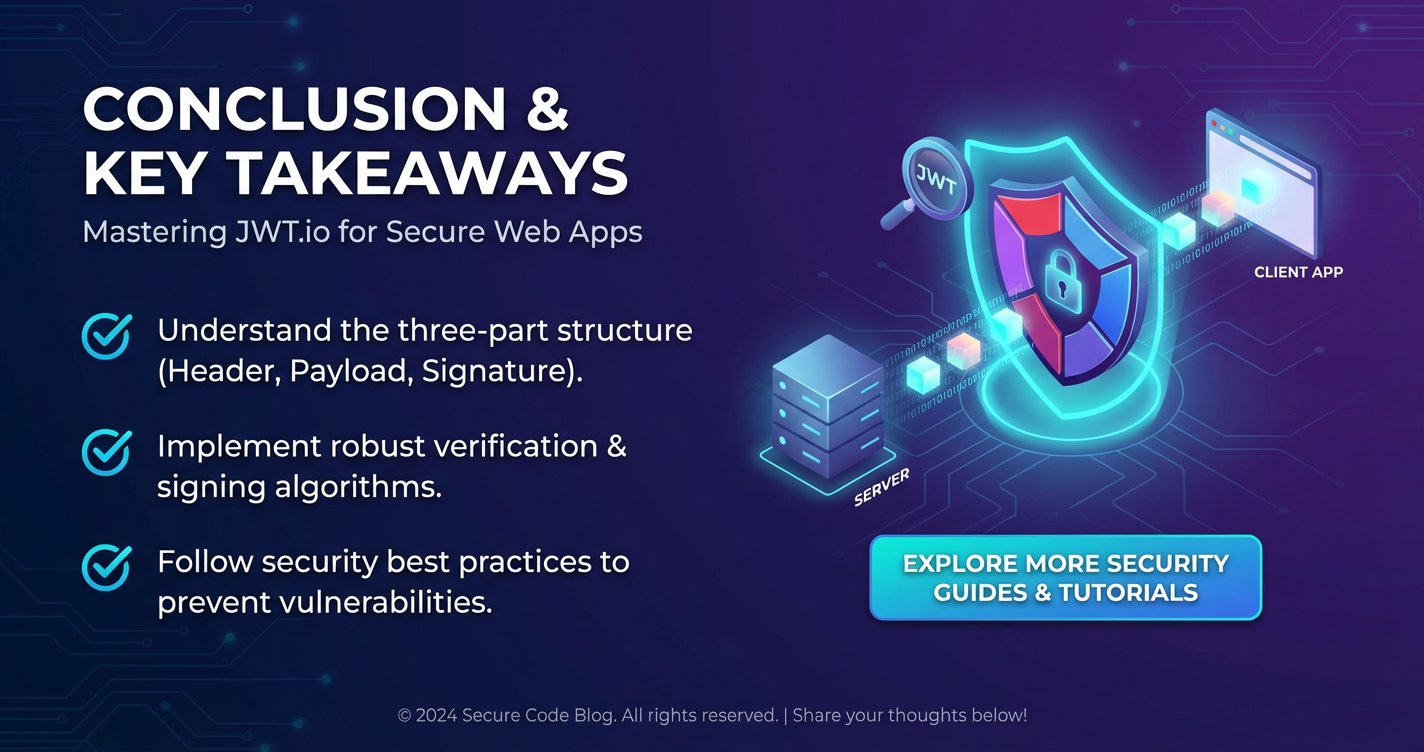
The journey through the intricacies of JSON Web Tokens reveals a powerful, versatile, and highly scalable mechanism for securing modern web applications. From their tripartite structure of Header, Payload, and Signature, which ensures integrity and authenticity, to their pivotal role in enabling stateless authentication in distributed and microservices architectures, JWTs have fundamentally reshaped how we approach identity and access management in the digital age. They offer a compelling alternative to traditional session-based approaches, bringing with them benefits of improved performance, simplified scaling, and enhanced interoperability across diverse platforms and services.
However, the power of JWTs comes with a significant responsibility: the imperative to implement them with an unwavering commitment to security best practices. As we have meticulously explored, neglecting crucial aspects such as secure client-side token storage, robust expiration and renewal strategies, stringent cryptographic algorithm selection, and comprehensive claim validation can transform a security asset into a critical vulnerability. The landscape of web security is fraught with sophisticated threats like XSS, CSRF, and replay attacks, all of which require diligent architectural design and continuous vigilance to mitigate effectively. The strategic integration of JWTs with an API Gateway emerges as a particularly effective pattern, centralizing authentication and authorization at the network edge and providing a robust first line of defense for your entire api ecosystem.
Throughout this extensive exploration, JWT.io has been highlighted as an invaluable companion for any developer working with JSON Web Tokens. Its intuitive visual debugger and comprehensive support for encoding, decoding, and signature verification demystify the complexities of JWTs, transforming what could be an opaque and challenging debugging process into a transparent and educational experience. It empowers developers to understand, test, and troubleshoot their JWT implementations with confidence, bridging the gap between theoretical understanding and practical application.
In mastering JWTs, we embrace not just a technical specification, but a philosophy of secure, scalable, and efficient identity management. The path forward demands continuous learning, adaptation to evolving standards like DPoP and post-quantum cryptography, and an unwavering commitment to secure development practices. By internalizing the principles discussed, leveraging powerful tools like JWT.io, and consciously designing for security at every layer, developers can build web applications that are not only functional and performant but also resilient against the ever-present threats of the digital world, ensuring the trustworthiness and longevity of their creations.
Frequently Asked Questions (FAQs)
1. What is the fundamental difference between a JWT and a traditional session cookie for authentication? The fundamental difference lies in statefulness. Traditional session cookies are stateful; they typically contain a session ID that references a server-side session object where user data and authentication status are stored. This means the server must maintain and retrieve session state for every request. JWTs, on the other hand, are stateless. All necessary user information and claims are self-contained within the token itself, cryptographically signed to prevent tampering. The server doesn't need to maintain a session state; it simply verifies the JWT's signature and claims. This makes JWTs more scalable for distributed systems and microservices but introduces challenges for immediate token revocation.
2. Is it safe to store JWTs in localStorage? What are the main risks? Storing JWTs in localStorage is generally discouraged for sensitive applications due to its high vulnerability to Cross-Site Scripting (XSS) attacks. If an attacker successfully injects malicious JavaScript into your application, that script can easily access and steal the JWT from localStorage. Once stolen, the attacker can use the token to impersonate the legitimate user until the token expires, potentially performing unauthorized actions or accessing sensitive data. While XSS mitigation (e.g., strong Content Security Policy, rigorous input sanitization) is crucial regardless of storage, it's very difficult to achieve complete immunity, making localStorage a risky choice for long-lived authentication tokens. For better security, HTTP-only cookies (especially with SameSite attribute) or a hybrid approach with short-lived access tokens and secure refresh tokens are preferred.
3. How can I ensure a JWT is not tampered with after it's issued? The integrity of a JWT is ensured by its signature. When a server issues a JWT, it signs the token (the base64url-encoded header and payload) using a secret key (for symmetric algorithms like HS256) or a private key (for asymmetric algorithms like RS256). Any modification to the header or payload by an unauthorized party will invalidate the signature. When a server receives a JWT, it recomputes the signature using the same key and compares it to the token's provided signature. If they don't match, the token is considered tampered with and is rejected, guaranteeing that the original claims have not been altered.
4. What is the purpose of the exp (expiration time) claim, and why is it important for security? The exp claim specifies the expiration time on or after which the JWT MUST NOT be accepted for processing. It's crucial for security because it limits the lifespan of a token. If a token is stolen or compromised, its utility to an attacker is confined to a specific time window. Short expiration times (e.g., 5-60 minutes for access tokens) minimize the damage potential of a stolen token, as it will quickly become invalid. This also forces periodic re-authentication or token renewal, which is often handled seamlessly with refresh tokens, providing a balance between security and user experience.
5. How does an API Gateway enhance the security of JWT-based authentication in a microservices architecture? An API Gateway acts as a central entry point for all client requests, serving as a powerful enforcement point for JWT security. Instead of each microservice independently validating every incoming JWT, the gateway can perform these crucial checks centrally. It verifies the token's signature, validates essential claims (exp, iss, aud), and can even make initial authorization decisions based on roles or permissions within the token. If the JWT is invalid or expired, the gateway rejects the request immediately, preventing malicious traffic from reaching backend services. This centralizes security logic, ensures consistent policy enforcement, reduces boilerplate code in individual services, and enhances the overall security posture and manageability of the entire api landscape.
🚀You can securely and efficiently call the OpenAI API on APIPark in just two steps:
Step 1: Deploy the APIPark AI gateway in 5 minutes.
APIPark is developed based on Golang, offering strong product performance and low development and maintenance costs. You can deploy APIPark with a single command line.
curl -sSO https://download.apipark.com/install/quick-start.sh; bash quick-start.sh

In my experience, you can see the successful deployment interface within 5 to 10 minutes. Then, you can log in to APIPark using your account.

Step 2: Call the OpenAI API.