Mastering JWTs: Decoding & Validating with jwt.io
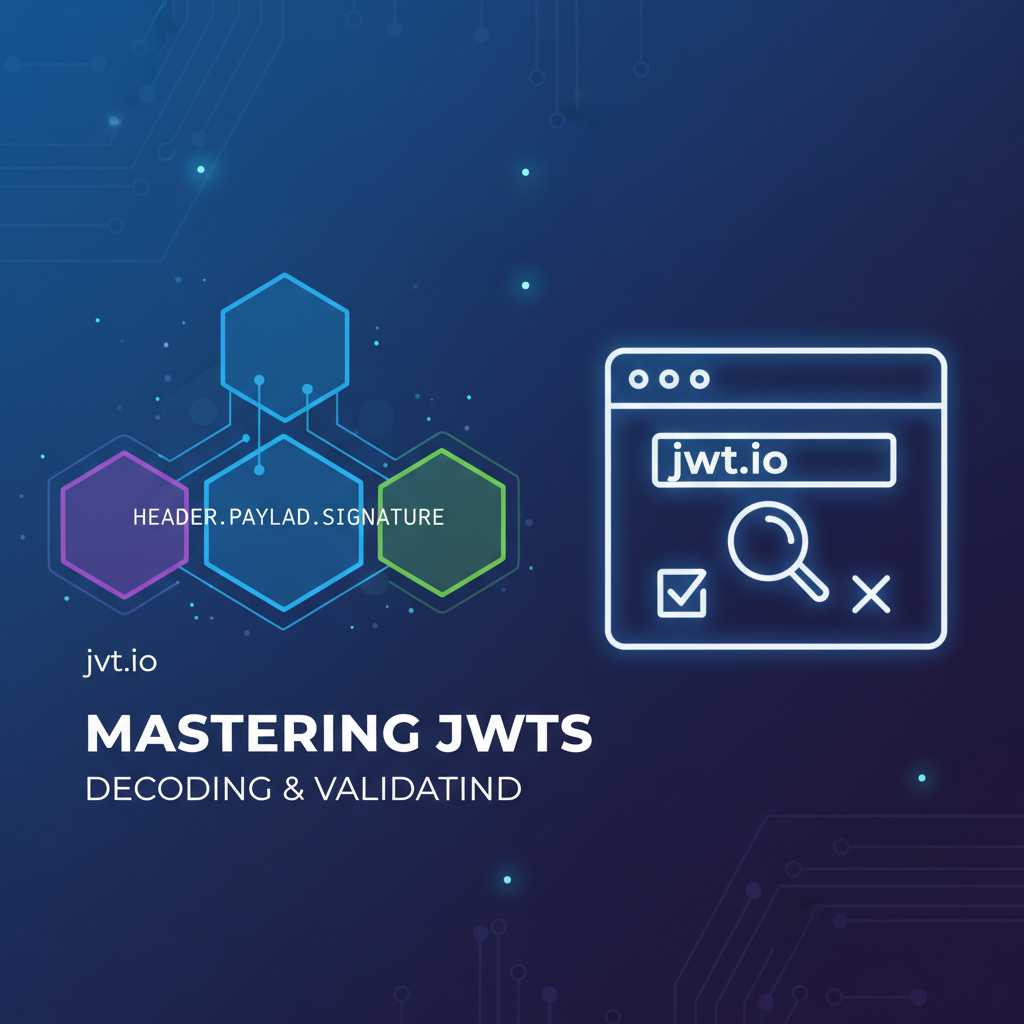


In the intricate landscape of modern web development, securing communication and managing user authentication across distributed systems are paramount challenges. As applications evolve from monolithic architectures to microservices and API-driven ecosystems, traditional session-based authentication mechanisms often fall short, struggling with scalability, cross-domain compatibility, and the overhead of state management. Enter JSON Web Tokens (JWTs), a compact, URL-safe means of representing claims to be transferred between two parties. JWTs have rapidly become the de facto standard for stateless authentication and authorization, particularly in RESTful APIs and microservices architectures. This comprehensive guide delves deep into the world of JWTs, exploring their structure, functionality, and the indispensable role of tools like jwt.io in understanding and validating them. We will journey through the technical nuances, security considerations, and best practices that enable developers to master JWTs effectively.
The Genesis and Necessity of JWTs: A Paradigm Shift in Authentication
Before the widespread adoption of JWTs, web applications primarily relied on session-based authentication. In this model, upon successful login, the server would create a session, store user-specific data (like user ID or roles) on its own memory or a database, and send a session ID (often in a cookie) back to the client. Subsequent requests from the client would include this session ID, allowing the server to look up the corresponding session data and determine the user's identity and permissions. While straightforward for single-server, monolithic applications, this approach presented significant hurdles for scalability and distributed systems.
Imagine a scenario with multiple backend servers behind a load balancer. If a user authenticates with Server A, their session data resides on Server A. If the next request is routed to Server B, Server B wouldn't recognize the session ID, leading to authentication failures unless a shared session store (like Redis or a database) was introduced. This shared store adds complexity, potential latency, and becomes a single point of failure. Furthermore, cross-domain API calls, common in mobile apps or single-page applications (SPAs), often struggle with cookie-based sessions due to Same-Origin Policy restrictions and CORS issues.
JWTs emerged as an elegant solution to these problems, ushering in an era of stateless authentication. Instead of storing session data on the server, JWTs encapsulate the necessary user information and claims directly within a token that is issued to the client. This token is then signed by the server, ensuring its integrity and authenticity. When the client sends subsequent requests, it includes this JWT, typically in the Authorization header as a Bearer token. The server, upon receiving the request, can immediately validate the token's signature and extract the claims without needing to query a database or shared session store. This stateless nature dramatically simplifies scaling, as any server can validate any token, and removes the burden of session management from the backend infrastructure. It is this fundamental shift that has cemented JWTs as a cornerstone technology for modern API security.
Deconstructing the JWT: Header, Payload, and Signature
At its core, a JSON Web Token is a compact string composed of three distinct parts, separated by dots (.): the Header, the Payload, and the Signature. Each of these parts plays a crucial role in defining the token's purpose, carrying its information, and guaranteeing its authenticity and integrity. Understanding each component is fundamental to mastering JWTs.
A typical JWT looks something like this: eyJhbGciOiJIUzI1NiIsInR5cCI6IkpXVCJ9.eyJzdWIiOiIxMjM0NTY3ODkwIiwibmFtZSI6IkpvaG4gRG9lIiwiaWF0IjoxNTE2MjM5MDIyfQ.SflKxwRJSMeKKF2QT4fwpMeJf36POk6yJV_adQssw5c
Let's dissect each part in detail:
1. The Header (JOSE Header)
The header, also known as the JSON Object Signing and Encryption (JOSE) Header, is the first part of the JWT. It is a JSON object that typically contains two essential fields:
alg(Algorithm): This claim specifies the cryptographic algorithm used to sign the JWT. Common algorithms includeHS256(HMAC SHA-256),RS256(RSA SHA-256),ES256(ECDSA SHA-256), andnone(thoughnoneis highly discouraged for security reasons, as it effectively means the token is unsigned). The choice of algorithm dictates how the signature will be generated and verified. For instance,HS256uses a symmetric secret key, whileRS256uses an asymmetric public/private key pair.typ(Type): This claim usually denotes the type of the token, which isJWT. This helps consumers of the token identify that they are dealing with a JSON Web Token.
Example Header:
{
  "alg": "HS256",
  "typ": "JWT"
}
This JSON object is then Base64Url-encoded to form the first part of the JWT string. Base64Url encoding is a URL-safe variant of Base64 encoding, meaning it replaces + with -, / with _, and omits padding characters (=), making it suitable for use in URLs, HTTP headers, and other environments where special characters might cause issues.
2. The Payload (JWT Claims Set)
The payload, the second part of the JWT, is a JSON object that contains the "claims" – statements about an entity (typically the user) and additional data. Claims are essentially key-value pairs that convey information. There are three categories of claims:
- Public Claims: These are claims defined by JWT users, but to avoid collisions, they should be registered in the IANA JSON Web Token Registry or be defined as a URI that contains a collision-resistant namespace. Developers often use existing public claims from standards like OpenID Connect.
- Private Claims: These are custom claims created for a specific application or API. They are not registered and should be used with caution to avoid collisions with registered or public claims. Examples might include
user_role,department_id, orpermissions. While flexible, relying heavily on private claims can reduce interoperability.
Registered Claims: These are a set of predefined claims that are neither mandatory nor recommended but provide a set of useful, interoperable claims. It's highly advisable to use these when appropriate to avoid naming collisions and ensure consistency across different systems.
| Claim Name | Description |
|---|---|
iss |
Issuer: Identifies the principal that issued the JWT. Often a URL or unique identifier for the service that generated the token. |
sub |
Subject: Identifies the principal that is the subject of the JWT. This is typically the unique identifier of the user or entity the token represents (e.g., user ID). |
aud |
Audience: Identifies the recipients that the JWT is intended for. Each principal intended to process the JWT MUST identify itself with a value in the audience claim. If the principal does not find its identifier in the aud claim, then it MUST reject the JWT. |
exp |
Expiration Time: Identifies the expiration time on or after which the JWT MUST NOT be accepted for processing. The value is a Unix timestamp (seconds since epoch). This is critical for security, limiting the window of opportunity for token misuse. |
nbf |
Not Before: Identifies the time before which the JWT MUST NOT be accepted for processing. The value is a Unix timestamp. Useful for preventing tokens from being used before a certain time. |
iat |
Issued At: Identifies the time at which the JWT was issued. The value is a Unix timestamp. Useful for determining the age of the token. |
jti |
JWT ID: Provides a unique identifier for the JWT. Can be used to prevent replay attacks or to manage token blacklisting/revocation. |
Example Payload:
{
  "sub": "user_id_123",
  "name": "Alice Wonderland",
  "user_role": ["admin", "editor"],
  "iss": "https://your-auth-server.com",
  "aud": "https://your-api.com",
  "exp": 1704067199,
  "iat": 1704063599
}
Similar to the header, this JSON object is Base64Url-encoded to form the second part of the JWT. It's crucial to remember that the payload is not encrypted. It is merely encoded, meaning anyone can decode it and read its contents. Therefore, sensitive information should never be placed directly in the JWT payload.
3. The Signature
The signature is the third and most critical part of the JWT, providing the integrity and authenticity of the token. It ensures that the token has not been tampered with since it was issued and that it genuinely originates from the expected issuer.
The signature is created by taking the Base64Url-encoded header, the Base64Url-encoded payload, a secret key (for symmetric algorithms like HS256) or a private key (for asymmetric algorithms like RS256), and the algorithm specified in the header.
Signature Generation Process:
- Take the Base64Url-encoded Header.
- Take the Base64Url-encoded Payload.
- Concatenate them with a dot:
Base64Url(Header) + "." + Base64Url(Payload). - Apply the cryptographic algorithm specified in the
algheader field, using the combined string from step 3 and the secret/private key.
Example (HS256): HMACSHA256( Base64Url(Header) + "." + Base64Url(Payload), your-secret-key )
The result of this cryptographic operation is then Base64Url-encoded to form the final signature string.
Why the Signature is Crucial: Without the signature, any user could simply alter the header or payload of a token (e.g., change user_role from "user" to "admin") and present it as valid. The signature acts as a tamper-evident seal. When a server receives a JWT, it re-calculates the signature using the received header, payload, and its own secret/public key. If the re-calculated signature matches the signature provided in the token, the server can be confident that the token's contents have not been altered and that it was indeed issued by a party possessing the secret/private key. If they don't match, the token is deemed invalid and should be rejected. This mechanism is the bedrock of JWT security, preventing unauthorized manipulation and spoofing.
The combination of these three parts – Base64Url(Header) + "." + Base64Url(Payload) + "." + Base64Url(Signature) – forms the complete JSON Web Token, a self-contained credential capable of asserting identity and claims in a secure, scalable, and stateless manner.
How JWTs Function in Real-World API Interactions
Understanding the structure of a JWT is one thing; grasping its operational flow within a real-world API ecosystem is another. JWTs seamlessly integrate into authentication and authorization workflows, making them a powerful tool for securing interactions between clients and servers, especially in microservices and serverless architectures.
1. The Issuance Phase: Authentication and Token Generation
The journey of a JWT typically begins when a client (e.g., a web application, mobile app, or another service) attempts to authenticate with an authentication server or a dedicated API endpoint.
- Client Credential Submission: The client sends authentication credentials (e.g., username and password, API key, or OAuth 2.0 grant) to the authentication server.
- Server-Side Verification: The authentication server verifies these credentials against its user store (database, directory service, etc.). This is a crucial step where the user's identity is established.
- JWT Creation: If the credentials are valid, the authentication server constructs a JWT. It populates the header with the chosen algorithm (e.g.,
HS256,RS256) and type (JWT). It then populates the payload with relevant claims about the user (e.g.,subfor user ID,issfor the issuer,audfor the intended API audience,expfor expiration time, and any custom private claims likeuser_roles). - Token Signing: The server then signs the token using a secret key (for symmetric algorithms) or a private key (for asymmetric algorithms). This signature ensures the token's integrity.
- Token Transmission: The signed JWT is then sent back to the client. This typically occurs in the body of the authentication response (e.g., as part of an
access_tokenfield in an OAuth 2.0 flow) or sometimes in a cookie (though less common for direct API access).
2. The Transmission Phase: Carrying Identity and Authorization
Once the client receives the JWT, it becomes responsible for storing it securely and including it in subsequent requests to protected resources.
- Client-Side Storage: The client stores the JWT. For web applications, common storage mechanisms include
localStorage,sessionStorage, orHttpOnlycookies. Each has its own security implications and trade-offs regarding XSS (Cross-Site Scripting) and CSRF (Cross-Site Request Forgery) vulnerabilities. For server-to-server API calls, the token is typically held in memory or a secure configuration store. - Including in Requests: For every subsequent request to a protected API endpoint, the client includes the JWT, most commonly in the
AuthorizationHTTP header, prefixed withBearer(as per the OAuth 2.0 Bearer Token specification).Authorization: Bearer <your_jwt_here>This convention signifies that the token presented is a bearer token, meaning whoever "bears" it has access.
3. The Validation Phase: Verifying Authenticity and Claims
Upon receiving a request containing a JWT, the resource server (the API or service handling the request) must validate the token before processing the request. This is the most critical security step.
- Token Parsing: The server first extracts the JWT string from the
Authorizationheader. - Signature Verification: This is the primary check. The server takes the received header and payload, re-calculates the signature using its own secret key (or the corresponding public key if an asymmetric algorithm was used), and compares it to the signature provided in the token.
- If signatures don't match: The token has been tampered with or was not issued by a trusted entity. The request is immediately rejected with an "unauthorized" error.
- If signatures match: The server can trust that the token's content (header and payload) is authentic and hasn't been modified.
- Claim Validation: After verifying the signature, the server proceeds to validate the claims within the payload:
- Expiration (
exp): Is the token still valid? Ifexpis in the past, the token is expired and rejected. - Not Before (
nbf): Is the token being used too early? Ifnbfis in the future, the token is rejected. - Issuer (
iss): Was the token issued by a trusted entity? The server checks if theissclaim matches its expected issuer. - Audience (
aud): Is the token intended for this specific resource server/service? The server checks if its identifier is present in theaudclaim. - Other Claims: Any other critical registered, public, or private claims necessary for authorization (e.g.,
user_role,permissions) are also checked.
- Expiration (
4. The Authorization Phase: Granting Access
Once the JWT is successfully validated, the resource server can confidently extract the claims from the payload. These claims provide the necessary context to determine whether the authenticated user or service has the permission to perform the requested action on the specific resource.
- Role-Based Access Control (RBAC): Claims like
user_rolecan be used to grant or deny access to certain API endpoints or operations. - Attribute-Based Access Control (ABAC): More granular claims can be used to control access based on specific attributes of the user or resource.
- Identity Propagation: In microservices architectures, the validated JWT (or its relevant claims) can be propagated to downstream services, allowing them to perform their own authorization checks without re-authenticating the user.
This entire flow—from issuance to transmission, validation, and authorization—demonstrates how JWTs facilitate a robust, scalable, and stateless security model for modern APIs. By offloading session management from the server and enabling distributed validation, JWTs significantly streamline the development and deployment of complex distributed systems, making them an indispensable tool for securing interactions across diverse service landscapes.
Demystifying Tokens with jwt.io: Your Developer's Workbench
While the theoretical understanding of JWTs is crucial, practical experience in dissecting and verifying them is equally important. This is where tools like jwt.io become invaluable. jwt.io is an interactive online tool that allows developers to encode, decode, and verify JSON Web Tokens in real-time. It provides a visual representation of the token's components, making it an excellent resource for learning, debugging, and understanding how different claims and algorithms affect the token.
What is jwt.io and Why is it Essential?
jwt.io serves as a public-facing sandbox for JWTs. Its primary purpose is to help developers:
- Visually Decode JWTs: Instantly parse any given JWT into its Header, Payload, and Signature components, displaying the raw JSON and its Base64Url encoded counterparts.
- Verify Signatures: Test the validity of a JWT's signature against a provided secret or public key, which is crucial for confirming token integrity.
- Experiment with Algorithms: Understand how different signing algorithms (
HS256,RS256, etc.) affect the signature generation. - Debug Tokens: Quickly identify issues with malformed tokens, incorrect claims, or signature mismatches during development.
- Learn and Educate: Provide a clear, interactive way to understand the structure and functioning of JWTs.
Without tools like jwt.io, inspecting a JWT would involve manual Base64Url decoding and often, writing custom code to verify signatures, which can be time-consuming and error-prone. jwt.io simplifies this process, making it an indispensable utility for anyone working with JWTs.
Decoding JWTs with jwt.io: A Step-by-Step Guide
Decoding a JWT on jwt.io is straightforward and provides immediate insight into its contents.
- Navigate to jwt.io: Open your web browser and go to https://jwt.io/.
- Locate the "Encoded" Field: On the left side of the page, you'll see a large text area labeled "Encoded." This is where you paste your JWT.
- Paste Your JWT: Copy the complete JWT string (including all three dot-separated parts) and paste it into the "Encoded" text area.
- Observe the Decoded Sections: As soon as you paste the token, jwt.io automatically processes it and displays the decoded Header and Payload in separate, distinct sections below the "Encoded" field.
- Header Section: You'll see the JSON object representing the header (e.g.,
{"alg": "HS256", "typ": "JWT"}). - Payload Section: You'll see the JSON object representing the payload (e.g.,
{"sub": "1234567890", "name": "John Doe", "iat": 1516239022}).
- Header Section: You'll see the JSON object representing the header (e.g.,
- Interpret the Information:
- Header: Check the
alg(algorithm) to understand how the token was signed and thetyp(type) to confirm it's a JWT. - Payload: Examine the claims. Look for
sub(subject),iss(issuer),aud(audience), and especiallyexp(expiration time) andiat(issued at time). Theexpandiatvalues are Unix timestamps, and jwt.io often provides a human-readable conversion alongside them, which is incredibly helpful. This is where you can confirm if the expected user ID, roles, or other application-specific data are present and correct. - Identifying Issues: If you paste an invalid or malformed JWT, jwt.io will typically highlight the error (e.g., "Invalid JWT. Please check the 'encoded' text.") or display partially decoded sections, helping you quickly pinpoint structural problems.
- Header: Check the
This decoding capability is invaluable for debugging during development. If your application isn't behaving as expected with JWTs, decoding them on jwt.io can reveal if the correct claims are being generated, if the token is formatted properly, or if an unexpected exp time is causing early rejection.
Validating JWTs with jwt.io: Ensuring Integrity
Beyond decoding, jwt.io's signature verification feature is crucial for confirming the authenticity and integrity of a JWT. This step simulates what a backend server does when it receives a token.
- Access the "Verify Signature" Section: After pasting your JWT and seeing the decoded header and payload, scroll down to the "Verify Signature" section, typically located on the right side of the page or below the decoded sections.
- Choose the Correct Algorithm: Ensure the algorithm selected in jwt.io (usually detected automatically from the Header's
algfield) matches the one used to sign your token. - Enter the Secret/Public Key:
- For Symmetric Algorithms (e.g., HS256, HS384, HS512): You will need to enter the exact same secret key that was used by the issuer to sign the token. This secret is typically a string of characters. Paste it into the designated "your-secret" text area.
- For Asymmetric Algorithms (e.g., RS256, RS384, RS512, ES256, ES384, ES512): You will need the public key corresponding to the private key used for signing. Public keys are usually in PEM format. Paste the entire public key block, including
-----BEGIN PUBLIC KEY-----and-----END PUBLIC KEY-----(or-----BEGIN CERTIFICATE-----if it's an X.509 certificate that contains the public key), into the "your-public-key" text area.
- Observe the Validation Result:
- "Signature Verified": If the signature re-calculated by jwt.io (using the provided secret/public key, header, and payload) matches the signature in the JWT, it will display "Signature Verified." This means the token's integrity is intact, and it was signed by someone possessing the correct key.
- "Invalid Signature": If the signatures do not match, it will display "Invalid Signature." This could be due to several reasons:
- Incorrect Secret/Public Key: The most common reason. Double-check that you've entered the exact key used for signing.
- Token Tampering: The header or payload of the token has been altered since it was signed.
- Incorrect Algorithm: The
algin the header does not match the actual algorithm used for signing or the algorithm selected in jwt.io. - Encoding Issues: Less common, but sometimes subtle encoding discrepancies can cause mismatches.
- Beyond Signature Verification: While jwt.io excels at signature verification, remember that a complete validation process on a real server also includes claim validation (checking
exp,nbf,iss,aud, etc.). jwt.io helps visualize these claims, but the actual logic for validating their values must be implemented in your backend code. For instance, even if the signature is verified, a token with anexpclaim in the past should still be rejected by your application.
By leveraging jwt.io for both decoding and signature validation, developers gain a powerful tool for rapidly iterating on JWT-based authentication systems, identifying common errors, and building a deeper understanding of this fundamental web security primitive. It's a testament to the open-source community's commitment to making complex technologies more accessible and manageable.
APIPark is a high-performance AI gateway that allows you to securely access the most comprehensive LLM APIs globally on the APIPark platform, including OpenAI, Anthropic, Mistral, Llama2, Google Gemini, and more.Try APIPark now! 👇👇👇
Secure Best Practices for Implementing JWTs
While JWTs offer significant advantages, their security is heavily dependent on correct implementation. Missteps can lead to severe vulnerabilities, compromising user data and system integrity. Adhering to established security best practices is paramount for any system utilizing JWTs.
1. Robust Secret/Key Management
The secret key (for symmetric algorithms like HS256) or the private key (for asymmetric algorithms like RS256) is the bedrock of JWT security.
- Strong, Random Secrets: Secrets must be sufficiently long and random. Avoid hardcoding secrets directly in your code. Use environment variables, secret management services (e.g., AWS Secrets Manager, HashiCorp Vault), or a secure configuration system.
- Key Rotation: Regularly rotate your signing keys. This limits the damage if a key is compromised. When rotating, ensure your systems can temporarily accept tokens signed with both the old and new keys during the transition period.
- Asymmetric Keys for Public APIs: For tokens issued by a central authentication service and consumed by multiple independent APIs or microservices, asymmetric algorithms (e.g., RS256) are often preferred. This allows the issuer to keep the private key secure, while distributing the public key to all consumers for verification. A public key cannot be used to forge new tokens or modify existing ones.
2. Prudent Algorithm Selection
The alg field in the JWT header is critical.
- Avoid
noneAlgorithm: Thenonealgorithm signifies an unsigned token, effectively bypassing the integrity check provided by the signature. Any system that processes JWTs must explicitly reject tokens signed withalg: "none"unless there's an extremely compelling and carefully evaluated reason (which is rare and highly discouraged for security tokens). - Use Strong Algorithms: Stick to well-vetted, strong cryptographic algorithms like
HS256,RS256,ES256, or their stronger variants (e.g.,HS512,RS512). Avoid deprecated or weaker algorithms. - Match Algorithm with Key Type: Ensure the algorithm used matches the type of key provided. A symmetric key (
HS256) cannot be used with an asymmetric algorithm (RS256), and vice versa.
3. Comprehensive Claim Validation
Signature verification only confirms integrity; claim validation confirms legitimacy and relevance. Always validate:
- Expiration (
exp): The most critical claim. Always check thatexpis in the future. Reject expired tokens immediately. - Not Before (
nbf): If present, ensure the current time is on or after thenbftime. - Issuer (
iss): Verify that the token was issued by a trusted entity. Your API should only accept tokens from known issuers. - Audience (
aud): Ensure the token is intended for your specific service or application. If your API ishttps://myapi.com/, thenaudshould containhttps://myapi.com/. This prevents tokens issued for one service from being used on another. - JWT ID (
jti): For preventing replay attacks, especially if tokens have a longer lifespan,jtican be used to track unique tokens and ensure they are used only once or within a specific context. This usually involves storingjtiin a database or cache.
4. Token Storage and Transmission Security
How JWTs are stored and transmitted has significant security implications.
- Transmission: Always transmit JWTs over HTTPS/TLS. This encrypts the token in transit, preventing eavesdropping and man-in-the-middle attacks.
- Client-Side Storage (Web Browsers):
HttpOnlyCookies: Often recommended for single-page applications (SPAs) to mitigate XSS risks. When a JWT is stored in anHttpOnlycookie, JavaScript cannot access it, making it harder for attackers to steal tokens via XSS. However,HttpOnlycookies are still vulnerable to CSRF, which requires additional CSRF protection (e.g.,SameSite=LaxorStrictattributes, CSRF tokens).localStorage/sessionStorage: While convenient, these are susceptible to XSS attacks. If an attacker injects malicious JavaScript, they can easily access and steal JWTs fromlocalStorage. Use with extreme caution and ensure robust XSS protections are in place.
- Mobile Apps: Store JWTs securely in the device's secure storage (e.g., iOS Keychain, Android KeyStore) rather than plain text in preferences.
5. Token Revocation and Blacklisting
Unlike session IDs, JWTs are stateless, meaning they cannot be inherently "revoked" once issued until they expire. This presents a challenge for scenarios like user logout, password changes, or detecting compromised tokens.
- Short Expiration Times (
exp): The simplest mitigation is to issue JWTs with very short lifespans (e.g., 5-15 minutes). - Refresh Tokens: To maintain user experience with short-lived access tokens, use longer-lived refresh tokens. When an access token expires, the client can use the refresh token (which should be single-use and more securely stored, possibly server-side) to obtain a new access token. Refresh tokens can be revoked server-side.
- Blacklisting/Denylist: For immediate revocation of an active (non-expired) JWT (e.g., upon logout, password change, or security incident), maintain a server-side blacklist of
jticlaims for invalidated tokens. All incoming tokens must be checked against this blacklist. This introduces a stateful element, but only for revoked tokens, not all active sessions, making it less burdensome than full session management.
6. Rate Limiting and Attack Prevention
- Rate Limit Authentication Endpoints: Prevent brute-force login attempts by rate-limiting the authentication API endpoint.
- Rate Limit Token Refresh Endpoints: Similarly, rate-limit the refresh token endpoint to prevent abuse.
- Protect Against Replay Attacks: While JWTs are stateless, an attacker could intercept a valid token and "replay" it to impersonate the user. Using the
jticlaim with a blacklist (as mentioned above) is one mitigation. Another approach is to ensure that critical operations also incorporate additional nonces or one-time codes.
7. Integrating with API Gateways for Centralized Security
For organizations managing a multitude of APIs and microservices, centralizing JWT validation and security concerns at an API gateway is a highly effective strategy. An API gateway acts as a single entry point for all incoming API requests, providing a crucial layer for security enforcement, traffic management, and request routing before requests reach individual backend services.
Platforms like APIPark, an open-source AI gateway and API management platform, are specifically designed to facilitate this. A key function of such a gateway is to handle authentication and initial authorization checks, often involving the decoding and comprehensive validation of JWTs. By offloading this crucial security task to the gateway, individual backend services can focus purely on business logic, leading to cleaner codebases and improved performance. APIPark, for instance, can streamline the entire API lifecycle, from design to secure invocation, ensuring that incoming requests, potentially bearing JWTs, are properly authenticated and authorized before reaching their destination services. This not only enhances security by enforcing consistent policies at the edge but also significantly simplifies the overall API management overhead for developers and enterprises, providing a centralized control point for access governance and real-time monitoring of API calls. A robust API gateway helps to abstract away the complexities of JWT validation, offering features like automatic signature verification, claim-based routing, and even integration with identity providers, thereby serving as a foundational component for securing the entire API ecosystem.
By diligently applying these best practices, developers can harness the power of JWTs to build secure, scalable, and resilient authentication and authorization systems for their modern APIs and distributed applications.
Advanced Concepts and Interoperability: Beyond the Basics
While the core concepts of JWTs—header, payload, signature, and basic validation—cover most everyday use cases, the broader ecosystem encompasses more advanced concepts and integration patterns. Understanding these can unlock further capabilities and address more complex security scenarios.
JWT vs. JWS vs. JWE: Differentiating Standards
It's important to clarify the relationship between JWTs and related standards like JWS and JWE.
- JWS (JSON Web Signature): This is the underlying standard that defines how to digitally sign an arbitrary JSON payload. A JWT, as we've discussed, is essentially a specific type of JWS, where the payload is a JSON object representing claims. JWS provides integrity and authenticity.
- JWE (JSON Web Encryption): This standard defines a way to encrypt a JSON payload, ensuring confidentiality. If you need to protect the contents of your claims from being readable by anyone but the intended recipient, you would use JWE. A JWE token would typically be composed of five parts (protected header, encrypted key, initialization vector, ciphertext, and authentication tag).
- JWT (JSON Web Token): A JWT can be either a JWS (signed, but not encrypted) or a JWE (encrypted). Most commonly, when people refer to "JWT," they are referring to a JWS, where the payload is encoded and signed but not encrypted. If confidentiality is required for the claims, then a JWE-based JWT would be used. However, because JWE adds significant complexity and overhead, it's often preferred to keep claims in a JWS token minimal and non-sensitive, encrypting sensitive data through other means if necessary.
Refresh Tokens: Managing Long-Lived Sessions Securely
As discussed in security best practices, using short-lived access tokens (JWTs) is crucial for limiting the window of opportunity for token misuse. To maintain a smooth user experience without requiring users to log in frequently, refresh tokens are employed.
- Purpose: A refresh token is a long-lived credential that a client can use to obtain new, short-lived access tokens without re-authenticating with their primary credentials (username/password).
- Security: Refresh tokens should be treated with extreme care. They are often:
- Single-use: Each refresh token can be exchanged for a new access token only once.
- Stored securely: On the client-side, they should be stored in
HttpOnlycookies (for web) or device-specific secure storage (for mobile). On the server-side, they are typically stored in a database and associated with a user and client application. - Revocable: They can and should be explicitly revoked by the server if a user logs out, changes their password, or if suspicious activity is detected.
- Flow: When an access token expires, the client sends the refresh token to a dedicated "token refresh" endpoint. The authentication server validates the refresh token, revokes the old refresh token (if single-use), issues a new access token and a new refresh token, and sends them back to the client. This continuous rotation of refresh tokens further enhances security.
JWTs in OAuth 2.0 and OpenID Connect
JWTs are fundamental components of modern identity and access management protocols, particularly OAuth 2.0 and OpenID Connect (OIDC).
- OAuth 2.0: This is an authorization framework that allows third-party applications to obtain limited access to a user's resources on an HTTP service, on behalf of the user. OAuth 2.0 defines different grant types for acquiring access tokens. While OAuth 2.0 doesn't mandate the format of
access_tokens, JWTs have become the dominant choice due to their stateless nature. When an API gateway receives an OAuth 2.0access_token, it's very likely a JWT that it needs to validate. - OpenID Connect (OIDC): Built on top of OAuth 2.0, OIDC is an identity layer that allows clients to verify the identity of the end-user based on authentication performed by an authorization server, as well as to obtain basic profile information about the end-user. The key component of OIDC is the ID Token, which is always a JWT. The ID Token contains claims about the authentication event and the user's identity (e.g.,
sub,iss,aud,exp,iat,auth_time,name,email). Resource servers and clients can validate the ID Token to confirm the user's identity.
Leveraging JWT Libraries Across Programming Languages
While tools like jwt.io are excellent for inspection, real-world applications require libraries to programmatically handle JWTs. Almost every major programming language has robust, well-maintained libraries for JWT creation, signing, decoding, and validation.
- JavaScript/Node.js:
jsonwebtoken - Python:
PyJWT - Java:
java-jwt,nimbus-jose-jwt - Go:
github.com/golang-jwt/jwt - .NET (C#):
System.IdentityModel.Tokens.Jwt - PHP:
firebase/php-jwt
These libraries abstract away the complexities of Base64Url encoding, cryptographic operations, and claim validation, allowing developers to focus on application logic while relying on battle-tested implementations for JWT security. When choosing a library, always prioritize those that are actively maintained, widely used, and have a strong security track record.
By exploring these advanced concepts, developers can move beyond basic JWT usage to build sophisticated, secure, and interoperable authentication and authorization systems that meet the demands of modern distributed applications and API ecosystems. The flexibility and power of JWTs, combined with robust tooling and libraries, make them an indispensable asset in the developer's security toolkit.
Common Pitfalls and Troubleshooting with JWTs
Even with a solid understanding, working with JWTs can sometimes lead to perplexing issues. Being aware of common pitfalls and having a systematic troubleshooting approach can save significant development time.
1. "Invalid Signature" Errors
This is perhaps the most frequent and frustrating JWT error. It means the re-calculated signature by the verifier does not match the signature provided in the token.
- Incorrect Secret/Public Key: The most common cause.
- Symmetric (HS256): Ensure the exact same secret string is used for signing and verifying. Pay attention to whitespace, case sensitivity, and invisible characters.
- Asymmetric (RS256): Ensure the correct public key (corresponding to the private key used for signing) is provided. Public keys are often long PEM-encoded strings; any corruption or truncation will lead to an invalid signature. Verify the key format (e.g., PKCS#1 vs. PKCS#8).
- Algorithm Mismatch: The
algin the JWT header does not match the algorithm actually used for signing or the algorithm expected by the verifier. Always explicitly verify that the signing algorithm in the code matches the algorithm in the token's header. - Token Tampering: Someone has altered the header or payload of the token after it was signed. While this is the security mechanism working as intended, it's crucial to rule out internal issues first.
- Base64Url Encoding Issues: Although less common with standard libraries, ensure that the header and payload are correctly Base64Url-encoded before signing. Manually constructed tokens are more prone to this. Use jwt.io to verify encoding.
Troubleshooting Steps: 1. Paste the JWT into jwt.io. 2. Paste your secret (for HS algorithms) or public key (for RS/ES algorithms) into jwt.io's "Verify Signature" section. 3. If jwt.io reports "Invalid Signature," your key or token is incorrect. Double-check your key. 4. If jwt.io reports "Signature Verified," then the issue lies in your application's verification logic (e.g., a different key is being used in your code, or a library misconfiguration).
2. "Token Expired" or "Invalid Time" Errors
These errors relate to the exp (expiration time) and nbf (not before time) claims.
- Incorrect
expValue:- Too Short: The token is expiring too quickly, often due to an oversight in setting the
expclaim. Rememberexpis a Unix timestamp in seconds, not milliseconds. - Server Time Skew: If the issuing server's clock and the verifying server's clock are out of sync, a token might appear expired even if it's technically still valid or appear valid when it should be expired. Implement clock synchronization (e.g., NTP) on all servers. JWT libraries often allow for a "leeway" or "tolerance" for clock skew (e.g., 60 seconds) to mitigate this.
- Too Short: The token is expiring too quickly, often due to an oversight in setting the
nbfin the Future: If annbfclaim is present and set to a future time, the token will be rejected until that time. This is usually intentional but can cause confusion if not expected.
Troubleshooting Steps: 1. Decode the JWT on jwt.io. 2. Look at the exp and iat claims. jwt.io usually converts these Unix timestamps to human-readable dates. 3. Compare the exp date with the current time. Is it in the past? 4. If using nbf, check if it's in the future. 5. Verify your server's system time.
3. "Invalid Issuer" or "Invalid Audience" Errors
These errors indicate that the iss (issuer) or aud (audience) claims do not match the values expected by the validating service.
issMismatch: The token was issued by a service different from what your API expects.- Example: Your API expects tokens from
https://myauth.com, but the token'sissishttps://anotherauth.com.
- Example: Your API expects tokens from
audMismatch: The token is not intended for your specific API.- Example: Your API identifies as
https://myapi.com/v1, but the token'saudclaim ishttps://anotherapi.com. A token might be valid and signed correctly but intended for a different resource.
- Example: Your API identifies as
Troubleshooting Steps: 1. Decode the JWT on jwt.io. 2. Examine the iss and aud claims in the payload. 3. Compare these values with what your application's validation logic is configured to expect. Ensure they match exactly (case-sensitive).
4. Missing or Incorrect Claims
Sometimes, your application might expect specific custom claims (e.g., user_role, permissions) that are either missing from the token or contain unexpected values.
- Claim Not Present: The token issuer might not be including the necessary claim.
- Incorrect Claim Type/Value: The claim is present but its value is not what the consuming API expects (e.g., a string instead of an array).
Troubleshooting Steps: 1. Decode the JWT on jwt.io. 2. Visually inspect the payload for the expected claims and their values. 3. Confirm that the token generation logic on the issuer's side is correctly populating these claims.
5. Deployment and Configuration Issues
Even perfect code can be derailed by environmental problems.
- Environment Variables: Secrets not loaded correctly, or incorrect variables used in different environments (dev, staging, prod).
- Firewall/Network Issues: If using asymmetric keys and fetching public keys from a remote
/.well-known/jwks.jsonendpoint, ensure network connectivity. - Library Version Conflicts: Incompatible versions of JWT libraries or cryptographic dependencies.
Troubleshooting Steps: 1. Verify environment variables in your deployment. 2. Check network logs if fetching remote keys. 3. Ensure consistent library versions across development and production.
By understanding these common issues and using a systematic approach, often starting with jwt.io, developers can efficiently debug and resolve problems related to JWT implementation, ensuring the security and stability of their APIs and applications.
Conclusion: Mastering the Art of Secure API Communication
JSON Web Tokens have undeniably transformed the landscape of modern authentication and authorization, providing a stateless, scalable, and secure mechanism for communicating identity and claims across distributed systems. From the fundamental three-part structure of Header, Payload, and Signature, to their intricate dance within API issuance, transmission, and validation cycles, JWTs embody an elegant solution to the complexities of securing today's interconnected applications. Their widespread adoption in microservices architectures, RESTful APIs, and advanced protocols like OAuth 2.0 and OpenID Connect underscores their pivotal role in contemporary web security.
However, the power of JWTs comes with a responsibility to implement them correctly and securely. The seemingly simple act of encoding and signing a JSON object hides a wealth of cryptographic principles and security considerations that, if overlooked, can lead to severe vulnerabilities. This comprehensive guide has traversed the essential aspects of JWTs, highlighting the critical importance of robust secret management, prudent algorithm selection, meticulous claim validation, and secure token storage and transmission practices. We've also emphasized the strategic advantage of leveraging API gateways like APIPark to centralize and streamline these complex security processes, offloading validation from individual services and fostering a more resilient API ecosystem.
Tools like jwt.io serve as an indispensable ally in this journey, transforming the abstract concepts of JWTs into tangible, inspectable components. It empowers developers to decode tokens, verify signatures, and troubleshoot issues with unparalleled ease, making it a critical asset for both learning and debugging. By embracing these tools and diligently adhering to best practices, developers can confidently navigate the intricacies of JWTs, ensuring the integrity and authenticity of their API communications.
Mastering JWTs is not merely about understanding a technical specification; it's about mastering the art of secure, scalable, and efficient identity management in a world increasingly reliant on interconnected digital services. As applications continue to evolve, the principles of JWTs will remain a cornerstone, guiding the design of resilient and trustworthy API interactions for the foreseeable future.
Frequently Asked Questions (FAQs) About JWTs
1. What is the main difference between JWTs and traditional session-based authentication? The primary difference lies in statefulness. Traditional session-based authentication is stateful, requiring the server to store session data (e.g., in memory or a database) and relying on a session ID sent by the client to look up that data. JWTs, on the other hand, are stateless. All necessary user information and claims are self-contained within the token itself, signed by the server. The server can validate the token without needing to query a session store, making JWTs highly scalable and suitable for distributed systems like microservices and APIs.
2. Are JWTs secure? Can sensitive information be stored in the payload? JWTs are secure for integrity and authenticity due to their cryptographic signature, which prevents tampering. However, the payload is only Base64Url-encoded, not encrypted. This means anyone who intercepts a JWT can easily decode and read its contents. Therefore, sensitive information (like passwords, personally identifiable information, or confidential data) should never be stored directly in the JWT payload. The payload should only contain non-sensitive claims necessary for authentication and authorization. If confidentiality is required for claims, JSON Web Encryption (JWE) should be used, though it adds significant complexity.
3. How do I handle JWT revocation or logout, given that JWTs are stateless? Since JWTs are stateless and validated based on their signature and claims (like exp), they cannot be inherently "revoked" by the server before their expiration time. To handle logout or immediate revocation (e.g., due to a password change or security incident), common strategies include: * Short Expiration Times: Issue access tokens with very short lifespans (e.g., 5-15 minutes). * Refresh Tokens: Use longer-lived refresh tokens (which are typically stored and revocable on the server-side) to obtain new short-lived access tokens. * Blacklisting/Denylist: Maintain a server-side list of jti (JWT ID) claims for tokens that have been explicitly revoked (e.g., upon logout). All incoming tokens must be checked against this blacklist. This introduces a minimal stateful element but is effective for immediate invalidation.
4. What role does an API Gateway play in securing JWTs? An API gateway acts as a central entry point for all incoming API requests, making it an ideal place to enforce security policies, including JWT validation. The gateway can intercept requests, validate the JWT's signature and claims (like exp, iss, aud), and then pass authorized requests to the appropriate backend service. This offloads the burden of JWT validation from individual microservices, leading to cleaner code, consistent security enforcement, and improved performance across the entire API ecosystem. Platforms like APIPark exemplify how a dedicated API gateway can centralize and streamline this critical security function.
5. What is the difference between HS256 and RS256 algorithms for JWT signing? The main difference lies in the type of cryptographic key used: * HS256 (HMAC SHA-256): Uses a symmetric secret key. The same secret key is used by both the issuer (to sign the token) and the verifier (to verify the signature). This requires both parties to share the secret securely. It's simpler to implement but requires careful key distribution. * RS256 (RSA SHA-256): Uses an asymmetric key pair (a private key and a public key). The issuer uses its private key to sign the token, and any verifier can use the corresponding public key to verify the signature. The public key can be widely distributed without compromising the signing ability. RS256 is generally preferred for scenarios where multiple consumers need to verify tokens issued by a central authority, as only the issuer needs to protect its private key.
🚀You can securely and efficiently call the OpenAI API on APIPark in just two steps:
Step 1: Deploy the APIPark AI gateway in 5 minutes.
APIPark is developed based on Golang, offering strong product performance and low development and maintenance costs. You can deploy APIPark with a single command line.
curl -sSO https://download.apipark.com/install/quick-start.sh; bash quick-start.sh

In my experience, you can see the successful deployment interface within 5 to 10 minutes. Then, you can log in to APIPark using your account.

Step 2: Call the OpenAI API.