Mastering kubectl port-forward for Kubernetes


The following article delves deeply into the intricacies of kubectl port-forward, adhering to your requirements for length, detail, and SEO considerations. Since you explicitly requested a new set of relevant keywords focused on Kubernetes, I have incorporated the following: kubectl port-forward, kubernetes port forwarding, access kubernetes service, debug kubernetes pods, local access kubernetes, kubectl tunnel, kubernetes network access, proxy kubernetes service, kubectl port-forward examples, kubectl port-forward multiple ports, kubectl port-forward remote, kubernetes ingress alternative, connect to pod locally, kubectl port-forward deployment, kubectl port-forward statefulset, kubectl port-forward service, kubernetes local development, kubectl port-forward background, kubectl port-forward best practices, kubernetes network debugging.
Mastering kubectl port-forward for Kubernetes: A Comprehensive Guide to Local Access and Debugging
In the dynamic and often complex world of Kubernetes, developers and operations teams constantly seek efficient tools to interact with their applications. Among the vast array of kubectl commands, kubectl port-forward stands out as an indispensable utility. It offers a straightforward, secure, and temporary method to establish a direct connection from your local machine to a specific port on a Pod, Service, Deployment, or StatefulSet running within your Kubernetes cluster. This guide aims to provide an exhaustive exploration of kubectl port-forward, transforming you from a novice user into a master of this fundamental kubernetes network access technique, equipping you with the knowledge to effectively debug kubernetes pods and foster kubernetes local development.
The ability to seamlessly connect to services running inside a Kubernetes cluster without exposing them publicly is a critical requirement for a multitude of tasks. Whether you're a developer trying to connect to pod locally to test a new feature, a DevOps engineer troubleshooting a tricky bug, or an SRE needing to inspect a database instance that's only accessible from within the cluster, kubectl port-forward acts as your personal kubectl tunnel. It creates a secure, temporary, and on-demand bridge, bypassing the complexities of ingress controllers, load balancers, or even NodePort configurations, making it an essential component of any Kubernetes professional's toolkit. Understanding its nuances and mastering its various applications is paramount for efficient Kubernetes management and kubernetes network debugging.
The Core Concept: Unveiling the kubectl port-forward Mechanism
At its heart, kubectl port-forward establishes a secure, client-side tunnel that redirects local network traffic to a specific port on a target resource within the Kubernetes cluster. This is not a traditional VPN or a full-fledged network proxy in the sense of forwarding all traffic. Instead, it's a very targeted, application-layer proxy kubernetes service mechanism. When you execute a kubectl port-forward command, the kubectl client on your local machine initiates a request to the Kubernetes API server. This API server, in turn, communicates with the kubelet agent running on the node where your target Pod resides. The kubelet then handles the actual forwarding of traffic between your local machine and the specified port within the Pod's network namespace.
This entire process occurs over an authenticated and authorized connection to the Kubernetes API server, typically using the credentials configured in your kubeconfig file. The underlying transport often leverages the SPDY protocol (or WebSocket for newer versions of kubectl and kube-apiserver), which multiplexes various streams over a single TCP connection, ensuring a robust and efficient tunnel. This design means that kubectl port-forward does not require any inbound firewall rules or public IP addresses for the target Pod or Service; all communication is initiated outbound from your local machine to the API server, and then from the API server to the kubelet, effectively creating a secure, isolated channel. This makes it an ideal solution for access kubernetes service instances that are intentionally kept private within the cluster's network.
The elegance of kubectl port-forward lies in its simplicity and security. It offers a direct line of communication, bypassing the need to modify service types, create ingress rules, or expose sensitive ports to the outside world, which can be cumbersome or pose significant security risks. It's a temporary solution, designed for immediate and focused interaction, making it perfect for development, testing, and troubleshooting scenarios where ephemeral connectivity is desired.
Prerequisites: Setting the Stage for Seamless Forwarding
Before you can embark on your journey to mastering kubectl port-forward, a few fundamental prerequisites must be met on your local machine:
kubectlCommand-Line Tool: The primary tool for interacting with Kubernetes clusters,kubectl, must be installed and properly configured on your local workstation. This is the client that initiates and manages theport-forwardconnection. You can verify its installation by runningkubectl version.- Kubernetes Cluster Access: Your
kubectlclient needs to be configured to communicate with your target Kubernetes cluster. This is typically achieved through akubeconfigfile, which contains cluster connection details, user authentication information, and contexts. Ensure you have the correct context selected for the cluster you intend to interact with. You can check your current context withkubectl config current-contextand list available contexts withkubectl config get-contexts. - Sufficient Permissions: The user associated with your
kubeconfigmust have the necessary Role-Based Access Control (RBAC) permissions within the Kubernetes cluster to perform port forwarding. Specifically, the user typically needs permissions togetandcreatepods/portforwardresources (orservices/portforward,deployments/portforward, etc., depending on the target resource). Without these permissions,kubectl port-forwardcommands will fail with an authorization error, underscoring the importance ofkubernetes network securitybest practices. - Available Local Port: The local port you wish to use for forwarding must not already be in use by another application on your local machine. If it is, the
port-forwardcommand will fail, indicating that the address is already bound.
Meeting these prerequisites ensures a smooth and effective experience when utilizing kubectl port-forward for all your kubernetes port forwarding needs.
Basic Usage: Forwarding to a Pod
The most fundamental application of kubectl port-forward involves establishing a connection directly to a Pod. This is often the starting point for debug kubernetes pods or accessing specific application instances.
The basic syntax for forwarding to a Pod is:
kubectl port-forward <pod-name> <local-port>:<remote-port>
Let's break down each component with a practical example:
Imagine you have a simple web application running in a Pod named my-web-app-pod-abcdef within your Kubernetes cluster, and this application exposes its HTTP service on port 8080 internally. You want to access this application from your local machine on port 9000.
You would execute the following command:
kubectl port-forward my-web-app-pod-abcdef 9000:8080
Upon executing this command, kubectl will print output similar to:
Forwarding from 127.0.0.1:9000 -> 8080
Forwarding from [::1]:9000 -> 8080
This indicates that the kubectl tunnel has been successfully established. Now, any traffic sent to http://localhost:9000 on your local machine will be securely forwarded to port 8080 of the my-web-app-pod-abcdef Pod. You can then open your web browser or use curl to interact with the application as if it were running directly on your local machine.
The command runs in the foreground, meaning your terminal will be occupied as long as the connection is active. To terminate the port-forward session, simply press Ctrl+C. This will close the tunnel and free up the local port. This direct kubectl port-forward example showcases the immediate utility for local access kubernetes applications.
Specifying a Namespace
If your Pod is not in the default namespace, you must specify the namespace using the -n or --namespace flag:
kubectl port-forward -n my-namespace my-web-app-pod-abcdef 9000:8080
This ensures that kubectl targets the correct Pod within the specified isolation boundary, a common practice in multi-tenant environments or complex deployments.
Advanced Pod Forwarding: Beyond the Basics
While basic Pod forwarding is incredibly useful, kubectl port-forward offers several advanced options that enhance its flexibility and utility for more complex scenarios. These kubectl port-forward examples cover multiple ports, specific interfaces, and background execution.
Forwarding Multiple Ports Simultaneously
Often, an application might expose multiple services on different ports. Instead of running separate port-forward commands in different terminals, you can forward multiple ports with a single command:
kubectl port-forward my-multi-service-pod 8000:80 9000:443 10000:8080
In this scenario, traffic to localhost:8000 will go to the Pod's port 80, localhost:9000 to the Pod's port 443, and localhost:10000 to the Pod's port 8080. This is particularly useful when developing or debug kubernetes pods that expose a main HTTP interface, an administration panel, and perhaps a metrics endpoint, all at once. It streamlines the local access kubernetes workflow significantly.
Specifying a Local Address/Interface
By default, kubectl port-forward binds the local port to all network interfaces (0.0.0.0 or [::]), allowing access from other machines on your local network. However, for security reasons or specific development setups, you might want to bind only to the loopback interface (127.0.0.1 or localhost) or a specific IP address. This can be achieved using the --address flag:
kubectl port-forward --address 127.0.0.1 my-web-app-pod 9000:8080
This command restricts local access to localhost:9000, preventing other machines on your network from connecting to the forwarded port. This is a crucial kubernetes network security consideration, especially when dealing with sensitive internal services.
Running port-forward in the Background
Keeping a terminal occupied for a port-forward session can be inconvenient, especially when you need to run other commands. The & operator (on Unix-like systems) allows you to run the kubectl port-forward command in the background:
kubectl port-forward my-web-app-pod 9000:8080 &
This immediately returns control of your terminal, and the kubectl tunnel continues to operate in the background. To manage background jobs, you can use commands like jobs to list them and kill %<job-number> to terminate a specific background process. However, a more robust way to manage background forwarding, especially for scripting, is to capture the Process ID (PID) and use kill <PID>:
kubectl port-forward my-web-app-pod 9000:8080 > /dev/null 2>&1 &
echo $!
The > /dev/null 2>&1 redirects standard output and error to /dev/null, preventing clutter in your terminal. echo $! prints the PID of the last background command. You can then store this PID in a variable and kill it later. This method is particularly valuable for automating kubernetes local development setups.
Detaching and Reattaching (Advanced Scenarios)
While & is simple, for more persistent background operation or situations where you might disconnect and reconnect (e.g., SSH sessions), tools like nohup or screen/tmux are often preferred.
Using nohup:
nohup kubectl port-forward my-web-app-pod 9000:8080 > output.log 2>&1 &
This detaches the process from your terminal, allowing it to continue running even if you close the terminal session. The output will be redirected to output.log.
Using screen or tmux allows you to create persistent terminal sessions that you can detach from and reattach to later, providing a robust environment for managing long-running kubectl port-forward sessions. These techniques are part of kubectl port-forward best practices for reliable background operation.
Forwarding to a Service
While forwarding directly to a Pod is powerful, it has a significant drawback: Pods are ephemeral. If a Pod crashes, is rescheduled, or updated, its name (or even its IP address) might change, breaking your port-forward connection. This is where forwarding to a Service becomes incredibly useful and is often the preferred method for access kubernetes service instances in development.
When you kubectl port-forward to a Service, the kubectl client intelligently identifies a healthy Pod behind that Service and establishes the tunnel to it. If the targeted Pod goes down, kubectl attempts to automatically re-establish the connection to another available Pod that the Service routes traffic to. This makes it a much more resilient form of kubernetes port forwarding.
The syntax for forwarding to a Service is very similar:
kubectl port-forward service/<service-name> <local-port>:<remote-port>
Or, more concisely:
kubectl port-forward svc/<service-name> <local-port>:<remote-port>
Let's say you have a Service named my-web-app-service that exposes Pods on port 8080. You want to access this service locally on port 9000.
kubectl port-forward service/my-web-app-service 9000:8080
Now, your kubectl tunnel will connect to one of the Pods backing my-web-app-service. If that Pod fails, kubectl will attempt to switch the connection to another healthy Pod, providing a more stable local access kubernetes experience. This demonstrates a key advantage of kubectl port-forward service over direct Pod forwarding.
It's important to note that the remote-port specified in the command refers to the targetPort of the Service, which is the port on the Pod that the Service forwards traffic to, not necessarily the port of the Service itself. This distinction is crucial for correct kubernetes port forwarding.
Forwarding to Deployments, StatefulSets, and ReplicaSets
Extending the intelligence of Service forwarding, kubectl port-forward can also target higher-level controllers like Deployments, StatefulSets, and ReplicaSets. When you direct kubectl port-forward to one of these resources, it will automatically select one of the healthy Pods managed by that controller and establish the tunnel to it. This provides an even more abstract and resilient way to access kubernetes service instances without needing to know specific Pod names or even Service names, making it incredibly convenient for kubernetes local development and debug kubernetes pods during their lifecycle.
The syntax is consistent:
kubectl port-forward deployment/<deployment-name> <local-port>:<remote-port>
kubectl port-forward statefulset/<statefulset-name> <local-port>:<remote-port>
kubectl port-forward replicaset/<replicaset-name> <local-port>:<remote-port>
For instance, to forward to a Deployment named my-api-deployment exposing port 80:
kubectl port-forward deployment/my-api-deployment 8000:80
Similar to Service forwarding, if the selected Pod fails, kubectl will attempt to find another healthy Pod managed by the deployment (or statefulset, replicaset) and re-establish the connection, ensuring continuous kubernetes port forwarding for your development and debugging needs. This flexibility makes kubectl port-forward deployment and kubectl port-forward statefulset highly practical for dynamic environments.
Real-World Use Cases and Scenarios for kubectl port-forward
The versatility of kubectl port-forward makes it invaluable across numerous development, operations, and security scenarios. Understanding these kubectl port-forward examples highlights why it's a cornerstone of kubernetes network access.
1. Local Development Environment Setup
One of the most common applications is integrating a local development environment with services running inside the cluster. Imagine you are developing a new microservice that needs to interact with an existing database (e.g., PostgreSQL, MongoDB, Redis) or a message queue (e.g., Kafka, RabbitMQ) that resides exclusively within your Kubernetes cluster. Instead of deploying your nascent microservice to the cluster repeatedly, you can run it locally and use kubectl port-forward to expose the necessary backend services to your local machine.
For example, to access a PostgreSQL database running in a StatefulSet named postgres-db:
kubectl port-forward statefulset/postgres-db 5432:5432
Now, your locally running application can connect to localhost:5432 as if the database were running on your machine, drastically speeding up the development feedback loop. This is a quintessential kubernetes local development strategy, leveraging the kubectl tunnel to bridge the gap between local and cloud resources.
2. Debugging Application Issues
When an application misbehaves within a Pod, direct access is often necessary for effective troubleshooting. kubectl port-forward allows you to connect a local debugger to a remote application instance, interact with an administrative UI exposed by the application, or simply make direct API calls to an internal service to inspect its behavior. This is crucial for debug kubernetes pods.
Consider an application with an internal metrics endpoint on port 9090 that isn't exposed externally. To inspect these metrics locally:
kubectl port-forward deployment/my-problematic-app 9090:9090
You can then navigate to http://localhost:9090 in your browser to view the metrics directly, aiding in performance analysis or error diagnosis. This direct kubernetes network debugging capability is a game-changer.
3. Accessing Databases and Message Queues (Internal Services)
Many production-grade applications depend on internal services that are never meant to be publicly exposed. kubectl port-forward provides a secure, on-demand method to interact with these services for administration, data inspection, or manual operations. This prevents the need for creating ephemeral Ingresses or altering service types, which could introduce security vulnerabilities.
For example, accessing an internal Redis cache for manual key inspection:
kubectl port-forward service/redis-cache 6379:6379
Then, from your local terminal, you can connect using the redis-cli: redis-cli -h localhost -p 6379. This makes access kubernetes service instances simple and secure.
4. Interacting with Internal APIs
Microservice architectures often involve numerous internal APIs that communicate within the cluster but are not exposed to external clients. During development or testing, you might need to directly interact with one of these internal APIs from your local machine to validate its functionality or integrate it with a new service.
For instance, if you have an order-service that exposes an internal API on port 8080:
kubectl port-forward service/order-service 8001:8080
Now you can use curl http://localhost:8001/orders to directly query the API. This scenario is particularly common when developing new services that consume existing internal APIs. While kubectl port-forward provides immediate access for development and debugging, for managing and securing these internal APIs more robustly, especially in production or when dealing with complex AI and REST services, platforms like APIPark offer comprehensive API Gateway and API management solutions. APIPark helps standardize API invocation, manage their lifecycle, and provide centralized governance, complementing the local debugging capabilities of kubectl port-forward by handling the larger production API landscape. It's about choosing the right tool for the right job: kubectl port-forward for direct, temporary access, and APIPark for scalable, secure API management.
5. Testing New Features and Migrations
When rolling out a new feature or performing a database migration, you might want to test its impact on a specific subset of your application or data without affecting the entire live system. kubectl port-forward allows you to direct your local tools or scripts to an isolated instance of a service within the cluster.
For instance, testing a new version of a payment processing microservice before full deployment:
kubectl port-forward deployment/payment-service-v2 8080:8080
You can then run specific tests against localhost:8080 to validate the new version.
6. Bypassing Ingress/Load Balancer for Direct Access
Sometimes, external access through an Ingress controller or Load Balancer might be configured incorrectly, or you might suspect issues stemming from these external components. kubectl port-forward provides a way to bypass these layers entirely and connect directly to your application Pod, helping you isolate networking issues.
If an Ingress isn't routing traffic correctly to your frontend-service, you can test the frontend-service directly:
kubectl port-forward service/frontend-service 3000:80
If localhost:3000 works, but the Ingress doesn't, you know the problem lies with the Ingress configuration, not the frontend-service itself. This makes kubectl port-forward an effective kubernetes ingress alternative for debugging.
7. Security Audits and Compliance Checks
For security teams, kubectl port-forward can be used to temporarily access kubernetes service instances to perform internal vulnerability scans, penetration testing, or compliance checks without creating permanent access pathways that might widen the attack surface. It ensures that sensitive internal systems are accessed only under controlled and auditable conditions.
APIPark is a high-performance AI gateway that allows you to securely access the most comprehensive LLM APIs globally on the APIPark platform, including OpenAI, Anthropic, Mistral, Llama2, Google Gemini, and more.Try APIPark now! 👇👇👇
Deep Dive into the Mechanics: How the Tunnel is Forged
To truly master kubectl port-forward, it's beneficial to understand the underlying network flow and the Kubernetes components involved in creating this secure kubectl tunnel.
- Client Request: When you execute
kubectl port-forward <resource> <local-port>:<remote-port>, yourkubectlclient initiates an HTTP request to the Kubernetes API server. This request includes details about the target resource (Pod, Service, etc.), the local port, and the remote port. - API Server Authentication and Authorization: The API server authenticates your
kubectlclient using yourkubeconfigcredentials (e.g., client certificates, bearer tokens). It then performs an RBAC authorization check to ensure you have the necessary permissions to performport-forwardoperations on the specified resource. - API Server to Kubelet Proxy: If authorized, the API server acts as a proxy. It establishes an internal connection to the
kubeletagent running on the node where the target Pod is located. This connection is often secured and uses protocols like SPDY or WebSocket for efficient multiplexing of data streams. - Kubelet's Role: The
kubeletreceives theport-forwardrequest from the API server. It then identifies the target Pod and, critically, opens a connection to the specifiedremote-portwithin the network namespace of that Pod. Each Pod in Kubernetes has its own isolated network namespace, so thekubeletneeds to join that namespace to establish the connection. - Data Tunnel Establishment: Once the
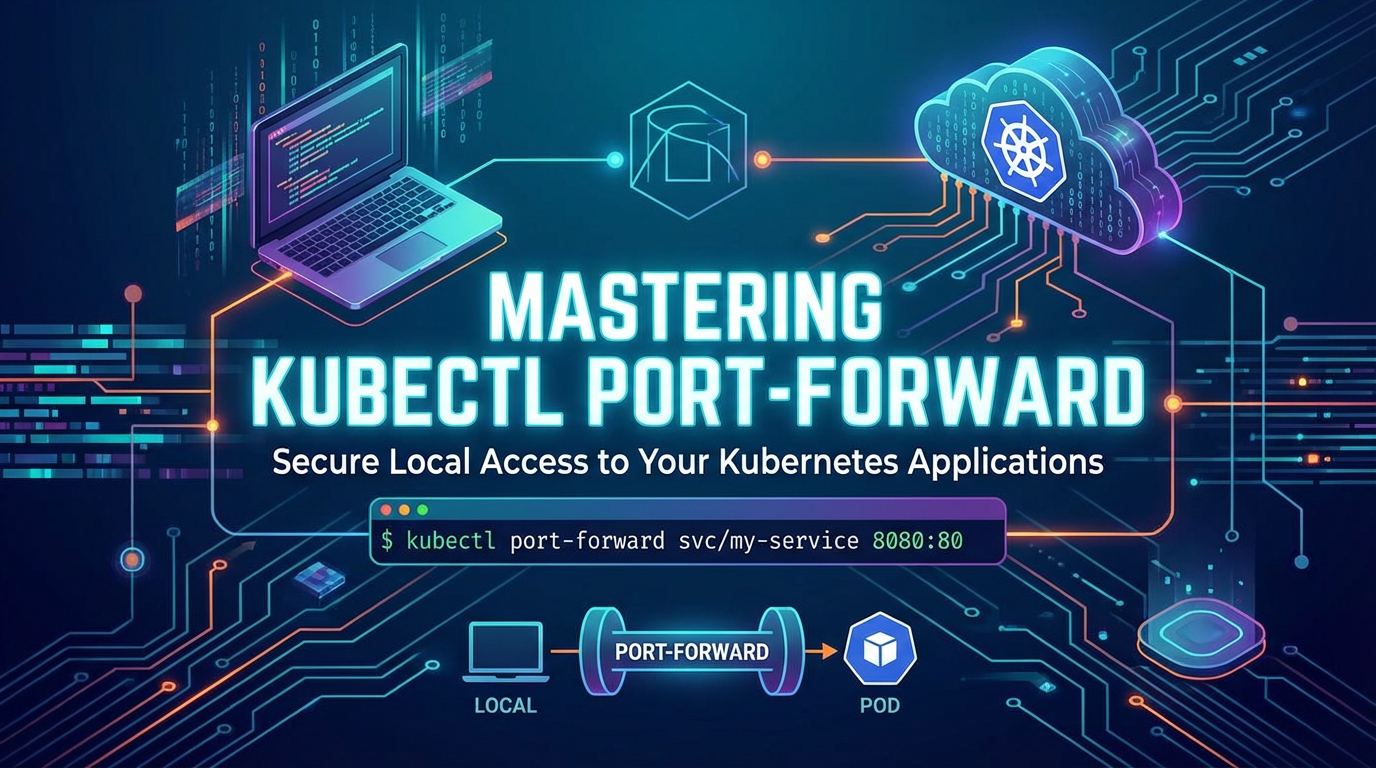
kubelethas established a connection to the Pod's port, a full data tunnel is set up:Local Client <-> kubectl <-> API Server <-> Kubelet <-> Target Pod. - Traffic Flow: Now, any data sent from your local
local-portis encapsulated bykubectl, sent through the API server, then through thekubelet, and finally delivered to theremote-portof the target Pod. Responses follow the reverse path.
This layered approach ensures that the client never directly connects to the Pod or even the node where it resides. All communication is brokered through the secure and auditable Kubernetes API server. This architecture is a fundamental aspect of kubernetes network access and its security model.
Comparison with Other Kubernetes Network Access Methods
kubectl port-forward is one of several ways to access kubernetes service instances, each with its own advantages and disadvantages. Understanding these alternatives helps in choosing the right tool for the job.
Here's a comparison table:
| Feature/Method | kubectl port-forward |
kubectl proxy |
NodePort |
LoadBalancer |
Ingress |
|---|---|---|---|---|---|
| Purpose | Temporary, direct access to specific pod/service for development/debugging. | Proxies access to the Kubernetes API server itself. | Exposes a service on a static port on each node's IP address. | Exposes a service externally using a cloud provider's load balancer. | Exposes multiple services under a single external IP, with HTTP/HTTPS routing. |
| Scope | Local machine to a single Pod/Service/Deployment. | Local machine to Kubernetes API. | Cluster-wide, external access via any node's IP. | Cluster-wide, external access via a dedicated cloud load balancer. | Cluster-wide, external access via HTTP/HTTPS rules. |
| Persistence | Temporary, active only while command runs (or backgrounded). | Temporary, active only while command runs. | Permanent, part of service definition. | Permanent, part of service definition. | Permanent, part of Ingress resource definition. |
| Security | Secure (via API server auth/authz), local-only by default. | Secure (via API server auth/authz), local-only by default. Provides access to API server. | Less secure, exposes port on all nodes. | More secure than NodePort, managed by cloud provider. | Most secure for HTTP/HTTPS, supports TLS, authentication, WAF. |
| Configuration | Simple kubectl command. |
Simple kubectl command. |
Service type change (type: NodePort). |
Service type change (type: LoadBalancer). |
Requires Ingress controller and Ingress resource. |
| Complexity | Low | Low | Medium | Medium | High (requires Ingress controller, rules, potentially TLS setup). |
| Ideal Use Case | Kubernetes local development, debug kubernetes pods, one-off admin tasks. |
Accessing the Kubernetes API, dashboard, or other tools that use the API. | Exposing a service for development/testing where a static port is needed and direct node access is acceptable. | Exposing a public-facing service requiring a stable external IP and load balancing. | Exposing multiple web applications/APIs under a single domain, with advanced routing and TLS. (kubernetes ingress alternative if only temporary direct access is needed). |
| Exposure to Public | No, unless --address 0.0.0.0 and network allows. |
No, local-only by default. | Yes, via node IPs. | Yes, via cloud provider's LoadBalancer IP. | Yes, via Ingress controller's external IP. |
This table clearly illustrates why kubectl port-forward is indispensable for direct, temporary, and secure kubernetes network access during development and debugging, while other methods are tailored for different levels of public exposure and permanence.
Practical Examples and Troubleshooting kubectl port-forward
Even with a solid understanding, real-world usage can sometimes present challenges. Here are more kubectl port-forward examples and common issues with their solutions.
Common Errors and Their Solutions
Error: port is already in use:- Cause: The local port you specified (
<local-port>) is already being used by another process on your machine. - Solution: Choose a different local port, or identify and terminate the process currently using that port. On Linux/macOS,
lsof -i :<port-number>can help identify the process. On Windows,netstat -ano | findstr :<port-number>followed bytaskkill /PID <PID> /F.
- Cause: The local port you specified (
Error: unable to listen on any of the requested ports:- Cause: Similar to the above, but could also indicate permission issues if trying to bind to a privileged port (e.g.,
80) without root access, or issues with the specified--address. - Solution: Ensure the local port is free. If binding to a privileged port (
<1024), run the command withsudo(though generally discouraged forkubectlitself for security reasons) or choose an unprivileged port. Verify the--addressif used.
- Cause: Similar to the above, but could also indicate permission issues if trying to bind to a privileged port (e.g.,
Error from server (NotFound): pods "..." not found(or service, deployment, etc.):- Cause: The specified resource name is incorrect, or the resource does not exist in the current (or specified) namespace.
- Solution: Double-check the resource name for typos. Ensure you are in the correct Kubernetes context (
kubectl config current-context) and namespace (-n <namespace>). Usekubectl get pods -n <namespace>to list available Pods and verify the name.
Error: error upgrading connection: unable to upgrade connection: container not found (""):- Cause: This usually happens when the Pod has multiple containers and you didn't specify which container to forward to.
- Solution: Use the
-c <container-name>flag to specify the target container:bash kubectl port-forward <pod-name> 9000:8080 -c <my-specific-container>
- Connection drops intermittently or is slow:
- Cause: Network instability between your local machine and the Kubernetes API server, high latency, or high load on the API server/kubelet. It could also be the target application itself being slow or restarting.
- Solution: Check your local network connection. Monitor the target Pod's logs (
kubectl logs <pod-name> -f) and status (kubectl describe pod <pod-name>) for application-level issues. If the cluster is under heavy load, consider ifport-forwardis the appropriate tool or if a more permanent solution like Ingress/LoadBalancer is needed for performance-critical scenarios.
Tips for Stability and Reliability
- Specify a unique local port: To avoid conflicts, especially when running multiple
port-forwardsessions, choose distinct local ports. - Target Services/Deployments for resilience: As discussed, targeting a higher-level resource provides resilience against Pod churn.
- Monitor target Pod health: Always keep an eye on the logs and status of the Pod you're forwarding to. If the Pod is unhealthy or restarting, your
port-forwardwill naturally suffer. - Use
nohuporscreen/tmuxfor long-running background sessions: These tools provide more robust background management than simply using&. - Consider network proximity: If you experience significant latency, ensure your local machine is geographically close to your Kubernetes cluster.
Scripting port-forward for Automation
kubectl port-forward can be integrated into scripts to automate development environment setups or testing workflows.
A common pattern is to start port-forward in the background, perform some operations, and then terminate it:
#!/bin/bash

POD_NAME=$(kubectl get pod -l app=my-backend-app -o jsonpath='{.items[0].metadata.name}')
LOCAL_PORT=8000
REMOTE_PORT=8080

if [ -z "$POD_NAME" ]; then
    echo "Error: Pod not found."
    exit 1
fi

echo "Starting port-forward to $POD_NAME on $LOCAL_PORT:$REMOTE_PORT..."
kubectl port-forward "$POD_NAME" "$LOCAL_PORT:$REMOTE_PORT" > /dev/null 2>&1 &
PF_PID=$! # Store the process ID

echo "Port-forward started with PID $PF_PID. Giving it a moment to establish..."
sleep 5 # Give the tunnel a moment to establish

# Perform your local operations here
echo "Accessing service at http://localhost:$LOCAL_PORT/health"
curl http://localhost:$LOCAL_PORT/health

# Add more commands as needed, e.g., run tests
echo "Running local tests..."
# ./run_tests.sh

echo "Terminating port-forward..."
kill "$PF_PID"
echo "Port-forward terminated."
This script demonstrates kubectl port-forward background execution and proper cleanup, essential for kubernetes local development automation.
Dealing with TLS/SSL
When port-forwarding to an application that uses TLS/SSL (HTTPS), the connection is still secure. kubectl port-forward simply tunnels the raw TCP traffic. Your local client will establish an HTTPS connection to localhost:<local-port>, and this encrypted traffic will be passed through the tunnel to the application in the Pod. The TLS handshake and encryption/decryption happen directly between your local client and the application in the Pod; kubectl port-forward does not interfere with the TLS layer.
However, if your application uses a self-signed certificate or a certificate issued for a different hostname (e.g., for my-service.my-namespace.svc.cluster.local), you might encounter certificate errors in your browser or client. In such cases, you might need to: * Configure your local client to ignore certificate warnings (caution advised for production). * Add the application's CA certificate to your local trust store. * Use a tool like curl -k to bypass certificate validation during testing.
Performance Considerations and Limitations
While powerful, kubectl port-forward is not designed for high-throughput, production-grade traffic forwarding. It has inherent performance limitations due to its architecture:
- API Server as a Bottleneck: All traffic flows through the API server, which is a control plane component, not a data plane component. This adds latency and limits throughput, as the API server is optimized for handling API requests, not raw network traffic.
- Single TCP Stream: The underlying connection (SPDY/WebSocket) is often a single TCP connection between
kubectland the API server, and then another from the API server to thekubelet. This can limit overall bandwidth. - Client-Side Operation:
kubectl port-forwardis a client-side utility. If the client machine's network connection is unstable or slow, theport-forwardtunnel will reflect that.
When to use kubectl port-forward: * Local development and testing. * Debugging and troubleshooting. * Temporary administrative access to internal services. * Situations where exposing services publicly is undesirable or complex.
When NOT to use kubectl port-forward: * Exposing services for production traffic. * High-performance data transfer (e.g., large file transfers). * Long-term, permanent external access (use Ingress, LoadBalancer, or NodePort). * When a service mesh or dedicated proxy solution is already in place for managed traffic.
For production API management and performance, specialized tools like API gateways (e.g., APIPark) are designed to handle high TPS (Transactions Per Second), provide robust security, and offer features like load balancing, rate limiting, and analytics, which are well beyond the scope and design capabilities of kubectl port-forward.
Security Best Practices for kubectl port-forward
Given that kubectl port-forward can expose internal cluster services to your local machine, it's crucial to follow security best practices to prevent unintended access or compromise.
- Least Privilege Principle:
- Ensure that the user or service account executing
kubectl port-forwardhas only the minimum necessary RBAC permissions. They should be able togetandcreatepods/portforward(orservices/portforward, etc.) for the specific resources they need to access, and nothing more. Avoid granting cluster-admin roles for routineport-forwardoperations. - Limit which namespaces users can forward from.
- Ensure that the user or service account executing
- Bind to Loopback Address (
127.0.0.1):- By default,
kubectl port-forwardmight bind to0.0.0.0, potentially allowing other machines on your local network to access the forwarded port. Explicitly use--address 127.0.0.1to restrict access to your local machine only, enhancingkubernetes network security.bash kubectl port-forward --address 127.0.0.1 deployment/my-app 8000:80
- By default,
- Use Strong Local Machine Security:
- Your local workstation becomes a direct access point into your cluster. Ensure your local machine is secure, with up-to-date operating system patches, a firewall, antivirus software, and strong authentication.
- Audit and Monitor:
- Kubernetes API server audit logs record
port-forwardrequests. Regularly review these logs to detect any unauthorized or suspiciouskubernetes port forwardingactivity. Implement monitoring and alerting forport-forwardevents, especially for critical resources.
- Kubernetes API server audit logs record
- Temporary Use:
kubectl port-forwardis inherently temporary. Do not use it as a permanent solution foraccess kubernetes serviceinstances in production. Always terminateport-forwardsessions when no longer needed. Avoid leaving backgroundedport-forwardprocesses running indefinitely.
- Avoid Privileged Ports Locally:
- While you can forward to a remote privileged port (e.g.,
80), avoid binding to a privileged port on your local machine (<1024) unless absolutely necessary, as it requires elevated permissions locally.
- While you can forward to a remote privileged port (e.g.,
Adhering to these kubectl port-forward best practices ensures that you leverage its power responsibly without compromising the security posture of your Kubernetes cluster.
The Future of port-forward and Kubernetes Networking
As Kubernetes continues to evolve, so do its networking capabilities. Newer technologies like Service Meshes (e.g., Istio, Linkerd) provide sophisticated traffic management, observability, and security features, often making direct port-forward less necessary for some advanced debugging scenarios, as they offer alternative ways to access and debug services. Tools like telepresence aim to provide a more integrated and transparent local development experience, making local services appear as if they are part of the cluster network without manual port-forward commands.
However, despite these advancements, kubectl port-forward is likely to remain a foundational and indispensable tool. Its simplicity, directness, and lack of additional dependencies make it a go-to utility for quick, on-demand kubernetes network access. For rapid kubernetes local development and debug kubernetes pods, it offers a level of immediate, granular control that even sophisticated service meshes or advanced development proxies might not entirely replace for every specific use case. It perfectly embodies the Unix philosophy of "do one thing and do it well."
The Kubernetes ecosystem is vast and constantly innovating, yet the fundamental need to connect a developer's local machine to a remote application for quick iteration and troubleshooting will persist. kubectl port-forward fills this niche with remarkable efficiency and will continue to be a staple in the Kubernetes engineer's toolbox for years to come. Mastering this command is not just about understanding its syntax; it's about deeply grasping Kubernetes networking, resource management, and secure operational practices.
Conclusion
kubectl port-forward is far more than just a simple command; it is a gateway to efficient kubernetes local development, a potent instrument for debug kubernetes pods, and a secure pathway for access kubernetes service instances that are otherwise insulated within the cluster. From basic Pod forwarding to intelligently targeting Deployments and Services, and from handling multiple ports to operating in the background, this kubectl tunnel provides unparalleled flexibility.
We've delved into its core mechanics, understanding how the kubectl client, API server, and kubelet collaborate to forge a secure, temporary bridge. We've explored a myriad of kubectl port-forward examples spanning local development, advanced debugging, and secure administrative tasks, even considering how it can serve as a valuable kubernetes ingress alternative for focused troubleshooting. Crucially, we've also weighed its performance considerations and laid out robust kubectl port-forward best practices for security, ensuring that this powerful tool is wielded responsibly.
While the Kubernetes landscape evolves with ever more sophisticated networking solutions, the directness and simplicity of kubectl port-forward guarantee its continued relevance. For anyone working with Kubernetes, from novice developers to seasoned SREs, mastering kubectl port-forward is not merely an optional skill but a fundamental prerequisite for effective and secure interaction with their containerized applications. Embrace this command, integrate it into your workflow, and unlock a new level of productivity in your Kubernetes journey.
Frequently Asked Questions (FAQ) about kubectl port-forward
- What is
kubectl port-forwardand why is it used?kubectl port-forwardis akubectlcommand that creates a secure, temporarykubectl tunnelfrom your local machine to a specific port on a Pod, Service, Deployment, or StatefulSet running inside a Kubernetes cluster. It's primarily used forkubernetes local development,debug kubernetes pods, andaccess kubernetes serviceinstances that are not publicly exposed, allowing developers to interact with cluster services as if they were running locally without modifying network configurations or exposing services externally. - Is
kubectl port-forwardsecure? Yes,kubectl port-forwardis considered secure for its intended use cases (local development and debugging). All traffic is tunneled through the authenticated and authorized Kubernetes API server, meaning it respects yourkubeconfigcredentials and RBAC permissions. It doesn't open public ports on your cluster nodes. However, for enhancedkubernetes network security, it's recommended to bind the local port to127.0.0.1using the--addressflag to prevent other machines on your local network from accessing the forwarded service. - What's the difference between forwarding to a Pod vs. a Service/Deployment? When you forward to a Pod, you establish a connection to a specific, named Pod. If that Pod restarts or is deleted, your
kubectl port-forwardconnection will break. When forwarding to a Service or Deployment,kubectlintelligently selects a healthy Pod managed by that resource. If the initially selected Pod becomes unavailable,kubectlwill attempt to re-establish the connection to another healthy Pod, providing a more resilient and stablekubernetes port forwardingexperience, making it generally preferred foraccess kubernetes serviceinstances in development. - Can I run
kubectl port-forwardin the background? Yes, you can runkubectl port-forwardin the background. On Linux/macOS, you can use the&operator (e.g.,kubectl port-forward my-pod 8000:80 &). For more robust background operation and process management, especially in scripts or persistent sessions, tools likenohupor terminal multiplexers likescreenortmuxare often used. Remember to capture the process ID (PID) to easilykillthe background process when it's no longer needed, followingkubectl port-forward best practices. - When should I use
kubectl port-forwardversus other access methods like Ingress or LoadBalancer?kubectl port-forwardis ideal for temporary, direct, and securekubernetes network accessforkubernetes local development,debug kubernetes pods, or one-off administrative tasks. It's not suitable for exposing services to production traffic. For public-facing, high-throughput, and permanent access, you should use:- NodePort: For basic external access where a static port on each node is acceptable.
- LoadBalancer: For exposing a service externally via a cloud provider's load balancer, providing a stable external IP and basic load balancing.
- Ingress: For HTTP/HTTPS traffic, offering advanced routing rules, hostname-based routing, path-based routing, and integrated TLS termination, often serving as a comprehensive
kubernetes ingress alternativefor external production access.
🚀You can securely and efficiently call the OpenAI API on APIPark in just two steps:
Step 1: Deploy the APIPark AI gateway in 5 minutes.
APIPark is developed based on Golang, offering strong product performance and low development and maintenance costs. You can deploy APIPark with a single command line.
curl -sSO https://download.apipark.com/install/quick-start.sh; bash quick-start.sh

In my experience, you can see the successful deployment interface within 5 to 10 minutes. Then, you can log in to APIPark using your account.

Step 2: Call the OpenAI API.