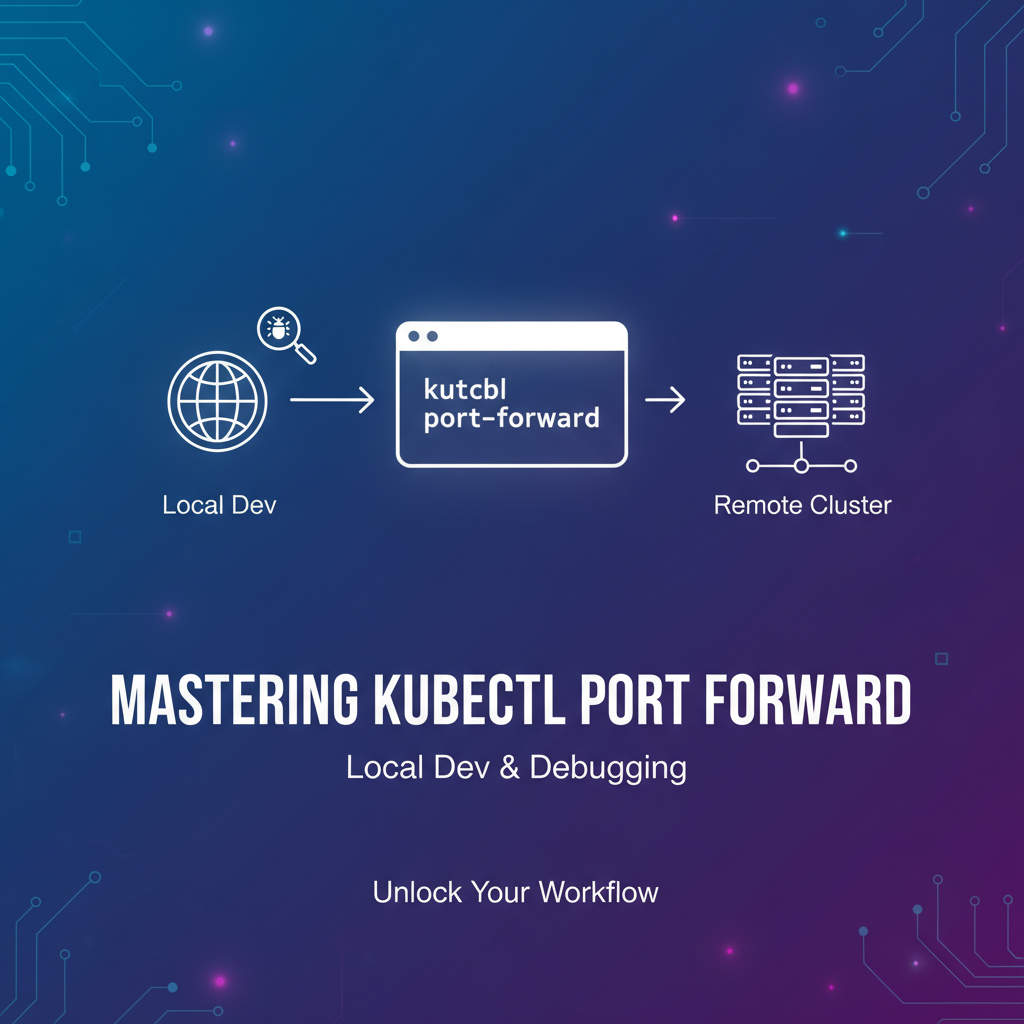
Mastering kubectl port forward: Local Dev & Debugging


The sprawling landscape of cloud-native development, particularly within Kubernetes, offers unparalleled agility and scalability. However, this very power can sometimes introduce a layer of abstraction that complicates the most fundamental of developer tasks: local development and debugging. When your application components reside within isolated pods, behind layers of network virtualization, directly connecting your local machine or IDE to these remote services can feel like navigating a labyrinth. This is precisely where kubectl port-forward emerges as an indispensable tool, a veritable lifeline that bridges the gap between your local workstation and the Kubernetes cluster.
kubectl port-forward is far more than just a command; it's a fundamental utility that empowers developers to seamlessly interact with their Kubernetes-deployed services as if they were running locally. It carves a secure, temporary tunnel, allowing you to forward traffic from a specified local port directly to a port on a pod or service within your cluster. This capability transforms the often-challenging process of testing, debugging, and integrating local services with remote Kubernetes resources into a straightforward and efficient workflow.
In this comprehensive guide, we will embark on a deep dive into kubectl port-forward, dissecting its mechanics, exploring its myriad applications in local development and debugging, and unraveling its best practices. We will journey from the foundational networking concepts of Kubernetes to advanced debugging scenarios, ensuring you gain a mastery of this pivotal command. Furthermore, we will contextualize its role within the broader api management ecosystem, touching upon how tools like port-forward facilitate the initial stages of api development before transitioning to more robust api gateway solutions for production. By the end of this exploration, you will possess a profound understanding of how to leverage kubectl port-forward to significantly enhance your productivity and streamline your cloud-native development experience.
Unpacking Kubernetes Networking Fundamentals: The Foundation of Connectivity
Before we plunge into the intricacies of kubectl port-forward, it’s essential to establish a solid understanding of how networking operates within a Kubernetes cluster. The design philosophy behind Kubernetes networking prioritizes flat, non-NATted IP addresses for pods and a service abstraction layer that decouples application concerns from network details. This architecture, while powerful for scalability and resilience, is precisely what makes direct access from outside the cluster challenging without specific mechanisms.
Pods: The Atomic Units of Deployment
At the heart of Kubernetes, the Pod is the smallest deployable unit, encapsulating one or more containers, storage resources, a unique network IP, and options that govern how the containers run. Each Pod within a Kubernetes cluster is assigned its own unique IP address from a private network range defined by the Cluster Network Interface (CNI) plugin. This IP address is directly accessible by other Pods within the same cluster, enabling seamless inter-pod communication.
However, a Pod's IP address is ephemeral. When a Pod dies or is recreated (e.g., due to a deployment update, scaling event, or node failure), it gets a new IP address. This dynamic nature means you cannot reliably hardcode Pod IPs or directly target them from outside the cluster for sustained access. Moreover, Pods are inherently isolated from the outside world unless explicitly exposed. This isolation is a security feature, preventing unauthorized access, but it necessitates mechanisms to bridge the gap for legitimate purposes, particularly during development and debugging.
Services: The Stable Abstraction Layer
To overcome the ephemerality of Pod IPs and provide a stable network endpoint for accessing a set of Pods, Kubernetes introduces the concept of a Service. A Service is an abstract way to expose an application running on a set of Pods as a network service. Services have a stable IP address (ClusterIP) and DNS name within the cluster, meaning other Pods can consistently discover and communicate with them, regardless of which specific Pods are backing the Service or their individual IP addresses.
Kubernetes Services come in several types, each catering to different exposure needs:
- ClusterIP: The default Service type, which exposes the Service on an internal IP in the cluster. This Service is only reachable from within the cluster.
- NodePort: Exposes the Service on each Node's IP at a static port (the NodePort). A ClusterIP Service is automatically created, and the NodePort Service routes to it. This allows external traffic to reach the Service via
<NodeIP>:<NodePort>. - LoadBalancer: For cloud providers that support it, this type provisions an external load balancer, assigning it a public IP address. Traffic from outside the cluster hits the load balancer and is routed to the Service. This is typically used for exposing production apis or web applications to the internet.
- ExternalName: Maps a Service to a DNS name, rather than to a selector.
While Services provide stability within the cluster and options for external exposure, they are often overkill or unsuitable for specific local development and debugging scenarios. For instance, creating a LoadBalancer or NodePort Service might expose a development database or an internal debug api to the entire network when only a single developer needs temporary access. This is where kubectl port-forward offers a surgical, temporary, and localized solution.
CNI (Container Network Interface): The Network Underpinnings
Behind the scenes, a CNI plugin (e.g., Calico, Flannel, Weave Net) is responsible for implementing the Kubernetes network model. These plugins assign IP addresses to Pods and ensure that Pods can communicate with each other across different nodes, effectively creating a flat network fabric for the cluster. While CNI specifics are often transparent to developers, understanding that it underpins the Pod-to-Pod communication model helps contextualize why direct external access to Pods is not the default.
In summary, Kubernetes networking is designed for internal communication and controlled external exposure. kubectl port-forward does not circumvent this design but rather offers a controlled, temporary breach in the isolation, specifically tailored for individual developer needs without the broader implications of creating persistent external exposure mechanisms like LoadBalancers or Ingress controllers. It leverages the underlying network capabilities to establish a direct tunnel, making a remote service feel local.
The Core Problem kubectl port-forward Solves: Bridging the Isolation Gap
The very architecture that makes Kubernetes robust and scalable – its inherent isolation of workloads – can present significant hurdles during the development and debugging phases. kubectl port-forward directly addresses several critical pain points arising from this isolation, effectively acting as a temporary, on-demand bridge.
1. Accessing Services Not Exposed Externally
Many services within a Kubernetes cluster are designed to be purely internal. Think of databases, caching layers (like Redis), message queues (like Kafka), or internal microservices that only communicate with other services within the cluster. These services typically use ClusterIP Services and are not meant to be exposed via NodePort, LoadBalancer, or Ingress controllers, primarily for security and architectural reasons.
However, during development, a local application (e.g., a frontend SPA, another microservice running on your machine, or even a simple script) often needs to connect to one of these internal cluster services. For example: * Your local frontend application needs to make api calls to a backend api service running in Kubernetes. * Your local microservice needs to connect to a PostgreSQL database deployed within the cluster. * You need to inspect the state of a Redis cache directly from your local machine using redis-cli.
Without kubectl port-forward, achieving this would involve: * Temporarily changing the Service type to NodePort or LoadBalancer, which could introduce security vulnerabilities and pollute your cluster configuration with temporary resources. * Deploying a full VPN solution, which is often overkill for a single developer's temporary access needs. * Using kubectl exec to run commands inside the Pod, which is cumbersome for continuous interaction or connecting local GUI tools.
kubectl port-forward elegantly bypasses these complexities. It creates a direct, secure tunnel from a specified local port on your machine to a specified port on a Pod or Service in the cluster. This makes the remote service appear as if it's running on localhost, allowing your local tools and applications to connect to it effortlessly.
2. Debugging Applications and APIs in Development Environments
Debugging a remote application is inherently more complex than debugging a local one. When an api or application encounters issues within a Kubernetes Pod, you often need to: * Connect a local IDE debugger to the remote process. * Access a custom debug api or health check endpoint exposed by the application within the Pod. * Interact with a specific instance of an application that is part of a larger deployment, without affecting other instances.
kubectl port-forward is invaluable in these scenarios. You can forward a remote debugging port (e.g., JVM's JDWP port, Node.js inspect port) directly to your local machine. This allows your local IDE (IntelliJ, VS Code, etc.) to attach to the remote process as if it were running locally, enabling breakpoint-based debugging, variable inspection, and step-through execution.
Similarly, if your application exposes an internal /metrics endpoint for Prometheus scraping or an /admin api for specific management tasks, port-forward allows you to access these endpoints directly from your browser or curl command on your local machine, facilitating quick inspection and troubleshooting without needing to expose them globally.
3. Connecting Local Tools to Remote Kubernetes Resources
Beyond applications, many administrative and monitoring tools are designed to connect to services over standard network ports. Examples include: * Database clients: psql, mysql, DBeaver, DataGrip for connecting to database instances inside pods. * Message queue clients: Kafka clients, RabbitMQ management dashboards. * Monitoring dashboards: Prometheus UIs, Grafana dashboards. * Custom CLI tools: Any local script or application that needs direct TCP access to a cluster resource.
Trying to access these resources directly from your local machine without port-forward would often involve complex network configurations or creating temporary NodePort Services. kubectl port-forward simplifies this dramatically. You can establish a tunnel, for instance, from localhost:9090 to the Prometheus UI running on port 9090 in a Pod within your cluster, instantly making the dashboard accessible in your local browser. This facilitates quick checks, data analysis, and validation during the development and testing phases.
4. Isolating Debugging Scope to a Specific Pod
In a deployment with multiple replicas, you might want to debug a specific instance of your application without affecting other running instances or routing all traffic through your debugging session. kubectl port-forward allows you to target a specific Pod by its name, ensuring that your local connection is established only with that particular instance. This precision is crucial for isolating issues, testing fixes on a single replica, or performing deep-dive debugging without broader service disruption.
In essence, kubectl port-forward serves as a highly versatile and targeted mechanism for breaking down the network barriers inherent in Kubernetes, providing developers with the direct, on-demand access they need for efficient local development, debugging, and integration. It transforms the remote cluster into an extension of your local development environment, fostering a seamless workflow.
Deep Dive into kubectl port-forward Syntax and Usage: Mastering the Command
The power of kubectl port-forward lies in its elegant simplicity, yet it offers sufficient flexibility to handle a wide array of scenarios. Understanding its syntax and various targeting options is key to harnessing its full potential.
Basic Syntax
The fundamental syntax for kubectl port-forward is as follows:
kubectl port-forward <resource_type>/<resource_name> <local_port>:<remote_port> [options]
Let's break down each component:
kubectl port-forward: The command itself, signaling our intent to establish a port-forwarding tunnel.<resource_type>/<resource_name>: This specifies the Kubernetes resource you want to target. You can target a Pod, a Service, a Deployment, or a ReplicaSet.- Targeting a Pod directly:
pod/<pod-name>(e.g.,kubectl port-forward pod/my-app-pod-12345-abcde 8080:80) - Targeting a Service:
service/<service-name>(e.g.,kubectl port-forward service/my-app-service 8080:80) - Targeting a Deployment:
deployment/<deployment-name>(e.g.,kubectl port-forward deployment/my-app-deployment 8080:80) - Targeting a ReplicaSet:
replicaset/<replicaset-name>(e.g.,kubectl port-forward replicaset/my-app-replicaset-12345 8080:80)
- Targeting a Pod directly:
<local_port>: The port on your local machine that you want to open. When you connect to this port, traffic will be forwarded to the cluster.<remote_port>: The port on the target resource (Pod or Service) within the Kubernetes cluster that you want to forward traffic to.[options]: Optional flags that modify the command's behavior (e.g.,-nfor namespace,&for backgrounding).
Targeting Resources: Specificity vs. Abstraction
kubectl port-forward intelligently handles different resource types:
1. Targeting Pods Directly: Precision and Control
When you target a Pod directly, kubectl establishes a tunnel to that specific Pod's IP address and the specified remote port. This offers the highest degree of control and is particularly useful when: * You need to debug a specific instance of an application (e.g., a problematic replica). * The Pod exposes a unique debug port not associated with its main service port. * You are certain which Pod you want to connect to.
Example: Suppose you have a Pod named my-backend-7c4c8d55d-abcd1 running an api service on port 8080. You want to access it from your local machine on port 9000.
kubectl port-forward pod/my-backend-7c4c8d55d-abcd1 9000:8080
Now, any request to http://localhost:9000 on your machine will be forwarded to my-backend-7c4c8d55d-abcd1:8080 inside the cluster.
Important Note: Pod names are often dynamic (e.g., include a hash for ReplicaSet/Deployment management). You'll typically need to first find the Pod name using kubectl get pods.
2. Targeting Services: Stability and Load Balancing
When you target a Service, kubectl doesn't forward to the Service's ClusterIP directly. Instead, it inspects the Service's selectors, finds one of the healthy Pods that back that Service, and establishes the tunnel to that Pod. If the original Pod dies or becomes unhealthy, kubectl port-forward will automatically re-establish the connection to another healthy Pod backing the Service. This makes Service-based forwarding more resilient to Pod churn.
This is the preferred method when: * You need to access any healthy instance of a service, and you don't care which specific Pod it is. * Your service is part of a deployment with multiple replicas, and you want the load balancing behavior (even if it's just to one Pod at a time for port-forward).
Example: Your application exposes an api via a Service named my-api-service on port 80. You want to access it locally on port 8000.
kubectl port-forward service/my-api-service 8000:80
This command will find a Pod selected by my-api-service, establish a tunnel, and forward localhost:8000 to the Pod's port 80.
3. Targeting Deployments or ReplicaSets: Convenience
For convenience, you can also target a Deployment or a ReplicaSet. Similar to Services, kubectl will identify one of the Pods managed by that Deployment or ReplicaSet and establish the forward to it. This is useful when you just know the name of your application's deployment and don't want to bother finding the Pod name or service name.
Example: You have a deployment named my-web-app that creates Pods listening on port 3000.
kubectl port-forward deployment/my-web-app 3000:3000
Specifying Local and Remote Ports
- Same Ports: Often, you'll use the same port number for both local and remote:
kubectl port-forward pod/my-pod 8080:8080. - Different Ports: You can map a remote port to a different local port if the local port is already in use or if you prefer a different local port:
kubectl port-forward pod/my-pod 9000:8080. This mapslocalhost:9000to the Pod's port8080. - Automatic Local Port Assignment: If you omit the local port,
kubectlwill automatically assign a free local port.kubectl port-forward pod/my-pod :8080(will pick an ephemeral local port, e.g.,8080 -> 49153) This is less common for explicit connections but can be useful for quick checks.
Handling Multiple Port Forwards
You can establish multiple port forwards simultaneously by running separate kubectl port-forward commands in different terminal windows or by backgrounding them. Each command creates an independent tunnel.
Example: Connecting to a backend api and a database: * Terminal 1: kubectl port-forward service/my-api 8000:80 * Terminal 2: kubectl port-forward service/my-db 5432:5432
Now, your local application can connect to the API at localhost:8000 and the database at localhost:5432.
Backgrounding the Process
kubectl port-forward is a blocking command; it will keep your terminal session active until you manually terminate it (e.g., with Ctrl+C). For continuous development, you often want to run it in the background.
Using & (Ampersand)
The simplest way to background is to append & to the command:
kubectl port-forward service/my-api 8000:80 &
This will run the command in the background, freeing your terminal. You can later bring it to the foreground using fg or kill it using kill %<job_number> (find job numbers with jobs).
Using nohup (No Hang Up)
For more robust backgrounding, especially if you plan to close your terminal session, nohup is useful:
nohup kubectl port-forward service/my-api 8000:80 > /dev/null 2>&1 &
This ensures the process continues even if your terminal session ends. The > /dev/null 2>&1 redirects standard output and error to /dev/null to prevent log files from accumulating. You'll need to find the process ID (PID) using ps aux | grep 'kubectl port-forward' to kill it later.
Specifying Namespace (-n or --namespace)
If your resources are not in the default namespace, you must specify the namespace using the -n or --namespace flag.
kubectl port-forward -n my-dev-namespace service/my-api 8000:80
Troubleshooting Common Issues
Error: listen tcp 127.0.0.1:8000: bind: address already in use: This means thelocal_port(e.g.,8000) is already being used by another application on your machine.- Solution: Choose a different local port or stop the application currently using that port.
error: error forwarding port 8080 to pod <pod-name>, uid : exit status 1: unable to forward port 8080: Error forwarding '8080' -> '8080': failed to execute portforward in healthcheck: Failed to get Pod: pods "<pod-name>" not found: The target Pod or Service does not exist, or the name is incorrect.- Solution: Double-check the Pod/Service name and namespace. Use
kubectl get podsorkubectl get servicesto verify.
- Solution: Double-check the Pod/Service name and namespace. Use
error: unable to listen on any of the requested ports: [{8000 80}]: This can happen if the remote port is not actually exposed by the application in the Pod, or if there's a networking issue within the Pod itself preventing it from listening on that port.- Solution: Use
kubectl exec <pod-name> -- netstat -tulnorss -tulnto verify that the application inside the Pod is indeed listening on the specifiedremote_port. Also, check your application logs for errors.
- Solution: Use
Error from server: error dialing backend: dial tcp 10.42.0.10:80: connect: connection refused: This often means the connection to the Pod was established, but the application inside the Pod on the specifiedremote_portrefused the connection.- Solution: The application might not be running, might have crashed, or might not be listening on that port. Check Pod logs (
kubectl logs <pod-name>) for application errors.
- Solution: The application might not be running, might have crashed, or might not be listening on that port. Check Pod logs (
Mastering these syntax variations and troubleshooting steps will make kubectl port-forward an incredibly potent and reliable tool in your Kubernetes development arsenal, allowing you to fluidly connect your local environment with remote cluster resources.
Practical Use Cases for Local Development: Seamless Integration
kubectl port-forward truly shines in its ability to bridge disparate environments, making local development with Kubernetes a remarkably smooth experience. Let's explore several practical scenarios where this command proves invaluable.
1. Developing Microservices: Connecting Local Backends to Remote Databases
A common architectural pattern involves running multiple microservices, each with its own responsibilities. During development, you might be working on a new microservice locally, but you want it to interact with a shared database or a message queue that's already deployed in your Kubernetes cluster.
Scenario: You're developing a new Java Spring Boot api locally that needs to connect to a PostgreSQL database running in your Kubernetes cluster. The PostgreSQL service is named my-postgres and listens on its default port 5432.
Steps: 1. Identify the PostgreSQL Service: Ensure your PostgreSQL database is running and exposed via a Kubernetes Service. bash kubectl get services # Expected output might include: # NAME TYPE CLUSTER-IP EXTERNAL-IP PORT(S) AGE # my-postgres ClusterIP 10.43.123.45 <none> 5432/TCP 2d 2. Establish the Port Forward: bash kubectl port-forward service/my-postgres 5432:5432 This command will block your terminal and print messages indicating the successful forwarding: Forwarding from 127.0.0.1:5432 -> 5432 Forwarding from [::1]:5432 -> 5432 3. Configure Your Local Application: In your local Spring Boot application's application.properties (or application.yml), configure the database connection string to point to localhost:5432.
**`application.properties` example:**
```properties
spring.datasource.url=jdbc:postgresql://localhost:5432/mydatabase
spring.datasource.username=myuser
spring.datasource.password=mypassword
```
- Run Your Local Microservice: Start your Spring Boot application locally. It will now connect to the PostgreSQL database running inside your Kubernetes cluster as if it were a local database instance.
Why this is powerful: You get to leverage the persistent data and pre-configured environment of your cluster database without deploying your entire microservice to Kubernetes for every local change. This significantly speeds up the development cycle.
2. Frontend Development: Connecting Local UIs to Remote Backend APIs
Another common pattern involves a frontend application (e.g., React, Vue, Angular) that consumes a backend api. When the backend api is deployed in Kubernetes, but you're iterating rapidly on your local frontend, port-forward provides the necessary connectivity.
Scenario: You're developing a React application locally, and it needs to fetch data from a backend api service named my-backend-api that's running in your Kubernetes cluster on port 8080.
Steps: 1. Identify the Backend API Service: bash kubectl get services # Example: # NAME TYPE CLUSTER-IP EXTERNAL-IP PORT(S) AGE # my-backend-api ClusterIP 10.43.100.20 <none> 8080/TCP 1d 2. Establish the Port Forward: bash kubectl port-forward service/my-backend-api 8080:8080 This forwards localhost:8080 to the my-backend-api service. 3. Configure Your Local Frontend: In your React application, configure your api calls to target http://localhost:8080. javascript // Example in a React component fetch('http://localhost:8080/api/data') .then(response => response.json()) .then(data => console.log(data)); 4. Run Your Local Frontend: Start your React development server. It will now seamlessly communicate with your Kubernetes-deployed backend api.
Benefits: This setup eliminates the need for complex CORS configurations if the backend is exposed directly or repeatedly deploying your frontend to the cluster. You get immediate feedback on your UI changes while relying on the real backend environment.
3. Accessing Internal Tools and Dashboards
Many internal cluster tools (e.g., monitoring, logging, api dashboards) are designed to be accessible only within the cluster. port-forward provides a temporary window into these without creating permanent exposures.
Scenario: You want to view the Prometheus UI (running on port 9090 in a Pod selected by the prometheus-server service) or the Grafana dashboard (running on port 3000 via a grafana service) from your local browser.
Steps: 1. For Prometheus: bash kubectl port-forward service/prometheus-server 9090:9090 Then, open http://localhost:9090 in your web browser. 2. For Grafana: bash kubectl port-forward service/grafana 3000:3000 Then, open http://localhost:3000 in your web browser.
Value: This enables quick checks of metrics, alert configurations, or data visualizations without needing to expose these tools to the public internet or configure a VPN. It's perfect for ad-hoc investigations.
4. Database Schema Migrations and Data Inspection
When working with databases in Kubernetes, you might need to run schema migrations from your local machine using tools like Flyway or Liquibase, or simply use a GUI database client (like DBeaver or DataGrip) to inspect data.
Scenario: You have a MySQL database running in your cluster via a service named my-mysql, listening on port 3306. You need to run a local migration tool.
Steps: 1. Establish the Port Forward: bash kubectl port-forward service/my-mysql 3306:3306 2. Configure Local Migration Tool/Client: Point your local migration tool or database GUI client to localhost:3306. 3. Execute Migrations/Inspect Data: Run your migration scripts or browse the database schema and data as if the database were running on your local machine.
Significance: This provides a secure and direct channel for database administration tasks, avoiding potential data exposure or the complexity of VPNs for simple development tasks.
These examples underscore the versatility and developer-centric nature of kubectl port-forward. It empowers developers to maintain a familiar local development workflow while leveraging the powerful, isolated environment of Kubernetes, significantly enhancing efficiency and reducing friction in cloud-native application development.
Advanced Debugging Scenarios with kubectl port-forward: Pinpointing Problems
While kubectl port-forward is excellent for connecting local applications to remote services, its true debugging prowess shines when you need to peer inside a running container to diagnose and fix issues directly. This often involves connecting specialized debugging tools to specific ports exposed by the application within the Pod.
1. Connecting a Local IDE Debugger to Remote Applications
One of the most powerful uses of kubectl port-forward is enabling remote debugging directly from your Integrated Development Environment (IDE). Many programming languages and runtimes offer built-in remote debugging capabilities, which port-forward can bridge.
Java (JDWP - Java Debug Wire Protocol)
Scenario: You have a Java application (e.g., Spring Boot) running in a Kubernetes Pod. You want to set breakpoints in your local IDE (e.g., IntelliJ IDEA, Eclipse) and step through the code as it executes in the remote Pod.
Steps: 1. Configure your Java Application for Remote Debugging: The Java application inside your Docker image (and thus in the Pod) must be started with specific JVM arguments to enable remote debugging. A common configuration is: -agentlib:jdwp=transport=dt_socket,server=y,suspend=n,address=*:5005 This tells the JVM to listen for a debugger connection on port 5005. The suspend=n means the application will start immediately, without waiting for the debugger. If you want the application to wait for the debugger before executing any code (useful for debugging startup issues), change it to suspend=y. Ensure this is part of your container's startup command (e.g., in your Dockerfile ENTRYPOINT or Kubernetes Deployment command argument).
- Find the Pod Name:
bash kubectl get pods # Find your application's pod, e.g., my-java-app-deployment-12345-abcde - Establish the Port Forward:
bash kubectl port-forward pod/my-java-app-deployment-12345-abcde 5005:5005This forwards local port5005to the Pod's port5005. - Configure Your Local IDE:
- IntelliJ IDEA: Go to
Run -> Edit Configurations.... Add a newRemote JVM Debugconfiguration.- Set
Host:tolocalhost. - Set
Port:to5005. - Ensure the
TransportisSocketandDebugger modeisAttach. - Click
Applyand thenOK.
- Set
- VS Code (with Java Extension Pack): In
launch.json, add a configuration like:json { "type": "java", "name": "Debug (Attach) - Remote", "request": "attach", "hostName": "localhost", "port": 5005 }
- IntelliJ IDEA: Go to
- Start Debugging: In your IDE, start the remote debugger. Your IDE will connect to
localhost:5005, which is then tunneled to the Java application's debug port in the Kubernetes Pod. You can now set breakpoints, inspect variables, and step through your code as if it were running locally.
Node.js (Inspector Protocol)
Scenario: You have a Node.js application running in a Pod, and you want to use the Chrome DevTools or VS Code debugger to inspect its execution.
Steps: 1. Configure your Node.js Application for Debugging: Start your Node.js application with the --inspect flag, optionally specifying a port. bash node --inspect=0.0.0.0:9229 app.js The 0.0.0.0 ensures it listens on all interfaces within the container. Port 9229 is the default for the inspector protocol. 2. Find the Pod Name: bash kubectl get pods # Find your application's pod, e.g., my-node-app-deployment-54321-fghij 3. Establish the Port Forward: bash kubectl port-forward pod/my-node-app-deployment-54321-fghij 9229:9229 4. Connect Your Debugger: * Chrome DevTools: Open Chrome, navigate to chrome://inspect. Under "Remote Target", you should see your Node.js application. Click "inspect". * VS Code: In launch.json, add a configuration: json { "type": "node", "request": "attach", "name": "Attach to Remote Node App", "port": 9229, "address": "localhost", "localRoot": "${workspaceFolder}", "remoteRoot": "/techblog/en/app" // Adjust to your application's root directory in the container } Start the debugger in VS Code.
This remote debugging capability is a game-changer for diagnosing complex runtime issues that only manifest within the Kubernetes environment, allowing developers to use their familiar debugging tools and workflows.
2. Accessing Custom Debug Ports or Admin APIs
Beyond standard language debuggers, many applications expose custom internal ports for diagnostics, metrics, or administrative apis. kubectl port-forward provides immediate access to these.
Scenario: An application exposes a /healthz endpoint on port 8081 and a /metrics endpoint on port 8082 for internal monitoring, distinct from its main application api on port 8080.
Steps: 1. Forward to Health Endpoint: bash kubectl port-forward pod/my-app-pod 8081:8081 Then, open http://localhost:8081/healthz in your browser or use curl. 2. Forward to Metrics Endpoint: bash kubectl port-forward pod/my-app-pod 8082:8082 Then, open http://localhost:8082/metrics in your browser or use curl.
Benefit: This direct access allows you to quickly verify the health, performance metrics, or internal state of a specific Pod without needing to modify its Service configuration or expose these endpoints more broadly. It's an agile way to gather runtime information.
3. Network Troubleshooting and Connectivity Verification
Sometimes, debugging involves verifying network connectivity or ensuring an application is indeed listening on the correct port within its Pod. kubectl port-forward can help confirm this.
Scenario: You suspect your application in a Pod isn't listening on port 8080 as expected, or there's a firewall rule preventing internal access to that port.
Steps: 1. Attempt Port Forward: bash kubectl port-forward pod/my-app-pod 8080:8080 2. Observe Output: * If the port-forward command itself fails with "unable to listen on any of the requested ports" or "connection refused", it strongly suggests the application is not listening on 8080 within the Pod, or there's a network configuration issue preventing the tunnel. * If it succeeds, but subsequent curl localhost:8080 requests still fail, then the problem lies deeper within the application logic (e.g., it's accepting connections but immediately closing them, or returning errors). 3. Cross-Verify with kubectl exec: You can use kubectl exec to run netstat or ss inside the Pod to confirm listening ports: bash kubectl exec -it pod/my-app-pod -- netstat -tuln | grep 8080 # or kubectl exec -it pod/my-app-pod -- ss -tuln | grep 8080 If these commands show no process listening on 8080, then the problem is definitively within the container's application startup or configuration.
This methodical approach, combining port-forward's connectivity test with kubectl exec for internal inspection, provides a powerful way to narrow down network-related debugging challenges within Kubernetes. It helps distinguish between external connectivity issues and internal application binding problems, saving significant time in diagnostics.
APIPark is a high-performance AI gateway that allows you to securely access the most comprehensive LLM APIs globally on the APIPark platform, including OpenAI, Anthropic, Mistral, Llama2, Google Gemini, and more.Try APIPark now! 👇👇👇
Security Considerations and Best Practices for kubectl port-forward
While kubectl port-forward is an incredibly useful tool, its power also necessitates a thoughtful approach to security. Establishing a direct tunnel from your local machine to a Pod in the cluster essentially bypasses some layers of Kubernetes' inherent network isolation. Therefore, it's crucial to understand the implications and adhere to best practices.
1. port-forward Creates a Direct Tunnel: Be Mindful of Exposure
When you use kubectl port-forward, you are creating a direct TCP tunnel. This means that if you forward a sensitive port (e.g., a database port, an admin api port) to your local machine, and your local machine is accessible to other devices on your local network, those devices could potentially access the Kubernetes resource through your forwarded port.
Risk: If your local machine is on a public Wi-Fi network or a shared development network, and you forward 5432:5432 to a production-like database, another user on that network could potentially connect to your localhost:5432 and gain access to your database.
Best Practice: * Use on Trusted Networks: Primarily use port-forward on secure, trusted networks (e.g., your corporate VPN, home network). * Firewall Your Local Machine: Ensure your local machine's firewall is properly configured to limit incoming connections to forwarded ports, ideally restricting them to localhost only. Most operating systems default to this, but it's worth verifying. * Avoid Global Listen: kubectl port-forward by default listens on 127.0.0.1 and [::1] (localhost). Avoid using the --address flag to listen on 0.0.0.0 unless absolutely necessary and you fully understand the security implications, as this would make the forwarded port accessible from any network interface on your local machine.
2. Temporary Access, Not Long-Term Production Exposure
kubectl port-forward is explicitly designed for temporary, ad-hoc access during development, debugging, and testing. It is fundamentally not a solution for exposing services in production environments for sustained external access.
Why not for production? * Single Point of Failure: The tunnel relies on your local kubectl process. If your machine goes to sleep, loses network, or kubectl crashes, the connection is lost. * No Load Balancing/Scalability: It connects to a single Pod (or one Pod via a Service selector), offering no load balancing, scaling, or high availability. * Lack of Management Features: It lacks features like api gateway traffic management, rate limiting, authentication, authorization, or monitoring that are critical for production APIs. * Security Gaps: As discussed, it bypasses standard network security layers, making it less secure than production-grade exposure methods.
Best Practice: Once an api or application is ready for broader consumption, especially in production, use appropriate Kubernetes mechanisms like Ingress (for HTTP/S), LoadBalancer (for TCP/UDP), or NodePort Services, combined with robust api gateway solutions for security and management.
3. Role-Based Access Control (RBAC) Implications
The ability to use kubectl port-forward is governed by Kubernetes' Role-Based Access Control (RBAC). A user or service account must have sufficient permissions to perform the port-forward action.
Permissions Required: The specific permissions needed are pods/portforward. This means if a user has get, list, or watch permissions on Pods, they might not necessarily have the right to port-forward to them. You need the portforward verb explicitly.
Example RBAC Policy (Role):
apiVersion: rbac.authorization.k8s.io/v1
kind: Role
metadata:
  name: dev-port-forwarder
  namespace: default
rules:
- apiGroups: [""]
  resources: ["pods"]
  verbs: ["get", "list", "watch", "portforward"]
- apiGroups: [""]
  resources: ["pods/portforward"]
  verbs: ["create"] # specifically for establishing the tunnel
This Role can then be bound to a User or Service Account via a RoleBinding.
Best Practice: * Least Privilege: Grant portforward permissions only to users and service accounts that genuinely need it. Avoid granting it broadly, especially in production or sensitive namespaces. * Contextual Permissions: Use namespace-scoped Roles and RoleBindings to restrict portforward access to specific development or debugging namespaces, rather than cluster-wide. * Audit Logs: Ensure your cluster has auditing enabled to track who is performing port-forward operations, aiding in security investigations if needed.
4. Alternatives for Production Environments
When your services are ready to be consumed by external applications or users beyond your local development machine, kubectl port-forward is no longer the appropriate tool. You should consider:
- Ingress Controllers: For HTTP/HTTPS traffic, Ingress provides sophisticated routing, SSL termination, and host-based/path-based routing to your services. It’s the standard for exposing web APIs and applications.
- LoadBalancer Services: For TCP/UDP services (non-HTTP),
LoadBalancertype Services provision external load balancers through your cloud provider, offering robust, scalable, and manageable external access. - NodePort Services: While simpler,
NodePortcan expose services on a static port across all nodes. It's less managed thanLoadBalancerand often used for development or internal services where the node IP is known. - VPNs/Service Meshes: For secure, enterprise-grade access to internal cluster resources, a Virtual Private Network (VPN) solution or a service mesh (like Istio, Linkerd) can provide more comprehensive network policies, encryption, and controlled access.
By diligently adhering to these security considerations and best practices, you can leverage the immense utility of kubectl port-forward without inadvertently compromising the security posture of your Kubernetes development environments. It’s a tool best used surgically and temporarily, always keeping the broader security context in mind.
Comparing kubectl port-forward with Other Kubernetes Exposure Methods
Understanding kubectl port-forward in isolation is useful, but its true value becomes apparent when contrasted with other mechanisms Kubernetes offers for exposing services. Each method serves distinct purposes and caters to different stages of the application lifecycle.
| Feature | kubectl port-forward |
NodePort Service |
LoadBalancer Service |
Ingress Controller |
|---|---|---|---|---|
| Purpose | Temporary local access for dev/debug | Expose service on each Node's IP/port | Expose service via external load balancer | HTTP/S routing for external access |
| Scope of Access | Local machine only (localhost) |
Any machine that can reach Node IP | External internet | External internet (HTTP/S) |
| Persistence | Temporary (lasts as long as command runs) | Persistent (Service object remains) | Persistent (Service object remains) | Persistent (Ingress object remains) |
| Traffic Type | TCP (raw) | TCP/UDP | TCP/UDP | HTTP/HTTPS |
| Scalability | Connects to single Pod (via Service selector) | Basic (multiple Nodes, but still direct connection) | Highly scalable (external load balancer) | Highly scalable (load balancer + routing) |
| Security | Moderate (local tunnel, RBAC controlled) | Low (direct node port exposure) | Moderate (external LB, cloud provider security) | High (SSL, WAF, authentication possible) |
| Management | Manual command, local process | Kubernetes Service object | Kubernetes Service object, cloud provider LB | Kubernetes Ingress object, Ingress Controller |
| Use Cases | Local dev, IDE debugging, ad-hoc access | Internal dev/test, exposing simple apps for limited users | Public-facing services, production APIs | Web applications, RESTful APIs, microservices |
| Complexity | Low | Low | Medium (cloud provider integration) | High (Ingress Controller deployment, rules) |
| Resource Overhead | Minimal (local process, cluster agent) | Minimal (Service object) | Medium (external LB resource) | High (Ingress Controller pods, configs) |
Key Takeaways from the Comparison:
- Context is King: The choice of exposure method depends entirely on the context and the stage of your application.
port-forwardfor the Individual Developer: It's a personal, temporary bridge. It doesn't modify the cluster's network configuration or affect other users. Its primary role is to bring a remote Pod into your local development environment for debugging and integration.- Services for Internal and Controlled External Exposure:
ClusterIPfor internal,NodePortfor more controlled external (often for development/testing),LoadBalancerfor scalable, production-grade TCP/UDP external exposure via cloud provider integration. - Ingress for Web-Centric APIs and Applications: When dealing with HTTP/S traffic, especially web applications or apis that require advanced routing, host-based rules, path-based rules, and SSL termination, Ingress is the go-to solution for production.
In essence, kubectl port-forward serves a unique, foundational role in the developer's toolkit, acting as the very first line of defense against Kubernetes' isolation during active development. It's the most direct and localized way for a human developer to interact with a specific application instance inside the cluster. As applications mature and require broader, more robust, and secure access, they transition to other Kubernetes exposure mechanisms, often managed and enhanced by dedicated api gateway solutions.
The Role of API Management and API Gateways: Transitioning from Dev to Production
As we've thoroughly explored, kubectl port-forward is an indispensable tool for local development and debugging within Kubernetes. It enables a seamless workflow for individual developers, allowing them to connect their local tools and applications directly to remote services inside the cluster. However, the nature of port-forward is inherently temporary, localized, and single-connection oriented. It is a powerful hammer for development, but not the right tool for exposing production-ready apis or services to a broader audience. This is where the world of API Management and API Gateways comes into play.
From Local Tunnel to Enterprise Gateway
Once you've developed and thoroughly debugged your apis using kubectl port-forward, ensuring their functionality and stability in the Kubernetes environment, the next critical step is to make them available to consumers – be it other internal teams, partner applications, or external developers. This transition requires a robust, scalable, and secure mechanism that port-forward simply cannot provide.
This is precisely the domain of an API Gateway. An API gateway acts as a single entry point for all client requests, routing them to the appropriate backend services. It handles a multitude of cross-cutting concerns that are absolutely essential for production apis, but which are outside the scope of kubectl port-forward.
Key Functions of an API Gateway:
- Unified Entry Point & Routing: Consolidates all api endpoints, providing a single, consistent URL for consumers, abstracting away the complexity of your microservices architecture. It intelligently routes requests to the correct backend service.
- Security & Authentication: Enforces authentication and authorization policies (e.g., OAuth2, API Keys, JWT validation), protecting your backend services from unauthorized access.
- Traffic Management: Provides capabilities like rate limiting to prevent abuse, load balancing across multiple service instances, caching to improve performance, and circuit breakers for resilience.
- Monitoring & Analytics: Collects metrics, logs, and traces of api calls, offering insights into api usage, performance, and error rates. This is crucial for operational visibility and business intelligence.
- Transformations & Orchestration: Can transform request/response payloads, compose multiple backend service calls into a single api call, or inject additional data.
- Versioning & Lifecycle Management: Helps manage different versions of your apis, facilitating graceful transitions and deprecations.
Introducing APIPark: An Open Source AI Gateway & API Management Platform
For managing the entire lifecycle of APIs, from design to publication, especially in production environments where robust security, traffic management, and analytics are crucial, platforms like APIPark provide comprehensive API gateway and management solutions. While kubectl port-forward is invaluable for direct, temporary access during local development and debugging, APIPark excels at providing scalable, secure, and observable access to services and APIs for consumers.
APIPark is an open-source AI gateway and API developer portal designed to help developers and enterprises manage, integrate, and deploy AI and REST services with ease. It directly addresses the shortcomings of kubectl port-forward when moving beyond local development to enterprise-grade API consumption.
How APIPark complements kubectl port-forward:
- Development Phase (with
kubectl port-forward): During initial development, you might be iterating on an api service locally, connecting to a remote database viakubectl port-forward, and testing your api's core logic. This is fast, direct, and isolated. - Deployment and Exposure Phase (with APIPark): Once your api service is stable and deployed to Kubernetes, you wouldn't use
kubectl port-forwardto expose it to your users. Instead, you would use APIPark. APIPark would sit in front of your Kubernetes-deployed api service (which might be exposed internally via aClusterIPService, with APIPark handling the external exposure), providing all the necessary gateway features:- Unified API Format for AI Invocation: If your Kubernetes service uses AI models, APIPark standardizes the request format, ensuring changes in AI models don't break your applications.
- Prompt Encapsulation into REST API: APIPark allows you to combine AI models with custom prompts to create new, ready-to-use APIs, like sentiment analysis, directly accessible as REST endpoints.
- End-to-End API Lifecycle Management: It assists with designing, publishing, invoking, and decommissioning your APIs, regulating traffic forwarding, load balancing, and versioning, all aspects
kubectl port-forwardcannot touch. - Performance and Scalability: With performance rivaling Nginx (over 20,000 TPS on an 8-core CPU, 8GB memory), APIPark supports cluster deployment to handle large-scale traffic – a stark contrast to the single-tunnel capacity of
port-forward. - Security Features: APIPark offers independent API and access permissions for each tenant, and requires approval for API resource access, preventing unauthorized calls – layers of security vital for production but absent in
port-forward's direct tunnel. - Detailed Logging & Analysis: Comprehensive logging of every API call and powerful data analysis features help trace issues and predict trends, offering operational insights far beyond what
kubectl port-forwardprovides.
In essence, kubectl port-forward empowers the individual developer to bring remote services to their local machine for intense, focused development and debugging. APIPark, on the other hand, empowers organizations to securely and efficiently expose, manage, and scale their entire portfolio of APIs (including those backed by AI models) to a diverse consumer base. The former is a scalpel for precise, temporary surgery; the latter is a robust, always-on infrastructure for managing the circulatory system of modern applications. Together, they represent different, yet complementary, stages in the journey of building and operating cloud-native APIs.
Complementary kubectl Commands and Tools for Debugging
While kubectl port-forward is a powerhouse for connectivity, it's part of a broader suite of kubectl commands and ecosystem tools designed to help developers and operators understand and troubleshoot their Kubernetes workloads. Effective debugging often involves combining port-forward with these other commands to gather comprehensive information.
1. kubectl logs: The First Line of Defense
The most fundamental debugging tool is kubectl logs. It allows you to view the standard output and standard error streams of containers running in your Pods. This is often the first place to look when an application isn't behaving as expected.
Usage: * View current logs: bash kubectl logs <pod-name> * Follow logs in real-time (like tail -f): bash kubectl logs -f <pod-name> * View logs for a specific container in a multi-container Pod: bash kubectl logs <pod-name> -c <container-name> * View previous (terminated) container logs: bash kubectl logs <pod-name> --previous
Integration with port-forward: While port-forward establishes connectivity, kubectl logs tells you what's happening inside the connected Pod. If your port-forward connection is established but your application doesn't respond, the logs are where you'll likely find the error messages, stack traces, or initialization failures.
2. kubectl exec: Running Commands Inside Containers
kubectl exec allows you to execute commands directly within a container running inside a Pod. This is incredibly useful for interactive debugging, inspecting file systems, checking network configurations, or running diagnostic tools that aren't available locally.
Usage: * Run a command: bash kubectl exec <pod-name> -- <command> <args> # Example: Check network stats kubectl exec my-app-pod-123 -- netstat -tuln * Start an interactive shell: bash kubectl exec -it <pod-name> -- /bin/bash # or /bin/sh if bash isn't available
Integration with port-forward: If your port-forward isn't working or the application isn't responding, kubectl exec can help diagnose the internal state. For instance: * Verify listening ports: Use netstat -tuln or ss -tuln via exec to confirm the application is indeed listening on the remote port you're trying to forward. * Check application process status: Use ps aux to see if your application process is running as expected. * Inspect configuration files: Navigate the file system to check environment variables or application configuration files directly.
3. kubectl describe: Getting Detailed Resource Information
kubectl describe provides a verbose output of a Kubernetes resource, including its current state, events, labels, annotations, and related resources. This is invaluable for understanding why a Pod might be failing to start, why a Service isn't targeting the correct Pods, or what events have occurred.
Usage: * Describe a Pod: bash kubectl describe pod <pod-name> * Describe a Service: bash kubectl describe service <service-name>
Integration with port-forward: Before even attempting port-forward, kubectl describe can help pre-diagnose issues. For example, if a Pod is stuck in Pending or CrashLoopBackOff status, describe will show error events (e.g., image pull errors, insufficient resources, failed liveness/readiness probes) that indicate port-forward won't work anyway because the application isn't running properly. It helps verify that the resource you intend to forward to is actually in a healthy state.
4. kubectl debug: Ephemeral Containers for Advanced Debugging (Kubernetes 1.25+)
kubectl debug is a relatively newer command (stable from Kubernetes 1.25) that allows you to attach an ephemeral container to an existing Pod for debugging purposes. An ephemeral container runs in the same network namespace, process namespace, and PID namespace as one of the Pod's existing containers, making it ideal for in-depth troubleshooting without restarting the original Pod.
Usage: * Attach a debugging container (e.g., a busybox image) to an existing Pod: bash kubectl debug -it pod/<pod-name> --image=busybox -- /bin/sh This drops you into a shell inside a new busybox container that shares namespaces with your target Pod.
Integration with port-forward: While not directly interacting with port-forward, kubectl debug provides a powerful alternative for network diagnostics within the Pod. If you suspect port-forward is failing due to internal network issues or a lack of tools in your main application container, debug allows you to run network utilities (like ping, traceroute, tcpdump from a busybox or nmap image) directly alongside your application to diagnose connectivity or listening issues from within the Pod's context.
5. Ecosystem Tools (Brief Mention)
Beyond kubectl itself, several community tools enhance the debugging experience: * Kube-fwd: A utility that automatically port-forwards multiple services from a Kubernetes cluster to your local machine. Useful for complex microservice architectures. * Telepresence: Allows you to transparently replace a remote Kubernetes service with a locally running process. This redirects traffic from the cluster to your local machine, allowing you to debug or develop a single service locally within the context of the entire cluster. * Okteto: Provides full-fledged development environments in Kubernetes, including automatic port-forward and volume mounts, allowing you to code and debug directly in the cluster.
These tools build upon the concepts of kubectl port-forward but offer more integrated and automated workflows for specific development patterns. They are excellent next steps once you've mastered the fundamentals of kubectl port-forward.
By combining kubectl port-forward with these complementary commands and understanding the broader tool landscape, developers gain a comprehensive and powerful arsenal for navigating the complexities of Kubernetes-native development and debugging, significantly enhancing their ability to rapidly diagnose and resolve issues.
Conclusion: kubectl port-forward - The Developer's Gateway to Kubernetes
In the intricate tapestry of Kubernetes, where containers live in isolated Pods and services reside behind virtual networks, the ability to bridge this chasm for local development and debugging is paramount. kubectl port-forward stands out as the unsung hero in a developer's toolkit, a simple yet profoundly powerful command that carves a direct, temporary tunnel between your local machine and any Kubernetes resource.
We've traversed the foundational aspects of Kubernetes networking, understanding how Pods and Services are designed for isolation and internal communication. This context illuminated the very problems kubectl port-forward elegantly solves: providing on-demand access to internal services, enabling deep debugging with local IDEs, and facilitating seamless integration of local development environments with remote cluster resources.
From the basic syntax targeting Pods, Services, and Deployments, to advanced scenarios like connecting remote Java or Node.js debuggers, inspecting custom application endpoints, or troubleshooting elusive network issues, kubectl port-forward consistently proves its versatility. Its ability to create a dedicated conduit transforms the remote cluster into a logical extension of your local workstation, allowing for rapid iteration and precise problem-solving.
However, with great power comes the responsibility of understanding its implications. We emphasized that kubectl port-forward is a surgical tool for temporary access, not a solution for production exposure. Security best practices, including mindful use on trusted networks, judicious RBAC permissions, and a clear distinction from robust api gateway solutions, are crucial for maintaining a secure and stable development ecosystem. When your apis are ready for broader consumption, mature solutions like APIPark step in, providing the necessary enterprise-grade security, scalability, and management capabilities that port-forward is not designed to offer.
Ultimately, mastering kubectl port-forward is not merely about memorizing a command; it's about gaining a fundamental understanding of how to navigate and interact with your applications within a Kubernetes environment. It empowers you to break through the layers of abstraction, connect directly to the heart of your services, and iterate with unprecedented speed and confidence. For any developer working with Kubernetes, a deep familiarity with kubectl port-forward is not just an advantage—it's an absolute necessity. It is, without exaggeration, the developer's essential gateway to Kubernetes-native development and effective debugging.
Frequently Asked Questions (FAQs)
Q1: What is kubectl port-forward and why is it essential for Kubernetes development?
A1: kubectl port-forward is a command-line utility in Kubernetes that creates a secure, temporary TCP tunnel from a specified local port on your machine to a port on a Pod or Service within your Kubernetes cluster. It's essential because Kubernetes pods are isolated by default, and port-forward allows developers to directly access internal services (like databases, internal apis, or debug ports) from their local development environment. This capability is crucial for debugging applications with local IDEs, testing local frontends against remote backends, and interacting with internal cluster tools without exposing them publicly.
Q2: Is kubectl port-forward suitable for exposing production apis or services to the internet?
A2: Absolutely not. kubectl port-forward is strictly for temporary, localized access during development and debugging. It creates a single, non-scalable tunnel that terminates when the command is stopped or the local machine loses connection. It lacks crucial production features like load balancing, high availability, security (authentication, authorization), rate limiting, and observability (metrics, logging, tracing). For exposing production apis, you should use Kubernetes Ingress controllers (for HTTP/S), LoadBalancer Services (for TCP/UDP), or dedicated API gateway solutions like APIPark, which offer robust, scalable, and secure external access with comprehensive management features.
Q3: How do I debug a Java application running in a Kubernetes Pod using my local IDE with port-forward?
A3: First, ensure your Java application within the Pod is configured to enable remote debugging, typically by adding JVM arguments like -agentlib:jdwp=transport=dt_socket,server=y,suspend=n,address=*:5005. Next, find the name of your Java application's Pod and run kubectl port-forward pod/<your-pod-name> 5005:5005 to create a tunnel for the debug port. Finally, configure your local IDE (e.g., IntelliJ IDEA, Eclipse, VS Code) for a remote JVM debug session, pointing it to localhost:5005. Your IDE can then attach to the remote process, allowing you to set breakpoints and step through the code.
Q4: What's the difference between targeting a Pod and targeting a Service with kubectl port-forward?
A4: When you target a Pod directly (kubectl port-forward pod/<pod-name>), the tunnel is established to that specific Pod instance. This is useful for debugging a particular replica or if a Pod exposes unique debug ports. If that Pod dies, the connection breaks. When you target a Service (kubectl port-forward service/<service-name>), kubectl dynamically selects a healthy Pod associated with that Service and establishes the tunnel to it. If the connected Pod dies, kubectl will attempt to re-establish the connection to another healthy Pod backing the Service, offering more resilience. Targeting a Service is often preferred for general access to an application's api when you don't care which specific Pod serves the request.
Q5: What are some common troubleshooting steps if kubectl port-forward isn't working?
A5: 1. Check Local Port Availability: Ensure the local port you're trying to use isn't already in use by another application on your machine (Error: listen tcp ... address already in use). 2. Verify Pod/Service Name and Namespace: Double-check that the target resource name and namespace are correct (error: pod "<pod-name>" not found). Use kubectl get pods -n <namespace> or kubectl get services -n <namespace>. 3. Confirm Remote Port in Pod: Use kubectl exec -it <pod-name> -- netstat -tuln (or ss -tuln) to verify that the application inside the Pod is actually listening on the remote_port you specified. 4. Check Pod Logs: View the Pod's logs (kubectl logs <pod-name>) for any application errors, crashes, or startup failures that might prevent it from listening on the port. 5. Examine Pod/Service Status: Use kubectl describe pod <pod-name> or kubectl describe service <service-name> to check for any events or conditions preventing the resource from running correctly or being ready.
🚀You can securely and efficiently call the OpenAI API on APIPark in just two steps:
Step 1: Deploy the APIPark AI gateway in 5 minutes.
APIPark is developed based on Golang, offering strong product performance and low development and maintenance costs. You can deploy APIPark with a single command line.
curl -sSO https://download.apipark.com/install/quick-start.sh; bash quick-start.sh

In my experience, you can see the successful deployment interface within 5 to 10 minutes. Then, you can log in to APIPark using your account.

Step 2: Call the OpenAI API.