Mastering kubectl port-forward: Local Kubernetes Access


In the intricate universe of container orchestration, Kubernetes stands as the undisputed titan, empowering developers and operations teams to deploy, scale, and manage applications with unprecedented agility. However, the very abstraction and distributed nature that make Kubernetes so powerful can also introduce complexities, particularly when it comes to the seemingly simple task of accessing individual services or pods from your local development environment. This is where kubectl port-forward emerges as an indispensable tool, a command-line utility that acts as a temporary, secure conduit, bridging the gap between your local machine and the deep recesses of your Kubernetes cluster. Mastering this command is not merely about memorizing syntax; it's about unlocking a fundamental capability that drastically simplifies local development, debugging, and troubleshooting workflows within a Kubernetes-centric ecosystem.
The journey into understanding kubectl port-forward begins with appreciating the inherent challenges of interacting with services deployed within a Kubernetes cluster. By design, pods and services often reside within a private network segment, shielded from the outside world by various layers of network policies, firewalls, and Kubernetes' own internal networking model. While external access methods like NodePort, LoadBalancer, and Ingress are vital for exposing applications to end-users or other external systems, they are often overkill, insecure, or simply impractical for the day-to-day needs of a developer who just wants to connect their IDE to a backend service running in a pod, or inspect the state of a database without making it publicly accessible. kubectl port-forward elegantly sidesteps these complexities, providing a direct, ephemeral tunnel that respects the cluster's internal security posture while granting developers the granular access they need.
This comprehensive guide will delve deep into the mechanics, myriad use cases, advanced techniques, and best practices surrounding kubectl port-forward. We will explore its fundamental operation, demonstrate its versatility in connecting to various Kubernetes resources, unpack its role in modern development and debugging workflows, and discuss the critical security considerations that accompany its use. By the end of this exploration, you will not only be proficient in wielding this powerful command but will also possess a profound understanding of how it fits into the broader Kubernetes landscape, transforming a potentially daunting access problem into a seamless and efficient local interaction. Prepare to elevate your Kubernetes mastery and streamline your development cycle like never before.
The Kubernetes Networking Landscape and the Need for Local Access
Kubernetes, at its core, is a sophisticated system for automating the deployment, scaling, and management of containerized applications. A crucial aspect of its architecture is its networking model, which dictates how pods communicate with each other, how services are discovered, and how external traffic reaches applications. Unlike traditional virtual machines where applications might directly bind to host network interfaces, Kubernetes pods typically receive their own IP addresses from a cluster-private network CIDR block. These IP addresses are ephemeral and not directly routable from outside the cluster without specific networking configurations or external exposure mechanisms. This isolation, while beneficial for security and resource management, poses a direct challenge for local development and debugging activities.
Consider a typical scenario where a developer is building a new feature for a microservice that runs within a Kubernetes cluster. This microservice might need to interact with a database, a caching layer, or another API service, all of which are also deployed as pods within the same cluster. Traditionally, a developer might spin up local instances of all these dependencies, leading to a "dependency sprawl" on their development machine, often resulting in configuration drift and "it works on my machine" syndrome. The ideal scenario is to develop locally against the actual services running in the cluster, ensuring maximum fidelity between development and production environments. However, because these cluster-internal services are not exposed externally, a direct connection from a local machine is impossible without a specialized mechanism.
Kubernetes provides several built-in methods for exposing services: * ClusterIP: The default service type, which exposes the service on an internal IP within the cluster, making it only reachable from within the cluster. This is excellent for inter-service communication but offers no direct external access. * NodePort: Exposes the service on a static port on each node's IP address. This allows external traffic to reach the service via any node's IP, but requires managing port conflicts and often involves exposing services on non-standard, high-numbered ports. * LoadBalancer: Available for cloud providers, this type provisions an external load balancer that automatically routes traffic to the service. While robust for production, it incurs cloud costs and is typically overkill for local development. * Ingress: A powerful API object that manages external access to services within a cluster, typically HTTP/S routes. It offers advanced features like SSL termination, name-based virtual hosting, and load balancing, but requires an Ingress controller and is designed for application-level routing, not direct port-level access to individual pods.
While these methods are essential for exposing applications to end-users and other external systems, they often fail to address the granular, temporary, and secure local access needs of a developer. Exposing a development database via NodePort or LoadBalancer just to allow a local IDE connection is an unnecessary security risk and an operational burden. Creating an Ingress rule for a debugging endpoint is equally cumbersome. This is precisely where kubectl port-forward shines. It offers a surgical approach, creating a direct, temporary, and user-initiated tunnel, effectively bypassing the complexities of external service exposure for internal cluster components. It's the developer's personal bridge into the cluster's private network, allowing direct interaction with specific pods or services without altering the cluster's external facing configurations or introducing persistent security vulnerabilities. Understanding this contextual gap in Kubernetes networking is the first step towards truly appreciating the power and necessity of kubectl port-forward.
Deep Dive into kubectl port-forward: Mechanics and Core Syntax
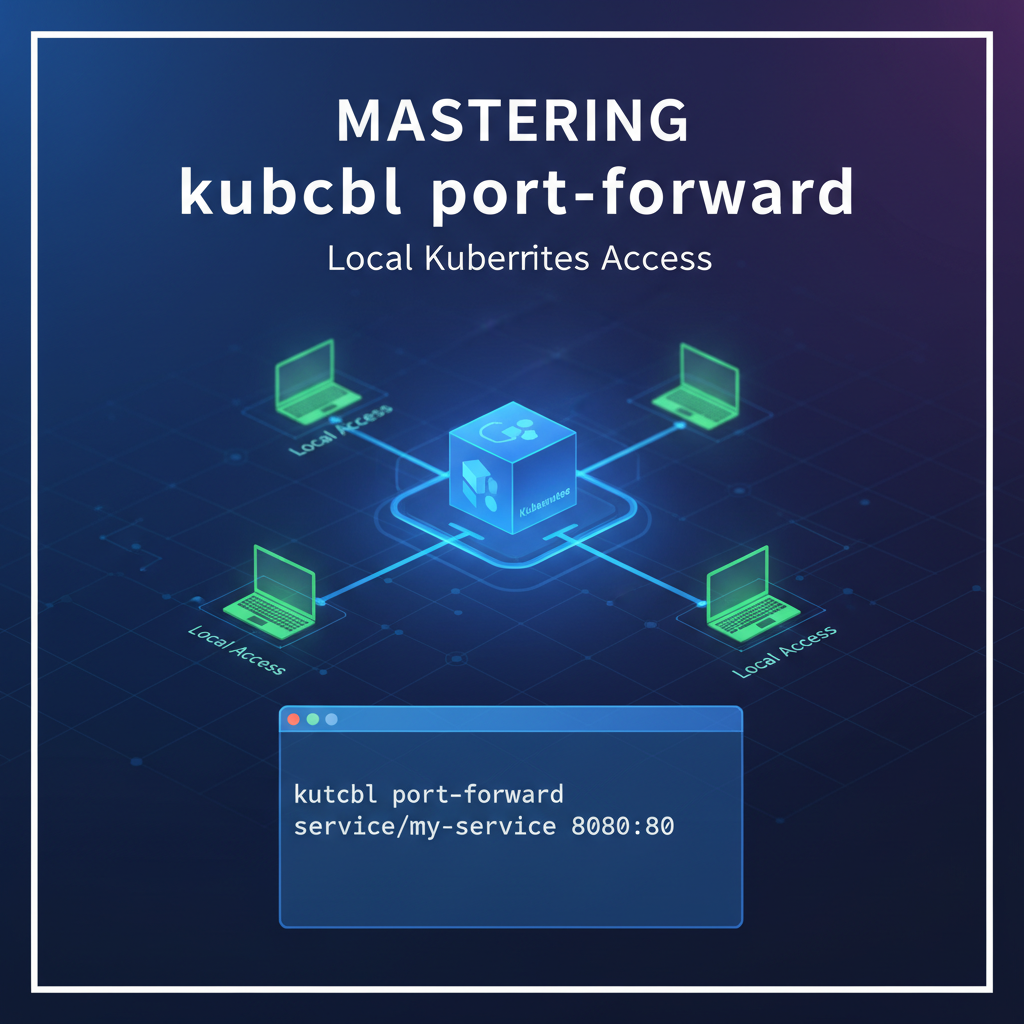
At its core, kubectl port-forward is a command-line utility that establishes a direct, secure tunnel between a local port on your machine and a specific port on a pod or service running within your Kubernetes cluster. It effectively tricks your local applications into thinking they are connecting directly to the target service, even though the actual network traffic is being securely routed through the kubectl process and the Kubernetes API server. This mechanism doesn't involve altering any cluster network configurations, creating new services, or exposing ports publicly; it's a transient, user-initiated connection.
The Fundamental Mechanism: How it Works
When you execute kubectl port-forward, the following sequence of events typically unfolds:
- Client Request: Your
kubectlclient sends a request to the Kubernetes API server, indicating its intention to establish a port-forward connection to a specified resource (pod, service, deployment, etc.) on a particular port. - API Server Proxy: The API server, acting as a secure gateway, verifies your authentication and authorization to access the target resource. If authorized, it then proxies the connection request to the
kubeletagent running on the node where the target pod resides. - Kubelet Handshake: The
kubeletreceives the request and, in turn, establishes a connection to the specified port within the target pod's network namespace. It essentially opens a socket on the pod's network interface. - Data Tunnel: Once the
kubeletestablishes this connection, a bidirectional data stream is set up:- Any traffic sent to the local port on your machine is encapsulated by
kubectl, sent to the API server, then proxied to thekubelet, and finally delivered to the target port within the pod. - Conversely, any response from the pod's port is sent back through the
kubelet, API server, andkubectlclient, ultimately arriving at your local application.
- Any traffic sent to the local port on your machine is encapsulated by
This entire process occurs securely over the existing Kubernetes API server connection, often utilizing WebSockets for efficient, persistent communication. The critical takeaway is that your local machine does not directly communicate with the pod; all traffic is mediated and secured by the Kubernetes control plane components, ensuring that you only access what you are authorized to access, and the connection remains within the bounds of the cluster's security model.
Basic Syntax and Usage: The Building Blocks
The most common and fundamental form of the kubectl port-forward command targets a specific pod:
kubectl port-forward POD_NAME LOCAL_PORT:REMOTE_PORT
Let's break down each component:
kubectl port-forward: The command itself, signaling your intent to establish a port-forward.POD_NAME: The exact name of the pod you wish to connect to. This is a mandatory field. You can find pod names usingkubectl get pods. For example,my-app-deployment-7b4f7c8d9-abcde.LOCAL_PORT: The port on your local machine that you want to listen on. When your local application connects to this port (e.g.,localhost:8080), its traffic will be forwarded into the cluster. IfLOCAL_PORTis omitted,kubectlwill usually pick an arbitrary available port on your local machine, which can be useful but less predictable. For instance,kubectl port-forward my-pod 8080:80.REMOTE_PORT: The port within the target pod that you want to expose. This is the port your application inside the pod is listening on. For example, if your web server inside the pod is listening on port 80,REMOTE_PORTwould be80.
Example: Imagine you have a pod named my-backend-7b4f7c8d9-xyz12 running a web service that listens on port 8080. To access this service from your local machine on port 9000, you would execute:
kubectl port-forward my-backend-7b4f7c8d9-xyz12 9000:8080
Once executed, kubectl will print a message indicating that it's forwarding traffic, and it will block your terminal session until you terminate the command (e.g., with Ctrl+C). While the command is running, you can open your web browser or any other client application and navigate to http://localhost:9000, and your requests will be seamlessly directed to http://my-backend-7b4f7c8d9-xyz12:8080 within the cluster. This simple yet powerful mechanism forms the bedrock of local Kubernetes interaction.
Targeting Different Kubernetes Resources
While forwarding to a specific pod is the most direct method, kubectl port-forward is versatile enough to target other Kubernetes resources, intelligently resolving them to an underlying pod:
- Targeting a Service: When you target a service,
kubectlwill identify one of the pods backing that service and establish the forward to that specific pod. This is particularly convenient because service names are more stable than ephemeral pod names.bash kubectl port-forward service/my-service 8080:80Here,service/my-servicetellskubectlto look for a service namedmy-service. Ifmy-servicehas multiple backing pods,kubectlwill pick one. This abstraction simplifies commands as you don't need to constantly query for the latest pod name. - Targeting a Deployment/ReplicaSet: Similar to services, you can target a deployment or replicaset.
kubectlwill then select one of the pods managed by that deployment/replicaset.bash kubectl port-forward deployment/my-deployment 8080:80This is especially useful during development as deployments are often the highest-level abstraction for an application. - Targeting StatefulSets: For stateful applications managed by StatefulSets, you can target the StatefulSet directly, or more commonly, individual pods within a StatefulSet by their ordinal names (e.g.,
my-statefulset-0).bash kubectl port-forward statefulset/my-statefulset 8080:80Or for a specific pod:bash kubectl port-forward my-statefulset-0 8080:80
Specifying Namespaces (-n or --namespace)
Kubernetes environments often utilize namespaces to logically isolate resources within a single cluster. If your target pod or service is not in the default namespace, you must explicitly specify its namespace using the -n or --namespace flag:
kubectl port-forward -n dev my-backend-pod 9000:8080
This command forwards traffic to my-backend-pod located in the dev namespace. Forgetting this flag is a common source of "pod not found" errors.
Handling Multiple Port Forwards
You might need to forward multiple ports from the same pod or even from different pods simultaneously. * Multiple ports from the same pod: You can specify multiple LOCAL_PORT:REMOTE_PORT pairs in a single command: bash kubectl port-forward my-pod 8080:8080 9000:9000 This would forward local port 8080 to pod port 8080, AND local port 9000 to pod port 9000, all through the same tunnel.
Multiple ports from different pods: You would simply open multiple terminal windows and run a separate kubectl port-forward command in each for different pods. For example: ```bashbash # Terminal 1 kubectl port-forward my-backend-pod 8080:8080
Terminal 2
kubectl port-forward my-database-pod 5432:5432 ``` Each command creates an independent tunnel.
Addressing Network Interfaces (--address)
By default, kubectl port-forward binds the local port to localhost (127.0.0.1). This means only applications on your local machine can connect to it. If you need to make the forwarded port accessible from other machines on your local network (e.g., a colleague's machine, or a VM on the same host), you can specify the --address flag:
kubectl port-forward --address 0.0.0.0 deployment/my-app 8080:80
Using 0.0.0.0 binds the local port to all available network interfaces, making it accessible externally. However, exercise extreme caution when using --address 0.0.0.0 as it potentially exposes your cluster's internal services to your entire local network. Only use this when strictly necessary and in trusted environments.
Omitting Local Port (Dynamic Port Assignment)
If you don't care which local port is used, kubectl can pick an available one for you. This is useful for scripts or when you just need quick access and don't have a specific local port in mind:
kubectl port-forward my-pod :8080
In this case, kubectl will select a random available local port and print it to the console, for example: Forwarding from 127.0.0.1:49153 -> 8080. You would then connect your local application to localhost:49153.
Understanding these core mechanics and various syntax options provides a solid foundation for leveraging kubectl port-forward effectively across a multitude of local access scenarios. The command's simplicity belies its profound impact on developer productivity and troubleshooting efficiency in a Kubernetes environment.
Use Cases and Practical Scenarios: Unleashing the Power of Local Access
The true value of kubectl port-forward becomes evident when applied to real-world development, debugging, and operational challenges. Its ability to create ephemeral, direct connections transforms complex Kubernetes environments into extensions of your local machine, fostering more efficient and intuitive workflows. Let's explore some of the most common and impactful use cases.
1. Local Development and Debugging Against Live Services
Perhaps the most prominent use case for kubectl port-forward is enabling developers to run their application code locally while seamlessly interacting with services, databases, or message queues that are already deployed within the Kubernetes cluster. This approach eliminates the need to set up and manage local instances of every dependency, which can often be resource-intensive, prone to version mismatches, and time-consuming.
Scenario A: Connecting an IDE to a Backend Service Imagine you're developing a new frontend application that needs to consume an API provided by a backend microservice running in Kubernetes. Instead of deploying your frontend into the cluster for every code change, you can run it locally and use port-forward to connect to the backend:
# In one terminal, forward the backend service's port (e.g., 8080) to your local machine (e.g., 3001)
kubectl port-forward service/my-backend-service 3001:8080 -n my-app-namespace
Now, your local frontend application, typically configured to call http://localhost:3001, will automatically send its requests to the Kubernetes backend service. This significantly speeds up the development feedback loop, allowing for rapid iteration and testing.
Scenario B: Accessing a Database in the Cluster Databases are often a critical dependency, and running them locally can be resource-intensive or lead to data inconsistencies. port-forward allows you to securely connect your local database client (e.g., DBeaver, pgAdmin, MySQL Workbench) or your application's data access layer directly to a database pod within the cluster.
# For a PostgreSQL database running in a pod named 'my-postgres-0' on port 5432
kubectl port-forward my-postgres-0 5432:5432 -n database-namespace
Once this command is running, you can configure your local tools or application to connect to localhost:5432 with the appropriate credentials. This is vastly more secure than exposing the database publicly via a NodePort or LoadBalancer, especially for development or staging environments. It ensures that your local environment interacts with the same database state and schema as your cluster-deployed services.
Scenario C: Testing Webhooks or Callbacks If your application generates webhooks or needs to receive callbacks from an external service (or another service within the cluster), port-forward can simulate this by exposing a local endpoint to a service running inside the cluster. While port-forward primarily allows inbound connections to the cluster, for scenarios where a cluster service needs to talk to your local machine, reverse port-forward tools or more sophisticated mesh proxies might be needed. However, for debugging a service within the cluster that needs to send a request to another service (which you are developing locally), port-forward facilitates this by enabling the local service to connect to the internal dependency.
2. Troubleshooting and Inspection of Internal Services
Beyond development, kubectl port-forward is an indispensable tool for diagnosing issues and gaining visibility into the operational state of your applications within the cluster.
Scenario A: Accessing Admin Interfaces or Metrics Endpoints Many applications expose web-based admin panels, health dashboards, or Prometheus metrics endpoints on specific ports. These are usually not meant for public access but are crucial for operators and developers.
# Accessing a Prometheus server's UI running in a pod
kubectl port-forward prometheus-server-pod-abcde 9090:9090 -n monitoring
Now, navigating to http://localhost:9090 in your browser will bring up the Prometheus UI, allowing you to inspect metrics, query data, and understand the performance of your applications. The same principle applies to Grafana, Kafka UIs, RedisInsight, or any custom administrative interface.
Scenario B: Verifying Service Functionality Without External Exposure Before configuring Ingress or LoadBalancer rules, you might want to perform a quick sanity check to ensure a newly deployed service is actually responding as expected.
# Directly test a new API service
kubectl port-forward deployment/new-api-service 8000:80 -n development
Using curl http://localhost:8000/health or opening http://localhost:8000 in a browser allows for immediate validation of the service's functionality, confirming that the container is running and serving traffic correctly before any public exposure.
Scenario C: Debugging Network Connectivity Issues If a service is having trouble connecting to a dependency (e.g., a database), port-forward can help isolate the problem. By forwarding the dependency's port, you can verify if your local client can connect. If your local client can connect via port-forward but the application in the cluster cannot, it points to a network policy, DNS, or misconfiguration issue within the cluster, rather than the dependency itself being down.
3. Temporary Access for Management Tools
Many enterprise tools or specialized clients might require direct network access to resources. port-forward provides a temporary bridge for these tools without permanent network changes.
Scenario A: Connecting a Specialized GUI Tool to a Service Consider a legacy enterprise tool that needs to connect to a specific port on an application, or a commercial monitoring agent that requires direct access to a JMX port.
# Forwarding a JMX port for monitoring
kubectl port-forward my-java-app-pod 9999:9999
Your local JMX client can then connect to localhost:9999 to monitor the Java application's internals.
Scenario B: Using Local Kubernetes Dashboards or Extensions Some local Kubernetes dashboards or IDE extensions might leverage port-forward behind the scenes to provide rich insights and interactions with your cluster resources. While not directly initiated by the user, port-forward forms the underlying communication channel.
4. Bypassing Ingress/Load Balancers for Direct Pod-Level Access
In complex environments with multiple layers of network abstraction (Ingress, service mesh, firewalls), it can sometimes be challenging to pinpoint issues related to a specific pod's behavior without these layers interfering. port-forward offers a way to bypass all these layers and connect directly to a pod, allowing for isolated testing and debugging.
If you suspect an issue with your Ingress controller or a service mesh rule, using port-forward to access the underlying service directly can help rule out these higher-level components as the source of the problem. If the application works perfectly via port-forward but fails when accessed through Ingress, the problem is likely in the Ingress configuration or the Ingress controller itself.
5. Security Contexts and Permissions (RBAC)
It's crucial to remember that kubectl port-forward operates within the bounds of Kubernetes' Role-Based Access Control (RBAC). A user must have the necessary permissions to perform port forwarding. Specifically, the user or service account executing the command needs:
getpermission on pods: To retrieve information about the target pod.listpermission on pods: To list pods (if targeting a service, deployment, etc.,kubectlneeds to find the underlying pods).createpermission onpods/portforwardsubresource: This is the most critical permission that allowskubectlto initiate the port-forwarding connection.
Without these permissions, kubectl port-forward will fail with an authorization error. This RBAC enforcement ensures that only authorized individuals or automated systems can establish these internal tunnels, reinforcing the security posture of your cluster.
The versatility of kubectl port-forward makes it an essential tool in the arsenal of anyone working with Kubernetes. From speeding up development cycles to providing surgical access for troubleshooting, its applications are broad and impactful, solidifying its status as a core component of the Kubernetes local access experience.
APIPark is a high-performance AI gateway that allows you to securely access the most comprehensive LLM APIs globally on the APIPark platform, including OpenAI, Anthropic, Mistral, Llama2, Google Gemini, and more.Try APIPark now! 👇👇👇
Advanced Considerations and Best Practices for kubectl port-forward
While kubectl port-forward is straightforward to use, mastering it involves understanding advanced techniques, integrating it into automated workflows, and being acutely aware of its limitations and security implications. Moving beyond basic usage can significantly enhance productivity and operational efficiency, but also requires a thoughtful approach.
1. Backgrounding port-forward for Uninterrupted Workflows
By default, kubectl port-forward runs in the foreground, blocking your terminal session until you press Ctrl+C. This is often undesirable for ongoing development or when multiple forwards are needed. There are several strategies to run port-forward in the background:
a. Using & (Ampersand) for Simple Backgrounding: The simplest method is to append & to the end of your command. This will run the port-forward process in the background immediately.
kubectl port-forward service/my-backend 3001:8080 -n my-app &
The shell will typically print the job ID and process ID (PID). You can then use jobs to list background jobs and kill %<jobid> or kill <pid> to terminate it later. This is great for quick, temporary backgrounding.
b. Using nohup for Persistent Backgrounding: If you need the port-forward to continue running even after you close your terminal session, nohup (no hang up) is your friend.
nohup kubectl port-forward service/my-backend 3001:8080 -n my-app > /dev/null 2>&1 &
nohup: Ensures the command ignores SIGHUP (hang-up signal) which is sent when a terminal is closed.> /dev/null 2>&1: Redirects standard output and standard error to/dev/null, preventingnohup.outfiles from being created and keeping your terminal clean.&: Puts thenohupcommand itself into the background.
This is useful for long-running debug sessions or when you're working over an SSH connection that might drop.
c. Using screen or tmux for Session Management: For more robust session management, tools like screen or tmux are invaluable. They allow you to create persistent terminal sessions that you can detach from and reattach to later.
- Start a new
tmuxsession:tmux new -s my-session - Inside the
tmuxsession, run yourkubectl port-forwardcommand normally:bash kubectl port-forward service/my-backend 3001:8080 -n my-app - Detach from the
tmuxsession:Ctrl+B, thenD. - Later, reattach to the session:
tmux attach -t my-session.
This provides the most control, allowing you to have multiple port-forward commands running in different panes within a single session, easily switch between them, and resume work exactly where you left off.
2. Scripting port-forward for Automation
For complex applications or multi-service environments, manually typing port-forward commands can become tedious. Scripting these commands can streamline your workflow significantly.
Example: A Simple Helper Script You can create a forward.sh script that brings up all necessary forwards for your local development:
#!/bin/bash

NAMESPACE="my-dev-namespace"

echo "Starting port-forward for backend service..."
kubectl port-forward service/my-backend 3001:8080 -n $NAMESPACE > /dev/null 2>&1 &
BACKEND_PID=$!
echo "Backend port-forward started with PID: $BACKEND_PID"

echo "Starting port-forward for database..."
kubectl port-forward service/my-database 5432:5432 -n $NAMESPACE > /dev/null 2>&1 &
DATABASE_PID=$!
echo "Database port-forward started with PID: $DATABASE_PID"

# Store PIDs for easy termination
echo "$BACKEND_PID" > .port_forward_pids
echo "$DATABASE_PID" >> .port_forward_pids

echo "All necessary port-forwards are running in the background."
echo "To terminate them, run: kill \$(cat .port_forward_pids)"

wait # Keep the script running until manually terminated
This script automates starting multiple port-forward processes and provides an easy way to terminate them. Remember to chmod +x forward.sh to make it executable.
3. Error Handling and Troubleshooting Common Issues
While generally reliable, kubectl port-forward can encounter issues. Knowing how to diagnose them is crucial.
Unable to listen on port <port>: listen tcp 127.0.0.1:<port>: bind: address already in use:- Cause: The
LOCAL_PORTyou specified is already being used by another application on your machine. - Solution: Choose a different
LOCAL_PORT, or identify and terminate the conflicting process (lsof -i :<port>on Linux/macOS,netstat -ano | findstr :<port>on Windows).
- Cause: The
error: Pod "<pod-name>" not found:- Cause: The pod name is incorrect, or it's in a different namespace.
- Solution: Double-check the pod name (
kubectl get pods), and ensure you're using the correct namespace (-n NAMESPACE). If targeting a service or deployment, ensure those resources exist.
error: unable to forward port because target port is not listening: ...:- Cause: The
REMOTE_PORTyou specified is not actually open or listening within the target pod. The application inside the container might not be running, crashed, or listening on a different port. - Solution: Verify the application's port inside the pod. Use
kubectl logs <pod-name>to check application logs,kubectl describe pod <pod-name>to see container details, orkubectl exec -it <pod-name> -- ss -tuln(ornetstat -tuln) to check open ports within the pod's network namespace.
- Cause: The
Error from server (Forbidden): pods "<pod-name>" is forbidden: User "..." cannot create pods/portforward in namespace "...":- Cause: You lack the necessary RBAC permissions for
pods/portforward. - Solution: Contact your cluster administrator to request the appropriate permissions.
- Cause: You lack the necessary RBAC permissions for
4. Alternatives to port-forward (Contextual Mention)
While kubectl port-forward is excellent for temporary, direct access, it's not a silver bullet for all local Kubernetes interaction needs. Other tools and Kubernetes constructs serve different purposes:
- Ingress, NodePort, LoadBalancer: As discussed, these are for external, persistent exposure of services for end-users or other external systems.
- Service Mesh (e.g., Istio, Linkerd): Provide advanced traffic management, observability, and security for inter-service communication within the cluster. They are complementary, not replacements.
- VPNs: A traditional VPN can connect your local machine to the cluster's network, making all internal services directly routable. This is a broader, more persistent solution than
port-forward, often used for administrative access or when deep network integration is required. - Telepresence / Okteto / Loft: These are advanced developer tools designed to allow local development against a remote Kubernetes cluster by intelligently routing traffic. They often use
port-forward(or similar tunneling mechanisms) under the hood but offer a more integrated experience, sometimes even allowing local debugging of services that are part of a larger cluster application. They are more complex but offer richer features for cloud-native development. kubectl proxy: This command creates a proxy that allows local access to the Kubernetes API server itself, not to individual pods/services. It's for interacting with the Kubernetes API, not application ports.
Each of these has its place, and kubectl port-forward fills a specific, critical niche for direct, temporary local interaction.
5. Security Implications and Warnings
Despite its utility, kubectl port-forward must be used responsibly due to its security implications.
- Not for Production Exposure: Never rely on
kubectl port-forwardto expose services for production use or for general consumption by other applications. It's designed for temporary, individual access, not for scalable, resilient, or publicly accessible service exposure. For production, always use Ingress, LoadBalancer, or NodePort with appropriate security configurations. - Sensitive Data Exposure: If you forward a port to a service containing sensitive data (e.g., an unauthenticated database, an internal admin panel), that data can be accessed by anyone on your local machine (or your local network if using
--address 0.0.0.0). Ensure your local environment is secure, and only forward ports to services you trust and are authorized to access. - Authentication and Authorization: While
kubectlenforces RBAC, if the target service itself lacks authentication (e.g., an unauthenticated Redis instance), forwarding its port means anyone connecting to your local port will have full access, bypassing any network policies or firewalls that would normally protect it within the cluster. Always be aware of the security posture of the service you are forwarding to. - Resource Usage: While generally light, continuously running many
port-forwardcommands can consume local resources (CPU, memory, network connections) and cluster resources (API server connections,kubeletresources). Be mindful of how many tunnels you maintain.
By understanding these advanced considerations and adhering to best practices, you can leverage kubectl port-forward safely and efficiently, maximizing its benefits while mitigating potential risks. This foundational command is a testament to Kubernetes' flexibility, providing a powerful bridge between the local development world and the distributed cloud-native landscape.
Integrating kubectl port-forward into Your Workflow
The true mastery of kubectl port-forward comes from seamlessly integrating it into your daily development and operational routines. It's not just a command; it's a workflow enhancer that can significantly impact productivity for various roles within a cloud-native team.
Developer Workflow Examples
For developers, kubectl port-forward transforms the local development experience, bridging the gap between local code and remote dependencies.
- Iterative Microservice Development:
- Scenario: You're developing a new
UserServicemicroservice. It depends on anAuthServiceand aMongoDBdatabase, both already deployed and stable in a Kubernetesdevcluster. - Workflow:
- You run your
UserServicelocally in your IDE (e.g., Java Spring Boot, Node.js Express). - In a separate terminal (or a
tmuxpane), you set up port forwards for the dependencies:bash kubectl port-forward service/auth-service 8081:8080 -n dev & kubectl port-forward service/mongodb 27017:27017 -n dev & - Your local
UserServiceis configured to connect tohttp://localhost:8081for authentication andmongodb://localhost:27017for its database. - As you make code changes to
UserService, you can quickly rebuild and restart it locally. All interactions withAuthServiceandMongoDBgo directly to the actual cluster instances, ensuring your development environment closely mirrors production dependencies.
- You run your
- Benefit: Rapid feedback loops, no need to containerize and deploy your
UserServicefor every small code change, and eliminates local dependency management.
- Scenario: You're developing a new
- Frontend-Backend Integration Testing:
- Scenario: You're working on a new UI component that interacts with a new
ProductAPIendpoint. TheProductAPIis already deployed in thestagingcluster. - Workflow:
- Run your frontend application locally (e.g., React, Angular) on
http://localhost:3000. - Forward the
ProductAPIservice to your local machine:bash kubectl port-forward service/product-api 8080:80 -n staging & - Configure your local frontend to make API calls to
http://localhost:8080. - You can now test the new UI component against the live
ProductAPIin thestagingenvironment, catching integration issues early without deploying the frontend.
- Run your frontend application locally (e.g., React, Angular) on
- Benefit: Real-world integration testing without full deployment, reduced deployment cycles for frontend changes.
- Scenario: You're working on a new UI component that interacts with a new
DevOps/SRE Workflow Examples
For operations and site reliability engineering teams, kubectl port-forward is a crucial tool for quick diagnostics, emergency access, and inspecting the state of running systems.
- Emergency Database Access for Data Correction:
- Scenario: A critical issue requires immediate inspection or correction of data in a production database (e.g., PostgreSQL) running in a Kubernetes pod. Public exposure is strictly forbidden.
- Workflow:
- Identify the database pod:
kubectl get pods -l app=postgres -n prod. - Establish a secure port-forward:
bash kubectl port-forward my-postgres-pod-xyz 5432:5432 -n prod - Use a local database client (e.g.,
psqlcommand-line tool, DBeaver) to connect tolocalhost:5432. - Perform necessary data inspection or correction.
- Terminate the
port-forwardimmediately after use.
- Identify the database pod:
- Benefit: Granular, secure, temporary access to critical production systems without permanent exposure or relying on jump hosts.
- Inspecting Internal Metrics or Logs Collectors:
- Scenario: You need to verify if a Prometheus server or an internal log aggregation service (e.g., Loki) is correctly collecting data from your applications.
- Workflow:
- Identify the Prometheus server pod:
kubectl get pods -l app=prometheus -n monitoring. - Forward its UI port:
bash kubectl port-forward prometheus-server-pod-abc 9090:9090 -n monitoring - Access
http://localhost:9090in your browser to inspect metrics and configurations directly. - Similarly, for a Loki UI:
bash kubectl port-forward service/loki-stack-grafana 3000:80 -n loggingThen accesshttp://localhost:3000to view logs.
- Identify the Prometheus server pod:
- Benefit: Quick, direct validation of monitoring and logging pipelines, crucial for maintaining observability.
- Troubleshooting External Connectivity Issues:
- Scenario: An application deployed in Kubernetes is unable to connect to an external API (e.g., a third-party payment gateway). You suspect network issues or firewall rules.
- Workflow (indirect use for troubleshooting):
- Use
kubectl port-forwardto gain shell access to the failing pod (thoughkubectl execis more common for this). - From within the pod, attempt to
curlorpingthe external service. - Alternatively, you can
port-forwardyour local network's proxy into the cluster and configure the pod to use it (a more advanced scenario, sometimes requiring sidecar containers ortelepresence-like tools). - While
port-forwarditself doesn't directly troubleshoot outbound connections from the pod, it helps establish a baseline by allowing you to connect inbound to other services the pod should be reaching, confirming if those dependencies are healthy. If you can reach a healthy dependency viaport-forward, but the pod cannot, the issue is internal to the pod's outbound connectivity.
- Use
- Benefit: Isolating network problems by providing direct access and verification points.
A Note on API Management and Beyond port-forward
While kubectl port-forward is invaluable for direct, temporary local access to individual services, managing a complex mesh of microservices, especially those involving AI models, requires a more robust and scalable solution for production environments. This is where platforms like APIPark come into play. APIPark, an open-source AI gateway and API management platform, provides a unified way to manage, integrate, and deploy AI and REST services, offering features like quick integration of 100+ AI models, standardized API formats, and end-to-end API lifecycle management. While port-forward gives you a window into a single service for development or debugging, APIPark offers a comprehensive control plane for your entire API ecosystem, ensuring consistent access, security, and performance for your applications, particularly when moving beyond development into production environments. It addresses the broader challenges of API governance, authentication, authorization, and traffic management that port-forward is not designed for.
By integrating kubectl port-forward judiciously into these workflows, both developers and operations teams can significantly enhance their efficiency, reduce the time spent on troubleshooting, and maintain a seamless interaction with their Kubernetes-managed applications. It serves as a testament to the flexibility and extensibility of Kubernetes, offering powerful primitives that can be combined and leveraged to solve real-world problems.
Comparative Overview: kubectl port-forward vs. Other Kubernetes Exposure Methods
To truly appreciate the niche and strengths of kubectl port-forward, it's helpful to compare it directly with other mechanisms Kubernetes provides for exposing services. Each method serves a distinct purpose and is suited for different scenarios.
Let's examine a table that outlines the key characteristics, advantages, and disadvantages of kubectl port-forward alongside NodePort, LoadBalancer, and Ingress.
| Feature / Method | kubectl port-forward |
Service Type: NodePort |
Service Type: LoadBalancer |
Ingress |
|---|---|---|---|---|
| Purpose | Local development, debugging, temporary private access | Expose service on a static port on each node's IP | Expose service externally via a cloud load balancer | Manage external HTTP/S access to services |
| Access Scope | Local machine (or local network with --address 0.0.0.0) |
Cluster-external via any node's IP:NodePort | Cluster-external via cloud-provider-assigned IP | Cluster-external via a single public endpoint (Ingress Controller) |
| Connection Type | Direct TCP/UDP tunnel through kubectl and API server |
Direct TCP/UDP to node's port, then proxied to service | Direct TCP/UDP to load balancer, then proxied to service | HTTP/S routing based on host/path, proxied via Ingress Controller |
| Persistence | Ephemeral (lasts as long as kubectl command runs) |
Persistent (until service is deleted) | Persistent (until service is deleted) | Persistent (until Ingress resource is deleted) |
| Security | High for local dev (private tunnel, RBAC enforced) | Low (exposes service on all nodes, typically high ports) | Moderate (requires proper security group/ACL config) | High (can include SSL termination, WAF, authentication) |
| Complexity | Low | Low | Moderate (cloud-provider specific, potential costs) | Moderate to High (requires Ingress controller, routing rules) |
| Use Cases | - Local dev/debug | - Simple external access for non-HTTP services | - Exposing public applications in cloud environments | - Exposing HTTP/S applications, APIs, microservices |
| - Accessing internal dashboards | - Accessing applications where cloud LB is not feasible | - Production environments requiring high availability | - Centralized routing, SSL, virtual hosting, path-based routing | |
| - Temporary DB connections | - Demonstrations/testing where a fixed external IP isn't needed | - Internet-facing services | - Advanced traffic management | |
| Costs | None | None | Cloud provider costs for LoadBalancer | Potential costs for Ingress Controller (if cloud-managed) |
| Network Address | localhost:LOCAL_PORT |
<Node_IP>:<NodePort> |
<LoadBalancer_IP>:<Service_Port> |
<Ingress_Host>/<Path> |
Key Takeaways from the Comparison:
kubectl port-forwardis unique in its localized, temporary, and private nature. It's designed for the developer's interaction with the cluster's internals, not for exposing services broadly. Its primary strength lies in its ability to securely bridge the gap for local development and debugging activities.- NodePort offers a basic form of external exposure but lacks sophistication for production use due to security and port management concerns. It's often used for quick tests or in environments where cloud load balancers are not an option.
- LoadBalancer and Ingress are the workhorses for production-grade external exposure. They provide robust, scalable, and secure ways to make applications available to end-users or other external systems. LoadBalancer is typically for L4 (TCP/UDP) services, while Ingress is specialized for L7 (HTTP/S) routing and advanced traffic management.
Understanding this spectrum of exposure methods helps practitioners choose the right tool for the right job. kubectl port-forward fills a vital role in the initial stages of development and during troubleshooting, offering a flexible and secure conduit that complements, rather than replaces, the more permanent and robust external exposure mechanisms of Kubernetes. By leveraging each tool appropriately, teams can build and manage complex applications within Kubernetes more effectively and securely.
Conclusion: Empowering Your Kubernetes Journey with kubectl port-forward Mastery
The journey through the intricacies of kubectl port-forward reveals a command far more powerful and versatile than its simple syntax might suggest. In a Kubernetes world characterized by distributed systems, ephemeral resources, and stringent network segmentation, port-forward stands out as a critical developer utility, a secure, temporary bridge that connects the local developer environment directly to the heart of the cluster. We've traversed its fundamental mechanics, from the secure tunneling process mediated by the Kubernetes API server and kubelet to the various ways it can target pods, services, and deployments, all while respecting namespace boundaries.
The extensive exploration of its practical use cases underscores its indispensable nature: accelerating local development by enabling interaction with live cluster dependencies, dramatically simplifying debugging and troubleshooting by providing direct access to internal services, facilitating temporary connections for specialized management tools, and offering a surgical bypass for complex network layers. Each scenario highlighted how port-forward empowers developers and operations teams to work more efficiently, reducing friction and closing the feedback loop in cloud-native application development.
Furthermore, we delved into advanced considerations, discussing strategies for backgrounding port-forward processes, scripting for automation, and effectively troubleshooting common issues. A critical aspect of mastering this command is also a deep understanding of its security implications, emphasizing its role as a development and diagnostic tool rather than a production exposure mechanism. The comparative analysis against NodePort, LoadBalancer, and Ingress solidified its unique position within the Kubernetes ecosystem, highlighting that while other methods cater to broad, persistent external exposure, port-forward excels at providing granular, temporary, and localized access.
Ultimately, kubectl port-forward is more than just a command; it's a testament to Kubernetes' thoughtful design, providing the necessary primitives for deep interaction with a highly abstracted and secure environment. Integrating it seamlessly into your daily workflow, whether for rapid iteration on a microservice, debugging a elusive network issue, or inspecting the state of a crucial database, will undoubtedly enhance your productivity and deepen your understanding of your Kubernetes deployments. Embrace this powerful tool, wield it responsibly, and watch as it transforms your local Kubernetes access challenges into a fluid, intuitive experience, empowering you to navigate the complexities of modern container orchestration with greater confidence and efficiency. Mastering kubectl port-forward is not just about knowing how to use a tool; it's about unlocking a fundamental capability that profoundly impacts your entire Kubernetes development and operational journey.
5 Frequently Asked Questions (FAQs)
1. What is kubectl port-forward and why is it useful? kubectl port-forward is a Kubernetes command-line utility that creates a secure, temporary tunnel between a local port on your machine and a specific port on a pod or service within your Kubernetes cluster. It's incredibly useful for local development, debugging, and troubleshooting because it allows you to access internal cluster services (like databases, APIs, or admin dashboards) directly from your local machine without exposing them publicly, thus maintaining security and streamlining workflows.
2. Can kubectl port-forward be used to expose services to the internet for production? No, absolutely not. kubectl port-forward is explicitly designed for temporary, localized access, primarily for development and debugging purposes. It operates as a personal tunnel initiated by a user. For exposing services to the internet in a production environment, you should use Kubernetes Service types like NodePort, LoadBalancer, or Ingress, which are built for scalability, reliability, and security with proper network configurations and access controls.
3. What's the difference between kubectl port-forward and kubectl proxy? kubectl port-forward establishes a tunnel to a specific port of an application within a pod or service, allowing you to interact directly with that application. In contrast, kubectl proxy creates a local proxy server that provides access to the Kubernetes API itself. kubectl proxy is used to interact with the Kubernetes control plane (e.g., to list resources via http://localhost:8001/api/v1/pods), whereas kubectl port-forward is for accessing your application's ports.
4. How can I run kubectl port-forward in the background so it doesn't block my terminal? There are several ways to run kubectl port-forward in the background: * Using &: Append & to the command (e.g., kubectl port-forward my-pod 8080:80 &). You can then use jobs and kill to manage it. * Using nohup: For more persistent backgrounding that survives terminal closure (e.g., nohup kubectl port-forward my-pod 8080:80 > /dev/null 2>&1 &). * Using tmux or screen: These tools allow you to create persistent terminal sessions that you can detach from and reattach to later, providing robust session management for multiple background processes.
5. What should I do if kubectl port-forward gives an error like "address already in use" or "pod not found"? * "Address already in use": This means the LOCAL_PORT you specified is already occupied by another application on your machine. You can either choose a different local port or find and terminate the conflicting process (e.g., using lsof -i :<port> on Linux/macOS or netstat -ano | findstr :<port> on Windows). * "Pod not found": This error usually indicates that the pod name is incorrect, or the pod resides in a different Kubernetes namespace than the one you are currently targeting. Double-check the pod's exact name with kubectl get pods and ensure you specify the correct namespace using the -n <namespace> flag in your port-forward command.
🚀You can securely and efficiently call the OpenAI API on APIPark in just two steps:
Step 1: Deploy the APIPark AI gateway in 5 minutes.
APIPark is developed based on Golang, offering strong product performance and low development and maintenance costs. You can deploy APIPark with a single command line.
curl -sSO https://download.apipark.com/install/quick-start.sh; bash quick-start.sh

In my experience, you can see the successful deployment interface within 5 to 10 minutes. Then, you can log in to APIPark using your account.

Step 2: Call the OpenAI API.