Mastering kubectl port forward: Your Essential Guide
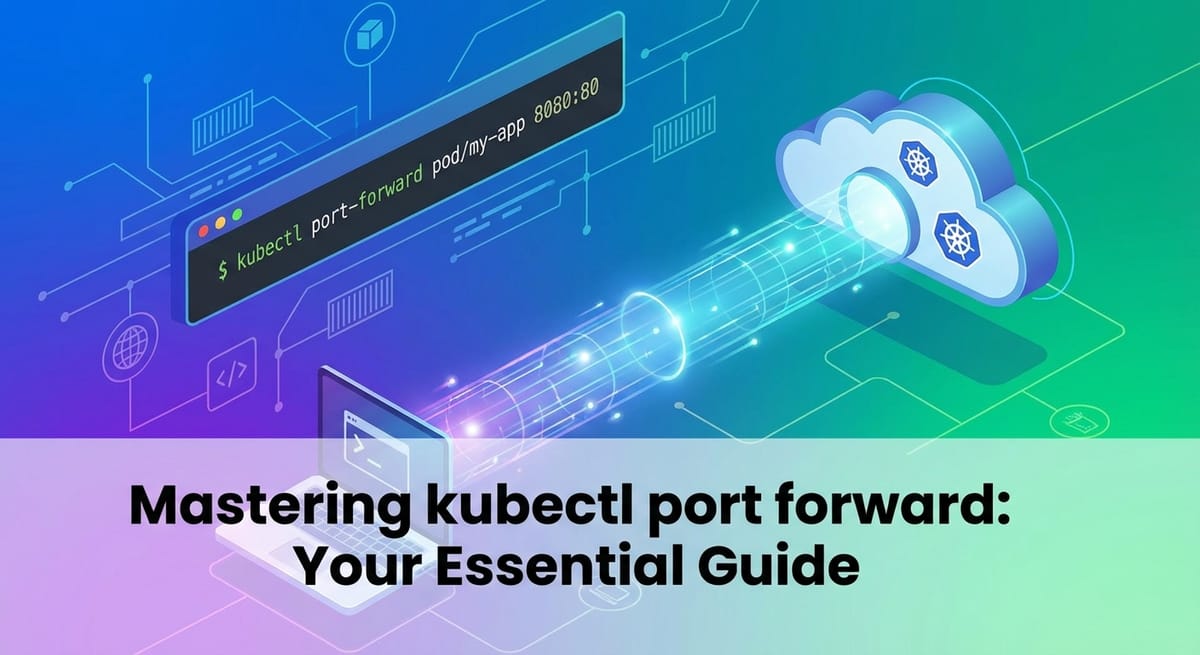


In the complex and dynamic world of Kubernetes, navigating the network intricacies of your applications can often feel like an expedition through uncharted territory. Services are ephemeral, pods are constantly being rescheduled, and direct access to internal components is intentionally abstracted away for security and stability. Yet, every developer, operator, and SRE eventually faces the crucial need to temporarily peer into or interact with a specific application or database running deep within their cluster. This is where kubectl port-forward emerges as an indispensable tool, a veritable lifeline that bridges the chasm between your local workstation and the heart of your Kubernetes environment. It's not a solution for production traffic, nor is it a substitute for robust api gateway solutions, but for debugging, local development, and quick introspection, it is unparalleled in its simplicity and effectiveness.
This comprehensive guide will meticulously dismantle the mechanics of kubectl port-forward, exploring its foundational principles, demonstrating its versatile applications, and equipping you with the knowledge to wield it masterfully. We will delve into the underlying Kubernetes networking concepts that make this utility possible, unravel its syntax, illuminate common use cases, and arm you with advanced techniques and troubleshooting strategies. By the end of this journey, you will not only understand how port-forward works but also precisely when and how to integrate it seamlessly into your daily Kubernetes workflow, all while appreciating its place within the broader ecosystem of api management and service exposure.
Understanding the Kubernetes Networking Landscape: Why port-forward is Necessary
Before we dive into the specifics of kubectl port-forward, it's crucial to grasp the fundamental networking model within Kubernetes. This understanding provides the context for why port-forward exists and why it's such a vital tool. Kubernetes networking is designed to be flat, allowing pods to communicate with each other directly, regardless of the node they reside on. However, this direct pod-to-pod communication is primarily for internal cluster traffic and presents several challenges for external access or consistent internal access.
Pods and Their Ephemeral Identities
At the core of Kubernetes, the smallest deployable unit is a Pod. Each Pod is assigned a unique IP address within the cluster. This IP address is often part of a private, cluster-internal CIDR range and is not directly routable from outside the cluster without additional configuration. Moreover, Pods are inherently ephemeral. They can be created, destroyed, and rescheduled across different nodes at any moment, especially during scaling events, deployments, or node failures. This means a Pod's IP address is not stable; it changes whenever the Pod is recreated. Attempting to connect directly to a Pod's IP address from your local machine would be a futile exercise in chasing a constantly moving target, not to mention the security implications of exposing individual Pods directly.
Services: The Abstraction Layer for Pods
To address the ephemerality of Pods and provide a stable network endpoint, Kubernetes introduces the concept of Services. A Service is an abstract way to expose an application running on a set of Pods as a network service. It acts as a stable IP address and DNS name that fronts one or more Pods. When a client (either internal to the cluster or external) wants to communicate with an application, it interacts with the Service, which then intelligently routes the request to an available Pod.
Kubernetes offers several Service types, each designed for different exposure scenarios:
- ClusterIP: This is the default Service type. It exposes the Service on a cluster-internal IP. This Service is only reachable from within the cluster. It's perfect for internal microservices communication.
- NodePort: This type exposes the Service on a static port on each Node's IP. Any request to
<NodeIP>:<NodePort>is routed to the Service. While it allows external access, it's generally not recommended for production due to port collision risks and manual port management across nodes. - LoadBalancer: This type is typically used in cloud environments. It provisions an external load balancer (e.g., AWS ELB, GCP Load Balancer) that routes traffic to your Service. This provides a stable, externally accessible IP address.
- ExternalName: This Service maps a Service to a DNS name, not to a selector. It's often used for external services outside the cluster.
While Services solve the problem of stable access within the cluster and some external exposure, they don't always cater to the developer's immediate need for a temporary, local, and direct connection for debugging or specific development tasks. ClusterIPs are not accessible externally, NodePorts can be cumbersome, and LoadBalancers or Ingress controllers are typically configured for production-grade HTTP/HTTPS api exposure, not for quick local debugging of a specific Pod's raw TCP port.
kube-proxy and Network Policies
The kube-proxy component runs on each node and is responsible for implementing the Service abstraction. It watches the Kubernetes api server for Service and Endpoint objects and maintains network rules (usually using iptables or IPVS) on the nodes to route traffic destined for a Service's ClusterIP to the correct backend Pods.
Furthermore, Kubernetes allows for network policies to define how Pods are allowed to communicate with each other and with other network endpoints. These policies act as firewalls, controlling ingress and egress traffic for Pods. While essential for security, they can sometimes add another layer of complexity when trying to establish a temporary connection if not properly configured or understood.
The port-forward Niche
Given this intricate networking landscape, kubectl port-forward carves out a unique and invaluable niche. It bypasses the complexities of Service types, kube-proxy rules, and public exposure mechanisms like LoadBalancers or Ingress. Instead, it creates a secure, temporary tunnel directly from your local machine to a specific Pod or Service within the cluster. This tunnel allows you to access a Pod's internal port as if it were running on your local machine, facilitating debugging, local development, and direct inspection without altering any cluster configurations or exposing services broadly. It's a targeted, on-demand connection that respects the cluster's internal network isolation while empowering developers with unparalleled local access.
Deep Dive into kubectl port-forward Syntax and Basic Usage
The power of kubectl port-forward lies in its elegant simplicity. While its underlying mechanisms involve complex network tunneling, its command-line interface is remarkably straightforward. Understanding its syntax and various targets is the first step toward mastering this essential tool.
The Core Command Structure
The basic syntax for kubectl port-forward is as follows:
kubectl port-forward TYPE/NAME [LOCAL_PORT:]REMOTE_PORT [OPTIONS]
Let's break down each component:
kubectl port-forward: The command itself, initiating the port forwarding process.TYPE/NAME: This specifies the Kubernetes resource you want to target.TYPEcan bepod,deployment,replicaset,statefulset, orservice.NAMEis the specific name of that resource within your current Kubernetes context and namespace.[LOCAL_PORT:]REMOTE_PORT: This is the heart of the forwarding configuration.REMOTE_PORT: This is the port inside the target Pod (or Service) that you want to access. For example, if your application inside the Pod listens on port 8080, thenREMOTE_PORTwould be8080.LOCAL_PORT(optional): This is the port on your local machine that you want to bind to. When you connect tolocalhost:LOCAL_PORTon your machine,kubectlwill tunnel that traffic toREMOTE_PORTin the cluster. If you omitLOCAL_PORT(e.g.,:8080),kubectlwill automatically select a random available local port, which it will then print to your console.
[OPTIONS]: Various optional flags to customize the behavior ofport-forward. Common options include--address,--namespace, and others which we will explore.
Targeting Different Kubernetes Resources
kubectl port-forward offers flexibility by allowing you to target different resource types. This is a crucial distinction, as the underlying mechanism for selecting the actual Pod differs based on the target.
1. Targeting a Pod: The Most Direct Approach
Targeting a specific Pod is the most granular and explicit way to use port-forward. You directly tell kubectl which Pod to establish a connection with.
Syntax: kubectl port-forward pod/MY_POD_NAME [LOCAL_PORT:]REMOTE_PORT
Example: Imagine you have an Nginx Pod named nginx-5f8f8b89d-abcde that serves web content on port 80. You want to access it from your local machine on port 8080.
kubectl port-forward pod/nginx-5f8f8b89d-abcde 8080:80
Once this command is executed, kubectl will establish the tunnel. You will see output similar to:
Forwarding from 127.0.0.1:8080 -> 80
Forwarding from [::1]:8080 -> 80
Now, opening your web browser to http://localhost:8080 will display the Nginx welcome page served by the Pod in your cluster.
Key considerations: * You need the exact name of the Pod. * If the Pod restarts or is deleted, the port-forward session will terminate, and you'll need to restart it. * This method is ideal when you need to interact with a very specific instance of an application, perhaps for debugging a particular replica.
2. Targeting a Deployment, ReplicaSet, or StatefulSet: Convenience for Multiple Pods
While targeting a Pod is precise, it can be cumbersome with applications managed by Deployments, ReplicaSets, or StatefulSets, as Pod names include a unique hash. kubectl port-forward provides a convenient shortcut: you can target the higher-level resource, and kubectl will automatically select one of the running Pods managed by that resource.
Syntax: kubectl port-forward deployment/MY_DEPLOYMENT_NAME [LOCAL_PORT:]REMOTE_PORT
Example: Let's say you have an application deployed via a Deployment named my-web-app that has multiple replicas, all listening on port 3000. You want to forward local port 8000 to this application.
kubectl port-forward deployment/my-web-app 8000:3000
kubectl will then pick one of the Pods managed by my-web-app (e.g., my-web-app-7c7c8c8c8-fghij) and establish the forward.
Key considerations: * kubectl will pick the first available Pod it finds. You have no control over which specific Pod is chosen. * If the chosen Pod dies, kubectl port-forward will attempt to re-establish the connection to another available Pod from the same Deployment. This adds a layer of resilience. * This is typically the preferred method when you don't care about a specific Pod instance but just want to access an instance of your application.
3. Targeting a Service: Leveraging Stable Endpoints
You can also target a Kubernetes Service directly. When you do this, kubectl will look up the Pods associated with that Service's selector and then forward the traffic to one of those Pods. This method leverages the stability that Services provide.
Syntax: kubectl port-forward service/MY_SERVICE_NAME [LOCAL_PORT:]REMOTE_PORT
Example: You have a ClusterIP Service named my-api-service that routes to your application Pods, and the Service is configured to expose port 80. Your local development environment needs to connect to it on 9000.
kubectl port-forward service/my-api-service 9000:80
kubectl will identify the Pods behind my-api-service and set up the tunnel to one of them.
Key considerations: * Similar to targeting a Deployment, kubectl will pick one of the Pods backing the Service. * This approach is often convenient because Service names are typically more stable and easier to remember than individual Pod names. * It provides the same resilience as targeting a Deployment – if the selected Pod becomes unavailable, kubectl tries to re-establish the forward to another available Pod.
Omitting LOCAL_PORT for Automatic Assignment
A very useful feature for quickly establishing a forward without worrying about local port conflicts is to let kubectl choose the LOCAL_PORT for you. You do this by simply providing :REMOTE_PORT.
Example: Forward a remote port 5000 from a Pod named my-backend-pod to any available local port:
kubectl port-forward pod/my-backend-pod :5000
kubectl will output something like:
Forwarding from 127.0.0.1:49873 -> 5000
Forwarding from [::1]:49873 -> 5000
In this case, 49873 is the randomly assigned local port. This is extremely helpful when you just need to connect quickly and don't have a strong preference for the local port number.
Specifying a Specific Local Interface Address
By default, kubectl port-forward binds the local port to all network interfaces (0.0.0.0 or [::]). However, for security or specific network configurations, you might want to bind it only to a particular address, typically localhost (127.0.0.1 or ::1).
Syntax: kubectl port-forward --address LOCAL_ADDRESS TYPE/NAME [LOCAL_PORT:]REMOTE_PORT
Example: To ensure your Nginx pod's port 80 is only forwarded to 127.0.0.1:8080 on your local machine, preventing other machines on your local network from accessing it:
kubectl port-forward --address 127.0.0.1 deployment/nginx 8080:80
This ensures that only applications running on your local machine can connect to 127.0.0.1:8080.
Multiple Port Forwards in a Single Command
For convenience, kubectl port-forward also allows you to forward multiple ports from the same target resource in a single command.
Example: If your my-app pod exposes both an HTTP api on port 8080 and a metrics endpoint on port 9090, you can forward both:
kubectl port-forward deployment/my-app 8080:8080 9090:9090
This will establish two separate tunnels within the same kubectl process. You can then access http://localhost:8080 for the api and http://localhost:9090 for metrics.
Mastering these foundational aspects of kubectl port-forward syntax and targeting mechanisms is crucial. It provides the flexibility to connect to virtually any internal application within your Kubernetes cluster, laying the groundwork for more advanced use cases and debugging scenarios. The ability to choose your target precisely, manage local ports, and bind to specific addresses ensures that port-forward remains a highly adaptable tool in your Kubernetes toolkit.
Use Cases and Practical Scenarios: Unleashing the Power of port-forward
The true value of kubectl port-forward becomes apparent when applied to real-world scenarios. It's the Swiss Army knife for developers and operators needing quick, temporary access to their applications within a Kubernetes cluster. Its utility spans from deep debugging to local development integration and administrative tasks.
1. Debugging Applications and APIs
This is arguably the most common and compelling use case for port-forward. When an application isn't behaving as expected within the cluster, or you need to inspect its internal state, port-forward offers an invaluable window.
- Accessing a Web Application/API from Your Local Browser: If you've deployed a web service or an
apiendpoint that isn't yet exposed via an Ingress or LoadBalancer, but you need to quickly check its UI or hit itsapiendpoints,port-forwardis your go-to. Scenario: You deployed a newapimicroservice (e.g.,user-service) that listens on port8080internally. Command:kubectl port-forward deployment/user-service 8081:8080Action: Open your browser or usecurlonhttp://localhost:8081/healthorhttp://localhost:8081/api/usersto interact with the service as if it were running locally. This allows for rapid iteration and testing ofapiresponses without complex setup. - Connecting a Local Debugger to a Remote Process: Many modern IDEs and debuggers support remote debugging.
port-forwardcan create the necessary network tunnel for your local debugger to attach to a process running inside a Pod. Scenario: You have a Java application running in a Pod, configured for remote debugging on port5005(e.g., via JVM arguments like-agentlib:jdwp=transport=dt_socket,server=y,suspend=n,address=*:5005). Command:kubectl port-forward pod/my-java-app-pod 5005:5005Action: In your IDE (e.g., IntelliJ, VS Code), configure a remote debugger to connect tolocalhost:5005. You can then set breakpoints, step through code, and inspect variables of the application running in Kubernetes. This capability is critical for diagnosing complex runtime issues that are difficult to replicate locally. - Inspecting Logs or Metrics Endpoints: While
kubectl logsis excellent for standard output, some applications expose dedicated HTTP endpoints for detailed logs, health checks, or metrics (e.g., Prometheus/metricsendpoint, Spring Boot Actuator). Scenario: Your microservice exposes a/metricsendpoint on port8080. Command:kubectl port-forward deployment/my-microservice 9000:8080Action: Accesshttp://localhost:9000/metricsin your browser or withcurlto view raw metrics data, helping you understand application performance and internal state.
2. Accessing Databases and Data Stores
Connecting to a database instance running within your cluster from a local client is another frequent use case, especially during development or for ad-hoc queries.
- Connecting a Local SQL Client to a Database Pod: Scenario: You have a PostgreSQL database running as a StatefulSet, accessible internally on port
5432. You want to connect to it usingpsqlor a GUI client like DBeaver from your local machine. Command:kubectl port-forward service/postgresql 5432:5432(assumingpostgresqlis the Service name) Action: Open your localpsqlclient or DBeaver and connect tolocalhost:5432with the appropriate credentials. This allows you to perform schema migrations, run custom queries, or inspect data directly, mimicking how other services in the cluster would connect. Security Note: Be extremely cautious when forwarding database ports. Ensure your local machine is secure, and terminate the forward promptly when done. Avoid exposing sensitive databases unnecessarily. - Accessing NoSQL Databases or Caching Layers: Similarly,
port-forwardworks for other data stores like MongoDB, Redis, Cassandra, etc., allowing you to use their respective local client tools. Scenario: A Redis instance runs in your cluster on port6379. Command:kubectl port-forward deployment/redis 6379:6379Action: Useredis-cli -h localhost -p 6379to interact with the Redis instance.
3. Testing Internal Services and Microservices
In a microservices architecture, services often depend on other internal services. port-forward can help simulate these interactions from your local development environment.
- Testing an API Gateway or Backend for Frontend (BFF) Locally: Scenario: You're developing a new feature on your local machine that relies on a backend
api(e.g.,order-service) running in the cluster. Command:kubectl port-forward service/order-service 8080:80Action: Configure your locally running application to make calls tohttp://localhost:8080for theorder-service. This allows you to develop and test your local changes against a live backend in the cluster, without having to deploy your local changes to Kubernetes first. This is invaluable for rapid development cycles. - Simulating Cross-Service Communication: When troubleshooting integration issues between services,
port-forwardcan help isolate problems by allowing you to manually interact with a downstream service. Scenario: Yourfrontend-servicecallsproduct-servicein the cluster. You want to test theproduct-service'sapidirectly from your local machine to rule out issues infrontend-service. Command:kubectl port-forward service/product-service 8080:80Action: Usecurlor Postman onhttp://localhost:8080/productsto ensure theproduct-serviceis responding correctly, even if yourfrontend-serviceisn't deployed yet.
4. Temporarily Exposing Administrative Interfaces
Many tools and platforms deployed in Kubernetes offer web-based administrative interfaces that are not meant for public exposure but are useful for operators.
- Accessing Monitoring Dashboards (Grafana, Prometheus): Scenario: You have Grafana deployed in your cluster, typically on port
3000, and you need to access its UI. Command:kubectl port-forward deployment/grafana 3000:3000Action: Navigate tohttp://localhost:3000in your browser to access the Grafana dashboard. This provides a secure, temporary way to view your metrics and dashboards without exposing them externally. - Accessing Message Queue UIs (Kafka UI, RabbitMQ Management): Scenario: You need to check the status of your Kafka topics or RabbitMQ queues through their respective UIs. Command:
kubectl port-forward deployment/kafka-ui 8080:8080Action: Accesshttp://localhost:8080to interact with the Kafka UI.
5. Bridging Local Development Environments
port-forward is a cornerstone for hybrid development setups, where some components run locally, and others reside in the cluster.
- Running a Frontend Locally, Backend in Kubernetes: This is a classic scenario. You're iterating rapidly on a frontend application (e.g., a React or Angular app) that needs to consume
apis from a backend deployed in Kubernetes. Scenario: Yourbackend-apiis a Service in the cluster on port80. Your local frontend development server expects the backend onlocalhost:3001. Command:kubectl port-forward service/backend-api 3001:80Action: Start your local frontend development server. Configure itsapicalls tohttp://localhost:3001. This allows for extremely fast frontend development against a consistent backend environment. - Developing and Testing a Specific Microservice: You might have a dozen microservices, but you're only actively developing one. You can run that specific microservice locally, while
port-forwardingto all its dependencies in Kubernetes. Scenario: Your localauth-serviceneeds to talk touser-db(PostgreSQL) andconfig-service(Spring Cloud Config) in the cluster. Commands:bash kubectl port-forward service/user-db 5432:5432 & kubectl port-forward service/config-service 8888:8888 &Action: Your localauth-servicecan now connect tolocalhost:5432for the database andlocalhost:8888for configuration, while you run and debug it locally. This dramatically reduces the overhead of running a full Kubernetes cluster locally for every development task.
In each of these scenarios, kubectl port-forward provides a temporary, secure, and highly effective bridge, transforming your local machine into an integrated part of your Kubernetes cluster's internal network. It's a testament to its design that it can cater to such a wide array of practical needs, making it an indispensable tool for anyone working with Kubernetes.
Advanced Topics and Considerations for Mastering port-forward
While the basic usage of kubectl port-forward is straightforward, a deeper understanding of its advanced features, security implications, and performance characteristics is crucial for truly mastering it. This section also highlights when port-forward is not the right solution and when more robust alternatives, such as an api gateway like APIPark, become essential.
Backgrounding port-forward Sessions
Often, you'll want kubectl port-forward to run in the background so you can continue using your terminal for other commands. There are several ways to achieve this, each with its own pros and cons.
- Using
&(Ampersand) in Shell: The simplest method is to append&to thekubectl port-forwardcommand. This immediately puts the process in the background.bash kubectl port-forward deployment/my-app 8080:80 &The shell will print the job ID and process ID (PID), and you'll get your prompt back. Managing: You can bring it back to the foreground withfg %<job_id>orfg, list background jobs withjobs, and terminate it withkill %<job_id>orkill <pid>. Caveat: If your terminal session closes, theport-forwardprocess will typically be terminated. - Using
nohup(No Hang Up): For more persistent backgrounding that survives terminal closures (e.g., if you're on an SSH session and might disconnect),nohupis useful.bash nohup kubectl port-forward deployment/my-app 8080:80 > /dev/null 2>&1 &This redirects all output to/dev/null(to preventnohup.outfiles) and ensures the process continues even if you close the terminal. Managing: You'll need to find the PID usingps aux | grep 'kubectl port-forward'and thenkill <pid>to terminate it. - Using
screenortmux: These terminal multiplexers provide a robust way to manage multiple shell sessions, allowing you to detach from a session (leaving processes running) and reattach later. This is often the most powerful and flexible method for managing long-runningport-forwardsessions. Action: Startscreenortmux, run yourkubectl port-forwardcommand, then detach from the session (e.g.,Ctrl+a dfor screen,Ctrl+b dfor tmux). You can then log out and reattach later to manage the session.
Multiple port-forward Sessions and Port Conflicts
You can run multiple kubectl port-forward commands concurrently, even from the same terminal (if backgrounded). However, you must ensure that each command uses a unique LOCAL_PORT on your machine.
Example of multiple forwards:
kubectl port-forward service/my-frontend-service 3000:80 &
kubectl port-forward service/my-backend-api 8080:80 &
kubectl port-forward service/my-database 5432:5432 &
Port Conflict: If you try to forward to a LOCAL_PORT that is already in use (either by another port-forward session or another local application), kubectl will report an error:
E0123 10:30:45.123456   12345 portforward.go:234] error listening on 8080: Listeners failed to create with the following errors: [error listening on IP4: cannot assign requested address, error listening on IP6: cannot assign requested address]
Error: unable to listen on any of the requested ports: [8080]
This indicates you need to choose a different LOCAL_PORT or free up the conflicting port.
Security Implications and RBAC
kubectl port-forward is a powerful tool, and with power comes responsibility. It effectively bypasses network policies and other service exposure mechanisms, creating a direct conduit into your cluster.
- RBAC (Role-Based Access Control): For a user or service account to use
kubectl port-forward, they must have appropriate RBAC permissions. Specifically, they need theportforwardverb on thepods/portforwardresource.yaml apiVersion: rbac.authorization.k8s.io/v1 kind: Role metadata: name: pod-portforwarder rules: - apiGroups: [""] resources: ["pods", "pods/portforward"] verbs: ["get", "list", "portforward"]Grantingportforwardaccess effectively gives the user the ability to access any port on any pod they cangetorlist. This is a significant privilege. Best Practice: Restrictportforwardpermissions to specific users and namespaces, and only grant it when absolutely necessary. Avoid granting it to CI/CD systems or broad service accounts. - Network Isolation Bypass: While
port-forwardcreates a secure tunnel, it circumvents the network segmentation you might have implemented. An attacker who gainsportforwardaccess to yourkubectlcontext can potentially access internal services that are otherwise isolated. Best Practice: Useport-forwardjudiciously. Terminate sessions when no longer needed. Always ensure your local machine is secure and free from malware. Avoid usingport-forwardfor anything sensitive in a production environment if there's a more secure alternative. Use--address 127.0.0.1to prevent local network exposure.
Performance and Scalability: When port-forward Falls Short
It's critical to understand that kubectl port-forward is a debugging and development utility, not a production-grade solution for exposing services.
- Not for High Throughput: The
port-forwardmechanism involves a tunnel through thekubectlclient and the Kubernetesapiserver, and potentiallykubelet. This adds latency and overhead. It's not designed for high-volume or low-latency traffic. You'll observe significantly degraded performance compared to direct network connections or even a LoadBalancer Service. - Single Point of Failure: A
port-forwardsession is tied to thekubectlprocess running on your local machine. If your machine goes to sleep, loses network connectivity, orkubectlcrashes, the tunnel is broken. It offers no inherent resilience or load balancing. - No Advanced Features:
port-forwardprovides raw TCP tunneling. It doesn't offer anyapimanagement features like authentication, authorization, rate limiting, caching, transformation, or observability.
When to Use Alternatives (including an API Gateway):
For production deployments, external api exposure, or scalable internal api management, you must use other Kubernetes mechanisms:
- NodePort, LoadBalancer Services: For basic external TCP/UDP exposure, albeit with varying degrees of robustness and security.
- Ingress Controllers: The standard for HTTP/HTTPS traffic, offering features like virtual hosting, path-based routing, TLS termination, and often integrating with external load balancers.
- VPNs: For full network access to the cluster from remote locations, allowing clients to directly address internal cluster IPs.
- API Gateway: For sophisticated
apimanagement, anapi gatewayis the definitive solution. Anapi gatewaysits at the edge of your network, acting as a single entry point for allapirequests. It handles critical cross-cutting concerns thatport-forwardcompletely ignores. These include:For organizations that need a powerful, scalable, and secure platform to manage theirapis, especially in complex microservice environments or when integrating AI services, a dedicatedapi gatewayis indispensable. For example, if you're building sophisticated AI-powered applications and need to manage the invocation of 100+ AI models, standardizeapiformats, encapsulate prompts into RESTapis, and maintain end-to-endapilifecycle management with high performance, APIPark offers a compelling open-source solution. APIPark acts as an all-in-one AI gateway and API developer portal, designed to handle the rigorous demands of enterpriseapimanagement, far beyond the capabilities ofkubectl port-forward. It provides the robust framework necessary for both internal and externalapiconsumption, offering features like independentapiand access permissions for each tenant, resource access approval workflows, and impressive performance rivaling Nginx, which are crucial for any productionapilandscape. This makes it ideal for transitioning fromport-forward-based local debugging to a fully managed, production-readyapiecosystem.- Authentication and Authorization: Securing access to your
apis. - Rate Limiting and Throttling: Protecting your backend services from overload.
- Traffic Management: Routing, load balancing, circuit breaking, retries.
- API Versioning and Transformation: Managing changes and ensuring compatibility.
- Monitoring and Analytics: Providing insights into
apiusage and performance. - Centralized Logging: Detailed records of all
apicalls.
- Authentication and Authorization: Securing access to your
Troubleshooting port-forward Issues
Even with its simplicity, port-forward can sometimes encounter issues. Here are common problems and their solutions:
- "Unable to listen on port X: Listeners failed to create...":
- Problem: The
LOCAL_PORTyou specified is already in use on your machine. - Solution: Choose a different
LOCAL_PORT. You can find out which process is using a port withlsof -i :<port>(macOS/Linux) ornetstat -ano | findstr :<port>(Windows). Kill the conflicting process or pick an unused port. Alternatively, letkubectlchoose a random port by omittingLOCAL_PORT(e.g.,:8080).
- Problem: The
- "Error dialing backend: dial tcp:: connect: connection refused":
- Problem:
kubectlsuccessfully connected to the Pod, but the application inside the Pod is not listening onREMOTE_PORT, or a firewall/network policy is blocking the connection within the Pod. - Solution:
- Verify the
REMOTE_PORTis correct. Usekubectl describe pod <pod_name>to see container ports orkubectl exec -it <pod_name> -- netstat -tuln(ifnetstatis available in the container) to see what ports are listening. - Check if the application inside the Pod is actually running and healthy. Use
kubectl logs <pod_name>andkubectl describe pod <pod_name>. - Ensure no NetworkPolicy is blocking ingress to that specific port within the Pod.
- Verify the
- Problem:
- "Error from server (NotFound): pods "mypod" not found" or "service "myservice" not found":
- Problem: The target resource (Pod, Deployment, Service, etc.) does not exist or is in a different namespace.
- Solution: Double-check the name and type. Specify the correct namespace using the
-nor--namespaceflag (e.g.,kubectl -n my-namespace port-forward ...).
kubectl port-forwardhangs or produces no output:- Problem: The command might be trying to connect to a Pod that is not yet ready, in a
CrashLoopBackOffstate, or otherwise unhealthy. - Solution: Check the status of your Pods using
kubectl get pods,kubectl describe pod <pod_name>, andkubectl logs <pod_name>. Ensure the target Pod is in aRunningorReadystate.
- Problem: The command might be trying to connect to a Pod that is not yet ready, in a
- Firewall blocking outbound connections from
kubectl:- Problem: Your local machine's firewall might be preventing
kubectlfrom establishing the connection to the Kubernetesapiserver or the node. - Solution: Temporarily disable your local firewall or configure it to allow outbound connections for
kubectl. Consult your operating system's firewall documentation.
- Problem: Your local machine's firewall might be preventing
- Kubernetes
apiserver accessibility:- Problem:
kubectlcannot reach the Kubernetesapiserver (e.g., due to network issues, VPN not connected, incorrectkubeconfig). - Solution: Verify your
kubectlcontext is correct (kubectl config current-context) and that you can perform otherkubectlcommands likekubectl get pods.
- Problem:
By understanding these advanced aspects, you can move beyond basic port-forward usage and effectively troubleshoot problems, secure your access, and critically evaluate when port-forward is the appropriate tool versus when a more robust api management solution is required.
APIPark is a high-performance AI gateway that allows you to securely access the most comprehensive LLM APIs globally on the APIPark platform, including OpenAI, Anthropic, Mistral, Llama2, Google Gemini, and more.Try APIPark now! 👇👇👇
Alternatives and When to Use Them
While kubectl port-forward is an excellent tool for temporary, local access, it's crucial to understand its limitations and recognize when other Kubernetes mechanisms or external solutions are more appropriate. Choosing the right tool for the job ensures efficiency, security, and scalability.
1. kubectl exec and kubectl debug: Direct Pod Interaction
kubectl exec: This command allows you to execute a command directly inside a container within a Pod. It's like SSHing into a container for quick tasks or shell access.- Use Case: Running diagnostic commands (
ps aux,netstat,curlinside the Pod), opening a shell (bash,sh) to inspect the file system, or manually running a script. - When to Use: When you need direct command-line interaction with a container, or to diagnose issues that require a deeper look at the container's environment or processes. It doesn't expose any ports to your local machine but interacts directly within the cluster's network.
- Example:
kubectl exec -it my-pod -- bash
- Use Case: Running diagnostic commands (
kubectl debug(Ephemeral Containers): Introduced in Kubernetes 1.20,kubectl debugallows you to create and attach an ephemeral debug container to an existing Pod. This container runs alongside your application container and can share its network namespace and process namespace, giving you powerful debugging capabilities without restarting or modifying the original Pod.- Use Case: Deep, non-intrusive debugging, especially for troubleshooting runtime issues where you need additional tools (e.g.,
strace,tcpdump) not present in the main application container. - When to Use: When
kubectl execisn't enough because the tools you need aren't in the application container, or you want to debug a failing init container. - Example:
kubectl debug -it my-pod --image=busybox --target=my-app-container
- Use Case: Deep, non-intrusive debugging, especially for troubleshooting runtime issues where you need additional tools (e.g.,
2. Kubernetes Services: Exposing Applications Within and Beyond the Cluster
Services are the fundamental building blocks for stable network access in Kubernetes.
- NodePort Services:
- Mechanism: Exposes a Service on a static port on each Node's IP address. Any traffic to
<NodeIP>:<NodePort>is forwarded to the Service. - Use Case: Simple, limited external exposure for development or testing environments where you have direct access to node IPs. Also used by Ingress controllers to expose themselves.
- Limitations: Port conflicts across nodes, typically within a small range (30000-32767), not suitable for production due to reliance on node IPs and lack of load balancing.
- When to Use: Rarely for direct application access in production; primarily as a mechanism for higher-level services like Ingress controllers.
- Mechanism: Exposes a Service on a static port on each Node's IP address. Any traffic to
- LoadBalancer Services:
- Mechanism: In cloud environments, this type provisions an external cloud load balancer (e.g., AWS ELB, GCP Load Balancer) which then routes external traffic to your Service.
- Use Case: Standard way to expose internet-facing applications or
apis that require a dedicated external IP address and basic load balancing. - When to Use: When you need a public, stable, and load-balanced IP address for your application, often for non-HTTP/S traffic, or as a backend for an Ingress controller.
- Limitations: Can incur cloud provider costs; limited to L4 (TCP/UDP) load balancing; lacks advanced
apimanagement features.
- Ingress Controllers and Ingress Resources:
- Mechanism: An Ingress is an
apiobject that manages external access to services in a cluster, typically HTTP and HTTPS. An Ingress controller (e.g., Nginx Ingress, Traefik, Istio Ingress Gateway) is a specialized load balancer that implements the Ingress rules. - Use Case: The standard, production-ready solution for routing HTTP/HTTPS traffic to multiple backend services based on hostnames, paths, and supporting TLS termination.
- When to Use: For exposing public web applications and
apis, implementing virtual hosting, enforcing TLS, and providing advanced routing capabilities. - Limitations: Primarily for HTTP/S traffic; typically requires additional configuration of the Ingress controller itself.
- Mechanism: An Ingress is an
3. VPNs (Virtual Private Networks): Full Network Access
- Mechanism: A VPN client on your local machine creates a secure tunnel to your cluster's private network. Your local machine then appears to be directly within the cluster's network.
- Use Case: When you need full network access to all internal resources (Pods, Services, internal databases) from your local machine, as if you were on the same network.
- When to Use: For complex development scenarios where you need to interact with many services or protocols not easily handled by
port-forward, or for remote access to administrative networks. - Limitations: More complex to set up and manage than
port-forward; can introduce performance overhead; requires proper security configuration to prevent over-privileged access.
4. API Gateways: The Powerhouse for API Management
- Mechanism: An
api gatewayis a single entry point for allapirequests to your microservices. It intercepts incoming requests, applies policies (authentication, rate limiting), routes them to the appropriate backend service, and often transforms requests/responses. It is a critical component for managing both internal and externalapitraffic.APIPark stands out as an exemplary solution in this category. As an open-source AI gateway andapimanagement platform, it offers a comprehensive suite of features thatkubectl port-forwardsimply cannot provide. For instance, APIPark can quickly integrate over 100 AI models with a unified management system, standardizeapiformats for AI invocation, and allow users to encapsulate prompts into new RESTapis. Beyond AI-specific capabilities, it provides end-to-endapilifecycle management, facilitatesapiservice sharing within teams, supports multi-tenancy with independentapis and permissions, and enforces access approval workflows. Furthermore, its impressive performance, capable of achieving over 20,000 TPS on modest hardware, detailedapicall logging, and powerful data analysis tools make it a professional-gradeapi gatewaycrucial for any enterprise. Whilekubectl port-forwardprovides a temporary debug tunnel, APIPark builds the secure, scalable, and intelligentapiinfrastructure required for modern applications.- Use Case:
- Exposing Public APIs: Providing a unified, secure, and performant façade for your microservices to external consumers.
- Internal API Management: Managing
apis consumed by other internal teams or client applications within your organization. - Microservice Abstraction: Hiding the complexity of your microservice architecture from clients.
- Advanced Features: Handling authentication, authorization, rate limiting, traffic routing, circuit breaking, caching, request/response transformation,
apiversioning, and comprehensive monitoring. - AI Service Integration: Particularly relevant for managing access to multiple AI models, standardizing invocation formats, and encapsulating prompts into reusable REST
apis.
- When to Use: When you move beyond simple debugging and local access and require a robust, scalable, and secure platform for
apilifecycle management, especially for production environments, complex microservice architectures, or specializedapis like those leveraging AI.
- Use Case:
Comparison Table: When to Use Which Tool
To summarize, here's a comparative overview of different tools for accessing services in Kubernetes:
| Feature/Tool | kubectl port-forward |
NodePort Service | LoadBalancer Service | Ingress Controller & Resource | API Gateway (e.g., APIPark) |
|---|---|---|---|---|---|
| Primary Use Case | Local debugging, dev, temporary access | Basic external access for testing/dev | Public, stable IP for external access | HTTP/S routing, virtual hosting, TLS termination | Centralized api management, security, traffic control, AI integration |
| Exposure Level | Local machine only (private tunnel) | All cluster nodes (static port) | Cloud-provider external IP (public) | Public (via Ingress controller's external IP) | Public or Internal (managed and controlled) |
| Protocol Support | TCP, UDP | TCP, UDP | TCP, UDP | HTTP, HTTPS | HTTP, HTTPS (and can proxy other protocols) |
| Scalability | Low (single point of failure, manual) | Low (tied to node scale) | Medium (cloud load balancer scales) | Medium (Ingress controller scales, but advanced api features lacking) |
High (designed for high traffic, distributed, feature-rich) |
| Security Features | RBAC for port-forward verb, local 127.0.0.1 binding |
Basic network policies, but ports are open | Basic L4 firewalling, network policies | TLS termination, basic WAF features (depending on controller) | Comprehensive (AuthN/AuthZ, rate limiting, WAF, detailed logging, approval flows) |
| API Management | None | None | None | Basic routing, some rewrite rules | Full api lifecycle, versioning, transformation, AI integration, analytics |
| Complexity to Setup | Low (single command) | Low (Service definition) | Medium (Service definition + cloud infra provisioning) | High (Ingress controller deployment + Ingress resources) | Medium to High (gateway deployment + extensive configuration) |
| Cost | Free | Free (Kubernetes overhead) | Cloud provider costs | Free (controller overhead) to Cloud provider costs | Free (open-source) to Commercial licenses and cloud costs |
| Production Ready? | No (developer utility only) | No (limited use cases) | Yes (for basic external L4 exposure) | Yes (standard for HTTP/S external exposure) | Yes (critical for enterprise api ecosystems) |
This table clearly illustrates that while kubectl port-forward excels in its specific niche, it is fundamentally different from and cannot replace the robust and scalable solutions required for production environments and comprehensive api management, a domain where dedicated api gateways truly shine.
Integrating kubectl port-forward into Development Workflows
Beyond basic usage, kubectl port-forward can be integrated more deeply into your development workflows to enhance productivity and streamline interactions with your Kubernetes environment. This involves leveraging IDE features, scripting, and using complementary tools.
1. IDEs and Extensions: Streamlined Connectivity
Many modern Integrated Development Environments (IDEs) and their extensions are increasingly Kubernetes-aware, offering built-in or plugin-based support for port-forward.
- VS Code (with Kubernetes extension): The official Kubernetes extension for VS Code provides a seamless way to
port-forward. You can navigate to the Kubernetes explorer, find your Pod, Deployment, or Service, right-click, and select "Port Forward." The extension often automatically detects available ports and manages theport-forwardprocess for you, including choosing an available local port and displaying the connection details. This graphical interface significantly reduces the cognitive load of remembering command syntax and managing background processes. You can typically see active port forwards and stop them directly from the UI. - JetBrains IDEs (IntelliJ, PyCharm, GoLand, etc., with Kubernetes plugin): Similar to VS Code, JetBrains IDEs offer a Kubernetes plugin that allows for graphical interaction with your cluster. You can browse resources, inspect logs, and often initiate
port-forwardsessions directly from the Service or Pod view. The plugin integrates thekubectlCLI and provides a convenient way to manage these connections within your development environment. - Other Tools (e.g., K9s): Terminal-based UI tools like
k9salso provide interactive ways to manageport-forwardsessions. You can navigate to a Pod, press a key (oftenf), andk9swill prompt you for the ports, then manage the background process and display the active forwards.
Integrating port-forward into your IDE or terminal UI tool transforms it from a command-line chore into a quick, visual interaction, speeding up your debugging and testing cycles.
2. Scripting port-forward for Environment Setup
For complex development environments, or when onboarding new team members, scripting port-forward commands can automate the setup process, ensuring consistency and reducing manual errors.
- Using
Makefileorjust: For projects that useMakefiles (or ajustfilewithjust), you can define targets to start and stopport-forwardsessions.```makefile .PHONY: dev-forward start-dev-forward stop-dev-forwardFORWARD_PIDS_FILE := .forward_pidsstart-dev-forward: @echo "Starting dev port-forwards..." @kubectl -n my-dev-namespace port-forward service/user-db 5432:5432 > /dev/null 2>&1 & echo $$! >> $(FORWARD_PIDS_FILE) @kubectl -n my-dev-namespace port-forward deployment/auth-service 8081:8080 > /dev/null 2>&1 & echo $$! >> $(FORWARD_PIDS_FILE) @echo "Port-forwards started. PIDs saved to $(FORWARD_PIDS_FILE)"stop-dev-forward: @if [ -f "$(FORWARD_PIDS_FILE)" ]; then \ echo "Stopping dev port-forwards..."; \ cat $(FORWARD_PIDS_FILE) | xargs kill; \ rm $(FORWARD_PIDS_FILE); \ echo "Port-forwards stopped."; \ else \ echo "No active port-forward PIDs found in $(FORWARD_PIDS_FILE)."; \ fi`` Users can then simply runmake start-dev-forwardandmake stop-dev-forward`.
Shell Scripts for Microservice Dependencies: Imagine a local development setup where your service depends on three other services in Kubernetes (e.g., a database, an authentication service, and a configuration service). You can create a simple shell script to start all necessary port-forward tunnels.```bash
!/bin/bash
Ensure kubectl is configured
if ! command -v kubectl &> /dev/null then echo "kubectl command not found. Please install it." exit 1 fiNAMESPACE="my-dev-namespace"echo "Starting port-forwards for local development..."
Forward PostgreSQL (user-db)
echo "Forwarding user-db (5432:5432)..." kubectl -n $NAMESPACE port-forward service/user-db 5432:5432 > /dev/null 2>&1 & USER_DB_PID=$! echo " PID: $USER_DB_PID"
Forward Authentication Service
echo "Forwarding auth-service (8081:8080)..." kubectl -n $NAMESPACE port-forward deployment/auth-service 8081:8080 > /dev/null 2>&1 & AUTH_SERVICE_PID=$! echo " PID: $AUTH_SERVICE_PID"
Forward Configuration Service
echo "Forwarding config-service (8888:8888)..." kubectl -n $NAMESPACE port-forward deployment/config-service 8888:8888 > /dev/null 2>&1 & CONFIG_SERVICE_PID=$! echo " PID: $CONFIG_SERVICE_PID"echo "All services forwarded. Press Enter to terminate." read -recho "Terminating port-forward sessions..." kill $USER_DB_PID $AUTH_SERVICE_PID $CONFIG_SERVICE_PID echo "Cleaned up." ``` This script can be extended to check if ports are already in use, wait for services to be ready, or log output more gracefully. It ensures that everyone on the team sets up their environment identically.
3. Complementary Tools: kubectx and kubens
Managing multiple Kubernetes clusters and namespaces is common. Tools like kubectx and kubens simplify switching between them, which is especially useful when using port-forward.
kubectx: Changes the current Kubernetes context (cluster). If you're working across different environments (dev, staging),kubectxmakes it easy to ensure yourport-forwardcommand targets the correct cluster.- Example:
kubectx my-staging-clusterthen run yourport-forward.
- Example:
kubens: Changes the current Kubernetes namespace within your active context. This prevents you from constantly typing-n <namespace>with everyport-forwardcommand.- Example:
kubens my-app-namespacethenkubectl port-forward deployment/my-api 8080:80.
- Example:
These tools, while not directly related to port-forward functionality, greatly enhance the developer experience by simplifying the management of your Kubernetes environment, making port-forward operations smoother and less error-prone.
By incorporating kubectl port-forward into these advanced workflows, you can leverage its power more efficiently, reduce repetitive tasks, and maintain a cleaner, more organized development environment. It underscores the tool's versatility not just as a standalone command but as a building block for more sophisticated automation and integration within your Kubernetes development ecosystem.
Best Practices and Tips for kubectl port-forward
To maximize the utility and safety of kubectl port-forward, it's essential to follow a set of best practices and keep several tips in mind. These guidelines help prevent common pitfalls, enhance security, and ensure a smooth experience for individual developers and teams alike.
1. Always Specify LOCAL_PORT (Unless You Don't Care)
While kubectl can automatically assign a local port (by using :REMOTE_PORT), it's generally a good practice to explicitly specify your LOCAL_PORT. * Reason: This avoids surprises, makes your commands reproducible, and helps prevent conflicts with other applications or services running on your local machine if you're frequently using a specific range of ports. * Exception: When you truly need a quick, one-off connection and don't care about the local port number (e.g., just checking a metric endpoint), letting kubectl choose can be convenient. However, be prepared to check the output to see which port was assigned.
2. Bind to 127.0.0.1 for Enhanced Security
By default, kubectl port-forward binds to all available network interfaces on your local machine (0.0.0.0 for IPv4 and [::] for IPv6). This means anyone on your local network could potentially access the forwarded port if they know your machine's IP address. * Reason: For most development and debugging, you only need to access the forwarded service from your local machine. Binding to 127.0.0.1 (localhost) prevents accidental exposure to your local network. * Command: kubectl port-forward --address 127.0.0.1 TYPE/NAME [LOCAL_PORT:]REMOTE_PORT * Exception: If you explicitly need to share the forwarded port with another machine on your local network (e.g., a colleague accessing your dev instance), then you might need to bind to 0.0.0.0 or a specific local IP. However, understand the security implications.
3. Clean Up Background Processes Promptly
Backgrounded port-forward sessions, especially those started with & or nohup, can accumulate and consume local ports or system resources. * Reason: Unused port-forward processes can lead to Address already in use errors when you try to start new ones, and they represent open tunnels that could potentially be exploited if your local machine is compromised. * Tip: * If using &, use jobs to list background processes and kill %<job_id> to terminate them. * If using nohup, use ps aux | grep 'kubectl port-forward' to find the PID and kill <pid>. * If using screen or tmux, simply close the session or terminate the command within the session. * Consider creating simple start_forward.sh and stop_forward.sh scripts as demonstrated earlier to manage PIDs more effectively.
4. Understand and Limit RBAC Permissions
Granting portforward permissions is a significant security decision. * Reason: Anyone with portforward access to a Pod can effectively bypass network policies and access any service listening on any port within that Pod. This can be used to access sensitive data, internal apis, or even launch further attacks. * Tip: * Follow the principle of least privilege: only grant portforward verb on pods/portforward to users or service accounts that absolutely need it. * Restrict these permissions to specific namespaces or even specific Pods where possible. * Regularly review RBAC configurations.
5. Never Use port-forward for Production Traffic or Persistent Exposure
This is a critical best practice that cannot be overstated. * Reason: kubectl port-forward is a developer utility. It is not built for high availability, scalability, performance, or robust security. It's a single point of failure tied to your local machine and kubectl process. It lacks api management features like load balancing, authentication, rate limiting, and observability. * Tip: For exposing services in production or for persistent internal/external access, always use appropriate Kubernetes Service types (LoadBalancer, Ingress, NodePort with careful consideration) or, for comprehensive api management, a dedicated api gateway like APIPark. These solutions are designed for the rigors of production environments, offering resilience, scalability, and essential api governance features.
6. Document Your port-forward Commands for Team Collaboration
If your team relies on port-forward for certain development scenarios, ensure the specific commands and their purposes are well-documented. * Reason: This fosters consistency, reduces setup time for new team members, and avoids confusion or conflicts. * Tip: Include port-forward commands in your project's README.md, developer documentation, or as part of automated setup scripts. Clearly state the LOCAL_PORT, REMOTE_PORT, and the target resource.
7. Monitor Your Network and kubectl Context
Be aware of your current network connection (e.g., VPN status) and active kubectl context. * Reason: A port-forward session will break if your network connection to the cluster drops (e.g., VPN disconnects). Also, accidentally targeting the wrong cluster or namespace can lead to confusion or unintended access. * Tip: Use kubectl config current-context and kubectl config view --minify to confirm your current setup. Use kubectx and kubens for easy and safe context/namespace switching.
By adhering to these best practices, you can leverage the immense power of kubectl port-forward effectively and securely, making it a reliable and indispensable tool in your Kubernetes development and debugging toolkit. It serves as a vital bridge, but understanding its limitations and when to opt for more robust api management solutions like APIPark is key to building sustainable and scalable cloud-native applications.
Conclusion: Bridging the Kubernetes Divide with Precision
kubectl port-forward stands as a testament to the thoughtful design of Kubernetes tooling. In an ecosystem built on abstraction and ephemeral components, it provides a direct, albeit temporary, conduit for developers and operators to interact with their applications. We've journeyed through its fundamental mechanics, explored its versatility across a myriad of debugging and development scenarios, and delved into advanced considerations such as security, performance, and integration into modern workflows. From accessing a nascent api endpoint to connecting a local debugger to a remote process, port-forward proves to be an indispensable utility, bridging the logical divide between your local machine and the intricate network fabric of your Kubernetes cluster.
Its strength lies in its simplicity and its ability to bypass complex networking configurations for immediate, on-demand access. However, it is paramount to reiterate that kubectl port-forward is fundamentally a diagnostic and development aid. It is not, and was never intended to be, a production-grade solution for exposing services or managing high-volume api traffic. For those critical enterprise needs – whether it's ensuring high availability, implementing stringent security policies, managing api versions, or providing intelligent routing for complex microservice architectures and AI services – dedicated api gateway solutions are the unequivocal choice.
Platforms like APIPark exemplify the advanced capabilities required for robust api management. As an open-source AI gateway and api developer portal, APIPark takes on the mantle of centralized api governance, offering features that range from quick integration of diverse AI models and unified api formats to end-to-end api lifecycle management, multi-tenancy, and advanced traffic control. It is the logical progression when your apis move beyond temporary local access to become the secure, scalable, and intelligent backbone of your applications.
In essence, master kubectl port-forward for its unparalleled ability to provide immediate insight and interaction during development and debugging. But when your applications mature, your apis demand enterprise-grade resilience, performance, and comprehensive management, look to the power of a dedicated api gateway to truly unlock the potential of your Kubernetes deployments. By understanding the unique strengths and limitations of each tool, you empower yourself to navigate the Kubernetes landscape with precision, efficiency, and unwavering confidence.
Frequently Asked Questions (FAQ)
1. What is kubectl port-forward and why is it important in Kubernetes?
kubectl port-forward is a command-line utility that creates a secure, temporary tunnel from your local machine to a specific Pod or Service within a Kubernetes cluster. It's crucial because Pods and Services typically reside within a private cluster network and are not directly accessible from outside without complex configurations. port-forward allows developers to temporarily access applications, databases, or api endpoints running inside a Pod as if they were running on localhost, facilitating debugging, local development, and ad-hoc testing without exposing services publicly or changing cluster configurations.
2. Can I use kubectl port-forward for production traffic?
No, kubectl port-forward is explicitly not designed for production traffic or persistent service exposure. It is a debugging and development tool. It creates a single-point-of-failure tunnel through your local kubectl process, lacks scalability, high availability, load balancing, security features like authentication/authorization, and comprehensive api management capabilities. For production, you should use Kubernetes Services (NodePort, LoadBalancer), Ingress controllers, or, for sophisticated api management, a dedicated api gateway.
3. What's the difference between targeting a Pod, Deployment, or Service with port-forward?
When you target a: * Pod: kubectl establishes a tunnel directly to that specific Pod. If the Pod dies, the tunnel breaks. This is useful for debugging a particular instance. * Deployment, ReplicaSet, or StatefulSet: kubectl automatically selects one available Pod managed by that resource and forwards to it. If the selected Pod dies, kubectl attempts to reconnect to another available Pod, providing some resilience. This is convenient when you just need to access an instance of your application. * Service: kubectl uses the Service's selector to find one of its backing Pods and forwards to it. Similar to Deployments, it offers resilience by attempting to reconnect to another Pod if the current one becomes unavailable. This is often preferred due to the stable nature of Service names.
4. How can I run kubectl port-forward in the background and manage it?
You can run kubectl port-forward in the background using several methods: * & operator: Append & to your command (e.g., kubectl port-forward ... &). Use jobs to list background processes and kill %<job_id> to terminate. * nohup: For persistence even after closing your terminal (e.g., SSH sessions), use nohup kubectl port-forward ... > /dev/null 2>&1 &. You'll need to find the PID (ps aux | grep 'kubectl port-forward') and kill it manually. * Terminal multiplexers: Tools like screen or tmux allow you to detach from a session (keeping processes running) and reattach later, offering a robust way to manage background processes.
Remember to clean up background processes to free local ports and resources.
5. When should I consider an api gateway like APIPark instead of kubectl port-forward?
You should consider an api gateway like APIPark when you need a robust, scalable, and secure solution for managing your apis beyond temporary local access. This includes: * Production environments: For public-facing or critical internal apis. * Advanced api management: Requiring authentication, authorization, rate limiting, traffic management, api versioning, and transformation. * Microservice architectures: As a central entry point to abstract and manage multiple backend services. * AI service integration: For unified management, invocation, and standardization of numerous AI models. * Enhanced observability: Detailed api call logging, monitoring, and analytics. * Multi-tenancy and access control: Managing different teams or tenants with independent apis and approval workflows. kubectl port-forward is for individual, temporary debugging; an api gateway is for enterprise-grade api governance and infrastructure.
🚀You can securely and efficiently call the OpenAI API on APIPark in just two steps:
Step 1: Deploy the APIPark AI gateway in 5 minutes.
APIPark is developed based on Golang, offering strong product performance and low development and maintenance costs. You can deploy APIPark with a single command line.
curl -sSO https://download.apipark.com/install/quick-start.sh; bash quick-start.sh

In my experience, you can see the successful deployment interface within 5 to 10 minutes. Then, you can log in to APIPark using your account.

Step 2: Call the OpenAI API.