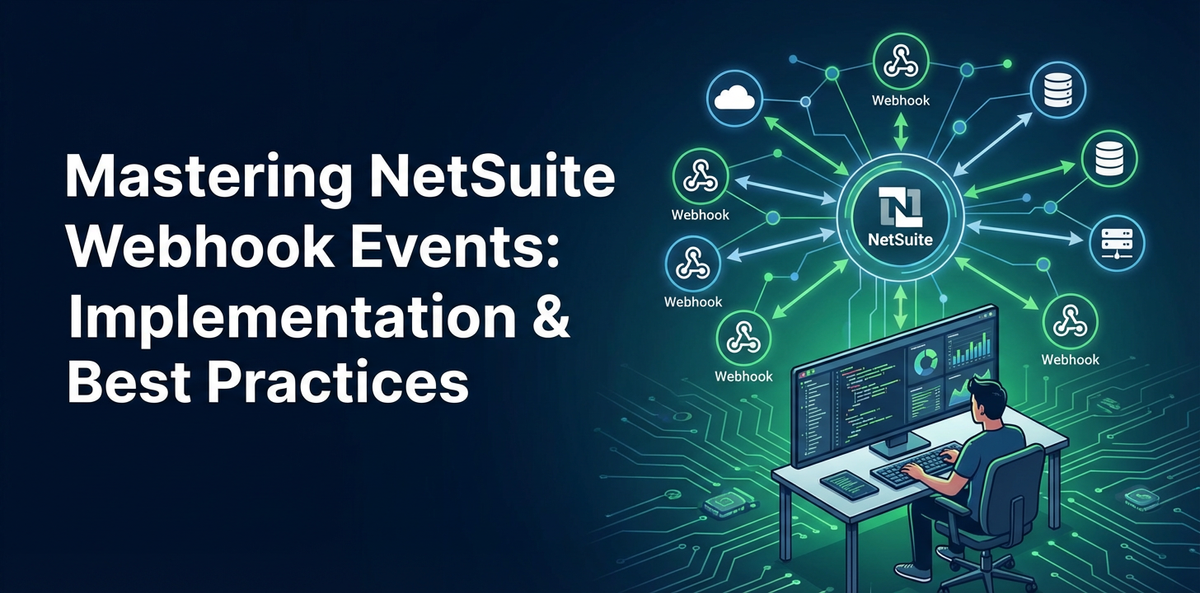
Mastering NetSuite Webhook Events: Implementation & Best Practices


In today's fast-paced digital economy, the ability to rapidly integrate and synchronize data across disparate business systems is not merely a competitive advantage—it is an operational imperative. Enterprises globally rely on robust ERP platforms like NetSuite to serve as the central nervous system for their critical business operations, encompassing everything from financial management and inventory control to customer relationship management and e-commerce. However, the true power of NetSuite is unlocked when it can seamlessly communicate with the broader ecosystem of applications that drive modern business. While traditional integration methods like scheduled API calls or batch processing have long served their purpose, the demand for real-time data exchange has surged, pushing the boundaries of what these older paradigms can achieve. This is where NetSuite's webhook events emerge as a transformative solution, offering a potent mechanism for event-driven integration that ensures data consistency and operational agility.
Mastering NetSuite webhook events is crucial for any organization aiming to build a truly interconnected and responsive digital infrastructure. Webhooks provide an elegant and efficient way for NetSuite to proactively notify other systems about significant business events as they happen, eliminating the inefficiencies of constant polling and reducing the latency inherent in batch processes. This article will serve as a comprehensive guide, delving deep into the intricacies of NetSuite webhook events, from their fundamental principles and diverse use cases to their meticulous implementation and the essential best practices that guarantee secure, reliable, and scalable integrations. We will explore the architectural considerations, delve into the technical configuration steps, address common challenges, and highlight how advanced tools, including the strategic use of an api gateway, can elevate your webhook strategy, ultimately empowering businesses to react instantly to changes and optimize their operational workflows like never before.
Understanding NetSuite Webhook Events
At its core, a webhook is an automated message sent from an application when a specific event occurs. Unlike traditional API interactions where one system actively "pulls" data from another by making repeated requests, webhooks operate on a "push" model. When a predefined event happens within NetSuite, it automatically "pushes" a data payload to a specified URL, which is the receiving endpoint of another system. This fundamental shift from pull to push significantly enhances efficiency and responsiveness in data synchronization.
NetSuite's implementation of webhooks is deeply embedded in its event-driven architecture. This means that NetSuite is designed to recognize and react to various occurrences within its environment. When a customer record is updated, a sales order is created, or an item's inventory level changes, these are all potential events that NetSuite can be configured to monitor. Upon detecting such an event, NetSuite constructs a message, typically a JSON payload containing relevant data about the event, and sends it via an HTTP POST request to a pre-configured URL.
The key components of a NetSuite webhook event include:
- Event Source: This is the specific record type or system activity within NetSuite that triggers the webhook. Examples include
Customerrecords,Sales Orders,Inventory Items,Invoices, etc. - Event Type: The nature of the change that occurred to the event source. Common event types are
Create,Update,Delete, or specific status changes (e.g.,Approve,Fulfill). - Payload: The actual data sent by NetSuite to the receiving system. This is typically a JSON object that includes details about the record that changed, its old values (for updates), and its new values. The structure and content of this payload can often be customized to include specific fields.
- Endpoint URL: This is the HTTP/HTTPS address where NetSuite sends the webhook payload. It must be a publicly accessible URL, pointing to a server or service capable of receiving and processing the incoming HTTP POST request.
- Security Mechanisms: To ensure data integrity and prevent unauthorized access, NetSuite webhooks support various authentication methods, such as
APIkeys in headers, OAuth 2.0 Client Credentials, or HMAC signature verification, which the receiving endpoint must validate.
The distinction between NetSuite webhooks and its traditional integration methods, such as SuiteTalk (SOAP and REST APIs) or SuiteScript RESTlets, is crucial. SuiteTalk APIs are primarily for synchronous, on-demand data retrieval or manipulation. A calling system initiates a request and waits for NetSuite's immediate response. SuiteScript RESTlets allow developers to build custom RESTful API endpoints within NetSuite, enabling external systems to interact with NetSuite data programmatically. While powerful, both SuiteTalk and RESTlets often require external systems to poll NetSuite periodically to check for changes, which can be inefficient, consume API governance limits, and introduce latency. Webhooks, by contrast, offer a more efficient, real-time, and event-driven paradigm. They flip the integration model, with NetSuite proactively pushing relevant information only when necessary, minimizing unnecessary API traffic and ensuring that connected systems are updated almost instantaneously. This makes webhooks particularly well-suited for scenarios demanding immediate reactions to business events.
The benefits of leveraging NetSuite webhooks are multifaceted and significant for modern enterprises:
- Real-time Updates: The most prominent advantage is the immediate propagation of changes. When a customer's address is updated in NetSuite, downstream systems like CRM, shipping platforms, or marketing automation tools can receive this information in milliseconds, ensuring data consistency across the entire ecosystem.
- Reduced Polling and
APIOverhead: By moving away from a polling model, organizations drastically reduce the number ofAPIcalls made to NetSuite. This preservesAPIgovernance limits, lowers the computational load on NetSuite's servers, and reduces network traffic, leading to more efficient resource utilization. - Improved Efficiency and Responsiveness: Business processes that depend on up-to-date information become significantly more efficient. Inventory changes can instantly trigger reorder processes, new sales orders can immediately initiate fulfillment workflows, and customer service teams can access the latest customer data without delay.
- Enhanced Scalability: Webhooks distribute the workload more effectively. Instead of a single system repeatedly querying NetSuite, NetSuite distributes events to multiple listeners. This allows for greater scalability, especially in environments with numerous integrated systems, as each system can process events independently.
- Simplified Integration Architecture: For specific event-driven scenarios, webhooks can simplify integration logic. The responsibility of detecting changes and initiating communication shifts from the consuming system to NetSuite itself, allowing integrators to focus more on processing the incoming data rather than complex polling strategies.
- Decoupling of Systems: Webhooks promote a loosely coupled architecture. The sender (NetSuite) doesn't need to know the intricate details of how the receiver processes the event, only that it needs to send data to a specific endpoint. This makes systems more independent and easier to maintain or replace.
By embracing NetSuite webhook events, organizations can build more agile, responsive, and efficient integration landscapes, ensuring that their critical business data flows seamlessly and in real-time across all their operational platforms.
Use Cases for NetSuite Webhooks
The versatility of NetSuite webhooks opens up a myriad of practical applications across various departments and business functions. Their ability to deliver real-time notifications makes them invaluable for scenarios where immediate data synchronization and event-driven automation are critical. Here, we explore several compelling use cases that demonstrate the power and flexibility of NetSuite webhooks in a modern enterprise environment.
CRM/ERP Synchronization
One of the most common and impactful use cases for NetSuite webhooks is ensuring seamless data synchronization between NetSuite (often serving as the ERP backbone) and external CRM systems, e-commerce platforms, or other specialized business applications. Consider a scenario where NetSuite manages all customer master data, including billing addresses, shipping preferences, and credit terms. When a customer's profile is updated in NetSuite, a webhook can instantly trigger an update in an external CRM like Salesforce, an e-commerce platform like Shopify, or a custom-built customer portal. This ensures that sales, marketing, and customer service teams always have access to the most current and accurate customer information, preventing inconsistencies that can lead to operational errors or poor customer experiences.
Similarly, webhook events can be leveraged for sales order synchronization. When a new sales order is created in NetSuite, a webhook can push the order details—items, quantities, pricing, shipping address—to an external order fulfillment system, a third-party logistics (3PL) provider, or an api gateway that routes the data to multiple downstream systems. This immediate notification dramatically reduces order processing times, minimizes manual data entry, and accelerates the entire order-to-cash cycle. For instance, as soon as an order transitions from "Pending Fulfillment" to "Billed" in NetSuite, a webhook could inform an external system to send a delivery notification to the customer, improving transparency and customer satisfaction. The speed and accuracy offered by webhooks in this context are unparalleled, ensuring that all related systems reflect the latest transactional data without delay.
Financial Operations
NetSuite, being a robust financial management suite, generates numerous events critical for financial operations. Webhooks can be instrumental in automating and streamlining these processes. For example, when a new invoice is generated in NetSuite, a webhook can immediately notify a payment gateway or an accounts receivable system. This allows the payment gateway to initiate payment processing or for the AR system to update its ledger without any manual intervention or batch delays. Similarly, if an invoice status changes (e.g., from "Open" to "Paid"), a webhook can trigger notifications to sales teams, update customer credit limits, or even release inventory holds.
Another powerful application lies in expense management. If employees submit expense reports in a separate system that then pushes approved expenses into NetSuite, webhooks can be used in reverse. When an expense report is approved or paid in NetSuite, a webhook can notify the external expense management system or an employee portal, providing real-time status updates. This kind of integration not only improves the efficiency of financial workflows but also enhances the accuracy of financial reporting by ensuring that related systems are always in sync with NetSuite's authoritative financial data.
Supply Chain Management
Efficient supply chain management heavily relies on timely information flow between various stakeholders: procurement, inventory, manufacturing, and logistics. NetSuite webhooks can play a pivotal role in creating a highly responsive supply chain. When an item's inventory level drops below a reorder point in NetSuite, a webhook can instantly alert a procurement system to initiate a purchase order. Conversely, upon the creation of a purchase order in NetSuite, a webhook can notify a supplier portal or an external vendor management system.
For order fulfillment, when a sales order's fulfillment status changes (e.g., from "Pending Fulfillment" to "Partially Fulfilled" or "Fulfilled"), a webhook can trigger an update in a warehouse management system (WMS), a shipping carrier's api to generate shipping labels, or a customer-facing tracking portal. This ensures that logistics operations are initiated immediately, inventory counts are accurate across all systems, and customers receive timely updates on their shipments. Moreover, if a new vendor is created or updated in NetSuite, a webhook can propagate this information to a vendor onboarding platform or a supply chain risk management tool, maintaining consistency and compliance throughout the supply chain ecosystem.
Marketing Automation
Marketing departments often rely on sophisticated automation platforms to nurture leads, execute campaigns, and analyze customer behavior. NetSuite webhooks can bridge the gap between sales and marketing data, ensuring that marketing efforts are targeted and timely. When a new lead is created in NetSuite, or an existing lead's status changes (e.g., from "Qualified" to "Customer"), a webhook can push this information to a marketing automation platform like HubSpot or Marketo. This allows marketing campaigns to be dynamically adjusted based on the lead's current stage in the sales funnel, enabling personalized communication and more effective lead nurturing.
Furthermore, if customer data, such as purchase history or product preferences, is updated in NetSuite, webhooks can inform the marketing platform, enabling more precise segmentation and tailored promotional offers. This ensures that marketing messages are always relevant and resonate with the customer's current profile and engagement level, leading to higher conversion rates and improved customer satisfaction. The real-time nature of webhooks prevents delays that could otherwise lead to sending irrelevant or outdated marketing communications.
Custom Notifications and Data Warehousing
Beyond core business applications, NetSuite webhooks can power a wide array of custom notification systems and facilitate real-time data warehousing. Imagine a scenario where a critical sales order for a high-value customer is created or modified. A webhook could be configured to send an immediate alert to a specific Slack channel or Microsoft Teams group, notifying sales managers or account executives. This proactive alerting ensures that critical business events don't go unnoticed and allows teams to react swiftly to opportunities or potential issues.
For data warehousing and business intelligence, webhooks offer a powerful mechanism for real-time data replication. Instead of periodically extracting large datasets from NetSuite, which can be resource-intensive and lead to data staleness, webhooks can push incremental changes to a data lake or data warehouse as they occur. When a record is created, updated, or deleted in NetSuite, the webhook delivers the relevant data payload to the data warehouse's ingestion api gateway, ensuring that analytical dashboards and reports are always based on the freshest possible data. This significantly improves the accuracy and timeliness of business insights, enabling faster and more informed decision-making. The ability to capture change data capture (CDC) in real-time is a significant advantage for modern analytics infrastructures.
| Use Case Category | Example Event Trigger in NetSuite | Data Sent via Webhook | Target System/Action | Benefits |
|---|---|---|---|---|
| CRM/ERP Sync | Customer Record Updated | Customer ID, Name, Address, Contact Info | External CRM, E-commerce Platform | Real-time customer data consistency; improved sales & service; accurate marketing segmentation. |
| Sales Order Created/Updated | Order ID, Line Items, Customer Info, Shipping Details | Order Fulfillment System, 3PL, Inventory Management | Accelerated order processing; reduced manual errors; improved inventory accuracy. | |
| Financial Operations | Invoice Generated | Invoice ID, Amount, Customer, Due Date | Payment Gateway, Accounts Receivable System |
Faster payment processing; streamlined AR workflows; accurate financial ledger updates. |
| Expense Report Approved | Employee ID, Expense Details, Amount, Approval Status | External Expense Management, Employee Portal | Timely expense reimbursement updates; improved financial transparency. | |
| Supply Chain Management | Inventory Item Below Reorder Point | Item ID, Current Stock, Reorder Point | Procurement System, Vendor Portal | Automated reordering; optimized inventory levels; prevented stockouts. |
| Sales Order Fulfilled | Order ID, Shipped Items, Tracking Numbers | WMS, Shipping Carrier API, Customer Tracking Portal |
Real-time logistics initiation; accurate shipping notifications; enhanced customer experience. | |
| Marketing Automation | Lead Status Changed | Lead ID, New Status, Contact Info | Marketing Automation Platform (HubSpot, Marketo) | Personalized marketing campaigns; targeted lead nurturing; improved conversion rates. |
| Customer Purchase Made | Customer ID, Product Details, Purchase Date | Marketing Automation Platform, Customer Data Platform | Dynamic customer segmentation; tailored promotions; increased customer lifetime value. | |
| Custom Alerts & BI | High-Value Opportunity Created | Opportunity ID, Value, Customer, Sales Rep | Slack/Teams Channel, Email Notification Service | Immediate attention to critical opportunities; proactive team collaboration. |
| Record (any) Updated/Deleted | Record Type, Record ID, Changed Fields (old/new values) | Data Warehouse, Data Lake for Real-time Analytics | Fresh data for BI dashboards; instant insights; reduced ETL latency. |
By thoughtfully identifying the most impactful events within NetSuite and connecting them to relevant downstream systems via webhooks, organizations can unlock significant operational efficiencies, enhance data integrity, and drive business growth through real-time responsiveness. Each of these use cases underscores the principle that timely information is power, and NetSuite webhooks are the conduit for that power.
Implementing NetSuite Webhooks: A Step-by-Step Guide
Implementing NetSuite webhook events requires careful planning, technical proficiency, and a structured approach to ensure secure and reliable communication between NetSuite and your target systems. This section outlines a detailed, step-by-step guide to setting up and deploying NetSuite webhooks effectively.
Prerequisites
Before embarking on the configuration process, ensure you have the following in place:
- NetSuite Administrator Access: You will need appropriate permissions to access Customization > Scripting > Webhook Event Integrations and create new webhook records.
- Understanding of Target System's
APICapabilities: The system receiving the webhook payload must have a publicAPIendpoint capable of accepting HTTP POST requests and processing the incoming data. You should be familiar with its required data format, authentication mechanisms, and expected response codes. - Publicly Accessible Endpoint: The receiving endpoint URL must be accessible from NetSuite's servers over the internet. This typically means it needs a public IP address or a publicly resolvable domain name. For development and testing, tools like ngrok can be invaluable for exposing local development environments to the internet.
- Basic Knowledge of JSON: NetSuite webhooks typically send data in JSON format, so a fundamental understanding of JSON structure is beneficial for configuring and parsing payloads.
- SSL/TLS Certificate: For production environments, the receiving endpoint must use HTTPS. NetSuite will not send webhook events to unencrypted HTTP endpoints due to security concerns.
Step 1: Identifying the Event
The foundational step is to clearly define which business event within NetSuite should trigger the webhook. This involves asking: "What change in NetSuite needs to be immediately communicated to another system?"
- Record Type: Determine the specific NetSuite record type involved (e.g.,
Customer,Sales Order,Item Fulfillment,Invoice). - Event Type: Identify the precise action that constitutes the trigger. NetSuite supports several event types for webhooks:
- Create: When a new record of the specified type is successfully saved.
- Update: When an existing record of the specified type is successfully modified and saved.
- Delete: When a record of the specified type is successfully deleted.
- Field Change: While not a direct webhook event type in the primary configuration,
SuiteScriptcan augment webhook logic to trigger based on specific field changes if more granular control is needed. However, the native webhook primarily triggers on record-level create, update, or delete.
- Business Logic: Consider any specific conditions under which the webhook should fire. For example, "only send sales order updates if the status is 'Pending Approval'" (though this might require
SuiteScriptpre-processing before the webhook or conditional logic on the receiving end). For native webhooks, the trigger is usually broader (any create/update/delete).
Step 2: Defining the Payload
Once the event is identified, you need to determine what data from NetSuite should be included in the webhook's payload. This payload is the information package that NetSuite sends to your endpoint.
- Required Fields: List all the essential fields from the NetSuite record that the receiving system needs to process the event correctly. This might include record IDs, names, dates, amounts, statuses, and related entity IDs.
- Related Records: Decide if data from related records (e.g., line items from a sales order, customer details from an invoice) also needs to be part of the payload. NetSuite's webhook configuration allows you to include fields from related records.
- JSON Structure: Plan the desired JSON structure for the payload. While NetSuite provides a default structure, you can customize it to align with the receiving system's
APIschema. This customization is crucial for minimizing transformation logic on the receiving end. For example, instead ofcustomer.internalid, you might wantcustomer_id. - Dynamic vs. Static Fields: Most payload data will be dynamic, pulling values directly from the triggering record. However, you might also include static values for identification or context.
Step 3: Setting Up the Receiving Endpoint
This is where your external system or an intermediary api gateway comes into play. The receiving endpoint is a critical piece of the webhook puzzle, responsible for securely accepting, validating, and processing the incoming data.
- Develop a Secure
APIEndpoint:- Create a RESTful
APIendpoint (e.g.,/webhooks/netsuite/sales-order-update) on your target server or application. - Ensure it is configured to accept HTTP POST requests.
- The endpoint should be idempotent, meaning that processing the same event multiple times (due to retries, for example) produces the same result without unintended side effects.
- Create a RESTful
- Security Considerations:
- HTTPS is Mandatory: Always use
https://for your endpoint URL in production. NetSuite will enforce this. - Authentication: Implement robust authentication to ensure that only legitimate requests from NetSuite are processed. Common methods include:
APIKeys in Headers: NetSuite can send a custom header (e.g.,X-Netsuite-API-Key) with a pre-shared secret key. Your endpoint verifies this key.- OAuth 2.0 Client Credentials: NetSuite supports OAuth 2.0 Client Credentials flow, where it obtains an access token from an authorization server and includes it in the
Authorizationheader. Your endpoint validates this token. - HMAC Signature Verification: NetSuite can generate a hash-based message authentication code (HMAC) of the payload using a shared secret. Your endpoint recalculates the HMAC using the same secret and compares it with the one in the header. This verifies both the sender's authenticity and the integrity of the payload. This is generally the most secure method.
- IP Whitelisting: While not foolproof, you can restrict incoming requests to only NetSuite's known IP ranges. However, these ranges can change, making it a less flexible solution on its own.
- HTTPS is Mandatory: Always use
- Error Handling and Response Codes:
- Your endpoint must respond to NetSuite's webhook POST request with appropriate HTTP status codes:
200 OK,201 Created,202 Accepted,204 No Content: Indicate successful receipt and/or processing. NetSuite will consider the webhook delivered.4xx Client Error(e.g.,400 Bad Request,401 Unauthorized,403 Forbidden,404 Not Found): Indicate an issue with the request itself. NetSuite might retry depending on the exact code or stop retrying quickly.5xx Server Error(e.g.,500 Internal Server Error,502 Bad Gateway,503 Service Unavailable): Indicate a problem on the receiving server's side. NetSuite will typically retry these events.
- Ensure your endpoint provides meaningful error messages in the response body when necessary, though NetSuite primarily relies on the status code for retry logic.
- Your endpoint must respond to NetSuite's webhook POST request with appropriate HTTP status codes:
- Asynchronous Processing: For long-running operations, it's a best practice for the endpoint to quickly acknowledge receipt (
200 OK) and then hand off the processing of the payload to an asynchronous background job or message queue. This prevents NetSuite's request from timing out and improves the responsiveness of your endpoint.
Step 4: Configuring Webhooks in NetSuite
Now, you're ready to configure the webhook directly within NetSuite.
- Navigate to Webhook Event Integrations: In NetSuite, go to Customization > Scripting > Webhook Event Integrations > New.
- General Information:
- Name: Provide a descriptive name for your webhook (e.g., "Sales Order Update to CRM").
- Description: Add a detailed description of the webhook's purpose.
- Status: Set to
Activewhen ready for deployment, orInactiveduring initial setup. - URL: Enter the full, publicly accessible HTTPS URL of your receiving endpoint (e.g.,
https://my.api.gateway.com/webhooks/netsuite/sales-order-update).
- Authentication: This is crucial for security.
- Authentication Type: Select the method that your receiving endpoint supports:
API Key Header: Enter the header name (e.g.,X-API-Key) and the secret key value. NetSuite will include this header in every request.OAuth 2.0 Client Credentials: Configure the client ID, client secret, and tokenapiendpoint. NetSuite will handle the OAuth flow to obtain an access token.Token: Requires setting up a NetSuiteAccess Tokenrecord.None: Only use this for publicly exposed endpoints with no sensitive data, or if you're relying entirely on HMAC signature verification.
- HMAC Signature (if applicable): If you're using HMAC, enable this option and enter your shared secret. NetSuite will generate an
X-Netsuite-HMAC-SHA256header.
- Authentication Type: Select the method that your receiving endpoint supports:
- Events:
- Record Type: Select the NetSuite record type that will trigger this webhook (e.g.,
Sales Order). - Event Types: Check the specific event types (
Create,Update,Delete) that should activate the webhook.
- Record Type: Select the NetSuite record type that will trigger this webhook (e.g.,
- Payload: This defines the data sent.
- Body: You can customize the JSON body. Use NetSuite's field picker to select fields from the main record and related records. For example:
json { "recordId": "{id}", "recordType": "{recordtype}", "event": "{event}", "tranId": "{tranid}", "entityId": "{entity.id}", "entityName": "{entity.companyname}", "status": "{status.id}", "items": [ { "itemId": "{item.id}", "itemName": "{item.itemid}", "quantity": "{quantity}", "rate": "{rate}" } ] }NetSuite uses{field_id}syntax for dynamic values. For related records, it uses{sublist.field_id}or{related_record.field_id}. - Headers: Add any custom headers required by your receiving endpoint (e.g.,
Content-Type: application/json).
- Body: You can customize the JSON body. Use NetSuite's field picker to select fields from the main record and related records. For example:
- Test the Webhook:
- Before saving, use the
Testbutton. - Select an existing NetSuite record of the chosen type.
- Choose an event type (e.g.,
Update). - The
Payload Previewtab will show you the exact JSON NetSuite would send. This is invaluable for debugging your payload structure. - The
Test Responsetab will show the HTTP status code and body returned by your receiving endpoint, allowing you to verify connectivity and initial processing.
- Before saving, use the
- Save: Once satisfied with the configuration and testing, save the webhook record.
Step 5: Deployment and Monitoring
After saving and activating your webhook, it's crucial to deploy and continuously monitor its performance and reliability.
- Activate the Webhook: Ensure the
Statusfield on the webhook record is set toActive. - NetSuite's Outbound Webhook Queue: NetSuite provides an internal queue for managing outbound webhook events. You can monitor this queue to see if events are being sent successfully, if there are retries, or if events are failing persistently. This queue offers insights into NetSuite's attempts to deliver the payload.
- Implement Logging and Monitoring on the Receiving
API Gatewayor System:- Comprehensive Logging: Your receiving endpoint, or the
api gatewayfronting it, should log every incoming webhook request. This includes the full request headers, body, timestamp, and the response it sends back to NetSuite. This log data is critical for troubleshooting. - Metrics and Alerting: Implement monitoring tools (e.g., Prometheus, Datadog) to track key metrics:
- Success rate of webhook processing.
- Error rates (e.g.,
4xxand5xxresponses). - Latency of processing each webhook event.
- Queue depth if you're using an asynchronous processing model.
- Alerting: Set up alerts to notify your operations team immediately if error rates exceed a threshold or if the processing queue starts to back up, indicating a potential issue with your webhook integration.
- Comprehensive Logging: Your receiving endpoint, or the
- Review NetSuite
APIGovernance Limits: While webhooks reduce polling, NetSuite still hasAPIgovernance limits. Be mindful of the volume of events and the complexity of your payloads. If a single event triggers multiple webhooks or if a webhook's processing on the receiving end triggers many subsequent NetSuiteAPIcalls, governance limits might still be a concern.
By meticulously following these steps, you can confidently implement NetSuite webhook events, establishing a robust and real-time data synchronization mechanism that propels your business operations forward.
APIPark is a high-performance AI gateway that allows you to securely access the most comprehensive LLM APIs globally on the APIPark platform, including OpenAI, Anthropic, Mistral, Llama2, Google Gemini, and more.Try APIPark now! 👇👇👇
Advanced Concepts and Best Practices
Implementing basic NetSuite webhooks is just the beginning. To truly master them and build resilient, secure, and scalable integrations, it's essential to delve into advanced concepts and adhere to industry best practices. These considerations move beyond mere configuration, focusing on the architectural integrity and long-term maintainability of your event-driven systems.
Security
Security is paramount when dealing with real-time data flows, especially when sensitive business data is involved. A compromised webhook can lead to data breaches, unauthorized access, or system manipulation.
- Always Use HTTPS: This cannot be overstressed. All communication between NetSuite and your receiving endpoint must be encrypted using HTTPS. NetSuite itself enforces this for production webhooks, rejecting unencrypted HTTP URLs. HTTPS protects the data payload from eavesdropping and man-in-the-middle attacks during transit.
- Implement Robust Authentication:
APIkeys, OAuth 2.0, or HMAC signatures are not merely options; they are necessities.APIKeys in Headers: While simpler, use strong, unique, and frequently rotatedAPIkeys. Never hardcode them directly into publicly exposed code. Treat them as secrets.- OAuth 2.0 Client Credentials: This is a more robust standard, where NetSuite obtains an access token from an authorization server. It provides better token management and revocation capabilities.
- HMAC Signature Verification: This is often considered the gold standard for webhook security. NetSuite generates a unique signature for each request by hashing the payload and other request details with a shared secret. Your receiving endpoint performs the same hashing calculation and compares the result. If the signatures match, you can be confident that the request originated from NetSuite and that the payload has not been tampered with in transit. This prevents replay attacks (if combined with timestamp validation) and ensures payload integrity.
- Validate Payloads Rigorously: Beyond authentication, always validate the structure and content of the incoming JSON payload.
- Schema Validation: Use a JSON schema validator to ensure the payload conforms to the expected structure and data types.
- Business Logic Validation: Verify that the data within the payload makes sense in the context of your application. For example, ensure required fields are present and that values fall within acceptable ranges.
- IP Whitelisting (Supplemental): As a secondary layer of defense, you can whitelist NetSuite's known IP addresses. However, this is a brittle solution as NetSuite's IP ranges can change, requiring constant maintenance. It should not be the primary security measure but can supplement other methods.
- Avoid Sending Sensitive Data Unnecessarily: Adhere to the principle of least privilege. Only include the absolute minimum data required in the webhook payload. If sensitive data like credit card numbers or highly confidential customer information is not directly needed by the receiving system for its function, do not include it. Instead, if a unique identifier is sent, the receiving system can use it to pull more sensitive data directly from NetSuite via a secure, authenticated
APIcall, provided it has the necessary permissions.
Reliability and Error Handling
Even with perfect security, integrations can fail. Network outages, system downtime, or unexpected data formats can disrupt webhook delivery. Building for reliability and comprehensive error handling is crucial.
- Idempotency: Design your receiving
APIendpoint to be idempotent. This means that processing the same webhook event payload multiple times should have the exact same effect as processing it once. NetSuite has a built-in retry mechanism; if your endpoint returns a5xxerror or times out, NetSuite will retry sending the webhook. Without idempotency, retries could lead to duplicate record creation, incorrect updates, or other unintended side effects. Implement mechanisms like unique transaction IDs or event IDs in your payload to track and prevent reprocessing duplicate events. - Retries: Understand NetSuite's built-in retry mechanism. It will attempt to redeliver failed webhooks multiple times over an escalating period (e.g., after 5 minutes, then 15 minutes, 30 minutes, etc.) before ultimately marking the event as failed. Your endpoint should primarily rely on returning appropriate HTTP status codes (
5xxfor transient errors,4xxfor persistent client-side errors) to guide NetSuite's retry behavior. - Circuit Breakers: Implement circuit breaker patterns on the receiving end. If an external service that your webhook processor depends on (e.g., a database, another
API) starts to fail repeatedly, the circuit breaker can temporarily halt requests to that service, allowing it to recover and preventing cascading failures within your system. This also helps your webhook endpoint respond quickly with a503 Service Unavailableerror, allowing NetSuite to retry later. - Dead Letter Queues (DLQ): For events that persistently fail after all retry attempts (both NetSuite's and potentially your internal queue's), implement a Dead Letter Queue. These failed events should be routed to a DLQ for manual inspection and reprocessing. A DLQ ensures that no data is permanently lost and provides an opportunity to diagnose and fix underlying issues.
Performance and Scalability
As your business grows and the volume of events increases, your webhook integration must scale efficiently.
- Asynchronous Processing: This is a fundamental best practice for high-volume webhooks. Instead of processing the entire webhook payload synchronously within the same request-response cycle, your endpoint should:
- Quickly validate the request (authentication, basic payload structure).
- Store the raw payload in a message queue (e.g., RabbitMQ, Kafka, AWS SQS).
- Immediately return a
200 OKor202 Acceptedresponse to NetSuite. - A separate background worker process then asynchronously consumes messages from the queue and performs the actual, potentially time-consuming, business logic. This approach prevents NetSuite's webhook requests from timing out and ensures your endpoint remains highly responsive.
- Payload Optimization: Send only the necessary data in the webhook payload. Avoid including large, irrelevant fields or entire related records unless absolutely required. Smaller payloads consume less network bandwidth and are faster to transmit and process.
- Throttling: While NetSuite doesn't directly support throttling on outgoing webhooks (it relies on retries), your receiving
api gatewayor application can implement throttling mechanisms. If your downstream systems are being overwhelmed, theapi gatewaycan return a429 Too Many Requestsstatus code to NetSuite, signaling it to back off and retry later, preventing overload and ensuring system stability. - Choosing the Right NetSuite Event Type: While
CreateandUpdateevents are common, understand the nuances. An "After Submit" event in NetSuite (which webhooks typically align with) fires after all database operations are committed. If you need to react to changes before they are committed, or if you need to modify the record before it's saved,SuiteScript(e.g., a User Event Script) might be more appropriate, potentially triggering a customAPIcall or a different type of integration.
Observability
You can't fix what you can't see. Comprehensive observability is crucial for monitoring the health, performance, and successful operation of your webhook integrations.
- Comprehensive Logging: Implement detailed logging at every stage:
- NetSuite Webhook Logs: Monitor NetSuite's internal
Outbound Webhook Queuefor delivery status, retry attempts, and final failures. API GatewayLogs: If using anapi gateway(highly recommended), ensure it logs all incoming requests, headers, payload, and the response to NetSuite.- Application Logs: Your receiving application should log its processing steps, any transformations, successful database operations, and any internal errors encountered.
- NetSuite Webhook Logs: Monitor NetSuite's internal
- Monitoring: Use dedicated monitoring tools to collect metrics.
- Success and Error Rates: Track the percentage of successful webhook deliveries and processing, and identify trends in errors.
- Latency: Monitor the end-to-end latency, from when NetSuite sends the webhook to when your system fully processes it.
- Queue Depth: If using asynchronous processing, monitor the depth of your message queues to detect backlogs.
- Resource Utilization: Monitor CPU, memory, and network utilization of your webhook processing infrastructure.
- Alerting: Configure proactive alerts based on defined thresholds.
- Notify operations teams via email, SMS, or Slack if error rates spike, processing queues become too long, or critical webhooks fail repeatedly.
- Set up alerts for
APIkey expiry or OAuth token issues.
Using an API Gateway (Keyword Integration)
The strategic deployment of an api gateway is not just an advanced concept; it's a best practice that significantly elevates the management, security, and scalability of your NetSuite webhook integrations. An api gateway acts as a single entry point for all API requests, including your incoming webhook events, providing a layer of abstraction and control between NetSuite and your backend services.
An api gateway can enhance NetSuite webhook management in several critical ways:
- Centralized
APIManagement: It provides a unified platform to manage all your inboundAPItraffic, including webhooks. This means consistent application of policies across various integrations. - Authentication and Authorization: An
api gatewaycan enforce stringent authentication measures (e.g., verifyingAPIkeys, validating OAuth tokens, or checking HMAC signatures) before the request even reaches your backend service. This offloads security concerns from your application logic and centralizes policy enforcement. - Traffic Management:
- Load Balancing: Distribute incoming webhook events across multiple instances of your receiving application, ensuring high availability and performance.
- Throttling: Protect your backend services from being overwhelmed by implementing rate limits. If NetSuite sends a burst of events, the
api gatewaycan gracefully queue or reject requests (with a429status), preventing your systems from crashing. - Caching: While less common for dynamic webhook payloads, an
api gatewaycan potentially cache certain responses or metadata if applicable, though webhooks are primarily about real-time events.
- Security Enforcement: Beyond authentication, an
api gatewaycan provide additional security layers:- Web Application Firewall (WAF): Protects against common web vulnerabilities like SQL injection and cross-site scripting, even for incoming webhook payloads.
- IP Whitelisting/Blacklisting: Provides a robust way to control which IP addresses can send requests to your endpoints.
- Threat Protection: Detects and mitigates malicious traffic patterns.
- Monitoring and Analytics: An
api gatewayoffers a unified dashboard for real-time monitoring of allapitraffic, including webhook calls. It provides insights into request volumes, latency, error rates, and security events, offering a holistic view of your integration health. This centralized logging and analytics capability is invaluable for quickly diagnosing issues. - Transformation: One of the most powerful features of an
api gatewayfor webhooks is its ability to transform the incoming payload. NetSuite's webhook payload might not always perfectly match theAPIschema of your target system. Anapi gatewaycan intercept the NetSuite payload, apply transformations (e.g., rename fields, restructure JSON, add/remove data), and then forward the modified payload to your backend. This minimizes custom coding on your receiving application and makes your integrations more adaptable.
For organizations seeking to centralize their API management and leverage advanced capabilities for their NetSuite webhooks, an APIPark can be a highly effective solution. APIPark, as an open-source AI gateway and api management platform, is specifically designed to handle and orchestrate diverse API traffic, including event-driven communications like NetSuite webhooks. By placing APIPark between NetSuite and your target systems, you can leverage its robust feature set to enhance security, reliability, and transformation capabilities. For instance, APIPark can manage the intricate authentication details of NetSuite's webhooks, apply sophisticated routing rules based on webhook content, and even transform the data payload to precisely match the api specifications of your downstream applications. This significantly simplifies the development and maintenance of your integration logic, ensuring that your NetSuite webhook events are processed efficiently, securely, and in the correct format, ultimately providing end-to-end API lifecycle management for all your services. Its ability to provide detailed api call logging and powerful data analysis means you gain unparalleled visibility into the performance and health of your webhook integrations, proactively identifying issues before they impact operations.
By embracing these advanced concepts and best practices, particularly the strategic use of an api gateway like APIPark, you can transform your NetSuite webhook integrations from mere data pipes into resilient, secure, and highly observable components of your enterprise architecture, capable of handling the demands of modern business operations.
Challenges and Troubleshooting
Despite their power and efficiency, implementing NetSuite webhooks is not without its challenges. Integrators often encounter issues ranging from delivery failures to data discrepancies. Effective troubleshooting requires a systematic approach and an understanding of common pitfalls.
Webhook Delivery Failures
The most common challenge is when NetSuite attempts to send a webhook, but the receiving system doesn't get it, or NetSuite reports a delivery failure.
- Network Issues: Transient network outages between NetSuite's data centers and your endpoint are possible. These are often self-correcting due to NetSuite's retry mechanism.
- Endpoint Downtime: If your receiving server or
api gatewayis down or unreachable, NetSuite will not be able to connect. Monitor the uptime of your endpoint rigorously. - Incorrect URL: A typo in the configured webhook URL in NetSuite (e.g., missing a character, incorrect domain, wrong path) will prevent delivery. Double-check the URL meticulously, especially for HTTPS.
- Firewall/Security Group Blocking: Your server's firewall or cloud provider's security groups might be blocking incoming requests from NetSuite's IP addresses. Ensure that port
443(for HTTPS) is open to the internet, or specifically to NetSuite's known IP ranges if you are using IP whitelisting. - SSL Certificate Issues: If your endpoint's SSL certificate is expired, invalid, or improperly configured (e.g., missing intermediate certificates), NetSuite's secure connection attempt will fail. Use SSL checkers to verify your certificate chain.
Troubleshooting Steps: 1. Check NetSuite's Outbound Webhook Queue: Navigate to Customization > Scripting > Webhook Event Integrations > Outbound Webhook Queue. This shows detailed logs for each attempt, including the HTTP status code NetSuite received and any error messages. This is your first point of reference. 2. Verify Endpoint Reachability: From an external server (not NetSuite's), try to curl your endpoint URL. Does it respond? Is it accessible over HTTPS? 3. Check Endpoint Logs: Examine the access logs and error logs of your receiving server or api gateway. Is the request even reaching your server? Is your application generating internal errors?
Payload Mismatch
The data sent by NetSuite doesn't match what the receiving system expects, leading to processing errors.
- Data Format Issues: The receiving system might expect a different JSON structure, or specific data types (e.g., an integer instead of a string).
- Missing Fields: A critical field expected by the receiving system might be absent from NetSuite's webhook payload, either because it wasn't configured or because the field itself was empty in NetSuite at the time of the event.
- Unexpected Values: NetSuite field values might not map directly to values expected by the target system (e.g., NetSuite status "A" vs. external system status "Active").
Troubleshooting Steps: 1. Use NetSuite's Payload Preview: During webhook configuration, use the Test button and review the Payload Preview tab. This is exactly what NetSuite will send. Compare this against your receiving system's API documentation. 2. Log Raw Payloads: On your receiving endpoint, log the entire raw incoming request body before any parsing or processing. This is critical to see exactly what NetSuite sent. 3. Data Transformation Layer: Implement a robust data transformation layer (often within an api gateway or your application) that can handle discrepancies, map fields, and convert data types.
Authentication Errors
NetSuite sends the webhook, but the receiving endpoint rejects it due to authentication failures.
- Invalid
APIKey/Secret: TheAPIkey or shared secret configured in NetSuite does not match what your receiving endpoint expects. Double-check for typos, extra spaces, or case sensitivity issues. - Expired/Invalid OAuth Token: If using OAuth 2.0, the access token obtained by NetSuite might be expired or invalid, or the authorization server configuration is incorrect.
- Incorrect HMAC Signature Verification: The shared secret used for HMAC signature generation in NetSuite does not match the secret used for verification on your endpoint. Also, ensure the HMAC calculation logic (e.g., algorithm, encoding) is identical on both sides.
- Missing Authentication Headers: Your receiving endpoint might expect a specific authentication header (e.g.,
Authorization: Bearer <token>), but NetSuite isn't sending it, or it's misconfigured.
Troubleshooting Steps: 1. Verify Credentials: Confirm that the API keys, client IDs, client secrets, or HMAC shared secrets are identical and correctly configured in both NetSuite and your receiving system. 2. Inspect Headers: Log the full incoming HTTP headers on your receiving endpoint. This will show you exactly what authentication information NetSuite is sending. 3. Test with Tools: Use a tool like Postman or Insomnia to manually construct a POST request to your endpoint with the same authentication headers and a sample payload. Does it work? This helps isolate if the issue is with NetSuite's sending or your endpoint's receiving.
Performance Bottlenecks
Webhooks are delivered, but processing is slow, leading to delays or timeouts.
- Slow Processing on Receiving End: Your application might be performing complex, synchronous operations (e.g., multiple database writes, calls to other external
APIs) within the webhook processing thread. - Large Payloads: While less common, extremely large payloads can increase network transfer time and parsing time.
- Resource Constraints: Your receiving server might be under-resourced (CPU, memory, network I/O), leading to slow response times.
Troubleshooting Steps: 1. Implement Asynchronous Processing: As discussed in best practices, return a 200 OK quickly and delegate the actual processing to a background job or message queue. 2. Optimize Application Code: Profile your receiving application to identify performance bottlenecks. Optimize database queries, reduce unnecessary API calls, or introduce caching where appropriate. 3. Scale Resources: Increase the computational resources (CPU, RAM) or deploy more instances of your receiving application behind a load balancer to handle higher throughput. 4. Monitor Latency: Use monitoring tools to track the end-to-end latency and identify where the delays are occurring.
Debugging Strategies
Effective debugging is crucial for resolving webhook issues quickly.
- NetSuite's
Outbound Webhook Queue: This is your primary source of truth for NetSuite's perspective on webhook delivery. It provides the HTTP response code and body received from your endpoint. - Local Development Tools (e.g., ngrok): For development environments,
ngrok(or similar tools likelocaltunnel,serveo) can expose your local machine to the internet with a public HTTPS URL. This allows you to point NetSuite's webhook to your local development server, enabling real-time debugging with breakpoints and console logs. API GatewayLogging & Tracing: If you're using anapi gatewaylike APIPark, leverage its comprehensive logging, tracing, and analytics capabilities. It can show you the exact request received from NetSuite, any transformations applied, and the response from your backend, providing a powerful debugging tool. APIPark's detailed API call logging can pinpoint issues related to request headers, body, and response codes, significantly speeding up problem resolution.- Postman/Insomnia/cURL: Manually recreate webhook requests using these tools to test your receiving endpoint in isolation. This helps determine if the issue is with NetSuite's sending mechanism or your endpoint's processing.
- Temporary Detailed Logging: During active troubleshooting, temporarily increase logging verbosity on your receiving endpoint to capture maximum detail (headers, body, timestamps, internal variables) for failed requests. Remember to revert this change once the issue is resolved to avoid excessive log generation.
By systematically addressing these challenges and employing robust debugging strategies, organizations can build and maintain highly reliable and efficient NetSuite webhook integrations, ensuring smooth data flow and operational continuity.
Future Trends and Evolution
The landscape of enterprise integration is constantly evolving, driven by the increasing demand for real-time data, hyper-automation, and intelligent systems. NetSuite webhook events, while already powerful, are part of this larger shift, and understanding the future trends will help organizations position themselves strategically.
- Event-Driven Architectures Becoming Standard: The shift from traditional request-response (
APIpolling) to event-driven architectures (EDA) is accelerating. Webhooks are a foundational element of EDA, allowing systems to react proactively to changes rather than continually asking for them. This paradigm promotes looser coupling, greater scalability, and enhanced responsiveness, making it ideal for microservices and distributed systems. As businesses become more complex and interconnected, EDAs, powered by webhooks and message queues, will move from being an advanced pattern to a standard implementation. - Increased Reliance on iPaaS Solutions: Integration Platform as a Service (iPaaS) solutions (e.g., Celigo, Boomi, Workato) are gaining immense traction. These platforms offer visual, low-code/no-code environments to build and manage integrations, often providing native connectors for NetSuite that can consume and manage webhook events. They abstract away much of the underlying infrastructure complexity, offering built-in retry mechanisms, error handling, data transformation capabilities, and extensive monitoring. As the number of integrations grows, iPaaS will become the go-to choice for managing webhook events without extensive custom coding, making advanced integrations accessible to a wider range of technical users.
- The Role of AI and Machine Learning in Processing Event Data: The sheer volume of event data generated by systems like NetSuite through webhooks presents a golden opportunity for AI and machine learning.
- Anomaly Detection: AI can analyze webhook event streams in real-time to detect unusual patterns (e.g., an abnormal spike in failed orders, unexpected inventory depletion) that might indicate fraud, system failures, or emerging business trends.
- Intelligent Routing and Prioritization: AI/ML algorithms can dynamically prioritize webhook events based on business impact, ensuring critical events (e.g., high-value customer order) are processed faster.
- Predictive Analytics: By analyzing historical webhook data, AI can predict future outcomes, such as potential stockouts, customer churn, or seasonal demand shifts, allowing for proactive business adjustments.
- Automated Remediation: In advanced scenarios, AI could even trigger automated remediation steps based on detected anomalies in webhook event streams.
- Webhooks Evolving into More Sophisticated Event Streaming Platforms: While current NetSuite webhooks are powerful, they are primarily HTTP POSTs of a single event payload. The future points towards more sophisticated event streaming platforms (e.g., Apache Kafka, AWS Kinesis, Azure Event Hubs). These platforms offer durable, ordered, and fault-tolerant message queues that can handle extremely high volumes of events, support multiple consumers, and enable complex stream processing. While NetSuite's native webhooks might not directly integrate with these platforms today, custom
SuiteScriptor iPaaS solutions can bridge this gap, transforming discrete webhook events into continuous event streams for advanced analytics, machine learning, and complex event processing. This evolution will further decouple systems and enable richer, more responsive applications. - Standardization and OpenAPI Specifications: As
APIs and webhooks proliferate, there will be a continued push for standardization. OpenAPI (Swagger) specifications are already common for RESTAPIs, and similar standards or extensions are emerging for webhooks (e.g., AsyncAPI for event-drivenAPIs). This will make it easier to discover, understand, and integrate with webhook providers and consumers, simplifying development and improving interoperability. Tools likeapi gatewayplatforms will increasingly leverage these standards for automated configuration and management.
These trends highlight a future where NetSuite webhook events, either natively or through intermediary api management solutions, will play an even more central role in orchestrating dynamic, real-time business processes. Organizations that proactively embrace these advancements will be better positioned to leverage their data for competitive advantage, foster agility, and build resilient, future-proof enterprise architectures.
Conclusion
The journey to mastering NetSuite webhook events is one of strategic foresight, meticulous planning, and continuous optimization. In an era where real-time data is the lifeblood of competitive advantage, NetSuite webhooks offer an indispensable mechanism for bridging the gap between NetSuite and the broader ecosystem of enterprise applications. They represent a fundamental shift from reactive polling to proactive, event-driven communication, unlocking unparalleled efficiencies, accelerating business processes, and ensuring data consistency across the organization.
Throughout this comprehensive guide, we have explored the foundational understanding of NetSuite webhooks, detailing their components and distinguishing them from traditional integration methods. We delved into a myriad of practical use cases, illustrating how webhooks can revolutionize CRM/ERP synchronization, financial operations, supply chain management, marketing automation, and even custom alerting and data warehousing. The step-by-step implementation guide provided a clear roadmap from identifying the event and defining the payload to configuring NetSuite and deploying with robust monitoring.
Crucially, we emphasized advanced concepts and best practices that elevate webhook implementations from functional to exemplary. Security, with its mandates for HTTPS, robust authentication, and payload validation, stands as a non-negotiable pillar. Reliability, championed through idempotency, intelligent retries, circuit breakers, and dead letter queues, ensures that no critical event is lost or misprocessed. Scalability, achieved via asynchronous processing, payload optimization, and thoughtful resource management, guarantees that your integrations can grow with your business demands. Lastly, observability, driven by comprehensive logging, real-time monitoring, and proactive alerting, provides the crucial visibility needed to maintain the health and performance of your webhook integrations. The pivotal role of an api gateway, exemplified by solutions like APIPark, emerged as a central theme, offering centralized management, enhanced security, intelligent routing, and powerful data transformation capabilities that streamline complex webhook workflows and provide invaluable operational insights.
While challenges like delivery failures, payload mismatches, and authentication errors are inherent to any integration, we've equipped you with systematic troubleshooting strategies and powerful debugging tools to navigate these hurdles effectively. Looking ahead, the evolution of event-driven architectures, the proliferation of iPaaS solutions, the integration of AI/ML for intelligent event processing, and the move towards more sophisticated event streaming platforms all underscore the enduring and growing importance of mastering event-based integration.
By diligently applying the principles and practices outlined in this article, organizations can transcend basic data synchronization, transforming their NetSuite integrations into agile, resilient, and intelligent conduits for real-time business operations. This mastery empowers businesses to react instantly to market shifts, optimize their processes, and ultimately achieve greater operational agility and sustained competitive advantage in the ever-evolving digital landscape. Embrace the power of NetSuite webhooks, and unlock the full potential of your enterprise data.
Frequently Asked Questions (FAQs)
1. What is the fundamental difference between NetSuite webhooks and traditional API polling? NetSuite webhooks operate on a "push" model, where NetSuite proactively sends data to a specified URL when a predefined event occurs (e.g., record creation, update). Traditional API polling, conversely, follows a "pull" model, where an external system repeatedly sends requests to NetSuite to check for new or updated data. Webhooks are generally more efficient, provide real-time updates, and reduce API governance overhead compared to frequent polling.
2. What security measures should I implement for NetSuite webhooks? Security is paramount. Always use HTTPS for your webhook endpoint URL. Implement robust authentication methods such as API keys in headers, OAuth 2.0 Client Credentials, or HMAC signature verification to ensure requests originate from NetSuite and haven't been tampered with. Additionally, validate the incoming payload's structure and content, and adhere to the principle of least privilege by only sending necessary data.
3. How does NetSuite handle failed webhook deliveries? NetSuite has a built-in retry mechanism. If your receiving endpoint returns a 5xx HTTP status code (indicating a server-side error) or times out, NetSuite will typically retry sending the webhook event multiple times with increasing delays. If the issue persists after all retries, the event is marked as failed in the Outbound Webhook Queue, which you can monitor. Designing your receiving endpoint to be idempotent is crucial to handle these retries gracefully.
4. Can an api gateway enhance NetSuite webhook integrations, and how? Absolutely. An api gateway like APIPark can significantly enhance NetSuite webhook integrations by acting as a central intermediary. It provides robust features for centralized authentication (e.g., API key validation, OAuth), traffic management (throttling, load balancing), advanced security (WAF, IP whitelisting), comprehensive monitoring and logging, and crucially, payload transformation. This allows you to standardize and secure your webhook api calls, offloading complex logic from your backend systems and providing greater control and observability over your integrations.
5. How can I test NetSuite webhooks during development? For development and testing, you can use NetSuite's built-in Test feature during webhook configuration to preview the payload and get a response from your endpoint. To test locally, tools like ngrok are invaluable; they create a secure, publicly accessible HTTPS URL that tunnels incoming requests to your local development environment, allowing you to debug webhook events in real-time with breakpoints and detailed logging. Remember to always test with realistic data scenarios.
🚀You can securely and efficiently call the OpenAI API on APIPark in just two steps:
Step 1: Deploy the APIPark AI gateway in 5 minutes.
APIPark is developed based on Golang, offering strong product performance and low development and maintenance costs. You can deploy APIPark with a single command line.
curl -sSO https://download.apipark.com/install/quick-start.sh; bash quick-start.sh

In my experience, you can see the successful deployment interface within 5 to 10 minutes. Then, you can log in to APIPark using your account.

Step 2: Call the OpenAI API.