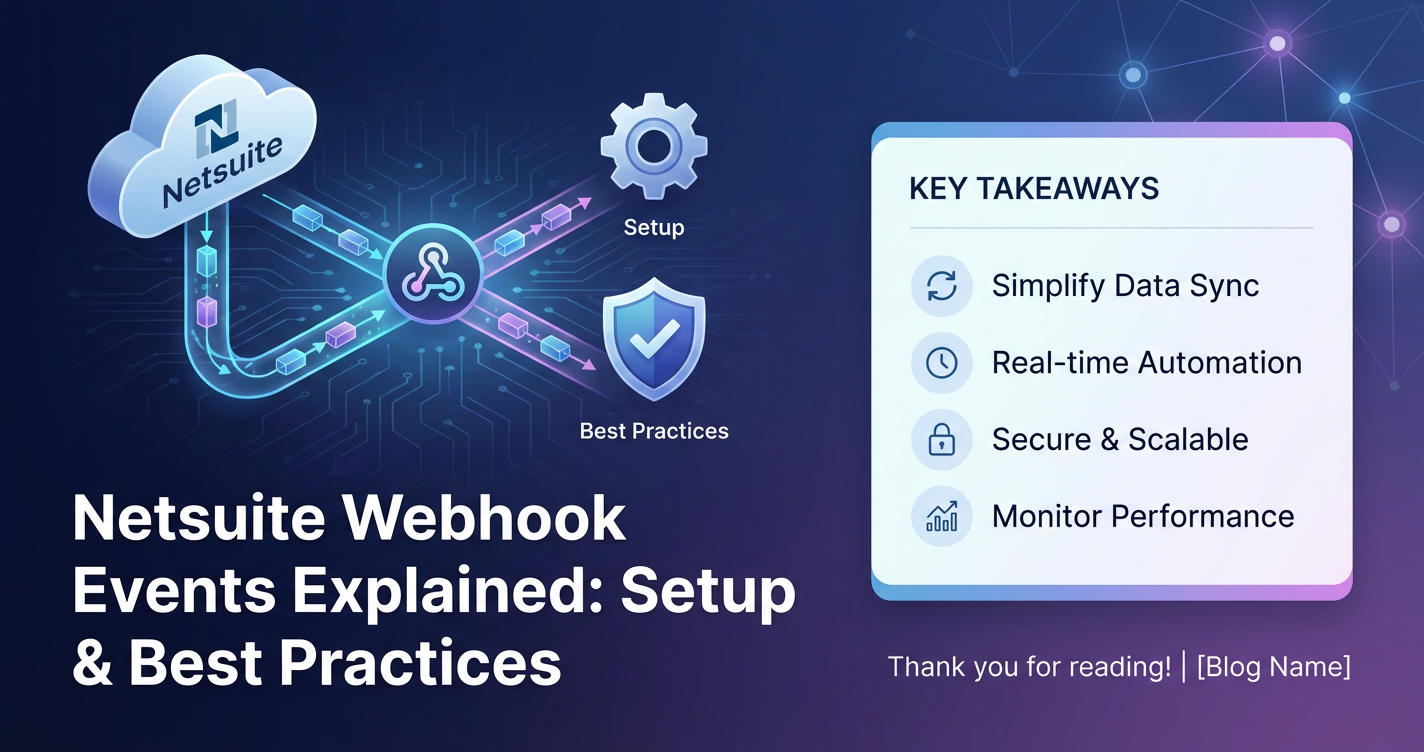
Netsuite Webhook Events Explained: Setup & Best Practices


In today's fast-paced digital landscape, the ability of business systems to communicate and synchronize data in real-time is not merely an advantage; it's a fundamental necessity. Enterprises are constantly striving for operational efficiency, seamless data flow, and immediate responsiveness to critical business events. At the heart of this pursuit lies robust integration, and when it comes to platforms like NetSuite, webhooks emerge as a powerful, elegant, and often indispensable mechanism for achieving precisely this level of real-time connectivity.
Gone are the days when batch processing and scheduled data synchronization, occurring hours or even a full day after an event, were acceptable for critical business operations. Modern businesses demand instant updates – whether it's an inventory level changing, a customer record being modified, or a sales order reaching a new status. This demand for immediacy drives the adoption of event-driven architectures, where systems react proactively to changes rather than periodically querying for them. NetSuite webhooks provide the conduit for this proactive, push-based communication, allowing the system to notify external applications the moment a predefined event occurs.
This comprehensive guide delves deep into the world of NetSuite webhooks. We will meticulously explain what they are, demystify their underlying mechanics, walk through the intricate steps of setting them up, and, crucially, articulate the best practices that ensure their security, reliability, and optimal performance. Whether you are a NetSuite administrator, a developer building integrations, or a business analyst seeking to understand the technical capabilities of your ERP, this article will equip you with the knowledge to harness the full potential of NetSuite webhooks to drive more agile, responsive, and interconnected business operations. Our exploration will empower you to transform how your NetSuite instance interacts with the broader ecosystem of your business applications, moving towards a truly real-time enterprise.
Understanding NetSuite Webhooks: The Mechanism of Real-Time Notifications
At its core, a NetSuite webhook is an automated message sent from NetSuite to a specified URL when a particular event happens within the system. Think of it as NetSuite proactively "calling out" to another application to say, "Hey, something important just occurred, and you might need to know about it!" This "push" model fundamentally differs from the traditional "pull" model of many Application Programming Interfaces (APIs), where an external system must repeatedly ask NetSuite for updates. With webhooks, NetSuite takes the initiative, significantly reducing the overhead of constant polling and ensuring that data is fresh and actionable the moment an event transpires.
How Webhooks Work: The Push Principle
The operational flow of a NetSuite webhook can be broken down into several key stages:
- Event Definition: First, you define what constitutes an "event" within NetSuite that should trigger a notification. This could be the creation of a new customer record, the update of an inventory item's quantity, or the deletion of a sales order. You specify the record type and the specific operation (create, update, delete) that will initiate the webhook.
- Triggering: When the defined event occurs within NetSuite (e.g., a user saves a new customer record), the webhook mechanism is activated.
- Payload Construction: NetSuite then packages relevant information about the event into a data structure, typically a JSON (JavaScript Object Notation) or XML payload. This payload contains details such as the ID of the record that changed, the type of operation, and often a subset of the record's field values.
- HTTP Request: NetSuite then constructs an HTTP POST request. This request includes the prepared payload in its body and is directed to a predefined "Target URL" (also known as the endpoint URL).
- External System Reception: The external application (your receiving endpoint) listens for these HTTP POST requests at the specified URL. Upon receiving a request, it processes the payload, extracting the event details.
- Response: The receiving endpoint is expected to respond to NetSuite with an HTTP status code (e.g.,
200 OKfor success,4xxor5xxfor errors). This response informs NetSuite whether the notification was successfully delivered and acknowledged.
Key Components of a NetSuite Webhook
To set up and manage NetSuite webhooks effectively, it's crucial to understand their constituent parts:
- Target URL (Endpoint URL): This is the public, internet-accessible URL of the external application or service that will receive the webhook notifications. It must be able to handle HTTP POST requests.
- Event Types: These specify when the webhook should fire. You select a particular record type (e.g., Customer, Sales Order, Inventory Item) and the specific operations (e.g., Create, Update, Delete) that should trigger the event.
- Payload: This is the actual data sent with the webhook. NetSuite provides options for generating a default JSON payload, which includes the internal ID of the record, the event type, and other basic details. You can also configure it to send more detailed information, including specific field values.
- Authentication: To secure the communication, NetSuite webhooks support various authentication methods. This ensures that only authorized external systems can receive notifications and, conversely, that NetSuite is sending to a legitimate recipient. Common methods include token-based authentication (TBA), basic authentication (less secure), or custom header-based secrets.
- Custom Headers: Beyond standard authentication, you can include custom HTTP headers in the webhook request. These can be used for additional security checks, custom routing logic, or to pass metadata.
- Retry Policy (Implicit): While NetSuite's native webhook feature might not offer highly granular retry configurations, it typically has some built-in resilience. If the initial delivery fails (e.g., due to a network issue or an endpoint error), NetSuite will usually attempt to retry the delivery a few times over a period. However, for robust enterprise-grade reliability, external systems should implement their own advanced retry mechanisms and error queues.
Advantages of NetSuite Webhooks
The adoption of webhooks for integration brings a host of compelling benefits:
- Real-time Data Synchronization: This is perhaps the most significant advantage. Webhooks enable instant updates between systems, ensuring that all integrated applications always operate with the most current data. This is critical for scenarios like inventory management, order fulfillment, and customer service, where timely information directly impacts operational efficiency and customer satisfaction.
- Reduced Polling Overhead: Unlike traditional pull-based APIs, where an external system must constantly query NetSuite for changes, webhooks eliminate this wasteful polling. NetSuite initiates communication only when an event occurs, conserving API limits, server resources on both ends, and network bandwidth.
- Improved Efficiency and Responsiveness: Real-time data flow translates directly into more efficient business processes. Orders can be fulfilled faster, customer service agents have immediate access to updated information, and financial records can be reconciled more promptly. This agility allows businesses to react quickly to market changes and internal events.
- Event-Driven Architecture: Webhooks are a cornerstone of event-driven architectures. They promote loosely coupled systems where components react to events rather than tightly depending on synchronous calls. This makes systems more resilient, scalable, and easier to maintain and evolve.
- Simplicity for Certain Use Cases: For straightforward "notification" requirements, setting up a NetSuite webhook can be much simpler and quicker than developing complex SuiteScripts or RESTlets that involve scheduled execution or explicit data retrieval.
Limitations and Considerations
While powerful, NetSuite webhooks also come with certain considerations and inherent limitations that developers and administrators must be aware of:
- Asynchronous Nature: Webhooks are inherently asynchronous. While NetSuite expects an immediate HTTP response (e.g.,
200 OK), the processing of the webhook payload on the receiving end is typically non-blocking and happens in the background. This means NetSuite doesn't wait for the external system to finish processing; it just waits for an acknowledgment of receipt. - Limited Retries (Native): As mentioned, NetSuite has some retry logic, but it's generally basic. For mission-critical integrations, the receiving application must be designed with robust retry mechanisms, idempotency, and potentially a dead-letter queue to handle delivery failures or processing errors on its side.
- Security Concerns: Exposing an internet-accessible endpoint for receiving webhooks requires careful security considerations. Without proper authentication, authorization, and payload validation, your endpoint could be vulnerable to malicious attacks or unintended data.
- Complexity of Payload Configuration: While NetSuite offers a default JSON payload, configuring highly custom or complex payloads that involve deeply nested related records might require more advanced techniques, potentially involving SuiteScript to pre-process data before the webhook fires.
- Dependency on External Endpoint Availability: If the target URL is down or experiences prolonged downtime, webhooks will fail to deliver. While NetSuite might retry, persistent unavailability will lead to lost or delayed data.
- Rate Limits: While webhooks reduce polling, the overall volume of events generated by NetSuite can still impact its performance or interact with other integration limits if not managed properly.
By understanding both the capabilities and the constraints of NetSuite webhooks, organizations can design robust, efficient, and secure integrations that truly leverage the real-time nature of event-driven communication.
Use Cases for NetSuite Webhooks: Driving Real-Time Business Processes
NetSuite webhooks are incredibly versatile, enabling a wide array of real-time integration scenarios that can significantly enhance operational efficiency, data consistency, and responsiveness across an enterprise's application ecosystem. By pushing information proactively when key business events occur, webhooks facilitate instant synchronization and trigger automated workflows in connected systems. Let's explore some of the most common and impactful use cases.
1. Inventory Updates and Synchronization
Scenario: A company uses NetSuite for its core inventory management, but also relies on an external e-commerce platform (e.g., Shopify, Magento) and potentially a third-party logistics (3PL) provider. Webhook Trigger: An inventory item's "Quantity On Hand" or "Quantity Available" changes in NetSuite due to a sale, a return, a new stock receipt, or an adjustment. Action: * NetSuite sends a webhook notification containing the item ID and the new quantity. * The e-commerce platform immediately updates the stock level shown to customers, preventing overselling or displaying out-of-date information. * The 3PL system is notified to adjust its records, ensuring physical and digital inventories remain aligned. Benefits: Prevents overselling, improves customer satisfaction by showing accurate stock, streamlines order fulfillment, reduces manual reconciliation efforts.
2. Customer Record Synchronization and CRM Integration
Scenario: A business manages its customer relationships in a specialized CRM system (e.g., Salesforce, HubSpot) but keeps the master customer record in NetSuite, especially for billing and order history. Webhook Trigger: A new customer is created in NetSuite, or an existing customer's address, contact information, or status (e.g., credit hold) is updated. Action: * NetSuite sends a webhook containing the customer's details. * The CRM system receives this data and either creates a new customer record or updates the existing one. * This ensures sales, marketing, and support teams always have access to the latest customer information from the single source of truth. Benefits: Unified customer view, eliminates data discrepancies between systems, improves customer service quality, streamlines sales and marketing operations.
3. Sales Order Processing and Fulfillment Orchestration
Scenario: Sales orders are primarily managed in NetSuite, but fulfillment might involve external warehouse management systems (WMS) or dropshippers, and customer notifications are handled by a separate messaging platform. Webhook Trigger: A sales order is created, approved, or its status changes (e.g., from "Pending Fulfillment" to "Partially Fulfilled" or "Billed"). Action: * Upon creation/approval, NetSuite sends a webhook to the WMS to initiate the picking and packing process. * When the status changes to "Shipped," a webhook triggers the external messaging platform to send a shipping confirmation email/SMS to the customer with tracking details. * For dropshipped items, a webhook can notify the vendor's system to fulfill that specific line item. Benefits: Accelerates order fulfillment, provides real-time tracking information to customers, reduces manual communication, improves supply chain visibility.
4. Financial Transaction Tracking and Reporting
Scenario: Financial transactions like invoices, payments, or journal entries are recorded in NetSuite, but advanced financial analytics or specialized reporting might be done in an external business intelligence (BI) tool or a treasury management system. Webhook Trigger: A new invoice is generated, a payment is applied to an invoice, or a journal entry is posted in NetSuite. Action: * NetSuite sends a webhook with the details of the financial transaction. * The BI tool immediately ingests this data, allowing for real-time financial dashboards and analysis. * The treasury management system is updated with payment receipts, aiding in cash flow management. Benefits: Real-time financial insights, faster month-end closing, improved accuracy of financial reporting, better cash flow forecasting.
5. Employee Onboarding and HR System Integration
Scenario: While NetSuite can manage employee records, a dedicated HRIS (Human Resources Information System) might handle onboarding, payroll, and benefits. Webhook Trigger: A new employee record is created in NetSuite (perhaps originating from an applicant tracking system integrated with NetSuite). Action: * NetSuite sends a webhook with basic employee details (name, department, hire date). * The HRIS automatically creates a new employee profile, initiating onboarding tasks, benefits enrollment, and payroll setup. Benefits: Streamlines onboarding, reduces manual data entry and potential errors, ensures consistency between financial (NetSuite) and HR (HRIS) records.
6. Marketing Automation and Lead Nurturing
Scenario: NetSuite manages leads and customer segments, and a marketing automation platform (e.g., Marketo, Pardot) handles email campaigns and lead scoring. Webhook Trigger: A new lead is created in NetSuite, a lead's status changes (e.g., "Qualified"), or a customer makes a significant purchase. Action: * NetSuite sends a webhook indicating the new lead or the status change. * The marketing automation platform receives this and enrolls the lead in a specific nurturing campaign, updates their lead score, or triggers a personalized email sequence. Benefits: Timely and targeted marketing, improved lead conversion rates, better alignment between sales and marketing efforts.
These are just a few examples, highlighting the vast potential of NetSuite webhooks. Their ability to deliver instant notifications upon specific events transforms reactive processes into proactive, integrated workflows, making them a cornerstone for modern, interconnected enterprise architectures. When considering any integration project that demands real-time responsiveness from NetSuite, webhooks should be a primary consideration.
Setting Up NetSuite Webhook Events: A Step-by-Step Guide
Configuring NetSuite webhooks involves a sequence of steps, from preparing your receiving endpoint to defining the webhook within NetSuite itself. This guide will walk you through the process, providing details at each stage to ensure a successful setup.
Prerequisites
Before you dive into NetSuite's interface, ensure you have the following in place:
- Administrative Access: You'll need a NetSuite role with appropriate permissions to create and manage webhooks. Typically, roles with "Setup" permissions and specific "Integration" permissions are required. Specifically, you will need the "Create/Edit/Delete Webhooks" permission.
- Publicly Accessible Endpoint URL: You must have an external application or service ready to receive HTTP POST requests. This endpoint needs to be internet-accessible via HTTPS (highly recommended for security) and should be designed to process the incoming JSON or XML payload from NetSuite. For local testing during development, tools like ngrok can expose your local development server to the internet, providing a temporary public URL.
- Understanding of HTTP and Data Formats: Familiarity with HTTP methods (especially POST), status codes, and data formats like JSON or XML will be beneficial for troubleshooting and verifying successful integration.
- Security Measures: Identify the authentication method your endpoint will support (e.g., shared secret in a header, token-based authentication).
Step-by-Step Configuration in NetSuite
1. Navigate to the Webhooks Section
- Log in to your NetSuite account with an administrator or a role that has the necessary permissions.
- Go to:
Setup > Integration > Webhook > New.
2. Create a New Webhook Record
You'll be presented with a form to define your new webhook.
- Name: Provide a descriptive name for your webhook (e.g., "Customer Update to CRM," "Inventory Level Change to Shopify"). This name helps in identifying and managing multiple webhooks.
- Target URL: Enter the full HTTPS URL of your external application's endpoint that will receive the webhook notifications.
- Crucial Note: Always use
HTTPSfor your target URL. UnencryptedHTTPconnections expose sensitive data and are a significant security risk.
- Crucial Note: Always use
- Description (Optional but Recommended): Briefly explain the purpose of this webhook, what event it listens for, and which external system it integrates with.
3. Configure Authentication (Security)
This is a critical step to secure your webhook. NetSuite offers several options:
- No Authentication (Not Recommended for Production): While an option, never use this in a production environment as it leaves your endpoint completely exposed.
- Client Credential (OAuth 2.0 Grant): If your target system supports OAuth 2.0 client credentials, this is a robust option. You'll need to provide the Client ID, Client Secret, Token URL, and Scope as provided by your external system. NetSuite will then obtain an access token to include in the Authorization header.
- Token-Based Authentication (TBA): This is generally the most secure and recommended method for authenticating to NetSuite's own RESTlets or for from NetSuite to external systems that support a similar token-based approach. If your external system requires a specific token in a header, you might use "Custom Headers" for this (see below). However, for webhook output from NetSuite, Client Credential (OAuth 2.0) is often preferred if the target system supports it.
- Custom Headers: This is a highly flexible option. You can define one or more custom headers to include in the webhook request.
- Example for Shared Secret:
- Header Name:
X-Webhook-SignatureorAuthorization - Header Value: A long, complex, randomly generated string (your shared secret). Your receiving endpoint will then verify this secret with its own stored copy to confirm the request's authenticity.
- Important: Store this secret securely on both ends (NetSuite and your receiving endpoint). Do not hardcode it directly in your code.
- Another Example (API Key): Some systems expect an API key.
- Header Name:
X-API-Key - Header Value: Your API key for the external system.
- Header Name:
- Header Name:
- Example for Shared Secret:
4. Define the Event Types
This section specifies which events will trigger the webhook.
- Record Type: Select the NetSuite record type you want to monitor (e.g., "Customer," "Sales Order," "Inventory Item," "Vendor Bill"). You can add multiple record types if needed.
- Operations: For each selected record type, choose the specific operations that should fire the webhook:
- Create: When a new record of this type is saved.
- Update: When an existing record of this type is modified and saved.
- Delete: When a record of this type is deleted.
- Tip: Be precise here. If you only need updates, don't select "Create" and "Delete" to avoid unnecessary webhook calls.
5. Configure the Payload
This determines the data that NetSuite sends in the webhook request body.
- Payload Type:
- Default JSON: This is often the simplest and most common choice. NetSuite automatically generates a JSON payload containing the record's
internalId, therecordType, and theoperation(e.g.,CREATE,UPDATE,DELETE). - Custom: This option allows you to select specific fields from the record to include in the payload. This is very useful for optimizing payload size and only sending relevant data.
- After selecting "Custom," click the "Select Fields" button.
- A pop-up will appear, allowing you to browse the fields of the selected record type(s). Select the fields you want to include.
- You can also include related record fields by navigating through the field picker (e.g., for a Sales Order, you might select
customer.entityIdoritem.itemId). - Note: Be mindful of the number of fields. Sending excessively large payloads can impact performance.
- XML (Less Common): If your receiving endpoint strictly requires XML, NetSuite can generate an XML payload.
- Default JSON: This is often the simplest and most common choice. NetSuite automatically generates a JSON payload containing the record's
6. Enable and Save the Webhook
- Enabled Checkbox: Ensure this is checked to activate the webhook.
- Click "Save".
7. Test the Webhook
After saving, it's crucial to test your webhook to ensure it fires correctly and your endpoint receives and processes the data as expected.
- NetSuite's "Send Test" Feature: On the webhook record page (after saving), you might see a "Send Test" button. This typically allows you to send a test event with a sample payload.
- Manual Trigger: The most effective way to test is to perform the actual event in NetSuite:
- For a "Create" event: Create and save a new record of the specified type.
- For an "Update" event: Edit an existing record of the specified type and save the changes.
- For a "Delete" event: Delete a record (use a test record!).
- Monitor Your Endpoint: Observe the logs or debugging tools of your receiving endpoint to confirm it received the webhook request, the payload was correctly parsed, and the authentication worked. Check the HTTP status code returned by your endpoint.
Advanced Configuration Considerations
- Conditional Firing (SuiteScript Integration): For highly specific scenarios where a webhook should only fire if certain complex conditions are met (beyond simple record operations), you might need to combine webhooks with SuiteScript. A SuiteScript could perform the complex logic and, if conditions are met, manually trigger an HTTP request to your external system (effectively replacing the native webhook) or update a custom field that a native webhook then listens to.
- External ID for Idempotency: When configuring custom payloads, always include a unique identifier like the
externalidorinternalidof the NetSuite record. This is vital for your receiving endpoint to implement idempotency – ensuring that if a webhook is delivered multiple times (e.g., due to retries), processing the event multiple times doesn't lead to duplicate records or incorrect data. - Field-Level Changes (Scripted Workflows): NetSuite's native webhooks trigger on any update to a record. If you need a webhook to fire only when a specific field changes (e.g.,
statuschanges fromPending ApprovaltoApproved), you might need a NetSuite Workflow that uses a "Send Webhook" action, where the workflow state transition is triggered by the specific field change. This offers more granular control than the default webhook configuration.
By following these detailed steps, you can confidently set up NetSuite webhooks, laying the groundwork for powerful, real-time integrations that enhance your business operations. Remember, thorough testing is paramount to validate the setup and ensure seamless data flow.
APIPark is a high-performance AI gateway that allows you to securely access the most comprehensive LLM APIs globally on the APIPark platform, including OpenAI, Anthropic, Mistral, Llama2, Google Gemini, and more.Try APIPark now! 👇👇👇
Best Practices for NetSuite Webhooks: Building Robust and Secure Integrations
While setting up NetSuite webhooks is relatively straightforward, building integrations that are robust, secure, performant, and maintainable requires adherence to a set of best practices. These practices go beyond basic configuration and delve into the architectural considerations for both NetSuite and your receiving endpoint.
1. Security First and Foremost
Security is paramount when exposing any internet-facing endpoint. Webhooks, by their nature, push data to an external URL, making them potential vectors for data breaches or malicious attacks if not properly secured.
- Always Use HTTPS: Ensure your Target URL uses
HTTPS. This encrypts the data in transit, protecting it from eavesdropping and man-in-the-middle attacks. UnencryptedHTTPis completely unacceptable for production environments. - Implement Strong Authentication:
- Shared Secret/Signature Verification (Recommended): NetSuite can include a custom header with a pre-shared secret. Your receiving endpoint should verify this secret. Even better, use a cryptographic signature (HMAC). NetSuite can send a signature of the payload (e.g.,
X-NetSuite-Signature) which your endpoint can re-calculate using its own shared secret and compare. This proves both the authenticity of the sender and the integrity of the payload. - Token-Based Authentication (TBA)/OAuth 2.0: If your external system supports it, leverage OAuth 2.0 client credential grants. This is a robust standard for machine-to-machine authentication.
- API Keys (If No Better Option): If shared secrets or OAuth are not feasible, use a unique, long API key passed in a custom header. This is less secure than HMAC but better than nothing.
- Shared Secret/Signature Verification (Recommended): NetSuite can include a custom header with a pre-shared secret. Your receiving endpoint should verify this secret. Even better, use a cryptographic signature (HMAC). NetSuite can send a signature of the payload (e.g.,
- IP Whitelisting (Where Possible): If NetSuite provides a fixed set of outbound IP addresses for webhooks (consult NetSuite documentation as these can change), configure your firewall to only accept requests from those specific IPs. This adds an extra layer of defense.
- Payload Validation: Even with authentication, always validate the structure and content of the incoming payload on your receiving endpoint. Sanitize and validate all data before processing it to prevent injection attacks or unexpected data types from breaking your application.
- Least Privilege: Configure NetSuite roles and permissions for webhook setup with the principle of least privilege. Only grant necessary access to create and manage webhooks.
- Secret Management: Never hardcode secrets (shared secrets, API keys, OAuth credentials) directly in your code or configuration files. Use secure environment variables, secret management services (e.g., AWS Secrets Manager, Azure Key Vault, HashiCorp Vault), or NetSuite's own secure credential storage.
2. Reliability and Idempotency
Webhooks, especially in distributed systems, can fail due to network issues, endpoint downtime, or processing errors. Designing for reliability is crucial to prevent data loss or inconsistencies.
- Design Idempotent Endpoints: This is perhaps the most critical reliability practice. An idempotent operation is one that produces the same result regardless of how many times it is executed. Your receiving endpoint must be able to handle duplicate webhook deliveries without causing adverse effects (e.g., creating duplicate records, double-counting inventory).
- How to achieve Idempotency: Use a unique identifier from the NetSuite payload (like
internalIdor a customexternalId) as a key to check if the event has already been processed. Store a record of processed IDs. If an ID is already in your system, simply acknowledge the webhook without re-processing.
- How to achieve Idempotency: Use a unique identifier from the NetSuite payload (like
- Asynchronous Processing: Your webhook endpoint should respond to NetSuite as quickly as possible (ideally within a few hundred milliseconds) with an
HTTP 200 OKstatus. Do not perform long-running business logic directly within the webhook handler. Instead, enqueue the payload into a message queue (e.g., RabbitMQ, Apache Kafka, AWS SQS, Azure Service Bus) for asynchronous processing by a separate worker service. This prevents timeouts from NetSuite and makes your endpoint more resilient. - Robust Retry Mechanisms (on Endpoint Side): While NetSuite has basic retries, your receiving system should have its own sophisticated retry logic. Implement exponential backoff, circuit breakers, and move persistently failing messages to a "dead-letter queue" for manual inspection and re-processing.
- Error Handling and Dead-Letter Queues: Any message that cannot be processed successfully after multiple retries should be routed to a dead-letter queue. This prevents message loss and allows operators to investigate and resolve the underlying issues without blocking the main processing flow.
- Logging: Implement comprehensive logging on your receiving endpoint. Record incoming webhook requests, payloads, processing outcomes (success/failure), and any errors encountered. This is invaluable for troubleshooting.
3. Performance and Scalability
As your business grows and the volume of NetSuite events increases, your webhook integration needs to scale gracefully.
- Minimize Payload Size: Only include the necessary fields in your webhook payload. Sending excessive data consumes bandwidth, increases processing time for both NetSuite and your endpoint, and can hit system limits. Use NetSuite's "Custom" payload option to select specific fields.
- Efficient Endpoint Processing: As mentioned under reliability, ensure your endpoint responds quickly. Avoid computationally expensive operations directly in the synchronous webhook handler. Offload heavy processing to background workers.
- Horizontal Scaling of Endpoints: Design your receiving endpoint to be stateless and horizontally scalable. This allows you to add more instances of your processing service as webhook traffic increases, distributing the load and improving throughput.
- Rate Limiting (If Necessary): If your downstream systems have rate limits, your webhook processing service should implement a queuing and rate-limiting mechanism to avoid overwhelming them.
4. Monitoring and Alerting
You can't fix what you don't know is broken. Proactive monitoring and alerting are crucial for operational stability.
- Endpoint Health Monitoring: Monitor the availability and performance of your webhook receiving endpoint. Track metrics like request latency, error rates (e.g.,
4xx,5xxresponses), and processing queue length. - NetSuite Webhook Logs: Regularly review NetSuite's own webhook execution logs (if available for detailed inspection, though often limited to basic delivery status) to identify failed deliveries or issues.
- Alerting: Set up automated alerts for critical events:
- High error rates on your endpoint.
- Endpoint downtime.
- Backlogs in your message queue.
- Failed retries leading to dead-letter queue entries.
- Distributed Tracing: For complex integrations involving multiple services, implement distributed tracing (e.g., OpenTelemetry, Jaeger) to trace the full lifecycle of a webhook event from NetSuite through your various processing stages.
5. Testing and Development Workflow
A rigorous testing methodology ensures that your integrations work as expected before deployment to production.
- Dedicated Test Environments: Always develop and test your webhook integrations in a dedicated NetSuite Sandbox or developer account and a corresponding staging environment for your receiving endpoint. Never develop directly in production.
- Mock Servers: Use mock servers or local development tools (like ngrok or Postman for simulating NetSuite's outgoing webhook) to test your endpoint's parsing, authentication, and processing logic without needing to trigger actual events in NetSuite initially.
- Comprehensive Test Cases:
- Test successful event delivery and processing.
- Test error scenarios (invalid payloads, authentication failures, endpoint errors).
- Test idempotency by sending the same webhook multiple times.
- Test edge cases and unusual data combinations.
- Version Control: Manage your endpoint code and any related NetSuite SuiteScripts (if used for pre-processing or custom triggers) in a version control system (e.g., Git).
- Documentation: Document your webhook configurations in NetSuite, the expected payload structure, the authentication method, and the logic implemented on your receiving endpoint. This is invaluable for future maintenance and troubleshooting.
6. Leveraging API Management Platforms (Introduction to APIPark)
As organizations grow and their integration needs become more complex, especially when dealing with numerous webhooks and diverse APIs, a dedicated API management solution becomes indispensable. This is where platforms like APIPark shine.
An API management platform can sit in front of your internal services, acting as a secure, intelligent gateway for NetSuite webhooks and any other incoming API requests. Instead of directly exposing your internal services to NetSuite, you can route all webhooks through APIPark. This allows you to:
- Centralize Security: APIPark can handle authentication, authorization, and advanced threat protection for incoming webhooks before they even reach your internal services. This offloads critical security responsibilities from your individual services.
- Transform Payloads: If NetSuite's default or custom payload isn't exactly what your internal services need, APIPark can transform the incoming JSON/XML into the desired format, decoupling NetSuite's output from your internal system's input requirements.
- Route and Load Balance: APIPark can intelligently route webhooks to different backend services based on rules, and even load balance across multiple instances of your receiving endpoint for improved scalability and reliability.
- Apply Policies: Enforce various policies such as rate limiting, caching, and IP whitelisting at the gateway level.
- Comprehensive Monitoring and Analytics: APIPark provides "Detailed API Call Logging" and "Powerful Data Analysis" capabilities, offering deep insights into webhook traffic, performance metrics, and error rates across all your integrations. This centralized visibility is crucial for proactive monitoring and troubleshooting.
- API Lifecycle Management: Beyond just webhooks, APIPark helps with "End-to-End API Lifecycle Management" for all your APIs, including those that might consume the data processed from NetSuite webhooks. This means you can design, publish, version, and deprecate APIs, ensuring consistent management practices.
- Team Sharing and Access Control: If the data from NetSuite webhooks needs to be exposed as internal APIs for other teams, APIPark facilitates "API Service Sharing within Teams" and enforces "API Resource Access Requires Approval," ensuring controlled and secure access to sensitive information.
By integrating a robust API management platform like APIPark into your architecture, you transform raw webhook consumption into a managed, secure, and highly scalable integration layer, significantly enhancing the overall governance and operational intelligence of your NetSuite integrations.
7. Versioning and Change Management
As your business evolves, so too will your NetSuite configurations and potentially your webhook payloads.
- Plan for Payload Changes: Anticipate that fields might be added, removed, or changed in NetSuite records. Design your receiving endpoint to be resilient to minor payload changes (e.g., ignore unknown fields, handle missing optional fields gracefully). For significant breaking changes, consider versioning your webhook endpoints (e.g.,
/webhook/v1/customer,/webhook/v2/customer). - Communicate Changes: Clearly communicate any upcoming changes to webhook payloads or behavior to all integrated systems and teams well in advance.
- NetSuite Workflow for Specific Changes: If a NetSuite record structure is undergoing major revisions, use workflows or scripts to manage temporary data transformations before triggering webhooks, ensuring downstream systems are unaffected during transition periods.
Adhering to these best practices will elevate your NetSuite webhook integrations from merely functional to truly enterprise-grade: secure, reliable, performant, and manageable. This structured approach is essential for any organization relying on real-time data flow to power its critical business operations.
Common Challenges & Troubleshooting NetSuite Webhooks
Despite meticulous setup, issues can arise with NetSuite webhooks. Understanding common challenges and having a systematic approach to troubleshooting is vital for maintaining reliable integrations.
1. Webhook Not Firing
This is the most fundamental problem: the expected event occurs in NetSuite, but no webhook request is received by your endpoint.
- Verify Webhook Status in NetSuite:
- Go to
Setup > Integration > Webhook. Find your webhook record. Is the "Enabled" checkbox checked? - Check if there are any error messages or warnings displayed directly on the webhook record itself.
- Go to
- Confirm Event Configuration:
- Did the exact record type and exact operation (Create, Update, Delete) occur that you configured? For example, if you configured for "Customer Update," but a new customer was created, it won't fire.
- Are there any NetSuite Workflows or SuiteScripts that might be preventing the record save operation or altering the record in a way that bypasses the webhook trigger?
- Check NetSuite Execution Logs (if available): While NetSuite's native webhook logs might be basic, sometimes you can glean information from system notes or specific integration logs depending on your NetSuite version and features.
- Test with a Simple Event: Create a new, very simple webhook for a basic record type (e.g., a custom record with just one field) and try to trigger it. If this works, the issue might be specific to the original record type or its complex interactions.
- Check User Permissions: Ensure the user performing the action in NetSuite has the necessary permissions for the record type and for triggering webhooks.
2. Endpoint Not Receiving Webhook
If NetSuite indicates the webhook fired, but your endpoint sees nothing, the problem lies in the network path or your endpoint's configuration.
- Verify Target URL Accuracy: Double-check for typos, incorrect protocols (
httpvs.https), or missing slashes in the Target URL configured in NetSuite. - Endpoint Accessibility: Is your endpoint publicly accessible from the internet?
- Use tools like
curlor Postman from an external network to send a testPOSTrequest to your endpoint. Does it respond? - If using a local development environment, is
ngrokor a similar tool correctly forwarding traffic and running? - Check your firewall rules. Is inbound traffic allowed on the port your endpoint is listening on?
- Use tools like
- Network Issues: Transient network outages between NetSuite and your server can cause missed deliveries. NetSuite usually retries, but persistent issues will require investigation of network connectivity.
- TLS/SSL Certificate Issues: If your endpoint uses HTTPS, ensure its SSL/TLS certificate is valid, not expired, and issued by a trusted Certificate Authority. NetSuite might reject connections to endpoints with invalid certificates.
3. Endpoint Receives Webhook, But Processing Fails
The webhook arrives, but your application can't make sense of it or encounters an error.
- Payload Parsing Errors:
- Data Format Mismatch: Is your endpoint expecting JSON but receiving XML, or vice-versa? Check the "Payload Type" in NetSuite.
- Incorrect Schema: Does the incoming JSON/XML structure match what your endpoint's parser expects? If you customized the payload in NetSuite, ensure your endpoint's parsing logic reflects those selected fields.
- Missing or Unexpected Fields: If your endpoint strictly expects certain fields, but they are missing from NetSuite's payload (e.g., due to configuration error), it will fail. Conversely, if NetSuite sends unexpected fields, your parser might choke.
- Authentication Failures:
- Shared Secret Mismatch: If using custom headers with a shared secret, ensure the secret configured in NetSuite exactly matches the secret stored in your endpoint's configuration. Pay attention to case-sensitivity and leading/trailing spaces.
- Invalid API Key/Token: If using an API key or token, verify its correctness and expiry.
- Incorrect Header Name: Ensure the header name in NetSuite (e.g.,
X-Webhook-Signature) matches what your endpoint expects.
- Business Logic Errors: Even if parsing and authentication succeed, errors can occur in your application's business logic (e.g., database insert fails, external API call fails, data validation errors).
- Check Endpoint Logs: This is where comprehensive logging on your endpoint becomes invaluable. Look for error messages, stack traces, and details about the failed processing.
- Idempotency Issues: If you're seeing duplicate records or incorrect updates, your idempotency check might be failing or missing.
- Resource Constraints: Your endpoint might be overwhelmed if it's receiving a high volume of webhooks, leading to timeouts, memory issues, or queue backlogs. Monitor CPU, memory, and disk I/O.
- Dependency Failures: If your endpoint relies on other internal or external services (e.g., a database, another microservice), check their status and logs.
4. Performance Bottlenecks
Slow processing or delayed data synchronization can impact operations.
- Slow Endpoint Response: If your endpoint takes too long to respond (
HTTP 200 OK), NetSuite might eventually time out and retry the webhook, leading to duplicate deliveries.- Solution: Asynchronous processing. Respond quickly with a
200 OKand offload heavy processing to a background worker or message queue.
- Solution: Asynchronous processing. Respond quickly with a
- Large Payloads: Sending too much data in the webhook payload can slow down transmission and parsing.
- Solution: Optimize your NetSuite webhook payload to include only essential fields.
- Endpoint Processing Lag: If your background workers can't keep up with the incoming webhook volume, messages will queue up, leading to delays.
- Solution: Scale out your worker services, optimize worker code for efficiency, and ensure your message queue is appropriately sized and configured.
5. Data Inconsistencies
Despite webhooks firing, data in external systems doesn't match NetSuite.
- Idempotency Failures: Duplicate processing due to inadequate idempotency logic is a common culprit.
- Partial Updates: If your endpoint's logic only updates a subset of fields and other fields change in NetSuite, you might have inconsistencies. Ensure your update strategy is comprehensive or explicitly designed to handle partial updates.
- Race Conditions: In high-volume scenarios, if multiple webhooks related to the same record arrive and are processed out of order, it can lead to stale data.
- Solution: Implement optimistic locking or version checking if your business logic demands strict ordering, or ensure your processing queue respects ordering if a single record has multiple updates.
Troubleshooting Workflow
- Check NetSuite Status: First, verify that NetSuite itself is operational (check NetSuite's status page if you suspect global issues).
- Verify Webhook Configuration in NetSuite: Double-check every field: Enabled, Target URL, Authentication, Record Type, Operations, Payload.
- Trigger a Test Event: Perform the event in NetSuite that should trigger the webhook.
- Monitor Your Endpoint:
- Check your endpoint's access logs (nginx, Apache, application server logs) to see if any request came in.
- Check your application's verbose logs for successful processing, errors, and incoming payload details.
- Use a debugger if possible.
- Use External Tools:
curl/ Postman: Manually send a sample POST request to your endpoint to isolate if the issue is with your endpoint or NetSuite's sending.- ngrok: If your endpoint is local, use
ngrokto get a public URL and inspect the actual requests NetSuite is sending inngrok's dashboard. This is invaluable for seeing the exact headers and payload NetSuite is sending.
- Review NetSuite Integration Logs: If your NetSuite account offers more detailed integration logs, scour them for errors related to webhook delivery.
- Isolate the Problem: Determine if the problem is:
- NetSuite not firing the webhook.
- Network connectivity between NetSuite and your endpoint.
- Your endpoint not receiving the webhook.
- Your endpoint receiving but failing to process the webhook.
By systematically working through these potential issues and leveraging appropriate monitoring and debugging tools, you can efficiently diagnose and resolve problems with your NetSuite webhook integrations, ensuring a smooth and reliable data flow across your enterprise systems.
Comparing NetSuite Webhooks to Other Integration Methods
NetSuite offers several powerful ways to integrate with external systems, and understanding when to use webhooks versus other methods is key to designing efficient and appropriate solutions. Each method has its strengths and ideal use cases.
Here's a comparison of NetSuite Webhooks with other common integration approaches: NetSuite RESTlets / SuiteTalk (API), and Scheduled SuiteScripts.
| Feature | NetSuite Webhooks | NetSuite RESTlets / SuiteTalk (API) | Scheduled SuiteScripts |
|---|---|---|---|
| Integration Pattern | Push (Event-Driven): NetSuite initiates communication when an event occurs. | Pull (Request-Response): External system initiates communication by sending a request to NetSuite. | Internal Process: NetSuite initiates execution based on a predefined schedule. |
| Data Flow | Outbound from NetSuite | Inbound to NetSuite; can be Outbound if the external system queries NetSuite for data. | Primarily internal data processing within NetSuite; can initiate outbound calls. |
| Real-time Capability | Excellent: Near real-time updates as soon as the event happens. | On-demand: Real-time if the external system makes immediate requests; otherwise, depends on polling frequency. | Batch/Scheduled: Not real-time; processes data at predefined intervals (e.g., hourly, daily). |
| Primary Use Case | Notifying external systems of events/changes in NetSuite (e.g., inventory updates, new orders). | Retrieving specific data from NetSuite, sending data to NetSuite, performing custom logic via API. | Batch processing, data cleanup, complex calculations, internal system automation. |
| Trigger Mechanism | Record Create, Update, Delete operations based on defined record types. | HTTP requests (GET, POST, PUT, DELETE) from an external system. | Time-based schedule (e.g., once daily, every 15 minutes). |
| Endpoint Requirement | Requires a publicly accessible, secure endpoint on the external system to receive POST requests. | Requires an external system to send HTTP requests to NetSuite's RESTlet/SuiteTalk endpoint. | No external endpoint required; script runs within NetSuite. Can call external APIs. |
| Complexity of Setup | Relatively simple for basic payloads; more complex with custom payloads and authentication. | Requires understanding of NetSuite records, fields, SuiteScript for custom logic, and token-based authentication (TBA). | Requires SuiteScript development knowledge (JavaScript). |
| Scalability | Scales well for outbound notifications, but depends on the receiving endpoint's scalability. | Scales with NetSuite's API concurrency limits; can be bottlenecks if too many concurrent requests. | Scales with NetSuite's internal processing capacity and script governance limits. |
| Error Handling | Basic retries from NetSuite; robust error handling must be built into the receiving endpoint (idempotency, dead-letter queues). | Robust error handling (e.g., try-catch, status codes) must be built into the external calling system. | Robust error handling and logging should be built into the SuiteScript itself. |
| Security | HTTPS, custom headers (shared secret/signature), OAuth 2.0. | Token-Based Authentication (TBA) is highly recommended; SSL/TLS for SuiteTalk. | Script permissions, sandbox testing, audit trails. If making outbound calls, secure those endpoints. |
| Data Volume | Ideal for moderate to high volume of individual event notifications. | Good for querying specific data or sending specific transactional data. | Good for processing large volumes of data in batches. |
When to Choose Each Method:
- NetSuite Webhooks:
- Choose When: You need real-time, event-driven notifications from NetSuite to an external system. The external system needs to react immediately when something changes in NetSuite.
- Examples: Instant inventory updates to e-commerce, real-time customer profile synchronization to CRM, triggering order fulfillment in a WMS.
- Key Advantage: Reduces polling, ensures immediate data consistency for specific events.
- NetSuite RESTlets / SuiteTalk (API):
- Choose When: An external system needs to initiate data retrieval or data updates in NetSuite, or perform custom business logic defined in NetSuite. It's a "pull" model where the external system controls when and what data it interacts with.
- Examples: A custom application fetching specific sales order details, a mobile app submitting a new lead, a payroll system pushing employee expense reports to NetSuite.
- Key Advantage: Full control over data retrieval and manipulation from the external system; can encapsulate complex logic within NetSuite's API.
- Scheduled SuiteScripts:
- Choose When: You have complex, batch-oriented tasks that need to run periodically within NetSuite, or tasks that involve significant data processing and don't require immediate external system notification.
- Examples: Daily reconciliation of accounts, monthly revenue recognition, mass updates of custom fields, generating complex reports, cleaning up old records, sending aggregated daily summaries to an external BI tool.
- Key Advantage: Powerful for internal automation and data manipulation within NetSuite, can handle large data volumes in batches.
Hybrid Approaches:
Often, the most robust integrations use a combination of these methods:
- Webhooks + RESTlets: A webhook might notify an external system of a new order. The external system then uses a RESTlet to pull additional, detailed information about the order that wasn't included in the webhook payload, or to update the order status back in NetSuite after fulfillment.
- Scheduled Script + External API Calls: A scheduled script might aggregate daily sales data within NetSuite and then use NetSuite's
N/httpsmodule to make an API call to an external data warehouse or reporting tool, pushing the consolidated data.
By carefully considering the data flow, real-time requirements, complexity, and specific business needs, you can select the most appropriate NetSuite integration method or combination thereof, leading to highly efficient, reliable, and scalable solutions.
Conclusion: Empowering Real-Time Operations with NetSuite Webhooks
In the contemporary business landscape, where agility, data accuracy, and instantaneous responsiveness are non-negotiable, NetSuite webhooks stand out as a foundational technology for achieving truly connected enterprise operations. We have journeyed through the intricacies of what NetSuite webhooks are, demystified their event-driven mechanics, provided a detailed roadmap for their setup, and articulated the critical best practices that underpin their secure and reliable deployment.
The ability of NetSuite to proactively push notifications to external systems upon the occurrence of key business events—be it an inventory adjustment, a customer record update, or a sales order status change—transforms static data synchronization into dynamic, real-time communication. This shift from a reactive "pull" model to a proactive "push" model is not just a technical detail; it is a strategic imperative that fuels faster decision-making, streamlines complex workflows, and ultimately enhances customer satisfaction.
However, the power of webhooks comes with the responsibility of meticulous design and implementation. Ensuring security through robust authentication and HTTPS, guaranteeing reliability with idempotent endpoints and intelligent retry mechanisms, and maintaining performance through optimized payloads and asynchronous processing are not merely suggestions but crucial requirements for any mission-critical integration. Furthermore, diligent monitoring, comprehensive logging, and rigorous testing are the pillars upon which scalable and maintainable webhook architectures are built.
When integration needs extend beyond basic notifications to encompass the full lifecycle management of APIs—whether those APIs are consuming webhook data or interacting with other systems—platforms like APIPark become invaluable. By providing a centralized, secure, and intelligent gateway, APIPark enhances the capabilities of NetSuite webhooks by offering advanced features such as payload transformation, intelligent routing, comprehensive logging and analytics, and robust access control. It transforms individual webhook connections into a fully managed integration ecosystem, demonstrating how a specialized API management solution can amplify the effectiveness of NetSuite's integration capabilities.
Ultimately, mastering NetSuite webhooks is about more than just configuring a feature; it's about embracing an event-driven mindset. It's about designing an architecture where systems react to change the moment it happens, fostering a responsive, interconnected environment that empowers businesses to operate at the speed of today's digital economy. By applying the insights and best practices detailed in this guide, organizations can unlock unprecedented levels of efficiency, data consistency, and operational excellence from their NetSuite investment, truly leveraging it as the central nervous system of their enterprise.
Frequently Asked Questions (FAQs)
1. What is the fundamental difference between NetSuite Webhooks and NetSuite RESTlets for integration?
NetSuite Webhooks follow a "push" model: NetSuite initiates communication to an external system when a predefined event (e.g., record creation, update) occurs within NetSuite. They are ideal for real-time notifications from NetSuite. NetSuite RESTlets (and SuiteTalk) follow a "pull" or "request-response" model: an external system initiates communication by making an API call to NetSuite to retrieve data, send data, or execute custom logic. They are used when the external system needs to control when and how it interacts with NetSuite. Webhooks are NetSuite-initiated, while RESTlets are externally initiated.
2. How can I ensure the security of my NetSuite Webhook endpoint?
To ensure webhook security, always use HTTPS for your Target URL to encrypt data in transit. Implement strong authentication using a shared secret (passed in a custom header and verified with HMAC signature), or OAuth 2.0 client credentials. Additionally, consider IP whitelisting if NetSuite's outbound IP addresses are stable, and always perform payload validation on your receiving endpoint to prevent malicious input. Never expose your endpoint without proper authentication.
3. What should my webhook receiving endpoint do if it encounters an error or is temporarily unavailable?
Your receiving endpoint should respond with an appropriate HTTP error status code (e.g., 4xx for client errors like invalid data, 5xx for server errors). NetSuite typically has built-in retry mechanisms for such failures, attempting to redeliver the webhook a few times over a period. However, for robust reliability, your endpoint should implement idempotency to handle duplicate deliveries gracefully, and enqueue messages to a message queue for asynchronous processing. Any messages that persistently fail after multiple retries should be routed to a dead-letter queue for manual investigation, preventing data loss.
4. Can NetSuite Webhooks be used for complex conditional logic or to send highly customized data?
NetSuite's native webhook configuration allows for selecting specific record types, operations, and customizing the payload to include specific fields. For highly complex conditional logic (e.g., "only fire if a specific field changes AND another field has a certain value"), you might need to use NetSuite Workflows with a "Send Webhook" action, or even a custom SuiteScript that programmatically triggers an HTTP request to your external system after evaluating complex conditions. SuiteScript also offers the most flexibility for constructing highly customized payloads with data from multiple related records or derived values.
5. How does an API Management Platform like APIPark enhance NetSuite Webhook integrations?
An API Management Platform such as APIPark acts as an intelligent gateway for your NetSuite webhooks. It centralizes and enhances several aspects: Security (handling authentication, authorization, threat protection), Transformation (modifying webhook payloads to fit backend service requirements), Routing (intelligently directing webhooks to appropriate services), Monitoring & Analytics (providing detailed logs, performance metrics, and insights into all webhook traffic), and Lifecycle Management (managing all APIs that might consume or interact with data originating from NetSuite webhooks). This offloads critical concerns from individual services, making your NetSuite integrations more secure, scalable, and manageable.
🚀You can securely and efficiently call the OpenAI API on APIPark in just two steps:
Step 1: Deploy the APIPark AI gateway in 5 minutes.
APIPark is developed based on Golang, offering strong product performance and low development and maintenance costs. You can deploy APIPark with a single command line.
curl -sSO https://download.apipark.com/install/quick-start.sh; bash quick-start.sh

In my experience, you can see the successful deployment interface within 5 to 10 minutes. Then, you can log in to APIPark using your account.

Step 2: Call the OpenAI API.