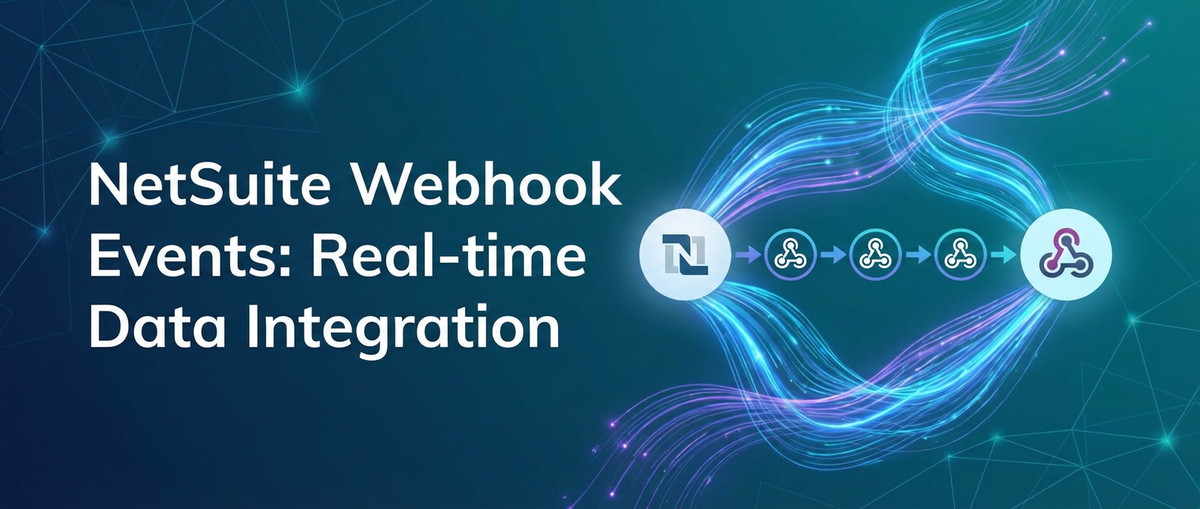
NetSuite Webhook Events: Real-time Data Integration


In the relentless rhythm of modern business, the adage "time is money" has never rung truer, especially when it comes to information. Organizations across every industry sector are grappling with an ever-increasing deluge of data, and the ability to process, interpret, and act upon this data in real-time has become a critical differentiator. Stale information is not just inefficient; it can lead to missed opportunities, misinformed decisions, and a significant erosion of competitive advantage. As enterprises navigate complex ecosystems of interconnected applications, the demand for seamless, instantaneous data flow between systems has escalated from a desirable feature to an absolute necessity.
At the heart of countless businesses worldwide, NetSuite stands as a comprehensive, cloud-based platform that unifies Enterprise Resource Planning (ERP), Customer Relationship Management (CRM), Professional Services Automation (PSA), and e-commerce functionalities. It serves as the single source of truth for a multitude of operational processes, from managing financial transactions and inventory to overseeing customer interactions and project deployments. Given its pivotal role, the efficiency with which NetSuite communicates with other vital applications, both internal and external, directly impacts an organization's overall agility and responsiveness. Traditional methods of data synchronization, often characterized by periodic batch processing or manual data transfers, are increasingly proving inadequate in a landscape that demands immediate action and up-to-the-minute insights.
This is where NetSuite Webhook Events emerge as a transformative technology. Moving beyond the limitations of conventional data integration, webhooks enable an event-driven architecture where NetSuite proactively notifies external systems about significant changes as they happen. Imagine a new customer order being placed, an inventory level dropping below a critical threshold, or a customer record being updated – instead of external systems having to constantly "ask" NetSuite for updates, NetSuite "pushes" this information out in real-time. This fundamental shift from a pull-based to a push-based integration paradigm unlocks unprecedented levels of operational efficiency, data accuracy, and business intelligence.
This comprehensive article will delve deep into the world of NetSuite Webhook Events, exploring their underlying mechanics, the intricate details of their implementation, and the architectural considerations necessary to build robust, scalable, and secure real-time integrations. We will examine best practices, discuss common challenges, and highlight how leveraging modern API management solutions can amplify the power of these event-driven flows. By understanding and effectively deploying NetSuite webhooks, businesses can forge a truly connected enterprise, empowering them with the agility to respond instantly to market dynamics and customer needs, thereby solidifying their position in a rapidly evolving digital economy.
Understanding NetSuite and the Imperative for Real-time Data
NetSuite's extensive capabilities make it a cornerstone for many businesses, providing a unified platform to manage diverse operational facets. Its architecture supports a wide array of business processes, ranging from core financial management like general ledger, accounts payable, and accounts receivable, to complex supply chain management, encompassing procurement, inventory, and order fulfillment. Beyond these, NetSuite also empowers sales teams with CRM features, manages professional service projects, and facilitates direct-to-consumer e-commerce operations. For many organizations, NetSuite is not merely a software application; it is the central nervous system that orchestrates critical business functions, making the integrity and timeliness of its data paramount.
The shift towards real-time data processing is not merely a technological trend; it's a fundamental response to evolving market demands and competitive pressures. In today's hyper-connected world, customers expect instant gratification, supply chains require dynamic adjustments, and business intelligence needs to reflect the most current operational status. For instance, in e-commerce, real-time inventory updates prevent overselling and enhance customer satisfaction, while immediate order processing accelerates fulfillment. In customer service, having an up-to-the-minute view of a customer's history, recent interactions, and order status enables agents to provide personalized and efficient support, fostering loyalty. Similarly, in financial reporting, the ability to access current transaction data facilitates more accurate forecasting and quicker decision-making. The ability to react swiftly to changes in sales trends, stock levels, or customer behavior can be the difference between capturing a market opportunity and falling behind competitors.
Against this backdrop, the limitations of traditional data integration methods become glaringly apparent. One prevalent approach, batch processing, involves collecting and processing data in large chunks at predetermined intervals – perhaps daily, nightly, or even weekly. While effective for certain historical reporting or less time-sensitive operations, batch processing inherently introduces significant data latency. For example, an inventory update processed overnight means that sales made earlier in the day might be relying on outdated stock figures, potentially leading to backorders or customer disappointment. The delay can ripple through various departments, affecting everything from production planning to marketing campaigns, which might be targeting customers based on yesterday's purchasing behavior rather than today's.
Another common, albeit less scalable, method involves manual exports and imports. This typically entails users extracting data from NetSuite into spreadsheets or other file formats, then manually uploading or importing that data into another system. This process is not only labor-intensive and time-consuming but also highly susceptible to human error. A misplaced column, an incorrect data mapping, or an accidental omission can compromise data integrity across integrated systems, leading to discrepancies that are difficult and costly to rectify. Moreover, the frequency of such operations is inherently limited by human capacity, making real-time synchronization utterly impossible.
Finally, API polling, while an improvement over batch processing and manual methods, still presents considerable inefficiencies when aiming for real-time synchronization. With polling, an external system periodically sends requests to NetSuite's API, asking if any new data is available or if certain records have been updated. This "check-in" mechanism can be configured to occur every few minutes or even seconds. However, this approach is inherently resource-intensive. A significant portion of these requests will likely return with no new data, meaning that both the polling system and NetSuite are expending computational resources on empty inquiries. As the number of systems needing updates grows, or as the desired frequency of checks increases, the overhead associated with polling quickly escalates. This can lead to increased API call consumption, potential rate limiting issues, and unnecessary strain on NetSuite's servers, ultimately impacting performance for all users. The inherent latency, however small, also means that true instantaneous updates are difficult to achieve consistently without incurring substantial resource costs. These limitations underscore the pressing need for a more proactive, event-driven integration strategy—a strategy perfectly addressed by NetSuite Webhook Events.
The Foundation of Webhooks: A Paradigm Shift in Data Flow
To truly appreciate the transformative power of NetSuite Webhook Events, it's essential to first grasp the fundamental concept of webhooks themselves. A webhook, at its core, is a simple yet incredibly powerful mechanism: a user-defined HTTP callback. In simpler terms, it's a way for an application to provide other applications with real-time information. Instead of the traditional "request-response" model where a client constantly asks a server for updates (polling), a webhook enables the server to proactively "push" information to a client when a specific event occurs. Think of it like a notification system: rather than you continually checking your mailbox for a new letter, the post office (the server) calls you (the client) the moment a new letter arrives.
This fundamental shift from a pull-based to a push-based communication mechanism is a paradigm shift in how data flows between systems. In the traditional API polling model, a client application repeatedly makes requests to a server's api endpoint to check for new data or changes. This is akin to repeatedly dialing a number to see if someone is home. If the client needs updates frequently, say every minute, it will make 60 requests per hour. If no new data is available for 59 of those requests, those requests were essentially wasted computational effort on both ends. This constant querying consumes bandwidth, server resources, and can quickly hit API rate limits, especially for high-volume integrations. The latency is also inherent; the client only gets an update on its next scheduled poll, not precisely when the event occurred.
Webhooks, on the other hand, operate on an event-driven architecture. When a specific event happens within the source application (e.g., a new order is created, a customer's address is updated), the application triggers a predefined webhook. This webhook then sends an HTTP POST request to a specified URL, known as the "webhook endpoint," belonging to the receiving application. This POST request typically contains a "payload," which is a block of data describing the event that just occurred. Common payload formats include JSON (JavaScript Object Notation) or XML (Extensible Markup Language), which are easily parseable by most modern applications.
Let's break down the core concepts that define webhooks:
- Event-Driven Architecture: This is the bedrock. Webhooks are triggered by specific events. This makes integrations highly reactive and efficient, as communication only happens when there's something meaningful to communicate. It moves away from the wasteful pattern of constant querying.
- HTTP POST Requests: The primary method of communication for webhooks. When an event occurs, the source system constructs an HTTP POST request and sends it to the configured webhook URL. This request contains the event payload in its body.
- Payloads (JSON, XML): The actual data package sent by the webhook. This payload provides details about the event, such as the ID of the updated record, the old and new values of changed fields, the timestamp of the event, and any other relevant context. A well-designed payload is concise yet comprehensive, providing enough information for the receiving system to process the event without needing to make additional API calls back to the source system immediately.
- Endpoint URLs: This is the specific URL on the receiving system that is configured to listen for and process incoming webhook requests. It must be a publicly accessible URL, secure (preferably HTTPS), and capable of handling POST requests. This endpoint acts as the designated mailbox for event notifications.
- Retry Mechanisms: Because network issues or temporary outages on the receiving end can occur, robust webhook implementations often include retry logic. If a webhook notification fails (e.g., the endpoint returns an HTTP 500 error), the sending system will attempt to resend the notification after a delay, often with an exponential backoff strategy (increasing the delay between retries). This ensures a higher probability of successful delivery, though it's still incumbent upon the receiving system to acknowledge receipt promptly.
- Security Considerations: Given that webhooks send sensitive data over the internet, security is paramount. This includes enforcing HTTPS for encrypted communication, using unique and hard-to-guess endpoint URLs, and crucially, implementing signature verification. Signature verification involves the sending system creating a cryptographic hash of the payload using a shared secret key and including this hash in a header of the webhook request. The receiving system can then re-calculate the hash with its own copy of the secret key and compare it to the received signature, ensuring that the payload hasn't been tampered with and originated from a trusted source. This protects against spoofing and tampering.
By understanding these foundational elements, we can appreciate how NetSuite leverages this powerful mechanism to facilitate truly real-time data integration, moving businesses into an era of unprecedented responsiveness and interconnectedness. The proactive nature of webhooks drastically reduces latency, optimizes resource utilization, and lays the groundwork for highly agile and automated business processes.
NetSuite Webhook Events: Unleashing Real-time Integration Potential
NetSuite's embrace of webhook events marks a significant stride in its integration capabilities, providing a robust mechanism for pushing data outwards to external systems in near real-time. This functionality transforms NetSuite from a reactive data source, which needs to be constantly queried, into a proactive notifier, capable of broadcasting critical business events as they unfold. When a specified action occurs within NetSuite – be it the creation of a new record, the update of an existing entry, or even the deletion of data – NetSuite can trigger a webhook, sending a structured notification to a predefined external endpoint. This capability is pivotal for organizations striving for an agile, data-driven operational model.
NetSuite's webhook functionality is deeply integrated with its core platform, allowing users to configure these event notifications for a wide array of business entities. The flexibility of configuration means that businesses can tailor their real-time data streams precisely to their operational needs. Common record types that typically trigger webhook events include:
- Customer Records: Updates to customer profiles, creation of new customers, changes in billing or shipping addresses, or modifications to customer status can all trigger events. This is invaluable for syncing customer data with CRM systems, marketing automation platforms, or loyalty programs, ensuring a consistent and up-to-date view of the customer across all touchpoints.
- Sales Orders and Related Transactions: The creation of a new sales order, changes in its status (e.g., from pending approval to fulfilled), modifications to line items, or the generation of associated invoices or cash sales are critical events. These webhooks can instantly notify order fulfillment systems, warehouse management systems, payment gateways, or even external logistics partners, streamlining the entire order-to-cash cycle.
- Inventory Items: Changes in item availability, updates to stock levels, modifications to item pricing, or the introduction of new products are vital for e-commerce sites, point-of-sale systems, and supply chain applications. Real-time inventory updates prevent overselling and improve customer experience.
- Vendor Records: Similar to customer records, updates to vendor information, new vendor creations, or changes in payment terms can be pushed to procurement systems or AP automation tools.
- Employee Records: While less common for external systems, internal HR applications or payroll systems could benefit from real-time updates to employee records for onboarding or status changes.
Beyond specific record types, NetSuite webhooks can be configured to respond to different operations:
- Create: An event is triggered whenever a new record of the specified type is successfully created in NetSuite.
- Update: An event is triggered when an existing record of the specified type is modified and saved. This can often be further refined to trigger only when specific fields within the record are changed.
- Delete: An event is triggered when a record of the specified type is permanently removed from NetSuite.
Configuring Webhooks in NetSuite typically involves navigating through the platform's intuitive (though sometimes complex) administrative interfaces, or programmatically via SuiteScript. A conceptual step-by-step guide might look like this:
- Accessing the Scripting/Workflow Section: Administrators or developers would typically access the "Customization" menu, then "Scripting" or "Workflows," depending on the method chosen for triggering the webhook. For simpler, UI-based configurations, sometimes specific record types or the "Custom Records" section might offer direct webhook configuration options or be enabled via SuiteFlow.
- Defining the Event: This is the crucial step of specifying what will trigger the webhook. You'd select the relevant record type (e.g., "Sales Order," "Customer") and the operation (e.g., "On Create," "On Edit"). More advanced configurations might allow for conditional triggering based on specific field values or status changes within the record. For example, a webhook might only fire for a Sales Order update if its status changes to "Pending Fulfillment" and its total amount exceeds a certain value.
- Specifying the Target URL (The Endpoint): This is the external URL where NetSuite will send the webhook payload. This endpoint must be publicly accessible and configured to receive HTTP POST requests. It is imperative that this URL uses HTTPS to ensure encrypted communication, safeguarding the data in transit. This endpoint typically belongs to your integration middleware, a custom api listener, or an api gateway service designed to capture and process these events.
- Payload Customization: NetSuite allows a degree of control over what data is included in the webhook payload. While a default payload often contains the internal ID of the record and potentially some key fields, you can typically configure the webhook to send specific fields from the triggering record, or even related record data. The goal is to send just enough information for the receiving system to understand the event and take action, without overwhelming it with unnecessary data, thereby reducing bandwidth and processing overhead. The payload format is usually JSON, making it easily consumable by modern applications.
- Authentication and Security Settings: To secure the webhook communication, NetSuite provides options to include authentication credentials or signatures. This might involve sending an API key in a custom header, or, more robustly, generating a cryptographic signature (HMAC) of the payload using a shared secret. The receiving endpoint would then verify this signature to ensure the request genuinely originated from NetSuite and hasn't been tampered with. This is a critical step for protecting sensitive business data.
- Testing and Deployment: Before going live, thorough testing is essential. This involves simulating the configured event in NetSuite (e.g., creating a test sales order) and verifying that the webhook is triggered correctly, the payload is received by the external endpoint, and the data is processed as expected. Debugging tools and logs on both NetSuite's side and the receiving system's side are invaluable during this phase. Once verified, the webhook can be deployed to a production environment.
The Role of SuiteScript: While some basic webhook configurations can be managed through NetSuite's UI or SuiteFlow workflows, the true power and flexibility often come into play with SuiteScript. SuiteScript is NetSuite's JavaScript-based platform for extending and customizing the application. Developers can write User Event Scripts, Client Scripts, or Scheduled Scripts to programmatically define and manage webhooks. For instance, a User Event Script attached to a Sales Order record could be configured to execute afterSubmit (after a record is created or updated). Within this script, the developer has complete control to: * Inspect the record for specific changes (e.g., nlapiGetOldRecord() vs. nlapiGetNewRecord()). * Construct a highly customized JSON payload, pulling data from various related records. * Dynamically determine the target webhook URL based on business logic. * Include custom headers for more complex authentication schemes. * Handle error conditions and logging within the NetSuite environment.
Using SuiteScript allows for much finer-grained control over when webhooks are triggered, what data they contain, and how they are secured, offering unparalleled adaptability for complex integration scenarios. This programmatic approach ensures that NetSuite Webhook Events can be precisely aligned with unique business requirements, unlocking the full potential of real-time data integration.
Architecting for Success: Designing a Robust Webhook Listener
The efficacy of NetSuite Webhook Events hinges not only on NetSuite's ability to send notifications but equally, if not more so, on the external system's capacity to reliably receive, process, and act upon these events. This external component is often referred to as the "webhook listener" or "webhook endpoint," and its design is paramount for building a resilient and high-performing integration. This endpoint is essentially an application or a service that exposes a publicly accessible URL, specifically designed to receive and acknowledge HTTP POST requests initiated by NetSuite when an event occurs.
Designing this listener demands careful consideration of several critical factors to ensure stability, security, and efficiency:
1. Scalability
A robust webhook listener must be able to handle varying volumes of events without buckling under pressure. During peak business hours, promotional campaigns, or significant data migrations, NetSuite might generate a burst of webhooks. The listener needs to scale horizontally (adding more instances of the service) or vertically (increasing resources for existing instances) to manage this throughput. This often involves stateless service design, enabling easy deployment across multiple servers behind a load balancer. Technologies like containerization (Docker) and orchestration platforms (Kubernetes) are highly beneficial here, allowing the listener to dynamically scale up and down based on demand.
2. Reliability
Ensuring that every event is processed, even if the listener experiences transient failures, is non-negotiable. The listener should immediately return an HTTP 2xx success status (e.g., 200 OK) to NetSuite as quickly as possible upon receipt of the webhook. This acknowledges that the event has been received, preventing NetSuite from retrying the notification. The actual processing of the event's payload should then occur asynchronously, decoupled from the immediate receipt. This prevents NetSuite from waiting for potentially long-running operations and minimizes the chances of NetSuite's retry mechanism being triggered unnecessarily.
3. Security
Protecting the webhook endpoint from unauthorized access, malicious payloads, and denial-of-service attacks is absolutely critical, as webhooks often carry sensitive business data.
- HTTPS Enforcement: All webhook endpoints must exclusively use HTTPS (HTTP Secure) to ensure that data transmitted between NetSuite and your listener is encrypted in transit, preventing eavesdropping and man-in-the-middle attacks.
- IP Whitelisting: If feasible, configure your network or api gateway to only accept incoming connections on the webhook endpoint from NetSuite's known IP addresses. This significantly reduces the attack surface.
- Signature Verification: This is a cornerstone of webhook security. NetSuite can be configured to include a cryptographic signature (e.g., HMAC-SHA256) in a request header. The listener should use a pre-shared secret key to re-calculate the signature from the received payload and compare it to the incoming signature. If they don't match, the request should be rejected, indicating either tampering or an unauthorized sender. This ensures the authenticity and integrity of the webhook.
- Authentication Headers/Tokens: For an additional layer of security, NetSuite can include an API key or an OAuth token in the request headers. The listener would then validate this credential against its own stored keys or an identity provider.
- Input Validation: Even after authentication, always validate the incoming payload's structure and content to prevent common web vulnerabilities like SQL injection or cross-site scripting if the data were to be directly processed without sanitization.
4. Idempotency
Designing the listener to handle duplicate events gracefully is essential. Due to network retries, or even NetSuite's own internal retry mechanisms, it's possible for the same webhook event to be delivered multiple times. An idempotent listener ensures that processing a duplicate event has the same effect as processing it once. This is typically achieved by using a unique identifier from the webhook payload (e.g., an event ID, or a combination of record ID and timestamp) and checking if that event has already been processed before taking any action. If it has, the duplicate can be safely ignored.
5. Asynchronous Processing
As mentioned under reliability, processing webhook events asynchronously is crucial. Upon receiving an event, the listener should perform minimal immediate work (validation, signature verification) and then hand off the payload to a message queue (e.g., Apache Kafka, RabbitMQ, Amazon SQS, Azure Service Bus). This decouples the event ingestion from the event processing. The message queue acts as a buffer, smoothing out spikes in event volume and ensuring that events are queued for processing even if the downstream systems are temporarily unavailable or busy. Dedicated worker processes can then pull messages from the queue at their own pace, process them, and update the target systems. This architecture significantly enhances throughput, resilience, and scalability.
6. Error Handling and Retries
A robust listener must have sophisticated error handling. If a downstream system fails during processing, or if an event is malformed, the system needs a strategy. * Graceful Degradation: The listener should log errors comprehensively but avoid crashing. * Dead-Letter Queues (DLQs): For events that cannot be successfully processed after multiple retries (poison messages), they should be moved to a DLQ. This allows developers to inspect these problematic messages, understand the root cause of the failure, and manually intervene without blocking the main processing flow. * Exponential Backoff for Downstream Retries: If the listener attempts to call another api to process the event and that api is temporarily unavailable, it should implement its own retry logic with exponential backoff.
7. Monitoring and Alerting
Comprehensive observability is vital. The webhook listener should be instrumented with monitoring tools that track key metrics: * Number of incoming webhooks: To gauge volume and identify spikes. * Processing time per webhook: To detect performance bottlenecks. * Error rates: To quickly identify issues. * Queue depths: For asynchronous processing, to ensure messages aren't backing up. * Latency: The time from event trigger in NetSuite to successful processing in the target system. Alerts should be configured to notify operations teams immediately if critical thresholds are breached, allowing for proactive intervention. Detailed logging (request payloads, processing outcomes, errors) is also essential for debugging and auditing.
By meticulously designing the webhook listener with these considerations in mind, organizations can build an integration layer that not only handles NetSuite Webhook Events efficiently but also provides the reliability, security, and scalability required for critical business operations in a real-time world.
Integration Patterns with NetSuite Webhooks
NetSuite Webhook Events unlock a myriad of integration patterns, allowing businesses to create highly responsive and interconnected digital ecosystems. The push-based nature of webhooks fundamentally changes how data flows, enabling a more agile and real-time synchronization between NetSuite and various external applications. Here, we explore some of the most common and impactful integration patterns facilitated by NetSuite webhooks:
1. NetSuite to CRM/Marketing Automation Systems
One of the most powerful applications of NetSuite webhooks is to maintain a unified and up-to-date view of customer data across different systems. * Scenario: A new customer is created in NetSuite, or an existing customer's contact information (e.g., email, address, phone number) or status (e.g., "preferred customer") is updated. * Webhook Action: A webhook is triggered upon customer:create or customer:update event. The payload contains the new or changed customer details. * Integration Flow: The webhook listener receives the event, extracts the customer data, and then uses the external CRM's api (e.g., Salesforce, HubSpot, Microsoft Dynamics 365) to create a new contact or update an existing one. Similarly, this data can flow into marketing automation platforms (e.g., Marketo, Pardot, Mailchimp) to segment lists, trigger personalized campaigns, or update lead scores in real-time. This ensures that sales and marketing teams are always working with the most current customer information, leading to better targeting, improved customer experience, and more effective outreach.
2. NetSuite to E-commerce Platforms
Maintaining accurate inventory and order status synchronization between NetSuite and an e-commerce storefront (e.g., Shopify, Magento, WooCommerce) is critical for preventing overselling and ensuring timely fulfillment. * Scenario: An inventory item's stock level changes in NetSuite (due to sales, returns, or new shipments), or a sales order's status is updated (e.g., "fulfilled," "shipped"). * Webhook Action: Webhooks are triggered on item:update (for inventory) or salesorder:update (for order status) events. The payloads contain the item ID and new stock quantity, or the order ID and its new status. * Integration Flow: The listener processes the inventory webhook and updates the corresponding product's stock level on the e-commerce platform via its API. This ensures customers see accurate availability. For order status updates, the webhook can trigger a notification to the customer via the e-commerce platform, or update the order's progress displayed in their account, keeping them informed about their purchase journey in real-time.
3. NetSuite to Data Warehouses/Analytics Platforms
For businesses that rely on advanced analytics and business intelligence, real-time data ingestion from NetSuite into a data warehouse (e.g., Snowflake, Google BigQuery, Amazon Redshift) or data lake can provide immediate insights. * Scenario: Any critical business transaction occurs in NetSuite, such as a new invoice being generated, a payment being received, or a journal entry being posted. * Webhook Action: Webhooks are configured for invoice:create, payment:create, journalentry:create events, sending the full transaction details or key metrics. * Integration Flow: The listener captures these events and pushes the structured data into the data warehouse. This enables real-time dashboards for financial performance, sales trends, operational efficiency, and other key performance indicators (KPIs), allowing decision-makers to react swiftly to emerging patterns rather than waiting for nightly data loads.
4. NetSuite to Supply Chain/Logistics Systems
Efficient supply chain management heavily relies on timely information exchange. Webhooks can automate updates to external logistics providers or warehouse management systems. * Scenario: A sales order in NetSuite transitions to "pending fulfillment" or "shipped," or an inventory transfer is recorded. * Webhook Action: Webhooks on salesorder:update (status change) or inventorytransfer:create events are triggered. * Integration Flow: The webhook listener forwards the relevant order or transfer details to a third-party logistics (3PL) provider's system, triggering them to pick, pack, and ship the items. Conversely, inbound shipment notifications could also be handled by webhooks, updating expected receipt dates in NetSuite. This minimizes manual intervention, reduces shipping errors, and accelerates delivery times.
5. NetSuite to Custom Applications and Microservices
Many enterprises develop bespoke applications tailored to their unique operational needs. NetSuite webhooks serve as a powerful conduit for these custom systems to interact with NetSuite data. * Scenario: A project is completed in NetSuite PSA, requiring updates in an internal project management tool, or a new expense report is approved, triggering a notification to a custom internal auditing tool. * Webhook Action: Webhooks can be configured for project:update or expensereport:approve events. * Integration Flow: The listener receives the event and invokes specific functions or services within the custom application. This allows for seamless integration with highly specialized tools, ensuring that internal processes are always synchronized with the core NetSuite data, reducing data silos and improving operational coherence across the enterprise.
These integration patterns demonstrate the versatility of NetSuite Webhook Events. By adopting an event-driven mindset, businesses can move beyond traditional, time-consuming data synchronization methods to build dynamic, real-time integrations that power efficiency, accuracy, and responsiveness across their entire operational landscape. Each pattern underscores the ability of webhooks to trigger immediate actions in external systems, fostering a truly interconnected and agile enterprise.
APIPark is a high-performance AI gateway that allows you to securely access the most comprehensive LLM APIs globally on the APIPark platform, including OpenAI, Anthropic, Mistral, Llama2, Google Gemini, and more.Try APIPark now! 👇👇👇
The Crucial Role of an API Gateway in Webhook Management
While NetSuite Webhook Events offer a direct and powerful means of real-time data integration, relying solely on simple listener applications to handle these events directly can quickly become complex, insecure, and unscalable for enterprise-grade operations. This is where an api gateway becomes not just beneficial, but absolutely essential. An api gateway acts as a single entry point for all incoming api calls and webhook events, serving as a powerful intermediary between NetSuite's outbound webhooks and your internal listener services. It centralizes control, enhances security, optimizes traffic, and provides invaluable visibility into your integration landscape.
Why an API Gateway is Essential for Webhooks:
- Centralized Management of Endpoints: As your NetSuite integrations grow, you might have multiple webhook endpoints for different event types or target systems. An api gateway provides a unified dashboard to manage all these endpoints, routes, and associated configurations. Instead of directly exposing numerous internal services, you expose one api gateway endpoint, which then intelligently routes requests to the appropriate backend listener. This simplifies the architectural footprint and reduces administrative overhead.
- Robust Security Enforcement: This is perhaps the most critical function. An api gateway provides a comprehensive suite of security features that are challenging to implement robustly in every individual listener application:
- Authentication & Authorization: The api gateway can enforce API key validation, OAuth token checks, or other authentication mechanisms before any webhook payload reaches your internal services. This ensures only legitimate NetSuite instances can send events.
- Threat Protection: It can implement IP whitelisting, detect and block malicious payloads, protect against DDoS attacks, and enforce strict HTTPS.
- Signature Verification: The api gateway can be configured to automatically verify webhook signatures (e.g., HMAC) provided by NetSuite, dropping any requests that fail verification before they consume resources on your backend. This offloads a critical security task from your individual listener applications.
- Advanced Traffic Management:
- Rate Limiting and Throttling: Prevent your backend listener services from being overwhelmed by a sudden burst of NetSuite webhooks. The api gateway can enforce limits on the number of requests per second, protecting your infrastructure.
- Load Balancing: If you have multiple instances of your webhook listener, the api gateway can intelligently distribute incoming webhook traffic across them, ensuring optimal resource utilization and high availability.
- Caching: While less common for real-time webhooks, gateways can offer caching for other API interactions if your integration pattern also involves synchronous calls.
- Comprehensive Monitoring and Analytics: An api gateway provides a centralized vantage point for observing all webhook traffic. It can log every incoming request, its payload, headers, response status, and latency. This aggregated data is invaluable for:
- Troubleshooting: Quickly identifying where a webhook event might have failed or been delayed.
- Performance Analysis: Understanding the volume and performance of your webhook integrations.
- Auditing: Maintaining a detailed record of all data flows for compliance and security audits.
- Payload Transformation: Sometimes, the payload sent by NetSuite might not perfectly match the expected input format of your downstream system. An api gateway can perform real-time data transformations (e.g., remapping fields, changing data types, enriching data) before forwarding the webhook to the internal listener, simplifying the logic within the listener itself.
- Policy Enforcement: Apply consistent policies across all integrations, such as logging levels, security protocols, or routing rules, without modifying individual backend services.
This is precisely where an advanced api gateway solution like APIPark becomes invaluable. APIPark, an open-source AI gateway and API management platform, excels at providing robust api lifecycle management, including secure endpoint exposure, traffic forwarding, and comprehensive logging for all incoming webhook events. Its ability to centralize API services, manage access permissions, and offer performance rivaling Nginx makes it an ideal choice for enterprises seeking to manage their NetSuite webhook integrations efficiently and securely. With APIPark, you can define a single, secure entry point for all your NetSuite webhooks, offloading critical concerns such as authentication, authorization, rate limiting, and even basic payload validation to the gateway. Its performance capabilities, demonstrated by achieving over 20,000 TPS with modest hardware, ensure that even high-volume NetSuite event streams are handled without congestion. Furthermore, APIPark's detailed API call logging and powerful data analysis features allow businesses to quickly trace and troubleshoot issues in API calls, ensuring system stability and data security for real-time NetSuite integrations. This powerful platform supports end-to-end API lifecycle management, enabling you to design, publish, invoke, and decommission your webhook-driven integrations with enterprise-grade control and visibility, ensuring that NetSuite events seamlessly and securely reach their intended destinations. Its support for multiple teams (tenants) also allows for independent API and access permissions, a critical feature for large organizations with diverse integration needs.
Specific API Gateway Features for Webhooks:
- Request Validation: Pre-check incoming webhook payloads against defined schemas to ensure they conform to expected structures, rejecting invalid requests early.
- API Key Management for NetSuite Outbound Webhooks: The api gateway can manage and validate the API keys that NetSuite sends in webhook headers, ensuring that only authenticated NetSuite instances can trigger events.
- Load Balancing for Listener Services: Distribute incoming webhook traffic across multiple instances of your internal processing service, ensuring high availability and fault tolerance.
- Auditing and Logging of All Webhook Events: Capture detailed logs of every webhook interaction, including headers, payload, and response codes, which is indispensable for debugging, compliance, and security audits.
- Policy Enforcement: Apply custom business logic or security policies to incoming webhooks, such as content filtering or specific routing rules based on payload content.
By strategically deploying an api gateway in front of your NetSuite webhook listeners, you transform a potentially chaotic and vulnerable integration point into a highly organized, secure, and performant component of your enterprise architecture. It elevates the reliability and manageability of your real-time NetSuite data flows, allowing developers to focus on core business logic rather than integration infrastructure complexities.
Best Practices for Implementing NetSuite Webhooks
Implementing NetSuite Webhook Events effectively requires adherence to a set of best practices that ensure reliability, security, scalability, and maintainability. Neglecting these principles can lead to fragile integrations, data inconsistencies, and significant operational headaches.
1. Keep Payloads Lean and Relevant
The data sent by a webhook should be as concise as possible while still providing sufficient information for the receiving system to process the event. Avoid sending entire NetSuite records if only a few fields are relevant. * Why: Smaller payloads reduce bandwidth consumption, improve transmission speed, and lessen the processing burden on both NetSuite and your listener. They also make logs easier to read and parse. * How: Utilize SuiteScript to construct custom JSON payloads that include only the changed fields, the record's internal ID, and any other minimal contextual information. The receiving system can then, if necessary, make a subsequent, targeted api call back to NetSuite using the provided internal ID to fetch additional details if they are truly required for a complex operation.
2. Always Process Events Asynchronously
Upon receiving a webhook, your listener should immediately acknowledge receipt (return an HTTP 200 OK) and then hand off the actual processing of the payload to a background task or message queue. * Why: This prevents NetSuite from having to wait for your potentially long-running processing logic to complete. If NetSuite doesn't receive a timely 200 OK, it will assume the webhook failed and initiate retries, potentially leading to duplicate events and unnecessary load. Decoupling ingestion from processing also makes your system more resilient to spikes in event volume. * How: Use message queues (e.g., Kafka, RabbitMQ, SQS) to push the raw webhook payload onto a queue. Dedicated worker processes can then consume messages from this queue at their own pace.
3. Implement Robust Error Handling and Retries (on the listener side)
While NetSuite has its own retry mechanism, your listener should also be prepared for failures, especially when interacting with downstream systems. * Why: External APIs might be temporarily unavailable, or data integrity issues might cause processing failures. Without proper handling, events can be lost or perpetually fail. * How: Implement retry logic with exponential backoff for any outbound api calls made by your listener. If an event cannot be processed after a few retries, move it to a Dead-Letter Queue (DLQ) for manual inspection and resolution. This prevents "poison messages" from blocking the entire processing pipeline.
4. Secure Your Endpoints Rigorously
Security is paramount, as webhooks often transmit sensitive business data. * Why: Unauthorized access or tampering can lead to data breaches, corruption, or system compromises. * How: * HTTPS: Always use HTTPS for your webhook endpoints. * Signature Verification: Implement cryptographic signature verification (e.g., HMAC-SHA256) using a shared secret key. NetSuite should be configured to include this signature, and your api gateway or listener should validate it for every incoming request. Reject any requests with invalid signatures. * IP Whitelisting: Restrict incoming traffic to your webhook endpoint to NetSuite's known IP addresses if possible. * API Keys/Tokens: Use API keys or OAuth tokens in request headers for additional authentication. * Input Validation: Sanitize and validate all incoming payload data before processing it to prevent injection attacks.
5. Test Thoroughly and Systematically
Comprehensive testing across various scenarios is crucial before deploying webhooks to production. * Why: Untested integrations can introduce subtle bugs, data inconsistencies, or performance issues that are hard to diagnose in a live environment. * How: * Unit Tests: Test individual components of your listener logic. * Integration Tests: Simulate actual NetSuite webhook events and verify the end-to-end flow, from NetSuite triggering the event to your downstream system updating correctly. * Load Testing: Simulate high volumes of events to ensure your listener and message queues can handle peak loads without performance degradation. * Failure Scenario Testing: Test how your system behaves when downstream APIs are down, or when NetSuite sends a malformed payload.
6. Monitor Everything, Continuously
Implement robust monitoring and alerting for your entire webhook pipeline. * Why: Early detection of issues is critical for maintaining data integrity and system availability. * How: Track key metrics such as incoming webhook volume, processing latency, error rates, message queue depths, and resource utilization of your listener services. Set up alerts to notify operations teams immediately if any critical thresholds are breached. Utilize centralized logging systems (e.g., ELK Stack, Splunk, Datadog) to aggregate logs from NetSuite (if available), your api gateway, listener, and downstream systems.
7. Document Your Integrations Meticulously
Detailed documentation is vital for long-term maintenance, troubleshooting, and onboarding new team members. * Why: Complex integrations can be difficult to understand without clear documentation, leading to delays and errors during maintenance or future enhancements. * How: Document: * The purpose and scope of each webhook integration. * The specific NetSuite events and conditions that trigger it. * The structure of the webhook payload. * The target endpoint URL and security mechanisms. * The processing logic of the listener. * Error handling strategies and retry policies. * Dependencies on other systems.
8. Version Your Webhooks (and APIs)
As your integrations evolve, you may need to change the payload structure or endpoint behavior. * Why: Versioning allows you to introduce changes without breaking existing integrations that might rely on older formats, ensuring backward compatibility. * How: Include a version number in the webhook URL (e.g., /api/v1/netsuite/events) or in a custom header. Communicate any breaking changes clearly to consumers.
9. Leverage Message Queues for Decoupling
As discussed, message queues are fundamental to a robust webhook architecture. * Why: They provide resilience, scalability, and asynchronous processing, effectively decoupling NetSuite from the direct processing logic. This means if your processing service goes down, events are safely queued and won't be lost. * How: Integrate a reliable message queuing system as the immediate destination for all incoming webhook events after initial validation.
By adhering to these best practices, organizations can build NetSuite Webhook Event integrations that are not only powerful and real-time but also resilient, secure, and maintainable, serving as a solid foundation for their connected enterprise architecture.
Challenges and Considerations in NetSuite Webhook Implementations
While NetSuite Webhook Events offer immense advantages for real-time data integration, their implementation is not without its complexities and challenges. Organizations must be acutely aware of these potential pitfalls and plan meticulously to mitigate risks, ensuring the successful and sustainable operation of their event-driven architecture.
1. Data Consistency and Eventual Consistency
Achieving absolute real-time data consistency across multiple systems is notoriously difficult. With webhooks, data is pushed asynchronously, meaning there's a small window of time (latency) between an event occurring in NetSuite and its reflection in a downstream system. * Challenge: Ensuring that all connected systems eventually reach a consistent state, even if one system experiences a temporary outage or processing delay. The system needs to tolerate temporary inconsistencies without causing logical errors or disrupting business processes. * Consideration: Design for "eventual consistency." Implement robust retry mechanisms, dead-letter queues, and mechanisms to reconcile data discrepancies. Monitoring the age of messages in queues can help identify backlogs and potential consistency issues.
2. Volume, Throughput, and Performance
High-volume NetSuite instances, especially during peak periods, can generate a significant number of webhook events, potentially in bursts. * Challenge: The external webhook listener and its downstream processing systems must be capable of handling this throughput without becoming a bottleneck. Overwhelming the listener can lead to dropped events, increased latency, or system crashes. * Consideration: Architect for scalability from the outset. Use cloud-native, auto-scaling services (e.g., serverless functions, container orchestration). Employ message queues to buffer events and absorb spikes. Benchmark your system's performance under anticipated load. An api gateway can assist with rate limiting and load balancing to protect downstream services.
3. Latency Management
While webhooks aim for real-time, there's always inherent latency. This includes network latency, NetSuite's internal processing time to trigger the webhook, the time taken for your listener to receive and acknowledge, and the time for your system to process the event and update the target application. * Challenge: Minimizing the total end-to-end latency to meet business requirements (e.g., inventory updates needing to be within seconds). * Consideration: Optimize every step of the pipeline. Keep webhook payloads lean. Ensure your listener is highly performant and acknowledges receipt immediately. Process events asynchronously to prevent blocking. Deploy infrastructure geographically close to NetSuite if possible.
4. Security Vulnerabilities
Exposing a public webhook endpoint inherently introduces security risks that need to be diligently addressed. * Challenge: Protecting against unauthorized access, data tampering, replay attacks, SQL injection, cross-site scripting (XSS), and Denial of Service (DoS) attacks. * Consideration: Implement all security best practices rigorously: HTTPS, IP whitelisting, HMAC signature verification, API keys/tokens, and robust input validation. Regularly audit and penetration test your webhook endpoints. Employing an api gateway is highly recommended for centralizing and strengthening these security measures.
5. NetSuite Limitations and Governance
NetSuite, like any platform, has its own governance limits and performance characteristics that can impact webhook implementations. * Challenge: Hitting SuiteScript execution limits when constructing complex webhook payloads, or encountering general api governance limits if your listener needs to make subsequent calls back into NetSuite. Performance within NetSuite itself can also affect the speed at which webhooks are triggered. * Consideration: Design SuiteScripts that trigger webhooks to be efficient and minimize processing time within NetSuite. Be mindful of NetSuite's API concurrency and daily usage limits if your listener frequently calls back into NetSuite. Monitor NetSuite's own performance metrics.
6. Debugging Complex Flows
In an event-driven architecture with multiple interconnected systems, tracing the flow of a single event can become exceptionally challenging. * Challenge: Pinpointing the exact point of failure or delay when an event doesn't propagate as expected through NetSuite, the webhook listener, message queues, and multiple downstream systems. * Consideration: Implement end-to-end observability. Use unique correlation IDs that are passed through every system in the event's lifecycle. Centralize logs from all components (NetSuite, api gateway, listener, queues, microservices) into a single logging platform. Employ distributed tracing tools. These tools are invaluable for visualizing the path of an event and identifying bottlenecks or errors.
7. Versioning and Backward Compatibility
Business requirements and external system APIs evolve over time, necessitating changes to webhook payloads or listener logic. * Challenge: Modifying webhooks or listeners without breaking existing integrations, especially if multiple consumers rely on the same NetSuite events. * Consideration: Implement clear versioning strategies (e.g., api/v1, api/v2). Design payloads to be extensible, allowing for the addition of new fields without breaking older consumers. Maintain separate codebases or branches for different versions if major changes are required.
8. Cost Implications
Running robust, scalable, and secure real-time integration infrastructure incurs costs. * Challenge: Managing cloud infrastructure costs for message queues, serverless functions, databases, monitoring tools, and api gateway services. * Consideration: Optimize resource usage through auto-scaling, serverless architectures, and efficient code. Monitor cloud spending closely and regularly review infrastructure choices to ensure cost-effectiveness without compromising reliability or performance.
Addressing these challenges requires a holistic approach, encompassing thoughtful architectural design, disciplined development practices, robust security measures, and comprehensive monitoring. By proactively planning for these considerations, organizations can build NetSuite Webhook Event integrations that are not only powerful but also resilient, secure, and sustainable in the long run.
Comparative Analysis: NetSuite Webhooks vs. API Polling
To further underscore the advantages of NetSuite Webhook Events, it's beneficial to conduct a comparative analysis with traditional API polling, highlighting their fundamental differences, use cases, and respective strengths and weaknesses. This table provides a clear overview of why webhooks are often the preferred choice for real-time data integration scenarios.
| Feature / Aspect | NetSuite Webhook Events | Traditional API Polling |
|---|---|---|
| Data Flow Mechanism | Push-based: NetSuite proactively sends data to an external endpoint when a specific event occurs. | Pull-based: An external system periodically requests data from NetSuite's API. |
| Real-time Capability | High: Near instantaneous delivery of event data. Updates are pushed as they happen. | Moderate to Low: Latency is inherent, as updates are only retrieved at the next polling interval. |
| Resource Efficiency | High: Data is only transmitted when an actual event takes place, reducing unnecessary network traffic and server load. | Low: Many requests may return no new data, consuming bandwidth, API calls, and server resources needlessly. |
| API Call Consumption | Low: Only one API call (the webhook request) per event. | High: Multiple API calls are made over time (e.g., every minute) regardless of whether data has changed. |
| Latency | Minimal: Latency is primarily network transmission time and processing within NetSuite to trigger the webhook. | Configurable: Minimum latency is dictated by the polling interval. Cannot be truly instantaneous. |
| Complexity of Listener | Listener needs to be designed for idempotency, asynchronous processing, and robust error handling. | Simpler listener logic for receiving and processing data, but complex scheduling and retry logic for polling itself. |
| Security Model | Requires secure endpoint (HTTPS), signature verification (HMAC), IP whitelisting, and API keys/tokens. | Primarily relies on API keys/OAuth tokens for authentication and HTTPS for encryption. |
| Scalability | Highly scalable if listener is designed asynchronously with message queues and auto-scaling. | Scalability challenged by increased API call volume under high data change frequency or more polling systems. |
| Ease of Implementation | Can be more complex to set up initially due to robust listener requirements (queues, idempotency, security). | Easier to implement for basic integration needs; well-understood request-response model. |
| Use Cases | Inventory updates, order status changes, customer profile synchronization, real-time analytics data ingestion. | Infrequent data synchronization, batch reporting, retrieving static or slowly changing reference data, less time-sensitive tasks. |
| Impact on Source System | Minimal impact on NetSuite's performance once configured; webhook trigger is part of transaction commit. | Can place significant load on NetSuite's API infrastructure if polling frequency is high or many systems are polling. |
| Error Handling | NetSuite has retry mechanisms; listener must handle errors, dead-letter queues, and idempotent processing. | Client-side error handling for failed requests; less inherent resilience for lost updates between polls. |
| Ideal Scenario | When data needs to be acted upon immediately as it changes. | When data changes are less time-critical, or when direct, on-demand query is preferred over event notifications. |
This comparison clearly illustrates that while API polling has its place for certain less time-sensitive or request-driven data retrieval tasks, NetSuite Webhook Events are undeniably superior for building modern, agile, and truly real-time integrations. They minimize resource consumption, reduce latency, and enable an event-driven architecture that is far more responsive to the dynamic needs of contemporary business operations. The initial investment in designing a robust webhook listener and leveraging tools like an api gateway pays significant dividends in terms of efficiency, scalability, and data accuracy over the long term.
Conclusion: Pioneering Real-time Agility with NetSuite Webhook Events
The digital age demands an unparalleled level of business agility, where decisions are made and actions are taken based on the freshest, most accurate data available. In this hyper-connected landscape, NetSuite Webhook Events stand out as a pivotal technology, transforming how enterprises integrate their core operational data with an ever-expanding ecosystem of applications. We have journeyed through the intricacies of webhooks, understanding their fundamental push-based mechanism, and explored how NetSuite harnesses this power to enable truly real-time data integration.
By shifting from the inherently latent and resource-intensive model of API polling to a proactive, event-driven architecture, NetSuite webhooks empower businesses to react instantaneously to critical changes. Whether it's updating inventory levels on an e-commerce platform the moment a sale is recorded in NetSuite, synchronizing customer profiles across CRM and marketing automation systems as they evolve, or feeding financial transaction data directly into a data warehouse for immediate analytics, the benefits are profound. Organizations gain unparalleled operational efficiency, drastically improved data accuracy, and a significantly enhanced ability to deliver superior customer experiences. The elimination of data lag means better decision-making, faster fulfillment, and a cohesive view across all business functions.
However, realizing the full potential of NetSuite Webhook Events is not merely a matter of configuration; it demands a thoughtful and robust architectural approach. The design of a resilient webhook listener, capable of scaling under varying loads, ensuring idempotency, and meticulously handling errors, is paramount. Above all, security cannot be an afterthought. Implementing stringent measures such as HTTPS, HMAC signature verification, and IP whitelisting is non-negotiable to safeguard sensitive business data as it traverses between systems.
Crucially, the complexity and critical nature of managing real-time data flows make an api gateway an indispensable component of a modern integration strategy. As we discussed, an api gateway centralizes security, traffic management, monitoring, and even payload transformation, offloading these complex concerns from individual listener applications. Platforms like APIPark exemplify how a robust api gateway can become the secure and performant front-door for all NetSuite webhook events, providing the necessary governance, observability, and scalability that enterprise-grade integrations demand. By consolidating api management, offering high-performance routing, and providing detailed logging, an api gateway transforms potential chaos into a well-orchestrated, secure, and highly efficient data processing pipeline.
In conclusion, NetSuite Webhook Events represent a significant leap forward in enterprise integration. They are not just a feature; they are a strategic enabler for businesses striving to become truly agile, data-driven, and responsive in an increasingly demanding global marketplace. By embracing webhooks, adhering to best practices, and leveraging the power of advanced api gateway solutions, organizations can forge a truly interconnected future, where information flows seamlessly and instantly, powering innovation and sustained growth. The future of data integration is real-time, and NetSuite Webhook Events are leading the charge.
Frequently Asked Questions (FAQs)
- What are NetSuite Webhook Events? NetSuite Webhook Events are a mechanism for NetSuite to automatically send real-time notifications (HTTP POST requests) to an external, user-defined URL whenever a specific event occurs within NetSuite. These events can include the creation of a new record (e.g., Sales Order, Customer), the update of an existing record, or the deletion of data. The notification typically contains a payload (usually JSON) with details about the event, allowing external systems to react immediately to changes in NetSuite data.
- How do NetSuite Webhooks differ from traditional API polling? The fundamental difference lies in the data flow mechanism. API polling is "pull-based," where an external system periodically sends requests to NetSuite's API to check for new data. This is often inefficient, consumes excessive API calls, and introduces latency. NetSuite Webhooks, on the other hand, are "push-based." NetSuite proactively "pushes" data to an external system the moment an event occurs, ensuring near real-time updates without the need for constant querying. This significantly reduces latency, optimizes resource usage, and enables more reactive integrations.
- What are the key security considerations when implementing NetSuite Webhooks? Security is paramount. Key considerations include: 1. HTTPS Enforcement: Always use HTTPS for encrypted communication. 2. Signature Verification: Implement HMAC signature verification using a shared secret key to ensure the webhook's authenticity and integrity. 3. IP Whitelisting: Restrict incoming traffic to NetSuite's known IP addresses. 4. Authentication Headers: Use API keys or tokens in headers for an additional layer of authentication. 5. Input Validation: Thoroughly validate all incoming payload data to prevent malicious injections. Leveraging an api gateway can centralize and strengthen these security measures.
- Can NetSuite Webhooks be used to integrate with any external system? Yes, NetSuite Webhooks can integrate with virtually any external system or application that is capable of exposing a public HTTP endpoint (a "webhook listener") and processing incoming HTTP POST requests with a JSON (or XML) payload. This includes various CRM, e-commerce, marketing automation, data warehousing, logistics, and custom-built applications. The receiving system simply needs to be programmed to understand the webhook's payload and take appropriate action.
- Why is an API Gateway important for managing NetSuite Webhooks? An api gateway is crucial because it acts as a central, secure, and scalable entry point for all incoming webhook events. It offloads critical functions such as: 1. Centralized Security: Enforcing authentication, authorization, and threat protection. 2. Traffic Management: Handling rate limiting, throttling, and load balancing. 3. Monitoring & Analytics: Providing comprehensive logging and insights into webhook traffic. 4. Payload Transformation: Modifying webhook data formats if necessary. 5. Reliability: Protecting downstream listener services from being overwhelmed. Using an api gateway like APIPark greatly simplifies the management, security, and scalability of NetSuite webhook integrations, ensuring robust and efficient real-time data flows.
🚀You can securely and efficiently call the OpenAI API on APIPark in just two steps:
Step 1: Deploy the APIPark AI gateway in 5 minutes.
APIPark is developed based on Golang, offering strong product performance and low development and maintenance costs. You can deploy APIPark with a single command line.
curl -sSO https://download.apipark.com/install/quick-start.sh; bash quick-start.sh

In my experience, you can see the successful deployment interface within 5 to 10 minutes. Then, you can log in to APIPark using your account.

Step 2: Call the OpenAI API.