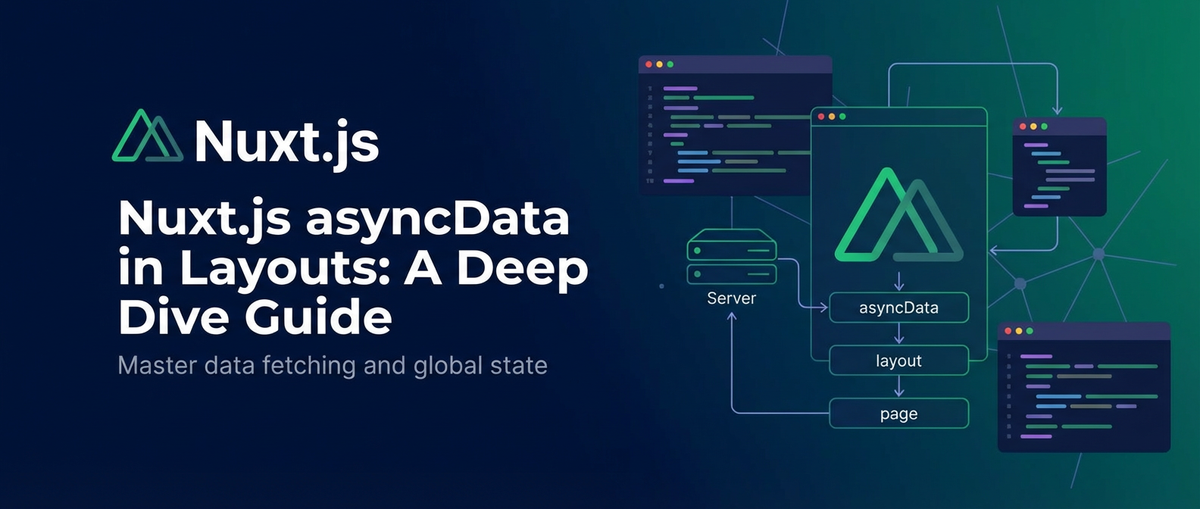
Nuxt.js asyncData in Layouts: A Deep Dive Guide


I. Introduction: The Global Canvas of Nuxt.js Layouts
Nuxt.js, as a powerful open-source framework built on Vue.js, has revolutionized the way developers approach server-side rendered (SSR) and static-site generated (SSG) applications. Its opinionated structure, convention-over-configuration philosophy, and an ecosystem designed for performance and developer experience have made it a go-to choice for building modern web applications. At the heart of its structural elegance are layouts, which serve as the foundational templates for different sections or the entirety of an application. Think of a layout as the consistent outer shell—the navigation bar, the footer, a sidebar—that wraps around your dynamic page content, providing a unified look and feel across multiple routes. This architectural approach not only promotes design consistency but also significantly enhances code reusability, allowing developers to define common UI elements and functionalities once and apply them across numerous pages.
However, the seemingly straightforward concept of layouts introduces a fascinating challenge when it comes to data fetching. While Nuxt.js provides the incredibly useful asyncData hook for fetching data specifically for individual pages before they are rendered, the story becomes more nuanced when global, layout-level data is required. Imagine a scenario where your main navigation menu needs to fetch dynamic categories from an API, or your footer must display live information about the current user's session. This global data is intrinsic to the layout itself, not to a specific page. The conventional asyncData mechanism, primarily designed for pages, does not directly translate to layouts in earlier versions of Nuxt.js. This historical limitation meant developers had to devise creative workarounds, often involving Vuex, custom plugins, or middleware, to ensure that the data essential for the layout was available precisely when needed. This deep dive aims to demystify these complexities, explore the evolution of data fetching in Nuxt.js layouts from Nuxt 2's ingenious solutions to Nuxt 3's elegant composables, and equip you with the knowledge to manage global data fetching effectively, ensuring your Nuxt.js applications are both performant and robust.
II. Understanding asyncData in Nuxt.js: A Foundation
To fully grasp the intricacies of data fetching in Nuxt.js layouts, it's paramount to first establish a solid understanding of asyncData itself. asyncData is a powerful Nuxt.js page component method that allows you to fetch data asynchronously before the component is initialized, making it available as props directly to your page component. This means that when a user requests a page, Nuxt.js can fetch all the necessary data on the server-side before sending the HTML to the browser, resulting in a fully rendered page that is optimized for SEO and provides a faster initial load time.
A. What is asyncData? Its Purpose and Lifecycle Hook
At its core, asyncData is a function that can be defined within your Nuxt page components. This function is executed once per page, either on the server-side during the initial request (for SSR) or on the client-side when navigating to a new page (after the initial load). Its primary purpose is to retrieve data—typically from an API endpoint—that is essential for rendering the specific page. The data returned by asyncData is then merged with the component's data property, becoming reactive and accessible within the component's template and methods just like any other data. This seamless integration ensures that your page component always has the required data by the time it's mounted, preventing "flash of unstyled content" (FOUC) or loading spinners for critical content. The asyncData hook runs before beforeCreate and created lifecycle hooks, making it one of the earliest points to inject data into your page component. It receives the Nuxt.js context object as an argument, which provides access to various utilities like app, store, params, query, req, res, redirect, and error, enabling powerful data fetching logic that can interact with the application's state or routing parameters.
B. How asyncData Functions Within Nuxt Pages
When asyncData is defined in a page component, Nuxt.js orchestrates its execution with precision. During server-side rendering, for every incoming request, Nuxt.js first identifies the matching page component. Before rendering this component into HTML, it invokes the asyncData method. Any Promise returned by asyncData is awaited, meaning the server will not proceed with rendering the page until the data fetch is complete. Once the data is resolved, it's incorporated into the page's initial state, serialized, and then included in the HTML response. This process ensures that the user receives a fully hydrated HTML page, which means the page is interactive as soon as it's displayed in the browser, without needing to re-fetch the data client-side.
On the other hand, when a user navigates to a new page client-side (after the initial server render), Nuxt.js intercepts the navigation, resolves the new page component, and executes its asyncData method in the browser. Again, the Promise is awaited, and once the data is fetched, the new page component is rendered and updated in the DOM. This client-side execution means that subsequent page loads are typically faster, as the browser doesn't have to wait for a full round trip to the server for every single page. The context object available to asyncData varies slightly between server and client environments; for example, req and res are only available on the server. Developers must be mindful of these distinctions when writing universal data fetching logic.
C. The Critical Context: asyncData Execution on Server and Client
Understanding whether asyncData runs on the server, client, or both is crucial for writing efficient and robust Nuxt.js applications. In a typical SSR setup:
- Initial Request (Server-Side): When a user first visits your application (or performs a hard refresh),
asyncDatafor the requested page is executed on the Node.js server. This allows Nuxt.js to fetch data, render the full HTML, and send it to the browser. This approach is excellent for SEO because search engine crawlers receive a complete HTML document with content already populated. It also improves perceived performance as users see content almost instantly. Thecontextobject here contains server-specific properties likereq(request object) andres(response object), enabling server-only operations like setting cookies or accessing request headers. - Client-Side Navigation: After the initial load, if the user navigates to another Nuxt.js page within the application using
<NuxtLink>,asyncDatafor the new page is executed on the client-side (in the browser). Nuxt.js intercepts the navigation, fetches the new page component's data viaasyncDatausing browser-based Fetch APIs, and then updates the DOM. This client-side fetching avoids a full page reload, providing a smoother, single-page application (SPA) experience. In this scenario,reqandresare not available in thecontext, as the request is originating from the browser.
This dual execution model is a cornerstone of Nuxt.js's universal application capabilities. It provides the best of both worlds: SEO benefits and fast initial loads from SSR, combined with dynamic, responsive client-side navigation. However, it also demands careful consideration from developers, especially regarding environment-specific code and data consistency between server and client.
D. The Initial Hurdle: asyncData's Unavailability Directly in Nuxt 2 Layout Components
With this foundational understanding of asyncData in pages, we now arrive at the central challenge that defined much of Nuxt 2 development when it came to global data: asyncData was not directly available for use within layout components.
This limitation stems from the Nuxt.js rendering lifecycle itself. Layouts, by their very nature, are designed to wrap around pages. During the rendering process, Nuxt.js constructs the overall application structure, which includes applying the layout, before it begins processing the specific page component and its asyncData hook. This sequential execution order means that when a layout component is initialized, the page's asyncData hasn't even run yet, let alone any hypothetical asyncData in the layout itself.
Consequently, if a layout component attempts to define an asyncData method, Nuxt.js 2 would simply ignore it. The framework's design philosophy prioritized making page-level data fetching explicit and separate, ensuring that page-specific concerns didn't bleed into the global layout structure. While this separation can enforce cleaner architecture, it created a genuine problem for developers needing to fetch data that was truly global and integral to the layout's rendering—such as dynamic navigation items, global user authentication status, or site-wide configuration settings. Without a direct asyncData in layouts, developers had to explore alternative strategies to ensure this crucial global data was hydrated and available across the entire application, which is precisely what we will delve into in the following sections.
III. The Nuxt 2 Conundrum: Why asyncData Isn't Directly Available in Layouts
The lack of direct asyncData support in Nuxt 2 layouts wasn't an oversight but a design choice deeply rooted in the framework's rendering lifecycle and architectural philosophy. Understanding why this limitation existed is key to appreciating the workarounds developed by the community and the subsequent enhancements in Nuxt 3. It highlights the complexities involved in orchestrating data fetching across different component types in a universal application context.
A. Nuxt.js Rendering Lifecycle in Detail
To fully grasp the asyncData layout conundrum, we need to trace the rendering lifecycle of a Nuxt.js application, particularly during a server-side request. When a request hits the Nuxt.js server:
- Middleware Execution: Global and route-specific middleware functions are executed. These can perform redirects, authentication checks, or even inject data into the
context. - Layout Resolution: Nuxt.js determines which layout component (e.g.,
default.vue,custom.vue) should be used for the current route. - Layout Component Initialization: The selected layout component is initialized. At this stage, the layout's
data,computed, andmethodsare set up. Critically, noasyncDatais invoked for the layout here because it's not a page component. - Page Component Resolution: Nuxt.js identifies the page component corresponding to the route (e.g.,
pages/index.vue,pages/products/_id.vue). - Page Component
asyncDataExecution: TheasyncDatamethod of the page component is executed. This is the first timeasyncDatalogic runs in the lifecycle for the content being rendered. Nuxt.js waits for any promises returned byasyncDatato resolve. - Page Component Initialization: Once
asyncDatais resolved, its data is merged into the page component'sdataproperties, and the page component is initialized. - Rendering (Layout then Page): Nuxt.js then proceeds to render the entire Vue component tree, starting from the layout, which then contains the rendered page component.
- HTML Generation: The full HTML string is generated and sent to the client.
This detailed sequence clearly illustrates the timing issue: the layout component is fully initialized and ready to render before the page component's asyncData is even considered. If asyncData were available in layouts, it would need to run before the layout itself is initialized, requiring a significant re-architecture of the Nuxt.js core rendering pipeline to support such a concept.
B. The Order of Execution: Layouts Render Before Page asyncData
The fundamental reason for asyncData's absence in layouts in Nuxt 2 lies in this strict order of execution. A layout acts as a wrapper, a container that provides the outer structure for your pages. For the layout to be established, it must conceptually "exist" before its content (the page) is processed.
Consider a default.vue layout file:
<!-- layouts/default.vue -->
<template>
<div>
<header>
<!-- Global navigation or header content -->
<nav>...</nav>
</header>
<main>
<Nuxt /> <!-- This is where the page content gets injected -->
</main>
<footer>
<!-- Global footer content -->
<p>Copyright © 2023</p>
</footer>
</div>
</template>
When Nuxt.js processes a route, it first determines that, for instance, default.vue is the layout. It then initializes this default.vue component. It's only after this initialization, and a slot for <Nuxt /> is conceptually reserved, that Nuxt.js turns its attention to the actual page component that will fill that slot. The page component's asyncData is then executed to fetch data relevant to that page. If the layout itself needed asyncData, it would imply that the layout should also fetch data and potentially await it before it can even render its own structure, let alone before the page content is processed. This sequential constraint made it technically challenging to integrate asyncData directly into the layout component's lifecycle without introducing circular dependencies or complex re-rendering logic.
C. Implications for Data Fetching: Layout Data Must Be Ready Before Page Data
This execution order has direct and significant implications for fetching layout-specific data. If a layout relies on certain data—like a global user object, site-wide configuration, or a dynamic navigation structure—that data must be available and hydrated by the time the layout component is initialized and begins its rendering process. It cannot wait for the page's asyncData to complete, as the layout is already actively being built around the incoming page content.
This "must be ready" requirement pushes developers towards methods that execute earlier in the Nuxt.js lifecycle, or at a higher level of abstraction than individual components. This is why solutions like nuxtServerInit (a Vuex action that runs only on the server before the store is initialized), custom plugins (which execute before Vue instances are created), or global middleware (which run before page components are loaded) became the primary avenues for addressing global data fetching in Nuxt 2. These mechanisms operate at a stage where they can effectively retrieve and store data globally, making it accessible to all parts of the application, including layout components, by the time they start to render.
D. Philosophical Reasons: Keeping Layouts Lean vs. Global Data Needs
Beyond the technical constraints of the rendering lifecycle, there was also a philosophical underpinning to keeping layouts lean and asyncData-free in Nuxt 2. The Nuxt.js team likely aimed to enforce a clear separation of concerns:
- Pages: Responsible for unique content and page-specific data fetching.
- Layouts: Responsible for structural boilerplate and global UI elements, ideally decoupled from complex data fetching logic.
This philosophy promotes cleaner, more modular code where a layout is essentially a presentational wrapper, and the actual "intelligence" (including data provisioning) resides within the pages or more centralized services. If layouts could perform their own asyncData, it might lead to:
- Increased Coupling: Layouts become tightly coupled with specific data requirements, making them less reusable.
- Performance Bottlenecks: A slow
asyncDatain a layout could block every page from rendering, whereas a slow page-specificasyncDataonly impacts that single page. - Debugging Challenges: Tracing data flows becomes more complex when fetching occurs at multiple, interleaved levels.
However, practical development often dictates that some data is genuinely global and foundational to the application's overall structure, not just a single page. This tension between architectural purity and real-world global data needs is precisely what spurred the community to develop the clever workarounds we will now explore for Nuxt 2, ultimately paving the way for the more integrated solutions introduced in Nuxt 3.
IV. Nuxt 2 Workarounds: Crafting Solutions for Global Data Fetching
Given the inherent limitations of asyncData in Nuxt 2 layouts, developers embraced several ingenious strategies to ensure global data was fetched and made available across the application. These workarounds, while adding a layer of complexity, provided robust solutions for managing shared state and foundational content.
A. Leveraging Vuex Store for Global State Management
Vuex, Vue.js's official state management library, became the most common and robust solution for handling global data in Nuxt 2, including data needed by layouts. Nuxt.js seamlessly integrates with Vuex, offering a built-in store module that can be initialized on both the server and client.
1. Setting up a Vuex module for layout-specific data.
To manage layout data, you'd typically create a dedicated Vuex module. For instance, for a global navigation menu, you might have store/navigation.js:
// store/navigation.js
export const state = () => ({
  menuItems: [],
  isLoading: false,
  error: null,
});

export const mutations = {
  SET_MENU_ITEMS(state, items) {
    state.menuItems = items;
  },
  SET_LOADING(state, status) {
    state.isLoading = status;
  },
  SET_ERROR(state, error) {
    state.error = error;
  },
};

export const actions = {
  async fetchMenuItems({ commit }) {
    commit('SET_LOADING', true);
    commit('SET_ERROR', null);
    try {
      // Simulate API call
      const response = await new Promise(resolve => setTimeout(() => resolve({
        data: [
          { label: 'Home', path: '/' },
          { label: 'Products', path: '/products' },
          { label: 'About Us', path: '/about' },
          { label: 'Contact', path: '/contact' },
        ],
      }), 500));

      // In a real application, you'd use axios:
      // const response = await this.$axios.$get('/api/v1/navigation');

      commit('SET_MENU_ITEMS', response.data);
    } catch (e) {
      console.error('Failed to fetch menu items:', e);
      commit('SET_ERROR', 'Failed to load navigation.');
    } finally {
      commit('SET_LOADING', false);
    }
  },
};

export const getters = {
  getMenuItems: state => state.menuItems,
  getNavigationLoading: state => state.isLoading,
  getNavigationError: state => state.error,
};
2. Dispatching actions in nuxtServerInit (for initial server-side fetch).
The nuxtServerInit action is a special Vuex action that Nuxt.js will call only on the server-side, before any page or component is rendered. It's the perfect place to fetch initial global data that should be available upon the very first page load.
// store/index.js
export const actions = {
  async nuxtServerInit({ dispatch }) {
    // Dispatch global actions needed for layouts or initial app state
    await dispatch('navigation/fetchMenuItems');
    // await dispatch('user/fetchUserDetails'); // e.g., for global user profile in layout
  },
};
This ensures that fetchMenuItems runs on the server, populating state.navigation.menuItems before the HTML is generated. This pre-filled data is then included in the initial HTML, providing a seamless experience and good SEO.
3. Dispatching actions in a custom plugin (for more granular control or client-side fetches).
While nuxtServerInit handles server-side initial data, you might need to fetch or refresh data client-side, or simply prefer a more explicit injection point. Custom plugins in Nuxt.js run before the root Vue.js application is instantiated, making them ideal for injecting global logic or fetching data that might not be suitable for nuxtServerInit (e.g., if you need client-specific APIs or simply want to separate concerns).
// plugins/layout-data.js
export default async ({ app, store }) => {
  // If the data is not already present (e.g., client-side navigation or hot reloading), fetch it.
  // This check prevents re-fetching if data was already hydrated via nuxtServerInit.
  if (process.client && store.getters['navigation/getMenuItems'].length === 0) {
    await store.dispatch('navigation/fetchMenuItems');
  }
  // You can also use this for data that *only* needs to be fetched client-side.
};
Remember to register your plugin in nuxt.config.js:
// nuxt.config.js
export default {
  plugins: [
    '~/plugins/layout-data.js'
  ],
  // ...
}
4. Consuming data in layout components via getters.
Once the data is in the Vuex store, your layout components can easily access it using mapGetters or by directly accessing $store.getters.
<!-- layouts/default.vue -->
<template>
<div>
<header>
<nav>
<NuxtLink v-for="item in menuItems" :key="item.path" :to="item.path">{{ item.label }}</NuxtLink>
</nav>
<p v-if="navigationLoading">Loading navigation...</p>
<p v-if="navigationError" style="color: red;">{{ navigationError }}</p>
</header>
<main>
<Nuxt />
</main>
<footer>
<p>Copyright © 2023</p>
</footer>
</div>
</template>
<script>
import { mapGetters } from 'vuex';
export default {
computed: {
...mapGetters('navigation', [
'getMenuItems',
'getNavigationLoading',
'getNavigationError',
]),
menuItems() {
return this.getMenuItems;
},
navigationLoading() {
return this.getNavigationLoading;
},
navigationError() {
return this.getNavigationError;
},
},
// You might still want a client-side fetch here if a user lands directly on a page
// where nuxtServerInit wasn't triggered (e.g., direct deep link to a page that
// doesn't trigger global data fetching via plugin logic)
// or if the data needs to be dynamic/refreshed
created() {
if (process.client && this.getMenuItems.length === 0) {
this.$store.dispatch('navigation/fetchMenuItems');
}
},
};
</script>
5. Pros and Cons.
Pros: * Centralized State: Vuex provides a single source of truth for global data, making it easy to manage and debug. * Reactivity: Data in Vuex is reactive, meaning changes automatically update all consuming components. * Universal Hydration: Data fetched via nuxtServerInit is perfectly hydrated for SSR. * Scalability: Well-suited for large applications with complex global state requirements.
Cons: * Boilerplate: Requires creating modules, states, mutations, actions, and getters, which can be verbose for simple cases. * Learning Curve: New developers need to understand Vuex patterns. * Potential Over-fetching: If not managed carefully, data might be fetched unnecessarily on both server and client.
B. Creating Custom Plugins for Contextual Data Injection
Custom Nuxt.js plugins are JavaScript files that run before the root Vue.js application is instantiated. This makes them powerful for injecting global functions, variables, or data into the Nuxt.js context or Vue instances. For layout data, a plugin can be used to fetch data and then make it available to layouts, either by injecting it directly into the Vue instance ($app.myGlobalData) or by committing it to Vuex.
1. Designing a plugin to fetch data (e.g., global navigation items, user details).
A plugin can fetch data and attach it to the app object or directly into the context.
// plugins/global-settings.js
export default async ({ app, store }, inject) => {
  // Check if data is already in store or available from SSR context to avoid re-fetching
  if (store.state.globalSettings && Object.keys(store.state.globalSettings).length > 0) {
    // Data already hydrated, no need to fetch again.
    return;
  }

  try {
    // In a real scenario, this would be an API call
    const globalSettings = await new Promise(resolve => setTimeout(() => resolve({
      siteName: 'My Awesome Nuxt App',
      theme: 'dark',
      analyticsId: 'UA-XXXXX-Y',
      footerText: 'Powered by Nuxt.js',
    }), 300));

    // You could commit to a Vuex store:
    // store.commit('SET_GLOBAL_SETTINGS', globalSettings);

    // Or inject directly into the context/app instance
    // This makes it available as `this.$globalSettings` in components
    // and `context.$globalSettings` in other Nuxt hooks.
    inject('globalSettings', globalSettings);
  } catch (e) {
    console.error('Error fetching global settings:', e);
    // Inject a fallback or error state
    inject('globalSettings', {
      siteName: 'Default App',
      theme: 'light',
      analyticsId: null,
      footerText: 'Error loading settings.',
    });
  }
};
2. Injecting fetched data into the context object.
The inject function provided to plugins is key here. inject('key', value) makes value available as .$key on the Vue instance (this.$key) and context.$key in Nuxt's server-side context or other plugins.
Register the plugin in nuxt.config.js:
// nuxt.config.js
export default {
  plugins: [
    '~/plugins/global-settings.js'
  ],
  // ...
}
3. Accessing injected data within layouts.
<!-- layouts/default.vue -->
<template>
  <div>
    <header>
      <h1>{{ $globalSettings.siteName }}</h1>
      <nav>...</nav>
    </header>
    <main :class="[$globalSettings.theme + '-theme']">
      <Nuxt />
    </main>
    <footer>
      <p>{{ $globalSettings.footerText }}</p>
      <p v-if="$globalSettings.analyticsId">Analytics ID: {{ $globalSettings.analyticsId }}</p>
    </footer>
  </div>
</template>

<script>
export default {
  // If you need it in the component's data or computed, you can access it directly
  computed: {
    siteTheme() {
      return this.$globalSettings.theme;
    },
  },
  // You can also access it in other hooks if needed
  mounted() {
    console.log('Site name:', this.$globalSettings.siteName);
  },
};
</script>
4. Pros and Cons.
Pros: * Simplicity for Small Data: Less boilerplate than Vuex for simple, static global data. * Direct Access: Data is directly available via this.$propertyName in components. * Flexibility: Can perform any setup or data fetching logic before the app starts.
Cons: * Lack of Reactivity: Data injected this way is not inherently reactive. If the data needs to change after the initial fetch, you'd have to manually manage reactivity (e.g., by pushing updates to Vuex from the plugin, or forcing re-renders, which is not ideal). * Less Scalable: For complex, frequently changing global state, Vuex is superior. * Potential for Collisions: Careful naming required to avoid clashes with other injected properties.
C. Utilizing Nuxt.js Middleware for Pre-rendering Data
Nuxt.js middleware functions are executed before rendering a page or group of pages. They can be global, layout-specific, or route-specific. While primarily used for routing guards (e.g., authentication), they can also be repurposed to fetch global data.
1. Writing global middleware to fetch data.
A global middleware runs on every route. You can use it to fetch data and store it, typically in Vuex.
// middleware/fetch-user.js
export default async ({ store, req }) => {
  // Check if user data is already in the store (hydrated from SSR or already fetched client-side)
  // Or if we are on the server and haven't fetched yet.
  if (process.server || !store.getters['user/isAuthenticated']) { // isAuthenticated is a hypothetical getter
    // Only fetch if user data is not present or if it's a server request
    await store.dispatch('user/fetchUserDetails', { req }); // Pass req for server-side cookie/token access
  }
};
This would require a store/user.js module similar to navigation.js, with an fetchUserDetails action that makes an API call.
2. Storing data in Vuex or attaching to context.app.
The middleware fetches data and then commits it to the Vuex store, making it globally available.
// store/user.js
export const state = () => ({
  user: null,
  isAuthenticated: false,
  // ...
});

export const mutations = {
  SET_USER(state, user) {
    state.user = user;
    state.isAuthenticated = !!user;
  },
  // ...
};

export const actions = {
  async fetchUserDetails({ commit }, { req }) {
    try {
      // Logic to fetch user details, potentially using a token from cookies (on server)
      // For instance, checking `req.headers.cookie` or an auth token.
      const headers = process.server && req ? { Cookie: req.headers.cookie } : {};

      // Simulate API call to user profile API
      const response = await new Promise(resolve => setTimeout(() => {
        // Example: if a token existed, return a user
        const tokenExists = true; // In real app, check req for auth token
        resolve({ data: tokenExists ? { id: 1, name: 'John Doe', email: 'john@example.com' } : null });
      }, 400));

      commit('SET_USER', response.data);
    } catch (e) {
      console.error('Error fetching user details:', e);
      commit('SET_USER', null); // Ensure user is null on error
    }
  },
};

export const getters = {
  getUser: state => state.user,
  isAuthenticated: state => state.isAuthenticated,
  // ...
};
Register your middleware globally in nuxt.config.js:
// nuxt.config.js
export default {
  router: {
    middleware: ['fetch-user']
  },
  // ...
}
3. Middleware execution order and its impact.
Global middleware runs before asyncData of pages and before components are rendered. This ensures the data is available for layouts. However, if a middleware makes an API call, it will pause the entire rendering process, potentially increasing initial load times if the API is slow.
4. Pros and Cons.
Pros: * Guaranteed Execution: Runs on every route (for global middleware) before rendering. * Routing Logic Integration: Excellent for combining data fetching with authentication or authorization logic. * Server/Client Execution: Runs universally, allowing for server-specific data fetching (e.g., reading cookies).
Cons: * Not Designed for Data Fetching: Primarily intended for route guards, repurposing it for data fetching can sometimes feel less intuitive. * Global Blocking: A slow middleware will block all subsequent rendering. * Debugging Overhead: Can be harder to debug data-fetching issues when intertwined with routing logic.
D. Higher-Order Components (HOCs) for Data Provisioning
While less common for layouts in Nuxt 2 compared to Vuex or plugins, Higher-Order Components (HOCs) offer another pattern for injecting data. A HOC is a function that takes a component and returns a new component with enhanced functionalities, such as data fetching.
1. Wrapping layout components with HOCs to fetch and pass data.
You could define a HOC that fetches data and passes it as props to the wrapped layout.
// HOCs/withGlobalData.js
export default function withGlobalData(WrappedComponent) {
  return {
    // This HOC will wrap your layout component
    asyncData({ app, store }) {
      // HOCs can use asyncData if they are treated as page-level components or similar
      // But typically for layouts, this asyncData itself would be empty
      // and the data fetching logic would reside outside or in a store.
      // For this example, let's assume it fetches something simple.
      return app.$axios.$get('/api/v1/global-meta').then(data => ({
        globalMetaData: data
      }));
    },
    render(h) {
      // Pass asyncData results as props to the wrapped component
      return h(WrappedComponent, {
        props: {
          globalMetaData: this.globalMetaData
        }
      });
    }
  };
}
Then, you would essentially wrap your layout:
<!-- layouts/default.vue (or a wrapper page that uses the layout) -->
<script>
import withGlobalData from '~/HOCs/withGlobalData';
import DefaultLayoutComponent from '~/layouts/default.vue'; // This is the actual layout

export default withGlobalData(DefaultLayoutComponent);
</script>
However, this example makes the HOC itself act like a page component with asyncData, which isn't directly how you'd typically apply it to a layout component without more advanced Nuxt 2 tricks (like dynamically rendering layout components as pages or using a root HOC which can then populate Vuex). A more practical approach for layouts would be for the HOC to trigger Vuex actions or inject data via a plugin.
2. Applicability and complexity in layouts.
HOCs become complex for layouts in Nuxt 2 due to the asyncData limitation. They are more naturally suited for page-level components or reusable sub-components. For layout data, HOCs would usually be wrappers that abstract away the consumption of data from Vuex or injected by plugins, rather than being the primary data fetching mechanism themselves.
3. Brief overview and when it might be considered.
You might consider HOCs if you have highly specific, reusable data-fetching logic that needs to be applied to many components, and you want to abstract that logic away. For global layout data, HOCs are generally an over-engineered solution compared to Vuex or plugins in Nuxt 2 unless you have very particular requirements for component composition.
4. Pros and Cons.
Pros: * Reusability: Abstracts data-fetching logic into a reusable function. * Separation of Concerns: Keeps component logic cleaner by delegating data fetching.
Cons: * Complexity: Can introduce significant complexity and a steeper learning curve. * Limited Nuxt 2 Layout Support: Not naturally aligned with Nuxt 2's asyncData limitations in layouts. * Prop Drilling: If data needs to be passed deep into the component tree, it might lead to prop drilling.
E. Hybrid Approaches and When to Combine Strategies.
Often, the best solution in Nuxt 2 involved a hybrid approach, combining these strategies to leverage their strengths while mitigating their weaknesses:
nuxtServerInitfor critical initial global data: Use it for non-negotiable data like global settings, user authentication status (if stateless), or primary navigation items that must be present on the first page load for SSR.- Vuex modules for reactive global state: Manage all dynamic, interactive global data that might change client-side (e.g., user profiles, shopping cart state, real-time notifications).
- Custom plugins for global injections: Inject non-reactive, largely static utility functions, API configurations, or very simple, static global data that doesn't need to be part of the reactive Vuex store.
- Middleware for authentication/authorization: While capable of fetching, primarily use it for controlling access or pre-flight checks, potentially triggering Vuex actions if data is needed for authentication decisions.
For instance, nuxtServerInit could fetch the initial global navigation into Vuex. A custom plugin could then set up the Axios instance with a base API URL and inject it. A middleware could check for a user token and dispatch a fetchUserDetails action if needed, also storing the user in Vuex. This multi-pronged approach allows for granular control over when and how global data is fetched, ensuring optimal performance and maintainability for complex Nuxt 2 applications.
APIPark is a high-performance AI gateway that allows you to securely access the most comprehensive LLM APIs globally on the APIPark platform, including OpenAI, Anthropic, Mistral, Llama2, Google Gemini, and more.Try APIPark now! 👇👇👇
V. Nuxt 3's Paradigm Shift: useAsyncData and useFetch in Layouts
Nuxt 3, built on Vue 3 and TypeScript, introduces a profound shift in how developers approach data fetching, especially within the context of layouts. The advent of the Composition API and Nuxt's new suite of composables like useAsyncData and useFetch eliminates many of the workarounds previously necessary in Nuxt 2, providing a more intuitive, powerful, and unified experience for data management across all component types, including layouts.
A. The Composition API and its Implications for Nuxt 3
The Vue 3 Composition API is a set of APIs that allows for flexible, logical organization of component logic, primarily through setup() functions or the <script setup> syntax. Unlike the Options API (used in Vue 2) which groups code by options (data, methods, computed), the Composition API allows grouping code by logical concerns. This means that reactive state, methods, and lifecycle hooks related to a specific feature can be co-located, significantly improving readability and maintainability, especially for complex components.
For Nuxt 3, the Composition API is a game-changer. It means:
- No
thisContext Issues:setup()functions and<script setup>run beforethisis available, encouraging explicit reactive variables. - Composables: Reusable functions that encapsulate reactive state and logic, enabling powerful abstraction. Nuxt 3 leverages this heavily with its own composables.
- Improved TypeScript Support: The Composition API is inherently more type-friendly.
- Flexible Lifecycle Hooks: New hooks like
onMounted,onBeforeMount, etc., align with Vue 3's reactivity system.
The most significant implication for data fetching is that setup() (or <script setup>) is executed universally, both on the server during SSR and on the client during hydration or client-side navigation. This universal execution context allows Nuxt.js to provide data fetching composables that work seamlessly across both environments, directly resolving the Nuxt 2 asyncData layout problem.
B. Introducing useAsyncData and useFetch as Composables
Nuxt 3 provides two primary composables for data fetching, both designed to be used within setup() (or <script setup>) in any component, including layouts, pages, and even regular Vue components:
useAsyncData(key, handler, options?):- This composable allows you to fetch any kind of asynchronous data.
key: A unique string key for caching. This is crucial for deduplication and hydration. Nuxt uses this key to ensure that data fetched on the server isn't re-fetched on the client during hydration if the key matches.handler: An asynchronous function (returning aPromise) that performs the data fetching.options: An object for various configurations, includinglazy,server,default,transform,pick,watch,initialCache, andimmediate.
useFetch(request, options?):useFetchis essentially a wrapper arounduseAsyncDatathat is specifically tailored for making API requests.- It automatically generates a unique
keybased on the request URL and query parameters. - It comes with built-in support for
baseURL,headers, and other common API request options (viaofetchlibrary). request: The URL string or aRequestInfoobject for the API endpoint.options: Similar touseAsyncDataoptions, plus API request-specific options likemethod,params,body,headers,baseURL, etc.
Both useAsyncData and useFetch return an object containing several reactive properties: * data: A Ref containing the fetched data. * pending: A Ref boolean indicating whether the data is currently being fetched. * error: A Ref object if an error occurred during fetching. * refresh: A function to manually re-fetch the data.
C. Direct Application in <script setup> of Layout Components
The most exciting aspect of useAsyncData and useFetch is their direct applicability within layout components using <script setup>. This eliminates the need for separate Vuex actions, plugins, or middleware solely for layout data.
1. Basic example: fetching user data in a layout.
Imagine a layout that needs to display the current user's name and avatar, which comes from an authentication API.
<!-- layouts/default.vue -->
<template>
  <div>
    <header>
      <nav>
        <NuxtLink to="/techblog/en/">Home</NuxtLink>
        <NuxtLink to="/techblog/en/products">Products</NuxtLink>
      </nav>
      <div v-if="pendingUser">Loading user...</div>
      <div v-else-if="user">
        Welcome, {{ user.name }}!
        <img :src="user.avatar" alt="User Avatar" class="user-avatar" />
      </div>
      <div v-else-if="userError" class="error-message">
        Error loading user: {{ userError.message || userError }}
        <button @click="refreshUser">Retry</button>
      </div>
      <div v-else>
        <NuxtLink to="/techblog/en/login">Login</NuxtLink>
      </div>
    </header>
    <main>
      <NuxtPage /> <!-- Renamed from <Nuxt /> in Nuxt 3 -->
    </main>
    <footer>
      <p>Global footer content.</p>
    </footer>
  </div>
</template>

<script setup lang="ts">
import { useFetch, useNuxtApp } from '#app';
import { ref } from 'vue';

interface User {
  id: number;
  name: string;
  avatar: string;
}

// In a real application, you'd call a secure API endpoint
const { data: user, pending: pendingUser, error: userError, refresh: refreshUser } = await useFetch<User>('/api/user/profile', {
  lazy: true, // Fetch data on client-side if not pre-fetched on server, or don't block initial render
  server: true, // Also try to fetch on server for SSR
  initialCache: false, // Ensure it's not trying to re-use old cache
  // Example of using headers for authentication in a real scenario:
  // headers: {
  //   Authorization: `Bearer ${getAuthToken()}` // Implement getAuthToken() securely
  // },
  // A simple mock for demonstration:
  transform: (response: any) => {
    // This transform is just for the mock. In a real scenario, the API would return User directly.
    return response || { id: 1, name: 'Nuxt User', avatar: 'https://via.placeholder.com/30' };
  },
  // To simulate an actual API call, you might use an API route or a server utility:
  // handler: async () => {
  //   // Example of fetching from a server API route:
  //   const nuxtApp = useNuxtApp();
  //   const response = await nuxtApp.$api.get('/user/profile'); // Assuming $api is an injected axios/fetch instance
  //   return response.data;
  // },
  // For this example, let's keep it simple and mock data:
  onRequest({ request, options }) {
    // Intercept request to add a mock handler for development
    if (process.server) {
      options.baseURL = 'http://localhost:3000'; // Or your actual backend
    }
  },
  // You might also use `onResponse` to process data or `onError` for error handling
});

// A simple client-side check or initial fetch if user data is somehow missing (less common with proper SSR)
// onMounted(() => {
//   if (process.client && !user.value && !pendingUser.value && !userError.value) {
//     refreshUser();
//   }
// });
</script>

<style scoped>
.user-avatar {
  width: 30px;
  height: 30px;
  border-radius: 50%;
  vertical-align: middle;
  margin-left: 8px;
}
.error-message {
  color: red;
  margin-top: 5px;
}
</style>
2. Handling pending states and errors gracefully.
As seen in the example above, useFetch (and useAsyncData) return pending and error refs. These reactive properties allow you to easily display loading indicators and error messages directly within your layout template, making for a much smoother user experience. The v-if, v-else-if, v-else structure is very common here.
3. Refreshing data and data revalidation strategies.
The refresh function returned by useFetch and useAsyncData is incredibly powerful. You can call it manually to re-fetch the data, for example, after a user action, an API update, or to simply revalidate stale data.
<template>
  <div>
    <!-- ... layout content ... -->
    <button @click="refreshUser">Refresh User Data</button>
  </div>
</template>

<script setup lang="ts">
// ... useFetch setup ...
const { refresh: refreshUser } = await useFetch<User>('/api/user/profile', { /* ... */ });
</script>
You can also integrate refresh with other composables like watch to automatically re-fetch data based on route changes or other reactive variables.
D. The Power of key Property for Deduplication and Re-fetching
The key property in useAsyncData is fundamental to Nuxt 3's efficient data fetching strategy. It serves several critical purposes:
- Deduplication: If multiple components (or the same component in different places) try to fetch the same data (with the same key) simultaneously during the same request cycle (especially on the server), Nuxt 3 will only perform the API call once. The result will then be shared among all consumers. This prevents redundant network requests and improves performance.
- Caching & Hydration: The
keyis used to serialize and deserialize the fetched data between server and client. When data is fetched on the server, it's stored in a global payload keyed by this value. On the client, during hydration, Nuxt checks if data for that key already exists in the payload. If it does, it uses the pre-fetched data, avoiding a second API call. - Re-fetching Trigger: Changing the
keywill forceuseAsyncDatato re-fetch the data. This is useful when your data depends on dynamic parameters, like a user ID or a product category, and you want to ensure fresh data when these parameters change.
For useFetch, Nuxt 3 automatically generates a key based on the request URL and its parameters. This convenience reduces boilerplate while still leveraging the powerful caching and deduplication mechanisms. If you need more control, useAsyncData allows you to define explicit keys.
E. SSR vs. CSR Execution of useAsyncData/useFetch in Layouts
Just like asyncData in Nuxt 2 pages, useAsyncData and useFetch in Nuxt 3 layouts (and any component) are designed to run universally:
- Server-Side Rendering (SSR): On the initial request, these composables execute on the Node.js server. Nuxt awaits their promises, fetches the data, and embeds it into the HTML payload. The layout (and page) are fully rendered with data before being sent to the browser.
- Client-Side Hydration: When the browser receives the HTML, Nuxt 3 hydrates the application.
useAsyncDataanduseFetchcheck if data for their respective keys is already available in the payload from the server. If yes, they use this data, skipping the network request. If not (e.g.,lazy: trueandserver: false, or data not in payload), they execute client-side. - Client-Side Navigation: When navigating to a new route within the application (e.g., using
<NuxtLink>), these composables execute client-side. They perform the API calls directly from the browser.
This seamless universal execution is a cornerstone of Nuxt 3's elegance. It means developers don't have to write separate server-side and client-side data fetching logic for layouts; the same code handles both scenarios intelligently. The server option in useAsyncData/useFetch allows you to explicitly control whether the fetch should happen on the server (default is true), and lazy controls whether the component should wait for the data to resolve before rendering (default is false, meaning it blocks). Using lazy: true can provide a faster perceived load time, as the page or layout renders immediately with a pending state, then populates data when available.
F. Advantages over Nuxt 2 Workarounds: Simplicity, Composability, Directness
The Nuxt 3 approach offers significant advantages over Nuxt 2's workarounds for layout-level data:
- Simplicity and Co-location: Data fetching logic is now directly within the
<script setup>block of the layout component itself. No more separate Vuex modules, plugins, or middleware files just for global data. This drastically improves code co-location and readability. - First-Class Support:
useAsyncDataanduseFetchare native Nuxt 3 composables, meaning they are officially supported and optimized for the Nuxt 3 ecosystem. - Built-in Reactivity and State Management: The
data,pending,errorrefs are inherently reactive, eliminating the need for manual reactivity management. - Unified API: The same composables are used across pages, layouts, and components, leading to a consistent data-fetching pattern throughout the application.
- Better Developer Experience (DX): Less boilerplate, direct access to reactive states, and powerful caching mechanisms make development faster and less error-prone.
- TypeScript-Friendly: Strong typing support for data, pending, and error states, leading to more robust code.
The shift to useAsyncData and useFetch in Nuxt 3 represents a mature evolution in data fetching, simplifying complex universal application development and empowering developers to build high-performance, maintainable web applications with greater ease and confidence.
VI. Deep Diving into Practical Scenarios and Best Practices
Having covered the mechanics of asyncData (and its Nuxt 3 counterparts) in layouts, let's explore real-world scenarios and best practices for implementing global data fetching. These examples highlight how to leverage Nuxt's capabilities to build robust, efficient, and user-friendly applications.
A. Global Navigation and Menus
Dynamic navigation menus are a classic example of layout-level data. A header often displays a list of links that might come from a CMS or a backend API, adapting based on user roles or site configuration.
Scenario: Fetching a main navigation menu that should appear on every page.
Nuxt 3 Implementation:
<!-- layouts/default.vue -->
<template>
<div>
<header class="app-header">
<nav class="main-nav">
<div v-if="pendingNav" class="nav-loading">Loading Navigation...</div>
<ul v-else-if="navigationItems && navigationItems.length">
<li v-for="item in navigationItems" :key="item.path">
<NuxtLink :to="item.path" active-class="active-link">{{ item.label }}</NuxtLink>
</li>
</ul>
<div v-else-if="navigationError" class="nav-error">
Failed to load navigation. <button @click="refreshNavigation">Retry</button>
</div>
<div v-else class="nav-fallback">
<NuxtLink to="/techblog/en/">Home</NuxtLink>
<NuxtLink to="/techblog/en/products">Products</NuxtLink>
</div>
</nav>
<!-- Other header content -->
</header>
<main class="app-main">
<NuxtPage />
</main>
<footer class="app-footer">
<p>© {{ new Date().getFullYear() }} My Awesome App. All rights reserved.</p>
</footer>
</div>
</template>
<script setup lang="ts">
import { useFetch } from '#app';
interface NavItem {
label: string;
path: string;
}
const { data: navigationItems, pending: pendingNav, error: navigationError, refresh: refreshNavigation } = await useFetch<NavItem[]>('/api/navigation', {
lazy: true, // Render layout immediately, show loading state for nav
server: true, // Fetch on server for SSR
default: () => [], // Provide a default empty array for initial state
transform: (response: any) => {
// Mock response for demonstration
if (response && response.data) {
return response.data;
}
return [
{ label: 'Dynamic Home', path: '/' },
{ label: 'Dynamic Features', path: '/features' },
{ label: 'Dynamic Pricing', path: '/pricing' },
{ label: 'Dynamic Blog', path: '/blog' },
];
},
// Optionally, watch for route changes to refresh navigation if it's dynamic per route group
// watch: [() => useRoute().path],
});
</script>
<style scoped>
.app-header {
background-color: #333;
color: #fff;
padding: 1rem;
box-shadow: 0 2px 4px rgba(0, 0, 0, 0.1);
}
.main-nav ul {
list-style: none;
padding: 0;
margin: 0;
display: flex;
gap: 1.5rem;
}
.main-nav a {
color: #fff;
text-decoration: none;
font-weight: bold;
padding: 0.5rem 0;
transition: color 0.3s ease;
}
.main-nav a:hover,
.main-nav a.active-link {
color: #42b983; /* Vue green */
}
.nav-loading, .nav-error, .nav-fallback {
color: #ddd;
padding: 0.5rem 0;
}
.nav-error button {
background-color: #e74c3c;
color: white;
border: none;
padding: 0.3rem 0.6rem;
border-radius: 4px;
cursor: pointer;
margin-left: 10px;
}
.app-main {
padding: 2rem;
min-height: calc(100vh - 120px); /* Adjust based on header/footer height */
}
.app-footer {
background-color: #2c3e50;
color: #ccc;
text-align: center;
padding: 1rem;
}
</style>
Caching Strategies: For navigation items that don't change frequently, consider aggressive caching both on the server (e.g., using a CDN, or server-side response caching) and client. The key in useAsyncData/useFetch helps Nuxt manage internal cache, but external caching layers are also vital.
B. User Authentication Status and Profile Information
Displaying "Welcome, John!" or showing an avatar in the header depends on fetching user data. This data is global and often conditional on the user being logged in.
Scenario: Fetching user details to display in the layout, requiring secure API calls.
Nuxt 3 Implementation:
<!-- layouts/default.vue (excerpt for user section) -->
<template>
  <header class="app-header">
    <nav class="main-nav">...</nav>
    <div class="user-status">
      <div v-if="pendingUser" class="status-loading">Checking user status...</div>
      <div v-else-if="user">
        Welcome, {{ user.name }}!
        <img :src="user.avatar" alt="User Avatar" class="user-avatar" />
        <button @click="logout" class="logout-btn">Logout</button>
      </div>
      <div v-else-if="userError && userError.statusCode !== 401" class="status-error">
        Error fetching user: {{ userError.message }}
        <button @click="refreshUser">Retry</button>
      </div>
      <div v-else class="status-guest">
        <NuxtLink to="/techblog/en/login" class="login-link">Login</NuxtLink>
        <NuxtLink to="/techblog/en/register" class="register-link">Register</NuxtLink>
      </div>
    </div>
  </header>
  <!-- ... rest of layout ... -->
</template>

<script setup lang="ts">
import { useFetch, useCookie, navigateTo } from '#app';
import { ref } from 'vue';

interface User {
  id: number;
  name: string;
  email: string;
  avatar: string;
}

const authToken = useCookie('auth_token'); // Get auth token from cookie

const { data: user, pending: pendingUser, error: userError, refresh: refreshUser } = await useFetch<User>('/api/user/profile', {
  lazy: true,
  server: true,
  headers: authToken.value ? { Authorization: `Bearer ${authToken.value}` } : {},
  // Only fetch if an auth token exists, or if it's the server doing initial render
  // This helps avoid unnecessary API calls for unauthenticated users.
  // We can achieve conditional fetching with the `transform` or `handler` options,
  // or by wrapping `useFetch` in an `if` block, but the data will be `null` if the condition is false
  // For `useFetch`, `onRequest` is a good place to conditionally cancel the request
  onRequest({ request, options }) {
    if (!authToken.value) {
      // If no token, don't make the API call.
      // You can throw an error or set a flag to bypass the actual fetch.
      // For this example, we'll let the API return 401 and handle it in onError.
    }
  },
  onResponseError({ request, response, options }) {
    if (response.status === 401) {
      console.warn('Unauthorized user access to profile API.');
      user.value = null; // Ensure user is null on 401
      // Optionally redirect to login, but typically done by a global auth middleware
      // navigateTo('/login');
    }
  },
  transform: (response: any) => {
    // Mock for demo: if no token, transform to null. In real app, API returns 401.
    if (!authToken.value) return null;
    return response || { id: 1, name: 'Guest Nuxt', email: 'guest@example.com', avatar: 'https://via.placeholder.com/30/cccccc/ffffff?text=G' };
  },
  // Key must be stable for deduplication, but changing it would force re-fetch
  key: 'user-profile', // Use a stable key
});

const logout = async () => {
  authToken.value = null; // Clear the cookie
  user.value = null; // Clear user data
  await navigateTo('/login'); // Redirect to login page
};

// Listen for token changes to refresh user data (e.g., after login/logout from a component)
watch(authToken, (newToken) => {
  if (newToken) {
    refreshUser();
  } else {
    user.value = null; // Clear user if token removed
  }
});
</script>

<style scoped>
.user-status {
  display: flex;
  align-items: center;
  gap: 10px;
}

.user-avatar {
  width: 36px;
  height: 36px;
  border-radius: 50%;
  object-fit: cover;
  border: 2px solid #42b983;
}

.logout-btn {
  background-color: #e74c3c;
  color: white;
  border: none;
  padding: 0.4rem 0.8rem;
  border-radius: 5px;
  cursor: pointer;
  font-size: 0.85rem;
  transition: background-color 0.3s ease;
}

.logout-btn:hover {
  background-color: #c0392b;
}

.login-link, .register-link {
  color: #42b983;
  text-decoration: none;
  font-weight: bold;
}

.status-loading, .status-error, .status-guest {
  color: #ddd;
  font-size: 0.9rem;
}
</style>
Secure API Calls: When fetching sensitive data like user profiles, always use secure API endpoints (HTTPS). Authentication tokens (e.g., JWTs) should be stored securely (e.g., in HTTP-only cookies for server-side access, or local storage with caution for client-side access) and sent with requests via headers. Nuxt's useCookie composable and the headers option in useFetch are crucial here.
C. Multi-language Support and Internationalization (i18n)
For global applications, fetching locale-specific strings or configuration is often a layout responsibility.
Scenario: Fetching current language settings or displaying a language switcher in the layout.
Nuxt 3 Implementation (Conceptual):
<!-- layouts/default.vue -->
<template>
  <header>
    <!-- ... navigation ... -->
    <div class="language-switcher">
      <span v-if="pendingLocale">Loading languages...</span>
      <select v-else-if="locales" v-model="currentLocale" @change="changeLocale">
        <option v-for="lang in locales" :key="lang.code" :value="lang.code">{{ lang.name }}</option>
      </select>
      <span v-else-if="localeError">Error: {{ localeError.message }}</span>
    </div>
  </header>
  <!-- ... -->
</template>

<script setup lang="ts">
import { useFetch, useRoute, useRouter } from '#app';
import { ref, watch } from 'vue';

interface Locale {
  code: string;
  name: string;
}

const route = useRoute();
const router = useRouter();

// Get initial locale from route params or a cookie
const initialLocale = ref(route.params.lang as string || 'en');
const currentLocale = ref(initialLocale.value);

const { data: locales, pending: pendingLocale, error: localeError, refresh: refreshLocales } = await useFetch<Locale[]>('/api/locales', {
  lazy: true,
  server: true,
  key: 'global-locales',
  transform: (response: any) => {
    // Mock response
    return response || [
      { code: 'en', name: 'English' },
      { code: 'es', name: 'Español' },
      { code: 'fr', name: 'Français' },
    ];
  },
});

const changeLocale = async () => {
  // Implement logic to update the current language, e.g., via i18n module
  // For Nuxt i18n module, you'd typically use `setLocale(currentLocale.value)`
  // Or, redirect to a new route with the language prefix
  // e.g., await router.push(`/${currentLocale.value}${route.fullPath.substring(3)}`);
  console.log('Changing locale to:', currentLocale.value);
  // Example for simple redirect (assuming /:lang/path structure)
  const pathParts = route.fullPath.split('/');
  pathParts[1] = currentLocale.value; // Replace language segment
  await navigateTo(pathParts.join('/'));
};

// If the locale is controlled by route params, watch it to update the switcher
watch(() => route.params.lang, (newLang) => {
  if (newLang && typeof newLang === 'string' && newLang !== currentLocale.value) {
    currentLocale.value = newLang;
  }
});
</script>
D. Site-wide Settings and Configuration
Many applications have global settings (e.g., API keys, feature flags, contact information) that are required across all pages and come from a backend.
Scenario: Loading essential site configurations for various components in the layout.
Nuxt 3 Implementation:
<!-- layouts/default.vue -->
<template>
  <div>
    <header>
      <!-- Site logo or name from config -->
      <h1 class="site-title">{{ siteConfig?.siteName || 'Nuxt App' }}</h1>
      <!-- ... -->
    </header>
    <main>
      <NuxtPage />
    </main>
    <footer>
      <p v-if="siteConfig?.footerText">{{ siteConfig.footerText }}</p>
      <p v-else>Loading footer info...</p>
    </footer>
  </div>
</template>

<script setup lang="ts">
import { useAsyncData } from '#app';

interface SiteConfig {
  siteName: string;
  tagline: string;
  footerText: string;
  analyticsId: string | null;
  // ... other global settings
}

const { data: siteConfig, pending: pendingConfig, error: configError } = await useAsyncData<SiteConfig>('global-site-config', async () => {
  // Fetch from an API endpoint, or a server-side utility
  // Example: fetch('/api/config')
  // Mock response:
  return new Promise(resolve => setTimeout(() => resolve({
    siteName: 'Nuxt 3 Powered Platform',
    tagline: 'Build fast, build universally.',
    footerText: '© 2023 Nuxt Innovations. All rights reserved.',
    analyticsId: 'GA-12345-67',
  }), 200));
}, {
  lazy: true,
  server: true,
  default: () => ({
    siteName: 'Default Site',
    tagline: '',
    footerText: '',
    analyticsId: null,
  }),
});
</script>
E. Error Handling and Loading States in Layouts
Graceful handling of loading states and errors is crucial for a good user experience. Layouts, being universal, are ideal places to manage these global states.
Best Practices:
- Global Loading Indicator: Use
pendingfromuseAsyncData/useFetchto show a global loading bar or spinner (e.g., usingNuxtLoadingIndicatoror a custom component). You can also combine multiplependingstates withcomputedproperties. - Error Boundaries: While Nuxt 3 pages can have
error.vuepages, a layout can implement more localized error messages or fallback content if specific global data fails to load (as seen in navigation and user examples). onErrorandonResponseErrorHooks:useFetchprovides these hooks for fine-grained control over error handling for API requests. Use them to log errors, transform error messages, or trigger specific actions.- Default Values: Provide
defaultoptions touseAsyncData/useFetchto ensuredataalways has a predictable structure, preventing runtime errors in templates while data is pending or if an error occurs.
<!-- layouts/default.vue (conceptual for global loading) -->
<template>
  <div>
    <NuxtLoadingIndicator /> <!-- Nuxt 3 built-in loading bar -->
    <header>
      <!-- ... -->
    </header>
    <main>
      <!-- Main content is rendered -->
      <NuxtPage />
    </main>
    <footer>
      <!-- ... -->
    </footer>
  </div>
</template>
F. Performance Optimization and Caching
Efficient data fetching in layouts is critical for overall application performance, as layout data is loaded on every page.
Strategies:
lazy: true: For non-critical layout data,lazy: truerenders the layout immediately and fetches data in the background, showing a loading state. This improves perceived performance.server: true(default for Nuxt 3): Ensures data is pre-fetched on the server for SSR, minimizing client-side hydration delays.keyproperty: Leverage thekeyto ensure deduplication and hydration, avoiding redundant fetches.initialCache: false(Nuxt 3): If you need to always re-fetch data on subsequent client-side navigations (e.g., for real-time data), setinitialCache: false. Be cautious, as this might increase API calls.- External Caching: Utilize a CDN (Content Delivery Network) for static or infrequently changing API responses. Implement server-side caching (e.g., Redis) for your backend APIs to reduce database load.
- HTTP Caching Headers: Ensure your APIs send appropriate HTTP caching headers (
Cache-Control,ETag,Last-Modified) to allow browsers and intermediate caches to store responses effectively. - Selective Data Fetching: Only fetch the data you absolutely need in the layout. Avoid over-fetching large datasets if only a few fields are required.
G. Managing Multiple API Calls and Dependencies
In complex applications, layouts might depend on multiple pieces of global data from different APIs.
Scenario: Fetching user data and global settings concurrently for the layout.
Nuxt 3 Implementation:
<!-- layouts/default.vue -->
<script setup lang="ts">
import { useFetch, definePageMeta } from '#app';

// Define multiple async operations in parallel using Promise.all or awaiting independently
const { data: user, pending: pendingUser, error: userError } = await useFetch('/api/user/profile', { key: 'layout-user-data' });
const { data: siteConfig, pending: pendingConfig, error: configError } = await useFetch('/api/site-config', { key: 'layout-site-config' });

// You can use a computed property to get an overall loading/error state
const overallLoading = computed(() => pendingUser.value || pendingConfig.value);
const overallError = computed(() => userError.value || configError.value);
</script>

<template>
  <div>
    <header>
      <div v-if="overallLoading">Loading global data...</div>
      <div v-else-if="overallError" class="global-error">
        An error occurred loading global data: {{ overallError.message }}
      </div>
      <div v-else>
        Welcome, {{ user?.name || 'Guest' }}!
        Site: {{ siteConfig?.siteName || 'Loading...' }}
      </div>
    </header>
    <main>
      <NuxtPage />
    </main>
    <footer>
      <p>{{ siteConfig?.footerText || 'Global Footer' }}</p>
    </footer>
  </div>
</template>
When an application scales, managing numerous microservices and their APIs becomes increasingly challenging. This is where an API gateway becomes crucial. An API gateway acts as a single entry point for all client requests, routing them to the appropriate microservices, handling authentication, authorization, rate limiting, caching, and analytics. For Nuxt.js applications fetching data for layouts and pages, interacting with a well-configured API gateway simplifies the process by providing a unified API facade. Instead of your Nuxt.js frontend needing to know about the individual endpoints of dozens of microservices, it only needs to communicate with the gateway.
A well-designed API gateway, often documented with OpenAPI specifications, significantly simplifies interactions for frontend developers. OpenAPI (formerly Swagger) provides a standard, language-agnostic interface description for RESTful APIs, making it easier to understand, consume, and integrate with backend services. When your Nuxt.js application uses useFetch or useAsyncData to consume data, having a clear OpenAPI definition for the gateway's exposed endpoints ensures that developers know exactly what data to expect, what parameters to send, and how to handle responses. This structured documentation is invaluable for accelerating development and reducing integration errors.
This is precisely where a solution like APIPark comes into play. APIPark is an open-source AI gateway and API management platform designed to help developers and enterprises manage, integrate, and deploy AI and REST services with ease. By centralizing the management of your backend APIs through an API gateway like APIPark, the data fetching process in Nuxt.js applications becomes more robust and efficient. APIPark allows for quick integration of over 100+ AI models and provides unified API formats for invocation, prompt encapsulation into REST APIs, and end-to-end API lifecycle management. For a Nuxt.js application with a complex backend landscape, leveraging an API gateway simplifies data sourcing, enhances security, and improves overall performance. It streamlines how your Nuxt.js layout's useFetch calls interact with diverse backend services, providing a single, reliable point of access for all your global data needs.
VII. Advanced Considerations and Edge Cases
Beyond the fundamental use cases, there are several advanced considerations when fetching data for Nuxt.js layouts that can further optimize performance, user experience, and application robustness.
A. Data Revalidation and Real-time Updates
For data that changes frequently (e.g., stock prices, live user counts, notifications), simply fetching once on load isn't enough.
- Periodic Revalidation: You can use
setIntervalor Nuxt'suseIntervalFncomposable to periodically call therefreshfunction ofuseAsyncData/useFetch. Be mindful of API rate limits. ```vue`` * **WebSockets/Server-Sent Events (SSE):** For true real-time updates, polling is inefficient. Integrate WebSockets (e.g., with Socket.IO or Pusher) or SSE into your layout. A global plugin could establish the connection, and then use the Vuex store (or Pinia in Nuxt 3) to propagate updates to layout components. * **Stale-While-Revalidate (SWR) Pattern:** This pattern involves showing cached (stale) data immediately while asynchronously re-fetching the latest data in the background. Once the new data arrives, it replaces the stale data. While not directly built intouseAsyncData/useFetchas a one-liner, it can be implemented with a custom composable or by leveraginglazy: true` and manually managing a "stale" state.
B. Conditional Data Fetching
Sometimes, layout data should only be fetched under specific conditions, such as after user authentication, or when a certain feature flag is enabled.
ifStatements: Wrap youruseFetchoruseAsyncDatacall in a conditional statement based on a reactive variable (e.g.,isLoggedIn,featureEnabled). ```vue* **`immediate: false` and Manual `refresh`:** You can disable immediate fetching (`immediate: false`) and trigger `refresh` manually when the condition is met.vue```
C. Pre-fetching and Speculative Loading
To further enhance perceived performance, you can pre-fetch data for routes a user is likely to visit next, even before they click a link.
- NuxtLink
preload: NuxtLink automatically preloads components (and theirasyncDatacalls) for visible links in the viewport. This is often sufficient. - Manual Pre-fetching: For more aggressive pre-fetching, you could use
useAsyncDatawithimmediate: truein a less critical component or a global plugin, even for data not immediately needed by the current layout, but relevant for potential next pages. This could pre-warm the cache. However, this must be done judiciously to avoid excessive network requests and server load.
D. Serverless Deployments and Cold Starts
When deploying Nuxt.js applications to serverless platforms (e.g., Vercel, Netlify Functions, AWS Lambda), asyncData and useFetch will execute within a serverless function.
- Cold Starts: The initial invocation of a serverless function can experience "cold starts," where the function environment needs to be initialized. This can delay the first server-side data fetch for your layout. Optimize your function code and dependencies to minimize cold start times.
- Database Connections: Be mindful of opening and closing database connections within serverless functions for each request. Connection pooling or persistent connections (if supported by the platform) can mitigate this.
- HTTP Keep-Alive: Ensure your
axiosorofetchinstances utilize HTTP keep-alive to reuse TCP connections to your backend APIs, reducing latency.
E. Securing Sensitive Data Fetched in Layouts
Any data fetched, especially user data or configuration, must be handled with security in mind.
- Environment Variables: Never hardcode sensitive API keys or secrets in your frontend code. Use Nuxt's runtime configuration (
publicRuntimeConfig,privateRuntimeConfig) to expose necessary public variables to the client and keep secrets strictly on the server. - HTTP-only Cookies: For authentication tokens, prefer HTTP-only cookies. This prevents client-side JavaScript from accessing the token, mitigating XSS (Cross-Site Scripting) attacks. Nuxt's
useCookiecan access these cookies on the server foruseFetchcalls. - Backend Validation: Always validate and sanitize data on the backend, even if it's for display in the layout. Assume all client-side data is potentially malicious.
- Authorization Headers: Send authentication tokens in
Authorizationheaders (e.g.,Bearer <token>) for secure API requests. Ensure your backend properly validates these tokens. - Data Minimization: Only fetch the minimum amount of data required for the layout. Avoid sending unnecessary sensitive information to the client.
By paying attention to these advanced considerations, you can ensure your Nuxt.js layouts are not only dynamic and responsive but also performant, scalable, and secure, capable of handling the demands of modern web applications.
VIII. Comparing Approaches: Nuxt 2 vs. Nuxt 3 for Layout Data
The evolution from Nuxt 2's workaround-based approach to Nuxt 3's native composables for fetching layout data marks a significant improvement in developer experience, simplicity, and maintainability. This table summarizes the key differences and advantages of each era.
| Feature/Approach | Nuxt 2 (Workarounds) | Nuxt 3 (useAsyncData/useFetch) |
|---|---|---|
Direct asyncData usage |
No, asyncData was not callable directly in layout components. Required indirect methods like Vuex actions (nuxtServerInit), custom plugins, or middleware. |
Yes, useAsyncData and useFetch composables are fully supported directly within <script setup> of layout components. |
| Complexity | Higher. Required boilerplate (Vuex modules, mutations, actions), separation of logic into plugins/middleware, and manual state management. | Significantly lower. Logic is co-located with the layout component, reducing mental overhead and file sprawl. |
| Code Location | Scattered. Data fetching logic could reside in store/, plugins/, middleware/, with consumption in layouts/. |
Centralized. Data fetching, loading, error states, and consumption logic are all within the <script setup> block of the layout component. |
| Reactivity | Managed primarily through Vuex's reactive store for updates. For plugin-injected data, reactivity was manual or non-existent. | Built-in reactivity. data, pending, error are Refs, automatically reactive. refresh function provided for re-fetching. |
| SSR/CSR Execution | Orchestrated manually: nuxtServerInit for server-side, plugins/middleware for universal (but often conditional for client-side), or client-side created/mounted hooks. |
Handled automatically and intelligently by useAsyncData/useFetch. Data is fetched on the server (if server: true), serialized, and hydrated client-side without re-fetching. |
| Error/Loading States | Manual implementation. Required defining and managing isLoading and error states within Vuex or component data. |
Provided out-of-the-box. pending and error reactive properties are returned by the composables, simplifying UI feedback. |
| Re-fetching Data | Manual trigger via dispatching Vuex actions or re-executing plugin logic. | Direct refresh() function provided by the composables, making revalidation straightforward. |
| Learning Curve | Steeper due to the need to understand Nuxt 2's specific lifecycle hooks, Vuex architecture, and various workaround patterns. | Gentler for those familiar with Vue 3's Composition API. Aligns with modern Vue development patterns. |
| Maintainability | Can be harder due to distributed logic and potential for inconsistent data fetching patterns across the application. | Easier due to co-location, clear API, and unified data fetching strategy. Improved TypeScript support aids robustness. |
| Deduplication/Caching | Required manual implementation (e.g., checking if data exists in Vuex before fetching). | Automatic deduplication and caching for the same key during the same request, optimizing network requests. |
| Dependency Management | Could be cumbersome to manage inter-dependencies between multiple global data sources fetched via different mechanisms. | Multiple useAsyncData/useFetch calls can be easily awaited in <script setup>, allowing for clear dependency chains or parallel fetching. |
IX. Conclusion: Mastering Global Data in Nuxt.js Layouts
The journey through asyncData in Nuxt.js layouts reveals a fascinating evolution in how a powerful framework adapts to developers' needs for dynamic, universal applications. In Nuxt 2, the absence of direct asyncData in layouts necessitated creative and robust workarounds, predominantly leveraging the Vuex store, custom plugins, and middleware. These solutions, while effective, often introduced a layer of complexity, scattering data fetching logic across different parts of the application and requiring careful orchestration to ensure global data was available for SSR and client-side hydration. Developers became adept at navigating these intricacies, building resilient applications despite the architectural constraints.
Nuxt 3, however, marks a significant paradigm shift. With the advent of the Composition API and a suite of powerful composables like useAsyncData and useFetch, the challenges of global data fetching in layouts have been elegantly resolved. The ability to directly invoke these composables within the <script setup> block of any component, including layouts, simplifies the development process immensely. It promotes co-location of data fetching logic, provides out-of-the-box reactivity for loading and error states, and offers seamless universal execution for both server-side rendering and client-side navigation. This not only streamlines code but also significantly improves developer experience, making Nuxt 3 a more intuitive and powerful platform for building modern web applications.
Mastering global data fetching in Nuxt.js layouts, whether through Nuxt 2's ingenious workarounds or Nuxt 3's streamlined composables, is paramount for building applications that are performant, SEO-friendly, and deliver a superior user experience. By understanding the underlying lifecycle, choosing the appropriate strategy for your Nuxt version, and adhering to best practices—from performance optimization and caching to robust error handling and secure API interactions—you empower your applications to deliver dynamic content efficiently. The transition to Nuxt 3 has democratized powerful data fetching patterns, making complex universal API consumption, often managed via an API gateway like APIPark, more accessible and integrated than ever before. As the web continues to evolve, Nuxt.js remains at the forefront, providing the tools and flexibility needed to build the next generation of web experiences.
X. Frequently Asked Questions (FAQs)
1. Why couldn't asyncData be used directly in Nuxt 2 layouts? In Nuxt 2, layouts rendered before the page component's asyncData was executed. The framework's lifecycle designed asyncData specifically for page-level data fetching, and integrating it directly into layouts would have required a fundamental re-architecture of the rendering process, introducing complexities and potential circular dependencies. Therefore, workarounds like Vuex's nuxtServerInit, plugins, or middleware were necessary to fetch global data.
2. What is the primary difference between useAsyncData and useFetch in Nuxt 3 layouts? useFetch is essentially a specialized wrapper around useAsyncData specifically designed for making API requests. useFetch automatically generates a unique key from the request URL and provides convenient options for API-specific configurations like method, headers, and baseURL. useAsyncData offers more flexibility, allowing you to fetch any asynchronous data (not just APIs) and requiring you to explicitly define a unique key. For typical API calls in layouts, useFetch is often the more convenient choice.
3. How does Nuxt 3 handle data deduplication and hydration for layout data fetched with useAsyncData or useFetch? Nuxt 3 leverages the key property (either explicitly provided for useAsyncData or automatically generated by useFetch). During server-side rendering, data associated with this key is fetched, serialized, and included in the HTML payload. On the client side, during hydration, if useAsyncData or useFetch encounters the same key, it retrieves the pre-fetched data from the payload, avoiding a redundant network request. This mechanism ensures data is fetched only once per request and efficiently shared between server and client.
4. Can I use useAsyncData or useFetch to fetch data that only needs to be updated client-side (e.g., real-time data)? Yes, you can. While these composables run universally by default, you can control their execution. For client-side-only fetches, you can set server: false in the options, meaning the data will only be fetched in the browser. For real-time updates, you would typically fetch initial data (potentially server-side) and then use the refresh function periodically (setInterval) or integrate with WebSockets/Server-Sent Events on the client-side to keep the data updated without full page reloads.
5. How can an API Gateway like APIPark help when fetching data for Nuxt.js layouts? An API gateway acts as a single, centralized entry point for all frontend requests, abstracting away the complexity of multiple backend microservices. When fetching global data for Nuxt.js layouts, an API gateway like APIPark can: * Unify API Endpoints: Provide a single, consistent API for your Nuxt.js application to interact with, regardless of how many backend services provide the actual data. * Manage Security: Handle authentication, authorization, and rate limiting at the gateway level, simplifying client-side security concerns for individual API calls made by useFetch. * Improve Performance: Implement caching, load balancing, and traffic management to optimize the delivery of layout data. * Standardize APIs: If adhering to OpenAPI specifications, the gateway can ensure consistent API documentation, making integration much smoother for Nuxt.js developers.
🚀You can securely and efficiently call the OpenAI API on APIPark in just two steps:
Step 1: Deploy the APIPark AI gateway in 5 minutes.
APIPark is developed based on Golang, offering strong product performance and low development and maintenance costs. You can deploy APIPark with a single command line.
curl -sSO https://download.apipark.com/install/quick-start.sh; bash quick-start.sh

In my experience, you can see the successful deployment interface within 5 to 10 minutes. Then, you can log in to APIPark using your account.

Step 2: Call the OpenAI API.