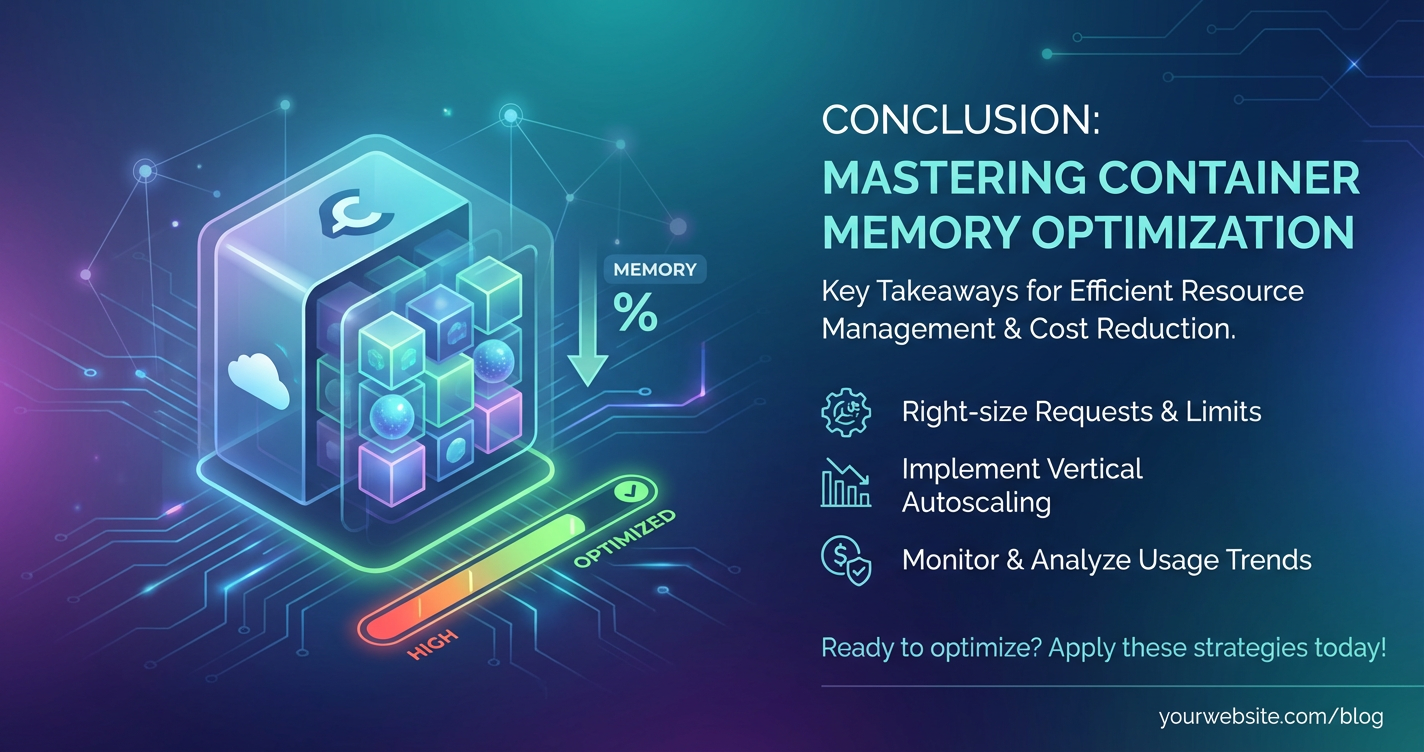
Optimize Container Average Memory Usage: Essential Strategies



In the intricate landscape of modern software architecture, containers have emerged as a cornerstone, providing unparalleled agility, scalability, and consistency for deploying applications. From stateless microservices to complex data processing pipelines, containers encapsulate applications and their dependencies, ensuring they run uniformly across diverse environments. However, the promise of containerization comes with its own set of challenges, prominent among which is the efficient management of memory. As organizations scale their containerized workloads, the average memory usage across their fleet becomes a critical metric, directly impacting operational costs, application performance, and overall system stability. An unoptimized container environment can lead to excessive resource consumption, frequent out-of-memory (OOM) errors, increased infrastructure expenses, and degraded user experience.
Optimizing container average memory usage is not merely an exercise in cost reduction; it's a fundamental aspect of building resilient, high-performing, and sustainable cloud-native applications. It demands a holistic approach, encompassing considerations from the very design of an application to the configuration of its runtime environment and the sophisticated orchestration layers managing it. This comprehensive guide delves into the essential strategies and nuanced techniques required to meticulously fine-tune memory consumption within containerized deployments. We will explore optimizations at the application code level, delve into the intricacies of container runtime configurations, examine the pivotal role of orchestration platforms, and highlight how effective api management, particularly through a robust api gateway, contributes significantly to this endeavor. By mastering these strategies, developers and operations teams can unlock the full potential of their containerized infrastructure, ensuring their services run efficiently, reliably, and cost-effectively.
Understanding the Landscape: How Containers Utilize Memory
Before embarking on optimization, it's crucial to grasp how containers interact with and consume system memory. Unlike virtual machines, which virtualize hardware and run a full operating system, containers share the host operating system's kernel. This architectural choice is central to their lightweight nature but also means that memory management becomes a shared responsibility between the application, the container runtime, and the host kernel.
The Anatomy of Container Memory Consumption
When a container runs, its processes allocate memory from the host system. This memory can be broadly categorized into several types, each with implications for monitoring and optimization:
- Resident Set Size (RSS): This is perhaps the most commonly cited memory metric. RSS represents the portion of a process's memory that is held in RAM (not swapped to disk). It includes code, data, and stack segments. While useful, RSS can be misleading because it counts shared memory pages multiple times if multiple processes use them.
- Private Dirty Memory: This is the portion of RSS that is unique to a process and has been modified. It's "dirty" because if the process terminates, these changes must either be written to disk or lost. This metric is a good indicator of the true memory footprint that a specific container cannot share.
- Virtual Memory Size (VSZ): This represents the total amount of virtual memory that a process has access to, including memory that has been swapped out, memory that is allocated but not used, and shared libraries. VSZ is almost always larger than RSS and is not a direct indicator of RAM usage.
- Swap Space: While typically discouraged in performance-critical container environments, containers can utilize swap space if configured on the host. When a container's memory usage exceeds its allocated RAM, the kernel may swap out less frequently used memory pages to disk. This prevents OOM kills but severely degrades performance due to disk I/O latency.
- Page Cache: The kernel uses a portion of RAM as a page cache to speed up access to files. When a container reads a file, its contents are often cached in memory. While technically free, this memory is quickly reclaimable by applications if needed. However, excessive page cache usage can sometimes give a misleading impression of "available" memory.
Understanding these distinctions is vital because different optimization strategies target different aspects of memory consumption. For instance, reducing the number of loaded libraries primarily affects RSS and VSZ, while optimizing data structures impacts private dirty memory.
Common Memory-Related Issues in Containerized Environments
Failure to effectively manage container memory can manifest in several detrimental ways:
- Out-of-Memory (OOM) Errors: This is the most catastrophic memory-related issue. When a container attempts to allocate more memory than it has been allotted (or more than the host has available), the kernel's OOM killer steps in, arbitrarily terminating processes to free up resources. This leads to abrupt service interruptions and instability.
- Memory Thrashing: This occurs when an application frequently accesses memory pages that have been swapped out to disk. The constant swapping in and out of pages leads to extremely high disk I/O, dramatically slowing down the application and potentially impacting other containers on the same host.
- Resource Contention: Even without OOMs or thrashing, high memory usage by one container can starve others on the same node, leading to performance degradation for multiple services. This is particularly challenging in multi-tenant environments.
- Increased Cloud Costs: Cloud providers charge for allocated resources. If containers consistently request more memory than they genuinely need, organizations end up paying for idle, unused RAM, significantly inflating operational expenses.
- Reduced Scalability: When each instance of a service consumes excessive memory, fewer instances can fit onto a single host. This limits horizontal scalability and can force costly vertical scaling of nodes, undermining the economic benefits of containerization.
Given these challenges, a proactive and systematic approach to memory optimization is not an optional luxury but a fundamental necessity for any organization leveraging containers at scale.
Why Memory Optimization is Critical for Containerized Workloads
The imperative to optimize container memory usage extends beyond merely avoiding errors; it underpins the very efficiency and resilience of modern microservices architectures. In a world where applications are increasingly distributed and composed of numerous interacting services, often communicating via api calls, memory efficiency translates directly into tangible business benefits.
1. Cost Reduction
One of the most immediate and impactful benefits of memory optimization is the significant reduction in infrastructure costs. Cloud providers, whether AWS, Azure, GCP, or others, bill based on the resources allocated to virtual machines or container instances. If your containers are configured with memory limits far exceeding their actual working set, you are paying for resources that remain unused. By precisely right-sizing memory requests and limits, organizations can fit more containers onto fewer, smaller nodes, leading to substantial savings on computing instances. For large-scale deployments, even minor per-container savings can aggregate into millions of dollars annually. This directly impacts the total cost of ownership (TCO) for cloud-native applications.
2. Performance Improvement and Enhanced User Experience
Memory directly influences application performance. When applications have sufficient, optimally managed memory, they can process data faster, execute code more efficiently, and respond to requests with lower latency. Conversely, memory contention, frequent garbage collection cycles, or reliance on swap space introduces noticeable delays and stuttering. For user-facing applications, this translates into a snappier, more responsive experience, directly impacting user satisfaction, retention, and ultimately, business revenue. Backend services also benefit; faster processing of api requests means lower end-to-end latency for distributed transactions.
3. Increased Stability and Reliability
OOM errors are a major source of instability in containerized environments. When the OOM killer strikes, it brings down a container ungracefully, potentially interrupting ongoing operations and leaving the system in an inconsistent state. Optimizing memory usage significantly reduces the likelihood of OOM events, leading to a more stable and predictable environment. This reliability is paramount for mission-critical applications where downtime or intermittent failures can have severe financial and reputational consequences. Furthermore, by preventing memory thrashing, services remain responsive even under load, bolstering their overall resilience.
4. Improved Scalability
Efficient memory usage is a prerequisite for effective horizontal scaling. When each container instance consumes minimal, appropriate memory, you can pack more instances onto each node. This allows for greater density and enables your services to scale out more effectively to handle increased traffic or processing demands. In highly elastic cloud environments, the ability to scale up and down rapidly and cost-effectively based on demand is a key advantage. Memory-optimized containers facilitate this agility, ensuring that your infrastructure can adapt dynamically without incurring prohibitive costs or performance bottlenecks.
5. Efficient Resource Utilization
Beyond financial considerations, memory optimization contributes to better overall resource utilization across your cluster. Instead of having nodes with significant portions of their RAM lying idle or being inefficiently used, optimized containers ensure that the available memory is put to productive use. This efficiency not only saves money but also contributes to environmental sustainability by reducing the carbon footprint associated with underutilized data center resources. It embodies the core principle of cloud elasticity: paying only for what you use, and using what you pay for efficiently.
In summary, the journey to optimize container memory is a strategic imperative that yields dividends across multiple dimensions—from financial health to operational robustness and superior user experience. It's a continuous process that requires vigilance, the right tools, and a deep understanding of the underlying technologies.
Core Strategies for Memory Optimization: A Multi-Layered Approach
Effective memory optimization in containerized environments requires a multi-layered strategy, addressing issues at the application level, the container runtime level, the orchestration layer, and even the architectural level. Neglecting any one layer can undermine efforts in others.
1. Application-Level Optimizations: The Foundation
The journey to memory efficiency begins within the application itself. No amount of infrastructure-level tuning can fully compensate for an inefficiently written application.
a. Language and Framework Choices
Different programming languages and frameworks have inherent memory footprints and management characteristics.
- Go and Rust: Known for their memory efficiency and control, making them excellent choices for resource-constrained environments. Go's garbage collector is highly performant, and Rust offers manual memory management with safety guarantees.
- C/C++: Provides the most granular control over memory, but at the cost of increased development complexity and the risk of memory leaks if not handled carefully.
- Java and C# (JVM/CLR-based languages): These languages, while powerful, often have higher baseline memory consumption due to their virtual machines. However, their sophisticated garbage collectors and vast ecosystems make them popular. Optimization here involves careful JVM/CLR tuning.
- Node.js (JavaScript): V8 engine is efficient, but asynchronous programming patterns can sometimes lead to unexpected memory growth if closures or event handlers are not managed properly.
- Python: Often has a higher memory footprint due to its dynamic nature, object model, and GIL (Global Interpreter Lock), which can limit true parallelism. Optimization often involves using more memory-efficient libraries (e.g., NumPy for arrays) and avoiding unnecessary object creation.
Detailing the Impact: Choosing a lightweight language for performance-critical microservices, especially those that are I/O bound or perform simple transformations, can drastically reduce their baseline memory footprint. For instance, a simple REST api written in Go might consume tens of megabytes, whereas the same api in Java might start at hundreds of megabytes. This initial difference multiplies across hundreds or thousands of container instances.
b. Efficient Data Structures and Algorithms
The way data is stored and processed directly impacts memory.
- Use appropriate data structures: A
HashMapmight be efficient for lookups but could consume more memory than a sortedArrayListfor a small, ordered dataset. Bitsets are far more memory-efficient than boolean arrays for flags. - Avoid unnecessary object creation: In languages like Java or Python, frequent creation and destruction of objects lead to increased memory churn and more frequent garbage collection cycles, which consume CPU and temporarily increase memory usage. Object pooling can mitigate this for frequently used, expensive objects.
- Data Compression: Where feasible and beneficial (e.g., large text blobs), storing data in a compressed format (e.g., gzip, Brotli) can reduce memory usage, though it incurs CPU overhead for compression/decompression. This is particularly relevant for data transmitted over
apicalls.
Detailing the Impact: Imagine an api service that processes large JSON payloads. If the service parses the entire payload into a nested object structure, holds it in memory, performs transformations, and then serializes it back, the memory footprint can be substantial. Using streaming parsers, processing data in chunks, or selectively extracting only necessary fields can dramatically reduce peak memory usage. Similarly, choosing a java.util.concurrent.ConcurrentHashMap over a java.util.HashMap for concurrent access might be necessary for thread safety, but the former typically has a higher memory overhead. Understanding these trade-offs is key.
c. Garbage Collection (GC) Tuning
For languages with automatic memory management (Java, C#, Go, Node.js), garbage collectors play a critical role. Tuning them can optimize for either throughput (less frequent, longer pauses) or latency (more frequent, shorter pauses), often with implications for memory.
- Java Virtual Machine (JVM): Different GC algorithms (G1, Parallel, CMS, Shenandoah, ZGC) have distinct characteristics. For containerized applications with specific memory limits, G1GC or even newer low-pause collectors like Shenandoah or ZGC might be beneficial by allowing finer control over heap regions and minimizing pause times, thereby appearing to reduce "peak" memory usage by more aggressively reclaiming memory. Parameters like
-Xmx(max heap size),-Xms(initial heap size), andMaxDirectMemorySizeare crucial. - CLR (.NET): The .NET runtime's garbage collector can also be tuned for server-side applications (Server GC vs. Workstation GC) to improve throughput and memory management in high-load scenarios.
Detailing the Impact: An improperly tuned GC can lead to "stop-the-world" pauses that halt application execution, increasing latency and potentially causing memory spikes if objects aren't reclaimed quickly enough. Tuning -Xmx to be just above the application's actual working set, rather than arbitrarily large, prevents the JVM from hoarding memory it doesn't need and delaying GC cycles unnecessarily. This directly impacts the container's RSS.
d. Memory Profiling Tools
You can't optimize what you can't measure. Profilers are indispensable for identifying memory leaks and hotspots.
- Java: JVisualVM, Eclipse MAT, YourKit, JProfiler.
- Python:
memory_profiler,objgraph,Pympler. - Node.js: Chrome DevTools,
heapdump,node-memwatch. - Go:
pprof. - General:
perf(Linux),valgrind(for C/C++),jemallocortcmalloc(alternative allocators that can reduce fragmentation).
Detailing the Impact: Profilers help visualize heap usage, identify objects that are not being garbage collected (leaks), and pin-point code sections that allocate large amounts of memory. For example, a Java application might have a large HashMap that is never cleared, leading to continuous memory growth. A profiler would immediately highlight this as a memory leak. Without profiling, such issues are often discovered only when an OOM occurs in production.
e. Connection Pooling
For external resources like databases, message queues, or other api services, establishing a new connection for every request is extremely inefficient and memory-intensive.
- Database Connections: Connection pools (e.g., HikariCP for Java, SQLAlchemy for Python) maintain a set of open connections, reusing them across multiple requests.
- HTTP Clients: For frequent
apicalls to external services, using persistent HTTP connections or HTTP client pools reduces the overhead of TCP handshake and TLS negotiation, saving both CPU and memory.
Detailing the Impact: Each open connection consumes system resources, including memory for buffers, sockets, and associated data structures. A busy api endpoint making thousands of database queries per second would quickly exhaust system memory if it opened a new connection for each query. Pooling limits the number of concurrent connections, caps their memory footprint, and improves overall throughput.
f. Caching Strategies
Intelligent caching can significantly reduce the memory pressure on backend services and improve response times.
- In-Memory Caching: Using libraries like Caffeine (Java), Redis, or Memcached as a local cache can store frequently accessed data directly within the application's memory. This is the fastest form of caching but contributes directly to the container's RSS. Careful eviction policies (LRU, LFU) are critical.
- Distributed Caching: For shared data across multiple instances, external distributed caches (e.g., Redis Cluster, Memcached) offload memory from individual application containers. While this doesn't reduce the total memory in the system, it centralizes it, allowing individual application instances to be leaner.
Detailing the Impact: An api endpoint that fetches static configuration data or user profiles frequently can cache this data in-memory. This prevents repeated database calls or external api calls, reducing both network I/O and the memory used to process those responses. However, an unbounded in-memory cache can become a memory leak itself, consuming all available RAM. Hence, cache sizing, eviction policies, and TTL (Time-To-Live) are paramount.
2. Container Runtime and Orchestration Optimizations: The Environment
Beyond the application code, the way containers are built, configured, and managed by orchestration platforms plays an equally crucial role in memory optimization.
a. Resource Limits (Requests and Limits)
In orchestrators like Kubernetes, resource requests and limits are fundamental for memory management.
requests: The minimum amount of memory guaranteed to a container. The scheduler uses this to decide where to place pods. If the node doesn't have enough available memory to satisfy allrequests, the pod won't be scheduled.limits: The maximum amount of memory a container is allowed to use. If a container tries to exceed its memory limit, it will be terminated by the OOM killer.
Detailing the Impact: Setting requests too low can lead to pods being scheduled on nodes with insufficient actual memory, causing performance degradation for all pods on that node. Setting limits too high can lead to OOMs on the node if many pods concurrently burst their usage, and the aggregate exceeds node capacity. Conversely, setting limits too aggressively close to requests can lead to unnecessary OOM kills if the application briefly bursts memory usage. The ideal scenario is to set requests close to the typical working set and limits slightly higher (e.g., 20-30%) to allow for transient spikes without risking node OOMs. This requires thorough profiling and load testing.
b. Efficient Base Images and Multi-Stage Builds
The foundation of your container image significantly impacts its size and runtime memory.
- Choose Minimal Base Images: Alpine Linux is a popular choice for its incredibly small footprint compared to Debian or Ubuntu. For example, a
golang:alpineimage is much smaller thangolang:stretch. This not only reduces image pull times but also the attack surface and potentially the memory allocated for the operating system components. - Multi-Stage Builds: Docker's multi-stage builds allow you to use a larger image with build tools to compile your application, and then copy only the compiled binary or necessary runtime artifacts into a much smaller, final image. This dramatically shrinks the final image size and reduces the number of libraries loaded into memory at runtime.
Detailing the Impact: A smaller image means fewer layers, fewer files, and fewer libraries to load into memory or manage in the page cache. While the direct impact on RSS might seem minimal for very small images, it adds up across many containers. More importantly, it reduces the likelihood of "cold start" issues due to large image pulls and simplifies security patching.
c. Vertical Pod Autoscaling (VPA) and Horizontal Pod Autoscaling (HPA)
Orchestration platforms offer dynamic scaling mechanisms that can be leveraged for memory optimization.
- Vertical Pod Autoscaling (VPA): Automatically adjusts the CPU and memory
requestsandlimitsfor pods based on their historical usage. This helps to right-size resources over time, reducing over-provisioning and ensuring pods have what they need. - Horizontal Pod Autoscaling (HPA): Scales the number of pod replicas based on metrics like CPU utilization or custom metrics (e.g.,
apirequest rate). While primarily CPU-focused, HPA can indirectly help memory by distributing load across more instances, reducing the memory pressure on individual pods.
Detailing the Impact: VPA is a powerful tool for continuous optimization. Instead of manual trial and error for requests and limits, VPA observes actual usage and provides recommendations or even automatically applies adjustments. This significantly reduces the time spent on resource tuning and ensures that containers are always provisioned optimally. HPA complements this by ensuring that the total memory capacity scales with demand, preventing individual instances from being overwhelmed.
d. Sidecar Patterns and Their Memory Implications
The sidecar pattern, where a helper container runs alongside the main application container in the same pod, is common for concerns like logging, monitoring, or api proxying.
Detailing the Impact: While sidecars offer modularity, each sidecar adds to the pod's overall memory footprint. For example, a fluentd or envoy sidecar will consume its own RAM. While often necessary, it's crucial to evaluate if a sidecar is truly needed or if its functionality can be incorporated into the main application or handled at a higher level (e.g., by a central api gateway for api traffic management). Overuse of sidecars can lead to bloated pods and unnecessary memory consumption.
e. Understanding cgroups
Linux control groups (cgroups) are the underlying kernel mechanism that Docker and Kubernetes use to manage and limit resources for processes, including memory.
Detailing the Impact: A deep understanding of cgroups helps diagnose subtle memory issues. For instance, memory.stat in a cgroup directory provides detailed metrics like RSS, cache, swap, and kernel memory usage for a container. Issues like shared memory pages, kernel memory usage (which isn't accounted for in limits), or specific memory accounting modes can be understood by examining cgroup settings and statistics.
3. System-Level Considerations: The Host Environment
While container-specific optimizations are paramount, the underlying host operating system configuration can also influence memory usage.
a. Kernel Memory Settings
Certain kernel parameters can influence how memory is managed, though caution is advised when modifying these globally.
vm.swappiness: Controls how aggressively the kernel swaps out anonymous memory pages vs. file-backed pages. A lower value (e.g., 0-10) reduces swapping, which is generally desirable for performance-critical containers.- Huge Pages: For applications that deal with very large contiguous memory blocks (e.g., databases, scientific computing), enabling huge pages can reduce TLB misses and improve performance, but requires careful configuration and commitment of memory.
Detailing the Impact: Adjusting swappiness can prevent performance degradation caused by containers hitting swap, ensuring that the host prioritizes keeping application data in RAM. However, excessive adjustments can lead to OOM on the host if application memory requirements are not well-defined.
b. Swap Space Configuration
While generally discouraged for production container workloads due to performance implications, the presence or absence of swap space on the host can affect container behavior.
Detailing the Impact: For development or non-critical environments, having some swap can prevent OOM kills on the host, allowing services to continue operating, albeit slowly, rather than crashing. However, in high-performance production environments, swap should typically be disabled or minimized. Kubernetes allows configuring failSwapOn to true to prevent nodes from using swap, which is often the desired behavior for deterministic performance.
4. Monitoring and Observability: The Eyes and Ears
No optimization effort is complete or sustainable without robust monitoring. Continuous observation of memory usage patterns is essential to identify problems, validate optimizations, and make informed decisions.
a. Key Metrics to Track
- RSS (Resident Set Size): The actual RAM used by the container's processes.
- Memory Working Set: The memory pages actively being used and likely to be accessed again soon. This is a critical metric for understanding true operational memory.
- Memory Usage (Bytes): Total memory used as reported by cgroups.
- Memory Utilization (%): Percentage of allocated memory limit used.
- OOM Kills (Container and Node Level): The count of times the OOM killer has terminated a container or a process on the host.
- Page Cache Usage: How much memory the kernel is using for caching files.
- Swap Activity: If swap is enabled, monitoring swap in/out rates is crucial to detect thrashing.
b. Essential Tools
- Prometheus & Grafana: A de-facto standard for collecting and visualizing metrics in Kubernetes.
cAdvisor(built into kubelet) exports container resource usage metrics.Node Exporterprovides host-level metrics. - Custom Metrics: For application-specific memory metrics (e.g., cache size, object pool utilization), expose these via Prometheus endpoints or other monitoring agents.
- Distributed Tracing (e.g., Jaeger, Zipkin): While not directly memory tools, traces can help correlate high memory usage in one service with specific
apicalls or transaction patterns. - Loki / ELK Stack (Logging): Centralized logging systems are crucial for correlating OOM events with application logs, identifying the immediate context of a failure.
Detailing the Impact: Effective monitoring provides the data needed to make data-driven optimization decisions. By establishing baselines for memory usage under normal load and observing how it changes during peak periods or after code deployments, teams can identify anomalies, detect regressions, and measure the impact of their optimization efforts. Alerts for high memory utilization, low free memory on nodes, or OOM events allow for proactive intervention rather than reactive firefighting. Without monitoring, optimization is a shot in the dark.
5. Network and API Efficiency: Reducing Data Transfer Overhead
In a microservices architecture, services communicate extensively via api calls. The efficiency of these api interactions has a direct, often overlooked, impact on memory usage, both for the calling and the responding service.
a. Minimizing Data Transfer
- Selective Fields: Instead of returning entire objects or datasets,
apis should allow clients to request only the specific fields they need. GraphQL is a powerful pattern for this, but RESTfulapis can also achieve it with query parameters. - Pagination: For large collections,
apis should implement pagination to return data in manageable chunks, preventing the server from loading and holding vast amounts of data in memory for a single request. - Data Compression: Implement compression (e.g., Gzip, Brotli) for
apiresponses. This reduces network bandwidth and the memory required to buffer the response data during transmission and reception. - Efficient Serialization: Choose efficient serialization formats. While JSON is ubiquitous, binary formats like Protocol Buffers (Protobuf) or Apache Avro are significantly more compact and faster to serialize/deserialize, reducing both network I/O and the memory footprint of the parsed data.
Detailing the Impact: When an api returns an unnecessarily large payload, both the server serializing it and the client deserializing it consume more memory. The network stack on both ends also needs memory to buffer this larger data. By being judicious about what data is sent and how it's formatted, memory usage can be reduced across the entire communication chain. This is especially true for internal apis where control over both client and server is possible.
b. The Role of a Robust API Gateway
An api gateway sits at the edge of your microservices architecture, acting as a single entry point for all api requests. It's not just a routing layer but a critical component for offloading tasks and optimizing performance, directly contributing to memory efficiency. A well-configured gateway can significantly alleviate memory pressure on individual backend services.
How an API Gateway (like APIPark) Contributes to Memory Optimization:
- Request Aggregation: A
gatewaycan aggregate multiple backendapicalls into a single request, reducing the number of requests hitting individual services. This means backend services need to process fewer individual requests, reducing their peak memory usage. - Caching: The
api gatewaycan cacheapiresponses, especially for frequently accessed, static, or semi-static data. This prevents requests from ever reaching the backend services, thus saving their CPU and memory resources. If a response is served from thegatewaycache, the backend service doesn't even wake up. - Rate Limiting and Throttling: By enforcing rate limits at the
gateway, you protect your backend services from being overwhelmed by traffic spikes or malicious attacks. Overloaded services often consume excessive memory (e.g., by creating too many connections, buffering too many requests) and can crash, leading to OOMs. Thegatewayacts as a crucial buffer. - Authentication and Authorization Offloading: Performing these security checks at the
gatewaymeans individual microservices don't need to dedicate memory and CPU cycles to these common tasks. This allows the backend services to be leaner and focus purely on their business logic. - Protocol Translation and Transformation: A
gatewaycan translate between differentapiprotocols (e.g., REST to gRPC) or transform data formats. While this incurs some memory on thegatewayitself, it centralizes the complexity and allows backend services to use their most memory-efficient internal protocols and data structures. - Unified Logging and Monitoring: A robust
gatewayprovides centralized logging and metrics for allapicalls. This data is invaluable for identifying memory-intensiveapipatterns, problematic services, orapis that might benefit from caching or aggregation. For example, agatewaycan identify anapiendpoint that is receiving an unusually high volume of large requests, indicating a potential area for optimization.
This is where a product like APIPark shines as an open-source AI gateway and API management platform. APIPark is designed to manage, integrate, and deploy AI and REST services with ease, offering features that directly contribute to memory efficiency. Its ability to quickly integrate over 100 AI models with a unified management system for authentication and cost tracking means individual AI services don't need to implement these features, saving their memory. The platform standardizes request data formats across AI models, simplifying AI usage and reducing maintenance costs, which includes avoiding memory overhead from custom parsing or transformation logic within each AI container. APIPark's performance rivaling Nginx, achieving over 20,000 TPS with just an 8-core CPU and 8GB of memory, demonstrates its inherent memory efficiency as a gateway. Furthermore, its detailed api call logging and powerful data analysis features provide the necessary insights to understand api traffic patterns and identify potential memory bottlenecks across your entire service ecosystem, enabling proactive optimization. By offloading these crucial functions to a highly optimized gateway, individual containerized services can remain lean, focused, and memory-efficient.
Table: Common Memory Optimization Strategies by Layer
| Layer/Area | Strategy | Description | Impact on Memory Usage |
|---|---|---|---|
| Application Code | Efficient Data Structures & Algorithms | Use memory-efficient data structures (e.g., bitset over boolean array, ArrayList over LinkedList when appropriate), avoid unnecessary object allocations/copies, stream large data. |
Directly reduces the application's private dirty memory, improving RSS and reducing GC pressure. Prevents unnecessary heap growth. |
| Garbage Collection Tuning | Configure JVM/CLR GC algorithms and parameters (-Xmx, -Xms, GC type) to match application's memory profile and latency requirements. |
Prevents excessive heap reservation (reducing RSS), minimizes GC pauses (improving latency), and ensures timely reclamation of unused memory, preventing memory spikes. | |
| Connection Pooling | Reuse database, message queue, and HTTP api connections instead of establishing new ones for each request. |
Reduces the memory footprint associated with open sockets, buffers, and connection objects. Caps the number of concurrent connections, preventing memory exhaustion under high load. | |
| In-Memory Caching | Store frequently accessed data in application memory with appropriate eviction policies (LRU, LFU, TTL) and size limits. | Reduces repeated data fetches from external sources, saving memory used for network I/O and processing external responses. Caution: Unbounded caches can become memory leaks. | |
| Container Runtime | Minimal Base Images & Multi-Stage | Use lightweight base images (e.g., Alpine) and multi-stage Docker builds to reduce the final image size. | Reduces disk footprint, image pull times, and the amount of OS-level components loaded into memory/page cache at runtime. Improves security. |
| Resource Requests & Limits | Set memory requests close to the application's working set and memory limits slightly higher to allow for bursts without risking OOM kills. |
Prevents over-provisioning (cost savings) and under-provisioning (OOM kills). Ensures fair resource allocation on the node, preventing memory contention. | |
| Orchestration Layer | Vertical Pod Autoscaler (VPA) | Automatically adjusts container memory requests and limits based on historical and real-time usage patterns. |
Continuously right-sizes resources, eliminating manual tuning guesswork, reducing waste from over-provisioning, and ensuring containers have sufficient memory as their needs evolve. |
| Horizontal Pod Autoscaler (HPA) | Scales the number of pod replicas based on metrics like CPU or custom metrics (e.g., api request rate). |
Distributes load across more instances, reducing memory pressure on individual pods and preventing any single container from being overwhelmed, thereby reducing OOM risk. | |
| Network/API Layer | Efficient API Design |
Implement pagination, selective field retrieval, and data compression (gzip, Brotli) for api responses. Use efficient serialization formats (Protobuf, Avro) over verbose ones (JSON/XML) for internal apis. |
Reduces the size of data transmitted over the network and held in memory buffers on both client and server sides during api calls. Less data to parse/serialize means less memory churn. |
API Gateway Offloading |
Utilize an api gateway (like APIPark) to handle tasks like caching, rate limiting, authentication, authorization, and request aggregation. |
Offloads memory-intensive common functionalities from individual backend services. Caching at the gateway reduces requests to backends, freeing their memory. Rate limiting prevents backend OOMs by mitigating traffic spikes. Allows backend services to be leaner. |
|
| Monitoring | Comprehensive Observability | Track key memory metrics (RSS, working set, OOMs), establish baselines, set alerts, and use profiling tools to identify leaks and hotspots. Correlate with logs and traces. | Provides the data needed to understand current usage, identify anomalies, measure the impact of optimizations, and proactively address memory issues before they become critical. Enables continuous improvement. |
APIPark is a high-performance AI gateway that allows you to securely access the most comprehensive LLM APIs globally on the APIPark platform, including OpenAI, Anthropic, Mistral, Llama2, Google Gemini, and more.Try APIPark now! 👇👇👇
Best Practices Checklist for Container Memory Optimization
To consolidate the strategies discussed, here's a practical checklist to guide your memory optimization efforts:
- Application Level:
- Profile your application: Regularly use memory profilers to identify leaks, excessive allocations, and high-water marks.
- Right-size data structures: Choose the most memory-efficient data structures for your specific needs.
- Minimize object creation: Reuse objects where possible (e.g., object pools).
- Tune GC: For JVM/CLR applications, configure garbage collectors and heap sizes appropriately.
- Implement caching: Use in-memory or distributed caches for frequently accessed data, with clear eviction policies.
- Utilize connection pooling: For databases, message queues, and external
apicalls. - Practice efficient
apidesign: Implement pagination, selective fields, and compression forapis. - Choose efficient serialization: Consider binary formats (Protobuf, Avro) for internal
apicommunication.
- Container Level:
- Use minimal base images: Prefer Alpine or other slim images.
- Leverage multi-stage builds: Reduce final image size.
- Set appropriate
requestsandlimits: Based on profiling and testing, provide realistic memory bounds. - Avoid unnecessary sidecars: Evaluate the memory cost vs. benefit of each sidecar.
- Orchestration Level:
- Deploy Vertical Pod Autoscalers (VPA): Automate
requestsandlimitsadjustments. - Consider Horizontal Pod Autoscalers (HPA): Scale out based on load to distribute memory pressure.
- Review cluster scheduling: Ensure pods are distributed effectively to avoid memory hotspots on nodes.
- Deploy Vertical Pod Autoscalers (VPA): Automate
- Network & API Management Level:
- Implement an
api gateway: Use a robustgatewaylike APIPark to offload common tasks (caching, rate limiting, auth) from backend services. - Leverage
gatewaycaching: Configure caching for frequently accessedapiresponses. - Centralize traffic management: Utilize the
gatewayfor request aggregation and traffic shaping.
- Implement an
- Monitoring & Observability:
- Monitor key memory metrics: Track RSS, working set, OOMs, and utilization across all containers and nodes.
- Set up alerts: Be notified proactively of high memory usage or OOM events.
- Establish baselines: Understand normal memory consumption under various load conditions.
- Correlate data: Use logs, traces, and metrics to diagnose memory issues effectively.
Challenges and Future Trends in Container Memory Optimization
While the strategies outlined provide a robust framework, the landscape of containerized applications is continuously evolving, presenting new challenges and opportunities for memory optimization.
Challenges:
- Workload Diversity: Modern applications often combine diverse workloads within containers—from simple REST
apis to complex machine learning inference engines and data processing jobs. Each has unique memory characteristics and optimization requirements, making a "one-size-fits-all" approach ineffective. AI/ML models, in particular, can be extremely memory-intensive due to large datasets, model parameters, and computational graphs. - Ephemeral Nature: The highly dynamic and ephemeral nature of containers can make real-time profiling and debugging challenging. When a container crashes due to OOM, collecting diagnostic information can be difficult.
- Black-Box Dependencies: Many applications rely on third-party libraries, frameworks, or base images that might have their own hidden memory footprints or inefficiencies that are hard to control or optimize.
- Kernel-Level Accounting Discrepancies: Linux cgroup memory accounting can sometimes be complex and lead to discrepancies, especially with shared memory or page cache, making it challenging to precisely attribute memory usage.
- Multitenancy: In multi-tenant environments, ensuring fair memory allocation and preventing "noisy neighbor" scenarios where one tenant's high memory usage impacts others is a constant challenge.
Future Trends:
- AI-Driven Optimization: Machine learning algorithms are increasingly being applied to optimize resource management. AI can analyze historical usage patterns and predict future memory needs, enabling more accurate VPA recommendations or even real-time dynamic adjustment of container resources without human intervention.
- WebAssembly (Wasm) in Containers: WebAssembly is emerging as a potential runtime for server-side applications, offering extreme portability, near-native performance, and a potentially smaller memory footprint compared to traditional runtimes. Its sandbox environment could also enhance security.
- Kernel-Level Enhancements: Ongoing developments in the Linux kernel (e.g., eBPF for fine-grained monitoring, improved cgroup v2 features) will continue to provide more tools and better control over memory management for containerized workloads.
- Specialized Container Runtimes: Beyond Docker and containerd, new container runtimes or execution environments are being developed specifically for certain workloads (e.g., Kata Containers for enhanced isolation, gVisor for security) which may have different memory characteristics.
- Serverless and FaaS Architectures: While often abstracting away direct container management, the underlying platforms still run containers. Memory optimization here shifts to optimizing the function code and understanding the provider's cold-start and concurrency models, which directly impact memory provisioning.
These trends underscore that memory optimization is not a static goal but a dynamic process requiring continuous learning and adaptation to new technologies and paradigms.
Conclusion
Optimizing average container memory usage is a multifaceted and continuous endeavor, absolutely indispensable for achieving cost-efficiency, peak performance, and unwavering stability in modern cloud-native architectures. It demands vigilance and a comprehensive understanding of how memory is consumed at every layer—from the meticulous details of application code to the intricate configurations of container runtimes, the strategic orchestration by platforms like Kubernetes, and the sophisticated management of api interactions through a robust api gateway.
By embracing strategies such as meticulous application profiling, judicious language and framework choices, precise garbage collection tuning, and the intelligent use of caching and connection pooling, developers can significantly reduce the baseline memory footprint of their services. Concurrently, operational teams must leverage minimal container images, implement multi-stage builds, and configure accurate resource requests and limits to ensure that containers are neither over-provisioned nor starved of vital resources. The power of orchestration platforms, through features like Vertical Pod Autoscaling, offers the promise of dynamic, self-optimizing resource allocation, constantly aligning provisioned memory with actual demand.
Crucially, the efficiency of inter-service communication, often facilitated by api calls, cannot be overlooked. By designing apis that minimize data transfer, utilize efficient serialization, and offload common tasks to a central api gateway, organizations can dramatically reduce the memory pressure on individual backend services. A platform like APIPark exemplifies this, offering an optimized gateway that manages complex AI and REST apis, thereby freeing backend containers to focus on their core logic with minimal memory overhead. Its performance, unified api format, and powerful analytical capabilities empower teams to build highly efficient and scalable systems.
Ultimately, sustained memory optimization is underpinned by robust monitoring and observability. Without clear visibility into memory usage patterns, OOM events, and performance metrics, optimization efforts remain speculative. By continuously collecting data, establishing baselines, and setting intelligent alerts, teams can transform memory management from a reactive firefighting exercise into a proactive, data-driven strategy.
In a world where every megabyte counts, mastering these essential strategies for container memory optimization is not just good practice; it's a strategic imperative that directly impacts the bottom line, the user experience, and the long-term success of containerized deployments.
5 Frequently Asked Questions (FAQs)
1. What is the difference between memory requests and memory limits in Kubernetes, and why are they important for optimization? Memory requests specify the minimum amount of memory guaranteed to a container, which the Kubernetes scheduler uses to decide where to place pods. Memory limits define the maximum amount of memory a container is allowed to use. If a container exceeds its limit, it will be terminated by the OOM killer. Both are crucial for optimization because requests prevent starvation and ensure scheduling, while limits prevent a single runaway container from destabilizing an entire node. Setting them correctly, based on profiling, ensures efficient resource utilization and prevents OOM errors and billing for unused resources.
2. How can an api gateway help reduce memory usage in my backend microservices? An api gateway acts as a centralized entry point that can offload common, memory-intensive tasks from individual backend services. Key contributions include: Caching frequently accessed api responses, preventing requests from hitting backend services; Rate Limiting to protect backends from traffic spikes that could lead to memory exhaustion; Authentication/Authorization offloading, reducing memory used by each microservice for these security checks; and Request Aggregation, combining multiple api calls into one, meaning backend services process fewer individual requests. A robust gateway like APIPark handles these tasks efficiently, allowing your backend containers to remain lean.
3. My container is getting OOMKilled even though memory limits are set. What could be wrong? Several factors could cause this: a. Incorrect Limits: Your memory limit might still be too low for the application's actual peak usage. Thorough load testing and profiling are needed to determine the true working set. b. Memory Leaks: The application itself might have a memory leak, where memory is continuously allocated but never released, eventually exceeding the limit. Use memory profiling tools to identify leaks. c. Off-Heap Memory: Languages like Java use "off-heap" or "direct" memory (e.g., for NIO buffers), which is not always accounted for by the JVM's heap size (-Xmx) but still counts towards the container's cgroup memory limit. Ensure MaxDirectMemorySize is appropriately set or considered. d. Kernel OOM: If the host node itself is critically low on memory, the kernel's OOM killer might intervene at the node level, impacting containers even if their individual limits aren't breached. Monitor host-level memory.
4. Is using a minimal base image like Alpine truly impactful for memory optimization? Yes, while the direct savings in RAM for a single container might seem small (a few megabytes), using minimal base images like Alpine has several cumulative benefits for memory optimization: a. Smaller Image Size: Reduces disk space, accelerates image pulls, and lowers the attack surface. b. Fewer Libraries: Minimal images contain fewer installed packages and libraries. This means less code needs to be loaded into memory (RSS) and less data is cached in the kernel's page cache. c. Faster Startups: Less to load and initialize, potentially leading to faster container startup times and quicker memory stabilization. For large-scale deployments, these small per-container savings add up significantly across thousands of instances, leading to overall lower memory footprint and cost.
5. How often should I re-evaluate my container's memory settings and what tools should I use? Memory settings should be re-evaluated regularly, especially after significant code changes, dependency updates, or changes in traffic patterns. A good cadence could be quarterly, or whenever performance issues related to memory are observed. Continuous monitoring is key. Tools to use include: * Prometheus & Grafana: For aggregated historical metrics and visualization (cAdvisor provides container metrics). * kubectl top: For quick, real-time CPU and memory usage of pods. * Application-specific Profilers: (e.g., JVisualVM, pprof, memory_profiler) for deep dives into application memory usage, leak detection, and heap analysis. * VPA (Vertical Pod Autoscaler): Can automatically provide recommendations or even set requests and limits based on observed usage, reducing manual effort.
🚀You can securely and efficiently call the OpenAI API on APIPark in just two steps:
Step 1: Deploy the APIPark AI gateway in 5 minutes.
APIPark is developed based on Golang, offering strong product performance and low development and maintenance costs. You can deploy APIPark with a single command line.
curl -sSO https://download.apipark.com/install/quick-start.sh; bash quick-start.sh

In my experience, you can see the successful deployment interface within 5 to 10 minutes. Then, you can log in to APIPark using your account.

Step 2: Call the OpenAI API.