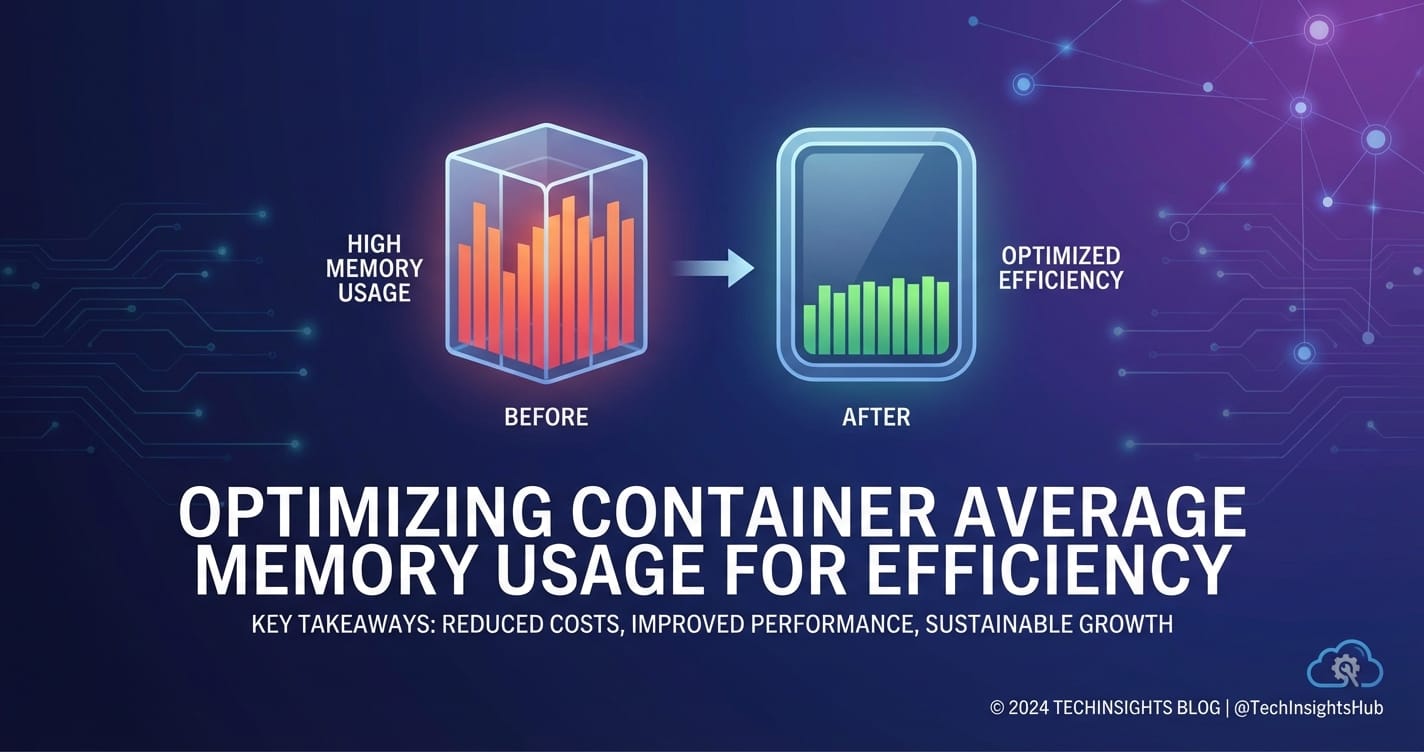
Optimizing Container Average Memory Usage for Efficiency


In the ever-evolving landscape of cloud-native computing, containers have emerged as the foundational building blocks for deploying applications with unparalleled agility and scalability. Technologies like Docker and Kubernetes have revolutionized how software is packaged, distributed, and run, enabling developers to build complex, resilient systems. However, this transformative power comes with its own set of challenges, one of the most critical being the efficient management of system resources, particularly memory. Memory, often a finite and costly resource, can significantly impact an application's performance, stability, and the overall operational expenditure of an infrastructure. Inefficient memory usage within containerized environments can lead to slow application responses, frequent Out Of Memory (OOM) errors, increased cloud bills, and a diminished return on investment in containerization itself.
The pursuit of efficiency in container memory usage is not merely an exercise in cost-cutting; it is a fundamental pillar of robust system design. An application that consumes more memory than necessary not only wastes resources but also reduces the density of workloads on a given host, forcing organizations to provision more hardware or larger cloud instances. This directly translates to higher infrastructure costs and a larger environmental footprint. Furthermore, memory contention and OOM events can severely degrade the reliability and user experience of services, leading to outages and frustrated end-users. Therefore, understanding and implementing strategies to optimize average memory usage for containers is paramount for any organization leveraging modern cloud-native practices. This comprehensive guide will delve deep into the various facets of container memory optimization, spanning application-level fine-tuning, image engineering, orchestration configurations, and continuous monitoring, providing a holistic framework for achieving peak efficiency.
Understanding Container Memory Fundamentals
Before embarking on optimization strategies, it's crucial to establish a foundational understanding of what "container memory" truly entails and how it interacts with the underlying operating system and hardware. Unlike traditional virtual machines, containers share the host's kernel, which introduces specific nuances in memory management. When we talk about a container's memory, we are primarily referring to the memory allocated and used by the processes running inside that container, managed and constrained by Linux kernel features known as Cgroups (control groups).
Cgroups provide a mechanism to limit, account for, and isolate resource usage (CPU, memory, disk I/O, network) for groups of processes. For memory, key Cgroup parameters include memory.limit_in_bytes, which defines the hard limit for the memory a container can consume. If a container's processes attempt to allocate memory beyond this limit, the Linux kernel's Out Of Memory killer (OOM killer) will typically intervene, terminating the process (often the primary application process) to prevent the host system from running out of memory. Other important parameters include memory.swappiness, which influences how aggressively the kernel swaps anonymous pages out of RAM to disk, and memory.oom_control, which can be used to disable the OOM killer for specific Cgroups, though this is generally not recommended for production workloads as it can lead to system instability.
It's also essential to differentiate between various types of memory metrics. RSS (Resident Set Size) represents the non-swapped physical memory that a process has used. It includes the code, data, and stack segments. VSS (Virtual Set Size) is the total virtual memory space of the process, which includes memory that may not be resident in RAM (e.g., memory mapped from files, shared libraries, and swapped-out pages). For containers, PSS (Proportional Set Size) is often a more accurate metric when assessing total memory usage across multiple containers because it accounts for shared memory pages by dividing their size proportionally among the processes that share them. This provides a more realistic view of a container's contribution to the overall system memory pressure, especially when many containers share common libraries.
Containerization inherently introduces some memory overhead. The container runtime itself (e.g., containerd, CRI-O) requires memory, as do the layers of the container image, even if some of these layers are shared across multiple containers (e.g., a common base OS layer). The operating system kernel on the host also consumes memory, and while containers share it, the various kernel data structures managing the isolated namespaces and Cgroups for each container add a small, cumulative overhead. Understanding these foundational aspects—how Cgroups work, what different memory metrics mean, and the inherent overheads—is the first step towards effectively identifying and mitigating memory inefficiencies. The impact of the programming language and its runtime (e.g., Java's JVM, Node.js's V8 engine, Python's interpreter, Go's runtime) on memory behavior is also profound, as each has its own memory allocation patterns, garbage collection mechanisms, and inherent memory footprints that must be considered.
Phase 1: Application-Level Memory Optimization (Inside the Container)
The most direct and often most impactful memory optimizations originate within the application code itself. Regardless of how well the container image is built or how precisely Kubernetes is configured, a memory-inefficient application will inevitably consume excessive resources. This phase focuses on language-specific best practices, efficient data structure usage, and effective memory profiling.
Language-Specific Best Practices
Each programming language and its associated runtime have unique characteristics that influence memory consumption. Tailoring optimization strategies to these specificities is crucial.
- Java (JVM): Java applications are notorious for their memory footprint, primarily due to the Java Virtual Machine (JVM).
- Heap Size Configuration: The
Xms(initial heap size) andXmx(maximum heap size) parameters are fundamental. SettingXmxtoo high can lead to the JVM consuming all available container memory, triggering an OOMKill. Setting it too low can result in frequent garbage collections, degrading performance. The idealXmxis typically derived from profiling the application under realistic load. - Metaspace:
MaxMetaspaceSizelimits the memory used for class metadata. Unbounded Metaspace can lead to OOM errors, especially in applications that dynamically load/unload classes. - Garbage Collectors (GC): Different GC algorithms (e.g., G1GC, ParallelGC, CMS, Shenandoah, ZGC) have varying performance and memory characteristics. G1GC is often a good default for containerized applications, balancing throughput and pause times. Shenandoah and ZGC offer extremely low pause times but might consume slightly more memory. Understanding the application's memory allocation patterns helps choose the optimal GC.
- Off-Heap Memory: Beyond the Java heap, the JVM uses off-heap memory for various purposes, including direct byte buffers, native libraries, thread stacks, and JIT compiler data. This memory is not managed by
Xmxand can contribute significantly to the container's overall memory usage. Tools likeNative Memory Tracking (NMT)can help diagnose off-heap memory issues. - Heap Dumps: In case of OOM errors, configuring the JVM to generate a heap dump (
-XX:+HeapDumpOnOutOfMemoryError) is invaluable for post-mortem analysis using tools like Eclipse Memory Analyzer.
- Heap Size Configuration: The
- Node.js: Node.js applications, powered by Google's V8 JavaScript engine, also require careful memory management.
- V8 Garbage Collection: V8 employs a generational garbage collector. Memory leaks in Node.js often manifest as the old generation heap growing continuously.
- Heap Snapshots: Tools like Chrome DevTools can capture heap snapshots of a running Node.js process, allowing developers to identify memory leaks, retained objects, and abnormal memory growth.
--max-old-space-size: This V8 flag allows limiting the old generation heap size, similar toXmxfor Java. Setting it appropriately prevents V8 from consuming excessive memory, especially in container environments with strict memory limits.- Avoiding Memory Leaks: Common culprits include unclosed event emitters, long-lived caches, global variables retaining large objects, and circular references.
- Python: Python's dynamic nature and object model can lead to higher memory usage compared to compiled languages.
- Generators: Using generators instead of lists for large datasets can drastically reduce memory footprint by processing items one at a time rather than holding all in memory.
__slots__: For classes with many instances, using__slots__can save memory by preventing the creation of__dict__for each instance, albeit with some trade-offs (e.g., inability to add new attributes dynamically).- Object Pooling: Reusing objects instead of constantly creating and discarding them can mitigate GC pressure and reduce allocations.
- Memory Profiling: Libraries like
Pymplerandmemory_profilerallow developers to analyze object sizes, track memory growth, and pinpoint memory-intensive functions or data structures. - Efficient Data Structures: Choosing appropriate data structures (e.g.,
collections.dequefor queues,array.arrayfor homogeneous numerical data) can be more memory efficient than general-purpose lists.
- Go: Go is often praised for its memory efficiency due to its static typing and built-in garbage collector, but inefficiencies can still arise.
- Goroutines: While lightweight, a large number of long-lived goroutines can accumulate memory, especially if they hold references to large objects.
- Pointers: While efficient, careless use of pointers or keeping references to large data structures can prevent memory from being garbage collected.
- Memory Allocation Patterns: Frequent small allocations can increase GC overhead. Designing code to reuse buffers or allocate larger chunks less frequently can help.
- Pprof: Go's built-in
pproftool is invaluable for profiling CPU, memory (heap), and goroutine usage, helping identify hot spots and memory leaks.
- Rust: Rust's ownership and borrowing system, coupled with its focus on zero-cost abstractions, inherently leads to highly memory-efficient applications.
- Avoiding Unnecessary Allocations: Rust gives fine-grained control over memory. Developers should be mindful of heap allocations (e.g.,
Box,Vec,String) and prefer stack allocations or references when possible. - Zero-Cost Abstractions: Leveraging Rust's standard library and idiomatic patterns often means memory efficiency is achieved by default without explicit management.
- Profiling: Tools like
Valgrind(specificallyMassiffor heap profiling) orperfcan be used, though Rust's compile-time memory safety often prevents common classes of memory bugs.
- Avoiding Unnecessary Allocations: Rust gives fine-grained control over memory. Developers should be mindful of heap allocations (e.g.,
Efficient Data Structures and Algorithms
Beyond language specifics, the fundamental choice of data structures and algorithms significantly impacts memory. For instance, using a HashMap (dictionary) when a sorted TreeMap (tree map) would suffice might lead to higher memory usage due to overheads, or vice versa depending on access patterns. Understanding the memory footprint characteristics of various data structures (e.g., arrays are generally more compact than linked lists) and selecting algorithms that minimize intermediate data storage are universal best practices.
Minimizing Dependencies and Bloat
Every external library, framework, or dependency pulled into an application adds to its memory footprint, even if not all parts are actively used. Reviewing dependencies regularly, favoring lightweight alternatives, and ensuring only truly necessary components are included can yield significant savings. This also extends to aspects like logging levels; excessive DEBUG logging in production can lead to large in-memory buffers or logs, increasing memory usage.
Resource Pooling
Creating and destroying resources (e.g., database connections, threads, objects) are often expensive operations, both in terms of CPU and memory. Implementing resource pooling—where a set of resources is pre-allocated and reused—can significantly reduce memory churn and the associated GC pressure. Database connection pools, thread pools, and object pools are classic examples of this pattern.
Lazy Loading and Initialization
Deferring the allocation of resources or the initialization of components until they are actually needed (lazy loading) can prevent an application from consuming a large amount of memory upfront, especially for features that are rarely used or accessed only by a subset of requests. This strategy is particularly effective for large data structures, configuration objects, or client connections that might not be required for every operation.
Memory Profiling Tools
Regardless of the language, effective memory optimization relies heavily on profiling. Tools like Valgrind (specifically Massif for heap profiling in C/C++ and other native applications), jemalloc or gperftools (which can be preloaded to provide more efficient memory allocation and profiling hooks for many applications), and language-specific profilers (like those mentioned above for Java, Node.js, Python, Go) are indispensable. They allow developers to: * Identify memory leaks: Objects that are no longer needed but are still referenced, preventing garbage collection. * Pinpoint memory hot spots: Functions or code paths that allocate excessive memory. * Understand object lifetimes: How long objects persist in memory. * Analyze heap composition: What types of objects are consuming the most memory.
By systematically profiling the application under realistic load scenarios and iteratively optimizing the identified bottlenecks, developers can significantly reduce the average memory usage, making the application more resilient and cost-effective within its container boundaries.
Phase 2: Container Image Optimization
Once the application code itself is lean, the next frontier for memory efficiency is the container image. A bloated image not only increases storage requirements and pull times but can also implicitly contribute to higher memory usage due to larger executable sizes, more shared libraries, and unnecessary files mapped into memory. Image optimization is a critical step in minimizing the final container's memory footprint.
Multi-stage Builds
This is arguably the single most effective technique for reducing container image size. Multi-stage builds allow you to use multiple FROM statements in your Dockerfile. Each FROM instruction can use a different base image, and critically, the artifacts from previous stages can be copied to a new, smaller final stage.
Example: Instead of building a Java application, installing Maven, compiling the code, and then bundling the entire build environment into the final image, a multi-stage build would: 1. Stage 1 (Builder): Use a large JDK-and-Maven image to compile the Java application. 2. Stage 2 (Runtime): Use a minimal JRE-only base image, copying only the compiled JAR file from Stage 1.
This approach ensures that development tools, compilers, source code, and build caches are never included in the final runtime image, drastically shrinking its size. A smaller image means less disk I/O during image pulls, faster startup times, and potentially less memory used for filesystem caching on the host.
Choosing Lean Base Images
The base image chosen for your container is the foundation upon which your application runs, and its size directly impacts the overall image size and memory overhead. * Alpine Linux: Known for its extremely small size (often just a few MB), Alpine uses musl libc instead of glibc, making it incompatible with some binaries compiled against glibc without additional effort. However, for many applications, it's an excellent choice for minimal images. * Scratch: The scratch image is literally empty. It's suitable for static binaries (like those compiled with Go or Rust) that have no external dependencies. This yields the smallest possible images. * Distroless Images: Maintained by Google, distroless images contain only your application and its runtime dependencies. They lack shells, package managers, and other utilities typically found in standard Linux distributions, significantly reducing image size and attack surface. They are available for various runtimes like Java, Node.js, Python, and Go. * Debian Slim/Ubuntu Minimal: If Alpine or distroless images are too restrictive, debian:slim or minimal Ubuntu images offer a compromise between functionality and size.
Always prioritize the smallest base image that meets your application's runtime requirements.
Removing Unnecessary Files
Even with a lean base image, it's common for applications to accumulate unnecessary files during the build process or when installing dependencies. * Build Caches: Package managers (pip, npm, apt, yum) often store caches that can be removed after installation (apt clean, rm -rf /var/cache/apt/*, npm cache clean --force, pip cache purge). * Documentation and Man Pages: These are almost never needed at runtime. * Development Headers and Libraries: If they are only needed during compilation, ensure they are not part of the final image (again, multi-stage builds excel here). * Temporary Files: Any temporary files created during Dockerfile execution should be cleaned up before the final layer is committed.
Combining RUN commands with && to chain multiple commands and clean up in the same layer can help keep the layer count down and reduce intermediate image sizes.
Layer Optimization
Docker images are composed of layers. Each instruction in a Dockerfile (e.g., RUN, COPY, ADD) creates a new layer. * Order of Operations: Place instructions that change infrequently earlier in the Dockerfile. This maximizes cache utilization during builds. For example, copying application code (which changes frequently) should happen after installing dependencies (which change less often). * Grouping Commands: Combine multiple RUN commands into a single RUN instruction using && to minimize the number of layers. While squashing layers can further reduce the total number, it sacrifices the build cache. A balanced approach is often best.
Minimizing Environment Variables and Volumes
While essential, an excessive number of environment variables or poorly configured volumes can add small, cumulative overheads. Each environment variable adds a small amount of memory to the process's environment block. Similarly, while not direct memory consumption, large, numerous volumes can impact disk I/O, which often correlates with memory usage due to caching mechanisms. Keep environment variables concise and only define what's strictly necessary.
Squashing Layers (with caution)
Docker supports squashing layers into a single layer, which can dramatically reduce the image size, but it comes with a significant trade-off: it destroys the build cache. This means every subsequent build will be a full build, slowing down your CI/CD pipeline. Squashing is typically reserved for final production images where build time is less critical than deployable size, or for images that change very infrequently. Tools like docker-squash or BuildKit's squash option can be used.
Scanning for Vulnerabilities and Bloat
Tools like Trivy, Clair, Snyk, or Hadolint (for Dockerfile linting) can help identify not only security vulnerabilities in your image layers but also common inefficiencies or non-best practices that contribute to image bloat. Integrating these into your CI/CD pipeline ensures continuous image optimization and security.
By meticulously applying these image optimization techniques, organizations can create significantly smaller, faster, and more memory-efficient container images, directly translating to reduced host resource consumption and improved application performance within their containerized infrastructure.
Phase 3: Container Orchestration and Runtime Configuration
Even with an optimized application and a lean container image, improper configuration at the orchestration layer (e.g., Kubernetes) can negate all previous efforts, leading to resource starvation or inefficient resource allocation. This phase focuses on how to leverage orchestrators to manage and constrain container memory effectively.
Setting Accurate Memory Limits and Requests (Kubernetes)
In Kubernetes, requests.memory and limits.memory are critical parameters for defining a container's memory usage behavior and are fundamental to the scheduler's decision-making process. * requests.memory: This specifies the minimum amount of memory guaranteed to a container. Kubernetes uses this value to schedule pods onto nodes. A node must have at least this much allocatable memory available for the pod to be scheduled. If the total memory requests of all pods on a node exceed the node's capacity, the scheduler will not place new pods on that node. * limits.memory: This specifies the maximum amount of memory a container is allowed to use. If a container attempts to exceed its memory limit, the Linux kernel's OOM killer will terminate the process inside the container. This prevents a runaway container from consuming all memory on a node and affecting other pods or the node itself.
Importance of Realistic Values: Setting these values accurately is paramount. * Too Low: If requests.memory is too low, the scheduler might place the pod on a node with insufficient physical memory available under peak load, leading to OOMKills. If limits.memory is too low, the application will frequently crash, impacting availability. * Too High: If requests.memory is too high, it leads to resource waste. The scheduler will reserve more memory than the application actually needs, preventing other pods from being scheduled on that node, thus reducing cluster utilization and increasing costs. If limits.memory is excessively high (e.g., equal to node capacity), it defeats the purpose of limiting a single container, allowing a misbehaving application to still starve others before an OOMKill happens.
The ideal values for requests and limits are determined through thorough load testing and memory profiling of the application. Observing peak memory usage and stable working set sizes helps in setting requests slightly above the average working set and limits at a reasonable ceiling (e.g., 20-30% above the request, depending on the application's burstiness and criticality) to allow for temporary spikes without OOMKills, while still preventing runaway consumption.
Kubernetes classifies Pods into Quality of Service (QoS) classes based on their resource requests and limits: * Guaranteed: When requests.memory equals limits.memory (and similarly for CPU). These pods receive the highest priority and are least likely to be evicted or OOM killed. * Burstable: When requests.memory is less than limits.memory (and similarly for CPU), and at least one resource has requests specified. These pods can burst up to their limits but are more susceptible to eviction than Guaranteed pods under memory pressure. * BestEffort: When no resource requests or limits are specified for any container in the pod. These pods have the lowest priority and are the first to be evicted or OOM killed when resources are scarce.
For production workloads, Guaranteed or Burstable QoS classes are highly recommended to ensure predictable resource allocation and behavior.
Vertical Pod Autoscaling (VPA)
Manually tuning requests and limits can be challenging, especially for applications with variable memory usage patterns. Vertical Pod Autoscaler (VPA) helps automate this process. VPA observes the actual resource usage of pods over time and can recommend or even automatically adjust the requests and limits for pods to optimize their resource allocation. This is particularly useful for applications with unpredictable or evolving resource requirements, as it can dynamically right-size pods, reducing waste and improving stability. VPA can operate in three modes: Off (just recommendation), Initial (sets requests/limits only on pod creation), and Auto (automatically updates requests/limits for running pods, which might require pod restarts depending on the configuration).
Horizontal Pod Autoscaling (HPA)
While primarily used for scaling out (adding more replicas) based on CPU utilization, HPA can also be configured to scale based on custom metrics, including memory usage. If a set of replicas shows consistently high memory usage, HPA can spin up more pods, distributing the load and potentially reducing memory pressure on individual instances. However, HPA based on memory can be tricky: if memory usage is high due to a leak, scaling out might only postpone the problem and increase overall memory consumption. It's more effective when high memory usage genuinely indicates increased workload that can be distributed.
Resource Quotas
Resource Quotas provide a way for administrators to constrain resource consumption within a given namespace. This helps prevent any single team or application from monopolizing cluster resources. Quotas can enforce limits on the total memory requests and limits for all pods in a namespace, ensuring fair sharing and preventing individual container issues from impacting the entire cluster. This is an important organizational control layer that complements individual container optimizations.
Container Runtime Configuration
The container runtime itself (e.g., containerd, CRI-O) can have configuration options that influence memory. For example, understanding the default Cgroups version used (v1 vs. v2) on your host kernel is important, as memory management details can differ. cgroup v2 offers more unified and refined resource control compared to cgroup v1, and modern Kubernetes installations often default to v2.
Shared Memory (shm_size)
Some applications, particularly those involving large data processing, image manipulation, or certain database systems (e.g., Redis, Postgres), might use POSIX shared memory (/dev/shm). By default, Docker and Kubernetes allocate a small shm_size (typically 64MB). If your application requires more, it will either fail or resort to slower disk-backed IPC. You can explicitly configure shm_size in the pod's security context or container definition to provide the necessary shared memory, which avoids falling back to disk and can improve performance, though it increases the container's resident memory usage.
Swap Configuration
The host's swappiness setting influences how readily the kernel moves inactive memory pages to swap space. While swappiness can be adjusted on the host, running containers with swap enabled is generally discouraged in production environments because swapping can severely degrade performance, introduce latency, and complicate debugging. Most Kubernetes setups disable swap on nodes to ensure predictable performance. If swap is enabled, memory.swappiness in a container's Cgroup (if supported by the runtime) could theoretically influence its swapping behavior, but it's usually better to avoid swap entirely for performance-critical containerized applications.
Table: Impact of Kubernetes Memory Configuration
| Parameter / QoS Class | Description | Impact on Efficiency | Implications for Performance & Cost |
|---|---|---|---|
requests.memory |
Minimum guaranteed memory for scheduling. | Optimizes node utilization if accurate. Prevents over-provisioning if set correctly. | Too high: wasted resources, higher cloud bills. Too low: OOMKills, poor scheduling. |
limits.memory |
Maximum memory container can use before OOMKill. | Prevents runaway containers from starving other pods/node. | Too high: little protection. Too low: frequent application crashes. |
| Guaranteed QoS | requests == limits (for CPU & memory). |
High predictability. Resources are strictly reserved. | Higher cost if limits are generous; ensures stability. |
| Burstable QoS | requests < limits (for some resources). |
Allows bursting. Can share unused node resources. | Good balance of flexibility and stability. Might be evicted under pressure. |
| BestEffort QoS | No requests/limits specified. | Least efficient in terms of predictability. | Lowest cost (no resource reservation), but highest risk of OOMKill/eviction. |
| VPA | Dynamically adjusts requests/limits. |
Automates right-sizing, reduces waste, improves stability. | Reduces manual effort, optimizes resource usage over time. |
| HPA | Scales pods based on metrics (e.g., memory). | Distributes load, can prevent individual pod OOMs. | Can increase overall cluster memory usage if issue is memory leak, not load. |
| Resource Quotas | Limits total resource consumption per namespace. | Enforces organizational boundaries, prevents resource monopolization. | Ensures fair sharing, controls overall cluster expenditure. |
shm_size |
Size of /dev/shm shared memory. |
Critical for applications relying on IPC via shared memory. | Setting too low: performance degradation. Setting appropriately: optimal performance. |
By intelligently configuring these orchestration and runtime parameters, operators can create a robust and efficient environment where containerized applications receive the resources they need without wasting precious memory, leading to better performance and reduced operational costs.
Phase 4: Monitoring, Alerting, and Continuous Optimization
Optimizing container memory is not a one-time task; it's a continuous process that requires vigilance, robust monitoring, and proactive adjustments. Without visibility into actual memory consumption patterns, any initial optimizations are merely guesswork and risk becoming outdated as applications evolve.
Key Memory Metrics to Track
Effective monitoring hinges on tracking the right metrics: * RSS (Resident Set Size): The amount of physical memory a container's processes are currently using. This is a primary indicator of actual RAM consumption. * Usage (working set) vs. Limit: Tracking the current memory usage against the configured limit is crucial. A container consistently hovering near its limits.memory is a candidate for OOMKills or performance throttling. * OOMKills (Out Of Memory Kills): The most severe symptom of memory issues. Tracking the number and frequency of OOMKills for specific pods or applications is a critical indicator of instability. * Page Faults: Both major and minor page faults can indicate memory access patterns. While minor faults are common, a high rate of major page faults (requiring disk I/O) can signal memory pressure or inefficient memory access. * Swap Usage: If swap is enabled on the host, tracking swap usage can indicate that processes are being aggressively swapped out, leading to performance degradation. Ideally, production containers should show zero swap usage. * Container restarts: Frequent restarts, especially when combined with OOMKills, clearly point to memory instability. * Memory Leaks: While not a direct metric, consistent, upward-trending memory usage that never stabilizes under steady load is a strong indicator of a memory leak within the application.
Monitoring Tools
A robust monitoring stack is essential for collecting, visualizing, and analyzing these metrics: * Prometheus & Grafana: A de-facto standard in Kubernetes. Prometheus collects metrics, and Grafana provides powerful dashboards for visualization. * cAdvisor: Integrated into kubelet, cAdvisor (Container Advisor) collects resource usage and performance metrics from running containers, including CPU, memory, filesystem, and network usage. This data is often scraped by Prometheus. * kube-state-metrics: Exposes metrics about the state of Kubernetes objects (e.g., number of OOMKilled pods, pending pods due to insufficient memory). * Commercial Solutions: Tools like Datadog, New Relic, Dynatrace, or Splunk provide comprehensive monitoring, alerting, and often advanced AI-driven anomaly detection features specifically for containerized environments.
Establishing Baselines and Anomaly Detection
Once monitoring is in place, the next step is to establish baselines. Understanding what "normal" memory usage looks like for each application under typical load is critical. This baseline serves as a reference point for identifying anomalies. Anomaly detection systems (either built into your monitoring platform or custom-developed) can then automatically flag deviations from these baselines, such as sudden spikes, gradual memory creep (indicating a leak), or consistent high utilization close to limits.
Alerting Strategies
Timely alerts are crucial for proactive memory management. Configure alerts for: * High Memory Utilization: When a container's memory usage (e.g., RSS) exceeds a certain threshold (e.g., 80% of its limit) for a sustained period. * Frequent OOMKills: Alert on any OOMKill events or when the rate of OOMKills exceeds a defined threshold for a specific deployment. * Memory Leaks: Alarms triggered by a sustained, non-decreasing trend in memory usage under steady-state conditions. * Pending Pods: If pods are pending due to insufficient memory on available nodes, it indicates cluster-wide memory pressure.
Alerts should be routed to the appropriate teams (developers, operations) with sufficient context to enable quick diagnosis and remediation.
Post-Mortem Analysis
When an OOMKill occurs, it's not enough to simply restart the container. A thorough post-mortem analysis is required to understand the root cause. * Container Logs: Review application logs for any errors or warnings preceding the OOM event. * Kubernetes Events: Check kubectl describe pod <pod-name> for OOMKilled events. * Host Logs (dmesg): The host kernel's dmesg output will contain detailed information about the OOMKill event, including which process was killed and why. * Memory Dumps: If configured (e.g., JVM heap dumps), analyze these to identify memory leaks or excessive object allocation.
Automated Remediation
Leveraging tools like VPA and HPA, as discussed in Phase 3, can provide automated remediation. VPA can adjust resource requests to prevent future OOMs or reduce over-provisioning, while HPA can scale out applications to alleviate memory pressure if it's load-driven. These automated systems work best when guided by accurate monitoring data and well-defined policies.
CI/CD Integration
Embedding memory profiling and image scanning into the Continuous Integration/Continuous Deployment (CI/CD) pipeline is a powerful way to shift memory optimization left. * Automated Profiling: Run integration tests or benchmark workloads with memory profiling enabled, failing the build if memory usage exceeds predefined thresholds. * Image Scanners: Integrate Hadolint or image vulnerability scanners to check for bloated layers or non-optimal Dockerfile practices before an image is pushed to a registry.
The Role of Observability
Ultimately, comprehensive observability—encompassing metrics, logs, and traces—is the cornerstone of effective continuous memory optimization. It provides the deep insights needed to understand how applications behave in production, identify bottlenecks, diagnose issues, and validate the impact of optimization efforts. Without a clear picture of what's happening inside containers, optimization becomes a guessing game.
APIPark is a high-performance AI gateway that allows you to securely access the most comprehensive LLM APIs globally on the APIPark platform, including OpenAI, Anthropic, Mistral, Llama2, Google Gemini, and more.Try APIPark now! 👇👇👇
Advanced Memory Management Techniques
Beyond the fundamental application, image, and orchestration optimizations, several advanced techniques can be considered for specialized scenarios to further refine memory usage, often with a focus on kernel-level interactions or specific hardware characteristics.
Memory De-duplication (KSM - Kernel Samepage Merging)
KSM is a Linux kernel feature that can merge identical pages of memory used by different processes into a single, shared page. This can be particularly effective in highly dense virtualized or containerized environments where multiple instances of the same application (or applications with large shared libraries) are running. For example, if you run many Java applications, KSM might identify identical copies of the JVM's core classes in memory and merge them.
Potential Benefits: * Significant memory savings in high-density, homogenous workloads. * Increased consolidation ratio on a single host.
Caveats: * KSM consumes CPU cycles to scan for and merge identical pages, which can introduce overhead. * It might not be suitable for all workloads, especially those with very diverse memory contents or extreme sensitivity to CPU latency. * Configuration typically involves tuning kernel parameters (/sys/kernel/mm/ksm/).
KSM should be evaluated carefully with performance testing to ensure the memory savings outweigh the potential CPU overhead for your specific use case.
Transparent Huge Pages (THP)
Transparent Huge Pages (THP) is another Linux kernel feature designed to improve memory performance by reducing Translation Lookaside Buffer (TLB) misses and improving CPU cache efficiency. Instead of using standard 4KB memory pages, THP attempts to allocate larger pages (typically 2MB) for application memory.
Impact on Performance and Memory Usage: * Performance: Can improve performance for applications that access large, contiguous regions of memory (e.g., databases, scientific computing, JVMs with large heaps) by reducing TLB pressure. * Memory Usage: Can sometimes lead to memory fragmentation or over-allocation for applications that don't efficiently use huge pages, as a partially filled huge page still occupies a full 2MB.
Configuration: THP can be enabled, disabled, or set to madvise mode (where applications can hint to the kernel whether they want huge pages) via /sys/kernel/mm/transparent_hugepage/enabled. Its benefits are highly workload-dependent and require careful testing. For some applications, particularly those with frequent small allocations or uneven memory access patterns, disabling THP might actually improve stability and reduce overall memory footprint.
NUMA Awareness
Non-Uniform Memory Access (NUMA) architectures are common in modern multi-socket servers. In a NUMA system, a CPU can access local memory (connected directly to its socket) much faster than remote memory (connected to another socket). If containers are not NUMA-aware, their processes might end up accessing memory spread across different NUMA nodes, leading to increased latency and reduced performance.
Optimization: * Pinning Containers: Orchestrators like Kubernetes, with the help of node topology managers or specialized schedulers, can be configured to ensure that a container's processes, CPU, and memory are allocated on the same NUMA node. This involves specifying CPU affinity and memory binding. * Application Design: For extremely performance-sensitive applications, designing them to be NUMA-aware at the code level can also yield benefits.
While not directly reducing memory usage, NUMA optimization ensures that the memory that is used is accessed as efficiently as possible, maximizing the performance return from existing memory resources.
Ephemeral Storage Limits
While not memory, ephemeral storage (e.g., container scratch space, logs, emptyDir volumes) is a resource that often gets conflated with memory in the broader context of container resource management. Uncontrolled ephemeral storage consumption can lead to DiskPressure on nodes, impacting pod scheduling and stability. Kubernetes allows setting requests.ephemeral-storage and limits.ephemeral-storage similar to memory and CPU. Limiting this resource ensures that applications don't fill up the host's disk space with temporary files or excessive logs, which can indirectly affect memory performance (e.g., by preventing proper swap file management or filesystem caching). While distinct from RAM, managing ephemeral storage is part of a holistic resource efficiency strategy.
These advanced techniques require a deeper understanding of the underlying kernel and hardware, and their benefits are often realized in highly specific, performance-critical scenarios. They should be considered after the more fundamental optimizations have been thoroughly implemented and evaluated.
The Interplay with Performance and Cost
The pursuit of optimizing container average memory usage is intrinsically linked to broader goals of enhancing application performance, reducing operational costs, and improving scalability. These aspects are not isolated but rather form a virtuous cycle where improvements in one area often positively impact the others.
Performance Impact
Efficient memory usage has a direct and profound impact on application performance: * Reduced Latency: Less memory contention, fewer garbage collection cycles, and minimized swapping mean that applications can process requests faster and with lower latency. When memory limits are hit less frequently, the kernel's OOM killer is less likely to intervene, preventing service disruptions and ensuring consistent response times. * Increased Throughput: Applications that use memory efficiently can handle more concurrent requests within the same resource constraints. By optimizing the memory footprint, more application instances can run on a single host, leading to higher overall system throughput. * Faster Startup Times: Smaller, leaner container images (a key part of memory optimization) lead to faster image pulls and quicker container startup times. This is crucial for rapid scaling events and faster recovery from failures. * Improved Cache Utilization: Applications that access memory efficiently and avoid unnecessary allocations tend to exhibit better CPU cache locality, leading to fewer cache misses and faster data processing.
Cost Savings
The most tangible benefit of memory optimization for many organizations is the significant reduction in cloud infrastructure costs: * Fewer Instances: If each container consumes less memory, you can run more containers on fewer, smaller virtual machines or bare-metal servers. This directly reduces the number of nodes required in a Kubernetes cluster or the size of EC2 instances needed. * Smaller Instance Types: Optimizing memory might allow you to downgrade from large, memory-optimized cloud instance types to smaller, more cost-effective general-purpose instances, which typically have a better price-to-performance ratio for general workloads. * Reduced Cloud Bills: By consuming fewer resources, your overall cloud expenditure on compute, memory, and even associated networking and storage (due to fewer instances) will decrease substantially. These savings can be reinvested into other areas or contribute directly to the bottom line. * Lower Storage Costs: Smaller container images also mean less storage consumed in container registries, reducing associated storage costs and transfer fees.
Environmental Impact
While often overlooked, the drive for efficiency also has an environmental dimension. Reduced resource consumption directly translates to lower energy consumption by data centers. Running fewer servers, or running existing servers at higher utilization rates, decreases the carbon footprint associated with your cloud infrastructure, aligning with growing corporate sustainability goals.
Scalability
An often-underappreciated benefit of memory optimization is enhanced scalability: * Higher Density: Optimized containers allow for a higher density of workloads per node, which means your existing cluster can handle more load before needing to scale out the underlying infrastructure. * More Efficient Scaling: When horizontal scaling is necessary, smaller, more efficient containers can spin up faster and consume less memory on newly provisioned nodes, allowing the system to respond to demand spikes more quickly and cost-effectively. * Improved Resilience: By minimizing the risk of OOMKills and improving application stability, optimized containers contribute to a more resilient overall system, capable of handling unexpected loads or transient issues without cascading failures.
In essence, memory optimization transforms from a technical chore into a strategic imperative, directly contributing to the agility, reliability, and financial health of any cloud-native operation.
Integrating API Management in Containerized Workloads
In modern, distributed cloud-native architectures, applications within containers frequently expose APIs—whether RESTful, GraphQL, or gRPC—to communicate with other services or external clients. Managing these APIs efficiently is not just about routing traffic; it's about ensuring security, reliability, observability, and overall system performance, which directly contributes to the efficiency of the underlying container infrastructure. This is where an API Gateway becomes a crucial component, and its judicious use can indirectly enhance the resource efficiency of your containerized applications.
An API Gateway acts as a single entry point for all API calls, handling cross-cutting concerns like authentication, authorization, rate limiting, traffic routing, request/response transformation, and monitoring. By offloading these responsibilities from individual microservices running in containers, the gateway allows containerized applications to focus solely on their core business logic, reducing their complexity and, consequently, their memory footprint and processing overhead. Instead of each container needing to implement its own authentication module, rate limiter, or logging mechanism, these concerns are centralized.
This centralized approach frees up container resources from managing these aspects individually. For instance, if an API Gateway handles rate limiting, the containerized microservice doesn't need to dedicate CPU cycles or memory to tracking requests per user. Similarly, consolidated logging and monitoring at the gateway level provide a clearer picture of API performance and usage patterns without each container having to manage its own complex telemetry stack for exposed APIs, which can consume significant memory.
One notable solution in this space is APIPark, an open-source AI gateway and API management platform. APIPark is designed to simplify the management, integration, and deployment of both traditional REST services and emerging AI services within complex, often containerized, environments. Its focus on unifying API formats for AI invocation and encapsulating prompts into standard REST APIs means that the complexities of interacting with diverse AI models are abstracted away from the individual containerized applications.
By providing end-to-end API lifecycle management, APIPark helps regulate API management processes, manage traffic forwarding, load balancing, and versioning of published APIs. This means that your containerized microservices, perhaps running an inference model or a backend for a particular AI task, can simply expose their raw functionality, and APIPark will handle the intricate details of presenting that as a robust, managed API. This separation of concerns can lead to leaner, more focused container images for the actual application logic, as they are not burdened with API management overhead.
APIPark's features that directly or indirectly contribute to overall efficiency and resource optimization in containerized API workloads include: * Performance Rivaling Nginx: This indicates that APIPark itself is designed for high performance and low resource consumption as a gateway, meaning it can efficiently route and manage API traffic without becoming a bottleneck or consuming excessive resources on its own, thus not negatively impacting the overall container efficiency. * Detailed API Call Logging: Comprehensive logging of API calls provides invaluable data for understanding how containerized services are performing. By analyzing API call logs, you can identify which services are under heavy load, which might be experiencing latency, or which might be consuming excessive resources per request, allowing you to pinpoint container memory optimization targets more effectively. * Powerful Data Analysis: Leveraging historical call data, APIPark can display long-term trends and performance changes. This data can inform decisions about scaling containerized services, optimizing their resource limits, or identifying gradual performance degradation that might be linked to memory creep within the containers. * Quick Integration of 100+ AI Models & Unified API Format: For containerized applications that interact with multiple AI models, APIPark standardizes the invocation. This means the containerized application doesn't need to embed complex logic or client libraries for each specific AI model, potentially reducing its code size and memory footprint. * API Service Sharing and Independent Tenant Management: By centralizing API exposure and providing features for team sharing and multi-tenancy, APIPark facilitates better organization and reuse of API services. This can prevent redundant deployments of similar services in different containers, thus saving overall memory across the infrastructure.
In summary, while APIPark primarily addresses API management, its capabilities to offload common concerns from containerized applications, provide high-performance routing, and offer deep insights into API usage can significantly support the overarching goal of optimizing container average memory usage for efficiency. By ensuring that containers are focused on their core responsibilities and that API interactions are handled robustly and efficiently at the gateway level, the entire containerized ecosystem benefits from improved resource utilization and reduced overhead.
Case Studies/Examples (Illustrative)
While specific company names and detailed internal metrics are often proprietary, the principles of container memory optimization have been applied across numerous industries, yielding significant gains. Here are some illustrative examples of how these strategies translate into real-world benefits:
1. E-commerce Platform with Microservices: A large e-commerce platform experienced frequent outages during peak sales events. Their Kubernetes clusters would suffer from OOMKills, especially in their payment processing and inventory services. * Problem: The Java microservices were deployed with default JVM heap settings and large base images. Memory requests and limits were often guessed, leading to either OOMKills or massive over-provisioning. * Solution: * Application-level: Engineers performed heap profiling (jvisualvm, Eclipse Memory Analyzer) on Java services, identifying specific memory leaks and tuning JVM Xmx settings based on actual peak usage. They switched to G1GC and optimized MaxMetaspaceSize. * Image Optimization: Adopted multi-stage Docker builds, switching from a full OpenJDK image to a lean JRE-only distroless image. Unnecessary build dependencies were removed. * Orchestration: Implemented requests.memory and limits.memory more precisely using historical data, moving critical services to Guaranteed QoS. They deployed VPA in Initial mode to provide recommendations for new services. * Result: A 35% reduction in average memory usage per service, leading to a 20% reduction in the total number of required nodes for the cluster. This translated to millions in annual cloud cost savings and significantly improved stability during peak traffic, with a near-elimination of OOMKills.
2. Data Analytics SaaS with Python Workloads: A SaaS company providing data analytics services ran various Python-based data processing jobs in containers, which frequently exhausted memory on their Kubernetes nodes. * Problem: Python scripts were reading entire large datasets into memory using lists, leading to high memory spikes. The Docker images included the entire Anaconda distribution for development, making them very large. * Solution: * Application-level: Refactored data processing code to use generators instead of lists for large datasets, processing data in chunks. Implemented __slots__ for frequently instantiated data objects. * Image Optimization: Created custom, minimal base images based on Alpine Python, installing only the necessary libraries via pip, and removing development tools using multi-stage builds. * Orchestration: Monitored memory usage using Prometheus/Grafana, set limits.memory based on observed peak usage plus a small buffer, and used HPA to scale out worker pods based on queue length rather than raw memory (as memory was now more controlled). * Result: Reduced image sizes by 70%. Average memory usage per worker container dropped by 40-50%, enabling them to process more data with fewer resources and significantly reduce the infrastructure cost for their compute-intensive analytical jobs.
3. Gaming Backend with Go Microservices: A popular online game experienced intermittent lag and unexpected server restarts, traced back to memory issues in its Go-based matchmaking and leaderboard microservices. * Problem: While Go is memory-efficient, developers inadvertently held onto large slices/maps longer than necessary, delaying garbage collection. Some services also experienced thundering herd problems, leading to temporary memory spikes. * Solution: * Application-level: Used pprof to identify memory hot spots. Optimized Go code to release large slices back to the heap faster, used object pools for frequently allocated, short-lived objects, and carefully managed Goroutine lifetimes. * Image Optimization: Built static Go binaries from scratch base images. * Orchestration: Configured limits.memory more accurately based on pprof results. Implemented a robust monitoring and alerting system for RSS and OOMKills for the critical services. Utilized shm_size for shared memory queues between specific highly-coupled microservices to avoid expensive IPC fallback. * Result: Improved game responsiveness by reducing latency spikes by 25%. Stabilized the backend infrastructure, eliminating unexpected restarts and achieving a 15% reduction in the number of instances required for their core services, leading to substantial savings during peak player counts.
These examples highlight that optimizing container memory is a multifaceted endeavor that requires a combination of disciplined coding practices, smart image engineering, and intelligent orchestration. The investment in these areas consistently pays off in terms of performance, stability, and significant cost reductions.
Conclusion
Optimizing container average memory usage for efficiency is an indispensable practice in modern cloud-native environments. It is a multi-layered challenge that demands attention across the entire software delivery lifecycle—from the intricacies of application code to the fundamental design of container images, the nuanced configuration of orchestration platforms, and the continuous vigilance provided by robust monitoring and alerting systems. The journey toward memory efficiency is not a single destination but an ongoing process of refinement and adaptation.
We've explored how language-specific tuning, such as JVM heap configuration or Node.js V8 settings, forms the bedrock of internal application efficiency. We delved into the transformative power of multi-stage Docker builds and the strategic selection of lean base images, demonstrating how careful image engineering can drastically shrink the footprint of deployable artifacts. Furthermore, we examined the critical role of Kubernetes in managing memory, emphasizing the importance of accurate resource requests and limits, and the benefits of dynamic scaling solutions like VPA and HPA. The discussion extended to advanced techniques like KSM and THP, showcasing the depth of optimization possible at the kernel level for specialized workloads.
Beyond the technical mechanics, the overarching motivation for these efforts remains clear: enhanced performance, significant cost reductions, improved scalability, and a diminished environmental footprint. A memory-optimized containerized application runs faster, consumes fewer resources, is more resilient to failure, and ultimately delivers a better user experience while simultaneously lowering the total cost of ownership for cloud infrastructure. The strategic integration of platforms like APIPark further exemplifies how specialized tools can contribute to overall efficiency by offloading crucial API management concerns from individual containers, thus allowing them to operate in a leaner, more focused manner.
Ultimately, the mastery of container memory optimization lies in a holistic and iterative approach. It requires developers, operations teams, and architects to collaborate, leveraging the right tools for profiling, monitoring, and continuous integration. By embedding memory efficiency into the DNA of their development and deployment pipelines, organizations can unlock the full potential of containerization, building scalable, cost-effective, and high-performing applications that thrive in the demanding landscape of the cloud. The pursuit of memory efficiency is not merely an option; it is a strategic imperative for sustained success in the cloud-native era.
5 FAQs
Q1: Why is optimizing container memory usage so critical for cloud-native applications? A1: Optimizing container memory is critical for several interconnected reasons in cloud-native environments. Firstly, it directly impacts performance by reducing latency, increasing throughput, and preventing Out Of Memory (OOM) errors that can crash applications. Secondly, it leads to significant cost savings as leaner containers allow for higher density on fewer or smaller cloud instances, reducing infrastructure bills. Thirdly, it improves scalability by enabling faster container startups and more efficient horizontal scaling. Finally, it contributes to stability and resilience by ensuring applications have adequate, but not excessive, resources, thereby minimizing disruptions.
Q2: What is the most impactful strategy for reducing container image size, and how does it relate to memory usage? A2: The most impactful strategy for reducing container image size is multi-stage Docker builds. This technique separates the build environment (which contains compilers, SDKs, and build tools) from the runtime environment. Only the essential compiled artifacts and their minimal runtime dependencies are copied into a final, much smaller image. While image size primarily affects storage and pull times, a smaller image indirectly relates to memory usage by: 1. Reduced Disk I/O: Faster image pulls and less disk caching overhead on the host. 2. Fewer Loaded Libraries: Leaner base images and fewer installed packages mean fewer shared libraries that need to be mapped into memory, reducing the container's Resident Set Size (RSS). 3. Lower Attack Surface: Smaller images often have fewer components, reducing potential attack vectors and improving security.
Q3: How do Kubernetes requests.memory and limits.memory affect container efficiency and stability? A3: In Kubernetes, requests.memory and limits.memory are crucial for resource management: * requests.memory: Tells Kubernetes the minimum memory required to schedule a pod. Setting this accurately prevents scheduling on undersized nodes, improving efficiency by optimizing node utilization (not reserving too much) and stability by ensuring sufficient memory is reserved. * limits.memory: Defines the maximum memory a container can use before being terminated by the Linux OOM killer. Setting this appropriately ensures stability by preventing a single runaway container from starving other pods or the entire node, while allowing for some burstiness if set slightly above requests. Inaccurate settings can lead to either resource waste (if too high) or frequent application crashes (if too low), severely impacting both efficiency and stability.
Q4: Can an API Gateway like APIPark contribute to optimizing container memory usage, even if it's external to the container? A4: Yes, an API Gateway like APIPark can indirectly but significantly contribute to optimizing container memory usage. By offloading cross-cutting concerns such as authentication, authorization, rate limiting, traffic management, and request/response transformation, the gateway allows individual containerized microservices to focus solely on their core business logic. This separation of concerns can: 1. Reduce Container Complexity: Less code within the container means a smaller application footprint and potentially lower memory consumption. 2. Lower Resource Overhead: Containers don't need to dedicate CPU cycles or memory to managing these cross-cutting concerns, freeing up resources for actual business processing. 3. Consolidated Monitoring: API Gateways provide centralized logging and metrics for API calls (e.g., APIPark's "Detailed API Call Logging" and "Powerful Data Analysis"), offering insights into API performance and usage patterns that can help identify memory optimization targets within the backend containers, without each container needing its own extensive telemetry stack. By streamlining API management at the edge, the overall containerized ecosystem can operate more efficiently.
Q5: What are some signs that a containerized application might have a memory leak, and how can it be addressed? A5: Key signs of a containerized application having a memory leak include: 1. Continuously Increasing RSS: The container's Resident Set Size (RSS) steadily increases over time, even under stable or low load, and never stabilizes or decreases significantly. 2. Frequent OOMKills: The container is repeatedly terminated by the OOM killer after running for a certain period, without a clear spike in legitimate workload. 3. Degrading Performance Over Time: Application response times or throughput worsen the longer the container runs, often correlating with increased memory usage.
To address a memory leak, one typically performs: 1. Application-Level Profiling: Use language-specific memory profilers (e.g., JVM heap dumps with Eclipse Memory Analyzer, Node.js heap snapshots, Python's memory_profiler, Go's pprof) to identify objects that are being retained unnecessarily. 2. Code Review: Examine code paths that allocate large objects, manage caches, or handle long-lived references for potential undisposed resources or circular references. 3. Load Testing: Replicate the leak under controlled conditions to isolate the problematic code. Addressing the root cause in the application code is crucial, as simply increasing memory limits or scaling out will only mask the problem and lead to greater resource consumption.
🚀You can securely and efficiently call the OpenAI API on APIPark in just two steps:
Step 1: Deploy the APIPark AI gateway in 5 minutes.
APIPark is developed based on Golang, offering strong product performance and low development and maintenance costs. You can deploy APIPark with a single command line.
curl -sSO https://download.apipark.com/install/quick-start.sh; bash quick-start.sh

In my experience, you can see the successful deployment interface within 5 to 10 minutes. Then, you can log in to APIPark using your account.

Step 2: Call the OpenAI API.