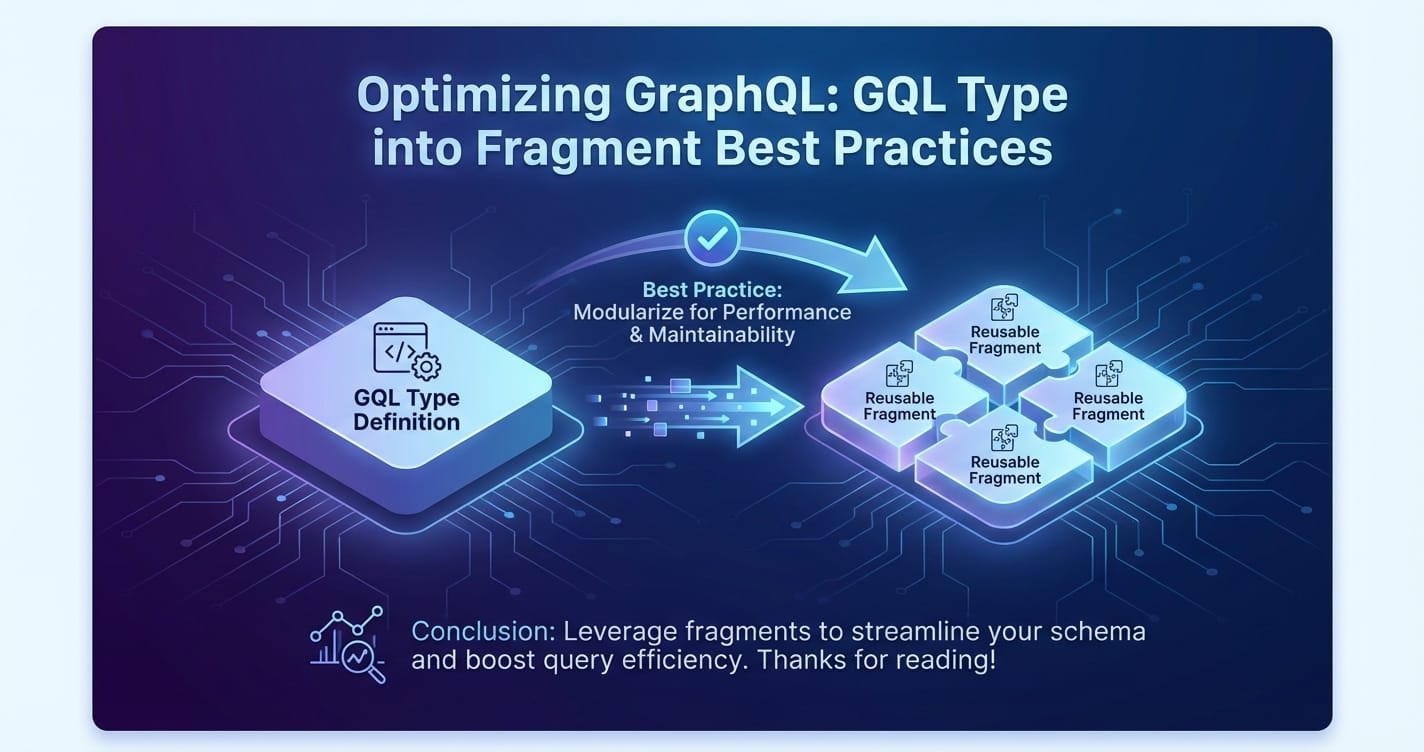
Optimizing GraphQL: GQL Type into Fragment Best Practices


The digital landscape is increasingly powered by intricate networks of applications and services, all communicating through Application Programming Interfaces (APIs). In this complex ecosystem, GraphQL has emerged as a transformative technology, offering a more efficient, powerful, and flexible alternative to traditional REST APIs for data fetching. Unlike REST, where clients often over-fetch data (receiving more than they need) or under-fetch (requiring multiple requests to get all necessary data), GraphQL empowers clients to precisely declare their data requirements. This precision is a cornerstone of GraphQL's efficiency, and at the heart of achieving this lies a deep understanding and strategic application of GraphQL fragments.
This comprehensive guide will meticulously explore the best practices for optimizing GraphQL queries by leveraging the power of GQL types in conjunction with fragments. We will delve into the fundamental concepts, dissect advanced patterns, and provide actionable insights to construct performant, maintainable, and scalable GraphQL client applications. Our journey will span from the basic definition of fragments to their intricate role in shaping a robust data-fetching strategy, ensuring that developers can unlock the full potential of GraphQL. We'll also touch upon the broader context of API management, recognizing that even the most optimized GraphQL implementation benefits from a comprehensive api strategy, often orchestrated by a robust api gateway.
The Foundational Shift: Understanding GraphQL's Paradigm
Before diving into the intricacies of fragments, it's essential to firmly grasp the paradigm shift that GraphQL introduces. Traditionally, an api endpoint would be defined by the server, dictating the structure of the data it returns. For instance, GET /users/:id might always return a user's full profile, even if the client only needed their name and email. This leads to bandwidth wastage and increased processing on the client to filter out irrelevant data. Conversely, getting a user's posts might require a separate GET /users/:id/posts request, leading to multiple round trips for related data.
GraphQL elegantly solves these issues by allowing clients to specify exactly what data they need, in the exact shape they desire, from a single endpoint. The server then responds with only that requested data. This client-driven data fetching is powered by a strong type system, which defines the schema – the blueprint of all possible data and operations. Every piece of data, every field, every argument, and every operation (query, mutation, subscription) is strictly typed, providing a contract between the client and the server. This contract is not merely for validation; it's the very foundation upon which powerful constructs like fragments are built.
The api landscape is evolving, and GraphQL represents a significant leap forward in how applications interact with data. While a powerful api gateway can manage access and security for any api, including GraphQL, understanding GraphQL's internal mechanisms is key to building efficient client-server interactions.
GraphQL's Core Components: A Brief Overview
To fully appreciate fragments, we must first briefly revisit GraphQL's core components:
- Schema: The heart of any GraphQL
api, defining the available data and operations using the GraphQL Schema Definition Language (SDL). It outlines types, fields, and their relationships. - Types: Fundamental building blocks.
Object Typesrepresent objects in your graph (e.g.,User,Product), whileScalar Typesare leaf nodes (e.g.,String,Int,Boolean,ID).Interface TypesandUnion Typesallow for polymorphism. - Fields: Properties of an object type that can be queried. Each field has a specific type.
- Queries: Operations to read data. Clients send queries to request specific fields from specific types.
- Mutations: Operations to modify data. They are structurally similar to queries but indicate a side effect.
- Subscriptions: Operations to receive real-time updates when data changes.
This robust type system is what gives GraphQL its predictability and allows for powerful tooling. When we talk about "GQL Type into Fragment," we are inherently discussing how fragments leverage and extend the expressiveness of this type system to achieve optimization and maintainability.
The Genesis of Efficiency: Why GraphQL Fragments?
Fragments in GraphQL are reusable units of a query. They allow you to construct sets of fields and then include them in multiple queries or mutations without having to repeat the field definitions. Imagine you have a User object, and in various parts of your application, you always need to display the user's id, name, and email. Without fragments, each time you query for a user, you'd have to explicitly list these three fields. This is not only tedious but also prone to inconsistencies and errors. If you later decide to add a profilePictureUrl to the common user display, you'd have to update every single query. Fragments elegantly solve this problem.
Fragments are not merely syntactic sugar; they are a fundamental abstraction that promotes modularity, reusability, and maintainability in GraphQL client applications. They contribute significantly to:
- Reducing Query Duplication: Eliminating repetitive field selections across multiple queries, mutations, or even nested within the same query. This makes your codebase drier (Don't Repeat Yourself).
- Improving Maintainability: When a common set of fields needs to change, you only update the fragment definition, and all queries using that fragment automatically reflect the change. This drastically reduces the surface area for bugs and simplifies refactoring.
- Enhancing Readability: By abstracting complex field selections into named fragments, queries become cleaner, shorter, and easier to understand, focusing on the specific data requirement rather than the boilerplate.
- Facilitating Collaboration: In larger teams, different developers or teams can define and own specific fragments for their respective data models or UI components, promoting a shared understanding and consistent data access patterns.
- Component-Driven Development: Fragments perfectly align with modern component-driven front-end frameworks (like React, Vue, Angular). A UI component can declare its data dependencies as a GraphQL fragment, making it self-contained and reusable, regardless of where it's rendered in the application.
Understanding the profound impact of fragments is the first step towards writing truly optimized and sustainable GraphQL applications. They are a powerful tool in any developer's arsenal, ensuring that the api interactions are as efficient as the data retrieval itself.
Deconstructing Fragments: Syntax and Basic Usage
A GraphQL fragment is defined using the fragment keyword, followed by a name, the on keyword, and the type it applies to. Inside the fragment, you list the fields you want to select from that type.
Here’s a basic example:
# 1. Fragment Definition
fragment UserInfo on User {
  id
  name
  email
}

# 2. Query utilizing the fragment
query GetUserDetails {
  user(id: "123") {
    ...UserInfo # Spreading the fragment
    createdAt
  }
}

# Another query using the same fragment
query GetAuthorDetails {
  post(id: "456") {
    title
    author {
      ...UserInfo # Reusing the fragment
    }
  }
}
In this example: * UserInfo is the name of the fragment. * on User specifies that this fragment can only be applied to objects of type User. This is where the "GQL Type into Fragment" concept begins – fragments are inherently type-bound. * id, name, email are the fields selected within the fragment. * ...UserInfo is the "fragment spread" syntax, which tells the GraphQL parser to inline all fields defined in the UserInfo fragment at that location in the query.
This simple illustration underscores the immediate benefits: if UserInfo needs to include profilePictureUrl, we update the fragment definition once, and both GetUserDetails and GetAuthorDetails queries automatically benefit without modification. This significantly streamlines api interactions.
The Critical Role of on Type
The on Type clause is not merely a formality; it's a fundamental aspect of how fragments work and one of the most powerful features. It ensures type safety and allows fragments to operate correctly within GraphQL's robust type system, particularly when dealing with polymorphic types like interfaces and unions. A fragment can only be spread on an object that is of the specified type or implements the specified interface (or is one of the types in a union). This strong typing prevents runtime errors and enhances the predictability of your api calls.
Advanced Fragment Patterns and GQL Type Integration
Beyond basic field selection, fragments truly shine when integrated with GraphQL's advanced type system features: Interfaces and Unions. These constructs allow you to query for data where the exact concrete type of an object isn't known until runtime, or where multiple types share a common set of fields.
Fragments on Interfaces
GraphQL Interfaces define a set of fields that a type must include. Any object type that implements an interface must provide all the fields specified by that interface. Fragments can be defined on an interface, meaning they can be applied to any concrete type that implements that interface.
Consider an Animal interface:
interface Animal {
  id: ID!
  name: String!
  species: String!
}

type Dog implements Animal {
  id: ID!
  name: String!
  species: String!
  barkVolume: Int
}

type Cat implements Animal {
  id: ID!
  name: String!
  species: String!
  purrFactor: Int
}
A fragment defined on Animal can be used regardless of whether the specific object is a Dog or a Cat:
fragment AnimalInfo on Animal {
  id
  name
  species
}

query GetPetDetails {
  pets { # Assuming 'pets' returns a list of Animal
    ...AnimalInfo
    # We can also request specific fields based on concrete type
    ...on Dog {
      barkVolume
    }
    ...on Cat {
      purrFactor
    }
  }
}
In GetPetDetails, ...AnimalInfo will always fetch the common fields (id, name, species). The ...on Dog and ...on Cat are inline fragments used to conditionally fetch fields specific to the concrete types. This pattern is exceptionally powerful for displaying lists of heterogeneous data, where each item might have common properties but also unique ones. It prevents over-fetching common fields and under-fetching specific ones, leading to highly optimized api interactions.
Fragments on Union Types
Union types are similar to interfaces, but they don't share common fields. A union type can return one of several distinct object types. For example, a SearchResult union might return either a User or a Post.
union SearchResult = User | Post

type User {
  id: ID!
  username: String!
  email: String
}

type Post {
  id: ID!
  title: String!
  content: String
}
When querying a union type, you must use type conditions (inline fragments) to specify which fields to fetch for each possible concrete type. You cannot define a named fragment on SearchResult directly because a union has no shared fields, but you can define fragments on User and on Post and use them within inline fragments:
fragment UserSearchResult on User {
  id
  username
}

fragment PostSearchResult on Post {
  id
  title
}

query PerformSearch {
  search(query: "GraphQL") {
    __typename # Always good to request __typename for unions/interfaces
    ...on User {
      ...UserSearchResult
      email # Can add more user-specific fields
    }
    ...on Post {
      ...PostSearchResult
      content # Can add more post-specific fields
    }
  }
}
Here, UserSearchResult and PostSearchResult are reusable fragments for their respective types. They are then spread within ...on User and ...on Post inline fragments, demonstrating how named fragments combine with type conditions for robust querying of union types. This approach ensures that you only request fields relevant to the actual type returned, which is crucial for minimizing payload size and optimizing the api communication.
APIPark is a high-performance AI gateway that allows you to securely access the most comprehensive LLM APIs globally on the APIPark platform, including OpenAI, Anthropic, Mistral, Llama2, Google Gemini, and more.Try APIPark now! 👇👇👇
Best Practices for Fragment Design and Usage
Effective fragment usage goes beyond merely knowing the syntax; it involves strategic design choices that impact the long-term maintainability and performance of your application.
1. Colocate Fragments with Components
One of the most widely adopted and beneficial best practices, especially in component-driven frontend architectures (like React with Apollo Client or Relay), is to colocate GraphQL fragments with the UI components that consume them.
Principle: A UI component should declare all its data dependencies within its own file, typically as a GraphQL fragment. This fragment specifies exactly what data the component needs to render itself.
Benefits: * Self-contained Components: Components become truly encapsulated. They know exactly what data they need, making them easier to understand, test, and reuse in different parts of the application. * Improved Maintainability: When a component's data requirements change, you only need to modify its colocated fragment. You don't have to hunt through distant query files. * Refactoring Ease: Moving or deleting a component automatically moves or deletes its associated data requirements. * Stronger Type Safety: The type system ensures that the component always receives the data it expects, as defined by its fragment. * Framework Integration: Tools like Apollo Client and Relay are specifically designed to leverage colocated fragments, enabling powerful client-side caching and data management.
Example (React with Apollo Client):
// src/components/UserProfileCard/UserProfileCard.js
import React from 'react';
import { gql } from '@apollo/client';

const UserProfileCard = ({ user }) => (
  <div className="user-card">
    <h3>{user.name}</h3>
    <p>Email: {user.email}</p>
    {user.profilePictureUrl && (
      <img src={user.profilePictureUrl} alt={`${user.name}'s profile`} />
    )}
  </div>
);

// Declare the component's data requirements as a fragment
UserProfileCard.fragments = {
  user: gql`
    fragment UserProfileCard_user on User {
      id
      name
      email
      profilePictureUrl
    }
  `,
};

export default UserProfileCard;
Then, in a parent component or page that fetches user data:
// src/pages/Dashboard/Dashboard.js
import React from 'react';
import { useQuery, gql } from '@apollo/client';
import UserProfileCard from '../../components/UserProfileCard/UserProfileCard';

const GET_DASHBOARD_DATA = gql`
  query GetDashboardData {
    currentUser {
      ...UserProfileCard_user # Spread the fragment from the component
    }
    # Other dashboard data...
  }
  ${UserProfileCard.fragments.user} # Include the fragment definition
`;

const Dashboard = () => {
  const { loading, error, data } = useQuery(GET_DASHBOARD_DATA);

  if (loading) return <p>Loading...</p>;
  if (error) return <p>Error: {error.message}</p>;

  return (
    <div>
      <h1>Dashboard</h1>
      {data.currentUser && <UserProfileCard user={data.currentUser} />}
      {/* Render other dashboard components */}
    </div>
  );
};

export default Dashboard;
This pattern creates a powerful separation of concerns: the UserProfileCard only cares about its data, and the Dashboard page composes these data requirements into a larger query. This ensures a highly modular and optimized api client.
2. Naming Conventions for Clarity and Consistency
Consistent naming conventions are paramount for maintaining a readable and understandable codebase, especially as the number of fragments grows. A common convention for colocated fragments is ComponentName_fieldName.
Example: * UserProfileCard_user for a UserProfileCard component that needs data about a user. * ProductGridItem_product for a ProductGridItem component needing product data.
This convention immediately tells developers: * Which component defines this fragment (UserProfileCard). * Which field/type it operates on (user).
For global or shared fragments (less common with strict colocation but sometimes necessary), a more generic name like ProductMetaInfo might be appropriate. The key is consistency across your project.
3. Granular Fragments vs. Large Fragments
Deciding on the granularity of your fragments is a design decision.
- Granular (Smaller) Fragments:
- Pros: Highly reusable, composable. Easier to combine smaller pieces of data.
- Cons: Can lead to a proliferation of many small fragment definitions, potentially making queries look more verbose if not managed well.
- Larger Fragments:
- Pros: Encapsulate a significant chunk of data required by a complex component or section.
- Cons: Less reusable. Changes might impact more components than intended if they only needed a subset of the fields.
Best Practice: Aim for fragments that represent a logical unit of data required by a specific UI component or a well-defined conceptual entity. For instance, a ProductListItem_product fragment might contain id, name, price, thumbnailUrl, while a ProductDetailPage_product fragment would include all of those plus description, images, reviews, etc. The latter might also compose the former if it needs those basic list item fields.
4. Fragment Composition and Nesting
Fragments are inherently composable. A fragment can spread other fragments within its own definition, creating a powerful hierarchy of data dependencies. This is fundamental to building complex UIs from smaller, reusable components.
# src/components/Avatar/Avatar.js
fragment Avatar_user on User {
  profilePictureUrl
  name # for alt text
}

# src/components/Comment/Comment.js
fragment Comment_author on User {
  ...Avatar_user
  # other fields for the author of a comment
}

# src/components/Post/Post.js
fragment Post_item on Post {
  id
  title
  content
  author {
    ...Comment_author # The post needs the author, which needs the avatar info
  }
}
When Post_item is spread, it implicitly brings in Comment_author, which in turn brings in Avatar_user. The final query sent to the api server will have all these fields flattened out. This nesting is a cornerstone of building robust and maintainable GraphQL applications, ensuring each component requests only what it needs, and those needs are composed into a single, efficient request to the api gateway.
5. Using Directives with Fragments (@include, @skip)
GraphQL directives provide a way to dynamically modify the execution of queries. The @include(if: Boolean) and @skip(if: Boolean) directives are particularly useful with fragments to conditionally include or exclude fields or entire fragments based on runtime conditions.
fragment UserDetails on User {
  id
  name
  email @include(if: $showEmail) # Conditionally include email
  posts @include(if: $showPosts) {
    id
    title
  }
}

query GetUserWithOptionalDetails($showEmail: Boolean!, $showPosts: Boolean!) {
  user(id: "789") {
    ...UserDetails
  }
}
By passing variables like $showEmail and $showPosts to the query, you can control which parts of the UserDetails fragment are actually fetched. This can further optimize api requests by only fetching data that is genuinely needed for a specific view or interaction. This level of dynamic control over data fetching is a distinct advantage of GraphQL over traditional REST api approaches.
6. Avoiding Fragment Proliferation and Redundancy
While fragments promote reusability, it's possible to over-fragment or create redundant fragments.
- Over-fragmenting: Creating a fragment for every single field or small group of fields can make the codebase harder to navigate rather than easier. Fragments should represent meaningful, cohesive units of data.
- Redundant Fragments: Two different fragments that select the exact same set of fields on the same type should ideally be consolidated into a single fragment. Tools like GraphQL linters can help identify such redundancies.
The goal is to find the right balance between granularity and logical encapsulation, ensuring that your api client remains clean and efficient.
Performance Implications and Client-Side Caching
Fragments are not just about code organization; they have significant performance implications, especially when combined with powerful client-side caching libraries like Apollo Client or Relay.
When a client library receives a GraphQL response, it normalizes the data and stores it in a cache. Fragments play a crucial role here:
- Normalized Cache: Client libraries parse the query, including all fragment spreads, to understand the full data requirements. When a response comes back, it uses the
idof objects (often specified by theidfield in your fragments) to store and update data in a normalized, flat cache. - Cache Hits and Misses: If multiple components using different fragments request overlapping data (e.g., both
UserProfileCard_userandCommentAuthor_userfragments requestuser.name), the client-side cache can serve subsequent requests for that shared data instantly, without anotherapicall. This dramatically reduces network round trips and speeds up UI rendering. - Targeted Updates: When a mutation occurs, fragments help client libraries understand which parts of the cache might be affected and need to be updated or refetched. By knowing which fields are associated with which fragments, the client can make intelligent decisions about cache invalidation.
In essence, fragments provide the client-side caching mechanism with the necessary metadata to intelligently manage data, leading to a highly responsive and efficient user experience. This intelligent caching, facilitated by the structured nature of fragments and GraphQL's strong type system, stands in contrast to the often more simplistic and less performant caching strategies typically employed with traditional REST apis.
The Broader Context: GraphQL in an API Management Ecosystem
While GraphQL fragments optimize specific data fetching patterns, the entire GraphQL api operates within a larger ecosystem of enterprise api management. Even the most perfectly crafted GraphQL queries still need to be exposed, secured, monitored, and managed. This is where a robust api gateway or api management platform becomes indispensable.
An api gateway acts as a single entry point for all client requests, routing them to the appropriate backend services (which could include a GraphQL server, REST microservices, or even legacy systems). For GraphQL services, an api gateway can provide critical functionalities that complement the internal optimizations achieved through fragments:
- Security and Authentication: The
gatewaycan enforce authentication (e.g., JWT validation, OAuth2) and authorization policies before requests even reach the GraphQL server, protecting your backend. - Rate Limiting and Throttling: Preventing
apiabuse by controlling the number of requests clients can make within a given timeframe. - Traffic Management: Load balancing, routing, and circuit breaking to ensure high availability and resilience of your GraphQL service.
- Caching (Edge/Response Caching): While client-side caching is crucial, an
api gatewaycan implement additional server-side caching for common GraphQL query responses, reducing the load on your GraphQL server, especially for public or frequently accessed data. - Monitoring and Analytics: Providing a centralized view of
apitraffic, performance metrics, and error rates, which is vital for operational insights. - Transformation and Protocol Bridging: In a hybrid
apilandscape, anapi gatewaycan translate requests or responses between different protocols (e.g., exposing a RESTapithat internally calls a GraphQL service, or vice versa). - Developer Portal: A comprehensive
apimanagement platform often includes a developer portal, making it easy for internal and external developers to discover, understand, and integrate with your GraphQLapis. This includes documentation, SDKs, and subscription management.
Consider a platform like APIPark. APIPark is an open-source AI gateway and api management platform that provides an all-in-one solution for managing, integrating, and deploying various api and AI services. While its focus prominently includes AI models, its capabilities for end-to-end API lifecycle management, performance rivaling Nginx, detailed API call logging, and powerful data analysis are equally valuable for managing traditional and GraphQL apis. An enterprise using GraphQL for its core data fetching could leverage APIPark as its overarching api gateway to secure access, manage traffic, monitor performance, and provide a unified developer experience across all its backend services, irrespective of whether they are GraphQL, REST, or AI-driven. This ensures that while fragments optimize the internal request structure, the api itself is managed effectively at the perimeter.
GraphQL vs. REST in the Gateway Context
It's worth noting that GraphQL's single endpoint nature sometimes presents unique challenges for traditional api gateway features like endpoint-specific rate limiting or caching. However, modern api gateway solutions are evolving to understand and parse GraphQL requests, enabling more granular control based on specific queries, mutations, or even fragment usage within a request. This ensures that the benefits of a robust api gateway are not lost when adopting GraphQL. The sophistication of an api gateway like APIPark can handle these complexities, providing a seamless management layer over diverse api technologies.
Practical Implementation: A Step-by-Step Scenario
Let's consolidate our understanding with a detailed practical scenario, focusing on building a user dashboard that displays various pieces of user-related information from different components.
Scenario: We are building a dashboard for a social media application. The dashboard needs to display: 1. A UserAvatar component: showing the user's profilePictureUrl and name. 2. A UserProfileBio component: showing name, bio, and followersCount. 3. A UserRecentPosts component: showing a list of recent posts, each with id, title, and a short previewContent.
All these components need data about the current user.
GraphQL Schema Snippets:
type User {
  id: ID!
  name: String!
  profilePictureUrl: String
  bio: String
  followersCount: Int!
  recentPosts: [Post!]!
}

type Post {
  id: ID!
  title: String!
  content: String!
  previewContent: String!
  author: User!
}

type Query {
  currentUser: User
  # ... other queries
}
Step 1: Define Fragments for Each Component
We colocate fragments with their respective components.
// components/UserAvatar.js
import { gql } from '@apollo/client';
export const UserAvatar = ({ user }) => (
  <img src={user.profilePictureUrl || 'default-avatar.png'} alt={user.name} />
);
UserAvatar.fragments = {
  user: gql`
    fragment UserAvatar_user on User {
      name
      profilePictureUrl
    }
  `,
};

// components/UserProfileBio.js
import { gql } from '@apollo/client';
export const UserProfileBio = ({ user }) => (
  <div>
    <h2>{user.name}</h2>
    <p>{user.bio}</p>
    <p>{user.followersCount} followers</p>
  </div>
);
UserProfileBio.fragments = {
  user: gql`
    fragment UserProfileBio_user on User {
      name
      bio
      followersCount
    }
  `,
};

// components/UserRecentPosts.js
import { gql } from '@apollo/client';
export const UserRecentPosts = ({ posts }) => (
  <div>
    <h3>Recent Posts</h3>
    <ul>
      {posts.map(post => (
        <li key={post.id}>
          <h4>{post.title}</h4>
          <p>{post.previewContent}</p>
        </li>
      ))}
    </ul>
  </div>
);
UserRecentPosts.fragments = {
  posts: gql`
    fragment UserRecentPosts_posts on Post {
      id
      title
      previewContent
    }
  `,
};
Step 2: Compose a Parent Query on the Dashboard Page
The Dashboard page needs to fetch all the data required by its child components in a single api request.
// pages/DashboardPage.js
import React from 'react';
import { useQuery, gql } from '@apollo/client';
import { UserAvatar } from '../components/UserAvatar';
import { UserProfileBio } from '../components/UserProfileBio';
import { UserRecentPosts } from '../components/UserRecentPosts';

const GET_DASHBOARD_DATA = gql`
  query GetDashboardData {
    currentUser {
      id # Always good to fetch ID for caching
      ...UserAvatar_user
      ...UserProfileBio_user
      recentPosts {
        ...UserRecentPosts_posts
      }
    }
  }
  ${UserAvatar.fragments.user}
  ${UserProfileBio.fragments.user}
  ${UserRecentPosts.fragments.posts}
`;

export const DashboardPage = () => {
  const { loading, error, data } = useQuery(GET_DASHBOARD_DATA);

  if (loading) return <p>Loading dashboard...</p>;
  if (error) return <p>Error loading dashboard: {error.message}</p>;
  if (!data?.currentUser) return <p>No user data available.</p>;

  const { currentUser } = data;

  return (
    <div className="dashboard-layout">
      <header>
        <h1>Welcome, {currentUser.name}!</h1>
        <UserAvatar user={currentUser} />
      </header>
      <section className="user-details">
        <UserProfileBio user={currentUser} />
      </section>
      <section className="recent-activity">
        <UserRecentPosts posts={currentUser.recentPosts} />
      </section>
      {/* Other dashboard sections */}
    </div>
  );
};
Explanation of the DashboardPage Query:
query GetDashboardData: This is our main operation.currentUser: We query thecurrentUserfield, which returns aUsertype.id: We explicitly requestidas it's critical for Apollo Client's normalized cache to identify and update theUserobject....UserAvatar_user: Here, we spread the fragment defined inUserAvatar. The Apollo Client build process (or a Babel plugin) will ensure that theUserAvatar_userfragment definition is included in the final query sent to theapiserver....UserProfileBio_user: Similarly, the fragment fromUserProfileBiois spread.recentPosts { ...UserRecentPosts_posts }: For therecentPostsfield (which returns a list ofPostobjects), we spread theUserRecentPosts_postsfragment. This demonstrates nesting fragments for related objects.${UserAvatar.fragments.user}etc.: These lines are crucial. When usinggqltags, these are typically dynamic imports that concatenate the fragment definitions into the final query string that is sent over theapi. Without including the fragment definitions, the server wouldn't know what...UserAvatar_userrefers to.
Resulting api Request (Conceptual):
The actual GraphQL query sent over the network (after compilation/transpilation) would look something like this:
query GetDashboardData {
  currentUser {
    id
    name
    profilePictureUrl
    name
    bio
    followersCount
    recentPosts {
      id
      title
      previewContent
    }
  }
}
Notice how all the fields from the different fragments (UserAvatar_user, UserProfileBio_user, UserRecentPosts_posts) are flattened into a single, cohesive query. The server receives one precise request for all the data needed, minimizing network overhead and server load. This single api call, managed efficiently at the api gateway layer, retrieves all necessary data, showcasing the power of GraphQL and fragment optimization.
Table: Benefits of Fragment Best Practices
To summarize the immense value of adhering to fragment best practices, let's look at a comparative table:
| Best Practice | Key Benefit | Impact on Development Workflow | Impact on API Performance |
|---|---|---|---|
| Collocate with Components | Encapsulation, Cohesion, Modularity | Easier to develop, test, and refactor components independently. | Enables intelligent client-side caching and data management. |
Type-Bound Fragments (on Type) |
Type Safety, Predictability | Reduces runtime errors, improves developer confidence. | Ensures precise data fetching, prevents over/under-fetching. |
| Granular & Reusable Fragments | DRY Principle, Reusability, Maintainability | Faster development of new features, easier updates. | Reduces overall query complexity, efficient cache usage. |
| Fragment Composition/Nesting | Hierarchical Data Fetching, Complex UI Support | Builds complex UIs from smaller, manageable data units. | Single, consolidated api request for nested data. |
| Clear Naming Conventions | Readability, Discoverability | Easier for team members to understand and navigate the codebase. | Indirectly aids in preventing redundant fragments. |
| Conditional Directives | Dynamic Data Fetching | Allows for flexible UI states without multiple query definitions. | Reduces payload size by fetching only necessary fields. |
| Leveraging Interfaces/Unions | Polymorphic Data Handling | Simplifies querying heterogeneous data structures. | Optimizes requests for diverse data types. |
This table clearly illustrates that fragment best practices are not just about neat code; they are a strategic investment in the long-term health, performance, and scalability of your GraphQL-powered application and its interaction with the underlying api.
Conclusion: Mastering the Art of GQL Type into Fragment
Optimizing GraphQL applications is a continuous journey, and a profound understanding of fragments, coupled with strategic best practices, is a critical milestone on this path. By meticulously defining, composing, and applying fragments in conjunction with GraphQL's robust type system, developers can craft client applications that are not only highly efficient in their data fetching but also exceptionally maintainable, scalable, and collaborative.
From the foundational concept of fragments as reusable field sets to their advanced application with interfaces and unions, we've explored how "GQL Type into Fragment" is the bedrock of intelligent GraphQL api interactions. Colocating fragments with components, adhering to consistent naming, and understanding the performance implications for client-side caching are not just recommendations but essential tenets for building high-quality GraphQL solutions.
Moreover, while fragments streamline the internal data requests, the external management of your GraphQL api remains paramount. A powerful api gateway such as APIPark offers an indispensable layer of security, traffic control, monitoring, and overall api lifecycle management, ensuring that your optimized GraphQL services are exposed, protected, and performant within the broader api ecosystem. By combining the internal elegance of GraphQL fragments with the robust external management capabilities of an api gateway, organizations can unlock unparalleled efficiency and control over their entire api landscape. The future of data interaction is precise, powerful, and collaborative, and fragments are undoubtedly a key to unlocking this future with GraphQL.
Frequently Asked Questions (FAQs)
1. What is a GraphQL Fragment and why is it important for optimization? A GraphQL fragment is a reusable piece of a query that specifies a set of fields on a particular type. Its importance for optimization stems from its ability to eliminate query duplication, improve maintainability by centralizing field definitions, enhance readability, and facilitate component-driven development. For performance, fragments enable more efficient client-side caching by providing structured data requirements, leading to fewer network requests and faster UI updates.
2. How do fragments interact with GraphQL's type system (e.g., interfaces and unions)? Fragments are inherently type-bound, meaning they are defined on a specific GraphQL type (fragment MyFragment on MyType). This type-binding is crucial. When dealing with polymorphic types like interfaces and unions, fragments can be defined on an interface, allowing them to apply to any concrete type implementing that interface. For unions, you typically use named fragments within ...on Type inline fragments to conditionally fetch fields specific to each possible type within the union, ensuring precise data fetching based on the actual object returned.
3. What is fragment colocation and why is it considered a best practice? Fragment colocation is the practice of defining a GraphQL fragment directly alongside the UI component that consumes its data. It's a best practice because it makes components self-contained, improves maintainability (changes to a component's data needs only affect its local fragment), simplifies refactoring, and enhances type safety. This approach aligns perfectly with modern frontend frameworks and leverages client-side caching mechanisms effectively.
4. Can fragments improve API performance, and how? Yes, fragments significantly improve api performance, primarily through efficient client-side caching. By consistently using fragments, client libraries (like Apollo Client) can normalize and store data in a cache. When multiple components or queries request overlapping data (e.g., two different fragments requesting user.name), the cache can serve subsequent requests instantly without hitting the network. Fragments also help reduce network payload size by ensuring you only fetch the precise data required, especially when combined with conditional directives like @include and @skip.
5. How does an API gateway relate to GraphQL fragment optimization? While GraphQL fragments optimize the internal structure and efficiency of data fetching requests, an api gateway (like APIPark) manages the external aspects of your GraphQL api. It acts as a single entry point, providing critical functions such as security (authentication, authorization), rate limiting, traffic management, monitoring, and possibly edge caching. An api gateway ensures that even the most optimized GraphQL implementation is securely exposed, reliably accessed, and effectively managed within an enterprise's broader api ecosystem, complementing the internal optimizations achieved through fragment best practices.
🚀You can securely and efficiently call the OpenAI API on APIPark in just two steps:
Step 1: Deploy the APIPark AI gateway in 5 minutes.
APIPark is developed based on Golang, offering strong product performance and low development and maintenance costs. You can deploy APIPark with a single command line.
curl -sSO https://download.apipark.com/install/quick-start.sh; bash quick-start.sh

In my experience, you can see the successful deployment interface within 5 to 10 minutes. Then, you can log in to APIPark using your account.

Step 2: Call the OpenAI API.