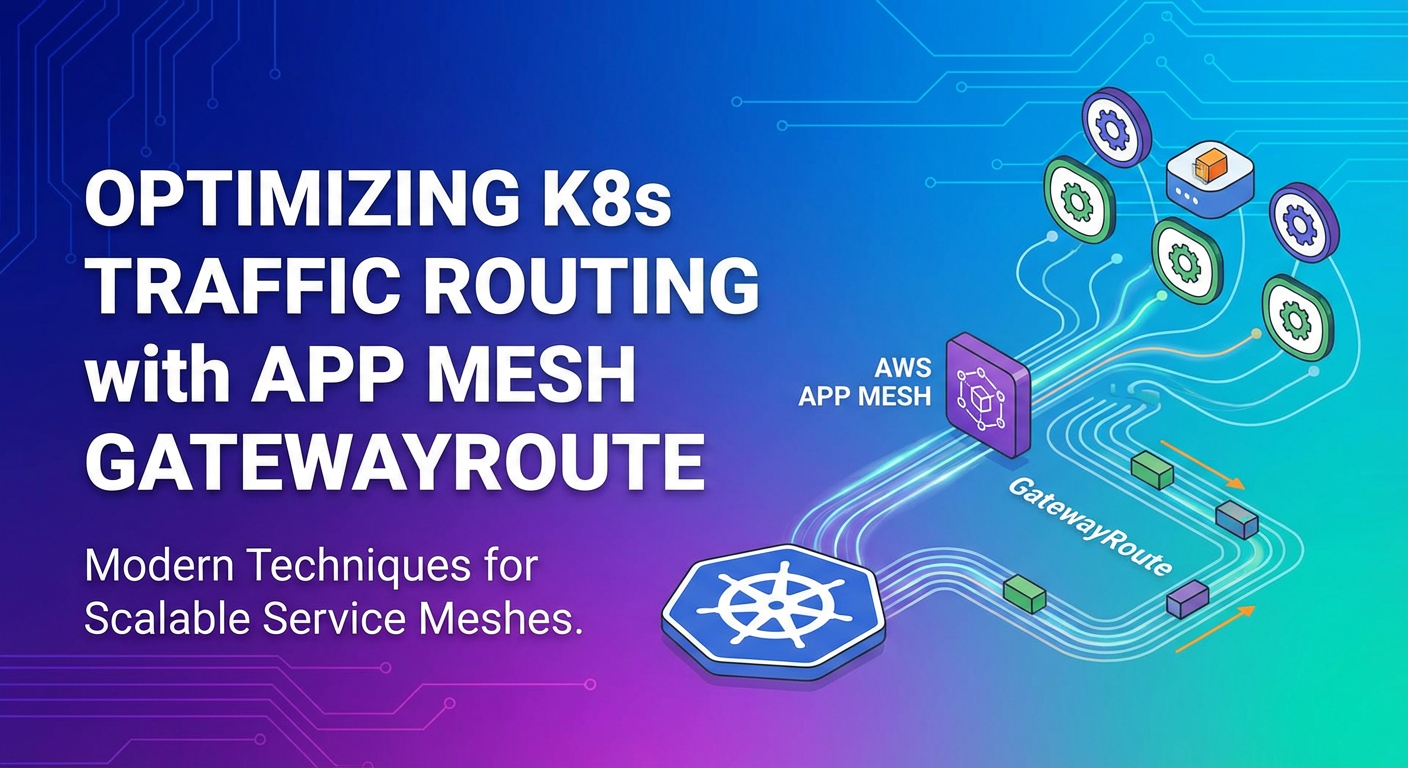
Optimizing K8s Traffic Routing with App Mesh GatewayRoute


In the intricate landscape of modern cloud-native architectures, Kubernetes (K8s) has emerged as the de facto standard for deploying, scaling, and managing containerized applications. Its powerful orchestration capabilities, however, introduce a new layer of complexity, particularly concerning inter-service communication and external traffic management. As microservices proliferate within a Kubernetes cluster, the challenge of efficiently, securely, and reliably routing traffic becomes paramount. This is where the concept of a service mesh, and specifically AWS App Mesh with its advanced GatewayRoute functionality, provides a transformative solution.
The journey from monolithic applications to distributed microservices promises agility, resilience, and independent scalability. Yet, this promise often comes with the overhead of managing a highly dynamic network fabric. Traditional Kubernetes constructs like Services, Ingress, and Load Balancers offer foundational traffic management, but they often fall short when faced with the sophisticated requirements of enterprise-grade microservice deployments. These requirements include fine-grained traffic control for canary releases, intelligent retries, circuit breaking, advanced observability, and robust security policies – capabilities that are crucial for maintaining high availability and superior user experience.
This extensive guide will delve deep into how AWS App Mesh, particularly through its GatewayRoute construct, empowers organizations to achieve unparalleled optimization in Kubernetes traffic routing. We will explore the architectural nuances, practical implementation strategies, advanced traffic management patterns, security implications, and best practices that collectively elevate the operational maturity of microservice environments. By understanding and leveraging GatewayRoute, developers and operations teams can unlock the full potential of their Kubernetes deployments, ensuring that every request finds its optimal path with precision and resilience. Our aim is to demystify these complex topics, providing a thorough and human-centric perspective on navigating the modern network frontier in Kubernetes.
Understanding Kubernetes Traffic Routing Fundamentals: The Foundation and Its Limits
Before we embark on the advanced capabilities offered by a service mesh, it's essential to first establish a solid understanding of how traffic is traditionally routed within and into a Kubernetes cluster. Kubernetes provides several built-in abstractions for network communication, each serving a specific purpose in the overall traffic flow.
At the most basic level, a Kubernetes Pod is the smallest deployable unit, and it has its own IP address. However, Pods are ephemeral; they can be created and destroyed dynamically, meaning their IP addresses are not stable. To provide a stable endpoint for a set of Pods, Kubernetes introduces the Service abstraction. A Service defines a logical set of Pods and a policy by which to access them. For example, a ClusterIP Service provides a stable internal IP address, acting as an internal load balancer that distributes traffic to healthy Pods matching its selector. This is primarily used for "east-west" traffic, meaning communication between services within the cluster.
For external access to services, Kubernetes offers NodePort, LoadBalancer, and Ingress Services. A NodePort Service exposes a service on a static port on each Node's IP, making it accessible from outside the cluster via NodeIP:NodePort. This is simple but less scalable and often exposes internal cluster details. A LoadBalancer Service, typically used in cloud environments, provisions an external load balancer (e.g., an AWS ELB) that automatically routes external traffic to the service's Pods. While effective for simple external exposure, it can become expensive if every service requires its own load balancer.
The Ingress resource is designed to manage external access to services in a more sophisticated manner, acting as an API gateway for HTTP and HTTPS routes. An Ingress controller (like NGINX Ingress, Traefik, or AWS ALB Ingress Controller) acts as the actual data plane, watching for Ingress resources and configuring routing rules based on hostnames, paths, and other HTTP attributes. This allows a single external IP address or hostname to serve multiple services within the cluster, providing features like TLS termination, name-based virtual hosting, and basic path-based routing.
While these fundamental Kubernetes routing mechanisms are robust for many scenarios, they present inherent limitations when microservices architectures grow in complexity and demand higher levels of control and observability. For instance, traditional Kubernetes Services offer round-robin or least-connection load balancing, but they lack the ability to perform fine-grained traffic shifting based on weights or header matching, which is crucial for progressive delivery patterns like canary releases or A/B testing. Features like automatic retries, circuit breaking, request timeouts, and advanced error handling are not natively provided at the service level. Developers would typically implement these concerns within their application code, leading to duplicated effort, inconsistent behavior, and a heavier application footprint.
Furthermore, observability into network traffic within the cluster can be challenging. While Ingress controllers can provide some edge metrics, gaining deep insights into east-west traffic patterns, latency, and error rates between individual microservices often requires intrusive instrumentation of application code or reliance on external sidecar solutions – precisely the problem a service mesh aims to solve. The operational overhead of managing these cross-cutting concerns manually across dozens or hundreds of microservices quickly becomes unsustainable, hindering agility and increasing the risk of production incidents. This gap highlights the need for a more sophisticated, infrastructure-level approach to traffic management, reliability, and security for Kubernetes-native applications, paving the way for the emergence of service meshes.
The Rise of Service Meshes in Kubernetes: Beyond Basic Connectivity
The burgeoning complexity of microservices architectures, coupled with the limitations of traditional Kubernetes networking, naturally led to the development of the service mesh pattern. A service mesh is a dedicated infrastructure layer for handling service-to-service communication. It's designed to make communication between services reliable, fast, and secure. Crucially, it offloads concerns like traffic management, security, and observability from individual application code, abstracting them into a network proxy layer.
At the heart of a service mesh lies the "sidecar proxy" pattern. Instead of embedding networking logic directly into each service instance, a lightweight proxy (like Envoy, which is used by App Mesh and Istio) is deployed alongside each application container within its own Pod. All network traffic to and from the application then flows through this sidecar proxy. This pattern effectively decouples the application from the network concerns, allowing developers to focus solely on business logic, while the mesh handles the complexities of service communication.
The benefits of this approach are profound and far-reaching:
- Enhanced Observability: With all traffic flowing through sidecar proxies, the service mesh can automatically collect a wealth of telemetry data – metrics (latency, request rates, error rates), distributed traces, and access logs. This provides unparalleled visibility into the behavior of individual services and the overall health of the distributed system, crucial for identifying bottlenecks and debugging issues quickly.
- Improved Reliability: The mesh can enforce advanced traffic management policies at the infrastructure level. This includes intelligent load balancing, automatic retries with exponential backoff, circuit breaking to prevent cascading failures, and request timeouts. These features significantly improve the fault tolerance and resilience of the entire application landscape without requiring any code changes.
- Robust Security: A service mesh can enforce network policies, encrypt traffic with mutual TLS (mTLS) between services, and manage authentication and authorization policies at a granular level. This creates a secure communication fabric within the cluster, protecting against unauthorized access and data interception, even for
east-westtraffic that often bypasses traditional perimeter security. - Simplified Development: By externalizing networking concerns, developers are freed from writing repetitive boilerplate code for inter-service communication. This accelerates development cycles, reduces the cognitive load on engineers, and promotes consistency across the organization.
While the terms "service mesh" and "API Gateway" are sometimes conflated, they serve distinct yet complementary roles. An API Gateway primarily focuses on "north-south" traffic – managing external clients accessing services at the edge of the network. It typically handles concerns like API aggregation, protocol translation, rate limiting for external consumers, authentication of external users, and routing to the appropriate backend service. In essence, it's the front door to your microservices.
A service mesh, on the other hand, primarily optimizes "east-west" traffic – communication between services inside the cluster. Its advanced routing, reliability, and security features operate within the trusted boundary of the cluster. However, the line blurs when a service mesh like App Mesh introduces GatewayRoute concepts to manage ingress traffic into the mesh, providing a unified control plane for both internal and external service communication at a deeper level than a simple Ingress controller. The GatewayRoute effectively becomes the entry point for north-south traffic into the mesh's capabilities, complementing the edge API Gateway by extending sophisticated routing and policy enforcement further down the stack.
AWS App Mesh, in particular, distinguishes itself through its tight integration with the AWS ecosystem. Built upon the battle-tested Envoy proxy, App Mesh provides a fully managed control plane that eliminates the operational burden of deploying and managing the mesh infrastructure itself. Its native integration with services like Amazon EKS, EC2, ECS, and Fargate, as well as CloudWatch and X-Ray, makes it an attractive choice for organizations deeply invested in the AWS cloud. This synergy allows for consistent policies, seamless observability, and simplified management across diverse compute environments, solidifying App Mesh's position as a powerful tool for optimizing Kubernetes traffic routing.
Deep Dive into AWS App Mesh Architecture: Building the Intelligent Network
AWS App Mesh provides a powerful, managed service mesh that standardizes how your services communicate, giving you end-to-end visibility and control. Its architecture is built around several key components that work together to create a robust and intelligent network fabric for your applications running on Kubernetes (EKS), EC2, or ECS/Fargate. Understanding these components and their interactions is crucial for effective implementation and optimization.
At the core of App Mesh's design is a Mesh object. This is the logical boundary for all of your service mesh components. Think of it as the container for your entire service graph, defining the scope within which all your services and their proxies operate and communicate securely. All other App Mesh resources must be associated with a specific Mesh.
Within a Mesh, the fundamental unit of deployment for your application code is represented by a Virtual Node. A Virtual Node acts as a logical representation of a Kubernetes Pod, an ECS task, or an EC2 instance that runs your actual application service. Every Pod/task/instance that participates in the mesh must have an associated Virtual Node definition. The Virtual Node configuration specifies how traffic reaches the service (e.g., its service discovery name and port) and how traffic leaves it (e.g., backend services it can communicate with). Critically, for a Pod to become part of the mesh, an Envoy proxy sidecar is injected into the Pod, and this proxy is configured to represent the Virtual Node. All ingress and egress traffic for the application container then flows through this Envoy sidecar.
To expose a collection of Virtual Nodes as a single, discoverable service within the mesh, App Mesh utilizes Virtual Services. A Virtual Service is an abstraction that represents a real service that your applications can call. It has a unique name (typically a DNS-like name, e.g., my-service.default.svc.cluster.local) that other services use to discover and communicate with it. Unlike a Virtual Node which represents a specific deployment of a service, a Virtual Service represents the concept of the service, potentially backed by multiple different Virtual Nodes (e.g., different versions of the same service).
The actual routing logic for traffic destined for a Virtual Service is handled by a Virtual Router. A Virtual Router acts as a logical HTTP/TCP router that receives requests for a Virtual Service and then forwards them to one or more Virtual Nodes based on defined routing rules. This is where advanced traffic management capabilities come into play. A Virtual Router can have multiple Routes associated with it. Each Route defines how traffic is distributed among the Virtual Nodes that back a Virtual Service. For example, a Route can specify that 90% of traffic goes to VirtualNode-v1 and 10% goes to VirtualNode-v2, enabling sophisticated canary deployments or A/B testing. Routes can also match on HTTP headers, path prefixes, and other attributes to provide fine-grained control over where requests are directed.
The entire data plane for App Mesh is powered by the Envoy proxy. When you integrate your applications with App Mesh, an Envoy sidecar proxy is injected into your application's Pod. This Envoy proxy intercepts all incoming and outgoing network traffic for your application container. The App Mesh control plane, managed by AWS, is responsible for dynamically configuring these Envoy proxies. It translates your Mesh, Virtual Node, Virtual Service, Virtual Router, and Route definitions into Envoy configuration, pushing updates to the proxies in real-time. This dynamic configuration allows for immediate changes to traffic routing, security policies, and observability settings without redeploying your applications.
The control plane itself orchestrates the entire mesh. It manages the lifecycle of the mesh components, handles service discovery, enforces traffic policies, and collects telemetry data from the Envoy proxies. This managed control plane significantly reduces the operational burden on users, as AWS handles the scaling, patching, and availability of the underlying mesh infrastructure.
In summary, the interaction flows as follows: 1. A client service (itself running an Envoy proxy representing a Virtual Node) wants to communicate with my-service.default.svc.cluster.local. 2. The client's Envoy proxy intercepts the request and performs a DNS lookup for my-service.default.svc.cluster.local. 3. This name resolves to a Virtual Service within the App Mesh configuration. 4. The Virtual Service is associated with a Virtual Router. 5. The Virtual Router evaluates its configured Routes, matching the incoming request against various rules (e.g., path, headers, weights). 6. Based on the matching Route, the Virtual Router directs the traffic to one or more backend Virtual Nodes. 7. The client's Envoy proxy then establishes a connection to the Envoy proxy of the selected Virtual Node, and the traffic flows through, potentially with mTLS encryption and other policies enforced.
This architecture creates a powerful, programmable network overlay, offering granular control over service communication. It's within this robust framework that the GatewayRoute emerges as a pivotal component for managing north-south traffic, bridging the gap between external access points and the sophisticated routing capabilities within the App Mesh.
Introducing the GatewayRoute Concept: The Mesh's External Portal
While Virtual Routers and Routes within App Mesh are adept at managing east-west traffic – the communication between services inside the mesh – there remains a crucial aspect of traffic management: how external traffic, the "north-south" flow, enters the mesh and gets directed to the appropriate internal services. This is precisely the problem that the GatewayRoute construct in App Mesh is designed to solve, providing a highly configurable and intelligent entry point into your service mesh.
A GatewayRoute is an App Mesh resource that defines how traffic arriving at a Virtual Gateway should be routed to a Virtual Service within the mesh. It acts as a set of rules that translate incoming requests from outside the mesh (e.g., from an API gateway, an Ingress controller, or a direct client) into directives for internal service routing. Essentially, it extends the sophisticated traffic management capabilities of App Mesh to the edge of your service mesh.
The GatewayRoute works in conjunction with a Virtual Gateway. A Virtual Gateway is an Envoy proxy deployment that sits at the perimeter of your mesh, acting as the entry point for north-south traffic. Unlike Virtual Nodes, which represent individual service instances, a Virtual Gateway represents the network entry point for the entire mesh or a specific logical boundary within it. It's configured to accept incoming traffic (e.g., on specific ports and protocols) and then uses GatewayRoute definitions to decide where that traffic should go next, deeper into the mesh. You typically deploy a Virtual Gateway as a dedicated set of Kubernetes Pods with the App Mesh Envoy proxy, exposed externally via a Kubernetes LoadBalancer Service or an Ingress controller.
The primary purpose of GatewayRoute is to bridge the gap between an external gateway (be it an AWS ALB/NLB, NGINX Ingress, or a dedicated API gateway solution) and the internal service mesh. While an external API gateway might handle initial authentication, rate limiting, and broad path-based routing, the GatewayRoute takes over once the traffic hits the mesh boundary. It provides the ability to apply App Mesh's advanced routing features – such as weighted routing, header-based routing, and path-based routing – to this ingress traffic, directing it to the correct Virtual Service (and implicitly, its underlying Virtual Nodes) within the mesh.
The distinction from a standard Route object is critical. A standard Route operates within a Virtual Router and is responsible for distributing internal east-west traffic among different versions of a single Virtual Service's backing Virtual Nodes. A GatewayRoute, conversely, operates on a Virtual Gateway and is responsible for routing north-south traffic from outside the mesh to specific Virtual Services within the mesh. It's about deciding which Virtual Service an external request should target, whereas a regular Route decides which version of that Virtual Service should handle the request.
Consider a scenario where you have multiple API versions (e.g., /v1/products, /v2/products) that need to be served by different internal Virtual Services, or perhaps you want to route requests from a specific client IP range to a beta version of a service. A GatewayRoute can handle these scenarios at the mesh ingress point. It allows you to:
- Path-based routing: Direct requests with specific URL paths (e.g.,
/app/serviceA) to aServiceAVirtual Service and/app/serviceBto aServiceBVirtual Service. - Host-based routing: Route requests for
api.example.comto one Virtual Service andinternal.example.comto another. - Header-based routing: Send requests with a specific HTTP header (e.g.,
x-version: beta) to a newer version of a Virtual Service for A/B testing or internal feature preview. - Weighted routing: Distribute a percentage of incoming
north-southtraffic to a new version of a Virtual Service for canary deployments, allowing you to gradually shift external traffic without altering your edgeAPI gatewayconfiguration extensively.
By using GatewayRoute, the App Mesh extends its control plane capabilities to the very edge of your service network, ensuring that traffic entering your cluster benefits from the same level of intelligence, resilience, and observability as traffic moving between services internally. This creates a more unified and consistent approach to traffic management, reducing the complexity often associated with managing disparate gateway and service mesh configurations. It ensures that the first point of contact for external requests into your microservices ecosystem is as intelligent and controlled as the subsequent hops within the cluster.
Practical Implementation: Setting up App Mesh with GatewayRoute in Kubernetes
Implementing AWS App Mesh with GatewayRoute in a Kubernetes (EKS) environment involves several steps, from setting up the prerequisites to defining the various App Mesh resources. While providing a fully runnable code example would be beyond the scope of this detailed explanation, we can outline the conceptual steps and key configuration elements to guide you through the process.
Prerequisites:
- EKS Cluster: You need an existing Amazon EKS cluster. Ensure your Kubernetes version is compatible with the App Mesh controller.
- App Mesh Controller for Kubernetes: This controller (a Kubernetes operator) needs to be installed in your EKS cluster. It watches for App Mesh custom resources (like
Mesh,VirtualNode,VirtualGateway,GatewayRoute) and translates them into App Mesh API calls, managing the lifecycle of Envoy proxies. You can deploy it using Helm. - IAM Permissions: Your EKS worker nodes (or the service account used by the App Mesh controller) need appropriate IAM permissions to interact with the App Mesh API.
- Envoy Proxy Image: Ensure your environment can pull the official App Mesh Envoy proxy image.
Step-by-Step Conceptual Guide:
Let's assume we have two versions of a product-service (v1 and v2) and we want to use a GatewayRoute to direct external traffic, potentially for a canary release.
1. Define the Mesh
First, you define the logical boundary for your service mesh. This is typically done once per application or environment.
apiVersion: appmesh.k8s.aws/v1beta2
kind: Mesh
metadata:
  name: my-app-mesh
spec:
  # Optionally, enable egress filtering or specify service discovery
  # egressFilter:
  #   type: ALLOW_ALL
This Mesh object my-app-mesh will be the parent for all subsequent App Mesh resources.
2. Define Virtual Nodes for Services
Next, you define a VirtualNode for each version of your service. This tells App Mesh about the actual deployments of your application.
# Virtual Node for product-service v1
apiVersion: appmesh.k8s.aws/v1beta2
kind: VirtualNode
metadata:
  name: product-service-v1-vn
  namespace: default
spec:
  meshRef:
    name: my-app-mesh
  listeners:
    - portMapping:
        port: 8080
        protocol: http
      healthCheck:
        protocol: http
        path: /health
        port: 8080
        intervalMillis: 5000
        timeoutMillis: 2000
        healthyThreshold: 2
        unhealthyThreshold: 3
  serviceDiscovery:
    dns:
      hostname: product-service-v1.default.svc.cluster.local # Kubernetes service name
  podSelector: # Links this VirtualNode to specific Pods
    matchLabels:
      app: product-service
      version: v1
---
# Virtual Node for product-service v2
apiVersion: appmesh.k8s.aws/v1beta2
kind: VirtualNode
metadata:
  name: product-service-v2-vn
  namespace: default
spec:
  meshRef:
    name: my-app-mesh
  listeners:
    - portMapping:
        port: 8080
        protocol: http
      healthCheck:
        protocol: http
        path: /health
        port: 8080
        intervalMillis: 5000
        timeoutMillis: 2000
        healthyThreshold: 2
        unhealthyThreshold: 3
  serviceDiscovery:
    dns:
      hostname: product-service-v2.default.svc.cluster.local
  podSelector:
    matchLabels:
      app: product-service
      version: v2
Crucially, for the actual product-service-v1 and product-service-v2 deployments, you would deploy standard Kubernetes Deployment and Service resources. The App Mesh controller, once installed, uses an admission controller to inject the Envoy sidecar into Pods matching the podSelector of a VirtualNode.
3. Define Virtual Service and Virtual Router
A VirtualService provides a stable API for your service, and a VirtualRouter manages how traffic is distributed to its backing VirtualNodes.
apiVersion: appmesh.k8s.aws/v1beta2
kind: VirtualService
metadata:
  name: product-service.default.svc.cluster.local # The logical name for external clients
  namespace: default
spec:
  meshRef:
    name: my-app-mesh
  provider:
    virtualRouter:
      virtualRouterRef:
        name: product-service-vr
---
apiVersion: appmesh.k8s.aws/v1beta2
kind: VirtualRouter
metadata:
  name: product-service-vr
  namespace: default
spec:
  meshRef:
    name: my-app-mesh
  listeners:
    - portMapping:
        port: 8080
        protocol: http
  routes:
    - name: product-service-v1-route
      httpRoute:
        action:
          weightedTargets:
            - virtualNodeRef:
                name: product-service-v1-vn
              weight: 100 # Initially send all internal traffic to v1
        match:
          prefix: /
At this point, any service within the mesh that tries to reach product-service.default.svc.cluster.local on port 8080 will be routed to product-service-v1-vn.
4. Define a Virtual Gateway
This is the entry point for external traffic into your mesh. You need to deploy a Kubernetes Deployment for the Envoy proxy configured as a Virtual Gateway, and expose it via a Kubernetes Service (e.g., LoadBalancer type for public access).
# Virtual Gateway Definition
apiVersion: appmesh.k8s.aws/v1beta2
kind: VirtualGateway
metadata:
  name: appmesh-gateway
  namespace: default
spec:
  meshRef:
    name: my-app-mesh
  listeners:
    - portMapping:
        port: 80
        protocol: http
  podSelector: # Links this VirtualGateway to specific Pods
    matchLabels:
      app: appmesh-gateway
And its corresponding Kubernetes Deployment and Service:
# Kubernetes Deployment for the Virtual Gateway Envoy proxy
apiVersion: apps/v1
kind: Deployment
metadata:
  name: appmesh-gateway
  namespace: default
spec:
  replicas: 2
  selector:
    matchLabels:
      app: appmesh-gateway
  template:
    metadata:
      labels:
        app: appmesh-gateway
      annotations:
        # App Mesh automatically injects Envoy sidecar when these annotations are present
        # but for VirtualGateway, you typically deploy a dedicated Envoy proxy for the gateway itself
        # The App Mesh controller manages the configuration of this Envoy instance
        k8s.aws.glomex.cloud/mesh: my-app-mesh
        k8s.aws.glomex.cloud/virtualGateway: appmesh-gateway
    spec:
      containers:
        - name: envoy
          image: public.ecr.aws/appmesh/aws-appmesh-envoy:v1.28.1.0-prod # Use the latest compatible Envoy image
          ports:
            - containerPort: 80
          env:
            - name: APPMESH_VIRTUAL_GATEWAY_NAME
              value: appmesh-gateway
            - name: APPMESH_MESH_NAME
              value: my-app-mesh
            - name: APPMESH_REGION
              value: us-west-2 # Or your AWS region
            # Other Envoy configuration environment variables as needed
          resources:
            requests:
              memory: "128Mi"
              cpu: "100m"
            limits:
              memory: "256Mi"
              cpu: "200m"
---
# Kubernetes Service to expose the Virtual Gateway
apiVersion: v1
kind: Service
metadata:
  name: appmesh-gateway-service
  namespace: default
spec:
  selector:
    app: appmesh-gateway
  ports:
    - protocol: TCP
      port: 80
      targetPort: 80
  type: LoadBalancer # Expose externally with a cloud load balancer
After applying this, AWS will provision a Load Balancer (e.g., an ALB) that directs traffic to your appmesh-gateway Pods.
5. Define GatewayRoute to Map Ingress Traffic
Finally, the GatewayRoute tells the appmesh-gateway where to send specific incoming requests. Let's create a GatewayRoute to direct traffic for /products to our product-service Virtual Service.
apiVersion: appmesh.k8s.aws/v1beta2
kind: GatewayRoute
metadata:
  name: product-gateway-route
  namespace: default
spec:
  meshRef:
    name: my-app-mesh
  virtualGatewayRef:
    name: appmesh-gateway # The Virtual Gateway this route belongs to
  httpRoute:
    action:
      target:
        virtualService:
          virtualServiceRef:
            name: product-service.default.svc.cluster.local # Target Virtual Service
    match:
      prefix: /products # Route requests starting with /products
Now, any external request hitting the LoadBalancer of appmesh-gateway-service on port 80 with a path prefix of /products will be directed by the appmesh-gateway (Envoy proxy) to the product-service.default.svc.cluster.local Virtual Service. The VirtualRouter (product-service-vr) then takes over to further route it to product-service-v1-vn (as per our current VirtualRouter configuration).
Initial Traffic Flow: External Client -> appmesh-gateway-service (LoadBalancer) -> appmesh-gateway (Virtual Gateway Envoy) -> product-gateway-route (matches /products) -> product-service.default.svc.cluster.local (Virtual Service) -> product-service-vr (Virtual Router) -> product-service-v1-vn (Virtual Node) -> product-service-v1 Pod.
This comprehensive setup demonstrates how GatewayRoute acts as the critical bridge, allowing App Mesh's powerful traffic management capabilities to govern north-south traffic with the same granularity and control as its east-west counterparts. This provides a unified control plane for your entire microservice network.
Advanced Traffic Management Patterns with GatewayRoute: Unleashing Precision Control
The true power of App Mesh with GatewayRoute becomes evident when implementing sophisticated traffic management patterns that are crucial for modern continuous delivery and resilience strategies. These patterns, often difficult to achieve with traditional Kubernetes Ingress, are simplified and made robust through the mesh's capabilities.
Canary Deployments: Gradual Rollouts with Confidence
Canary deployments involve rolling out a new version of a service to a small subset of users (or traffic) first, observing its behavior, and then gradually increasing the traffic share if all goes well. GatewayRoute facilitates this by allowing you to define weighted targets for incoming north-south traffic.
Let's say we have product-service-v1 handling 100% of the traffic, and we want to introduce product-service-v2 as a canary. We would update the GatewayRoute to split traffic:
# Updated GatewayRoute for canary release
apiVersion: appmesh.k8s.aws/v1beta2
kind: GatewayRoute
metadata:
  name: product-gateway-route
  namespace: default
spec:
  meshRef:
    name: my-app-mesh
  virtualGatewayRef:
    name: appmesh-gateway
  httpRoute:
    action:
      # Now targets the Virtual Router, which has its own routes to virtual nodes
      target:
        virtualRouter:
          virtualRouterRef:
            name: product-service-vr # Point to the Virtual Router
          # Then define weights at the GatewayRoute level to distribute *to* this router's targets
          # OR, the Virtual Router itself can handle the weights.
          # For a canary *from the edge*, the Virtual Router's routes would be adjusted.
          # More common: GatewayRoute targets *a* Virtual Service, and the Virtual Router
          # associated with that Virtual Service does the version-specific weighting.

    # Alternative: if the GatewayRoute needs to directly split to different VS versions
    # This is less common, as typically a single Virtual Service represents the logical API,
    # and the Virtual Router handles internal versioning.
    # However, if you had distinct Virtual Services for v1 and v2, a GatewayRoute could do:
    # action:
    #   weightedTargets:
    #     - virtualService:
    #         virtualServiceRef:
    #           name: product-service-v1.default.svc.cluster.local
    #       weight: 95
    #     - virtualService:
    #         virtualServiceRef:
    #           name: product-service-v2.default.svc.cluster.local
    #       weight: 5
    match:
      prefix: /products
The more standard and flexible approach is to let the VirtualRouter manage the weights between VirtualNodes (different service versions) that back a single VirtualService. The GatewayRoute would then simply point to that VirtualService. To perform a canary release, you would update the routes section of the product-service-vr (Virtual Router):
# Updated Virtual Router for canary release
apiVersion: appmesh.k8s.aws/v1beta2
kind: VirtualRouter
metadata:
  name: product-service-vr
  namespace: default
spec:
  meshRef:
    name: my-app-mesh
  listeners:
    - portMapping:
        port: 8080
        protocol: http
  routes:
    - name: product-service-route-weighted # A single route definition encompassing both versions
      httpRoute:
        action:
          weightedTargets:
            - virtualNodeRef:
                name: product-service-v1-vn
              weight: 95
            - virtualNodeRef:
                name: product-service-v2-vn
              weight: 5 # 5% of internal traffic now goes to v2
        match:
          prefix: / # All paths for this Virtual Service
By adjusting the weight property in the VirtualRouter's routes (which the GatewayRoute targets indirectly via the VirtualService), you can precisely control the percentage of incoming requests directed to product-service-v2. This allows for gradual traffic shifting, giving you the confidence to monitor the new version's performance and error rates before fully committing.
Blue/Green Deployments: Instant Cutover with Zero Downtime
Blue/Green deployments involve running two identical production environments (Blue and Green). One (Blue) is active, receiving all production traffic, while the other (Green) is idle. The new version is deployed to Green, thoroughly tested, and once validated, traffic is instantaneously switched from Blue to Green.
With GatewayRoute and VirtualRouter, this is achieved by simply updating the target VirtualNode or VirtualService in the VirtualRouter or the GatewayRoute itself. For instance, if product-service-v1-vn is "Blue" and product-service-v2-vn is "Green", after validation, you'd change the VirtualRouter route weights:
# Updated Virtual Router for Blue/Green cutover
apiVersion: appmesh.k8s.aws/v1beta2
kind: VirtualRouter
metadata:
  name: product-service-vr
  namespace: default
spec:
  meshRef:
    name: my-app-mesh
  listeners:
    - portMapping:
        port: 8080
        protocol: http
  routes:
    - name: product-service-route-full-v2
      httpRoute:
        action:
          weightedTargets:
            - virtualNodeRef:
                name: product-service-v2-vn # All traffic now to v2
              weight: 100
            - virtualNodeRef:
                name: product-service-v1-vn # No traffic to v1
              weight: 0
        match:
          prefix: /
This change is propagated to the Envoy proxies almost instantly, providing a near-zero-downtime cutover. If issues arise, a quick revert to weight: 100 for v1 is possible.
A/B Testing: Routing Based on Specific Conditions
A/B testing involves directing traffic based on specific request attributes like HTTP headers, cookies, or query parameters, allowing different user segments to experience different versions of an application. GatewayRoute supports advanced matching rules for this purpose.
Imagine you want to show a new API response for users coming from a specific mobile application version (User-Agent: MyApp/v2.0).
# GatewayRoute for A/B testing based on header
apiVersion: appmesh.k8s.aws/v1beta2
kind: GatewayRoute
metadata:
  name: product-service-ab-route
  namespace: default
spec:
  meshRef:
    name: my-app-mesh
  virtualGatewayRef:
    name: appmesh-gateway
  httpRoute:
    action:
      target:
        virtualService:
          virtualServiceRef:
            name: product-service-experimental.default.svc.cluster.local # A separate VS for experimental version
    match:
      prefix: /products
      headers:
        - name: User-Agent
          match:
            exact: MyApp/v2.0
In this scenario, product-service-experimental.default.svc.cluster.local would be a separate Virtual Service pointing to your experimental VirtualNodes. Requests from MyApp/v2.0 would hit the experimental API, while others would go to the default product-gateway-route targeting the stable product-service.default.svc.cluster.local.
Traffic Mirroring: Shadowing Production Traffic
Traffic mirroring (or shadowing) allows you to send a copy of live production traffic to a test service or environment without impacting the actual production responses. This is invaluable for testing new features with real-world load before they go live.
While GatewayRoute itself primarily controls where the primary request goes, traffic mirroring is typically configured at the Route level within a VirtualRouter. For example, a Route can be configured to mirror requests to a "shadow" VirtualNode.
# Virtual Router route with traffic mirroring
apiVersion: appmesh.k8s.aws/v1beta2
kind: VirtualRouter
metadata:
  name: product-service-vr
  namespace: default
spec:
  meshRef:
    name: my-app-mesh
  listeners:
    - portMapping:
        port: 8080
        protocol: http
  routes:
    - name: product-service-main-route
      httpRoute:
        action:
          weightedTargets:
            - virtualNodeRef:
                name: product-service-v1-vn
              weight: 100
          # Mirror configuration for a shadow service
          requestTimeout: # Ensure mirror doesn't delay primary request
            perRequest:
              unit: MILLIS
              value: 5000
          # Mirroring is typically part of the 'action' and specifies a target
          # Note: Direct 'mirror' property might not be directly exposed in App Mesh K8s CRDs,
          # but is configured via the Envoy proxy itself, which App Mesh manages.
          # The functionality exists within Envoy and can be enabled by App Mesh.
          # Example (conceptual, actual CRD might differ or require more advanced configuration):
          # mirror:
          #   virtualNodeRef:
          #     name: product-service-shadow-vn
        match:
          prefix: /
The exact configuration for mirroring might depend on the App Mesh controller version and specific API capabilities. The key is that the Envoy proxy supporting the VirtualRouter can be configured to duplicate and send traffic to a secondary endpoint.
Retry Mechanisms and Timeouts: Building Resilient Systems
Reliability features like automatic retries and request timeouts are crucial for building resilient microservices. GatewayRoute can enforce these at the ingress point to the mesh, ensuring that even external requests benefit from these protections.
When defining an httpRoute within a GatewayRoute, you can specify retryPolicy and timeout configurations:
# GatewayRoute with retries and timeouts
apiVersion: appmesh.k8s.aws/v1beta2
kind: GatewayRoute
metadata:
  name: product-gateway-route
  namespace: default
spec:
  meshRef:
    name: my-app-mesh
  virtualGatewayRef:
    name: appmesh-gateway
  httpRoute:
    action:
      target:
        virtualService:
          virtualServiceRef:
            name: product-service.default.svc.cluster.local
    match:
      prefix: /products
    retryPolicy: # Configure retries for ingress traffic
      maxRetries: 3
      perRetryTimeout:
        unit: MILLIS
        value: 1500
      httpRetryEvents:
        - SERVER_ERROR
        - GATEWAY_ERROR
    timeout: # Global timeout for the entire request
      perRequest:
        unit: MILLIS
        value: 10000
This configuration ensures that if the product-service returns a 5xx error or times out during the initial request, the appmesh-gateway will automatically retry the request up to 3 times, with each retry having a 1.5-second timeout, and the entire request not exceeding 10 seconds. This vastly improves the client experience by masking transient network or service failures.
Circuit Breaking: Preventing Cascading Failures
Circuit breaking is a pattern to prevent a single failing service from causing cascading failures across an entire system. When a service consistently fails, the circuit breaker "opens," preventing further requests to that service for a period, giving it time to recover.
While App Mesh's VirtualNode configurations primarily define circuit breaking settings for outbound connections from a service, the VirtualGateway itself (backed by Envoy) inherently participates in connection pooling and resource limits. The VirtualGateway and its GatewayRoutes, by routing traffic to healthy endpoints and handling retries, contribute to the overall resilience by intelligently directing and managing ingress load. While explicit circuitBreaking configurations are often tied to client-side outbound connections from a VirtualNode, the GatewayRoute ensures that traffic entering the mesh is handled robustly, routing around issues where possible by respecting the health status of VirtualNodes and VirtualServices.
By combining these advanced patterns with GatewayRoute, App Mesh transforms your Kubernetes networking from a static conduit into a dynamic, intelligent, and highly resilient traffic management system. It provides the granular control necessary to perform safe deployments, conduct effective experimentation, and ensure the stability of your production environment, all from a centralized, managed control plane.
APIPark is a high-performance AI gateway that allows you to securely access the most comprehensive LLM APIs globally on the APIPark platform, including OpenAI, Anthropic, Mistral, Llama2, Google Gemini, and more.Try APIPark now! 👇👇👇
Security Considerations for GatewayRoute: Fortifying the Mesh Edge
Security is paramount in any distributed system, and the ingress point into your service mesh – where GatewayRoute operates – is a critical juncture. While App Mesh provides robust security features for east-west traffic within the mesh, ensuring the north-south traffic is equally protected requires a layered approach involving both App Mesh constructs and external security mechanisms.
mTLS within the Mesh
One of the cornerstone security features of App Mesh is its ability to enforce mutual TLS (mTLS) for communication between services within the mesh. When mTLS is enabled, every connection between two Envoy proxies (representing Virtual Nodes) is encrypted, and both client and server authenticate each other using certificates. This ensures that:
- Encryption in Transit: All data exchanged between services is encrypted, protecting against eavesdropping.
- Service Identity: Each service's identity is verified, preventing unauthorized services from impersonating legitimate ones.
- Authentication and Authorization: Policies can be enforced based on service identities, controlling which services can communicate with each other.
While GatewayRoute itself doesn't directly configure mTLS (mTLS is typically configured at the Mesh or Virtual Node level for internal communications), it directs traffic to Virtual Services that will then communicate using mTLS with their backend Virtual Nodes. The Virtual Gateway proxy, however, might terminate external TLS and then initiate mTLS connections into the mesh, acting as a trusted entry point.
Integrating with WAF and External API Gateways
The Virtual Gateway and GatewayRoute handle intelligent routing and traffic management into the mesh, but they are generally not designed for broader API security concerns that belong at the absolute edge of your network. For comprehensive north-south security, it's a best practice to deploy an external Web Application Firewall (WAF) and/or a dedicated API gateway in front of your Virtual Gateway.
- WAF (e.g., AWS WAF): A WAF provides protection against common web exploits and bots that could affect
APIavailability, compromise security, or consume excessive resources. It can filter malicious traffic before it even reaches yourVirtual Gateway, offering protection against SQL injection, cross-site scripting (XSS), DDoS attacks, and more. - External API Gateways (e.g., AWS API Gateway, NGINX Ingress, Kong, or specialized open-source solutions like APIPark): A dedicated
API gatewayexcels at managing the entireAPIlifecycle, handling concerns likeAPIaggregation, rate limiting, quota management for external consumers, developer portals, monetization, and comprehensive authentication/authorization for external users (e.g., JWT validation, OAuth scopes). TheseAPI gatewaysprovide a robustAPI management platformthat is particularly adept at handling diverseAPItraffic, integrating hundreds of AI models, standardizingAPIformats, and offering detailedAPIcall logging and data analysis, making them an excellent choice for businesses requiring high-performance and secureAPIgovernance. By placing such anAPI gatewayin front of the App MeshVirtual Gateway, you create a powerful synergy: the externalAPI gatewayhandles broadAPIaccess control andAPIspecific features, while theVirtual GatewaywithGatewayRoutetakes over for granular traffic shaping and internal service reliability within the mesh. TheAPI gatewayacts as the first line of defense andAPIcontract enforcement, passing vetted requests to the mesh for sophisticated internal routing.
Authentication and Authorization at the Edge vs. Within the Mesh
Security policies for north-south traffic can be distributed across different layers:
- Edge (
API Gateway/WAF): This is where primary user authentication and coarse-grained authorization (e.g., "Is this user allowed to access thisAPI?") typically occur. TheAPI gatewayvalidates tokens, applies rate limits, and potentially transforms requests before forwarding them to the mesh. - Virtual Gateway/GatewayRoute: While not its primary role, the
Virtual Gateway(being an Envoy proxy) can perform basic request filtering or header manipulation as part of theGatewayRoutedefinition, but it's generally best to delegate complexAPIauthentication to a dedicatedAPI gatewayupstream. Its main security contribution here is routing based on specific security attributes (e.g., routing a request from a specific internal subnet to an adminAPIversion). - Within the Mesh (Virtual Nodes/Services): This is where granular service-to-service authorization takes place using mTLS identities. For example, ensuring that
ServiceAcan only callServiceB's/productsendpoint and not its/adminendpoint. Application-level authorization (based on user roles or data ownership) is still typically handled by the application itself.
Network Policies and Segmentation
Even with a service mesh, Kubernetes NetworkPolicy resources remain relevant. They can enforce network segmentation at the IP/port level, ensuring that only expected traffic flows between Pods. You might use NetworkPolicies to restrict which Pods can act as Virtual Gateway deployments or to prevent Pods not part of the mesh from communicating with mesh services, adding another layer of defense in depth.
By thoughtfully combining the intrinsic security features of App Mesh (like mTLS), external API gateways and WAFs, and Kubernetes NetworkPolicies, you can construct a multi-layered security posture that protects your microservices from the perimeter to the deepest internal communication. GatewayRoute plays a pivotal role in this architecture by providing the intelligent conduit for external requests, ensuring they are directed appropriately while benefiting from the overall security framework.
Observability and Monitoring with App Mesh GatewayRoute: Shining a Light on Traffic Flow
In complex microservices environments, understanding how traffic flows, identifying performance bottlenecks, and diagnosing issues quickly are paramount. AWS App Mesh, particularly when GatewayRoute is in play, provides a wealth of observability features that integrate seamlessly with AWS monitoring tools, offering deep insights into your north-south and east-west traffic.
Detailed Metrics from Envoy Proxy
The Envoy proxy, which powers both Virtual Gateway and Virtual Node instances, is a highly instrumented piece of software. It automatically collects a vast array of metrics about every request and connection it handles. These metrics include:
- Request Rates: Number of requests per second (RPS) for each service and route.
- Latency: Request durations (p90, p99, average) at various stages of the request lifecycle.
- Error Rates: Number and percentage of 4xx and 5xx responses.
- Connection Counts: Active connections, connection errors.
- Resource Utilization: CPU and memory usage of the Envoy proxy itself.
App Mesh automatically pushes these metrics to Amazon CloudWatch, AWS's native monitoring service. In CloudWatch, you can create custom dashboards, set up alarms based on metric thresholds (e.g., alarm if error rate on a GatewayRoute exceeds 1%), and correlate metrics across different App Mesh components. For instance, you can monitor the latency for specific GatewayRoute rules, seeing how external API calls perform before they even hit your internal services.
For users who prefer open-source monitoring solutions, App Mesh also supports integration with Prometheus and Grafana. Envoy proxies can expose a /stats endpoint in Prometheus format, allowing a Prometheus server deployed in your cluster to scrape these metrics. Grafana can then be used to visualize these Prometheus metrics, offering highly customizable dashboards to drill down into the performance of your GatewayRoutes, Virtual Services, and Virtual Nodes. This provides flexibility for organizations that have existing investments in these tools.
Distributed Tracing for End-to-End Visibility
Troubleshooting issues in a distributed system often requires understanding the full path of a request as it traverses multiple services. This is where distributed tracing comes in. App Mesh integrates with AWS X-Ray to provide end-to-end distributed tracing.
When an external request enters the mesh via a Virtual Gateway (configured with a GatewayRoute), the Envoy proxy can inject or propagate tracing headers (e.g., x-amzn-trace-id, x-request-id). As the request flows through various Virtual Nodes within the mesh, each Envoy sidecar automatically adds its span information to the trace. X-Ray then collects these traces and visualizes the entire request journey, showing:
- Service Map: A graphical representation of services involved in a request and their interdependencies.
- Latency Breakdown: How much time was spent in each service, including the time spent in the
Virtual GatewayandGatewayRouteprocessing. - Errors and Faults: Which service encountered an error and at what point in the trace.
- HTTP Details: HTTP method, URL, status code, and headers at each hop.
This level of detail is invaluable for pinpointing the exact service or even a specific GatewayRoute rule that might be introducing latency or causing errors, drastically reducing mean time to resolution (MTTR).
Logging Insights from Gateway Routes
Beyond metrics and traces, detailed access logs are critical for auditing, debugging, and security analysis. The Envoy proxies backing your Virtual Gateway and Virtual Node instances generate comprehensive access logs for all incoming and outgoing connections.
These logs contain valuable information about each request, such as:
- Source and destination IP addresses.
- Request headers and body information (configurable).
- HTTP method and URI.
- Response status code and flags.
- Request duration and other timing information.
- Information about the
GatewayRouteorRoutethat handled the request.
These access logs can be configured to be sent to Amazon CloudWatch Logs or any other log aggregation system (like Fluentd/Fluent Bit to an ELK stack or Splunk). By analyzing these logs, you can:
- Audit traffic: Understand who is accessing your
APIs and how. - Debug routing issues: Verify if traffic is being routed by the
GatewayRouteas expected. - Analyze traffic patterns: Identify peak usage times, popular endpoints, and client behavior.
- Detect anomalies: Spot unusual request patterns that might indicate a security incident or misconfiguration.
For example, if you suspect that a specific GatewayRoute rule for an A/B test is not distributing traffic correctly, you can examine the Virtual Gateway access logs to see which Virtual Service each request was ultimately directed to, based on the GatewayRoute's matching logic.
Table: Observability Features by App Mesh Component
| Feature | Virtual Gateway/GatewayRoute | Virtual Node/Service (Internal) | Benefit |
|---|---|---|---|
| Metrics | CloudWatch, Prometheus (ingress RPS, latency, errors) | CloudWatch, Prometheus (east-west RPS, latency, errors, mTLS) | Real-time performance monitoring, capacity planning, anomaly detection. |
| Tracing | X-Ray (injects/propagates trace context) | X-Ray (adds service spans) | End-to-end request visibility, root cause analysis in distributed systems. |
| Logging | CloudWatch Logs (ingress access logs) | CloudWatch Logs (east-west access logs) | Auditing, debugging routing, security analysis, traffic pattern insights. |
| Health Checks | Not directly applicable (depends on k8s health) | Defined per Virtual Node (Liveness/Readiness) | Ensures traffic is only routed to healthy service instances. |
By leveraging these integrated observability capabilities, App Mesh transforms the opaque network layer into a transparent and auditable control plane. The GatewayRoute, as a critical entry point, provides the initial visibility, which is then extended throughout the mesh, ensuring that every request journey is fully illuminated, empowering teams to build, deploy, and operate resilient microservices with confidence.
Performance Implications and Optimization Strategies: Balancing Control and Throughput
While a service mesh like App Mesh with GatewayRoute offers immense benefits in terms of traffic management, security, and observability, it's crucial to acknowledge and address its performance implications. Introducing an Envoy proxy as a sidecar to every service and a dedicated Virtual Gateway for ingress traffic inevitably adds overhead. Understanding this overhead and implementing effective optimization strategies is key to maintaining high performance and efficiency in your Kubernetes environment.
Overhead of Sidecar Proxies and Gateway Routing
- Increased Latency: Every request, whether
north-southoreast-west, now travels through at least one (and usually two for inter-service communication) Envoy proxies. Each proxy hop introduces a small amount of processing latency for connection establishment, TLS negotiation, policy evaluation, and metric collection. While Envoy is highly optimized and typically adds only a few milliseconds (often sub-millisecond) per hop, these small increments can accumulate in deep call chains, potentially impacting criticalAPIresponse times. - Increased Resource Consumption: Each Envoy sidecar proxy consumes CPU and memory resources. While they are lightweight, deploying hundreds or thousands of proxies across a large cluster can lead to a significant aggregate increase in resource utilization. Similarly, the
Virtual Gatewaydeployments, being the ingress point for all external traffic, need to be adequately provisioned to handle peak loads. - Network Hops: Logically, the network path becomes longer. A request from
ServiceAtoServiceBnow goesServiceA Pod -> ServiceA Envoy -> ServiceB Envoy -> ServiceB Pod. This isn't necessarily more physical hops, but more application-layer processing points. - Configuration Overhead: The App Mesh control plane constantly pushes configuration updates to all Envoy proxies. While highly efficient, this process has a baseline resource cost and network activity.
Performance Tuning Envoy Configuration
The default Envoy configuration managed by App Mesh is generally well-optimized, but there are areas where fine-tuning can yield further performance gains:
- Resource Limits for Proxies: Ensure that your Kubernetes
Deploymentdefinitions for application Pods andVirtual GatewayPods provide adequate CPU and memory requests and limits for the Envoy sidecar container (if injected) and the dedicatedenvoycontainer for theVirtual Gateway. Over-constraining can lead to throttling and poor performance, while under-constraining can lead to resource contention and instability.yaml # Example for a Virtual Gateway Envoy container resources: requests: cpu: "250m" # 0.25 vCPU memory: "256Mi" limits: cpu: "500m" # 0.5 vCPU memory: "512Mi"These values should be determined through load testing. - Connection Pool Configuration: Envoy manages connection pools to upstream services. Tuning parameters like
max_requests,max_connections,max_pending_requests, andmax_retriescan significantly impact performance under heavy load by optimizing how Envoy reuses and manages connections. These are typically configured via App MeshVirtualNodeandRouteobjects usingconnectionPoolsettings. - Health Check Frequencies: While essential for reliability, overly aggressive health checks can add unnecessary network traffic and CPU load. Balance the frequency and thresholds of health checks defined in your
VirtualNodes to be responsive without being overly chatty. - Access Logging Verbosity: While detailed logging is great for observability, it adds I/O and CPU overhead. Configure access logs (
logConfigurationinMeshandVirtualGateway) to capture only necessary information. Sampling logs or aggregating them efficiently can reduce the performance impact. - Timeout Configuration: Carefully set
requestTimeoutandperRetryTimeoutvalues in yourGatewayRoutes andRoutes. Too short, and you'll get premature errors; too long, and client connections will hang, consuming resources unnecessarily. These settings should align with your application's expected response times and upstream service SLAs.
Resource Allocation for Virtual Gateway and Services
The Virtual Gateway is a choke point for all north-south traffic. It's critical to ensure it's adequately scaled:
- Horizontal Pod Autoscaling (HPA): Implement HPA for your
Virtual Gatewaydeployment, scaling based on CPU utilization, memory, or custom metrics like requests per second. This ensures thegatewaycan dynamically adapt to varying traffic loads. - Node Sizing: Ensure the Kubernetes nodes running your
Virtual GatewayPods and other highly trafficked services are sufficiently sized with appropriate CPU, memory, and network bandwidth. - Network Performance: Leverage AWS enhanced networking (e.g., ENA) on your EKS worker nodes for higher packet rates and lower latency.
Benchmarking and Continuous Optimization
Performance optimization is an iterative process.
- Baseline Measurement: Before implementing App Mesh, establish a performance baseline for your
APIs using tools like Apache JMeter, k6, or Locust. - Load Testing: Conduct thorough load testing after App Mesh and
GatewayRouteare implemented. Test different traffic patterns, peak loads, and failure scenarios. - Monitoring and Analysis: Continuously monitor your App Mesh components' metrics (latency, error rates, resource usage) in CloudWatch or Prometheus/Grafana. Correlate performance degradation with configuration changes or application deployments.
- Iterative Refinement: Based on your monitoring and testing results, iteratively refine your Envoy proxy resource allocations, connection pooling, timeout, and retry configurations.
App Mesh Specific Considerations
- App Mesh Controller Performance: While App Mesh itself is a managed service, the App Mesh controller running in your cluster consumes resources. Monitor its performance to ensure it's not becoming a bottleneck, especially in very large meshes with frequent configuration changes.
- Mesh Size and Complexity: The performance of the control plane can be affected by the sheer number of
Virtual Nodes,Virtual Services,Routes, andGatewayRoutes. While App Mesh is designed for scale, be mindful of overly complex configurations where simpler options might suffice.
By diligently addressing these performance implications and adopting a strategy of continuous measurement and optimization, you can ensure that the advanced traffic management and security benefits of App Mesh with GatewayRoute do not come at the cost of application performance. Instead, you can achieve a robust, resilient, and high-performing microservices architecture that effectively balances control with throughput.
Comparing App Mesh GatewayRoute with Other Solutions: A Landscape View
The decision to use App Mesh GatewayRoute for Kubernetes traffic routing often comes after evaluating various other solutions, each with its own strengths and use cases. Understanding how GatewayRoute complements or differs from these alternatives is crucial for making informed architectural choices.
Ingress Controllers (NGINX, Traefik, ALB Ingress Controller)
Role: Traditional Kubernetes Ingress controllers act as the edge gateway for HTTP/HTTPS traffic entering the cluster. They provide features like host-based routing, path-based routing, TLS termination, and basic load balancing to Kubernetes Services.
Comparison with GatewayRoute: * Scope: Ingress controllers primarily manage the first hop for external traffic into the cluster. GatewayRoute, on the other hand, operates within the App Mesh boundary, directing traffic from a Virtual Gateway (which itself might be fronted by an Ingress controller or LoadBalancer) to a Virtual Service. * Capabilities: Ingress controllers offer robust edge routing, but their capabilities for fine-grained traffic shifting (weighted routing), retries, circuit breaking, and mTLS within the cluster are limited or non-existent. GatewayRoute (and the Virtual Router it targets) excels at these advanced L7 traffic controls after traffic has entered the mesh. * Complementary Use: Often, an Ingress controller is used in front of the Virtual Gateway. The Ingress controller handles initial host/path matching and TLS termination, then forwards traffic to the LoadBalancer IP of the Virtual Gateway. The Virtual Gateway then uses GatewayRoutes to apply mesh-specific routing rules, distributed tracing, and other service mesh features before directing traffic to Virtual Services. This creates a layered approach: Ingress for edge concerns, Virtual Gateway/GatewayRoute for mesh ingress and advanced L7 routing into the mesh.
Dedicated API Gateways (Kong, Apigee, Tyk, Envoy Gateway, APIPark)
Role: Dedicated API gateways are purpose-built for comprehensive API management platform functionality. They go beyond simple traffic routing, offering features like API aggregation, rate limiting, quota management, developer portals, monetization, API analytics, comprehensive authentication/authorization (OAuth, JWT validation), and protocol transformation. Some, like Envoy Gateway, aim to standardize the API gateway experience on Kubernetes using Envoy.
Comparison with GatewayRoute: * Scope & Depth: An API Gateway is typically concerned with the entire lifecycle of an API from external client perspective. GatewayRoute is focused on routing into the service mesh and applying service mesh policies to that ingress traffic. * Features: Dedicated API gateways offer a much richer set of API management platform features than GatewayRoute. For example, GatewayRoute doesn't inherently provide developer portals, complex subscription models, or sophisticated API versioning for external consumers (though it can route to different internal versions). * Complementary Use (and where APIPark fits in): Much like Ingress controllers, dedicated API gateways are often deployed in front of the Virtual Gateway. An API Gateway might handle the initial public API endpoint, manage client credentials, enforce rate limits, and then forward authenticated, rate-limited requests to the Virtual Gateway. For instance, an organization might use a powerful open-source AI Gateway and API management platform like APIPark to centralize the management of 100+ AI models and REST services. APIPark can provide unified API formats for AI invocation, prompt encapsulation into REST APIs, end-to-end API lifecycle management, and team-based API sharing, along with performance rivaling Nginx. This type of API Gateway would manage the external API contract, and then seamlessly pass requests to the App Mesh Virtual Gateway, which uses GatewayRoute to apply fine-grained routing and reliability policies within the mesh. This combination provides both comprehensive API management platform at the edge and advanced service mesh capabilities deeper in the stack.
Other Service Meshes (Istio, Linkerd)
Role: Other service meshes offer similar core capabilities to App Mesh (mTLS, traffic management, observability) but differ in implementation, ecosystem integration, and specific features.
Comparison with GatewayRoute: * Gateway Concepts: While all service meshes have a concept of an ingress gateway, the specifics differ. Istio, for example, uses an Ingress Gateway (built on Envoy) that is configured via Gateway and VirtualService resources. The principles are similar – providing an intelligent entry point – but the Kubernetes Custom Resource Definitions (CRDs) and their configuration syntax will vary. * Managed vs. Self-Managed: App Mesh is a fully managed AWS service, offloading control plane operations. Istio and Linkerd generally require users to deploy and manage their control planes (though managed Istio services exist from cloud providers). * Ecosystem Integration: App Mesh's strength lies in its deep integration with AWS services (CloudWatch, X-Ray, EKS, ECS). Other meshes might have broader cloud-agnostic support or stronger integration with specific open-source ecosystems.
Kubernetes Gateway API (evolving standard)
Role: The Kubernetes Gateway API is a set of evolving, expressive, and extensible APIs for managing ingress traffic to Kubernetes clusters. It aims to unify and standardize the various Ingress controller and gateway implementations, providing a more powerful and flexible model than the existing Ingress resource.
Comparison with GatewayRoute: * Future Standardization: The Gateway API introduces Gateway and HTTPRoute resources that are conceptually similar to App Mesh's Virtual Gateway and GatewayRoute. As the Gateway API matures, service mesh providers (including App Mesh) are likely to integrate with or leverage its constructs. * Complementary Evolution: For now, GatewayRoute remains App Mesh's native way to manage mesh ingress. In the future, it's possible that the Gateway API could become a higher-level abstraction that configures Virtual Gateways and GatewayRoutes underneath, or GatewayRoute might evolve to directly implement Gateway API specifications. The goal is likely to enable both systems to coexist and offer choices to users based on their preference for a standardized Kubernetes API versus a cloud-provider-specific managed service.
In conclusion, App Mesh GatewayRoute is a specialized, powerful tool within the service mesh paradigm, designed to manage north-south traffic with the same level of intelligence and resilience as east-west traffic. It works best as a critical component in a layered architecture, often collaborating with traditional Ingress controllers or dedicated API gateways like APIPark at the network edge to provide a comprehensive, secure, and highly optimized traffic management solution for Kubernetes microservices. The choice of solution or combination depends heavily on the specific needs for API management, security, and the desired level of operational overhead.
Challenges and Best Practices: Navigating the Complexities of a Service Mesh
Implementing and operating a service mesh with GatewayRoute in Kubernetes, while offering significant advantages, also introduces new complexities and requires adherence to best practices to maximize its benefits and avoid pitfalls.
Complexity Management
Challenge: Service meshes, by their very nature, add an additional layer of abstraction and components to your infrastructure. Managing Mesh, VirtualNode, VirtualService, VirtualRouter, Route, VirtualGateway, and GatewayRoute resources, along with their interactions, can be daunting. Debugging issues can involve tracing requests across multiple proxies and control plane configurations.
Best Practices:
- Start Simple: Begin with a small, non-critical application or a development environment. Gradually introduce App Mesh to more complex services as your team gains experience.
- Consistent Naming Conventions: Implement clear and consistent naming conventions for all your App Mesh resources (
Mesh,VirtualNode,VirtualService, etc.) to improve readability and manageability. - Documentation: Maintain thorough documentation of your mesh architecture, routing rules, and design decisions. This is invaluable for onboarding new team members and troubleshooting.
- Visualizations: Utilize tools that can visualize your service mesh (e.g., App Mesh integration with AWS X-Ray service map, or third-party tools) to better understand the service graph and traffic flow.
Steep Learning Curve
Challenge: Service mesh concepts (sidecars, mTLS, traffic shifting weights, GatewayRoute matching logic) are a departure from traditional application development and network management. There's a significant learning curve for developers and operations teams.
Best Practices:
- Invest in Training: Provide dedicated training sessions for your teams on App Mesh concepts, YAML configurations, and troubleshooting techniques.
- Knowledge Sharing: Foster a culture of knowledge sharing, perhaps through internal workshops, brown bag sessions, and a centralized knowledge base.
- Leverage AWS Documentation and Tutorials: AWS provides extensive documentation and workshops for App Mesh. Encourage teams to utilize these resources.
Testing Strategies for Complex Routing
Challenge: With dynamic routing rules, weighted traffic shifts, and header-based matching, testing your traffic management logic becomes more complex than simply checking if a service is reachable. Misconfigurations can lead to incorrect routing, service unavailability, or security vulnerabilities.
Best Practices:
- Dedicated Testing Environments: Set up isolated testing environments that mirror production as closely as possible to validate
GatewayRouteandRouteconfigurations. - Automated Integration Tests: Implement automated tests that simulate various traffic scenarios (e.g., sending requests with specific headers to trigger A/B tests, verifying weighted routing percentages).
- Canary Testing: Use the mesh's canary deployment capabilities as a form of "production testing," gradually exposing new versions to a small subset of live traffic while monitoring for anomalies.
- Chaos Engineering: Introduce controlled failures (e.g., killing Pods, injecting latency) to test the resilience features (retries, circuit breaking) configured in your mesh.
Version Control for App Mesh Configurations
Challenge: App Mesh configurations are defined as Kubernetes custom resources (CRDs). Managing these configurations manually across environments can lead to inconsistencies and errors.
Best Practices:
- GitOps Approach: Treat all App Mesh configuration YAML files as code. Store them in a Git repository and use a GitOps tool (e.g., Argo CD, Flux CD) to automatically synchronize your cluster state with the desired state in Git. This provides version history, auditability, and rollback capabilities.
- Templating: Use templating tools (e.g., Helm, Kustomize) to manage variations in configurations across different environments (e.g., different
meshRefornamespacevalues). - Review Process: Implement a code review process for all App Mesh configuration changes, just as you would for application code.
Automating Deployment with GitOps
Challenge: Manual deployment of App Mesh resources is error-prone and doesn't scale.
Best Practices:
- CI/CD Pipelines: Integrate the deployment of your App Mesh configurations into your existing CI/CD pipelines. This ensures that changes are consistently applied after passing automated tests.
- Infrastructure as Code (IaC): Use tools like AWS CloudFormation or Terraform to manage the underlying AWS resources (EKS cluster, IAM roles, App Mesh controller deployment) and potentially even the App Mesh resources themselves if preferred over Kubernetes CRDs for some components.
Ensuring Proper Resource Tagging and Management
Challenge: As your AWS and Kubernetes resources grow, tracking ownership, costs, and purposes can become difficult.
Best Practices:
- Consistent Tagging Strategy: Implement a robust tagging strategy for all your AWS resources, including EKS clusters, load balancers, and App Mesh components. Tags can help with cost allocation, resource identification, and automation.
- Resource Quotas: Use Kubernetes resource quotas and limit ranges to prevent individual services or the
Virtual Gatewayfrom consuming excessive resources, which could impact other services or stability.
Security and Compliance
Challenge: Configuring mTLS, network policies, and integrating with external API gateways and WAFs adds complexity to your security posture.
Best Practices:
- Principle of Least Privilege: Configure IAM roles and service accounts with the absolute minimum permissions required for App Mesh components and your applications.
- Regular Security Audits: Periodically audit your App Mesh configurations,
NetworkPolicies, and externalAPI Gatewaysettings to ensure they align with your security requirements and compliance standards. - Monitor for Anomalies: Leverage App Mesh's observability features to monitor for unusual traffic patterns, error rates, or unauthorized access attempts that could indicate a security breach.
By proactively addressing these challenges with robust best practices, organizations can effectively harness the power of App Mesh with GatewayRoute to build a highly resilient, observable, and secure microservices architecture in Kubernetes, transforming a potential source of complexity into a significant competitive advantage.
Future Trends in K8s Traffic Management: Evolving the Edge and Beyond
The landscape of Kubernetes traffic management is constantly evolving, driven by the increasing demands of cloud-native applications and the maturation of related technologies. As App Mesh GatewayRoute continues to be a powerful tool for current needs, it's also important to look at emerging trends that will shape the future of traffic management in and around Kubernetes clusters.
Evolution of Gateway API in Kubernetes
The Kubernetes Ingress API has served its purpose well, but its limitations in expressiveness, extensibility, and role-based access control have led to the development of the Gateway API. This new set of APIs aims to provide a more standardized, robust, and extensible way to manage ingress traffic, encompassing use cases that go beyond what a typical Ingress controller can offer.
The Gateway API introduces several new resources:
GatewayClass: Defines the "kind" ofgatewaycontroller available.Gateway: Represents a logicalgateway(like a physical load balancer or virtual IP) and exposes listeners (ports). This is conceptually similar to App Mesh'sVirtual Gateway.HTTPRoute,TCPRoute,UDPRoute,TLSRoute: Define protocol-specific routing rules, matching requests based on hostnames, paths, headers, and more, and directing them to Kubernetes services. These are conceptually similar to App Mesh'sGatewayRouteandRouteobjects, but at a more generalized KubernetesAPIlevel.
Impact on App Mesh GatewayRoute: As the Gateway API gains broader adoption, service mesh providers, including App Mesh, are expected to integrate with it. This could mean: 1. Direct Implementation: App Mesh's Virtual Gateway could become an implementation of the Kubernetes Gateway resource, and GatewayRoutes could be configured via HTTPRoutes. 2. Complementary Use: The Gateway API might become the standard for the very edge of the cluster, forwarding traffic to App Mesh Virtual Gateways for deeper mesh-level policies. 3. Unified Control Plane: The ultimate goal is a more unified control plane experience, where Kubernetes-native APIs manage traffic from the edge deep into the service mesh, reducing cognitive load and simplifying operations.
This evolution signifies a move towards a more declarative and consistent approach to network configuration across the cloud-native ecosystem.
WASM Extensibility in Envoy
Envoy proxy, the data plane for App Mesh, is becoming increasingly extensible through WebAssembly (WASM). WASM allows developers to write custom filters in various languages (like Rust, C++, AssemblyScript) and compile them into a highly efficient binary format that can be dynamically loaded and run within Envoy without restarting the proxy.
Impact on App Mesh GatewayRoute: * Custom Logic: This enables highly custom traffic management logic, API transformations, authentication, and authorization filters directly at the Virtual Gateway or Virtual Node level, without modifying Envoy's core code. * Dynamic Policies: Operators can inject bespoke business logic or security policies into the gateway routing path via WASM modules, offering unparalleled flexibility. * Reduced Overhead: WASM filters are designed for high performance and low overhead, making them ideal for critical data plane operations.
This trend empowers organizations to extend the capabilities of their service mesh and gateway beyond off-the-shelf features, tailoring them precisely to their unique operational or business requirements.
AI-Driven Traffic Optimization
The growing maturity of artificial intelligence and machine learning is beginning to influence traffic management. Future systems might leverage AI to:
- Predictive Scaling: Dynamically scale
Virtual Gatewayinstances andVirtual Nodesbased on predicted traffic patterns, rather than reactive scaling based on current load. - Intelligent Load Balancing: Use
MLmodels to make smarter load balancing decisions, considering factors beyond simple latency or CPU utilization, such as past performance under specific conditions, error rates, or even business-level priorities. - Anomaly Detection: More sophisticated
AIalgorithms can detect subtle anomalies in traffic patterns or service behavior, enabling proactive intervention before an incident escalates. - Self-Healing Networks: Automate recovery actions (e.g., rerouting traffic around failing services, adjusting circuit breaker thresholds) based on real-time
AIanalysis of network health.
While still largely an emerging area, the potential for AI to infuse unprecedented intelligence into traffic routing and network resilience is immense, promising truly adaptive and self-optimizing microservices infrastructures.
Hybrid and Multi-Cloud Networking
As enterprises increasingly adopt hybrid and multi-cloud strategies, the need for consistent traffic management across diverse environments becomes paramount.
Impact on App Mesh GatewayRoute: * Cross-Cluster Mesh: Future iterations of service meshes will likely offer more seamless cross-cluster and multi-cloud mesh capabilities, allowing GatewayRoutes to intelligently direct traffic to services running in different Kubernetes clusters or even different cloud providers, treating them as part of a single logical service graph. * Unified Policy Enforcement: The goal is a unified policy enforcement mechanism that extends security and traffic control consistently, irrespective of where a service is deployed.
These trends highlight a continuous push towards greater automation, intelligence, and standardization in Kubernetes traffic management. While App Mesh GatewayRoute provides a robust solution for current challenges, staying abreast of these future developments will be crucial for architecting resilient, scalable, and future-proof microservices platforms. The journey towards optimized traffic routing is ongoing, promising even more sophisticated and autonomous solutions to manage the ever-increasing complexity of distributed systems.
Conclusion: Mastering Kubernetes Traffic with App Mesh GatewayRoute
The journey through the intricacies of Kubernetes traffic routing, from fundamental K8s constructs to the sophisticated capabilities of AWS App Mesh with GatewayRoute, reveals a clear path toward optimizing modern microservices architectures. We've seen how the proliferation of microservices, while offering unparalleled agility, introduces significant challenges in managing inter-service communication and ingress traffic. Traditional Kubernetes networking, while foundational, often lacks the fine-grained control, resilience features, and deep observability required by enterprise-grade applications.
The service mesh paradigm, particularly through AWS App Mesh, addresses these challenges head-on by abstracting networking concerns into an intelligent, programmable infrastructure layer. At its core, App Mesh leverages the Envoy proxy to provide a managed control plane that unifies traffic management, security, and observability across your services. Crucially, the GatewayRoute construct extends this power to the very edge of your service mesh, acting as a highly configurable portal for north-south traffic.
Through GatewayRoute, organizations can implement advanced traffic management patterns such as precise canary deployments, seamless blue/green cutovers, targeted A/B testing based on request attributes, and robust retry mechanisms with timeouts. These capabilities are indispensable for achieving continuous delivery, reducing deployment risks, and ensuring the highest levels of service availability and user experience. Furthermore, GatewayRoute plays a pivotal role in the security posture, complementing external WAFs and dedicated API Gateways (like the comprehensive APIPark platform for AI and REST service management) to create a multi-layered defense that protects your APIs from the perimeter inwards, while also feeding into powerful observability tools like CloudWatch and X-Ray for unparalleled insights.
However, embracing a service mesh also necessitates a thoughtful approach to managing complexity, mitigating performance overheads, and adopting robust best practices. By investing in training, adhering to GitOps principles, implementing rigorous testing strategies, and continuously monitoring your mesh, teams can overcome these challenges and unlock the full potential of their Kubernetes deployments.
In an era where the speed of innovation and the resilience of digital services are paramount, mastering Kubernetes traffic routing with App Mesh GatewayRoute is not merely an operational luxury but a strategic imperative. It empowers developers to focus on business logic, operations teams to manage a more reliable infrastructure, and ultimately, businesses to deliver superior, high-performing, and secure applications that thrive in the dynamic world of cloud-native computing. The optimized microservices journey is continuous, and App Mesh GatewayRoute stands as a powerful guidepost on that path to enhanced agility, stability, and control.
5 Frequently Asked Questions (FAQs)
1. What is the primary difference between a Kubernetes Ingress and an App Mesh GatewayRoute?
A Kubernetes Ingress is primarily concerned with HTTP/HTTPS traffic entering the cluster from outside, typically handling basic host and path-based routing, and TLS termination. It routes traffic to Kubernetes Services. An App Mesh GatewayRoute, on the other hand, operates within the App Mesh boundary, routing traffic from a Virtual Gateway (which itself might be fronted by an Ingress) to a Virtual Service. GatewayRoute enables much more granular L7 traffic management, such as weighted routing for canary releases, header-based routing for A/B testing, and built-in reliability features like retries and timeouts, all while integrating with the service mesh's observability and security (like mTLS to internal services). They often work together, with Ingress handling the initial edge, and GatewayRoute taking over for deeper mesh-level routing.
2. How does App Mesh GatewayRoute contribute to the security of my microservices?
App Mesh GatewayRoute enhances security by acting as an intelligent entry point that can direct traffic based on fine-grained rules. While it's not a full API gateway or WAF, it enables the Virtual Gateway to enforce policies like mTLS for connections into the mesh (if configured this way for initial ingress from external TLS termination), apply retries to mask transient failures, and route traffic to trusted Virtual Services. Crucially, it works in conjunction with external security solutions like WAFs and dedicated API gateways (e.g., APIPark) that handle broader perimeter security, authentication, and API management platform concerns, forwarding vetted traffic to the Virtual Gateway for controlled entry into the mesh where mTLS protects east-west communication.
3. Can I use App Mesh GatewayRoute for all my external API traffic, replacing my existing API Gateway?
While GatewayRoute provides powerful L7 routing for ingress traffic into the service mesh, it typically doesn't replace a full-fledged API gateway. Dedicated API gateways offer a much broader set of API management platform features such as API aggregation, rate limiting, quota management, developer portals, comprehensive external client authentication/authorization (e.g., OAuth, JWT validation), and API monetization. GatewayRoute excels at defining how traffic enters the mesh and is routed internally to Virtual Services, with advanced traffic shaping. For organizations that need extensive API lifecycle management, especially for diverse AI models and REST services, using a platform like APIPark in front of the App Mesh Virtual Gateway is a common and highly effective architectural pattern, leveraging the strengths of both solutions.
4. What are the key observability benefits when using GatewayRoute with App Mesh?
Using GatewayRoute with App Mesh provides comprehensive observability into your ingress traffic. The Envoy proxy backing the Virtual Gateway automatically emits detailed metrics (request rates, latency, error rates) to Amazon CloudWatch (or Prometheus/Grafana). It also integrates with AWS X-Ray to provide end-to-end distributed tracing, allowing you to visualize the entire request path from the external client through the GatewayRoute and into your internal services. Furthermore, detailed access logs provide granular insights into every request, aiding in auditing, debugging, and security analysis, making it easy to see how traffic is being routed by GatewayRoute rules.
5. How does GatewayRoute facilitate progressive delivery strategies like canary deployments in Kubernetes?
GatewayRoute significantly simplifies progressive delivery strategies. For canary deployments, GatewayRoute (or more commonly, the Virtual Router that the GatewayRoute targets) allows you to define weighted targets for your Virtual Services or Virtual Nodes. This means you can initially direct a small percentage (e.g., 5%) of external traffic to a new version of your service (the "canary") while the majority still goes to the stable version. As the canary proves stable and performs well, you can gradually increase its weight, shifting more traffic until it handles 100%. This allows for low-risk rollouts, as you can monitor the new version's behavior with real-world traffic and quickly roll back by adjusting the weights if issues arise.
🚀You can securely and efficiently call the OpenAI API on APIPark in just two steps:
Step 1: Deploy the APIPark AI gateway in 5 minutes.
APIPark is developed based on Golang, offering strong product performance and low development and maintenance costs. You can deploy APIPark with a single command line.
curl -sSO https://download.apipark.com/install/quick-start.sh; bash quick-start.sh

In my experience, you can see the successful deployment interface within 5 to 10 minutes. Then, you can log in to APIPark using your account.

Step 2: Call the OpenAI API.