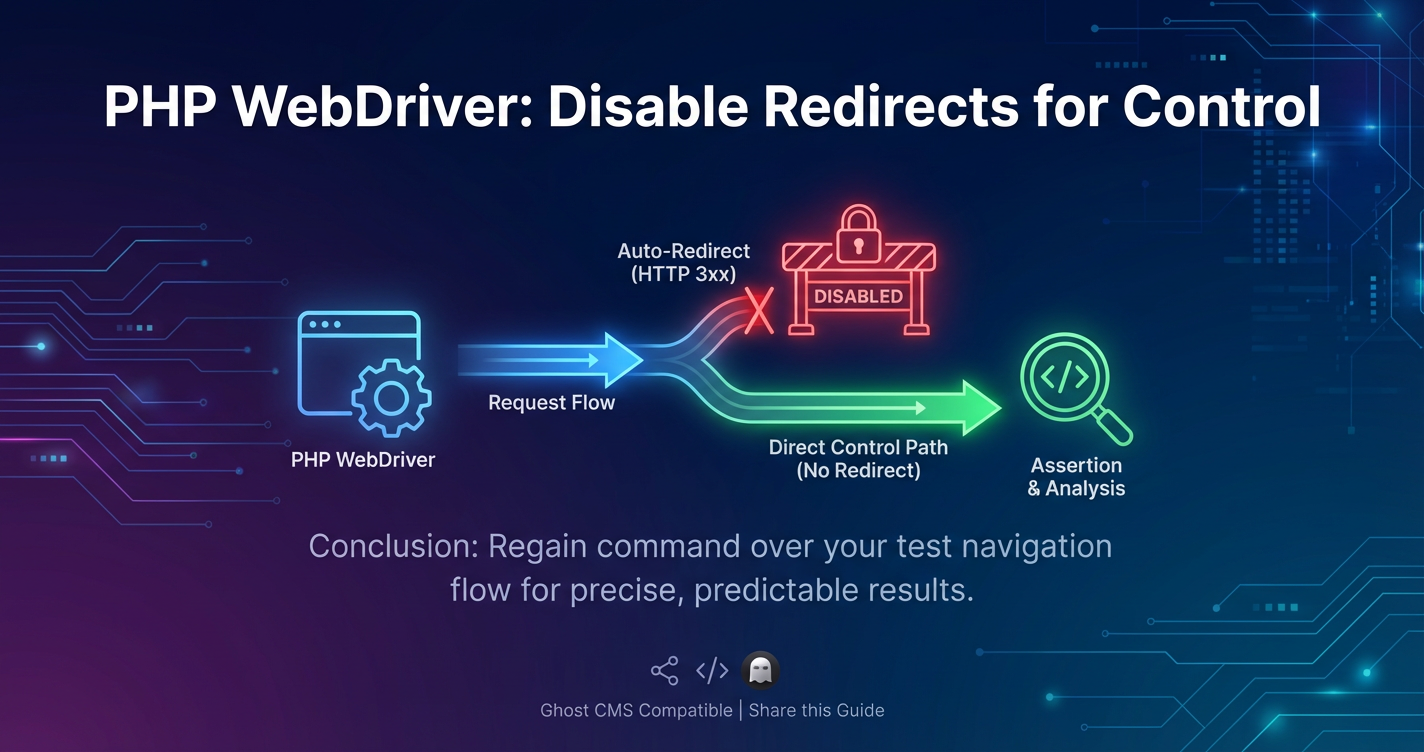
PHP WebDriver: Disable Redirects for Control


APIPark is a high-performance AI gateway that allows you to securely access the most comprehensive LLM APIs globally on the APIPark platform, including OpenAI, Anthropic, Mistral, Llama2, Google Gemini, and more.Try APIPark now! 👇👇👇
PHP WebDriver: Disabling Redirects for Absolute Control in Automated Testing
Automated testing is a cornerstone of modern software development, ensuring the reliability, functionality, and performance of web applications. Among the myriad tools available, PHP WebDriver stands out as a powerful interface for driving web browsers, allowing developers and QA engineers to simulate user interactions with precision. However, a common challenge arises when the default browser behavior of automatically following HTTP redirects obscures crucial intermediate states, making certain types of testing and debugging significantly more complex. In scenarios ranging from security audits to meticulous validation of server responses, gaining explicit control over redirects is not merely an optional feature but an absolute necessity.
The web, by its very nature, is a dynamic and interconnected system. HTTP redirects (like 301, 302, 307, 308) are fundamental mechanisms that guide users and search engines to the correct resources, manage session states, balance server loads, and even implement various security measures. Browsers are designed to follow these redirects seamlessly, providing a smooth user experience. While this default behavior is generally beneficial for end-users, it presents a blind spot for automated tests that need to inspect the precise response from an initial request before any redirection occurs. Without the ability to pause or prevent this automatic redirection, testers might miss critical HTTP status codes, specific response headers (such as Location or Set-Cookie), or even intermediate error pages that are swiftly replaced by a fallback page after a redirect.
Consider a security test designed to detect open redirect vulnerabilities, where an attacker could craft a URL to redirect users to a malicious site. If WebDriver automatically follows the redirect, the test might only see the final, potentially benign, destination, completely missing the vulnerability in the initial redirect. Similarly, when debugging a complex authentication flow that involves several redirects, seeing only the final logged-in state without inspecting the intermediary steps (e.g., a 302 redirect after successful login attempts, or an unexpected 401 before a redirect to a login page) can severely hamper diagnostic efforts. Gaining granular control over redirects allows testers to dissect these interactions, ensuring that each step of a multi-stage process behaves exactly as expected, both in terms of content and underlying network responses.
This comprehensive guide will delve deep into the intricacies of managing HTTP redirects within PHP WebDriver. We will explore why browsers and WebDriver exhibit this default behavior, the profound implications it has for various testing scenarios, and, most importantly, provide detailed, actionable strategies and code examples for disabling redirects. From leveraging browser-specific capabilities to implementing robust proxy-based interception mechanisms, we will equip you with the knowledge and tools to achieve absolute control over your automated web tests, enabling more thorough debugging, enhanced security validation, and ultimately, higher quality web applications. By the end of this journey, you will be able to confidently assert not just what the user sees, but precisely what the server sends at every critical juncture of your application's interaction.
Understanding the Mechanics of HTTP Redirects
To effectively disable redirects in PHP WebDriver, it's paramount to first grasp the underlying principles of HTTP redirects and how they operate within the web ecosystem. HTTP redirects are a fundamental aspect of how the internet functions, allowing web servers to inform user agents (like web browsers) that the requested resource has moved, either temporarily or permanently, to a different URI. These mechanisms are crucial for maintaining the integrity and usability of web applications, but their automatic nature can pose challenges for automated testing.
The Role and Types of HTTP Redirects:
At its core, an HTTP redirect is a server's response to a client's request that indicates the client should make a new request to a different URL. This instruction is conveyed through specific HTTP status codes in the 3xx range, accompanied by a Location header that specifies the new URL. The most common types include:
- 301 Moved Permanently: This status code indicates that the requested resource has been permanently assigned a new URI. Clients, including browsers and search engine crawlers, should update any links to this resource and always use the new URI in future requests. For instance, if
http://old-domain.com/pagepermanently moves tohttps://new-domain.com/article, a 301 redirect ensures that all traffic and SEO value are transferred to the new location. - 302 Found (Previously "Moved Temporarily"): This status code suggests that the resource has temporarily moved to a different URI. The client should continue to use the original URI for future requests. This is often used for temporary redirections, such as after a successful form submission where the user is redirected to a "thank you" page, or during A/B testing where users are temporarily routed to different versions of a page.
- 303 See Other: Similar to 302, but explicitly states that the client should retrieve the resource using a GET request at the new URI. This is commonly used after a POST request to prevent accidental re-submission of data if the user refreshes the page (known as the Post/Redirect/Get pattern).
- 307 Temporary Redirect: This is the HTTP/1.1 successor to 302, with a crucial distinction: it explicitly forbids changing the request method from the original request. If the original request was a POST, the redirected request must also be a POST. Browsers often treated 302 as a 303 for non-GET requests, causing method changes; 307 addresses this ambiguity.
- 308 Permanent Redirect: The HTTP/1.1 successor to 301, similar to 307 in that it explicitly forbids changing the request method. If a POST request is permanently redirected, the client is expected to re-send the POST request to the new URL.
Why Websites Utilize Redirects:
Web applications leverage redirects for a multitude of reasons, all aimed at improving user experience, site management, and often, security:
- URL Management: When page URLs change due to content updates, site restructuring, or domain migration, redirects ensure that old links continue to work, preventing broken links and preserving search engine rankings.
- Session Management: After a user logs in, they are often redirected to their dashboard or a success page. Similarly, after logging out, they might be redirected to the homepage or a login page.
- Load Balancing and Geographic Routing: Complex applications might redirect users to different server instances based on server load or the user's geographical location to optimize performance and availability.
- A/B Testing: Users can be temporarily redirected to different versions of a page to test design changes, content variations, or feature implementations.
- Security:
- HTTPS Enforcement: Redirects are commonly used to force all HTTP traffic to HTTPS, encrypting data and enhancing security. A 301 redirect from
http://example.comtohttps://example.comis a standard practice. - Post/Redirect/Get (PRG) Pattern: As mentioned with 303 redirects, this pattern prevents users from inadvertently re-submitting form data by ensuring that refreshing a page after a POST request leads to a GET request for a new resource, rather than re-sending the original POST.
- HTTPS Enforcement: Redirects are commonly used to force all HTTP traffic to HTTPS, encrypting data and enhancing security. A 301 redirect from
- User Experience Enhancement: Guiding users through a multi-step process, like a checkout flow, often involves redirects between different stages.
How Browsers Handle Redirects by Default:
The default behavior of all modern web browsers is to automatically follow HTTP redirects. When a browser receives a 3xx status code along with a Location header, it immediately makes a new request to the URL specified in the Location header. This process is entirely transparent to the end-user, who simply perceives a smooth transition to the final destination page. This automated following of redirects occurs at a very low level within the browser's networking stack, often before any JavaScript is executed or the page content is fully rendered.
Implications for Automated Testing:
While this automatic behavior is excellent for users, it creates significant challenges for automated testing with tools like PHP WebDriver:
- Obscuring Intermediate States: Tests might be designed to verify a specific response before a redirect. For example, ensuring that a 401 Unauthorized status is returned for a protected resource before the user is redirected to a login page. If WebDriver automatically follows the redirect, the test will only see the login page and its 200 OK status, missing the critical initial 401.
- Hiding Error Pages or Specific Headers: A server might return a 500 Internal Server Error, then immediately redirect to a generic error page. If redirects are followed automatically, the test will only see the generic error page (with a 200 OK status for that page), making it impossible to assert the original 500 status code or inspect error-specific headers. Similarly,
Set-Cookieheaders or other custom headers might be sent with the redirect response itself, which are not directly accessible after the browser has moved to the next page. - Difficulty in Asserting Specific Server Responses: When testing API endpoints that might return redirects, directly asserting the 3xx status code becomes impossible through standard WebDriver commands that only report the final page's status.
- Security Testing Implications: As highlighted earlier, detecting open redirects requires inspecting the
Locationheader of a 3xx response. If the browser follows the redirect, the vulnerability might remain undetected. Similarly, validating HTTP Strict Transport Security (HSTS) settings often involves checking for a 307 redirect before accessing an HTTPS resource after an initial HTTP attempt. Without redirect control, this intricate validation is not feasible.
In essence, while PHP WebDriver excels at simulating user interactions on the Document Object Model (DOM) of the final page, its default interaction with the browser's network stack means that low-level network events, particularly those involving redirects, are often hidden from direct inspection. This necessitates advanced techniques to regain the control required for comprehensive and robust automated testing. The next sections will explore how WebDriver inherently handles these situations and provide concrete strategies to override this default behavior.
The Core Problem: Why PHP WebDriver Autonomously Follows Redirects
The inherent design of WebDriver, including its PHP implementation, is to faithfully simulate the actions and perceptions of a real human user interacting with a web browser. From this perspective, automatic redirection is not an anomaly but a fundamental and expected part of the web browsing experience. When a user clicks a link or submits a form that triggers a server-side redirect, they don't consciously "choose" to follow the redirect; the browser simply takes them to the next page. WebDriver is built to mirror this seamless flow, which, while beneficial for most functional tests, becomes a limitation when granular control over network behavior, specifically redirects, is required.
WebDriver's Philosophy: Mimicking Real User Behavior:
The primary goal of WebDriver is to provide an API that allows test scripts to control a real browser as if a user were operating it. This means: * DOM Interaction: WebDriver focuses on finding elements, clicking, typing, navigating, and asserting against the visible page content and its structure. * Browser-Level Execution: Commands sent via WebDriver (like navigateTo, click, submit) are translated into native browser events and actions. The browser then executes these actions, handling all underlying network requests, rendering, and JavaScript execution. * Transparency of Network Layer: Just as a user doesn't typically inspect HTTP headers or status codes (unless they open developer tools), WebDriver's high-level API abstracts away the complexities of the network layer. It assumes that if a browser receives a redirect, it should follow it to the final destination, presenting that final destination to the WebDriver client as the current state.
How WebDriver Interacts with Browsers at a Low Level:
WebDriver communicates with the browser through a browser-specific driver (e.g., ChromeDriver for Chrome, GeckoDriver for Firefox, EdgeDriver for Edge). This communication happens over a standardized protocol: * JSON Wire Protocol (Legacy): The original protocol for WebDriver. * W3C WebDriver Protocol (Current Standard): The modern, standardized protocol.
When a PHP WebDriver script issues a command like $driver->get('http://example.com/old-page');, this command is sent to the respective browser driver. The driver then translates this into native browser instructions. The browser, upon receiving a response with a 3xx status code and a Location header, will immediately and automatically initiate a new request to the specified Location. This entire redirection process occurs internally within the browser's network stack before the browser driver reports back to the WebDriver client that a page has finished loading. By the time the WebDriver client receives control again, the browser has already landed on the final page of the redirect chain.
This sequence of events means that: 1. WebDriver doesn't "see" the redirect happening in real-time. It doesn't receive a distinct event notification for a 302 or 301 status code that it can then choose to act upon (like "follow" or "don't follow"). 2. The browser handles the redirect autonomously. The browser's networking layer is designed to follow redirects without explicit instruction for each one. WebDriver, by design, doesn't interfere with this fundamental browser behavior through its standard commands. It is operating at a layer above the raw HTTP request/response.
Browser-Level Handling of Redirects Before WebDriver "Sees" the Final Page:
Consider this simplified flow:
- PHP WebDriver:
$driver->get('http://example.com/initial'); - WebDriver sends command to Browser Driver: "Navigate to
http://example.com/initial." - Browser Driver instructs Browser: (e.g., via DevTools Protocol or internal APIs) "Load this URL."
- Browser (Internal Network Stack): Makes HTTP GET request to
http://example.com/initial. - Server Responds:
HTTP/1.1 302 FoundwithLocation: http://example.com/final. - Browser (Internal Network Stack): Immediately makes a new HTTP GET request to
http://example.com/final. It does not wait for any external instruction. - Server Responds:
HTTP/1.1 200 OKwith the content of/final. - Browser Renders: Displays the content of
/final. - Browser Driver reports back to WebDriver: "Page loaded successfully at
http://example.com/final." - PHP WebDriver: Receives control,
$driver->getCurrentURL()returnshttp://example.com/final, and$driver->getPageSource()contains the content of/final.
At no point in this standard flow does WebDriver receive an opportunity to intercept the 302 response and prevent the browser from following it. This limitation is not a flaw in WebDriver but rather a consequence of its design philosophy to emulate a user experience, combined with the low-level, internal handling of redirects by the browser itself.
Limitations of Direct WebDriver Commands for Redirect Control:
Due to this architectural design, there are no direct, cross-browser WebDriver commands like disableRedirects() or getInitialResponseStatus(). The WebDriver API provides methods to interact with the DOM, manage cookies, execute JavaScript, and navigate, but it intentionally abstracts away the intricate details of HTTP networking. This means that to gain the desired control over redirects, we must look beyond the standard WebDriver API and explore techniques that either: * Configure the browser itself to alter its redirect behavior before WebDriver starts driving it. * Intercept and manipulate the network traffic between the browser and the web server, effectively acting as a man-in-the-middle to control redirects.
These workarounds are essential for scenarios where understanding the nuances of HTTP redirects is as critical as verifying the final rendered page. The following sections will detail these advanced techniques, providing practical guidance for implementing them in your PHP WebDriver tests.
Techniques for Disabling Redirects in PHP WebDriver
Given the inherent behavior of browsers and WebDriver, disabling redirects requires ingenious approaches that either modify the browser's default settings or introduce an intermediary layer to intercept and control network traffic. Both strategies offer distinct advantages and are suitable for different testing requirements.
A. Using Browser Capabilities/Options
This approach involves configuring the browser directly, usually by passing specific options or preferences when initializing the WebDriver session. While seemingly straightforward, its effectiveness varies greatly across different browsers, as not all browsers expose a direct "disable redirect" setting via their WebDriver capabilities.
Chrome/Chromium (and by extension, Edge)
For Chrome and other Chromium-based browsers like Edge, direct control over HTTP redirects via standard WebDriver capabilities is unfortunately not straightforward, if not impossible. The Chromium project's design philosophy and the way its network stack handles redirects are deeply integrated and not exposed as a simple configuration option that WebDriver can toggle.
'goog:chromeOptions'or'chromeOptions': These capabilities are used to pass command-line arguments or other browser-specific settings to Chrome. While there are many useful arguments (e.g.,--headless,--start-maximized), there isn't a direct command-line flag like--disable-http-redirectsthat would prevent Chrome from following 3xx responses.- Workarounds and Advanced Considerations:
- DevTools Protocol: For truly granular control over Chrome's network behavior, one would need to interact directly with the Chrome DevTools Protocol (CDP). CDP offers powerful capabilities, including network interception. Using CDP, you could set up network request interception, listen for
responseReceivedevents, check for 3xx status codes, and then issue a command tocontinueRequestbut potentially modify it or prevent the browser from loading theLocationheader. This is a highly advanced technique, often implemented through libraries designed specifically for CDP interaction (e.g., Puppeteer for Node.js, or various PHP CDP clients). Integrating this directly with basic PHP WebDriver can be complex and might require running a separate CDP client alongside your WebDriver script. It moves beyond the scope of "simple" WebDriver usage. - No Simple Flag: The key takeaway for Chrome and Edge is that you cannot simply pass a capability to
ChromeDriverorEdgeDriverto stop them from following redirects. This limitation often pushes testers towards proxy-based solutions for these browsers when redirect control is absolutely essential.
- DevTools Protocol: For truly granular control over Chrome's network behavior, one would need to interact directly with the Chrome DevTools Protocol (CDP). CDP offers powerful capabilities, including network interception. Using CDP, you could set up network request interception, listen for
Firefox/GeckoDriver
Firefox offers a more amenable environment for redirect control through its extensive preference system. By creating and configuring a custom Firefox profile, you can modify network behavior to prevent automatic redirects.
'moz:firefoxOptions'or'firefoxOptions'and Custom Profiles: Firefox allows WebDriver to use a custom profile, which can contain auser.jsfile to set various browser preferences. One such preference,network.http.redirection-limit, directly controls how many redirects Firefox will follow. Setting this to 0 or 1 effectively disables automatic following of subsequent redirects.- Detailed Steps for Firefox:
- Create a Custom Firefox Profile:
- Open Firefox.
- Type
about:profilesin the address bar and press Enter. - Click "Create a New Profile" and follow the wizard (e.g., name it
WebDriverProfile). - Once created, note its "Root Directory" path. You'll need this path.
- Open the root directory, or create it if it doesn't already exist.
- Inside this profile directory, create a file named
user.js(if it doesn't exist).
- Configure
user.jsto Disable Redirects:- Edit the
user.jsfile and add the following line:javascript user_pref("network.http.redirection-limit", 0);Setting it to0means Firefox will not follow any redirects. If you want to allow the first redirect (e.g., to observe a 302 then stop), you might set it to1, though0is typically what's needed for strict control. - Save the
user.jsfile.
- Edit the
- Create a Custom Firefox Profile:
Integrate with PHP WebDriver: Now, when initializing your FirefoxDriver, you need to tell it to use this custom profile.```php <?php require_once 'vendor/autoload.php'; // Assuming Composer autoloaduse Facebook\WebDriver\Remote\RemoteWebDriver; use Facebook\WebDriver\Remote\DesiredCapabilities; use Facebook\WebDriver\Firefox\FirefoxDriver; use Facebook\WebDriver\Firefox\FirefoxProfile; // Important for profiles// Path to your custom Firefox profile's root directory $firefoxProfilePath = '/path/to/your/WebDriverProfile'; // !!! REPLACE THIS !!!// Path to GeckoDriver executable $geckoDriverPath = '/path/to/geckodriver'; // !!! REPLACE THIS !!!// Set up the GeckoDriver service putenv("webdriver.gecko.driver={$geckoDriverPath}");// Create a new FirefoxProfile object and load your custom profile $firefoxProfile = new FirefoxProfile($firefoxProfilePath);// This is often not strictly necessary if user.js is already configured, // but it shows how you could programmatically add preferences // $firefoxProfile->setPreference('network.http.redirection-limit', 0);$capabilities = DesiredCapabilities::firefox(); $capabilities->setCapability(FirefoxDriver::PROFILE, $firefoxProfile); $capabilities->setCapability('acceptInsecureCerts', true); // Good practice for testing HTTPS// Connect to Selenium WebDriver server $host = 'http://localhost:4444/wd/hub'; // Default Selenium Hub address $driver = RemoteWebDriver::create($host, $capabilities);try { // Navigate to a URL that you know will redirect $driver->get('http://httpbin.org/redirect/1'); // httpbin.org is great for testing HTTP
// Now, Firefox should *not* follow the redirect.
// It should stop at the 302 response page.

echo "Current URL: " . $driver->getCurrentURL() . PHP_EOL;
echo "Page Title: " . $driver->getTitle() . PHP_EOL;

// You might need to inspect the page source to see the redirect message
// or use a proxy to confirm the status code.
// Without a proxy, WebDriver's view is still primarily the DOM.
// The browser *received* the 302 and stopped, but WebDriver may not
// directly expose the 302 status code via standard API.
// It will essentially "load" the redirect page content itself.

// Example: Navigating to a 302 redirect on httpbin.org, Firefox will display
// an intermediate page if redirection-limit is 0, indicating a redirect was blocked.
// The actual HTTP status code (302) is still handled by the browser's internal network stack.
// To verify the *actual* 302 status code programmatically, a proxy is usually necessary.
} finally { $driver->quit(); } ?> `` **Important Note:** Whilenetwork.http.redirection-limit = 0` prevents Firefox from following the redirect to the final destination, WebDriver itself still primarily interacts with the browser's rendered state. If Firefox halts on a redirect, it might display an internal browser page explaining the blocked redirect. To assert the actual HTTP status code (e.g., 302, 301) and specific headers received by the browser, you still generally need an external proxy. This method primarily stops the browser from reaching the final destination.
Safari/SafariDriver
Safari, particularly SafariDriver, is known for its more restrictive nature regarding browser customization via WebDriver capabilities. Similar to Chrome, there are generally no direct WebDriver capabilities or command-line arguments to disable HTTP redirects in Safari. Developers often face limitations when trying to control low-level browser network behavior through SafariDriver. For robust redirect control in Safari, a proxy-based approach remains the most viable and reliable option.
B. Intercepting Network Traffic with a Proxy (The Most Robust Method)
For ultimate control, browser-agnostic solutions, and the ability to inspect raw HTTP status codes and headers, intercepting network traffic with a proxy is the gold standard. A proxy server sits between your WebDriver-controlled browser and the internet, allowing it to inspect, modify, and even block HTTP requests and responses.
Introduction to Proxies:
A proxy server acts as an intermediary for requests from clients seeking resources from other servers. When configured with WebDriver, the browser sends all its HTTP traffic through the proxy. The proxy can then: * Log Traffic: Capture every request and response, including headers, bodies, and timings (often in HAR format). * Modify Requests/Responses: Alter URLs, headers, body content, or status codes. * Block Requests/Responses: Prevent certain requests from reaching the server or certain responses from reaching the browser. * Control Redirects: This is key for our purpose. A proxy can be configured to intercept a 3xx response and prevent the browser from issuing the follow-up request to the Location header. Instead, it can return the 3xx response directly to the client as if it were the final response, allowing you to inspect it.
Popular Proxy Tools for WebDriver:
- BrowserMob Proxy (BMP): BrowserMob Proxy is an open-source, Java-based proxy that provides a REST API for programmatic control. It's incredibly powerful for WebDriver testing because it allows you to dynamically configure proxy behavior during your test runs.
- Architecture: BMP runs as a separate Java process. Your PHP WebDriver script communicates with BMP's REST API (typically over HTTP) to set up proxy rules, enable HAR logging, and control network behavior. The WebDriver-launched browser is then configured to route its traffic through BMP.
- Key Features for Redirect Control:
- Dynamic Rule Creation: You can add "request filters" or "response filters" that inspect HTTP traffic and make decisions, such as not following a redirect.
- HAR Logging: BMP can generate detailed HAR (HTTP Archive) files, which contain every aspect of the network interaction, including initial 3xx responses. This is invaluable for debugging.
- Disabling Redirects: BMP can intercept a 3xx status code and prevent the browser from following it, effectively returning the 3xx as the final response to the browser (or rather, allowing the browser to see the 3xx as the final response for that particular URL load).
- Detailed Steps for BrowserMob Proxy with PHP WebDriver:
- Prerequisites:
- Java Runtime Environment (JRE) installed.
- Download BrowserMob Proxy (e.g., from its GitHub releases page). Extract it.
- You'll need a PHP HTTP client like Guzzle to interact with BMP's REST API. Install it via Composer:
composer require guzzlehttp/guzzle.
- Start BrowserMob Proxy: Navigate to the extracted BMP directory (e.g.,
browsermob-proxy-2.1.4/bin) in your terminal and run:bash ./browsermob-proxy -port 8080(You can choose any available port, 8080 is common). This starts the BMP server. Keep this terminal window open.
- Prerequisites:
- Mink's Goutte Driver (for non-JS pages): While not strictly a "WebDriver" solution as it doesn't drive a real browser, it's worth a brief mention for its redirect control. The Goutte driver in Mink (a PHP browser emulator) is a pure HTTP client (like cURL or Guzzle). It executes requests directly against the application, without a browser. Because it operates at the HTTP client level, it offers explicit control over redirect following. You can configure Goutte to disable automatic redirects, allowing you to inspect every 3xx response directly. This is extremely useful for testing backend API redirects or static page redirects where JavaScript isn't involved. However, it cannot handle JavaScript-driven redirects or client-side application state.
- Manual Proxy Configuration (e.g., Squid, Nginx): You could set up a general-purpose proxy server like Squid or Nginx and configure it with rules to intercept and modify 3xx responses. However, this is less dynamic and programmatic than BrowserMob Proxy. It requires more manual configuration and is harder to integrate directly into a dynamic test suite where proxy settings might change per test case. It's more suited for static environments or general network debugging rather than automated testing where precise, on-the-fly control is needed.
PHP WebDriver Script with Guzzle:```php <?php require_once 'vendor/autoload.php';use Facebook\WebDriver\Remote\RemoteWebDriver; use Facebook\WebDriver\Remote\DesiredCapabilities; use Facebook\WebDriver\Remote\WebDriverCapabilityType; use GuzzleHttp\Client; // For interacting with BrowserMob Proxy's REST API// --- Configuration --- $seleniumHost = 'http://localhost:4444/wd/hub'; $browsermobProxyHost = 'http://localhost:8080'; // BMP server address $browsermobProxyPort = 8080; // Port BMP is running on// --- Guzzle HTTP Client for BMP API --- $guzzleClient = new Client(['base_uri' => $browsermobProxyHost]);// --- 1. Create a new proxy port on BrowserMob Proxy --- echo "Creating a new proxy port on BrowserMob Proxy...\n"; $newProxyResponse = $guzzleClient->post('/proxy'); $proxyData = json_decode($newProxyResponse->getBody()->getContents(), true); $proxyServerPort = $proxyData['port']; echo "New proxy server running on port: {$proxyServerPort}\n";// --- 2. Configure BrowserMob Proxy for Redirect Control and HAR logging --- // This is crucial. BMP allows setting 'followRedirects' property. echo "Configuring proxy to NOT follow redirects and enable HAR capture...\n"; $guzzleClient->put("/techblog/en/proxy/{$proxyServerPort}/har"); // Start HAR capture $guzzleClient->put("/techblog/en/proxy/{$proxyServerPort}/upstreamProxy", [ 'json' => ['httpProxy' => null] // Ensure no upstream proxy interferes ]); $guzzleClient->post("/techblog/en/proxy/{$proxyServerPort}/limit", [ 'json' => ['followRedirects' => false] // <<< THIS IS THE KEY FOR DISABLING REDIRECTS ]); // Optional: You can add an entry like this, though followRedirects should handle it // $guzzleClient->post("/techblog/en/proxy/{$proxyServerPort}/interceptor/response", [ // 'json' => [ // 'response' => [ // 'match' => '3\d{2}', // Regex for 3xx status codes // 'replace' => '' // This is more complex, typically 'followRedirects: false' is enough // ] // ] // ]);// --- 3. Configure WebDriver to use the BrowserMob Proxy --- $capabilities = DesiredCapabilities::chrome(); // Can use Firefox, Edge, etc. $capabilities->setCapability(WebDriverCapabilityType::PROXY, [ 'proxyType' => 'manual', 'httpProxy' => "localhost:{$proxyServerPort}", 'sslProxy' => "localhost:{$proxyServerPort}", 'noProxy' => '' // If you have internal domains not to proxy ]); $capabilities->setCapability('acceptInsecureCerts', true); // For SSL interceptionecho "Starting WebDriver session...\n"; $driver = RemoteWebDriver::create($seleniumHost, $capabilities);try { // --- 4. Perform WebDriver actions that involve a redirect --- // httpbin.org/redirect/1 will issue a 302 Found redirect $redirectUrl = 'http://httpbin.org/redirect/1'; echo "Navigating to: {$redirectUrl}\n"; $driver->get($redirectUrl);
// With followRedirects: false on BMP, the browser will receive the 302,
// but BMP will not forward the follow-up request to the 'Location' header.
// The browser effectively stops at the 302 response page.

echo "Current URL after attempting navigation: " . $driver->getCurrentURL() . PHP_EOL;
echo "Page Title after attempting navigation: " . $driver->getTitle() . PHP_EOL;

// At this point, the browser's current URL will still be the initial request URL,
// or if the browser itself displays an error for blocked redirect, it might show that.
// The critical part is that the browser *did not* reach the final redirected page.

// --- 5. Retrieve HAR logs to inspect the actual HTTP status code ---
echo "Retrieving HAR logs...\n";
$harResponse = $guzzleClient->get("/techblog/en/proxy/{$proxyServerPort}/har");
$harData = json_decode($harResponse->getBody()->getContents(), true);

// Loop through entries to find the initial redirect
$initialRedirectEntry = null;
foreach ($harData['log']['entries'] as $entry) {
    if ($entry['request']['url'] === $redirectUrl && $entry['response']['status'] >= 300 && $entry['response']['status'] < 400) {
        $initialRedirectEntry = $entry;
        break;
    }
}

if ($initialRedirectEntry) {
    echo "Found initial redirect request in HAR:\n";
    echo "  Request URL: " . $initialRedirectEntry['request']['url'] . PHP_EOL;
    echo "  Response Status: " . $initialRedirectEntry['response']['status'] . PHP_EOL;
    echo "  Location Header: ";
    $locationHeader = '';
    foreach ($initialRedirectEntry['response']['headers'] as $header) {
        if (strtolower($header['name']) === 'location') {
            $locationHeader = $header['value'];
            break;
        }
    }
    echo $locationHeader . PHP_EOL;
} else {
    echo "Could not find a 3xx redirect for the target URL in HAR. This might indicate an issue or that the URL did not redirect as expected.\n";
}
} finally { // --- Cleanup --- echo "Quitting WebDriver and deleting proxy...\n"; $driver->quit(); $guzzleClient->delete("/techblog/en/proxy/{$proxyServerPort}"); } ?> ```Explanation and Nuances: * followRedirects: false: This is the core setting in BrowserMob Proxy. When enabled, BMP will intercept any 3xx response. Instead of allowing the browser to issue a new request to the Location header, BMP effectively tells the browser "this is the final response for this URL," without actually following the redirect itself. The browser will then display whatever content the server sent with the 3xx response (which is often minimal or an empty page), or an internal browser message indicating a redirect was blocked. * HAR Logs are Key: The true power here is the ability to capture HAR logs. Even if the browser's visible state isn't immediately revealing, the HAR file contains the full details of the 302 response, including its exact status code and headers. This allows for precise assertions in your tests. * SSL Interception: For HTTPS sites, BrowserMob Proxy performs SSL interception. This requires acceptInsecureCerts to be true in your WebDriver capabilities, and you might need to import BMP's root CA certificate into your browser's trust store for tests to run smoothly without security warnings.
Advantages of Proxies for Redirect Control:
- Browser-Agnostic: Works with any browser that can be configured to use a proxy (Chrome, Firefox, Edge, Safari).
- Fine-Grained Control: Allows you to inspect and manipulate requests and responses at a low HTTP level, giving you full control over redirects, headers, status codes, and body content.
- HAR File Capture: Invaluable for deep debugging, performance analysis, and detailed test reporting. You can capture all network traffic for a test case and analyze it later.
- Comprehensive Test Coverage: Enables testing scenarios that are impossible with standard WebDriver, especially security and error handling related to HTTP responses.
Disadvantages of Proxies:
- Adds Complexity: Requires running an additional service (the proxy server) alongside Selenium/WebDriver, increasing setup and maintenance overhead.
- Performance Overhead: Introducing an extra hop for all network traffic can slightly increase test execution time.
- SSL Interception: While powerful, it adds complexity when dealing with HTTPS, requiring certificate management for local testing.
Connecting to the Broader API Ecosystem: AI Gateway and API Management
The discussion of disabling redirects in PHP WebDriver, particularly through proxy-based methods, inherently brings us closer to the fundamental network interactions that underpin modern web applications. When we intercept browser traffic, we are essentially looking at the client-side interaction with various api endpoints. These api calls, whether direct or orchestrated through redirects, are the lifeblood of most applications, and their efficient, secure, and observable management is paramount. This is precisely where an AI Gateway or a general api gateway becomes an indispensable tool, seamlessly connecting frontend testing efforts to the robust management of backend services.
Consider a complex web application being tested with PHP WebDriver. A user action in the browser might trigger multiple api requests to various backend services. Some of these requests might involve redirects for authentication, load balancing, or data processing before a final response is served to the browser. When you disable redirects in WebDriver, you are peeling back a layer to observe these raw api responses. This perspective offers a unique opportunity to understand how the client-side interaction (which WebDriver simulates) directly reflects the behavior of the underlying apis.
An api gateway acts as a single entry point for all api requests, sitting between clients and a collection of backend services. It handles concerns like authentication, authorization, routing, rate limiting, and monitoring, abstracting the complexity of microservices from the client. When an AI Gateway is introduced, it extends these capabilities to include specialized management for Artificial Intelligence models and services. This is particularly relevant in today's landscape where many web applications integrate various AI functionalities—from natural language processing to image recognition—often exposed as distinct apis.
This is an opportune moment to introduce APIPark, an open-source AI Gateway and api management platform. While your PHP WebDriver tests focus on the frontend experience and its interactions, the underlying apis that drive these experiences are critical. APIPark helps manage, integrate, and deploy AI and REST services with ease, directly impacting the very apis that WebDriver interacts with.
How APIPark enhances the context of WebDriver testing and redirect control:
- Unified API Management: When a WebDriver test is scrutinizing redirects, it's often trying to understand the full lifecycle of an HTTP request, including how it navigates through server-side logic and potentially multiple
apicalls. APIPark provides end-to-endapilifecycle management, ensuring consistency in howapis are designed, published, invoked, and deprecated. This structured approach means that even when WebDriver intercepts a complex redirect chain, the underlyingapis are being managed in a predictable and controlled manner. - Debugging and Monitoring API Calls: Disabling redirects with a proxy like BrowserMob Proxy allows you to capture detailed HAR files, providing an in-depth look at every
apicall initiated by the browser. APIPark complements this by offering detailedapicall logging and powerful data analysis for the backendapis themselves. If a redirect reveals an unexpectedapiresponse or a latency issue, APIPark's logging capabilities can help trace and troubleshoot these issues from the server side, providing a holistic view that combines frontend observation with backend diagnostics. This is crucial for pinpointing the exact cause of a redirect problem—was it a client-side misconfiguration, anapiresponding incorrectly, or anAI Gatewayrule causing unintended behavior? - Security Validation: One key use case for disabling redirects is security testing, like detecting open redirects. APIPark supports independent
apiand access permissions for each tenant andapiresource access requiring approval, acting as a crucial security layer for your backendapis. By ensuring that only authorized callers can invokeapis and thatapis are exposed securely, APIPark strengthens the overall security posture, even as WebDriver tests probe for client-side vulnerabilities related to redirects. AnAI Gatewaylike APIPark can enforce policies that prevent malicious redirect parameters from even reaching the backendapis, adding another layer of defense. - Integrating AI Models: Modern applications frequently integrate AI functionalities. APIPark excels at quick integration of 100+ AI models, offering a unified
apiformat for AI invocation. Imagine a WebDriver test scenario where a redirect occurs after a user interacts with an AI-driven search or recommendation system. By disabling the redirect, you might capture the immediate response from theAI Gatewaythat orchestrates the AI model invocation. This allows you to verify that theAI Gatewaycorrectly processed the request and initiated the expectedapicall to the AI model, even before any further frontend redirection. APIPark's ability to encapsulate prompts into RESTapis means that these AI-driven interactions are themselves well-definedapis, which can be managed and tested systematically. - Performance Analysis: While WebDriver with a proxy helps analyze frontend redirect performance, APIPark's performance (rivaling Nginx, supporting over 20,000 TPS) ensures that the
api gatewayitself isn't a bottleneck. By managing traffic forwarding and load balancing forapis, APIPark contributes to a responsive backend, which in turn influences how quickly a browser processes redirects and loads subsequent pages. If a redirect is slow, APIPark's analytics can help determine if the delay is in theapiprocessing behind theAI Gateway.
In essence, while PHP WebDriver provides the lens through which to observe the client's interaction with the web, tools like APIPark provide the infrastructure and intelligence to manage the apis that are being interacted with. Disabling redirects in WebDriver gives testers a detailed view of these client-side api calls, and APIPark ensures that those apis are robust, secure, and performant from the server's perspective. The two work in concert to achieve comprehensive quality assurance for modern, api-driven web applications.
APIPark - Open Source AI Gateway & API Management Platform is an all-in-one AI gateway and API developer portal that is open-sourced under the Apache 2.0 license. It is designed to help developers and enterprises manage, integrate, and deploy AI and REST services with ease. You can find more information about APIPark on its official website.
Use Cases and Scenarios for Disabling Redirects
The ability to control HTTP redirects in PHP WebDriver extends beyond mere technical curiosity; it unlocks critical testing scenarios that are otherwise impossible to achieve with default browser behavior. This level of granular control empowers developers and testers to validate intricate application logic, enhance security, and perform deeper debugging.
Security Testing
One of the most compelling reasons to disable redirects is for robust security testing, where understanding the precise network response at each step is crucial for identifying vulnerabilities.
- Detecting Open Redirect Vulnerabilities: An open redirect vulnerability occurs when a web application redirects users to an arbitrary URL specified in a parameter, without proper validation. Attackers can exploit this to craft malicious links that redirect users to phishing sites or distribute malware. If WebDriver automatically follows the redirect, the test might only arrive at the malicious site, but fail to identify the vulnerable redirect on the original domain. By disabling redirects, you can:
- Navigate to a crafted URL like
http://example.com/redirect?url=http://malicious.com. - Intercept the 3xx response from
example.com. - Assert that the
Locationheader in the 3xx response points to an external, untrusted domain (http://malicious.com), confirming the vulnerability. Without this control, WebDriver would simply land onmalicious.com, and the test would likely pass as a successful navigation, completely missing the security flaw.
- Navigate to a crafted URL like
- Validating HTTP Strict Transport Security (HSTS) Enforcement: HSTS is a security policy mechanism that helps protect websites against man-in-the-middle attacks, such as protocol downgrade attacks and cookie hijacking. When a browser first visits a site via HTTPS and receives an HSTS header, it will always connect to that domain via HTTPS for a specified duration, even if the user explicitly tries to use HTTP. To test HSTS enforcement:
- Attempt to navigate to
http://secure-domain.com(note the HTTP). - If HSTS is properly configured, the browser should internally redirect to
https://secure-domain.comwithout even touching the network with the HTTP request (after the first successful HTTPS visit). Or, if it's the very first visit, the server might issue a 307 Temporary Redirect to HTTPS. - By disabling redirects and inspecting the initial response or proxy logs, you can verify if the browser (after an initial HSTS-enabled visit) never actually sent the HTTP request, or if a 307 redirect from the server was correctly issued before forcing HTTPS. This level of detail is essential for verifying HSTS configuration.
- Attempt to navigate to
- Checking for Mixed Content Issues Before Redirects: Mixed content occurs when an HTTPS page loads insecure HTTP resources. Sometimes, a page might initially be loaded over HTTP, contain mixed content, and then immediately redirect to an HTTPS version. If the redirect is automatic, the mixed content might be obscured. Disabling redirects allows you to load the initial HTTP page (if applicable) and scan its source for any insecure resource links before the browser transitions to HTTPS, helping identify potential vulnerabilities.
- CSRF Token Validation on Redirect Pages: In some complex authentication or transactional flows, a Cross-Site Request Forgery (CSRF) token might be generated and passed with a redirect. Verifying that this token is present, correctly formatted, and unique on the intermediate redirect response (e.g., in a
Set-Cookieheader or query parameter) is a critical security check. If redirects are followed automatically, accessing these ephemeral tokens becomes impossible.
Debugging and Error Handling
Disabling redirects provides invaluable insight into the backend behavior of an application, making it a powerful tool for debugging and thorough error handling validation.
- Inspecting Intermediate Error Pages (e.g., 404, 500) Before a Fallback Redirect: Many applications have robust error handling that, upon encountering a server error (like a 500 Internal Server Error) or a resource not found (404 Not Found), will display the appropriate status code then immediately redirect to a generic, user-friendly error page.
- Problem: If WebDriver follows the redirect, your test will only see the 200 OK status of the generic error page, not the actual 500 or 404 that occurred.
- Solution: By disabling redirects, you can:
- Navigate to a URL that is known to trigger a 404 or 500 error.
- Capture the network response (e.g., via BrowserMob Proxy's HAR logs).
- Assert that the exact HTTP status code (e.g., 404, 500) was received.
- Inspect the body content and headers of that specific error response before any fallback redirect could occur, allowing you to verify custom error pages or diagnostic information.
- Verifying Specific HTTP Status Codes: Beyond error pages, there are many scenarios where the specific 3xx status code matters. For instance, differentiating between a 301 (Permanent) and a 302 (Temporary) redirect for SEO purposes or cache management. With redirects disabled, your test can assert precisely which 3xx code was returned for a given request. This granular verification is impossible if the browser automatically processes the redirect.
- Analyzing Response Headers of the Redirect Itself: Important information is often conveyed in the headers of a redirect response, not just its status code. This could include:
Locationheader: To verify the exact destination of the redirect.Set-Cookieheaders: To ensure session tokens, tracking cookies, or other essential cookies are correctly set during a login redirect or specific flow.- Custom Headers: Applications might use custom headers to convey internal state or debugging information during redirects. Disabling redirects allows direct access to these headers via proxy logs, providing a complete picture of the server's response.
Performance Testing (Indirectly)
While not a direct performance testing tool, disabling redirects can indirectly aid in identifying performance bottlenecks.
- Identifying Unnecessary Redirect Chains: Long chains of redirects (e.g.,
A -> B -> C -> D) can significantly slow down page load times. By inspecting HAR logs generated when redirects are disabled, you can identify these chains and flag them for optimization. Each redirect adds a round trip to the server, contributing to latency. Being able to see each step helps diagnose such issues.
Specific User Flow Validation
Some complex user flows rely on specific redirect behaviors or intermediate states that must be validated.
- Testing OAuth/SSO Flows: Authentication flows involving OAuth, OpenID Connect, or Single Sign-On (SSO) are notoriously complex and heavily reliant on a precise sequence of redirects between various identity providers and the application.
- Each redirect carries specific parameters, tokens, and state information.
- The
Locationheader,Set-Cookieheaders, and URL parameters on each 3xx response are critical for verifying the integrity and security of the authentication process. - Disabling redirects allows testers to pause at each step, inspect the
apiresponse from the identity provider, and ensure that tokens are correctly issued and exchanged, and that the user is eventually redirected to the expected final destination only after all intermediate steps are validated.
- Validating Pre-Redirection State: Imagine a scenario where a user submits a form, and if there are validation errors, they are redirected back to the form with error messages. If the submission is successful, they are redirected to a success page. By disabling redirects, you can differentiate between these two outcomes at the network level. You could assert that a 302 redirect
Locationheader points back to the form URL in case of errors, versus a redirect to the success page for valid submissions, inspecting the rawapiresponse for any error data before the browser renders the next page.
In conclusion, the ability to disable redirects transforms PHP WebDriver from a mere browser automation tool into a powerful instrument for deep network analysis and comprehensive testing. It bridges the gap between client-side user experience and server-side api behavior, empowering testers to validate the intricate dance of HTTP requests and responses that define modern web applications, often facilitated and managed by an AI Gateway like APIPark on the backend.
Best Practices and Considerations
While disabling redirects in PHP WebDriver offers unparalleled control and insight, it's a technique that should be applied judiciously. Understanding when and how to use it, along with its potential implications, is crucial for maintaining effective, readable, and efficient test suites.
When to Use vs. When Not to Use
Use When: * Critical Security Testing: As discussed, for detecting open redirects, HSTS validation, CSRF token presence in redirect headers, and mixed content checks, disabling redirects is indispensable. * Precise HTTP Status Code Validation: When the exact 3xx, 4xx, or 5xx status code of an initial or intermediate response is critical for the test, before a fallback or subsequent redirect occurs. * Debugging Complex Backend Interactions: When troubleshooting issues that manifest as unexpected redirects, infinite redirect loops, or missing headers in redirect responses. * Validating Redirect Chains and Location Headers: For asserting the exact URL specified in the Location header of a 3xx response, especially in multi-step authentication or payment flows. * Analyzing Set-Cookie and Other Response Headers: When specific cookies or custom headers are expected to be set or present within the redirect response itself. * Performance Analysis of Redirects: To identify and analyze the HTTP details of each hop in a redirect chain using HAR files, aiding in performance optimization.
Do Not Use When: * Standard Functional Testing: For the vast majority of functional tests that simply verify a user flow (e.g., "click login, user lands on dashboard"), the default behavior of following redirects is perfectly fine and often desired. Overriding it unnecessarily adds complexity. * Testing Client-Side JavaScript Redirects: If a redirect is triggered by JavaScript (window.location.href = '...' or framework-specific routing), a proxy might not directly "intercept" it in the same way it does server-side HTTP redirects. WebDriver's standard getCurrentURL() would likely show the immediate change. * Simplicity is Paramount: For simple tests where the ultimate destination is the only concern, adding a proxy or complex browser profile management is overkill. * Performance of the Test Suite is Critical (and insights are not): While the performance impact of a proxy is usually acceptable, if your test suite is already struggling with execution time and you don't need detailed redirect insights, avoid adding unnecessary overhead.
Impact on Test Execution Time and Complexity
- Increased Complexity: Implementing redirect control, especially with a proxy, significantly increases the complexity of your test setup. You need to manage an additional service (the proxy server), configure it programmatically (e.g., with Guzzle for BrowserMob Proxy), and handle its lifecycle (start, stop, create/delete ports). This means more code, more dependencies, and more potential points of failure.
- Setup Time: Initial setup of a proxy environment can be time-consuming, including downloading, configuring, and ensuring all services (Selenium, WebDriver, proxy) can communicate correctly.
- Execution Time: While minimal for a single test, the overhead of proxying all traffic can accumulate over large test suites, potentially increasing overall execution time. HAR file generation, while useful, also adds a small overhead.
- Maintainability: More complex tests require more maintenance. Changes in proxy versions, browser updates, or even target application behavior might necessitate updates to your redirect control logic.
Maintaining Readability and Maintainability of Tests
When you employ advanced techniques like redirect control, it's crucial to mitigate the increased complexity through good coding practices:
- Encapsulate Proxy Logic: Create helper classes or functions to encapsulate all the interactions with your proxy server (starting/stopping, creating ports, setting redirect rules, retrieving HARs). This keeps your actual test cases clean and focused on the application logic.
- Clear Test Names and Comments: Name your tests descriptively (e.g.,
testOpenRedirectVulnerabilityDetection()) and add comments to explain why redirects are being disabled for a particular test. - Separate Concerns: Distinguish between tests that require redirect control and those that don't. Only apply the complex setup where it's truly necessary.
- Use Constants for Configuration: Store proxy host, ports, and paths in configuration files or constants to make them easily adjustable.
- Graceful Cleanup: Always ensure that proxy resources (ports, HAR files) are properly cleaned up after each test or test suite, even if tests fail (e.g., using
finallyblocks in PHP).
Error Handling When Redirects are Disabled
When redirects are disabled, the browser might behave differently than expected: * Browser-Specific Error Pages: Instead of navigating to the Location header, some browsers might display an internal error page (e.g., "Redirect blocked") or simply a blank page. Your WebDriver tests need to anticipate this state. * No Direct Status Code from WebDriver: As discussed, WebDriver's getCurrentURL() will still show the URL it last tried to load, or the URL of the browser's internal error page. It won't directly expose the 3xx status code via standard API. This is why a proxy's HAR logs are indispensable for asserting the actual HTTP status code. * Assertions: Instead of asserting getCurrentURL() matches the final destination, you'll assert that: * The Location header in the proxy's HAR logs contains the expected redirect URL. * The HTTP status code in the HAR logs is the desired 3xx status. * The browser's current URL is not the final redirected URL, or that the page source contains specific text indicating a blocked redirect.
Cross-Browser Compatibility Issues
- Browser Capabilities: The methods for disabling redirects via browser capabilities are highly browser-specific (e.g., Firefox's
network.http.redirection-limithas no direct equivalent in Chrome). This means your approach will need to be tailored per browser if you rely on capabilities. - Proxy Universality: This is where proxies shine. A well-configured proxy like BrowserMob Proxy works uniformly across all major browsers because it intercepts traffic at a lower, HTTP protocol level, abstracting away browser-specific quirks. This makes proxy-based solutions generally more robust for cross-browser testing of redirect behavior.
- SSL Certificates: If using a proxy with HTTPS sites, you will inevitably deal with SSL certificate interception. This requires configuring browsers to trust the proxy's root certificate authority, which can be an additional step in cross-browser setup.
By carefully considering these best practices and potential pitfalls, you can effectively leverage redirect control in PHP WebDriver to create highly insightful and robust automated tests without unnecessarily complicating your testing workflow. The goal is always to strike a balance between control, efficiency, and maintainability.
Advanced Topics and Future Trends
The landscape of web testing and API management is continuously evolving. As applications become more complex, integrating richer client-side logic and intricate backend api ecosystems, the methods for gaining deep control over network interactions also advance.
DevTools Protocol Direct Interaction (for Chrome/Edge)
For Chromium-based browsers (Chrome, Edge), the Chrome DevTools Protocol (CDP) offers a powerful, low-level interface for debugging, profiling, and inspecting browsers programmatically. Unlike the high-level WebDriver API, CDP provides direct access to network events, including the ability to intercept requests and responses.
- Mechanism: With CDP, you can listen for
Network.responseReceivedevents. When a 3xx status code is detected, you can then issueNetwork.continueResponseorNetwork.failRequestto prevent the browser from following the redirect. This offers extremely fine-grained control, often surpassing what's possible with a traditional proxy, as it operates directly within the browser's own process. - Integration with PHP WebDriver: While WebDriver itself doesn't directly expose CDP APIs in a user-friendly manner for all commands, some PHP WebDriver clients or libraries (e.g., specific Composer packages for CDP integration) might allow you to establish a separate CDP connection alongside your WebDriver session. This would involve:
- Launching Chrome/Edge with WebDriver, specifying a debug port.
- Connecting a separate CDP client (PHP-based) to this debug port.
- Using the CDP client to set up network interception rules.
- Pros: Very high performance (no external network hop), extremely granular control, no need for separate proxy server.
- Cons: Browser-specific (Chromium only), significantly more complex to implement and maintain than a proxy, higher learning curve. This moves beyond the typical abstraction of WebDriver.
HTTP Client Testing (cURL, Guzzle) for API-Level Tests, Complementing WebDriver
It's crucial to remember that WebDriver tests, even with redirect control, primarily interact with the browser's view of the web. While you gain visibility into HTTP responses, WebDriver is not a pure HTTP client. For truly isolated and efficient api testing, dedicated HTTP clients like PHP's cURL extension or the Guzzle HTTP client are indispensable.
- API-Level Focus: These clients interact directly with
apiendpoints, allowing you to craft precise HTTP requests (GET, POST, PUT, DELETE), manipulate headers, send specific payloads, and, most importantly, have explicit control over redirect following. Guzzle, for example, has aallow_redirectsoption that can be set tofalse. - Complementary to WebDriver:
- WebDriver (Frontend): Focus on UI interactions, JavaScript execution, DOM rendering, and user experience. Use redirect control for security, debugging frontend-triggered backend issues, and validating browser behavior.
- HTTP Clients (Backend/API): Focus on verifying the
apicontracts, backend business logic, data integrity, and performance of individualapiendpoints. They are faster forapitests as they don't launch a browser.
- Holistic Testing: A comprehensive testing strategy often combines both. WebDriver might simulate a user logging in, which triggers an
apicall. Then, an HTTP client could be used to directly test the subsequentapis that the logged-in user would interact with, ensuring theapis themselves are robust, independent of the frontend.
The Role of AI Gateway and API Management in a Broader Testing Strategy
The growing complexity of web applications, fueled by microservices and AI integration, elevates the importance of robust api management and, specifically, AI Gateways. Tools like APIPark play a pivotal role in creating a testing ecosystem that extends beyond individual WebDriver scripts.
- Centralized API Control:
API Gateways(andAI Gateways) sit at the nexus of all backend communication. This centralization provides a single point for:- Traffic Management: Routing, load balancing, rate limiting.
- Security: Authentication, authorization, threat protection.
- Monitoring and Analytics: Real-time visibility into
apicall patterns, errors, and performance.
- Enhanced Debugging and Traceability: When a WebDriver test (even one with disabled redirects) flags an issue related to an
apiresponse (e.g., an unexpected 302, a missing header), theAI Gatewayprovides the crucial backend context. APIPark's detailedapicall logging and powerful data analysis features allow teams to trace the problematicapirequest through the entire backend system, from the gateway to the specific microservice or AI model that generated the response. This end-to-end visibility is vital for quickly diagnosing root causes, especially in distributed systems. - Standardizing AI Invocation: For applications heavily leveraging AI, an
AI Gatewaylike APIPark standardizes how different AI models are invoked and managed. This ensures consistentapibehavior for AI services, which simplifies testing. If a WebDriver test reveals an issue with an AI-driven feature, theAI Gatewayensures that theapicontract for that AI service is well-defined and testable. APIPark's ability to quickly integrate 100+ AI models and offer a unifiedapiformat means that theapis powering your AI features are robust and consistent, making them easier to test, even when probing their responses with redirect-disabled WebDriver tests. - Security and Compliance:
API Gatewaysenforce security policies at the edge of your backend. This complements frontend security testing (like open redirect detection). While WebDriver tests for client-side vulnerabilities, theAI Gatewayensures that malicious requests (even if they bypass frontend validation or involve complex redirects) are blocked or handled securely at theapilayer. APIPark's features likeapiresource access requiring approval and independentapipermissions for each tenant significantly enhance this security posture.
In summary, disabling redirects in PHP WebDriver provides an essential lens for observing browser-to-server interactions at a low level. This granular view, when combined with dedicated api client testing and the overarching management capabilities of an AI Gateway like APIPark, forms a truly comprehensive and robust testing strategy. It allows teams to ensure not just that the user interface looks correct, but that every underlying api interaction, every redirect, and every server response, functions flawlessly and securely. By embracing these advanced techniques and understanding the broader api ecosystem, developers and testers can achieve unparalleled control and confidence in their web applications. Discover more about APIPark's capabilities at https://apipark.com/.
Conclusion
Gaining absolute control over HTTP redirects in PHP WebDriver is a powerful capability that elevates automated testing beyond mere functional validation. While modern browsers are designed to seamlessly follow redirects for an optimal user experience, this default behavior can obscure critical network events, making certain types of testing and debugging endeavors challenging or even impossible. As we have thoroughly explored, the inherent design of WebDriver to mimic real user interaction means that direct, high-level commands for redirect control are absent. Consequently, achieving this granular oversight necessitates delving into more advanced strategies.
We've dissected two primary approaches for disabling redirects. First, leveraging browser-specific capabilities, particularly effective with Firefox's network.http.redirection-limit preference, allows for direct browser configuration. While simple for Firefox, this method proves less viable for Chromium-based browsers like Chrome and Edge due to their internal architectural design and lack of exposed WebDriver flags for this specific functionality. This limitation often necessitates exploring more universal solutions.
The second, and arguably most robust, method involves intercepting network traffic with a proxy server such as BrowserMob Proxy. By configuring WebDriver to route all browser traffic through this intermediary, testers gain unparalleled insight and control. A proxy can be programmatically instructed to prevent the browser from following 3xx status codes, returning the raw redirect response for inspection. This approach is browser-agnostic, offers fine-grained control over HTTP headers and status codes, and crucially, enables the capture of detailed HAR logs – an invaluable resource for deep debugging and comprehensive network analysis.
The applications of such redirect control are vast and impactful. From critical security testing scenarios like detecting open redirect vulnerabilities, validating HSTS enforcement, and scrutinizing CSRF tokens, to advanced debugging of intermediate error pages and intricate OAuth/SSO flows, the ability to halt on a redirect provides an indispensable diagnostic lens. It allows testers to assert not just the final state of an application, but every nuanced HTTP interaction that leads to it, ensuring integrity and resilience at the protocol level.
Furthermore, we've connected the dots between client-side WebDriver testing and the broader api ecosystem. In today's api-driven world, the HTTP requests observed by a redirect-controlled WebDriver session are often directed at backend apis, which themselves are increasingly managed and secured by api gateways, including specialized AI Gateways. Products like APIPark provide the essential infrastructure for managing, integrating, and deploying these apis and AI services. The insights gained from disabling redirects in WebDriver – such as verifying api responses, scrutinizing Location headers, and identifying unexpected api behavior – are profoundly complemented by the detailed logging, performance analytics, and robust security features offered by an AI Gateway like APIPark. This holistic perspective ensures that both the frontend user experience and the backend api foundations are thoroughly validated.
In conclusion, mastering the art of disabling redirects in PHP WebDriver is a testament to sophisticated automated testing. It moves beyond superficial UI interaction to probe the very fabric of web communication, granting testers the "superpower" to pause time and inspect the hidden dance of HTTP requests and responses. While it adds a layer of complexity, the unparalleled control, debugging capabilities, and security insights it provides are invaluable for building truly robust, secure, and high-quality web applications in an increasingly api-centric and AI-integrated digital landscape.
Frequently Asked Questions (FAQ)
1. Why would I need to disable redirects in PHP WebDriver when browsers handle them automatically? While browsers automatically follow redirects for a seamless user experience, automated tests often need to inspect the intermediate HTTP responses. Disabling redirects allows you to verify the exact HTTP status code (e.g., 301, 302, 401, 500) and headers (like Location or Set-Cookie) of the initial response before the browser navigates to the final destination. This is crucial for security testing (e.g., detecting open redirects), debugging complex authentication flows, and validating specific server-side behaviors that would otherwise be obscured.
2. What are the main methods to disable redirects in PHP WebDriver? There are two primary methods: * Browser-Specific Capabilities: For some browsers (like Firefox with GeckoDriver), you can configure browser preferences (e.g., network.http.redirection-limit in a custom profile) to prevent automatic redirects. This is less effective for Chromium-based browsers like Chrome and Edge. * Network Proxy (e.g., BrowserMob Proxy): This is the most robust and browser-agnostic method. A proxy sits between the WebDriver-controlled browser and the internet. It can intercept 3xx responses and prevent the browser from following the Location header, allowing you to inspect the raw HTTP status and headers. This also enables HAR file capture for detailed network analysis.
3. Is it possible to disable redirects directly through a standard WebDriver command for all browsers? No, there isn't a universal, cross-browser WebDriver command like disableRedirects() available in the standard API. WebDriver is designed to mimic real user behavior, and users don't typically "choose" to follow redirects; browsers do it automatically. Therefore, achieving redirect control requires workarounds either through browser-specific configurations or external proxy interception.
4. How does an API Gateway like APIPark relate to disabling redirects in PHP WebDriver? When you disable redirects in WebDriver, you are essentially getting a closer look at the client's direct HTTP interactions, often with backend apis. An API Gateway (or AI Gateway like APIPark) manages these backend apis. While WebDriver focuses on the frontend, APIPark ensures the apis themselves are robust, secure, and performant. If a WebDriver test reveals an issue related to a redirect or an api response (captured via a proxy), APIPark's detailed api call logging, performance analytics, and security features can help diagnose the root cause from the backend perspective, providing a holistic view of the problem.
5. What are the trade-offs of using a proxy to disable redirects? Using a proxy for redirect control offers powerful advantages like browser-agnosticism, fine-grained control, and HAR file generation. However, it also introduces complexity: * Increased Setup: Requires running and managing an additional service (the proxy). * Performance Overhead: Adds a slight delay to network requests due to the extra hop. * SSL Interception: For HTTPS sites, it necessitates dealing with SSL certificate trust (e.g., accepting insecure certs in WebDriver and possibly importing proxy CA certs). Therefore, it should be used judiciously for tests that genuinely require this level of control.
🚀You can securely and efficiently call the OpenAI API on APIPark in just two steps:
Step 1: Deploy the APIPark AI gateway in 5 minutes.
APIPark is developed based on Golang, offering strong product performance and low development and maintenance costs. You can deploy APIPark with a single command line.
curl -sSO https://download.apipark.com/install/quick-start.sh; bash quick-start.sh

In my experience, you can see the successful deployment interface within 5 to 10 minutes. Then, you can log in to APIPark using your account.

Step 2: Call the OpenAI API.