Python HTTP Request: Sending Long Polls
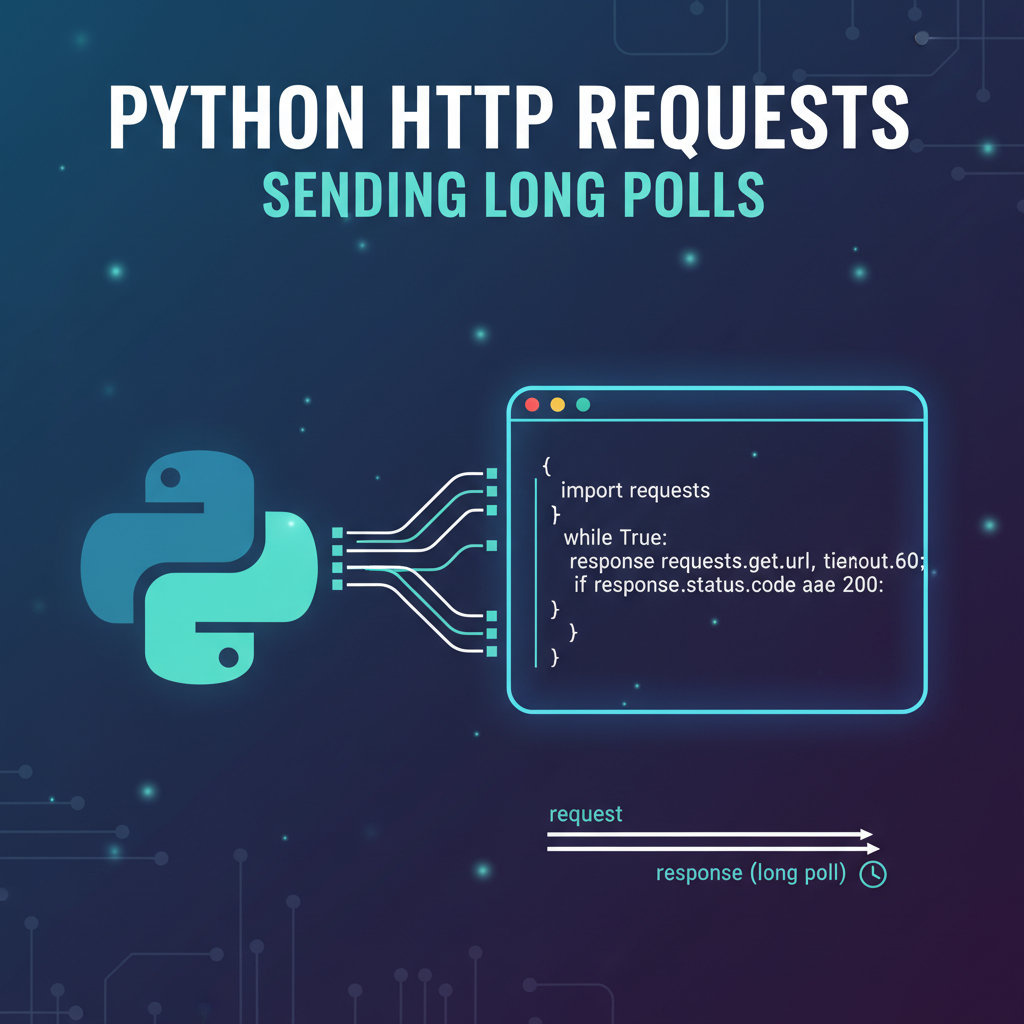


In the intricate world of web development and distributed systems, the ability to receive real-time updates without constant, resource-intensive querying has always been a coveted feature. Traditional request-response cycles, while fundamental to the internet, often fall short when applications demand immediate notification of changes. This is where techniques like long polling emerge as elegant solutions, bridging the gap between static web interactions and dynamic, event-driven experiences. Python, with its versatile requests library, provides a robust toolkit for implementing such communication patterns, enabling developers to build applications that feel more responsive and intuitive.
This comprehensive guide will delve deep into the mechanics of long polling using Python's requests library, exploring its underlying principles, practical implementations, and the considerations necessary for building resilient, scalable systems. We will navigate through the nuances of HTTP communication, differentiate between various polling strategies, and examine how long polling can be effectively integrated into modern applications, especially when interacting with sophisticated backends or apis. Furthermore, we will touch upon how advanced api gateway solutions can significantly enhance the management and reliability of such real-time communication flows.
The Foundation of Web Communication: Understanding HTTP
Before embarking on the journey of long polling, it is crucial to solidify our understanding of Hypertext Transfer Protocol (HTTP), the stateless backbone of the World Wide Web. HTTP operates on a request-response paradigm, where a client sends a request to a server, and the server processes it, returning a response. This interaction is typically short-lived and self-contained, with each request carrying all the necessary information for the server to fulfill it, without necessarily remembering previous interactions with the same client.
At its core, HTTP leverages TCP (Transmission Control Protocol) for reliable, ordered, and error-checked delivery of data streams between client and server. When a client initiates an HTTP request, it first establishes a TCP connection to the server. Once the connection is open, the client transmits an HTTP request message, which includes details such as the HTTP method (GET, POST, PUT, DELETE, etc.), the Uniform Resource Identifier (URI) of the resource being requested, and various headers providing additional context, authentication credentials, or content type information.
Upon receiving the request, the server processes it according to its internal logic, which might involve querying databases, performing computations, or interacting with other services. After the processing is complete, the server formulates an HTTP response message. This response typically comprises a status line (including the HTTP version and a status code indicating the outcome, such as 200 OK, 404 Not Found, 500 Internal Server Error), response headers (providing metadata about the response, like content type, cache control, or server information), and an optional message body containing the requested data or result. Finally, the server sends this response back to the client over the established TCP connection.
A critical characteristic of HTTP/1.0 was that the TCP connection was typically closed after each request-response cycle. This led to significant overhead for web pages that required multiple resources (images, scripts, stylesheets), as each resource necessitated a new connection setup. HTTP/1.1 introduced persistent connections (Keep-Alive), allowing multiple requests and responses to be exchanged over a single TCP connection, thereby reducing latency and improving efficiency. However, even with persistent connections, the fundamental stateless nature and the client-initiated request model remain. The client still has to explicitly ask for information; the server does not push updates unsolicited. This statelessness, while simplifying server design and scaling, presents a challenge for applications requiring real-time updates, necessitating more advanced communication patterns like long polling.
The Challenge of Real-Time: Why Traditional Polling Falls Short
In many modern applications, particularly those focused on user experience and instantaneous data availability, the traditional client-initiated request-response model of HTTP proves inadequate. Imagine a chat application, a live sports score board, or a financial trading platform. Users expect immediate updates—new messages, score changes, or price fluctuations—without having to manually refresh their browser or application. This demand for real-time interaction has given rise to various techniques designed to simulate server-push capabilities over the inherently pull-based HTTP protocol.
One of the most straightforward approaches to achieving real-time-like updates is short polling (often simply referred to as polling). In this method, the client repeatedly sends requests to the server at short, fixed intervals (e.g., every 500 milliseconds, every second, or every few seconds) to check for new information. If the server has new data, it responds with it. If not, it responds with an empty message or a status indicating no new data.
While seemingly simple, short polling suffers from several significant drawbacks:
- Inefficiency and Wasted Resources: The most glaring issue is the generation of a large number of redundant requests. For applications where updates are infrequent, the vast majority of these requests will return no new data. This constant stream of requests consumes server resources (CPU, memory, network bandwidth) for processing empty responses, and also clogs network pathways, leading to unnecessary traffic. On the client side, it also keeps the client busy making requests and parsing responses, which can drain battery life on mobile devices or consume CPU cycles in browsers.
- Increased Latency: Even when new data is available, there's an inherent delay between the moment the data becomes ready on the server and the moment the client's next polling interval triggers a request that retrieves it. This delay can range from milliseconds to several seconds, depending on the polling interval. For truly real-time applications, such latency is often unacceptable. If the polling interval is too long, updates are slow. If it's too short, resource consumption escalates dramatically.
- Scalability Challenges: As the number of connected clients increases, the cumulative effect of constant polling requests can quickly overwhelm server resources. Each client’s continuous stream of requests adds to the server’s load, making it difficult for the server to handle peak demands efficiently. This becomes a major bottleneck for applications aiming for large user bases.
- Network Congestion: The continuous exchange of HTTP headers for each poll, even for empty responses, adds to network overhead. In high-latency or bandwidth-constrained environments, this can significantly degrade overall network performance and user experience.
Consider a simple example: a client polling an api endpoint for new notifications. If notifications arrive once every minute, but the client polls every second, 59 out of 60 requests will be fruitless, wasting valuable resources and creating unnecessary network traffic. This fundamental inefficiency highlights the need for a more intelligent communication pattern that can deliver updates promptly without the exhaustive resource drain of short polling. This is precisely the problem long polling aims to solve.
Introduction to Long Polling: An Intelligent Approach to Real-Time
Long polling, also known as "hanging GET" or "Comet programming," is a technique designed to simulate server push capabilities over the HTTP protocol, addressing the inefficiencies inherent in traditional short polling. Instead of the client repeatedly asking "Do you have anything new?", long polling allows the client to ask "Do you have anything new? I'll wait here until you do, or for a reasonable amount of time."
The core idea behind long polling is to keep the HTTP connection open for a prolonged period until new data becomes available or a predefined timeout occurs. Here's how it works:
- Client Initiates Request: The client sends a regular HTTP GET request to a specific api endpoint on the server, similar to a standard poll.
- Server Holds the Connection: Instead of responding immediately if no new data is available, the server deliberately holds the request open. It doesn't send a response until one of two conditions is met:
- New Data Arrives: If new data or an event (e.g., a new message, a status update, a notification) becomes available on the server that is relevant to the client, the server immediately sends this data back as a response to the pending request.
- Timeout Occurs: If no new data arrives within a specified server-side timeout period (e.g., 30 seconds, 60 seconds, or longer), the server sends an empty response or a response indicating "no new data" (e.g., HTTP 204 No Content, or a specific JSON payload). This timeout prevents connections from hanging indefinitely, which could consume server resources unnecessarily.
- Client Processes Response and Re-establishes Connection:
- If the client receives new data, it processes it and then immediately sends a new long poll request to the server, restarting the cycle.
- If the client receives an empty response (due to a timeout), it also immediately sends a new long poll request to the server, restarting the cycle.
This continuous cycle ensures that the client is always waiting for updates, and as soon as an update is available, it receives it with minimal latency.
Advantages of Long Polling
- Reduced Latency: Updates are delivered almost instantly when they occur, as the server doesn't wait for the next polling interval.
- Efficient Resource Usage: Eliminates the vast majority of empty requests that plague short polling. The client only sends a new request when it needs to re-establish the connection, significantly reducing network traffic and server load during periods of inactivity.
- Simpler Implementation than WebSockets: While WebSockets offer a true persistent, full-duplex connection, they require a separate protocol (ws:// or wss://) and often more complex server-side infrastructure. Long polling, being built atop standard HTTP, is generally easier to implement, especially in environments where WebSockets might be restricted or overkill.
- Compatibility: Works over standard HTTP/HTTPS, making it compatible with virtually all browsers, proxies, and network infrastructures without requiring special configurations.
Disadvantages of Long Polling
- Server Resource Consumption: While more efficient than short polling, long polling still keeps HTTP connections open for extended periods. Each open connection consumes server resources (memory, file descriptors). For a very large number of concurrent clients, this can still be a scalability challenge, though often less severe than short polling.
- Connection Management: Managing numerous long-lived connections efficiently requires careful server-side design, potentially involving non-blocking I/O architectures.
- Proxy and Firewall Issues: Some older or misconfigured proxies and firewalls might terminate long-lived HTTP connections prematurely, seeing them as "stuck" or inactive. This necessitates robust client-side retry logic.
- No True Full-Duplex: It's still a series of request-response cycles, even if prolonged. It doesn't offer the true full-duplex, simultaneous bidirectional communication of WebSockets.
- Ordering Guarantees: While TCP guarantees ordering for a single connection, the fact that a long poll response might be followed by a new long poll request means that if multiple events occur rapidly, the client needs to ensure it doesn't miss any events due to connection resets or brief delays in re-establishing the next poll.
Despite its disadvantages, long polling remains a valuable technique for applications that require near real-time updates and need to leverage existing HTTP infrastructure. It strikes a good balance between simplicity of implementation and efficiency compared to its short polling counterpart, serving as a powerful tool in a developer's arsenal for responsive web applications. The decision between long polling and other real-time technologies like WebSockets often comes down to the specific requirements for latency, message frequency, and infrastructure complexity.
Python's requests Library: The Workhorse for HTTP Interactions
Python's requests library is the de facto standard for making HTTP requests in Python. It's renowned for its user-friendliness, elegant API, and robust feature set, abstracting away the complexities of low-level HTTP client operations. Before we dive into implementing long polls, let's briefly review the fundamentals of using requests.
Installation
First, ensure you have the requests library installed. If not, you can install it using pip:
pip install requests
Basic HTTP Methods
The requests library provides simple functions for common HTTP methods:
- GET: To retrieve data from a server.```python import requestsresponse = requests.get('https://api.github.com/events') print(response.status_code) print(response.json()) # If the response is JSON ```
- POST: To send data to a server, typically for creating new resources.```python import requestspayload = {'key1': 'value1', 'key2': 'value2'} response = requests.post('https://httpbin.org/post', json=payload) print(response.status_code) print(response.json()) ```
- PUT, DELETE, etc.: Similarly,
requests.put(),requests.delete(),requests.head(),requests.options()are available.
Essential requests Features for Long Polling
When dealing with long polling, several features of the requests library become particularly important:
- Timeouts: This is perhaps the most critical feature. Long polling requests are designed to wait, but they should never wait indefinitely. A timeout specifies how long the client should wait for the server to send a response. If the server doesn't respond within this period,
requestswill raise arequests.exceptions.Timeoutexception.Thetimeoutparameter can be a single float (for both connect and read timeouts) or a tuple(connect_timeout, read_timeout). *connect_timeout: The time spent trying to establish a connection to the server. *read_timeout: The time spent waiting for the server to send a response after the connection has been established. For long polling, theread_timeoutis the one we primarily interact with, as it dictates how long we're willing to wait for the data.python try: response = requests.get('https://example.com/long_poll_endpoint', timeout=60) # Wait up to 60 seconds print(response.json()) except requests.exceptions.Timeout: print("The request timed out after 60 seconds.") except requests.exceptions.RequestException as e: print(f"An error occurred: {e}") - Error Handling: Network requests are inherently unreliable. Connections can drop, servers can go down, and timeouts can occur. Robust long polling implementations require comprehensive error handling to gracefully manage these situations and implement retry mechanisms.
requestsprovides a hierarchy of exceptions:requests.exceptions.RequestExceptionis the base class for all exceptions raised byrequests.- Performance: Reusing underlying TCP connections (connection pooling) avoids the overhead of establishing a new connection for each subsequent long poll, making the process more efficient.
- Authentication: If your api requires authentication (e.g., via headers or cookies), a session can store these credentials, automatically applying them to all subsequent requests made through that session.
- Parameters (Query Strings): Often, long polling endpoints require parameters, such as a client ID, a
last_event_id, or asince_timestamp, to tell the server which events the client is interested in or from when it needs updates.requestsmakes it easy to add query parameters using theparamsargument:python params = {'client_id': 'my_app_123', 'since': '2023-01-01T00:00:00Z'} response = requests.get('https://example.com/long_poll_endpoint', params=params, timeout=60) - Headers: Custom headers are frequently used for authentication (e.g.,
Authorization: Bearer <token>), specifying content types, or providing client-specific information.python headers = {'Authorization': 'Bearer YOUR_TOKEN', 'X-Client-Version': '1.0'} response = requests.get('https://example.com/long_poll_endpoint', headers=headers, timeout=60)
Session Objects: For making multiple requests to the same host, using a requests.Session() object is highly recommended. A Session object persists certain parameters across requests, such as cookies, default headers, and connection pooling. For long polling, where you'll be making continuous requests to the same endpoint, sessions are beneficial for:```python import requestssession = requests.Session()
You can set default headers for the session
session.headers.update({'Accept': 'application/json'})try: response = session.get('https://example.com/long_poll_endpoint', timeout=60) print(response.json()) except requests.exceptions.Timeout: print("Timeout within session.") finally: session.close() # Important to close the session to release resources ```
With these foundational requests concepts in place, we are well-equipped to design and implement a robust long polling client in Python. The elegance and power of requests will allow us to focus on the long polling logic rather than wrestling with the complexities of raw HTTP sockets.
Implementing Basic Long Polling in Python
Now that we understand the principles of long polling and the capabilities of Python's requests library, let's construct a basic long polling client. For demonstration purposes, we'll imagine a simple server-side api endpoint that either returns data after a delay or times out. In a real-world scenario, the server would hold the connection until an actual event occurs.
Conceptual Server-Side Logic (Simplified)
A real long polling server would typically involve: 1. Receiving a client request. 2. Storing the request (or its identifier) in a queue or list of pending requests. 3. Monitoring for events (e.g., new chat messages, database changes). 4. When an event occurs, iterating through pending requests, finding relevant ones, and sending a response containing the new data. 5. If a request's timeout expires, sending an empty response. This often requires an asynchronous or event-driven server framework (e.g., Node.js with Express, Python with Flask/Gevent or FastAPI/Starlette, Go with standard library).
For our Python client-side example, we can simulate a server response by either delaying a successful response or letting a timeout occur. Let's assume we have an endpoint https://example.com/events/poll that, when polled, will either return a new event after some time or eventually timeout from the client's perspective if no event occurs within the client's timeout period.
Client-Side Implementation with requests
Our client will continuously send long poll requests. If it receives data, it processes it. If it times out or encounters an error, it waits for a short interval (to prevent hammering the server) and then retries.
import requests
import time
import json
import logging

# Configure logging for better visibility
logging.basicConfig(level=logging.INFO, format='%(asctime)s - %(levelname)s - %(message)s')

# --- Configuration for Long Polling ---
# The URL of your long polling endpoint
LONG_POLLING_URL = 'http://localhost:5000/events/poll' # Replace with your actual server endpoint
# How long the client is willing to wait for a response from the server (in seconds)
# This is the client-side read timeout. The server should ideally have a slightly longer timeout.
CLIENT_POLL_TIMEOUT = 30
# How long to wait before retrying a request after a timeout or connection error (in seconds)
RETRY_INTERVAL = 5
# Optional: Keep track of the last event ID to avoid processing duplicates and to tell the server where to start
last_event_id = None
# A flag to control the polling loop
running = True

def fetch_events(session: requests.Session, current_last_event_id: str | None):
    """
    Sends a single long poll request to the server and handles the response.
    """
    global last_event_id
    params = {}
    if current_last_event_id:
        params['since_id'] = current_last_event_id

    logging.info(f"Sending long poll request to {LONG_POLLING_URL} with timeout {CLIENT_POLL_TIMEOUT}s. "
                 f"Since ID: {current_last_event_id if current_last_event_id else 'None'}")
    try:
        # Use a session for persistent connections and better performance
        response = session.get(LONG_POLLING_URL, params=params, timeout=CLIENT_POLL_TIMEOUT)
        response.raise_for_status() # Raise HTTPError for bad responses (4xx or 5xx)

        # Server responded with data
        if response.status_code == 200:
            data = response.json()
            logging.info(f"Received new events: {json.dumps(data, indent=2)}")
            # Process events. For simplicity, we just print them.
            # In a real app, you'd update UI, save to DB, etc.

            # Update last_event_id if the server sends one
            if data and isinstance(data, list) and len(data) > 0:
                last_event_id = data[-1].get('id') # Assuming events have an 'id' field
                logging.info(f"Updated last_event_id to: {last_event_id}")
            elif isinstance(data, dict) and data.get('id'): # Single event scenario
                last_event_id = data.get('id')
                logging.info(f"Updated last_event_id to: {last_event_id}")
            return True # Successfully received and processed events

        # Server responded with "No Content" (e.g., an explicit timeout from server side)
        elif response.status_code == 204:
            logging.info("No new events received (server-side timeout/no content). Re-polling.")
            return True # Successfully polled, no new data, continue polling

    except requests.exceptions.Timeout:
        logging.warning(f"Long poll timed out after {CLIENT_POLL_TIMEOUT} seconds. Re-polling.")
        return False # Indicate that a timeout occurred, prompting a retry logic

    except requests.exceptions.HTTPError as http_err:
        logging.error(f"HTTP error occurred: {http_err} - Status: {http_err.response.status_code} - Response: {http_err.response.text}")
        return False # Indicate an error, prompting a retry logic

    except requests.exceptions.ConnectionError as conn_err:
        logging.error(f"Connection error occurred: {conn_err}. Retrying in {RETRY_INTERVAL}s.")
        return False # Indicate an error, prompting a retry logic

    except requests.exceptions.RequestException as req_err:
        logging.error(f"An unexpected Requests error occurred: {req_err}. Retrying in {RETRY_INTERVAL}s.")
        return False # Indicate an error, prompting a retry logic

    except json.JSONDecodeError as json_err:
        logging.error(f"Failed to decode JSON response: {json_err}. Response text: {response.text}")
        return False

    except Exception as e:
        logging.critical(f"An unhandled exception occurred during polling: {e}. Retrying in {RETRY_INTERVAL}s.")
        return False

def long_polling_client():
    """
    Main loop for the long polling client.
    """
    global running, last_event_id
    logging.info("Starting long polling client...")

    with requests.Session() as session:
        # Optionally set a longer connect timeout for the session
        session.timeout = (5, CLIENT_POLL_TIMEOUT) # 5s connect timeout, CLIENT_POLL_TIMEOUT for read

        while running:
            success = fetch_events(session, last_event_id)
            if not success:
                # If an error or timeout occurred, wait before retrying to prevent aggressive retries
                logging.info(f"Waiting for {RETRY_INTERVAL} seconds before next poll attempt.")
                time.sleep(RETRY_INTERVAL)
            # If success, immediately send the next poll request for minimal latency
            # The loop continues immediately in this case

            # Example to stop the client after some iterations or on a specific event
            # For a real application, you might have a more sophisticated shutdown mechanism
            # For demonstration, let's say it runs indefinitely until manually stopped.
            # if some_condition_to_stop:
            #     running = False

    logging.info("Long polling client stopped.")

if __name__ == "__main__":
    # To run this, you'd typically have a simple Flask/FastAPI server:
    # app.py (example server-side, for testing this client)
    # from flask import Flask, jsonify, request, abort
    # import time
    # import random
    #
    # app = Flask(__name__)
    #
    # # In-memory store for events, replace with a real database/queue in production
    # events_data = []
    # next_event_id = 1
    #
    # @app.route('/events/poll')
    # def poll_events():
    #     global next_event_id
    #     since_id = request.args.get('since_id', type=int)
    #
    #     # Simulate delay before new event
    #     time.sleep(random.uniform(0.5, 3)) # Simulate variable network/processing time
    #
    #     # Simulate an event occurring randomly
    #     if random.random() < 0.6: # 60% chance of a new event
    #         new_event = {
    #             'id': next_event_id,
    #             'timestamp': time.time(),
    #             'message': f'New event {next_event_id} occurred!'
    #         }
    #         events_data.append(new_event)
    #         next_event_id += 1
    #         logging.info(f"Server generated event: {new_event['message']}")
    #
    #     # Filter events based on since_id
    #     response_events = [event for event in events_data if (since_id is None or event['id'] > since_id)]
    #
    #     # If there are new events, return them immediately
    #     if response_events:
    #         return jsonify(response_events), 200
    #
    #     # If no new events, hold the connection (simulate by waiting up to server's long poll timeout)
    #     # Note: CLIENT_POLL_TIMEOUT is 30s. Server should ideally have a slightly longer timeout.
    #     # For this simple example, we'll just wait a bit longer than the client's expectation
    #     # In a real server, you'd use asynchronous mechanisms to truly hold until an event.
    #
    #     # Simulate server holding connection for a bit
    #     server_hold_time = CLIENT_POLL_TIMEOUT + 5 # Server waits 5s longer than client
    #     start_time = time.time()
    #     while time.time() - start_time < server_hold_time:
    #         # In a real server, this would be a non-blocking wait for an event
    #         # For simulation, we check for new events (which are generated randomly)
    #         response_events = [event for event in events_data if (since_id is None or event['id'] > since_id)]
    #         if response_events:
    #             return jsonify(response_events), 200
    #         time.sleep(0.5) # Small sleep to avoid busy-waiting for simulation
    #
    #     logging.info(f"Server sending 204 after holding connection for client since_id={since_id}")
    #     return '', 204 # No new content after server's hold timeout
    #
    # if __name__ == '__main__':
    #     app.run(debug=True, port=5000)

    # Run the client
    try:
        long_polling_client()
    except KeyboardInterrupt:
        logging.info("Client interrupted by user. Shutting down.")
        running = False
Explanation of the Client Code:
- Configuration:
LONG_POLLING_URL,CLIENT_POLL_TIMEOUT, andRETRY_INTERVALare defined for easy modification.last_event_idis crucial for telling the server which events the client has already processed. fetch_eventsFunction:- Constructs
paramsto includesince_idif available. - Uses
session.get()with the definedCLIENT_POLL_TIMEOUT. This is the mechanism that makes it "long." The client waits for up toCLIENT_POLL_TIMEOUTseconds for a response. response.raise_for_status(): A convenient way to immediately raise anHTTPErrorfor 4xx or 5xx responses, simplifying error handling.- Success (200 OK): If data is received, it's parsed as JSON, printed, and
last_event_idis updated. The function returnsTrueto signal success. - No Content (204): If the server explicitly sends a 204, it means the server timed out or had no data. The client acknowledges this and returns
Trueto immediately send a new poll. - Timeouts (
requests.exceptions.Timeout): If the client-sideCLIENT_POLL_TIMEOUTis reached before the server responds, this exception is caught. The function returnsFalse. - Connection Errors (
requests.exceptions.ConnectionError): Catches issues like network unreachable, DNS errors, or server refusing connections. ReturnsFalse. - HTTP Errors (
requests.exceptions.HTTPError): Catches bad HTTP status codes (e.g., 401 Unauthorized, 500 Internal Server Error). ReturnsFalse. - Other
requests.exceptions.RequestException: Catches any other issues related to therequestslibrary. - JSON Decoding Errors: Handles cases where the server might return invalid JSON.
- Generic
Exception: A catch-all for any unforeseen issues.
- Constructs
long_polling_clientFunction:- Initializes a
requests.Session(). - Enters an infinite
while running:loop. - Calls
fetch_events. - Retry Logic: If
fetch_eventsreturnsFalse(indicating a timeout or error), the client waits forRETRY_INTERVALseconds before attempting the next poll. This prevents a rapid-fire sequence of failed requests, giving the server or network time to recover. - Immediate Re-poll: If
fetch_eventsreturnsTrue(meaning it received data or an explicit "no content" response), the loop immediately continues to the next iteration, sending a new long poll request without delay. This ensures minimal latency for subsequent events.
- Initializes a
This structured approach provides a solid foundation for a long polling client, handling common network issues and ensuring continuous updates with minimal latency when events occur.
APIPark is a high-performance AI gateway that allows you to securely access the most comprehensive LLM APIs globally on the APIPark platform, including OpenAI, Anthropic, Mistral, Llama2, Google Gemini, and more.Try APIPark now! 👇👇👇
Advanced Considerations for Robust Long Polling
While the basic implementation provides a functional long polling client, real-world applications demand greater robustness, efficiency, and scalability. Several advanced considerations come into play when deploying long polling in production environments.
1. Exponential Backoff for Retries
The simple RETRY_INTERVAL in our basic example is a start, but a more sophisticated approach is exponential backoff. This strategy increases the waiting time between retries exponentially after successive failures. This prevents the client from overwhelming a struggling server with rapid retries and also gives the network more time to recover. It usually includes a maximum backoff time to prevent excessively long delays.
Example: 1s, 2s, 4s, 8s, 16s, ..., max_backoff_time.
import requests
import time
import json
import logging

logging.basicConfig(level=logging.INFO, format='%(asctime)s - %(levelname)s - %(message)s')

LONG_POLLING_URL = 'http://localhost:5000/events/poll'
CLIENT_POLL_TIMEOUT = 30
INITIAL_RETRY_INTERVAL = 1
MAX_RETRY_INTERVAL = 60
last_event_id = None
running = True

def long_polling_client_with_backoff():
    global running, last_event_id
    logging.info("Starting long polling client with exponential backoff...")

    current_retry_interval = INITIAL_RETRY_INTERVAL

    with requests.Session() as session:
        session.timeout = (5, CLIENT_POLL_TIMEOUT) # connect_timeout, read_timeout

        while running:
            params = {}
            if last_event_id:
                params['since_id'] = last_event_id

            logging.info(f"Sending long poll request to {LONG_POLLING_URL} with timeout {CLIENT_POLL_TIMEOUT}s. "
                         f"Since ID: {last_event_id if last_event_id else 'None'}")
            try:
                response = session.get(LONG_POLLING_URL, params=params, timeout=CLIENT_POLL_TIMEOUT)
                response.raise_for_status()

                if response.status_code == 200:
                    data = response.json()
                    logging.info(f"Received new events: {json.dumps(data, indent=2)}")
                    if data and isinstance(data, list) and len(data) > 0:
                        last_event_id = data[-1].get('id')
                    elif isinstance(data, dict) and data.get('id'):
                        last_event_id = data.get('id')
                    current_retry_interval = INITIAL_RETRY_INTERVAL # Reset backoff on success

                elif response.status_code == 204:
                    logging.info("No new events received (server-side timeout). Re-polling.")
                    current_retry_interval = INITIAL_RETRY_INTERVAL # Reset backoff on server's explicit no content

            except (requests.exceptions.Timeout,
                    requests.exceptions.ConnectionError,
                    requests.exceptions.HTTPError,
                    requests.exceptions.RequestException,
                    json.JSONDecodeError) as err:
                logging.error(f"Error during poll: {err}. Retrying in {current_retry_interval}s.")
                time.sleep(current_retry_interval)
                current_retry_interval = min(current_retry_interval * 2, MAX_RETRY_INTERVAL) # Exponential increase
                continue # Continue to the next loop iteration (retry)

            except Exception as e:
                logging.critical(f"An unhandled exception occurred: {e}. Shutting down client.")
                running = False # Critical error, might stop client

            # If successful (no error caught), immediately poll again
            # The loop continues to the next iteration here.

    logging.info("Long polling client stopped.")

if __name__ == "__main__":
    try:
        long_polling_client_with_backoff()
    except KeyboardInterrupt:
        logging.info("Client interrupted by user. Shutting down.")
        running = False
2. Client-Side Event State Management (last_event_id or etag)
Maintaining state on the client side is crucial for long polling, especially for ensuring no events are missed and duplicates are avoided.
last_event_id/since_id: As demonstrated, the client sends the ID of the last processed event to the server. The server then knows to only send events after that ID. This requires the server to correctly manage event IDs (e.g., sequentially increasing numbers or timestamps).ETag/If-None-Match: HTTP providesETag(entity tag) andIf-None-Matchheaders for conditional requests. The server can send anETagin its response (a hash or version identifier of the resource). The client can then include thisETagin subsequent requests usingIf-None-Match. If the resource hasn't changed, the server can respond with304 Not Modified, saving bandwidth. While typically used for caching, it can be adapted for simple "has anything changed?" polling scenarios, thoughlast_event_idis often more explicit for event streams.
3. Server-Side Scalability and Resource Management
While Python's requests client is robust, the real challenge for long polling lies on the server. Handling thousands or millions of concurrent open HTTP connections requires server-side architecture that supports:
- Asynchronous I/O: Server frameworks that leverage non-blocking I/O (e.g., Python's
asynciowithASGIservers likeUvicorn/Starlette/FastAPI, or event-driven frameworks likeGeventwithFlask) are essential. These allow a single server process to manage many connections without blocking for I/O operations. - Efficient Event Queueing: The server needs a highly efficient mechanism to store events and notify waiting long poll connections when new events arrive. Message queues (like RabbitMQ, Kafka, Redis Pub/Sub) are frequently used for this purpose.
- Load Balancing and Proxies: For high traffic, long polling servers are typically placed behind load balancers (e.g., Nginx, HAProxy) and often an api gateway. These components distribute traffic, manage connection timeouts, and provide a single entry point for clients.
4. Integration with an API Gateway
This is a critical point for scalable and manageable long polling systems. An api gateway sits between clients and your backend services. For long polling, an api gateway can provide:
- Connection Management: Gateways can efficiently manage thousands of long-lived client connections, offloading this burden from your backend services. They can handle connection pooling, timeouts, and graceful shutdown.
- Traffic Routing: Directing long poll requests to appropriate backend services.
- Authentication and Authorization: Centralizing security concerns. The gateway can authenticate clients once, before forwarding long poll requests to backend services.
- Rate Limiting: Protecting backend services from abuse by limiting the number or frequency of requests, even for long polls.
- Caching: While less relevant for real-time events, gateways can cache static data from other apis.
- Monitoring and Analytics: Providing a centralized point for logging and analyzing long poll request patterns, response times, and error rates. This is invaluable for troubleshooting and understanding system health.
- Protocol Transformation: Potentially translating between HTTP long polls and other real-time protocols (like WebSockets) if your backend uses a different mechanism.
For instance, an open-source api gateway like APIPark could play a pivotal role here. Imagine an application that polls for updates from various AI models. APIPark, as an "Open Source AI Gateway & API Management Platform," could manage these long-lived connections efficiently. It could handle the client-facing long poll requests, route them to the appropriate AI model apis (or internal services monitoring these models), and then hold the connection until an AI model status update or a new result is available.
APIPark's capabilities like "End-to-End API Lifecycle Management," "Performance Rivaling Nginx," and "Detailed API Call Logging" are particularly beneficial. Its ability to achieve over 20,000 TPS on modest hardware indicates its capacity to manage a high volume of connections, which is crucial for long polling. Furthermore, the detailed logging helps in tracing the lifecycle of each long poll request and the event data it carried, which is vital for debugging and operational insights into real-time systems. By providing a unified api format for AI invocation, APIPark could ensure that even if the underlying AI model apis change, the long polling client doesn't need modification, simplifying maintenance. The platform acts as a central gateway for managing all these interactions, providing security, performance, and monitoring.
5. Idempotency and Race Conditions
When dealing with events, especially in a distributed system, ensuring idempotency (performing an operation multiple times has the same effect as performing it once) and handling race conditions is critical.
- Event IDs: Using unique event IDs (like
last_event_id) helps the client track what it has processed. If a long poll request times out and the client retries, it might receive an event it already processed from a previous, partially successful poll. The client should be prepared to deduplicate events. - Server-Side Deduplication: The server can also assist by only sending events strictly after the
since_idprovided, or by keeping track of which client has received which event. - Transactional Processing: If processing an event involves multiple steps, ensure that the entire process is atomic or can be safely retried.
6. Client-Side Heartbeats and Dead Connection Detection
While the read_timeout helps detect server unresponsiveness, some proxies or firewalls might terminate an idle connection without notifying the client. To mitigate this, some long polling implementations might incorporate:
- Client-side "heartbeat" polls: The client sends a very short-lived "ping" request periodically on a separate channel to verify connectivity.
- Server-side "keep-alive" messages: The server might periodically send a small, non-data-bearing packet (e.g., a blank space or a comment in a streaming response) to keep the connection alive and prevent proxy timeouts. This is more common with Server-Sent Events (SSE) but can be simulated.
7. Graceful Shutdown
When the client application needs to shut down, it should do so gracefully. This means not just stopping the polling loop, but potentially:
- Cancelling any pending
requestsoperations. - Closing the
requests.Sessionto release underlying network resources. - Informing the user or other parts of the application that real-time updates will cease.
By meticulously addressing these advanced considerations, developers can transform a basic long polling client into a resilient, efficient, and production-ready component of a real-time system. The choice of external tools like an api gateway can greatly simplify many of these challenges, especially for large-scale deployments interacting with diverse apis.
Real-World Use Cases for Long Polling
Long polling, despite the existence of more advanced real-time protocols like WebSockets, continues to be a pragmatic and effective solution for a variety of use cases where near real-time updates are essential, but the overhead of a full-duplex WebSocket connection is not strictly necessary or desired. Its simplicity and reliance on standard HTTP infrastructure make it a compelling choice in many scenarios.
1. Chat Applications (Legacy or Simpler Implementations)
One of the most classic examples of long polling is in chat applications. When a user sends a message, it’s immediately sent to the server. Other users in the same chat room, who have active long poll requests open, would then receive this new message almost instantly as the server responds to their pending requests.
- How it works: Each client keeps a long poll open. When a message is sent to the chat room, the server identifies all clients subscribed to that room, closes their pending long poll requests with the new message, and those clients immediately open new long poll requests.
- Why Long Polling: For simpler chat systems or environments where WebSockets might be blocked by firewalls or proxies, long polling provides a robust fallback. It reduces the number of empty requests compared to short polling, making the chat feel more responsive without consuming excessive resources.
2. Real-Time Dashboards and Monitoring Systems
Dashboards that display live metrics (e.g., server load, network traffic, stock prices, or api gateway health metrics) can use long polling to update their data visualizations.
- How it works: The dashboard client sends a long poll request for specific metrics. The server holds this request until a significant change in the metric occurs or a new data point is generated. Upon receiving the update, the client refreshes the relevant part of the dashboard and issues a new long poll.
- Why Long Polling: Ensures that operators see critical changes quickly. It's more efficient than constantly refreshing an entire page or short polling, especially if updates are sporadic but important. This is particularly useful for monitoring api usage, where an api gateway like APIPark could push updates about traffic spikes or error rates.
3. Notification Systems
Web applications often need to notify users of new emails, friend requests, comments, or system alerts. Long polling is an excellent mechanism for delivering these notifications without requiring the user to manually check.
- How it works: The client maintains a long poll connection to an
/notificationsapi endpoint. When a new notification arrives for that user, the server responds with the notification payload. The client displays the notification (e.g., a pop-up, an updated badge count) and immediately sends another long poll. - Why Long Polling: Provides immediate feedback to the user, enhancing engagement. It avoids the resource drain of short polling for potentially infrequent events. The server can also differentiate notifications based on user preferences or subscription levels, making the
apimore intelligent.
4. Asynchronous Task Status Updates
When a user initiates a long-running task (e.g., video encoding, large file processing, complex report generation, or training an AI model via an api), they need to know when it's complete. Long polling can provide status updates without blocking the UI.
- How it works: After initiating a task (e.g., via a POST request), the client receives a task ID. It then opens a long poll request, sending this task ID to a
/task-status/<task_id>api endpoint. The server holds the connection until the task's status changes (e.g., frompendingtoprocessingtocompletedorfailed). - Why Long Polling: Offers real-time visibility into the progress of operations that aren't instantaneous, providing a better user experience than periodically hitting a refresh button. This is especially relevant in scenarios involving AI models accessed through an api gateway, where model training or inference might take time, and the client needs to be informed of completion.
5. Gaming Leaderboards or Live Event Updates
For games with simple real-time elements or platforms displaying live event scores, long polling can keep information current.
- How it works: A client opens a long poll to an endpoint like
/game/<game_id>/updates. When a score changes, a player joins/leaves, or an event progresses, the server pushes this update to all waiting clients. - Why Long Polling: Maintains a dynamic and engaging experience for users following live events or leaderboards, without the continuous overhead of very frequent polling.
6. Backend-to-Backend Communication (Less Common but Possible)
While less common than for client-browser interactions, long polling can also be used between backend services if one service needs to be notified of events from another without continuous querying, and a message queue or webhook system isn't feasible or is overkill.
- How it works: Service A long polls Service B for specific events. When Service B has an event, it responds to Service A's pending request.
- Why Long Polling: Can simplify integration between services where one service is primarily an event producer and another is an event consumer, without introducing more complex messaging infrastructure for simple event notifications.
In all these scenarios, the critical balance that long polling strikes is between responsiveness and efficiency. It provides a near real-time experience that feels instantaneous to the user, while significantly reducing the number of redundant network requests and server load compared to short polling. When managed effectively, perhaps with the help of an advanced api gateway like APIPark, long polling remains a powerful tool in the arsenal of any developer building dynamic web applications and interacting with various apis.
Alternatives to Long Polling: When to Choose Something Else
While long polling is an effective technique for simulating server-push over HTTP, it's not the only option, nor is it always the best. The landscape of real-time communication has evolved, offering more sophisticated protocols and methods. Understanding these alternatives helps in making an informed decision about the most suitable technology for a given application's needs.
1. WebSockets
WebSockets are arguably the most powerful and widely adopted solution for true real-time, bidirectional communication over the web. They represent a significant departure from the request-response model of HTTP.
- Mechanism: A WebSocket connection starts as an HTTP request, but after a handshake, the protocol "upgrades" to a full-duplex, persistent connection over a single TCP socket (ws:// or wss:// for secure). Once established, both the client and server can send messages to each other at any time, independently of previous messages, without the overhead of HTTP headers for each message.
- Advantages:
- True Full-Duplex: Simultaneous bidirectional communication.
- Low Latency & Overhead: Minimal overhead once the connection is established, leading to very fast message exchange.
- Persistent Connection: A single connection maintained for the entire session.
- Efficiency: Much more efficient than long polling for high-frequency, small messages.
- Disadvantages:
- Requires Dedicated Server-Side Implementation: Needs server support for the WebSocket protocol (e.g.,
Flask-SocketIO,FastAPIwithwebsockets). - Proxy/Firewall Issues (Less Common Now): Older or restrictive proxies/firewalls might sometimes interfere with WebSocket handshake or connections, though this is far less prevalent today than it once was.
- More Complex Logic: Can be more complex to manage connection state, reconnection logic, and message routing compared to simple HTTP requests.
- Requires Dedicated Server-Side Implementation: Needs server support for the WebSocket protocol (e.g.,
- Best For: Chat applications, online gaming, collaborative editing tools, live data streaming (e.g., financial tickers, IoT data), applications requiring high-frequency updates and low latency.
2. Server-Sent Events (SSE)
Server-Sent Events (SSE) provide a mechanism for a client to receive automatic updates from a server via an HTTP connection. Unlike WebSockets, SSE is unidirectional (server-to-client only) but still persistent.
- Mechanism: The client makes a standard HTTP request, but the server responds with a
Content-Type: text/event-streamheader. The connection remains open, and the server continuously pushes new data (events) to the client as they become available. - Advantages:
- Simpler than WebSockets: Easier to implement on both client (built into browsers with
EventSourceAPI) and server side (standard HTTP response with specific headers). - Built-in Reconnection: Browsers'
EventSourceAPI automatically handles reconnection if the connection is dropped. - Standard HTTP: Works over existing HTTP/HTTPS infrastructure, often bypassing proxy issues more easily than WebSockets.
- Simpler than WebSockets: Easier to implement on both client (built into browsers with
- Disadvantages:
- Unidirectional: Only server-to-client communication. If the client needs to send data back to the server, it must use separate HTTP requests.
- Binary Data: Primarily designed for text data.
- Limited Concurrent Connections: Browsers often limit the number of concurrent SSE connections per domain (e.g., 6 connections).
- Best For: News feeds, stock tickers, live sports scores, progress bars, notifications, dashboards – any scenario where the server pushes updates and the client doesn't need to send frequent messages back.
3. Webhooks
Webhooks are user-defined HTTP callbacks triggered by events. Instead of a client polling a server, the server pushes data to the client when an event occurs.
- Mechanism: The client (or an application) registers a URL (its "webhook endpoint") with a third-party service. When a specific event happens in the third-party service, it makes an HTTP POST request to the registered webhook URL, sending the event data.
- Advantages:
- Highly Efficient: Zero polling, data is only sent when an event actually occurs.
- Decoupled: The client (webhook receiver) doesn't need to know details about the event source, only how to process the incoming POST request.
- Scalable: The burden of knowing when to send data is entirely on the event source.
- Disadvantages:
- Requires Publicly Accessible Endpoint: The client's webhook endpoint must be publicly accessible for the third-party service to call it. This can be a security concern or difficult for internal services.
- Reliability: Requires the webhook sender to implement retry logic for failed deliveries.
- No Real-time Client UI: Webhooks are typically for server-to-server communication or for updating backend systems, not directly for updating a client's browser UI without additional steps (e.g., the server receiving the webhook then pushing to browsers via WebSockets/SSE).
- Best For: Integrations between different services (e.g., GitHub webhooks for CI/CD, payment gateway notifications, CRM updates), where one service needs to inform another of events.
Summary Comparison Table
To aid in decision-making, here's a comparative overview:
| Feature | Short Polling | Long Polling | SSE | WebSockets | Webhooks (Server-to-Server) |
|---|---|---|---|---|---|
| Bidirectional? | Yes (Client-initiated) | Yes (Client-initiated) | No (Server-to-client only) | Yes (Full-duplex) | No (Event-source to client) |
| Protocol | HTTP | HTTP | HTTP (text/event-stream) |
WebSocket (ws/wss) | HTTP |
| Latency | High (depends on interval) | Low (near real-time) | Low (near real-time) | Very Low (true real-time) | Very Low (event-driven) |
| Resource Usage | High (many empty requests) | Medium (long-lived connections) | Medium (persistent connection) | Low (after handshake) | Low (only on event) |
| Complexity | Low | Medium | Medium | High | Medium |
| Connection Persistence | No (connection per request) | Yes (connection held) | Yes (single, persistent stream) | Yes (single, persistent) | No (connection per event callback) |
| Browser Support | Excellent | Excellent | Excellent (EventSource) |
Excellent (modern browsers) | Not directly for browser UI |
| Use Cases | Simple, infrequent updates | Chat, dashboards, notifications | News feeds, stock tickers, progress | Online gaming, chat, collaborative | Service integrations, CI/CD, alerts |
The choice between these alternatives largely depends on the specific requirements for latency, message frequency, bidirectionality, and the existing infrastructure. For many applications requiring near real-time updates without the full complexity of WebSockets, long polling or SSE often provide a sweet spot in terms of performance and ease of implementation. For very high-frequency, interactive, or truly bidirectional needs, WebSockets are the undisputed champion.
Best Practices for Python Long Polling Clients
Implementing long polling successfully goes beyond just writing the basic request-response loop. To ensure reliability, efficiency, and maintainability, several best practices should be adhered to. These practices address common pitfalls and enhance the overall robustness of your Python client.
1. Robust Error Handling with Specific Exception Types
As demonstrated in the advanced example, don't just catch generic Exception. Be specific about the types of errors you anticipate. * requests.exceptions.Timeout: This indicates the server didn't respond within the allocated time. It's a normal occurrence in long polling. * requests.exceptions.ConnectionError: Network issues, DNS failures, or the server being unreachable. These require more significant recovery strategies, often involving longer backoff. * requests.exceptions.HTTPError: Server-side errors (4xx, 5xx). These often indicate a problem with the request format, authentication, or server logic. Depending on the status code (e.g., 401 Unauthorized), you might need to re-authenticate or adjust your request. * json.JSONDecodeError: If your API is expected to return JSON, this signifies a malformed response, possibly indicating a server error or an unexpected content type. * Catching specific exceptions allows you to implement tailored retry logic and logging messages, making debugging much easier.
2. Implement Exponential Backoff with Jitter
While we introduced exponential backoff, adding "jitter" (randomness) to the backoff interval is a further refinement. If many clients fail simultaneously and all retry after X seconds, they might create a thundering herd problem, overwhelming the server again. Jitter spreads out these retries.
Instead of sleep(current_retry_interval), you might use sleep(random.uniform(0, current_retry_interval * 1.5)) or sleep(min(MAX_RETRY_INTERVAL, current_retry_interval * 2 + random_jitter)). This prevents synchronization of retries.
import random

# ... inside your error handling ...
    time.sleep(random.uniform(0, current_retry_interval * 1.5)) # Add jitter
    current_retry_interval = min(current_retry_interval * 2, MAX_RETRY_INTERVAL)
3. Use requests.Session for Connection Pooling and Persistent Settings
Always use requests.Session() for long polling. * Connection Pooling: Reuses TCP connections, reducing the overhead of establishing new connections for each poll. This is crucial for performance. * Persistent Parameters: Automatically handles cookies and custom headers across requests, simplifying authentication and API interaction. If your api gateway requires a session token, the Session object will manage it seamlessly.
4. Configure Comprehensive Timeouts
Set both connect and read timeouts appropriately. * Connect Timeout: A relatively short timeout (e.g., 5-10 seconds) for establishing the TCP connection. If the server isn't reachable, you want to fail fast. * Read Timeout: This is your long polling duration. It should be slightly shorter than the server's expected long poll timeout (if known) to ensure the client times out gracefully rather than the connection being abruptly severed by the server.
5. Send last_event_id or etag to Prevent Duplicate Processing and Missed Events
As discussed, pass a unique identifier of the last processed event (since_id, last_id, etag) to the server. * This allows the server to send only new events. * Helps the client detect and discard duplicate events if a retry occurs and the server sends some events that were already partially processed.
6. Implement Client-Side Idempotency and Deduplication
Even with last_event_id, network unreliability means you might occasionally receive the same event twice. Your client application should handle this gracefully. * Unique Event Identifiers: Ensure each event has a unique ID. * Storage of Processed IDs: Maintain a small, in-memory cache of recently processed event IDs. Before processing a new event, check if its ID is already in the cache.
7. Graceful Shutdown Mechanism
Allow your long polling client to shut down cleanly. * Use a flag (like running in our examples) that can be set to False from another thread (e.g., via a signal handler for SIGINT or a user interface button). * Ensure the requests.Session is properly closed (session.close()) to release network resources.
8. Structured Logging
Use Python's logging module effectively. * Log informational messages for normal operations (e.g., "Starting poll," "Received events," "Timed out"). * Log warnings for recoverable issues (e.g., "Retrying after connection error"). * Log errors for significant problems (e.g., "HTTP 500 error"). * Log critical messages for unrecoverable errors. * Include relevant context in logs (e.g., last_event_id, URL, status code, error message). This is essential for debugging in production, especially when interacting with complex apis or an api gateway.
9. Resource Management and Concurrency
If your Python application is doing other things while long polling, consider concurrency. * Threading: For simple cases, running the long polling loop in a separate thread can keep your main application responsive. Be mindful of thread safety if the polling thread shares data with other parts of your application. * asyncio: For more complex, I/O-bound applications, asyncio with httpx (an async-compatible HTTP client) is a powerful choice. This allows you to manage many concurrent network operations without the overhead of multiple threads.
# Example of async long polling with httpx and asyncio (conceptual)
import asyncio
import httpx
import time
import logging

logging.basicConfig(level=logging.INFO, format='%(asctime)s - %(levelname)s - %(message)s')

LONG_POLLING_URL = 'http://localhost:5000/events/poll'
CLIENT_POLL_TIMEOUT = 30
RETRY_INTERVAL = 5 # Simplified for async example
last_event_id = None
running = True

async def async_fetch_events(client: httpx.AsyncClient, current_last_event_id: str | None):
    global last_event_id
    params = {}
    if current_last_event_id:
        params['since_id'] = current_last_event_id

    try:
        response = await client.get(LONG_POLLING_URL, params=params, timeout=CLIENT_POLL_TIMEOUT)
        response.raise_for_status()

        if response.status_code == 200:
            data = response.json()
            logging.info(f"Received new events: {data}")
            if data and isinstance(data, list) and len(data) > 0:
                last_event_id = data[-1].get('id')
            elif isinstance(data, dict) and data.get('id'):
                last_event_id = data.get('id')
            return True

        elif response.status_code == 204:
            logging.info("No new events received (server-side timeout). Re-polling.")
            return True

    except httpx.TimeoutException:
        logging.warning(f"Async long poll timed out after {CLIENT_POLL_TIMEOUT} seconds. Re-polling.")
    except httpx.RequestError as exc:
        logging.error(f"An error occurred while requesting {exc.request.url!r}: {exc}")
    except Exception as e:
        logging.critical(f"An unhandled exception occurred: {e}")
    return False

async def async_long_polling_client():
    global running, last_event_id
    logging.info("Starting async long polling client...")

    # httpx.AsyncClient handles connection pooling for async requests
    async with httpx.AsyncClient(timeout=httpx.Timeout(5.0, read=CLIENT_POLL_TIMEOUT)) as client:
        while running:
            success = await async_fetch_events(client, last_event_id)
            if not success:
                logging.info(f"Waiting for {RETRY_INTERVAL} seconds before next poll attempt.")
                await asyncio.sleep(RETRY_INTERVAL)
            # If successful, immediately loop to send the next poll request

    logging.info("Async long polling client stopped.")

if __name__ == "__main__":
    try:
        asyncio.run(async_long_polling_client())
    except KeyboardInterrupt:
        logging.info("Client interrupted by user. Shutting down.")
        running = False
10. Consider an API Gateway for Backend Long Polling
When building long polling systems that interact with multiple internal services or external apis, an api gateway is an architectural boon. As previously highlighted, a platform like APIPark can centralize the management of long-lived connections, handle authentication, rate limiting, and provide comprehensive logging. This offloads significant operational complexity from your individual backend services and makes the overall api landscape more robust and observable, especially when dealing with AI services that might require persistent connections for real-time updates.
By meticulously following these best practices, you can build Python long polling clients that are not only functional but also resilient, efficient, and capable of handling the vagaries of network communication in production environments.
Conclusion
The journey through the world of Python HTTP requests, particularly focusing on the nuanced technique of long polling, reveals a powerful approach to bridging the gap between stateless web protocols and the dynamic demands of real-time applications. From understanding the foundational request-response cycles of HTTP to meticulously crafting a Python client with requests, we've explored the intricacies of delivering near instantaneous updates without succumbing to the inefficiencies of traditional short polling.
Long polling, by virtue of holding open an HTTP connection until new data arrives or a timeout occurs, effectively minimizes wasteful requests and latency. We've seen how Python's requests library, with its elegant API and crucial features like timeouts, session management, and robust error handling, serves as an indispensable tool for building such clients. The ability to manage connection longevity, handle network fluctuations, and intelligently re-poll for updates is paramount to a successful implementation.
Furthermore, we delved into advanced considerations that transform a basic script into a production-grade system: the strategic use of exponential backoff with jitter for retries, meticulous client-side state management with last_event_id, and the critical role of server-side scalability and asynchronous I/O. The discussion naturally led us to the architectural significance of an api gateway. Such a gateway acts as a central nervous system for managing complex api interactions, including long-lived connections, thereby offloading vital tasks like connection management, security, and traffic control from individual backend services.
For scenarios involving diverse apis, especially those within an AI ecosystem, a platform like APIPark demonstrates its value as an "Open Source AI Gateway & API Management Platform." By centralizing the governance of API lifecycles, offering robust performance, and providing detailed logging, APIPark can significantly enhance the reliability and observability of systems employing long polling for real-time data from AI models or other services. It streamlines the creation and management of new apis, even abstracting away the complexities of underlying AI models, ensuring that long polling clients remain stable and performant regardless of backend changes.
While alternatives like WebSockets and Server-Sent Events offer distinct advantages for specific use cases, long polling remains a highly relevant and practical technique. It strikes a compelling balance between implementation simplicity and operational efficiency, making it an excellent choice for applications that require near real-time notifications, chat functionality, or live dashboards where full-duplex communication is not a strict necessity.
Ultimately, mastering Python HTTP requests for sending long polls empowers developers to build more responsive, user-friendly, and efficient applications. By embracing best practices and leveraging powerful tools and architectural patterns like API gateways, the complexities of real-time communication can be effectively managed, leading to more resilient and high-performing distributed systems.
Frequently Asked Questions (FAQs)
1. What is the fundamental difference between short polling and long polling?
The core difference lies in how long the client waits for a response from the server when no new data is immediately available. In short polling, the client sends requests at fixed, short intervals, and the server responds immediately, even if there's no new data (often with an empty response). This leads to many redundant requests. In long polling, the client sends a request, but the server holds that request open until new data becomes available or a server-side timeout occurs. Only then does the server respond. After receiving a response, the client immediately sends a new long poll request. This significantly reduces empty requests and network traffic.
2. When should I choose long polling over WebSockets or Server-Sent Events (SSE)?
- Long Polling is often chosen when you need near real-time updates, but the communication is primarily unidirectional (server to client) or client-to-server messages are infrequent and can be handled by separate HTTP requests. It's also a good choice if you need broader compatibility with older proxies/firewalls that might block WebSocket handshakes, or if the overhead of a full WebSocket server is deemed unnecessary.
- WebSockets are ideal for applications requiring true real-time, bidirectional, full-duplex communication with very low latency (e.g., online gaming, collaborative editing, high-frequency chat).
- Server-Sent Events (SSE) are excellent for unidirectional server-to-client event streams (e.g., news feeds, stock tickers) where simplicity and automatic reconnection are valued, and the client doesn't need to send frequent messages back to the server.
3. What are the main challenges when implementing long polling, especially at scale?
The primary challenges revolve around server-side resource management and connection handling. Each active long poll consumes server resources (memory, CPU, file descriptors) as the connection remains open. At scale, this necessitates highly efficient, non-blocking I/O server architectures (e.g., using asyncio in Python, Node.js, or Go). Other challenges include robust client-side error handling (timeouts, connection errors), ensuring event order and preventing duplicates, and dealing with potential proxy/firewall timeouts. An api gateway can significantly mitigate some of these challenges by centralizing connection management and offering robust infrastructure.
4. How does an API Gateway like APIPark enhance a long polling system?
An api gateway acts as a central point of control for all your api traffic. For long polling, it can: * Offload Connection Management: Efficiently manage thousands of long-lived connections, reducing the burden on backend services. * Centralize Security: Handle authentication and authorization for all long poll requests. * Load Balancing & Routing: Distribute long poll traffic across multiple backend services and route requests to the correct api endpoints. * Monitoring & Logging: Provide a single point for comprehensive logging and analytics of long poll requests and responses, crucial for debugging and operational insights. * Performance: A high-performance gateway like APIPark can handle massive throughput, ensuring your long polling system remains responsive under heavy load. This is especially useful for managing diverse api interactions, including those with AI models that might leverage long polling for status updates.
5. What is the purpose of last_event_id or since_id in a long polling request?
last_event_id (or since_id) is a crucial parameter sent by the client to the server in a long polling request. It tells the server the unique identifier of the last event the client successfully processed. This allows the server to: * Send only new events: The server knows to filter its event stream and only send events that occurred after the specified last_event_id, preventing the client from receiving old, already-processed data. * Prevent missed events: If a connection drops and the client re-polls, it can pick up exactly where it left off, ensuring no events are missed during the brief disconnection. * Aid in deduplication: While the server tries its best, the client can use this information (and the unique ID of new events) to identify and discard any duplicate events it might receive due to network timing issues or retries.
🚀You can securely and efficiently call the OpenAI API on APIPark in just two steps:
Step 1: Deploy the APIPark AI gateway in 5 minutes.
APIPark is developed based on Golang, offering strong product performance and low development and maintenance costs. You can deploy APIPark with a single command line.
curl -sSO https://download.apipark.com/install/quick-start.sh; bash quick-start.sh

In my experience, you can see the successful deployment interface within 5 to 10 minutes. Then, you can log in to APIPark using your account.

Step 2: Call the OpenAI API.