RHEL 8 EOSL: Essential Steps for a Smooth Transition
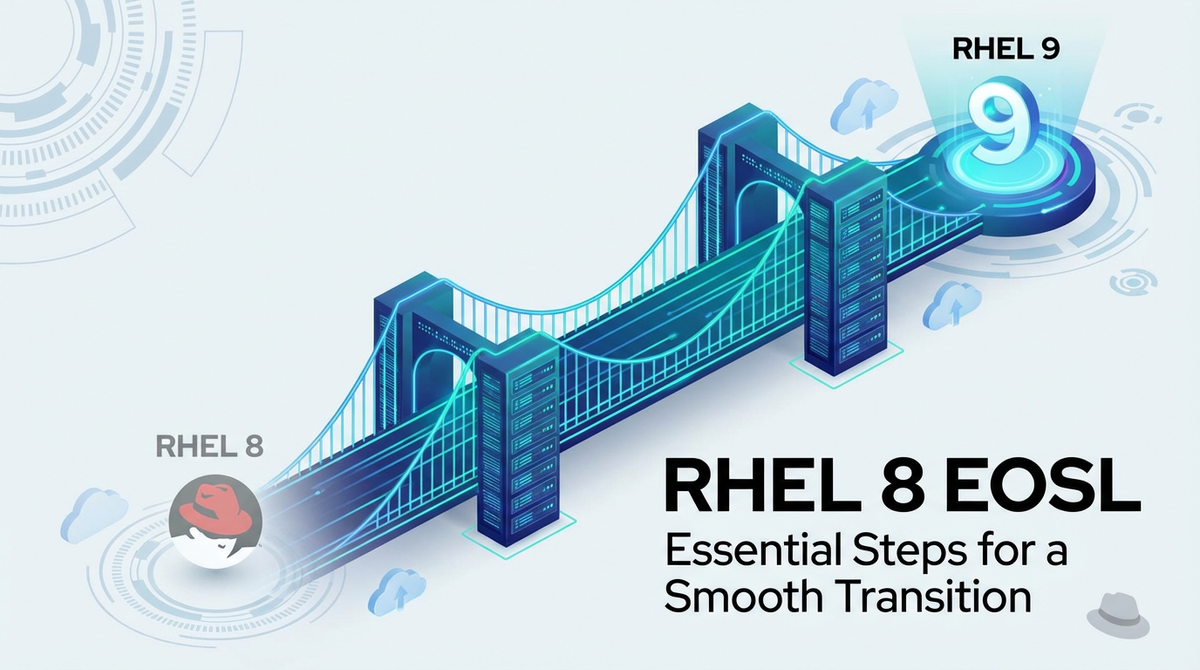


The digital landscape is a relentless current, constantly pushing forward, evolving, and leaving behind systems that once formed the bedrock of enterprise operations. In this perpetual cycle of innovation, the concept of End-of-Service-Life (EOSL) is an inevitable, critical juncture for any organization reliant on commercial software. For enterprises running Red Hat Enterprise Linux 8 (RHEL 8), this juncture is rapidly approaching, demanding immediate and strategic action to avert significant risks and ensure operational continuity. The RHEL 8 EOSL marks not merely the cessation of vendor support but a profound shift in an organization's security posture, compliance standing, and overall technological agility.
This comprehensive guide is meticulously crafted to empower IT leaders, system administrators, and decision-makers with the knowledge and actionable insights required to navigate the complex journey of RHEL 8 migration. We will delve into the profound implications of operating an unsupported Red Hat Enterprise Linux 8 End-of-Service-Life system, explore the myriad of migration pathways available, dissect the technical nuances of each transition phase, and equip you with strategies to overcome common challenges. The goal is not simply to upgrade an operating system, but to transform this mandatory update into an opportunity for infrastructure modernization, enhanced security, and improved operational efficiency. Proactive planning and a structured approach are not just recommendations; they are essential for safeguarding your enterprise against the looming threats and missed opportunities that accompany an unmanaged RHEL 8 EOSL transition.
Understanding RHEL 8 End-of-Service-Life (EOSL): What It Means for Your Enterprise
The End-of-Service-Life (EOSL) for an operating system like Red Hat Enterprise Linux 8 signifies a pivotal moment in its lifecycle, marking the cessation of standard support, maintenance, and security updates from the vendor. This isn't just a calendar date; it's a critical inflection point that fundamentally alters the risk profile and operational viability of systems running the affected software. Understanding the specific implications of RHEL 8 EOSL is the foundational step in developing an effective transition strategy.
Red Hat, like many enterprise software vendors, defines a clear lifecycle for its products to ensure stability, predictability, and a structured path for continuous improvement. The RHEL lifecycle typically comprises several distinct phases, each with specific commitments regarding support, features, and security.
- Full Support Phase: This is the initial period after a major RHEL release, characterized by comprehensive bug fixes, security errata, hardware enablement, and new features. During this phase, Red Hat provides extensive support for all issues.
- Maintenance Phase: Following the full support phase, this period primarily focuses on critical bug fixes and security errata. New hardware enablement and features are generally not introduced, and the primary objective is to maintain stability and security.
- Extended Life Cycle Support (ELS): This optional, paid subscription extends the availability of critical security patches and select urgent bug fixes beyond the standard maintenance phase. ELS is designed as a temporary bridge for organizations that require more time for their RHEL 8 migration plans but is not a long-term solution. It offers a limited scope of support and comes with additional costs.
For RHEL 8, the standard maintenance phase is slated to conclude, pushing systems without an ELS subscription into an unsupported state. Specifically, the Maintenance Phase 2 for RHEL 8 is scheduled to end in May 2024. This date is immensely significant. After this point, systems running RHEL 8 without an active ELS subscription will no longer receive security updates, bug fixes, or technical support from Red Hat. Even with an ELS subscription, the support is limited in scope and time, making it a deferral, not a solution, for the ultimate RHEL 8 migration.
The consequences of operating unsupported RHEL 8 systems post-EOSL are far-reaching and potentially catastrophic for an enterprise:
- Grave Security Risks: This is arguably the most immediate and severe impact. Without regular security patches, your RHEL 8 systems become highly vulnerable to newly discovered exploits and zero-day threats. Cybercriminals actively target unsupported software, knowing it's a fertile ground for breaches. A single unpatched vulnerability can compromise sensitive data, disrupt operations, or provide a foothold for wider network infiltration, leading to severe financial, reputational, and legal repercussions.
- Compliance Failures: Many industry regulations and data protection standards (such as PCI DSS, HIPAA, GDPR, ISO 27001) mandate that systems be kept up-to-date with security patches and run on supported software. Operating unsupported RHEL 8 systems will put your organization in direct violation of these compliance mandates, risking hefty fines, legal actions, and loss of certification. Auditors are increasingly scrutinizing infrastructure for unsupported components, and an organization's inability to demonstrate a clear plan for RHEL 8 migration will be a significant red flag.
- Lack of Vendor Support: When issues arise, whether they are critical bugs, performance degradations, or unexpected system behavior, Red Hat will no longer provide technical assistance for unsupported RHEL 8 installations. This means your internal IT teams will be left to troubleshoot complex problems without the expert resources and knowledge base provided by the vendor, significantly increasing resolution times and operational costs. The lack of an official support channel also makes it difficult to get guidance on compatibility issues with newer hardware or software.
- Software and Hardware Incompatibility: As technology progresses, newer applications, databases, and hardware components are designed to leverage the features and security enhancements of modern operating systems. RHEL 8, particularly after its EOSL, may struggle to run or integrate effectively with these newer technologies. This can hinder innovation, limit your ability to adopt cutting-edge solutions, and create a fragmented IT environment where certain critical applications cannot be upgraded due to underlying OS constraints.
- Increased Operational Costs and Technical Debt: Paradoxically, trying to extend the life of unsupported RHEL 8 systems often leads to higher operational costs. This includes the increased time and effort spent by IT staff in trying to mitigate security risks manually, addressing compatibility issues, or troubleshooting problems without vendor support. Furthermore, accumulating technical debt by postponing upgrades makes future migrations exponentially more difficult and expensive, as the gap between the old and new systems widens, requiring more complex overhauls.
In essence, the RHEL 8 EOSL is not an abstract future event; it's an immediate call to action for comprehensive planning and execution. Ignoring this deadline is a gamble with your enterprise's security, compliance, stability, and future innovation. A well-orchestrated RHEL 8 migration plan is not just about avoiding negatives; it's about proactively positioning your infrastructure for sustained success.
The Imperative for RHEL 8 Migration: Why Act Now?
The approaching Red Hat Enterprise Linux 8 End-of-Service-Life is more than a simple calendar date; it represents a critical inflection point demanding immediate attention and strategic planning. Postponing a comprehensive RHEL 8 migration carries a multitude of tangible risks and missed opportunities that can profoundly impact an enterprise's operational integrity, security posture, and long-term viability. The imperative to act now stems from a clear understanding of these multifaceted consequences.
Security Vulnerabilities: A Gateway to Cyber Threats
The most immediate and severe ramification of operating unsupported RHEL 8 systems is the gaping chasm it creates in an organization's security defenses. After EOSL, Red Hat ceases to release security patches and updates for RHEL 8. This means that any newly discovered vulnerabilities, no matter how critical, will remain unaddressed. Cybercriminals actively monitor the EOSL dates of popular enterprise software, targeting unsupported versions as low-hanging fruit. A single unpatched vulnerability can serve as an open invitation for sophisticated attacks, including:
- Data Breaches: Attackers can exploit weaknesses to gain unauthorized access to sensitive data, leading to financial losses, regulatory fines, reputational damage, and loss of customer trust.
- Ransomware Attacks: Vulnerable systems are prime targets for ransomware, which can encrypt critical data and demand payment for its release, bringing business operations to a standstill.
- System Compromise: Attackers can establish persistent footholds within your network, enabling them to launch further attacks, exfiltrate intellectual property, or disrupt services.
The cost of a data breach far outweighs the investment in a timely RHEL 8 migration. Proactive patching and operating on a supported OS are fundamental cybersecurity hygiene practices that cannot be overlooked.
Compliance and Auditing: Navigating a Minefield of Regulations
In today's highly regulated environment, enterprises are subject to a complex web of compliance standards, including PCI DSS, HIPAA, GDPR, SOC 2, and various industry-specific regulations. A common thread across virtually all these mandates is the requirement to maintain up-to-date, securely patched systems. Running RHEL 8 post-EOSL directly contravenes these requirements.
- Risk of Non-Compliance: Non-compliance can lead to severe penalties, including substantial fines, legal action, and the loss of operational licenses or certifications. For example, a financial institution failing PCI DSS due to unsupported systems could face devastating consequences.
- Audit Failures: During audits, organizations must demonstrate a clear commitment to security and system maintenance. An auditor will invariably flag unsupported operating systems as a critical weakness, potentially leading to audit failures and mandatory remediation plans.
- Reputational Damage: Beyond legal and financial penalties, failing to adhere to compliance standards erodes trust with customers, partners, and stakeholders.
Maintaining a supported RHEL version ensures that your infrastructure aligns with regulatory best practices, simplifying audits and demonstrating due diligence.
Software Compatibility: The Roadblock to Innovation
The technological ecosystem is constantly evolving, with new applications, middleware, and development frameworks emerging regularly. These modern software components are designed to leverage the capabilities and dependencies found in contemporary operating systems. Operating on an outdated RHEL 8 system can quickly lead to compatibility issues:
- Application Limitations: Critical business applications, databases, or development tools may cease to function correctly, experience degraded performance, or entirely refuse to install on an unsupported OS. This can stall innovation and prevent the adoption of more efficient or powerful software solutions.
- Dependency Hell: Newer software often relies on updated libraries, compilers, or kernel features that are not present or adequately supported in older RHEL 8 versions. This can create a "dependency hell" where upgrading one component becomes a complex, risky, and time-consuming endeavor.
- Vendor Support Issues: Software vendors might refuse to support their applications running on an unsupported RHEL 8 environment, citing the OS as the root cause of any problems, leaving your organization in a difficult troubleshooting position.
Performance and Stability: The Silent Drain on Resources
While RHEL 8 has been a robust platform, newer RHEL versions introduce significant performance enhancements, stability improvements, and optimized resource utilization. Operating on RHEL 8 beyond its EOSL means missing out on:
- Performance Optimizations: Newer kernels and system components in RHEL 9 are designed to extract better performance from modern hardware, leading to faster application execution, improved I/O throughput, and more efficient resource management.
- Bug Fixes and Stability Patches: Even non-security-related bugs that impact system stability or performance will go unaddressed. Over time, these unpatched issues can lead to increased system crashes, unpredictable behavior, and a degraded user experience.
- Scalability Challenges: Older OS versions may not efficiently scale with growing workloads, potentially necessitating costly hardware overhauls when a simple OS upgrade could offer a more efficient solution.
Vendor Support and Community Absence: Stranded in Isolation
One of the primary benefits of using an enterprise-grade operating system like Red Hat Enterprise Linux is access to professional, dedicated vendor support. After RHEL 8 EOSL, this lifeline is severed for those without ELS.
- No Red Hat Support: When critical issues arise, your IT teams will be unable to open support tickets with Red Hat, depriving them of expert troubleshooting, deep product knowledge, and official resolutions. This can lead to prolonged downtime and increased Mean Time To Resolution (MTTR).
- Dwindling Community Resources: While open-source communities often provide unofficial support, the focus naturally shifts to newer versions. Finding solutions, workarounds, or peer support for RHEL 8 issues will become progressively more difficult as the community moves on.
- Lack of Updates and Features: Beyond security and bug fixes, RHEL 8 will no longer receive updates for new hardware, drivers, or enhancements that could otherwise improve system functionality and compatibility.
Cost Implications: The False Economy of Delay
Delaying RHEL 8 migration might seem like a cost-saving measure in the short term, but it almost invariably leads to significantly higher costs in the long run.
- Increased Operational Burden: IT staff will spend more time manually patching, troubleshooting unsupported systems, and devising workarounds for compatibility issues, diverting valuable resources from innovation.
- Potential Breach Costs: The financial impact of a data breach, including remediation, legal fees, fines, and reputational damage, can easily run into millions of dollars, dwarfing the cost of a planned migration.
- Technical Debt Accumulation: Each year of delay compounds technical debt, making the eventual RHEL 8 migration more complex, time-consuming, and expensive. The gap between RHEL 8 and current technology widens, potentially requiring a complete re-architecting of applications rather than a straightforward upgrade.
- Higher ELS Costs: If ELS is used as a temporary measure, its costs are often higher than standard subscriptions, and it's a limited, short-term solution, merely postponing the inevitable RHEL 8 migration.
In conclusion, the decision to embark on a RHEL 8 migration is not elective; it is a strategic imperative driven by security, compliance, operational efficiency, and the long-term health of your IT infrastructure. Acting now allows for a controlled, planned transition, transforming a potential crisis into an opportunity for modernization and competitive advantage.
Phase 1: Comprehensive Assessment and Planning for RHEL 8 Migration
The success of any significant IT undertaking, particularly a foundational operating system migration like RHEL 8 EOSL, hinges on meticulous planning and a deep understanding of the existing environment. Skimping on the assessment phase is a common pitfall that often leads to unexpected roadblocks, extended downtime, and budget overruns. Phase 1 is about gaining complete visibility into your RHEL 8 estate, identifying dependencies, assessing risks, and formulating a robust strategy before any technical changes are initiated.
Inventory Your RHEL 8 Estate: Knowing What You Have
The first and most crucial step is to create a comprehensive inventory of all RHEL 8 instances within your organization. This is often more complex than it sounds, especially in large or distributed environments where shadow IT or legacy systems might exist unnoticed. This inventory should detail:
- Physical and Virtual Servers: Identify all physical machines and virtual machines (VMs) running RHEL 8, noting their host, location, and purpose.
- Application Mapping: For each RHEL 8 instance, list all applications, services, and workloads it hosts. This includes custom applications, commercial off-the-shelf (COTS) software, databases (e.g., PostgreSQL, MySQL, Oracle), web servers (Apache, Nginx), application servers (Tomcat, JBoss), and any specialized software.
- Criticality Assessment: Classify each system and application by its business criticality (e.g., mission-critical, business-critical, non-critical). This helps prioritize migration efforts and allocate resources effectively. Mission-critical systems will require the most stringent planning, testing, and rollback strategies.
- Dependencies: Document all internal and external dependencies. This includes network connections to other systems, storage arrays, identity management systems (LDAP, Active Directory), monitoring tools, backup solutions, and external APIs.
- Configuration Details: Capture essential configuration specifics such as network settings, firewall rules, storage configurations, user accounts, installed packages, kernel versions, and any custom scripts or modifications.
- Hardware Specifications: Note CPU, memory, storage capacity, and specific hardware models, especially for physical servers, as this might influence target OS compatibility or virtualisation strategies.
Tools for Inventory: Manual inventory is prone to errors and omissions. Leverage automation tools for accuracy: * Red Hat Satellite: If already in use, Satellite can provide a comprehensive view of registered RHEL systems, installed packages, and subscription statuses. * Configuration Management Tools: Tools like Ansible, Puppet, or Chef can be used to gather system facts across your estate. * Discovery Tools: Network scanning and discovery tools can help identify all active devices and operating systems. * Custom Scripts: Simple shell scripts can be deployed to collect specific data points from each RHEL 8 machine.
Application Compatibility Matrix: Will Your Software Run?
Once the inventory is complete, the next critical task is to assess the compatibility of all identified applications with the potential target operating system (e.g., RHEL 9, AlmaLinux, Rocky Linux, or a containerized environment). This assessment needs to be granular and involve close collaboration with application owners and developers.
- Engage Application Owners: Directly involve the teams responsible for each application. They possess invaluable knowledge about application requirements, dependencies, and testing procedures.
- Vendor Support Statements: For COTS applications, consult vendor documentation and support matrices to confirm compatibility with RHEL 9 or your chosen target OS. Obtain official statements if possible.
- Testing Environments: Set up dedicated testing environments that mirror your production setup as closely as possible. Migrate or install each application onto the new OS version in these environments and conduct thorough functional, performance, and integration testing.
- Custom Application Review: For in-house developed applications, developers must review codebases for any OS-specific dependencies, deprecated libraries, or hardcoded paths that might break on the new OS. This might involve recompilation, code modification, or updating dependencies.
- Database Compatibility: Databases require special attention. Ensure that your database versions are compatible with the new RHEL version and that necessary drivers and client libraries are available and functional. Consider potential database upgrade requirements as part of the OS migration.
Dependency Mapping: Unraveling the Interconnections
Beyond application compatibility, a deep understanding of inter-system dependencies is crucial. This involves identifying how your RHEL 8 systems communicate with, and rely upon, other components within your IT ecosystem.
- Network Services: Map all services that rely on or provide services to the RHEL 8 machines, such as DNS, DHCP, NTP, authentication services (LDAP, Kerberos), and centralized logging.
- Storage Dependencies: Identify any external storage mounts (NFS, iSCSI, Fibre Channel) and ensure their compatibility and re-configuration on the new OS.
- APIs and Integrations: Document all API endpoints consumed by or provided by your RHEL 8 applications. These integrations are critical and must be tested thoroughly. In modern, distributed architectures, especially those leveraging cloud-native principles, the number of APIs can be vast. Tools like APIPark, an open-source AI gateway and API management platform, become invaluable here. It can help centralize the discovery, management, and security of these API integrations, whether they are traditional REST services or advanced AI models. Understanding your API landscape, potentially with the aid of such platforms, is key to a smooth transition that doesn't disrupt service communication.
- Backup and Recovery: Ensure that existing backup and recovery solutions are compatible with the new OS and that new backups can be successfully performed and restored.
Resource Allocation: Budget, Personnel, and Time
A realistic assessment of available resources is paramount.
- Budget: Estimate costs for new licenses (if migrating to RHEL 9), ELS subscriptions (if used as a bridge), new hardware (if necessary), consulting services, and potential downtime.
- Personnel: Identify the internal teams and individuals required (system administrators, developers, network engineers, security specialists). Assess skill gaps and plan for training or external support.
- Time: Develop a realistic timeline, accounting for assessment, planning, testing, execution, and post-migration validation. Factor in potential delays and unforeseen challenges.
Risk Assessment: Proactive Problem Solving
Identify potential roadblocks and define mitigation strategies.
- Technical Risks: Application incompatibility, complex dependencies, unexpected issues during upgrade.
- Operational Risks: Downtime impact, insufficient testing, rollback failures.
- Security Risks: Unaddressed vulnerabilities during the transition period.
- Human Risks: Skill gaps, resistance to change.
Develop contingency plans for each identified risk, including a robust rollback strategy for every migration attempt.
Defining the Target State: Where Are You Going?
Based on the assessment, make an informed decision about your target environment. This is a strategic choice with long-term implications.
- RHEL 9: The most straightforward and officially supported path, offering continuity with Red Hat's ecosystem.
- Community Enterprise Linux (CEL): Distributions like AlmaLinux or Rocky Linux offer a free, open-source alternative compatible with RHEL.
- Other Linux Distributions: Ubuntu LTS, SUSE Linux Enterprise Server, potentially for specific workloads.
- Cloud-Native Approach: Re-platforming or re-architecting applications to run as containers on Kubernetes in a public or private cloud, decoupling them from the underlying OS.
- Hybrid Approach: A mix of the above, with different strategies for different workloads based on their criticality and compatibility.
This comprehensive assessment and planning phase lays the groundwork for a controlled, efficient, and successful RHEL 8 migration, minimizing risks and maximizing the benefits of moving to a supported and modern operating environment.
Phase 2: Choosing Your RHEL 8 Migration Path
With a thorough assessment complete, the next critical phase involves defining the actual strategy for your RHEL 8 migration. This is not a one-size-fits-all decision; the optimal path will depend on a myriad of factors including your organization's risk tolerance, budget, application landscape, long-term strategic goals, and existing infrastructure. Each path presents its own set of advantages, challenges, and technical considerations.
In-Place Upgrade vs. Fresh Install: The Fundamental Dilemma
The first strategic choice revolves around whether to upgrade your existing RHEL 8 systems or deploy new ones and migrate applications and data.
- In-Place Upgrade (e.g., RHEL 8 to RHEL 9 using
leapp):- Pros: Potentially less resource-intensive in terms of deploying new hardware/VMs; preserves existing configurations and data in situ; often quicker for simpler, non-critical systems. The
leapputility is designed by Red Hat to automate much of this process, identifying potential issues and resolving dependencies. - Cons: Higher risk of encountering unforeseen issues due to accumulated configurations and customizations; potential for unexpected application breakage; difficult to roll back if severe problems arise; not suitable for heavily customized or highly complex environments. An in-place upgrade essentially carries forward any accumulated "technical debt" from the previous OS version.
- When to Consider: Primarily for test/dev environments, less critical applications, or systems with minimal customization and well-understood dependencies. It requires extensive testing beforehand.
- Pros: Potentially less resource-intensive in terms of deploying new hardware/VMs; preserves existing configurations and data in situ; often quicker for simpler, non-critical systems. The
- Fresh Install (New Systems and Data/Application Migration):
- Pros: Provides a clean slate, eliminating old configurations and potential conflicts; offers an opportunity to optimize and modernize the underlying infrastructure (e.g., move to new hardware, virtualize, or containerize); generally considered more robust and less risky for critical systems; easier to roll back by simply reverting to the old system if issues arise with the new one.
- Cons: More resource-intensive as it requires provisioning new hardware or virtual machines; demands a detailed plan for migrating applications, data, and configurations; potentially longer overall downtime for service cutovers.
- When to Consider: Recommended for mission-critical systems, complex environments, systems with significant technical debt, or when consolidating/modernizing infrastructure. This approach offers the highest degree of control and predictability for RHEL 8 migration.
Migration to RHEL 9: The Official, Recommended Path
For most enterprises committed to the Red Hat ecosystem, migrating to RHEL 9 is the logical and officially recommended path. RHEL 9 represents the latest stable major release, offering a host of improvements over RHEL 8.
- Key Features and Improvements in RHEL 9:
- Enhanced Security: RHEL 9 comes with an updated kernel, improved SELinux policies, OpenSSL 3.0, and updated cryptographic policies, providing a stronger security posture out of the box.
- Performance Optimizations: Leverages newer kernel features and optimizations for better performance on modern hardware, including improved I/O and resource management.
- Cloud-Native Focus: Stronger integration with container technologies (Podman, Docker), Kubernetes, and cloud providers, making it ideal for cloud-native workloads.
- Modern Development Tooling: Ships with updated compilers, runtimes, and development tools (Python 3.9, PHP 8.0, GCC 11, etc.), supporting contemporary application development.
- Simplified Management: Further enhancements in Web Console (Cockpit) and improved automation capabilities with Ansible.
- Considerations for RHEL 9 Adoption: While RHEL 9 offers significant advantages, it also introduces changes that require careful consideration. These include kernel updates, package version differences, and potential API changes that might affect legacy applications. Thorough testing is paramount. The
leapputility is the primary tool for in-place upgrades from RHEL 8 to RHEL 9, but its success relies heavily on comprehensive pre-upgrade analysis and resolution of identified issues.
Migration to Community Enterprise Linux (CEL) Distributions: A Cost-Effective Alternative
For organizations seeking a cost-effective alternative to Red Hat's commercial offerings while maintaining binary compatibility with RHEL, migrating to community-driven Enterprise Linux distributions like AlmaLinux or Rocky Linux is an increasingly popular option.
- Benefits:
- Cost Savings: These distributions are free and open-source, eliminating subscription costs associated with RHEL.
- Binary Compatibility: They aim to be 100% bug-for-bug compatible with RHEL, meaning applications and configurations designed for RHEL often run seamlessly without modification.
- Community Support: While lacking commercial vendor support, they benefit from vibrant, active communities that provide extensive documentation, forums, and peer assistance.
- Long-Term Support: Both AlmaLinux and Rocky Linux commit to long-term support cycles, similar to RHEL.
- Considerations:
- Support Model: Relying on community support might not be suitable for organizations requiring guaranteed SLAs or direct vendor escalation paths for critical issues. Commercial support for these distributions is available from third parties but should be evaluated.
- Enterprise Features: While compatible, some specific Red Hat proprietary tools or integrations (e.g., Red Hat Satellite features) might not be directly available or require alternative solutions.
- Transition Complexity: The migration process from RHEL 8 to AlmaLinux or Rocky Linux often involves tools like
elevate(for AlmaLinux) ormigrate2rocky(for Rocky Linux), which are similar in concept toleappbut for cross-distribution migration.
Cloud Migration: Re-Platforming for the Future
The RHEL 8 EOSL presents an opportune moment for enterprises to re-evaluate their entire infrastructure strategy, potentially accelerating a move to the cloud. This can involve re-platforming or even re-architecting applications for cloud-native environments.
- IaaS (Infrastructure as a Service): Migrating RHEL 8 workloads to VMs running on cloud providers (AWS, Azure, Google Cloud) with a newer OS version. This provides scalability, flexibility, and reduced hardware management overhead.
- PaaS (Platform as a Service): Leveraging cloud-managed services for databases, message queues, and other components, allowing applications to be deployed without managing the underlying OS.
- Containerization and Orchestration: A highly transformative approach where applications are decoupled from the OS by containerizing them (Docker, Podman) and orchestrating them with Kubernetes. This allows applications to run consistently across different environments, including RHEL 8, RHEL 9, or other Linux distributions in the cloud, significantly simplifying future OS upgrades at the host level.
- As organizations increasingly adopt cloud-native architectures and microservices, managing the proliferation of APIs becomes a critical challenge. Tools like APIPark, an open-source AI gateway and API management platform, become invaluable here. It offers quick integration of 100+ AI models, unified API format for AI invocation, and end-to-end API lifecycle management, ensuring that as you modernize your infrastructure, whether migrating traditional REST APIs or deploying new AI services, their exposure, security, and management are centralized and streamlined. This type of platform is essential for maintaining control and efficiency in a dynamically scaling cloud environment.
Extended Life Cycle Support (ELS) for RHEL 8: A Temporary Reprieve
Red Hat offers an Extended Life Cycle Support (ELS) add-on for RHEL 8, providing critical security fixes and select urgent bug fixes beyond the standard maintenance phase.
- When is ELS Suitable? ELS is designed as a temporary bridge for organizations that cannot complete their RHEL 8 migration by the EOSL date. It buys valuable time, typically 2-3 years, to plan and execute a more thorough migration. It's often used for a small number of particularly challenging legacy systems that require extensive re-engineering.
- Limitations and Costs: ELS is a paid subscription, often more expensive than standard RHEL subscriptions, and offers a limited scope of support. It does not provide new features, hardware enablement, or comprehensive bug fixes. Crucially, it only delays the inevitable RHEL 8 migration; it is not a long-term solution. Relying on ELS for an extended period can lead to higher cumulative costs and still leaves your systems on an older, less performant OS.
The choice of RHEL 8 migration path is a strategic decision that shapes your IT infrastructure's future. It requires a careful balancing act between immediate needs, long-term goals, risk appetite, and available resources. A clear understanding of each option's implications is vital for making the right choice for your enterprise.
APIPark is a high-performance AI gateway that allows you to securely access the most comprehensive LLM APIs globally on the APIPark platform, including OpenAI, Anthropic, Mistral, Llama2, Google Gemini, and more.Try APIPark now! 👇👇👇
Phase 3: Execution and Technical Deep Dive into RHEL 8 Upgrade/Migration
Once the RHEL 8 migration path has been chosen, the focus shifts to the meticulous execution of the upgrade or migration process. This phase requires technical precision, careful orchestration, and a robust understanding of system internals to ensure data integrity, minimize downtime, and validate the successful transition of all workloads.
Pre-Migration Checklist: The Foundation of Success
Before initiating any technical changes, a comprehensive pre-migration checklist is absolutely non-negotiable. This checklist ensures that all prerequisites are met, risks are mitigated, and a solid fallback plan is in place.
- Full System Backups: This is the single most critical step. Perform full system backups of all RHEL 8 instances that will be migrated. This should include all data, operating system files, and configuration files. Ensure backups are stored securely off-system and are restorable. Test the restore process on a non-production system if possible.
- System Snapshots (for Virtual Machines): For RHEL 8 running in virtualized environments (VMware, KVM, Hyper-V, cloud VMs), take snapshots of the entire virtual machine. Snapshots provide an immediate rollback point in case of catastrophic failure during the upgrade, allowing you to revert to the pre-upgrade state quickly.
- Network Configuration Verification: Document and verify all network configurations, including IP addresses, subnet masks, gateways, DNS servers, and network interface card (NIC) settings. Ensure that new systems will have appropriate network connectivity post-migration.
- Firewall Rules and Security Policies: Document existing firewall rules (e.g.,
firewalld,iptables) and SELinux policies. These will need to be re-evaluated and potentially reconfigured on the new OS to maintain the desired security posture and ensure application functionality. - User Accounts and Permissions: Inventory all local user accounts, groups, and their associated permissions. Ensure these can be accurately replicated on the new system or integrated into centralized identity management solutions.
- Dependency Resolution: Reconfirm that all identified application and library dependencies for your chosen target OS (e.g., RHEL 9) have been addressed. This might involve updating specific packages or recompiling custom applications.
- Sufficient Disk Space: Verify that the target system, whether an in-place upgrade or a new install, has adequate disk space for the new OS and all applications, factoring in temporary space required for the upgrade process.
The leapp Utility for RHEL 8 to RHEL 9: A Guided Journey
For those opting for an in-place upgrade to RHEL 9, Red Hat's leapp utility is the primary tool designed to facilitate this complex process. While powerful, leapp requires careful execution and attention to its diagnostic output.
- Conceptual Step-by-Step Guide:
- Preparation: Ensure your RHEL 8 system is fully updated to the latest minor release, and all necessary
leapppackages and repositories are enabled. leapp preupgrade: Run theleapp preupgradecommand. This is a crucial diagnostic step.leappanalyzes your RHEL 8 system for potential issues that could prevent a successful upgrade to RHEL 9. It checks for:- Deprecated packages, modules, and services.
- Incompatible configurations.
- Insufficient disk space.
- Third-party repositories that might cause conflicts.
- Customizations that could break. It generates a detailed report, often listing "inhibitor" issues that must be resolved before the upgrade can proceed, and "warning" issues that should be addressed.
- Addressing Pre-Upgrade Issues: Meticulously review the
leappreport. Resolve all identified inhibitors. This might involve uninstalling conflicting packages, modifying configuration files, or disabling services. Consult theleappdocumentation and Red Hat knowledge base articles for specific remediation steps. Do not proceed untilleapp preupgraderuns without inhibitors. leapp upgrade: Once all pre-upgrade issues are resolved, initiate the actual upgrade withleapp upgrade. The system will download necessary RHEL 9 packages, perform initial preparations, and then reboot into a specialleappboot environment to complete the upgrade. This stage is largely automated.- Post-Upgrade Verification: After the system reboots into RHEL 9, perform immediate verification checks.
- Verify kernel version (
uname -r). - Check OS release (
cat /etc/redhat-release). - Confirm network connectivity.
- Test critical applications and services.
- Review system logs for errors.
- Verify kernel version (
- Preparation: Ensure your RHEL 8 system is fully updated to the latest minor release, and all necessary
- Kernel Changes and DNF Package Management: RHEL 9 introduces a newer kernel version with various architectural and driver changes. The
leappprocess manages the transition of packages via DNF, Red Hat's package manager. Be aware of potential package conflicts or changes in default versions of applications like Python, PHP, or databases.
Manual Migration/Reinstallation: The Clean Slate Approach
When an in-place upgrade is deemed too risky or when modernizing infrastructure, a fresh install and manual migration approach is often preferred. This path, while potentially more labor-intensive, offers maximum control and reliability.
- Setting Up New Servers/VMs: Provision new hardware or virtual machines with the target operating system (e.g., RHEL 9, AlmaLinux, Rocky Linux). Ensure these new systems meet or exceed the performance requirements of the workloads they will host.
- Installing Target OS: Install RHEL 9 (or chosen alternative) on these new systems, following best practices for partitioning, security, and initial configuration.
- Migrating Data and Applications: This is the core of the manual migration.
- Data Migration: Use robust data transfer tools (e.g.,
rsync,scp,tar) to copy application data, user home directories, and database files from the RHEL 8 source to the new system. For databases, consider native backup/restore utilities or replication. - Application Reinstallation/Deployment: Reinstall all applications and their dependencies on the new OS. For custom applications, this might involve recompiling. Configure each application according to the documented RHEL 8 settings.
- Configuration Management Tools: Leverage automation tools like Ansible, Puppet, or Chef to streamline the configuration of new systems. These tools can define the desired state of your servers, applying consistent configurations, installing packages, and managing services, significantly reducing manual effort and errors. This is particularly valuable for deploying multiple identical systems.
- Data Migration: Use robust data transfer tools (e.g.,
Containerization & Orchestration: Decoupling Applications
For applications suitable for containerization, the RHEL 8 EOSL is an excellent opportunity to decouple them from the underlying operating system, enhancing portability and simplifying future OS upgrades.
- Leveraging Containers (Docker, Podman): Encapsulate applications and their dependencies into immutable container images. These containers can then run on any host OS that supports the container runtime, regardless of the host's specific RHEL version.
- Kubernetes Orchestration: Deploy and manage these containers using Kubernetes (or OpenShift for enterprise-grade Kubernetes). Kubernetes provides powerful features for scaling, self-healing, load balancing, and rolling updates, making application deployment more resilient and efficient.
- Impact on Migration Strategy: With containerized applications, your RHEL 8 migration shifts from an application-centric OS upgrade to a host-OS upgrade. You can provision new RHEL 9 (or other Linux) hosts, install your container runtime and orchestrator, and then simply deploy your existing container images. The application itself remains largely unchanged, making the OS transition less impactful on application availability.
Database Migration Considerations: A Specialized Focus
Databases require extra care during any OS migration due to their critical nature and sensitivity to data integrity.
- Backup and Restore: Use the native backup and restore utilities provided by the database vendor (e.g.,
pg_dumpfor PostgreSQL,mysqldumpfor MySQL, RMAN for Oracle). - Replication: For minimal downtime, set up replication from the RHEL 8 database server to a new database server on RHEL 9. Once replication is caught up, perform a controlled cutover.
- Compatibility: Ensure the database version itself is compatible with RHEL 9. Sometimes, an OS upgrade might necessitate a database upgrade as well.
Network and Security Post-Migration: Re-Verification
After the core migration is complete, a thorough re-verification of network and security settings is essential.
- Network Connectivity: Confirm that all network interfaces are correctly configured, all necessary ports are open, and systems can communicate with their dependencies (databases, other applications, external services).
- Firewall Rules: Review and apply the necessary firewall rules for RHEL 9 (e.g.,
firewalldconfigurations) to ensure only authorized traffic is allowed. - SELinux Policies: Verify that SELinux is in enforcing mode (if desired) and that no AVC denials are occurring for legitimate application operations. Adjust policies as needed.
- SSHD Configuration: Review SSH daemon configurations (
sshd_config) for security best practices and compliance.
This execution phase is where the rubber meets the road. It demands a skilled technical team, adherence to best practices, and meticulous attention to detail to ensure a seamless and successful RHEL 8 migration.
Phase 4: Post-Migration Validation and Ongoing Management
The completion of the technical RHEL 8 migration is not the end of the journey; it marks the beginning of the crucial post-migration phase focused on rigorous validation, stabilization, and establishing new operational norms. A successful migration is only truly realized when all systems are fully functional, stable, secure, and integrated into ongoing management processes.
Rigorous Testing: Confirming Operational Integrity
Even with the most meticulous planning and execution, no RHEL 8 migration is complete without comprehensive post-migration testing. This phase aims to confirm that all applications and services function as expected, performance is maintained or improved, and the new environment meets all business requirements.
- Functional Testing: Systematically test every application and service migrated to RHEL 9 (or your target OS). This involves actual user scenarios, verifying data input, processing, and output. Application owners and end-users should be heavily involved in this stage. Check all core functionalities, custom features, and integration points.
- Performance Testing: Compare the performance of applications and the underlying OS on the new RHEL 9 environment against pre-migration baselines from RHEL 8. Conduct load testing and stress testing to ensure the system can handle expected (and peak) workloads without degradation in response times or resource exhaustion. Look for bottlenecks or regressions.
- User Acceptance Testing (UAT): Engage actual end-users and business stakeholders to perform UAT. This is crucial for validating that the migrated systems meet their operational needs and that the user experience is preserved or enhanced. UAT helps identify any subtle functional issues or usability concerns that technical teams might overlook.
- Integration Testing: Verify all interfaces and integrations with other systems (databases, external APIs, authentication services, monitoring tools). Ensure data flows correctly and securely between all interconnected components.
Monitoring & Observability: Establishing the New Baseline
Integrating the newly migrated RHEL 9 systems into your existing monitoring and observability platforms is paramount for proactive issue detection and performance management.
- Integration with Monitoring Solutions: Ensure that new RHEL 9 servers are correctly registered with your monitoring tools (e.g., Prometheus, Grafana, Zabbix, Nagios, Splunk). Verify that metrics (CPU, memory, disk I/O, network traffic, application-specific metrics) are being collected and dashboards are operational.
- Log Management: Confirm that system logs, application logs, and security logs are being correctly aggregated and processed by your centralized log management solution (e.g., ELK Stack, Graylog). This is vital for troubleshooting and security auditing.
- Baselining New Performance Metrics: Establish new performance baselines for the RHEL 9 environment. Understand normal operational parameters so that deviations can be quickly identified as potential issues. This might reveal opportunities for further optimization.
- Alerting Configuration: Configure appropriate alerts for critical thresholds or anomalies to ensure that IT operations are notified immediately of any issues impacting system health or application performance.
Documentation Update: Reflecting the New Reality
Outdated documentation can quickly become a liability, leading to confusion, errors, and increased troubleshooting time.
- Configuration Management Database (CMDB): Update your CMDB or inventory systems to reflect the new OS versions, hardware details, network configurations, and application deployments.
- System Documentation: Revise all relevant system documentation, including installation guides, runbooks, architectural diagrams, and disaster recovery procedures, to accurately reflect the RHEL 9 environment.
- Application Documentation: Ensure application-specific documentation is updated to reflect any changes in dependencies, configuration paths, or operational procedures on the new OS.
Training & Knowledge Transfer: Empowering Your Teams
An RHEL 8 migration often introduces new technologies, configurations, and operational procedures. Ensuring your IT staff is proficient with the new environment is key to long-term success.
- Administrator Training: Provide training for system administrators on the nuances of RHEL 9, including new features, updated commands, changes in service management, and troubleshooting techniques.
- Developer Awareness: Inform developers of any changes in development tools, libraries, or APIs that might impact their work on the RHEL 9 platform.
- Support Staff Training: Educate help desk and support personnel on common issues, diagnostic steps, and escalation procedures for the new environment.
Decommissioning Old Systems: Secure Retirement
Once the RHEL 8 migration is fully validated, and the new systems are stable and operational, the old RHEL 8 servers should be securely decommissioned.
- Data Wiping: Ensure all sensitive data on the old RHEL 8 systems is securely wiped using industry-standard methods to prevent data leakage.
- Resource Reclamation: Reclaim physical hardware, virtual machine resources, and IP addresses for other uses, contributing to resource efficiency.
- Inventory Update: Update your asset inventory to reflect the decommissioned status of the RHEL 8 systems.
Continuous Improvement: Embracing Modern IT Operations
The RHEL 8 migration should not be a one-off event but a catalyst for establishing practices of continuous improvement.
- Automated Patching and Updates: Implement or enhance automation for applying security patches and minor updates to RHEL 9 systems, maintaining a secure and stable environment.
- Configuration Management: Continue to leverage configuration management tools (Ansible, Puppet) to enforce desired state configurations, automate deployments, and ensure consistency across your fleet.
- Security Scanning and Auditing: Regularly perform vulnerability scans, compliance audits, and penetration tests on your RHEL 9 infrastructure to identify and remediate security weaknesses proactively.
By diligently executing this post-migration phase, organizations can solidify the benefits of their RHEL 8 migration, transitioning from a state of vulnerability and technical debt to an infrastructure that is secure, performant, compliant, and ready to support future innovation.
Addressing Common Challenges in RHEL 8 Migration
RHEL 8 migration is a complex undertaking, and encountering challenges is almost inevitable. Proactive identification and strategic mitigation of these common hurdles can significantly streamline the process and prevent costly delays.
Dependency Hell: Untangling the Web of Interconnections
One of the most persistent and frustrating challenges in any operating system upgrade is "dependency hell." This occurs when applications or system components rely on specific versions of libraries, packages, or other software that either conflict with newer versions in the target OS (RHEL 9) or are no longer available.
- Problem: A legacy application might require an older version of a Python library that is incompatible with the default Python 3.9 in RHEL 9. Or, a critical system tool might rely on a deprecated package that has been removed or replaced.
- Mitigation Strategies:
- Thorough Pre-Migration Analysis: The
leapp preupgradecommand (for RHEL 9 migration) is designed to flag many of these issues. For other migrations, comprehensive dependency scanning tools are essential. - Application Compatibility Testing: As detailed in Phase 1, rigorous testing in isolated environments is key to identifying these conflicts before they impact production.
- Containerization: The most robust solution for dependency conflicts is often containerization. By packaging the application and all its specific dependencies into an immutable container (Docker, Podman), you isolate it from the host OS's library versions. This allows the container to run consistently on RHEL 9, even if its internal dependencies are older.
- Module Streams (RHEL 8/9): RHEL 8 and 9 leverage "module streams" to provide different versions of programming languages, databases, and web servers. Understand how to enable specific streams if an application requires a non-default version.
- Custom Repositories/Packages: As a last resort, if a specific dependency cannot be resolved through other means, consider creating or finding custom RPMs, but this adds maintenance overhead.
- Thorough Pre-Migration Analysis: The
Application Incompatibility: The Legacy Burden
Legacy applications, especially those developed in-house or those with limited vendor support, often pose the most significant risk during an OS migration. They might have hardcoded paths, rely on specific kernel features, or use deprecated APIs that are no longer present in RHEL 9.
- Problem: A mission-critical, custom application might simply refuse to start or function incorrectly on RHEL 9 due to underlying changes in the OS. The original developers might no longer be available, or the source code might be lost.
- Mitigation Strategies:
- Engage Application Owners Early: Early involvement of application owners/developers is crucial for identifying potential issues.
- Extensive Testing: Dedicated testing environments must be used to thoroughly test every aspect of the application's functionality on the target OS.
- Recompilation or Code Modification: For custom applications, developers might need to recompile the application against RHEL 9's libraries or modify the code to adapt to OS changes.
- Virtualization/Containerization: If an application simply cannot be made compatible, consider keeping it in a virtual machine running RHEL 8 (potentially with ELS) in isolation, or containerizing it with its specific RHEL 8 dependencies to run on a RHEL 9 host (though this might require more advanced container base images).
- Application Modernization/Replacement: The RHEL 8 EOSL can be a trigger to finally modernize or replace problematic legacy applications with newer, cloud-native alternatives. This is a larger project but can eliminate technical debt.
Downtime Management: Keeping the Business Running
Minimizing service interruption during migration is a paramount concern for most enterprises, especially for mission-critical systems.
- Problem: Each RHEL 8 migration involves some degree of downtime, whether for an in-place upgrade reboot or a cutover to a new system. Extended downtime can lead to significant financial losses and customer dissatisfaction.
- Mitigation Strategies:
- Staged Rollouts: Implement migrations in stages, starting with non-critical systems, then moving to less critical, and finally to mission-critical systems.
- Maintenance Windows: Schedule migrations during off-peak hours or planned maintenance windows to minimize impact on users.
- High Availability (HA) Solutions: For mission-critical services, leverage HA solutions (e.g., active-passive clusters, load balancing across multiple instances). This allows you to migrate one node at a time while the other nodes continue to serve traffic.
- Database Replication: For databases, set up replication to a new RHEL 9 server, allow it to catch up, and then perform a quick cutover.
- Container Orchestration (Kubernetes): Kubernetes allows for rolling updates, where new versions of applications (or underlying host OS via node draining) can be deployed without service interruption.
- Clear Communication: Clearly communicate planned downtime to all stakeholders well in advance.
- Rapid Rollback Plan: A well-tested, documented rollback plan is crucial. If something goes wrong, you need to be able to revert to the old RHEL 8 system quickly and reliably.
Resource Constraints: The Triple Threat (Budget, Skilled Personnel, Time)
Many organizations operate with limited budgets, a shortage of skilled IT professionals, and tight deadlines. These constraints can severely impede a smooth RHEL 8 migration.
- Problem: Lack of budget for new hardware/licenses, insufficient internal expertise for RHEL 9 or advanced migration tools, or unrealistic timelines from management.
- Mitigation Strategies:
- Phased Approach: Break down the RHEL 8 migration into smaller, manageable phases to spread out costs and effort over time.
- Leverage Open Source Alternatives: Consider community distributions like AlmaLinux or Rocky Linux to reduce licensing costs.
- Invest in Training: Prioritize training for existing IT staff to bridge skill gaps.
- External Expertise: Engage Red Hat consulting services or third-party specialists for complex migrations, especially if internal expertise is lacking. This might seem like an upfront cost, but it can prevent much larger costs from project failures or prolonged downtime.
- Automation: Invest in automation tools (Ansible,
leapp,elevate) to reduce manual effort and accelerate the migration process, offsetting personnel shortages. - Realistic Timelines: Work with stakeholders to set achievable timelines based on a thorough assessment of the effort required.
Change Management: Overcoming Organizational Resistance
Technology changes often face resistance from various stakeholders within an organization, from IT staff accustomed to old ways to business users worried about disruptions.
- Problem: Fear of the unknown, disruption to established workflows, or a perceived lack of value in the upgrade.
- Mitigation Strategies:
- Early and Consistent Communication: Clearly articulate the "why" behind the RHEL 8 migration (security, compliance, performance, innovation). Highlight the benefits for all stakeholders.
- Stakeholder Involvement: Involve key users and department heads in the planning and testing phases to foster a sense of ownership and gather valuable feedback.
- Training and Support: Provide adequate training and ongoing support to help users adapt to any changes.
- Demonstrate Success: Start with a successful migration of a non-critical system to build confidence and showcase the benefits.
- Address Concerns Transparently: Listen to concerns and address them openly and honestly, providing realistic expectations and mitigation plans.
By anticipating these common challenges and implementing proactive strategies, enterprises can navigate their RHEL 8 migration with greater confidence, minimize disruptions, and ultimately achieve a successful and beneficial transition to a modern, supported operating environment.
The Strategic Advantage of Proactive RHEL 8 EOSL Planning
While the immediate driver for RHEL 8 migration is often the avoidance of risks associated with End-of-Service-Life, a proactive and well-executed transition plan transcends mere risk mitigation. It transforms a mandatory upgrade into a strategic opportunity, positioning the enterprise for enhanced security, improved operational efficiency, reduced technical debt, and a foundation for future innovation.
Enhanced Security Posture: Building a Stronger Defense
Moving from an unsupported RHEL 8 environment to RHEL 9 (or another supported OS) fundamentally strengthens an organization's security posture.
- Continuous Patching: The primary benefit is access to ongoing security patches and updates, protecting against newly discovered vulnerabilities and zero-day exploits. This drastically reduces the attack surface and minimizes the risk of data breaches, ransomware attacks, and system compromises.
- Modern Security Features: RHEL 9 incorporates the latest advancements in Linux security, including updated cryptographic policies, improved SELinux capabilities, and hardened defaults. Proactive migration allows you to leverage these features, building a more resilient defense against evolving cyber threats.
- Reduced Compliance Burden: Operating supported software simplifies compliance with industry regulations (PCI DSS, HIPAA, GDPR). Auditors can readily verify that systems are up-to-date, reducing the stress and potential penalties associated with non-compliance.
Improved Performance and Reliability: Fueling Efficiency
Modern operating systems are engineered to optimize performance and stability on contemporary hardware.
- Performance Optimizations: RHEL 9 benefits from a newer kernel and optimized system components that extract better performance from modern CPUs, memory, and storage. This translates to faster application response times, increased throughput for data-intensive workloads, and more efficient resource utilization.
- Enhanced Stability: Supported OS versions receive regular bug fixes and stability improvements. Migrating proactively means moving to a more stable platform, reducing unexpected crashes, system errors, and overall operational disruptions. This leads to higher uptime and increased reliability for mission-critical applications.
- Scalability: Newer RHEL versions are designed to scale more efficiently with growing workloads, supporting larger numbers of users, higher transaction volumes, and more complex computations without requiring premature hardware upgrades.
Reduced Technical Debt: Clearing the Path for Innovation
Technical debt accrues when sub-optimal technical solutions are chosen in the short term, leading to increased complexity and costs in the long run. Operating unsupported RHEL 8 systems is a significant source of technical debt.
- Simplified Maintenance: A supported OS requires less manual intervention for security issues and compatibility problems. IT teams can focus on strategic initiatives rather than firefighting legacy system issues.
- Easier Upgrades: By staying current with OS versions, future upgrades become less daunting. The gap between versions is smaller, reducing the complexity, risk, and cost of subsequent migrations.
- Eliminating Workarounds: Unsupported systems often require elaborate workarounds for compatibility or security, adding complexity. A proactive RHEL 8 migration eliminates the need for these unsustainable solutions.
Compliance Adherence: Protecting Reputation and Avoiding Penalties
Maintaining compliance is a continuous, non-negotiable requirement for most enterprises. Proactive RHEL 8 migration ensures that your foundational infrastructure meets these mandates.
- Avoid Fines and Legal Ramifications: Non-compliance can result in substantial financial penalties and legal liabilities. Proactive migration protects the organization from these costly consequences.
- Preserve Reputation: Data breaches or audit failures due to unsupported software severely damage an organization's reputation and customer trust. A strong compliance posture, underpinned by up-to-date systems, reinforces trustworthiness.
- Business Continuity: Compliance is often a prerequisite for doing business with certain partners or in regulated industries. Maintaining compliance ensures uninterrupted business operations.
Opportunity for Innovation: Embracing the Future
The RHEL 8 EOSL, when approached strategically, is more than just an upgrade; it's a catalyst for modernization and innovation.
- Cloud Adoption and Microservices: The migration provides an ideal opportunity to re-evaluate infrastructure. Organizations can leverage the move to RHEL 9 to accelerate cloud adoption, containerize applications, and embrace microservices architectures, gaining agility and scalability.
- Access to Modern Tooling: RHEL 9 provides access to newer versions of development tools, programming languages, and frameworks, empowering developers to build more efficient, feature-rich applications.
- Automation and Orchestration: The migration encourages deeper integration of automation tools (Ansible) and orchestration platforms (Kubernetes), leading to more consistent, reliable, and efficient IT operations. This can be seen in how enterprises manage complex application interactions. As modern architectures increasingly rely on APIs to connect services, tools like APIPark become integral. This open-source AI gateway and API management platform, for instance, streamlines the integration and management of both traditional REST APIs and advanced AI models, fostering innovation by simplifying how developers access and deploy these services within a modernized RHEL 9 or cloud-native environment.
- Competitive Advantage: Organizations that embrace modernization through proactive RHEL 8 migration gain a competitive edge. They are more agile, more secure, more efficient, and better equipped to leverage new technologies to drive business value.
In summary, the strategic advantage of proactive RHEL 8 EOSL planning extends far beyond merely keeping systems operational. It's an investment in the future of your IT infrastructure, contributing directly to a stronger security posture, enhanced operational performance, reduced long-term costs, unwavering compliance, and a fertile ground for technological innovation that can propel the entire enterprise forward.
Conclusion
The impending End-of-Service-Life for Red Hat Enterprise Linux 8 is not merely a technical deadline; it represents a pivotal moment for enterprises to reassess, modernize, and fortify their foundational IT infrastructure. The decision to undertake a comprehensive RHEL 8 migration is not elective but a strategic imperative driven by the critical need to safeguard against escalating security vulnerabilities, ensure regulatory compliance, maintain operational stability, and avoid the prohibitive costs associated with technical debt. Ignoring the RHEL 8 EOSL is a gamble with profound implications for an organization's financial health, reputation, and long-term viability.
This extensive guide has dissected the essential steps for a smooth transition, beginning with a deep understanding of what RHEL 8 EOSL entails and the myriad risks of operating an unsupported environment. We have traversed the critical phases of migration, from the initial, indispensable comprehensive assessment and meticulous planning of your RHEL 8 estate to the strategic choice of migration paths—be it a direct upgrade to RHEL 9, a pivot to community-driven Linux distributions, or a transformative leap towards cloud-native architectures where robust API management platforms like APIPark play a crucial role. We then dove into the execution and technical intricacies, emphasizing the non-negotiable pre-migration checklist, the precise application of tools like leapp, the benefits of containerization, and the specialized considerations for database migrations. Finally, the post-migration validation and ongoing management phase underscored the importance of rigorous testing, continuous monitoring, thorough documentation, and staff training to solidify the gains of your transition.
The journey from RHEL 8 to a modern, supported operating environment is fraught with potential challenges, from the complexities of dependency hell and application incompatibility to the pressures of downtime management and resource constraints. However, with a proactive approach, robust planning, diligent execution, and effective change management strategies, these hurdles are surmountable.
Ultimately, a well-orchestrated RHEL 8 migration is more than just a necessary upgrade; it is a profound strategic advantage. It paves the way for an enhanced security posture, delivering continuous protection against evolving cyber threats. It unlocks improved performance and reliability, optimizing resource utilization and boosting operational efficiency. It drastically reduces technical debt, freeing up valuable resources for innovation rather than maintenance. It guarantees compliance adherence, protecting your enterprise from fines and reputational damage. Most importantly, it serves as a catalyst for broader innovation, enabling the adoption of cloud-native technologies, microservices, and modern development practices that drive competitive advantage and future growth.
The time for action is now. Embrace the RHEL 8 EOSL as an opportunity to not just survive, but to thrive in the ever-advancing digital landscape. Begin your comprehensive assessment, forge your strategic plan, and embark on a smooth transition that secures your future.
Frequently Asked Questions (FAQs)
1. What exactly does RHEL 8 EOSL mean for my organization? RHEL 8 EOSL (End-of-Service-Life) signifies that Red Hat will cease to provide standard support, security patches, and bug fixes for RHEL 8 after its Maintenance Phase 2 ends in May 2024. Operating RHEL 8 systems without an Extended Life Cycle Support (ELS) subscription beyond this date will expose your organization to severe security vulnerabilities, compliance violations, lack of vendor support for critical issues, and increasing operational costs due to technical debt. It necessitates a planned migration to a supported operating system.
2. What are my primary options for migrating from RHEL 8? You generally have several key migration paths: * Upgrade to RHEL 9: The official and recommended path using Red Hat's leapp utility for an in-place upgrade, or a fresh installation with data/application migration. * Migrate to Community Enterprise Linux (CEL): Switch to open-source alternatives like AlmaLinux or Rocky Linux, which offer binary compatibility with RHEL and eliminate subscription costs. * Cloud Migration/Containerization: Re-platform your applications onto cloud-based VMs with a newer OS, or containerize them using Docker/Podman and orchestrate with Kubernetes, decoupling applications from the underlying host OS. * Extended Life Cycle Support (ELS): A temporary, paid option from Red Hat that provides limited security fixes and bug fixes for a few years, buying more time for migration but not serving as a long-term solution.
3. What are the biggest risks of not migrating from RHEL 8 post-EOSL? The biggest risks include: * Severe Security Vulnerabilities: Exposure to unpatched exploits and zero-day threats, leading to potential data breaches and system compromises. * Non-Compliance: Violation of industry regulations (e.g., PCI DSS, HIPAA, GDPR), risking hefty fines, legal action, and reputational damage. * Lack of Support: No official Red Hat assistance for critical issues, increasing Mean Time To Resolution (MTTR) and operational burden. * Software Incompatibility: Inability to run newer applications or integrate with modern technologies, hindering innovation. * Increased Costs: Higher operational costs due to manual mitigation, extended troubleshooting, and potential costs of security incidents.
4. How can I ensure a smooth application transition during RHEL 8 migration? A smooth application transition relies on: * Comprehensive Inventory and Compatibility Testing: Identify all applications, their dependencies, and rigorously test them in a pre-production environment on the target OS. * Early Engagement with Application Owners: Involve application owners and developers from the start to identify and resolve potential issues. * Containerization: For suitable applications, containerizing them (e.g., Docker, Podman) and orchestrating with Kubernetes can significantly decouple them from the host OS, making OS migrations much less disruptive to applications. * Robust Rollback Strategy: Always have a tested plan to revert to the old RHEL 8 system if critical applications fail post-migration.
5. How long does a typical RHEL 8 migration take, and what resources are needed? The duration of a RHEL 8 migration varies significantly based on the size and complexity of your RHEL 8 estate, the chosen migration path, and available resources. It can range from a few weeks for small, simple environments to several months or even over a year for large, complex enterprises with mission-critical legacy applications. Essential resources include: * Budget: For new licenses (if applicable), potential hardware upgrades, and possibly consulting services. * Skilled Personnel: System administrators, network engineers, application developers, and security specialists familiar with Linux and your applications. * Time: Allocated for assessment, planning, testing, execution, and post-migration validation, with realistic allowances for potential delays. * Tools: Automation tools (e.g., Ansible, leapp), monitoring solutions, and potentially API management platforms like APIPark for modernized environments.
🚀You can securely and efficiently call the OpenAI API on APIPark in just two steps:
Step 1: Deploy the APIPark AI gateway in 5 minutes.
APIPark is developed based on Golang, offering strong product performance and low development and maintenance costs. You can deploy APIPark with a single command line.
curl -sSO https://download.apipark.com/install/quick-start.sh; bash quick-start.sh

In my experience, you can see the successful deployment interface within 5 to 10 minutes. Then, you can log in to APIPark using your account.

Step 2: Call the OpenAI API.