Route Container Through VPN for Enhanced Privacy & Security


Introduction: The Imperative of Secure Container Environments
In the burgeoning landscape of modern software development, containerization has emerged as a transformative paradigm, revolutionizing how applications are built, shipped, and run. Technologies like Docker and Kubernetes have become cornerstones for deploying microservices, enabling unprecedented agility, scalability, and resource efficiency. Containers encapsulate an application and its dependencies into a single, isolated unit, ensuring consistency across various environments from development to production. However, this isolation primarily pertains to the application itself, not necessarily its network traffic or its underlying host security posture. As these containerized applications increasingly handle sensitive data, interact with critical services, and operate within complex network infrastructures, the need for robust privacy and security measures becomes paramount.
The inherent network characteristics of containers, while flexible, often present vulnerabilities if not meticulously secured. By default, containers share the host machine's kernel and often communicate through a network bridge, making their traffic potentially visible or susceptible to interception on the local network or, more critically, when communicating externally over the internet. This exposure can lead to data breaches, unauthorized access, and compliance violations, undermining the very benefits that containerization aims to deliver. Organizations deploying containers in production environments, especially those dealing with personal identifiable information (PII), financial transactions, or proprietary business logic, must extend their security efforts beyond mere container isolation to encompass the entire network communication layer.
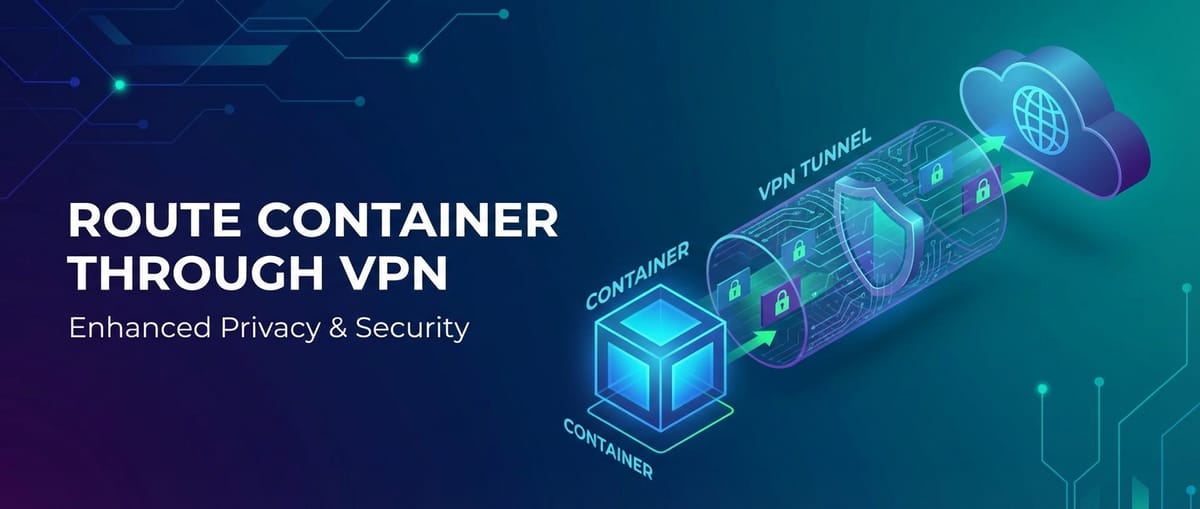
This comprehensive guide delves into the critical practice of routing container traffic through a Virtual Private Network (VPN) as a powerful strategy to significantly enhance privacy and security. A VPN establishes an encrypted tunnel between the container (or its host) and a remote server, effectively cloaking the container's real IP address, encrypting all inbound and outbound data, and providing a secure conduit over untrusted networks. We will explore the fundamental concepts of container networking and VPN technologies, detail various architectural patterns for integrating VPNs with containerized applications, provide practical implementation guidance, and discuss the myriad benefits, challenges, and best practices associated with this advanced security approach. By the end of this article, readers will possess a deep understanding of how to architect and deploy containerized solutions that leverage VPNs to achieve an unparalleled level of privacy and security, safeguarding their applications and data in an increasingly hostile digital world.
The Foundation: Understanding Containers and Their Networking Paradigms
Before embarking on the intricate journey of routing container traffic through a VPN, it is essential to establish a solid understanding of what containers are and how their networking functions by default. This foundational knowledge will illuminate the vulnerabilities that a VPN aims to address and clarify the mechanisms through which a VPN can be effectively integrated.
What is a Container? A Self-Contained Ecosystem
At its core, a container is a lightweight, standalone, executable software package that includes everything needed to run an application: code, runtime, system tools, system libraries, and settings. Unlike virtual machines, which virtualize the hardware layer and run a full-fledged guest operating system, containers share the host operating system's kernel. This fundamental difference makes containers significantly more efficient in terms of resource utilization (CPU, memory, disk) and startup time. Key technologies enabling containers include Linux namespaces (for isolation of processes, network, mount points, etc.) and cgroups (for resource allocation). This level of isolation ensures that an application running within a container perceives itself as having its own dedicated environment, complete with its own filesystem, process tree, and network stack, all while sharing the host's kernel.
This inherent isolation is a double-edged sword: while it provides a degree of security by separating processes, it also means containers have their own network interfaces and IP addresses, distinct from the host's primary interfaces. This is where the complexities and potential vulnerabilities in container networking begin to emerge.
Deconstructing Container Networking: The Default Behaviors
Container orchestrators like Docker and Kubernetes offer various networking drivers and models, each designed for specific use cases and offering different levels of isolation and connectivity. Understanding these default behaviors is crucial for appreciating the value a VPN brings.
1. Bridge Networking: The Docker Default
When you launch a Docker container without specifying a network driver, it defaults to the bridge network mode. Docker automatically creates a virtual network bridge (docker0 on Linux hosts) and assigns an internal, private IP address to each container connected to it. This bridge acts as a software switch, enabling communication between containers on the same host and allowing them to reach the outside world via Network Address Translation (NAT) performed by the Docker daemon using the host's IP address.
- Internal Communication: Containers connected to the same bridge can communicate with each other directly using their internal IP addresses, often resolvable via container names (Docker's built-in DNS resolver).
- External Communication (Outbound): When a container tries to access an external resource (e.g., a website, an external API), its traffic traverses the
docker0bridge, then is SNATed (Source NAT) to the host machine's IP address byiptablesrules configured by Docker. From the external world's perspective, the connection originates from the host's IP. - External Communication (Inbound): To allow external access to a service running inside a container, a port mapping must be explicitly configured (e.g.,
-p 8080:80). This creates aniptablesDNAT (Destination NAT) rule on the host, forwarding traffic from a host port to a container port.
While convenient, bridge networking has several privacy and security implications. All outbound traffic appears to originate from the host's IP, potentially exposing the host's identity and location. Furthermore, the iptables rules, while effective for routing, do not inherently encrypt the traffic traversing the internet.
2. Host Networking: Bypassing Isolation
In host network mode, a container shares the network namespace of the host machine. This means the container does not get its own isolated network stack; instead, it uses the host's IP address and network interfaces directly.
- Pros: Offers superior network performance as it avoids the overhead of NAT and virtual bridging. It's often used for performance-critical applications or when a container needs direct access to host network services.
- Cons: Significantly diminishes network isolation. If an application inside the container binds to port 80, it will conflict with any service on the host also binding to port 80. More critically, the container loses its network anonymity and directly inherits all network policies and vulnerabilities of the host. This mode is generally discouraged for security-sensitive applications unless stringent host-level network controls are in place.
3. Overlay Networks: For Multi-Host Communication
In orchestrated environments like Docker Swarm or Kubernetes, overlay networks are employed to enable seamless communication between containers running on different host machines. These networks often leverage technologies like VXLAN or IP-in-IP tunneling to encapsulate container traffic and route it across the underlying physical network between hosts.
- Functionality: Overlay networks abstract the underlying physical network, presenting a unified virtual network across multiple hosts. This allows containers to communicate as if they were on the same local network, regardless of their physical host.
- Security Considerations: While overlay networks provide connectivity, they don't inherently encrypt the traffic traversing between hosts over the public internet (unless specific secure overlay networks like IPSec-backed Flannel are used). The encapsulation provides a logical separation but not cryptographic privacy by default.
4. Custom Networks: User-Defined Flexibility
Docker allows users to create custom bridge networks, which offer enhanced isolation and features compared to the default docker0 bridge. Containers connected to user-defined bridges can communicate by name resolution without link specifications and are more isolated from other custom networks and the default bridge. Kubernetes, with its Container Network Interface (CNI), offers even greater flexibility, allowing various third-party networking plugins (e.g., Calico, Flannel, Cilium) to provide sophisticated networking capabilities, including network policies and advanced routing.
Regardless of the specific network driver or orchestrator, a common thread persists: the default container networking models primarily focus on connectivity and isolation at a basic level, often leaving significant gaps in terms of data privacy and the obfuscation of the container's (or host's) identity when communicating over public networks. This is precisely where the robust capabilities of a VPN become indispensable. The absence of end-to-end encryption and IP address masking in standard configurations makes container traffic vulnerable to eavesdropping, geo-blocking, and tracking, setting the stage for the enhanced security a VPN integration can provide.
The Imperative for Enhanced Privacy and Security in Containerized Deployments
The dynamic and distributed nature of containerized applications, while offering immense operational advantages, simultaneously introduces a complex web of security challenges that demand sophisticated countermeasures. Relying solely on the default networking configurations leaves critical vulnerabilities unaddressed, exposing sensitive data and operational integrity to various threats. Understanding this imperative is the cornerstone of justifying and implementing VPN integration for containers.
1. Data Eavesdropping and Interception
When containerized applications communicate over untrusted networks, such as the public internet, without an encrypted tunnel, their data is transmitted in plain text or with easily decipherable encryption. This makes the traffic highly susceptible to eavesdropping by malicious actors who could intercept the data packets. This threat is particularly acute for applications handling:
- Personal Identifiable Information (PII): Usernames, passwords, email addresses, financial details.
- Proprietary Business Logic: Trade secrets, algorithm details, internal API endpoints.
- Sensitive Operational Data: Configuration files, administrative commands, system metrics.
Even if application-level encryption (e.g., HTTPS) is used, metadata about the connection (source IP, destination IP, connection times, data volume) can still reveal valuable insights about the application's behavior, users, and the infrastructure it interacts with. A VPN encrypts the entire tunnel, including this metadata, providing a robust shield against such interception.
2. IP Address and Location Disclosure
By default, outbound connections from containers routed through the host machine reveal the host's public IP address. This IP address can be used to:
- Identify the Organization: Trace the traffic back to the hosting provider or the company running the containers.
- Determine Geographic Location: Pinpoint the physical location of the server, which can be valuable information for attackers planning targeted assaults or for competitors gaining market intelligence.
- Circumvent Geo-Restrictions: Conversely, attackers can use VPNs to bypass geo-restrictions, but if a legitimate container needs to access region-locked content or services, revealing its true origin can hinder operations.
- Reputation Management: If an application's traffic originates from an IP address with a poor reputation (e.g., associated with spam or malicious activity), legitimate services might block or throttle access.
Masking the source IP address with a VPN's server IP not only enhances anonymity but also allows applications to effectively "relocate" their perceived origin, which can be critical for privacy, bypassing geo-restrictions, and managing IP reputation.
3. Protection Against Untrusted Networks
Containerized deployments often span various network segments, including internal private networks, cloud provider networks, and the open internet. Not all these networks can be fully trusted. For instance:
- Public Cloud Networks: While cloud providers offer secure infrastructure, the shared tenancy model means your containers operate alongside others. Encrypting traffic ensures that even if other tenants or malicious insiders manage to breach parts of the cloud network, your container's communications remain secure.
- Edge Deployments: Containers at the edge, in IoT devices, or remote branch offices may operate over less secure public Wi-Fi or cellular networks. A VPN provides a vital layer of encryption and authentication in such environments.
- Supply Chain Attacks: If any component in your software supply chain is compromised, ensuring that container traffic itself is protected adds a defensive layer, preventing compromised components from broadcasting sensitive data in the clear.
A VPN acts as a secure conduit, transforming an untrusted network into a logically secure one by encrypting and authenticating all data passing through it.
4. Compliance and Regulatory Requirements
Many industries are subject to stringent regulatory frameworks that mandate robust data protection and privacy measures. Regulations such as GDPR (General Data Protection Regulation), HIPAA (Health Insurance Portability and Accountability Act), PCI DSS (Payment Card Industry Data Security Standard), and various national data privacy laws require organizations to safeguard personal and sensitive information throughout its lifecycle, including data in transit.
Implementing VPNs for container traffic helps meet these compliance obligations by:
- Ensuring Data Encryption: Providing end-to-end encryption for all container communications, a common requirement for data in transit.
- Masking Identity: Protecting the identity of the data source and destination, contributing to overall privacy.
- Establishing Audit Trails: Some VPN solutions offer detailed logging, which can assist in demonstrating compliance during audits.
Failing to adhere to these regulations can result in severe penalties, including hefty fines and significant reputational damage. Proactive security measures like VPN integration are thus not just good practice but often a legal necessity.
5. Geo-Unblocking and Accessing Region-Specific Resources
Beyond security, VPNs offer practical operational benefits for containerized applications. Many services, content platforms, and even internal corporate resources are geo-restricted, meaning they are only accessible from specific geographic locations.
- Testing and Development: Developers might need to test applications against services that are only available in certain regions.
- Content Delivery: Applications might need to access geo-blocked content or APIs for data aggregation or specialized processing.
- Distributed Teams: Teams located in different countries might need to access centralized resources that are restricted based on IP location.
By routing container traffic through a VPN server located in a specific region, applications can effectively spoof their geographic origin, gaining access to region-specific services without manual intervention or redeployment. This enhances the flexibility and reach of containerized services.
The imperative for enhanced privacy and security in containerized deployments is multifaceted, addressing critical vulnerabilities ranging from data interception and identity exposure to regulatory compliance and operational flexibility. Integrating a VPN into the container networking architecture is a robust and strategic step towards building truly secure and resilient cloud-native applications, providing a dedicated gateway for all outbound traffic.
VPN Fundamentals: The Shield Against Digital Threats
To effectively route container traffic through a VPN, a clear understanding of VPN technology itself is indispensable. A Virtual Private Network, as its name suggests, extends a private network across a public network, enabling users and devices to send and receive data across shared or public networks as if their computing devices were directly connected to the private network. This offers enhanced functionality, security, and management.
How VPNs Work: The Core Mechanics
The fundamental principle behind a VPN is the creation of a secure, encrypted "tunnel" over an unsecured network, typically the internet. This tunnel protects data by encapsulating it and encrypting it before it leaves the source device, and decrypting it only when it reaches the VPN server.
- Encryption: All data passing through the VPN tunnel is encrypted. This means that even if a malicious actor intercepts the data, they will only see unintelligible scrambled text, making it extremely difficult to decipher. Common encryption standards include AES (Advanced Encryption Standard) with various key lengths (e.g., AES-256).
- Tunneling: A VPN client (on your container or host) establishes a connection with a VPN server. Once the connection is made, all network traffic from the client is encapsulated within another data packet. This encapsulated packet then travels through the public internet to the VPN server. The process of wrapping data packets inside others is known as tunneling.
- Authentication: Before a tunnel is established, the VPN client and server authenticate each other. This typically involves credentials (username/password), digital certificates, or pre-shared keys, ensuring that only authorized devices can connect to the VPN server.
- IP Address Masking: Once connected, all outbound traffic from the client appears to originate from the VPN server's IP address, not the client's actual public IP. This masks the client's identity and location, providing anonymity.
- Traffic Routing: The VPN server acts as an intermediary. It receives the encrypted traffic from the client, decrypts it, and then forwards it to its intended destination on the internet. When the destination responds, the response traffic first goes to the VPN server, which then encrypts it and sends it back through the tunnel to the client.
Key VPN Protocols: Varieties of Secure Tunnels
Different VPN protocols employ various encryption, authentication, and tunneling methods, each with its own advantages and disadvantages in terms of speed, security, and ease of setup.
1. OpenVPN: The Open-Source Stalwart
OpenVPN is an incredibly popular open-source VPN protocol known for its robustness, flexibility, and strong security. It can utilize either UDP (faster, less reliable) or TCP (slower, more reliable) for transport and is highly configurable.
- Security: Employs SSL/TLS for key exchange and supports a wide range of strong encryption algorithms (e.g., AES-256) and authentication methods (certificates, passwords, multi-factor). Its open-source nature means it is continually audited by the community, enhancing its trustworthiness.
- Flexibility: Can operate on almost any port, making it highly effective at bypassing firewalls. It can be complex to set up manually but is widely supported by commercial VPN providers and client software.
- Performance: Generally offers good performance, though the overhead of SSL/TLS and its extensive feature set can sometimes make it slightly slower than leaner protocols.
2. WireGuard: The Modern Lightweight Contender
WireGuard is a relatively new, free, and open-source VPN protocol designed with simplicity, speed, and modern cryptography in mind. It aims to be significantly faster and more efficient than older protocols like OpenVPN and IPsec, with a much smaller codebase.
- Security: Uses state-of-the-art cryptographic primitives (e.g., ChaCha20 for symmetric encryption, Poly1305 for authentication) and focuses on a simpler, more auditable design. It is built around public-key cryptography.
- Performance: Renowned for its exceptional speed and efficiency due to its lightweight design and integration into the Linux kernel (since 5.6). It offers quick connection establishment and minimal overhead.
- Simplicity: Its configuration is much simpler than OpenVPN or IPsec, typically involving a few lines of configuration for each peer.
- Adoption: Gaining rapid adoption across various platforms due to its advantages, making it an excellent choice for containerized environments where performance and ease of deployment are critical.
3. IPsec (Internet Protocol Security): The Enterprise Standard
IPsec is a suite of protocols that secures IP communications by authenticating and encrypting each IP packet of a communication session. It operates at the network layer and is widely used in site-to-site VPNs (e.g., connecting branch offices) and remote access VPNs, especially in corporate environments.
- Components: IPsec consists of two main protocols:
- Authentication Header (AH): Provides data integrity, data origin authentication, and anti-replay service, but no confidentiality (encryption).
- Encapsulating Security Payload (ESP): Provides confidentiality (encryption), data origin authentication, data integrity, and anti-replay service. ESP is more commonly used for general-purpose VPNs.
- Modes:
- Transport Mode: Encrypts only the payload of the IP packet. Typically used for host-to-host communication where the IPsec process handles encryption/decryption.
- Tunnel Mode: Encrypts the entire original IP packet and then encapsulates it in a new IP packet with new headers. This is the common mode for VPNs, where the IPsec gateway acts as an endpoint.
- Complexity: IPsec is notoriously complex to configure, involving multiple phases (IKEv1/IKEv2) and algorithms for key exchange, encryption, and authentication.
- Performance: Can offer good performance when implemented in hardware, but software implementations can be resource-intensive.
4. PPTP (Point-to-Point Tunneling Protocol) and L2TP/IPsec (Layer 2 Tunneling Protocol over IPsec)
- PPTP: An older protocol, simple to set up, but considered insecure due to known vulnerabilities. Generally not recommended for privacy or security-sensitive applications.
- L2TP/IPsec: Combines L2TP for tunneling with IPsec for encryption and authentication. It offers better security than PPTP but can be slower than OpenVPN or WireGuard due to double encapsulation.
When selecting a VPN protocol for container integration, OpenVPN and WireGuard are generally the preferred choices due to their strong security, open-source nature, and balance of performance and flexibility. WireGuard, in particular, stands out for its modern design and superior performance characteristics, making it highly attractive for cloud-native and containerized deployments.
Architectural Patterns: Routing Containers Through a VPN
Integrating a VPN into a containerized environment can be approached through several architectural patterns, each offering distinct advantages, trade-offs, and levels of complexity. The choice of pattern often depends on the specific requirements for isolation, performance, ease of management, and the underlying orchestrator (Docker, Kubernetes).
1. Host-Level VPN: The Simplest Approach (But with Caveats)
This is perhaps the most straightforward method: configure the VPN client directly on the host machine where your containers are running. If the VPN is set up for full-tunneling, all network traffic originating from the host, including traffic from containers using the host's network stack (e.g., host network mode) or routed through the default bridge, will automatically pass through the VPN tunnel.
- Mechanism: Install and configure your VPN client (e.g., OpenVPN, WireGuard) directly on the Docker host or Kubernetes node. Establish a VPN connection. The host's routing table will be updated to direct all internet-bound traffic through the VPN interface.
- Pros:
- Simplicity: Easiest to set up and manage, as it doesn't require specific container-level network configurations.
- Global Protection: All containers on that host benefit from the VPN protection without individual configuration.
- Cons:
- Lack of Granularity: You cannot selectively route certain container traffic through the VPN while others use the direct internet connection. All or nothing.
- Single Point of Failure: If the host's VPN connection drops, all containers on that host lose their secure connection.
- Security Blanket: Provides security for the host, but the containers themselves still interact with the host's network namespace internally without additional isolation.
- Performance Impact: The VPN overhead affects all host traffic, not just container traffic.
- Use Cases: Suitable for development environments, single-server deployments, or scenarios where all traffic from a particular host must be VPN-routed for security or compliance. It can also act as a simple gateway for all outbound connections.
2. Sidecar Container Pattern: Fine-Grained Control
The sidecar pattern is a highly effective and popular approach, particularly in microservices architectures and Kubernetes environments. In this pattern, a dedicated VPN client container (the "sidecar") runs alongside the application container within the same Kubernetes pod or Docker Compose service. The application container is configured to use the network namespace of the sidecar container, effectively routing its traffic through the sidecar's VPN tunnel.
- Mechanism (Docker Compose):
- Define a VPN client container in your
docker-compose.yml(e.g., based onopenvpn-clientorwireguard-clientimages). - Configure your application container to use the network of the VPN sidecar container using
network_mode: service:vpn-sidecar. - The VPN sidecar establishes the tunnel, and the application container’s traffic automatically flows through it.
- Define a VPN client container in your
- Mechanism (Kubernetes):
- Define a Pod with two containers: one for your application, and one for the VPN client.
- The VPN client container runs and establishes the VPN tunnel.
- The application container is configured to share the network namespace of the VPN container (often implied when they are in the same Pod, but routing rules within the VPN sidecar are key). More advanced setups might involve
initContainersto set up routing ornetwork_mode: container:<vpn-container-name>if not within the same pod. However, the most straightforward Kubernetes approach within a single Pod relies on the VPN container manipulating the Pod's shared network stack. The VPN container often becomes the default gateway for the entire Pod's egress.
- Pros:
- Granular Control: Only specific applications or services that require VPN protection are routed through it, leaving other services unaffected.
- Isolation: Each application/service gets its own VPN connection, enhancing security and reducing blast radius if one VPN connection is compromised.
- Orchestration Friendly: Integrates well with orchestrators like Kubernetes, leveraging Pods as the unit of deployment.
- No Host Impact: The host machine itself does not need a VPN client, simplifying host management.
- Cons:
- Increased Complexity: Requires careful configuration of
docker-compose.ymlor Kubernetes manifests. - Resource Overhead: Each VPN sidecar consumes resources (CPU, memory), and establishing multiple tunnels can be resource-intensive.
- Management: Managing VPN credentials and configurations for many sidecars can be challenging.
- Increased Complexity: Requires careful configuration of
- Use Cases: Ideal for microservices architectures where different services have varying security requirements, or when deploying applications that need geo-unblocking or specific IP addresses.
3. Dedicated VPN Container / VPN Gateway Container: Centralized Egress
This pattern involves creating a dedicated container that acts as a VPN gateway for a group of other containers, or even an entire network segment. Instead of a sidecar per application, one VPN container serves multiple clients.
- Mechanism:
- A dedicated VPN container is deployed and configured to establish a VPN tunnel.
- This VPN container is typically configured with
net.ipv4.ip_forward=1(IP forwarding enabled) andiptablesrules to act as a router. - Other application containers are configured to use this VPN container as their default gateway. This can be achieved by:
- Connecting all relevant containers to a custom Docker network and setting the VPN container's IP as the gateway for that network.
- In Kubernetes, this is more complex, potentially involving a custom CNI plugin or a DaemonSet running on each node that redirects traffic to the VPN gateway container, making it a powerful egress gateway.
- Pros:
- Resource Efficiency: Fewer VPN instances are running compared to the sidecar model, saving resources.
- Centralized Management: VPN configuration and credentials are managed in a single place.
- Network-level Control: Provides a central point for egress traffic filtering and routing policies.
- Cons:
- Single Point of Failure: If the dedicated VPN gateway container goes down, all dependent containers lose their secure connection.
- Scalability Challenges: Can become a bottleneck if a large volume of traffic is routed through a single instance. High availability mechanisms are crucial.
- Complex Network Configuration: Requires advanced understanding of routing,
iptables, and Docker/Kubernetes networking to correctly configure the gateway and client containers.
- Use Cases: Suitable for scenarios where a group of containers needs shared VPN access, such as a backend service cluster, or when cost-efficiency and centralized management are prioritized over maximum isolation.
4. Custom Network Overlays with VPN Integration (Advanced)
For highly dynamic and large-scale deployments, especially in Kubernetes, integrating VPN functionality directly into the network overlay or using a specialized CNI plugin can offer a more robust and scalable solution.
- Mechanism: This typically involves CNI plugins that can establish encrypted tunnels between nodes (e.g., using IPsec or WireGuard within the overlay itself) or specialized routing agents that redirect egress traffic to a cluster-wide VPN service.
- Pros:
- Scalability: Designed for large-scale, multi-node clusters.
- Seamless Integration: VPN functionality becomes an intrinsic part of the cluster's networking.
- Policy Enforcement: Can combine VPN encryption with advanced network policies.
- Cons:
- High Complexity: Requires deep expertise in Kubernetes networking, CNI, and VPN protocols.
- Limited Off-the-Shelf Solutions: Often involves custom development or integration with specific cloud provider services.
- Use Cases: Enterprise-grade deployments with stringent security requirements, highly distributed microservices, or specific compliance needs where network-level encryption across the entire cluster is mandatory.
Choosing the right architectural pattern is a critical decision that balances security, performance, operational complexity, and resource utilization. For many practical applications, the sidecar pattern offers a robust and flexible solution, especially in Kubernetes environments, while a dedicated VPN gateway can be resource-efficient for specific isolation needs.
APIPark is a high-performance AI gateway that allows you to securely access the most comprehensive LLM APIs globally on the APIPark platform, including OpenAI, Anthropic, Mistral, Llama2, Google Gemini, and more.Try APIPark now! 👇👇👇
Implementation Details and Configuration Examples
Implementing VPN routing for containers requires careful configuration of network settings, VPN clients, and container definitions. This section provides practical examples for Docker Compose and Kubernetes, focusing on the widely adopted WireGuard protocol for its performance and simplicity, though the principles apply broadly to OpenVPN as well.
Pre-requisites for All Methods
Before proceeding with any implementation, ensure the following:
- VPN Configuration: You have a working WireGuard server configuration, including private and public keys for both server and client, an assigned IP address for the client within the VPN tunnel, and the server's endpoint address.
- Docker/Kubernetes Environment: A running Docker daemon or Kubernetes cluster.
- WireGuard Client Configuration File (
wg0.conf): This file contains the client-side configuration for WireGuard. A typical clientwg0.confmight look like this:```ini [Interface] PrivateKey =Address = 10.0.0.2/32 # IP address assigned to this client within the VPN tunnel DNS = 1.1.1.1 # DNS server to use when VPN is active[Peer] PublicKey =Endpoint =:51820 # Server public IP and port AllowedIPs = 0.0.0.0/0 # Route all traffic through the VPN PersistentKeepalive = 25 ```Replace<CLIENT_PRIVATE_KEY>,<SERVER_PUBLIC_KEY>,<SERVER_IP_OR_HOSTNAME>with your actual values.
Method 1: Host-Level VPN (Docker Host)
This is the simplest for Docker, affecting all containers that rely on the host's network.
- Install WireGuard on Host:
bash sudo apt update sudo apt install wireguard - Configure WireGuard on Host:
- Place your
wg0.conffile in/etc/wireguard/. - Ensure IP forwarding is enabled (often required for the VPN server, but good to check if you experience issues):
sudo sysctl -w net.ipv4.ip_forward=1(and make persistent in/etc/sysctl.conf). - Start the WireGuard interface:
sudo wg-quick up wg0 - Enable it to start on boot:
sudo systemctl enable wg-quick@wg0
- Place your
- Verify: After the VPN is up, check your public IP from a container:
bash docker run --rm alpine sh -c "apk add curl && curl -s ifconfig.me"This should show the VPN server's IP address.
Method 2: Sidecar Container Pattern with Docker Compose
This example demonstrates routing an application container's traffic through a dedicated WireGuard client sidecar.
# docker-compose.yml
version: '3.8'

services:
  vpn-client:
    image: ghcr.io/linuxserver/wireguard # A popular WireGuard client image
    container_name: wireguard-client
    cap_add:
      - NET_ADMIN # Required for VPN functionality
      - SYS_MODULE # Required for WireGuard kernel module access
    sysctls:
      - net.ipv4.ip_forward=1 # Essential for routing traffic through this container
      - net.ipv6.conf.all.disable_ipv6=0
      - net.ipv6.conf.all.accept_ra=2
    volumes:
      - ./config/wg0.conf:/etc/wireguard/wg0.conf:ro # Mount your WireGuard config
      - /lib/modules:/lib/modules # Required for WireGuard module
    environment:
      - PUID=1000
      - PGID=1000
      - TZ=Etc/UTC
    restart: unless-stopped
    # Expose a dummy port if needed, or none if only for egress
    # ports:
    #   - "51820:51820/udp" # Only necessary if this container acts as a VPN server or needs specific port forwarding
    command: sh -c "wg-quick up wg0 && tail -f /dev/null" # Keep container running after VPN up

  my-app:
    image: alpine/git # Example application, replace with your actual app
    container_name: my-application
    network_mode: service:vpn-client # IMPORTANT: Use the network namespace of the VPN client
    command: sh -c "apk add curl && sleep 5 && curl -s ifconfig.me && sleep infinity" # Example command to check IP and keep running
    depends_on:
      - vpn-client
    restart: unless-stopped
Explanation:
vpn-clientservice:- Uses a WireGuard client image.
cap_add: NET_ADMINandSYS_MODULEare crucial for the container to manage network interfaces and load kernel modules.sysctls: net.ipv4.ip_forward=1allows the container to forward traffic, acting as a router.- Mounts the
wg0.conffile from your localconfigdirectory. command: sh -c "wg-quick up wg0 && tail -f /dev/null"starts WireGuard and keeps the container running indefinitely.
my-appservice:network_mode: service:vpn-clientis the key. This tells Docker to makemy-appshare the network stack of thevpn-clientcontainer. Allmy-app's network traffic will egress throughvpn-client's interfaces, including the WireGuard tunnel.depends_on: vpn-clientensures the VPN client starts first.
To run: docker compose up -d. Check logs of my-application for the public IP.
Method 3: Sidecar Container Pattern with Kubernetes
In Kubernetes, the sidecar pattern often involves running the VPN client and the application in the same Pod, ensuring they share the network namespace.
# kubernetes-vpn-sidecar.yaml
apiVersion: v1
kind: Pod
metadata:
  name: my-vpn-app-pod
spec:
  containers:
  - name: vpn-client
    image: ghcr.io/linuxserver/wireguard
    securityContext: # Required for capabilities
      capabilities:
        add: ["NET_ADMIN", "SYS_MODULE"]
    volumeMounts:
    - name: wg-config
      mountPath: /etc/wireguard
      readOnly: true
    env:
      - name: PUID
        value: "1000"
      - name: PGID
        value: "1000"
      - name: TZ
        value: "Etc/UTC"
    lifecycle:
      postStart: # Ensure VPN is up before app starts
        exec:
          command: ["sh", "-c", "wg-quick up wg0"]
    # This init container might be needed if WireGuard kernel module isn't present
    # Or for more complex routing setup if the main VPN client cannot manage it all
    # initContainers:
    # - name: init-network
    #   image: alpine/git
    #   command: ["sh", "-c", "echo 'Setting up routing for VPN...'"] # Placeholder
    #   securityContext:
    #     privileged: true # Potentially needed for specific network manipulations
    #     capabilities:
    #       add: ["NET_ADMIN"]
    resources:
      requests:
        memory: "64Mi"
        cpu: "50m"
      limits:
        memory: "128Mi"
        cpu: "100m"

  - name: my-application
    image: alpine/git
    command: ["sh", "-c", "apk add curl && sleep 10 && curl -s ifconfig.me && sleep infinity"]
    resources:
      requests:
        memory: "64Mi"
        cpu: "50m"
      limits:
        memory: "128Mi"
        cpu: "100m"

  volumes:
  - name: wg-config
    secret:
      secretName: wireguard-config # Your WireGuard config stored as a Kubernetes Secret
      items:
        - key: wg0.conf
          path: wg0.conf
Explanation:
wireguard-configSecret: Create a Kubernetes Secret containing yourwg0.conffile:bash kubectl create secret generic wireguard-config --from-file=wg0.conf=./config/wg0.conf(Ensureconfig/wg0.confexists locally).vpn-clientContainer:- Uses the
ghcr.io/linuxserver/wireguardimage. securityContextgrants necessaryNET_ADMINandSYS_MODULEcapabilities.- Mounts the
wg0.conffrom thewireguard-configSecret. lifecycle.postStarthook ensureswg-quick up wg0is executed after the container starts but before the application container might need network access, thoughinitContainerscan also be used for stricter ordering.
- Uses the
my-applicationContainer:- Runs alongside
vpn-clientin the same Pod, automatically sharing the network namespace. - Its traffic will be routed through the
vpn-client's WireGuard tunnel.
- Runs alongside
To deploy: kubectl apply -f kubernetes-vpn-sidecar.yaml. Check logs of my-vpn-app-pod (kubectl logs my-vpn-app-pod -c my-application).
APIPark Integration Note
While the above configurations secure the network layer for containers, the applications within these containers often expose APIs or consume external APIs. For managing and securing these APIs at an application level, beyond the network tunnel, an API management platform becomes invaluable. For instance, if my-application in the example above were an API service that you wanted to expose securely and manage effectively, an API gateway could sit in front of it.
Consider a scenario where your containerized application, now securely routed through a VPN, needs to expose services to external consumers or internal teams. For robust API lifecycle management, including authentication, traffic forwarding, load balancing, and detailed logging, an open-source AI gateway and API management platform like APIPark can be a powerful complement. APIPark allows you to manage the entire API lifecycle, from design to publication and monitoring, offering features like unified API formats for AI invocation, prompt encapsulation into REST APIs, and granular access permissions. While the VPN provides foundational network security by encrypting the data in transit and masking the container's origin, APIPark enhances security and manageability at the application layer, ensuring that your VPN-protected container's APIs are exposed, consumed, and governed securely and efficiently. This two-pronged approach—VPN for network privacy and an API gateway like APIPark for API governance—creates a truly resilient and secure application ecosystem.
Method 4: Dedicated VPN Gateway Container (Docker Compose)
This approach creates a central VPN container that acts as a gateway for other services on a custom network.
# docker-compose-gateway.yml
version: '3.8'

networks:
  vpn-net:
    driver: bridge
    ipam:
      config:
        - subnet: 172.20.0.0/24 # Define a custom subnet for the VPN network

services:
  vpn-gateway:
    image: ghcr.io/linuxserver/wireguard
    container_name: wireguard-gateway
    cap_add:
      - NET_ADMIN
      - SYS_MODULE
    sysctls:
      - net.ipv4.ip_forward=1
      - net.ipv6.conf.all.disable_ipv6=0
      - net.ipv6.conf.all.accept_ra=2
    volumes:
      - ./config/wg0.conf:/etc/wireguard/wg0.conf:ro
      - /lib/modules:/lib/modules
    environment:
      - PUID=1000
      - PGID=1000
      - TZ=Etc/UTC
    command: sh -c "wg-quick up wg0 && iptables -A FORWARD -i eth0 -o wg0 -j ACCEPT && iptables -A FORWARD -i wg0 -o eth0 -j ACCEPT && iptables -t nat -A POSTROUTING -o wg0 -j MASQUERADE && tail -f /dev/null"
    networks:
      vpn-net:
        ipv4_address: 172.20.0.2 # Assign a static IP for the gateway
    restart: unless-stopped
    ports:
      - "51820:51820/udp" # Only if this container also acts as a VPN server

  my-app-behind-vpn:
    image: alpine/git
    container_name: my-app-behind-gateway
    networks:
      vpn-net:
        ipv4_address: 172.20.0.3 # Assign a static IP for the app
    command: sh -c "apk add curl && sleep 10 && curl -s ifconfig.me && sleep infinity"
    environment:
      - http_proxy=http://vpn-gateway:3128 # Example if VPN gateway runs a proxy, otherwise rely on default route
      - https_proxy=http://vpn-gateway:3128
    depends_on:
      - vpn-gateway
    restart: unless-stopped

  # Another application also behind the VPN gateway
  another-app:
    image: alpine/git
    container_name: another-application
    networks:
      vpn-net:
        ipv4_address: 172.20.0.4
    command: sh -c "apk add curl && sleep 15 && curl -s ifconfig.me && sleep infinity"
    depends_on:
      - vpn-gateway
    restart: unless-stopped
Explanation for dedicated VPN Gateway:
vpn-net: A custom bridge network is defined with a specific subnet.vpn-gatewayservice:- Connects to
vpn-netand is assigned a static IP (172.20.0.2). - The
commandis crucial:wg-quick up wg0starts the VPN. Theiptablesrules:iptables -A FORWARD -i eth0 -o wg0 -j ACCEPT: Allows traffic from the Docker network interface (eth0) to be forwarded to the WireGuard interface (wg0).iptables -A FORWARD -i wg0 -o eth0 -j ACCEPT: Allows return traffic.iptables -t nat -A POSTROUTING -o wg0 -j MASQUERADE: Performs Source NAT on outbound traffic fromwg0, making it appear to originate from the VPN client's IP address.
- Connects to
my-app-behind-vpnandanother-appservices:- Also connect to
vpn-net. - Crucially, these containers need to be explicitly configured to use
vpn-gatewayas their default route. This often requires running a command within the application containers to modify their routing tables (e.g.,ip route del default; ip route add default via 172.20.0.2). Or, for simpler cases, rely on proxies ifvpn-gatewayalso acts as an HTTP/S proxy. The provided example formy-app-behind-vpnimplies a proxy, which is simpler to set up indocker-compose.yml. For direct routing, aninitContainerorentrypointscript would be needed to set the default route.
- Also connect to
Table: Comparison of Container VPN Routing Patterns
| Feature/Pattern | Host-Level VPN | Sidecar Container | Dedicated VPN Gateway |
|---|---|---|---|
| Isolation | Low (affects all host) | High (per app/pod) | Medium (per network seg) |
| Granularity | Low (all-or-nothing) | High (per app/pod) | Medium (per network seg) |
| Complexity | Low | Medium | High |
| Resource Overhead | Low (one VPN client) | High (one per app/pod) | Low-Medium (one per seg) |
| Single Point of Failure | Host VPN | Individual sidecar | Dedicated gateway |
| Orchestrator Fit | Docker (simple hosts) | Kubernetes (Pods) | Docker Compose, Kubernetes (DaemonSet/Egress GW) |
| Use Case | Dev, single service | Microservices, varied needs | Shared VPN access, cost-eff. |
| APIPark Relevance | General host security | Specific app API security | Cluster-level API security |
Implementing these patterns correctly requires careful attention to network configuration, especially iptables rules and routing tables. Always test your configuration thoroughly to ensure traffic is indeed routed through the VPN and that there are no DNS leaks.
Benefits of Routing Containers Through a VPN
The diligent effort involved in routing container traffic through a VPN yields a multitude of significant benefits, transforming a potentially vulnerable containerized deployment into a robust, private, and secure application ecosystem. These advantages span privacy, security, operational flexibility, and compliance, making VPN integration a critical strategy for modern cloud-native architectures.
1. Enhanced Data Confidentiality and Integrity
The primary and most compelling benefit of using a VPN is the robust encryption it applies to all data traversing the tunnel. When a container's traffic is routed through a VPN, every packet is encrypted at the source (VPN client) and decrypted only at the destination (VPN server). This end-to-end encryption means that even if network traffic is intercepted by malicious actors, they will only encounter unreadable, scrambled data.
- Protection against Eavesdropping: This effectively neutralizes threats from passive network monitoring, man-in-the-middle attacks, and unauthorized data interception, safeguarding sensitive information such as user credentials, API keys, private data, and proprietary business logic.
- Data Integrity: Modern VPN protocols also include mechanisms for data integrity verification, ensuring that the data has not been tampered with in transit. This prevents malicious modification of data packets before they reach their intended destination.
2. Anonymity and IP Address Masking
Routing container traffic through a VPN effectively hides the container's (and by extension, the host's) real public IP address. All external communication appears to originate from the IP address of the VPN server.
- Privacy: This masks the true geographic location and identity of your server, making it significantly harder for third parties, trackers, or potential attackers to pinpoint your infrastructure.
- Reduced Attack Surface: By presenting a different IP address, you obscure the actual origin of your application, making it more challenging for attackers to target your specific infrastructure based on public IP reconnaissance.
- IP Reputation Management: If your hosting provider's IP ranges are sometimes associated with undesirable activities (e.g., spam), routing through a VPN can provide a clean IP address with a better reputation, preventing legitimate services from blocking your application.
3. Circumvention of Geo-Restrictions and Censorship
Many online services, content providers, and even internal corporate resources implement geo-blocking, restricting access based on the user's geographic location (determined by IP address).
- Access to Region-Specific Resources: By connecting to a VPN server located in a desired country or region, your containerized application can bypass these restrictions and access geographically locked content, APIs, or services. This is invaluable for:
- Testing applications against region-specific configurations or data.
- Aggregating data from various geo-restricted sources.
- Providing services that need to appear to originate from a particular country for regulatory or business reasons.
- Bypassing Censorship: In regions with restrictive internet censorship, a VPN can provide a reliable pathway for containers to communicate freely, ensuring the continuous operation of services.
4. Enhanced Security Posture Against External Threats
A VPN creates a secure perimeter for your container's outbound traffic, making it less vulnerable to various external threats.
- Protection on Untrusted Networks: Whether your containers are running on public cloud infrastructure, edge devices, or over an unsecured Wi-Fi connection, the VPN acts as a secure tunnel, protecting your traffic from local network snooping or attacks.
- Defense Against DDoS Mitigation Bypasses: Some advanced DDoS attacks might try to target specific IP addresses. While a VPN is not a direct DDoS mitigation tool, it adds a layer of indirection, making it harder for attackers to reliably target your origin IP.
- Secure Remote Access: If your containers need to interact with internal, private network resources (e.g., databases, legacy systems), a VPN can provide a secure conduit, extending your private network's trust perimeter to your containerized applications.
5. Compliance and Regulatory Adherence
For organizations operating in regulated industries, data privacy and security are not just best practices but legal mandates. Routing container traffic through a VPN directly contributes to meeting these stringent compliance requirements.
- GDPR, HIPAA, PCI DSS: These regulations often require data in transit to be encrypted. A VPN provides a strong cryptographic layer that satisfies such requirements.
- Audit Trails: Many VPN solutions offer detailed connection logs and traffic flow information, which can be invaluable for demonstrating compliance during security audits and investigations.
- Data Residency: In some cases, specific regulations might require data to be processed or appear to originate from a particular geographic region. A VPN can help fulfill these data residency requirements by allowing you to choose the location of your egress traffic.
6. Isolation and Gateway Functionality
Especially with the sidecar or dedicated VPN gateway patterns, the VPN container acts as a specialized network gateway for the application.
- Service-Specific Security: Each container or group of containers can have its own VPN tunnel, providing fine-grained security policies and ensuring that a compromise in one service's VPN does not impact others.
- Centralized Egress Control: A dedicated VPN gateway container can serve as a single point of egress for a network segment, allowing administrators to implement centralized firewall rules, content filtering, and monitoring for all traffic flowing through that gateway. This simplifies network management and enhances overall security posture by channeling all external communication through a controlled, encrypted choke point.
The integration of VPN technology into container networking is a strategic investment that pays dividends across the spectrum of privacy, security, and operational flexibility. It moves beyond basic container isolation to establish a truly secure and resilient foundation for modern applications.
Challenges and Considerations
While routing containers through a VPN offers substantial benefits, it's not without its complexities and potential pitfalls. Developers and system administrators must be aware of these challenges to ensure a robust, secure, and performant implementation. Overlooking these considerations can lead to degraded performance, network instability, or even unintended security vulnerabilities like DNS leaks.
1. Performance Overhead
VPNs inherently introduce a performance overhead due to the encryption, decryption, and encapsulation processes.
- CPU Utilization: Cryptographic operations consume CPU cycles. While modern processors often have hardware acceleration for AES (AES-NI), the overhead can still be noticeable, especially for high-throughput applications or less efficient VPN protocols (e.g., OpenVPN on older hardware). WireGuard generally has lower overhead due to its lean design and kernel integration.
- Latency: The additional hop to the VPN server and the processing required at both the client and server ends can increase network latency. For applications highly sensitive to latency (e.g., real-time gaming, high-frequency trading), this can be a significant concern.
- Bandwidth: The encapsulation process adds a small amount of overhead to each packet, slightly increasing bandwidth consumption. This is usually negligible but can accumulate over high volumes of data.
- Resource Contention: In sidecar or gateway patterns, the VPN container itself consumes CPU and memory. Deploying many sidecars on a single host can lead to resource contention if not properly managed, potentially impacting the performance of the application containers.
Careful monitoring of resource utilization and network performance is essential to identify and mitigate these issues.
2. Configuration Complexity
Setting up and managing VPNs, especially in dynamic containerized environments, can be complex.
- Network Namespace Management: Correctly configuring containers to use the VPN sidecar's network namespace or directing traffic to a dedicated VPN gateway requires a deep understanding of Docker/Kubernetes networking and routing rules.
iptablesRules: The VPN container or host often requires specificiptablesrules for NAT, forwarding, and firewalling to ensure traffic correctly enters and exits the VPN tunnel and is properly isolated. Incorrect rules can lead to traffic not being routed through the VPN or, worse, unintended exposure.- Credential Management: Securely managing VPN client configurations, certificates, and keys within container images or Kubernetes Secrets requires robust practices to prevent compromise.
- Debugging: Troubleshooting network issues when a VPN is involved can be significantly more challenging due to the layers of abstraction and encryption.
3. DNS Leaks
A DNS leak occurs when your computer (or container) attempts to resolve a domain name using a DNS server outside of the VPN tunnel, revealing your actual IP address or geographic location to your Internet Service Provider (ISP) or the DNS server you are querying, even if your other traffic is encrypted by the VPN.
- How it Happens: Often due to misconfigured DNS settings or the operating system prioritizing non-VPN DNS servers. In container environments, default Docker DNS resolution might bypass the VPN's configured DNS.
- Prevention:
- Explicitly configure the VPN client to push DNS servers (e.g.,
DNSdirective in WireGuardwg0.conf). - Ensure that application containers only use DNS servers accessible through the VPN tunnel or that are explicitly configured to be secure.
- Test regularly using online DNS leak tools (e.g., dnsleaktest.com).
- Explicitly configure the VPN client to push DNS servers (e.g.,
4. VPN Kill Switch and Network Policy Implementation
A VPN kill switch is a critical security feature that automatically blocks all internet traffic if the VPN connection drops unexpectedly. This prevents any data from being transmitted outside the secure tunnel, even for a brief moment.
- Importance: Without a kill switch, a dropped VPN connection could expose your container's true IP and traffic, negating the privacy benefits.
- Implementation Challenges: Implementing a reliable kill switch in a containerized environment can be complex.
- Host-level: Easier to implement with host-level VPN clients using
iptablesrules that block all traffic unless the VPN interface is up. - Container-level: More challenging. It might involve custom
iptablesrules within the VPN sidecar/gateway container that drop traffic if the VPN tunnel is not established, or using network policies in Kubernetes to restrict egress based on the VPN's status.
- Host-level: Easier to implement with host-level VPN clients using
- Network Policies: Orchestrators like Kubernetes allow defining network policies to control ingress and egress traffic between pods and namespaces. Integrating these policies with VPN routing ensures that even if a VPN connection fails, no unauthorized traffic leaves or enters the container.
5. IP Address and Routing Conflicts
When multiple VPNs are involved, or when a VPN is integrated with complex custom networks, IP address and routing conflicts can arise.
- Subnet Overlaps: If the VPN's internal subnet overlaps with your Docker bridge networks or other internal network segments, it can lead to routing issues.
- Default Routes: Ensuring that the container's default gateway correctly points to the VPN client or gateway is paramount. Incorrect default routes will bypass the VPN.
- Split Tunneling vs. Full Tunneling:
- Full Tunneling: All traffic goes through the VPN. Simpler to configure, higher security, but more overhead.
- Split Tunneling: Only specific traffic goes through the VPN, while other traffic goes direct. More complex to configure (requires explicit routing rules), lower overhead for non-VPN traffic, but higher risk of misconfiguration or leaks. Choosing the right tunneling strategy impacts complexity and security.
6. VPN Provider Trust and Reliability
The security of your VPN-routed traffic ultimately depends on the trustworthiness and reliability of your VPN provider (if using a third-party service).
- No-Logs Policy: Ensure the provider has a strict no-logs policy, meaning they do not record your online activities.
- Jurisdiction: Consider the legal jurisdiction of the VPN provider and its implications for data privacy.
- Security Audits: Reputable providers undergo independent security audits.
- Server Stability and Speed: A slow or unreliable VPN server can negate the performance benefits of your containers.
- Self-Hosting: Operating your own VPN server (e.g., on a VPS) gives you full control but shifts the responsibility for security and maintenance entirely to you.
Addressing these challenges requires a comprehensive approach, including thorough planning, meticulous configuration, continuous monitoring, and regular testing. By proactively mitigating these potential issues, you can harness the full power of VPN integration for truly private and secure containerized applications.
Best Practices for Secure VPN-Container Integration
Implementing VPN routing for containers effectively and securely demands adherence to a set of best practices that address configuration, operation, and ongoing maintenance. These practices ensure not only that the VPN functions as intended but also that it genuinely enhances the overall security posture of your containerized applications.
1. Choose a Robust VPN Protocol and Provider
The foundation of a secure VPN integration lies in the choice of protocol and, if applicable, the VPN provider.
- Protocol Selection: Prioritize modern, well-audited, and performant protocols. WireGuard is highly recommended for its simplicity, speed, and strong cryptography, especially for containerized environments. OpenVPN is another excellent choice for its maturity, flexibility, and robust security. Avoid outdated and insecure protocols like PPTP.
- VPN Provider (if applicable):
- Strict No-Logs Policy: Select a provider with a verifiable no-logs policy to ensure your activity isn't recorded.
- Strong Encryption and Authentication: Ensure they use industry-standard strong encryption (e.g., AES-256) and secure authentication methods.
- Independent Audits: Look for providers that have undergone independent security audits.
- Jurisdiction: Consider the provider's legal jurisdiction and its privacy laws.
- Self-Hosted VPN: For maximum control and privacy, consider deploying and managing your own VPN server (e.g., OpenVPN, WireGuard on a VPS). This puts you in full control of the infrastructure and logs, but also the full responsibility for its security.
2. Implement a Reliable Kill Switch
A kill switch is paramount to prevent accidental exposure of container traffic if the VPN connection drops.
- Host-level: For host-level VPNs, configure
iptablesrules on the host to block all internet-bound traffic unless the VPN interface is active. Many VPN clients offer this functionality natively. - Container-level (Sidecar/Gateway): This is more complex.
- Dedicated
iptables: Within the VPN container, implementiptablesrules that only allow forwarding if the VPN tunnel (wg0interface) is up and traffic is going through it. - Health Checks and Restart Policies: For orchestrators like Kubernetes, implement aggressive health checks on the VPN container and configure restart policies to quickly re-establish the connection. However, this doesn't prevent temporary leaks during the restart.
- External Watchdog: Consider a separate monitoring process that actively checks the VPN tunnel status and, if down, temporarily shuts down dependent application containers or modifies network rules to block traffic.
- Dedicated
3. Prevent DNS Leaks
DNS leaks can undermine the privacy benefits of a VPN.
- Explicit DNS Configuration: Always configure your VPN client to push specific DNS servers (e.g., 1.1.1.1, 8.8.8.8, or your VPN provider's DNS) into the VPN tunnel.
- Container DNS Settings: For containerized applications, ensure that
/etc/resolv.confwithin the application container correctly points to a DNS server accessible only via the VPN, or to a DNS server provided by the VPN client. In Docker, this can be managed with--dnsoption. In Kubernetes, DNS is typically handled bykube-dnsorCoreDNS, which might need to be configured to forward specific queries through the VPN gateway. - Regular Testing: Periodically use online tools (e.g., dnsleaktest.com) from within your containerized application to confirm no DNS leaks are occurring.
4. Leverage Network Policies and Firewall Rules
Beyond the VPN, employ additional layers of network security.
- Egress Network Policies (Kubernetes): Use Kubernetes Network Policies to define explicit rules for which external IPs or domains your containers are allowed to communicate with, even when behind a VPN. This limits the blast radius if an application is compromised.
- Container Firewalls (
iptables): If using a dedicated VPN gateway container, implement robustiptablesrules within that container to restrict outbound traffic to only necessary ports and protocols. - Least Privilege: Configure network access on the host and within containers using the principle of least privilege, allowing only the absolutely necessary connections.
5. Secure Credential Management
VPN configuration files often contain sensitive information like private keys or credentials.
- Kubernetes Secrets: In Kubernetes, store VPN configuration files and credentials in Secrets. Mount these Secrets as read-only volumes into your VPN client containers.
- Docker Secrets/Environment Variables: For Docker Compose, use Docker Secrets or environment variables to inject sensitive data, avoiding hardcoding them directly in
docker-compose.yml. - Restrict Access: Limit access to these secrets and configuration files to only the necessary components and personnel.
- Ephemeral Keys: If possible, use VPN configurations with ephemeral keys or frequently rotate certificates.
6. Monitor and Alert
Continuous monitoring is crucial for maintaining the security and stability of your VPN-integrated containers.
- VPN Connection Status: Monitor the VPN tunnel's health and connection status. Set up alerts for disconnections or failures.
- Network Performance: Track latency, throughput, and CPU/memory usage of VPN containers to identify performance bottlenecks.
- Traffic Logs: If your VPN provider (or self-hosted server) offers them, analyze traffic logs for suspicious activity.
- IP Address Verification: Periodically verify the public IP address of your containerized application to ensure it is consistently routed through the VPN.
7. Optimize Performance
Address potential performance bottlenecks proactively.
- WireGuard: Prefer WireGuard for its performance advantages.
- Resource Allocation: Allocate sufficient CPU and memory resources to VPN client containers to handle encryption/decryption overhead, especially for high-traffic applications.
- Server Location: Choose VPN server locations that are geographically close to the intended destination or an intermediate point to minimize latency.
- Split Tunneling (Judiciously): If only a subset of traffic requires VPN protection, consider implementing split tunneling to reduce overhead for non-sensitive traffic. However, this adds complexity and a higher risk of misconfiguration leading to leaks.
8. Regular Updates and Patching
Keep all components up to date.
- VPN Client Software: Regularly update the VPN client software (both on the host and in container images) to patch vulnerabilities.
- Operating System and Kernel: Keep the host operating system and kernel patched, as VPNs rely heavily on kernel modules.
- Container Images: Ensure the base images for your VPN and application containers are regularly updated to include the latest security patches.
By diligently adhering to these best practices, organizations can confidently route their container traffic through VPNs, achieving robust privacy, enhanced security, and reliable operational continuity for their cloud-native applications. This comprehensive approach transforms a potentially complex security challenge into a well-managed and effective solution.
Conclusion: Fortifying Containerized Applications for a Secure Digital Future
The journey through the intricacies of routing container traffic through a VPN reveals a critical pathway toward fortifying modern cloud-native applications against an ever-evolving landscape of digital threats. While containers inherently offer a degree of isolation for applications, their default networking mechanisms often fall short in providing the privacy, security, and anonymity demanded by today's stringent compliance standards and the pervasive nature of cyber risks. This guide has illuminated how integrating a Virtual Private Network can bridge these gaps, transforming exposed container traffic into a secure, encrypted, and anonymized flow of data.
We began by dissecting the fundamental nature of containers and their diverse networking paradigms—from the ubiquitous bridge networks to sophisticated overlay configurations—underscoring the inherent vulnerabilities that necessitate additional layers of protection. The imperative for enhanced privacy and security was then firmly established, highlighting threats like data eavesdropping, IP address disclosure, and the critical need to meet regulatory compliance mandates like GDPR and HIPAA.
A deep dive into VPN fundamentals clarified the operational mechanics of encryption, tunneling, and authentication, alongside an examination of leading protocols such as OpenVPN and WireGuard. WireGuard, with its modern cryptographic design, lean codebase, and superior performance, emerged as a particularly compelling choice for dynamic containerized environments. Subsequently, we explored various architectural patterns for integration, ranging from the straightforward host-level VPN to the more granular sidecar pattern and the centralized dedicated VPN gateway. Each approach, while offering distinct trade-offs in complexity and control, provides a viable means to channel container traffic through a secure tunnel.
Practical implementation details, including configuration examples for Docker Compose and Kubernetes using WireGuard, demonstrated the tangible steps required to set up these patterns. Crucially, we also saw how robust API management, exemplified by platforms like APIPark, complements network-level VPN security by providing an additional layer of governance, authentication, and monitoring for the APIs exposed or consumed by these secure containers. While the VPN secures the "pipe," APIPark secures the "contents" and access to them, illustrating a holistic approach to application security.
The myriad benefits of this integration, including enhanced data confidentiality, anonymity, geo-restriction circumvention, and stronger compliance adherence, paint a clear picture of its value. However, this powerful solution also introduces challenges such as performance overhead, configuration complexity, and the critical issue of DNS leaks. To navigate these complexities successfully, a set of best practices was outlined, emphasizing robust protocol selection, reliable kill switch implementation, meticulous DNS leak prevention, secure credential management, continuous monitoring, and regular updates.
In an era where data breaches can have catastrophic consequences for reputation, finances, and legal standing, merely running applications in containers is no longer sufficient. By strategically routing container traffic through a VPN, organizations are not just adding a security feature; they are embedding a fundamental principle of privacy and resilience into the very fabric of their cloud-native deployments. This proactive and comprehensive approach ensures that applications remain secure, data stays confidential, and operations continue uninterrupted, paving the way for a more secure and trustworthy digital future.
Frequently Asked Questions (FAQ)
Q1: Why should I route my containers through a VPN instead of just relying on HTTPS?
A1: While HTTPS provides encryption for application-layer data (e.g., communication between a web browser and a server), it doesn't encrypt all network traffic originating from your container. A VPN encrypts the entire network tunnel, including metadata like source and destination IP addresses, and DNS queries, which HTTPS does not. This provides a more comprehensive layer of privacy and security, masking your container's true origin and protecting against traffic analysis, even if the application itself uses HTTPS. It ensures all outbound connections, including non-HTTP/S traffic (e.g., database connections, internal service calls, software updates), are secured and anonymized.
Q2: What are the main differences between the Host-Level, Sidecar, and Dedicated VPN Gateway patterns for container VPN routing?
A2: * Host-Level VPN: Simplest to set up; the VPN client runs directly on the host machine, and all traffic from containers (and the host) is routed through it. Offers low granularity (all or nothing) and ties containers directly to the host's VPN status. * Sidecar Pattern: A dedicated VPN client container runs alongside each application container (e.g., in the same Kubernetes Pod). This provides high granularity and isolation, allowing specific applications to use a VPN while others don't. It's more complex to configure but very flexible. * Dedicated VPN Gateway: A single VPN container acts as a gateway for a group of other containers on a specific network segment. It's more resource-efficient than multiple sidecars but introduces a single point of failure and requires more advanced network configuration (routing rules) to direct client container traffic through it.
Q3: How can I prevent DNS leaks when routing containers through a VPN?
A3: Preventing DNS leaks is critical for maintaining privacy. First, ensure your VPN client is configured to push specific, trustworthy DNS servers (e.g., your VPN provider's DNS, 1.1.1.1, 8.8.8.8) into the VPN tunnel. Second, verify that your application containers use these VPN-tunneled DNS servers. In Docker, you can specify --dns for individual containers. In Kubernetes, ensure that your DNS resolution within the Pod (or cluster) is configured to use DNS servers accessible only via the VPN or that the VPN gateway itself handles DNS resolution securely. Finally, regularly test for DNS leaks from within your containerized application using tools like curl -s dnsleaktest.com/json (after installing curl).
Q4: What are the performance implications of routing container traffic through a VPN?
A4: Routing traffic through a VPN introduces performance overhead primarily due to encryption/decryption, data encapsulation, and the additional network hop to the VPN server. This can lead to increased CPU utilization (for cryptographic operations) and higher network latency. The impact varies depending on the VPN protocol (WireGuard is generally faster than OpenVPN), the strength of encryption, the VPN server's location and load, and the processing power of your container host. For high-throughput or low-latency applications, careful resource allocation for the VPN container and choosing a performant VPN protocol and server are crucial.
Q5: How does an API Gateway like APIPark complement VPN security for containers?
A5: A VPN provides foundational network security by encrypting all traffic at the transport layer and masking your container's IP address. This secures the "pipe" through which your container's data travels. However, an API Gateway like APIPark complements this by providing application-layer security and management for the APIs your container might expose or consume. APIPark helps with aspects like API authentication, authorization, traffic management, rate limiting, logging, and lifecycle management. While the VPN ensures data privacy in transit from network eavesdropping, APIPark ensures that access to your API endpoints is controlled, secure, and auditable, even if they are hosted within a VPN-protected container. It's a comprehensive, layered security approach: VPN for the network, API Gateway for the application interface.
🚀You can securely and efficiently call the OpenAI API on APIPark in just two steps:
Step 1: Deploy the APIPark AI gateway in 5 minutes.
APIPark is developed based on Golang, offering strong product performance and low development and maintenance costs. You can deploy APIPark with a single command line.
curl -sSO https://download.apipark.com/install/quick-start.sh; bash quick-start.sh

In my experience, you can see the successful deployment interface within 5 to 10 minutes. Then, you can log in to APIPark using your account.

Step 2: Call the OpenAI API.